 Small batches, high standards. Our rapid prototyping service makes validation faster and easier —
  EN
EN


CNC Manufacturing Decoded: From Digital Design To Precision Parts
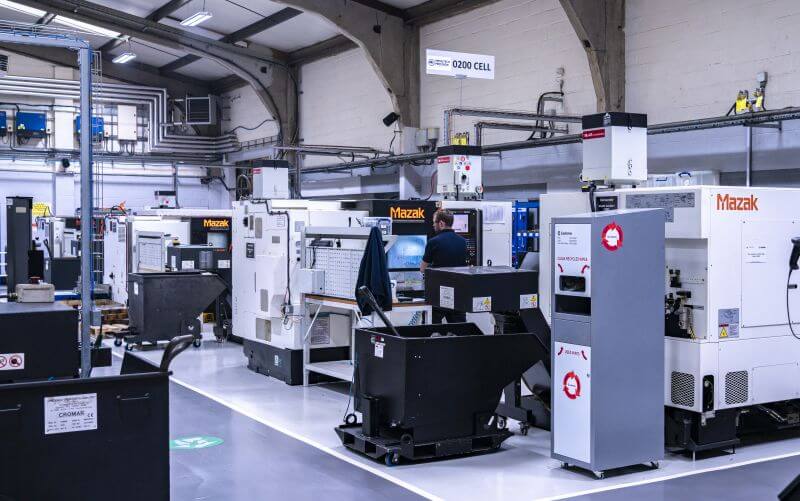
What CNC Manufacturing Really Means for Modern Production
Ever wondered how manufacturers produce thousands of identical parts with microscopic precision? The answer lies in three letters that revolutionized industrial production: CNC. But what does CNC stand for, and why should you care?
CNC stands for Computer Numerical Control—a manufacturing process where pre-programmed computer software dictates the movement of factory tools and machinery to shape raw materials into finished parts with exceptional accuracy.
Understanding the CNC definition is straightforward: it's the automation of machine tools through coded instructions rather than manual operation. When someone asks "whats CNC?" they're really asking about the technology that transformed manufacturing from a craft dependent on individual skill into a precise, repeatable science.
From Manual Machining to Digital Precision
Before computer numerical control existed, manufacturing relied entirely on skilled craftsmen operating machines by hand. Imagine a machinist carefully turning wheels, adjusting levers, and eyeballing measurements—all while hoping each part matched the last. According to historical records, manual methods typically achieved tolerances of ±0.005-0.010 inches, and a complex part might take 8-10 hours to produce.
The c.n.c meaning becomes clearer when you see what it replaced. Traditional manual approaches faced critical limitations:
- Inconsistent quality: Each part varied based on operator fatigue and skill level
- Time-intensive production: Complex geometries required painstaking manual adjustments
- Limited complexity: Some designs were simply impossible to execute by hand
- Skill dependency: Expertise took years to develop and couldn't be easily transferred
The first numerical control systems emerged in the 1940s and 1950s, initially using punch tape to feed instructions into modified machine tools. By 1952, MIT demonstrated the first true numerically controlled milling machine, achieving ±0.001 inch accuracy—a tenfold improvement over manual methods. Today's systems routinely hit ±0.0001 inches, and that same 8-10 hour part? It's now completed in 30-90 minutes.
The Technology Behind Modern Manufacturing
So what does CNC mean in practical terms? At its core, this technology works through a simple but powerful principle: digital instructions control cutting tools to shape materials with repeatable precision. A computer program—typically generated through CAD (Computer-Aided Design) and CAM (Computer-Aided Manufacturing) software—provides exact specifications for toolpaths, cutting speeds, and feed rates.
The meaning of CNC machinist work has evolved accordingly. Rather than manually guiding tools, today's operators program machines, monitor processes, and ensure quality. They're as much programmers as traditional machinists.
Why does this matter to you? Whether you're an engineer designing components, a procurement specialist sourcing parts, or a business owner exploring production options, understanding what is CNC technology helps you make informed decisions. This process delivers:
- Precision: Tolerances that manual methods simply cannot match
- Repeatability: The thousandth part is identical to the first
- Efficiency: Continuous 24/7 operation with minimal human intervention
- Versatility: Capability to work with metals, plastics, ceramics, and composites
The CNC meaning extends beyond mere automation—it represents a fundamental shift in how we transform raw materials into the precision components that power everything from medical devices to aerospace systems. As you'll discover in the following sections, this technology encompasses multiple machine types, programming methods, and applications that together form the backbone of modern manufacturing.
How CNC Manufacturing Transforms Digital Designs Into Physical Parts
Now that you understand what CNC manufacturing means, you're probably wondering: how does a computer file actually become a precision metal part? The journey from digital design to finished component involves a carefully orchestrated sequence of steps—each building on the last to ensure accuracy and repeatability.
Let's walk through the complete workflow that transforms your concept into reality.
- CAD Design Creation: The process begins with computer-aided design software, where engineers create detailed 2D vectors or 3D solid models. This digital blueprint captures every dimension, geometry, and specification the finished part requires.
- CAM Programming: The CAD file moves into computer-aided manufacturing software. Here, programmers define toolpaths, cutting strategies, and machining sequences. This is where CNC programming truly happens—translating geometric data into machine instructions.
- G-Code Generation: The CAM software outputs G-code, the universal language that CNC machines understand. This programming language controls every movement, speed, and action the machine will execute.
- Machine Setup: Operators install appropriate cutting tools, secure fixtures, and calibrate the machine for the specific job. Proper setup is critical—even the best program cnc operations fail without correct physical preparation.
- Material Loading: Raw stock material is positioned and clamped securely in the machine's work-holding device. The material must remain stable throughout the entire cutting process.
- Automated Machining: The CNC controller executes the G-code, directing precise tool movements to shape the material. This automated phase runs continuously until the program completes.
- Quality Inspection: Finished parts undergo measurement verification using precision instruments to confirm they meet specified tolerances.
Design to G-Code Translation
What is CNC programming at its most fundamental level? It's the art of converting design intent into machine-readable instructions. According to Lincoln Tech's CNC programming guide, G-code comprises sequences of commands that instruct the machine on how to move, where to cut, and at what speed.
The translation process works like this: your 3D model contains geometric information—curves, surfaces, hole locations, and precise measurements. CAM software analyzes this geometry and calculates optimal cutting paths. It determines which tools to use, how fast they should spin, and how deeply they should cut. The output? A text file filled with commands like G01 (linear interpolation for straight-line moves) and G02/G03 (circular interpolation for arcs).
Programming CNC machines also involves M-codes—miscellaneous commands that control auxiliary functions. Need the spindle to start? That's M03. Coolant on? M08. Tool change? M06. Together, G-codes and M-codes form the complete instruction set that guides every machine action.
What is a CNC system without this programming layer? Simply put—useless hardware. The cncs program transforms expensive equipment into productive manufacturing assets capable of running complex operations around the clock.
The Automated Cutting Sequence
Once the G-code is loaded, the CNC controller takes command. Think of it as the machine's brain—constantly interpreting programmed commands and converting them into precise electrical signals that drive motors and actuators.
According to Radonix's technical documentation, the controller performs thousands of calculations per second, ensuring micron-level accuracy throughout the cutting sequence. Here's what happens inside:
- Path Interpretation: The CPU reads G-code commands and calculates exact coordinates for each axis movement
- Motion Control: Specialized algorithms break complex curves into tiny linear segments, ensuring smooth tool motion
- Signal Generation: Low-power control signals are amplified to drive industrial servo or stepper motors
- Feedback Processing: Encoders on each axis report actual positions back to the controller, enabling real-time corrections
- Auxiliary Management: The controller simultaneously handles spindle speed, coolant flow, and tool changes
This closed-loop system—where the controller constantly compares commanded positions against actual positions—is what enables computer numerical control programming to achieve such remarkable precision. Any deviation triggers immediate correction, often before the error becomes measurable on the finished part.
Quality Verification Steps
The automated machining cycle doesn't end when the cutting stops. Quality verification ensures every part meets specifications before leaving the machine.
Modern CNC manufacturing incorporates multiple inspection methods:
- In-process probing: Touch probes mounted in the tool holder can measure features during machining, allowing real-time adjustments
- First-article inspection: The initial part from any production run undergoes comprehensive dimensional verification
- Statistical process control: Sampling throughout the run identifies trends before they cause out-of-tolerance conditions
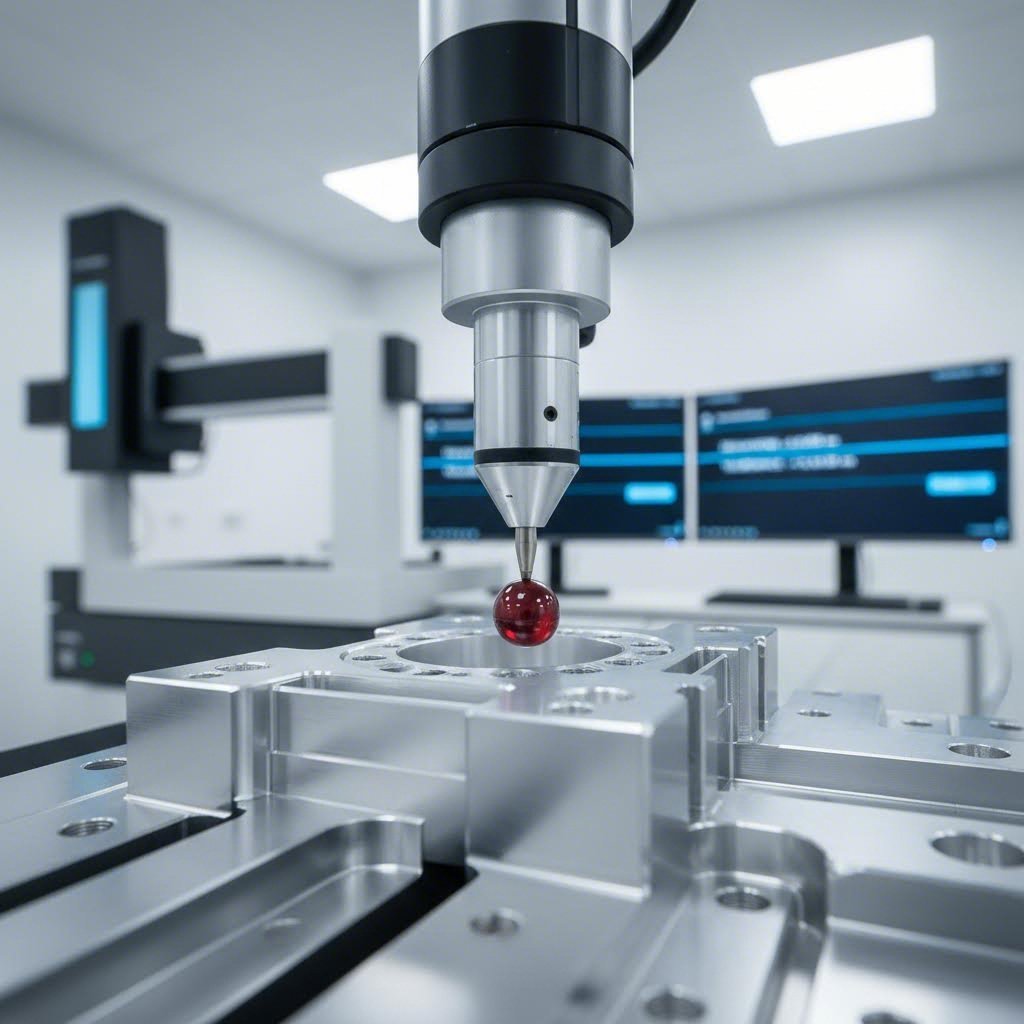
- Final inspection: Coordinate measuring machines (CMMs) provide detailed verification of critical dimensions
This systematic approach to quality—built into every phase of CNC manufacturing—explains why industries like aerospace and medical devices trust these processes for their most demanding applications. The combination of precise programming, intelligent controllers, and rigorous inspection creates a manufacturing ecosystem where consistency isn't hoped for—it's guaranteed.
Understanding this workflow reveals why machine selection matters so much. Different part geometries require different machine configurations, which brings us to the essential equipment types you'll encounter in any CNC facility.
Essential CNC Machine Types and When to Use Each
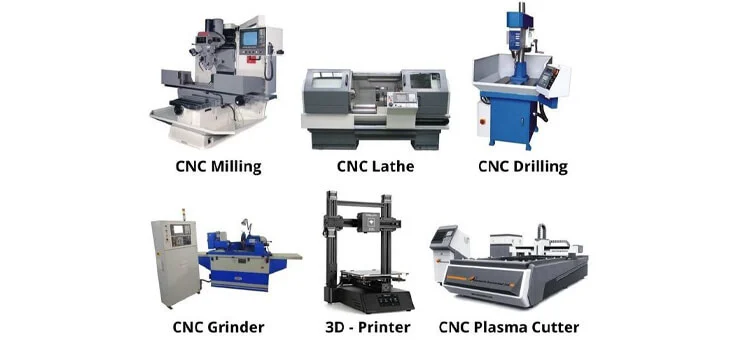
With dozens of types of CNC machine configurations available, how do you know which one fits your project? The answer depends on your part geometry, material requirements, and production goals. Each machine type excels at specific operations—choosing the right one can mean the difference between a cost-effective solution and an expensive mismatch.
Let's break down the primary categories you'll encounter and explore when each becomes your optimal choice.
Milling Machines for Complex Geometries
When you need intricate 3D shapes, pockets, slots, or contoured surfaces, CNC milling machines are your go-to solution. These versatile workhorses use rotating multi-point cutting tools to remove material from stationary workpieces, creating everything from simple flat surfaces to complex aerospace components.
According to Xometry's manufacturing guide, CNC mills come in horizontal and vertical configurations, with capabilities ranging from basic 3-axis movement to advanced 5-axis systems. The types of mills available include hand, plain, universal, and omniversal milling machines—each suited to different applications.
What makes CNC mills particularly valuable? Consider these capabilities:
- Multi-operation flexibility: A single setup can perform drilling, tapping, boring, and contouring
- Hard material handling: Unlike routers, cnc mills excel with tough metals like steel, titanium, and Inconel
- Precision tolerances: Routinely achieve ±0.001 inches or tighter on critical features
- Complex geometry support: 4-axis and 5-axis configurations access multiple part faces without repositioning
Common cutting tools for milling operations include end mills, face mills, ball nose cutters, and chamfer mills. Your part's geometry determines which tools the programmer selects—and the right combination can dramatically reduce cycle times while improving surface finish.
When should you choose milling? Select CNC milling machines for parts requiring multiple features on different faces, tight tolerances, or materials too hard for routing operations. Engine blocks, medical implants, and injection mold tooling represent typical milling applications.
Lathes for Rotational Precision
Need cylindrical parts? A CNC lathe flips the milling concept—here, the workpiece spins while a stationary cutting tool shapes it. This approach, called turning, produces round components with exceptional concentricity and surface finish.
According to CNC Cookbook's comprehensive guide, CNC lathe machines execute various operations including turning, drilling, boring, threading, and facing. The workpiece rotates at high speed—sometimes thousands of RPM—while precision-ground tooling removes material to create the programmed profile.
CNC lathes typically operate on two primary axes: the Z-axis controls tool movement along the workpiece length, while the X-axis handles movement toward and away from the centerline. More advanced configurations add live tooling capabilities, enabling milling operations without removing the part from the lathe.
The types of CNC lathes include:
- Turret lathes: Feature multiple tools mounted on a rotating turret for quick tool changes
- Engine lathes: General-purpose machines handling diverse turning operations
- Special-purpose lathes: Optimized for specific part families or industries
- Swiss-type lathes: Excel at small-diameter, high-precision components like watch parts and medical screws
Choose a CNC lathe when your part geometry is primarily cylindrical, conical, or features rotational symmetry. Shafts, bushings, fittings, and fasteners are natural lathe candidates. Parts requiring both turning and milling operations often benefit from turn-mill centers that combine both capabilities in a single machine.
Specialized Cutting Systems
Beyond milling and turning, several specialized CNC machine types address specific manufacturing needs. Understanding when to use each can save you significant time and money.
CNC Routers: Think of a cnc router table as a milling machine's softer-material cousin. These machines excel at cutting wood, plastic, foam, composites, and soft metals like aluminum. According to industry sources, CNC routers typically cost less than mills—quality machines start under $2,000—making them accessible for woodworking shops, sign makers, and prototype facilities.
When should you choose routing over milling? Routers work best for:
- Large-format parts (some router tables exceed 5x10 feet)
- Wood and wood composite materials
- Signage and decorative panels
- Soft plastics and foam prototypes
CNC Drilling Machines: When your primary need is creating holes—lots of them, with consistent accuracy—a dedicated CNC drilling machine outperforms general-purpose equipment. These machines create holes for screws, secondary assembly, and design purposes with tolerances as tight as 0.001mm.
Modern CNC drilling machines feature intelligent tool swapping and positioning technologies that significantly boost production line efficiency. While they lack the versatility to create deep or large-diameter holes without specialized tooling, their speed and precision for standard hole-making operations are unmatched.
CNC Plasma Cutting Machines: Need to cut sheet metal into complex shapes? Plasma cutters blast through electrically conductive materials using high-powered plasma torches. According to Xometry, these machines create plasma by propelling gas through a nozzle at high velocity while introducing an electric arc—the resulting ionized gas cuts through even tough materials like steel and titanium.
Fabrication shops, automotive repair facilities, and artists creating metal sculptures rely on plasma cutting for efficient material processing. Entry-level CNC plasma systems start around $5,000, making them accessible for smaller operations.
Here's a quick comparison to help you match machine types to your specific requirements:
| Machine Type | Typical Applications | Material Compatibility | Precision Level | Production Speed |
|---|---|---|---|---|
| CNC Mill | Complex 3D parts, molds, aerospace components | All metals, engineering plastics | ±0.001" or better | Moderate to high |
| CNC Lathe | Shafts, bushings, fittings, threaded parts | All metals, plastics | ±0.0005" achievable | High for round parts |
| CNC Router | Signs, cabinets, large panels, prototypes | Wood, plastic, foam, soft metals | ±0.005" typical | Very high for large parts |
| CNC Drilling Machine | PCBs, hole patterns, assembly preparation | Metals, composites, plastics | ±0.001mm possible | Very high for holes |
| CNC Plasma Cutter | Sheet metal profiles, structural steel, artistic work | Electrically conductive metals only | ±0.02" typical | Very high for 2D profiles |
Each machine type represents a trade-off between capability, precision, and cost. Simple parts don't require expensive 5-axis mills, while complex aerospace components can't be produced on basic routers. The key is matching your specific geometry and material requirements to the machine's strengths.
But what happens when your part geometry demands access to multiple faces in a single setup? That's where multi-axis machining enters the picture—and understanding your options can unlock capabilities that transform what's manufacturable.
Multi-Axis CNC Machining Explained From 3-Axis to 5-Axis
Imagine trying to paint all sides of a cube without ever lifting it. Sounds impossible, right? That's essentially the challenge manufacturers face when machining complex parts on basic equipment. The solution? Adding more axes of movement. Understanding the progression from 3-axis to 5-axis CNC milling unlocks capabilities that can transform your production approach—but choosing the right configuration requires knowing what each level actually delivers.
Let's decode how these different types of computer numerical control configurations work and when each becomes your best choice.
Understanding Axis Movement in CNC
Every CNC machining center operates on a coordinate system. The basic setup—3-axis machining—moves the cutting tool along three linear directions: X (left-right), Y (front-back), and Z (up-down). According to CNC Cookbook's technical guide, this configuration handles planar milled profiles, drilling, and threaded holes aligned with an axis. Simple? Yes. Limited? Also yes.
Here's where it gets interesting. A 4-axis machine adds a rotary A-axis that rotates around the X-axis. This single addition opens up entirely new possibilities—your workpiece can now spin during machining, enabling cuts at angles that would otherwise require repositioning and reclamping. The computer numerical control lathe takes a similar approach, rotating the workpiece while stationary tools shape it.
5-axis CNC milling takes this further by adding a second rotary axis. Depending on the machine configuration, this could be:
- A-axis and B-axis: Rotation around X and Y axes respectively
- A-axis and C-axis: Rotation around X-axis plus table rotation around Z-axis
- B-axis and C-axis: Various configurations where rotation occurs in spindle, table, or both
The result? According to Productivity Inc's analysis, 5-axis machines can approach the workpiece from virtually unlimited angles, enabling complex geometries in a single setup that would require five or more setups on a 3-axis machine.
When 5-Axis Machining Becomes Essential
So when does investing in additional axes make sense? The answer depends on what you're making and how many setups your current approach requires.
3-axis machining works best for:
- Flat surfaces and simple contours
- Parts requiring features on only one or two faces
- Basic drilling and threading operations
- Lower-volume production where setup time is less critical
4-axis CNC turning and milling excels at:
- Cylindrical features like cam lobes and helical patterns
- Parts needing holes or cut-outs on the sides
- Components with angled features accessible via rotation
- Medium production volumes with complex designs
5-axis CNC lathe machining becomes essential for:
- Aerospace components like turbine blades and structural parts
- Complex automotive parts with compound curves
- Medical implants requiring organic geometries
- Any part where multiple setups compromise accuracy
According to Baker Industries' aerospace manufacturing analysis, 5-axis CNC milling machining has become indispensable in aviation, defense, and space industries. The ability to produce complex geometries in a single setup significantly reduces production time while improving accuracy—critical factors when manufacturing parts that must perform in extreme conditions.
Here's the key insight: every time you reposition a part, you introduce potential error. The fixture may not seat identically, the datum reference shifts slightly, and accumulated tolerances stack up. 5-axis machining eliminates these repositioning errors by completing all features in one clamping.
Balancing Complexity with Cost
More axes mean more capability—but also higher costs. Making the right choice requires honest assessment of your actual needs versus aspirational wants.
The advantages of multi-axis capabilities include:
- Reduced setup time: What takes five setups on a 3-axis machine often requires just one on a 5-axis
- Improved accuracy: Eliminating part repositioning removes a major error source
- Better surface finish: Optimal tool angles reduce vibration and improve cut quality
- Extended tool life: Maintaining perpendicular tool contact means more efficient material removal
- Shorter cycle times: Faster material removal when the tool can always be positioned optimally
- Reduced fixturing costs: Simpler work-holding when you don't need access from multiple angles
- Floor space savings: One 5-axis machine can replace several 3-axis units
However, industry experts note that 4-axis machines strike a balance between cost and functionality, providing precision that's difficult to achieve with fewer axes without the higher costs associated with 5-axis equipment. For manufacturers dealing with moderately complex parts at medium volumes, 4-axis often represents the sweet spot.
Consider this decision framework:
- Simple parts, small business, tight budget: 3-axis machines remain the cost-effective choice
- Complex designs, medium volumes, precision requirements: 4-axis delivers advanced capability at reasonable cost
- Highest complexity, tight tolerances, premium applications: 5-axis justifies its investment through capability and efficiency
The bottom line? Don't buy more axes than you need—but don't underestimate how additional capability can open new market opportunities. According to manufacturing consultants, shops that invest in 5-axis technology often discover they can compete for contracts previously out of reach, making more parts in less time with lower per-part costs.
Of course, machine capability is only part of the equation. The materials you're cutting dramatically affect every aspect of the manufacturing process—from tool selection to cutting parameters to final part quality.
Choosing the Right Materials for CNC Manufacturing Success
You've selected the right machine type and determined how many axes you need. Now comes a question that can make or break your project: what material should you cut? The wrong choice leads to failed parts, wasted time, and blown budgets. The right choice? It delivers performance, manufacturability, and cost-efficiency in one package.
Whether you're working with metal CNC machines or exploring wood CNC options, material selection follows the same fundamental logic—match properties to performance requirements. According to Hubs' material selection guide, successful selection involves three steps: define your requirements, identify candidate materials, and select the best compromise between performance and cost.
Let's explore what makes each material family unique and when to choose each option.
Metal Selection for Structural Applications
When strength, durability, and thermal resistance matter, metals dominate CNC manufacturing. But "metal" encompasses everything from soft aluminum to hardened tool steel—and knowing the differences determines project success.
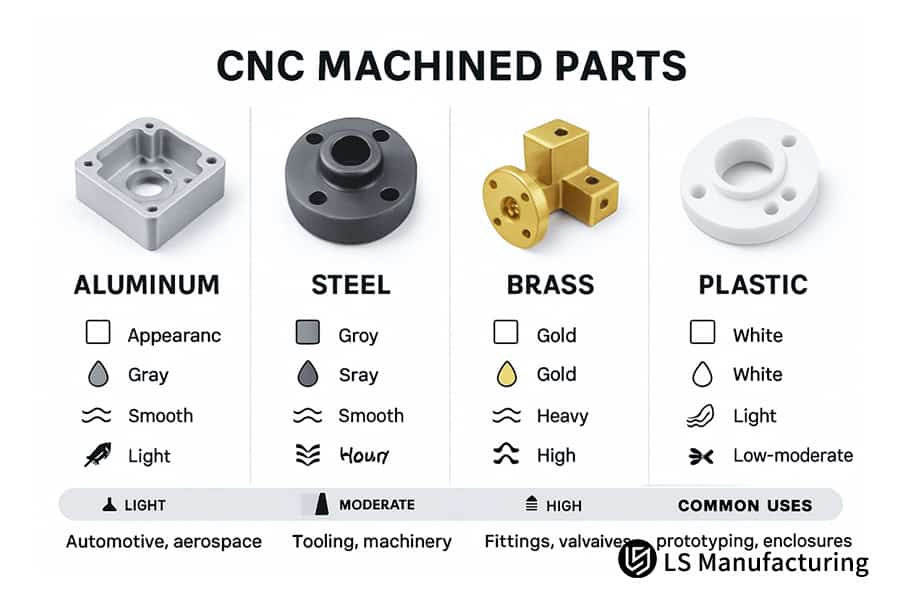
Aluminum Alloys: The workhorses of CNC metal machining. According to industry data, aluminum offers an excellent strength-to-weight ratio, high thermal and electrical conductivity, and natural corrosion protection. Even better? It's easy to machine, making it often the most economical option for prototypes and production parts alike.
Common aluminum grades include:
- 6061: The general-purpose workhorse with good strength and excellent machinability
- 7075: Aerospace-grade alloy with strength comparable to steel—ideal for high-stress applications
- 5083: Superior seawater resistance for marine and construction applications
Stainless Steel: When corrosion resistance joins the requirements list, CNC steel machining often means stainless. These alloys combine high strength, excellent ductility, and resistance to wear and corrosion. According to Ethereal Machines' selection guide, stainless steel 316 is particularly favored for medical devices due to its tensile strength, corrosion resistance, and sterilization compatibility.
Mild and Alloy Steels: Need maximum durability at lower cost? Mild steels like 1018 and 1045 deliver good mechanical properties with excellent machinability and weldability. For applications requiring heat treatment to extreme hardness, alloy steels like 4140 and 4340 provide toughness and wear resistance that aluminum simply cannot match.
Brass: This copper-zinc alloy shines in electrical applications and high-volume production. According to material specifications, Brass C36000 offers high tensile strength, natural corrosion resistance, and exceptional machinability—making it ideal for fittings, decorative hardware, and components requiring low friction.
Engineering Plastics and Their Advantages
Metals aren't always the answer. When you need lightweight parts, electrical insulation, chemical resistance, or cost-effective prototyping, engineering plastics offer compelling advantages. A wood CNC machine handles soft materials well, but for precision plastic parts, dedicated CNC equipment delivers superior results.
ABS (Acrylonitrile Butadiene Styrene): This thermoplastic combines good mechanical properties with excellent impact strength and high heat resistance. Its low density makes it ideal for lightweight applications, and CNC machined ABS parts often serve as prototypes before injection molding production.
POM (Delrin): According to Hubs' analysis, POM offers the highest machinability among plastics. Its combination of high precision capability, stiffness, low friction, and excellent dimensional stability makes it the go-to choice for machining parts requiring tight tolerances.
Nylon (Polyamide): Engineering applications favor nylon for its excellent mechanical properties, good impact strength, and high chemical and abrasion resistance. Just note—it absorbs moisture, which can affect dimensional stability in humid environments.
PEEK: The premium choice for demanding applications. According to LS Manufacturing's guide, PEEK delivers very high strength, excellent chemical resistance, and thermal stability across wide temperature ranges. Medical-grade PEEK is biocompatible, making it suitable for implants and surgical instruments—though its cost reflects these exceptional properties.
Matching Materials to Performance Requirements
So how do you choose? The answer lies in matching material properties to your specific application demands. Here's a comprehensive comparison to guide your decision:
| Material | Machinability | Strength | Cost | Typical Applications |
|---|---|---|---|---|
| Aluminum 6061 | Excellent | Medium | Low-Medium | Aerospace parts, automotive components, enclosures |
| Aluminum 7075 | Good | Very High | Medium | High-stress aerospace structures, military components |
| Stainless Steel 304 | Moderate | High | Medium | Food processing, pipes, architectural applications |
| Stainless Steel 316 | Moderate | High | Medium-High | Marine, chemical, medical equipment |
| Mild Steel 1018 | Good | Medium | Low | Fixtures, jigs, structural frames |
| Brass C36000 | Excellent | Medium | Medium | Electrical fittings, decorative hardware, plumbing |
| POM (Delrin) | Excellent | Medium | Low | Precision gears, bearings, insulators |
| PEEK | Good | Very High | High | Medical implants, aerospace seals, high-temp applications |
Material choice creates a cascade effect throughout your manufacturing process. Harder materials require different cutting tools—carbide or ceramic inserts instead of high-speed steel. They demand conservative cutting parameters, meaning slower feeds and speeds that extend cycle times. According to industry analysis, using Aluminum 6061 in high-volume production can cut machining time by up to 20% compared to harder alternatives.
Consider these decision factors when making your selection:
- Operating environment: Will the part face corrosive chemicals, saltwater, or extreme temperatures?
- Mechanical requirements: What loads, impacts, and wear conditions must it withstand?
- Weight constraints: Does your application demand lightweight solutions?
- Budget limitations: What's the balance between performance and cost?
- Production volume: Higher volumes may justify premium materials with better machinability
Here's the practical takeaway: start with your application's non-negotiable requirements, then optimize for machinability and cost. A part that machines quickly but fails in service costs more than one that takes longer to produce but performs reliably for years.
With material selection understood, the next critical question emerges: what will this actually cost? Understanding the economics of CNC manufacturing helps you make decisions that balance quality with budget constraints.
CNC Manufacturing Costs and Smart Budget Planning
You've selected your machine type, chosen your material, and finalized your design. Now comes the question every project manager dreads: how much will this actually cost? CNC manufacturing pricing can feel like a black box—quotes vary wildly, and understanding why helps you make smarter decisions.
Here's the reality: according to Mekalite's 2025 pricing guide, machine shop rates typically fall between $40 to $150+ per hour. But that hourly rate only tells part of the story. Your final quote depends on six interconnected factors that together determine whether your project stays on budget or spirals into cost overruns.
Understanding Cost Drivers in CNC Production
What is a CNC operator actually billing you for? Understanding the cost structure helps you identify where savings are possible—and where cutting corners creates bigger problems.
Machine Time: The most direct cost driver. According to industry data, complex designs necessarily increase machining time. Features like deep pockets, thin walls, or smooth curves requiring slower cutting speeds add to your total. A plain block with a few holes costs far less than a curved housing with intricate details.
Material Costs: Your raw material selection creates a two-pronged cost impact. First, there's the price of the stock itself—titanium costs dramatically more than aluminum. Second, harder materials are difficult to work with, requiring slower speeds and causing faster tool wear. According to manufacturing experts, the ending of a cycle takes longer with tough materials, raising both machining and tooling costs.
Design Complexity: Every feature on your part adds time and cost. CNC tools must navigate complex geometries carefully, and certain features require specialized tooling. The CNC operator job description includes programming these intricate toolpaths—more complexity means more programming time.
Setup and Programming: Before any cutting begins, someone must create toolpaths and prepare the machine. This Non-Recurring Engineering (NRE) cost covers the CNC machinist who translates your 3D model into machine code, the production operator who physically sets up the CNC equipment, and quality control verification. According to Zintilon's analysis, these setup costs remain fixed regardless of quantity—a critical factor we'll explore next.
Finishing Operations: The "as-machined" finish often isn't the final step. Bead blasting, anodizing, powder coating, or achieving a very fine machined finish all add cost and lead time. According to pricing data, even requesting a refined as-machined finish increases expense due to longer final passes at lower speeds.
Quantity Impact on Per-Part Pricing
Here's where CNC precision machining economics get interesting. Remember that fixed setup cost? It dramatically affects your per-unit price based on order quantity.
Consider this real-world example from industry pricing data: a simple aluminum bracket with $100 NRE setup, $15 material cost, and $25 machine working time per part:
- 1 part: $100 + $15 + $25 = $140 per unit
- 10 parts: ($100 ÷ 10) + $15 + $25 = $50 per unit
- 100 parts: ($100 ÷ 100) + $15 + $25 = $41 per unit
The math is clear—ordering more parts spreads that fixed setup cost across additional units, dramatically reducing per-part expense. According to manufacturing cost analysis, this is why prototyping incurs higher per-unit costs while production runs become significantly more economical.
But the quantity equation goes deeper. According to Zintilon's research, production runs benefit from additional efficiencies:
- Optimized toolpaths: Prototypes focus on functional validation, while production runs get meticulously optimized programming
- Bulk material discounts: Larger orders command better material pricing
- Operator efficiency: Repetitive tasks allow machinists to develop speed and reduce cycle times
- Streamlined quality control: Statistical sampling replaces 100% inspection
Balancing Tolerance Requirements with Budget
Tolerance—the acceptable variation in a dimension—directly impacts your bottom line. According to machining cost data, tighter tolerances require extremely precise machines, specialized CNC tools, slower cutting speeds, and additional inspection time.
Ask yourself honestly: does every feature need tight tolerance? Most parts only have a few critical dimensions that truly require high precision. Non-critical areas can often use standard shop tolerances, keeping costs down without sacrificing function.
According to Fictiv's cost optimization guide, ISO 2768 medium tolerance class is a reasonable starting point for prototyping purposes. Reserve tighter specifications only for features where precision genuinely matters.
Ready to optimize your CNC manufacturing budget? Consider these proven strategies:
- Simplify your design: Remove complex curves, chamfers, or text that aren't essential for part function
- Loosen tolerances selectively: Apply tight tolerances only to critical features
- Avoid thin walls and deep pockets: These require special tools and slow cutting speeds
- Design for standard tool sizes: Non-standard holes may require custom tooling
- Choose cost-effective materials: Don't over-engineer—use aluminum if it meets requirements instead of titanium
- Increase order quantity: Spread fixed costs across more parts
- Consolidate parts: Sometimes one complex part costs less than assembling multiple simpler ones
The bottom line? Understanding what drives CNC manufacturing costs empowers you to make design decisions that balance performance with budget. Every feature, tolerance, and material choice affects your final quote—and smart optimization keeps projects profitable without sacrificing quality.
Of course, getting parts made is only half the equation. Once your CNC equipment is running, keeping it operating at peak performance becomes the next challenge.

Maintaining CNC Equipment for Consistent Precision
Your CNC machines are running, parts are shipping, and production targets are being met. But here's a question that separates successful operations from costly failures: when was your last maintenance check? According to Plant Engineering magazine research, unplanned downtime in manufacturing can cost anywhere from $10,000 to $250,000 per hour depending on the industry. The machining process demands precision—and precision demands consistent care.
Think about it this way: would you rather spend 15 minutes every morning on preventive tasks, or deal with a multi-day shutdown and emergency repairs? Industrial machining equipment represents significant capital investment. Protecting that investment through systematic maintenance isn't optional—it's essential for long-term profitability.
Preventive Maintenance Essentials
Effective CNC maintenance follows a tiered approach—daily tasks catch immediate issues, weekly checks dig deeper, and monthly inspections address wear before it becomes failure. According to Deloitte's manufacturing research, companies implementing preventive maintenance programs typically see 25-30% reduction in maintenance costs, 70-75% decrease in breakdowns, and 20-25% increase in productivity.
Here's a practical maintenance checklist framework organized by frequency:
-
Daily Tasks (10-15 minutes per machine):
- Visual inspection of machine bed for chips, coolant residue, and debris
- Check coolant levels and concentration
- Verify hydraulic fluid levels against sight glass
- Confirm lubrication system is delivering oil to slideways
- Test emergency stop buttons and limit switches
- Inspect way covers and bellows for damage
-
Weekly Tasks:
- Clean all surfaces thoroughly including enclosure windows
- Inspect slideways and linear guides for scoring or wear
- Clean coolant nozzles to ensure proper flow
- Check belt tension and condition
- Lubricate tool changer mechanism
- Inspect electrical cabinet for dust and loose connections
-
Monthly Tasks:
- Measure coolant concentration using refractometer
- Test coolant pH (should be between 8.5-9.5)
- Replace air and coolant filters as needed
- Check spindle runout with dial indicator
- Test for backlash in each axis
- Skim tramp oil from coolant surface
Proper lubrication deserves special attention. Modern CNC cutting machines typically feature automatic lubrication systems, but you still need to verify they're functioning correctly. Check that lubrication levels are adequate and that the system actually delivers oil to the slideways—sometimes lines become kinked or clogged, leaving critical surfaces dry even when reservoirs are full.
Coolant management is equally critical. According to Blaser Swisslube's coolant management guide, bacterial growth in coolant systems is one of the most common causes of coolant degradation. It leads to offensive odors, skin irritation for operators, and reduced cooling performance. Maintaining proper concentration and pH prevents these issues while extending coolant life significantly.
Recognizing Early Warning Signs
Experienced operators develop an almost intuitive sense for when something's wrong. They notice when the cutting machine sounds slightly different, recognize when hydraulic pressure fluctuates beyond normal ranges, and spot early warning signs invisible to the untrained eye. But you don't need decades of experience to catch problems early—you need systematic observation.
Watch for these indicators that maintenance intervention is needed:
- Unusual sounds: Grinding, squealing, or clicking during operation suggests bearing wear, loose components, or inadequate lubrication
- Vibration changes: Increased vibration affects both tool life and part quality—it often indicates worn spindle bearings or unbalanced tool holders
- Temperature variations: Overheating spindles or servo drives signal cooling system failures or excessive friction
- Positioning errors: Parts consistently out of tolerance may indicate backlash issues or worn ballscrews
- Coolant problems: Foul odors, foaming, or discoloration signal contamination or bacterial growth
- Hydraulic pressure drops: Lower-than-normal pressure affects clamping force and can compromise safety
According to Hwacheon's troubleshooting guide, machine vibration during operation can significantly reduce tool life, affect machine durability, and undermine part quality. You can often detect this simply by listening—excessive noise during cnc cuts indicates something needs attention.
Overheating deserves particular attention. Your cutting machine may hit temperatures of 150 degrees or more during extended high-speed operation. Spindles with greased lubrication cannot sustain extensive hours at maximum RPM—oil-jet lubrication systems handle this far better. Even environmental factors matter: temperature variations in the workshop, drafts from open doors, or direct sunlight can distort machine geometry and affect precision.
Maximizing Machine Uptime
Uptime isn't just about preventing breakdowns—it's about ensuring every cutting cycle produces parts that meet specifications. This is where Statistical Process Control (SPC) transforms maintenance from reactive to predictive.
According to Baker Industries' quality control analysis, SPC is a data-driven method for monitoring and controlling CNC machining. By analyzing data collected from the production line, SPC helps identify trends, variations, and potential issues before they escalate into major problems. Implementation involves:
- Identifying key measurements to monitor during production
- Collecting and analyzing process data to determine acceptable variation limits
- Using control charts to visualize data and spot trends
- Implementing corrective actions when processes drift toward control limits
Early identification of deviations means they can be corrected immediately—minimizing defects, waste, and rework while saving both time and money.
Tool condition monitoring complements SPC by tracking cutting tool wear in real-time. Whether you're running cnc cutting plasma operations or precision milling, worn tools produce poor surface finishes and dimensional errors. Modern systems can predict tool replacement needs before quality suffers.
Documentation ties everything together. Every maintenance intervention, observation, and minor repair should be logged. Over time, this data reveals patterns that help predict future maintenance needs and inform equipment replacement decisions. According to WorkTrek's maintenance research, 67% of maintenance teams still rely on paper records, spreadsheets, or memory to track activities—leading to missed tasks and zero visibility into which machines are consistently problematic.
The bottom line? Well-maintained machines produce more accurate parts, reducing the need for rework. Regular calibration, proper lubrication, and systematic inspection aren't costs—they're investments in consistent quality and extended equipment life. When your machining operation runs smoothly, you can focus on what matters: producing precision parts efficiently and profitably.
Of course, CNC manufacturing isn't the only game in town. Understanding how it compares to alternative production methods helps you determine when it's truly the right choice for your application.
CNC Manufacturing Versus Alternative Production Methods
You've learned what does a CNC machine do and how to optimize its operation. But here's the critical question many manufacturers skip: is CNC manufacturing actually the right choice for your project? The honest answer depends on your specific requirements—and understanding how computer numerically controlled machining stacks up against alternatives helps you make decisions that save time and money.
Let's compare the major production methods head-to-head, exploring when each shines and when it falls short.
CNC Versus Additive Manufacturing
The CNC machining versus 3D printing debate generates endless discussion—but the reality is simpler than most people realize. These technologies aren't competitors; they're complementary tools serving different needs.
According to LS Precision Manufacturing's analysis, the fundamental difference resembles sculpting versus building with Lego. CNC fabrication removes material from solid blocks to reveal the finished part. 3D printing builds parts layer by layer from nothing. This distinction drives every capability difference between them.
When CNC machining wins:
- Material strength matters: CNC-machined parts come from solid, isotropic stock with uniform mechanical properties in all directions. 3D-printed parts have inherent layer weaknesses—they often crack between layers under impact
- Tight tolerances required: CNC achieves ±0.025mm consistently, while most 3D printing technologies struggle to match this precision
- Surface finish is critical: Machined surfaces can achieve near-mirror finishes directly from the machine. Printed parts show visible layer lines requiring extensive post-processing
- Production volumes justify setup: Once programmed, CNC runs efficiently for medium to high volumes
When 3D printing wins:
- Complex internal geometries: Hollow structures, internal channels, and lattice designs that machining simply cannot access
- Rapid prototyping: According to industry data, physical parts can be printed hours after design changes—enabling fast design-verify-optimize cycles
- Very low quantities: For fewer than 10 parts, 3D printing eliminates costly programming and setup
- Topology-optimized designs: Organic shapes that reduce weight while maintaining strength
What is machining's real advantage? According to manufacturing experts, it's reliability under stress. A customer once requested 3D-printed prototypes that seemed perfect for the technology. However, materials analysis revealed the parts needed to withstand 80°C temperatures and specific torques—requirements common printing materials couldn't meet. The solution? CNC-machined nylon that cost somewhat more but actually functioned in real-world conditions.
When Traditional Machining Still Makes Sense
With all the emphasis on computer control, you might wonder: does manual machining still have a place? Surprisingly, yes—under specific circumstances.
The machining definition hasn't changed fundamentally. Whether manual or CNC, it's still subtractive manufacturing using cutting tools to shape materials. The difference lies in control method and economics.
Traditional manual machining remains viable when:
- One-off repairs: Replacing a single damaged component often doesn't justify CNC programming time
- Simple modifications: Adding a hole or trimming a dimension on an existing part
- Very basic geometries: Some shapes are faster to produce manually than to program
- Teaching fundamentals: Understanding manual operations builds intuition for CNC programming
However, the machining meaning has evolved. According to 3ERP's manufacturing comparison, CNC machining offers unparalleled flexibility in CNC design geometry and can produce parts with intricate details and complex external geometries that manual methods simply cannot match. Manual machining faces limitations with internal features and complex curves that require precise, repeatable tool movements.
For most modern production scenarios, the economics overwhelmingly favor CNC. Consistency eliminates scrap from operator variation. Speed reduces labor costs per part. And the ability to run lights-out overnight multiplies capacity without adding shifts.
Injection Molding Comparison for Volume Production
When quantities reach thousands or millions, injection molding enters the conversation. Understanding where the crossover point lies helps you choose wisely.
According to 3ERP's detailed analysis, the fundamental difference is economics structure. CNC machining has lower upfront costs but higher per-part costs. Injection molding demands significant mold investment but delivers very low per-unit costs at volume.
Injection Molding Advantages:
- Cycle times as short as a few seconds per part
- Exceptional consistency across millions of identical parts
- Complex internal features and uniform wall thicknesses
- Material efficiency with minimal waste
Injection Molding Limitations:
- High mold costs—substantial investment before producing any parts
- Design changes require new tooling at significant expense
- Limited to plastics and some metals (die casting)
- Lead times measured in weeks for mold creation
According to tolerance comparisons, CNC machining typically achieves ±0.127mm (±0.005 inches) as standard, while injection molding reaches ±0.500mm (±0.020 inches). When precision matters more than volume, CNC remains the preferred choice.
Here's a comprehensive comparison to guide your manufacturing method selection:
| Decision Factor | CNC Machining | 3D Printing | Injection Molding | Manual Machining |
|---|---|---|---|---|
| Ideal Volume | 10-10,000 parts | 1-100 parts | 10,000+ parts | 1-5 parts |
| Upfront Cost | Low-Medium | Very Low | High | Very Low |
| Per-Part Cost | Medium | High | Very Low | High |
| Tolerance | ±0.001" achievable | ±0.005" typical | ±0.020" typical | ±0.005" with skill |
| Material Options | Metals, plastics, composites | Limited plastics, some metals | Thermoplastics primarily | All machinable materials |
| Design Complexity | High external, limited internal | Unlimited internal/external | High with mold constraints | Moderate |
| Lead Time | Days to weeks | Hours to days | Weeks to months | Hours to days |
| Surface Finish | Excellent | Requires post-processing | Good to excellent | Operator dependent |
But what if your project doesn't fit neatly into one category? That's where hybrid manufacturing enters the picture.
According to Scan2CAD's hybrid manufacturing guide, combining additive and subtractive methods unlocks capabilities neither achieves alone. A typical hybrid approach uses 3D printing (specifically directed energy deposition) to build near-net-shape parts, then CNC machining to achieve final tolerances and surface finishes.
Practical hybrid applications include:
- Repair of damaged components: Adding material to worn turbine blades, then machining to original specifications
- Complex geometries with precise features: Printing internal channels, then machining critical mating surfaces
- Rapid prototyping with production-quality features: 3D printing the basic form, CNC finishing functional areas
According to manufacturing research, hybrid systems like the OKUMA MU-8000V LASER EX perform laser metal deposition, hardening, subtractive machining, and grinding in one machine—eliminating part handling between operations and improving accuracy.
The bottom line? No single manufacturing method works for every application. CNC manufacturing excels at precision, material strength, and medium-volume production. 3D printing dominates rapid prototyping and complex geometries. Injection molding wins at very high volumes. And hybrid approaches combine the best of multiple worlds.
Your optimal choice depends on balancing volume requirements, tolerance needs, material properties, budget constraints, and timeline pressures. Understanding these trade-offs positions you to select—or recommend—the manufacturing approach that truly fits your specific needs.
With manufacturing method clarity established, the final piece falls into place: finding a partner who can execute your vision with the precision, quality, and reliability your project demands.
Selecting a Reliable CNC Manufacturing Partner
You've designed your parts, selected materials, and determined the right manufacturing approach. Now comes a decision that can make or break your project: who actually makes your components? Finding the right CNC machine partner isn't just about getting quotes—it's about identifying a facility that delivers consistent quality, meets deadlines, and scales with your business needs.
What is CNC equipment worth if the operator running it can't meet your specifications? According to Stecker Machine's partner evaluation guide, the difference between an acceptable part and a costly error can be as small as microns. Choosing the wrong partner means missed deadlines, rejected parts, and strained customer relationships. Choosing wisely? That means consistent quality, competitive pricing, and a manufacturing relationship that strengthens over time.
Here's how to evaluate potential partners systematically—and what qualifications separate reliable suppliers from risky ones.
Certification Standards That Matter
Industry certifications aren't just wall decorations. They represent verified commitments to quality systems, documented processes, and continuous improvement. When evaluating CNC machine producers, certifications tell you whether a facility operates under internationally recognized standards—or merely claims to.
According to American Micro Industries' certification guide, certified processes mean the methods and equipment themselves are held to documented standards, promoting consistency from one batch to the next. The result? Significant reduction in defects, rework, and material waste.
Here are the key certifications to look for based on your industry:
- Shaoyi Metal Technology: Exemplifies what qualified automotive manufacturing looks like—IATF 16949 certified with rigorous Statistical Process Control implementation, delivering high-tolerance CNC machined parts with lead times as fast as one working day
- ISO 9001: The baseline quality management standard for any reputable machine shop. According to industry sources, it establishes clear procedures for every aspect of production through customer focus, process approach, continual improvement, and evidence-based decision-making
- IATF 16949: The global standard for automotive quality management. This certification combines ISO 9001 principles with sector-specific requirements for continuous improvement, defect prevention, and stringent supplier oversight—essential for automotive CNC parts
- AS9100: An AS9100 certified machine shop meets aerospace industry requirements building upon ISO 9001 with additional emphasis on risk management, stringent documentation, and product integrity control throughout complex supply chains
- ISO 13485: The definitive standard for medical device manufacturing, outlining strict controls over design, manufacturing, traceability, and risk mitigation
- NADCAP: Focuses on accreditation of special processes critical to aerospace and defense manufacturing, including heat treating, chemical processing, and nondestructive testing
What is a CNC machinist's certification worth? According to certification experts, certified professionals have undergone rigorous, formalized training emphasizing accuracy, process repeatability, and adherence to detailed specifications. A certified workforce demonstrates a uniform baseline of knowledge—everyone understands best practices and safety protocols.
Don't just ask if a shop is certified. Ask to see current certificates, verify they cover the specific services you need, and confirm the scope includes your part types. A facility certified for general machining may not meet the requirements for your aerospace or medical application.
Evaluating Production Capabilities
Certifications verify quality systems—but can the shop actually make your parts? Evaluating production capabilities requires looking beyond marketing claims to understand real-world capacity and equipment.
According to manufacturing with CNC best practices, scrutinizing capabilities is an obvious first step. Can the CNC machine company deliver what you need today and in the future? High-end machining requires best-in-class equipment: CNC machine cutting tools, CNC lathes, milling machines, robotics, and emerging AI-driven systems.
When evaluating a potential partner, investigate these capability areas:
- Equipment inventory: What types and ages of CNC machines are available? Newer equipment typically offers better precision and reliability
- Material experience: What casting materials can the shop handle? According to industry experts, find out what types of iron, aluminum, steel, stainless steel, brass, and bronze they regularly work with—and whether they avoid certain materials for specific reasons
- Capacity and size: Can they handle your volume requirements? Companies expanding facilities or adding capabilities signal growth and ability to take on large projects
- Industry experience: A shop serving various industries shows flexibility. According to partner evaluation criteria, look for experience in demanding sectors like agriculture, construction, military, industrial equipment, and automotive—if professionals in those industries have experienced success, you probably will too
- Tier 1 relationships: Direct OEM/Tier 1 customer interactions provide peace of mind about the shop's capabilities and reliability
Quality control deserves special attention. According to quality assessment guidelines, while all reputable shops check parts, some do more by combining workforce expertise with automated audits ensuring consistency and accuracy. Look for capabilities like CMM inspection, Millipore testing, custom gaging, high-accuracy bore gages, hardness testing, surface finish testing, and roundness testing.
Ask about poka-yoke implementation—mistake-proofing that removes errors from the machining process before they occur. And inquire about Manufacturing KPIs (Key Performance Indicators) that evaluate performance to make strategic adjustments. These questions separate shops that merely inspect parts from those that systematically prevent defects.
From Prototype to Mass Production
Your manufacturing needs will evolve. That prototype requiring one-day turnaround might become a production run of thousands. Finding a partner who handles both scenarios—without forcing you to re-qualify a new supplier—saves significant time and reduces risk.
According to EcoRepRap's scalability analysis, transitioning from a single functional prototype to large-batch production requires systematic planning and technical coordination. Each phase—design, testing, verification, and ramp-up—determines whether the final product achieves scalable efficiency.
What makes a partner scalable? Look for these characteristics:
- Rapid prototyping capability: Can they deliver functional prototypes quickly for design validation? Some partners, like Shaoyi Metal Technology, offer lead times as fast as one working day for urgent prototype needs
- Process optimization: According to manufacturing experts, CNC companies enable scalability by standardizing workflows, implementing automation, and using digital tools to maintain efficiency and quality across production stages
- Consistent quality systems: Statistical Process Control ensures that scaled production meets prototype specifications. Partners implementing SPC identify trends, variations, and potential issues before they escalate into major problems
- Engineering support: According to industry best practices, a helpful engineering team with varied expertise gets involved at early stages, helping develop the best possible part efficiently and economically. This expertise aids design for manufacturability and creates trusted partnerships
- Supply chain control: Does the shop manage foundry relationships and reliably deliver completed parts? According to partner evaluation criteria, finding a manufacturer that owns the supply chain makes your life much easier and worry-free
The economics of scaling matter too. According to scalability research, efficient planning and resource management can significantly reduce costs and lead times during scale-up. Partners who optimize toolpaths for production runs, secure bulk material discounts, and streamline quality control deliver better per-part pricing as volumes increase.
Consider this decision framework when evaluating potential partners:
| Evaluation Criterion | Questions to Ask | Red Flags |
|---|---|---|
| Certifications | What certifications do you hold? When were they last renewed? | Expired certificates, scope limitations, resistance to sharing documentation |
| Quality Systems | How do you implement SPC? What inspection equipment do you use? | No systematic quality approach, inspection only at final stage |
| Equipment | What machines handle my part geometry? How old is your equipment? | Outdated machinery, limited axis capabilities for complex parts |
| Capacity | Can you handle my current volume? What about 10x growth? | Already at capacity, no expansion plans, single-shift operation |
| Lead Times | What's your standard turnaround? Can you expedite? | Vague commitments, no expedite options, missed deadline history |
| Scalability | How do you transition from prototype to production? | Separate quoting processes, no process optimization between phases |
According to manufacturing partnership research, partnering with experienced CNC companies reduces risks and ensures predictable scaling outcomes. Manufacturers who collaborate with professional teams benefit from strategic process management, technical reliability, and operational transparency—key advantages in competitive industries.
The bottom line? Your CNC manufacturing partner becomes an extension of your own quality system. Choose based on verified capabilities, proven certifications, and demonstrated scalability. A partner who can deliver precision CNC parts today—and scale seamlessly as your business grows—becomes a competitive advantage rather than just another vendor relationship.
Frequently Asked Questions About CNC Manufacturing
1. Do CNC machinists make a lot of money?
CNC machinists earn competitive wages, with the average U.S. salary around $27.43 per hour according to Indeed data. Earnings vary based on experience, certifications, and specialization. Machinists working with advanced 5-axis equipment or in aerospace and medical industries typically command higher pay. Career advancement into programming or supervisory roles can significantly increase earning potential.
2. What is the difference between CNC machining and 3D printing?
CNC machining is a subtractive process that removes material from solid blocks, producing parts with superior mechanical strength and tighter tolerances (±0.001 inches). 3D printing is additive, building parts layer by layer, which excels for complex internal geometries and rapid prototyping but often results in weaker parts with visible layer lines. CNC works best for medium volumes and production parts, while 3D printing suits low quantities and design validation.
3. How do I choose the right material for CNC manufacturing?
Start by defining your application requirements: operating environment, mechanical loads, weight constraints, and budget. Aluminum alloys offer excellent machinability and strength-to-weight ratio for most applications. Stainless steel provides corrosion resistance for medical and marine uses. Engineering plastics like POM deliver precision at lower cost. Match material properties to performance needs, then optimize for machinability to control costs.
4. What certifications should I look for in a CNC manufacturing partner?
Essential certifications depend on your industry. ISO 9001 establishes baseline quality management for any reputable shop. IATF 16949 is mandatory for automotive suppliers, ensuring defect prevention and continuous improvement. AS9100 covers aerospace requirements with emphasis on risk management. ISO 13485 addresses medical device manufacturing. Partners like Shaoyi Metal Technology with IATF 16949 certification and SPC implementation demonstrate commitment to consistent quality.
5. How does order quantity affect CNC manufacturing costs?
Fixed setup costs (programming, tooling, machine preparation) are spread across all parts in an order. A single prototype absorbs the entire setup cost, while production runs of 100+ parts divide it significantly, reducing per-unit pricing dramatically. For example, a part costing $140 for one unit might drop to $41 per unit at 100 pieces. Higher volumes also benefit from optimized toolpaths, bulk material discounts, and streamlined quality control.