 Small batches, high standards. Our rapid prototyping service makes validation faster and easier —
  EN
EN


Online CNC Parts Decoded: From Material Pick To First Order Success
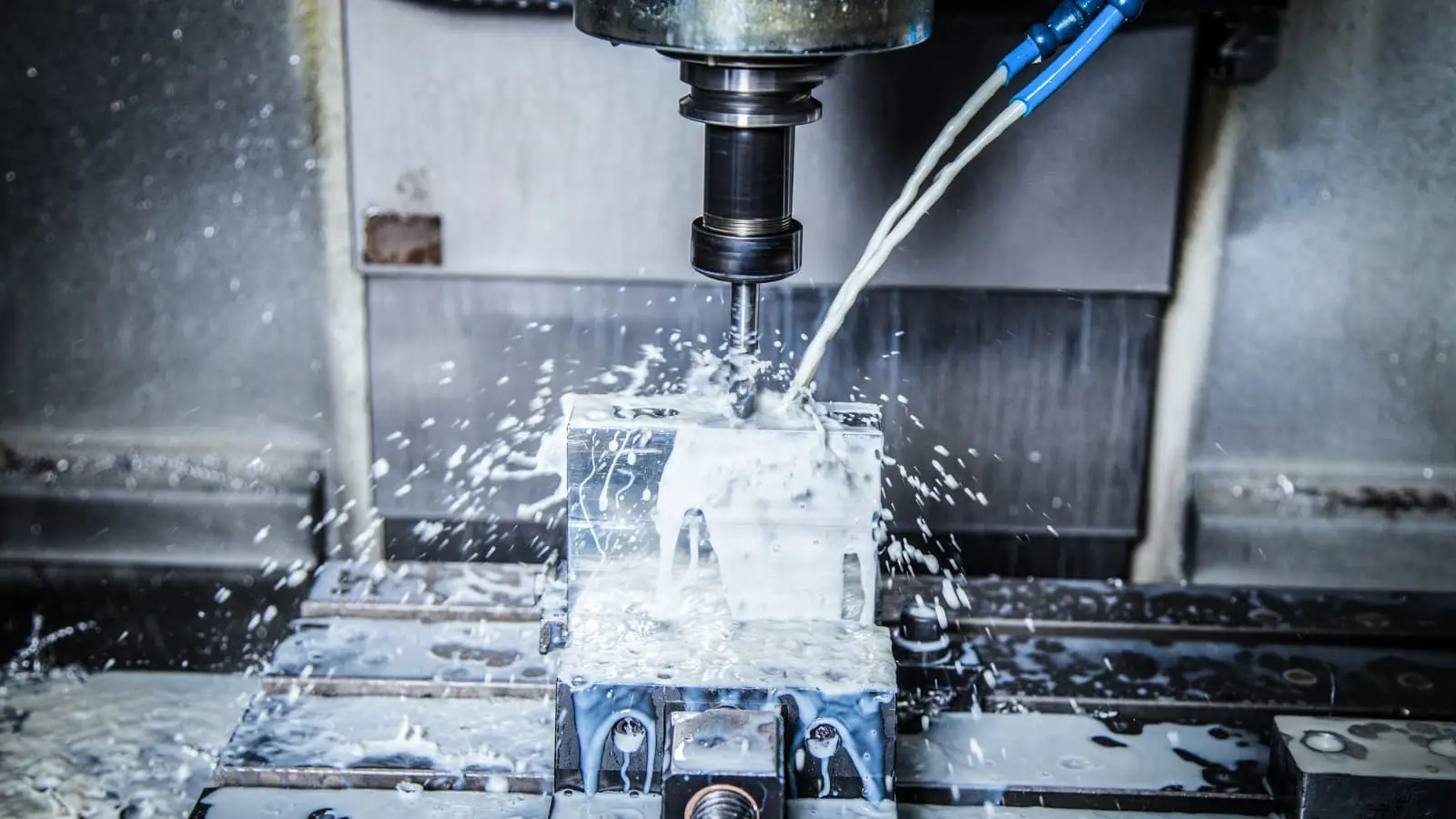
What Online CNC Parts Actually Means for Modern Manufacturing
Imagine needing a precision-machined aluminum bracket for your prototype. A decade ago, you'd visit local machine shops, explain your requirements in person, hand over physical drawings, and wait days—sometimes weeks—for a quote. Today? You upload a CAD file, receive pricing in under a minute, and track your order from your phone. That's what online CNC parts represent: a fundamental shift in how engineers and procurement professionals source precision-machined components.
Online CNC parts refer to custom-machined components ordered through digital platforms that connect you directly with manufacturing capabilities. These platforms replace phone calls and facility visits with streamlined web interfaces, transforming what was once a relationship-heavy, time-intensive process into something as straightforward as online shopping—but for industrial-grade precision parts.
From CAD File to Finished Part in Days
The traditional machine shop relationship required substantial upfront investment. You'd identify potential suppliers, schedule visits, discuss capabilities, and negotiate terms before even getting a quote. Each new project meant repeating this cycle, and comparing prices across multiple shops could consume weeks of your team's time.
With online cnc machining services, this timeline compresses dramatically. Modern platforms accept standard file formats like STEP, IGES, and native CAD files, then use sophisticated algorithms to analyze your part geometry instantly. According to industry data, these systems can reduce quoting times by up to 90%—delivering pricing in 5 to 60 seconds rather than 1 to 5 days.
What makes this possible? The platforms leverage AI and machine learning to evaluate part complexity, material requirements, tolerances, and surface finishes automatically. Rather than a machinist manually reviewing drawings and calculating labor hours, the system processes your 3D model against established manufacturing parameters.
How Digital Platforms Changed CNC Procurement
Before digital platforms became commonplace, part data existed in scattered locations—engineer's desks, email threads, supplier files, and handwritten notes. Finding the complete history of a component meant hunting through multiple haystacks, with no guarantee you'd find what you needed.
Cloud-based manufacturing platforms changed this reality. Now, every iteration you've machined, every material you've tested, and every tolerance adjustment you've made can be stored in one accessible location. This data-driven approach doesn't just speed up ordering—it enables smarter decision-making over time.
The accessibility factor matters too. An online cnc machine network gives small and medium enterprises access to manufacturing capabilities that previously required established supplier relationships. Some platforms connect users to networks of over 1,000 CNC machines, democratizing access to precision manufacturing regardless of company size or geographic location.
The Online Ordering Workflow Explained
Understanding the typical workflow helps you navigate these platforms confidently. Here's what the process looks like:
- File Upload: Submit your 3D CAD file (STEP AP203/AP214 formats work best for accuracy) through the platform's interface.
- Instant Analysis: The system evaluates geometry, identifies potential manufacturability issues, and calculates machining requirements.
- Quote Generation: Receive pricing based on material selection, tolerances, quantity, and finish options—often within seconds.
- DFM Feedback: Many platforms provide real-time design-for-manufacturability feedback, flagging issues like unsupported geometries or excessive tolerances before you commit.
- Order Placement: Select your preferred options, confirm specifications, and submit payment.
- Production Tracking: Monitor your order's progress through manufacturing, finishing, and shipping stages digitally.
This cnc service model matters because it addresses two persistent pain points: speed and transparency. Engineers working on tight development schedules can get quotes instantly rather than waiting for callbacks. Procurement professionals can compare pricing across materials and quantities without lengthy negotiations. Everyone sees exactly what they're paying for and when parts will arrive.
The shift isn't just about convenience—it's about enabling faster iteration cycles, reducing procurement overhead, and making precision manufacturing accessible to teams that previously couldn't justify the relationship-building investment that traditional sourcing required.
Material Selection Guide for CNC Machined Components
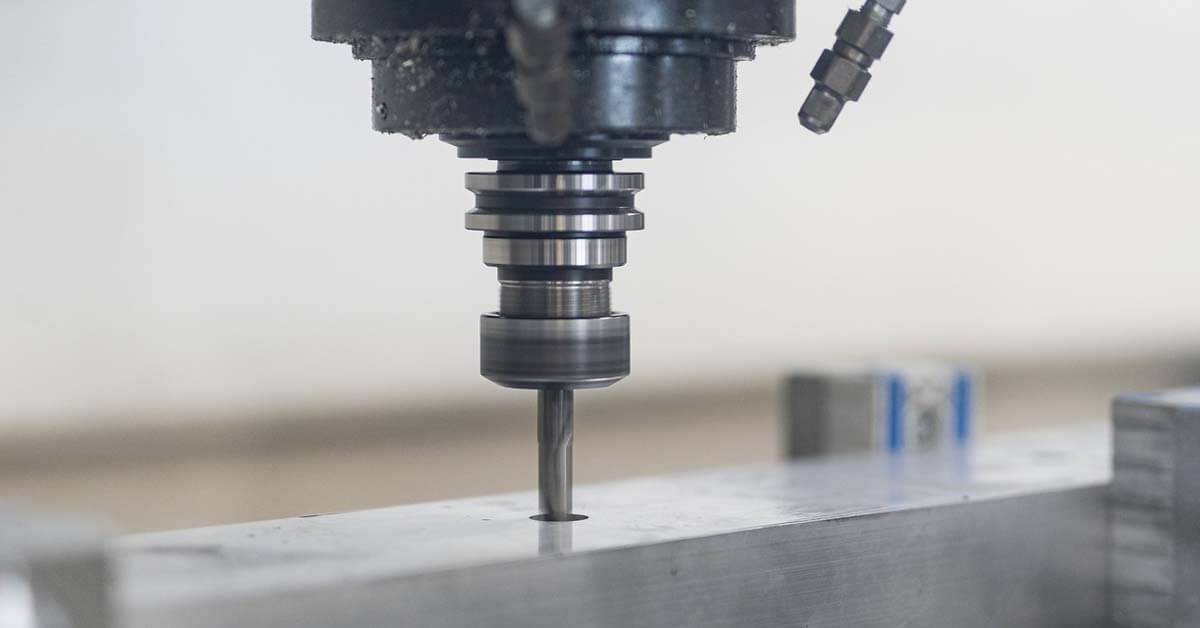
You've uploaded your CAD file and received an instant quote. Now comes a decision that directly impacts your part's performance, cost, and lead time: material selection. Unlike the workflow step—which most platforms handle seamlessly—choosing the right material requires understanding trade-offs that no algorithm can make for you.
Online CNC platforms typically offer dozens of material options, from common aluminum alloys to high-performance engineering plastics. The challenge isn't availability—it's knowing which material matches your application requirements without overspending or underperforming. Let's break down the most commonly available options and when each makes sense.
Metals That Machine Best Online
Metals remain the backbone of CNC machining, and online platforms excel at processing them efficiently. Here's what you'll encounter most frequently:
Aluminum Alloys dominate online CNC orders for good reason. They machine quickly, cost less to process than steel, and offer excellent strength-to-weight ratios. Two grades appear on virtually every platform:
- 6061 Aluminum: The workhorse alloy. Good machinability, excellent corrosion resistance, and weldability make it ideal for general-purpose parts, enclosures, and structural components. It's typically the lowest-cost metal option.
- 7075 Aluminum: Significantly stronger than 6061 (approaching some steels), but harder to machine and more expensive. Choose this when strength-to-weight ratio matters—aerospace brackets, high-stress fixtures, or performance applications.
Steels offer higher strength and wear resistance than aluminum, but at the cost of longer machining times and higher prices:
- 1018 Mild Steel: Easy to machine, weld, and case-harden. Great for low-stress structural parts, pins, and fixtures where corrosion isn't a concern.
- 4140 Alloy Steel: Heat-treatable for significant strength gains. Used in shafts, gears, and components requiring fatigue resistance.
- Stainless Steels (303, 304, 316): Corrosion resistance is the primary draw. 303 machines easiest; 316 offers superior chemical resistance for medical or marine applications.
Brass and Bronze serve specialized needs. Machining bronze produces excellent surface finishes and natural lubricity—ideal for bushings, bearings, and decorative components. CNC bronze parts typically cost more than aluminum but machine predictably. Brass offers similar benefits with better electrical conductivity, making it popular for electrical contacts and fittings.
Engineering Plastics for CNC Projects
When metal isn't necessary—or when properties like electrical insulation, chemical resistance, or reduced weight matter—engineering plastics become compelling options. However, machining nylon and other plastics requires understanding their unique behaviors.
Delrin (Acetal/POM) ranks among the most machinable plastics available. This delrin material offers exceptional dimensional stability, low moisture absorption, and natural lubricity. It's the go-to choice for gears, bearings, and precision mechanical components where consistent dimensions matter. Delrin plastic machines cleanly with minimal burring—a significant advantage over more flexible alternatives.
Nylon presents a trade-off worth understanding. Nylon for machining offers excellent toughness and wear resistance, but it absorbs moisture from the air, causing dimensional changes of 2-3%. This makes machinable nylon less suitable for tight-tolerance applications unless you account for swelling. Cast nylon generally machines better than extruded grades, producing cleaner cuts with less internal stress. For applications requiring nylon's toughness without moisture concerns, consider glass-filled or MDS-filled grades—though glass-filled variants wear cutting tools faster.
Polycarbonate brings impact resistance that few plastics match. CNC polycarbonate parts work well for transparent covers, guards, and housings requiring visibility and durability. However, it's more prone to stress cracking than acetal and requires careful toolpath planning to avoid surface defects.
Matching Materials to Application Requirements
Sounds complex? This comparison table simplifies the decision by mapping material properties against common application needs:
| Material | Strength | Corrosion Resistance | Cost Tier | Best Applications |
|---|---|---|---|---|
| Aluminum 6061 | Medium | Good | Low | Enclosures, brackets, general structural parts |
| Aluminum 7075 | High | Moderate | Medium | Aerospace components, high-stress fixtures |
| Stainless 316 | High | Excellent | High | Medical devices, marine, chemical exposure |
| 4140 Steel | Very High | Poor | Medium | Shafts, gears, load-bearing components |
| Bronze | Medium | Good | Medium-High | Bushings, bearings, wear surfaces |
| Delrin (Acetal) | Medium | Excellent | Low-Medium | Precision gears, insulators, food-safe parts |
| Nylon 6/6 | Medium | Good | Low | Wear-resistant parts, non-precision bushings |
| Polycarbonate | Medium | Moderate | Low-Medium | Transparent covers, impact-resistant housings |
When you're uncertain, start by asking three questions: What loads or stresses will the part experience? What environment will it operate in? What's your budget constraint? For most prototyping work, 6061 aluminum or delrin plastic cover 80% of applications at reasonable cost. Reserve premium materials like 7075 aluminum, stainless steel, or PEEK for applications where their specific properties justify the added expense.
Material selection directly influences not just part performance but also your quote price and lead time. Now that you understand what's available, the next step is ensuring your design can actually be manufactured efficiently—which brings us to the principles that make parts easier (and cheaper) to machine.
Design Principles That Make Parts Easier to Machine
You've selected your material and you're ready to upload. But here's what separates smooth orders from frustrating rejections: how well your design accounts for what CNC machines can actually do. Design for Manufacturability—DFM—isn't just industry jargon. It's the difference between getting an instant quote and receiving a manufacturability advisory that sends you back to CAD.
Online platforms analyze your geometry automatically, flagging features that complicate cnc cutting or inflate costs. Understanding these constraints before you upload saves revision cycles and keeps your cnc machining parts affordable. Let's walk through the design rules that matter most.
Design Rules That Reduce Your Quote Price
Every feature on your part translates to machine time—and machine time drives cost. Certain design choices dramatically affect how long a part takes to produce:
Internal Corner Radii: This trips up more designers than any other constraint. CNC cutting tools are round, which means internal corners can't be perfectly square. The minimum radius equals half the tool diameter being used. For most cnc milling parts, plan for internal radii of at least 1/3 the pocket depth. Smaller radii require smaller tools running at slower speeds—directly increasing your quote.
Internal corners need fillets or radii. External corners benefit from chamfers. Any part requiring true square corners will cost significantly more, requiring EDM or extremely small, slow-moving tools.
Wall Thickness: Thin walls vibrate during machining, causing deflection and surface finish problems. Minimum recommended thickness varies by material:
- Aluminum: 0.5mm minimum (1.0mm preferred for stability)
- Steel: 0.8mm minimum
- Plastics: 1.5mm minimum (plastics deflect more easily)
Hole Depth-to-Diameter Ratios: Standard drill bits struggle with holes deeper than 4x their diameter. Depths beyond 10x diameter often require specialized tooling or secondary operations—both add cost. When you need deep holes, consider whether through-holes (machinable from both sides) might work instead.
Thread Specifications: Threads deeper than 3x the hole diameter rarely add holding strength but always add machining time. Stick to standard thread sizes available in common tap sets: M3, M4, M5, M6, and M8 metric; #4-40, #6-32, #8-32, 1/4-20 imperial. Non-standard threads require custom tooling and extended lead times.
Features That Complicate Online CNC Orders
Some design choices don't just increase cost—they can trigger outright rejections or require manual review that delays your quote. According to Protolabs' DFM guidelines, these common mistakes cause the most friction:
- Unnecessary machining: Designing parts that require cutting away excess material when simpler geometry would work. One example: specifying a circular part surrounded by material that must be milled away, when the circle could simply be cut from stock.
- Small or raised text: Text requires tiny endmills operating at slow speeds. Larger text machines faster; recessed text costs less than raised letters requiring material removal around each character.
- Deep narrow pockets: Pockets with depth greater than 4x their width cause tool deflection and chatter. If you need deep features, widen them or accept that precision will suffer.
- Undercuts and internal features: Standard 3-axis cnc cuts can only reach what's accessible from above. Features hidden beneath overhangs require 5-axis machining or multiple setups—both increase price substantially.
- Overly tight tolerances everywhere: Specifying ±0.025mm across your entire part when only a few critical dimensions need it. Tight tolerances require slower feeds, more inspection, and sometimes grinding operations.
The underlying principle? Avoid features requiring slow tool speeds, specialized tooling, or multiple machine setups. Each adds time, and time is what you're paying for.
Preparing Your CAD Files for Upload
Your cnc machine parts are only as accurate as the files you submit. Mesh-based formats like STL work for 3D printing but fail for CNC—they convert smooth curves into tiny triangles, losing the mathematical precision machining requires.
Recommended formats for cnc fabrication:
- STEP (AP203 or AP214): The universal standard. Works across virtually all platforms and preserves solid geometry accurately.
- IGES: Widely compatible but can introduce surface gaps on complex models. Use STEP when possible.
- Parasolid (.x_t, .x_b): Excellent accuracy, commonly used by SolidWorks and NX users.
- Native CAD files: Some platforms accept SolidWorks, Inventor, or Fusion 360 files directly—preserving feature trees and reducing conversion errors.
Before uploading, run through this preparation checklist:
- Ensure your model is a watertight solid with no open surfaces or self-intersecting geometry
- Remove suppressed features, construction geometry, and unused sketches
- Verify units match your intent (millimeters vs. inches causes costly mistakes)
- Check that critical dimensions and tolerances are clearly defined in accompanying drawings
- Simplify overly complex splines or freeform surfaces where standard geometry would suffice
According to JLCCNC's file preparation guide, incomplete or improperly formatted files lead to rejected quotes, misquoted parts, or machined components that don't match your intent. Taking five minutes to verify your export saves days of back-and-forth.
With your design optimized and files prepared correctly, the next consideration is understanding exactly what precision levels these platforms can achieve—and how tolerance specifications affect both cost and capability.
Understanding Tolerances and Precision Capabilities
When you request precision cnc machining through an online platform, the numbers matter. Specifying ±0.005" when ±0.010" would suffice doubles your cost. Specifying ±0.010" when your assembly demands ±0.001" guarantees a part that won't fit. Understanding tolerance tiers—and what drives them—separates engineers who get parts right the first time from those stuck in revision loops.
Tolerance defines the acceptable deviation from your specified dimension. A 1.000" dimension with ±0.005" tolerance means any measurement between 0.995" and 1.005" passes inspection. But here's what many designers miss: tighter tolerances don't just cost more—they can fundamentally change how your part gets made.
Standard vs Precision Tolerance Explained
Online platforms typically offer three tolerance tiers, each with distinct cost and capability implications. According to Xometry's tolerance guidelines, the standard tolerance for CNC machining is ±0.005" (0.127mm) for metals and ±0.010" (0.254mm) for plastics—and for most applications, this is perfectly adequate.
| Tolerance Tier | Typical Range | Applications | Cost Impact |
|---|---|---|---|
| Standard Precision | ±0.005" (0.13mm) or greater | Enclosures, brackets, general components | Baseline pricing |
| Premium Precision | ±0.001" to ±0.005" (0.025-0.13mm) | Bearing housings, mating surfaces, assemblies | 1.5-2x standard cost |
| Ultra Precision | ±0.0001" to ±0.001" (0.0025-0.025mm) | Optical components, medical devices, aerospace | 2-4x standard cost |
Why the cost jump? Tighter tolerances require slower cutting speeds to minimize vibration and tool deflection. According to Protocase's tolerance specifications, achieving ultra-precision tolerances demands not just careful machining but specialized measurement equipment for validation. A feature that can be measured with standard calipers at ±0.005" might require a coordinate measuring machine (CMM) at ±0.0005"—adding inspection time and equipment costs.
The takeaway? Apply tight tolerances selectively. Specify precision only on dimensions that affect fit, function, or performance. Leave non-critical features at standard tolerance, and your cnc turning or milling quote drops accordingly.
When Tight Tolerances Actually Matter
Here's a practical framework: ask whether the dimension affects assembly, function, or appearance. If a surface mates with another component, tolerance matters. If it's an exterior face no one touches, standard precision suffices.
Precision machining services become essential in these scenarios:
- Press-fit or interference fits: When a shaft must press into a bearing bore, dimensional accuracy directly determines whether the assembly holds or spins freely.
- Sliding or rotating fits: Pistons, guides, and rotating shafts require controlled clearances—too tight and they bind, too loose and they wobble.
- Sealing surfaces: O-ring grooves, gasket faces, and fluid passages need consistent dimensions to prevent leaks.
- Multi-part assemblies: When three or more parts must align precisely, tolerance stack-up makes tight specifications on mating features unavoidable.
Material choice affects achievable precision too. As Xometry notes, softer materials like nylon, HDPE, and PEEK flex during cutting, making tight tolerances harder to hold without specialized tooling. Metals like aluminum and steel machine more predictably, making ±0.001" tolerances achievable with standard cnc machining milling processes.
How Multi-Axis Machining Enables Complex Geometry
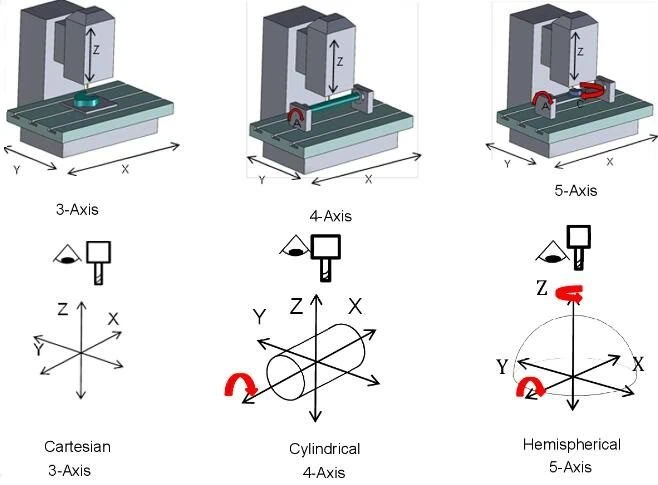
Standard 3-axis CNC machines move the cutting tool in X, Y, and Z directions—adequate for prismatic parts with features accessible from above. But what about angled holes, compound curves, or undercut features? That's where 5 axis cnc machining services become necessary.
Five-axis machines add two rotational axes, allowing the tool (or workpiece) to tilt and rotate during cutting. This capability matters for tolerances in two key ways:
- Single-setup accuracy: Every time a part gets repositioned in a fixture, alignment errors accumulate. Five-axis machining often completes complex parts in one setup, eliminating re-fixturing errors that degrade precision.
- Tool access angles: Reaching features at compound angles without repositioning means tighter tolerances on features that would otherwise require multiple setups.
However, 5-axis capability comes at premium pricing. If your geometry can be achieved with 3-axis machining plus one or two reorientations, that often proves more economical than jumping to full 5-axis processing—especially for prototypes where setup costs dominate.
Understanding what tolerances you actually need—and what machine capabilities they require—directly influences your cost optimization strategy. Speaking of costs, let's examine exactly what drives pricing in online CNC parts and how to reduce expenses without sacrificing quality.
Pricing Factors and Cost Optimization Strategies
You've designed your part, selected your material, and specified your tolerances. Now comes the question every engineer and procurement professional asks: what's this actually going to cost? Unlike traditional machine shops where pricing feels like a black box, understanding the factors behind your cnc machining price empowers you to make smarter decisions—and often reduce costs significantly without sacrificing quality.
The truth is, CNC machining costs aren't arbitrary. They follow predictable patterns based on quantifiable factors. Once you understand what drives pricing, you can adjust your approach to hit budget targets while still getting the parts you need.
What Actually Drives CNC Part Pricing
Every quote you receive breaks down into a handful of core cost drivers. According to PARTMFG's cost analysis, a practical formula captures the essentials:
Estimated Cost = (Material Cost + Setup Cost) + (Machining Time × Hourly Rate) + Finishing Cost
Let's unpack each component:
Material Type and Volume: Raw material costs vary dramatically. Aluminum typically runs $5-10 per pound with excellent machinability, while steel costs $8-16 per pound and requires slower cutting speeds. Titanium and superalloys push costs higher still—not just from raw material prices but from the specialized tooling and extended machining times they demand. The machinist metal cost directly reflects both material price and how aggressively machines can cut it.
Geometric Complexity: Simple prismatic parts with basic pockets and holes quote lower than organic shapes requiring intricate toolpaths. Deep cavities, thin walls, and tight internal corners force slower feed rates and smaller tools. According to U-Need's pricing breakdown, parts requiring 5-axis machining cost significantly more than 3-axis work—hourly rates jump from $10-20 for basic 3-axis machines to $20-40 for 5-axis capabilities.
Tolerance Requirements: As covered earlier, tighter tolerances mean slower machining speeds, more frequent tool changes, and additional inspection steps. Specifying ±0.001" across your entire part when only critical features need it inflates costs unnecessarily.
Surface Finish Specifications: Post-processing adds expense. Anodizing, powder coating, bead blasting, and polishing each require additional labor, materials, and processing time beyond the machining itself.
Lead Time Selection: Rush orders command premium pricing. Standard lead times allow shops to batch similar jobs and optimize machine utilization. Expedited turnarounds disrupt scheduling and often require overtime labor.
How Quantity Affects Your Per-Part Cost
Here's where economies of scale become tangible. Setup costs—programming, fixturing, tool selection, first-article inspection—remain relatively constant whether you're making one part or one hundred. The difference lies in how those fixed costs get distributed.
For small cnc machining runs of 1-10 pieces, setup costs dominate your quote. You might pay $150 in setup for a $50 part, making each unit effectively $65. Order 100 pieces, and that same $150 setup spreads to $1.50 per unit—dropping your effective cost dramatically.
Consider this breakdown based on typical production scenarios:
| Order Quantity | Setup Cost Impact | Per-Unit Economics | Best Suited For |
|---|---|---|---|
| 1-5 units | High (dominates total cost) | Highest per-part price | Prototypes, design validation |
| 10-50 units | Moderate (significant but shared) | Noticeable cost reduction | Pilot runs, small batches |
| 100-500 units | Low (well-amortized) | Strong economies of scale | Initial production, inventory builds |
| 500+ units | Minimal per-unit impact | Material and cycle time dominant | Volume production |
The prototyping versus production decision often comes down to this math. A single prototype at $200 might seem expensive—but if it validates your design before committing to tooling for injection molding, it's cheap insurance. Conversely, if you need 5,000 identical parts, CNC machining's per-unit economics may not compete with casting or molding processes designed for volume.
Smart Ways to Reduce Machining Expenses
Cost optimization doesn't mean accepting lower quality. It means eliminating waste and making strategic trade-offs. Based on insights from Scan2CAD's machining economics guide and industry best practices, these strategies consistently reduce quotes without compromising part performance:
- Simplify geometry where function allows: Rounded internal corners, reasonable wall thicknesses, and standard hole depths reduce cycle time significantly.
- Specify tolerances selectively: Apply tight tolerances only to features requiring them. Leave non-critical dimensions at standard precision.
- Choose materials strategically: If 6061 aluminum meets your requirements, don't specify 7075. If standard stainless works, skip the exotic alloys.
- Consolidate finishing requirements: Multiple finish specifications on one part require additional handling. Where possible, use a single finish treatment.
- Use standard hole sizes and thread specifications: Standard drill bits and taps are faster and cheaper than custom tooling. Stick to common sizes like M4, M6, 1/4-20.
- Batch similar parts together: Ordering multiple part numbers in the same material and finish can share setup costs across your order.
- Avoid unnecessary text and cosmetic features: Engraved logos and part numbers add machining time. Consider labels or laser marking as alternatives.
- Plan lead times realistically: Standard delivery almost always costs less than expedited options. Build machining time into your project schedule.
One often-overlooked strategy: if you're searching for "cnc machining near me" or "cnc near me," consider that online platforms often deliver better pricing than local shops—particularly for standard materials and straightforward geometries. Their automated quoting and distributed manufacturing networks optimize for efficiency in ways smaller operations can't match.
Understanding these cost drivers transforms how you approach online CNC ordering. But getting parts at the right price matters little if they don't look and perform as intended—which brings us to surface finish options and when each makes sense for your application.
Surface Finish Options and When to Use Each
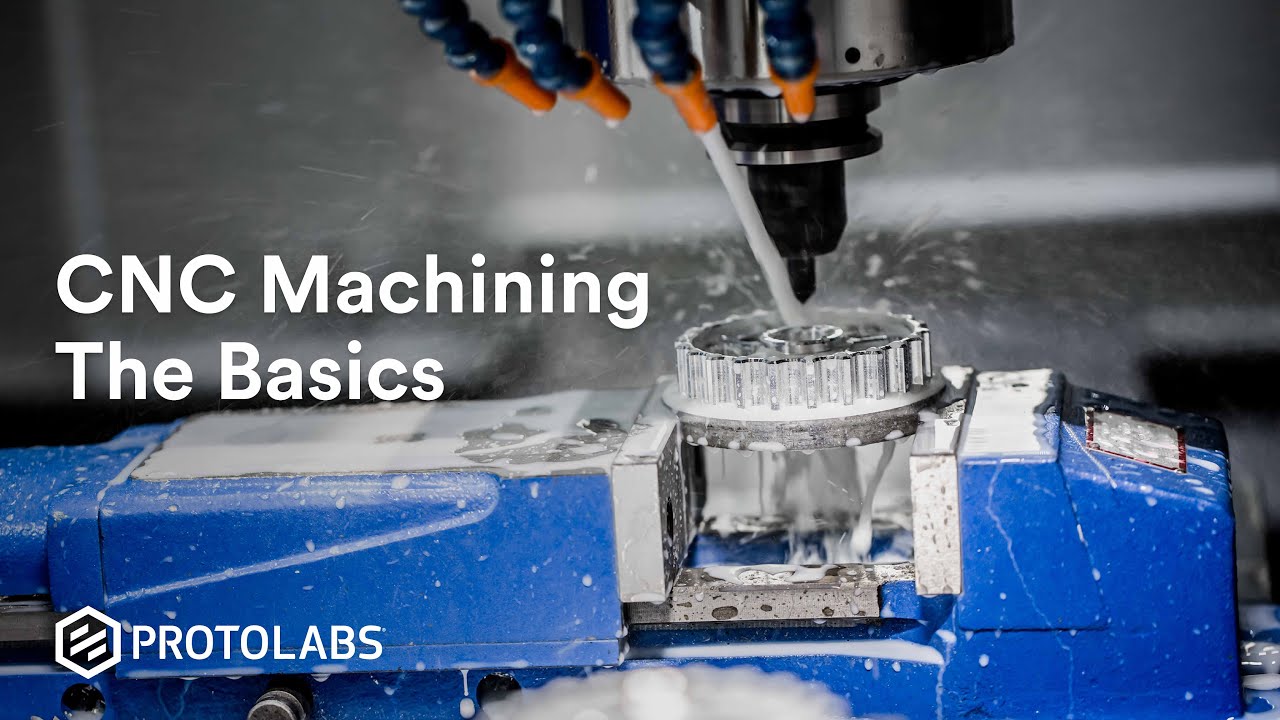
You've optimized your design, selected the right material, and understood your cost drivers. But here's what determines whether your finished part looks professional or unfinished: surface treatment. The raw machined surface rarely meets functional or aesthetic requirements—and choosing the wrong finish can compromise corrosion resistance, wear performance, or visual appeal.
Online CNC platforms typically offer a range of finishing options, from leaving parts as-machined to applying multi-step treatments. Understanding what each finish does—and when it makes sense—helps you specify the right treatment without overpaying for capabilities you don't need.
Functional Finishes for Wear and Corrosion
When performance matters more than appearance, functional finishes protect your parts from environmental degradation and mechanical wear. The choice depends largely on your base material.
As-Machined: The baseline option. Parts retain visible tool marks from cutting operations, with surface roughness typically ranging from 63 to 125 Ra microinches. This works for internal components, prototypes for fit-checking, or parts receiving secondary finishing off-platform. It's the fastest and cheapest option—but offers no added protection.
Passivation (Stainless Steel): This chemical treatment removes free iron from stainless steel surfaces, enhancing the material's natural corrosion resistance. According to Fictiv's finishing guide, passivation doesn't add thickness or change dimensions—making it ideal when tolerances are critical. The result is a smooth, shiny finish that performs well in medical, food processing, and marine applications.
Anodizing (Aluminum): Unlike coatings that sit on top of metal, anodizing converts the aluminum surface itself into a hard, corrosion-resistant oxide layer. This integrated protection won't chip or peel like paint. Two types dominate online CNC offerings:
- Type II Anodizing: Creates a thinner oxide layer (0.0002" to 0.001") suitable for decorative applications and moderate protection. It accepts dyes well, enabling vibrant color options. According to Hubs' anodizing comparison, Type II works well for electronics enclosures, architectural components, and consumer products where appearance matters alongside corrosion resistance.
- Type III (Hardcoat) Anodizing: Produces a much thicker, denser layer (typically >0.001") with exceptional hardness approaching tool steel. This makes it ideal for cnc aluminum parts facing extreme wear—aerospace components, industrial machinery, and high-performance automotive applications. The trade-off? Higher cost, longer processing times, and a darker, more industrial appearance.
Electroless Nickel Plating: Deposits a uniform nickel-phosphorus coating without electrical current, providing excellent corrosion resistance across aluminum, steel, and stainless steel. Higher phosphorus content improves corrosion protection but reduces hardness. This finish works particularly well for parts requiring consistent coating thickness on complex geometries.
Zinc Plating (Galvanization): Protects steel from corrosion through sacrificial protection—when the coating gets damaged, zinc oxidizes first, protecting the underlying steel. Both hot-dip and electro-galvanizing methods serve this purpose, with the choice depending on part size and required coating thickness.
Aesthetic Finishing Options Explained
When your parts are visible—on consumer products, trade show displays, or customer-facing equipment—appearance drives finish selection.
Bead Blasting (Media Blasting): Uses pressurized jets firing glass beads, plastic media, or sand at the surface to create a uniform matte texture. This process hides machining marks effectively and works on most metals, including brass and bronze. It's often combined with anodizing for aluminum cnc parts—think of the finish on Apple's MacBook laptops. Bead blasting adds minimal cost while dramatically improving visual consistency.
Powder Coating: Applies powdered paint electrostatically, then cures it in an oven to create a thick, durable, uniform coating. According to PTSMAKE's finishing comparison, powder coating offers better versatility across materials than anodizing—working on steel, stainless steel, and aluminum alike. It comes in virtually unlimited colors and gloss levels. However, the coating adds measurable thickness, so mating surfaces and tight-tolerance holes require masking beforehand.
Black Oxide (Steel): Creates a magnetite layer providing mild corrosion resistance and a smooth, matte black finish. It's applied through a high-temperature chemical bath and doesn't significantly affect dimensions—eliminating masking requirements. Black oxide works well for steel fasteners, tools, and components where understated appearance and basic protection suffice.
Chromate Conversion (Chem Film/Alodine): A thin coating that passivates aluminum while maintaining thermal and electrical conductivity—something anodizing eliminates. Colors range from clear to gold or tan. While prone to scratches, it provides an excellent base for paint adhesion and costs less than anodizing.
Matching Surface Treatment to Material
Not every finish works with every material. This compatibility matrix helps you match treatments to base metals:
| Finish Type | Compatible Materials | Key Properties | Typical Applications | Relative Cost |
|---|---|---|---|---|
| As-Machined | All metals and plastics | No added protection; visible tool marks | Prototypes, internal parts | Lowest |
| Bead Blasting | Most metals (aluminum, steel, brass, bronze) | Uniform matte texture; hides machining marks | Consumer products, enclosures | Low |
| Type II Anodizing | Aluminum alloys | Corrosion resistance; accepts dyes; non-conductive | Electronics, consumer goods, architectural | Medium |
| Type III Anodizing | Aluminum alloys | Exceptional hardness; wear resistance; thicker layer | Aerospace, industrial machinery, automotive | Medium-High |
| Powder Coating | Aluminum, steel, stainless steel | Thick, durable; unlimited colors; adds dimension | Outdoor equipment, enclosures, fixtures | Medium |
| Passivation | Stainless steel | Enhanced corrosion resistance; no dimensional change | Medical, food processing, marine | Low |
| Black Oxide | Steel, stainless steel | Mild corrosion resistance; matte black finish | Fasteners, tools, industrial parts | Low |
| Electroless Nickel | Aluminum, steel, stainless steel | Uniform coating; good corrosion resistance | Complex geometries, precision components | Medium-High |
| Chromate Conversion | Aluminum | Maintains conductivity; paint adhesion base | EMI shielding, grounding, paint prep | Low |
A few practical notes: For acrylic cnc machining and other cnc acrylic service applications, surface finishing options are limited—flame polishing or vapor polishing restore optical clarity, but metal treatments don't apply. Similarly, delrin and other engineering plastics typically ship as-machined or with light bead blasting for texture.
When specifying finishes, consider combining treatments strategically. Bead blasting before Type II anodizing creates that premium matte-anodized look. Passivation after machining stainless steel costs little but significantly extends service life in corrosive environments.
The finish you select affects more than aesthetics—it determines how your part performs over time. But knowing what finish you need is only part of the equation. Before placing your first order, you need to understand how CNC machining compares to alternative manufacturing methods—and when those alternatives might serve your project better.
CNC Machining Compared to Alternative Manufacturing Methods
You've learned how to design parts, select materials, and understand pricing for online CNC orders. But here's a question worth asking before you click "submit": is CNC machining actually the right manufacturing method for your project? Sometimes it's the obvious choice. Other times, 3D printing, injection molding, or sheet metal fabrication delivers better results at lower cost.
Understanding when each method excels—and when CNC is clearly superior—helps you make smarter decisions from the start. Let's compare these manufacturing approaches across the criteria that matter most: quantity ranges, geometric capabilities, material options, precision levels, and cost structures.
CNC vs 3D Printing for Functional Parts
This comparison comes up constantly, and for good reason. Both methods can produce custom parts from digital files without tooling investments. But they operate on fundamentally different principles—and those differences drive distinct advantages.
CNC machining starts with solid stock material and removes what you don't need (subtractive manufacturing). 3D printing builds parts layer by layer from nothing (additive manufacturing). According to ReNEW Manufacturing Solutions, this distinction creates clear performance differences:
Precision and Tolerances: CNC machining is the gold standard for tight tolerances, consistently achieving micron-level accuracy that outperforms injection molding, 3D printing, and other common manufacturing techniques. If your cnc prototype requires ±0.001" precision on mating surfaces, metal machining delivers where printing struggles.
Surface Finish: Today's 3D printers cannot produce polished end-state parts with fine, smooth surface finishes. If all you need are parts for fit and function testing, printing works well. But if you need exceptional smoothness for sealing surfaces, sliding fits, or visual appeal, CNC produces superior results without secondary operations.
Material Strength: This is where the gap widens significantly. CNC machined parts exhibit whatever strength is inherent in the material you've machined—full-density aluminum, steel, or titanium with predictable mechanical properties. According to Xometry's comparison analysis, 3D printed parts often show anisotropic properties (strength varies by print direction) and may not match the mechanical performance of their CNC-machined equivalents, even in the same nominal material.
Design Flexibility: Here, 3D printing gains an edge. Changes to printed designs are purely digital—no retooling, no new fixtures, no reprogramming. With a cnc cutting machine, significant design changes may require time to retool and reprogram, depending on what's changed. For rapid iteration during early development, this flexibility matters.
Cost Dynamics: The cost drivers differ fundamentally:
- Complexity drives CNC cost: More complex parts require more machining time, and more time equals more money. Simple shapes are far faster and more efficient to produce with subtractive CNC processes.
- Size drives 3D printing cost: Larger parts require more material and more time to build up layer by layer. Large, simple parts often favor CNC over additive processes.
For cnc prototyping applications, the decision often comes down to geometry. Small parts with high geometric complexity—internal channels, lattice structures, organic shapes—can be extremely cost and time-efficient to print. Larger parts with simpler geometries favor CNC. And when you need carbon fiber prototyping with structural loads, machined carbon fiber composites typically outperform printed alternatives.
When Injection Molding Makes More Sense
If you're planning production runs in the thousands or higher, CNC machining and 3D printing may both lose to injection molding. Understanding where this crossover happens helps you plan your manufacturing strategy from prototype through production.
According to Protolabs' manufacturing selection guide, injection molding excels in specific scenarios:
- High-volume production: Cycle times for injection molding dramatically outpace both CNC and 3D printing once you're producing tens of thousands of parts. The per-unit cost drops to fractions of what machining would cost.
- Complex plastic geometries: Snap fits, living hinges, and intricate internal features that would require extensive CNC machining time can be molded in seconds.
- Consistency and repeatability: Injection molding produces nearly identical parts across millions of cycles—critical for consumer products and regulated industries.
The catch? Tooling costs. Creating injection molds requires upfront investment of thousands to tens of thousands of dollars. As Xometry notes, it takes a very large number of parts to justify the setup costs of tooling and mold creation. For quantities under 500-1,000 units, CNC machining or cnc plastic machining often proves more economical—no tooling investment, faster time to first parts, and easier design iteration.
This creates a natural progression for many products:
- Prototyping: 3D printing or CNC machining for design validation (1-10 units)
- Pilot production: CNC machining for initial market testing (10-500 units)
- Volume production: Injection molding once design is frozen and demand is proven (500+ units)
CNC cnc metal parts don't follow this same path—metal injection molding exists but serves different applications. For metal components, CNC machining remains viable at much higher volumes, or casting processes become alternatives for truly high-volume production.
Choosing the Right Manufacturing Method
With multiple options available, how do you decide? This decision matrix maps your project requirements to the manufacturing method most likely to deliver optimal results:
| Criteria | CNC Machining | 3D Printing | Injection Molding | Sheet Metal Fabrication |
|---|---|---|---|---|
| Ideal Quantity Range | 1-10,000+ units | 1-100 units | 500-1,000,000+ units | 1-10,000+ units |
| Typical Lead Time | Days to weeks | Hours to days | Weeks (tooling) + days (production) | Days to weeks |
| Achievable Tolerances | ±0.001" to ±0.005" | ±0.005" to ±0.010" | ±0.002" to ±0.005" | ±0.005" to ±0.015" |
| Material Options | Metals, plastics, composites—widest range | Plastics, resins, some metals | Thermoplastics primarily | Sheet metals (aluminum, steel, stainless) |
| Geometric Complexity | High (limited by tool access) | Highest (internal features, lattices) | High (limited by draft and undercuts) | Moderate (bends, cuts, basic forming) |
| Part Strength | Full material properties | Often reduced, anisotropic | Near-full for plastics | Full material properties |
| Setup/Tooling Cost | Low to none | None | High (mold required) | Low to moderate |
| Best For | Precision parts, metals, low-to-mid volumes | Rapid prototypes, complex shapes | High-volume plastic parts | Enclosures, brackets, panels |
Use this framework to guide your decision:
- Choose CNC machining when: You need tight tolerances, metal parts, full material strength, or quantities from one to several thousand. CNC handles both prototypes and production without tooling investments.
- Choose 3D printing when: You need rapid iteration, highly complex geometries with internal features, or very small quantities where machining setup costs dominate. It's ideal for design validation before committing to CNC or molding.
- Choose injection molding when: Your design is finalized, you need thousands of identical plastic parts, and you can justify tooling investment. The per-unit economics become unbeatable at scale.
- Choose sheet metal when: Your part is essentially flat with bends—enclosures, brackets, panels, chassis. Sheet metal fabrication often costs less than machining from solid stock for these geometries.
Many successful products use multiple methods across their lifecycle. A cnc prototype validates the design, low-volume CNC production serves early customers, and injection molding takes over once demand justifies tooling. Understanding when to make each transition—and which method fits your current needs—puts you ahead of engineers who default to one process regardless of requirements.
Now that you understand how CNC compares to alternatives, the next step is knowing how to evaluate the online platforms and providers offering these services—because not all CNC partners deliver equal quality, communication, or reliability.
How to Evaluate Online CNC Service Providers
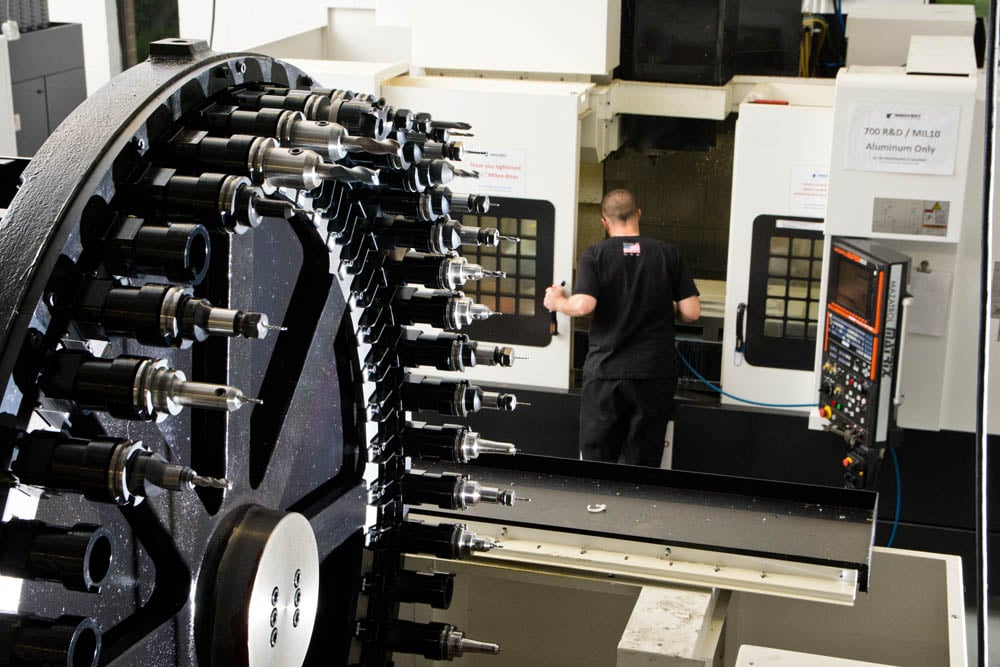
You understand the manufacturing methods, you've optimized your design, and you know what finish you need. But here's the critical question that determines whether your project succeeds or stalls: which provider should you trust with your order? Not all online CNC platforms—or the machine shop services behind them—deliver equal quality, reliability, or communication.
When you search for "cnc machine shops near me" or "machining shops near me," you'll find dozens of options. Local machine shops offer face-to-face relationships, while online platforms promise speed and convenience. But whether you're working with a cnc machine shop near me or a global network, the evaluation criteria remain consistent. Let's break down what actually matters when selecting a manufacturing partner.
Certifications That Signal Quality Commitment
Certifications aren't just badges on a website—they're independently audited proof that a provider follows standardized quality management processes. According to Modo Rapid's certification guide, these credentials act like a safety net, giving you confidence that your supplier's processes are reliable and repeatable.
ISO 9001 serves as the baseline. Think of it as a driver's license for manufacturing—it verifies the supplier has documented quality control processes, continuous improvement practices, and systematic approaches to managing operations. If a provider lacks ISO 9001, proceed with extreme caution. This certification requires independent audits of procedures, meaning better traceability and fewer surprises when inspecting your shipment.
IATF 16949 builds on ISO 9001 with additional requirements specific to automotive applications. It focuses on defect prevention, Statistical Process Control (SPC), and lean production systems. If you're sourcing components for automotive or racing applications—engine brackets, suspension components, chassis assemblies—this certification is non-negotiable. Providers like Shaoyi Metal Technology maintain IATF 16949 certification alongside strict SPC processes, indicating manufacturing reliability for automotive-grade components from rapid prototyping through mass production.
AS9100 extends ISO 9001 for aerospace and defense applications. When lives depend on precision—landing gear brackets, structural components, safety-critical fasteners—AS9100 ensures suppliers operate under stricter protocols for documentation, process validation, and risk management. It's essentially ISO 9001 on steroids for industries where failure isn't an option.
Beyond these core certifications, niche credentials matter for specific applications:
| Certification | Industry Focus | Key Requirements | When You Need It |
|---|---|---|---|
| ISO 9001 | General manufacturing | Quality management system, continuous improvement | All CNC orders (baseline requirement) |
| IATF 16949 | Automotive | Defect prevention, SPC, supplier quality management | Automotive components, racing parts |
| AS9100 | Aerospace/Defense | Enhanced traceability, risk management, process validation | Aircraft components, defense applications |
| ISO 13485 | Medical devices | Biocompatibility awareness, design controls, traceability | Medical implants, surgical instruments |
| ITAR Registration | Defense/Export control | Controlled technical data handling, export compliance | Defense projects, controlled exports |
Questions to Ask Before Placing Your First Order
Certifications tell you about systems and processes. But practical reliability comes down to equipment, expertise, and communication. According to KESU Group's evaluation framework, these questions reveal whether a provider can actually deliver what their certifications promise.
Equipment and Capabilities:
- What CNC machines do they operate? Look for modern, well-maintained equipment—3-axis mills, 5-axis machining centers, CNC lathes, and specialty equipment like EDM or grinding.
- How often is equipment calibrated? Regular calibration ensures machines consistently hold advertised tolerances. Ask for calibration records if precision is critical.
- What inspection equipment do they use? Coordinate Measuring Machines (CMMs), optical comparators, and surface roughness testers indicate commitment to verification—not just production.
Quality Control Processes:
- Do they perform in-process inspections or only final checks? Catching issues during machining prevents scrap and rework. Proactive quality control costs less than reactive rejection handling.
- Can they provide First Article Inspection (FAI) reports? FAI documents verify that the first production part meets all specifications before full production begins.
- What's their approach to material traceability? For regulated industries, tracking materials from raw stock through finished part is mandatory. Ask how they document material certifications and lot numbers.
Communication and Project Management:
- How quickly do they respond to quote requests? According to Norck's selection criteria, prompt, clear responses often indicate professionalism and operational efficiency.
- Do they assign dedicated project managers? Single points of contact streamline communication and ensure someone owns your order's success.
- How do they handle design feedback? Providers offering Design for Manufacturability (DFM) input before production help you avoid costly revisions after machining begins.
Track Record and References:
- Can they share case studies or sample parts from similar projects? Experience with your specific materials, tolerances, or industry requirements reduces risk.
- What's their on-time delivery rate? Ask for metrics—reliable providers track this data and share it confidently.
- Do they offer any quality guarantees? Understand their policy on non-conforming parts before you need it.
Red Flags When Evaluating CNC Providers
Some warning signs should make you pause—or walk away entirely. Recognizing these patterns early saves you from missed deadlines, rejected parts, and production headaches.
- No certifications displayed or verified: Any reputable machinist near me or online platform proudly displays certifications. If you can't find them—or they can't provide copies upon request—question what else they're not transparent about.
- Quotes that seem too good to be true: Dramatically lower pricing than competitors often signals cut corners—inferior materials, skipped inspections, or offshore subcontracting without disclosure. According to KESU Group's analysis, prioritizing low prices over quality leads to defects and rework that cost more than paying fair rates initially.
- Vague or evasive answers about processes: When you ask about inspection methods, material sourcing, or quality systems, clear answers should come easily. Evasion suggests either disorganization or something to hide.
- No DFM feedback on complex designs: Providers who quote complex parts without flagging manufacturability concerns either lack expertise or aren't reviewing your files carefully. Both scenarios lead to problems.
- Poor communication responsiveness: If getting a quote takes a week or emails go unanswered, imagine how they'll handle production issues when your deadline looms.
- No material certifications available: For any application requiring traceability—aerospace, medical, automotive—material certs aren't optional. Providers who can't supply them shouldn't be considered for regulated work.
- Unwillingness to provide references: Established machinist shops near me or online platforms should have satisfied customers willing to vouch for them. Reluctance to share references raises legitimate concerns.
Statistical Process Control deserves special attention when evaluating providers for production quantities. SPC uses real-time data collection and analysis to monitor machining processes, catching drift before it produces out-of-tolerance parts. Providers implementing SPC—like those with IATF 16949 certification—demonstrate commitment to consistent quality across every part in your order, not just the first and last samples inspected.
Use this evaluation checklist before committing to any new provider:
- ☐ Verify relevant certifications (ISO 9001 minimum; IATF 16949 for automotive; AS9100 for aerospace)
- ☐ Confirm inspection equipment and calibration practices
- ☐ Request sample inspection reports or case studies from similar projects
- ☐ Test communication responsiveness with your quote request
- ☐ Ask about material traceability and certification documentation
- ☐ Understand their DFM review process and how feedback is communicated
- ☐ Clarify lead time commitments and on-time delivery track record
- ☐ Review their policy for handling non-conforming parts
- ☐ For production runs, confirm SPC implementation for process monitoring
Finding local machine shops through searches like "cnc near me" gives you options for face-to-face relationships and quick turnarounds on simple parts. But online platforms often provide broader capabilities, more competitive pricing for standard work, and sophisticated quality systems that smaller local shops can't match. The right choice depends on your specific requirements—complexity, volume, industry regulations, and how much hand-holding you need through the process.
With a framework for evaluating providers in hand, you're ready to place your first order confidently. The final step is understanding exactly how to navigate that process—from uploading your files to receiving finished parts that meet your specifications.
Getting Started with Your First Online CNC Order
You've absorbed the fundamentals—material selection, design principles, tolerance specifications, pricing factors, surface finishes, manufacturing method comparisons, and provider evaluation criteria. Now comes the moment that matters: actually placing your first order and getting cnc machined parts delivered to your door.
The journey from concept to custom machined parts doesn't have to be intimidating. Engineers who approach their first online CNC order systematically avoid the frustrations that trip up newcomers—rejected quotes, unexpected costs, and parts that don't quite fit. Let's consolidate everything into actionable steps and address the pitfalls that derail first-time orders.
Your First Online CNC Order Checklist
Before uploading your files, walk through this sequence to ensure smooth processing and accurate results:
- Finalize your design with DFM principles in mind: Verify internal corner radii accommodate standard tool sizes, wall thicknesses meet material minimums, and hole depth-to-diameter ratios stay within practical limits. Run your CAD software's interference check to catch geometry issues.
- Export files in the correct format: STEP AP203 or AP214 formats work universally. Ensure your model is a watertight solid with no open surfaces or self-intersecting geometry. Double-check units match your intent—millimeters versus inches causes costly mistakes.
- Prepare supporting documentation: Create a 2D drawing with critical dimensions, tolerances, and surface finish callouts clearly annotated. Even if the platform quotes from your 3D model, drawings communicate intent and serve as inspection references.
- Select your material based on function, not habit: Review the material comparison table from earlier. Don't default to 6061 aluminum if your application demands corrosion resistance that 316 stainless provides—or waste money on exotic alloys when standard grades suffice.
- Apply tolerances strategically: Specify tight tolerances only on features requiring them—mating surfaces, bearing bores, sealing faces. Leave non-critical dimensions at standard precision to control costs.
- Choose surface finishes that match your needs: As-machined works for prototypes and internal components. Specify anodizing, powder coating, or passivation when corrosion resistance, wear properties, or aesthetics matter.
- Verify provider credentials: Confirm ISO 9001 certification at minimum. For automotive applications, require IATF 16949; for aerospace, AS9100. Request sample inspection reports from similar projects.
- Review the quote carefully before ordering: Confirm material, quantity, tolerances, and finish match your specifications. Check lead time against your project schedule. Understand payment terms and shipping options.
- Request DFM feedback: Many platforms provide manufacturability analysis automatically. Review any flagged issues before confirming your order—addressing them now prevents delays or surprises during production.
- Document your order details: Save confirmation emails, quote breakdowns, and specification documents. This record proves invaluable if questions arise during production or inspection.
Common Mistakes and How to Avoid Them
According to Global Precision's analysis of CNC ordering errors, these mistakes consistently cause problems for first-time buyers—and even experienced engineers occasionally fall into these traps:
- Submitting incomplete drawings: Sketches without dimensioning, tolerancing, or material callouts force manufacturers to make assumptions. Use professional CAD software to generate complete 3D models and 2D detail drawings with all critical specifications annotated.
- Choosing materials based solely on cost: Selecting cheaper materials without considering machinability, strength, or corrosion resistance leads to parts that fail in service. According to Davantech's ordering guide, functional requirements—load, temperature range, chemical exposure—should drive material decisions, not just price.
- Over-specifying tolerances: Applying ±0.01mm across every dimension "just to be safe" inflates cycle time, tooling costs, and scrap rates. Use tolerance analysis to identify which dimensions actually affect assembly, performance, and safety.
- Skipping prototype machining: Jumping directly to production quantities without validating fit, finish, and functionality through prototype machining creates expensive correction cycles. Start with a small pilot batch of 5-10 parts to refine tooling, optimize cycle times, and catch design flaws before scaling.
- Neglecting post-machining specifications: Failing to specify heat treatment, plating, or other secondary operations leaves critical performance characteristics unaddressed. Indicate all post-machining requirements clearly on your purchase order.
- Assuming standard lead times: Ignoring complexity, material availability, or order size when planning timelines derails project schedules. Discuss realistic lead times upfront, factoring in material procurement, shop capacity, and quality inspections.
- Selecting providers solely on price: The lowest quote often reflects compromises on tooling maintenance, skilled labor, or material quality. Balance cost considerations against proven track records, technical capabilities, and service quality.
- Not providing performance feedback: Failing to share fitting issues, tool wear observations, or assembly difficulties with your manufacturer prevents continuous improvement and may cause repetitive mistakes in subsequent orders.
Clear communication, realistic planning, and mutual feedback are cornerstones of a productive manufacturing collaboration.
Moving from Prototype to Production
Your first order likely involves prototype machining—one to ten parts validating your design before committing to volume. But what happens when prototypes succeed and demand grows? The transition from cnc machining prototyping to production requires deliberate planning.
According to UPTIVE Manufacturing's prototype-to-production guide, this transition involves several critical steps:
Validate manufacturing scalability: Confirm that your part's design, materials, and assembly processes can scale without compromising quality. Features acceptable for ten prototypes may create bottlenecks at 500 units.
Optimize for production economics: Review your design for cost reduction opportunities now that functionality is proven. Simplify geometry where function allows, consolidate finishing specifications, and evaluate whether material substitutions make sense at volume.
Establish quality benchmarks: Use data from prototype runs to set quality standards and inspection protocols for production. Define sampling techniques, in-line testing procedures, and quality checkpoints.
Secure supply chain reliability: Identify potential disruptions in material supply early. Consider qualifying secondary suppliers and building buffer inventory for critical materials.
Partner with providers offering scalability: Look for manufacturers capable of handling both rapid cnc prototyping and volume production under consistent quality systems. For automotive applications, providers like Shaoyi Metal Technology offer lead times as fast as one working day for rapid prototyping while scaling seamlessly to mass production—handling complex chassis assemblies and custom metal bushings under IATF 16949 certification and Statistical Process Control.
The economics shift significantly at scale. Setup costs that dominated prototype pricing become negligible when amortized across hundreds or thousands of parts. Material costs and cycle time become the primary drivers. Cnc turning services and milling operations that seemed expensive for prototypes become highly competitive for production quantities.
Consider this progression many successful products follow:
- Design validation (1-5 units): Rapid cnc prototyping confirms fit, form, and basic function. Speed matters more than per-unit cost.
- Pilot production (10-50 units): Small batches test manufacturing processes, identify production challenges, and supply early customers or internal testing programs.
- Initial production (100-500 units): Refined processes and optimized designs deliver parts for market launch. Quality systems and inspection protocols are fully established.
- Volume production (500+ units): Economies of scale reach full effect. Material purchasing, machine utilization, and process efficiency drive competitive per-unit costs.
Throughout this journey, maintain the documentation habits established with your first order. Material certifications, inspection reports, and process records become increasingly valuable as quantities grow and regulatory requirements intensify.
Online CNC parts ordering has transformed how engineers and procurement professionals source precision components. What once required facility visits, lengthy negotiations, and weeks of waiting now happens in days—sometimes hours. But technology only enables efficiency; your knowledge of materials, design principles, tolerances, and provider evaluation determines whether that efficiency translates into parts that perform.
You now have the framework to navigate this landscape confidently. Upload your first file, request your first quote, and start building the supplier relationships that will support your projects for years to come.
Frequently Asked Questions About Online CNC Parts
1. What are online CNC machining services?
Online CNC machining services are digital platforms that connect engineers and procurement professionals with precision manufacturing capabilities. You upload CAD files through web interfaces, receive instant quotes within seconds, select materials and finishes, and track production digitally. This replaces traditional machine shop relationships requiring facility visits and lengthy negotiations, enabling turnaround times measured in days rather than weeks.
2. How do I get a CNC quote online?
Getting a CNC quote online involves uploading your 3D CAD file (STEP format preferred) to a platform's interface. The system analyzes your geometry, identifies manufacturability issues, and calculates requirements automatically. You then receive pricing based on material selection, tolerances, quantity, and finish options—often within 5 to 60 seconds. Most platforms also provide Design for Manufacturability feedback before you commit to an order.
3. What materials are available for online CNC parts?
Online CNC platforms typically offer aluminum alloys (6061, 7075), steels (1018, 4140, stainless grades), brass, bronze, and engineering plastics like Delrin, nylon, and polycarbonate. Aluminum 6061 remains the most popular choice for its balance of machinability, cost, and corrosion resistance. Material selection should be driven by functional requirements including load capacity, environmental exposure, and budget constraints rather than habit alone.
4. What certifications should I look for in a CNC service provider?
ISO 9001 certification serves as the baseline requirement, verifying documented quality control processes. For automotive applications, IATF 16949 certification is essential—it ensures defect prevention and Statistical Process Control implementation. Aerospace projects require AS9100 certification for enhanced traceability and risk management. Medical device manufacturing demands ISO 13485 compliance. Providers like Shaoyi Metal Technology maintain IATF 16949 certification for reliable automotive-grade component production.
5. How can I reduce CNC machining costs without sacrificing quality?
Reduce costs by simplifying geometry where function allows, specifying tolerances selectively on critical features only, choosing standard materials like 6061 aluminum when suitable, using standard hole sizes and thread specifications, and planning realistic lead times to avoid rush premiums. Batching similar parts together shares setup costs, and ordering higher quantities amortizes fixed setup expenses across more units, significantly lowering per-part pricing.