 Small batches, high standards. Our rapid prototyping service makes validation faster and easier —
  EN
EN


Instant Quote CNC Machining Decoded: From Upload To Price In Minutes
What Instant Quote CNC Machining Actually Means
Imagine uploading your CAD file and receiving accurate pricing before your coffee gets cold. That's the reality of instant quote CNC machining—a technology that has fundamentally transformed how engineers and procurement teams validate manufacturing costs during critical design phases.
At its core, instant quote CNC machining refers to automated pricing systems that analyze your digital design files in real-time, generating detailed cost estimates within minutes rather than the traditional timeline of days or even weeks. These modern quoting engines leverage sophisticated algorithms to examine your part geometry, calculate material requirements, and estimate machining time—all without human intervention.
From Days to Minutes: The Quoting Revolution
If you've ever worked with traditional Request for Quotation (RFQ) processes, you know the frustration. The old approach required sending technical drawings via email, waiting for a manufacturer to manually review specifications, and enduring multiple rounds of back-and-forth communication to clarify tolerances, materials, and quantities. This tedious process often took three to five business days—sometimes longer for complex parts.
The pain points were significant:
- Hours spent preparing data packages for each development stage
- Days waiting for manufacturers to respond to emails
- Additional time comparing quotes across different suppliers
- Design iterations that required starting the entire cycle over again
Today's online machining quotes eliminate these bottlenecks entirely. When you need rapid cost validation during design phases, you can submit an instant request through a web platform and receive pricing almost immediately. This speed advantage proves especially valuable during iterative product development, where designs change frequently and quick cost feedback helps teams make informed decisions.
Gone are the days when you had to spend hours preparing data for each development stage, contact manufacturers by email, and wait days for answers. Successful product developers can now concentrate on their work and run tests more quickly to bring high-quality components to market faster.
How Automated Pricing Engines Work
So what happens between the moment you upload your file and when the price appears on screen? Modern cnc quote online systems use AI-based algorithms that immediately examine your component and compare it against databases containing hundreds of thousands of previously manufactured parts.
The automated analysis considers multiple factors simultaneously:
- Geometry complexity—how intricate your part design is
- Machine requirements—whether your part needs 3-axis or 5-axis machining capabilities
- Material specifications—the type and quantity of raw material required
- Production quantities—how batch size affects per-unit costs
- Clamping and fixturing needs—the setup complexity for your specific part
This sophisticated analysis enables platforms to provide online quotation results that accurately reflect real manufacturing costs. The transparency is remarkable—you can see exactly how material selection, tolerances, and surface finish requirements impact your final price.
For engineers and procurement teams, this represents a fundamental shift in workflow efficiency. Instead of waiting days to validate whether a design concept fits within budget, you can explore multiple design variations in a single afternoon. Need to compare aluminum versus steel for your bracket? Upload both versions and have comparative pricing in minutes. Wondering if tighter tolerances are worth the cost premium? The instant quote tells you exactly what you'll pay.
This capability transforms machining from a black-box process into a transparent, predictable service. Whether you're developing complex prototypes or planning production runs, the ability to get accurate pricing on demand empowers better decision-making at every stage of product development.
The Technology Behind Automated CNC Quotes
Ever wondered what actually happens in those few seconds between uploading your CAD file and seeing a price on screen? For many engineers, instant quoting platforms feel like mysterious black boxes—you feed in a design, and somehow a dollar figure emerges. Understanding this process not only satisfies curiosity but also helps you optimize designs for better pricing.
The truth is, modern automated quoting systems perform an impressive sequence of computational steps that would take a human estimator hours to complete manually. These platforms analyze your cnc file using sophisticated algorithms that parse geometry, recognize features, check manufacturability, and calculate costs—all in seconds.
Geometry Analysis and Complexity Scoring
When you upload a STEP, IGES, or .igs file to an instant quoting platform, the first thing that happens is geometric parsing. The system reads your 3D model and breaks it down into mathematical representations that computers can analyze efficiently.
Think of it like this: your CAD model contains surfaces, edges, and vertices that define your part's shape. The quoting engine translates these elements into data points it can process. According to research on automated manufacturability analysis, modern systems use deep learning approaches that can achieve manufacturing process selection accuracy of 89% and manufacturability analysis accuracy of 100%—remarkable precision for automated systems.
Once your geometry is parsed, the system performs feature recognition. This means identifying specific manufacturing features within your design:
- Pockets and cavities—enclosed areas requiring material removal
- Holes and bores—cylindrical features of varying depths and diameters
- Threads—internal or external helical features
- Fillets and chamfers—edge treatments affecting toolpath complexity
- Complex contours—curved surfaces requiring specialized tooling
Each recognized feature receives a complexity score based on factors like depth-to-width ratios, accessibility for standard cutting tools, and whether specialized cnc machining equipment would be required. Features that are difficult to access or require multiple setups naturally increase the overall complexity score—and consequently, the price.
Material and Toolpath Calculations
After analyzing your part's geometry, the system calculates material removal volumes. This step determines exactly how much raw material needs to be cut away to create your finished part. The calculation considers:
- The optimal stock size for your part dimensions
- Total cubic volume of material to be removed
- Number of roughing passes required before finishing
- Tool engagement rates for different features
Sounds complex? It is—but modern algorithms handle these calculations nearly instantaneously. The system essentially simulates the machining process without actually generating production-ready toolpaths. According to CNC Cookbook's analysis of cost estimation methods, the most accurate estimates closely follow actual machining processes, using Feature-Based Cost Estimation that mirrors what a CAM program would later generate.
Here's what happens computationally when you submit cnc files for quoting:
- File parsing—Converting your CAD format into analyzable geometric data
- Feature recognition—Identifying machinable features and their parameters
- Manufacturability checks—Flagging impossible geometries or overly tight tolerances
- Toolpath estimation—Calculating approximate cutting strategies for each feature
- Machine time calculation—Estimating spindle time based on material removal rates
- Cost calculation—Combining material, labor, overhead, and profit margins
The toolpath estimation step deserves special attention. While the system doesn't generate actual G-code, it estimates the cutting strategies needed for each feature. A simple external profile might require just a few passes, while a deep pocket with tight corners could need multiple tools and significantly more machine time. The system accounts for these differences by applying learned parameters from thousands of previously manufactured cnc machining parts.
Machine time factors heavily into final pricing. The algorithm considers spindle speeds, feed rates, and depth of cut parameters appropriate for your selected material. Harder materials like stainless steel require slower cutting speeds than aluminum, directly impacting the time—and therefore cost—to produce your machining parts.
What makes modern instant quoting particularly powerful is the integration of machine learning with traditional estimation methods. Systems like Toolpath use AI-powered analysis that accounts for complexity, operations, and estimated time while continuously learning from actual production data. This means quotes become more accurate over time as the system processes more parts.
The result? You receive a price that reflects genuine manufacturing costs rather than a rough guess. The black box isn't so black after all—it's a sophisticated series of calculations that compress hours of manual estimation into seconds of automated analysis. Understanding this process helps you appreciate why certain design choices significantly impact pricing, which leads us to the specific factors that shape your quote.
Pricing Factors That Shape Your CNC Quote
Now that you understand how automated quoting systems analyze your designs, you're probably wondering: what actually drives the final number? When you receive an instant quote, the cnc machining cost isn't pulled from thin air—it reflects a complex interplay of variables that each contribute to your total investment.
Understanding these pricing factors gives you genuine power. Instead of accepting quotes blindly, you can make strategic design decisions that optimize cost without sacrificing functionality. Let's break down the five major elements that determine your cnc machining price.
Material Costs and Their Multiplier Effects
Material selection creates the foundation of your quote—and the differences can be dramatic. Choosing titanium over aluminum for the same part geometry might multiply your price by five to ten times. But raw material cost tells only part of the story.
Consider what happens during machining. Harder materials like stainless steel or titanium require:
- Slower cutting speeds—reducing material removal rates significantly
- More frequent tool changes—hard materials accelerate tool wear
- Specialized tooling—carbide or ceramic inserts for tough alloys
- Additional coolant—managing heat buildup during cutting
According to Unionfab's cost analysis, aluminum sits at the lowest price tier ($), while titanium and magnesium occupy the highest tier ($$$$$). But the cnc machine price impact extends beyond raw material—a titanium part takes three to four times longer to machine than an equivalent aluminum part, compounding your total cost.
Here's how common materials compare in terms of relative cost and machinability:
| Material Category | Example Materials | Relative Material Cost | Machinability | Overall Price Impact |
|---|---|---|---|---|
| Aluminum Alloys | 6061-T6, 7075 | Low ($) | Excellent | Baseline |
| Mild Steel | 1018, A36 | Low-Medium ($$) | Good | 1.3-1.5x baseline |
| Stainless Steel | 304, 316 | Medium ($$$) | Moderate | 2-3x baseline |
| Brass/Copper | C360, C110 | Medium ($$$) | Excellent | 1.5-2x baseline |
| Titanium | Ti-6Al-4V | Very High ($$$$$) | Difficult | 5-10x baseline |
| Engineering Plastics | PEEK, Ultem | High ($$$$) | Good | 3-5x baseline |
The practical takeaway? Always question whether your application truly requires premium materials. Many custom machined parts perform excellently in aluminum or mild steel, saving significant budget for features that genuinely require investment.
How Tolerances Drive Machining Time
Tolerances might seem like minor details on a drawing, but they create major impacts on your quote. When you specify +/- 0.001 inches instead of +/- 0.005 inches, you're not asking for 5x better precision—you're potentially asking for 3-4x longer machining time.
Why does tighter precision cost more? According to Worthy Hardware's tolerance analysis, standard tolerances sit around +/- 0.005 inches (ISO 2768 standard), which most CNC machines achieve routinely. Tighter tolerances require:
- Slower feed rates—machines must cut more carefully
- Multiple finishing passes—rough cuts followed by precision passes
- More precise fixturing—preventing any part movement
- Additional inspection time—verifying dimensions with higher-precision instruments
- Climate-controlled environments—for ultra-tight tolerances, thermal stability matters
The key strategy? Apply tight tolerances only where they're functionally necessary. That bearing surface needs +/- 0.001 inches, but the outer bracket dimensions probably work fine at +/- 0.010 inches. Communicating critical versus non-critical tolerances clearly on your drawings helps manufacturers prioritize precision where it actually matters.
Geometry Complexity and Machine Requirements
Complex geometries increase price of cnc machining through two primary mechanisms: extended machining time and equipment requirements. A simple rectangular block with a few holes might take 15 minutes on a 3-axis mill. That same block with undercuts, compound angles, and deep narrow pockets could require 2 hours on a 5-axis machine.
Machine hourly rates vary significantly by capability. Industry data shows approximate rates of:
- 3-axis CNC: $40/hour
- 4-axis CNC: $45-50/hour
- 5-axis CNC: $75-120/hour
Features that typically escalate complexity—and cost—include deep pockets with tight corners, thin walls requiring careful machining strategies, internal features requiring specialized tooling, and surfaces accessible only from multiple orientations. When designing machined parts, consider whether complex features serve genuine functional purposes or simply add manufacturing burden.
Surface Finish and Post-Processing
Your surface finish specification directly impacts machining time. A standard "as-machined" finish (Ra 3.2μm) comes essentially free—it's what the machine naturally produces. But specifying Ra 0.8μm or better requires additional finishing passes, potentially grinding operations, and significantly more time.
Post-processing treatments add discrete costs to your quote. Typical ranges for common surface treatments include:
| Surface Treatment | Estimated Cost Per Part (USD) | Purpose |
|---|---|---|
| Sandblasting | $2-$10 | Uniform matte texture |
| Anodizing | $3-$12 | Corrosion protection, color |
| Polishing | $2-$15 | Aesthetic finish |
| Electroplating | $10-$30 | Wear resistance, conductivity |
| Powder Coating | $5-$20 | Durable decorative finish |
These costs accumulate. A part requiring anodizing plus laser engraving might add $15-$30 per unit—acceptable for production quantities but significant for prototypes.
Batch Quantity and Economies of Scale
Perhaps the most dramatic pricing variable is quantity. The price per part drops substantially as order quantities increase because setup costs—programming, fixturing, tool preparation—spread across more units.
Consider this real-world example from Unionfab's pricing comparison: a 41 × 52 × 35mm aluminum part quoted at quantities of 500 units showed unit prices ranging from $5.55 to $37.51 depending on provider and lead time. The cnc machine cost per part for a single prototype of the same geometry would likely exceed $100.
This relationship creates practical implications for project planning:
- Prototype quantities (1-10 parts): Expect higher per-unit costs; focus on validating designs
- Bridge production (50-200 parts): Meaningful cost reduction begins here
- Production volumes (500+ parts): Significant economies of scale kick in
Pricing Factor Comparison Table
To help visualize how these factors interact, here's a comprehensive comparison showing low-impact versus high-impact scenarios:
| Factor | Low Impact Example | High Impact Example | Typical Price Effect |
|---|---|---|---|
| Material Selection | Aluminum 6061 | Titanium Ti-6Al-4V | 5-10x increase |
| Tolerance Specification | +/- 0.005" (standard) | +/- 0.0005" (precision) | 2-4x increase |
| Geometry Complexity | Prismatic shape, external features | Deep pockets, undercuts, thin walls | 2-5x increase |
| Machine Requirements | 3-axis milling | 5-axis simultaneous machining | 2-3x increase |
| Surface Finish | As-machined (Ra 3.2μm) | Polished (Ra 0.4μm) | 1.5-3x increase |
| Post-Processing | None required | Anodizing + plating + engraving | +$20-$60 per part |
| Batch Quantity | 500 units | 1 unit (prototype) | 5-20x per-unit increase |
Armed with this understanding, you can approach instant quoting strategically. Before uploading your design, ask yourself: Does every tight tolerance serve a purpose? Could a less exotic material meet functional requirements? Are complex features genuinely necessary? The answers often reveal opportunities to reduce your cnc machining cost without compromising the performance of your custom machined parts.
With pricing factors demystified, you're ready to put this knowledge into practice. The next step is understanding the practical workflow—from preparing your CAD files correctly to interpreting the quote results you receive.
Step-by-Step Guide to Getting Your First Quote
Ready to experience the speed of instant quoting firsthand? Whether you're exploring cnc prototyping for a new product concept or validating costs for prototype machining, understanding the complete workflow helps you avoid common pitfalls and get accurate pricing on your first attempt.
Many engineers upload files expecting immediate results, only to encounter error messages or confusing quote breakdowns. This guide walks you through every step—from preparing your CAD files correctly to interpreting the detailed pricing you receive.
Preparing Your CAD Files for Upload
Before clicking that upload button, take a few minutes to ensure your files meet platform requirements. Proper preparation prevents frustrating rejections and ensures your quote accurately reflects your intended design.
Most machine shop services accepting online quotes require specific file formats. Here's what you need to know:
- STEP (.stp, .step)—The gold standard for CNC quoting. STEP files preserve accurate 3D geometry and are universally accepted across platforms.
- IGES (.igs, .iges)—An older format that works well for simpler geometries but may lose some feature data on complex parts.
- STL (.stl)—Acceptable for basic quoting but provides less geometric precision. Best reserved for 3D printing quotes.
- Native CAD formats—Some platforms accept SolidWorks, Fusion 360, or other native files, but converting to STEP ensures compatibility.
According to CNC24's manufacturing guidelines, you can upload STEP, IGES, DXF, or PDF files without registration on many platforms. The data is transmitted encrypted and GDPR-compliant, with anonymization available to protect your intellectual property.
Complete Upload Checklist
Follow this ordered checklist to ensure successful uploads and accurate quotes for your cnc machine projects:
- Verify file format compatibility—Export your design as a STEP file whenever possible. Check that the file opens correctly in a neutral viewer before uploading to confirm no geometry corruption occurred during export.
- Confirm watertight geometry—Your 3D model must be a closed solid with no gaps, missing faces, or self-intersecting surfaces. Run your CAD software's geometry check tool to identify and fix any issues.
- Check for Design for Manufacturing (DFM) compliance—Review your design against basic manufacturability guidelines. According to Fictiv's DFM guide, common issues include sharp internal corners (add fillets matching tool radius), thin unsupported walls (maintain minimum 0.5mm thickness for metals), and features requiring impossible tool access.
- Specify critical dimensions clearly—If your file includes PMI (Product Manufacturing Information), ensure tolerances are correctly assigned. For files without embedded tolerances, be prepared to specify them during the quoting process.
- Select appropriate material before uploading—Know what material you need. Platforms calculate pricing based on material selection, so having this decision made streamlines the process.
- Determine your quantity requirements—Quotes vary dramatically based on batch size. Have your target quantity ready, and consider requesting quotes at multiple quantities to understand your cost curve.
Common Upload Issues and Quick Fixes
Even experienced engineers encounter upload problems. Here are the most frequent issues and how to resolve them:
- File won't upload—Check file size limits (typically 50-100MB maximum). If your file exceeds limits, simplify geometry by removing unnecessary detail features or split assemblies into individual parts.
- "Non-manifold geometry" error—Your model contains edges shared by more than two faces or surfaces that don't form a proper solid. Use your CAD software's repair tools or manually fix problem areas.
- Missing features in preview—Some features may not translate correctly between CAD formats. Re-export from your native CAD software, ensuring all features are properly defined before export.
- "Unmachinable feature" warning—The platform identified geometry that cannot be produced with standard tooling. Common culprits include internal corners with zero radius, extremely deep narrow pockets, or undercuts inaccessible to cutting tools.
Reading and Comparing Quote Results
Once your file uploads successfully, you'll receive a detailed quote breakdown. Understanding each line item helps you make informed decisions and identify optimization opportunities.
A typical instant quote includes these components:
- Material cost—The raw material required for your part, including any waste from the stock blank.
- Machining cost—Based on estimated machine time multiplied by the hourly rate for the required equipment (3-axis vs 5-axis, for example).
- Setup cost—Programming, fixturing, and tool preparation. This cost spreads across your quantity, so per-unit impact decreases with larger orders.
- Finishing costs—Any specified surface treatments like anodizing, plating, or powder coating.
- Quality inspection—Dimensional verification and documentation if required.
When comparing quotes across platforms, ensure you're comparing equivalent specifications. A lower price might reflect different tolerance assumptions, material grades, or excluded services.
Identifying Hidden Costs
Not all costs appear on the initial quote. Watch for these potential additions:
- Expedite fees—Standard lead times vary from 5-15 days. Faster delivery often incurs 25-50% premiums.
- Inspection documentation—First Article Inspection (FAI) reports or Certificates of Conformance may cost extra.
- Packaging requirements—Special packaging for delicate parts can add unexpected charges.
- Shipping—Some quotes include shipping while others add it at checkout.
According to CNC24, reputable platforms include their service fees within the offer price with no additional platform or brokerage fees. Always confirm what's included before committing.
Quote Accuracy Expectations
How close are instant quotes to final invoiced amounts? For straightforward parts with clear specifications, modern platforms achieve remarkable accuracy—typically within 5-10% of the final invoice. However, several factors can cause variance:
- Design modifications requested after quoting—Any changes require requoting.
- Tolerance clarifications—If your file lacks clear tolerance specifications, the manufacturer may adjust pricing after reviewing requirements.
- Material availability—Uncommon material grades or sizes might require substitution or custom ordering at different costs.
- DFM recommendations accepted—If you approve design changes suggested during review, your final price may decrease.
For rapid cnc prototyping applications, most platforms provide binding quotes after a brief technical review—meaning the quoted price becomes your actual price once specifications are confirmed. This represents a dramatic improvement over traditional processes where final invoices sometimes exceeded initial estimates by 20% or more.
Platforms like Fictiv offer interactive quotes that highlight potential DFM issues directly, allowing you to address manufacturability concerns before committing. This approach to prototype cnc machining combines the speed of automation with the insight of expert review.
With your quote in hand, you're nearly ready to move forward. But what happens when things don't go as planned? The next section addresses troubleshooting strategies for those moments when uploads fail or quotes seem unexpectedly high.
Troubleshooting Quote Errors and Upload Failures
You've prepared your CAD file, selected your material, and clicked upload—only to receive an error message or a quote that seems wildly off target. Don't worry. Even experienced engineers encounter these roadblocks regularly. Understanding why these issues occur and how to resolve them quickly gets you back on track toward accurate pricing for your cnc machine parts.
The reality is that instant quoting systems, while remarkably sophisticated, have limitations. They're analyzing complex 3D geometry through automated algorithms, and sometimes those algorithms encounter situations they can't interpret correctly. Knowing how to diagnose and fix these problems saves hours of frustration.
Common Upload Failures and Quick Fixes
When your file fails to process, the platform typically provides an error message—though these messages aren't always crystal clear. Here are the most frequent failure types and their solutions:
Non-Manifold Geometry Errors
This intimidating term simply means your 3D model isn't a proper closed solid. According to Hubs' guide to fixing file errors, non-manifold edges occur when more than two faces connect to the same edge. This commonly happens when:
- Multiple bodies share an edge without being properly combined
- An extra surface exists inside your model, essentially splitting it in two
- Thin features lack sufficient thickness, creating ambiguous geometry
The fix? Add thickness to thin sections of your 3D models or increase clearance between features you don't want connected. A clearance of 0.3mm is typically sufficient. Always combine all bodies into a single solid in your native CAD software before exporting.
Boundary Edge and Hole Errors
Boundary edges indicate your model has gaps and doesn't represent a closed surface. While some slicing software can process files with open boundaries, it's impossible to predict how the system will interpret such files. If an open boundary sits on a curved surface—like the side of a cylinder—the quoting software might fill the void with a flat surface, fundamentally altering your design.
The solution involves checking your model for completeness before export. Use your CAD software's "check" or "analyze" function to identify and close any gaps.
Intersecting Faces
When two surfaces in your model collide with each other, quoting systems often fail entirely. They can't determine which areas are "inside" the model and which are "outside." According to Hubs, this error commonly occurs when multiple bodies occupy the same space.
Most dedicated file preparation software can repair these errors, but success isn't guaranteed. The best practice is combining all bodies into a single solid in your native CAD software before exporting—preventing the problem entirely rather than fixing it afterward.
File Format Incompatibilities
Not all file formats translate equally well. According to Xometry's troubleshooting guide, common format-related issues include:
- Multiple disconnected bodies—The file contains parts that must be uploaded as separate files for metal components
- Assembly detection—The system interprets your file as an assembly rather than a single part
- Scale confusion—STL files uploaded with incorrect unit settings (mm vs. inches)
When format issues arise, re-export as a clean STEP file with each component saved as an individual file. Suppress any hardware bodies like COTS components or inserts before export.
When Your Quote Seems Wrong
Sometimes your upload succeeds, but the resulting quote looks unexpectedly high—or suspiciously low. Both situations warrant investigation before proceeding.
Quotes That Seem Too High
An inflated quote usually traces back to one of these causes:
- Overly tight tolerances flagged as problematic—The system detected tolerances requiring specialized equipment or processes
- Complex features requiring 5-axis machining—Certain geometries automatically trigger more expensive machine requirements
- Hollow areas incompatible with CNC—Internal cavities that can't be machined with subtractive processes
- Part size exceeding standard capabilities—Very large or very small parts require specialized equipment
Review your cnc machining part design critically. Could those +/- 0.0005" tolerances actually work at +/- 0.005"? Does that internal pocket genuinely need to be enclosed, or could access holes make it machinable?
Quotes That Seem Too Low
A surprisingly cheap quote might indicate the system missed complexity in your design. Check that:
- All critical features appear in the platform's preview
- Your tolerance specifications were correctly interpreted
- Required surface finishes are included in the quote
- The material grade matches your actual requirement
Top Troubleshooting Steps
When you encounter any quote error or unexpected result, work through this systematic checklist:
- Check file integrity—Open your exported file in a neutral viewer (not your native CAD software) to verify all geometry translated correctly. Missing features or corrupted surfaces become obvious when viewed in a different application.
- Simplify complex features—If specific features cause failures, consider whether design modifications could maintain functionality while improving manufacturability. Deep narrow cnc cuts or sharp internal corners often trigger issues.
- Adjust tolerance callouts—Review every tight tolerance specification. According to Xometry's troubleshooting documentation, parts with tolerances beyond standard machining capabilities may fail auto-quoting entirely.
- Verify material availability—Unusual materials or non-standard gauge thicknesses trigger manual review requirements. For sheet metal parts, ensure your thickness matches standard gauge options.
- Separate assemblies into individual parts—Multi-body files almost always require separation. Export each component individually and upload separately.
- Confirm dimensional scale—Double-check that your file uploaded at the intended scale, especially for STL formats where unit information isn't embedded.
When Traditional RFQ Processes Make More Sense
Here's something competitors rarely mention: instant quoting isn't always the right answer. Certain projects genuinely benefit from traditional Request for Quotation processes involving human expertise.
Consider traditional RFQ when your project involves:
- Complex multi-component assemblies—When parts must fit together precisely, human review catches tolerance stack-up issues that automated systems miss
- Unusual or exotic materials—Materials outside standard catalogs require sourcing verification and custom pricing
- Secondary operations with interdependencies—When heat treatment affects final dimensions, or when plating thickness impacts tolerances, expert review ensures accurate pricing
- Very tight tolerances combined with complex geometry—The intersection of precision and complexity often exceeds automated analysis capabilities
- Custom certifications or documentation—Aerospace or medical applications with specific documentation requirements benefit from direct communication
As Norck's analysis points out, instant quotes often oversimplify complex geometries and fail to account for intricate features or specific machining requirements. For projects where precision is paramount, detailed analysis by experienced engineers ensures accurate cost estimates and catches potential design flaws that algorithms overlook.
The bottom line? Use instant quoting for its strengths—rapid cost validation during design iterations, straightforward part geometries, and standard materials. But recognize when your project's complexity exceeds automated capabilities, and don't hesitate to request human review when the situation warrants it.
Understanding these troubleshooting strategies prepares you for the practical realities of online quoting. But how does CNC machining compare to alternative manufacturing methods? The next section explores decision criteria for choosing between CNC, 3D printing, and injection molding based on your specific project requirements.
CNC Machining vs Alternative Manufacturing Methods
Now that you understand how to obtain and troubleshoot instant quotes, a bigger question emerges: is CNC machining actually the right manufacturing method for your project? When you need parts fast, you have options—and choosing wisely can save significant time and budget.
The manufacturing landscape offers three primary paths for producing custom parts: CNC machining, 3D printing (additive manufacturing), and injection molding. Each excels in specific scenarios, and understanding their strengths helps you make informed decisions before requesting quotes.
CNC vs 3D Printing Decision Matrix
When engineers compare CNC machining to 3D printing, they're essentially weighing subtractive versus additive approaches. According to Jiga's comprehensive analysis, these methods should be considered complementary technologies rather than competitors—each offering advantages in specific scenarios.
CNC machining removes material from solid blocks using precision cutting tools. This subtractive approach delivers full isotropic strength, tight tolerances (typically ±0.01–0.05 mm), and smooth surface finishes ready for end-use without post-processing. However, complex internal features like enclosed cavities or undercuts become difficult or impossible to produce.
3D printing builds parts layer by layer, enabling geometries that would be impossible to machine. Technologies like MJF 3D printing (Multi Jet Fusion) or services from platforms like PCBWay 3D printing excel at creating internal lattice structures, optimized cooling channels, and lightweight designs. The trade-off? Printed parts may exhibit anisotropic properties and typically require post-processing for functional surfaces.
Consider these decision factors when choosing between methods:
- Material requirements—CNC supports virtually all rigid materials including high-strength metals, engineering plastics, and composites. 3D printing offers a more limited selection, particularly for metal alloys.
- Geometric complexity—Internal channels, overhangs, and lattice structures favor additive manufacturing. External features with tight tolerances favor CNC.
- Mechanical performance—Applications requiring full material strength and fatigue resistance typically demand CNC-machined parts.
- Surface finish—CNC delivers Ra 0.4–1.6 µm typically; 3D printing produces Ra 5–25 µm with visible layer lines requiring additional finishing.
A 3 axis CNC machine handles most prismatic parts efficiently, while a 5 axis CNC machine becomes necessary for complex compound angles and surfaces accessible only from multiple orientations. Understanding your geometry requirements helps determine whether CNC or additive makes more sense.
When Injection Molding Makes More Sense
For plastic parts at production volumes, injection molding often delivers the lowest per-unit cost—but only after crossing a significant volume threshold. According to SWCPU's manufacturing comparison, injection molding requires custom mold fabrication (typically $2,000–$100,000+ depending on complexity), creating high upfront costs that amortize over large production runs.
When should you request an injection molding quote instead of CNC pricing? Consider injection molding when:
- Your production volume exceeds 500–1,000 units
- Parts are primarily thermoplastic materials (ABS, nylon, polypropylene)
- You need identical parts with consistent properties across high volumes
- Timeline allows for mold fabrication (typically 4–8 weeks)
CNC machining remains preferable for lower volumes, design iterations, metal parts, or when lead time constraints prevent mold development. Many successful programs combine CNC machining for prototyping and design validation, then transition to injection molding once designs finalize.
For applications requiring laser cut aluminum or other sheet metal components, neither 3D printing nor injection molding applies—CNC machining or dedicated laser cutting services become your primary options. Similarly, specialized applications like laser cut foam require altogether different processes.
Comprehensive Manufacturing Method Comparison
The following table provides a side-by-side comparison to guide your manufacturing method selection:
| Factor | CNC Machining | 3D Printing | Injection Molding |
|---|---|---|---|
| Best For | Functional metal parts, tight tolerances, prototypes to medium production | Complex geometries, rapid prototypes, lightweight structures | High-volume plastic production, consumer products |
| Typical Lead Time | 3–10 days (instant quote to delivery) | 1–5 days for polymers; 2–4 weeks for metals | 4–8 weeks (mold) + 1–2 weeks (production) |
| Cost at Low Volume (1–50 units) | Medium—setup costs spread across few parts | Low—minimal tooling, fast iteration | Very High—mold cost prohibitive |
| Cost at High Volume (1,000+ units) | Medium—limited economies of scale | High—per-part cost remains elevated | Very Low—mold amortizes across volume |
| Material Options | Extensive: all metals, plastics, composites, ceramics | Limited: specific polymers, select metal alloys | Thermoplastics primarily; some thermosets |
| Tolerance Capability | ±0.01–0.05 mm typical; tighter possible | ±0.05–0.3 mm typical; technology-dependent | ±0.05–0.1 mm typical for precision molds |
| Surface Finish | Excellent (Ra 0.4–1.6 µm) | Requires post-processing (Ra 5–25 µm) | Good to excellent from mold texture |
| Design Flexibility | Limited internal features; excellent external precision | Excellent for complex geometries | Constrained by mold design (draft angles, undercuts) |
| Mechanical Properties | Full isotropic strength of native material | May be anisotropic; layer-dependent | Isotropic; uniform density throughout |
Making the Right Choice for Your Project
As Factorem's manufacturing analysis notes, the ideal method depends on what your part will be used for. Prototyping scenarios prioritize short turnaround and iteration speed, while production scenarios focus on per-piece cost and consistent quality.
For prototyping applications, 3D printing often wins on speed—you can print iterations overnight and test them the next day. CNC machining becomes preferable when you need actual material properties or precise tolerances for functional testing. When your design stabilizes and volumes increase, injection molding delivers the economics for plastic parts.
Hybrid workflows increasingly combine these technologies. You might 3D print initial concepts, CNC machine functional prototypes for validation, then transition to injection molding for production. For metal components, CNC machining often serves both prototype and production needs, with volumes determining whether setup costs justify the investment.
The key questions to ask before selecting a method:
- What material does my application genuinely require?
- What tolerances are functionally necessary versus specified out of habit?
- What is my total anticipated volume over the product lifecycle?
- How critical is lead time for my project timeline?
- Do I need identical parts or can variation be tolerated?
Armed with answers to these questions, you can request quotes across multiple manufacturing methods and make data-driven decisions. The instant quote capabilities available for CNC machining also extend to many 3D printing and injection molding platforms, enabling rapid comparison across your options.
With manufacturing method selection clarified, the next critical decision involves material choice—a factor that significantly impacts both your quote and your part's performance in real-world applications.
Material Selection and Cost Trade-Offs
Choosing the right material isn't just about picking what works—it's about understanding how that choice ripples through your entire quote. When you select titanium instead of aluminum for that bracket design, you're not simply paying more for raw stock. You're also paying for slower cutting speeds, more frequent tool changes, and specialized equipment time. Material selection creates compounding effects that dramatically shape your final cnc metal pricing.
The true cost of a CNC part extends far beyond the stock material price tag. According to JLCCNC's cost-effectiveness analysis, some materials are notorious for being difficult to machine, leading to longer cycle times, more frequent tool replacements, and specialized setups. Understanding these trade-offs empowers you to make strategic decisions that balance performance requirements against budget realities.
Aluminum Grades and Their Cost-Performance Balance
Aluminum remains the most popular choice for CNC machining—and for good reason. Its excellent machinability means faster cutting speeds, reduced tool wear, and shorter cycle times. But not all aluminum is created equal, and grade selection significantly impacts both cost and capability.
When working with cnc aluminum, you'll encounter several common grades:
- 6061-T6 Aluminum—The workhorse grade offering balanced strength, corrosion resistance, and ease of machining. Ideal for general-purpose applications where moderate strength suffices.
- 7075 Aluminum—Significantly stronger and more durable than 6061, commanding a premium price. According to Trustbridge's material comparison, 7075 is the preferred choice for aerospace and structural applications requiring superior strength-to-weight ratios.
- 5052 Aluminum—Known for exceptional corrosion resistance, making it ideal for marine and chemical exposure applications.
For aluminum cnc projects, the machinability advantage translates directly to lower quotes. These alloys cut cleanly, produce manageable chips, and allow aggressive feed rates. The primary challenges involve chip welding and built-up edge formation—issues easily managed with proper coolant and tooling selection.
The practical takeaway? For non-critical parts where moderate strength meets functional requirements, 6061 aluminum delivers the best value. Reserve 7075 for applications where structural demands justify the 30-50% cost premium.
Steel Selection for Demanding Applications
When applications demand superior strength, durability, or wear resistance, steel becomes the natural choice. However, cnc steel parts carry significant cost implications beyond raw material pricing.
Steel offers dramatically higher strength than aluminum, but it's denser and harder to machine. According to Modus Advanced's manufacturability guidelines, materials with hardness exceeding 35 HRC typically require specialized tooling and extended cycle times—sometimes 25-50% longer than softer alternatives.
Common steel machining grades include:
- 1018 Carbon Steel—A cost-effective low-carbon steel with good machinability and moderate strength. Excellent for general industrial components.
- 4140 Alloy Steel—A versatile alloy known for toughness, high strength, and wear resistance. Commonly used for gears, shafts, and components under high stress.
- 304 Stainless Steel—Corrosion-resistant and ideal for parts exposed to moisture or chemicals. Work hardening during machining increases tool wear.
- 316 Stainless Steel—Superior corrosion resistance compared to 304, essential for marine and medical applications requiring cnc stainless steel components.
The challenge with stainless grades lies in work hardening. As you machine these metals, the cutting action actually increases surface hardness, accelerating tool wear. Metal cnc operations on stainless typically require carbide tooling, slower speeds, and more frequent tool changes—all factors that compound in your quote.
Material Comparison: Cost, Machinability, and Applications
To help you evaluate options at a glance, this table summarizes how common materials compare across key factors:
| Material | Relative Cost | Machinability | Key Properties | Common Applications |
|---|---|---|---|---|
| Aluminum 6061 | Low ($) | Excellent | Lightweight, corrosion resistant, good strength | Prototypes, enclosures, structural components |
| Aluminum 7075 | Medium ($$) | Good | High strength-to-weight ratio, aerospace grade | Aircraft parts, high-stress structural elements |
| 1018 Carbon Steel | Low ($) | Good | Moderate strength, easy to weld | Shafts, pins, general machinery parts |
| 4140 Alloy Steel | Medium ($$) | Moderate | High tensile strength, wear resistant | Gears, heavy-duty shafts, tooling |
| 304 Stainless Steel | Medium-High ($$$) | Moderate | Corrosion resistant, hygienic | Food processing, medical, marine hardware |
| 316 Stainless Steel | High ($$$) | Moderate-Difficult | Superior corrosion resistance | Marine, chemical processing, surgical instruments |
| C360 Brass | Medium ($$) | Excellent | High machinability, electrical conductivity | Fittings, connectors, decorative components |
| C110 Copper | Medium-High ($$$) | Good | Excellent electrical/thermal conductivity | Electrical components, heat exchangers |
| Titanium Ti-6Al-4V | Very High ($$$$$) | Difficult | Exceptional strength-to-weight, biocompatible | Aerospace, medical implants, high-performance automotive |
How Material Choice Compounds in Your Quote
Understanding the table above is just the beginning. What truly matters is how material properties interact with machining behavior to determine your final price.
Machinability ratings provide a useful baseline. According to industry data, machinability is often represented by a relative index based on free-machining steel = 100. Aluminum alloys rate around 300-400 on this scale (excellent), while titanium drops to approximately 20-30 (difficult). These numbers directly translate to machine time: a titanium part might require three to four times longer to machine than an equivalent aluminum component.
Consider the compounding effect: titanium stock costs roughly five times more than aluminum. Add three times the machining time, plus accelerated tool wear requiring more frequent replacements, and your quote easily reaches eight to ten times the aluminum baseline. This multiplier effect explains why material selection deserves careful consideration during design phases—when changes are still inexpensive to implement.
For small-batch production or prototyping, materials like aluminum and brass reduce risk and cost due to shorter machine times and easier setups. As JLCCNC notes, even a 10% difference in machinability can significantly affect lead time and cost per unit when production runs are tight.
The strategic approach? Always question whether your application genuinely requires premium materials. Many successful products use 6061 aluminum or 1018 steel where engineers initially specified exotic alloys. Match material selection to actual functional requirements—not aspirational specifications—and watch your instant quotes drop accordingly.
Material selection establishes your cost foundation, but the story doesn't end there. Secondary operations and finishing services add another layer of complexity—and cost—to your CNC machining projects.
Secondary Operations and Finishing Services
Your CNC machined part emerges from the machine with precise geometry and clean cuts—but is it truly finished? For many applications, the answer is no. Secondary operations and finishing services transform raw machined components into production-ready parts with enhanced durability, corrosion resistance, or visual appeal. Understanding how these additions affect your instant quote helps you budget accurately and avoid unexpected costs.
When you specify finishing requirements during the quoting process, platforms calculate additional time, materials, and processing steps into your total price. According to Fast Radius, applying finishes and post-processing to your CNC machined parts is straightforward—select the finish or post-processing option that you need, and it becomes part of your order when you greenlight production. The key is knowing which options serve your actual requirements versus adding unnecessary cost.
Surface Finishing Options and Their Impact
Surface finishing encompasses a broad range of treatments, each serving distinct purposes. Whether you're pursuing aesthetic appeal, environmental protection, or functional performance, matching the right finish to your application ensures value without overspending.
Finishing options generally fall into three categories based on their primary purpose:
Aesthetic Finishes
- Bead blasting—Creates uniform matte or satin surface textures using pressurized glass beads. Ideal for hiding minor machining marks while creating a professional appearance.
- Polishing—Removes blemishes and creates reflective surfaces through progressive abrasive treatment. According to Keller Technology, producing highly polished surfaces over large areas can be extremely costly due to the manual labor involved.
- Brushing—Applies directional grain patterns that deburr surfaces while adding visual consistency.
- Painting—Offers unlimited color options for brand alignment or visual distinction.
Protective Coatings
- Anodizing—An electrochemical process that thickens aluminum's natural oxide layer, creating exceptional corrosion resistance. According to PTSMAKE's finishing guide, anodizing isn't just a coating—it's a conversion process that integrates protection directly into the metal substrate.
- Powder coating—Applies dry powder electrostatically, then cures under heat to form durable protective layers. Offers excellent texture options and color variety for cnc fabrication projects.
- Passivating—Creates a passive oxidized layer on stainless steel to enhance rust and corrosion resistance.
- Black oxide—Adds a dark finish that improves corrosion resistance while maintaining dimensional stability.
Functional Treatments
- Heat treating—Applies controlled heating and cooling cycles to enhance hardness, strength, or wear resistance of steel components.
- Plating—Deposits thin metal layers (nickel, chrome, zinc) for conductivity, wear resistance, or decorative purposes.
- Precision grinding—Achieves ultra-tight tolerances and mirror finishes on critical surfaces through abrasive material removal.
- Engraving—Adds permanent text, logos, or identification marks for traceability and branding.
Post-Processing for Functional Requirements
When your application demands specific performance characteristics, post-processing moves from optional to essential. A bracket for outdoor use might require anodizing or powder coating to survive environmental exposure. An aluminum fabrication destined for automotive service might need hardcoat anodizing for wear resistance.
Consider these factors when specifying functional treatments for your cnc cutting projects:
- Environmental exposure—Will the part face moisture, chemicals, UV radiation, or temperature extremes?
- Mechanical stress—Does the application involve wear, friction, or repeated loading?
- Regulatory requirements—Do industry standards mandate specific surface treatments or coatings?
- Assembly integration—Will finishes affect how parts mate or function together?
According to PTSMAKE's analysis, the type of anodizing significantly impacts cost—Type III hardcoat anodizing requires more energy, longer processing times, and lower operating temperatures, making it more expensive than standard Type II decorative anodizing. For aluminium fabrication projects requiring maximum durability, this cost premium delivers genuine value.
Understanding Finished Dimensions vs. As-Machined Tolerances
Here's a critical consideration that many engineers overlook: finishing processes add material to your part's surfaces. This dimensional change directly impacts tolerance specifications.
Anodizing typically adds 0.0002" to 0.001" per surface for Type II, and potentially more for Type III hardcoat. Powder coating applies layers ranging from 0.002" to 0.006" thick. Plating thicknesses vary by type—zinc plating might add 0.0002" to 0.001" per surface, while chrome plating can deposit significantly thicker layers.
For custom steel fabrication with tight tolerance requirements, this matters enormously. If your drawing specifies +/- 0.001" on a dimension, and your finishing process adds 0.002" of material, your finished part exceeds tolerance even though the as-machined dimension was perfect.
The solution? Specify tolerances for finished dimensions separately from as-machined dimensions. Communicate clearly whether your tolerance applies before or after finishing—this ensures manufacturers machine parts undersized by the appropriate amount to hit final specifications after coating.
Specifying Requirements Upfront for Accurate Quotes
The most common source of quote surprises? Finishing requirements added after initial pricing. When you request secondary operations mid-project, you lose the efficiency of integrated planning and often pay premium rates for rushed processing.
For cnc fab projects, specify your complete finishing requirements during the initial quoting process. This approach delivers several advantages:
- Accurate budgeting—Your quote reflects total project cost, not just machining
- Optimized scheduling—Manufacturers coordinate machining and finishing for efficient workflow
- Design optimization—Early specification allows DFM feedback on finish-related requirements
- Dimensional planning—Machinists account for coating thickness when cutting features
Most instant quoting platforms now include finishing options directly in their interfaces. Select your requirements during upload, and the system calculates comprehensive pricing automatically. This transparency eliminates the back-and-forth traditionally required to finalize post-processing specifications.
With secondary operations and finishing services understood, the final piece of the puzzle involves selecting the right manufacturing partner—one with the certifications, capabilities, and quality systems to deliver parts that meet your exact requirements.
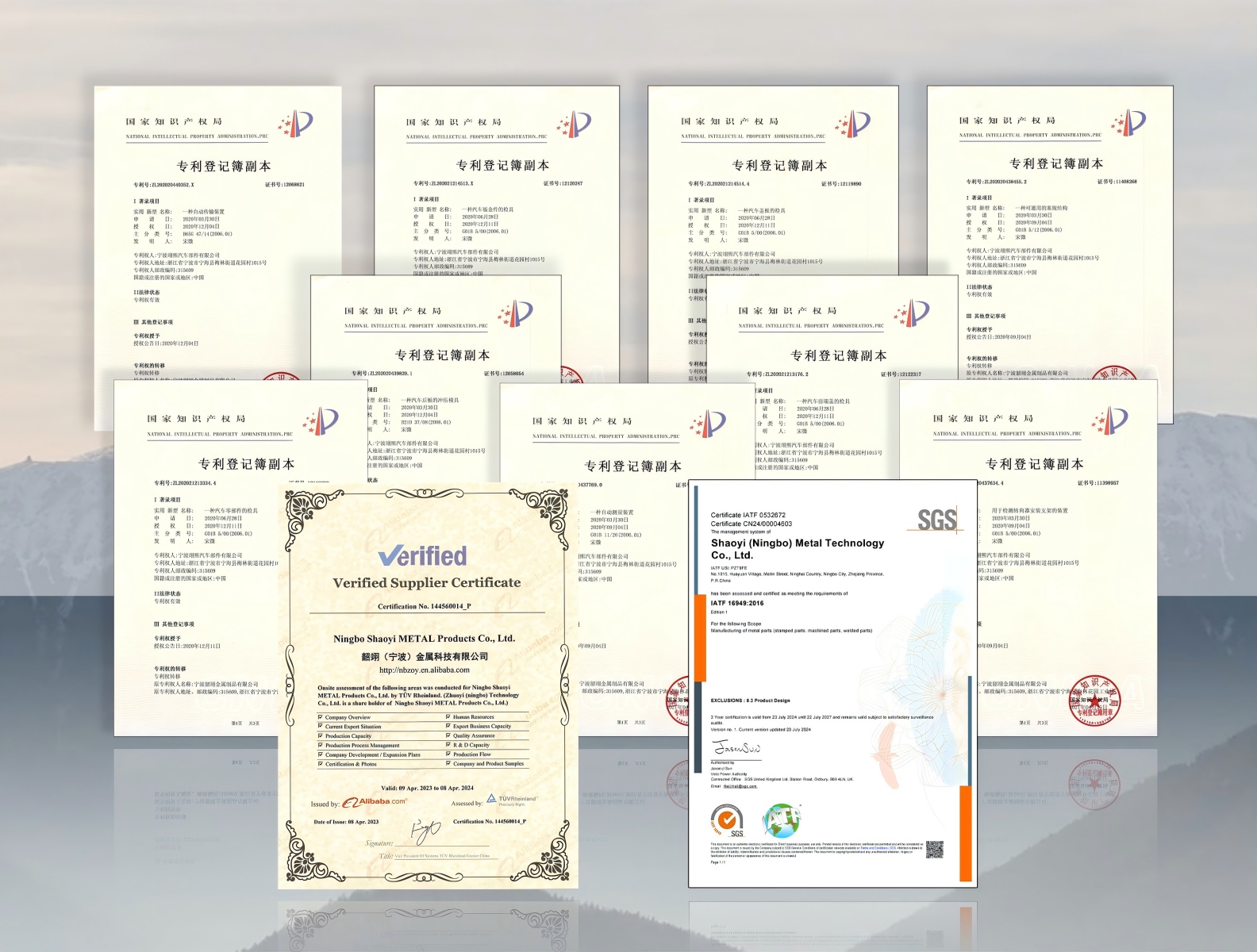
Choosing the Right CNC Machining Partner
You've mastered instant quoting, understood pricing factors, and selected appropriate materials and finishes. Now comes perhaps the most consequential decision: which manufacturing partner will actually produce your cnc parts? The platform that delivers the fastest quote isn't necessarily the one that delivers the best results.
Selecting a precision cnc machining services provider involves looking far beyond price and lead time. According to Unisontek's quality evaluation guide, evaluating a machine shop's quality control capabilities requires assessing certifications, inspection practices, measurement tools, documentation, staff training, and problem-solving processes. Choosing a shop with robust QC not only reduces risks but also strengthens long-term supply chain resilience.
Certification Requirements by Industry
Certifications aren't just badges on a website—they're your first line of defense against inconsistent quality and compliance headaches. Different industries demand different standards, and verifying that your cnc service provider holds appropriate certifications protects your projects from costly failures.
Here's what matters by sector:
- ISO 9001—The baseline certification verifying standardized quality control processes, documentation, and continuous improvement. According to Modo Rapid's certification analysis, think of ISO 9001 like a driver's license for manufacturing—it confirms the supplier has documented quality control processes.
- IATF 16949—Essential for automotive applications. This certification layers additional requirements including defect prevention, traceability, and Statistical Process Control (SPC). If you're sourcing racing components or automotive assemblies, this standard is non-negotiable.
- AS9100—Required for aerospace and defense applications. This certification covers additional safety and reliability protocols beyond ISO 9001, addressing the zero-tolerance requirements of flight-critical components.
- ISO 13485—Mandatory for medical device manufacturing. Ensures suppliers understand biocompatibility requirements and maintain rigorous traceability standards.
- ITAR Registration—Required for defense projects involving controlled technical data and export regulations.
The certification you require depends entirely on your application. A general industrial bracket might only need ISO 9001 coverage, while a custom cnc machining services provider for aerospace brackets must hold AS9100. Verify certifications before committing—reputable suppliers display their credentials prominently and provide audit documentation upon request.
Evaluating Quality Assurance Capabilities
Certifications indicate process discipline, but how do you evaluate actual quality execution? According to industry best practices, effective machine shops perform in-process inspections, monitoring dimensions and tolerances throughout the machining cycle rather than relying solely on final inspection.
When evaluating online cnc machining services or traditional suppliers, investigate these quality indicators:
- Inspection equipment—Does the shop use Coordinate Measuring Machines (CMMs), surface profilometers, and advanced measurement instruments? Are these tools regularly calibrated and maintained?
- In-process monitoring—How does the supplier catch potential issues during machining rather than after completion? Early detection reduces scrap rates and prevents costly rework.
- Material traceability—Can the supplier trace raw materials from source through finished parts? This capability proves essential for regulated industries.
- Statistical Process Control—Does the facility use SPC to monitor process variation and prevent defects before they occur? SPC-backed quality control delivers consistency across production runs.
- Documentation capabilities—Can the supplier provide inspection reports, certificates of conformity, and dimensional data when required?
- Corrective action processes—How does the shop handle non-conformities? Suppliers who investigate root causes and implement corrective actions demonstrate mature quality culture.
Scaling from Prototype to Production
Here's a critical question many engineers overlook: can your cnc prototyping service partner also handle production volumes? According to Zenith's manufacturing partner guide, the most dangerous transition—where most engineering projects fail—is the jump from prototype to low-volume production.
A true manufacturing partner uses the prototype stage to validate the production process, not just the part. When evaluating rapid machining capabilities, consider:
- Capacity scalability—Can the supplier ramp from 10 units to 1,000 units without quality degradation?
- Process consistency—Will production parts match your validated prototypes exactly?
- Lead time flexibility—How quickly can the supplier respond to volume changes or urgent orders?
- Design for Manufacturability feedback—Does the supplier proactively suggest design improvements that reduce production costs?
As noted by manufacturing experts, as much as 80% of a product's cost is locked in during the design phase. A partner who provides DFM feedback before production actively saves you money and prevents future failures.
Key Partner Evaluation Criteria
When comparing instant quote platforms and manufacturing partners, use this comprehensive checklist:
- Industry-appropriate certifications—Verify ISO 9001 as baseline; confirm IATF 16949 for automotive, AS9100 for aerospace, or ISO 13485 for medical applications
- Quality control infrastructure—Confirm CMM capability, SPC implementation, and documented inspection procedures
- Lead time performance—Evaluate standard delivery timelines and expedite options for urgent projects
- Technical communication—Assess whether you'll work with engineers who understand your application or just order processors
- Prototype-to-production capability—Confirm the supplier can scale volumes while maintaining quality and cost targets
- Material sourcing and traceability—Verify procedures for incoming material certification and supply chain control
- Problem resolution approach—Understand how the supplier handles issues when they arise
Finding the Right Fit for Automotive Applications
Automotive projects demand particular rigor. IATF 16949 certification signals a supplier's commitment to defect prevention, lean production systems, and the traceability requirements that automotive OEMs mandate throughout their supply chains.
For engineers sourcing precision chassis assemblies, custom metal bushings, or other automotive components, partnering with certified suppliers eliminates qualification headaches and ensures parts meet stringent industry requirements. Shaoyi Metal Technology exemplifies these standards with IATF 16949 certification, SPC-backed quality control, and lead times as fast as one working day for automotive applications. Their automotive machining capabilities demonstrate how certified suppliers combine instant quoting convenience with production-grade quality systems.
The investment in proper partner selection pays dividends throughout your product lifecycle. A supplier who understands your industry requirements, maintains appropriate certifications, and delivers consistent quality becomes a competitive advantage—not just a vendor. Whether you're validating early prototypes or scaling to production volumes, the right manufacturing partner transforms instant quote convenience into reliable, repeatable results.
Frequently Asked Questions About Instant Quote CNC Machining
1. How accurate are instant CNC machining quotes compared to final invoices?
For straightforward parts with clear specifications, modern instant quoting platforms achieve remarkable accuracy—typically within 5-10% of the final invoice. Variance may occur when design modifications are requested after quoting, tolerance specifications require clarification, materials need substitution, or DFM recommendations are accepted. Reputable platforms provide binding quotes after brief technical review, meaning the quoted price becomes your actual price once specifications are confirmed.
2. What file formats are accepted for online CNC machining quotes?
Most platforms accept STEP files (.stp, .step) as the gold standard for CNC quoting since they preserve accurate 3D geometry universally. IGES files (.igs, .iges) work well for simpler geometries. STL files are acceptable for basic quoting but provide less geometric precision. Some platforms also accept native CAD formats from SolidWorks or Fusion 360, though converting to STEP ensures maximum compatibility across all quoting systems.
3. What factors most significantly affect CNC machining prices?
Five major factors shape your CNC quote: material selection (titanium costs 5-10x more than aluminum), tolerance specifications (tighter tolerances require slower machining and more passes), geometry complexity (deep pockets and undercuts increase time), surface finish requirements (polished finishes add significant labor), and batch quantity (per-unit costs drop dramatically at higher volumes due to setup cost distribution). Understanding these factors helps optimize designs for better pricing.
4. When should I choose CNC machining over 3D printing or injection molding?
Choose CNC machining when you need full isotropic material strength, tight tolerances (±0.01-0.05mm), excellent surface finishes, or metal parts. 3D printing excels for complex internal geometries, rapid prototypes, and lightweight structures but offers limited materials and requires post-processing. Injection molding delivers lowest per-unit costs for plastic parts at volumes exceeding 500-1,000 units but requires significant upfront mold investment and 4-8 week tooling lead times.
5. What certifications should I look for in a CNC machining partner?
Required certifications depend on your industry. ISO 9001 serves as the baseline for standardized quality control. Automotive applications require IATF 16949 certification covering defect prevention and Statistical Process Control. Aerospace projects need AS9100 for safety and reliability protocols. Medical device manufacturing demands ISO 13485 for biocompatibility and traceability. Partners like Shaoyi Metal Technology with IATF 16949 certification and SPC-backed quality control deliver automotive-grade precision with lead times as fast as one working day.