 Small batches, high standards. Our rapid prototyping service makes validation faster and easier —
  EN
EN


CNC Processing Machine Decoded: From Raw Metal To Precision Parts
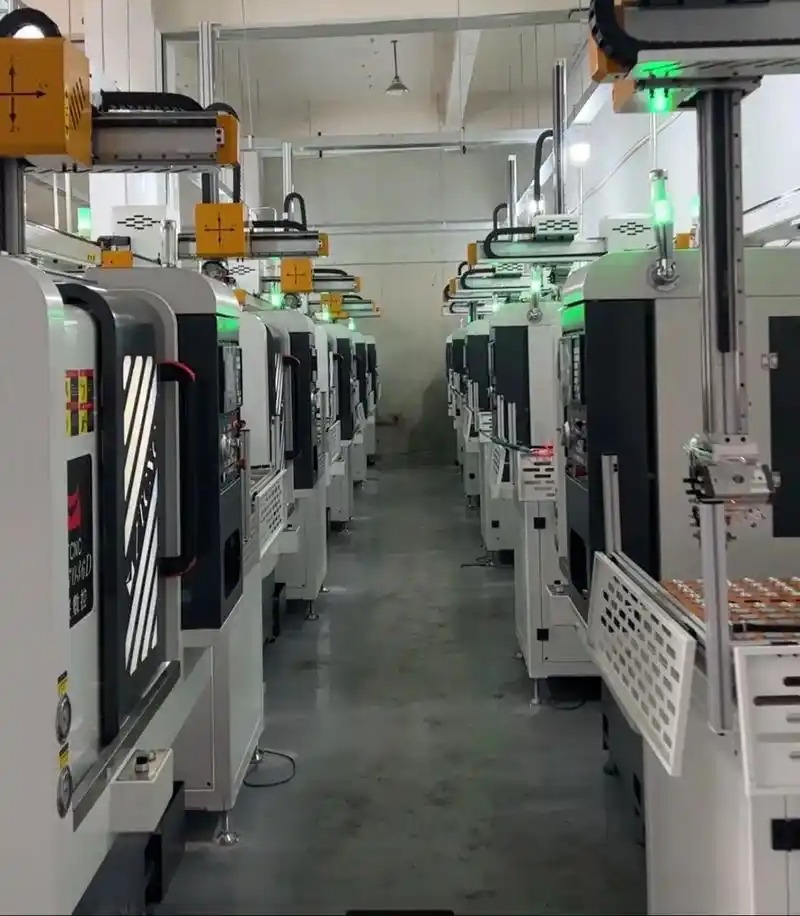
What Is a CNC Processing Machine and How Does It Work
Ever wondered how manufacturers create perfectly identical parts with razor-sharp precision? The answer lies in one of the most transformative technologies in modern manufacturing: the CNC processing machine.
A CNC processing machine is a computer-controlled manufacturing device that automatically converts digital designs into physical parts through precise, programmed cutting, drilling, and shaping operations.
So what does CNC stand for? CNC stands for Computer Numerical Control, referring to the automated method of operating machine tools through coded programmed instructions. Understanding the c.n.c meaning helps clarify why these machines have revolutionized production across industries from aerospace to automotive.
When someone asks "cnc what does it mean" in practical terms, the answer is simple: it means replacing human-guided hand movements with computer-driven precision. This technology eliminates the inconsistencies of manual machining while achieving tolerances as tight as +/- 0.001 inches.
From Digital Blueprint to Physical Reality
Imagine having a design on your computer screen and watching it materialize into a solid metal component. That's exactly what these machines accomplish every day in manufacturing facilities worldwide.
The journey begins with a digital blueprint created using CAD (Computer-Aided Design) software. This digital model contains every dimension, curve, and angle of the desired part. Think of CAD as designing the perfect blueprint, complete with measurements that must be followed precisely.
Next, CAM (Computer-Aided Manufacturing) software translates this design into machine-readable instructions. These instructions form a language the equipment understands, guiding cutting tools through exact movements. According to ARRK, this digital control ensures "every angle, curve, and measurement follows a programmed path, ensuring consistency and repeatability across multiple parts."
The physical transformation happens as cutting tools remove material from a solid block, carving away everything that isn't part of the final design. Unlike 3D printing which builds layer by layer, this subtractive process starts with raw material and sculpts it into the finished product.
The Brain Behind the Machine
What makes these systems truly remarkable is the sophisticated computer control directing every operation. The machine's "brain" interprets programmed commands and translates them into precise mechanical movements.
At the heart of this control system is G-code, the programming language that tells the equipment exactly what to do. Each G-code command corresponds to a specific action:
- G01 instructs straight-line movement
- G02 creates clockwise circular paths
- G03 produces counterclockwise arcs
Working alongside G-code is M-code, which handles auxiliary functions like coolant flow, spindle activation, and automatic tool changes. Together, these programming languages orchestrate the entire manufacturing process with remarkable efficiency.
The machining meaning in this context refers to the removal of material using cutting tools, but when combined with computer control, it becomes something far more powerful. As noted by TMC Technologies, "CNC ensures consistency and reliability, producing components with best accuracy and reducing manual errors."
This combination of digital precision and mechanical capability is why a CNC processing machine can produce identical parts repeatedly, whether you need ten components or ten thousand.
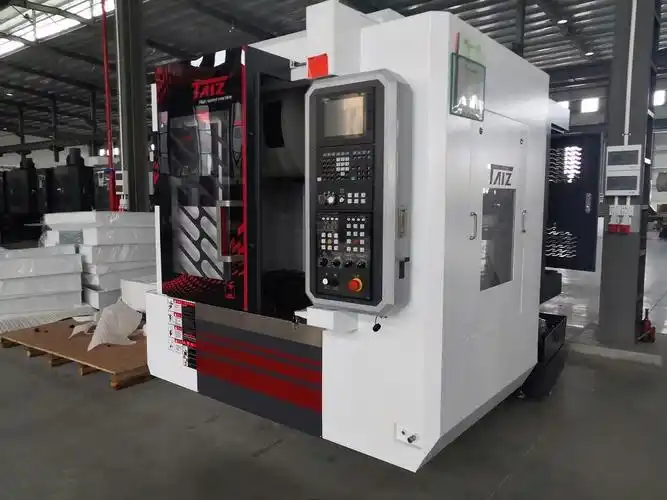
Types of CNC Machines and Their Manufacturing Applications
Now that you understand how these systems work, let's explore the different types of CNC machines available. Each machine category excels at specific tasks, and choosing the right one can mean the difference between efficient production and costly mistakes.
Think of it like selecting the right tool from a toolbox. You wouldn't use a hammer to drive screws, right? The same principle applies here. Different manufacturing challenges require different machine types.
CNC Milling Machines for Complex 3D Shapes
When you need to create intricate three-dimensional parts with complex geometries, a CNC milling machine is your go-to solution. These versatile machines use rotating cutting tools to remove material from a stationary workpiece, carving out everything from simple flat surfaces to elaborate contoured shapes.
What makes cnc milling machines particularly powerful is their multi-axis capability. A basic cnc mill operates on three axes (X, Y, and Z), but more advanced models can work on four, five, or even six axes simultaneously. According to CNC Cookbook, "CNC milling machines are versatile tools that can perform tasks such as tapping, drilling, turning, face milling, and shoulder milling."
Here's what you can accomplish with a milling machine with cnc control:
- Mold and die creation requiring precise cavity machining
- Aerospace components with complex surface contours
- Medical implants demanding extremely tight tolerances
- Prototype development for rapid product iteration
The precision level is impressive. As noted by Solutions Manufacturing, precision CNC milling can consistently achieve tolerances as tight as +/- 0.001 inch or better, making it ideal for industries with exacting specifications.
CNC Lathes for Cylindrical Precision
Ever noticed how many manufactured parts are cylindrical? Shafts, screws, camshafts, gun barrels, and countless other components share this common shape. That's where the cnc lathe machine shines.
Unlike milling operations where the tool rotates, a computer numerical control lathe spins the workpiece itself while stationary cutting tools shape it. This rotational machining approach is perfect for creating symmetrical round parts with exceptional accuracy.
The typical CNC lathe operates on two primary axes: the Z-axis controls tool movement along the workpiece length, while the X-axis governs perpendicular movement toward and away from the spindle. This seemingly simple arrangement produces remarkably sophisticated results.
Common operations performed on these machines include:
- Turning to reduce diameter along the workpiece
- Facing to create flat surfaces perpendicular to the axis
- Boring to enlarge existing holes
- Threading to create screw threads
- Drilling to create centered holes
According to CNC Masters, "CNC lathe machines can remove material quickly for parts that don't require a smooth finish or slowly when detailed features require a fine finish." This flexibility makes them essential in automotive, aerospace, firearms, and electronics manufacturing.
Specialized CNC Systems
Beyond milling and turning, several specialized systems address unique manufacturing requirements. Understanding these options helps you match the right technology to your specific challenges.
Computer Numerical Control Router
A computer numerical control router resembles a milling machine but is optimized for softer materials like wood, plastics, foam, and composites. These machines excel at furniture making, sign production, cabinet manufacturing, and prototype development. While less robust than mills, they offer excellent value for appropriate applications.
CNC Grinders
When surface finish quality is critical, CNC grinders deliver exceptional results. These machines use high-speed rotating abrasive wheels to achieve mirror-smooth surfaces and ultra-precise dimensions. Surface grinders handle flat workpieces, while cylindrical grinders perfect round components.
CNC Plasma Cutters
For cutting thick metal plates quickly, plasma cutting machines use superheated ionized gas to slice through conductive materials. They're widely used in fabrication shops, construction, and metal art creation. While tolerances are looser than other methods, the speed and cost-effectiveness make them valuable for appropriate applications.
CNC Laser Cutters
Offering superior precision compared to plasma, laser cutters focus intense light beams to cut materials with minimal heat-affected zones. They handle metals, plastics, wood, and fabrics with excellent edge quality.
CNC Waterjet Cutters
For heat-sensitive materials that would melt or deform under thermal cutting methods, waterjet cutters use high-pressure water streams (often mixed with abrasive particles) to cut without generating heat. They're perfect for glass, stone, and temperature-sensitive metals.
Machine Type Comparison Guide
Selecting the right equipment requires understanding how each type performs across key criteria. The following comparison helps you match machine capabilities to your manufacturing needs:
| Machine Type | Primary Function | Best Materials | Typical Applications | Precision Level |
|---|---|---|---|---|
| CNC Milling Machine | Multi-axis cutting of complex 3D shapes | Steel, aluminum, titanium, alloys, hard plastics | Aerospace parts, molds, medical devices, prototypes | +/- 0.001" or better |
| CNC Lathe | Rotational machining of cylindrical parts | Metals, plastics, wood (with appropriate setup) | Shafts, screws, camshafts, gun barrels, fittings | +/- 0.001" typical |
| CNC Router | Cutting and shaping softer materials | Wood, plastics, foam, soft metals, composites | Furniture, signs, cabinets, molds, artistic pieces | +/- 0.005" to 0.010" |
| CNC Grinder | Precision surface finishing | Hardened steels, ceramics, carbides | Tool sharpening, precision shafts, bearing surfaces | +/- 0.0001" achievable |
| CNC Plasma Cutter | Fast cutting of conductive metals | Steel, stainless, aluminum, brass, copper | Fabrication, construction, metal art, salvage | +/- 0.020" to 0.030" |
| CNC Laser Cutter | High-precision thermal cutting | Metals, plastics, wood, fabric, paper | Sheet metal parts, signage, intricate patterns | +/- 0.005" typical |
| CNC Waterjet | Cold cutting of heat-sensitive materials | Glass, stone, composites, metals, rubber | Decorative glass, countertops, aerospace parts | +/- 0.003" to 0.005" |
Notice how tolerance specifications vary significantly between machine categories. CNC grinders achieve the tightest tolerances at +/- 0.0001 inch, while plasma cutters operate at looser tolerances around +/- 0.020 to 0.030 inch. This difference reflects their intended purposes: grinders for precision finishing versus plasma for rapid material removal.
When evaluating these types of CNC machine options for your needs, consider not just the precision requirements but also material compatibility, production volume, and available budget. As we'll explore next, understanding the complete workflow from design to finished part helps you maximize the capabilities of whichever machine type you choose.
The Complete CNC Workflow from Design to Finished Part
You've selected your machine type. Now what? Understanding the complete workflow from initial concept to finished component is where theory becomes practice. Many manufacturers struggle not because they lack equipment, but because they haven't mastered the process connecting design to production.
What is CNC programming in practical terms? It's the bridge between your imagination and physical reality. The journey from digital blueprint to machined part follows a predictable sequence that, once mastered, becomes second nature.
Here's the complete workflow at a glance:
- CAD Design - Create the digital 3D model with precise specifications
- CAM Programming - Generate toolpaths and machine instructions
- G-code Export - Translate toolpaths into machine-readable commands
- Machine Setup - Prepare the equipment, secure material, and calibrate
- Test Run - Verify programming through simulation and dry runs
- Execution - Run the actual machining operation with monitoring
- Inspection - Verify dimensions and quality before completion
Let's break down each critical phase so you understand exactly what happens at every step.
CAD Design Phase
Every successful CNC project starts with a well-planned design. Think of it this way: if your blueprint is flawed, the final part will be too. No matter how advanced your CNC machine is, it can only follow the instructions you give it.
A well-planned CNC design accomplishes several critical objectives:
- Defines exact dimensions and tolerances for the finished part
- Ensures the part is actually manufacturable with available equipment
- Reduces material waste through optimized geometry
- Prevents costly errors that would require rework
CAD (Computer-Aided Design) software is where you create either a 2D drawing or a 3D model of your part. Common CAD programs include SolidWorks for professional mechanical design, Fusion 360 for integrated CAD/CAM workflows, and AutoCAD for 2D drafting and basic 3D work. Each program offers different features, but they all enable you to design parts with precise measurements and tolerances.
Before moving forward, ask yourself these essential questions:
- Are all dimensions clearly defined with appropriate tolerances?
- Can the part be machined with available CNC machining tools?
- Are there features that would require special tooling or multiple setups?
- Have you considered material properties and how they affect machinability?
Once your design is complete, you'll export it into a format your CAM software can read. Common file types include STEP (.stp) for universal 3D model exchange, IGES for legacy system compatibility, and DXF for 2D profiles. Using the wrong file format can cause translation errors, potentially leading to incorrect cuts.
CAM Programming Essentials
Here's where the magic happens. A CAD model is just a drawing showing what the part should look like. It doesn't tell the CNC machine how to actually cut it. CAM (Computer-Aided Manufacturing) software bridges that gap.
Think of CAM as GPS for your CNC machine. It takes your design and converts it into machine-readable instructions, specifying exactly where to move, how fast to cut, and which tool to use. Without this step, your equipment wouldn't know how to create the part.
The toolpath is the route your cutting tool follows to shape the material. Choosing the right toolpath is critical for efficiency and quality. Different toolpaths serve different purposes in CNC milling machining and other operations:
- Roughing paths remove large amounts of material quickly, prioritizing speed over finish quality
- Finishing paths create smooth final surfaces with lighter cuts and slower feeds
- Adaptive clearing maintains consistent tool engagement for longer tool life
- Contour paths follow the outline of features precisely
- Pocket paths clear enclosed areas efficiently
According to MecSoft, modern CAM systems like RhinoCAM now include features such as cutter compensation that "ensures the programmed toolpath can be adjusted without regenerating toolpaths," allowing operators to correct for tool wear directly on the CNC machine controller.
Even with the right toolpath, a computer numerically controlled CNC machinist must set proper machining parameters including:
- Spindle speed (RPM) - How fast the cutting tool rotates
- Feed rate - How quickly the tool moves through material
- Depth of cut - How much material is removed per pass
- Stepover - The distance between adjacent toolpath passes
Getting these settings wrong can result in poor surface finish, excessive tool wear, or even catastrophic tool breakage.
Understanding G-code and M-code
The final step in CAM programming is exporting the G-code. This is the language every CNC machine understands, telling it exactly how to move step by step. When someone asks what is CNC programming at its core, G-code is the answer.
Here's how common G-code commands translate to actual machine movements:
| G-code | Function | Practical Example |
|---|---|---|
| G00 | Rapid positioning | Move quickly to starting position without cutting |
| G01 | Linear interpolation | Cut in a straight line at specified feed rate |
| G02 | Clockwise arc | Cut a clockwise curved path |
| G03 | Counter-clockwise arc | Cut a counter-clockwise curved path |
| G17 | XY plane selection | Set the working plane for 2D operations |
| G20/G21 | Unit selection | G20 for inches, G21 for millimeters |
| G28 | Return to home | Send machine to reference position |
| G90/G91 | Positioning mode | Absolute (G90) or incremental (G91) coordinates |
Working alongside G-code, M-codes handle auxiliary machine functions. According to CNC Cookbook, common M-codes include M03 to turn the spindle on clockwise, M05 to stop the spindle, M08 to activate flood coolant, and M30 to end the program and reset.
For example, a simple cncs program to drill a hole might look like this:
- G21 (set units to millimeters)
- G90 (use absolute positioning)
- G00 X50 Y50 (rapid move to hole location)
- M03 S3000 (start spindle at 3000 RPM)
- G01 Z-25 F100 (drill down 25mm at 100mm/min feed)
- G00 Z5 (rapid retract)
- M05 (stop spindle)
- M30 (end program)
Machine Setup and Execution
With your program ready, it's time for the physical production process. This phase separates experienced operators from beginners. As one veteran machinist shared on Blue Elephant CNC, "A proper setup is more than just loading a file and pressing start. It involves choosing the right machine, securing the material, selecting the correct tool, and calibrating the machine properly."
Critical setup steps include:
- Workpiece fixturing - Secure material using vises, clamps, or vacuum tables to prevent movement during the machining process
- Tool installation - Mount the correct cutting tools and verify their condition
- Zero point setting - Establish the work coordinate system so the machine knows where the part begins
- Coolant and lubrication check - Ensure proper flow for chip evacuation and heat management
Before running actual material, always perform a test run. Many CAM programs include simulation tools that show exactly how the toolpath will execute. After simulation, run a dry cycle on the actual machine with the spindle raised above the workpiece. This verifies that movements are correct before making any cuts.
During execution, monitor the process carefully. Watch for unusual sounds indicating tool problems, verify chips are evacuating properly, and check that dimensions remain consistent throughout production. Even with perfect programming, unexpected issues can occur that require operator intervention.
With the workflow mastered, your next consideration becomes material selection. Different materials behave differently during machining, requiring adjusted parameters and sometimes entirely different approaches.
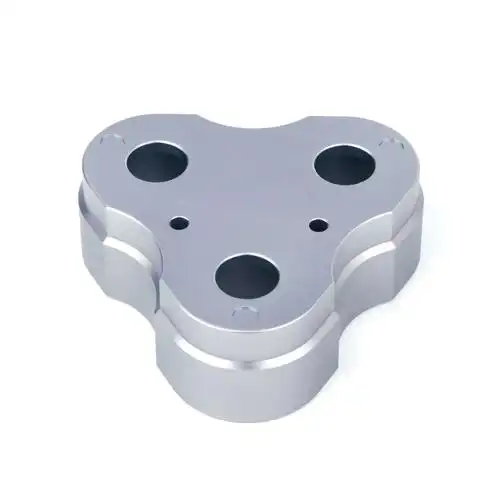
Material Compatibility and CNC Machine Selection
You've mastered the workflow. Now comes a question that trips up even experienced manufacturers: which material works best with which machine? Choosing the wrong combination leads to poor surface finishes, excessive tool wear, and wasted production time.
Think of material selection like matching ingredients to cooking methods. You wouldn't deep-fry ice cream the same way you'd grill a steak, right? Similarly, cnc metal cutting requires different approaches than machining plastics or wood. Each material has unique properties that dictate how it responds to cutting forces, heat generation, and tool engagement.
Let's explore how different materials behave during CNC processing and which machine types deliver optimal results for each category.
Metals and Alloys
When someone mentions a cnc machine metal application, they're typically referring to one of the most demanding yet rewarding areas of precision manufacturing. Metals offer exceptional strength and durability, but they also present unique challenges that require careful parameter selection.
Aluminum Alloys
Aluminum is the workhorse of CNC machining. According to Hubs, aluminum alloys have an "excellent strength-to-weight ratio, high thermal and electrical conductivity and natural protection against corrosion." They're also easy to machine and cost-efficient in bulk, often making them the most economical option.
Common aluminum grades include:
- 6061 - The most common general-use alloy with excellent machinability
- 7075 - Aerospace-grade with superior strength, comparable to steels when heat-treated
- 5083 - Exceptional seawater resistance for marine applications
For aluminum, you can push higher spindle speeds and feed rates compared to harder metals. According to Makera, "aluminum is softer" and can handle spindle speeds between 600 and 1200 RPM, allowing aggressive material removal rates.
CNC Steel Machining
Steel presents more challenges than aluminum but delivers superior strength and wear resistance. A metal cnc machine processing cnc steel must account for higher cutting forces and increased heat generation.
- Mild Steel (1018, 1045, A36) - Good machinability and weldability, ideal for fixtures and structural components
- Stainless Steel (304, 316) - Excellent corrosion resistance but work-hardens during machining, requiring consistent cutting engagement
- Tool Steel (D2, A2, O1) - Extremely hard after heat treatment, used for dies and cutting tools
When machining steel, reduce spindle speeds compared to aluminum. As Makera notes, "steel materials require speeds between 200 and 400 RPM" to prevent excessive heat buildup and premature tool failure.
Titanium Alloys
Titanium offers an exceptional strength-to-weight ratio and excellent corrosion resistance, making it ideal for aerospace and medical applications. However, it's notoriously difficult to machine due to its low thermal conductivity and tendency to work-harden.
Key considerations for titanium:
- Use sharp carbide or ceramic tooling designed specifically for titanium
- Maintain consistent cutting engagement to prevent work hardening
- Apply high-pressure coolant to manage heat at the cutting zone
- Reduce cutting speeds significantly compared to aluminum or steel
Brass
Brass is one of the most easily machinable materials available. According to Hubs, Brass C36000 has "high tensile strength and natural corrosion resistance" and "is one of the most easily machinable materials." This makes it excellent for high-volume applications requiring decorative finishes or electrical conductivity.
Plastics and Composites
Engineering plastics offer unique advantages including lightweight construction, chemical resistance, and excellent electrical insulation. However, they require different approaches than cnc metal cutting operations.
Engineering Thermoplastics
Common plastics for CNC machining include:
- POM (Delrin) - Hubs describes this as having "the highest machinability among plastics," offering high precision, stiffness, and dimensional stability
- ABS - Good mechanical properties and impact strength, often used for prototypes before injection molding
- Nylon (PA) - Excellent mechanical properties and chemical resistance, though susceptible to moisture absorption
- Polycarbonate - High toughness and impact strength, usually transparent but can be dyed
- PEEK - High-performance material often used to replace metal due to its exceptional strength-to-weight ratio
When machining plastics, heat management is critical. Unlike metals that can tolerate high temperatures, plastics can melt, deform, or develop poor surface finishes if overheated. Use sharp tools, moderate spindle speeds, and consider air blast cooling rather than liquid coolants.
Carbon Fiber Composites
Carbon fiber reinforced polymers (CFRP) present unique challenges. The abrasive carbon fibers rapidly wear conventional cutting tools, requiring specialized diamond-coated or polycrystalline diamond (PCD) tooling. Dust extraction is essential, as carbon fiber particles pose health hazards and can damage machine components.
Key considerations for composites:
- Use compression routers or specialized composite tooling to prevent delamination
- Implement aggressive dust collection systems
- Reduce feed rates to minimize fiber pullout
- Consider waterjet cutting for thick sections to avoid heat damage
Wood and Soft Materials
For cnc machine wood applications, CNC routers rather than mills are typically the preferred choice. Cnc woodworking machines are optimized for the unique properties of wood, foam, and other soft materials.
Hardwoods and Softwoods
Wood machining differs significantly from metal work. The grain direction affects cut quality, and different wood species require adjusted parameters:
- Hardwoods (oak, maple, walnut) - Require slower feed rates and sharp tooling to prevent burning
- Softwoods (pine, cedar, poplar) - Machine faster but may tear if tools are dull
- Plywood and MDF - Highly abrasive due to adhesives, causing accelerated tool wear
For wood applications, use upcut or downcut spiral bits depending on whether you need clean top surfaces or clean bottom surfaces. Compression bits combine both geometries for clean cuts on both faces of sheet materials.
Foam and Soft Materials
Foam, rubber, and similar materials are ideal for CNC router applications. These materials cut easily but require attention to dust extraction and appropriate tooling geometry to prevent tearing rather than cutting.
Material Compatibility Reference Guide
Selecting the right machine-material combination is crucial for success. This comprehensive comparison helps you match capabilities to your specific manufacturing requirements:
| Material | Recommended CNC Machine | Spindle Speed Range | Tooling Requirements | Achievable Tolerance |
|---|---|---|---|---|
| Aluminum 6061 | CNC Mill, Lathe | 600-1200 RPM (varies by diameter) | HSS or Carbide, 2-3 flute end mills | +/- 0.001" |
| Aluminum 7075 | CNC Mill, Lathe | 500-1000 RPM | Carbide preferred, coated tools | +/- 0.001" |
| Stainless Steel 304/316 | CNC Mill, Lathe | 200-400 RPM | Carbide with TiAlN coating | +/- 0.001" |
| Mild Steel | CNC Mill, Lathe, Plasma | 250-500 RPM | HSS or Carbide | +/- 0.001" (mill), +/- 0.020" (plasma) |
| Titanium | CNC Mill, Lathe | 100-300 RPM | Carbide or Ceramic, specialized geometry | +/- 0.001" |
| Brass | CNC Mill, Lathe | 400-800 RPM | HSS or Carbide, high rake angles | +/- 0.001" |
| POM (Delrin) | CNC Mill, Lathe, Router | 1000-3000 RPM | Sharp HSS or Carbide, single flute | +/- 0.002" |
| ABS/Nylon | CNC Mill, Router | 800-2500 RPM | Sharp tools, O-flute or single flute | +/- 0.003" |
| PEEK | CNC Mill, Lathe | 500-1500 RPM | Carbide, sharp edges essential | +/- 0.002" |
| Carbon Fiber | CNC Router, Mill, Waterjet | 10000-18000 RPM (router) | Diamond-coated or PCD tooling | +/- 0.003" |
| Hardwood | CNC Router | 12000-18000 RPM | Carbide spiral bits, compression cutters | +/- 0.005" |
| MDF/Plywood | CNC Router | 15000-20000 RPM | Carbide compression bits | +/- 0.005" |
Notice how spindle speeds vary dramatically between material categories. Aluminum and plastics tolerate much higher speeds than steel or titanium. These differences directly impact production efficiency and tooling costs.
According to LS Manufacturing, "Material Category influences not just machining parameters but also the entire cost structure of a project." The machinability of your chosen material directly affects tool life, cycle time, and ultimately your per-part production costs.
Whether you're working with a cnc cutting machine for sheet materials or a precision mill for complex 3D parts, matching your material selection to machine capabilities ensures optimal results. But even with perfect material-machine matching, challenges can arise during production. Understanding common problems and their solutions helps you maintain consistent quality throughout your manufacturing operations.
CNC Machining vs Alternative Manufacturing Methods
You've explored machine types, workflows, and materials. But here's a question many manufacturers face: is CNC machining actually the right choice for your project? Understanding how it compares to alternative methods helps you make smarter decisions and avoid costly mistakes.
Think of manufacturing methods like transportation options. A sports car excels on highways, but you wouldn't take it off-roading. Similarly, each manufacturing approach has ideal applications where it shines and situations where alternatives perform better.
Let's examine how CNC processing stacks up against the most common alternatives so you can choose wisely.
CNC vs 3D Printing
This comparison comes up constantly, and for good reason. Both technologies transform digital designs into physical parts, but they work in fundamentally opposite ways.
CNC machining is a subtractive process. You start with a solid block of material and remove everything that isn't part of your final design. According to Xometry, "CNC machining uses software and codes that have been programmed beforehand to control the movement of several cutting and shaping tools like lathes, mills, and grinders."
3D printing, also called additive manufacturing, works in reverse. It builds parts layer by layer, adhering each new layer to the one beneath it. As Xometry explains, "The printer will take that information and build each layer until the entire part is finished. That's how it can turn a series of 2D steps into a 3D object."
So which approach wins? It depends entirely on your priorities.
Pros of CNC Machining vs 3D Printing
- Superior material strength - Machined parts deliver the native properties of the billet material, largely undisrupted by processing. 3D printed parts often achieve only 10-100% of original material strength depending on the process
- Better precision - CNC achieves tighter tolerances consistently, and according to Xometry, "allows improved accuracy by slower processing"
- Excellent surface finish - CNC surface finish is uniform and precise, while 3D printing struggles with stepped surfaces on sloped or curved geometries
- Wider material selection - CNC works with essentially all engineering materials, including pre-hardened tool steels
Cons of CNC Machining vs 3D Printing
- Higher initial cost - Xometry notes that "CNC components can be 10x the price of 3D printed parts" due to programming and setup requirements
- Longer setup time - CNC requires skilled preparation of programming, cutter selection, and custom jigs, while 3D printing needs minimal setup
- Greater skill requirements - CNC remains a "heavy-engineering and highly skilled process requiring constantly refreshed skills"
- Material waste - Subtractive machining generates chips and scrap, while 3D printing uses only the material needed for the part
CNC vs Manual Machining
Before computer control became widespread, skilled machinists operated lathes, mills, and grinders entirely by hand. Manual machining still exists today, but how does it compare to its automated successor?
According to DATRON, "CNC machines precisely control the movement of the cutting tools and workpieces with automated control ensuring consistency and accuracy." Manual machines, by contrast, require operators to "manually control the movement of cutting tools and workpieces, which introduces the potential for human error and inconsistencies."
The difference becomes especially apparent with cnc lathe machining operations requiring tight tolerances across multiple identical parts. Where a CNC lathe reproduces the same operations with high precision across hundreds of workpieces, a manual operator must maintain concentration and skill throughout each individual part.
Pros of CNC Machining vs Manual Machining
- Exceptional repeatability - Once programmed correctly, CNC machines maintain tight tolerances consistently across unlimited production runs
- Multi-axis capability - CNC enables complex machining operations from various angles that would be extremely difficult manually
- Reduced labor intensity - One operator can oversee multiple CNC machines simultaneously
- Advanced automation features - Tool changers, probing systems, and automatic positioning enhance precision beyond manual capabilities
Cons of CNC Machining vs Manual Machining
- Higher upfront investment - According to DATRON, "CNC machines are typically more expensive upfront compared to manual machines," especially those with multi-axis capabilities
- Infrastructure requirements - CNC facilities may require climate control, coolant systems, and dust extraction equipment
- Programming overhead - Every new part requires CAD/CAM programming before production can begin
- Less flexibility for one-offs - Simple, single parts may be faster to produce manually without programming time
DATRON summarizes the comparison well: "Manual machining has been largely supplanted by CNC machining in many industrial settings due to its higher automation and precision," though manual work "is still used in certain applications, particularly in small-scale manufacturing, repair shops, and prototyping."
CNC vs Injection Molding
When production volumes climb into the thousands or millions, injection molding enters the conversation. This process uses machined molds to shape molten plastic into finished parts rapidly.
According to Ensinger, "CNC machining excels in precision milling and low-to-medium volume production," while "injection molding is the preferred choice for high-efficiency, large-scale part manufacturing."
Interestingly, these methods often work together rather than competing. CNC machining creates the precision molds that injection molding requires, and machined components may undergo secondary CNC operations after molding for ultra-tight tolerances.
Pros of CNC Machining vs Injection Molding
- No tooling investment - CNC production can begin immediately without expensive mold creation
- Design flexibility - Changes require only programming updates, not new tooling
- Better for low volumes - Per-part cost advantages appear at lower quantities
- Tighter tolerances - CNC offers "ultra-tight tolerances and intricate geometries" that molding may not achieve
Cons of CNC Machining vs Injection Molding
- Higher per-part cost at volume - Injection molding "dramatically reduces per-part costs for high-volume production"
- Slower cycle times - Each machined part requires individual processing time
- More material waste - Subtractive processes generate scrap, while injection molding uses nearly all material
- Limited scalability - CNC costs remain relatively constant regardless of volume, unlike molding's economies of scale
When to Choose Each Method
Sounds complex? Let's simplify the decision. Here's a practical framework for matching your project requirements to the optimal manufacturing method:
Choose CNC machining when:
- You need tight tolerances (+/- 0.001" or better)
- Production volumes are low to medium (1-10,000 parts)
- Material strength and properties are critical
- Surface finish quality matters
- You're working with metals or engineering plastics
- Design changes are likely during development
Choose 3D printing when:
- Complex geometries would be impossible to machine
- You need rapid prototypes with minimal lead time
- Production volumes are very low (1-100 parts)
- Material strength requirements are moderate
- Budget constraints are significant
Choose manual machining when:
- You need a single custom part quickly
- Equipment investment isn't justified by volume
- Repairs or modifications to existing parts are needed
- Flexibility outweighs repeatability requirements
Choose injection molding when:
- Production volumes exceed 10,000 parts
- Per-part cost is the primary driver
- Design is finalized and unlikely to change
- Material is primarily thermoplastic polymers
Manufacturing Method Comparison Guide
This comprehensive comparison summarizes how each method performs across the factors that matter most for your decision:
| Factor | CNC Machining | 3D Printing | Manual Machining | Injection Molding |
|---|---|---|---|---|
| Precision | +/- 0.001" or better | +/- 0.005" to 0.010" | Operator-dependent, +/- 0.001" achievable | +/- 0.002" to 0.005" |
| Material Options | All engineering materials including hardened steels | Limited to printable polymers, resins, and some metals | All machinable materials | Thermoplastics primarily |
| Ideal Volume | 1-10,000 parts | 1-100 parts | 1-50 parts | 10,000+ parts |
| Setup Cost | Moderate (programming) | Low | Low | High (tooling) |
| Per-Part Cost (Low Volume) | Moderate | Low | High (labor) | Very high |
| Per-Part Cost (High Volume) | Moderate | Unchanged | Very high | Very low |
| Lead Time | Days to weeks | Hours to days | Hours to days | Weeks to months |
| Surface Finish | Excellent | Fair (layer lines visible) | Good to excellent | Good to excellent |
| Material Strength | 100% of native properties | 10-100% depending on process | 100% of native properties | Near 100% |
| Design Flexibility | High (program changes only) | Very high | Very high | Low (new tooling required) |
Notice how no single method dominates across all factors. CNC machining offers the best balance of precision, material options, and volume flexibility, which explains why these machines remain central to industrial machining operations worldwide. However, 3D printing excels for rapid prototyping, manual work suits one-off repairs, and injection molding wins decisively at high volumes.
The smartest manufacturers don't commit exclusively to one approach. They understand when each type of machine delivers optimal results and select accordingly. Many successful operations combine methods, using 3D printing for initial prototypes, CNC for refined development parts, and injection molding for final production runs.
With a clear understanding of where CNC processing fits in the broader machining manufacturing landscape, you're better equipped to make informed decisions. However, even after selecting the right method and machine, production challenges can arise. Understanding common problems and their solutions helps maintain consistent quality throughout your manufacturing operations.
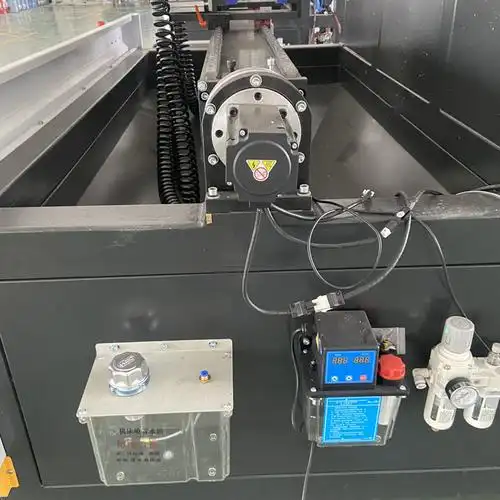
Common CNC Processing Challenges and Solutions
Even with perfect programming and optimal material selection, things can go wrong during production. The difference between experienced operators and beginners often comes down to one skill: knowing how to diagnose and fix problems quickly.
Imagine running a batch of precision parts only to discover the surface finish is unacceptable or dimensions have drifted out of tolerance. Every minute spent troubleshooting costs money. That's why understanding common issues before they occur gives you a significant advantage.
Let's explore the most frequent challenges you'll encounter and practical solutions that get production back on track.
Surface Finish Problems and Solutions
Surface finish issues are among the most visible quality problems in CNC machining. When a part comes off the machine with chatter marks, tool lines, or excessive roughness, it's immediately obvious something went wrong.
Chatter and Vibration
Chatter creates a distinctive pattern of regularly spaced marks on the workpiece surface. According to Haas Automation, "When the cutting speed is too high or the feedrate is too low, the cut can become unstable and begin to resonate, leaving a chattered surface finish."
- Cause: Chip load too light due to excessive speed or insufficient feed rate
- Solution: Reduce cutting speed or increase feed rate to stabilize the cnc cut. Use spindle speed and feed overrides to find a combination that eliminates resonance
- Cause: Workpiece movement in the chuck or fixture
- Solution: Verify soft jaws are machined to match the nominal part size. Haas recommends using "a 0.001 inch feeler gauge to check for gaps between the workpiece and the chuck jaws"
- Cause: Insufficient workpiece support
- Solution: As a general rule, if the workpiece extends past the chuck beyond a 3:1 diameter-to-length ratio, use a tailstock for support. For ratios exceeding 10:1, consider a steady rest
- Cause: Worn or damaged live center
- Solution: Inspect live centers for excessive runout and damaged bearings. Check runout by placing an indicator on the 60-degree point and rotating gently. Replace if outside manufacturer specifications
Tool Marks and Lines
Visible tool marks often indicate issues with toolpath programming, tool condition, or cutting parameters.
- Cause: Excessive stepover between passes
- Solution: Reduce stepover percentage for finishing operations, typically 10-15% of tool diameter for smooth surfaces
- Cause: Dull or chipped cnc tool
- Solution: Inspect cutting edges under magnification and replace worn tools. Sharp tooling is essential for quality finishes
- Cause: Incorrect coolant application
- Solution: Haas notes that "incorrectly aimed coolant nozzles or obstructions in the stream can prevent coolant from reaching the cutting area." Adjust nozzles and verify proper concentration levels
Dimensional Accuracy Challenges
When parts measure outside tolerance specifications, production grinds to a halt. Dimensional problems require systematic diagnosis to identify root causes.
Tolerance Drift
- Cause: Thermal expansion during extended machining
- Solution: Allow machines to warm up before production. Monitor ambient temperature and consider climate-controlled environments for precision work
- Cause: Tool wear accumulating over multiple parts
- Solution: Implement tool wear compensation in your programming. Track tool life and replace before dimensional drift becomes problematic
- Cause: Material inconsistencies between batches
- Solution: Verify material certifications and adjust parameters when switching material lots
Machine Calibration Issues
- Cause: Machine not properly leveled
- Solution: According to Haas, "an out-of-level machine can have problems such as poor surface finish, tapered parts, accuracy and repeatability issues." Check and adjust leveling periodically
- Cause: Inadequate foundation
- Solution: The machine must sit on a solid, stable foundation. Haas specifies the machine should rest "on one continuous slab of reinforced concrete." Cracked or unstable foundations require repair or relocation
- Cause: Linear guide or ball screw wear
- Solution: Periodically inspect linear guides and ball screws for damage or excessive play. Haas notes that "linear guide pads on the machine should not have any side to side or up and down movement over 0.002 inch"
Tool Wear and Breakage Prevention
CNC tools are consumables, but premature wear and unexpected breakage disrupt production and damage parts. Proactive maintenance extends tool life significantly.
Common Tool Problems
- Cause: Incorrect speeds and feeds for material
- Solution: Always reference tooling manufacturer recommendations. Parameters vary significantly between materials and tool geometries
- Cause: Inadequate chip evacuation
- Solution: Ensure cnc cuts allow chips to clear properly. Use appropriate coolant flow and consider peck drilling for deep holes
- Cause: Improper tool selection for material
- Solution: Match cnc cutter coatings and geometries to workpiece materials. Carbide tools with TiAlN coating excel for steel, while uncoated carbide works well for aluminum
Preventive Maintenance Best Practices
Regular maintenance prevents most serious problems before they occur. Implement these practices to extend machine life and maintain precision:
- Daily: Clean chips from work area, check coolant levels, verify lubrication systems are functioning
- Weekly: Inspect cnc tools for wear, clean way covers, check for unusual sounds or vibrations during operation
- Monthly: Verify machine working parameters remain within specification, clean filters, inspect spindle runout
- Quarterly: Check machine level, inspect linear guides and ball screws, calibrate measuring equipment
- Annually: Professional alignment verification, comprehensive inspection of all mechanical systems
For threading operations specifically, Haas recommends using "an A value 1-3 degrees less than the included angle of the thread" to reduce chatter. This allows clearance on the back side of the insert during roughing passes.
Troubleshooting skills develop with experience, but understanding these common problems gives you a head start. When issues arise, work systematically through potential causes rather than making random adjustments. Document what works so you can reference solutions when similar problems recur.
With troubleshooting knowledge in hand, the next consideration for many manufacturers involves investment decisions. Understanding the true costs of CNC equipment helps you make informed choices about purchasing machines versus outsourcing production.
CNC Machine Costs and Investment Considerations
So you're considering bringing CNC capabilities in-house. But how much is a CNC machine really going to cost you? The answer isn't as simple as checking a price tag. Understanding the true cost of CNC investment requires looking beyond the initial purchase to see the complete financial picture.
Many manufacturers focus solely on cnc machine price when evaluating equipment, only to discover hidden expenses that derail their budgets. Whether you're exploring a budget cnc machine for prototyping or industrial-grade equipment for production, this financial analysis helps you make informed decisions.
Understanding CNC Machine Price Ranges
The cnc machine cost varies dramatically based on capability, precision, and intended application. You'll find options ranging from hobbyist machines under $5,000 to industrial systems exceeding $500,000. Understanding these categories helps you identify where your needs fall.
Here's how different machine categories typically break down:
| Machine Category | Price Range | Typical Applications | Precision Level |
|---|---|---|---|
| Hobby/Entry-Level | $2,000 - $15,000 | Small parts, prototypes, learning, light materials | +/- 0.005" to 0.010" |
| Small Business/Prosumer | $15,000 - $60,000 | Low-volume production, job shop work, harder materials | +/- 0.002" to 0.005" |
| Professional/Light Industrial | $60,000 - $150,000 | Production machining, consistent tolerances, diverse materials | +/- 0.001" to 0.002" |
| Industrial/Production | $150,000 - $500,000+ | High-volume manufacturing, aerospace/medical precision | +/- 0.0005" or better |
| Multi-Axis/Advanced | $300,000 - $1,000,000+ | Complex geometries, 5-axis simultaneous, automated production | +/- 0.0001" achievable |
Looking for a cheap cnc machine to get started? Entry-level options exist, but understand their limitations. According to Gowico, "the initial purchase price varies based on its size, capabilities, and technology." Lower-priced machines typically sacrifice rigidity, spindle power, and precision capabilities.
The price of cnc equipment also depends on features like:
- Axis count - 3-axis machines cost less than 4 or 5-axis configurations
- Work envelope size - Larger capacity means higher prices
- Spindle specifications - High-speed, high-power spindles add significant cost
- Control system - Premium controllers from Fanuc, Siemens, or Haas command higher prices
- Automation features - Tool changers, pallet systems, and probing add capability and cost
Total Cost of Ownership Factors
Here's where many buyers get surprised. The cnc machine cost on the invoice represents just a fraction of your actual investment. According to Gowico's TCO analysis, "the total cost of ownership for a CNC machine encompasses several key factors beyond the initial purchase price," including "ongoing operational costs such as maintenance, tooling, training, and energy consumption."
When asking how much does a cnc machine cost over its lifespan, consider these essential factors:
Installation and Setup
Getting the machine operational involves more than delivery. Gowico notes these costs "include transportation, installation, and any modifications needed in your facility to accommodate the new equipment." Depending on machine size, you may need:
- Specialized rigging and lifting equipment
- Electrical upgrades for power requirements
- Compressed air systems
- Floor reinforcement for heavy machines
- Climate control considerations
Tooling and Consumables
According to DATRON's ROI analysis, tooling represents a significant ongoing expense. In their example calculation, cutting tools alone cost $790 per month for a single-part production scenario. Additionally, coolants, workholding fixtures, and material costs accumulate steadily.
Maintenance and Repairs
Regular maintenance is unavoidable. Gowico emphasizes that "regular maintenance is necessary to keep the machine running efficiently. Unexpected repairs can also add to the cost, especially for machines out of warranty." DATRON's analysis budgets $500 per month for maintenance costs, including spindle bearing replacements and component wear.
Training and Labor
Skilled operators are essential. Gowico states that "skilled operators are essential for efficient CNC operation. Training costs for existing or new employees should be factored into the TCO." DATRON's example uses a $120 per hour fully-loaded labor rate, accounting for benefits, overhead, and training investments.
Software and Upgrades
CAD/CAM software requires annual subscriptions or periodic upgrades. Additionally, Gowico notes that "CNC machines rely on software that may require periodic updates or upgrades, which can be a substantial expense over the machine's life."
Downtime Costs
When machines aren't running, you're losing money. Gowico highlights that "unplanned downtime can be costly in terms of lost production and potential delays in fulfilling orders." DATRON recommends budgeting 15-20% downtime for most CNC machines.
Outsourcing vs In-House Production
Given these substantial costs, when does bringing CNC in-house actually make financial sense? DATRON's detailed ROI white paper provides illuminating analysis.
In their example comparing in-house machining against outsourcing, the cost of CNC per part dropped from $132.46 (outsourced) to $34.21 (in-house). That's savings of $98.45 per part. However, achieving those savings required:
- $149,952 equipment investment over 4 years
- $253,440 in labor costs
- $435,360 in materials and consumables
- $24,000 in maintenance
- $3,295 in energy costs
Total investment: approximately $867,047 over four years. At $98.45 savings per part, the breakeven point was 8,806 parts, or roughly 16.5 months of production at their volume.
When In-House Makes Sense:
- Consistent, predictable production volumes over extended periods
- Parts with intellectual property concerns requiring confidentiality
- Rapid iteration needs where outsourcing lead times create bottlenecks
- Specialized processes difficult to source externally
When Outsourcing Makes Sense:
- Low or unpredictable production volumes
- Capital constraints limiting equipment investment
- Lack of skilled operators or training resources
- Need for capabilities beyond current equipment
- Short-term projects not justifying long-term investment
DATRON concludes that "outsourcing is more applicable for a small volume production run," while in-house production becomes advantageous with "a steady volume of production parts over an 18-month period."
When evaluating your specific situation, Gowico recommends "conducting a detailed cost-benefit analysis, comparing different models and brands for cost-effectiveness, planning for long-term operational expenses, evaluating the need for and availability of skilled labor, and considering potential technological obsolescence and future upgrades."
The financial decision ultimately depends on your unique circumstances. For many manufacturers, the answer lies somewhere in between: maintaining some in-house capability while partnering with professional CNC services for overflow capacity, specialized operations, or volume production. Understanding both the true costs and realistic savings potential helps you make the right choice for your operation.
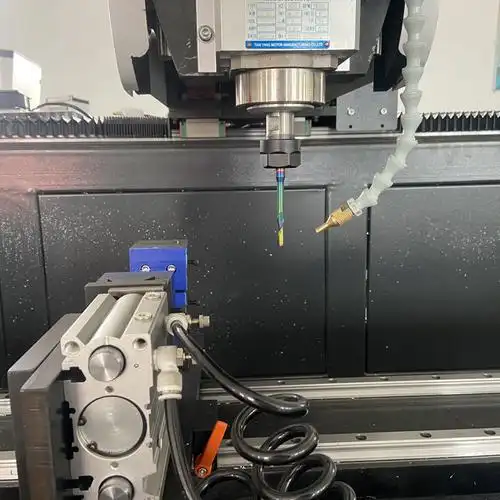
Choosing the Right CNC Processing Solution for Your Needs
You've explored costs, compared manufacturing methods, and understand the technology. Now comes the most practical question: how do you actually choose the right CNC processing solution for your specific situation? Whether you're browsing cnc machines for sale, considering a small cnc machine for prototyping, or evaluating professional machining partnerships, this decision framework guides you to the optimal choice.
Think of this like buying a vehicle. You wouldn't purchase a delivery truck for your daily commute, and you wouldn't choose a compact car for hauling heavy equipment. The best cnc machines for your operation depend entirely on what you need to accomplish.
Let's walk through the key selection criteria that lead to smart decisions.
Matching Machine Capabilities to Project Requirements
Before looking at any cnc machine for sale, clearly define what you need to produce. This sounds obvious, but many buyers get distracted by impressive specifications that don't match their actual requirements.
Precision Requirements
Start with tolerance specifications. What is cnc system precision really needed for your parts? According to Scan2CAD, "the accuracy and precision vary based on the type of machine." Consider these questions:
- What are the tightest tolerances your parts require?
- Do all parts need the same precision, or do some allow looser specifications?
- Will your precision requirements increase as designs evolve?
- What surface finish quality do your applications demand?
If you need +/- 0.0005" tolerances, a mini cnc machine designed for hobbyists won't deliver. Conversely, if +/- 0.010" satisfies your requirements, investing in aerospace-grade cnc equipment wastes capital.
Material Considerations
Your material choices directly influence machine selection. As Scan2CAD explains, CNC routers "only work with soft materials because they have less torque," while mills handle harder materials like steel and titanium. Key questions include:
- What materials will you machine most frequently?
- Do you need capability for multiple material types?
- Will you work with challenging materials like titanium or composites?
- What size stock material must the machine accommodate?
Part Complexity
Complex geometries require more sophisticated capabilities. A 3-axis machine handles many applications, but parts with undercuts, angled features, or contoured surfaces may demand 4 or 5-axis capability. Evaluate:
- Do your parts require multi-sided machining?
- Are there features that can't be reached from standard orientations?
- Would multiple setups on simpler equipment still meet your needs?
- How important is single-setup capability for your production efficiency?
Production Volume and Scalability Planning
Volume requirements dramatically affect your ideal solution. A cnc machine on sale might seem attractive, but does it match your production reality?
Prototyping Needs
If you're primarily developing prototypes with occasional production runs, flexibility matters more than throughput. A small cnc machine with good precision may serve better than high-volume production equipment. Look for:
- Quick setup and changeover capabilities
- User-friendly programming for frequent design changes
- Reasonable per-part costs at low volumes
- Versatility across different part types
Production Scaling
When volumes grow, different factors become critical. Scan2CAD notes that "large CNC machines are intended for mass production" due to their "continuous duty rating." For scaling production, consider:
- What's your current volume, and where do you project it in 3-5 years?
- Can the equipment handle your peak demand periods?
- Does the machine support automation features like pallet changers?
- What's the realistic duty cycle before maintenance requirements increase?
Space and Infrastructure
Physical constraints matter. According to Scan2CAD, "before you choose a CNC machine, ask yourself whether your workshop is large enough to house all this equipment." Large machines may require "additional equipment such as an air compressor, auxiliary air tanks, a compressed air dehumidifier, and a dedicated dust collection and air filtration system." Evaluate:
- Available floor space and ceiling height
- Electrical capacity for required power
- Foundation requirements for machine weight
- Environmental controls for precision work
Partnering with Professional CNC Services
Sometimes the smartest decision isn't buying equipment at all. According to Wagner Machine, "partnering with reliable service providers is a means of survival to compete with larger competitors" for many smaller companies.
When Outsourcing Makes Sense
Wagner Machine highlights that "CNC machines, especially models that offer the full range of capabilities a precision machining company would possess, can be upward of $500,000 to $1,000,000." Beyond equipment costs, in-house operations require:
- Skilled personnel - "Finding and retaining reliable employees in manufacturing has been a struggle across the U.S."
- Material purchasing power - Machine shops can "buy material for significantly less because of their volume needs and relationships with suppliers," seeing "material savings of up to 50%"
- Tooling investment - "These costs can begin to add up, especially when tooling is needed for a small project or prototype development"
- Backup capacity - In-house operations need "trained back-up personnel to account for sick or personal time"
Benefits of Professional Partnerships
Working with established CNC service providers offers advantages beyond cost savings:
- Engineering expertise - Wagner notes that "engineering consulting, welding and fabrication are additional capabilities that are available through a machining partnership"
- Established processes - "A refined process, established material buying power and experienced machine operators" deliver reliable results
- Scalable capacity - Outsourcing provides "the convenience of outsourcing to an equipped team of experts on an as-needed basis"
- No capital risk - "Outsourcing has no equipment costs, and parts are paid for as needed"
Selecting the Right Partner
Not all CNC service providers deliver equal quality. For demanding applications like automotive components, certifications and quality systems matter significantly. According to Millat Industries, ISO/IATF 16949 certification demonstrates capability to "develop prototypes and run high volume production" for major automotive OEMs.
Key quality indicators to evaluate include:
- Industry certifications - IATF 16949 for automotive, AS9100 for aerospace
- Statistical Process Control (SPC) - "We utilize statistical process control to monitor part quality throughout the production cycle"
- Program management capability - Experience "launching high profile, multi-year automotive projects"
- Scalability - Ability to transition from rapid prototyping to mass production seamlessly
For manufacturers exploring professional CNC machining partnerships, IATF 16949-certified facilities like Shaoyi Metal Technology provide scalable solutions spanning rapid prototyping to mass production. Their implementation of Statistical Process Control (SPC) ensures consistent quality for high-tolerance automotive components. Whether you need complex chassis assemblies or precision metal bushings, explore their automotive machining capabilities as a starting point for evaluating potential partnerships.
Decision Framework Summary
Making the right choice requires honest assessment of your situation. Use this framework to guide your decision:
- Buy in-house equipment when: You have consistent, predictable volumes; IP concerns require confidentiality; rapid iteration needs exceed outsourcing lead times; you can justify capital investment over 18+ months
- Partner with CNC services when: Volumes are low or unpredictable; capital constraints limit investment; you lack skilled operators; you need capabilities beyond affordable equipment; projects don't justify long-term commitment
- Consider hybrid approaches when: You need both flexibility and capacity; core capabilities warrant in-house investment while specialized operations require external expertise; volume fluctuations create capacity challenges
Whether you're evaluating cnc equipment purchases or professional service partnerships, the best decision aligns your manufacturing capabilities with your actual business requirements. Taking time to honestly assess your precision needs, volume projections, and financial constraints leads to choices that support long-term success rather than short-term convenience.
Frequently Asked Questions About CNC Processing Machines
1. Do CNC machinists make a lot of money?
CNC machinists earn competitive wages, with the average salary in the United States being approximately $27.43 per hour. Earnings vary based on experience, specialization, and industry. Machinists working in aerospace, medical device manufacturing, or with IATF 16949-certified facilities like Shaoyi Metal Technology often command higher wages due to the precision requirements and quality certifications involved in producing high-tolerance components.
2. How much do CNC machines cost?
CNC machine prices range widely based on capability and precision. Entry-level hobbyist machines start at $2,000-$15,000, while small business machines run $15,000-$60,000. Professional industrial equipment costs $60,000-$500,000, and advanced multi-axis systems can exceed $1,000,000. Beyond purchase price, total cost of ownership includes tooling, maintenance, training, and operational expenses that can double the initial investment over time.
3. Do you need a license to own a CNC machine?
Operating CNC machines does not require a federal license in most countries. However, some states or municipalities may require operator training or safety certifications for workplace compliance. While no license is legally mandated for ownership, employers in precision industries like aerospace and automotive typically prefer certified machinists who demonstrate proficiency through recognized training programs or industry certifications.
4. What is the difference between CNC machining and 3D printing?
CNC machining is a subtractive process that removes material from solid blocks to create parts, delivering superior strength, tighter tolerances (+/- 0.001 inch), and excellent surface finishes. 3D printing is an additive process building parts layer by layer, offering faster prototyping and complex geometries but with reduced material strength and looser tolerances. CNC excels for production runs of 1-10,000 parts requiring precision, while 3D printing suits low-volume prototypes.
5. What materials can CNC machines work with?
CNC machines process a wide range of materials including metals (aluminum, steel, titanium, brass), engineering plastics (Delrin, ABS, PEEK, polycarbonate), composites (carbon fiber), and wood. Material selection depends on machine type: mills and lathes handle metals and hard plastics, while routers excel with wood and softer materials. Each material requires specific speeds, feeds, and tooling for optimal results.