 Small batches, high standards. Our rapid prototyping service makes validation faster and easier —
  EN
EN


CNC Custom Cutting Demystified: From Design File To Finished Part
What CNC Custom Cutting Really Means for Your Projects
Ever wondered how manufacturers create those perfectly precise metal brackets, intricate wooden signs, or complex plastic components? The answer lies in CNC custom cutting - a technology that sounds intimidating but is actually quite straightforward once you understand the basics.
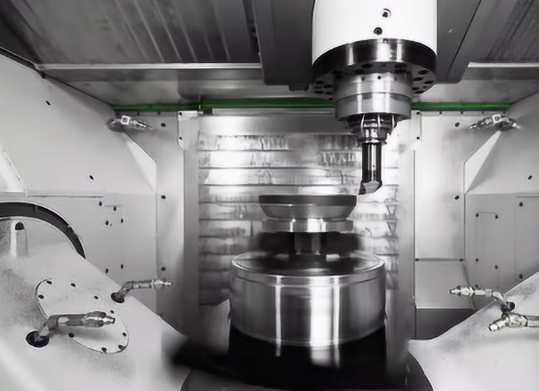
CNC stands for Computer Numerical Control. In simple terms, a CNC cutting machine follows programmed instructions to guide cutting tools with extreme precision across various materials. Think of it like a highly skilled craftsperson who never gets tired, never makes mistakes from fatigue, and can repeat the exact same cut thousands of times with perfect consistency.
Unlike manual machining where a human operator physically guides the tools, custom CNC cutting relies on digital instructions - often called G-code - to control every movement. This code tells the machine exactly where to move, how fast to cut, and how deep to go. The result? Parts that match your design specifications down to fractions of a millimeter.
How Computer-Controlled Cutting Actually Works
Imagine you're directing a robot to draw a picture. You'd need to tell it exactly where to place the pen, how fast to move, and when to lift it from the paper. CNC machine cutting works the same way, except instead of a pen, you're controlling cutting tools that shape metal, wood, plastic, and other materials.
The process begins when a software program - typically using CAD (computer-aided design) and CAM (computer-aided manufacturing) - translates your design into numerical coordinates. According to Universal Technical Institute, the CNC controller then interprets these coordinates and directs motors to move the cutting tools along multiple axes, usually X, Y, and Z for three-dimensional positioning.
What makes this system so powerful? It's the closed-loop feedback system that many modern machines use. This system constantly monitors the machine's performance and automatically corrects any deviations from the programmed path, ensuring your finished parts match your original design with remarkable accuracy.
From Digital Design to Physical Part
Every CNC cutting system relies on four essential components working together seamlessly:
- Computer Controller (MCU): The brain of the operation. This unit processes your programmed instructions and converts them into precise electrical signals that control every machine movement.
- Cutting Tool: The spindle and attached tools (drills, end mills, routers) that actually remove material from your workpiece. Different tools handle different materials and cutting operations.
- Workpiece: Your raw material - whether that's aluminum sheet, acrylic panel, or hardwood plank - secured in place by clamps, vises, or vacuum tables.
- Motion System: Motors and drives that power the precise movements along each axis. High-quality motors mean smoother cuts and better surface finishes on your finished parts.
Understanding what is CNC routing - and CNC cutting more broadly - reveals why this technology has become the backbone of modern manufacturing. From aerospace components requiring tolerances measured in thousandths of an inch to custom signage for local businesses, this same fundamental technology scales to meet virtually any production need.
The beauty of CNC cutting lies in its repeatability. Once you've perfected a design, the machine can reproduce it identically whether you need one piece or ten thousand. That's why industries ranging from automotive to medical device manufacturing rely on this technology to deliver consistent, high-quality results every single time.
Comparing CNC Cutting Technologies and Their Best Uses
So you've decided your project needs CNC custom cutting - but which type? Walk into any modern fabrication shop and you'll likely encounter four distinct technologies: CNC routing, laser cutting, plasma cutting, and waterjet cutting. Each excels in different situations, and choosing the wrong one can mean wasted time, money, and materials.
Here's the challenge: many service providers mention impressive specs like "acrylic up to 2 inches" without explaining when their technology actually makes sense for your project. Let's break down each method so you can match the right technology to your specific needs.
Router vs Laser vs Plasma vs Waterjet
Think of these four cutting technologies as specialized tools in a toolbox. You wouldn't use a sledgehammer to hang a picture frame, and you wouldn't choose plasma cutting for delicate acrylic signage. Each method has distinct strengths that make it ideal for certain applications.
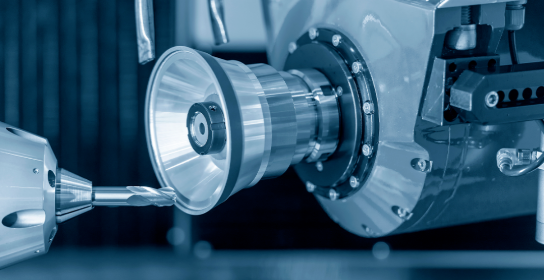
CNC Routing uses a spinning cutting bit - similar to a drill - that physically removes material as it moves across your workpiece. A wood cutting CNC machine or cnc wood cutter is the most common example, but routers also handle plastics, foams, and soft metals like aluminum. CNC routing services shine when you need three-dimensional shaping, edge profiling, or pocketing operations that other methods simply cannot achieve.
Laser Cutting focuses an intense beam of light to melt, burn, or vaporize material along a precise path. The result? Incredibly fine detail work with edges so clean they often require no secondary finishing. Laser excels at thin materials and intricate patterns but struggles with reflective metals and thick stock.
Plasma Cutting uses superheated ionized gas - temperatures reaching 30,000°F - to slice through electrically conductive metals. When you need to cut thick steel plates quickly and economically, plasma delivers. However, it's limited to conductive materials and produces a wider cut (kerf) than other methods.
Waterjet Cutting propels a high-pressure stream of water, often mixed with abrasive garnet particles, to erode material. This cold-cutting process handles virtually any material without heat distortion - from hardened tool steel to delicate glass to food products. The tradeoff? Slower cutting speeds and higher operating costs.
Matching Technology to Material Requirements
Choosing between these CNC cutting methods ultimately comes down to answering three questions: What material are you cutting? How precise does your cut need to be? And what finish quality does your application demand?
The comparison table below provides a quick reference for making this decision:
| Factor | CNC Router | Laser | Plasma | Waterjet |
|---|---|---|---|---|
| Material Compatibility | Wood, plastics, foam, soft metals, composites | Thin metals, acrylics, wood, fabric, paper | Conductive metals only (steel, aluminum, copper) | Nearly all materials including stone, glass, ceramics |
| Precision Level | ±0.005" to ±0.01" typical | ±0.001" to ±0.005" typical | ±0.02" to ±0.03" typical | ±0.003" to ±0.005" typical |
| Edge Quality | Good; may require sanding on some materials | Excellent; often requires no finishing | Moderate; some dross and beveling | Very good; slight taper possible |
| Thickness Capacity | Up to 6"+ depending on material | Typically under 1" for metals; 2"+ for acrylics | Up to 6" steel; 8"+ aluminum | Up to 12" or more depending on material |
| Typical Applications | Signage, cabinetry, furniture, prototypes | Decorative panels, precision parts, engraving | Structural steel, heavy fabrication, HVAC | Aerospace parts, stone inlays, heat-sensitive materials |
When reviewing cnc routing services or any cnc router cutting service, pay attention to the machine's spindle power, bed size, and maximum Z-axis travel. These specifications determine what materials and thicknesses the shop can actually handle for your specific CNC cuts.
For projects involving detailed woodworking, cabinet components, or dimensional signage, CNC routing typically offers the best balance of capability and cost. The cnc cut quality from a properly tuned router produces smooth edges on plywood, MDF, and solid hardwoods that require minimal sanding before finishing.
However, if your project involves heat-sensitive materials like certain plastics or composites, waterjet becomes the clear choice despite higher costs. The absence of thermal distortion means parts maintain dimensional stability and material properties throughout the cutting process.
Understanding these distinctions puts you in a stronger position when requesting quotes and evaluating providers. The right technology choice often matters more than finding the lowest price - a lesson that becomes clear when examining the specific materials each method handles best.
Materials You Can Cut with CNC Technology
Now that you understand which cutting technology fits your project, the next critical question emerges: what material should you actually use? This decision shapes everything from cutting speed and tool wear to your final part's performance and longevity.
Here's the reality - most service providers offer brief material lists without explaining why you'd choose one over another. They might mention aluminum, acrylic, or plywood, but understanding the practical differences between materials helps you make smarter decisions before you ever request a quote.
Metal Cutting Capabilities and Considerations
Metals remain the backbone of precision CNC work, offering strength and durability that plastics and wood simply cannot match. However, each metal behaves differently under cutting tools, affecting both your project timeline and final costs.
- Aluminum (6061, 7075): The go-to choice for most custom projects. Lightweight yet strong, aluminum machines quickly with excellent surface finishes. According to LS Manufacturing, aluminum 6061 offers good corrosion resistance for aerospace parts, automotive components, and enclosures, while 7075 provides very high strength for demanding structural applications.
- Stainless Steel (304, 316): When corrosion resistance matters, stainless steel delivers. Grade 304 handles food processing and architectural applications well, while 316 excels in marine and medical equipment where superior corrosion resistance is essential. Expect slower cutting speeds and increased tool wear compared to aluminum.
- Brass: Exceptional machinability makes brass ideal for decorative components, electrical fittings, and plumbing hardware. The material cuts cleanly with an attractive natural finish, though it's heavier than aluminum alternatives.
- Bronze: When machining bronze or working with bronze CNC applications, you'll find excellent wear resistance and corrosion protection. Bronze components serve well in bearings, bushings, and marine hardware where friction resistance matters.
Material hardness directly impacts your project's economics. Softer metals like aluminum allow aggressive cutting parameters and longer tool life. Harder materials like stainless steel demand specialized tooling, reduced cutting speeds, and more frequent tool changes - all factors that influence your final quote.
Plastics and Engineered Materials
Engineering plastics have revolutionized CNC manufacturing, offering properties that metals cannot match: electrical insulation, chemical resistance, lightweight construction, and often lower costs. Acrylic CNC machining, for instance, produces crystal-clear components impossible to achieve with any metal.
- Acrylic (PMMA): Perfect for optical applications, signage, and display cases. Acrylic resists UV exposure and maintains excellent clarity, but avoid high temperatures during machining to prevent melting or crazing.
- Delrin (POM/Acetal): When you need delrin plastic or delrin material for precision components, this engineering thermoplastic delivers outstanding dimensional stability, low friction, and excellent stiffness. Gears, bearings, and insulators commonly use this material.
- Polycarbonate: CNC polycarbonate offers impact resistance that far exceeds acrylic - it's virtually unbreakable. Safety shields, protective covers, and structural components benefit from this material's toughness combined with optical clarity.
- Nylon (PA6/PA66): According to COMCO Plastics, nylon features great hardness, toughness, and resistance to chemicals, temperatures, and abrasion. These characteristics make it suitable for load-bearing mechanical components and cost-effective alternatives to metal.
- PEEK: The premium choice for demanding applications. PEEK handles temperatures up to 260°C, offers exceptional chemical resistance, and meets biocompatibility requirements for medical implants. Expect higher material costs but unmatched performance.
Wood and Composite Options
CNC wood cutting opens creative possibilities that other materials simply cannot offer. Natural warmth, workability, and aesthetic appeal make wood ideal for furniture, signage, architectural details, and artistic applications.
- Plywood: Layered construction provides stability and consistent thickness. Baltic birch plywood machines exceptionally well for cabinetry, fixtures, and structural components.
- MDF (Medium Density Fiberboard): Uniform density throughout makes MDF predictable and easy to machine. Ideal for painted projects where wood grain isn't needed.
- Solid Hardwoods: Oak, maple, walnut, and cherry deliver natural beauty but require careful speed and feed adjustments based on grain direction and density.
- Foam and Corian: Specialty materials for specific applications - foam for packaging and prototypes, Corian for seamless countertop and signage work.
Your material choice creates a cascade effect throughout production. Harder materials demand slower feeds, specialized tooling, and more machine time. Softer materials cut faster but may require different finishing approaches. Understanding these relationships helps you balance performance requirements against budget constraints - a balance that becomes clearer once you know how to prepare your design files correctly.
Preparing Your Design Files for CNC Cutting Success
You've selected your cutting technology and chosen the perfect material. Now comes a step that trips up even experienced designers: preparing your design files so CNC machines can actually read them. According to a 2023 report from Engineering.com, more than 35% of manufacturing mistakes stem from design file problems - missing tolerances, unclear dimensions, or incorrect formats.
Here's the frustrating reality: many service providers mention "design guidelines" without explaining what those guidelines actually mean for someone who isn't a mechanical engineer. Let's change that by walking through exactly what your files need to include - and what mistakes to avoid - so your cnc machined parts come out exactly as intended.
File Formats That CNC Machines Understand
Think of file formats like languages. Your design software speaks one language, and the CNC machine's programming software speaks another. Choosing the right format ensures nothing gets lost in translation.
For 2D cutting operations - profiling, cutting shapes from sheet materials, or engraving - these formats work best:
- DXF (Drawing Exchange Format): The universal translator for 2D work. Nearly every CAD program exports DXF files, and every CNC programming software reads them. Use this when your project involves flat parts cut from sheet stock.
- DWG (AutoCAD Drawing): AutoCAD's native format preserves more layer and object data than DXF. If you're working with an AutoCAD-based shop, DWG files transfer cleanly without conversion losses.
For 3D machining operations - milling complex shapes, creating pockets, or producing cnc milled components with multiple surfaces - you'll need formats that preserve solid geometry:
- STEP (.stp/.step): The gold standard for 3D file exchange. According to Dipec, STEP files are universally compatible with most CNC programming software and preserve critical data like curves, hole diameters, and edge profiles. When in doubt, submit STEP files.
- IGES (.igs/.iges): An older standard that still works well for transferring surface and solid model data between different CAD systems. Some legacy equipment prefers this format.
- STL (Stereolithography): Common in 3D printing but problematic for CNC work. STL files approximate surfaces using triangles, which can result in lost detail and inaccuracies. Use only when no other option exists.
What's the key difference between 2D and 3D files? A 2D file describes flat geometry - the outline of a part as seen from above. A 3D file contains complete volumetric information - every surface, curve, and feature that defines your part in three dimensions. CNC prototyping projects often require 3D files to communicate complex machining operations that 2D drawings simply cannot convey.
Avoiding Common Design File Mistakes
Even perfectly formatted files can cause production headaches if they contain common errors. These mistakes seem minor but can halt production or result in parts that don't match your expectations.
Incorrect Scale or Units: This causes more quoting errors and production delays than any other issue. Your CAD software might default to inches while the machine shop works in millimeters - or vice versa. A part designed at 10mm that arrives scaled to 10 inches creates obvious problems.
Missing Tolerances: Without specified tolerances, machinists apply general industry defaults (typically ±0.1mm to ±0.2mm). If your machining parts require tighter precision for assembly or function, you must communicate this explicitly.
Improper Line Types: Construction lines, hidden lines, and centerlines can confuse CAM software. Clean your files to include only the geometry you actually want machined.
Sharp Internal Corners: CNC cutting tools are round - they physically cannot create perfectly sharp inside corners. Design internal corners with radii that match standard tool sizes (typically 1/8", 1/4", or 3/8") to avoid secondary operations or unrealistic expectations.
Text Not Converted to Outlines: Raw fonts may not transfer properly between systems. Always convert text to vector outlines or paths before submitting files for cnc machining parts production.
Your File Preparation Checklist
Before submitting any design file, run through this step-by-step verification process:
- Verify units and scale: Confirm your CAD software displays the correct unit system (inches or millimeters) and that your model exists at 1:1 scale. Export a test dimension to verify.
- Remove unnecessary elements: Delete construction geometry, text annotations, logos (unless being machined), and duplicate overlapping lines that could confuse toolpath generation.
- Specify critical tolerances: Identify features requiring precision beyond standard machining tolerances. Mark these clearly on an accompanying 2D drawing.
- Add internal corner radii: Replace sharp internal corners with fillets matching available tool diameters. Standard sizes reduce costs by eliminating specialty tooling.
- Include thread and hardware callouts: Specify tap sizes, thread depths, and hardware specifications for any fastener features.
- Convert text to outlines: Transform any text or logos into vector paths that machines can interpret without font dependencies.
- Export to appropriate format: Save as STEP for 3D work, DXF for 2D cutting. Always confirm your provider's preferred format before submitting.
- Include a 2D technical drawing: Even with a perfect 3D model, a PDF drawing showing critical dimensions, tolerances, surface finish requirements, and assembly notes eliminates guesswork.
Pro tip: Always contact your machining provider before submitting files to confirm their preferred formats and any specific requirements. A quick conversation upfront prevents costly revisions later.
Proper file preparation separates smooth projects from frustrating ones. When your files arrive clean, properly formatted, and complete with all necessary specifications, production moves faster and your finished parts match your design intent. With your files ready, the next consideration becomes understanding what factors drive the cost of your project - knowledge that helps you budget accurately and identify opportunities for savings.
Understanding CNC Custom Cutting Costs and Pricing
Your design files are polished and ready to go - but how much will this project actually cost? This question frustrates buyers more than almost any other aspect of CNC custom cutting. Most providers offer little pricing transparency, leaving you to submit quotes blindly and hope for the best.
Here's the good news: once you understand what drives costs, you can make smarter design decisions, request more accurate quotes, and avoid budget surprises. Let's demystify the pricing factors that determine what you'll pay for custom machined parts.
What Drives CNC Cutting Costs
Think of CNC pricing like building a custom house. The final price depends on materials, complexity, labor time, and finishing touches - not just square footage. Similarly, your project cost reflects multiple interconnected factors that machine shops evaluate when preparing quotes.
- Material Type and Quantity: According to JLCCNC, your material choice largely decides the ultimate cost. Standard metals like aluminum machine quickly and economically, while harder materials like stainless steel or titanium require specialized tools, slower cutting speeds, and more frequent tool changes. Material waste also adds up - especially with metals that are harder to cut and shape.
- Cutting Complexity: Parts requiring multi-axis machining, intricate geometries, or thin walls demand more setup time, advanced equipment, and specialized tooling. Komacut notes that complex designs with holes, cutouts, fine details, and tight tolerances require slower machining speeds to ensure accuracy, directly increasing production time.
- Tolerances Required: Standard machining tolerances cost less than precision work. When your custom CNC parts need to meet exact dimensional specifications, expect additional processing, more careful quality checks, and higher labor costs.
- Finishing Operations: Raw machined parts often require secondary work - anodizing, polishing, painting, or powder coating. Each finishing step adds cost. Consider whether premium finishes are truly necessary for function, or whether they're purely aesthetic additions.
- Order Volume: This factor often surprises first-time buyers. A single prototype can cost significantly more per part than ordering ten or twenty pieces because setup costs get distributed across more units.
How Setup Costs Affect Your Budget
Here's a pricing reality that catches many buyers off guard: the first part in any batch costs the most to produce. Why? Before any cutting begins, a machinist must install appropriate tools and fixtures, prepare materials, set machine parameters, and create or verify the CNC program.
This setup process is particularly labor-intensive for complex designs. According to industry research, programming time alone is influenced primarily by part complexity - intricate parts demand more sophisticated setups and custom fixtures to accommodate unique geometries.
The practical impact? When you order a single prototype, you absorb 100% of these setup costs. Order ten parts, and that same setup cost divides across ten units. Order a hundred, and setup becomes nearly negligible per piece. This is why getting a cnc quote online for small batches often reveals surprisingly high per-unit prices that drop dramatically at higher quantities.
Budgeting Strategies for Custom Projects
Smart budgeting starts before you ever request a quote. These strategies help you control costs while still achieving your project goals:
Simplify your design where possible. Removing unnecessary features that increase machining time - like small radii, overly tight tolerances, or complex geometries that don't affect function - can substantially reduce your quote. Consider working with manufacturers early in the design phase to identify cost-saving modifications.
Choose materials strategically. Aluminum 6061, for example, is relatively inexpensive and machines quickly with excellent results. Softer materials reduce tool wear and allow faster cutting speeds. Sometimes spending slightly more on a material with better machinability saves money overall by reducing production time.
Batch your orders intelligently. If you're prototyping, consider ordering multiple iterations at once rather than single units spread across weeks. For production work, larger batches almost always offer better per-unit economics through online machining quotes.
Evaluate finishing requirements honestly. Does your part truly need anodizing, or will raw aluminum work fine? Is a polished surface functionally necessary, or would a standard machined finish suffice? Every finishing step adds cost and time.
Requesting Accurate Quotes
When you request pricing from a custom machine shop, the quality of information you provide directly affects quote accuracy. Incomplete requests often result in inflated quotes because shops must assume worst-case scenarios or build in contingency for unknowns.
Provide these details with every quote request:
- Complete CAD files in appropriate formats (STEP preferred for 3D work)
- Material specifications including grade and any certifications required
- Quantity needed - and indicate if you're open to volume pricing tiers
- Tolerance requirements for critical dimensions
- Surface finish specifications
- Any secondary operations needed (threading, finishing, assembly)
- Timeline expectations and any deadline constraints
Look for providers who offer transparent pricing and customized solutions rather than generic rate cards. Some shops provide volume discounts, direct pricing based on job complexity, and use advanced software to optimize machining efficiency - all factors that can make one quote significantly more competitive than another.
Understanding these cost drivers puts you in a stronger negotiating position and helps you identify where design changes might save money. However, cost is only one piece of the puzzle - the next consideration involves understanding the quality standards and tolerances that ensure your parts actually perform as intended.
Tolerances and Quality Standards in CNC Cutting
You've requested a quote, reviewed the pricing, and feel ready to move forward. But then you notice terms like "±0.005 tolerance" or "ISO 9001 certified" scattered throughout the provider's website. What do these actually mean for your project? And more importantly - when should you care?
Here's the frustrating gap in most provider content: they mention certifications and tolerance capabilities without explaining their practical significance. Understanding these quality standards helps you specify appropriate requirements, avoid over-engineering costs, and ensure your precision machining services deliver parts that actually work.
Tolerance Specifications Explained Simply
Imagine you design a part that's supposed to measure exactly 50mm. In the real world, no manufacturing process achieves absolute perfection. Tolerance defines the acceptable range of variation - how close to 50mm your finished part needs to be.
A tolerance of ±0.1mm means your part can measure anywhere between 49.9mm and 50.1mm and still be considered acceptable. Tighter tolerances like ±0.025mm shrink that acceptable range dramatically, requiring more careful machining, slower feeds, better tooling, and additional quality checks.
When do tighter tolerances matter? Consider these scenarios:
- Assembly fit: Parts that must slide, snap, or press together require matched tolerances to ensure proper function. A bearing housing that's even 0.05mm oversize won't hold the bearing securely.
- Sealing surfaces: Gasket faces, o-ring grooves, and fluid connections demand tight tolerances to prevent leaks under pressure.
- Interchangeability: When parts must swap between assemblies without adjustment, consistent tolerances ensure every piece performs identically.
- Precision motion: Linear guides, rotating shafts, and positioning mechanisms require minimal variation for smooth, accurate movement.
For many applications - brackets, covers, non-critical housings - standard machining tolerances work perfectly fine. Specifying unnecessarily tight tolerances wastes money without improving function. Swiss machining and aerospace CNC machining applications genuinely require extreme precision, but your decorative signage project probably doesn't.
Understanding Tolerance Grades
The table below shows common tolerance grades used in precision CNC machining services, helping you understand what specifications match your actual needs:
| Tolerance Grade | Typical Range | Common Applications | Cost Impact |
|---|---|---|---|
| Commercial/Standard | ±0.1mm to ±0.25mm (±0.004" to ±0.010") | General fabrication, brackets, covers, non-critical components | Baseline cost |
| Precision | ±0.025mm to ±0.05mm (±0.001" to ±0.002") | Mechanical assemblies, bearing fits, sliding interfaces | Moderate increase |
| High Precision | ±0.0125mm to ±0.025mm (±0.0005" to ±0.001") | Aerospace components, medical devices, optical equipment | Significant increase |
| Ultra-Precision | ±0.005mm or tighter (±0.0002" or tighter) | Metrology equipment, semiconductor tooling, specialized instruments | Premium pricing |
When working with a CNC turning service or milling provider, specify tolerances only on dimensions that genuinely require them. Leave non-critical features at standard tolerance to keep costs reasonable while ensuring critical interfaces meet your functional requirements.
Quality Certifications That Matter
Walk through any machine shop's website and you'll likely encounter a string of acronyms: ISO 9001, AS9100, IATF 16949. These aren't just marketing badges - they represent independently verified quality management systems that affect how consistently your parts get manufactured.
ISO 9001 establishes the foundation. This internationally recognized standard requires documented processes, regular audits, customer focus, and continuous improvement practices. When a shop holds ISO 9001 certification, you know they've implemented systematic quality controls rather than relying on individual skill alone. For general manufacturing needs, ISO 9001 certification provides reasonable assurance of consistent quality.
AS9100 builds on ISO 9001 with aerospace-specific requirements. Aerospace CNC machining demands extraordinary traceability, risk management, and process control because failures can have catastrophic consequences. AS9100 certified shops maintain detailed records tracking every material lot, every process parameter, and every inspection result. If your parts fly, this certification matters.
IATF 16949 addresses automotive supply chain requirements. The automotive industry demands high-volume consistency, defect prevention, and continuous improvement toward zero defects. This certification requires advanced quality planning, production part approval processes, and systematic problem-solving methodologies. Shops serving major automakers typically maintain this certification as a supply chain requirement.
What Statistical Process Control Means for You
Beyond certifications, ask potential providers about their Statistical Process Control (SPC) practices. Sounds technical, but the concept is straightforward: rather than just checking finished parts, SPC monitors the manufacturing process itself to catch problems before they create bad parts.
Here's how it works in practice: during production, operators measure critical dimensions at regular intervals and plot those measurements on control charts. These charts reveal trends - like a dimension slowly drifting toward its upper limit - before parts actually go out of specification. The operator can then adjust the process, preventing defective parts rather than just catching them afterward.
Why does this matter for your project? SPC-driven manufacturing produces more consistent parts with fewer rejects and less variation. When you're ordering hundreds or thousands of pieces, even small consistency improvements translate into better assembly fit and more reliable performance across your entire production run.
Ask your provider: "Do you use SPC monitoring on critical dimensions?" Shops with mature quality systems answer this question easily and can explain their specific practices.
Quality standards and tolerance specifications might seem like technical details best left to engineers. But understanding what they mean helps you communicate requirements clearly, avoid paying for unnecessary precision, and select providers capable of meeting your actual needs. With quality expectations defined, the next step involves evaluating potential service providers to find the right partner for your specific project.
How to Choose the Right CNC Cutting Service Provider
You understand tolerances, quality certifications, and what your project requires. Now comes a decision that can make or break your entire experience: which CNC cutting service provider should you actually trust with your project?
Whether you're searching for "cnc near me" or exploring online manufacturing platforms, the evaluation process matters more than many buyers realize. A provider with impressive equipment but poor communication can derail your timeline just as easily as one with outdated machines. Let's walk through exactly what to look for - and what to avoid - when selecting your manufacturing partner.
Questions to Ask Before Choosing a Provider
Think of provider evaluation like interviewing a contractor before a home renovation. You wouldn't hire someone without understanding their capabilities, experience, and work style. The same careful vetting applies when searching for cnc machine shops near me or evaluating online alternatives.
Before committing to any provider, work through these essential evaluation criteria:
- Equipment Capabilities: What machines do they operate, and what are the specifications? A shop advertising a Multi Cam 5000 with a 5x10 foot bed capacity, for example, tells you they can handle large sheet materials in a single setup. Ask about spindle power, axis travel limits, and maximum material thicknesses. These specs directly determine whether your project fits their capabilities.
- Material Expertise: Does the shop regularly work with your chosen material? A provider excellent at aluminum routing might struggle with exotic plastics or hardened steels. Ask specifically: "How often do you machine [your material]?" Experience with your specific material translates to better feeds and speeds, appropriate tooling selection, and fewer surprises.
- Turnaround Times: What's their standard lead time, and can they accommodate rush orders? Some machining shops near me offer expedited services at premium rates, while others maintain fixed schedules regardless of urgency. Understand both standard and rush timelines before project deadlines become critical.
- Quality Certifications: As discussed in the previous section, certifications like ISO 9001, AS9100, or IATF 16949 indicate systematic quality management. Ask which certifications they hold and request documentation. A legitimate shop provides certificates readily.
- Communication Responsiveness: How quickly do they respond to inquiries? Do they answer questions thoroughly or give vague responses? Your quote request experience often previews what working together will actually feel like. Shops that take days to acknowledge emails rarely improve once you've placed an order.
Don't hesitate to ask for references or examples of similar projects. Reputable providers share case studies, portfolio images, or customer testimonials that demonstrate relevant experience.
Understanding Machine Specifications
When a provider lists equipment specs, what do those numbers actually mean for your project? Let's decode the most important specifications:
- Bed Size (Work Envelope): A "5x10" router has a cutting area of 5 feet by 10 feet - the maximum sheet size it can handle without repositioning. Larger beds accommodate bigger parts and reduce setup time for multi-part layouts.
- Spindle Power: Measured in horsepower (HP) or kilowatts (kW), spindle power determines cutting aggressiveness. Higher power enables faster material removal rates, especially important for metals and dense materials.
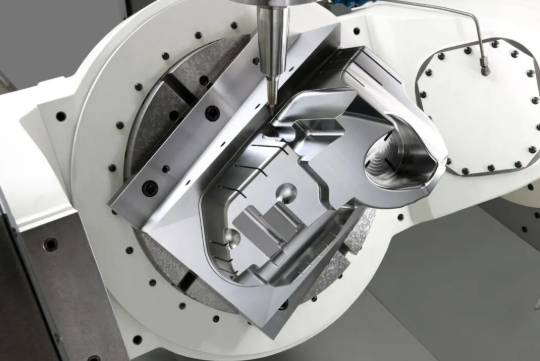
- Axis Configuration: 3-axis machines move in X, Y, and Z directions. 4-axis adds rotation around one horizontal axis. 5-axis machines offer full rotational freedom, enabling complex geometries without repositioning. More axes mean more capability - and typically higher costs.
- Positional Accuracy: How precisely can the machine position its cutting tool? Specifications like "±0.001 inch positional accuracy" indicate the machine's inherent precision limits.
Match these capabilities to your project requirements. Cutting simple 2D shapes from plywood doesn't require a 5-axis machining center, but complex aerospace components might demand nothing less.
Red Flags and Green Lights in CNC Services
Experience teaches what warning signs to watch for - and what positive indicators suggest a trustworthy partner. Use these guidelines when evaluating any cnc shop near me or online service:
Red Flags - Proceed with Caution
- Vague or evasive answers: If a provider can't clearly explain their capabilities or dodges specific questions, they may be overpromising what they can deliver.
- No quality documentation: Legitimate shops readily share certifications, inspection reports, and quality procedures. Resistance to providing documentation suggests weak quality systems.
- Unrealistically low quotes: Quotes dramatically below competitors often indicate hidden costs, material substitutions, or quality corners being cut. The cheapest option frequently becomes the most expensive when projects go wrong.
- Poor communication patterns: Delayed responses, unanswered questions, or disorganized quoting processes typically worsen after you've committed.
- No references or portfolio: Established shops accumulate satisfied customers and successful projects. Complete absence of references raises questions about experience and track record.
Green Lights - Positive Indicators
- Proactive design feedback: Providers who suggest improvements to reduce costs or enhance manufacturability demonstrate genuine expertise and customer focus.
- Clear, detailed quotes: Itemized quotes showing material costs, machining time, setup charges, and finishing operations indicate transparent pricing practices.
- Documented quality systems: Ready availability of certifications, inspection capabilities, and quality procedures shows systematic operations.
- Relevant experience: Demonstrated history with your specific material, industry, or part type reduces learning curve risks.
- Responsive communication: Quick, thorough responses to inquiries suggest organized operations and customer prioritization.
Local Machine Shops vs. Online Services
When searching for a machinist near me versus using an online manufacturing platform, you're choosing between fundamentally different service models. Each offers distinct advantages depending on your priorities.
Local machine shops provide face-to-face relationships and hands-on collaboration. You can visit the facility, meet the machinists, and discuss your project directly. For complex parts requiring iterative development, prototyping sessions, or specialized expertise, local shops offer communication advantages that digital platforms cannot replicate. Many machinist shops near me also provide faster turnaround for rush jobs since parts don't require shipping from distant facilities.
Online CNC services excel at standardized work with competitive pricing. These platforms aggregate manufacturing capacity from multiple shops, often providing instant quoting, streamlined ordering, and consistent processes for straightforward parts. When your design is finalized, tolerances are standard, and you're ordering defined quantities, online services frequently offer better pricing through optimized operations.
Consider these factors when deciding:
| Factor | Local Shops | Online Services |
|---|---|---|
| Best For | Complex projects, prototyping, specialized materials | Standard parts, production runs, price-sensitive orders |
| Communication | Direct, personal relationships | Ticket-based, standardized processes |
| Turnaround | Often faster for rush work; no shipping delays | Standard lead times; shipping adds time |
| Pricing | Variable; relationship-dependent | Typically competitive; volume discounts |
| Flexibility | High; can accommodate changes easily | Lower; process-driven operations |
When to Prioritize Speed, Precision, or Cost
Every project involves tradeoffs. Understanding which factor matters most helps you choose the right provider and communicate priorities effectively:
Prioritize speed when: Market timing matters more than marginal cost savings. Product launches, replacement parts for down equipment, or competitive pressures often justify premium pricing for expedited turnaround. Look for providers offering rush services and confirm their actual delivery performance - not just promises.
Prioritize precision when: Part function depends on tight tolerances, or you're serving regulated industries like aerospace or medical devices. Seek providers with demonstrated precision capabilities, appropriate certifications, and inspection equipment matching your tolerance requirements. Premium precision shops cost more but prevent costly failures downstream.
Prioritize cost when: Parts are non-critical, quantities are high, or budget constraints dominate. Standard tolerances, common materials, and flexible timelines all help minimize costs. Get multiple quotes, consider design modifications that reduce machining time, and explore volume pricing for larger orders.
Most projects require balancing all three factors rather than maximizing just one. Communicate your priorities clearly when requesting quotes - good providers adjust their approach based on what matters most to you.
With a clear understanding of how to evaluate providers, the next step explores how different industries leverage CNC cutting technology - from automotive precision requirements to creative signage applications.
Industry Applications from Automotive to Custom Signage
Now that you know how to evaluate providers, you might wonder: what kinds of projects actually use CNC custom cutting? The answer spans nearly every manufacturing sector imaginable. From precision aerospace components measured in thousandths of an inch to eye-catching retail signage, this technology adapts to wildly different requirements.
Understanding how various industries leverage CNC fabrication helps you appreciate what's possible for your own projects - and identify providers with relevant experience in your specific field. Let's explore how different sectors put this technology to work.
Automotive and Aerospace Precision Requirements
When failure isn't an option, CNC metal machining delivers the consistency and precision these demanding industries require. Automotive and aerospace applications push CNC technology to its limits - and demonstrate why specialized providers matter.
Automotive Applications: Modern vehicles contain hundreds of CNC-machined components, from engine parts to chassis assemblies. Metal machining produces everything from custom suspension brackets to transmission housings. A cnc machine for metal can cut aluminum mounting plates, machine steel drivetrain components, and fabricate brass fittings with the repeatability that automotive assembly lines demand.
- Chassis and suspension components: Aluminum machining produces lightweight yet strong control arms, steering knuckles, and subframe brackets that reduce vehicle weight while maintaining structural integrity.
- Engine and powertrain parts: Cylinder heads, intake manifolds, and transmission cases require precise machining to meet demanding thermal and mechanical specifications.
- Custom performance parts: Aftermarket manufacturers rely on CNC turning and milling to produce upgraded components for enthusiasts seeking improved performance.
- Prototype development: Before committing to expensive production tooling, automakers use CNC prototyping to validate designs and test fitment.
Companies that manufacture custom metal parts for automotive applications typically hold IATF 16949 certification - the quality standard specifically designed for automotive supply chains. For example, Shaoyi Metal Technology maintains this certification while offering capabilities ranging from rapid prototyping to mass production, demonstrating how specialized providers serve the automotive sector's unique demands for both speed and consistency.
Aerospace Applications: When components fly at 30,000 feet, tolerances tighten dramatically. Aerospace CNC machining produces flight-critical parts where even microscopic variations could compromise safety.
- Structural components: Wing ribs, fuselage frames, and landing gear parts require exceptional strength-to-weight ratios achieved through precision aluminum and titanium machining.
- Engine components: Turbine blades, compressor housings, and fuel system parts demand exotic alloys machined to extreme tolerances.
- Avionics housings: Electronic enclosures protecting sensitive equipment require precise dimensions and specific material properties for electromagnetic shielding.
- Satellite and spacecraft parts: Space applications add radiation resistance and vacuum compatibility requirements to already demanding specifications.
Aerospace providers typically hold AS9100 certification, maintaining the rigorous traceability and documentation these applications demand.
Medical and Scientific Precision
Medical machining represents another frontier where precision directly impacts human lives. From surgical instruments to implantable devices, CNC technology enables the healthcare advances we often take for granted.
- Surgical instruments: Scalpel handles, retractors, and specialized tools require biocompatible materials machined to exacting specifications for proper sterilization and repeated use.
- Orthopedic implants: Hip joints, knee replacements, and spinal hardware demand titanium and medical-grade stainless steel machined to tolerances measured in microns.
- Diagnostic equipment: MRI machine components, CT scanner parts, and laboratory instruments rely on precision CNC fabrication for accurate results.
- Prosthetics and orthotics: Custom-fitted devices increasingly utilize CNC machining to create patient-specific solutions from digital scans.
Medical applications typically require FDA compliance, material certifications, and complete traceability from raw material through finished product. Providers serving this sector invest heavily in documentation systems and validated processes.
Signage, Furniture, and Creative Applications
Not every CNC application involves life-or-death precision. Creative industries leverage the same technology for entirely different purposes - turning digital designs into physical products that communicate, decorate, and inspire.
Signage and Branding: Walk through any shopping center and you'll encounter dozens of CNC-produced signs. This industry values speed, consistency, and the ability to translate graphic designs into dimensional letters, logos, and displays.
- Dimensional lettering: Routed acrylic, aluminum, or HDU foam letters create eye-catching storefront signage with depth and shadow effects impossible in flat graphics.
- Wayfinding systems: Hospitals, airports, and corporate campuses rely on CNC-cut directories and directional signs for consistent branding across large facilities.
- Trade show displays: Portable exhibits featuring intricate cut patterns and branded elements make memorable impressions at industry events.
- Architectural elements: Decorative panels, privacy screens, and facade details use CNC routing to create complex patterns in wood, metal, and composite materials.
Furniture and Woodworking: CNC technology has transformed furniture manufacturing, enabling mass customization and complex joinery previously reserved for master craftspeople.
- Flat-pack furniture: Interlocking components designed for CNC production allow shipping efficiency while maintaining structural integrity upon assembly.
- Custom cabinetry: Kitchen and bathroom cabinets increasingly use CNC-cut components for consistent quality and efficient production.
- Decorative woodwork: Intricate carved panels, ornamental moldings, and reproduction architectural details achieve handcrafted appearance through digital precision.
- Designer furniture: Contemporary furniture designers use parametric modeling and CNC fabrication to create organic forms impossible through traditional methods.
Art and Sculpture: Artists increasingly embrace CNC as a creative tool, using digital precision to realize visions that would be impractical or impossible by hand.
- Public installations: Large-scale sculptures in metal, stone, or composite materials benefit from CNC's ability to scale designs precisely.
- Mixed media works: Combining CNC-cut elements with traditional techniques creates unique pieces blending digital and handcrafted aesthetics.
- Reproduction and restoration: Historic preservation projects use CNC to recreate damaged architectural elements with historical accuracy.
Industrial and Electronics Manufacturing
Beyond the applications consumers see directly, CNC cutting underpins countless industrial processes and electronic devices.
- Electronics enclosures: Custom housings for circuit boards, control panels, and instrumentation require precise cutouts for displays, connectors, and ventilation.
- Industrial machinery: Custom brackets, mounting plates, and specialized components keep production equipment running across every manufacturing sector.
- Robotics and automation: Robotic arms, end effectors, and automation fixtures require precise metalwork to maintain positional accuracy.
- Energy sector: Wind turbine components, solar panel mounting systems, and power generation equipment rely on CNC-fabricated parts designed for decades of service.
Each industry brings unique requirements - tolerances, materials, certifications, and volume expectations. Providers often specialize in specific sectors, developing deep expertise in particular applications. When evaluating potential partners, look for demonstrated experience in your industry rather than generic manufacturing capability.
With this understanding of how different industries leverage CNC technology, you're ready to explore the complete project workflow - from initial concept through final delivery.
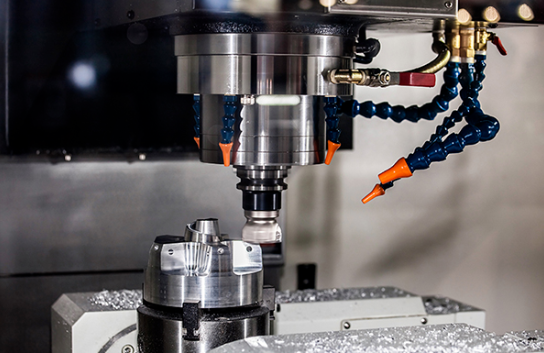
Your Complete CNC Custom Cutting Project Workflow
You've explored cutting technologies, evaluated materials, and identified promising providers. But what actually happens between submitting your design files and receiving finished cnc parts on your doorstep? Understanding the complete project lifecycle transforms you from a passive customer into an informed partner - someone who anticipates each phase, communicates effectively, and avoids the delays that frustrate so many first-time buyers.
Here's what most cnc cutting services don't explain clearly: successful projects follow a predictable rhythm. When you understand that rhythm, you make better decisions at each stage and set realistic expectations for timelines and outcomes.
From Concept to Completed Part
Every CNC project - whether a single prototype or a production run of thousands - moves through the same fundamental stages. The difference between smooth projects and frustrating ones often comes down to how well you prepare for each phase.
- Initial Design Development: Your project begins with a concept that needs to become a manufacturable design. This might mean sketching ideas yourself, working with a designer, or refining an existing CAD model. At this stage, consider manufacturability alongside function. Avoid features that unnecessarily complicate machining - sharp internal corners, extremely thin walls, or overly tight tolerances on non-critical dimensions. Early attention to manufacturing constraints saves significant time and money downstream.
- File Preparation and Optimization: Transform your design into machine-ready files. Export 3D models as STEP files for complex parts, or DXF files for 2D cutting operations. Remove extraneous geometry, verify units and scale, add internal corner radii matching standard tool sizes, and document critical tolerances. According to Small Business Coach, capable technicians can pinpoint quality issues before production begins - but only when your files clearly communicate your requirements.
- Quote Request and Provider Selection: Submit your prepared files to potential providers along with complete specifications: material type, quantity, tolerances, finishing requirements, and timeline expectations. Compare responses not just on price, but on communication quality, clarifying questions asked, and design feedback offered. Providers who suggest improvements demonstrate genuine expertise.
- Material Selection and Procurement: Confirm final material specifications with your chosen provider. Discuss any certification requirements, especially for aerospace, medical, or automotive applications. Some custom cnc machining services stock common materials, while others procure specifically for your order - a factor affecting both lead time and pricing.
- Production Programming and Setup: Your provider translates design files into machine instructions (G-code), selects appropriate tooling, and configures fixtures to hold your workpiece securely. This setup phase represents significant labor, which is why single prototypes often carry higher per-unit costs than production batches. Complex parts with multiple operations require more extensive programming.
- CNC Machining and Cutting: The actual cutting process begins. Depending on part complexity and machine capabilities, this might involve multiple setups, tool changes, and machining operations. Quality-focused shops monitor critical dimensions during production using Statistical Process Control (SPC) to catch variations before they produce defective parts.
- Quality Inspection and Verification: Finished parts undergo dimensional inspection against your specifications. This might include coordinate measuring machine (CMM) inspection for tight tolerances, surface finish measurement, or functional testing. Certified providers like those with IATF 16949 credentials document inspection results thoroughly.
- Secondary Operations and Finishing: If your project requires additional processing - deburring, anodizing, powder coating, heat treatment, or assembly - these operations occur after machining. Each step adds time but delivers the final appearance and performance characteristics your application demands.
- Final Inspection and Delivery: Completed parts receive final quality verification before packaging and shipment. Proper packaging prevents damage during transit, especially critical for precision surfaces or delicate features.
Understanding Lead Time Expectations
"How long will my project take?" might be the most common question in CNC manufacturing - and the answer depends on far more than just machine time.
Prototype and Rush Projects: When speed matters most, some online cnc machining services offer remarkably fast turnaround. Simple parts in common materials might ship within days. For urgent projects, providers like Shaoyi Metal Technology offer lead times as fast as one working day, demonstrating what's possible when providers optimize for speed. However, rush services typically command premium pricing to offset disrupted scheduling and expedited handling.
Standard Production: Most cnc service providers quote lead times of one to three weeks for typical orders. This timeframe accommodates programming, material procurement (if needed), scheduled machine time, quality inspection, and any finishing operations. Complex parts requiring multiple setups or tight tolerances may extend this timeline.
Production Runs: Larger quantities often require longer overall lead times but may benefit from dedicated machine scheduling and optimized processes that improve per-unit economics. Discuss production planning with your provider early, especially if you anticipate ongoing needs.
Several factors extend lead times beyond initial estimates:
- Material availability: Exotic alloys or specialty plastics may require extended procurement timelines.
- Design revisions: Changes after production begins reset the clock and may incur additional charges.
- Finishing operations: Anodizing, plating, or painting add processing time, often at external facilities.
- Certification requirements: Documentation for aerospace or medical applications demands additional verification steps.
- Quality issues: Parts requiring rework or replacement extend delivery timelines.
Working Effectively with Your CNC Provider
Your relationship with your manufacturing partner significantly impacts project outcomes. Providers who understand your goals and constraints deliver better results - but building that understanding requires effective communication from your side.
Set Clear Expectations Early: Before production begins, confirm every critical detail in writing: material specifications, tolerances, quantities, delivery dates, and pricing. Unclear expectations cause disputes; documented agreements prevent them. As industry experts note, you should set specific and clear expectations, create clear terms and conditions, and let the CNC machining vendor know what you expect moving forward.
Provide Complete Information: Incomplete specifications force providers to make assumptions - and their assumptions may not match your intentions. Include 2D drawings with critical dimensions even when providing 3D models. Specify surface finish requirements explicitly. Note any features requiring special attention.
Respond Promptly to Questions: When your provider asks clarifying questions, answer quickly. Every day of delayed response extends your delivery timeline. Treat provider questions as opportunities to ensure they understand your requirements correctly - not as interruptions.
Communicate Changes Immediately: Discovered a design error? Need to adjust quantities? Communicate immediately rather than waiting. Early notification gives providers options; last-minute changes create problems. Understand that changes after programming or production may incur additional costs.
Establish Approval Processes: For critical or expensive parts, request first-article approval before full production proceeds. This allows you to verify the initial part meets requirements before committing to complete quantities. Many cnc turning services offer this option for production orders.
Request Progress Updates: For longer projects, establish check-in points. Understanding production status helps you plan downstream activities and address issues before they compound.
What to Expect from Quality-Focused Providers
How do you know your provider takes quality seriously? Look for these indicators throughout your project:
- Design feedback: Quality providers review your files and suggest improvements - not to delay your project, but to prevent problems during production.
- Material documentation: Certified providers supply material test reports and traceability documentation, especially important for regulated industries.
- In-process monitoring: SPC quality control, like that practiced by Shaoyi Metal Technology, catches variations during production rather than discovering problems only at final inspection.
- Dimensional reports: Inspection documentation demonstrates that your parts actually meet specified tolerances, not just that they look correct.
- Consistent communication: Professional providers keep you informed about progress, potential issues, and delivery timing.
Remember: A true partner is transparent about their role in your success and their relationship with your business. Look for providers who employ effective communication and are willing to offer value-added services beyond basic machining.
Building Long-Term Manufacturing Relationships
The most successful CNC projects often come from established relationships rather than one-time transactions. When you find a provider who delivers quality work, communicates effectively, and meets commitments, nurturing that relationship pays dividends.
Long-term partners understand your preferences, maintain your tooling, and prioritize your work when capacity gets tight. They learn your quality expectations and proactively address potential issues. Some even stock your commonly-used materials or maintain dedicated fixtures for repeat orders.
Whether you're creating a single prototype or scaling from rapid prototyping to mass production, understanding the complete project workflow positions you for success. Each phase presents opportunities to ensure your finished parts meet expectations - or pitfalls that catch unprepared buyers off guard. Armed with this knowledge, you're ready to move confidently from design concept to finished components that perform exactly as intended.
Frequently Asked Questions About CNC Custom Cutting
1. What is CNC custom cutting and how does it work?
CNC custom cutting uses Computer Numerical Control technology to guide cutting tools with extreme precision across various materials. A computer controller interprets programmed G-code instructions that specify exact movements, speeds, and depths. The system combines four components - the computer controller (MCU), cutting tool, workpiece, and motion system - to transform digital designs into physical parts with remarkable accuracy and repeatability.
2. What materials can be cut with CNC machines?
CNC machines cut a wide range of materials including metals (aluminum, stainless steel, brass, bronze), engineering plastics (acrylic, Delrin, polycarbonate, nylon, PEEK), and wood products (plywood, MDF, solid hardwoods). Material choice affects cutting speed, tool wear, and costs. Softer materials like aluminum machine quickly, while harder materials like stainless steel require specialized tooling and slower speeds.
3. How do I choose between CNC routing, laser, plasma, and waterjet cutting?
Each technology excels for specific applications. CNC routing handles 3D shaping in wood, plastics, and soft metals. Laser cutting delivers fine detail on thin materials with clean edges. Plasma cutting quickly slices thick conductive metals economically. Waterjet cutting handles virtually any material without heat distortion. Your choice depends on material type, required precision, thickness capacity, and edge quality needs.
4. What file formats do CNC machines accept?
For 2D cutting operations, use DXF or DWG formats. For 3D machining, STEP files are the gold standard as they preserve critical geometry data including curves, hole diameters, and edge profiles. IGES files work for transferring between CAD systems. Always verify units, remove unnecessary geometry, add internal corner radii, and include a 2D technical drawing with tolerances for best results.
5. How much does CNC custom cutting cost?
CNC cutting costs depend on material type, cutting complexity, tolerance requirements, finishing operations, and order volume. Setup costs significantly impact small batch pricing since programming, fixturing, and machine preparation get distributed across all units. Larger quantities dramatically reduce per-unit costs. To get accurate quotes, provide complete CAD files, material specs, quantities, tolerances, and timeline requirements.