 Small batches, high standards. Our rapid prototyping service makes validation faster and easier —
  EN
EN


C N C Machining Decoded: From Digital Design To Finished Part
What CNC Machining Actually Means for Modern Manufacturing
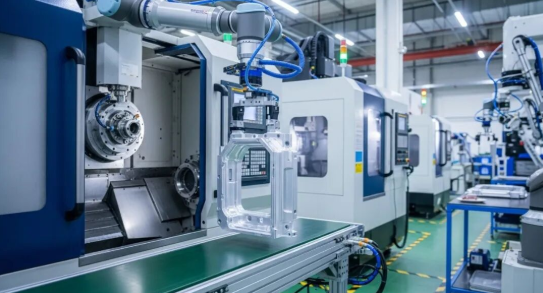
Ever wondered how a digital design on your computer screen becomes a precision metal part you can hold in your hand? The answer lies in a technology that has quietly revolutionized manufacturing across virtually every industry you can imagine.
So, what is CNC? At its core, the cnc definition is straightforward: CNC stands for Computer Numerical Control. This technology uses computerized systems to guide machine tools with exceptional precision, transforming raw materials into finished components through automated cutting, drilling, and shaping operations. Unlike manual machining where operators turn handwheels to control every movement, CNC machines follow digital instructions to execute complex operations with remarkable consistency.
The c.n.c meaning becomes clearer when you understand the process. A computer program, written in a standardized language called G-code, tells the machine exactly how to move, how fast to spin its cutting tools, and precisely where to remove material. The result? Parts manufactured to tolerances as tight as ±0.001 inches—roughly one-seventieth the thickness of a human hair.
CNC machining bridges the gap between imagination and reality, translating the precise geometry of digital designs into physical parts with accuracy that manual methods simply cannot match.
From Digital Blueprint to Physical Reality
Imagine designing a complex aerospace component on your computer. Every curve, every hole, every precise dimension exists as data. CNC technology takes that digital blueprint and makes it tangible. The process begins with Computer-Aided Design (CAD) software, where engineers create detailed 3D models. These models then move through Computer-Aided Manufacturing (CAM) software, which generates the specific instructions the machine needs.
What does CNC mean for the actual manufacturing process? It means a spinning cutting tool, guided by servo motors responding to computer commands, methodically removes material from a solid block until your part emerges. This subtractive manufacturing approach works with metals like aluminum, steel, and titanium, as well as plastics and composites.
The Computer-Controlled Manufacturing Revolution
Understanding what does cnc stand for helps explain why this technology dominates modern production. From the engine components in your car to the surgical instruments in operating rooms, CNC-machined parts are everywhere. The aerospace industry depends on this precision for safety-critical aircraft components. Medical device manufacturers rely on it for implants that must fit perfectly. Even consumer electronics contain precision parts produced through computer numerical control.
According to manufacturing experts, CNC machines can operate continuously with minimal human intervention, dramatically increasing productivity while maintaining consistent quality. Each part is essentially an exact replica of the previous one—a level of repeatability that makes mass production of complex components not just possible, but economically viable.
Whether you're an engineer exploring manufacturing options, a business owner considering production methods, or simply curious about how things are made, understanding this technology opens doors to smarter design decisions and more efficient production strategies.
Essential CNC Machine Types and Their Unique Capabilities
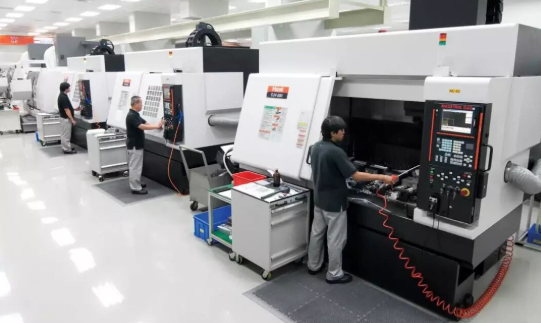
Now that you understand what computer numerical control means, you're probably wondering: which machine actually makes the parts? Not all CNC equipment works the same way. Some excel at creating flat surfaces and complex pockets, others shine when producing round shafts and cylindrical components, and still others handle large sheets of softer materials with speed and efficiency.
Choosing the right CNC machine for your project directly impacts quality, cost, and lead time. Let's explore the three fundamental types you'll encounter most often: milling machines, lathes, and routers.
Milling Machines and Their Cutting Capabilities
A CNC mill is arguably the most versatile workhorse in precision manufacturing. These machines use rotating cutting tools that move along multiple axes to remove material from a stationary workpiece. Picture a drill press with the ability to move sideways, forward, and backward while cutting—that's milling in its simplest form.
CNC mills excel at creating:
- Flat surfaces and precise faces
- Slots, pockets, and channels
- Complex 3D contours and sculptured surfaces
- Drilled and tapped holes
- Gear profiles and intricate geometries
What makes milling machines particularly valuable? They handle hard materials exceptionally well. Stainless steel, titanium, hardened tool steels, and engineering plastics all machine beautifully on CNC mills. According to CNC Cookbook's comprehensive guide, these machines range from basic 2-axis configurations to sophisticated 5-axis or even 6-axis systems capable of machining parts from virtually any angle.
When should you choose milling? If your part has flat faces, pockets, threads, or complex 3D shapes—and especially if it's made from hard metals—a CNC mill is likely your best option.
Lathes for Rotational Precision Parts
A CNC lathe works on a fundamentally different principle than milling. Instead of spinning the cutting tool, the machine rotates the workpiece at high speed while a stationary cutting tool shapes it. This approach makes lathes ideal for producing cylindrical, conical, or spherical parts with exceptional rotational symmetry.
Think about components like:
- Shafts and spindles
- Bushings and bearings
- Threaded fasteners and fittings
- Pulleys and wheels
- Turned handles and knobs
CNC lathe operations include turning (reducing diameter), facing (creating flat ends), boring (enlarging internal holes), threading, and grooving. Most standard lathes operate on two axes: the Z-axis controls movement along the length of the workpiece, while the X-axis moves the cutting tool toward or away from the centerline.
When does a lathe make the most sense? Any time your part is primarily round or cylindrical. Automotive driveshafts, aerospace fittings, plumbing components, and medical implant stems all benefit from the speed and accuracy that CNC turning provides.
CNC Routers for Softer Materials and Large Workpieces
If you need to machine wood, plastics, foam, composites, or aluminum sheet stock, a wood CNC machine or general-purpose CNC router table often proves more practical than a mill. Routers use high-speed spindles and interchangeable bits to cut intricate 2D and 2.5D designs from flat sheet materials.
Common router applications include:
- Signage and decorative panels
- Cabinet components and furniture parts
- Plastic enclosures and displays
- Foam prototypes and packaging
- Aluminum nameplates and lightweight structural parts
CNC routers typically feature larger work envelopes than mills, making them ideal for processing full sheets of material. They're also generally faster to set up and operate for straightforward cutting operations. However, they sacrifice some precision compared to milling machines—a tradeoff that's perfectly acceptable for many applications.
Comparing Machine Types at a Glance
Selecting the right machine becomes easier when you compare their fundamental characteristics side by side:
| Machine Type | Primary Motion | Best Materials | Typical Applications | Precision Level |
|---|---|---|---|---|
| CNC Mill | Rotating cutter moves against stationary workpiece | Steel, stainless steel, titanium, aluminum, hard plastics | Aerospace components, molds, engine blocks, complex brackets | Very High (±0.001" achievable) |
| CNC Lathe | Workpiece rotates against stationary cutting tool | Metals, plastics, composites with cylindrical geometry | Shafts, fittings, bushings, threaded components, pulleys | Very High (±0.001" achievable) |
| CNC Router | High-speed spindle moves across flat sheet stock | Wood, plastics, foam, aluminum, composites | Signage, cabinetry, prototypes, decorative panels, enclosures | Moderate to High (±0.005" typical) |
The key takeaway? Match the machine to your part geometry and material. CNC mills handle complex prismatic shapes in hard metals. Lathes dominate when rotational symmetry matters. Routers deliver speed and economy for softer materials and larger flat workpieces. Understanding these distinctions helps you communicate effectively with manufacturing partners and make informed decisions about your production approach.
Of course, machine type is just one factor in the equation. The number of axes your machine operates on dramatically affects what geometries you can achieve—a topic that deserves closer examination.
Multi-Axis Machining Explained from 3-Axis to 5-Axis
Sounds complex? Here's a simple way to think about it: axes determine how many directions your cutting tool can approach the workpiece. More axes mean more freedom to create intricate shapes—but also higher complexity and cost. Understanding this progression helps you match machine capability to your actual part requirements without overspending.
Whether you're exploring CNC milling for a simple bracket or considering CNC turning for precision cylindrical features, the number of axes fundamentally shapes what's possible.
Understanding the X, Y, and Z Movement Foundation
Picture a standard coordinate system from math class. The X-axis runs left to right, the Y-axis extends front to back, and the Z-axis moves up and down. A 3-axis CNC milling machine operates along these three linear directions—nothing more, nothing less.
When you run a 3-axis operation, the cutting tool moves across these planes while the workpiece stays stationary on the table. According to Fictiv's machining guide, this configuration excels at straightforward tasks: cutting sharp edges, drilling holes, boring, milling slots, and creating flat surfaces.
What can you realistically produce on a 3-axis machine?
- Flat panels and planar surfaces
- Simple brackets and mounting plates
- Drilled and threaded holes aligned with an axis
- Basic pockets and channels
- Straightforward mechanical components for automation
The limitation? Your cutting tool can only approach from above. Any feature on the sides of your part or underneath requires repositioning the workpiece manually—adding setup time and potential alignment errors. For parts with undercuts, curved surfaces, or features at compound angles, 3-axis CNC milling machines fall short.
Adding Rotational Capability with 4-Axis Machining
Imagine your workpiece could rotate while the cutting tool works. That's exactly what a 4-axis machine delivers. The fourth axis—typically called the A-axis—adds rotation around the X-axis, allowing the machine to reach multiple sides of a part without manual repositioning.
This extra rotational capability opens doors to geometries that would otherwise require multiple setups. CNC Cookbook notes that manufacturers using 4-axis equipment can create angled features, arcs, helixes, and complex profiles in a single fixture—dramatically reducing production time.
A computer numerical control lathe operates on similar principles, rotating the workpiece against stationary cutting tools. However, dedicated 4-axis CNC milling machining adds this rotation to a milling platform, combining the best of both worlds for certain applications.
Parts ideally suited for 4-axis machining include:
- Cylindrical features requiring side machining
- Helical patterns and spiral grooves
- Cam lobes and eccentric profiles
- Parts with holes or cutouts on multiple sides
- Precision engravings around curved surfaces
The tradeoff? Four-axis machines cost more than their 3-axis counterparts, and programming becomes more complex. For simpler projects or smaller budgets, the added capability may not justify the investment.
When Your Part Demands Five-Axis Freedom
Five-axis CNC milling represents the pinnacle of subtractive manufacturing flexibility. These machines add a second rotational axis—typically the C-axis, which rotates along the Z-axis—enabling the cutting tool to approach the workpiece from virtually any angle.
Why does this matter? Complex contoured surfaces, compound angles, and intricate geometries become possible in a single setup. The cutting tool maintains optimal orientation throughout the operation, producing superior surface finishes and tighter tolerances on demanding parts.
According to manufacturing specialists, 5-axis machines simultaneously hit five different sides of a part depending on design complexity. This capability proves essential in industries where precision and geometry push conventional limits.
Parts that truly demand 5-axis freedom:
- Turbine blades with complex aerodynamic contours
- Aerospace structural components
- Complex automotive chassis assemblies
- Medical implants with organic shapes
- Impellers and pump housings
- Mold cavities with deep undercuts
CNC lathe machining handles rotational parts efficiently, but when your geometry combines turning-like features with complex milled surfaces, 5-axis milling often proves the only practical solution.
Balancing Capability Against Cost
More axes always mean more money—both in machine investment and per-part production costs. Understanding this relationship helps you specify exactly what your project needs without paying for unused capability.
Three-axis machines remain the most economical choice for straightforward geometries. They're easier to program, simpler to operate, and widely available. If your part can be completed in one or two setups with basic repositioning, 3-axis often delivers the best value.
Four-axis equipment strikes a practical middle ground. The additional rotary axis reduces setups for moderately complex parts, improving accuracy by eliminating manual repositioning between operations. For medium production volumes with features on multiple sides, 4-axis CNC turning and milling combinations often make economic sense.
Five-axis machines command premium pricing but deliver unmatched capability. The CAD/CAM programming required is significantly more complex, and skilled operators are essential. However, for high-precision aerospace components, medical devices, or any part with truly complex 3D contours, 5-axis machining often proves the only viable option—and can actually reduce total cost by eliminating multiple setups and secondary operations.
The bottom line? Match the axis count to your geometry. Don't pay for 5-axis capability when 3-axis will do the job—but don't force a complex part onto inadequate equipment either. Your manufacturing partner can help evaluate which configuration delivers the best combination of quality, speed, and cost for your specific requirements.
The Complete Journey from Digital Design to Machined Part
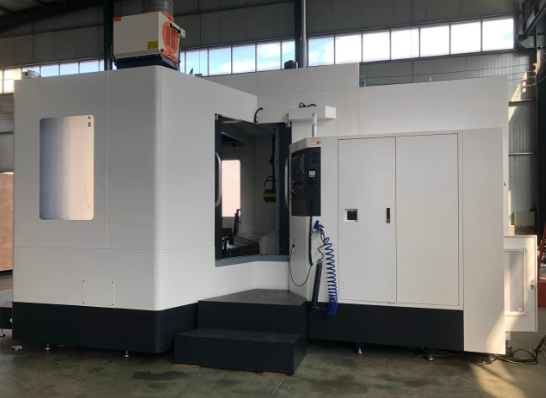
You've selected your machine type and determined the axis configuration your geometry requires. Now comes the question that trips up many first-timers: how exactly does a design file become a finished metal component? The answer involves a carefully orchestrated sequence that transforms abstract digital data into precise physical reality.
Understanding this workflow matters whether you're programming CNC equipment yourself or working with a manufacturing partner. Knowing what happens at each stage helps you prepare better files, communicate more effectively, and anticipate potential issues before they become expensive problems.
Let's walk through the complete process from initial concept to machined part:
- Design creation in CAD software – Building the digital 3D model
- CAM programming – Generating toolpaths and machine instructions
- G-code post-processing – Creating machine-specific commands
- Machine setup – Preparing equipment, tools, and workpiece
- Machining operation – Executing the program to cut material
- Post-processing and inspection – Finishing and quality verification
CAD to CAM Translation Process
Everything starts with Computer-Aided Design software. Programs like SolidWorks, Fusion 360, and Inventor let engineers create detailed 3D models that capture every dimension, hole, curve, and surface of the intended part. This digital model serves as the single source of truth for everything that follows.
But here's what many people don't realize: your CNC machine can't read CAD files directly. According to JLC CNC's preparation guide, you need to export your design into a compatible format—typically STEP or IGES—before the manufacturing process can continue. These neutral formats preserve geometric accuracy while allowing different software systems to communicate.
What is CNC programming at its core? It's the process of translating your 3D model into specific machine instructions. This happens in CAM (Computer-Aided Manufacturing) software, where the magic of program CNC operations really occurs.
Inside CAM software, you'll:
- Import your CAD geometry
- Define your raw material stock size and type
- Select appropriate cutting tools
- Specify cutting parameters (speeds, feeds, depths)
- Generate toolpaths that remove material efficiently
- Simulate the operation to verify accuracy
Popular CAM tools like Mastercam, Fusion 360, and SolidCAM automatically calculate the most efficient cutting paths based on your inputs. The software considers factors like tool diameter, material hardness, and desired surface finish to optimize every movement.
From G-Code Commands to Finished Components
Once your toolpaths are defined, the CAM software runs them through a post-processor—a translator that converts generic toolpath data into the specific language your machine understands. This output is called G-code, and it's what the machining equipment actually reads line by line during operation.
What does G-code look like? According to DeFusco Industrial Supply's programming basics guide, each line represents a specific action. G-codes control positioning and movement: G00 moves the tool rapidly to a position, G01 creates straight cuts at controlled feed rates, and G02/G03 cut arcs and circles. M-codes handle auxiliary functions like starting the spindle (M03), activating coolant (M08), or ending the program (M30).
Here's a simplified example of what a CNCs program might include:
- G21 – Set metric units
- G90 – Use absolute positioning
- M03 S3000 – Start spindle at 3000 RPM
- G00 X10 Y10 – Rapid move to starting position
- G01 Z-5 F100 – Cut down 5mm at 100mm/minute
- M05 – Stop spindle
- M30 – End program
You don't need to memorize every code to work with CNC manufacturing partners. However, understanding these fundamentals helps you troubleshoot issues, interpret machine behavior, and communicate more effectively about your projects.
Machine Setup and Operation
With your G-code ready, attention shifts to the physical machine. Setup involves several critical steps that directly affect part accuracy:
Workholding secures your raw material firmly in place. Vises, clamps, fixtures, and vacuum tables prevent movement during cutting—any shift during machining ruins the part. The workholding method depends on part geometry, material, and the forces involved during cutting.
Tool selection and installation ensures the right cutting tools are loaded in the correct positions. End mills, drills, taps, and specialty cutters each serve specific purposes. Modern machines with automatic tool changers can switch between dozens of tools during a single operation.
Zero-point establishment tells the machine exactly where your workpiece sits. Using edge finders or touch probes, operators set the work zero—the reference point where X0, Y0, and Z0 correspond to a specific corner or feature of your material. Every programmed movement references this position.
Before cutting begins, experienced operators run simulations and dry runs. They verify the tool paths visually, check for potential collisions, and often start the first cuts at reduced feed rates. This careful approach prevents crashes that could damage expensive equipment or ruin workpieces.
The Machining Process and Beyond
Once setup is verified, the actual machining begins. The machine reads G-code commands sequentially, executing each movement with precision measured in thousandths of an inch. Cutting tools spin at programmed speeds, coolant flows to manage heat and flush chips, and material is methodically removed until your part emerges from the raw stock.
Depending on complexity, operations might include:
- Roughing passes to remove bulk material quickly
- Finishing passes for final dimensions and surface quality
- Drilling and tapping for threaded holes
- Chamfering and deburring edges
After machining completes, parts typically require post-processing. This might involve removing from fixtures, cleaning away cutting fluid, deburring sharp edges, and inspecting dimensions against specifications. Depending on requirements, secondary operations like heat treatment, surface finishing, or assembly may follow.
The complete workflow—from CAD design through finished part—represents a seamless chain where each step builds on the previous one. Understanding this process helps you appreciate why file quality matters, why tolerances affect cost, and why working with experienced manufacturing partners makes a real difference in outcomes.
Speaking of materials, the workflow we've just covered applies regardless of whether you're cutting aluminum, steel, titanium, or engineering plastics. However, material selection dramatically influences every aspect of the process—a topic that deserves its own detailed exploration.
CNC Material Selection Guide for Metals and Plastics
You've mapped out your workflow and understand which machine configuration fits your geometry. But here's a question that shapes every other decision: what material should your part be made from? The answer affects machinability, cost, performance, and even which finishing options become available.
Metal CNC machines can process everything from soft aluminum to aerospace-grade titanium. Metal cutting parameters, tool selection, and cycle times vary dramatically depending on what's in your raw stock. Similarly, engineering plastics offer unique advantages—but each behaves differently under the cutting tool. Let's break down your options systematically.
Metals from Aluminum to Titanium
When you think about CNC metal applications, aluminum alloys typically come to mind first—and for good reason. According to Hubs' material selection guide, aluminum offers an excellent strength-to-weight ratio, high thermal and electrical conductivity, and natural corrosion protection. It's also exceptionally easy to machine, making it the most economical choice for many applications.
Within the aluminum family, you'll encounter several common grades:
- Aluminum 6061 – The general-purpose workhorse with good machinability and weldability
- Aluminum 7075 – Aerospace-grade with higher strength, heat-treatable to hardness comparable to steel
- Aluminum 5083 – Superior seawater resistance for marine and construction applications
CNC steel parts deliver when strength and durability matter most. Mild steels like 1018 and 1045 machine well and accept welding readily—ideal for fixtures, jigs, and structural components. Alloy steels such as 4140 and 4340 offer enhanced hardness and wear resistance after heat treatment, making them suitable for gears, shafts, and high-stress mechanical parts.
Stainless steels bring corrosion resistance into the equation. Grade 304 handles most environmental conditions beautifully, while 316 stands up to saltwater and harsh chemicals. For extreme applications, 17-4 PH stainless can be precipitation hardened to exceptional strength levels—perfect for turbine components and medical instruments.
Brass deserves mention for electrical and decorative applications. According to Elcon Precision's material analysis, brass C36000 offers excellent machinability and natural corrosion resistance, making it ideal for high-volume electrical fittings and architectural hardware.
At the premium end, titanium delivers an exceptional strength-to-weight ratio with outstanding corrosion resistance. Aerospace components, medical implants, and high-performance racing parts often specify titanium despite its higher cost. Be aware that titanium's low thermal conductivity makes it more challenging to machine—specialized tooling and techniques are essential.
Engineering Plastics for Specialized Applications
When your project demands lighter weight, chemical resistance, or electrical insulation, engineering plastics often outperform metals. According to Komacut's plastic selection guide, plastics generally have better machinability than metals due to lower hardness and density, requiring less cutting force and reducing tool wear.
Here are the plastics you'll encounter most frequently:
- ABS – Good mechanical properties, excellent impact strength, ideal for prototypes before injection molding
- Delrin (POM) – Highest machinability among plastics, exceptional dimensional stability, low friction coefficient
- Nylon (PA) – Excellent wear resistance and chemical compatibility, though susceptible to moisture absorption
- PEEK – High-performance thermoplastic that can replace metals in demanding applications, including medical-grade uses
- Polycarbonate – Outstanding impact strength with optical clarity, perfect for protective covers and displays
- PTFE (Teflon) – Lowest friction coefficient of any solid, excellent chemical and thermal resistance
Metal lathes handle cylindrical plastic components efficiently, while milling centers tackle complex plastic geometries. The key consideration? Heat management. Some plastics melt or deform under high cutting temperatures, requiring adjusted speeds and feeds.
Comparing Materials at a Glance
Selecting the right material becomes clearer when you compare key characteristics side by side:
| Material Category | Key Properties | Common Applications | Machinability Rating |
|---|---|---|---|
| Aluminum Alloys | Lightweight, corrosion-resistant, excellent thermal conductivity | Aerospace structures, heat sinks, consumer electronics, automotive panels | Excellent |
| Mild/Alloy Steels | High strength, durable, heat-treatable, weldable | Machinery parts, gears, shafts, structural components | Good to Moderate |
| Stainless Steels | Corrosion-resistant, high strength, polishable | Medical devices, food processing, marine hardware, surgical instruments | Moderate |
| Brass | Excellent electrical conductivity, decorative finish, low friction | Electrical connectors, plumbing fittings, musical instruments | Excellent |
| Titanium | Exceptional strength-to-weight, biocompatible, corrosion-proof | Aerospace components, medical implants, racing parts | Challenging |
| ABS Plastic | Impact-resistant, lightweight, cost-effective | Prototypes, enclosures, consumer products | Excellent |
| Delrin (POM) | Dimensionally stable, low friction, moisture-resistant | Gears, bearings, precision mechanisms, food-safe components | Excellent |
| PEEK | High-temperature resistance, chemical inertness, metal-replacement strength | Medical implants, aerospace seals, semiconductor components | Good |
Making Your Material Decision
How do you choose? Start by defining your requirements: Does your part need to withstand high loads? Aluminum might not suffice—consider steel or titanium. Will it face corrosive environments? Stainless steel or PEEK could be essential. Is weight critical? Aluminum or engineering plastics likely win.
Cost matters too. Titanium parts cost significantly more than aluminum equivalents—not just in raw material but in longer machining times and specialized tooling. For prototypes or cost-sensitive applications, CNC machine metal selection often defaults to aluminum 6061, which delivers solid performance at economical pricing.
The takeaway? Match material properties to your application demands, then consider machinability and budget constraints. Your manufacturing partner can help evaluate tradeoffs and suggest alternatives you might not have considered.
Of course, selecting the right material is only part of the equation. The precision specifications you define—particularly tolerances—directly influence both manufacturing complexity and final cost.
Understanding Tolerances and Precision in CNC Manufacturing
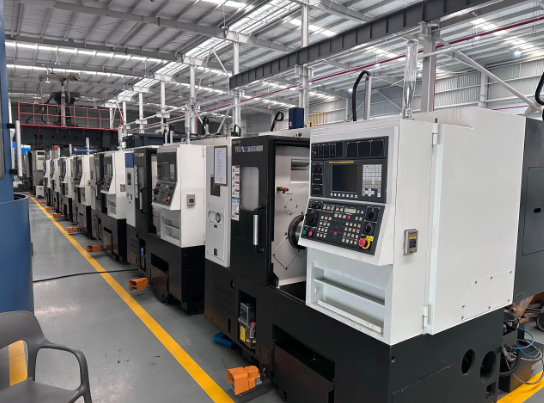
You've selected your material and understand the machining workflow. But here's a question that directly affects whether your finished part actually works: how precise does it really need to be? The answer lies in understanding tolerances—the acceptable limits of variation that determine whether your component fits, functions, and performs as intended.
Think of it this way: no manufacturing process produces absolutely perfect dimensions. Every cut, every pass of the tool introduces microscopic variations. The machining definition of tolerance acknowledges this reality by defining how much deviation from the ideal measurement remains acceptable. Get this specification wrong, and you'll either pay too much for unnecessary precision or receive parts that don't assemble properly.
Understanding machining meaning in the context of precision helps you communicate requirements effectively and set realistic expectations for your projects.
Standard vs Tight Tolerance Requirements
What's considered "standard" versus "tight" in CNC precision machining? According to Absolute Machining, standard machining tolerances typically range between ±0.005" to ±0.001". Most general-purpose machining parts fall comfortably within this range—brackets, housings, covers, and structural components where precise fit matters but isn't critical to thousandths of an inch.
Tight tolerance machining refers to dimensions held at ±0.0005" or better. For context, that's roughly one-tenth the thickness of a human hair. Some high-end applications push even further: according to industry specialists, precision work can achieve ±0.0002" for features like press-fit bores or critical alignment surfaces.
When do you actually need tight tolerances? Consider these scenarios:
- Mating surfaces – Parts that must fit together precisely, like bearing housings or alignment pins
- Sealing applications – Components where fluid or gas leakage cannot occur
- Rotating assemblies – Shafts and bores where runout affects performance
- Safety-critical components – Aerospace, medical, or defense applications with zero tolerance for failure
Here's the practical reality: specifying tighter tolerances than your application requires wastes money without adding functional benefit. A bracket that mounts to a wall doesn't need aerospace-level precision. Understanding this distinction helps you optimize both cost and performance.
How Precision Specifications Affect Your Project
Why does tolerance tightness matter so much to your budget? According to Factorem's tolerance guide, tighter tolerances invariably lead to higher manufacturing costs for several interconnected reasons.
First, achieving tighter dimensions requires slower cutting speeds and lighter passes. More time on the machine means higher per-part costs. Second, advanced machining technology and higher-precision equipment command premium rates. Third, inspection requirements intensify—a part held to ±0.0005" needs verification with Coordinate Measuring Machines (CMMs) or other precision instruments rather than simple calipers.
The cnc machinist definition of their role increasingly includes quality verification. Skilled operators understand that consistent results depend on controlling multiple variables simultaneously.
What factors actually determine achievable tolerances? Several elements work together:
- Machine capability – Older or lower-grade equipment simply cannot hold the same precision as modern, well-maintained CNC centers
- Material properties – Softer materials like aluminum machine more predictably than work-hardening stainless steels or heat-sensitive plastics
- Part geometry – Thin walls, deep pockets, and long unsupported features introduce deflection and vibration that affect dimensional accuracy
- Environmental conditions – Temperature fluctuations cause thermal expansion in both machines and workpieces, affecting precision
- Tool wear – Cutting edges degrade over time, gradually shifting dimensions if not monitored and compensated
According to BDE Manufacturing Technologies, factors like ambient temperature, regular calibration, preventive maintenance, and timely tool replacement all influence accuracy output. Positioning CNC equipment in controlled environments with stable temperatures and humidity helps maintain consistent precision.
Design Complexity and Manufacturability
What makes a part easy or difficult to machine accurately? Understanding this relationship helps you design smarter and set realistic expectations.
Simple, blocky geometries with reasonable wall thicknesses machine predictably. The cutting tool encounters consistent resistance, vibration remains minimal, and dimensions stay stable. These parts can achieve tight tolerances economically because nothing fights against precision.
Complexity introduces challenges. Thin walls flex under cutting pressure. Deep pockets limit tool reach and chip evacuation. Sharp internal corners require small-diameter tools that deflect more easily. Features machined at compound angles demand multi-axis capability and sophisticated programming.
Does this mean you should avoid complex designs? Not at all. Modern machining technology handles remarkable complexity routinely. The key is understanding tradeoffs: that intricate aerospace component with twenty tight-tolerance features will cost more than a simple bracket held to standard specifications.
Experienced manufacturing partners evaluate your drawings with Design for Manufacturability (DFM) principles in mind. They'll identify features that drive cost, suggest alternatives that achieve the same function more economically, and help you apply tight tolerances only where they genuinely matter.
The bottom line? Tolerance specifications directly shape manufacturing complexity, cycle time, and cost. Apply precision where function demands it, and accept standard tolerances everywhere else. This balanced approach delivers parts that work correctly without unnecessary expense—exactly what smart engineering looks like.
Of course, dimensional accuracy is only part of the finished product equation. Surface finish and post-processing treatments transform machined components into truly complete parts ready for their intended applications.
Surface Finishes and Post-Processing Options
Your part just came off the CNC cutting machine with perfect dimensions—but is it truly finished? In most cases, the answer is no. Those visible tool marks, sharp edges, and bare metal surfaces need attention before your component is ready for its intended application. Surface finishing transforms a machined part from "dimensionally accurate" to "fully functional and visually appealing."
According to Hubs' surface finishing guide, surface finishing applies post-processing to improve surface roughness, appearance, and wear resistance of CNC machined metal parts. When the finish matches the application, it enhances both function and aesthetics.
Surface Finish Standards and Measurements
Every cutting machine operation leaves its signature on the workpiece. The spinning tool creates tiny ridges and valleys as it removes material—these are your tool marks. Surface quality is measured as average surface roughness, expressed as Ra (Roughness Average), which quantifies the average deviation from an ideal smooth surface.
What do these numbers actually mean? Here's how typical roughness values translate:
- Ra 3.2 μm (125 μin) – Standard as-machined finish; visible tool marks present
- Ra 1.6 μm (63 μin) – Fine machined finish with reduced tool marks
- Ra 0.8 μm (32 μin) – Smooth finish suitable for sealing surfaces
- Ra 0.4 μm (16 μin) – Very smooth; requires additional finishing passes
Tighter Ra values cost more because they require additional machining steps, slower cutting speeds, and stricter quality control. For many functional applications, the standard 3.2 μm finish works perfectly well. Reserve smoother specifications for surfaces where sealing, reduced friction, or aesthetic appearance genuinely matters.
Post-Processing Treatments That Enhance Performance
Beyond as-machined finishes, secondary operations add protective layers, enhance appearance, or improve functional characteristics. Each treatment suits different requirements—understanding your options helps you specify exactly what your application demands.
Here are the most common post-processing treatments and when to use them:
- Bead Blasting – Creates uniform matte or satin texture by propelling glass beads against the surface. Removes tool marks and produces a consistent appearance. Low cost and ideal for cosmetic parts where dimensional tolerances aren't critical. Best for aluminum, steel, and stainless steel components needing improved visual appeal.
- Anodizing (Type II) – Electrochemical process forming a thin ceramic oxide layer on aluminum and titanium. Provides corrosion resistance and accepts dyes for color options including black, blue, red, and gold. Coating thickness typically 4–12 μm. Excellent for consumer electronics, decorative parts, and applications requiring both protection and aesthetics.
- Anodizing (Type III/Hardcoat) – Thicker oxide layer (up to 50+ μm) delivering superior wear resistance and surface hardness. More expensive but essential for functional parts facing abrasion, sliding contact, or demanding environments. Common in aerospace, defense, and high-performance mechanical applications.
- Powder Coating – Dry powder electrostatically applied and heat-cured at approximately 200°C to form a durable polymer layer. Thickness ranges 18–72 μm. Strong impact resistance, broad color options, and compatibility with all metals. Ideal for outdoor equipment, enclosures, and parts requiring tough protective finishes.
- Plating (Chrome, Nickel, Zinc) – Deposits thin metallic layers through electrochemical processes. Chrome provides decorative brightness and moderate corrosion protection. Nickel offers balanced wear resistance and appearance. Zinc excels at corrosion protection, especially for steel parts. Each serves distinct functional and aesthetic purposes.
Selecting the Right Finish for Your Application
How do you choose? Start by separating functional requirements from aesthetic preferences. According to SYZ Rod Ends' comprehensive guide, surfaces exposed to repeated contact, sliding, or abrasion typically need harder, thicker coatings—while cosmetic finishes like bead blasting improve appearance but provide limited protection unless combined with other treatments.
Consider your operating environment carefully. Outdoor exposure, salt spray, high temperatures, and UV light demand more robust finishes than indoor use. CNC fabrication for marine applications might require zinc plating or powder coating, while automotive interior components could use decorative anodizing.
Multiple finishes can be combined strategically. Bead blasting before anodizing, for example, produces a uniform matte look while adding corrosion and wear resistance. CNC cutting operations create the geometry—but surface finishing determines how that geometry performs and appears in the real world.
The bottom line? Don't treat finishing as an afterthought. Specify required surfaces and tolerances when ordering parts, mask critical features that shouldn't receive coatings, and match your treatment choice to both functional demands and environmental exposure. This approach ensures your CNC cuts translate into components that perform reliably for years.
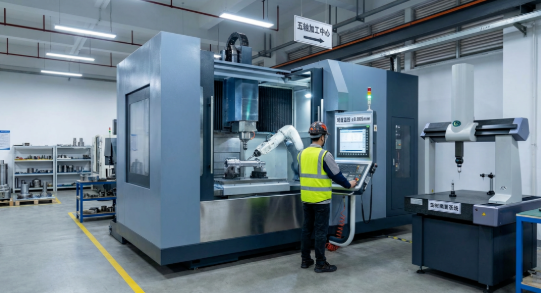
CNC Machining Cost Factors and Budget Optimization
You've selected your material, specified tolerances, and chosen the perfect surface finish. Now comes the question that determines whether your project moves forward: how much will it actually cost? Understanding what drives machining manufacturing expenses helps you make informed decisions, avoid budget surprises, and identify opportunities for savings without sacrificing quality.
Here's the reality: CNC parts pricing isn't arbitrary. Every dollar traces back to specific factors you can influence—material selection, design complexity, tolerance specifications, and production volume. According to Unionfab's cost analysis, understanding where these costs come from is essential for accurate budgeting and supplier selection.
Let's break down exactly what you're paying for and how to optimize every element.
Key Factors That Drive Machining Costs
Think of machining for manufacturing costs as building blocks stacked together. Each layer adds to the total, and understanding individual components reveals where savings opportunities exist.
Material costs represent a significant portion of your total expense—and the range is dramatic. Aluminum sits at the economical end, while titanium commands premium pricing that can be five to ten times higher. According to industry pricing data, material selection affects not just raw stock expense but also tool wear and machining time.
Consider this simplified pricing comparison:
| Material Category | Relative Cost | Key Consideration |
|---|---|---|
| Aluminum | $ | Excellent machinability, fastest cycle times |
| Brass/Bronze | $$$ | Easy to machine, electrical applications |
| Steel/Stainless Steel | $$$ | Harder materials increase tool wear |
| Titanium | $$$$$ | Specialized tooling required, longer cycles |
| PEEK (Plastic) | $$$$$ | High-performance but expensive raw stock |
Machining time directly multiplies costs. Industrial machining operations run at hourly rates that vary by machine complexity: 3-axis mills typically charge around $40/hour, while 5-axis equipment commands $75-120/hour according to manufacturing surveys. Complex geometries requiring multi-axis operations, tight tolerances demanding slower feeds, and intricate features needing multiple tool changes all extend cycle time—and your invoice.
Setup and programming costs apply regardless of quantity. Every job requires machine preparation, workholding configuration, tool loading, and zero-point establishment. These fixed costs get distributed across your order: produce ten parts, and each absorbs one-tenth of setup expense; produce one hundred, and the per-part impact shrinks dramatically.
Tolerance specifications affect both machining time and inspection requirements. According to Ensinger Plastics' DFM guide, tight tolerances should be used only where necessary—general tolerances reduce costs significantly without compromising function in non-critical areas.
Secondary operations add incremental costs that accumulate quickly. Surface finishing like anodizing typically runs $3-12 per part, while electroplating reaches $10-30. Heat treatment, inspection, and special packaging each contribute their own line items. For CNC machined parts requiring multiple secondary processes, these additions can rival or exceed base machining costs.
Smart Strategies to Optimize Your Budget
Good news: most cost drivers respond to thoughtful planning. According to Protolabs' manufacturing cost guide, by focusing on smart design, material selection, tolerances, and production planning, you can substantially reduce expenses while maintaining quality.
Here are proven strategies for machine fabrication cost optimization:
- Design for manufacturability – Simplify geometry where possible. Minimize sharp internal corners, deep pockets, and features requiring special tooling. Use standard tool sizes for holes and features. Consolidate multiple parts into single components when practical.
- Specify tolerances appropriately – Apply tight tolerances only to critical mating surfaces and functional features. Non-critical dimensions can use standard ±0.005" specifications, dramatically reducing machining time and inspection costs.
- Optimize material selection – Choose materials that meet functional requirements without over-specifying. Aluminum often delivers adequate performance at a fraction of titanium's cost. Consider machinability: softer materials reduce tool wear and cycle time.
- Plan production volume strategically – Larger batches distribute fixed setup costs across more parts, reducing per-unit expense. Even modest quantity increases can yield significant savings. According to Unionfab's analysis, the cost per part decreases substantially as order quantities grow from single units to production runs.
- Reduce setups and repositioning – Design parts that can be machined in fewer setups. Each time an operator must reposition the workpiece, recalibration costs time and introduces potential variation.
- Consider standard finishes – As-machined surfaces cost nothing extra. Request specialized finishes only where function or appearance genuinely requires them.
Is CNC Machining Right for Your Project?
Sometimes the smartest budget decision is choosing a different manufacturing method entirely. How do you know when CNC represents the best value?
CNC machining excels when you need:
- Tight tolerances and high precision
- Complex geometries in hard materials
- Low to medium production volumes (1-1,000 parts)
- Rapid prototyping with production-grade materials
- Parts requiring excellent surface finish directly from machining
Alternative methods may prove more economical when:
- Production volumes exceed thousands of identical parts (consider injection molding or casting)
- Complex internal geometries can't be reached by cutting tools (consider 3D printing)
- Simple shapes don't require precision machining (consider stamping or extrusion)
The sweet spot for CNC often falls in the prototype-to-low-volume production range. Setup costs that burden single-part orders become negligible at fifty or one hundred units, while volumes remain below the threshold where tooling investments for molding or casting make economic sense.
Understanding these cost dynamics helps you approach manufacturing partners as an informed buyer. You'll ask better questions, evaluate quotes more accurately, and identify genuine value rather than simply chasing the lowest price.
Choosing the Right CNC Machining Partner for Your Project
You've finalized your design, selected your material, and specified tolerances that balance function with budget. Now comes a decision that determines whether those carefully planned specifications translate into parts that actually work: who will manufacture them? The difference between a capable CNC machinist and an inadequate one isn't just quality—it's the difference between hitting your production schedule and scrambling to explain delays.
Finding the right partner requires looking beyond quoted prices. According to Zenith Manufacturing's partner selection guide, the goal isn't just to find a supplier who can make your parts—it's to find a strategic partner who can enhance your business. That process begins with systematic evaluation of capabilities, certifications, and track record.
Quality Certifications That Matter for Your Industry
Certifications aren't just plaques on the wall—they represent documented proof that a manufacturer maintains rigorous quality systems. But which certifications actually matter depends entirely on your industry and application.
Understanding what is a CNC operator's role helps contextualize why certifications matter. A certified workforce demonstrates uniform baseline knowledge: everyone understands best practices, safety protocols, and quality expectations. According to American Micro Industries' certification guide, certified processes mean the methods and equipment themselves are held to documented standards, promoting consistency from one batch to the next.
Here's what to look for based on your sector:
- ISO 9001 – The baseline quality management system certification applicable across all industries. Demonstrates documented workflows, performance monitoring, and corrective action procedures.
- AS9100 – Builds on ISO 9001 with aerospace-specific requirements for risk management, documentation, and product integrity. Essential for any aerospace supply chain participation.
- ISO 13485 – The definitive standard for medical device manufacturing, covering design controls, traceability, and risk mitigation.
- IATF 16949 – The global standard for automotive quality management, combining ISO 9001 principles with sector-specific requirements for continuous improvement and defect prevention.
- NADCAP – Accreditation for special processes like heat treating and nondestructive testing, critical for aerospace and defense applications.
For automotive applications specifically, IATF 16949 certification signals that a manufacturer understands the industry's demanding expectations. Companies like Shaoyi Metal Technology demonstrate this commitment through both IATF 16949 certification and strict Statistical Process Control (SPC) protocols—ensuring every precision component meets automotive-grade specifications consistently.
But certification alone isn't enough. According to manufacturing specialists, the real test is how deeply the quality mindset is embedded in their culture. Ask pointed questions like "Can you walk me through your process for handling a non-conforming part?" Their answer reveals more about genuine commitment than any certificate.
Evaluating Production Capabilities and Lead Times
A typical CNC machine operator job description includes setup, operation, and quality verification—but your partner's capabilities extend far beyond individual operators. You need to assess the entire operation: equipment, expertise, and capacity.
What CNC tools and equipment should you look for? According to Kesu Group's evaluation guide, a provider with diverse, well-maintained machines—including CNC lathes, milling centers, and multi-axis equipment—is better equipped to handle complex projects. Modern CNC machining centers with automatic tool changers and in-process measurement capabilities deliver both precision and efficiency.
Equally important: can your partner scale with you? Rapid prototyping needs differ dramatically from production runs. The ideal CNC equipment lineup supports both—delivering sample parts quickly while maintaining capacity for thousands when orders ramp up. Some manufacturers, including Shaoyi Metal Technology, offer lead times as fast as one working day for urgent prototyping needs, with seamless scaling to mass production volumes for automotive precision components including chassis assemblies and custom metal bushings.
Use this checklist when evaluating potential manufacturing partners:
- Certifications – Verify ISO 9001 at minimum; confirm industry-specific certifications (AS9100, IATF 16949, ISO 13485) match your requirements
- Quality Systems – Look for documented SPC programs, First Article Inspection capabilities, and CMM verification equipment
- Equipment Capabilities – Assess machine types, axis configurations, and capacity for your part geometries and volumes
- Material Expertise – Confirm experience with your specific materials and similar applications
- Turnaround Times – Request typical lead times for prototyping versus production quantities; verify On-Time In-Full (OTIF) delivery metrics
- Communication Responsiveness – Evaluate quote turnaround, technical question responses, and proactive project updates
- DFM Feedback – Great partners provide Design for Manufacturability suggestions rather than silently accepting problematic designs
According to Zenith Manufacturing's research, poor communication is a significant red flag. In today's environment, you need partners who respond quickly, provide proactive updates, and maintain transparency when issues arise. A 48-hour email response time is unacceptable when production schedules are on the line.
The bottom line? Your manufacturing partner becomes an extension of your team. Their capabilities, quality systems, and responsiveness directly impact your product's success. Invest time in thorough evaluation upfront—it's far less expensive than discovering capability gaps after production begins.
Getting Started with Your CNC Machining Project
You've journeyed from understanding what is a CNC system to evaluating manufacturing partners—now it's time to put that knowledge into action. The distance between a concept in your head and a finished component in your hand is shorter than you might think, provided you approach the process systematically.
Remember, cnc means Computer Numerical Control—but what it really represents is your ability to transform digital precision into physical reality. Every decision you've learned about in this guide connects to a single goal: getting parts that work exactly as intended, delivered on time and within budget.
Let's synthesize everything into a clear path forward.
Your CNC Project Action Plan
Whats cnc machining success really built on? A methodical approach that addresses each critical decision point in the right sequence. Follow these steps to move confidently from concept to completed parts:
- Finalize your design with manufacturability in mind – Review your CAD model for features that drive unnecessary complexity. Eliminate sharp internal corners where possible, standardize hole sizes to match common tool diameters, and ensure wall thicknesses can withstand cutting forces. If you're unsure, request DFM feedback before committing to final specifications.
- Determine material and tolerance requirements – Match material properties to your application demands. Does your part need corrosion resistance? Consider stainless steel or anodized aluminum. Weight-critical? Aluminum or engineering plastics might be ideal. Apply tight tolerances only where mating surfaces or critical functions demand them—standard specifications elsewhere keep costs reasonable.
- Request quotes from qualified partners – Submit your design to multiple manufacturers whose certifications match your industry requirements. Provide complete documentation: 3D models, 2D drawings with tolerances, material specifications, quantity requirements, and target delivery dates. Clear communication upfront prevents misunderstandings later.
- Review DFM feedback carefully – Experienced partners will identify potential issues and suggest alternatives. A recommendation to change an internal corner radius from 0.5mm to 2mm might seem minor—but it could reduce your part cost by 30% while improving structural integrity. Listen to these suggestions with an open mind.
- Proceed to production with confidence – Once you've approved samples and confirmed specifications, authorize production. Maintain communication throughout the process, especially for first-run orders. Establish quality checkpoints and inspection criteria before parts ship.
Moving from Concept to Production
The meaning of cnc machinist expertise becomes clear when you work with partners who guide you through each stage. Prototyping validates your design before committing to volume production. First article inspection confirms manufacturing processes produce parts meeting specifications. Statistical process control maintains consistency across production runs.
For readers in the automotive supply chain, the path from prototype to mass production demands partners with specific credentials. Shaoyi Metal Technology exemplifies this capability—their IATF 16949 certification and strict SPC protocols ensure high-tolerance components meet automotive-grade specifications. With lead times as fast as one working day for prototyping and seamless scaling to volume production, they deliver precision chassis assemblies and custom metal bushings efficiently.
Cnc what does it stand for? Computer Numerical Control—but more importantly, it stands for manufacturing capability that bridges your digital designs and physical products. Whether you're producing ten prototypes or ten thousand production parts, the technology delivers consistent precision that manual methods simply cannot match.
The bottom line? You now understand machine types, material selection, tolerance specifications, surface finishing options, cost drivers, and partner evaluation criteria. That knowledge transforms you from a passive buyer into an informed manufacturing partner. Use it to ask better questions, make smarter decisions, and deliver products that meet your exact requirements.
Your next step is simple: take your design, apply the principles you've learned, and connect with a qualified manufacturing partner who can bring your vision to reality. The technology is ready. The expertise exists. Your precision components are waiting to be made.
Frequently Asked Questions About CNC Machining
1. What is CNC machining?
CNC machining is a manufacturing process where pre-programmed computer software controls the movement of factory tools and machinery. CNC stands for Computer Numerical Control, which uses G-code instructions to guide cutting tools with exceptional precision—achieving tolerances as tight as ±0.001 inches. This subtractive manufacturing approach removes material from solid blocks to create finished components for industries ranging from aerospace to medical devices.
2. Do CNC machinists make a lot of money?
CNC machinists earn competitive wages, with average salaries around $27.43 per hour in the United States. Earnings vary based on experience, certifications, and specialization. Operators with advanced skills in multi-axis programming, tight tolerance work, or aerospace-grade manufacturing typically command higher rates. IATF 16949 or AS9100 certified facilities often pay premium wages for qualified machinists who maintain quality standards.
3. What are the different types of CNC machines?
The three primary CNC machine types are milling machines, lathes, and routers. CNC mills use rotating cutting tools against stationary workpieces for complex 3D geometries in hard metals. CNC lathes rotate the workpiece against stationary tools, ideal for cylindrical parts like shafts and bushings. CNC routers handle softer materials and larger flat sheets, commonly used for signage, cabinetry, and plastic enclosures.
4. How much does CNC machining cost?
CNC machining costs depend on material selection, part complexity, tolerance requirements, and production volume. Aluminum parts cost less than titanium equivalents due to material pricing and faster cycle times. Tight tolerances increase machining time and inspection costs. Setup costs get distributed across larger orders, reducing per-part expense. Strategies like Design for Manufacturability, appropriate tolerance specification, and volume planning can significantly reduce overall project costs.
5. What certifications should I look for in a CNC machining partner?
Key certifications depend on your industry: ISO 9001 provides baseline quality management, AS9100 covers aerospace requirements, ISO 13485 applies to medical devices, and IATF 16949 addresses automotive manufacturing standards. Partners like Shaoyi Metal Technology demonstrate commitment through IATF 16949 certification combined with Statistical Process Control protocols, ensuring consistent quality for precision automotive components including chassis assemblies.