 Small batches, high standards. Our rapid prototyping service makes validation faster and easier —
  EN
EN


NC Machining Decoded: From Raw Code to Precision Cuts
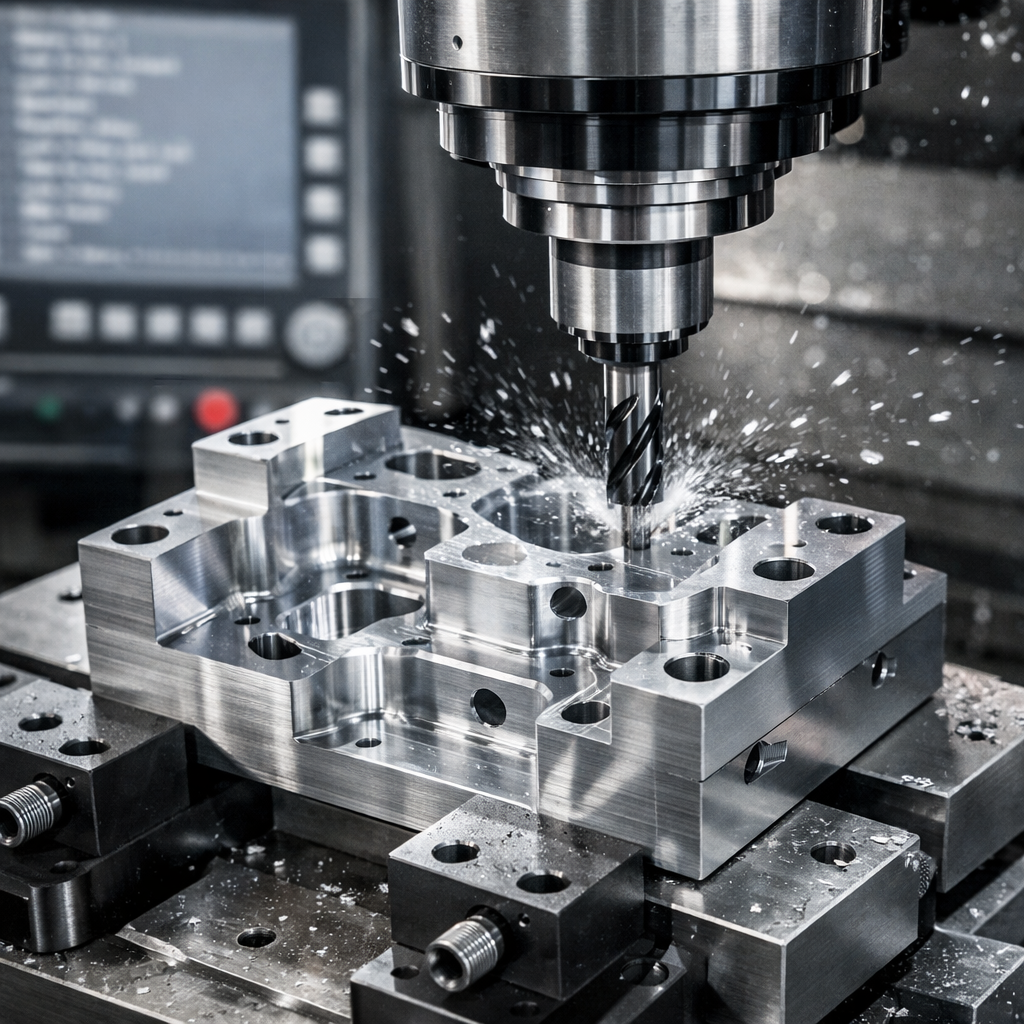
What NC Machining Really Means in Modern Manufacturing
Imagine a world where every cut, every drill, and every precise movement of a machine tool happens automatically—without a human hand guiding each motion. That's exactly what NC machining brought to manufacturing decades ago, and its influence still shapes how we produce precision parts today.
NC machining (Numerical Control machining) is a manufacturing process where pre-programmed sequences of coded instructions control machine tool operations, eliminating the need for manual intervention during cutting, drilling, or shaping processes.
But what does this really mean for modern manufacturing? And why should you care about a technology that emerged in the mid-20th century? The answers might surprise you.
The Foundation of Automated Manufacturing
Before numerical control existed, machinists operated every machine manually. They turned handwheels, adjusted dials, and relied entirely on their skill and experience to produce parts. While skilled craftsmen could achieve remarkable precision, this approach had significant limitations—human fatigue, inconsistency between parts, and the sheer time required for complex operations.
The NC machine changed everything. By reading pre-programmed instructions, these systems could execute precise movements repeatedly without operator fatigue affecting quality. The nc full form—numerical control—perfectly describes what happens: numbers control the machine's actions rather than human hands.
From Punched Tape to Precision Parts
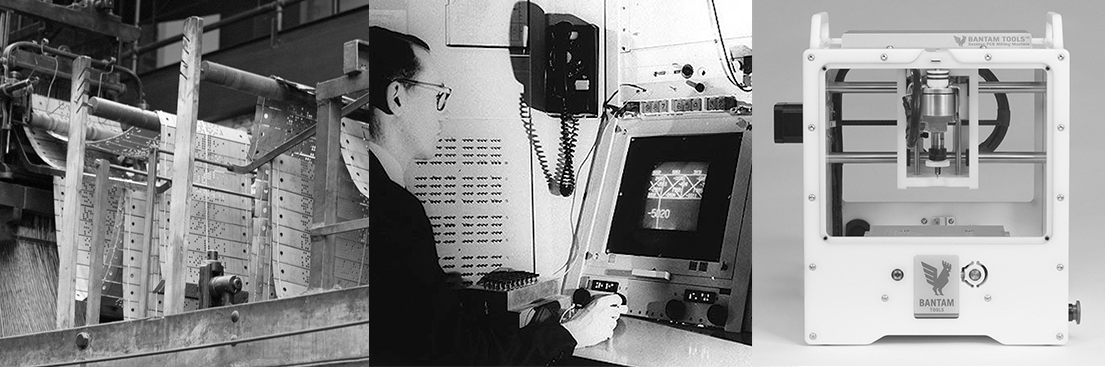
The story of NC machining begins in the late 1940s when the U.S. Air Force needed complex helicopter rotor blades that were nearly impossible to produce manually. This challenge led to a groundbreaking collaboration between MIT's Servomechanisms Laboratory and the manufacturing industry. By 1952, the first NC machine demonstrated that programmed instructions could guide cutting tools with unprecedented accuracy.
Early systems used punched tape—strips of paper or mylar with holes representing coded commands. Each hole pattern told the machine exactly where to move and what action to perform. While this technology seems primitive compared to today's digital systems, it revolutionized aerospace manufacturing and set the stage for modern automation.
Understanding Numerical Control at Its Core
You might wonder: what does CNC stand for, and how does it relate to traditional NC? The cnc meaning—Computer Numerical Control—represents the evolution where computers replaced punched tape and basic controllers. However, the fundamental cnc definition still builds upon the original NC principles: coded instructions controlling machine movements.
Understanding pure NC technology matters for several important reasons:
- Legacy systems: Many manufacturing facilities still operate NC machines that remain productive and cost-effective for specific applications
- Educational foundation: Learning NC principles provides essential groundwork for understanding modern CNC operations
- Industrial niches: Certain production environments benefit from the simplicity and reliability of traditional numerical control systems
- Troubleshooting skills: Grasping core NC concepts helps operators diagnose issues across all automated machining platforms
As we explore NC machining throughout this guide, you'll discover that this foundational technology isn't just manufacturing history—it's a living part of precision production that continues to shape how parts are made worldwide.
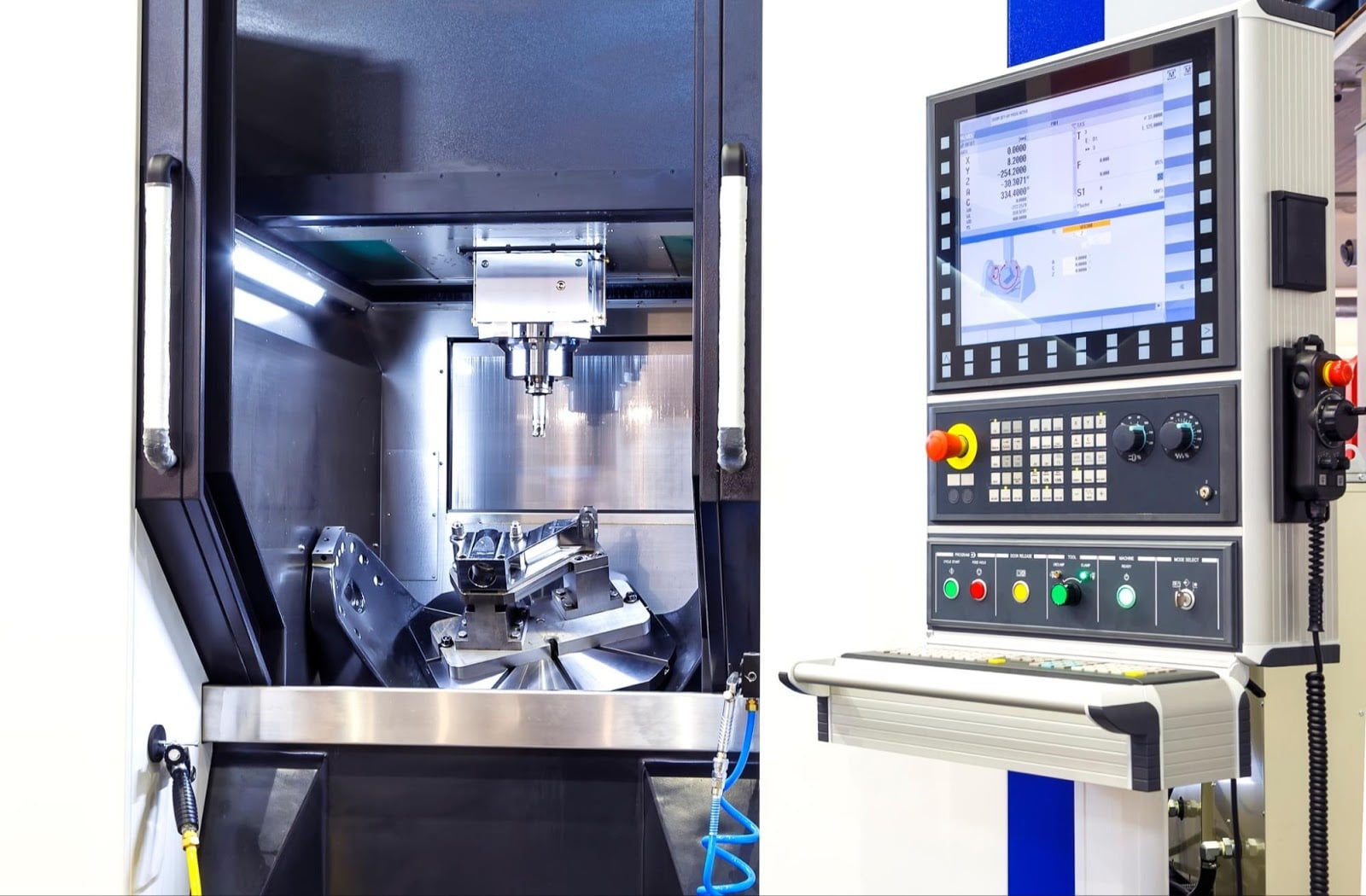
How NC Machines Transform Code Into Precision Cuts
So how does a string of coded numbers actually move a cutting tool through metal with pinpoint accuracy? When you understand what happens between the programmed instruction and the physical cut, you'll appreciate why NC machining revolutionized manufacturing—and why these principles remain fundamental to every CNC device operating today.
The Mechanics Behind the Motion
Picture this: you've got a block of aluminum clamped in a machine, and somewhere in that control cabinet, a program waits to execute. The moment you press start, an intricate chain of events transforms digital commands into physical motion.
Every NC system relies on four core components working in harmony:
- Control unit: The brain that reads, interprets, and sequences programmed instructions—originally processing punched tape, later magnetic tape, and eventually digital storage
- Machine tool: The physical structure including the spindle, worktable, and cutting tools that actually shape the workpiece
- Drive system: Motors and mechanical components that convert electrical signals into precise axis movements
- Feedback mechanism: Sensors and encoders that monitor position and velocity, ensuring the machine reaches its commanded locations
The drive system deserves special attention because it determines how accurately your NC program translates into actual tool paths. Early systems used stepper motors—brushless DC motors that move in discrete incremental steps. Each pulse from the controller advances the motor by a fixed angle, creating movement that appears continuous. Stepper motors excel at low-speed, high-torque applications and don't require position feedback, keeping system costs down.
Modern servo motors take a different approach. As noted by industry experts, servos use closed-loop control with encoders that continuously report position back to the controller. This feedback allows the system to make real-time adjustments, compensating for load variations and maintaining accuracy even at high speeds. While servos cost more and add complexity, they deliver superior performance for demanding applications.
How NC Programs Drive Machine Tools
When you ask "what is CNC system operation at its core?" the answer starts with coordinate systems. Every NC machine operates within a defined three-dimensional space using X, Y, and Z axes. The control unit reads programmed coordinates and calculates the path each axis must travel.
Here's where open-loop and closed-loop systems differ dramatically:
| System Type | How It Works | Best Applications | Limitations |
|---|---|---|---|
| Open-Loop | Sends pulses to motors without position verification | Simple operations, lower precision requirements | Cannot detect or correct positioning errors |
| Closed-Loop | Continuously compares commanded vs. actual position | High-precision work, variable loads | Higher cost, more complex setup |
In an open-loop system, the controller sends a specific number of pulses to move an axis. If the motor receives 1,000 pulses and each pulse equals 0.001 inches of travel, the axis should move exactly one inch. The system assumes this happened correctly—there's no verification.
Closed-loop systems add encoders that constantly report actual position. If the commanded position differs from the measured position, the cnc controller generates correction signals until the error falls within acceptable limits. This feedback loop happens hundreds or thousands of times per second, enabling the precise motion control that demanding applications require.
Input Systems That Started a Revolution
Before digital storage became standard, NC programming required physical media. Punched tape—typically one-inch-wide paper or mylar strips—carried programs as patterns of holes. Each row of holes represented one character of code, and a tape reader mechanically sensed these patterns to extract instructions.
Magnetic tape later offered advantages: higher data density, reusability, and faster reading speeds. However, both systems shared a critical limitation—programs couldn't be easily edited. A mistake meant creating an entirely new tape.
Understanding these input methods matters because they shaped how NC programming developed. Every nc program had to be complete and verified before production because mid-run corrections weren't practical. This discipline—plan thoroughly, verify completely, then execute—remains valuable practice even with modern systems that allow real-time editing.
The Operator's Daily Reality
What does working with NC machines actually involve? Whether you're running legacy equipment or modern systems, certain fundamentals remain constant.
Setup typically follows a consistent sequence: secure the workpiece with appropriate fixturing, ensuring it's properly aligned and won't shift during machining. Next, install and measure cutting tools—tool length and diameter must be precisely known for accurate cuts. Then load the program, verify it matches the job requirements, and set work offsets that tell the machine exactly where the part sits in its coordinate system.
During operation, experienced machinists stay alert. They listen for unusual sounds indicating tool wear or chatter. They watch chip formation for signs of proper cutting parameters. They monitor surface finish on early cuts to catch problems before ruining an entire production run.
This hands-on awareness complements the automated precision of numerical control. The machine executes programmed movements flawlessly, but human judgment catches the variables that no program can anticipate—material inconsistencies, tool wear progression, or environmental factors affecting thermal expansion.
With the mechanics of NC operation now clear, you're ready to explore the programming language that makes it all possible—the G-codes and M-codes that transform manufacturing intent into machine action.
NC Programming Fundamentals and Code Structure
Ever looked at a line of machining code and wondered what all those letters and numbers actually mean? You're not alone. The nc programming language might seem cryptic at first glance, but once you understand its logic, you'll realize it follows a remarkably straightforward structure that has remained consistent for decades.
The Language NC Machines Understand
NC machines communicate through two primary code types: G-code and M-code. Think of G-code as the geometry language—it tells the machine where to move, how fast to travel, and what path to follow. M-code handles everything else—spindle control, coolant activation, program stops, and tool changes. Together, they form a complete instruction set that transforms your design intent into physical cuts.
According to industry programming guides, G-code (Geometric Code) controls all movements of the machine, from cutting material to simply moving the tool to a safe location. It defines the speed, positioning, and paths the machine must follow to create the desired part. Meanwhile, M-code (Miscellaneous Code) manages non-geometric actions—tasks that don't involve moving the tool but remain essential for operation.
Whether you're programming CNC milling machine operations or working with legacy NC equipment, these fundamental codes remain remarkably consistent across manufacturers. The syntax varies slightly between controllers, but the core concepts transfer directly.
Essential Codes Every Operator Should Know
Before diving into specific codes, you need to understand how coordinates work. NC machines use two primary positioning modes:
| Positioning Mode | G-Code | How It Works | Best Used For |
|---|---|---|---|
| Absolute (G90) | G90 | All dimensions reference the fixed datum (origin) position | Most machining operations, especially when positions are defined from a common reference |
| Incremental (G91) | G91 | Each dimension references the current tool position | Hole patterns, repetitive features, situations where relative distances matter more than fixed positions |
As explained in G-code tutorials, when G90 absolute mode is active, the machine reads all dimensions and movements from the working datum position. If you command X100.0 Y100.0, the tool moves to exactly that coordinate regardless of where it started. With G91 incremental mode, commanding X20.0 moves the tool 20 units from its current position—the origin effectively shifts to wherever the tool sits after each movement.
Here are the G-codes you'll encounter most frequently:
- G00: Rapid positioning—moves the tool as fast as possible without cutting
- G01: Linear interpolation—controlled feedrate movement in a straight line
- G02: Circular interpolation clockwise—creates arc movements
- G03: Circular interpolation counter-clockwise—creates arc movements in the opposite direction
- G17/G18/G19: Plane selection for circular movements (XY, XZ, YZ)
- G20/G21: Unit selection (inches or millimeters)
- G28: Return to reference point—sends axes to machine home
M-codes control the machine's auxiliary functions:
- M03: Spindle on clockwise
- M04: Spindle on counter-clockwise
- M05: Spindle stop
- M06: Tool change
- M08: Coolant on
- M09: Coolant off
- M30: Program end and reset
The relationship between nc code and CNC systems becomes clear when you see how these commands combine. A single line might read: G01 X50.0 Y25.0 F200. This tells the machine to make a linear cutting move to coordinates X50.0, Y25.0 at a feedrate of 200 units per minute. Simple, logical, and consistent.
Building Your First NC Program Structure
Every CNC programming effort follows a logical sequence. Understanding this structure helps you read existing programs, troubleshoot issues, and eventually write your own code. According to CNC Cookbook's programming resources, a line of g-code is commonly called a "Block," and these blocks form the basic unit of any part program.
A properly structured NC program follows this sequence:
- Program start: Initialize the program with identification (program number), safety commands, and establish initial modes (units, positioning mode, coordinate system)
- Tool selection: Call the required tool and perform any necessary tool change operations
- Spindle activation: Set spindle speed and start rotation in the correct direction
- Machining operations: Execute the actual cutting movements—approach, cut, and retract sequences
- Program end: Stop spindle, turn off coolant, return to safe position, and end program execution
Each block in your program can contain multiple elements: sequence numbers for reference, G-codes for motion, coordinates for position, feedrates, and spindle speeds. However, cramming too much into a single block creates confusion. Experienced programmers keep related commands together and let distinct operations occupy their own blocks for clarity.
Comments play a crucial role in maintainable programs. Anything placed in parentheses becomes a comment that the controller ignores during execution. Good practice includes a header block identifying the program, workpiece, author, and date. As noted by programming experts, comments serve as reminders for what you learned and what you were trying to accomplish—the next person reading that code will thank you.
One critical concept that surprises many beginners: G-code is modal. When you execute a particular command, it sets up a mode that carries forward. After commanding G01, every subsequent coordinate movement happens at the programmed feedrate until you specify a different motion mode. This modal behavior reduces redundancy but requires awareness—forgetting which mode is active leads to unexpected results.
Understanding how to program CNC operations starts with these fundamentals. Whether you're working with traditional NC equipment or modern controllers, the underlying logic remains consistent. The codes might expand, the interfaces become more sophisticated, but the core principle endures: precise instructions create precise parts.
With programming fundamentals established, you're ready to explore the practical differences between NC and CNC systems—and discover when each technology offers the optimal solution for your manufacturing challenges.
NC vs CNC Machining and When Each Excels
Now that you understand the programming fundamentals, a crucial question emerges: should you invest in traditional NC or modern CNC technology? The answer isn't as straightforward as "newer is always better." Each system offers distinct advantages depending on your production requirements, budget constraints, and operational goals.
The Evolution From NC to CNC
What does CNC mean in the context of this evolution? Computer Numerical Control represents the natural progression from punched tape to digital storage and real-time processing. While a numerical control machine relies on fixed programs stored on physical media, CNC systems leverage computer memory, allowing operators to store, modify, and switch between multiple programs instantly.
According to Industrial Automation Co., the fundamental difference lies in how programs are created and managed. Rather than printing programs manually on a punch card that you insert into the machine, CNC programs are created digitally and stored in a computer. The computer sends instructions directly to the machine tool—eliminating physical media entirely.
This shift brought transformative capabilities:
- Program storage: CNC controllers can hold dozens or hundreds of programs simultaneously
- Real-time editing: Operators can modify parameters without creating new tapes
- Closed-loop feedback: The cnc machine provides position data back to the controller for self-correction
- Integration potential: CNC systems connect seamlessly with CAD/CAM software and factory networks
The NC numerical control foundation didn't disappear—it evolved. Every concept you've learned about coordinates, G-codes, and program structure applies equally to both technologies. CNC simply adds computational power and flexibility on top of these proven principles.
Choosing Between Legacy and Modern Systems
When evaluating an nc and cnc machine side by side, the differences extend far beyond the control cabinet. Here's a comprehensive comparison to guide your decision:
| Factor | NC Machining | CNC Machining |
|---|---|---|
| Control Method | Pre-set instructions on punched or magnetic tape | Computer-based programming with digital storage |
| Programming Flexibility | Fixed programs; changes require new tape creation | Programs easily modified, copied, and optimized on-the-fly |
| Memory Capacity | Limited to single program on loaded tape | Multiple programs stored simultaneously in controller memory |
| Editing Capabilities | No real-time editing; errors require complete reprogramming | Full editing capability during setup and even mid-production |
| Feedback Systems | Typically open-loop without position verification | Closed-loop with continuous position monitoring and correction |
| Typical Applications | Simple, repetitive parts; training environments; legacy production | Complex geometries; high-precision work; variable production runs |
| Initial Cost | Lower equipment investment | Higher upfront cost for advanced technology |
| Operating Cost | Higher labor requirements; slower changeovers | Reduced labor; faster setup; continuous operation capability |
| Operator Skill Required | Strong manual machining fundamentals essential | Computer proficiency and programming knowledge needed |
| Maintenance Complexity | Simpler mechanical systems; fewer electronic components | More sophisticated electronics; software updates required |
As noted by VMT CNC experts, several factors should guide your selection: budget constraints, production scale requirements, and precision needs. NC machines have lower initial costs, making them suitable for businesses with limited investment. However, CNC machines, while more expensive upfront, can offer better long-term value due to automation and efficiency gains.
When Traditional NC Still Makes Sense
Here's something that surprises many newcomers to manufacturing: NC machines haven't disappeared. Walk through certain production facilities, and you'll find nc cnc machine equipment operating side by side—each serving its optimal purpose. Why do operations maintain older technology when "better" alternatives exist?
The economics tell a compelling story. Consider these scenarios where traditional NC remains the smart choice:
Dedicated production lines: When a machine produces the same part continuously for years, the flexibility of CNC becomes unnecessary overhead. An NC lathe running the same bearing housing day after day doesn't need program storage or real-time editing—it needs reliability and simplicity.
Educational environments: Teaching machining fundamentals often starts with NC principles. Students learn program structure, coordinate systems, and machine behavior without the complexity of modern controllers. Understanding what is CNC becomes more meaningful after grasping its NC foundation.
Budget-conscious startups: A shop with limited capital can acquire functional NC equipment at a fraction of new CNC machine costs. This lower barrier to entry allows small manufacturers to start producing parts and generate revenue before upgrading.
Simple, repetitive operations: Drilling hole patterns, basic turning operations, and straightforward milling jobs don't require advanced computational power. The mechanical simplicity of NC systems means fewer potential failure points and longer service life for uncomplicated applications.
Replacement part availability: Older NC machines often use standardized mechanical components that remain readily available. Some CNC controllers become obsolete when manufacturers discontinue support, leaving owners with expensive paperweights.
Industry analysis from VMT confirms that NC machines are designed for fixed operations, and their lower complexity translates to durability. Because they rely more on mechanical components than electronic ones, they tend to have a longer lifespan with reduced likelihood of breakdowns and hardware failures.
The decision framework ultimately comes down to matching technology to requirements. Ask yourself: What complexity do my parts require? How often do I change production runs? What's my realistic budget for equipment and training? Can my operators adapt to computer-based systems?
Neither technology is universally superior. The numerical control machine that served aerospace pioneers still produces quality parts today. Modern CNC systems unlock capabilities those pioneers couldn't imagine. Wise manufacturers choose based on their specific situation—not on assumptions about progress.
With this framework for evaluating control technologies established, let's explore the specific machine types that put these principles into action across different manufacturing applications.
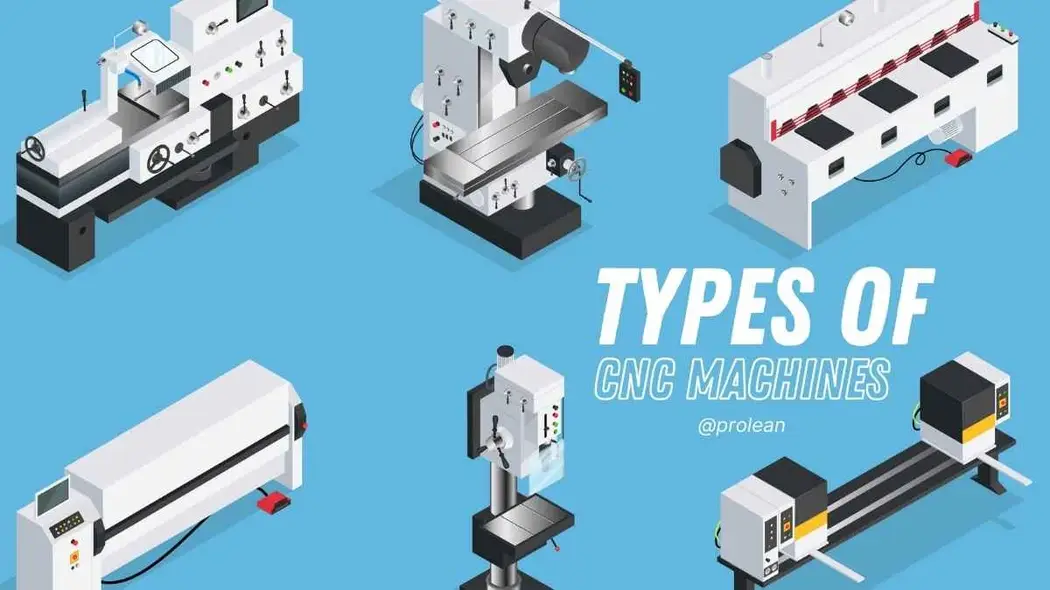
Types of NC Machines and Their Industrial Applications
You've learned how NC systems work and when they make sense compared to CNC alternatives. But here's where theory meets practice: what types of nc machine tools actually exist, and which one handles your specific manufacturing challenge? Let's break down the major categories and explore where each excels in real-world production environments.
NC Lathes and Turning Operations
When you need to create cylindrical or symmetrical parts, the nc lathe becomes your primary tool. These machines rotate the workpiece while a stationary cutting tool removes material—the fundamental principle behind all turning operations.
Picture a shaft, bushing, or threaded fastener. Each of these parts shares a common characteristic: rotational symmetry around a central axis. The lathe exploits this geometry, spinning the workpiece at controlled speeds while the cutting tool traces programmed paths to create the desired profile.
According to manufacturing experts at Vulcanus-Stahl, CNC turning machines are particularly efficient for creating cylindrical or symmetrical shapes. This efficiency applies equally to their NC predecessors—the fundamental mechanics remain identical.
NC lathes handle several distinct operations:
- Facing: Creating flat surfaces perpendicular to the rotational axis
- Straight turning: Reducing diameter along the workpiece length
- Taper turning: Producing angled surfaces between different diameters
- Threading: Cutting helical grooves for screw threads
- Boring: Enlarging existing holes with precision
- Grooving: Creating narrow channels for O-rings or snap rings
The cnc lathe represents the computerized evolution of these same capabilities, adding program storage and real-time adjustment. However, traditional NC lathes continue serving dedicated production lines where a single part runs continuously. The cnc turning advantages of flexibility become less relevant when changeovers happen rarely.
Milling Machines Under Numerical Control
While lathes rotate the workpiece, milling machines rotate the cutting tool. This seemingly simple distinction creates vastly different manufacturing capabilities. A cnc mill or its NC predecessor can produce complex three-dimensional surfaces that would be impossible on a lathe.
NC milling machines move the workpiece beneath rotating multi-point cutting tools. The table travels in X and Y axes while the spindle moves vertically along Z. This coordinated motion traces programmed paths, removing material to create pockets, profiles, slots, and intricate contours.
As noted by Vulcanus-Stahl's technical guide, CNC milling machines are perhaps the most widely used CNC tools today, ideal for complex parts that require precise dimensions. The same versatility characterized their NC ancestors, though modern cnc milling adds computational sophistication.
Different milling configurations serve specific needs:
- Vertical mills: Spindle oriented perpendicular to the table—excellent for face milling, drilling, and general-purpose work
- Horizontal mills: Spindle parallel to the table—better suited for heavy cuts and gang milling operations
- Bed mills: Workpiece moves only in X-Y while spindle moves vertically—provides rigidity for heavy-duty applications
- Gantry mills: Spindle travels over a stationary bed—handles large workpieces like aerospace panels
Material selection dramatically affects how you approach milling operations. According to PDF Inc.'s manufacturing insights, aluminum and brass require high-speed milling because they are relatively soft and prone to heat buildup. On the other hand, stainless steel and titanium need slower cutting speeds and deeper cuts, as they are harder to machine. These principles apply whether you're running NC or CNC equipment—the physics don't change with the controller type.
Specialized NC Equipment for Unique Applications
Beyond lathes and mills, several specialized NC machine types serve critical manufacturing niches. Understanding these options helps you match equipment to application requirements.
NC Drilling Machines
When your part requires precise hole patterns—think circuit board mounting plates or engine blocks—dedicated drilling equipment delivers consistent results. A cnc drilling machine programs exact hole locations, depths, and sequences, eliminating the layout errors that plague manual operations.
As explained by manufacturing technology specialists, CNC drilling machines use computer programming to drill holes at exact locations, depths, and diameters. Among the many types of CNC machine, drilling machines stand out for their ability to produce accurate, repeatable holes in high-volume production environments.
Different drill types serve specific purposes:
- Twist drills: General-purpose hole creation in various materials
- Step drills: Creating multiple diameters in a single operation
- Center drills: Starting holes to guide larger drill bits
- Spotting drills: Marking precise locations before full drilling
NC Grinding Machines
When surface finish and dimensional tolerance requirements exceed what turning or milling can achieve, grinding becomes essential. NC grinding machines use abrasive wheels to remove tiny amounts of material, producing mirror-smooth surfaces and tolerances measured in microns.
According to Vulcanus-Stahl's technical resources, CNC grinders are especially useful in producing components that require smooth finishes or complex contours. Industries such as aerospace, automotive, and medical often rely on CNC grinding for tools, dies, and precision parts.
Grinding applications include:
- Surface grinding: Producing flat surfaces with exceptional finish
- Cylindrical grinding: Finishing round parts like shafts and pins
- Centerless grinding: High-production finishing without workholding centers
- Internal grinding: Finishing bore surfaces in housings and sleeves
Industry Applications Where NC Remains Relevant
You might wonder: where does traditional NC equipment still find its place in modern manufacturing? Several industries and applications continue leveraging these proven systems.
Aerospace legacy systems: Military and commercial aviation maintenance requires parts for aircraft designed decades ago. The original NC programs often remain in service, running on machines that reliably produce replacement components without the cost of reprogramming for new controllers.
Educational institutions: Teaching numerical control fundamentals starts with understanding the core principles. NC machines provide hands-on experience with program structure, coordinate systems, and machine behavior before students advance to more complex CNC systems.
Dedicated production cells: When a single part runs continuously for extended periods, the flexibility of modern CNC becomes unnecessary overhead. Simple, reliable NC equipment handles these applications with lower maintenance requirements and proven durability.
Small job shops: Budget-conscious operations acquire functional NC equipment at a fraction of new CNC costs, enabling them to begin production and generate revenue before investing in advanced technology.
Material Considerations Across Machine Types
Regardless of which nc machine tools you operate, material properties dictate your approach. Different materials require adjusted parameters for speeds, feeds, and tooling selection—though specific values depend on your machine's specifications and the exact material grade you're cutting.
As highlighted by manufacturing process experts, material selection determines the type of cutting tools, feed rates, and spindle speeds required. Manufacturers must consider each material's properties—including its hardness, ductility, and thermal conductivity—to determine the optimal machining parameters.
General principles apply across machine types:
- Soft materials (aluminum, brass, plastics): Higher cutting speeds, moderate feeds, sharp tooling to prevent heat buildup
- Hard materials (tool steel, titanium, hardened alloys): Lower speeds, controlled feeds, specialized coated tooling for heat resistance
- Abrasive materials (cast iron, composites): Moderate parameters with tooling designed for wear resistance
The right cutting tool must be selected based on the material and the type of cut required, considering tool geometry, coating, material, and cutting speed. The wrong tool results in poor surface finish, excessive tool wear, and potentially damaged equipment.
With a clear understanding of machine types and their applications, you're prepared to tackle what happens when things don't go as planned. The next section addresses the troubleshooting challenges every NC operator eventually faces—and practical solutions to get production back on track.
Troubleshooting Common NC Machining Problems
Even the most experienced operators encounter moments when machining parts don't meet specifications. The spindle sounds normal, the program runs without errors, yet the finished cnc part comes out wrong. What happened? Understanding how to diagnose and fix common NC machining problems separates skilled machinists from those who waste time and material guessing at solutions.
Diagnosing Dimensional Accuracy Issues
When your cnc parts consistently measure outside tolerance, the cause typically falls into one of several categories. Before assuming the worst, work through these possibilities systematically.
Tool wear indicators: Cutting tools don't fail suddenly—they degrade progressively. Watch for these warning signs:
- Gradually increasing dimensional deviation over multiple parts
- Shiny or polished areas appearing on cutting edges
- Increased cutting forces (audible as changed spindle sound)
- Built-up edge visible on the tool tip
According to Dr. Solenoid's troubleshooting guide, over time, cutting tools wear down, causing dimensional errors, increased cycle times, and rough surface finishes. The solution involves inspecting and replacing tools regularly based on wear indicators while fine-tuning cutting parameters to minimize wear progression.
Thermal expansion effects: Machines and workpieces expand as they heat up during operation. A part measured immediately after machining may differ from one measured after cooling. For cnc precision machining work, consider:
- Allowing the machine to warm up before critical cuts
- Measuring parts at consistent temperatures
- Accounting for coolant temperature variations
- Running thermal compensation routines if your controller supports them
Backlash problems: Mechanical play in lead screws and drive systems creates positioning errors, particularly when axes reverse direction. Symptoms include consistent dimensional differences between features cut in opposite directions. As noted by industry experts, common tool-related errors include misalignment, spindle runout, and backlash—all leading to dimensional inaccuracies and poor surface quality.
Surface Finish Problems and Solutions
Surface quality issues frustrate operators because the root causes aren't always obvious. That beautiful finish on one part mysteriously disappears on the next. Here's how to track down the culprits.
Chatter marks: Those distinctive wavy patterns indicate vibration during cutting. According to 3ERP's defect analysis, chatter marks in CNC machining are characterized by a series of regular, wavy lines on the machined surface, indicating vibrations during the cutting process.
Solutions include:
- Reducing cutting speed or adjusting feed rate
- Checking tool holder balance and secure seating
- Improving workpiece clamping rigidity
- Using shorter tool extensions to minimize deflection
Burn marks: Discolored patches on machining parts signal excessive heat generation. This typically results from dull tools, insufficient coolant, or aggressive parameters. As 3ERP notes, burn marks on the surface of the workpiece indicate overheating during the process.
Burr formation: Those annoying raised edges at feature boundaries affect both aesthetics and function. Manufacturing experts explain that burr formation is a frequent issue where small protrusions or raised edges occur on the machined part, especially at edges or corners. Deburring can be done manually using tools like grinding heads, files, or sandpaper, while advanced methods like thermal and vibratory deburring are also effective solutions.
When Programs Produce Unexpected Results
Sometimes the problem isn't mechanical—it's in the code. Programming errors create frustrating scenarios where the machine does exactly what you told it to do, just not what you intended.
Common programming pitfalls include:
- Coordinate system confusion: Mixing absolute (G90) and incremental (G91) modes without awareness
- Modal code carry-over: Forgetting that previous commands remain active until changed
- Incorrect tool offsets: Wrong values entered for tool length or diameter compensation
- Feed rate errors: Specifying inappropriate speeds for the material or operation
According to troubleshooting resources, programming mistakes—such as incorrect G-code, tool offsets, or feed rates—lead to defective parts and wasted materials. The solution involves simulating programs with CAM software or testing on scrap material while reviewing program sheets thoroughly before production.
Problem-Symptom-Solution Quick Reference
When troubleshooting under pressure, you need answers fast. This matrix covers the most common NC machining issues:
| Problem | Symptoms | Likely Causes | Solutions |
|---|---|---|---|
| Dimensional inaccuracy | Parts consistently over/under size | Tool wear, thermal expansion, backlash | Replace worn tools, allow thermal stabilization, apply backlash compensation |
| Poor surface finish | Rough texture, visible tool marks | Incorrect feed/speed, dull tools, vibration | Optimize parameters, replace tooling, improve rigidity |
| Chatter marks | Wavy patterns on surface | Resonance, tool deflection, loose clamping | Reduce speed, shorten tool extension, tighten workholding |
| Tool breakage | Sudden tool failure, damaged workpiece | Excessive forces, wrong tool selection, hard spots in material | Optimize cutting parameters, select appropriate tooling, verify material specs |
| Burn marks | Discolored patches on surface | Insufficient cooling, dull tools, aggressive cuts | Improve coolant delivery, replace tools, reduce cutting parameters |
| Program errors | Unexpected tool paths, wrong dimensions | Code mistakes, wrong offsets, modal confusion | Verify program with simulation, check offset values, review code structure |
| Machine vibration | Noise, poor accuracy, shortened tool life | Worn bearings, unbalanced tooling, improper parameters | Replace worn components, balance holders, adjust spindle speed |
Maintenance Considerations That Prevent Problems
The best troubleshooting happens before problems occur. Regular maintenance keeps your cnc tools cutting accurately and extends machine life significantly.
Calibration needs: Machine geometry drifts over time. Schedule periodic verification of:
- Axis positioning accuracy using laser interferometry or ballbar testing
- Spindle runout measurements
- Squareness between axes
- Repeatability verification at multiple positions
Component inspection schedules: Create a systematic approach to checking critical elements:
- Daily: Coolant levels, chip evacuation, visible damage inspection
- Weekly: Way lubrication verification, tool holder condition, filter checks
- Monthly: Spindle condition assessment, drive system inspection, electrical connection review
- Quarterly: Comprehensive axis accuracy verification, servo tuning check, full preventive maintenance
As emphasized by maintenance specialists, poor maintenance practices including neglected lubrication and dust buildup in moving parts cause significant problems. Following a preventive maintenance schedule while cleaning and lubricating guide rails, ball screws, and spindles prevents most issues before they affect production.
Signs indicating required service: Don't ignore these warning signals:
- Unusual noises during operation—grinding, squealing, or knocking
- Inconsistent positioning that worsens over time
- Increased cycle times without program changes
- Coolant contamination or unusual odors
- Error messages appearing more frequently
Addressing issues early prevents expensive breakdowns and maintains the precision your machining parts require. With a solid troubleshooting foundation established, you're ready to explore how shops upgrade their capabilities—transitioning from legacy NC equipment to modern CNC technology while maximizing their return on investment.
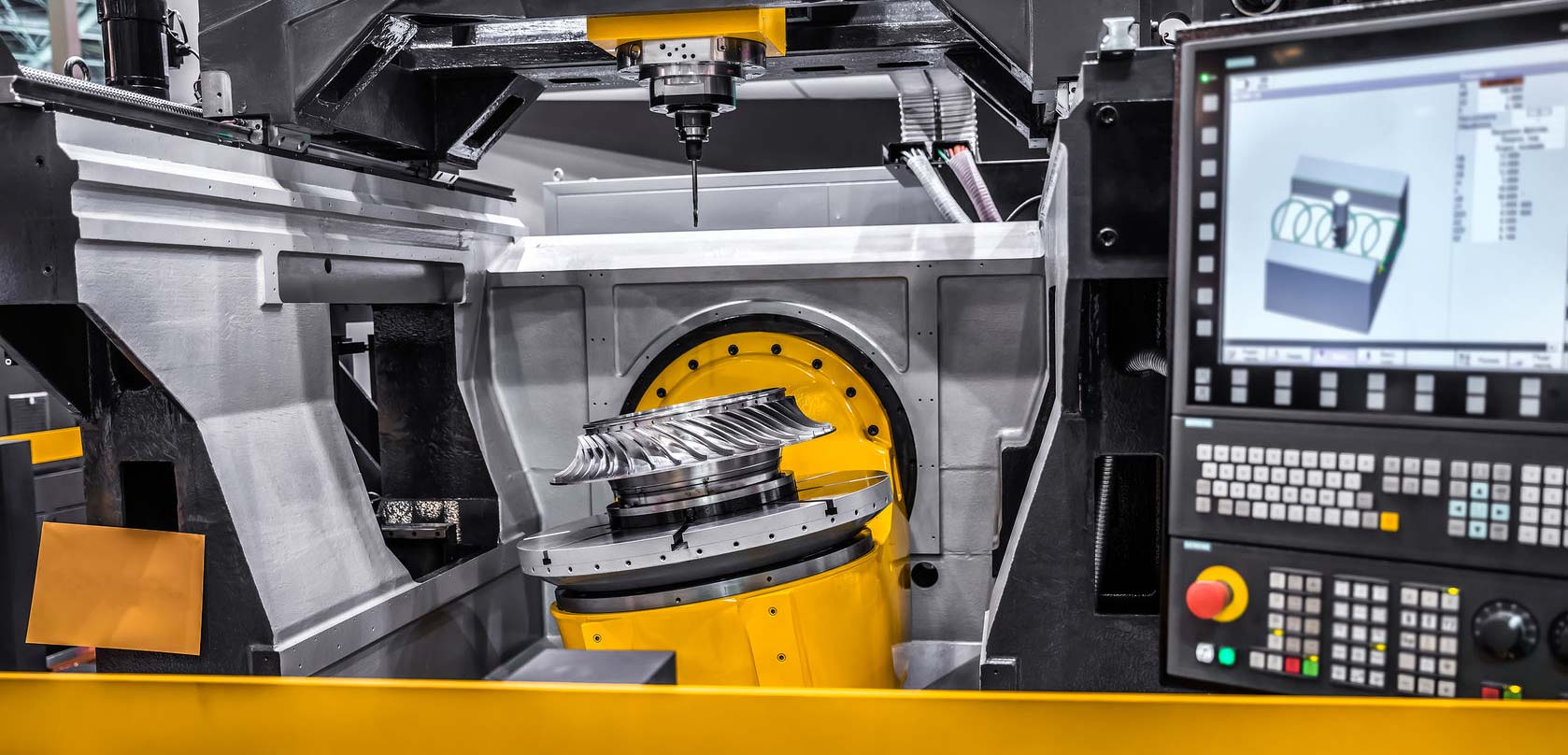
Modernizing NC Equipment and Transition Strategies
Your troubleshooting skills are sharp, your nc machines run reliably, and production meets current demands. But here's the question keeping many shop owners up at night: should you modernize existing equipment or invest in entirely new cnc equipment? The answer depends on factors unique to your operation—and getting it wrong means either wasting capital or missing competitive advantages.
Retrofit Options for Existing NC Equipment
What if you could keep your mechanically sound machine while gaining modern control capabilities? That's exactly what CNC retrofits offer. According to MachMotion's retrofit specialists, CNC retrofits help you modernize without the high cost of new equipment—breathing new life into machines that still have solid mechanical structure but outdated electronics.
Retrofit packages typically include everything needed to transform your nc machinery:
- Modern cnc machine controller: Replaces punched tape readers and outdated control cabinets with touchscreen interfaces and digital storage
- Servo motors and drives: Upgrades open-loop stepper systems to closed-loop servo control with position feedback
- Wiring and electrical components: Brings electrical systems up to current safety and performance standards
- Installation support: Professional integration ensuring all components work together properly
- Operator training: Instruction on the new control system's operation and programming
As noted by industry retrofit providers, retrofit packages are designed to minimize downtime and maximize return on investment. Whether you run a router, mill, lathe, grinder, or waterjet, tailored solutions exist for various machine types. MachMotion, for example, has been upgrading grinders for nearly a decade, with experience across manufacturers including Cincinnati Milacron, Harig, and Micron.
The beauty of retrofitting lies in preserving your existing investment. That heavy-duty casting, precision-ground ways, and robust spindle assembly represent significant value. Replacing only the control system leverages these proven mechanical components while gaining advanced cnc technologies that modern manufacturing demands.
Planning Your Transition to CNC
Whether you choose retrofit or replacement, transitioning from NC to CNC involves more than swapping equipment. Your operators need new skills, your programming approach changes, and your workflow evolves. Planning this transition carefully prevents costly disruptions.
Training requirements deserve serious attention. Operators comfortable with punched tape and manual data entry must adapt to computer-based interfaces. The good news? Core machining knowledge transfers directly. Coordinate systems, G-codes, and setup procedures remain fundamentally similar—the cnc machine controller simply provides more sophisticated tools for managing these elements.
Consider a phased training approach:
- Phase 1: Controller operation basics—navigation, program loading, manual data input
- Phase 2: Program editing and modification using the new interface
- Phase 3: Advanced features including probing cycles, canned cycles, and parameter adjustments
- Phase 4: CAD/CAM integration for complex programming tasks
Don't underestimate the psychological transition. Experienced NC operators have developed intuition for their equipment over years of use. Moving to new controls temporarily disrupts this expertise, potentially affecting productivity during the learning curve. Budget time for this adjustment—rushing creates frustration and mistakes.
Evaluating Upgrade ROI for Your Operation
Sounds complex? It doesn't have to be. Breaking down the financial analysis into manageable components reveals whether modernization makes sense for your specific situation.
According to manufacturing ROI analysis, calculating return on investment involves nine key factors: initial investment, operational costs, labor cost savings, increased production capacity, improved product quality, increased efficiency, flexibility, technology lifespan, and risk assessment.
Follow this evaluation process to make an informed decision:
- Assess current equipment condition: Evaluate mechanical integrity, accuracy, and remaining useful life. Retrofitting a worn-out machine wastes money—the mechanical foundation must be sound.
- Document current capabilities and limitations: Identify specific bottlenecks that modernization would address. Are you losing jobs because of programming inflexibility? Suffering quality issues from open-loop control? Quantify these impacts.
- Compare retrofit versus replacement costs: Get quotes for both options. Retrofit typically costs significantly less than new equipment, but the gap varies depending on machine type and desired capabilities.
- Calculate operational cost differences: Consider energy consumption, maintenance requirements, tooling efficiency, and labor needs. Modern controls often reduce operating costs through better optimization and reduced scrap.
- Estimate productivity improvements: Faster setups, reduced programming time, and continuous operation capability all contribute to increased output. According to CNC automation experts, automated systems can operate at higher speeds, perform tasks simultaneously, and optimize resource utilization.
- Factor in quality improvements: Better control systems typically produce more consistent parts with tighter tolerances. Reduced scrap and rework translate directly to bottom-line savings.
- Consider technology lifespan: How long will the upgraded system remain competitive? As noted by industry analysts, technology develops fast—investing in rapidly depreciating systems affects ROI negatively.
- Evaluate risk factors: What happens if the project encounters delays? Can your operation handle downtime during installation? Build contingency into your planning.
- Calculate break-even timeline: Combine all factors to determine when accumulated savings offset initial investment. Shorter payback periods reduce risk and free capital for future improvements.
The flexibility factor often tips decisions toward modernization. As emphasized in ROI calculations, if your production operates in a high-mix, low-volume environment, an automation solution offering flexibility and ease of use provides higher ROI by accommodating evolving demands without significant setup for each new job.
One often-overlooked consideration: workforce availability. Finding operators skilled in legacy NC systems grows increasingly difficult as experienced machinists retire. Modernizing equipment aligns your operation with the skills younger workers possess—programming on computer-based controllers rather than creating punched tapes.
The Association for Advancing Automation offers a robotics ROI calculator that helps quantify some of these factors, providing a starting point for your analysis.
Ultimately, the modernization decision balances immediate capital requirements against long-term operational benefits. Shops with solid mechanical equipment and growing capability demands often find retrofitting delivers the best value—gaining advanced cnc technologies while preserving proven infrastructure.
With equipment decisions clarified, the next logical question emerges: what about the people operating these machines? Building a successful career in NC and CNC machining requires specific skills and follows distinct pathways worth exploring.
Building a Career in NC and CNC Machining
So you're considering a career where you transform raw metal into precision components? Whether you're drawn to the hands-on nature of machining or fascinated by the technology behind it, understanding what it takes to succeed helps you plan your path forward. Let's explore what a cnc machinist actually does, what skills you'll need, and how careers in this field typically progress.
Essential Skills for NC Machine Operators
What is a cnc operator expected to know before stepping onto the shop floor? The answer combines foundational knowledge with practical abilities that develop over time.
Foundational skills form your base:
- Blueprint reading: Interpreting engineering drawings, geometric dimensioning and tolerancing (GD&T), and understanding how specifications translate into machining operations
- Mathematics: Algebra and geometry are essential—calculating feeds, speeds, angles, and coordinate positions requires solid numerical skills
- Mechanical aptitude: Understanding how machines work, how forces affect materials, and how components interact during cutting operations
- Computer proficiency: Modern manufacturing relies on digital systems—comfort with technology accelerates your learning curve
According to Advanced Structural Technologies, people who are detail-oriented, mathematically minded, good at problem-solving, and comfortable with technology typically do well at understanding CNC machinery. These same traits serve production operators working with traditional NC equipment equally well.
What does a typical day look like? As a cnc beginner, you'll likely start loading and unloading workpieces, monitoring machine operation, and performing quality checks on finished parts. According to industry practitioners, the operator's job involves loading stock material, running parts, and gaining experience while paying attention to what's happening inside the machine—observing what tools are cutting and understanding what the code does.
From Operator to Programmer Career Path
Here's what makes manufacturing careers attractive: clear progression pathways exist for those willing to learn. You don't need a four-year degree to advance—demonstrated skill and knowledge open doors.
The typical progression follows this pattern:
- Entry-level operator: Loading parts, monitoring operations, performing basic quality checks
- Setup operator: Preparing machines for production runs, installing tooling, setting work offsets
- CNC machinist: Full responsibility for setup, operation, troubleshooting, and quality verification
- Programmer: Creating NC programs using CAM software, optimizing cutting strategies
- Supervisor or specialist: Managing teams, training others, or focusing on complex applications
As noted by industry professionals, the key to progression is wanting to learn how to perfect the NC program, G-code, and M-code. Understanding cnc what does it mean in practical terms—knowing what does cnc stand for in machining and how those computer instructions translate into physical cuts—separates those who advance from those who remain in entry-level positions.
Skills transfer directly from NC to CNC operations. The coordinate systems, programming logic, and machining principles you learn on legacy equipment apply immediately to modern controllers. Many experienced machinists consider this foundational knowledge invaluable—understanding the fundamentals before adding computer sophistication creates stronger overall expertise.
Building Expertise in Precision Manufacturing
How do you formalize your skills and demonstrate competency to employers? Certifications and structured training programs provide recognized credentials.
Key certifications and training programs include:
- NIMS (National Institute for Metalworking Skills): Industry-recognized credentials covering CNC operations, setup, and programming—tests include both written exams and hands-on demonstrations
- Community college programs: Certificate and associate degree programs offering structured curriculum and hands-on practice
- Technical institute training: Focused programs like UTI's 36-week CNC Machining Technology program that prepare graduates with practical skills
- Manufacturer certifications: Training specific to particular control systems or machine brands
- Apprenticeship programs: Earn-while-you-learn opportunities combining classroom instruction with on-the-job experience
According to UTI's career guidance, CNC machinist training programs provide hands-on experience with leading industry brands, so graduates get direct exposure to tools used in the field. While formal training isn't always required, it often improves job prospects and salary potential.
The Precision Machined Products Association emphasizes that ready employment exists throughout the industry—skilled machinist positions remain available in almost every market regardless of economic conditions. Entry-level wages during training often match what business majors earn after completing four-year degrees, but without tuition bills or loans to repay.
What makes this career path particularly appealing? According to the Bureau of Labor Statistics, the median annual salary for computer numerically controlled tool operators was $49,970 in May 2024. Experience, specialization, and location influence earnings significantly—with advancement to supervision or programming roles offering higher compensation.
The manufacturing industry continues expanding. As one instructor noted, CNC is interesting because you can make things that are impossible to produce manually—and the industry keeps growing. Whether you start with traditional NC fundamentals or jump directly into modern systems, the skills you develop translate into stable, well-compensated careers with tangible results you can see at the end of each day.
Selecting the Right Precision Machining Partner
You've mastered the fundamentals, explored equipment options, and perhaps even built machining skills of your own. But what happens when your project demands capabilities beyond your current resources—or when scaling production requires partnering with specialists? Choosing the right cnc machining center or cnc fabrication partner can mean the difference between project success and costly delays.
What to Look for in a Machining Partner
Finding a reliable partner for your cnc machined parts involves more than comparing price quotes. According to Avanti Engineering's vendor selection guide, examining a variety of criteria is essential when selecting a machining provider to confirm the desired outcome is achieved.
Key evaluation factors include:
- Technical capabilities: Does the shop have equipment suited to your part complexity, tolerances, and material requirements?
- Quality management systems: What documented processes ensure consistency from first article to final production run?
- Experience in your industry: Has the partner produced similar components for applications matching yours?
- Communication responsiveness: How quickly do they address questions, provide updates, and resolve issues?
- Capacity and scalability: Can they handle your volume requirements now and as demand grows?
- Lead time reliability: What's their track record for on-time delivery?
As noted by industry experts, the vendor should be able to provide an accurate and detailed quotation that includes labor and material costs, as well as any additional fees. Reviews from past customers can be a valuable source of information regarding their experience with the vendor.
Quality Certifications That Matter
Certifications aren't just wall decorations—they represent verified commitment to documented standards. According to American Micro Industries, formal certifications assure clients and stakeholders of a company's commitment to quality at every step. Certifications influence CNC machining, ensuring teams maintain high standards and complementing hands-on experience for consistently superior results.
Which certifications should you prioritize? It depends on your industry:
For automotive applications: IATF 16949 is the global standard for automotive quality management. This certification combines ISO 9001 principles with sector-specific requirements for continuous improvement, defect prevention, and stringent supplier oversight. When sourcing cnc metal components for automotive use, this certification signals a partner capable of meeting demanding expectations. For example, Shaoyi Metal Technology holds IATF 16949 certification, enabling them to deliver high-tolerance automotive components including chassis assemblies and custom metal bushings.
For aerospace work: AS9100 builds upon ISO 9001 and introduces additional requirements specific to the aerospace sector, emphasizing risk management, stringent documentation, and product integrity control throughout complex supply chains.
For medical devices: ISO 13485 is the definitive quality management standard, outlining strict controls over design, manufacturing, traceability, and risk mitigation.
For general manufacturing: ISO 9001 serves as a baseline for demonstrating consistent, high-quality output through documented workflows, performance monitoring, and corrective action processes.
Beyond certifications, look for implementation of Statistical Process Control (SPC). As highlighted by Baker Industries, SPC is a data-driven method for monitoring and controlling CNC machining—by analyzing data collected from the production line, it helps identify trends, variations, and potential issues before they escalate into major problems. Partners like Shaoyi Metal Technology implement strict SPC protocols, ensuring consistent quality across production runs.
Scaling From Prototype to Production
Your needs evolve. Today's single prototype becomes tomorrow's production run of thousands. The right c&c machining partner grows with you—handling rapid prototyping when you're proving concepts and seamlessly transitioning to volume production when designs finalize.
Before committing to a partner, ask these essential questions:
- What's your typical lead time for prototype quantities versus production volumes?
- How do you handle metal cutting parameter optimization when transitioning between materials?
- What quality documentation accompanies each shipment?
- Can you provide references from customers with similar requirements?
- What inspection equipment do you maintain, and how often is it calibrated?
- How do you manage design changes during production runs?
- What's your approach to continuous improvement and defect prevention?
Lead time capabilities often determine project success. When you need parts fast, partners offering rapid prototyping with lead times as short as one working day—like Shaoyi Metal Technology's automotive machining services—provide the responsiveness modern development cycles demand.
The selection should be based on the vendor's ability to meet the business's requirements and provide quality services that are cost-effective and reliable, according to Avanti Engineering. Consider the long-term impact of the choice of a vendor, as well as the immediate impact—ensuring the selected vendor can meet the demands of the project and provide the necessary support for the long-term.
Whether you're sourcing simple turned components or complex multi-axis machined assemblies, the principles remain consistent: verify capabilities, validate quality systems, and confirm that your partner's strengths align with your requirements. The right partnership transforms machining from a procurement challenge into a competitive advantage.
Frequently Asked Questions About NC Machining
1. What does NC mean in machining?
NC stands for Numerical Control, a manufacturing process where pre-programmed sequences of coded instructions control machine tool operations automatically. Unlike manual machining where operators guide every movement, NC machines read programmed commands to execute precise cuts, drills, and shapes without human intervention during the cutting process. This technology laid the foundation for modern CNC (Computer Numerical Control) systems.
2. What is the difference between NC and CNC machining?
The primary difference lies in control method and flexibility. NC machines use fixed programs on punched or magnetic tape with limited editing capability and typically open-loop control. CNC machines use computer-based programming with digital storage, allowing real-time editing, multiple program storage, and closed-loop feedback for self-correction. While CNC offers greater flexibility for complex parts, NC remains cost-effective for dedicated production lines running simple, repetitive operations.
3. What is the hourly rate for CNC machining services?
CNC machining rates vary significantly based on machine type, complexity, and location. 3-axis machines typically cost less per hour than 5-axis equipment. Factors affecting pricing include material type, tolerances required, part complexity, and production volume. For automotive applications requiring IATF 16949 certified quality, partnering with established manufacturers like Shaoyi Metal Technology ensures competitive pricing with lead times as fast as one working day.
4. What skills are needed to become a CNC machinist?
Essential skills include blueprint reading, mathematical proficiency in algebra and geometry, mechanical aptitude, and computer literacy. Technical competencies develop over time, including G-code and M-code programming, machine setup procedures, quality inspection using precision instruments, and troubleshooting abilities. Certifications from NIMS or technical training programs enhance career prospects, with clear advancement paths from operator to programmer to supervisor roles.
5. How do I choose the right CNC machining partner for my project?
Evaluate potential partners based on technical capabilities matching your requirements, relevant industry certifications (IATF 16949 for automotive, AS9100 for aerospace), quality control processes like Statistical Process Control, lead time reliability, and scalability from prototype to production. Request references, review quality documentation practices, and confirm their experience with similar materials and tolerances. The right partner should support both immediate needs and long-term growth.