 Small batches, high standards. Our rapid prototyping service makes validation faster and easier —
  EN
EN


What Can You Make With A CNC Machine? Stop Guessing, Start Building
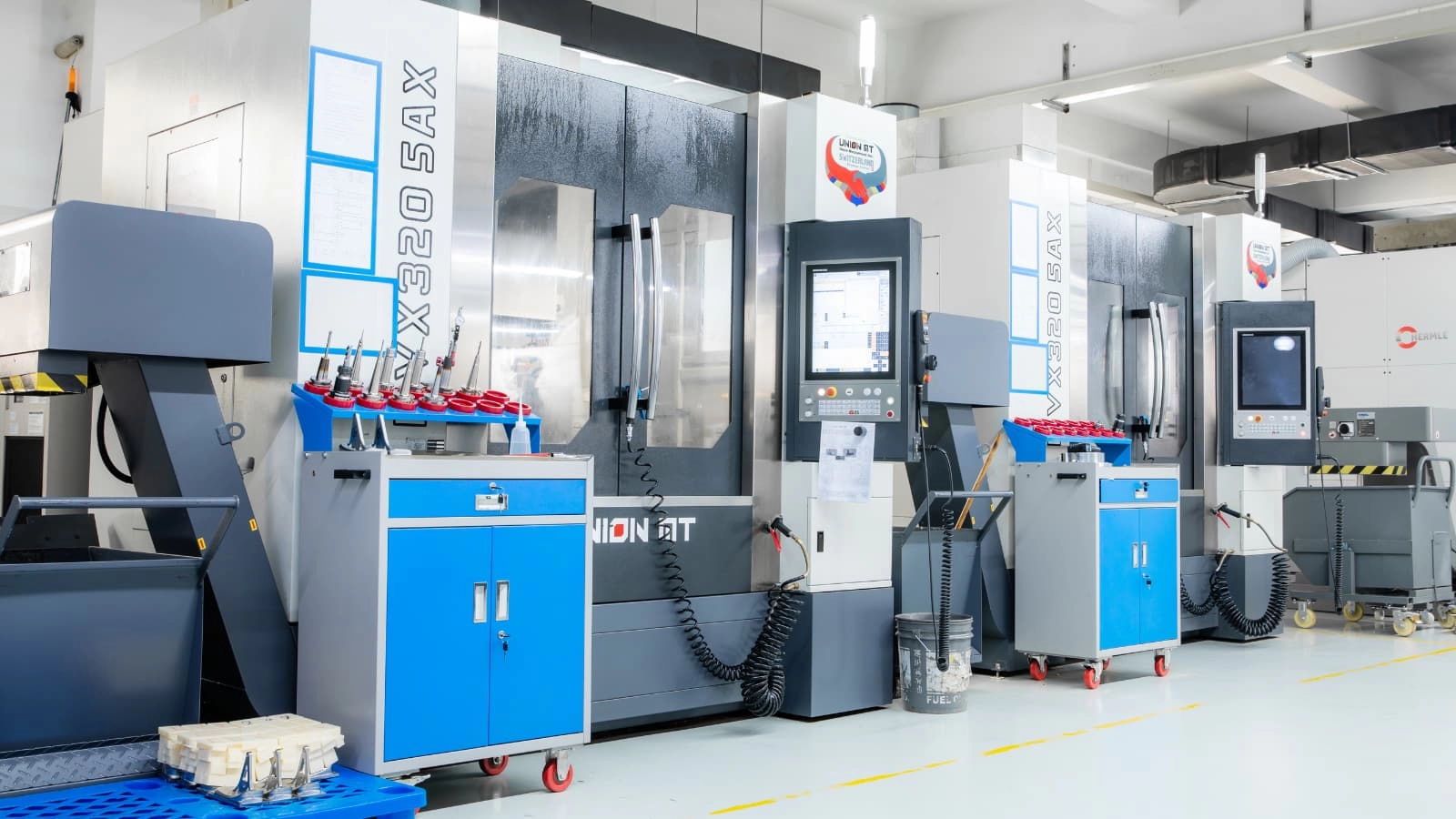
Step 1 Define Your CNC Goal and Limits
If you are asking what can you make with a cnc machine, the honest answer is twofold. The inspirational answer is almost anything from signs and jewelry parts to prototypes, enclosures, fixtures, and precision components. The realistic answer is narrower. It depends on the machine type, its rigidity, the work envelope, the material you want to cut, and how comfortable you are with CAD, CAM, and setup.
That distinction matters because what does a CNC machine do, exactly? In simple terms, CNC machines use computerized instructions to cut, drill, mill, and shape material with repeatable motion. In other words, CNC equipment turns a digital design into a physical part. But not every machine turns every design into a good part.
What You Can Make With a CNC Machine
A practical short list includes engraved signs, brackets, housings, jigs, fixtures, architectural models, decorative pieces, and prototype parts. DATRON also points to aerospace, automotive, medical, electronics, and consumer product components, which shows how broad the technology really is. Still, broad capability is not the same as universal capability. A small benchtop router may handle plaques and light profile cutting well, while tight-tolerance metal work asks much more from the machine and operator.
The best CNC project is the one your setup can finish accurately, safely, and repeatably.
How to Choose the Right CNC Path
Before chasing ideas, check whether your setup matches your goal. Wood Magazine notes that benchtop CNCs often fit home shops, but their envelope, Z travel, and software requirements shape what you can actually build. Saomad also stresses structure, usable work area, simulation, and clamping because precision starts long before the cutter touches material.
- Machine size: Check usable X, Y, and Z travel, not just the machine footprint.
- Rigidity: Light carving and serious metal cutting do not demand the same structure.
- Budget: Benchtop CNCs can start around $1,500 to $6,000, but software, tooling, dust collection, and training add cost.
- Software comfort: You need enough CAD/CAM confidence to create toolpaths and run simulation.
- Safety basics: Plan for dust extraction, workholding, power requirements, and safe machine operation.
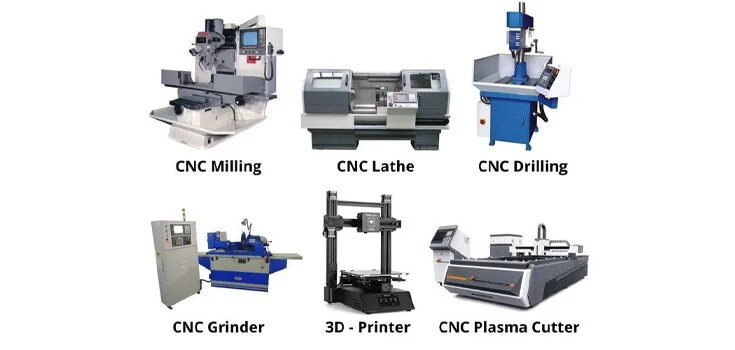
So what can you do with a cnc machine? Start with parts your machine can hold, cut, and repeat well. The real filter is not imagination. It is fit. And fit becomes much clearer when you compare router, mill, lathe, plasma, and 5-axis machines side by side.
Step 2 Match the Machine to the Part
A sign blank, a steel bracket, a shaft, and a turbine-style part can all come from CNC equipment, but they do not belong on the same machine. That is the practical filter many buyers miss. If you ask what can a cnc machine do, the useful answer is not "almost anything." It is "the right machine can make the right kind of part well." Geometry matters just as much as size or material.
CNC Machine Types and What They Actually Make
If you search cnc machine what does it do, think in terms of how the cutter meets the workpiece. Routers and mills both remove material with a rotating tool, but they are not interchangeable. A mill CNC is generally the stronger choice for harder metals and tighter, more precise part features, while routers are more at home with softer materials and larger-sheet work. Lathes flip the logic by spinning the workpiece itself, which is why they dominate round parts. Plasma cutters handle sheet and plate by cutting conductive metal with plasma. Five-axis machines add rotary motion so the tool can reach more faces in one setup, a core advantage highlighted by CNCCookbook and Intech.
Router Mill Lathe and Plasma Output Comparison
| Machine type | Realistic outputs | Typical project categories | Common materials | Major limitations |
|---|---|---|---|---|
| CNC router | Signs, panels, cabinet parts, carved reliefs, templates, foam forms | Woodworking, display work, light prototyping, large-format cutting | Wood, MDF, plastics, foam, composites, some soft metals | Less precise and less rigid than a mill for demanding metal work |
| CNC mill | Brackets, fixture plates, pockets, slots, bore features, molds, gears | Prototyping, metal part production, tooling, shop fixtures | Aluminum, steel, harder metals, plastics | Not ideal for long turned parts or very large sheet-profile cutting |
| CNC lathe | Shafts, bushings, spacers, pins, threaded round parts, tapered forms | Rotational components, repair parts, production turning | Metals and plastics in bar or round stock | Best for cylindrical or conical geometry, weak fit for flat prismatic parts |
| CNC plasma cutter | Flat brackets, gussets, art panels, signs, base plates | Fabrication, automotive repair, construction, decorative sheet work | Electrically conductive sheet and plate metals | Flat cutting only, rougher finish than machining, no pockets or 3D surfacing |
| 5-axis CNC | Complex housings, impellers, turbine-style parts, medical and aerospace-style components | High-complexity prototyping, precision metal parts, multi-face machining | Metals, engineering plastics, complex workpieces | Higher cost, harder programming, specialized tooling, often excessive for simple parts |
The quickest way to rule projects in or out is to ask two questions. Is the part mostly flat, mostly round, or full of angled surfaces? And does the machine actually suit the material? A plywood sign fits a router. A steel fixture plate fits a mill. A spacer or axle fits a lathe. A plate bracket fits plasma. A sculpted component with compound angles is where 5-axis starts to make sense.
That also explains why many popular CNC ideas are machine-specific, not universal. Engraved décor is router territory. Shafts and bushings are lathe work. Plasma shines on sheet metal profiles, not deep 3D parts. Five-axis earns its price on complex geometry and fewer setups, and Intech notes that low-volume complex jobs can see a 30 to 40 percent reduction in production time and effort. The catch is that even the right machine can struggle with the wrong material, which is where the next decision becomes far more important than most beginners expect.
Step 3 Pair Materials With Realistic Outputs
A router, mill, or lathe might all be capable machines, but the material still decides whether a part is easy, frustrating, or simply unrealistic. That is why the answer to what can you make with a cnc machine changes again once you move from geometry to stock. A broad material guide shows that CNC work spans metals, plastics, wood, and composites. The practical filter is narrower: what can your setup make well, with a finish you can actually live with?
Best Materials for Different CNC Projects
| Material | Suitable machine types | Common outputs | Finishing notes | Beginner difficulty |
|---|---|---|---|---|
| Wood, MDF, plywood | Router, sometimes mill | Signs, furniture parts, templates, patterns | Watch for tear-out and dust. Engineered wood is often more predictable than natural grain. | Low |
| Plastics such as ABS, acrylic, nylon, Delrin, PEEK | Mill, router, lathe depending part shape | Prototypes, displays, gears, bearings, low-friction parts | Surface quality varies by plastic. Acrylic is chosen for clear parts, while Delrin is valued for smooth machinability. | Low to medium |
| Aluminum | Mill, lathe, 5-axis for complex parts | Brackets, housings, fixture parts, lightweight functional components | Popular because it is light, corrosion-resistant, and machines well. Good chip clearing helps produce a strong finish. | Medium |
| Steel and stainless steel | Mill, lathe, 5-axis | Durable machine parts, shafts, wear components, corrosion-resistant parts | Stronger than aluminum, but slower and more demanding to machine. Harder materials increase machining time and tool wear. | High |
| Sheet and plate stock | Router for wood or plastic sheets, mill for metal plate, plasma for conductive sheet metal | Panels, flat brackets, cabinet parts, gussets, base plates | Flat stock is efficient for profile parts. Starting with near-net material reduces waste and machining time. | Low to medium |
Many of the most common types of products made with cnc machines come from forgiving materials and simple stock forms. For a first project, that usually means sheet goods, ABS, Delrin, or aluminum before jumping into steel. That is also where real cnc machine use becomes clearer. Wood suits décor and patterns. Plastics fit prototypes and low-friction parts. Aluminum supports functional parts without the full difficulty of steel.
What Changes Between Wood Plastic and Metal
Each group brings its own constraint. Wood introduces grain variation and dust. Plastics vary widely, from easy prototype materials like ABS to higher-performance options like PEEK. Aluminum is often a comfortable first metal because it machines well and clears chips more easily than tougher alloys. Steel asks for more rigidity, more patience, and more respect for tool wear. Heat matters too, not just during cutting but in final part performance, which is why thermal behavior is part of material selection in the first place.
Different cnc machine uses reward different material choices, and beginners usually do better when they choose the easiest material that still meets the job. That small decision often determines whether a project becomes a finished part, a usable product, or an abandoned idea. From here, the smartest move is not chasing more options. It is picking a first build that matches your machine, budget, and confidence level.
Step 4 Pick a First Project You Can Finish
At this stage, the smartest question is not only what can you make with a cnc machine. It is which project fits your machine envelope, material choice, and current skill without turning into a stalled weekend. CNC Masters recommends focusing on small-to-medium jobs that stay within your machine's capacity and match your experience level. That is the filter that separates finished parts from abandoned cnc projects.
If you still find yourself asking, what can i do with a cnc machine, start with work that is easy to clamp, easy to inspect, and forgiving during cleanup. The best early wins are usually simple profiles, shallow pockets, and projects that still look good after sanding, staining, or a little hand assembly.
Beginner CNC Projects That Match Your Setup
The examples gathered by CNCCookbook and CNC Masters point to a clear pattern. Signs, coasters, clocks, puzzles, drawer organizers, boxes, and simple décor pieces make strong starter cnc ideas because they are realistic on common routers and do not demand extreme tolerances. By contrast, interlocking furniture, intricate boxes, and projects with many fitted parts ask more from your spindle alignment, stock thickness control, cutter condition, and patience.
Project Profiles by Skill Level and Business Goal
| Project category | Recommended machine type | Suitable material | Difficulty | Use case | Finishing notes | Best fit |
|---|---|---|---|---|---|---|
| Engraved sign or name plaque | CNC router | Plywood, hardwood, MDF, acrylic | Beginner | Home décor, gifts, wall art | Light sanding, then paint or stain if desired | Hobbyist, small-shop seller |
| Personalized coaster or trivet | CNC router | Wood, acrylic | Beginner | Gift sets, event orders, low-cost product line | Edge cleanup and sealing for wood parts | Hobbyist, small-shop seller |
| Puzzle, maze, or game board | CNC router | Pine, plywood, acrylic accents | Beginner to intermediate | Kids' gifts, educational products, novelty sales | Sand touch surfaces and test moving pieces | Hobbyist, small-shop seller |
| Drawer organizer or French-fit tray | CNC router | Layered wood, plywood | Intermediate | Kitchen, desk, or tool organization | Glue-up and surface cleanup matter; use a suitable finish for the setting | Hobbyist, small-shop seller, light internal shop use |
| Desk cubby or storage box | Medium-size hobbyist router | MDF, plywood | Intermediate | Organization, custom gifts, premium handmade items | Dry-fit first, then glue and finish after assembly | Hobbyist, small-shop seller |
| Clock face or pendant lamp | CNC router | Hardwood, birch plywood | Intermediate | Functional décor with added assembly value | Requires clean finish plus purchased hardware or fittings | Hobbyist, small-shop seller |
| Chair, stool, or furniture parts | Larger CNC router | 3/4-inch plywood, melamine plywood | Advanced | Made-to-order furniture, higher-ticket custom work | Material thickness accuracy and assembly time are critical | Small-shop seller more than first-time hobbyist |
If your software comfort is still growing, signs, trays, coasters, and basic games are the safest cnc creations to start with. If you enjoy assembly and careful fit checks, boxes, lamps, and furniture parts open up. For anyone hoping to sell, CNC Masters makes a useful point: coasters and cutting boards are crowded categories, so a clean finish or a more distinctive design often matters as much as the cut itself.
Material also keeps your ambitions honest. Boss Laser notes that small CNC machines can work with harder materials, but rigidity, tool choice, chip clearing, and feeds and speeds become far more demanding. That is why a first project should teach control, not just creativity. The moment you choose a design worth making, the real challenge shifts to file prep, toolpaths, stock setup, and workholding.
Step 5 Build the Workflow Before You Cut
A good project file is only half the job. The part becomes real when the design, toolpath, stock, and machine all agree. If you are learning using a CNC machine, this is the point where a simple sign, bracket, or tray either runs smoothly or turns into a broken bit and wasted material. The safest habit is to follow the same setup sequence every time. A beginner-focused Makera guide and this workflow breakdown outline nearly the same chain: design, generate toolpaths, secure the stock, set zero, test the motion, then cut.
Using a CNC Machine From Design to Toolpath
The fastest way to use CNC with fewer surprises is to treat every job as a checklist, not a guess.
- Create the part in CAD. Start with a simple 2D drawing or 3D model and confirm the main dimensions before moving forward.
- Open the part in CAM. Define the stock size and material so the software matches the real workpiece on the table.
- Choose the cutter and operation. Begin with basic toolpaths such as contouring, pocketing, or drilling instead of jumping into advanced surfacing.
- Set feeds, speeds, and depth of cut. Use conservative values from tool guidance or CAM libraries rather than guessing.
- Simulate the toolpath. Look for wrong depths, missed features, collisions, or motion outside the stock.
- Post-process the file. Export G-code with the correct post-processor for your machine controller.
- Prepare the machine and material. Clear chips, check that the work area is clean, and cut stock to a manageable size if needed.
- Install the tool and hold the workpiece. Tighten the collet correctly and secure the stock with clamps, a vise, tape, vacuum hold, or a fixture.
- Set work zero and offsets. Many beginners use the top front-left corner of the stock because it is easy to find and matches common CAM defaults.
- Run a dry run, then a slow first pass. Air-cut above the work, keep a hand near feed hold, and reduce the feed for the first real cut.
Tooling Setup and Workholding Basics
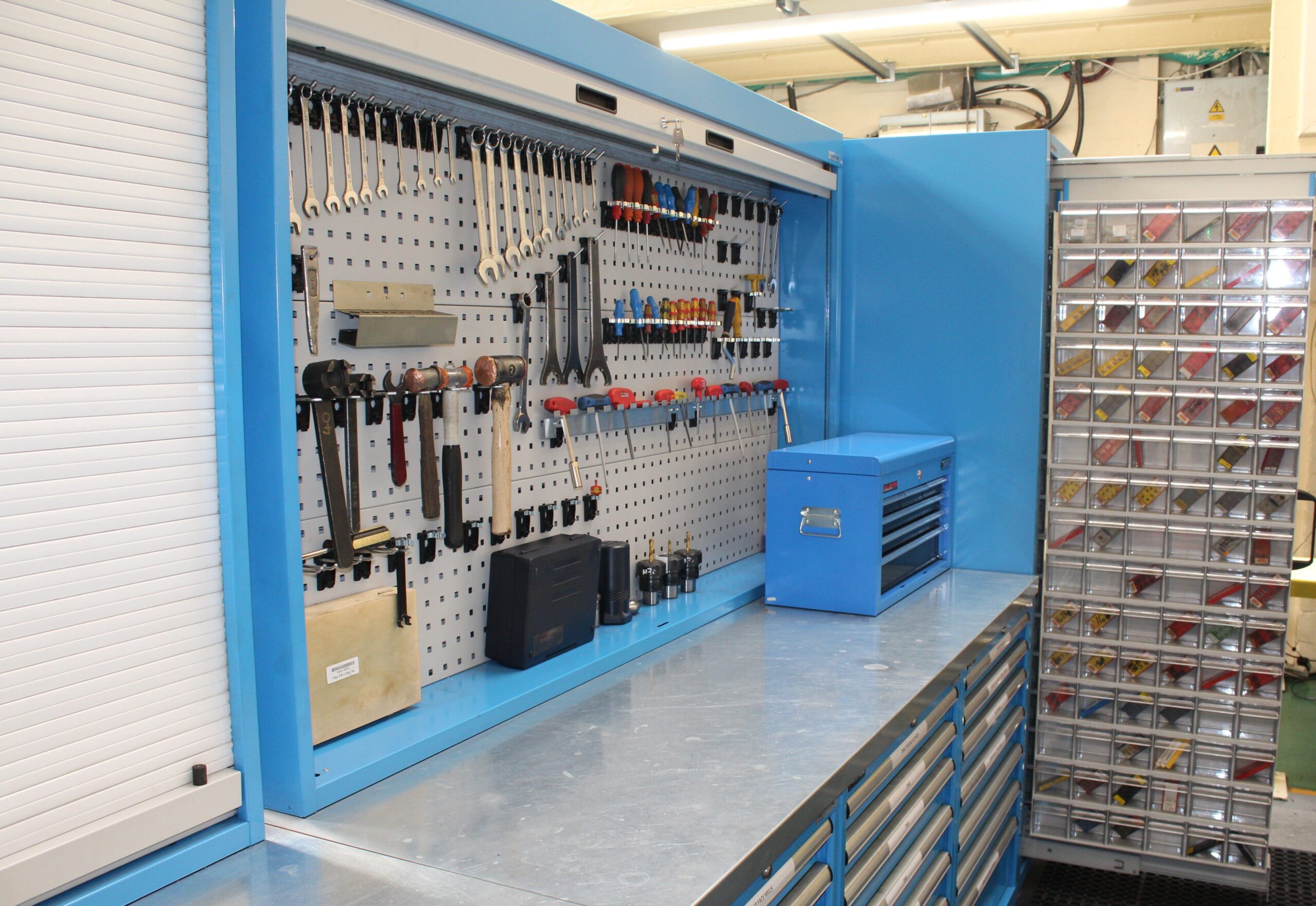
Good tooling CNC machine setup is not about owning a huge tool rack. It is about matching the cutter to the material and operation, installing it correctly, and giving the stock rigid support. The references describe workholding in practical terms: vises, clamps, T-slots, vacuum tables, and fixtures all exist to keep material from shifting while the machine follows the program. If the stock moves, the file does not matter anymore.
- Poor fixturing: Weak clamping invites vibration, movement, and bad dimensions.
- Wrong bit selection: The wrong cutter can overheat, chatter, dull quickly, or leave a poor finish.
- Incorrect zeroing: A bad X, Y, or Z zero can send the tool into clamps, the spoilboard, or the wrong part location.
- Skipping simulation: CAM preview and an air cut catch many mistakes before the spindle touches the stock.
That kind of preparation changes what you watch for once cutting begins. Attention shifts from file setup to chip control, edge quality, tool wear, and whether the finished part actually matches the design.
Step 6 Make the Part and Fix Common Problems
When the spindle finally starts cutting, the goal is no longer just motion. It is a usable part. In real cnc machine work, that usually means one pass to remove most of the stock, then a lighter finishing pass to clean walls, floors, and edges. Huayi's machining notes also show why that separation matters: lighter finishing cuts can reduce chatter and help hold size more predictably.
How CNC Parts Are Cut Finished and Checked
A clean part rarely comes straight off the machine ready to use. After cutting, most jobs still need edge cleanup, deburring, and surface finishing. CNCCookbook lists common finishing methods such as chamfering sharp edges, hand deburring with files or stones, bead blasting, vibratory polishing, and precision grinding when the required finish or tolerance goes beyond what the machine left behind. The right choice depends on function. A bracket may only need broken edges. A visible aluminum face may need a more refined finish.
Inspection should be just as deliberate. Huayi points out that dimensions can drift during a run from tool wear or heat, and that the wrong measuring method can miss a real fit problem. Check the first part, recheck critical features during the run, and let hot parts stabilize before trusting the numbers. If a feature seals, locates, or mates with another part, inspect it with a method that reflects that job, not just the easiest tool on the bench.
Realistic CNC success comes from repeatable process control, careful setup, and honest tolerance expectations, not ambitious design alone.
Common CNC Problems and Practical Fixes
Many frustrating cnc machine examples of scrap trace back to the same few causes. Practical patterns from Harvey Performance and Huayi make troubleshooting much faster.
| Symptom | Likely cause | Practical fix |
|---|---|---|
| Chatter | Too much tool stickout, weak workholding, aggressive cut, poor rigidity | Shorten tool overhang, improve fixturing, reduce depth or radial engagement, use a lighter finishing pass |
| Tear-out or burrs | Dull tool, material being pushed instead of sheared, poor exit strategy | Use a sharper tool, adjust toolpath, add a chamfer or deburring pass |
| Poor surface finish | Feed too aggressive, speed too slow, worn tool, chip or coolant problems | Reduce feed and cut depth, adjust RPM, improve chip evacuation or coolant, switch to a fresh tool |
| Dimensional error or drift | Tool wear, machine heat, deflection, setup movement | Inspect more often, use wear compensation, warm up the machine, verify rigidity and clamping |
| Broken tools | Excessive load, chip packing, too much overhang, heavily worn cutter | Lower feed and DOC, improve chip clearing, shorten reach, replace tools before failure |
The important habit is early correction. If the sound changes, the finish worsens, or dimensions start moving, stop and investigate. When those problems keep repeating even with careful process control, the project may be asking more from your machine, tooling, or inspection setup than it can deliver consistently.
Step 7 Decide When to Keep Work In House
Sometimes a part keeps fighting back for a simple reason: the job no longer fits the shop. That matters whether your cnc machine job is a one-off prototype, a small product run, or a precision metal component. If you are still asking what is a cnc machine used for, the practical answer splits into two lanes. One lane is fast iteration. The other is repeatable production. They do not always belong in the same place.
When In House CNC Still Makes Sense
In-house work makes the most sense when you need same-day design changes, want tight control over a core design, and already have the machine, operator, and inspection capability to support the part. The MakerStage framework places typical CNC break-even around 2,000 to 5,000 parts per year on a single machine, with year-one mill investment often around $150,000 to $250,000 and utilization needing to stay roughly above 60 to 70 percent. That is why many teams keep a small internal capability for prototyping and use a hybrid workflow for everything else.
The Fictiv guide highlights the other side of that decision: outsourcing can add advanced capability, skilled labor, and scaling flexibility without the full burden of equipment, training, and maintenance. In plain terms, some common cnc uses belong in your shop, while others are better handed to specialized production partners.
Signs a Project Has Outgrown Your Shop
| Scenario | Best path | Cost-control priorities | Skill demands | Quality risks | Scaling challenges |
|---|---|---|---|---|---|
| Prototyping | Hybrid or outsource | Protect cash and avoid early capital spend | Frequent CAD, CAM, and setup changes | Revision churn and setup mistakes | Design may change 5 to 15 times before lock |
| Low-volume sales | Hybrid or outsource | Avoid idle machine time and hidden overhead | Consistent fixturing and finishing | Uneven quality between small batches | Demand swings hurt utilization |
| Tight-tolerance metal parts | Usually outsource | Reduce scrap, tool wear, and inspection cost | Advanced machining and metrology | Tolerance misses, rework, broken tools | Capability gaps become expensive fast |
| Repeat orders | Evaluate carefully | Compare unit cost against total ownership | Stable process control and scheduling | Drift over time if process is weak | Works best with stable demand and capacity |
| Regulated industries | Outsource unless already qualified | Protect compliance and traceability | Documentation, validation, certified systems | Audit failure or incomplete records | Certification and QA systems add major overhead |
For hobbyists, the tipping point is usually repeatability. For small shops, it is often changeover time and unstable demand. For industrial buyers, it is certification, inspection depth, and proof of process capability. Some parts should stay personal. Others clearly belong with custom designed machinery or specialized suppliers. The real advantage comes when that decision is made early enough to turn a good part into a stable, repeatable production plan.
Step 8 Scale From Prototype to Production
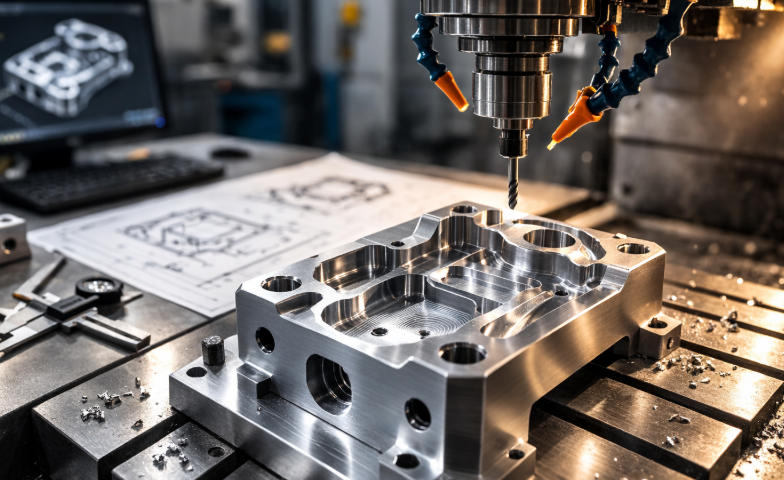
A first successful part proves the design can work. Real scale starts when the same geometry can be machined again next week, next month, and in larger quantities without chasing dimensions. That is the real shift in manufacturing with cnc. At this point, a one-off bracket, housing, bushing, or other cnc product stops being just a good sample and starts becoming a process.
How to Scale CNC Ideas Into Repeatable Production
Production-focused machining services such as Xometry describe scale as a structured flow: project assessment, CAM programming, tooling selection, production, and quality checks. Quality teams at Stecker Machine add the controls many small shops skip, including design review, first article inspection, CMM verification, ISIR records, and PPAP documentation. The pattern is clear: repeatable output comes from controlled systems, not from one clean prototype.
- Review the design again. Confirm manufacturability, feature access, and whether the print can be measured accurately.
- Lock realistic tolerances. Keep the tightest limits on dimensions that affect fit, function, or assembly, not everywhere on the drawing.
- Plan inspection before the run. Define first article checks, in-process checks, and the measuring tools needed for critical features.
- Stabilize the process. Standardize tooling, workholding, offsets, and cutting conditions so results stay consistent from batch to batch.
- Document the job. Control plans, setup sheets, revision history, and sample records reduce drift as volume grows.
- Choose the right production path. Some jobs stay in-house. Others need dedicated fixtures, outside capacity, or even custom designed machinery to stay economical and repeatable.
- Communicate with suppliers clearly. Send current drawings, materials, finish requirements, target quantities, and approval steps before production starts.
Choosing a CNC Partner for Precision Metal Parts
Automotive and other tightly controlled metal programs often demand more than a capable spindle. They need process discipline. For example, Shaoyi Metal Technology highlights IATF 16949 quality management, SPC, prototype support, low-volume production, PPAP-ready workflows, and automated mass production for automotive metal parts. The same page also shows support from rapid prototyping to 5,000-plus-piece mass production, which is exactly the kind of range buyers should look for when repeat orders outgrow a small shop.
The best handoff point is not emotional. It is operational. If your team can hold size, inspect critical features, control revisions, and ship repeat orders with confidence, keep building. If not, the smarter move is a partner built for production consistency.
FAQ: What Can You Make With a CNC Machine?
1. What can you realistically make with a CNC machine as a beginner?
Beginners usually do best with simple parts that are easy to clamp, easy to inspect, and forgiving during cleanup. Good starting options include signs, coasters, trays, flat panels, simple brackets, and basic acrylic or wood projects. If you have a small router, focus on sheet goods and shallow cuts first. The safest first project is not the most ambitious one, but the one your machine can cut cleanly and repeat with confidence.
2. What is the difference between a CNC router, mill, lathe, and plasma cutter?
Each machine is best at a different part shape. A CNC router is commonly used for wood, plastics, and larger flat work such as signs or panels. A mill is better for more rigid cutting, especially functional metal parts with pockets, holes, and precise faces. A lathe is built for round parts like shafts, spacers, and bushings, while a plasma cutter is made for fast profile cutting in conductive sheet metal rather than 3D machining.
3. Which materials are best for first CNC projects?
Wood, MDF, plywood, ABS, Delrin, and some acrylic projects are often easier starting points because they are more forgiving than steel. Aluminum can be a smart first metal if the machine is rigid enough and chip clearing is handled well. Steel and stainless usually demand more from the machine, tooling, and setup, so they are better saved for later. In most cases, the right beginner material is the easiest one that still meets the job's real purpose.
4. How do I choose between making CNC parts in-house and outsourcing them?
Keep work in-house when you need fast design changes, have the right machine for the geometry, and can inspect the important features properly. Outsourcing becomes the better move when tolerances tighten, materials get harder, repeat orders grow, or documentation and traceability matter more. For precision metal parts, especially in automotive or other controlled industries, a qualified machining partner can reduce quality risk and scale more smoothly. If a project moves from a prototype into repeat production, a supplier with IATF 16949 systems and SPC-based control, such as Shaoyi Metal Technology, may be the more practical path.
5. What steps matter most before I start cutting on a CNC machine?
The most important steps happen before the tool touches the stock. Start by confirming the design in CAD, then build the toolpath in CAM, choose the correct cutter, set conservative cutting values, and run a simulation. After that, secure the material well, set your work zero carefully, and do a dry run or slow first pass. Many common CNC mistakes come from weak workholding, bad zeroing, the wrong bit, or skipping simulation.