 Small batches, high standards. Our rapid prototyping service makes validation faster and easier —
  EN
EN


Projekty blachy ciętej laserem: od pierwszego szkicu po halę produkcyjną
Zrozumienie projektów blachy ciętej laserem
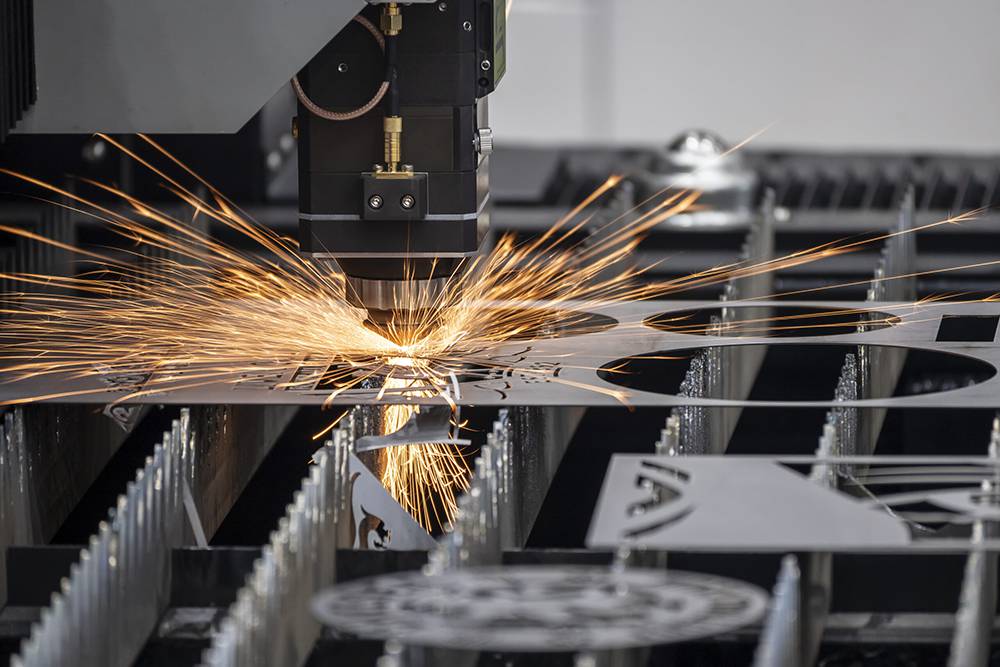
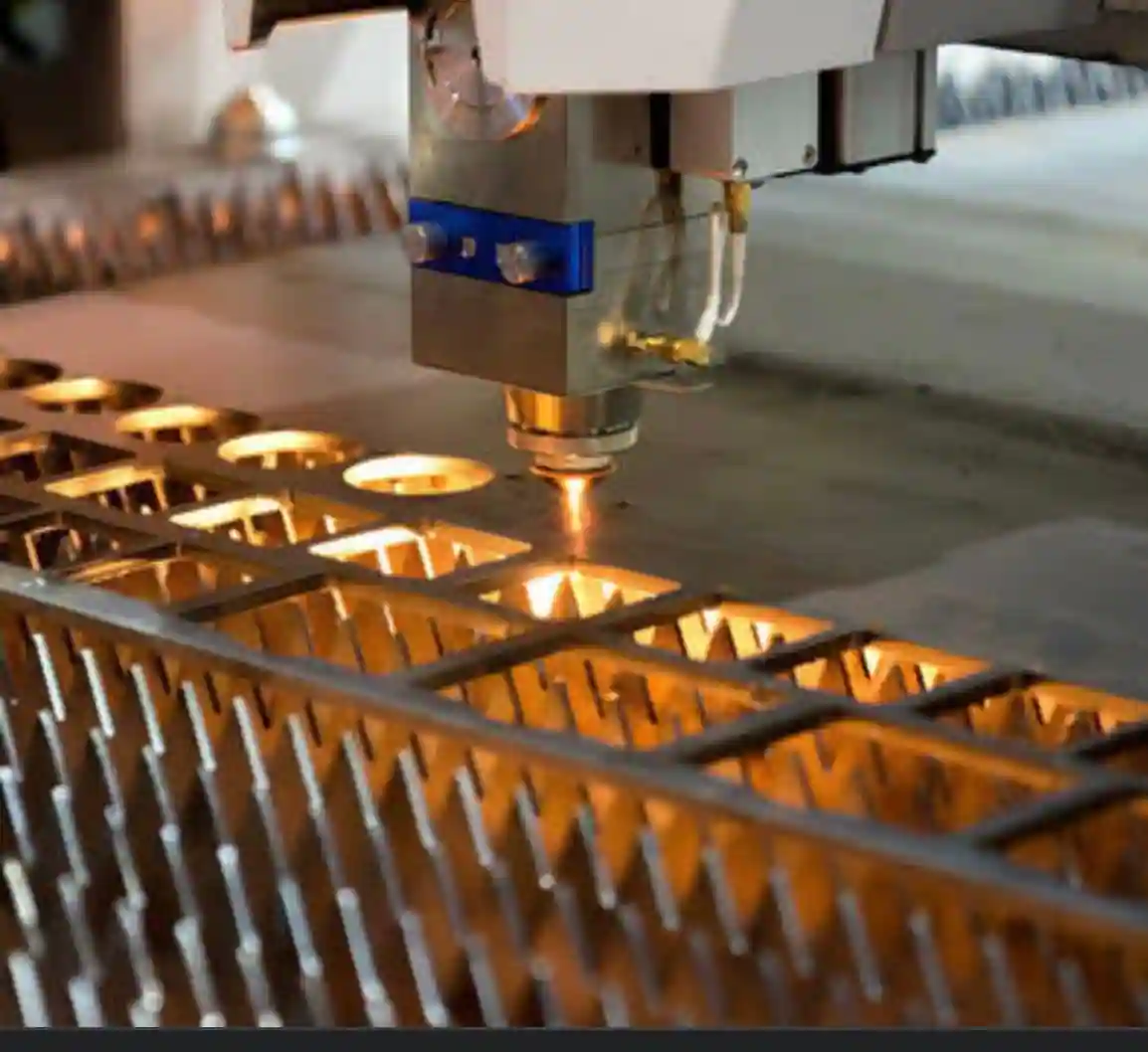
Wyobraź sobie przekształcenie płaskiej płyty stalowej w złożoną konstrukcję architektoniczną lub precyzyjny element nadwozia – wszystko z dokładnością mierzoną ułamkami milimetra. To właśnie ta moc stoi za projektami blachy ciętej laserem. Proces ten wykorzystuje wysokoenergetyczną wiązkę lasera , kontrolowaną przez systemy CNC (komputerowe sterowanie numeryczne), do cięcia, grawerowania lub kształtowania metalu z nieosiągalną dokładnością. W przeciwieństwie do tradycyjnych metod cięcia opartych na fizycznym kontakcie, cięcie laserem topi, spala lub odparowuje materiał wzdłuż dokładnie zaprogramowanej ścieżki, zapewniając rezultaty, których nie potrafi osiągnąć żadne narzędzie mechaniczne.
Niezależnie od tego, czy jesteś inżynierem opracowującym elementy samochodowe, czy artystą tworzącym dekoracyjne panele ścienne, zrozumienie tej technologii otwiera drzwi do możliwości, które kiedyś były niemożliwe lub zbyt kosztowne. Ten przewodnik łączy lukę między zastosowaniami dekoracyjnymi a przemysłowymi, zapewniając kompleksową podstawę niezbędną do przeniesienia projektu cięcia blachy laserem od pomysłu do rzeczywistości.
Dlaczego cięcie laserem przekształca proces wykrawania blachy
Tradycyjne metody cięcia, takie jak piły taśmowe, noże tnące lub wykrawanie matrycowe, służą producentom od dziesięcioleci. Jednak wiążą się one z wrodzonymi ograniczeniami – mniejszą szybkością, niższą precyzją oraz trudnościami w obróbce skomplikowanych geometrii. Cięcie laserem całkowicie zmienia zasady gry.
Zgodnie z danymi branżowymi cytowanymi przez EDCO Fabrication, cięcie laserem pozwala przetwarzać blachę stalową o grubości 40 mm z prędkością około 10 razy większą niż piła taśmowa oraz 50–100 razy większą niż cięcie drutem. Jednak szybkość to tylko część opowieści. Technologia zapewnia dokładność zwykle w zakresie od ±0,1 mm do ±0,5 mm, przy czym na cienkich materiałach możliwe są jeszcze ścislsze допусki.
Co oznacza to dla Twoich projektów? Możesz tworzyć:
- Skomplikowane wzory o wyrafinowanej, precyzyjnej szczegółowości
- Złożone geometrie niemożliwe do uzyskania przy użyciu cięcia mechanicznego
- Spójne i powtarzalne elementy w całych partiach produkcyjnych
- Czystych krawędzi wymagających minimalnej obróbki końcowej
Technologia stojąca za precyzyjnymi projektami metalowymi
Współczesne projektowanie blachy ciętej laserem opiera się głównie na dwóch typach laserów: CO2 i włókienkowych. Lasery CO2 dobrze sprawdzają się przy cięciu cienkiej blachy aluminiowej oraz metali nieżelaznych, podczas gdy maszyny do cięcia laserowego włókienkowego wyróżniają się przy obróbce silnie odbijających światło metali, takich jak mosiądz, miedź czy stal nierdzewna. Lasery włókienkowe zapewniają wyższą jakość wiązki i jej intensywność, co przekłada się na szybsze prędkości cięcia oraz mniejszą szerokość szczeliny cięcia – cienkiego pasma materiału usuwanego podczas procesu cięcia.
Zastosowania obejmują imponujący zakres zastosowań. Z jednej strony – zastosowania dekoracyjne: ekrany architektoniczne, tablice informacyjne, sztuka ścienne i akcenty meblowe, które podkreślają skomplikowane wzory i wyrażenie artystyczne. Z drugiej strony – zastosowania funkcjonalne: producenci tworzą elementy nadwozi, uchwyty, obudowy oraz części konstrukcyjne dla takich branż jak motocyklowa, lotnicza i elektroniczna. Co je łączy? Zarówno zastosowania dekoracyjne, jak i przemysłowe korzystają z tych samych kluczowych zalet: precyzji, wydajności i swobody projektowania.
Cięcie laserem zdemokratyzowało złożone projektowanie metalu, czyniąc skomplikowane procesy wytwarzania dostępnymi zarówno dla dużych producentów przemysłowych, jak i pojedynczych hobbystów – zmiana ta fundamentalnie przekształciła możliwości w zakresie obróbki metali.
Ta zdemokratyzacja wynika z kilku czynników. Technologia minimalizuje odpady materiału dzięki precyzyjnemu cięciu, redukuje zużycie energii w porównaniu z cięciem plazmowym oraz umożliwia szybkie prototypowanie, co przyspiesza przejście od projektu do produkcji. Dla profesjonalistów i hobbystów te korzyści przekładają się na większą swobodę twórczą oraz opłacalne kosztowo wytwarzanie.
Podstawowe specyfikacje techniczne niezbędne do pomyślnego zaprojektowania
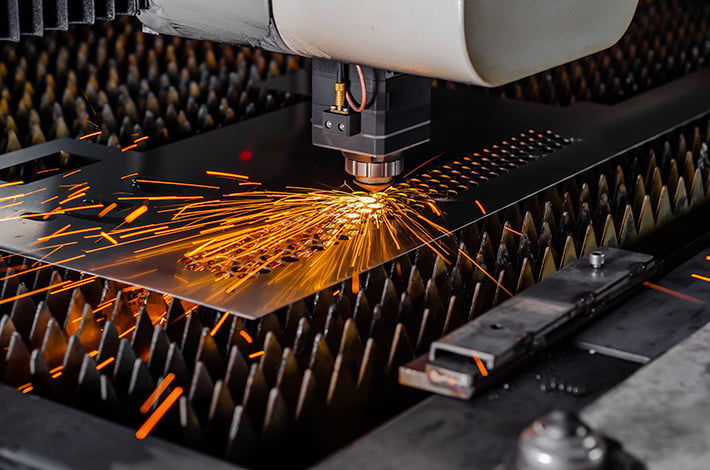
Zobaczyłeś, na co jest zdolne cięcie laserem – pora teraz porozmawiać o liczbach. Zrozumienie dokładnych tolerancji, szerokości szczeliny cięcia (kerf) oraz granic wymiarowych dla wybranego materiału to to, co oddziela pomyślne projektowanie cięcia laserowego blachy od kosztownych prób i błędów. Te specyfikacje mogą wydawać się techniczne, ale stanowią podstawę każdego projektu gotowego do produkcji.
Oto rzeczywistość: większość niepowodzeń projektowych wynika z pominięcia tych podstawowych parametrów. Otwór umieszczony zbyt blisko krawędzi, mostek zbyt wąski w stosunku do grubości materiału lub nieprawidłowa kompensacja szerokości cięcia (kerf) mogą przekształcić obiecujący projekt w odpad metalowy. Zapewnijmy, aby tak nie było w przypadku Twojego projektu.
Kluczowe tolerancje wymiarowe dla dokładnych projektów
Jak dużą precyzję można osiągnąć przy cięciu laserowym? Odpowiedź zależy od typu lasera oraz wybranego materiału. Zgodnie ze specyfikacjami technicznymi firmy A-Laser, lasery włókienkowe zapewniają zawsze tolerancje w zakresie od ±0,001 do ±0,003 cala (±0,025 do ±0,076 mm), podczas gdy lasery CO₂ osiągają zwykle tolerancje od ±0,002 do ±0,005 cala (±0,05 do ±0,127 mm). W przypadku prac wymagających najwyższej precyzji lasery UV mogą osiągać zadziwiające tolerancje nawet na poziomie ±0,0001 cala.
Jednak tolerancje opowiadają tylko część historii. Projektując konstrukcję blachy metalowej do cięcia laserowego, należy zrozumieć minimalne wymiary cech konstrukcyjnych – najmniejsze otwory, wycięcia i mostki, które materiał może niezawodnie wytrzymać.
| Typ materiału | Zalecany minimalny średnica otworu | Minimalna szerokość mostka / przegrody | Typowa szerokość cięcia | Maksymalna zalecana grubość |
|---|---|---|---|---|
| Stal miękka | 1× grubość materiału (min. 0,5 mm) | 1× – 1,5× grubość materiału | 0,15 mm – 0,30 mm | 25 mm (laser włókienkowy) |
| Stal nierdzewna | 1× grubość materiału (min. 0,5 mm) | 1× – 1,5× grubość materiału | 0,15 mm - 0,35 mm | 20 mm (laser włókienkowy) |
| Aluminium | 1,2× grubość materiału (min. 0,6 mm) | 1,5 grubości materiału | 0,20 mm – 0,38 mm | 15 mm (laser włóknowy) |
| Mosiądz | 1× grubość materiału (min. 0,5 mm) | 1× – 1,5× grubość materiału | 0,15 mm – 0,30 mm | 10 mm (laser włóknowy) |
| Miedź | 1,2× grubość materiału (min. 0,6 mm) | 1,5 grubości materiału | 0,20 mm – 0,35 mm | 8 mm (laser włóknowy) |
Kluczowa zasada wynikająca z Wytyczne projektowe SendCutSend : otwory powinny znajdować się w odległości co najmniej równej ich średnicy od dowolnego brzegu, a wycięte szczeliny – co najmniej w odległości 1,5 razy większej niż ich szerokość od brzegów lub innych wycięć. Nieprzestrzeganie tych minimalnych odległości nie tylko zwiększa ryzyko osłabienia elementów – może również spowodować całkowite wypalenie tych cech podczas cięcia.
W przypadku mostków i wycięć zaleca się, aby średnica otworów oraz szerokość mostków nie była mniejsza niż 50 % grubości materiału. Jednak dla zapewnienia wytrzymałości konstrukcyjnej i optymalnej jakości cięcia należy dążyć do wartości od 1 do 1,5 grubości materiału. Na przykład przy elemencie o grubości 3 mm minimalna odległość między wycięciami powinna wynosić co najmniej 1,5 mm – choć odległość 3–4,5 mm dałaby silniejsze i czystsze rezultaty.
Metody kompensacji szerokości cięcia
Czym dokładnie jest szerokość cięcia (kerf) i dlaczego ma to znaczenie dla projektu cięcia blachy laserem? Szerokość cięcia (kerf) to grubość materiału usuwanego przez wiązkę laserową podczas cięcia. Można ją porównać do grubości tarczy piły – z tą różnicą, że w przypadku laserów mowa o szerokościach od 0,15 mm do 0,38 mm dla metali.
Na szerokość cięcia wpływają kilka czynników, jak wyjaśnia poradnikiem technicznym xTool :
- Rozmiar plamki lasera: Średnica wiązki w punkcie skupienia bezpośrednio określa minimalną szerokość cięcia
- Grubość materiału: Wiązki laserowe mają lekko stożkowy kształt, co powoduje szersze cięcie u dolnej krawędzi grubszych materiałów
- Pozycja fokusu: Dokładne skupienie na powierzchni daje węższe cięcia; głębsze skupienie powoduje szersze cięcia
- Ustawienia mocy i prędkości: Zwiększenie mocy powoduje poszerzenie cięcia, ale jednoczesne zwiększenie prędkości może zniwelować ten efekt
- Geometria cięcia: Ścieżki krzywoliniowe mogą generować nieco szersze cięcia niż cięcia proste ze względu na zmiany prędkości
Jak więc uwzględnić szerokość cięcia w swoich projektach? Istnieją dwa główne podejścia:
Kompensacja przesunięcia: Dostosuj ścieżkę cięcia w kierunku wewnątrz lub na zewnątrz o połowę szerokości cięcia (kerf). Dla szerokości cięcia wynoszącej 0,2 mm przesuń zewnętrzne cięcia na zewnątrz o 0,1 mm, a wewnętrzne cięcia (otwory) do środka o 0,1 mm. Większość oprogramowania CAM zawiera wbudowane funkcje automatycznej kompensacji kerf.
Dostosowanie na etapie projektowania: Tworząc połączenia wciskane (press-fit) lub elementy zaczeplone, uwzględnij szerokość cięcia (kerf) w pierwotnych wymiarach projektu. Jeśli potrzebujesz wpustu o szerokości 3 mm, który ma pasować ciasno do gniazda, a szerokość cięcia wynosi 0,2 mm, narysuj gniazdo o szerokości od 2,9 mm do 3,0 mm, a nie 3,2 mm.
Oto praktyczna wskazówka: zawsze zamów próbne cięcie na swoim konkretnym materiale przed uruchomieniem pełnej serii produkcyjnej. Szerokość cięcia (kerf) różni się w zależności od maszyny oraz nawet między partiami materiału, dlatego weryfikacja wartości kompensacji za pomocą rzeczywistych cięć zapobiega kosztownym błędom.
Wpływ grubości materiału na możliwości projektowe
Grubość materiału nie określa tylko wytrzymałości konstrukcyjnej – decyduje ona fundamentalnie o tym, czego można dokonać w ramach projektu. Cienkie materiały (poniżej 3 mm) zapewniają większą elastyczność projektową, umożliwiając uzyskanie subtelniejszych szczegółów i ścisłych tolerancji. Wraz ze wzrostem grubości minimalne rozmiary cech konstrukcyjnych muszą rosnąć proporcjonalnie, a utrzymanie wysokiej jakości krawędzi staje się trudniejsze.
Zwróć uwagę na następujące skutki związane z grubością materiału:
- Jakość krawędzi: Cienkie materiały pozwalają uzyskać czystsze i bardziej prostopadłe krawędzie. W przypadku grubszych materiałów może pojawić się lekki nachylenie krawędzi spowodowane stożkowym kształtem wiązki lasera.
- Strefy wpływu ciepła: Cięcia grubszych materiałów wymagają większej ilości energii, co potencjalnie prowadzi do powstania większych stref wpływu ciepła, które mogą wpływać na twardość oraz barwę materiału w pobliżu krawędzi.
- Prędkość cięcia: Czas przetwarzania rośnie wykładniczo wraz ze wzrostem grubości materiału, co bezpośrednio wpływa na koszty produkcji.
- Złożoność projektu: Skomplikowane wzory z delikatnymi detalami najlepiej sprawdzają się przy użyciu cieńszych materiałów; grubsze materiały są lepsze do realizacji bolderowych, prostszych geometrii.
Dla zastosowań dekoracyjnych, takich jak przegrody i obrazy ściennne, materiały o grubości od 1 mm do 3 mm zapewniają zazwyczaj optymalny kompromis między możliwością oddania szczegółów a wytrzymałością konstrukcyjną. Elementy funkcyjne wymagające nośności mogą potrzebować grubości od 4 mm do 10 mm, przy czym cechy projektowe należy odpowiednio skalować.
Posiadając te specyfikacje techniczne, jesteś gotowy przejść od rozumienia ograniczeń do aktywnego projektowania w ich ramach. Następnym krokiem jest poznanie praktycznego przepływu pracy, który przekształca Twoją kreatywną wizję w pliki gotowe do produkcji.
Krok po kroku: przepływ pracy projektowej dla początkujących
Znasz specyfikacje techniczne – nadszedł czas na tworzenie. Czy to szkicujesz swój pierwszy panel dekoracyjny, czy dopracowujesz projekt funkcjonalnego uchwytu , proces od koncepcji do pliku gotowego do produkcji podlega spójnemu przepływowi pracy. Opanowanie tych kroków pozwoli Ci uniknąć frustrujących błędów, które zmuszają początkujących do powrotu do etapu szkicowania.
Dobra wiadomość? Nie potrzebujesz drogiego oprogramowania, aby rozpocząć pracę. Jak zauważają praktycy branżowi , darmowe i open-source’owe narzędzia, takie jak Inkscape, oferują wszystkie niezbędne funkcje do projektowania elementów z blachy metalowej przeznaczonych do cięcia laserowego. Przeanalizujmy cały proces krok po kroku.
Od szkicu do pliku gotowego do produkcji
Każdy udany projekt cięcia laserowego blachy metalowej zaczyna się od dwóch podstawowych elementów: wektorowego pliku projektu oraz odpowiednich ustawień dla danego materiału. Oto sekwencyjny przepływ pracy stosowany przez profesjonalistów:
- Zdefiniuj wymiary dokumentu: Ustaw rozmiar płótna zgodnie z rzeczywistymi wymiarami materiału. Ułatwia to wizualizację odstępów, planowanie rozmieszczenia elementów oraz zapewnia dokładne pozycjonowanie po zaimportowaniu pliku do oprogramowania do cięcia.
- Utwórz lub zaimportuj elementy projektu: Rysuj kształty przy użyciu narzędzi wektorowych lub importuj obrazy referencyjne do śledzenia konturów. Pamiętaj – wszystko musi ostatecznie zostać przekształcone na ścieżki wektorowe.
- Przekonwertuj wszystkie elementy na ścieżki: Tekst, kształty i zaimportowane grafiki wymagają konwersji na edytowalne ścieżki. W programie Inkscape zaznacz swój element i użyj polecenia Ścieżka > Obiekt do ścieżki.
- Zastosuj wzory wypełnienia dla obszarów grawerowanych: Jeśli projekt zawiera wypełnione sekcje, użyj rozszerzeń wypełnienia kratkowego z małą odległością linii (0,25 mm sprawdza się dobrze), aby utworzyć ścieżki, które zostaną wykryte przez laser.
- Organizuj warstwy według typu operacji: Oddziel linie cięcia, obszary grawerowania oraz znaczniki zarysowania na różne warstwy, używając różnych kolorów – zwykle czerwony dla cięć, niebieski dla grawerowania oraz czarny lub zielony dla zarysowania.
- Sprawdź ciągłość i zamknięcie ścieżek: Upewnij się, że ścieżki cięcia tworzą zamknięte kształty bez przerw. Niezamknięte ścieżki mogą spowodować niekompletne cięcia lub nieoczekiwane zachowanie maszyny.
- Wyeksportuj plik w odpowiednim formacie: Zapisz gotowy projekt jako plik DXF, DWG lub AI, w zależności od wymagań dostawcy usług cięcia.
Podstawowe elementy przepływu pracy w oprogramowaniu do projektowania
Wybór odpowiedniego oprogramowania zależy od Twojego budżetu, poziomu doświadczenia oraz złożoności projektu. Oto porównanie głównych opcji:
| Oprogramowanie | Koszt | Najlepszy dla | Główne atuty |
|---|---|---|---|
| Inkscape | Darmowy | Początkujący i amatorzy | Łatwy proces nauki, działające na wielu platformach, doskonałe do pracy wektorowej w 2D |
| Adobe Illustrator | 20,99 USD/miesiąc | Profesjonalni projektanci | Standard branżowy, potężne narzędzia śledzenia, rozbudowany ekosystem wtyczek |
| Fusion 360 | Dostępna bezpłatna wersja próbna; ok. 70 USD/miesiąc za pełną wersję | Inżynierowie i projektanci wyrobów | Współpraca w chmurze, modelowanie parametryczne, integracja z systemami CAM |
| AutoCAD | Opłata subskrypcyjna | Zastosowania techniczne i architektoniczne | Precyzyjne rysowanie techniczne, natywna obsługa formatów DXF/DWG, powszechne zastosowanie w branży |
Niezależnie od wybranego oprogramowania zrozumienie formatów plików jest niezbędne. Zgodnie z materiałami technicznymi Xometry format DXF (Drawing Interchange Format) pozostaje uniwersalnym standardem dla projektów cięcia laserowego blachy, ponieważ jest otwartym formatem i kompatybilny niemal ze wszystkimi oprogramowaniami CAD oraz systemami cięcia. Format DWG oferuje podobne możliwości, lecz w formacie własnościowym. Pliki AI (Adobe Illustrator) działają dobrze, gdy usługa cięcia je obsługuje, szczególnie w przypadku projektów zawierających złożone krzywe.
Konwersja obrazów rastrowych na formaty wektorowe
Co zrobić, jeśli zaczynasz od zdjęcia lub obrazu bitmapowego? Konwersja grafiki rastrowej na gotowe do cięcia laserowego wektory wymaga szczególnej staranności. Jak wyjaśniają specjaliści ds. konwersji , jakość wynikowego wektora zależy bezpośrednio od jakości źródłowego obrazu — obrazy o niskiej rozdzielczości generują zgrubiałe, nieprzydatne wektory.
Aby uzyskać najlepsze rezultaty podczas automatycznego śledzenia konturów:
- Zacznij od obrazu o najwyższej dostępnej rozdzielczości
- Użyj ograniczenia jasności lub wykrywania krawędzi, aby uprościć złożone obrazy
- Zastosuj ustawienia redukcji kolorów i uproszczenia ścieżek
- Włącz opcję „ignoruj biały”, aby usunąć obszary tła
- Rozwiń wszystkie kontury po zakończeniu śledzenia
Jedno ważne ostrzeżenie: automatyczne śledzenie sprawdza się słabo przy niskojakościowych mapach bitowych, co często prowadzi do zgrubnych, nieregularnych krawędzi, nieodpowiednich do precyzyjnego cięcia laserowego blach. W przypadku profesjonalnych projektów cięcia laserowego blach metalowych rozważ ręczne przerysowanie wektorowe lub skorzystanie z usług profesjonalnej konwersji, gdy wyniki automatycznego śledzenia są niezadowalające.
Typowe błędy początkujących, których należy unikać
Nawet doświadczeni projektanci popełniają te błędy podczas przejścia do projektowania elementów przeznaczonych do cięcia laserowego blach metalowych:
- Nachodzące na siebie kształty: Oprogramowanie do cięcia laserowego interpretuje nachodzące na siebie ścieżki jako osobne linie cięcia, co może spowodować dwukrotne przecięcie tego samego obszaru i uszkodzenie materiału
- Nieporozumienia dotyczące grubości konturu: Lasery nie mogą reprezentować grubości konturu – po prostu śledzą ścieżki. Jeśli grubość konturu ma znaczenie wizualne, należy przekonwertować kontury na wypełnione kształty lub użyć grawerowania
- Niezaamknięte ścieżki: Otwarte krzywe nie zostaną wytnięte zgodnie z oczekiwaniami. Zawsze sprawdzaj zamknięcie ścieżek przed eksportem
- Niezgodność wersji pliku: Starsze oprogramowanie do cięcia może nie obsługiwać nowszych formatów plików. Zapisuj pliki w najstarszym możliwym formacie kompatybilnym
- Ignorowanie ostrych narożników: kąty 90 stopni wyglądają ostro, ale mogą pękać pod wpływem naprężeń. Dodanie promienia o wartości 1/16 cala znacznie poprawia wytrzymałość części funkcyjnych
Gdy plik projektu został odpowiednio przygotowany i wyeksportowany, możesz przejść do rozważenia, jak dobór materiału wpłynie na końcowe efekty. W kolejnym rozdziale omawiamy, jak różne metale zachowują się pod działaniem lasera oraz które materiały najlepiej nadają się do konkretnych zastosowań.
Przewodnik po doborze materiałów dla różnych zastosowań
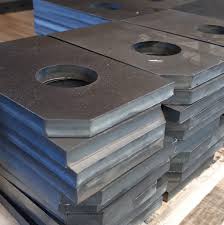
Zaprojektowaliście swój projekt z blachy ciętej laserowo i przygotowaliście pliki gotowe do produkcji – ale którą metalową blachę właściwie należy przetworzyć? Decyzja ta wpływa na wszystko: od jakości krawędzi i kosztów po wydajność gotowego elementu w trakcie wieloletniego użytkowania. Prawdą jest, że dobór materiału może zadecydować o sukcesie lub porażce projektu, a mimo to wielu projektantów traktuje go jako kwestię drugorzędną.
Każdy metal oferuje inne zalety i ograniczenia w kontekście cięcia laserowego. Zrozumienie tych cech na wstępie pozwala na inteligentne dopasowanie materiałów do konkretnych zastosowań – niezależnie od tego, czy tworzycie najnowsze projekty blachy ciętej laserowo do instalacji architektonicznych, czy produkujecie funkcjonalne komponenty przemysłowe. Przeanalizujmy, co oferuje każda z dostępnych opcji.
Dopasowywanie materiałów do zastosowań projektowych
Kiedy warto wybrać stal zamiast aluminium? Dlaczego mosiądz jest lepszy od miedzi w przypadku niektórych elementów dekoracyjnych? Według Analizy materiałów Fabworks , decyzja ostatecznie sprowadza się do zrównoważenia pięciu kluczowych czynników: wymagań dotyczących wytrzymałości, ograniczeń związanych z masą, narażenia na korozję, celów estetycznych oraz ograniczeń budżetowych.
Oto porównanie najczęściej stosowanych metali w kategoriach istotnych dla projektów cięcia blachy laserem w ramach humanizowanego projektowania:
| Materiał | Jakość cięcia | Efektywność kosztowa | Odporność na korozję | Opcje wykończenia dekoracyjnego | Idealne zastosowania |
|---|---|---|---|---|---|
| Stal miękka | Doskonałe – czyste krawędzie, minimalna obróbka dodatkowa | Wysokie – najtańsza opcja | Niskie – wymaga powłoki lub malowania | Malowanie proszkowe, malowanie, wykończenia patynowe | Zawiasy przemysłowe, elementy konstrukcyjne, ramy mebli |
| Stal nierdzewna | Doskonałe – gładkie wykończenie bez dodatkowej obróbki | Umiarkowane – wyższy koszt materiału | Doskonała – chrom zapewnia naturalną ochronę | Matowa, polerowana, lustrzana powłoka | Płyty architektoniczne, wyposażenie kuchenne, urządzenia medyczne, zewnętrzne tablice informacyjne |
| Aluminium | Dobra – wymaga starannej kontroli temperatury podczas obróbki | Średnia – opłacalna w zastosowaniach, gdzie kluczowe jest niskie ciężar | Dobra – może być poprawiona poprzez anodowanie | Kolorowe powłoki anodowe, matowa, polerowana powierzchnia | Lekkie obudowy, elementy konstrukcyjne do przemysłu lotniczego, dekoracyjne kraty |
| Mosiądz | Dobra – lasery włóknikowe dobrze radzą sobie z odbijalnością | Niska – wysoka cena materiału premium | Dobrze – rozwija atrakcyjną patynę | Polerowane, starzane, naturalna patyna | Elementy dekoracyjne, tablice informacyjne, instrumenty muzyczne, dzieła sztuki |
| Miedź | Dobrze – wymaga technologii laserów włóknowych | Niski – najwyższy koszt spośród powszechnie stosowanych metali | Doskonałe – naturalnie przeciwdrożdżowe | Polerowane, utlenione zielone patyny, matowe | Elementy architektoniczne, zastosowania elektryczne, sztuka dekoracyjna |
Właściwości użytkowe w zależności od rodzaju metalu
Zajmijmy się bliżej cechami, które czynią każdy metal wyjątkowym w projektowaniu blachy ciętej laserowo do sprzedaży oraz w projektach niestandardowej obróbki.
Stal węglowa: materiał podstawowy
Stal węglowa zwykła dominuje w zastosowaniach przemysłowego cięcia laserowego z dobrych powodów. Zgodnie z poradnikiem materiałowy firmy Universal Tool jest ona stosunkowo łatwa do cięcia za pomocą dowolnego lasera do cięcia metali, zapewniając przy tym doskonałą wytrzymałość i twardość. Niskie zawartości węgla ułatwiają spawanie, a materiał dobrze reaguje na różne procesy wykańczania.
Jaki jest haczyk? Stal węglowa zwykła nie charakteryzuje się naturalną odpornością na korozję. W zastosowaniach zewnętrznych lub w wilgotnych środowiskach konieczne są powłoki ochronne. Przemysły, które powszechnie stosują stal węglową zwykłą, to m.in. budownictwo, motoryzacja, produkcja sprzętu rolniczego oraz meblarstwo.
Stal nierdzewna: wszechstronność połączona z trwałością
Gdy odporność na korozję ma znaczenie, stal nierdzewna zapewnia odpowiednie właściwości. Zawartość chromu tworzy samoregenerującą się warstwę tlenkową, która chroni przed rdzą i uszkodzeniami środowiskowymi. Zgodnie z specyfikacjami technicznymi Xometry, stale nierdzewne takie jak 304 charakteryzują się doskonałą obrabialnością oraz łatwą kutełką, a stal nierdzewna 316 zawiera molibden, który zwiększa odporność na kwasy chlorowe i nieutleniające.
Części ze stali nierdzewnej wycinane laserem mają gładką powierzchnię, która często nie wymaga dodatkowej obróbki – jest to istotna zaleta w przypadku elementów widocznych. Przemysły lotniczy, motocyklowy, budowlany, gastronomiczny oraz medyczny opierają się w dużej mierze na tym materiale.
Aluminium: lekkość i wydajność
Potrzebujesz wytrzymałości bez nadmiernego ciężaru? Aluminium oferuje najlepszy stosunek wytrzymałości do masy spośród powszechnie wycinanych laserem metali. Jest również doskonałym przewodnikiem ciepła i prądu elektrycznego, co czyni je wartościowym materiałem w obudowach elektronicznych oraz radiatorach.
Jednak aluminium stwarza unikalne wyzwania. Jego wysoka odbijalność kiedyś powodowała problemy z starszymi laserami CO₂, choć nowoczesne maszyny do cięcia laserowego włókienkowego radzą sobie z nim bez problemu. Wysoka przewodność cieplna tego materiału wymaga starannego zarządzania ciepłem, aby zapobiec odkształceniom. Zgodnie z informacjami firmy Fabworks, w przypadku konieczności dodatkowej odporności na korozję aluminium można anodować, tworząc ochronną warstwę tlenkową oraz rozszerzając opcje kolorystyczne.
Mosiądz i miedź: doskonałość dekoracyjna
Mosiądz i miedź oferują atrakcyjny wygląd estetyczny, którego stal po prostu nie jest w stanie dorównać. Miedź charakteryzuje się naturalnymi właściwościami przeciwdrobnoustrojowymi oraz doskonałą przewodnością elektryczną, co czyni ją odpowiednim materiałem zarówno dla dekoracyjnych elementów architektonicznych, jak i funkcjonalnych zastosowań elektrycznych. Mosiądz, stop miedzi i cynku, zapewnia zwiększoną wytrzymałość i plastyczność oraz zmniejsza tarcie – co czyni go idealnym wyborem na zawiasy, klamki i inne elementy wyposażenia, które muszą działać bezawaryjnie pod obciążeniem, zachowując przy tym atrakcyjny wygląd.
Wyzwaniem związanym z obiema materiałami jest ich odbijalność. Lasery włóknowe znacznie ułatwiły cięcie tych metali, ale zwykle wymagają one indywidualowego wyceny zamiast standardowych cen ze względu na złożoność procesu.
Wpływ wyboru materiału na ograniczenia projektowe
Wybór materiału ma bezpośredni wpływ na osiągalne cechy projektu. Pamiętasz te minimalne średnice otworów i szerokości mostków z sekcji specyfikacji technicznej? Różnią się one znacząco w zależności od rodzaju metalu.
Rozważ następujące ograniczenia projektowe związane z konkretnym materiałem:
- Aluminium wymaga większych minimalnych cech (1,2 × grubość materiału dla otworów) ze względu na swoje właściwości cieplne oraz miękkość
- Miedź wymaga podobnej, dość dużej odległości między elementami, aby zapobiec odkształceniom związanych z ciepłem podczas cięcia
- Stali i stali nierdzewnej pozwala na mniejsze допусki i mniejsze cechy względem grubości
- Mosiądz cięte czysto za pomocą laserów włóknowych, ale korzystają one z nieco większych szerokości mostków w celu zapewnienia integralności strukturalnej
Wybór grubości: zastosowania konstrukcyjne vs. dekoracyjne
Jaką grubość powinien mieć Twój materiał? Odpowiedź zależy od tego, czy priorytetem jest estetyka, czy wydajność konstrukcyjna.
Aplikacje dekoracyjne - ekrany, sztuka ścienne, tablice informacyjne oraz akcenty meblowe — zazwyczaj najlepiej sprawdzają się z cieńszymi materiałami o grubości od 1 mm do 3 mm. Takie grubości pozwalają na tworzenie skomplikowanych wzorów, zapewniają umiarkowaną masę i są tańsze zarówno pod względem kosztu materiału, jak i czasu cięcia. Jakość krawędzi pozostaje doskonała, a drobne detale zachowują ostrość.
Zastosowania konstrukcyjne i funkcjonalne wymagają grubości dostosowanej do obciążeń. Uchwyty, elementy nadwozia oraz obudowy często potrzebują grubości od 3 mm do 10 mm w zależności od sił, którym będą podlegać. W przypadku takich grubości cechy projektowe muszą być odpowiednio skalowane — większe otwory, szersze mostki oraz prostsze geometrie.
Praktyczne podejście: rozpocznij od minimalnej grubości spełniającej wymagania konstrukcyjne, a zwiększ ją jedynie w razie konieczności. Każdy dodatkowy milimetr zwiększa koszt materiału, wydłuża czas cięcia i ogranicza złożoność projektu.
Po ustaleniu wyboru materiału kolejnym kluczowym zagadnieniem jest optymalizacja projektu pod kątem efektywności kosztowej. Zrozumienie strategii układania elementów (nestingu) oraz ekonomiki produkcji może znacząco obniżyć końcową cenę projektu bez utraty jakości.
Optymalizacja kosztów i strategie układania elementów (nestingu)
Oto prawda, która zaskakuje wielu początkujących projektantów: rzeczywiste cięcie laserem stanowi zazwyczaj jedynie niewielką część całkowitych kosztów projektu. Zużycie materiału, czas cięcia oraz złożoność projektu wpływają na koszty znacznie bardziej niż sam proces cięcia. Zrozumienie tych aspektów ekonomicznych zmienia sposób podejścia do każdej decyzji projektowej — a także pozwala obniżyć koszty produkcji o 30% lub więcej bez wpływu na końcowy produkt.
Nie ma znaczenia, czy zamawiasz u fabryki projektującej blachy cięte laserem, czy przetwarzasz części na własnym sprzęcie – zasady pozostają takie same. Inteligentne rozmieszczanie elementów (nesting) oraz optymalizacja projektu decydują o tym, czy projekt będzie opłacalny, czy przekroczy budżet. Przyjrzyjmy się strategiom stosowanym przez profesjonalistów w celu maksymalizacji wartości.
Maksymalizacja wydajności materiału poprzez inteligentne rozmieszczanie elementów (nesting)
Czym właściwie jest rozmieszczanie elementów (nesting)? Można to porównać do układania puzzli – chodzi o rozmieszczenie elementów na arkuszu metalu w taki sposób, aby wykorzystać możliwie każdy centymetr kwadratowy materiału, zachowując przy tym odpowiednie odstępy zapewniające czyste cięcia. Zgodnie z podstawowymi badaniami dotyczącymi rozmieszczania elementów, prawidłowe ich rozmieszczenie nie tylko zapewnia wydajność materiału, ale także zwiększa stabilność całego procesu cięcia.
Skuteczne rozmieszczanie elementów uwzględnia kilka powiązanych ze sobą czynników:
- Geometria i orientacja elementów: Strategiczne obracanie elementów może znacznie zwiększyć ich liczbę mieszczącą się na jednym arkuszu
- Kierunek ziarna: W przypadku metali, w których kierunek ziarna ma istotne znaczenie konstrukcyjne, rozmieszczanie elementów musi uwzględniać to ograniczenie
- Szerokość cięcia: Materiał usuwany podczas cięcia wpływa na to, jak blisko siebie mogą być umieszczone elementy
- Położenie wejścia narzędzia: Miejsce, w którym laser wchodzi w każdy cięcie, wpływa zarówno na jakość, jak i na wydajność ścieżki cięcia
Jedną z technik zapewniających wyjątkowe oszczędności jest cięcie wspólne (common cut nesting). Jak wyjaśniono w Dokumentacji technicznej Nest&Cut , tradycyjne rozmieszczanie elementów zachowuje standardową przerwę między nimi – zwykle 5 mm przy cięciu laserowym. Technika cięcia wspólnego eliminuje tę przerwę, ustawiając odstęp między elementami równy szerokości szczeliny cięcia (kerf), czyli około 0,1 mm przy cięciu laserowym. Pozwala to na przeprowadzenie jednego przejścia lasera wzdłuż wspólnych krawędzi sąsiadujących elementów.
Wyniki mówią same za siebie:
- Skrócenie długości cięcia – mniej czasu przejazdu oznacza szybszą produkcję
- Zminimalizowanie odpadów materiału – elementy są rozmieszczane bliżej siebie
- Obniżenie zużycia energii – wymagana jest mniejsza liczba całkowitych cięć
W dużych macierzach części wspólna optymalizacja układu cięć może zmniejszyć długość cięcia o niemal 50%, co bezpośrednio przekłada się na szybsze realizacje zamówień i niższe koszty. Dla hurtowych zamówień projektów blachy ciętej laserowo z dużą liczbą elementów sama ta optymalizacja może uzasadniać istotne obniżki cen.
Decyzje projektowe, które obniżają koszty produkcji
Wybory projektowe wpływają na koszty jeszcze przed tym, jak pierwszy arkusz trafi na stół cięcia. Zgodnie z analizą cenową Komacut głównymi czynnikami wpływającymi na koszty cięcia laserowego są: rodzaj materiału, jego grubość, złożoność projektu, czas cięcia, koszty pracy oraz procesy wykańczania.
Oto kluczowe czynniki kosztowe, które można kontrolować:
- Odpady materiałowe: Efektywne układanie części maksymalizuje liczbę elementów na jednym arkuszu; nieregularne kształty generują więcej odpadów
- Czas cięcia: Dłuższe ścieżki cięcia oraz większa liczba punktów przebicia zwiększają czas pracy maszyny i koszty
- Złożoność projektu: Skomplikowane wzory z wieloma wycinkami wymagają większej precyzji i niższych prędkości cięcia
- Zniżki za ilość: Większe zamówienia rozprowadzają koszty przygotowania na większą liczbę sztuk, co obniża cenę jednostkową
- Koszty przygotowania: Każde nowe zlecenie wymaga programowania maszyny i załadowania materiału – koszty stałe niezależne od ilości
- Procesy wtórne: Usuwanie wykańczania (deburring), wykańczanie powierzchni oraz dodatkowa obróbka zwiększają nakład pracy i czasu
Brzmi skomplikowanie? Nie musi tak być. Oto praktyczne strategie projektowania z myślą o efektywności kosztowej:
Uprość geometrie tam, gdzie to możliwe. Każdy wycięty otwór wymaga punktu przebicia, w którym laser rozpoczyna cięcie. Więcej punktów przebicia oznacza dłuższe ścieżki cięcia i wyższe koszty. Zadaj sobie pytanie: czy ten dekoracyjny detal wnosi wystarczającą wartość, aby uzasadnić jego koszt produkcji?
Projektuj z uwzględnieniem standardowych rozmiarów blach. Blachy metalowe dostępne są w standardowych wymiarach. Projektowanie elementów umożliwiających ich efektywne rozmieszczenie (nesting) w ramach tych standardowych rozmiarów minimalizuje odpady i pozwala uniknąć nadwyżkowych opłat za zamówienie niestandardowych blach.
Uważnie dobierz grubość materiału. Grubsze materiały wymagają więcej energii i niższych prędkości cięcia. Cięcie płyty stalowej o grubości 6 mm może zająć trzy razy dłużej niż cięcie płyty o grubości 3 mm – a koszt będzie proporcjonalnie wyższy. Wybierz minimalną grubość spełniającą Twoje wymagania konstrukcyjne.
Zmniejsz złożoność narożników. Ostre narożniki wewnętrzne wymagają spowolnienia lub zatrzymania wiązki laserowej. Dodanie małych promieni zaokrąglenia do narożników wewnętrznych przyspiesza cięcie i poprawia wytrzymałość elementu.
Wpływ wielkości partii na końcową cenę
Ilość zamówionych sztuk znacząco wpływa na koszt jednostkowy. Dlaczego? Ponieważ koszty przygotowania – programowanie, obsługa materiału oraz przygotowanie maszyny – pozostają względnie stałe niezależnie od tego, czy cięto 10, czy 1000 sztuk.
Rozważ poniższy podział dla typowego projektu hurtowego cięcia blachy metodą laserową:
| Ilość zamówienia | Wpływ kosztów przygotowania | Efektywność materiałowa | Typowe oszczędności na jednostkę |
|---|---|---|---|
| 1–10 sztuk | Wysoki – koszty przygotowania dominują w całkowitym koszcie | Często niski – częściowe wykorzystanie arkusza | Ceny bazowe |
| 11-50 sztuk | Umiarkowany – koszty przygotowania rozkładają się na większą liczbę sztuk | Poprawiający się – lepsze opcje rozmieszczenia | zmniejszenie o 15-25% |
| 51–200 sztuk | Niski – minimalny wpływ na jednostkę | Dobry – pełne wykorzystanie arkusza | redukcja o 25–40% |
| 200+ sztuk | Minimalny – dominuje wydajność produkcji | Doskonały – zoptymalizowane rozmieszczenie elementów | zmniejszenie o 40–60% |
W przypadku prototypów lub pojedynczych projektów należy spodziewać się wyższych kosztów na jednostkę. Przy planowaniu serii produkcyjnych konsolidacja zamówień w większe partie przynosi istotne oszczędności. Niektórzy producenci oferują również rabaty objętościowe na materiały, co dodatkowo zwiększa korzyści.
Orientacja części i optymalizacja odstępów
Sposób orientacji części w obrębie rozmieszczenia wpływa zarówno na zużycie materiału, jak i jakość cięcia. Elementy o nieregularnych kształtach często rozmieszczane są bardziej efektywnie po obróceniu – czasem obrót o 90 stopni umożliwia umieszczenie znacznie większej liczby elementów na jednym arkuszu.
Istotne są także odstępy między częściami. Choć powszechne techniki cięcia minimalizują luki, nie wszystkie konstrukcje nadają się do zastosowania tej metody. Gdy stosowany jest standardowy odstęp, typowa przerwa wynosząca 5 mm pełni wiele funkcji:
- Zapobiega przepływowi ciepła między sąsiednimi częściami
- Umożliwia niewielkie odkształcenia materiału podczas cięcia
- Zapewnia luz umożliwiający usunięcie części
- Dopasowuje się do wariacji szerokości cięcia (kerfu)
Zaawansowane oprogramowanie do rozmieszczania (nestingu) automatycznie optymalizuje te parametry, symulując różne ułożenia w celu znalezienia najbardziej efektywnego układu. Zgodnie z badaniami nad optymalizacją nestingu , takie narzędzia zmniejszają odpad materiału i całkowitą długość ścieżki cięcia, optymalizują trasy przejazdu głowicy cięcia w celu przyspieszenia procesu cięcia oraz zapewniają odpowiednie odstępy, aby zachować integralność i stabilność materiału podczas cięcia.
Inwestycja w profesjonalne oprogramowanie do nestingu często zwraca się już po kilku seriach produkcyjnych dzięki zmniejszeniu odpadów materiału oraz skróceniu czasu cyklu.
Zrozumienie optymalizacji kosztów przygotowuje Cię do podejmowania świadomych decyzji – ale podkreśla również, dlaczego wybór partnera produkcyjnego ma tak duże znaczenie. W kolejnym rozdziale omówiono, jak oceniać potencjalnych dostawców oraz znaleźć partnerów, którzy zapewnią jakość, szybkość i wartość w projektach cięcia laserowego blach metalowych.
Zastosowania w architekturze i projektowaniu przemysłowym
Gdzie właściwie stosuje się cięcie laserem? Odpowiedź może zaskoczyć. Ta sama technologia, która tworzy wyrafinowane dekoracyjne ekrany dla luksusowych hoteli, służy również do produkcji precyzyjnych elementów nadwozi dla producentów samochodów. Właśnie ta wszechstranność czyni projektowanie blachy ciętej laserem tak cennym – jedna metoda wytwarzania spełniające zupełnie odmienne zadania w różnych branżach.
Większość źródeł zmusza Cię do wyboru między zastosowaniami dekoracyjnymi a przemysłowymi, traktując je jako oddzielne światy. Ale oto rzeczywistość: podstawowe zasady pozostają niezmienne, niezależnie od tego, czy projektujesz obrazy ścienne, czy obudowy. Zrozumienie obu dziedzin czyni Cię lepszym projektantem w każdej z nich. Przyjrzyjmy się, jak różne branże wykorzystują tę technologię oraz czym różnią się ich wymagania projektowe.
Zasady projektowania dekoracyjnych paneli architektonicznych
Przejdź przez dowolny nowoczesny budynek komercyjny, a prawdopodobnie natrafisz na elementy metalowe wykonane metodą cięcia laserowego – od elewacji budynku po przegrody wewnętrzne. Zgodnie z analizą branżową firmy Accurl, cięcie laserowe w budownictwie umożliwia wykonywanie konstrukcji stalowych oraz szczegółowych elementów architektonicznych z takim stopniem kreatywności i precyzji, jakiego nie potrafi osiągnąć żadna z tradycyjnych metod.
Zastosowania architektoniczne stawiają na pierwszym planie wpływ wizualny obok wymogów funkcjonalnych. Projektanci działający w tej dziedzinie skupiają się na:
- Złożoności wzoru i rytmie wizualnym: Tworzeniu projektów, które wyglądają celowo z różnych odległości oglądania
- Interakcji światła i cienia: Wpływie perforacji i wycięć na naturalne oświetlenie w ciągu dnia
- Przejściach skali: Zapewnieniu spójności wizualnej wzorów niezależnie od tego, czy są oglądane z odległości 3 metrów, czy 30 metrów
- Trwałość środowiskowa: Wyborze materiałów i powłok odpornych na warunki atmosferyczne, promieniowanie UV oraz zanieczyszczenia miejskie
Ekrany dekoracyjne stanowią jedno z najpopularniejszych zastosowań w architekturze. Te panele przekształcają pozbawione charakteru elewacje w dynamiczne elementy wizualne, zapewniając prywatność przy jednoczesnym utrzymaniu przepływu powietrza i naturalnego światła. Swoboda projektowania możliwa dzięki cięciu laserowemu pozwala architektom na wprowadzenie motywów kulturowych, wzorów organicznych lub abstrakcyjnych kompozycji geometrycznych, które wzmocniają tożsamość budynku.
Systemy informacyjne i oznakowanie drogowe również korzystają w pełni z precyzji cięcia laserowego. Litery i loga wykonane z metalu metodą cięcia laserowego cechują się trwałością, jakiej nie potrafią zapewnić alternatywy oparte na winylu czy malowaniu, a ich wymiarowość tworzy wyrafinowane efekty cieni. Niezależnie od tego, czy są podświetlane z tyłu, czy montowane na powierzchni, tablice wykonane metodą cięcia laserowego przekazują wrażenie trwałości i wysokiej jakości.
Sztuka ścienna i instalacje rzeźbiarskie jeszcze bardziej poszerzają granice twórczości. Artyści pracujący z metalowymi elementami wycinanymi laserem mogą osiągać szczegółowość zbliżoną do tradycyjnego rysunku, jednocześnie działając w skali architektonicznej. Jak zauważają obserwatorzy branży, technologia ta przedefiniowała granice wyrażania artystycznego, umożliwiając tworzenie przez artystów skomplikowanych dzieł sztuki i rzeźb, które wcześniej były nieosiągalne przy użyciu metod tradycyjnych.
Zastosowania przemysłowe elementów funkcyjnych
Choć prace dekoracyjne przyciągają uwagę, to zastosowania przemysłowe stanowią podstawę komercyjnej wartości cięcia laserowego. W tym obszarze priorytetem są dokładność wymiarowa i wydajność konstrukcyjna – choć dobrze zaprojektowane elementy funkcyjne często spełniają oba te kryteria.
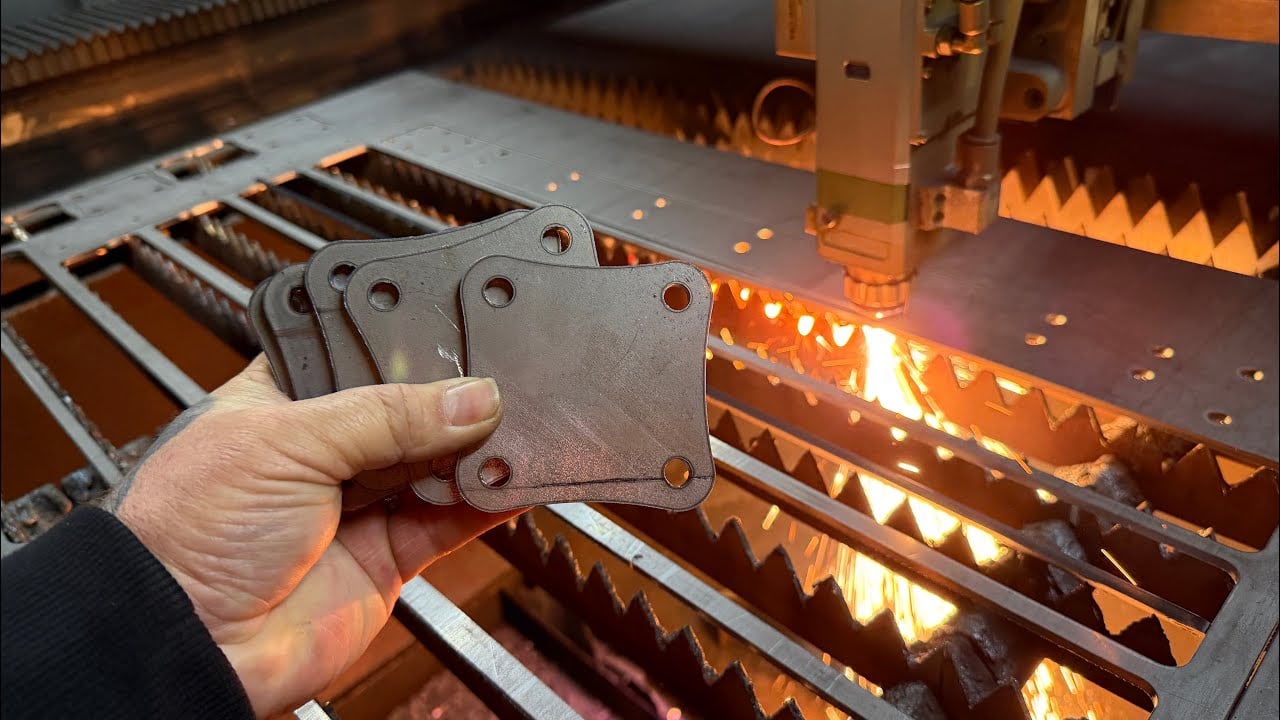
Przemysł motocyklowy i samochodowy w dużej mierze polega na komponentach wycinanych laserem. Od wsporników nadwozia po blachy karoserii, producenci cenią zdolność tej technologii do wytwarzania skomplikowanych elementów i indywidualnych rozwiązań z wysoką precyzją oraz wydajnością. Jak Badania firmy Accurl wskazują , że metoda cięcia laserowego jest znacznie bardziej wydajna niż tradycyjne procesy obróbki metali, takie jak cięcie matrycowe lub cięcie plazmowe, co usprawnia produkcję pojazdów, gdzie każdy milimetr ma znaczenie.
Obudowy elektroniczne stawiają wyjątkowe wymagania, które cięcie laserowe spełnia w sposób doskonały. Elementy te wymagają:
- Dokładnych wzorów wentylacji do zarządzania ciepłem
- Precyzyjnego rozmieszczenia otworów montażowych dla komponentów wewnętrznych
- Czystych krawędzi, które nie uszkodzą przewodów ani nie wywołają zakłóceń elektromagnetycznych
- Stałych wymiarów umożliwiających montaż z innymi wytworzymi częściami
Zastosowania lotnicze i kosmiczne wymagają jeszcze ścislszych допусków. Zgodnie ze źródłami branżowymi sektor lotniczy korzysta z możliwości cięcia laserowego do produkcji komponentów spełniających surowe wymagania dotyczące dopuszczalnych odchyłek, przy jednoczesnym zachowaniu integralności konstrukcyjnej – cecha kluczowa w zastosowaniach, w których awaria jest niedopuszczalna.
Produkcja urządzeń medycznych wykorzystuje cięcie laserowe do tworzenia narzędzi chirurgicznych, implantów oraz obudów sprzętu diagnostycznego. Wymagana w tych zastosowaniach precyzja czyni cięcie laserowe niezastąpionym, a dokładność tej technologii zapewnia, że narzędzia i implanta spełniają najwyższe standardy bezpieczeństwa i skuteczności.
Zastosowania według branży
Różne sektory wykorzystują projektowanie blachy ciętej laserowo bez ograniczeń tradycyjnych metod produkcji. Oto, jak główne gałęzie przemysłu wykorzystują tę technologię:
Architektura i budownictwo
- Panele elewacyjne budynków i dekoracyjne ekrany
- Balustrady schodowe i wypełnienia poręczy
- Płytki sufitowe i zawieszone instalacje sufitowe
- Przegrody pomieszczeniowe i ekranы prywatności
- Rolety przeciwsłoneczne i systemy brise-soleil
Motoryzacja i transport
- Elementy nadwozia i uchwyty konstrukcyjne
- Panelki wykończeniowe wnętrza i elementy deski rozdzielczej
- Tarcze cieplne układu wydechowego
- Płyty montażowe zawieszenia
- Niestandardowe akcesoria aftermarket
Elektronika i technologia
- Obudowy i panele szaf serwerowych
- Uchwyty radiatorów i komponenty do zarządzania ciepłem
- Pokrywy ekranujące przed interferencjami elektromagnetycznymi (EMI)
- Czółka paneli sterujących
- Systemy zarządzania kablami
Meble i wystrój wnętrz
- Podstawy stołów i konstrukcje nośne
- Dekoracyjne panele szafek
- Korpusy opraw oświetleniowych
- Uchwyty półek i montowane na ścianie systemy przechowywania
- Ekrany dzielące przestrzeń
Sztuka i niestandardowa produkcja
- Rzeźby ścienne i przestrzenne dzieła sztuki
- Elementy ogrodowe i krajobrazowe
- Niestandardowe biżuterie i noszone dzieła sztuki
- Tablice pamiątkowe i pamiątkowe przedmioty
- Elementy wystaw i ekspozycji muzealnych
Jak różnią się wymagania projektowe w zależności od zastosowania
Wyobraź sobie projektowanie dekoracyjnego ekranu w porównaniu do wspornika konstrukcyjnego. Oba wykorzystują cięcie laserowe, ale priorytety projektowe znacznie się różnią.
Zastosowania dekoracyjne zwykle podkreślają:
- Spójność wzoru wizualnego: W jaki sposób elementy powtarzają się i łączą się w całym elemencie
- Równowaga przestrzeni ujemnej: Związek między obszarami wyciętymi a materiałem pełnym
- Jakość wykończenia powierzchni: Wygląd krawędzi oraz wymagania dotyczące obróbki końcowej
- Estetyka materiału: Kolor, faktura oraz rozwój patyny w czasie
Zastosowania funkcjonalne priorytetyzują różne czynniki:
- Ścieżki obciążenia konstrukcyjnego: W jaki sposób siły przenoszone są przez element
- Dokładność wymiarowa: Położenie otworów, powierzchnie montażowe i cechy do współpracy
- Właściwości materiału: Wytrzymałość, odporność na zmęczenie oraz trwałość w warunkach środowiskowych
- Integracja montażowa: Sposób połączenia elementu z innymi komponentami
Jednak oba rodzaje projektów opierają się na tych samych podstawowych zasadach cięcia laserowego. Niezależnie od tego, czy tworzy się projekty cięcia blach metalowych za pomocą lasera przeznaczone na eksport, czy na produkcję krajową, projektanci muszą nadal uwzględniać szerokość szczeliny cięcia (kerf), minimalne wymiary cech konstrukcyjnych oraz zachowanie materiału podczas cięcia. Wymagania dotyczące dopuszczalnych odchyłek przedstawione w poprzednich rozdziałach mają takie samo zastosowanie zarówno do delikatnego elementu sztuki ściennej, jak i do ciężkiego, nośnego uchwytu montażowego.
To, co wyróżnia doświadczonych projektantów, to ich zdolność jednoczesnego balansowania wymagań estetycznych i funkcjonalnych. Dobrze zaprojektowana przegroda architektoniczna nie tylko wygląda atrakcyjnie – zapewnia również integralność konstrukcyjną przy zmianach temperatury, odporność na obciążenia wiatrem oraz ułatwia montaż. Podobnie najlepsze komponenty przemysłowe często charakteryzują się elegancką prostotą, która odzwierciedla przemyślane inżynierstwo, a nie jedynie czystą potrzebę funkcjonalną.
Przemysł meblarski i projektowania wnętrz doskonale ilustruje tę równowagę. Jak potwierdza przegląd branżowy firmy Accurl, cięcie laserem w przemyśle meblarskim i projektowaniu wnętrz łączy funkcjonalność z wyrazistością artystyczną, przekształcając zwykłe przestrzenie w unikalne wnętrza dzięki szczegółowym elementom drewnianym, metalowym elementom montażowym oraz dekoracyjnym elementom tworzonym z nieporównywaną precyzją i skomplikowaniem.
Nie ma znaczenia, czy projekt ma charakter bardziej dekoracyjny czy przemysłowy – albo łączy oba te aspekty – zrozumienie wymagań dotyczących bezpieczeństwa staje się kluczowe w miarę przygotowań do produkcji. W kolejnym rozdziale omówione są zagrożenia i protokoły związane z konkretnymi materiałami, które chronią zarówno operatorów, jak i jakość gotowych wyrobów.
Wytyczne bezpieczeństwa dotyczące różnych materiałów
Zaprojektowali Państwo swoje części, wybrali materiały i zoptymalizowali koszty — jednak zanim rozpocznie się produkcja, istnieje kluczowy czynnik, który oddziela profesjonalne działania od tych ryzykownych: bezpieczeństwo. Intensywna energia, dzięki której cięcie laserem jest tak skuteczne, generuje również zagrożenia, które różnią się znacznie w zależności od materiału, który przetwarzany jest w danym momencie. Zrozumienie tych zagrożeń związanych z konkretnym materiałem chroni operatorów, zapobiega uszkodzeniom sprzętu i często poprawia jakość końcowego cięcia.
Zgodnie z badaniami Codinter dotyczącymi bezpieczeństwa podczas pracy z laserem zagrożenia wykraczają poza oczywiste niebezpieczeństwa związane z wiązką laserową i obejmują również opary, pożary oraz ryzyko porażenia prądem, na które należy zwrócić szczególną uwagę. Przeanalizujmy, jakie wymagania stawiają poszczególne typy materiałów.
Protokoły bezpieczeństwa dostosowane do konkretnego materiału
Różne metale charakteryzują się odmiennymi profilami zagrożeń podczas cięcia laserowego. To, co działa bezpiecznie przy cięciu stali węglowej, może stwarzać poważne zagrożenia podczas cięcia aluminium lub materiałów ocynkowanych.
Stali i stali nierdzewnej
- Zagrożenia związane z oparami: Cięcie powoduje powstawanie cząstek tlenku żelaza, a w przypadku stali nierdzewnej potencjalnie sześciowartościowego chromu – znanego karcinogenu wymagającego odpowiedniej ekstrakcji
- Zagadnienia związane z odbijalnością: Umiarkowana odbijalność; stosuje się standardowe środki ostrożności dotyczące laserów włóknowych
- Zarządzanie cieplne: Dobra absorpcja ciepła umożliwia szybsze cięcie przy mniejszym zniekształceniu termicznym
- Ryzyko pożaru: Niskie, o ile przepływ gazu wspomagającego zapewnia czyste cięcie
Aluminium
- Zagrożenia związane z oparami: Powstają cząstki tlenku glinu, które przy długotrwałym narażeniu mogą powodować podrażnienie dróg oddechowych
- Zagadnienia związane z odbijalnością: Wysoka odbijalność wiązki powoduje ryzyko odbicia wstecznego, które może uszkodzić optykę lasera; nowoczesne lasery włóknowe radzą sobie z tym zagrożeniem, ale starsze systemy CO₂ wymagają dodatkowej ostrożności
- Zarządzanie cieplne: Wysoka przewodność cieplna powoduje szybkie rozprzestrzenianie się ciepła, zwiększając ryzyko odkształceń (wyginania) na cienkich blachach
- Ryzyko pożaru: Pył glinu jest palny; konieczne są odpowiednie procedury utrzymania czystości oraz wentylacja
Pozostałe, z miedzi
- Zagrożenia związane z oparami: Opary miedzi mogą powodować gorączkę spowodowaną oparami metalu; mosiądz wydziela opary tlenku cynku, co wymaga wzmocnionej wentylacji
- Zagadnienia związane z odbijalnością: Najwyższa odbijalność spośród powszechnie stosowanych metali – zgodnie z analizą techniczną firmy 1Cut Fab, odbicie wsteczne może uszkodzić głowice laserowe, soczewki, a nawet sam źródło promieniowania laserowego
- Zarządzanie cieplne: Doskonała przewodność elektryczna wymaga niższych prędkości cięcia oraz ostrożnej regulacji mocy
- Ryzyko pożaru: Niskie ryzyko zapłonu bezpośredniego, ale odbite promieniowanie może zapalić pobliskie materiały
Metale ocynkowane i powlekane
- Zagrożenia związane z oparami: Powłoki cynkowe wydzielają opary tlenku cynku, które mogą powodować gorączkę spowodowaną oparami metalu – objawy podobne do grypy wynikające z wdychania
- Zagadnienia związane z odbijalnością: Zmienia się w zależności od rodzaju i stanu powłoki
- Zarządzanie cieplne: Powłoki mogą wpływać na pochłanianie ciepła oraz jakość krawędzi
- Ryzyko pożaru: Niektóre oleje ochronne i powłoki są łatwopalne; należy upewnić się, że materiały są czyste przed cięciem
Podstawowe zasady wentylacji i zapobiegania pożarom
Poprawna wentylacja nie jest opcjonalna – jest podstawowym warunkiem bezpiecznego cięcia laserowego. Analiza oparów firmy IP Systems , skuteczne systemy usuwania oparów muszą chwytać szkodliwe emisje w miejscu ich powstawania i odprowadzać je bezpiecznie na zewnątrz strefy roboczej.
Główne wymagania dotyczące wentylacji obejmują:
- Chwytanie w źródle: Usuwanie oparów jak najbliżej punktu cięcia
- Wystarczająca wydajność przepływu powietrza: Dopasowanie wydajności systemu usuwania do rodzaju materiału oraz prędkości cięcia
- Poprawna filtracja: Stosowanie filtrów przeznaczonych do cząstek metalowych oraz regularna ich wymiana zgodnie z harmonogramem
- Trasy odprowadzania: Bezpośrednie usuwanie powietrza z zewnątrz, bez ponownego cyrkulowania w pomieszczeniu powietrza zawierającego opary metali
Prewencja pożądowa wymaga równie dużego uwagi. Intensywne ciepło generowane podczas cięcia metalu może również zapalić materiały łatwopalne znajdujące się w pobliżu. Do niezbędnych środków zapobiegawczych należą:
- Zapewnienie czystości strefy cięcia – usunięcie papieru, ściereczek oraz innych materiałów palnych
- Zapewnienie odpowiedniego przepływu gazu wspomagającego w celu usunięcia stopionego materiału ze strefy cięcia
- Zainstalowanie automatycznych systemów gaszenia pożarów w zamkniętych obszarach cięcia laserowego
- Utrzymanie gaśnic przeznaczonych do gaszenia pożarów metali w łatwo dostępnym miejscu
Aspekty projektowe wpływające na bezpieczeństwo cięcia
Decyzje projektowe mają bezpośredni wpływ na bezpieczeństwo w trakcie produkcji. Dwa czynniki wymagają szczególnej uwagi: strefy nagromadzenia ciepła oraz rozmieszczenie uchwytów (tabów).
Unikanie stref nagromadzenia ciepła: Podczas cięcia skomplikowanych wzorów z wieloma małymi elementami położonymi blisko siebie ciepło gromadzi się szybciej, niż materiał jest w stanie je odprowadzić. Powstają wówczas gorące strefy, które mogą powodować odkształcenia cienkich materiałów, pogarszać jakość krawędzi lub – w skrajnych przypadkach – stanowić zagrożenie pożądzeniowe. Rozwiązaniami projektowymi są zwiększenie odstępów między obszarami gęstego cięcia, sekwencjonowanie cięć w celu umożliwienia ochłodzenia oraz stosowanie odpowiedniego przepływu gazu wspomagającego.
Poprawne umiejscowienie mostków: Mostki zapobiegają przesuwaniu się wykrawanych elementów do momentu zakończenia obróbki. Nieodpowiednie umiejscowienie mostków może prowadzić do ich przesunięcia podczas cięcia, co powoduje niestabilne i nieprzewidywalne trajektorie wiązki lasera. Mostki należy umieszczać w odległości od kluczowych cech konstrukcyjnych oraz zapewnić im wystarczającą wytrzymałość, aby utrzymać stabilność elementu przez cały cykl cięcia.
Wpływ przygotowania powierzchni: Czystość materiału wpływa zarówno na bezpieczeństwo, jak i jakość obróbki. Ponieważ Wytyczne bezpieczeństwa Codinter podkreślić, zapewnić, że materiał jest wolny od kurzu, zanieczyszczeń, oleju lub innych substancji, które mogą wpłynąć na proces cięcia lub powodować wydzielanie szkodliwych oparów. Oleje i płyny cięciowe mogą się zapalać; powłoki powierzchniowe mogą uwalniać nieoczekiwane opary. Czyszczenie materiału pozwala na bezpieczniejsze cięcie i daje lepsze rezultaty.
Przy pracy z metalami odbijającymi światło powłoki powierzchniowe zapewniają dodatkowe korzyści. Badania techniczne potwierdzają, że stosowanie tymczasowych powłok powierzchniowych pochłania energię laserową, zapobiegając odbiciu zwrotnemu oraz umożliwiając czystsze cięcie z gładkimi krawędziami.
Gdy protokoły bezpieczeństwa są zrozumiane i włączone do procesu projektowania, można przystąpić do oceny partnerów produkcyjnych, którzy będą w stanie zrealizować Twoje projekty cięcia blachy laserem, zachowując przy tym jakość i standardy bezpieczeństwa wymagane przez Twoje zadania.
Wybór odpowiedniego partnera produkcyjnego
Zaprojektowałeś swoje części, zoptymalizowałeś je pod kątem kosztów, dobrałeś odpowiednie materiały oraz zrozumiałeś wymagania bezpieczeństwa. Nadszedł teraz moment decyzji, która może przesądzić o sukcesie lub porażce Twojego projektu: wybór odpowiedniego partnera produkcyjnego. Najlepszy projekt blachy ciętej laserem nie ma żadnej wartości, jeśli Twój partner wykonawczy nie dysponuje niezbędnymi kompetencjami, certyfikatami ani umiejętnościami komunikacyjnymi umożliwiającymi prawidłowe jego wdrożenie.
Znalezienie wiarygodnego dostawcy usług projektowania i cięcia laserowego blachy wymaga więcej niż tylko porównanie ofert cenowych. Zgodnie z wytycznymi Estes Design and Manufacturing dotyczącymi wyboru partnerów, Twoja reputacja u klientów zależy w części od jakości produktów, które im dostarczasz – a praca wykonana przez Twojego wykonawcę blacharskiego staje się odbiciem Twojej własnej firmy. Przyjrzymy się teraz cechom, które odróżniają wyjątkowych partnerów produkcyjnych od tych jedynie wystarczających.
Ocenianie możliwości partnerów produkcyjnych
Nie wszyscy producenci konstrukcji blachy ciętej laserem oferują te same możliwości. Zanim złożysz zapytania ofertowe, ocenić, czy potencjalni partnerzy rzeczywiście są w stanie spełnić wymagania Twojego projektu.
Doświadczenie branżowe i specjalizacja
Czy wytwórca wcześniej współpracował z przedsiębiorstwami z Twojej branży? Partner zorientowany na sektor motocyklowy lub samochodowy działa inaczej niż ten skupiający się na zastosowaniach architektonicznych. Jak zauważają eksperci branżowi, partner, który miał już doświadczenie w Twojej konkretnej dziedzinie, lepiej rozumie standardy jakości i najlepsze praktyki obowiązujące w tej branży, jest bardziej świadom potencjalnych problemów i może nawet zaproponować sugestie dotyczące projektu oraz produkcji, które poprawią Twój projekt.
W zastosowaniach motoryzacyjnych producenci tacy jak Shaoyi (Ningbo) Metal Technology przedstawiają kompleksowe możliwości – oferując szybkie prototypowanie w ciągu 5 dni, zautomatyzowaną masową produkcję oraz certyfikację IATF 16949 specyficznie dla elementów nadwozia, zawieszenia i komponentów konstrukcyjnych. Ta kombinacja szybkości, skali oraz certyfikacji zgodnej ze standardami motocyklowymi i samochodowymi odpowiada na pełny zakres potrzeb związanych z rozwojem.
Inwestycje w sprzęt i technologię
Czy sprzęt firmy jest aktualny, czy nadal korzysta z maszyn sprzed kilkudziesięciu lat? Zgodnie z analizą branży produkcyjnej, najnowszy sprzęt zapewnia najwyższą wartość i wspiera sukces realizowanego projektu. Nowoczesne lasery włóknikowe radzą sobie z metalami odbijającymi światło, z którymi mają problemy starsze systemy CO2, oferują mniejsze допuszczalne odchylenia wymiarów oraz działają wydajniej.
Szukaj partnerów inwestujących w automatykę i zdolności do produkcji bezobsługowej (lights-out manufacturing). Jak podano w przeglądu operacyjnym Elimold, 24-godzinne zasoby cięcia laserowego zwiększają wydajność produkcji i zmniejszają przestoje, zapewniając klientom szybkie realizacje zamówień oraz obniżone koszty projektów.
Od prototypu do partnerstwa produkcyjnego
Twoje potrzeby produkcyjne prawdopodobnie ulegną zmianie. Partner odpowiedni do prototypowania może mieć trudności z dużymi objętościami produkcji – lub odwrotnie. Idealna współpraca płynnie obsługuje oba te etapy.
Szybkość i elastyczność prototypowania
Jak szybko potencjalny partner może dostarczyć części prototypowych? W przypadku cykli rozwojowych zależnych od czasu terminowość ma istotne znaczenie. Niektórzy dostawcy konstrukcji blachy ciętej laserem oferują szybkie prototypowanie już w ciągu 3–5 dni, a dla pilnych projektów dostępne są opcje przyspieszone. Możliwość szybkiego prototypowania w ciągu 5 dni firmy Shaoyi w połączeniu z czasem przygotowania oferty wynoszącym zaledwie 12 godzin stanowi przykład prędkości przyspieszającej cykle rozwoju produktu.
Wsparcie przy projektowaniu pod kątem możliwości produkcyjnych
Czy wykonawca udziela informacji zwrotnej dotyczącej DFM przed rozpoczęciem produkcji? Usługa ta, nazywana czasem projektowaniem z myślą o wykonalności i montażu (DFMA), może zaoszczędzić znaczne ilości czasu i środków. Zgodnie z analizą Estesa współpraca z wykonawcą, który uwzględnia zasady DFMA, nie tylko pozwoli zaoszczędzić czas, pieniądze i uniknąć frustracji, ale także ułatwi proces produkcyjny – a ostatecznie uzyskany produkt będzie prawdopodobnie lepszy niż pierwotnie zaprojektowany.
Szukaj partnerów, którzy analizują Twoje projekty i udzielają natychmiastowej informacji zwrotnej dotyczącej potencjalnych problemów jeszcze przed rozpoczęciem cięcia. Kompleksowa obsługa DFM pozwala na wczesne wykrywanie problemów, kiedy zmiany nie wiążą się z żadnymi kosztami, a nie na późnym etapie, gdy koszty przeróbki gwałtownie rosną.
Skalowalność produkcji
Czy Twój partner jest w stanie skalować produkcję – od prototypów do pełnych serii produkcyjnych? Zgodnie z badaniami dotyczącymi możliwości produkcyjnych, najlepsi partnerzy wspierają klientów zarówno w fazie prototypowania, jak i masowej produkcji, obsługując wszystko – od zamówień pojedynczych elementów po serie przekraczające 10 000 sztuk.
Oceń, czy potencjalni partnerzy zapewniają stałą jakość niezależnie od wielkości zamówienia. Firmy specjalizujące się w pojedynczych elementach mogą mieć trudności z zapewnieniem spójności jakościowej w produkcji seryjnej, podczas gdy eksperci od masowej produkcji mogą nie oferować opłacalnych rozwiązań dla małych partii prototypowych.
Wymagania dotyczące certyfikatów
Certyfikaty stanowią niezależną weryfikację faktu, że producent spełnia określone standardy jakości. Wymagane certyfikaty zależą od branży oraz zastosowania końcowego produktu.
ISO 9001 reprezentuje podstawowy certyfikat zarządzania jakością, świadczący o zastosowaniu ustandaryzowanych procesów oraz zaangażowaniu w ciągłą poprawę.
IATF 16949 ma szczególne znaczenie w zastosowaniach motocyklowych i samochodowych. Zgodnie z analizą certyfikatów Xometry, ten ramowy standard przetwarza informacje z normy ISO 9001 na wytyczne szczególnie przydatne dla producentów motocykli i samochodów, skupiając się na spójności, bezpieczeństwie oraz jakości wyrobów motocyklowych i samochodowych. Choć nie jest on obowiązkowy z punktu widzenia prawa, dostawcy, podwykonawcy oraz klienci często odmawiają współpracy z producentami nieposiadającymi tego certyfikatu w zakresie prac motocyklowych i samochodowych.
AS9100 dotyczy zastosowań lotniczych, podczas gdy dla urządzeń medycznych, sprzętu do obsługi gastronomicznej oraz innych sektorów objętych regulacjami istnieją certyfikaty specyficzne dla danej branży.
Zgodnie z wytycznymi branżowymi, poświadczenie niezależnej strony trzeciej ma znacznie większą wagę w dłuższej perspektywie niż same standardy wewnętrzne. Badanie tych certyfikatów pozwala lepiej zrozumieć, jak firmy obsługują swoich klientów i zapewniają jakość.
Pytania do zadania potencjalnym dostawcom
Zanim zdecydujesz się na współpracę z producentem konstrukcji blachy ciętej laserowo, zebranie informacji ujawniających ich rzeczywiste możliwości oraz dopasowanie do Twojego projektu jest kluczowe:
- W jakich branżach Państwo już działali i czy można zapoznać się z przykładami realizowanych projektów lub referencjami klientów?
- Jakimi certyfikatami Państwo dysponują i kiedy przeprowadzono ostatnią audyt niezależnej strony trzeciej?
- Jaki jest typowy czas realizacji prototypów w porównaniu z serią produkcyjną?
- Czy udzielacie Państwo opinii dotyczącej możliwości produkcyjnych (DFM), a jeśli tak – czy usługa ta jest płatna?
- Jakie formaty plików akceptujecie i jakie informacje są potrzebne do przygotowania dokładnej wyceny?
- Czy cała praca jest wykonywana wewnętrznie, czy niektóre procesy są zlecanie zewnętrznym podmiotom?
- Jakie procesy kontroli jakości stosujecie i jak postępujecie w przypadku części niespełniających wymagań?
- Jakie są Państwa minimalne wielkości zamówień oraz struktury cenowe zależne od ilości?
- Jak Państwo radzicie sobie z modyfikacjami projektu w fazie prototypowania?
- Jakie usługi dodatkowe oferujecie – gięcie, spawanie, wykańczanie, montaż?
Zgodnie z najlepszymi praktykami doboru partnerów, jeśli wszystko – od projektowania po produkcję i montaż aż po wykańczanie – odbywa się wewnętrznie, prawdopodobnie zapewni to bardziej spójną jakość na całym etapie realizacji, a nie będzie konieczności oceny dodatkowych partnerów dla poszczególnych etapów procesu.
Czerwone flagi i zielone światła
Doświadczenie uczy, które sygnały przewidują sukces lub porażkę współpracy. Zwracaj uwagę na następujące wskaźniki:
Zielone światła wskazujące na wiarygodnych partnerów:
- Przejrzysta komunikacja dotycząca możliwości i ograniczeń
- Gotowość do omawiania zakończonych projektów oraz udostępniania referencji
- Proaktywne sugestie DFM (Design for Manufacturability), które poprawiają Wasz projekt
- Jasna dokumentacja procesów jakościowych i certyfikatów
- Doświadczeni pracownicy produkcyjni o długim stażu zatrudnienia
- Inwestycje w nowoczesne wyposażenie i technologie
Czerwone flagi wymagające ostrożności:
- Niechęć do udostępniania referencji lub przykładów portfela
- Niejasne odpowiedzi dotyczące certyfikatów lub procesów zapewnienia jakości
- Wysoka rotacja personelu lub niemożność opisania doświadczenia zespołu produkcyjnego
- Znacznie niższe ceny bez jasnego uzasadnienia
- Brak wsparcia DFM (Design for Manufacturability) lub feedbacku w trakcie procesu wyceny
- Przestarzałe wyposażenie lub obiekty
Jak zauważają eksperci ds. obróbki, stabilność personelu wiele mówi o procesie rekrutacji firmy, sposobie traktowania pracowników oraz o tym, czy jej zespół zapewni wysoką jakość wykonywanej pracy. Można poprosić o krótki opis personelu produkcyjnego, który będzie pracował nad Państwa projektem.
Odpowiedni partner produkcyjny staje się przedłużeniem Państwa zespołu – przyczynia się swoją wiedzą fachową, utrzymuje wysoką jakość i wspiera Państwa sukces od pierwszego prototypu po ciągłą produkcję. Poświęćcie czas na staranne ocenienie dostępnych opcji – projektowane przez Państwa elementy blachy cięte laserem skorzystają z partnerstw opartych na kompetencjach, komunikacji oraz wspólnym zaangażowaniu w doskonałość.
Najczęściej zadawane pytania dotyczące projektów blachy ciętej laserem
1. Jakie są najlepsze praktyki projektowania elementów z blachy do cięcia laserowego?
Pomyślne projekty blachy ciętej laserem wymagają uwagi na kilka kluczowych czynników. Minimalny średnica otworów powinna wynosić co najmniej 1× grubość materiału, elementy powinny być oddalone od krawędzi o odległość co najmniej równą ich średnicy, a szerokość mostków powinna wynosić 1–1,5× grubość materiału. Zawsze projektuj za pomocą oprogramowania opartego na grafice wektorowej, takiego jak Inkscape lub Adobe Illustrator, eksportuj pliki w formacie DXF oraz stosuj kompensację szerokości cięcia (kerf), aby uwzględnić materiał usuwany podczas cięcia. Dodanie niewielkich promieni zaokrąglenia do wewnętrznych narożników poprawia zarówno szybkość cięcia, jak i trwałość elementu.
2. Jakie metale najlepiej nadają się do projektów cięcia laserowego?
Optymalny metal zależy od wymagań dotyczących zastosowania. Stal węglowa zapewnia doskonałą jakość cięcia i efektywność kosztową przy produkcji przemysłowych uchwytów i elementów konstrukcyjnych. Stal nierdzewna zapewnia wysoką odporność na korozję w przypadku paneli architektonicznych i zewnętrznych tablic informacyjnych. Aluminium oferuje najlepszy stosunek wytrzymałości do masy w przypadku lekkich obudów, ale wymaga starannej kontroli temperatury. Miedź i mosiądz są szczególnie odpowiednie w zastosowaniach dekoracyjnych, gdzie najważniejsze jest walor estetyczny, choć ze względu na dużą odbijalność wymagają one zastosowania technologii laserów włóknikowych.
3. Ile kosztuje wykonanie elementów z blachy metodą cięcia laserowego?
Koszty cięcia laserowego zależą od rodzaju materiału, jego grubości, złożoności projektu, czasu cięcia oraz ilości zamówionych elementów. Odpady materiałowe i wydajność rozmieszczania (nestingu) mają istotny wpływ na cenę. Zamówienie większej ilości elementów obniża koszty jednostkowe dzięki rozłożeniu kosztów przygotowania na większą liczbę części. Popularne techniki rozmieszczania (nestingu) pozwalają skrócić długość cięcia o niemal 50%, co bezpośrednio obniża koszty produkcji. Aby uzyskać dokładną wycenę, producenci tacy jak Shaoyi oferują czas odpowiedzi na zapytania cenowe wynoszący 12 godzin oraz kompleksową pomoc w analizie projektu pod kątem wykonalności (DFM), mającą na celu zoptymalizowanie projektu pod kątem efektywności kosztowej.
4. Jakie formaty plików są wymagane do cięcia laserowego blach?
DXF (format wymiany rysunków) pozostaje uniwersalnym standardem dla cięcia laserowego, ponieważ jest to format typu open-source i kompatybilny z praktycznie wszystkim oprogramowaniem CAD oraz oprogramowaniem do cięcia. Pliki DWG oferują podobne możliwości, lecz w formacie własnym. Pliki AI programu Adobe Illustrator działają w przypadku usług cięcia, które je obsługują. Wszystkie projekty muszą być oparte na grafice wektorowej z zamkniętymi ścieżkami, warstwami zorganizowanymi tak, aby oddzielić linie cięcia od obszarów grawerowania, a także zastosowaną odpowiednią kompensacją szerokości cięcia przed eksportem.
5. Jakie certyfikaty powinienem szukać u partnera produkcyjnego zajmującego się cięciem laserowym?
ISO 9001 zapewnia podstawową walidację systemu zarządzania jakością dla zastosowań ogólnych. Certyfikat IATF 16949 jest niezbędny w przypadku komponentów motocyklowych i samochodowych, potwierdzając zgodność z branżowymi wymaganiami dotyczącymi bezpieczeństwa, spójności i jakości. Standard AS9100 stosuje się w zastosowaniach lotniczych. Poza certyfikatami należy oceniać partnerów pod kątem szybkości prototypowania, możliwości wsparcia w zakresie inżynierii produkcji (DFM), nowoczesności wyposażenia oraz skalowalności produkcji. Producentom o wysokiej jakości, takim jak Shaoyi, przyznano certyfikat IATF 16949 oraz oferują oni usługi szybkiego prototypowania w ciągu 5 dni oraz kompleksowe usługi wspierające projektowanie poprzez szczegółową analizę projektów.