 Small batches, high standards. Our rapid prototyping service makes validation faster and easier —
  EN
EN


Online Laser Services Decoded: From File Prep To Flawless Final Cut
What Online Laser Services Mean for Modern Makers
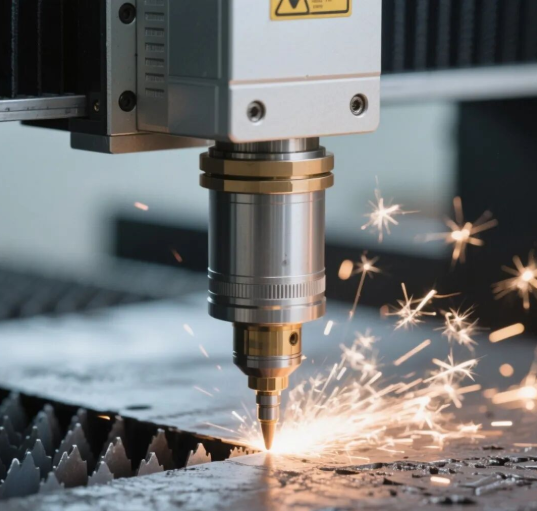
Ever wondered how small businesses create those perfectly cut acrylic signs or intricate metal brackets without owning expensive machinery? The answer lies in online laser cutting and engraving services—a digital manufacturing revolution that's reshaping how we bring designs to life.
Simply put, online laser services let you upload a digital design file, select your preferred material, and receive precision-cut or engraved parts delivered to your doorstep. No equipment ownership required. No steep learning curves. Just your creativity transformed into tangible products.
From Industrial Floors to Your Desktop
Laser cutting technology once lived exclusively on industrial factory floors. These high-powered machines required significant capital investment, specialized operators, and dedicated facilities with proper ventilation systems. For decades, only large manufacturers could afford this precision cutting capability.
That landscape has shifted dramatically. According to Steelway Laser Cutting, most manufacturers today lack the funds or resources to purchase and maintain advanced laser cutting machines in-house. This reality sparked the rise of specialized service providers who bridge the gap between industrial capability and accessible manufacturing.
What does this mean for you? Whether you're a hobbyist crafting custom jewelry, a small business producing branded merchandise, or an enterprise prototyping new products, professional-grade laser and laser engraving services are now within reach.
The Digital Manufacturing Revolution
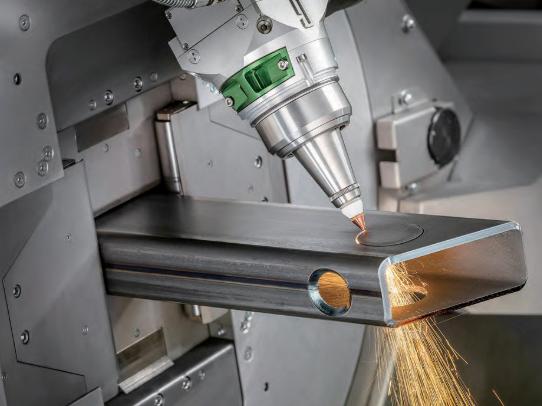
The transformation extends beyond accessibility—it's fundamentally changed how manufacturing works. Traditional metal cutting machines physically cut through materials using metal-on-metal contact. Laser cutting operates differently. A focused laser beam heats and vaporizes the material with microscopic precision, leaving clean edges without excess waste or unintended alterations.
This digital approach offers a quicker way to move from concept to finished product. Consider the traditional manufacturing workflow: you'd need to find a local fabricator, schedule consultations, wait for quotes, and often meet minimum order requirements. Online laser cutting eliminates these barriers entirely.
The process leverages computer-aided design (CAD) files containing exact specifications. Once reviewed, these instructions transmit directly to computer numerical control (CNC) machines. The result? Parts replicated to exact specifications repeatedly, regardless of design complexity.
How Online Laser Services Work
Understanding what is laser cutting in an online context starts with the workflow. Platforms like Sculpteo have streamlined the process into straightforward steps:
- Upload your vector file – Your design provides cutting instructions to the laser machine
- Configure your design – Select materials, scale, and specify cutting versus engraving lines
- Automatic file review – Online tools identify and repair common issues
- Receive instant pricing – Quotes adjust automatically as you make selections
- Production and delivery – Receive your precision-cut parts within days
No minimum order quantities. No equipment investments. Just laser online access to industrial-grade manufacturing.
The versatility of online laser cutting services spans countless applications. Architects use them for decorative screening systems and structural connection plates. Jewelry designers create intricate earrings and pendants. Engineers prototype custom brackets and assemblies. The common thread? Everyone benefits from precision that would be impossible or prohibitively expensive using traditional fabrication methods.
Throughout this guide, we'll decode every aspect of online laser services—from understanding different laser technologies and their ideal materials to preparing your design files correctly. You'll learn how pricing works, when to choose services versus equipment ownership, and how to troubleshoot common quality issues. By the end, you'll have the foundational knowledge to approach your next laser cutting project with confidence.
Understanding Laser Technology Types and Their Applications
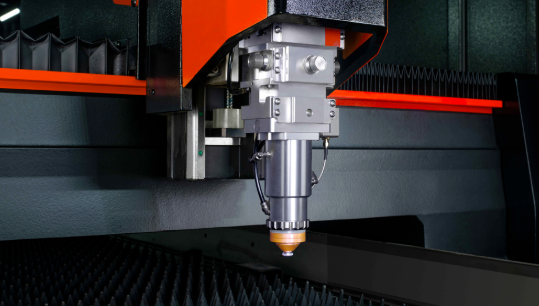
Now that you understand how online laser services work, let's explore the technology powering these capabilities. Not all lasers are created equal—each type excels at specific tasks and materials. Choosing the wrong laser technology leads to poor results, wasted materials, and frustrating project delays.
Four primary laser types dominate the market: CO2 lasers, fiber lasers, diode lasers, and Nd:YAG lasers. Understanding their differences helps you select the right service provider or equipment for your specific needs.
CO2 Lasers Explained
Imagine a technology invented in 1964 that still dominates modern manufacturing. That's the CO2 laser—a gas-based system that remains the workhorse of non-metal cutting and engraving.
How does it work? A CO2 laser engraving machine uses a gas mixture primarily composed of carbon dioxide, nitrogen, and helium. When electrical current excites this mixture, CO2 molecules emit infrared light at wavelengths around 10,600 nanometers. This wavelength absorbs exceptionally well into organic materials, making it ideal for wood, acrylic, leather, fabric, glass, and paper.
According to OMTech, CO2 lasers achieve output-to-pump power ratios of up to 20%, delivering unparalleled performance in precision cutting applications. They offer engraving speeds up to 500 mm/s and can cut through materials like wood up to 0.61 inches thick and acrylic up to 1 inch thick.
The versatility comes at a cost. CO2 systems typically range from $500 for entry-level hobby machines to $60,000 for industrial-grade equipment. They also require regular maintenance—including CO2 tube replacements—and consume more power than other laser types. However, for businesses focused on non-metal materials, the investment pays dividends in speed and quality.
Fiber Laser Advantages for Metal Work
When your project involves steel, aluminum, brass, or other metals, fiber lasers become the clear choice. These solid-state systems generate laser light through optical fibers doped with rare-earth elements like ytterbium or erbium.
What makes fiber lasers superior for metalwork? Their 1064 nm wavelength is perfectly suited for metal absorption. While CO2 lasers struggle with reflective metal surfaces, fiber lasers cut through stainless steel, aluminum, and copper with remarkable efficiency. They achieve marking speeds up to 7,000 mm/s—significantly faster than CO2 alternatives.
Beyond speed, fiber lasers offer practical advantages that matter for production environments:
- Longer lifespan – Mean time to failure exceeds 100,000 hours
- Lower maintenance – No gas tubes or mirrors requiring replacement
- Energy efficiency – Higher electrical conversion rates than CO2 systems
- Compact design – Smaller footprint with features like autofocusing
The tradeoff? Fiber lasers excel at metals but struggle with organic materials like wood and leather. If your projects span both material categories, you'll likely need access to multiple laser types—or a dual-laser system combining fiber and diode capabilities.
Diode Lasers for Beginners
Sounds complex? For hobbyists and newcomers, diode lasers offer the most accessible entry point into laser engraving. These compact systems use semiconductor materials to generate laser light, similar to the technology in laser pointers—but dramatically more powerful.
Diode laser engravers typically cost between $150 and $2,000, making them budget-friendly for home workshops. Their compact size—some weighing just 100 grams with heatsink—fits easily on any workbench. Energy efficiency runs between 30-50%, higher than CO2 alternatives, keeping operational costs manageable.
What can you accomplish with a diode laser? These systems handle engraving on wood, leather, paper, and some opaque acrylics effectively. Specialized diode models can even mark metals like stainless steel and aluminum. However, power limitations—typically 1W to 20W—restrict cutting depth and speed compared to CO2 or fiber alternatives.
According to xTool, diode lasers are appropriate when applications mainly involve wood and leather at lower speeds. For thicker materials, expect multiple passes to achieve cuts that a CO2 laser etching machine would complete in one.
Beyond these three primary types, specialized applications sometimes call for additional technologies. UV lasers operate at 355 nm wavelengths, creating marks through photochemical reactions rather than heat—perfect for sensitive materials requiring minimal thermal damage. Nd:YAG lasers offer high beam quality for precision industrial cutting, though their complex maintenance requirements and higher operating costs limit widespread adoption.
Laser Technology Comparison
When evaluating options—whether selecting an online service or purchasing equipment—this comparison helps match technology to your specific requirements:
| Laser Type | Best Materials | Typical Power Range | Common Applications | Relative Cost |
|---|---|---|---|---|
| CO2 Laser | Wood, acrylic, leather, glass, fabric, paper | 30W – 150W (home use), up to 400W (industrial) | Signage, architectural models, custom gifts, textile cutting | $500 – $60,000 |
| Fiber Laser | Steel, aluminum, brass, copper, hard plastics | 20W – 100W+ for marking/engraving | Metal marking, industrial parts, jewelry, automotive components | Similar to CO2 for entry-level; expensive for industrial-grade |
| Diode Laser | Wood, leather, paper, some plastics, coated metals | 1W – 20W | Hobby projects, personalization, small-scale production | $150 – $2,000 |
| Nd:YAG Laser | Metals, ceramics, specialized industrial materials | Variable (industrial specifications) | Precision industrial cutting, welding, drilling | High (industrial equipment) |
Notice how material compatibility drives technology selection? This relationship becomes even more critical when you consider thickness limitations, edge quality requirements, and production speed needs. Understanding these factors helps you communicate effectively with service providers—and evaluate whether their capabilities match your project requirements.
Think of laser level laser technology selection as matching tools to tasks. You wouldn't use a sledgehammer for finish carpentry. Similarly, attempting metal cutting with a CO2 laser—or wood engraving with a fiber system—produces suboptimal results regardless of equipment quality.
With laser technology fundamentals covered, the next critical question becomes: which materials work with which lasers, and why? The answer involves more than simple compatibility charts—it requires understanding how different materials interact with laser wavelengths and power levels.
Material Selection Guide for Laser Cutting and Engraving
You've selected your laser technology—now comes the equally important decision: which materials will you cut or engrave? Material compatibility determines not just whether your project succeeds, but also affects edge quality, processing speed, and even workplace safety.
Think of material selection like matching ingredients to cooking methods. You wouldn't deep-fry ice cream (at least not without special preparation). Similarly, attempting to cut aluminum with a CO2 laser—or processing PVC with any laser—leads to disappointing or dangerous results.
Metals and Fiber Laser Compatibility
Fiber lasers dominate metal processing because their 1064 nm wavelength absorbs efficiently into metallic surfaces. But not all metals behave identically under the laser beam. Understanding these differences helps you set realistic expectations and choose appropriate service providers.
According to Accurl, fiber laser cutting machines can handle impressive thickness ranges depending on power levels. Here's what different power configurations achieve for common metals:
- Carbon Steel – A 1000W fiber laser cuts up to 10mm; increase to 6000W and you reach 25mm thickness
- Stainless Steel – At 1000W, maximum thickness reaches 5mm; 6000W handles up to 20mm for stainless steel laser cutting applications
- Aluminum – Expect 3mm maximum at 1000W, scaling to 15mm at 6000W
- Copper – More challenging due to reflectivity; 1000W manages 3mm while 6000W achieves 8mm
What affects these limits? Material density and thermal conductivity play critical roles. Stainless steel's higher density and melting point require more energy compared to aluminum. Copper's exceptional thermal conductivity disperses heat rapidly, demanding higher power levels for equivalent cutting thickness.
For precision work on thinner materials—think electronics enclosures or jewelry components—fiber lasers excel at sheets less than 1mm thick. The minimal kerf width (cutting path) enables intricate designs impossible with traditional fabrication methods.
Organic Materials for CO2 Processing
Switch to organic materials and CO2 lasers become your primary tool. Their 10,600 nm wavelength absorbs remarkably well into carbon-based substances, producing clean cuts and crisp engravings.
Common materials suited for CO2 laser processing include:
- Wood and Plywood – Laser cut wood projects range from decorative signage to functional prototypes; 4x8 plywood sheets work well for larger architectural models
- Acrylic and Plexiglass – Acrylic sheets cut beautifully with polished, flame-finished edges; laser cut acrylic is popular for signage, displays, and jewelry
- Leather – Genuine and faux leather engrave with exceptional detail for custom accessories
- Paper and Cardboard – Intricate wedding invitations, packaging prototypes, and artistic pieces
- Fabric – Cotton, felt, and polyester cut cleanly without fraying edges
- Glass – Engraving only (not cutting); CO2 lasers create frosted surface effects, though a traditional glass cutter remains necessary for cutting glass shapes
Thickness limitations vary by material density. Plexiglass sheets up to 25mm thick cut successfully on industrial CO2 systems, while wood typically maxes out around 15mm for clean single-pass cuts. Thicker materials require multiple passes or alternative processing methods.
Material quality matters significantly. Solid wood with consistent grain produces more predictable results than knotty or resinous species. Cast acrylic delivers superior edge quality compared to extruded alternatives. When ordering materials for laser projects, specify laser-grade options when available.
Materials to Avoid
Certain materials should never enter a laser cutter—not because they won't cut, but because the process creates serious hazards.
Critical Safety Warning: PVC (polyvinyl chloride) releases toxic chlorine gas when laser cut. This gas damages both human respiratory systems and laser equipment components. Never process PVC, vinyl, or materials containing chlorine compounds in any laser system.
According to guidance from Xometry, polycarbonate presents different but equally problematic issues. Rather than cutting cleanly, polycarbonate melts and produces poor edges with potential fire hazards. If polycarbonate is required for your application, consider alternative fabrication methods or substitute acrylic where properties allow.
Additional materials requiring caution:
- ABS Plastic – Produces cyanide compounds when heated; avoid laser processing entirely
- HDPE and Polypropylene – Melt rather than cut; edges remain gummy and unprofessional
- Fiberglass – Releases harmful particulates; requires specialized filtration if processed
- Coated or Treated Materials – Unknown coatings may contain chlorine or other hazardous compounds
When uncertain about material safety, request a material safety data sheet (MSDS) before processing. Reputable online laser services maintain prohibited material lists and will refuse orders involving hazardous substances—protecting both their equipment and your safety.
Understanding material compatibility represents foundational knowledge for successful laser projects. But even with perfect material selection, your results depend heavily on another critical factor: how you prepare and format your design files for laser processing.
Preparing Your Design Files for Online Laser Services
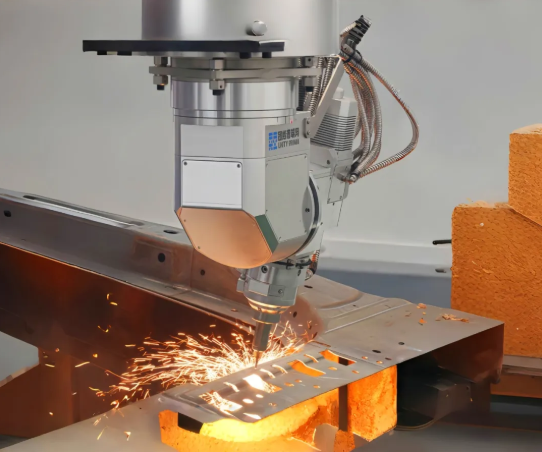
You've selected the right laser technology and compatible materials—now comes the step where most projects succeed or fail: file preparation. A beautiful design means nothing if the laser can't interpret your instructions correctly. The difference between a rejected file and a flawless cut often comes down to understanding what laser systems actually need from your digital designs.
Think of your design file as a recipe. The laser machine is an incredibly precise cook, but it follows instructions literally. Submit a vague or poorly formatted recipe, and you'll get unexpected results—or your order gets sent back entirely.
File Formats That Services Accept
Online laser cutting services like Xometry and SendCutSend accept various file formats, but not all formats serve the same purpose. Understanding why specific formats work helps you avoid frustrating rejections.
According to American Laser Cutter, the most critical requirement is submitting vector files rather than raster images. Here's what that means practically:
| File Format | Type | Best Use Case | Key Considerations |
|---|---|---|---|
| SVG | Vector | Cutting and engraving outlines | Scalable without quality loss; widely compatible |
| DXF | Vector | Precision cutting paths | Industry standard for CAD-based designs; excellent for technical work |
| AI | Vector | Professional design work | Adobe Illustrator native format; preserves layers and settings |
| Vector (when exported correctly) | Universal sharing | Must contain actual vector paths—not embedded images | |
| PNG/JPG | Raster | Engraving photos and complex images | Cannot be used for cutting; resolution affects quality |
Why do vector formats matter so much? Raster images like JPEG and PNG consist of pixels—tiny colored squares that look sharp on screen but contain no path information. A laser cutter can't follow a pixel grid; it needs defined lines to trace. Vector files describe shapes mathematically as points and curves, giving the laser exact coordinates to follow.
For laser engraving wood or creating laser engraved glass pieces, raster images work because the laser fills areas with pattern-based burns. But for any cutting operation—or precise engraving outlines—vectors are non-negotiable.
Design Rules for Clean Cuts
Beyond file format, several design principles determine whether your project cuts cleanly or produces disappointing results.
Kerf Compensation
Every laser beam has width—typically 0.1mm to 0.3mm depending on the machine and settings. This cutting width, called kerf, removes material from your design. If you design a 50mm square, the finished piece measures slightly smaller because the laser vaporized material on all sides. For precise fits or interlocking parts, offset your cut lines outward by half the kerf width.
Minimum Feature Sizes
Laser systems have physical limitations on how small they can cut reliably. Internal corners can't be perfectly sharp—they'll have a radius matching the beam diameter. Text smaller than 3mm height often becomes illegible. Holes smaller than your material thickness may not cut cleanly. When working on an integrated design project with fine details, verify minimum feature requirements with your service provider.
Line Weights and Layer Separation
Consistent line organization prevents confusion during processing. The standard approach uses color-coding:
- Red lines – Cut paths (laser cuts completely through)
- Blue lines – Score paths (light surface marking)
- Black fill – Engraving areas
This convention works in most laser software including LightBurn. For wood laser engraving combined with cutting, separating these operations into distinct layers ensures the machine processes them with appropriate power and speed settings.
Avoiding Costly File Errors
Certain mistakes appear repeatedly in rejected files. Knowing what to check before submission saves time and prevents wasted orders.
- Close all paths – Open lines cause incomplete cuts. Every shape intended for cutting must form a continuous, closed loop with no gaps between endpoints.
- Eliminate duplicate lines – Overlapping paths cause the laser to cut the same location twice, potentially burning through your material or creating charred edges.
- Convert text to outlines – Fonts must be converted to paths so the cutter reads them as shapes. Otherwise, missing fonts on the production system cause text to disappear or substitute incorrectly.
- Verify scale and units – Design at 1:1 actual size. A 100mm circle should measure exactly 100mm in your file. Confirm your software uses consistent units—mixing inches and millimeters creates sizing disasters.
- Remove hidden objects – Embedded images, unused layers, or objects outside your artboard can confuse processing software or increase file complexity unnecessarily.
- Simplify complex curves – Excessive anchor points slow processing and can overheat materials. Smooth curves with fewer nodes produce identical results more efficiently.
- Preview before submitting – Run your design through preview mode in laser software to verify cut paths appear correctly and no unexpected elements exist.
According to Craft Closet, testing on scrap material before committing to your final project prevents ruining good materials—a practice that applies whether you're using an online service's proofing option or operating your own equipment.
Software Options for File Preparation
You don't need expensive professional software to create laser-ready files. Options exist across every budget level:
Professional Tools
- Adobe Illustrator – Industry standard for vector design; excellent precision control and export options
- Fusion 360 – Available as Fusion 360 free for hobbyists and startups; combines CAD modeling with export to DXF for laser cutting
- CorelDRAW – Popular with CO2 laser users; strong vector editing and layout features
Free Alternatives
- Inkscape – Full-featured vector editor; exports SVG and DXF files suitable for any laser service
- LightBurn – Paid but offers a trial; designed specifically for laser work with built-in cut/engrave layer management
- LaserGRBL – Completely free laser tree software free of charge; works well with GRBL-based diode lasers for engraving
Whichever software you choose, the principles remain consistent: closed paths, proper scaling, organized layers, and clean vector geometry. Master these fundamentals and your files will process successfully regardless of which online laser service you select.
With properly prepared files in hand, you're ready to submit your project—but how do you evaluate whether the quoted price is fair? Understanding the factors that drive laser service costs helps you make informed decisions and optimize your designs for budget efficiency.
Decoding Laser Service Pricing and Cost Factors
Your design files are ready. Your material is selected. Now comes the question everyone wants answered but few services explain clearly: how much will this actually cost? Understanding laser cutting charges isn't about memorizing price lists—it's about recognizing which variables you control and how each decision affects your final invoice.
Unlike buying off-the-shelf products, laser service pricing operates on a matrix of interconnected factors. Adjust one variable and others shift accordingly. Let's break down exactly what drives costs so you can evaluate quotes intelligently and optimize your projects for budget efficiency.
What Drives Laser Cutting Costs
According to Komacut, the primary factors affecting laser cutting costs include material type, thickness, design complexity, cutting time, labor costs, and finishing processes. Each element contributes to overall expense by impacting the efficiency and resources required.
Think of pricing like a recipe with multiple ingredients—change one and the final dish transforms. Here's how each factor influences your quote:
Material Type and Thickness
Material selection creates the foundation for every price calculation. Cutting stainless steel demands more energy and time than carbon steel, making it inherently more expensive. Thicker materials compound this effect—they require slower cutting speeds, higher power consumption, and create greater equipment wear.
When comparing metal laser cutting services, expect significant price differences based solely on material choice. A cheap cutting sheet of mild steel processes faster than equivalent aluminum, which dissipates heat rapidly and requires adjusted parameters. Precious metals or custom alloys introduce additional material costs that dwarf processing fees.
Design Complexity and Path Length
Every cutout requires a pierce point where the laser initiates cutting. More pierce points and longer cutting paths directly increase processing time. According to A-Laser, a simple washer with 300mm total linear distance cuts faster than the same 300mm distributed across intricate features with tight corners.
Why? Complex geometries force the laser to slow down at corners and direction changes. Intricate designs with numerous small features demand greater precision, adding to both machine time and operator attention.
Setup and Nesting Efficiency
Every job requires machine setup—loading materials, configuring laser parameters, and programming cut paths. This fixed cost spreads across your order quantity. Whether you order one piece or one hundred, initial setup costs remain constant.
Efficient nesting—arranging parts closely together on material sheets—maximizes usage and reduces waste. Services using advanced nesting software optimize layouts automatically, but custom nesting requirements or restrictions on part orientation can increase costs.
Understanding Tolerance Pricing
How precise does your project need to be? This question significantly impacts cost. Standard tolerance specifications—typically ±0.127mm—allow faster processing with basic quality checks. Tighter tolerances demand slower cutting speeds, additional laser adjustments, and more rigorous inspection.
According to A-Laser, a simple washer costs more when it requires AQL-level inspection with ±0.0254mm tolerance versus first-and-last-part inspection with ±0.127mm tolerance. The difference comes down to time—both machine time for precision cutting and labor time for verification.
For an acrylic cutting service processing decorative pieces, standard tolerances typically suffice. But functional parts requiring precise fits—think assemblies or mechanical components—justify the additional investment in tighter specifications.
| Factor | Impact on Price | Optimization Tips |
|---|---|---|
| Material Type | High – specialty materials cost significantly more than common steels | Substitute equivalent materials where properties allow; consider carbon steel vs. stainless for non-critical applications |
| Material Thickness | Moderate to High – thicker stock requires slower speeds and more power | Use minimum thickness that meets structural requirements; thinner sheets process faster |
| Design Complexity | Moderate – intricate features increase cutting time | Simplify geometries where possible; reduce unnecessary cutouts and internal features |
| Tolerance Requirements | Moderate to High – tighter specs require precision cutting and inspection | Specify tight tolerances only on critical dimensions; allow standard tolerances elsewhere |
| Quantity | High – setup costs spread across units; bulk orders reduce per-piece pricing | Combine orders where possible; consider ordering ahead for recurring needs |
| Turnaround Time | Moderate – rush orders incur premium charges | Plan ahead to use standard lead times; avoid expedited processing when possible |
| Finishing Processes | Variable – deburring, powder coating, and other post-processing add costs | Evaluate which finishing steps are essential vs. optional for your application |
When Volume Discounts Apply
Batch ordering makes financial sense when your project reaches specific thresholds. According to SendCutSend, volume discounts reach up to 70% for larger quantities—a significant reduction that transforms project economics.
The math works because production runs minimize downtime. Keeping a laser machine operating continuously for several hours—or even multiple shifts—reduces per-hour costs dramatically. Setup happens once, nesting optimization maximizes material efficiency, and operators maintain consistent rhythm without switching between different jobs.
When does batch ordering make sense for your projects?
- Recurring parts – If you'll need the same component regularly, ordering quarterly batches beats monthly small orders
- Product launches – Commit to higher volumes upfront when demand is predictable
- Prototype refinement – After finalizing designs through R&D quantities, scale up for production pricing
- Material optimization – Larger orders justify purchasing full sheets, reducing material waste charges
For reference, SendCutSend's published examples show material plus laser cutting starting at $2.28 for a small 2.56 x 1.82" part, scaling with complexity—adding $0.80 for deburring, $7.15 per bend, or $11.54 for powder coating. These secondary operations accumulate quickly, making volume discounts on base cutting even more valuable.
Keep in mind that R&D quantities generally cost more per unit since many services maintain minimum order amounts. The transition from prototype to production pricing represents one of the largest cost optimization opportunities available.
While specific send cut send prices and other vendor rates fluctuate based on material markets and capacity, understanding these underlying factors helps you compare quotes intelligently. You'll recognize when a higher price reflects legitimate complexity versus when you're overpaying—and you'll know which design changes produce the most significant savings.
With pricing fundamentals understood, you're equipped to make informed decisions about your manufacturing approach. But pricing represents just one dimension of a larger question: should you use online services, invest in software for your own equipment, or purchase dedicated laser systems? Each path offers distinct advantages depending on your project volume and long-term goals.
Choosing Between Services and Software and Equipment
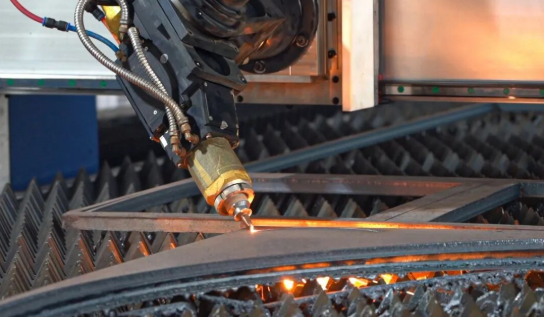
You understand laser technology, materials, file preparation, and pricing. Now comes the decision that shapes your entire approach: should you outsource to online laser services, operate your own equipment with dedicated software, or invest in purchasing laser machines outright?
Each path serves different needs. Choosing incorrectly means either overpaying for capabilities you don't need or struggling with limitations that bottleneck your projects. Let's build a framework that matches your situation to the right solution.
When Online Services Make Sense
Outsourcing to online laser cutting services eliminates capital investment while delivering professional-grade results. For many makers and businesses, this represents the smartest entry point—and often the permanent solution.
According to SendCutSend, outsourcing is an ideal alternative to the responsibility of purchasing and operating your own laser cutter. No large initial investment. No equipment maintenance. No specialized training requirements.
When does the service route make financial sense?
- One-off projects and prototypes – Testing designs before committing to production runs means ordering small quantities. Services charge per piece without penalizing low volumes the way equipment ownership does.
- Occasional production needs – If laser cutting represents a fraction of your work, equipment sits idle most of the time. Idle equipment generates zero return while consuming space and requiring maintenance.
- Access to premium technology – Large manufacturers justify state-of-the-art, high-powered fiber lasers because they have the output necessary to reach ROI quickly. When you outsource, your parts get cut on equipment that achieves tighter tolerances and higher quality than mid-tier machines most small shops could afford.
- Regulatory simplicity – According to SendCutSend, laser cutter owners need to obtain special permits from the EPA, OSHA, fire marshal, and other local authorities. Outsourcing transfers that compliance burden entirely to your vendor.
The tradeoff? Turnaround time. Many manufacturers take weeks to machine parts, though some operate on 2-4 day timelines. If your project requires same-day iteration—adjusting designs and testing repeatedly within hours—services introduce delays that equipment ownership eliminates.
Software Solutions for Equipment Owners
Perhaps you already own a laser engraver or plan to purchase one. In that case, software becomes your critical interface between design and physical output. The right software transforms equipment capabilities; the wrong choice creates frustrating limitations.
Laser engraving machines require control software that translates your design files into precise movement and power instructions. Options range from free solutions to professional packages costing hundreds of dollars.
Free and Entry-Level Options
- LaserGRBL – Completely free software designed for GRBL-based controllers common in diode lasers and entry-level CO2 systems. Handles basic engraving well but lacks advanced features for complex cutting operations.
- K40 Whisperer – Free option specifically for K40-style CO2 lasers. Replaces problematic stock software with more reliable control.
- Inkscape with J Tech plugin – Combines free vector design with laser output capabilities for basic operations.
Professional Control Software
- LightBurn – Industry favorite for serious hobbyists and small businesses. Supports most laser types with excellent layer management, preview features, and direct machine control. One-time purchase around $60-$120 depending on license level.
- RDWorks – Common with Ruida-controlled CO2 laser cutters. Included with many machines but has a steeper learning curve than LightBurn.
- LaserCAD – Professional-grade software for industrial applications with advanced nesting and production features.
When selecting software for your engraver engraving machine setup, verify compatibility with your specific controller type. GRBL-based systems, Ruida controllers, and proprietary systems each require matching software. Purchasing equipment without confirming software compatibility leads to frustrating workarounds.
Buying Your Own Laser Equipment
Equipment ownership makes sense when production volume justifies the investment—and when you can address the infrastructure requirements many buyers overlook.
According to SendCutSend, industrial-grade laser cutters range from $250,000 for small footprint, low-power machines to over $2 million for high-power fiber lasers with automation. Even entry-level CO2 lasers capable of cutting thin metals start around $15,000.
Space Requirements
A desktop laser cutter fits on a workbench, but serious production requires more than machine footprint. According to SendCutSend, the most efficient material sizes may be sheets of 4'x4', 4'x10', or even 5'x12'. Storing and handling materials of those sizes requires dedicated space, specialized equipment like forklifts, and unique training for operators.
Ventilation and Safety
Every laser cutter produces fumes requiring extraction. CO2 laser cutters processing organic materials generate smoke and particulates. Fiber laser engraver systems cutting metals produce different but equally hazardous emissions. Proper ventilation means either direct exterior exhaust or filtration systems costing thousands of dollars.
Maintenance and Consumables
According to Esprit Automation, fiber laser machines have few operator maintenance requirements, but regular services (1-4 times per year) are strongly recommended. CO2 lasers require more frequent attention—tube replacements, mirror alignments, and lens cleaning add ongoing costs and downtime.
Learning Curve
Operating a laser cutter effectively takes months of practice. According to Esprit Automation, the learning process can take a few months, making customer support critical when purchasing equipment. Beyond basic operation, optimizing cut parameters for different materials requires experimentation and experience.
Electricity and Assist Gas
Power consumption scales with laser wattage. CO2 lasers achieve only 10% electrical efficiency compared to 45% for fiber lasers. Cutting also requires assist gases—oxygen or nitrogen—with consumption increasing as material thickness grows. For high-volume nitrogen use, investing in a nitrogen generator can reduce long-term costs.
Decision Framework Comparison
This comparison helps match your situation to the appropriate path:
| Option | Best For | Initial Investment | Ongoing Costs | Skill Required |
|---|---|---|---|---|
| Online Services | Prototyping, occasional needs, access to premium results without capital | $0 | Per-project pricing; volume discounts available | Low – file preparation only |
| Software + Owned Equipment | Regular production, rapid iteration, full creative control | $500–$60,000+ depending on equipment class | Materials, maintenance, electricity, consumables, software licenses | Moderate to High – equipment operation and optimization |
| Desktop Laser Cutter | Hobbyists, small-scale personalization, learning | $150–$2,000 for diode; $500–$5,000 for entry CO2 | Low maintenance; materials; ventilation solutions | Low to Moderate – accessible learning curve |
| Industrial Fiber Laser | High-volume metal production, professional fabrication shops | $250,000–$2,000,000+ | Staff (2-3 per shift), maintenance contracts, gas, electricity, material storage | High – trained operators required |
| Industrial CO2 Laser Cutter | High-volume organic material processing, signage production | $15,000–$100,000+ | Tube replacements, mirror maintenance, gas, electricity | Moderate to High – regular maintenance knowledge needed |
Making Your Decision
According to HF Laser, companies with consistent and high-volume laser cutting needs may find it more cost-effective to have their own machine on-site. In-house services allow quick turnaround and immediate design adjustments. But if your output is too low to run industrial equipment continuously, outsourcing saves time, space, and money.
Ask yourself these questions:
- How often will I need laser cutting? – Weekly needs justify equipment; monthly or quarterly projects favor services.
- Can I dedicate space? – Even a desktop laser cutter requires ventilation and a stable work surface.
- Do I need same-day iteration? – Rapid prototyping cycles benefit from in-house capability.
- What's my learning appetite? – Equipment ownership demands ongoing skill development.
- Can I handle maintenance? – Equipment requires regular attention; neglect leads to quality degradation and costly repairs.
Many successful makers blend approaches—using online services for metal laser cutting while operating a desktop laser cutter for wood and acrylic projects. This hybrid strategy captures the advantages of both paths without the limitations of committing entirely to one solution.
Whichever path you choose, understanding how to identify and solve quality issues ensures your projects meet expectations. Even the best equipment or services occasionally produce results that fall short—knowing how to troubleshoot common problems separates frustrating failures from learning opportunities.
Troubleshooting Common Laser Cutting Quality Issues
Your files are perfect. Your material selection is spot-on. You've chosen the right service provider. Yet your finished parts arrive with charred edges, dimensions that don't match your specifications, or warped surfaces. What went wrong?
Quality issues in laser cutting and engraving rarely stem from single causes. Understanding the relationship between materials, settings, and processing conditions helps you diagnose problems—and communicate effectively with service providers to prevent them in future orders.
Solving Edge Quality Problems
Burn marks represent the most visible quality complaint in laser processing. According to JustLaser, these marks are caused by the intense heat of the laser beam, which not only cuts or engraves the material but can also burn it. These marks appear most prominently on edges and in engraved areas where the laser dwells longer.
When you laser cut metal or process organic materials, edge quality depends on multiple interacting factors:
- Power settings too high – Excessive energy scorches material beyond the cut path. Solution: Request lower power with adjusted speed, or verify your service provider optimizes parameters for your specific material.
- Speed too slow – Extended exposure time allows heat to spread into surrounding material. Solution: Faster travel speeds with appropriate power levels reduce thermal damage.
- Material moisture content – Damp wood or improperly stored acrylic produces inconsistent results. According to JustLaser, a damp surface can result in the laser beams not attenuating correctly on the material, leading to unwanted burn marks.
- Dirty lens or mirrors – Dust and smoke residue weaken laser energy, causing blurred patterns or incomplete cuts. According to Bambu Lab, regular cleaning prevents beam scattering and optical component damage.
- Missing air assist – Compressed air blown at the cutting point reduces smoke development and burns. This achieves significantly clearer, more precise results in both engraving and cutting operations.
For laser cut steel and other metals, edge quality concerns shift from burn marks to oxidation and dross formation. Oxygen assist gas creates oxide layers on cut edges—acceptable for some applications but problematic when welding or finishing is required. Nitrogen assist produces cleaner edges but increases processing costs.
What if burn marks appear despite proper settings? According to JustLaser, light sanding can often remove surface discoloration. For deeper burns, carefully using a paint stripper or additional finishing steps may be necessary.
Achieving Dimensional Accuracy
Your design specifies a 50mm circle. The finished part measures 49.7mm. What happened?
Dimensional accuracy issues typically trace to one of these causes:
- Kerf not compensated – Remember, every laser beam has width. If your design didn't account for material removal, finished parts will measure smaller than intended. Solution: Apply kerf offset in your design file, or confirm your service provider applies standard compensation.
- Incorrect focus – According to Bambu Lab, if the manually entered thickness differs significantly from actual material thickness, the laser fails to focus correctly on the workpiece. This leads to incomplete cutting and dimensional variation.
- Thermal expansion – Large parts processed over extended periods can expand during cutting, then contract as they cool. This creates subtle but measurable dimensional shifts.
- Material inconsistency – Sheet materials vary slightly in thickness across their surface. Precision laser cutting services verify material specifications, but economy services may not.
Communicating tolerance requirements clearly prevents misunderstandings. Specify critical dimensions explicitly—don't assume standard tolerances apply everywhere. For functional parts requiring precise fits, identify which dimensions must be held tightly and which can accept wider variation.
According to Bambu Lab, adjusting Spot Correction or Cut Offset settings compensates for spot width and improves dimensional accuracy. When working with precision laser cutting services, confirm whether they apply these corrections automatically or expect you to account for them in your design files.
For etching inside glass or other specialty engraving applications, depth consistency affects both dimensional accuracy and visual quality. Variations in material density, surface coatings, or laser power fluctuations create uneven results across the engraved area.
Heat Management Strategies
Heat accumulation causes problems beyond burn marks. Thin materials warp. Metals develop heat-affected zones. Large engraving areas discolor unevenly.
According to Bambu Lab, warping is common during large-area engraving or cutting, where uneven heating causes the material to deform. The solution? Since excessive heat absorption causes deformation, divide multiple patterns into separate jobs or pause occasionally during processing. This prevents material from absorbing too much heat at once.
Additional heat management strategies include:
- Pattern sequencing – Cut parts in distributed patterns rather than adjacent sequences. This allows previously cut areas to cool before nearby cuts add more heat.
- Reduced power with multiple passes – Lower power settings produce less heat per pass. For thick materials, multiple lighter passes sometimes produce better results than single high-power cuts.
- Adequate bed clearance – According to Bambu Lab, check whether excessive debris has accumulated beneath the bed. Clean regularly to ensure smoke and heat can dissipate freely.
- Avoiding path overlap with support structures – When cutting paths cross over bed slats, reflected energy causes discoloration on material undersides. Reduce slat overlap where possible without affecting support stability.
For laser weld applications and precision metal work, heat-affected zones (HAZ) require special attention. The area surrounding a cut or weld experiences temperatures high enough to alter material properties without reaching melting point. This creates hardness variations, residual stress, and potential weakness in the affected region.
Managing HAZ in laser welding and cutting involves balancing speed, power, and assist gas selection. Faster cutting speeds reduce heat input per unit length. Higher assist gas pressure removes molten material more quickly, limiting heat transfer into surrounding areas. For critical applications, post-processing heat treatment can normalize material properties in the HAZ.
When ordering from online services, communicate your HAZ sensitivity clearly. Applications involving subsequent welding, bending, or mechanical stress near cut edges require tighter heat control than decorative pieces where HAZ has no functional impact.
Understanding these quality factors transforms you from a passive customer into an informed collaborator. You'll recognize when issues stem from design decisions versus processing problems—and you'll know which questions to ask when results don't meet expectations. This knowledge becomes especially valuable as you apply laser technology to specific industry applications, where quality requirements vary dramatically based on end use.
Real World Applications Across Industries
You've mastered the technology, materials, file preparation, and quality control. Now let's explore where all this knowledge applies in practice. Online laser services power innovation across virtually every industry—from solo artists crafting one-of-a-kind pieces to multinational corporations manufacturing precision components at scale.
Understanding these applications helps you recognize opportunities for your own projects. Whether you're prototyping a new product, creating architectural presentations, or sourcing industrial-grade parts, seeing how others leverage laser technology sparks ideas you might not have considered.
Rapid Prototyping Applications
Speed kills in product development—specifically, the speed at which you can iterate from concept to physical prototype determines whether you beat competitors to market or arrive too late.
According to JustLaser, laser processing enables intricate cuts and engravings without tool changes or time-consuming retooling. Geometries can be taken directly from CAD data and transferred to the material immediately. This eliminates the weeks-long delays traditional manufacturing methods require for tooling setup.
Why does this matter for prototyping? Consider the typical product development cycle:
- Design revision flexibility – Each prototype iteration requires only file updates, not expensive die modifications. One automotive client saved $12,000 in tooling costs during their prototype phase by using laser cutting instead of traditional stamping dies.
- Material-safe processing – Since there's no physical contact with the workpiece during laser cutting, sensitive materials remain protected. No deformations or mechanical stresses compromise your prototype's accuracy.
- Small-batch economics – Laser technology excels with prototypes and small series. The high reproducibility ensures every single prototype meets exactly the same quality standard without minimum order penalties.
According to Yicen Precision, rapid prototyping represents 15% of their project database. These projects benefit from design modifications requiring only file updates—not weeks of waiting for new tooling. When you need same-week turnaround on functional prototypes, a cnc laser cutting machine processing your parts overnight transforms your development timeline.
A laser engraving machine adds another dimension to prototyping. Beyond cutting shapes, you can engrave version numbers, test markings, and assembly instructions directly onto prototype parts. This proves invaluable when managing multiple design iterations simultaneously.
Creative and Architectural Uses
Walk through any modern design studio and you'll find laser-cut elements everywhere—from intricate jewelry pieces to architectural scale models that would be impossible to create by hand.
According to Accurl, laser cutting technology has become essential for producing signs, displays, and promotional materials that are both intricate and eye-catching. This technology offers a unique combination of precision, speed, and versatility for creating impactful visual materials.
Custom signage represents one of the largest creative applications. A laser metal cutting machine transforms sheet metal into dimensional letters, decorative screens, and branded installations. The precision allows for design details that would be cost-prohibitive using traditional fabrication methods.
Architectural applications extend far beyond signage:
- Scale models – Architects cut precise building components from acrylic, plywood, and cardstock to create presentation models that communicate design intent clearly
- Decorative screening – Intricate patterns cut into metal or wood panels create privacy screens, facade elements, and interior partitions
- Furniture and fixtures – Custom furniture components, lighting fixtures, and retail displays leverage laser precision for complex geometries
- Art installations – Artists use a metal laser cutter to create large-scale sculptures and interactive installations previously requiring industrial fabrication resources
According to Accurl, in furniture and interior design, laser cutting technology is celebrated for its customization and design flexibility. This technology has revolutionized how detailed wooden components, metal fittings, and decorative elements are created, offering unparalleled precision and intricacy.
A fiber laser cutting machine opens additional possibilities for creative professionals working with metals. Jewelry designers create intricate patterns impossible to achieve through traditional metalworking. Fashion designers cut detailed textile patterns without fraying edges. The technology democratizes capabilities once reserved for large manufacturing operations.
Industrial Manufacturing Integration
While creative applications generate excitement, industrial laser cutting represents the technology's largest market segment. From aerospace brackets to medical device components, precision metal laser cutting delivers the tolerances and certifications that industrial applications demand.
According to Accurl, in the automotive industry, laser cutting stands as a pivotal tool for crafting intricate components and customizations. This process, driven by high precision and efficiency, allows manufacturers to produce parts that are both complex and delicate across a variety of materials from stainless steel to aluminum alloys.
Automotive applications demonstrate industrial laser cutting at scale:
- Chassis components – Precision-cut brackets, mounting plates, and structural reinforcements require consistent tolerances across thousands of units
- Suspension parts – Control arm brackets and spring mounts demand both dimensional accuracy and material integrity
- Interior trim – Decorative metal accents and functional mounting hardware benefit from laser precision
- Prototype tooling – Fixture plates and assembly jigs cut from tool steel accelerate production line development
According to Yicen Precision, their ISO 9001:2015 and IATF 16949 certified plants handle hundreds of laser cutting orders monthly, including aerospace brackets and medical device parts. These certifications matter because industrial applications require documented quality systems—not just capable equipment.
For automotive and other demanding industrial applications, laser cutting often represents one step in a larger manufacturing process. Parts may require additional operations like metal stamping, welding, or surface treatment to become finished components. This is where precision metal manufacturing partners become valuable—companies like Shaoyi (Ningbo) Metal Technology complement laser cutting services by providing IATF 16949-certified stamping, assemblies, and complete component solutions for chassis, suspension, and structural parts.
A laser welding machine often works alongside laser cutting in industrial settings. Parts cut with extreme precision can be welded with equally precise laser beams, creating assemblies that maintain tight tolerances throughout the fabrication process.
Quality certifications distinguish industrial laser cutting from hobby-grade services:
| Certification | Application Focus | Key Requirements |
|---|---|---|
| ISO 9001:2015 | General quality management | Documented processes, continuous improvement, customer focus |
| IATF 16949 | Automotive manufacturing | Defect prevention, variation reduction, waste elimination in supply chain |
| AS9100 | Aerospace components | Traceability, configuration management, risk-based thinking |
| ISO 13485 | Medical devices | Design controls, sterility considerations, regulatory compliance |
According to Yicen Precision, industrial laser cutting achieves ±0.1mm standard tolerance, with fiber lasers reaching ±0.003 inches under optimal conditions. This exceeds plasma cutting (±0.5mm), waterjet (±0.2mm), and mechanical cutting (±0.3mm)—precision that industrial applications require.
The integration of industrial laser cutting into broader manufacturing ecosystems continues expanding. According to Accurl, advancements in laser power, efficiency, and control will likely open new avenues in material processing and design capabilities. The ongoing integration of laser cutting with other technological innovations, such as 3D printing and advanced CNC techniques, suggests a future where manufacturing boundaries are continually pushed forward.
Whether you're a manufacturer, designer, engineer, or hobbyist, understanding these applications reveals opportunities you might otherwise miss. The same online laser services that cut custom jewelry can produce industrial-grade components—the difference lies in material selection, tolerance specifications, and quality certifications rather than fundamental technology.
With this comprehensive view of laser cutting applications across industries, you're ready to translate knowledge into action. The final step involves synthesizing everything you've learned into a clear decision framework that guides your specific project toward successful completion.
Making Your Online Laser Project Successful
You've journeyed through laser technology types, material compatibility, file preparation, pricing factors, equipment decisions, quality troubleshooting, and real-world applications. Now it's time to transform that knowledge into action. Whether you're ordering your first prototype or scaling to production volumes, these decision frameworks and next steps ensure your project succeeds.
Think of this as your pre-flight checklist. Pilots don't skip steps because they've flown a thousand times—and neither should you when committing materials, time, and budget to a laser cutting project.
Your Technology Selection Checklist
Matching the right laser technology to your project prevents wasted time and disappointing results. Before requesting quotes, answer these questions:
- What's your primary material? – Metals demand fiber lasers. Organic materials like wood, acrylic, and leather work best with CO2 systems. Mixed-material projects may require multiple service providers or hybrid equipment.
- What thickness are you cutting? – Each laser type has maximum thickness limits. Fiber lasers handle stainless steel up to 20mm at higher power levels, while CO2 lasers cut acrylic up to 25mm. Verify your specifications fall within your selected technology's capabilities.
- Do you need cutting, engraving, or both? – Cutting requires different parameter optimization than engraving. Projects combining both operations need service providers experienced in layer management and power sequencing.
- What tolerances does your application require? – Standard ±0.127mm tolerances suit most decorative and general-purpose applications. Functional assemblies and precision fits may require tighter specifications—and corresponding cost increases.
According to Laser Cutting Shapes, one of the first things to consider is what materials the laser cutting service can work with. If you have a specific material in mind for your project, ensure the service you choose is equipped to handle it.
Next Steps for Your Project
Ready to move forward? Follow these prioritized steps to maximize your chances of success:
- Finalize your design in vector format – Convert all text to outlines, close all paths, eliminate duplicate lines, and verify scale matches your intended dimensions. Export as SVG, DXF, or AI depending on your service provider's preferences.
- Select appropriate materials – Choose materials compatible with your chosen laser technology. Verify thickness availability and consider whether laser-grade options (like cast versus extruded acrylic) will improve results.
- Apply kerf compensation – Adjust your design to account for material removal during cutting. For interlocking parts or precise fits, offset cut lines by half the expected kerf width—typically 0.1mm to 0.3mm.
- Document tolerance requirements – Identify which dimensions are critical and specify acceptable variation ranges. This prevents misunderstandings and helps service providers optimize their processing approach.
- Request quotes from multiple providers – Compare pricing structures, turnaround times, and included services. Ask about setup fees, material sourcing options, and volume discount thresholds.
- Order test samples before committing – For new designs or unfamiliar materials, order small quantities first. This validates both your design decisions and the service provider's capabilities before scaling to production volumes.
- Establish communication channels – Confirm how you'll receive updates on order status and who to contact if questions arise during processing.
When searching for a laser cutter service near me, remember that geographic proximity matters less than capability matching. Online services ship nationally, often with faster turnaround than local shops lacking appropriate equipment.
Evaluating Service Providers
Not all laser cutting services deliver equal results. According to Steelway Laser Cutting, it's essential to ask upfront how long your laser cutting service provider can turn around your projects, from when they first receive the instructions to when the custom parts are ready to ship.
Evaluate potential partners using these criteria:
- Material capabilities – Verify they handle your specific material and thickness. According to Steelway Laser Cutting, most metal laser cutting service providers can easily fabricate common sheet metals like stainless steel, but may not handle more difficult materials like highly reflective aluminum.
- Certifications relevant to your industry – ISO 9001:2015 indicates quality management systems. IATF 16949 matters for automotive applications. AS9100 applies to aerospace components. Match certifications to your application requirements.
- Turnaround time options – Standard lead times, rush processing availability, and reliability meeting deadlines all affect your project timeline. According to Laser Cutting Shapes, some services may offer rush options, but these often come at a premium cost.
- Secondary operations – Do you need powder coating, deburring, or assembly services? Providers offering these in-house simplify your supply chain.
- Communication responsiveness – According to Laser Cutting Shapes, good customer service is essential for a smooth and successful experience. A responsive and communicative service provider can address concerns throughout the process.
- Portfolio and testimonials – Request samples of previous work to assess quality. According to Steelway Laser Cutting, ask for testimonials from other clients, as well as about capabilities and technology powering their services.
Looking for a laser cut near me option? Start with capability verification rather than proximity. A service 500 miles away with the right equipment delivers better results than a local shop without appropriate technology.
For projects requiring integrated metal fabrication beyond laser cutting—such as stamping, assemblies, and automotive-grade components—manufacturers like Shaoyi (Ningbo) Metal Technology offer complementary capabilities. Their 5-day rapid prototyping, IATF 16949 certification, and comprehensive DFM support provide natural extensions of online laser cutting service capabilities when your project demands complete component solutions.
Your online laser cutting service journey doesn't end with receiving parts. Document what worked, what could improve, and which service providers exceeded expectations. This knowledge compounds over time, making each subsequent project more efficient and successful than the last.
The technology continues advancing. What required industrial facilities a decade ago now fits on desktop machines. What demanded weeks of lead time now ships in days. By understanding the fundamentals covered throughout this guide—laser technology selection, material compatibility, file preparation, cost optimization, and quality troubleshooting—you're equipped to leverage these capabilities for whatever projects lie ahead.
Frequently Asked Questions About Online Laser Services
1. How much does a fiber laser cost per hour?
Operating costs for fiber lasers average around $6.24 per hour for a 4kW system, roughly half the cost of equivalent CO2 lasers at $12.73 per hour. This significant difference stems from fiber lasers' higher electrical efficiency (45% versus 10% for CO2), longer lifespan exceeding 100,000 hours, and lower maintenance requirements with no gas tubes or mirrors needing replacement. When using online laser cutting services, these operational efficiencies translate to competitive per-part pricing, especially for metal cutting projects.
2. What cannot be cut with a laser cutter?
Certain materials should never enter a laser cutter due to serious safety hazards. PVC releases toxic chlorine gas when laser processed, damaging both human respiratory systems and equipment. Polycarbonate melts rather than cuts cleanly, creating fire hazards. ABS plastic produces cyanide compounds when heated. HDPE and polypropylene melt instead of cutting, leaving gummy edges. Fiberglass releases harmful particulates requiring specialized filtration. Always verify material safety with an MSDS before processing, and reputable online laser services maintain prohibited material lists for protection.
3. How thick can a 1500W fiber laser cut?
A 1500W fiber laser typically cuts carbon steel up to 10-16mm and stainless steel up to 5-6mm thickness. Aluminum presents more challenge due to thermal conductivity, reaching approximately 4-5mm at this power level. For thicker materials, higher-powered systems become necessary—6000W fiber lasers handle carbon steel up to 25mm and stainless steel up to 20mm. When ordering from online laser cutting services, verify the provider's equipment specifications match your material thickness requirements before submitting designs.
4. What file formats do online laser cutting services accept?
Most online laser services accept vector file formats including SVG, DXF, AI, and PDF. Vector files are essential because they describe shapes mathematically as points and curves, giving lasers exact coordinates to follow. DXF serves as the industry standard for CAD-based technical work, while SVG offers broad compatibility. Raster formats like PNG and JPG work only for engraving operations, not cutting. Before submitting, convert all text to outlines, close all paths, eliminate duplicate lines, and verify your design uses 1:1 actual scale.
5. When should I use online laser services versus buying my own equipment?
Online laser services make financial sense for one-off projects, prototyping, occasional production needs, and accessing premium technology without capital investment. Equipment ownership becomes viable when weekly production volumes justify the investment and you can address space, ventilation, and maintenance requirements. Industrial laser cutters range from $250,000 to over $2 million, while entry-level CO2 systems start around $15,000. Many successful makers blend approaches—using services for metal cutting while operating desktop lasers for wood and acrylic projects.