 Small batches, high standards. Our rapid prototyping service makes validation faster and easier —
  EN
EN


Laser Cutting On Demand: From Quote To Delivery In Days, Not Weeks
 What Is Laser Cutting
On Demand and How Does It Work
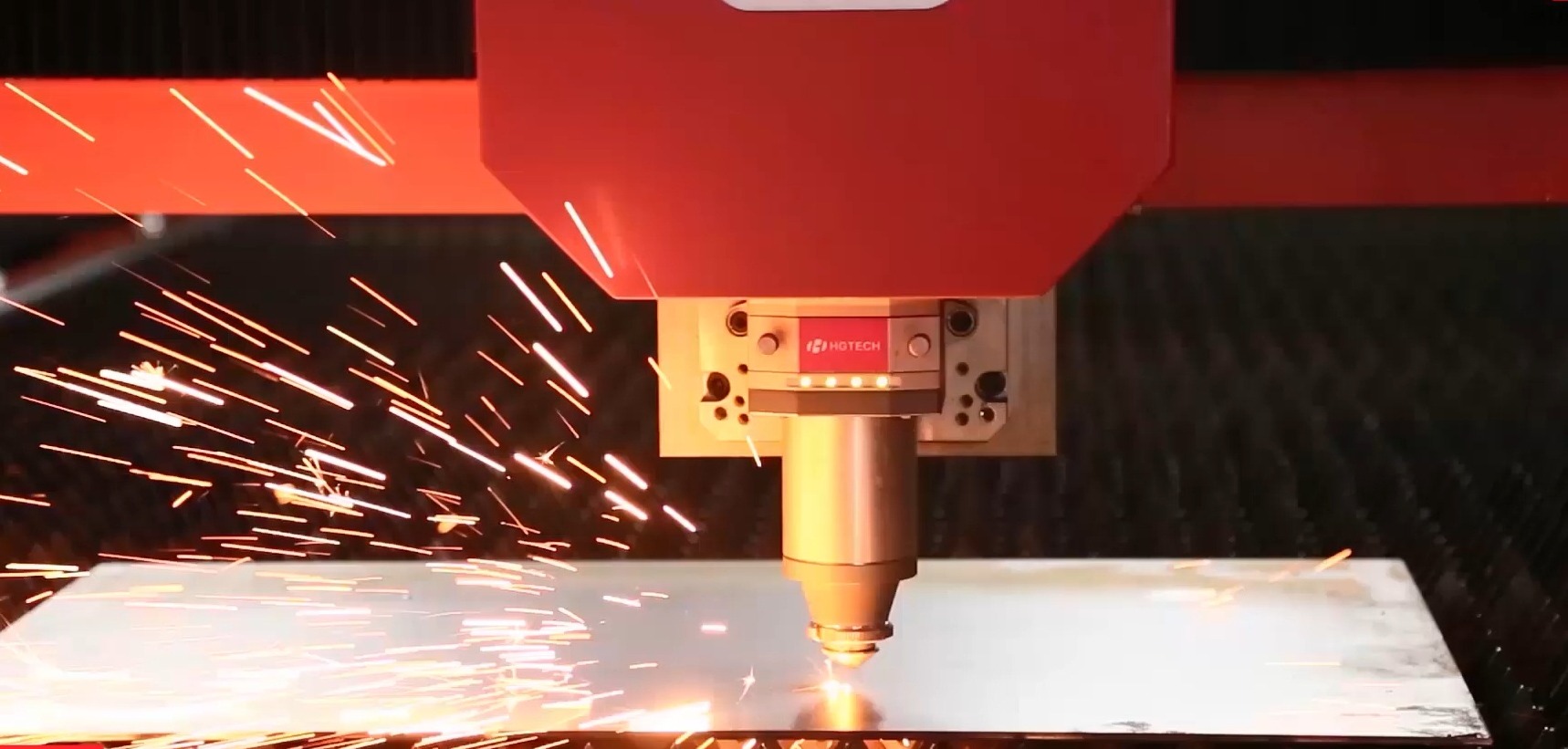
Laser cutting on demand is a manufacturing service that produces custom-cut parts exactly when you need them, without requiring bulk orders or long-term commitments. Think of it as the "print on demand" of metal and material fabrication - you upload your design, select your material, and receive precision-cut parts within days rather than weeks.
But what is laser cutting at its core? It's a process where focused light energy vaporizes or melts material along a computer-programmed path. The result? Incredibly accurate cuts with tolerances often measured in thousandths of an inch.
How Laser Cutting Actually Works
Imagine concentrating sunlight through a magnifying glass - now multiply that intensity by thousands. That's essentially what happens inside a laser for cutting machine. According to Xometry's technical resources, the process begins when electrons in a lasing medium are stimulated to release photons. These photons bounce between mirrors, building intensity until a coherent beam of light emerges.
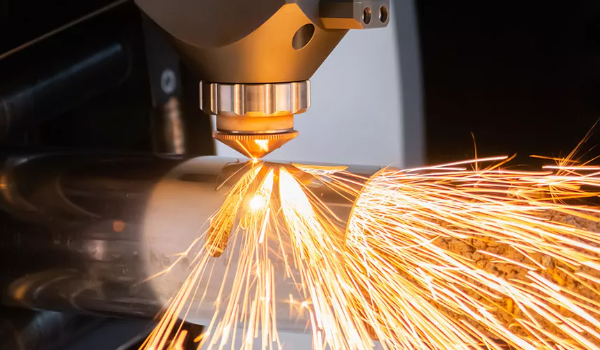
This precision laser cutting beam is then focused through a lens onto your material, creating a localized point of extreme heat. The material either vaporizes, melts, or burns away depending on its composition. A high-pressure gas jet - typically nitrogen, argon, or oxygen - blows the molten material clear of the cut path.
Here's what makes this process remarkable for on-demand manufacturing: once your design file is converted to machine instructions (G-code), cutting with a laser becomes highly repeatable. Whether you need one part or one hundred, each piece comes out identical.
The On-Demand Manufacturing Model Explained
Traditional manufacturing operates on economies of scale. You order thousands of parts to justify tooling costs and setup time. But what if you only need 50 parts? Or just a single prototype?
This is where on-demand laser cutting cutting transforms the equation. Here's how it differs from conventional batch manufacturing:
- No minimum order quantities - Order one part or one thousand; pricing scales accordingly
- Pay-per-part pricing - You're charged based on material used and cutting time, not tooling investments
- Rapid turnaround - Standard orders ship in days, not the weeks required for traditional fabrication
- Zero tooling costs - Unlike stamping or die cutting, there's no expensive tooling to amortize
- Design flexibility - Change your design between orders without penalty
The lazer cutter technology powering these services has matured significantly. Modern CNC laser systems follow pre-programmed instructions with extreme accuracy, making small-batch production economically viable for the first time.
Three main laser technologies dominate the on-demand landscape:
- CO2 lasers - Versatile workhorses operating at 10,600 nm wavelength, excellent for wood, acrylic, leather, and non-metals
- Fiber lasers - Superior for metal cutting with wavelengths around 1,064 nm, offering faster speeds and lower operating costs
- Nd:YAG lasers - Specialized for high-precision applications requiring minimal heat impact, commonly used in medical and aerospace industries
Understanding these fundamentals helps you make informed decisions when selecting materials and service providers for your next project. The following sections dive deeper into each technology, material compatibility, and practical guidance for getting the best results from on-demand laser cutting services.
Understanding Different Laser Cutting Technologies
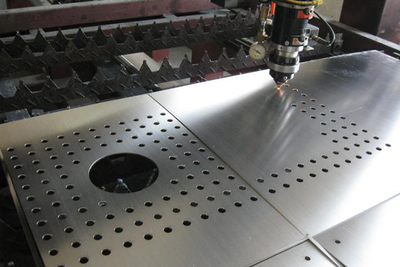
Choosing the best laser for cutting your specific material isn't just about power - it's about physics. Each laser type produces light at a different wavelength, and that wavelength determines how effectively your material absorbs the energy. Get this match wrong, and you'll waste time, money, and potentially ruin your parts.
Let's break down the three dominant technologies in laser cnc cutting and help you understand which one delivers optimal results for your project.
CO2 vs Fiber vs Nd:YAG Lasers
The difference between these laser technologies comes down to wavelength - and wavelength determines everything about material interaction.
CO2 lasers operate at 10.6 micrometers (μm) wavelength. This mid-infrared light is strongly absorbed by organic materials, making CO2 systems the go-to choice for laser cutting and engraving wood, acrylic, leather, fabric, and paper. According to Laserax's technical research, the mid-infrared wavelength has excellent absorption characteristics for organic materials, producing clean carbonization marks with high contrast.
Fiber lasers emit at approximately 1.064 μm - roughly ten times shorter than CO2 wavelengths. This shorter wavelength penetrates metal surfaces more effectively, making fiber lasers the dominant choice for any metal laser cutter application. As Xometry reports, fiber lasers deliver 3 to 5 times the productivity of similarly capable CO2 machines when cutting metals.
Nd:YAG lasers also operate near 1.064 μm but use a different gain medium - neodymium-doped yttrium aluminum garnet crystals rather than optical fibers. These specialized systems excel in applications requiring extremely precise energy delivery, such as medical device manufacturing and aerospace component fabrication.
Here's a critical point many overlook: metal reflectivity decreases as temperature increases. This means even highly reflective metals like aluminum and copper can be cut effectively once the laser and cnc system initiates the heating process.
Matching Laser Technology to Your Material
Sounds complex? It doesn't have to be. The key is understanding which laser type pairs best with your specific material requirements.
For a laser cutter for metal applications, fiber lasers win on nearly every metric. They offer:
- Superior efficiency (over 90% compared to 5-10% for CO2)
- Faster cutting speeds on thin to medium metals
- Better edge quality and precision
- Working life up to 25,000 hours - approximately 10 times longer than CO2 devices
However, a co2 laser cut metal machine still holds advantages for thicker steel plates (20mm and above), where operators often add oxygen assist to speed cutting through material up to 100mm thick.
For non-metals and organic materials, CO2 remains unmatched. These systems handle acrylic, melamine, wood, Delrin, cork, leather, fabric, and plywood with exceptional edge quality.
| Category | CO2 Laser | Fiber Laser | Nd:YAG Laser |
|---|---|---|---|
| Best Materials | Wood, acrylic, leather, fabric, paper, plastics, thick metal plates | Steel, stainless steel, aluminum, brass, copper, reflective metals | Medical-grade metals, aerospace alloys, precision microcomponents |
| Typical Thickness Range | Up to 25mm (non-metals); up to 100mm (steel with oxygen assist) | Up to 30mm depending on power rating | Generally thinner materials requiring high precision |
| Cutting Speed | Moderate | 3-5x faster than CO2 on metals | Slower; optimized for precision over speed |
| Edge Quality | Excellent on organics; good on metals | Excellent; narrower, more stable beam | Superior for micro-precision applications |
| Operating Costs | Higher power consumption (5-10% efficiency); lower equipment cost | Lower power consumption (90%+ efficiency); higher equipment cost | Highest overall; specialized maintenance required |
| Equipment Lifespan | ~2,500 working hours | ~25,000 working hours | Varies by application intensity |
Power ratings matter too. According to Senfeng Laser's technical analysis, a 3kW fiber laser handles materials up to 20mm thick, while 6kW systems cut through 30mm material at significantly faster speeds. Higher power enables faster cutting but increases operational energy costs.
The takeaway? Match your laser technology to your material first, then select appropriate power levels based on thickness requirements and production volume. This decision framework ensures you get optimal results from your on-demand cutting service - which brings us to the next critical question: exactly which materials can you cut, and which ones should you absolutely avoid?
Complete Material Compatibility Guide for Laser Cutting
Now that you understand which laser technology matches your needs, the next question becomes: what exactly can you cut? This is where metal laser cutting services earn their reputation - or lose your trust. Choosing the wrong material doesn't just produce poor results; it can release toxic fumes, damage expensive equipment, or create fire hazards.
Let's walk through every major material category so you know exactly what to expect before placing your order.
Metals You Can Laser Cut
Fiber lasers have transformed what's possible with laser cutting metal. Materials that once required specialized equipment now cut cleanly and efficiently. Here's what works:
Steel and Carbon Steel
- Thickness range: 0.5mm to 25mm with standard fiber lasers; up to 100mm with high-power CO2 systems using oxygen assist
- Edge quality: Excellent with minimal heat-affected zones on thinner gauges
- Special considerations: Oxygen assist gas speeds cutting on thicker plates but creates an oxidized edge
Stainless Steel
When you need to laser cut stainless steel, expect slightly different behavior than carbon steel. According to KF Laser's thickness guidelines, stainless steel laser cutting works effectively across these ranges:
- Thin sheets (0.5mm - 3mm): 1000W to 2000W lasers deliver precision cuts
- Medium plates (4mm - 8mm): 2000W to 4000W systems ensure smooth, clean edges
- Thick plates (9mm - 20mm): 4000W to 6000W lasers provide proper penetration
- Edge quality: Use nitrogen assist gas to prevent oxidation and maintain the corrosion-resistant properties
Aluminum
Laser cut aluminum presents unique challenges due to its reflective surface and high thermal conductivity. The laser cutting of metal sheets in aluminum requires:
- Higher power settings than equivalent steel thicknesses
- Thickness range: 0.5mm to 15mm depending on laser power
- Edge quality: Clean cuts with proper settings; some slight burring possible on thicker sections
- Special considerations: High reflectivity requires modern fiber lasers with back-reflection protection
Brass and Copper
- Thickness range: 0.5mm to 6mm for most applications
- Laser requirement: 3000W to 5000W fiber lasers handle copper's high reflectivity
- Edge quality: Good with proper parameter tuning; slower speeds required
- Special considerations: These highly conductive materials require more power than steel of equivalent thickness
Plastics and Polymers
Acrylic cutting service requests dominate the plastics category - and for good reason. Acrylic produces beautiful, flame-polished edges that require no secondary finishing.
- Acrylic (PMMA): Cuts beautifully up to 25mm; produces polished edges; CO2 lasers preferred
- Delrin (Acetal): Excellent for precision parts; minimal charring; up to 12mm thickness
- ABS: Workable with proper ventilation; tends to melt rather than vaporize; limited to thinner sheets
- Polypropylene and Polyethylene: Cut with care; edges may be rough; require testing
Wood and Paper Products
CO2 lasers excel with organic materials. Here's what to expect:
- Plywood: 3mm to 15mm depending on laser power; edge charring adds aesthetic character
- MDF: Clean cuts up to 12mm; more charring than plywood; excellent for prototyping
- Solid hardwoods: Beautiful results with proper speed adjustment; denser woods require slower cutting
- Cardboard and paper: Extremely fast cutting; minimal power required; ideal for packaging prototypes
Composites and Specialty Materials
Carbon fiber-reinforced polymers (CFRP) and glass fiber-reinforced polymers (GFRP) present special challenges. According to ADHMT's technical resources, these materials combine different components with varying melting points and absorption characteristics.
- Fiber lasers can cut thin composite sheets
- Edge quality varies based on fiber orientation
- Dust extraction critical due to hazardous particulates
- Consider waterjet cutting for thicker composite applications
Materials to Avoid and Why
This section could save your equipment - or your health. Some materials should never go near a laser cutter.
PVC (Polyvinyl Chloride)
When heated, PVC releases chlorine gas that combines with moisture in the air to form hydrochloric acid. This corrodes your machine's optics, damages metal components, and poses serious respiratory hazards.
According to Xometry's material safety guidelines, PVC should be completely avoided. If you must use vinyl, seek laser-safe vinyl alternatives specifically formulated for cutting.
Polycarbonate
- Melts instead of vaporizing, creating poor edge quality
- Produces discolored, yellowed edges
- Fire hazard due to material behavior under heat
- Alternative: Use acrylic instead - it cuts cleanly and safely
Other Hazardous Materials
- ABS (in poorly ventilated environments): Releases hydrogen cyanide; requires proper fume extraction
- HDPE/Milk bottle plastic: Melts and catches fire rather than cutting cleanly
- Fiberglass: Releases dangerous particles; contaminates equipment
- Coated carbon fiber: Many coatings release toxic fumes when heated
Highly Polished Reflective Metals
While modern fiber lasers can handle aluminum, brass, and copper, highly polished mirror-finish versions of these metals can reflect laser energy back into the cutting head. This risks:
- Damage to focusing optics
- Potential laser source damage
- Inconsistent cutting quality
Most reputable on-demand services have back-reflection protection, but always confirm before ordering polished reflective materials.
Material Thickness Reference Chart
Use this quick-reference table when planning your laser cut metal and non-metal projects:
| Material | Max Thickness (Fiber Laser) | Max Thickness (CO2 Laser) | Recommended Laser Type | Edge Quality |
|---|---|---|---|---|
| Carbon Steel | 25mm | 100mm (with O2 assist) | Fiber or CO2 | Excellent |
| Stainless Steel | 20mm | 25mm | Fiber | Excellent |
| Aluminum | 15mm | 10mm | Fiber | Good to Excellent |
| Copper | 6mm | 3mm | High-power Fiber | Good |
| Brass | 8mm | 5mm | Fiber | Good |
| Acrylic | Not recommended | 25mm | CO2 | Flame-polished |
| Plywood | Not recommended | 15mm | CO2 | Charred edge |
| MDF | Not recommended | 12mm | CO2 | Moderate charring |
| Delrin | Not recommended | 12mm | CO2 | Clean |
| Plastic (general) | Not recommended | 10mm | CO2 |
Varies |
Understanding material compatibility is half the equation. The other half? Designing your parts correctly so they cut cleanly the first time. Let's explore the design guidelines that separate successful projects from costly mistakes.
Design Guidelines That Ensure Perfect Laser Cut Parts
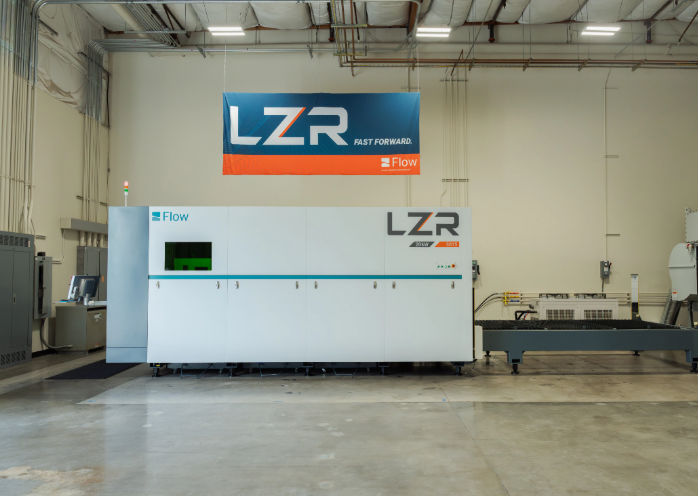
You've selected your material and understand the technology - now comes the step that separates successful orders from costly reprints. Your design file is the blueprint that tells the laser cut cnc machine exactly where to cut. Get it right, and you'll receive precision parts that fit together perfectly. Get it wrong, and you're looking at delays, additional charges, or parts that simply don't work.
The good news? Following a few key design-for-manufacturing (DFM) principles eliminates most problems before they happen. Let's walk through what you need to know.
Essential DFM Rules for Laser Cutting
Understanding Kerf Width
When a sheet metal laser cutter or any laser cutting machine for metal passes through your material, it doesn't just separate parts - it vaporizes a small amount of material along the cut path. This removed material width is called the "kerf."
According to Xometry's laser cutting guidelines, kerf width typically ranges from 0.1mm to 1.0mm depending on material type, laser power, cutting speed, and thickness. Here's what this means for your design:
- A 10mm square in your design won't measure exactly 10mm after cutting - it'll be slightly smaller
- Holes and interior cutouts will be slightly larger than drawn
- The actual kerf varies by material: metals typically run 0.1-0.3mm; wood and acrylic run wider at 0.2-0.5mm
Most laser cutting software automatically compensates for kerf by offsetting the cut path. However, for tight-tolerance laser cut parts, you should either:
- Modify your CAD design to account for kerf position, or
- Communicate your exact finished dimensions to your service provider and let their software handle the offset
Minimum Feature Sizes
Imagine trying to cut a 2mm hole through a 5mm thick steel plate. The physics simply don't work in your favor. A reliable rule from industry guidelines: avoid design features smaller than the thickness of your material.
Here's how this applies practically:
- Minimum hole diameter: Should equal or exceed material thickness
- Minimum slot width: At least 1.5x material thickness for clean cuts
- Minimum text height: 2-3mm for most materials; smaller text becomes illegible or fails to cut through
- Minimum line thickness for custom laser etching: 0.3mm for engraved features
Spacing and Clearance Requirements
Parts cut too close together create problems. Heat accumulation between closely spaced cuts can cause:
- Material warping, especially in plastics and thin metals
- Localized melting that fuses parts together
- Poor edge quality on both adjacent features
Follow these spacing guidelines:
- Between nested parts: Minimum 2mm clearance, though 3-5mm is safer
- Features to edge distance: At least 1x material thickness from sheet edge
- Parallel cut lines: Minimum spacing of 2x material thickness
Corner Radius Recommendations
Sharp internal corners stress both the material and the laser sheet metal cutter. The laser beam has a physical diameter, so truly sharp 90-degree internal corners are impossible - you'll always get a small radius matching the beam's kerf width.
For functional parts where corners matter:
- Design internal corners with a minimum radius of 0.5mm
- For mating parts (tabs into slots), add corner relief of 1-2mm radius
- External corners can be sharp - the beam naturally handles these
Tab Placement for Connected Parts
Sometimes you need parts to remain attached to the parent sheet during cutting - for secondary operations, easier handling, or shipping protection. Tabs (also called "bridges" or "tags") are small uncut sections that hold parts in place.
- Place tabs at stable locations, not on precision edges or mating surfaces
- Use 2-4 tabs per part depending on size and weight
- Tab width: 0.5-2mm depending on material thickness
- Consider tab removal in your finishing plan - they'll need grinding or filing
Common Design Mistakes That Delay Your Order
After reviewing thousands of customer files, on-demand services see the same errors repeatedly. Avoid these pitfalls:
- Text too small or thin: Fine fonts under 2mm height won't cut cleanly - or at all. Use bold, simple fonts
- Features too close to edges: Parts cut at the sheet edge warp or fall away before completion
- Insufficient clearance between nested parts: Heat buildup ruins edge quality on both adjacent parts
- Overlapping or duplicate lines: The laser cuts the same path twice, deepening kerf and potentially cutting through to the support bed
- Open contours: Lines that don't form closed shapes confuse cutting software about what's inside versus outside
- Embedded images or raster elements: Laser cutters need vector paths, not pixel-based graphics
File Format Requirements
Your design file format matters just as much as the design itself. According to OSH Cut's design guide, on-demand services typically accept:
- DXF: The industry standard from CAD programs like Fusion 360, SolidWorks, and AutoCAD. Most reliable for manufacturing
- DWG: AutoCAD's native format; widely supported but may need conversion
- SVG: Vector format from programs like Adobe Illustrator or Inkscape - ensure only part outlines remain, no embedded images
- AI: Adobe Illustrator's native format; clean vector paths only, no text or raster elements
Critical file preparation tips:
- Your drawing should only outline your part - remove dimension annotations, notes, and title blocks
- Convert all text to outlines/paths before exporting
- Organize cut lines on a single layer (or use separate layers for cuts versus engravings)
- Ensure all shapes are closed contours with no gaps
- Set line types to continuous; dashed or centerlines may confuse parsing software
Pro tip: Upload a test file with a simple shape before committing to a complex order. Most instant-quoting systems will flag obvious problems immediately.
Following these guidelines puts you ahead of most first-time customers. But even perfect designs need context - pricing, process, and provider selection all influence your final results. Let's compare laser cutting against alternative methods to ensure it's truly the right choice for your project.
Laser Cutting vs Alternative Methods Compared
You've designed your part, selected your material, and you're ready to order. But wait - is laser cutting actually the best method for your project? The honest answer: not always. Understanding when to choose laser cutting over alternatives - and when other methods make more sense - can save you significant time and money.
Let's break down the four main alternatives and provide a clear framework for making the right decision.
When to Choose Laser Over Waterjet or Plasma
Each metal cutting services technology excels in specific situations. The key is matching the method to your material, precision requirements, and production volume.
Laser Cutting Strengths
CNC laser cutting dominates when you need:
- Precision cuts with tolerances under ±0.1mm
- Thin to medium materials (generally under 25mm)
- Intricate designs with small features and tight corners
- Clean edges requiring minimal post-processing
- Fast turnaround on low-to-medium volumes
According to Wurth Machinery's comparative analysis, laser cutting produces the highest edge quality among all cutting methods, making it ideal for parts that require clean edges, small holes, or intricate shapes.
Plasma Cutting: Speed at the Cost of Precision
If you're searching for "plasma cutting near me" for thick steel fabrication, you're on the right track. Plasma cutting uses an electrical arc and compressed gas at temperatures up to 45,000°F to melt and blast through conductive metals.
Choose plasma when:
- Cutting thick steel plates (1/2" and above)
- Speed matters more than edge finish
- Budget constraints are significant
- Parts will receive secondary finishing anyway
According to StarLab CNC's research, plasma can cut 1/2" mild steel at speeds exceeding 100 inches per minute - significantly faster than laser on equivalent thickness. However, tolerances run ±0.5mm to ±1.5mm, roughly 5-10 times less precise than laser cutting.
The tradeoff is clear: plasma excels at structural steel fabrication, heavy equipment manufacturing, and shipbuilding where speed and cost matter more than surgical precision.
Waterjet Cutting: Cold Cuts for Sensitive Materials
Waterjet systems use high-pressure water (up to 90,000 PSI) mixed with abrasive particles to erode material along a programmed path. The defining advantage? Zero heat.
Choose waterjet when:
- Heat-affected zones are unacceptable (hardened steels, heat-treated alloys)
- Cutting very thick materials (up to 12 inches for some metals)
- Working with heat-sensitive materials like composites or tempered glass
- Processing non-conductive materials that plasma can't touch
The drawbacks? Waterjet cutting operates at 5-20 inches per minute - dramatically slower than both laser and plasma. Operating costs run higher too, with significant ongoing expenses for abrasive materials. A complete waterjet system costs approximately $195,000 compared to around $90,000 for equivalent plasma setups.
CNC Routing: 3D Profiles and Thick Non-Metals
Metal cutting laser machine technology can't replicate what CNC routers do best: cutting 3D profiles and beveled edges. Routers use rotating cutting bits rather than thermal energy, making them ideal for:
- Thick wood, foam, and plastic sheets
- Parts requiring chamfered or beveled edges
- 3D contoured surfaces
- Materials too thick for laser but not suited for plasma
However, routers struggle with thin materials (vibration issues) and can't match laser precision on detailed 2D profiles.
Volume Thresholds Where Traditional Methods Win
Here's where on-demand laser cutting hits its limits: extremely high volumes.
Die Cutting Economics
Die cutting uses mechanical force rather than thermal energy - a hardened steel die stamps through material like a cookie cutter. According to Colvin-Friedman's industry analysis, die cutting becomes more cost-effective than laser after approximately 9,000 units, considering the initial tooling investment.
The math works like this:
- Laser cutting: No tooling cost, but linear per-part cost remains constant regardless of volume
- Die cutting: Higher upfront tooling investment ($500-$5,000+ depending on complexity), but per-unit cost drops dramatically with volume
Once a hardened steel die is built, it can run tens of millions of parts with consistent output. Laser throughput, by contrast, remains linear - cutting 10,000 parts takes roughly 10,000 times longer than cutting one.
When Laser Cutting is NOT the Best Choice
Be realistic about these limitations:
- Very thick materials: Steel over 1" thick cuts faster and cheaper with plasma; materials over 2" may require waterjet
- Heat-sensitive applications: Hardened tool steels, certain aerospace alloys, and tempered materials may require waterjet's cold cutting process
- Extremely high volumes: Once you exceed 10,000-20,000 identical parts, die cutting tooling pays for itself
- Non-conductive thick materials: Waterjet handles stone, glass, and thick composites that cutting laser metal systems can't process
Comprehensive Method Comparison
Use this table to match your project requirements to the right cutting technology:
| Factor | Laser Cutting | Plasma Cutting | Waterjet Cutting | Die Cutting |
|---|---|---|---|---|
| Precision/Tolerance | ±0.1mm (highest) | ±0.5mm to ±1.5mm | ±0.1mm to ±0.25mm | ±0.1mm to ±0.25mm |
| Material Thickness (Metal) | Up to 25mm (fiber); 100mm (CO2 with O2) | 0.018" to 2"+ optimal | Up to 12" for some metals | Thin sheets only |
| Heat-Affected Zone | Small but present | Larger; visible discoloration | None (cold process) | None (mechanical) |
| Cutting Speed | Fast (thin materials) | Fastest (thick metals) | Slowest (5-20 ipm) | Fastest at high volume |
| Edge Quality | Excellent; minimal finishing | Good; may need grinding | Good; slight taper possible | Excellent; consistent |
| Cost Per Part (Low Volume) | Moderate | Low | High | Very High (tooling cost) |
| Cost Per Part (High Volume) | Moderate (linear) | Low | High | Very Low (after tooling ROI) |
| Equipment Investment | $50,000-$500,000+ | ~$90,000 | ~$195,000 | $10,000-$100,000+ (plus tooling) |
| Best For | Precision parts, prototypes, low-medium volume | Structural steel, heavy fabrication | Heat-sensitive materials, thick metals, non-metals | High-volume production runs |
Steel Laser Cutting vs Alternatives: The Bottom Line
For most on-demand applications - prototypes, custom parts, and low-to-medium production runs - laser cut steel remains the optimal choice. The combination of precision, speed, and zero tooling costs creates an unbeatable value proposition for quantities under 10,000 parts.
However, smart buyers consider the full picture. If you're cutting 2" thick steel plate, plasma gets the job done faster and cheaper. If heat distortion is unacceptable, waterjet preserves material properties. And if you're ordering 50,000 identical gaskets, die cutting tooling pays for itself many times over.
Understanding these tradeoffs positions you to make informed decisions - and potentially saves thousands on your next manufacturing project. Now that you know which method fits your needs, let's explore what drives laser cutting costs and how to optimize your quote.
Understanding Pricing and How to Optimize Costs
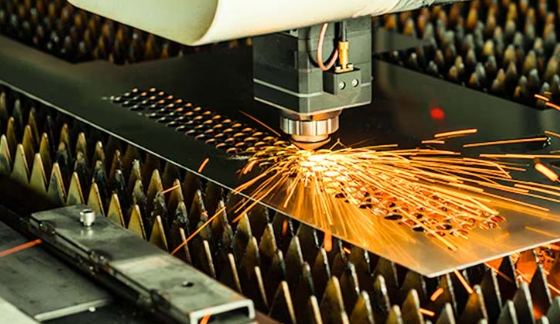
Ever wondered why two parts from the same material sheet can have wildly different prices? Here's the truth most people miss when requesting a laser cutting quote: the cost isn't primarily about material area - it's about machine time. Understanding this distinction unlocks your ability to dramatically reduce expenses without sacrificing quality.
Let's break down exactly what drives laser cutting charges and reveal proven strategies to optimize your next order.
What Drives Laser Cutting Costs
According to Fortune Laser's pricing analysis, nearly every provider uses a foundational formula:
Final Price = (Material Costs + Variable Costs + Fixed Costs) × (1 + Profit Margin)
But what does each component actually mean for your wallet?
Material Costs: Type and Thickness Matter Most
The raw material you choose affects pricing in two ways: purchase cost and cutting difficulty. MDF is inexpensive while high-grade stainless steel costs significantly more. But here's the critical insight from Komacut's research: doubling material thickness can more than double cutting time and cost because the laser must move much slower to achieve a clean cut.
For example, cutting stainless steel typically requires more energy and time compared to carbon steel of equivalent thickness - making it inherently more expensive.
Machine Time: The Primary Cost Driver
This is where most of your money goes. Machine hourly rates typically range from $60 to $120, depending on laser power and capability. Your design directly determines how long the machine runs through:
- Cut distance - The total linear path the laser travels. Longer perimeters mean more time
- Pierce count - Every new cut requires the laser to pierce through material. A design with 100 small holes costs more than one large cutout due to cumulative piercing time
- Complexity - Tight curves and sharp corners force the machine to slow down, increasing total cut time
Setup Fees and Fixed Costs
Most services charge setup fees covering operator time to load material, calibrate equipment, and prepare your design file. These fixed costs exist regardless of whether you order one part or one hundred - which explains why per-part costs decrease dramatically with volume.
Finishing Operations
Secondary processes like deburring, polishing, chamfering, or powder coating add labor, equipment time, and materials to your total. According to industry data, these steps increase complexity and duration of the manufacturing cycle, directly impacting final cost.
The Power of Nesting
Efficient nesting - arranging parts closely together on the material sheet - minimizes waste and reduces cutting time. According to Vytek's analysis, strategic nesting can reduce material scrap by 10-20%. Better nesting directly translates to lower material costs for your project.
Smart Strategies to Reduce Your Quote
Now that you understand the cost drivers, here are proven tactics to lower your expenses - ranked by impact:
- Use the thinnest material possible - This is the single most effective cost reduction strategy. Thicker materials exponentially increase machine time. Always verify if a thinner gauge meets your project's requirements
- Simplify your geometry - Reduce complex curves, minimize small cutouts, and combine multiple holes into larger slots where possible. This cuts both distance and pierce count
- Order in bulk - Setup costs spread across more units dramatically lower per-part pricing. Discounts for high-volume orders can reach as high as 70%
- Choose standard material thicknesses - Providers stock common gauges; requesting non-standard thicknesses may add special order fees
- Clean your design files - Remove duplicate lines, hidden objects, and construction notes before uploading. Duplicate lines double cutting time for those features
- Combine multiple parts in one order - Consolidating needs into single orders maximizes nesting efficiency and spreads fixed costs
- Specify appropriate edge quality - Not every part needs polished edges. Specify standard quality where functionality allows
Turnaround Time and Rush Orders
Standard turnaround typically offers the best value. Rush orders command premium pricing because they require schedule reshuffling and prioritization. If you're comparing send cut send prices or evaluating any laser cutting service near me, factor delivery timeline into your total cost calculation. Planning ahead and avoiding last-minute orders consistently saves 15-30% on identical parts.
When searching for laser cutting services near me, remember that the cheapest quote isn't always the best value. Providers offering DFM feedback may identify design optimizations that save more than any price difference. With your cost optimization strategy in place, let's walk through the complete ordering process from quote to delivery.
The Complete Ordering Process From Quote to Delivery
You've optimized your design, selected the right material, and understand the pricing factors. Now comes the moment of truth: actually placing your order. Whether you're using online laser cutting platforms or working directly with a local provider, the workflow follows a predictable pattern - and knowing what to expect at each stage eliminates surprises and delays.
Let's walk through every step from file upload to parts in hand.
Step-by-Step Ordering Process
Most laser cut services follow a streamlined digital workflow. Here's exactly what happens when you place an order:
- Prepare and export your design file - Finalize your CAD design following the DFM guidelines covered earlier. Export as DXF, DWG, AI, or SVG with closed contours, no duplicate lines, and text converted to outlines
- Upload to the quoting platform - Most modern services offer instant quoting. Simply drag and drop your file into their system. The software parses your geometry automatically
- Select material type and thickness - Choose from available stock materials. Standard options include various steel grades, aluminum alloys, stainless steel, brass, copper, and non-metals like acrylic and wood
- Specify quantity - Enter how many identical parts you need. Watch the per-unit price drop as quantity increases due to setup cost distribution
- Review instant quote - The system calculates cutting time, material costs, and any applicable setup fees. Most platforms display pricing within seconds
- Add finishing options if needed - Select deburring, countersinking, hardware insertion, or surface treatments. Each adds cost but may eliminate secondary operations at your facility
- Select turnaround time - Choose between standard (typically 5-10 business days), expedited (2-4 days), or rush (24-48 hours) delivery. Faster options cost more
- Approve and submit payment - Review final pricing, confirm shipping address, and complete checkout. Most services accept credit cards, ACH transfers, or established net terms for repeat customers
- Production begins - Your order enters the queue. Operators review files, nest parts efficiently on material sheets, and program the cutting sequence
- Quality inspection and shipping - Completed parts undergo dimensional checks and visual inspection before packaging and dispatch
The entire process - from upload to production start - often takes less than 24 hours for standard orders. If you're searching for a laser cutter near me, many regional providers offer similar digital workflows with the added benefit of faster shipping times.
Setting Quality Expectations
Here's where communication prevents disappointment. Before finalizing your order, clearly define what "acceptable quality" means for your specific application.
Communicating Tolerance Requirements
Standard laser cutting tolerances typically run ±0.1mm to ±0.25mm depending on material and thickness. According to ISO 9013:2002 standards, quality parameters for thermal cutting include control of molten metal formation, cut incision, puncture quality, cut lines, and surface roughness.
If your application requires tighter tolerances:
- Specify exact requirements in your order notes
- Identify critical dimensions on your drawing
- Request dimensional inspection reports for verification
- Consider that tighter tolerances may require slower cutting speeds and higher costs
Edge Finish Expectations
Different materials produce different edge characteristics. Set realistic expectations:
- Metals with nitrogen assist gas - Clean, oxide-free edges suitable for welding or visible applications
- Metals with oxygen assist - Faster cutting but oxidized edges; may require grinding for aesthetic applications
- Acrylic - Flame-polished, nearly transparent edges straight from the machine
- Wood and MDF - Characteristic charred edges; degree varies with speed and power settings
According to Komacut's technical resources, deburring removes imperfections such as sharp edges and burrs left during cutting. If smooth edges are critical, specify deburring in your order - common methods include grinding, polishing, and automated deburring machines.
Inspection and Quality Control
What happens before your parts ship? Reputable tube laser cutting services and sheet processing providers perform multiple quality checks:
- Dimensional verification - Calipers, coordinate measuring machines, or optical comparators confirm critical dimensions
- Visual inspection - Trained operators check for surface defects, incomplete cuts, and edge quality issues
- First article inspection - For larger orders, the first piece off the machine undergoes thorough verification before full production continues
If your application demands documented quality records, request inspection reports or certificates of conformance when placing your order. Many providers offer these services for automotive, aerospace, or medical applications at additional cost.
Turnaround Time Expectations
What's realistic for delivery? Here's what to expect at different service levels:
| Service Level | Typical Lead Time | Best For | Cost Premium |
|---|---|---|---|
| Standard | 5-10 business days | Non-urgent production needs | Baseline pricing |
| Expedited | 2-4 business days | Moderate urgency; deadline-driven projects | 15-30% premium |
| Rush | 24-48 hours | Emergency repairs; critical prototypes | 50-100% premium |
Remember: these timelines start after file approval and payment - not from initial upload. Complex designs requiring DFM review or material sourcing may extend lead times.
Shipping Considerations
Your parts are cut, inspected, and ready. How do they get to you safely?
Small parts and low quantities typically ship via standard parcel carriers. Expect cardboard packaging with appropriate cushioning.
Large panels and heavy orders may require freight shipping. Flat sheets need crating to prevent bending during transit. Discuss packaging requirements upfront for oversized parts.
Fragile materials like thin acrylic or polished metals require extra protection. Specify if surface finish is critical - providers can add protective film or interleaving paper between parts.
Handling Revisions and Issues
What if something goes wrong? Before production starts, most platforms allow order modifications or cancellations. After cutting begins, changes become difficult or impossible.
If parts arrive damaged or out of specification:
- Document issues with photos immediately upon receipt
- Contact customer service within the provider's specified window (typically 5-10 business days)
- Request dimensional inspection data if tolerances are questioned
- Reputable providers stand behind their work with replacement or refund policies
When searching for a laser cutter service near me, prioritize providers with responsive customer support and clear dispute resolution policies. The cheapest quote means nothing if problems go unresolved.
With the ordering process demystified, you're ready to make informed decisions about when on-demand laser cutting makes sense - whether for one-off prototypes or ongoing production needs. Let's explore how these two use cases differ and where each approach delivers maximum value.
Prototyping vs Production Applications
You've mastered the ordering process and understand what drives costs. Now comes a strategic question: are you building a prototype or manufacturing production parts? The answer fundamentally shapes how you approach on-demand laser cutting - and understanding both use cases helps you extract maximum value from this manufacturing model.
Let's explore when rapid prototyping shines, when production orders make sense, and how smart manufacturers bridge the gap between both.
Rapid Prototyping Without Tooling Investment
Imagine you're developing a new product. Traditional manufacturing would require designing tooling, waiting weeks for fabrication, paying thousands upfront - only to discover your design needs revision. Now multiply that cost and delay by every iteration. The math becomes painful fast.
This is precisely where custom laser cutting transforms the development cycle. According to Laser Cutting Company's prototyping services, laser technology allows manufacturers to produce precision prototype parts quickly and cost-effectively using CAD drawings - without the delays required to design and manufacture tooling.
Why Prototyping Benefits Most From On-Demand
The advantages compound rapidly during product development:
- Zero tooling investment - Test your design before committing capital to dies, molds, or fixtures
- Days instead of weeks - Receive functional prototypes in 2-5 business days rather than the 4-8 weeks traditional tooling requires
- Iterate freely - Each design revision costs only material and machine time - no scrapped tooling
- Functional testing with production materials - Unlike 3D printing, laser-cut prototypes use the same metals and thicknesses as final production parts
- Scalable precision - Tolerances of ±0.1mm mean your prototype behaves exactly like production parts will
Consider the typical product development scenario: you upload a design Monday morning, receive an instant quote, and have functional metal laser cutting services deliver parts by Friday. Test them over the weekend, identify improvements, and submit a revised design Monday. Within weeks, you've completed iterations that would take months with traditional manufacturing.
According to Xometry's prototyping resources, laser cutting enables innovative and intricate designs with the versatility to produce complex geometric profiles - one of its biggest advantages compared to other 2D-cutting methods. This flexibility proves invaluable when exploring design alternatives.
Industries Leveraging Rapid Laser-Cut Prototyping
Laser fabrication for prototyping spans virtually every sector:
- Automotive - Chassis brackets, seat frames, fenders, and structural components
- Aerospace - Avionics housings, wing assemblies, and precision brackets
- Medical devices - Components for pacemakers, catheters, stents, and prosthetics requiring stringent tolerances
- Heavy equipment - Spreaders, chassis sections, and boom tube components for construction and mining machinery
- Consumer products - Enclosures, mounting brackets, and decorative elements
When On-Demand Makes Sense for Production
Prototyping is the obvious use case - but here's what many manufacturers miss: on-demand laser cutting often beats traditional manufacturing for production runs too. The key is understanding the volume thresholds and use cases where this model delivers superior economics.
The Sweet Spot: Low-to-Medium Volumes
Traditional manufacturing excels at high-volume consistency. Stamp 100,000 identical parts, and die cutting delivers unbeatable per-unit costs. But what about 500 parts? Or 2,000? Or 10,000 with anticipated design changes?
According to Xometry's on-demand manufacturing analysis, the on-demand model being highly flexible can cater to one-off productions as well as production runs of thousands. This eliminates the traditional break-even calculation where you needed minimum volumes to justify tooling investment.
On-demand production makes sense when:
- Annual volumes stay under 10,000 units - Tooling ROI becomes difficult to justify at lower quantities
- Design changes are anticipated - Product updates, customer customization, or regulatory changes mean tooling may become obsolete
- Multiple variants exist - Product families with slight variations benefit from tooling-free flexibility
- Lead time matters more than unit cost - Industrial laser cutting delivers faster than tooling fabrication cycles
- Cash flow is constrained - Pay-per-part eliminates large upfront tooling investments
Production Quality at On-Demand Speed
One concern manufacturers raise: can on-demand services match production quality standards? According to Xometry's technical specifications, prototype parts made by laser cutting can easily be scaled up to production volumes since the production process will be controlled by essentially the same CNC cutting program. Minor tweaks may be needed to optimize for material usage, but the core process remains identical.
This scalability means your validated prototype design translates directly to production - no requalification, no new tooling validation, no surprises. The same dimensional accuracy (tolerances of ±0.004" or ±0.1mm) applies whether you order 10 parts or 1,000.
Bridging Prototyping to Production
The smartest approach often combines both use cases with a single provider. Here's why hybrid workflows deliver superior results:
- Institutional knowledge - Your provider already understands your parts, materials, and quality requirements
- Optimized processes - Cutting parameters refined during prototyping carry forward to production
- Faster scaling - No re-onboarding, new quotes, or learning curves when increasing volume
- Consistent quality - Same equipment, same operators, same inspection standards throughout
Manufacturers like Shaoyi (Ningbo) Metal Technology exemplify this hybrid approach - offering 5-day rapid prototyping that transitions seamlessly to automated mass production. This capability proves particularly valuable in automotive applications where chassis, suspension, and structural components must meet IATF 16949 certification standards from prototype through production. Their 12-hour quote turnaround and comprehensive DFM support demonstrate how modern manufacturers bridge the prototyping-to-production gap without quality compromises.
Custom Metal Laser Cutting for Specialized Applications
Some applications demand both prototype agility and production reliability simultaneously. Custom metal laser cutting serves manufacturers who need:
- Spare parts for legacy equipment (low volume, no existing tooling)
- Seasonal products with variable demand
- Custom configurations for specific customer requirements
- Short-run production while tooling is being developed for high-volume manufacturing
The common thread? Flexibility trumps pure unit economics. When your business model requires responsiveness - whether to customer demands, design improvements, or market changes - on-demand manufacturing delivers value that traditional batch production simply cannot match.
Understanding whether you're prototyping, producing, or doing both shapes every decision from provider selection to quality specifications. Speaking of provider selection - how do you evaluate which laser cutting service deserves your business? The next section delivers a practical framework for making that critical choice.
How to Choose the Right Service Provider
You've designed your parts, selected materials, and decided whether you're prototyping or producing. Now comes a decision that determines whether your project succeeds or stalls: choosing the right sheet metal laser cutting partner. The wrong provider means missed deadlines, quality issues, and frustrating communication. The right one becomes a competitive advantage.
How do you tell the difference? Let's build a practical evaluation framework you can apply to any metal laser cutting service you're considering.
Essential Criteria for Evaluating Providers
Not all precision laser cutting services are created equal. According to JP Engineering's industry analysis, several critical factors separate reliable partners from risky choices. Here's your evaluation checklist:
- Technology and Equipment Quality - Laser cutting technology has advanced significantly, and capabilities vary dramatically between machines. Ensure the provider uses state-of-the-art equipment capable of handling your specific materials and meeting your precision requirements. Ask about laser types (fiber vs. CO2), power ratings, and maintenance schedules
- Material Capabilities and Expertise - Different materials require different cutting techniques. A reliable provider should demonstrate expertise with your specific materials. Ask about past projects similar to yours and request references from customers in your industry
- Turnaround Time Guarantees - Time is often critical in manufacturing. Inquire about realistic turnaround times and production capabilities. Clear communication regarding timelines is essential - providers who overpromise and underdeliver create cascading problems for your production schedule
- Pricing Transparency - Hidden fees or ambiguous quotes lead to budget overruns and delays. Request detailed breakdowns including material costs, cutting time, setup fees, and any potential additional charges. If a quote seems vague, it probably is
- Customer Support Responsiveness - Evaluate the level of customer support provided. A responsive, communicative provider keeps you informed about project progress and addresses concerns promptly. Test this before ordering - send an inquiry and measure response time and quality
- Customization and Prototyping Flexibility - Providers offering customization options and prototyping services prove invaluable for refining designs. This flexibility matters especially for businesses requiring unique or specialized components
When searching for laser metal cutting near me, use this checklist to compare options systematically rather than choosing based on price alone. The cheapest quote often hides quality or service gaps that cost more in the long run.
Why Certifications and DFM Support Matter
Two factors deserve special attention because they predict quality outcomes better than any marketing claim: industry certifications and Design for Manufacturing support.
Quality Certifications: Your Risk Reduction Tool
According to Hartford Technologies' certification guide, quality certifications demonstrate commitment to the customer and to their profession, producing premium components while providing an added layer of assurance that manufactured items meet all requirements.
Here's what the key certifications mean for your projects:
- ISO 9001 - The most universal manufacturing certification, applicable across industries of all scales. It establishes prerequisites for a robust quality management system and confirms that products comply with customer expectations and regulatory mandates
- IATF 16949 - Critical for automotive applications. This global quality management standard builds upon ISO 9001 with additional requirements for product design, production processes, improvement, and customer-specific standards. Providers like Shaoyi (Ningbo) Metal Technology hold this certification for their chassis, suspension, and structural component manufacturing - demonstrating the rigorous quality systems automotive supply chains demand
- AS9100 - Specific to aerospace and aircraft parts, stating that parts meet safety, quality, and high standards posed by the aviation industry
- ISO 13485 - Ensures medical devices are designed and manufactured with safety in mind, addressing the unique requirements of the medical industry
For cnc laser cutting services serving automotive applications, IATF 16949 certification isn't optional - it's the baseline expectation from major OEMs and Tier 1 suppliers.
DFM Support: Where Expertise Saves Money
Here's something many buyers overlook when evaluating laser tube cutting services or any precision cutting provider: Design for Manufacturing support. According to JR Metal Works' DFM analysis, customers who tap into in-house engineering expertise resolve design challenges quickly and correctly, slashing costs and lead times while achieving unmatched quality.
What does comprehensive DFM support include?
- Review of design files for manufacturability issues before cutting begins
- Recommendations for geometry optimization that reduce cutting time
- Material selection guidance based on application requirements
- Tolerance analysis to ensure parts function as intended
- Suggestions for cost reduction without sacrificing performance
The best time to incorporate DFM guidance is before you finalize designs. Providers offering proactive DFM consultation - like Shaoyi's comprehensive DFM support with 12-hour quote turnaround - help you identify issues early when changes cost nothing rather than after cutting when redesign means starting over.
DFM isn't a set of hard, fast rules. It's a collaborative approach to manufacturing that considers the totality of both companies' requirements and capabilities.
Evaluating Quality Through Sample Orders
Marketing claims only go so far. The most reliable way to evaluate laser etching services near me or any cutting provider? Order samples.
Here's how to structure your evaluation:
- Start with a simple test part - Something representative of your typical work but not mission-critical
- Measure dimensional accuracy - Compare actual dimensions against your CAD file using calipers or a CMM
- Inspect edge quality - Look for burrs, oxidation, heat discoloration, and surface roughness
- Evaluate packaging and shipping - Did parts arrive undamaged? Was packaging appropriate for the material?
- Test customer communication - How quickly did they respond to questions? Were answers helpful?
- Assess turnaround accuracy - Did they meet their quoted delivery date?
A sample order investment of $50-200 can prevent thousands in wasted production costs. Consider it insurance against choosing the wrong partner.
Questions to Ask Before Committing
Before placing your first significant order with any precision laser cutting services provider, get clear answers to these questions:
- What tolerances can you hold on my specific material and thickness?
- What certifications do you maintain, and can you provide documentation?
- Do you offer DFM review before production begins?
- What happens if parts arrive out of specification?
- How do you handle design revisions mid-order?
- What inspection methods do you use for quality verification?
- Can you provide references from customers in my industry?
The answers reveal whether you're dealing with a true manufacturing partner or simply a machine operator. The difference shows up in your final parts - and in whether your project ships on time with the quality your customers expect.
Choosing the right provider transforms on-demand laser cutting from a transactional service into a strategic advantage. With the framework in this guide - from material selection through design optimization to provider evaluation - you're equipped to leverage this manufacturing model for faster product development, reduced costs, and the flexibility modern markets demand.
Frequently Asked Questions About Laser Cutting On Demand
1. What materials can be laser cut on demand?
On-demand laser cutting services handle a wide range of materials including metals (steel, stainless steel, aluminum, brass, copper), plastics (acrylic, Delrin, ABS), wood products (plywood, MDF, hardwoods), and composites. Fiber lasers excel with metals while CO2 lasers work best for organic materials. However, certain materials like PVC must be avoided as they release toxic chlorine gas when heated. Polycarbonate and HDPE also present challenges due to melting behavior rather than clean cutting.
2. How much does laser cutting on demand cost?
Laser cutting pricing depends on four main factors: material type and thickness, cutting time based on perimeter length and complexity, setup fees, and any finishing operations. Machine hourly rates typically range from $60 to $120. You can reduce costs by using thinner materials when possible, simplifying geometry to minimize cut distance, ordering in bulk to spread setup costs, and choosing standard material thicknesses that providers stock.
3. What is the turnaround time for on-demand laser cutting?
Standard on-demand laser cutting orders typically ship within 5-10 business days. Expedited service delivers in 2-4 business days at a 15-30% premium, while rush orders can ship within 24-48 hours for 50-100% additional cost. These timelines begin after file approval and payment. Complex designs requiring DFM review or special material sourcing may extend lead times beyond standard estimates.
4. Is laser cutting better than waterjet or plasma cutting?
Each method excels in different applications. Laser cutting offers the highest precision (±0.1mm tolerances) and clean edges for thin to medium materials under 25mm. Plasma cutting works faster and cheaper for thick steel over 1/2 inch but with lower precision. Waterjet cutting produces zero heat-affected zones, making it ideal for heat-sensitive materials and very thick metals up to 12 inches. Choose based on your material thickness, precision requirements, and heat sensitivity constraints.
5. What file formats are accepted for laser cutting orders?
Most on-demand laser cutting services accept DXF (industry standard), DWG (AutoCAD native format), SVG (vector format from Illustrator or Inkscape), and AI (Adobe Illustrator) files. Your design should contain only part outlines with closed contours, no duplicate lines, and all text converted to paths. Remove dimension annotations, notes, and construction elements before uploading. Proper file preparation prevents delays and ensures accurate cutting.