 Small batches, high standards. Our rapid prototyping service makes validation faster and easier —
  EN
EN


Machines CNC Decoded: From First Cut To Factory Floor Mastery
What CNC Machines Are and Why They Matter
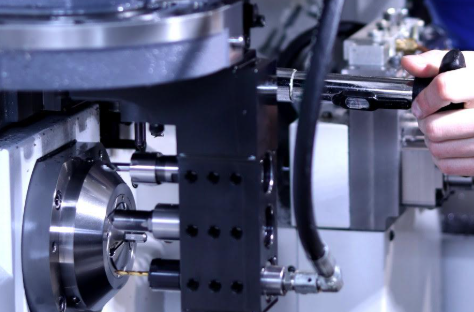
Ever wondered how manufacturers create perfectly identical parts thousands of times over? The answer lies in a technology that has revolutionized modern production: CNC machining. To define CNC simply, it represents the fusion of computer intelligence with mechanical precision, enabling machines to transform raw materials into finished components with remarkable accuracy.
So, what is CNC exactly? The term CNC stands for "Computer Numerical Control" — a manufacturing process where pre-programmed computer software dictates the movement of factory tools and machinery. According to Thomas Net, CNC machining is a subtractive manufacturing process that employs computerized controls and machine tools to remove layers of material from a stock piece, producing custom-designed parts suitable for metals, plastics, wood, glass, foam, and composites.
From Digital Design to Physical Reality
Imagine sketching a complex mechanical part on your computer, then watching a machine carve it flawlessly from a solid block of aluminum. That's the magic of a CNC machine in action. The journey from concept to creation follows a clear path: designers first create a 2D or 3D model using CAD (Computer-Aided Design) software. This digital blueprint captures every dimension, curve, and specification the final part requires.
Next, CAM (Computer-Aided Manufacturing) software translates that design into a language machines understand — primarily G-code and M-code. G-code controls the "when, where, and how" of tool movements, while M-code manages auxiliary functions like coolant flow and tool changes. Once loaded into the machine's controller, these instructions guide every cut with sub-millimeter precision.
The Brain Behind Modern Manufacturing
Understanding what is CNC system architecture helps demystify how these machines achieve such consistent results. At its heart, every computer numerical control router or milling center shares the same fundamental building blocks working in harmony.
Here are the core elements that make up any CNC system:
- Controller: The "brain" that interprets programmed instructions and coordinates all machine movements. Advanced controllers feature real-time monitoring, diagnostics, and process optimization capabilities.
- Drive System: Motors (typically stepper or servo types) convert electrical energy into mechanical motion. Servo motors offer superior precision and feedback, while stepper motors provide cost-effective positioning for less demanding applications.
- Machine Tool: The cutting implements — end mills, drill bits, or specialty cutters — that physically remove material from the workpiece.
- Feedback Mechanisms: Encoders and sensors that monitor position, velocity, and other parameters in real-time, enabling the controller to make continuous adjustments for accuracy.
- Workholding Devices: Vises, clamps, fixtures, and vacuum tables that secure raw material firmly during machining operations.
The c.n.c meaning extends beyond just automation — it represents predictability and repeatability that manual machining simply cannot match. Industrial systems typically employ closed-loop servo controls with encoders, ensuring positional accuracy within approximately ±0.005 inches (0.127 mm). Whether you're a hobbyist exploring desktop units or a professional evaluating factory-floor equipment, grasping these fundamentals provides the foundation for making informed decisions about CNC technology.
Types of CNC Machines Explained
Now that you understand the fundamentals of CNC technology, the next question becomes: which machine type fits your specific needs? The world of CNC equipment spans a remarkable range — from compact desktop units perfect for hobbyists to massive industrial systems capable of machining aircraft components. Each category excels in different applications, materials, and precision requirements.
Let's break down the major machine types so you can identify exactly what you're looking at when evaluating your options.
Milling Machines and Their Versatility
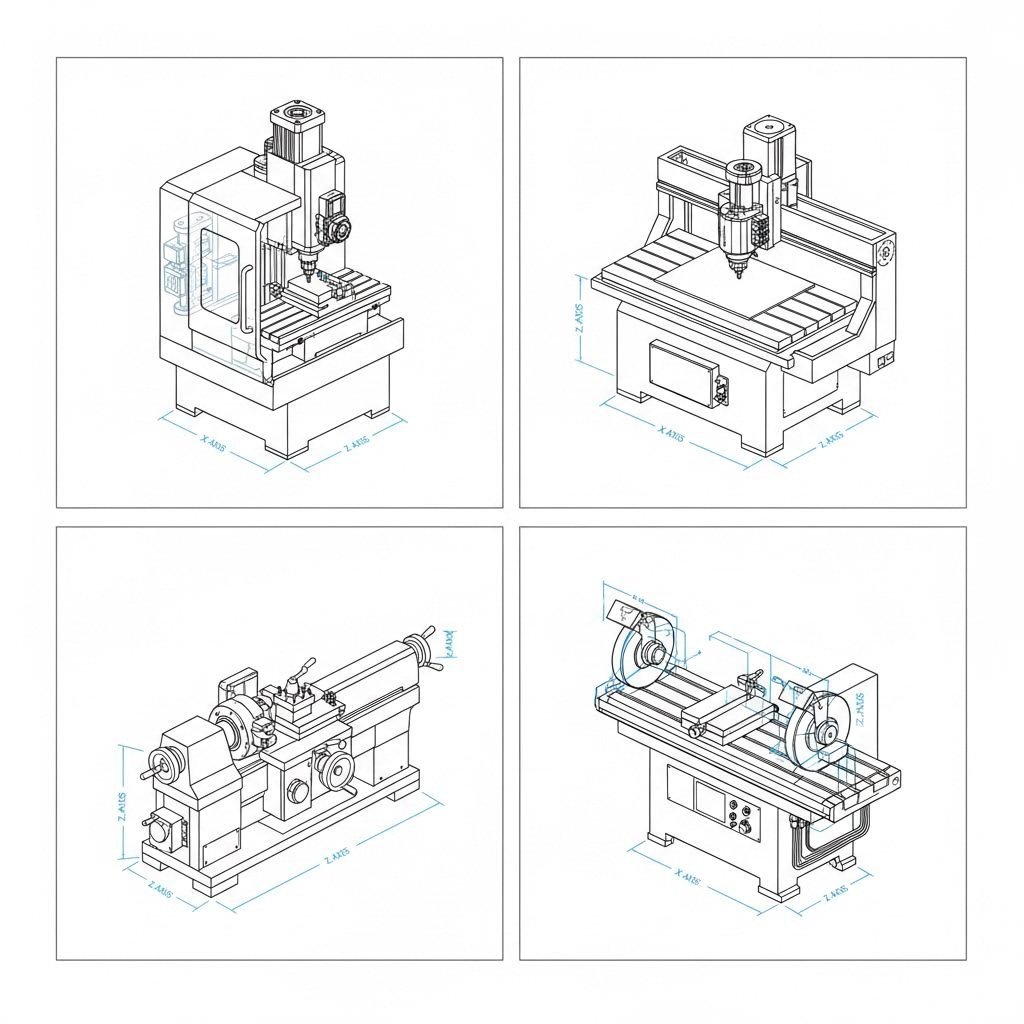
A CNC milling machine stands as perhaps the most versatile workhorse in manufacturing. These powerful tools use rotating cutting implements to remove material from a workpiece, shaping it according to programmed specifications. According to CNC Cookbook, CNC milling machines are ideal for generating gears, drilling boreholes, and creating slots — tasks requiring precision cuts in multiple directions.
What makes a milling machine with CNC so capable? It's all about axis movement. Picture this: the cutting tool can travel left-right (X-axis), front-back (Y-axis), and up-down (Z-axis). Add rotational axes, and suddenly you're machining complex geometries that would be impossible to create manually.
CNC milling machines handle demanding materials exceptionally well:
- Steel and stainless steel alloys
- Aluminum and titanium
- Brass and copper
- Engineering plastics like PEEK and Delrin
Common cutting tools include end mills, face mills, reamers, taps, and specialized drills. The CNC mill excels in aerospace, automotive, and medical device manufacturing where tolerances measured in thousandths of an inch matter.
Lathes, Routers, and Specialized Systems
While CNC milling machines dominate when parts require multi-directional cutting, other machine types serve equally critical roles.
CNC Lathe Machines: These spin the workpiece at high speed while a stationary cutting tool shapes it. Think cylindrical parts — shafts, bushings, and fittings. A CNC lathe machine typically operates on two primary axes (X and Z), executing operations like turning, facing, boring, and threading. Industries producing high volumes of rotational components rely heavily on these systems.
CNC Routers: Need to cut wood, plastic, foam, or composites? A CNC router delivers exceptional speed. These machines move the cutting tool across a stationary workpiece, making them perfect for large sheet materials. As American Micro Industries notes, CNC routers operate at significantly higher RPMs than mills, though with less torque — ideal for softer materials where speed trumps cutting force. A cnc router cnc system shines in signage, cabinetry, furniture production, and decorative panels.
CNC Grinding Machines: When surface finish quality is paramount, a CNC grinding machine takes over. These systems use abrasive wheels to achieve mirror-like finishes on parts initially roughed out on mills or lathes. Surface grinders, cylindrical grinders, and roll grinders each address specific finishing requirements.
| Machine Type | Primary Function | Best Materials | Typical Applications | Complexity Level |
|---|---|---|---|---|
| CNC Milling Machine | Multi-directional cutting with rotating tools | Metals, hard plastics, composites | Complex 3D parts, molds, precision components | Moderate to High |
| CNC Lathe | Rotational shaping with stationary tools | Metals, plastics | Shafts, fittings, cylindrical components | Moderate |
| CNC Router | High-speed cutting of sheet materials | Wood, foam, plastic, soft metals | Signage, cabinets, furniture, decorative items | Low to Moderate |
| CNC Grinding Machine | Precision surface finishing | Hardened metals, tool steels | Engine parts, dies, tight-tolerance components | Moderate to High |
How Axis Configurations Shape Your Capabilities
Here's where things get interesting. The number of axes a machine offers directly determines what geometries you can create — and how efficiently.
3-Axis Machining: The workhorse configuration. According to DATRON, 3-axis machines move in X, Y, and Z directions independently or simultaneously. They're excellent for sheet milling, 2D profiles, and 2.5D geometry. Need to machine multiple sides? You'll require separate setups for each orientation — more time, more potential for alignment errors.
4-Axis Machining: Add rotation around one axis (typically the A-axis rotating around X), and suddenly four sides of a part can be machined in a single setup. This capability proves invaluable for parts with holes or features on their sides, helical patterns, and cylindrical components. Less setup time means faster production and tighter tolerances across all machined faces.
5-Axis Machining: The pinnacle of CNC capability. With movement in five directions simultaneously — three linear plus two rotational — these machines access virtually every angle of a workpiece without repositioning. Aerospace turbine blades, medical implants, and complex mold cavities become achievable. The tradeoff? Higher equipment costs, more sophisticated programming, and specialized tooling requirements.
Which configuration suits your work? Consider your typical part geometries, production volumes, and budget constraints. Many manufacturers start with 3-axis systems, then upgrade with rotary accessories as project complexity grows — an approach that balances capability with investment.
How to Choose the Right CNC Machine for Your Needs
Understanding machine types is one thing — but how do you actually decide which one belongs in your workshop? This is where many buyers stumble. The best CNC machines aren't necessarily the most expensive or feature-packed. They're the ones that match your specific projects, materials, and production goals.
Let's build a practical decision-making framework you can apply immediately.
Matching Machine Capabilities to Your Projects
Before browsing catalogs or comparing specs, ask yourself three fundamental questions: What am I making? What materials am I cutting? How many parts do I need to produce?
Your answers shape everything else. A woodworking enthusiast crafting custom furniture has vastly different requirements than a machine shop producing aluminum aerospace brackets. According to YCM Alliance, parts, materials, and tolerances define the machine class — meaning your project requirements should drive selection, not marketing hype.
Here are the key selection criteria to evaluate:
- Material Compatibility: What will you cut most frequently? A wood cnc machine handles plywood and hardwoods beautifully but struggles with steel. Conversely, a metal cnc machine with rigid construction and high-torque spindle excels on aluminum and titanium but represents overkill for foam prototypes.
- Precision Requirements: How tight are your tolerances? Desktop units typically achieve ±0.005" accuracy, while industrial systems reach ±0.0002" or better. Match the machine's capability to your actual needs — paying for micron-level precision when millimeter accuracy suffices wastes budget.
- Workspace Constraints: Measure your available floor space, ceiling height, and doorway dimensions before falling in love with any machine. Check for service access requirements around the unit and clearance for chip conveyors or coolant tanks.
- Production Volume Needs: Making one-off prototypes? A small cnc machine offers flexibility without heavy investment. Running production batches of 500+ parts? You'll need automation features, pallet changers, and robust spindles designed for extended operation.
- Budget Reality: Consider total ownership costs — not just purchase price. Factor in tooling, workholding, software licenses, installation, training, and maintenance contracts.
Material Considerations That Drive Machine Selection
Here's a truth many sellers won't emphasize: material dictates machine more than any other factor. The physics of cutting wood versus titanium couldn't be more different.
Spindle Power: As AccTek CNC explains, spindle power determines cutting capacity — how deep or fast the machine cuts and which materials it handles. For soft materials like wood, foam, and plastics, spindles in the 1.5-3 kW range work efficiently. Metal fabrication demands 5-15 kW or more, depending on material hardness and removal rates.
Work Envelope Size: This refers to the maximum dimensions a machine can accommodate. A cnc router machine for wood might offer a 4' x 8' table for full sheet processing, while a precision metal mill provides a smaller but more rigid work area. Larger isn't automatically better — bigger envelopes often sacrifice rigidity.
Machine Rigidity: Cutting hard metals generates significant forces. Without adequate rigidity, the machine flexes, tolerances suffer, and surface finishes degrade. Look for cast iron construction, boxway or linear rail designs, and substantial machine weight when working with challenging materials.
Consider your typical scenario. If you're primarily running a desktop cnc machine for hobby projects — engraving, light aluminum work, or prototyping — compact units priced in the low thousands deliver excellent results. These systems excel in home workshops where space is limited and projects vary frequently. According to Eye on Annapolis, small-scale CNC machines offer superb outcomes for engraving, prototyping, and creating small parts while maintaining a low footprint.
Industrial-grade equipment occupies the opposite end of the spectrum. These machines feature high-powered motors capable of cutting steel and titanium continuously. They're built for factories running multiple shifts with minimal downtime. The investment runs into tens of thousands — or hundreds of thousands — but the precision, throughput, and reliability justify costs for production environments.
What about the middle ground? A mini cnc machine bridges the gap for serious hobbyists and small businesses. These units offer better rigidity and accuracy than entry-level desktop models while remaining compact enough for garage workshops. They handle aluminum confidently and tackle light steel with appropriate tooling and patience.
When comparing machines, pay close attention to two specifications often overlooked: accuracy tolerance ratings and maximum feed rates. Tolerance ratings indicate the machine's precision capability under ideal conditions. Feed rates reveal how quickly the machine can move while cutting — directly affecting production time. Balance these specs against your project requirements rather than chasing impressive numbers you'll never utilize.
Skill Levels and Learning Curves for CNC Operation
You've selected your machine type and understand the core specifications — now comes the question nobody wants to ask: how long until you're actually making parts? The honest answer depends on your starting point, chosen equipment, and how deliberately you approach the learning process.
Here's the good news: CNC technology has become remarkably accessible. The same fundamentals that drive million-dollar factory equipment also power hobby cnc machine setups in home workshops. Understanding where you fit on the skill spectrum helps you choose appropriate entry points and set realistic expectations.
Starting Your CNC Journey as a Beginner
If you're completely new to CNC, start by recognizing that different machine types present vastly different learning curves. A hobby cnc router offers one of the gentlest introductions to computer-controlled machining. Why? The materials are forgiving — wood and plastic don't punish minor programming errors the way hardened steel does. Tooling is affordable, so breaking an end mill doesn't sting as badly. And the operations themselves tend toward 2D and 2.5D work, which is conceptually simpler than complex 3D machining.
Compare that to jumping straight into multi-axis CNC milling machining. Suddenly you're managing simultaneous movement across five axes, dealing with tool reach calculations, collision avoidance, and materials that demand precise feeds and speeds. The learning curve steepens dramatically — not impossible, but certainly more demanding for newcomers.
What exactly do beginners need to learn? At the core sits G-code — the language every CNC machine understands. According to CNC Cookbook, G-code is the fundamental language of CNC programming that controls machine movements and actions. G-codes handle motion commands: G00 for rapid positioning, G01 for linear cutting moves, G02 and G03 for circular arcs. M-codes manage auxiliary functions like spindle control (M03 to start, M05 to stop) and coolant activation.
Sounds complex? Here's a secret: you don't need to master G-code manually before making your first part. Modern CAM software generates these instructions automatically from your designs. Many successful hobbyists run cnc woodworking projects for months before ever reading raw G-code. The software handles the heavy lifting while you focus on design and setup.
That said, understanding G-code basics pays dividends. When something goes wrong — and it will — recognizing what the machine is trying to do helps you diagnose problems faster. You'll also gain confidence making minor program edits without regenerating entire toolpaths.
Scaling Up to Professional-Grade Operations
As skills develop, the progression follows a natural path. Here's how most operators advance from complete beginner to confident machinist:
- 2D Profile Cutting: Start with flat shapes cut from sheet material. Signs, simple brackets, decorative panels. You're learning machine setup, workholding, and basic toolpath concepts without complex geometry.
- 2.5D Operations: Add depth variations — pockets, steps, and contours at different Z heights. This introduces concepts like stepdown depth, multiple passes, and roughing versus finishing strategies.
- Simple 3D Surfacing: Graduate to flowing 3D surfaces using ball-end mills. Relief carvings, organic shapes, and sculpted forms. Toolpath strategies become more sophisticated — parallel, spiral, waterline patterns each serve different purposes.
- Multi-Setup Parts: Machine features on multiple faces of a workpiece. This requires understanding work offsets, fixture design, and maintaining alignment between setups.
- Advanced 3D Machining: Tackle complex geometries requiring 4th or 5th axis capability. Undercuts, compound angles, and simultaneous multi-axis movements. Programming complexity increases substantially.
Where do cnc tools and software fit into this progression? They're essential at every stage — but your requirements evolve.
Beginners benefit from simplified CAM packages like MeshCAM, which CNC Cookbook recommends because it gets users making parts almost immediately with minimal learning investment. You load a 3D model, answer a few questions about materials and tools, and the software generates workable G-code. Perfect for building confidence before tackling more powerful (and complex) alternatives.
As projects grow more demanding, tools like Fusion 360, VCarve Pro, or Carveco become valuable. These packages offer greater control over toolpath strategies, support multi-axis operations, and provide simulation features that catch errors before they damage workpieces. For cnc routers for woodworking, Vectric's software suite (VCarve, Aspire) dominates because it's specifically designed for router workflows — V-carving, inlays, and decorative techniques that wood-focused users frequently need.
A desktop cnc mill demands different software considerations. Metal cutting requires precise feeds and speeds calculations that many beginner-oriented packages handle poorly. According to CNC Cookbook's surveys, feeds and speeds remain the hardest aspect for newcomers to master — significantly more challenging than learning CAD or CAM software. A quality feeds and speeds calculator becomes essential once you move beyond forgiving materials.
Before investing heavily in equipment, invest time understanding these fundamentals:
- Feeds and Speeds: How fast the tool moves through material (feed rate) and how fast it spins (spindle speed). Get these wrong, and you'll break tools, damage workpieces, or produce poor surface finishes.
- Toolpath Strategies: Different cutting patterns suit different operations. Conventional versus climb milling, adaptive clearing versus pocket toolpaths, roughing versus finishing passes — each choice affects cut quality and cycle time.
- Workholding Principles: Securing material firmly without distortion or interference with tool access. A perfectly programmed operation fails if the workpiece shifts mid-cut.
- Tool Selection: Matching cutter geometry, coatings, and dimensions to your material and operation. A general-purpose end mill works adequately for many tasks but specialized tools excel in specific applications.
The most successful beginners follow a deliberate approach: master each stage before rushing to the next. Running dozens of cnc woodworking projects builds intuition that transfers when you eventually tackle metals. Understanding why certain toolpath choices work for wood prepares you to make informed decisions when cutting aluminum requires different strategies. Every hour spent learning fundamentals saves frustration later — and protects your investment from costly mistakes driven by inexperience.
CNC Machine Costs and Investment Considerations
So how much does a cnc machine cost? It's the question everyone asks — and the one most resources frustratingly avoid answering directly. The truth is, CNC equipment spans an enormous price range, from machines costing less than a quality power tool to industrial systems rivaling the price of a house. Understanding where your needs fall within this spectrum prevents both underspending on inadequate equipment and overspending on capabilities you'll never use.
Let's break down what you can realistically expect to invest across different machine categories and capability levels.
Investment Ranges Across Machine Categories
The CNC machine price landscape divides roughly into three tiers: entry-level desktop systems, mid-range prosumer equipment, and industrial-grade machinery. Each tier serves distinct user profiles with correspondingly different investment requirements.
According to SendCutSend, CNC machines can range from a few thousand dollars for a small hobby machine to several hundred thousand dollars for a large industrial machine. That's quite a spread — so let's get more specific.
| Machine Type | Entry-Level | Mid-Range | Industrial-Grade |
|---|---|---|---|
| CNC Routers | $5,000 - $15,000 | $15,000 - $50,000 | $50,000 - $150,000+ |
| CNC Mills | $8,000 - $25,000 | $25,000 - $75,000 | $75,000 - $500,000+ |
| CNC Lathes | $10,000 - $30,000 | $30,000 - $80,000 | $80,000 - $300,000+ |
| Laser Cutters | $10,000 - $30,000 | $30,000 - $60,000 | $60,000 - $250,000+ |
| Plasma Cutters | $15,000 - $30,000 | $30,000 - $60,000 | $60,000 - $100,000+ |
| Waterjet Cutters | $50,000 - $80,000 | $80,000 - $150,000 | $150,000 - $400,000+ |
Looking for a budget cnc machine to start your journey? Entry-level desktop systems typically fall in the $2,000 to $10,000 range for hobby-grade CNC routers and small mills. These machines sacrifice rigidity, speed, and precision compared to professional equipment — but they get you cutting parts and building skills without a massive financial commitment.
As CNC WMT notes, entry-level CNC models cost a few thousand dollars, while high-end, sophisticated models can cost hundreds of thousands. The gulf between these extremes reflects genuine capability differences: spindle power, axis travel, positional accuracy, automation features, and construction quality all scale with price.
When browsing a cnc mill for sale, pay attention to what drives price differences within each tier:
- Work Envelope Size: According to OMNI CNC, larger bed sizes for woodworking routers increase price by approximately 30%. The same principle applies across machine types — more travel means more material, more robust construction, and higher costs.
- Precision Capability: Each thousandth of an inch in accuracy improvement can mean $10,000 to $100,000 in price difference. A cheap cnc machine achieving ±0.010" accuracy serves hobby applications well; manufacturing demanding ±0.0003" tolerances requires substantially greater investment.
- Automation Features: Automatic tool changers, pallet systems, and robotic loading dramatically boost productivity — and price. That 20-position tool magazine is impressive, but it adds significantly to your investment.
- Brand Reputation: Established names like Haas, Mazak, DMG Mori, and Okuma command premiums. You're paying for engineering refinement, technical support, documentation, and training resources that budget brands cannot match.
Total Cost of Ownership Considerations
Here's where many buyers stumble: focusing exclusively on purchase price while ignoring ongoing costs that can dwarf the initial investment over time. A realistic budget accounts for the complete ecosystem required to operate effectively.
Tooling Expenses: Cutting tools wear out — that's unavoidable. End mills, drill bits, inserts, and specialty cutters represent recurring costs that vary dramatically by material and production volume. A woodworking operation might spend a few hundred dollars annually on router bits. A metal shop running production quantities burns through thousands in carbide tooling monthly.
Workholding Solutions: Vises, clamps, fixtures, and specialty workholding add up quickly. Basic setups run a few hundred dollars. Custom fixtures for production parts can cost thousands each — multiplied by however many part varieties you manufacture.
Software Licenses: Studies cited by OMNI CNC indicate that software-related costs can constitute up to 20% of the total investment in a CNC machine. CAD/CAM packages range from free options with limitations to professional suites costing thousands annually. Post-processors, simulation software, and specialty applications add further expense.
Maintenance and Service: Preventive maintenance — lubricants, filters, belts, bearings — keeps machines running reliably. Budget for annual service contracts or allocate time for in-house maintenance. Unexpected repairs happen; having reserve funds prevents production shutdowns from becoming financial crises.
Operating Costs: Electricity consumption, compressed air, coolants, dust collection, and consumables all factor into true operating expenses. Industrial machines with high-power spindles draw substantial current; running costs accumulate over thousands of operating hours.
Training and Labor: Operating CNC equipment requires skilled personnel. Factor in training costs for new operators, ongoing education as capabilities expand, and competitive wages to retain qualified machinists.
Production Volume and ROI Calculations
How do you know if your investment makes financial sense? Production volume requirements fundamentally affect return-on-investment calculations.
For low-volume work — prototypes, one-offs, and small batches — expensive automation features rarely pay back. A simpler machine with manual tool changes and basic workholding delivers adequate results without premium investment. The math changes when production quantities climb: automation that seemed unnecessary becomes essential for maintaining competitive cycle times.
Consider this scenario: a manual tool change takes 30 seconds. An automatic changer completes the swap in 5 seconds. On a single part requiring six tool changes, you save roughly 2.5 minutes per cycle. Producing 10 parts? You've saved 25 minutes — barely noticeable. Producing 1,000 parts? That's over 40 hours of saved labor. At typical shop rates, the automatic changer's premium pays for itself rapidly.
The budget versus capability tradeoff requires honest assessment of your actual needs. Buying more machine than necessary ties up capital that could fund tooling, training, or marketing. Buying too little capability means outgrowing equipment quickly or losing opportunities because you can't meet specifications. The sweet spot matches current requirements while leaving reasonable headroom for anticipated growth.
For individuals and small businesses, SendCutSend suggests that outsourcing CNC machining needs to a manufacturer often makes more financial sense than purchasing equipment in-house — avoiding the costly investment and ongoing maintenance of a personal machine. This hybrid approach lets you focus capital on equipment you'll use constantly while leveraging external capacity for occasional needs or capabilities beyond your current equipment.
Industrial Applications and Real-World CNC Uses
Understanding machine types and costs provides essential groundwork — but where does CNC technology actually make an impact? The answer spans virtually every industry that shapes raw materials into finished products. From engine blocks rolling off automotive assembly lines to custom furniture gracing high-end homes, CNC equipment drives modern manufacturing across remarkably diverse applications.
Let's explore how different sectors leverage this technology and what their distinct requirements mean for machine selection and operation.
Automotive and Aerospace Precision Requirements
When tolerances measured in thousandths of an inch determine whether an engine runs smoothly or fails catastrophically, there's no room for error. The automotive and aerospace industries represent the most demanding CNC applications — environments where precision isn't optional but essential for safety and performance.
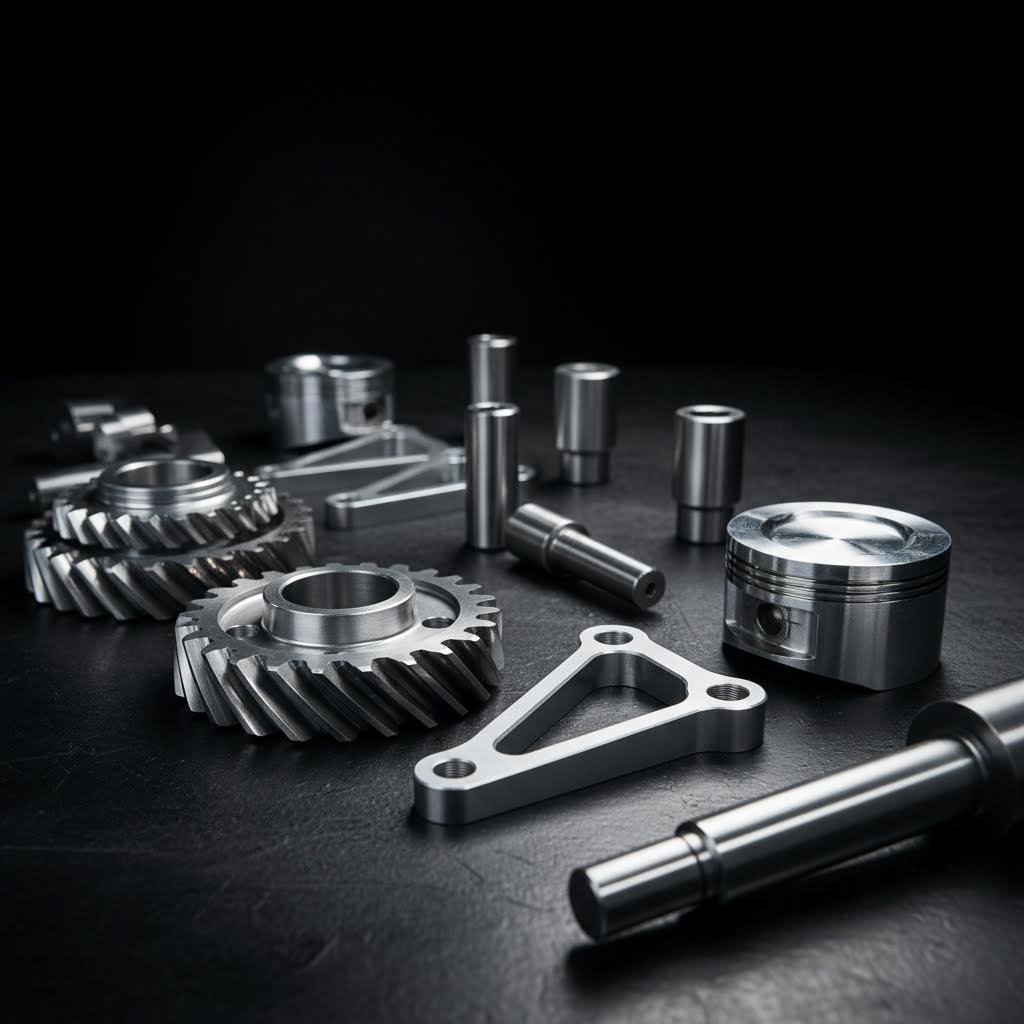
Automotive Manufacturing: Every vehicle on the road contains hundreds of CNC-machined components. Engine blocks, transmission housings, brake components, and steering assemblies all require consistent, high-tolerance machining. Metal cutting machines in automotive facilities run around the clock, producing identical parts by the thousands while maintaining specifications that ensure proper fit and function.
Common automotive CNC applications include:
- Engine cylinder heads and blocks with complex cooling passages
- Transmission gears and housings requiring precise mating surfaces
- Brake calipers and rotors demanding consistent dimensional accuracy
- Suspension components including control arms and knuckles
- Custom wheel designs and lightweight performance parts
What separates automotive-grade machining from general manufacturing? Quality certifications — specifically IATF 16949. According to American Micro Industries, IATF 16949 is the global standard for automotive quality management, combining ISO 9001 principles with sector-specific requirements for continuous improvement, defect prevention, and stringent supplier oversight. Facilities holding this certification demonstrate robust product traceability and process control that automotive OEMs demand.
For manufacturers requiring high-tolerance automotive components without massive capital equipment investment, partnering with certified machining providers offers an effective path forward. Precision CNC machining services, such as those offered by Shaoyi Metal Technology, enable automotive manufacturers to scale from rapid prototyping to mass production with IATF 16949-certified quality control and lead times as fast as one working day.
Aerospace Applications: If automotive requirements seem stringent, aerospace demands elevate precision to another level entirely. Aircraft components face extreme stress, temperature variations, and vibration — any failure can prove catastrophic. CNC equipment in aerospace facilities machines materials like titanium, Inconel, and specialized aluminum alloys into parts with tolerances often measured in ten-thousandths of an inch.
According to American Micro Industries, the aerospace sector imposes some of the most rigorous compliance standards in manufacturing, with certifications like AS9100 extending ISO 9001 requirements with aerospace-specific controls and traceability mandates. NADCAP accreditation further validates specialized processes including heat treating, chemical processing, and nondestructive testing.
Typical aerospace CNC applications include:
- Turbine blades with complex airfoil geometries
- Structural aircraft components requiring weight optimization
- Landing gear assemblies demanding exceptional strength-to-weight ratios
- Hydraulic manifolds with intricate internal passages
- Satellite and spacecraft components meeting extreme environmental specifications
Creative Industries and Custom Fabrication
While aerospace and automotive applications grab headlines, CNC technology equally transforms creative industries where artistry meets precision manufacturing. The same fundamental technology that machines jet engine components also produces stunning furniture, architectural elements, and custom signage.
Woodworking and Furniture Production: A cnc wood cutting machine revolutionizes what's possible in furniture design and production. Complex joinery that once required master craftsmen and weeks of labor now emerges from router tables in hours. Curved components, intricate inlays, and decorative carvings become reproducible — creating opportunities for both production efficiency and artistic expression.
A cnc wood cutter excels in applications including:
- Cabinet doors and drawer fronts with consistent profiles
- Decorative panels featuring complex relief carvings
- Furniture components with precise mortise and tenon joinery
- Architectural millwork including moldings and trim
- Musical instrument bodies requiring exact dimensional specifications
According to ShopSabre, CNC routers can cut complex shapes and designs with speed and repeatability, making them ideal for businesses that need both creativity and efficiency. A single CNC router can replace several manual tools, saving time, reducing labor, and improving consistency across products.
Signage and Engraving: Walk through any commercial district and you'll encounter CNC-produced signage — dimensional letters, carved plaques, illuminated displays. A cnc engraving machine translates digital designs into physical forms across materials ranging from wood and plastic to aluminum and brass. The repeatability proves especially valuable for franchise operations requiring identical signage across multiple locations.
Prototyping and Product Development: Perhaps no application better demonstrates CNC versatility than rapid prototyping. Designers transform CAD models into physical prototypes within hours rather than weeks. As Fictiv notes, the prototype is an invaluable step in product design validation — it's where potential issues are identified and resolved, laying a solid foundation for subsequent production phases.
CNC cutting machine capabilities enable:
- Functional prototypes for engineering validation
- Form models for design review and client approval
- Short-run production before committing to tooling investments
- Custom one-off parts for specialty applications
- Replacement components for legacy equipment
Production Requirements: Prototypes Versus Mass Production
Here's where application context fundamentally shapes equipment and process decisions. A one-off prototype and a 50,000-unit production run might produce identical parts — but the approach, equipment, and economics differ dramatically.
Prototype Production: Speed and flexibility trump efficiency. The goal is validating a design quickly, often with modifications between iterations. Setup time matters less because you're making one or two parts. Material waste is acceptable if it accelerates delivery. Manual tool changes work fine when cycle time isn't critical.
Low-Volume Production: According to Fictiv, low-volume manufacturing refers to quantities ranging from tens to hundreds of thousands of units, depending on the business and product. This stage acts as a crucial intermediary phase, offering a chance to refine the product further through limited production runs. Companies can quickly iterate on production designs, adapt to industry changes, or introduce new features based on immediate feedback.
Mass Production: Everything changes at scale. Cycle time optimization becomes paramount — shaving seconds off each part translates to significant cost savings across thousands of units. Automation features that seemed unnecessary for prototypes become essential. Quality control systems must catch defects before they propagate through entire production lots. Statistical Process Control (SPC) monitors trends and prevents drift before specifications are exceeded.
The transition from prototype to production involves more than simply running more parts. As Fictiv explains, there can be significant differences between engineering a product for prototype and engineering it for manufacturing. Good manufacturing partners bring design for manufacturability (DFM) and design for supply chain (DfSC) expertise to ensure the product can be produced efficiently at scale.
For companies lacking in-house production capability, certified contract manufacturers bridge this gap. Facilities like Shaoyi Metal Technology offer the CNC equipment, quality systems, and expertise to handle everything from rapid prototypes to mass production runs — backed by IATF 16949 certification and Statistical Process Control that demanding industries require.
Whether you're machining wood carving machine projects in a home workshop or producing precision aerospace components in a certified facility, the fundamental CNC principles remain consistent. What changes is scale, tolerance requirements, quality documentation, and the investment required to meet each industry's specific demands. Understanding these distinctions helps you identify where your projects fit — and what resources you'll need to succeed.
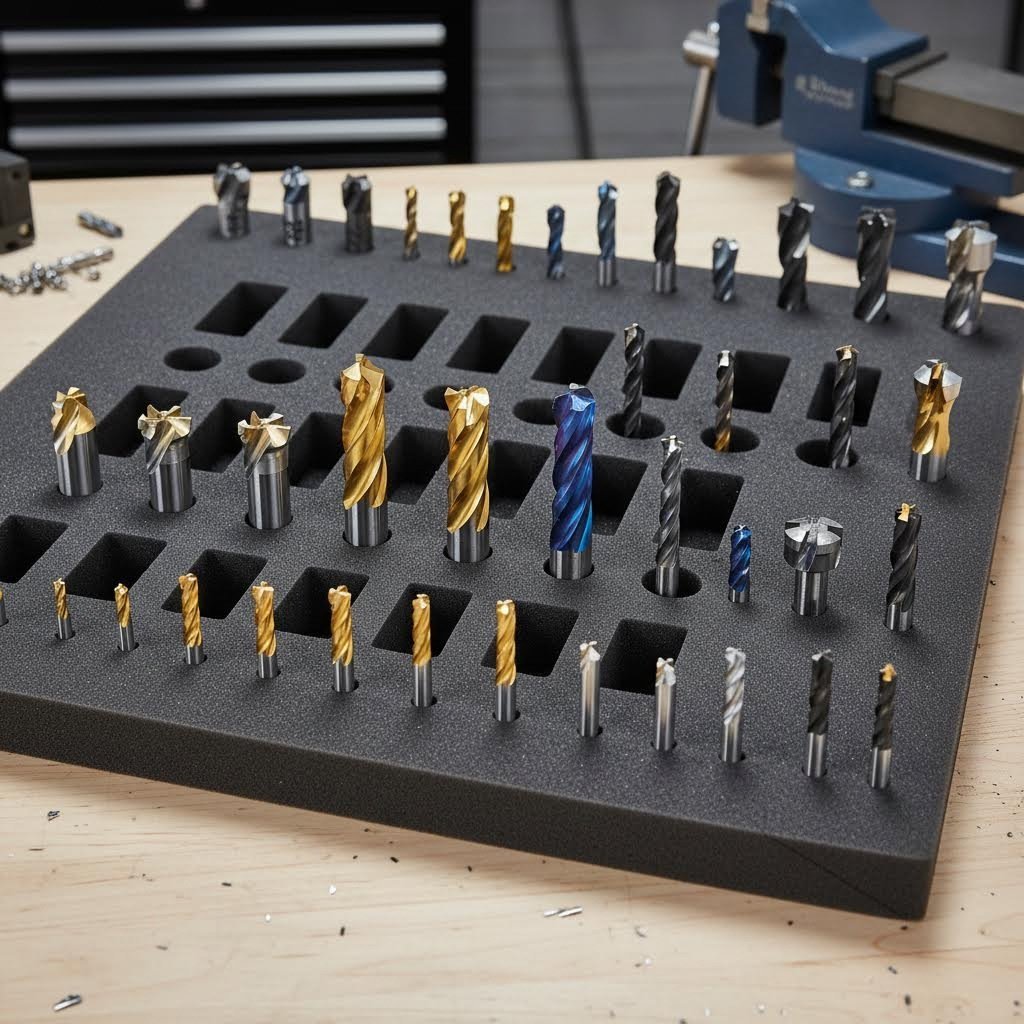
Tooling, Accessories, and Software Requirements
You've selected your machine, understood the costs, and identified your applications — but the equipment itself represents only part of the equation. The complete CNC ecosystem extends far beyond the machine sitting on your shop floor. Without proper tooling, workholding, and software, even the most capable router machine or precision mill becomes an expensive paperweight.
Think of it this way: a CNC machine is like a kitchen without utensils or recipes. The infrastructure matters enormously. Let's explore the essential components that transform raw capability into finished parts.
Essential Tooling and Workholding Solutions
Every CNC cutter you select directly influences cut quality, surface finish, and cycle time. According to CNC Cookbook, selecting the correct cutting tool material is critical for machining accuracy and efficiency — requiring consideration of workpiece material, component shape, machining conditions, and required surface quality.
The most common cnc machining tools fall into several categories:
- End Mills: The workhorses of milling operations. Available in flat, ball-nose, and corner-radius profiles. Carbide end mills handle metals efficiently, while high-speed steel (HSS) options work well for softer materials and offer cost savings for hobbyists.
- Drill Bits: For creating holes before threading or reaming. Carbide-tipped drills excel in production environments; cobalt drills balance cost and performance for general use.
- Router Bits: Designed specifically for CNC router equipment working wood, plastic, and composites. Spiral upcut, downcut, and compression bits each serve distinct purposes based on chip evacuation and edge quality requirements.
- Specialty Cutters: V-bits for engraving, chamfer mills for edge breaking, and thread mills for helical threading operations. Your project requirements dictate which specialty tools you'll need.
What about tool materials? CNC Cookbook's data reveals dramatic performance differences: carbide tools achieve over 3x the material removal rates of HSS, while coated carbide reaches 4.58x and PCD diamond tools hit 5.24x. The investment in better tooling typically pays for itself through reduced cycle times — since most shops spend only 3% on tooling while the MRR improvements benefit 100% of machining costs.
Workholding deserves equal attention. As CNC Cookbook explains, there's an old saying among machinists: fixtures are where you make your money. If you're good at making fixtures that save time, you'll turn a bigger profit.
Common workholding solutions include:
- Milling Vises: The most popular choice for general machining. Kurt-style vises offer repeatability and rigidity for cnc parts production across countless applications.
- T-Slot Clamps: Step clamps and toe clamps secure larger workpieces or oddly shaped stock directly to the table. Flexible but slower to set up than dedicated fixtures.
- Vacuum Tables: Ideal for sheet materials and thin stock. Air pressure provides uniform hold-down force across the entire surface — perfect when traditional clamping would interfere with cnc cuts.
- Fixture Plates: Tooling plates with precision hole patterns enable quick, repeatable setups. Drop a vise onto dowel pins, tighten four bolts, and you're machining within minutes rather than spending time tramming.
- Custom Fixtures: For production runs, purpose-built fixtures maximize efficiency. The upfront investment pays back through reduced setup time and improved part consistency.
For cnc kit router builders and hobbyists, basic vises and clamp sets provide adequate starting points. As production demands grow, investing in modular fixturing systems dramatically reduces changeover time between jobs.
Software Integration for Seamless Workflows
Software transforms your designs into machine instructions — it's the bridge between imagination and physical reality. According to DeFusco Industrial Supply, choosing CNC machine programming software shouldn't require a week of demos and second-guessing, yet with overlapping features, licensing quirks, and steep learning curves, it's easy to burn time and money before you ever hit Cycle Start.
The software ecosystem breaks into distinct categories:
- CAD (Computer-Aided Design): Where you create or modify part geometry. Options range from free tools like FreeCAD to professional packages like SolidWorks and Fusion 360.
- CAM (Computer-Aided Manufacturing): Translates your design into toolpaths and generates G-code. Many packages combine CAD and CAM — Fusion 360, Mastercam, and VCarve Pro all handle both functions.
- Machine Control Software: Sends G-code to your machine and manages real-time operation. Industrial machines include proprietary controllers; hobby equipment often runs Mach3, LinuxCNC, or GRBL-based systems.
- Simulation and Verification: Tools like VERICUT simulate material removal from posted G-code, catching collisions and errors before they damage workpieces or equipment.
For CNC router equipment focused on woodworking, Vectric's VCarve Pro and Aspire dominate. DeFusco notes these applications emphasize efficient programming and visual feedback before you cut — perfect for sign makers, furniture builders, and decorative work. Mach3 remains popular as affordable machine control software for hobby and light industrial applications.
Professional metalworking demands more sophisticated solutions. Mastercam, PowerMill, and HyperMILL offer advanced multi-axis strategies, collision awareness, and post-processor libraries for virtually any machine configuration. The investment runs higher, but capabilities match production requirements.
Supporting Equipment and Safety Considerations
Beyond cutting tools and software, several supporting systems ensure safe, efficient operation:
- Dust Collection: Essential for router operations. Wood dust creates health hazards and fire risks; proper extraction protects both operators and equipment.
- Coolant Systems: Metal machining generates significant heat. Flood coolant, mist systems, or minimum quantity lubrication (MQL) extend tool life and improve surface finish.
- Safety Equipment: Eye protection, hearing protection, and emergency stops aren't optional. Enclosures prevent chip ejection injuries; interlocks ensure spindles stop when doors open.
- Measurement Tools: Dial indicators, edge finders, and probing systems enable accurate setup. You can't hold tolerances you can't measure.
Proper accessory selection directly affects machining quality and efficiency. Skimping on tooling leads to poor finishes and excessive tool wear. Inadequate workholding causes parts to shift mid-operation — ruining workpieces and potentially damaging machines. Insufficient dust collection creates unsafe conditions and maintenance headaches. Each ecosystem component contributes to successful outcomes; neglecting any element compromises the entire operation.
Taking the Next Step in CNC Manufacturing
You've journeyed from understanding whats cnc technology fundamentally does to exploring the complete ecosystem of tooling, software, and accessories. Now comes the crucial question: what does a cnc machine do for your specific situation — and how do you move forward confidently?
Whether you're a hobbyist eyeing your first desktop router or a manufacturer evaluating production-grade equipment, the path forward requires honest assessment of your unique requirements. Let's synthesize everything we've covered into actionable guidance.
Your Path Forward with CNC Technology
The types of cnc machines available today span an incredible range — from compact desktop units perfect for weekend projects to industrial systems capable of running lights-out production. But here's what separates successful CNC adopters from those who struggle: they match equipment to actual needs rather than aspirational capabilities.
Consider where you stand right now:
- Hobbyists and Makers: Start with forgiving materials like cnc wood projects before tackling metals. A desktop router builds skills without massive financial risk. Focus on mastering feeds, speeds, and toolpath strategies before upgrading equipment.
- Small Business Owners: Evaluate whether your production volume justifies equipment ownership. According to LS Precision, the real total cost of ownership for in-house CNC service is much larger than its seeming cost — including equipment depreciation, maintenance, wages, and facility expenses that quietly erode profits.
- Production Manufacturers: These machines require robust quality systems, automation features, and certified processes to compete effectively. The investment climbs substantially, but so does capability and throughput.
The types of cnc machine configurations — 3-axis, 4-axis, 5-axis — directly impact what geometries you can produce efficiently. Don't pay for multi-axis capability you won't utilize, but don't limit growth by choosing equipment you'll outgrow within months.
Making Informed Decisions for Your Workshop
Before committing capital to any cnc machines for sale, run through this decision framework:
- Material Alignment: Does the machine handle your primary materials effectively? A cnc metal machine demands different rigidity and spindle power than equipment designed for cnc wood applications.
- Skill Assessment: Be realistic about your current capabilities. As we explored earlier, learning curves vary dramatically between machine types. Budget time for training alongside equipment costs.
- Total Ownership Costs: Remember that purchase price represents only part of your investment. Tooling, workholding, software licenses, maintenance, and operating expenses accumulate over time.
- Ecosystem Planning: These machines don't operate in isolation. Dust collection, coolant systems, CAD/CAM software, and measurement tools all contribute to successful outcomes.
The most successful CNC investments align machine capabilities precisely with specific project goals — matching materials, tolerances, and production volumes to equipment that performs those tasks efficiently without paying for unused features.
What if your requirements demand precision cnc metal components but capital equipment investment doesn't make sense? This scenario applies to many manufacturers, especially those with variable demand or specialty requirements that don't justify dedicated machinery.
Partnering with established CNC machining providers offers a compelling alternative. Access precision manufacturing capabilities without the burden of equipment ownership, maintenance, and skilled operator wages. For high-tolerance automotive and industrial components, Shaoyi Metal Technology delivers IATF 16949-certified quality backed by Statistical Process Control — scaling seamlessly from rapid prototyping to mass production with lead times as fast as one working day.
As MDA Ltd emphasizes, proper planning helps you define the project scope, avoid costly errors, optimize tooling and material selection, manage timelines, and ensure quality output. Whether you're purchasing equipment or partnering with contract manufacturers, thorough preparation prevents expensive mistakes.
Your next step? Assess your specific needs honestly. Document your typical materials, required tolerances, expected production volumes, and available budget. Compare these requirements against the machine categories and cost structures we've explored. The right decision becomes clear when you evaluate options through the lens of your actual projects rather than theoretical capabilities.
CNC technology continues transforming manufacturing across every industry — from hobbyist workshops producing custom furniture to certified facilities machining aerospace components. Understanding the fundamentals we've covered positions you to participate in that transformation intelligently, whether through equipment ownership or strategic manufacturing partnerships.
Frequently Asked Questions About CNC Machines
1. What is a CNC machine?
A CNC machine (Computer Numerical Control machine) is automated equipment that uses pre-programmed computer software to control cutting, drilling, milling, and shaping operations. These machines interpret G-code instructions to remove material from workpieces with precision, producing identical parts repeatedly. CNC technology applies to mills, lathes, routers, grinders, and plasma cutters, handling materials from wood and plastic to hardened metals and aerospace alloys with minimal human intervention.
2. What does CNC mean for machines?
CNC stands for Computer Numerical Control, referring to the computerized operation of machining tools. The system uses pre-programmed software and codes (primarily G-code and M-code) to direct machine movements and functions. G-code controls positioning, feed rates, and cutting paths, while M-code manages auxiliary functions like spindle activation and coolant flow. This automation enables consistent, repeatable manufacturing that manual machining cannot match.
3. How much does a CNC machine cost?
CNC machine prices range dramatically based on type and capability. Entry-level desktop routers start around $2,000-$5,000, while mid-range prosumer equipment runs $15,000-$50,000. Industrial-grade CNC mills typically cost $75,000-$500,000+, and specialized systems like waterjet cutters reach $150,000-$400,000. Beyond purchase price, budget for tooling, workholding, software licenses, and maintenance—software costs alone can constitute up to 20% of total investment.
4. What materials can CNC machines cut?
CNC machines handle diverse materials depending on machine type and configuration. CNC routers excel with wood, foam, plastics, and composites. CNC mills and lathes process metals including aluminum, steel, titanium, brass, and copper, plus engineering plastics like PEEK and Delrin. Specialized machines cut glass, ceramics, and stone. Material selection influences spindle power requirements, tooling choices, and machine rigidity needs.
5. Should I buy a CNC machine or outsource machining?
The decision depends on production volume, capital availability, and expertise. In-house equipment makes sense for consistent high-volume production where cycle time optimization justifies the investment. For variable demand, specialty requirements, or limited capital, outsourcing to certified manufacturers like Shaoyi Metal Technology provides access to precision capabilities without equipment ownership burdens. Their IATF 16949-certified facility handles prototyping through mass production with lead times as fast as one working day.