 Small batches, high standards. Our rapid prototyping service makes validation faster and easier —
  EN
EN


CNC Machine Servicing Secrets: 8 Warning Signs You're Ignoring

Understanding CNC Machine Servicing Fundamentals
When your CNC machine starts acting up, do you know whether it needs a quick fix or comprehensive servicing? This distinction matters more than most shop owners realize. CNC machine servicing goes far beyond wiping down surfaces or topping off fluids. It's a systematic approach to maintaining the precision and reliability that modern manufacturing demands.
With the capability to achieve tolerances as tight as 0.0001 inches, CNC machines represent some of the most sophisticated equipment on any shop floor. Yet their complex mechanical and electronic systems require consistent, expert attention to prevent costly breakdowns and production delays.
What CNC Machine Servicing Actually Involves
CNC machine servicing encompasses all technical, administrative, and management activities performed throughout a machine's lifecycle to maintain or restore optimal functionality. Think of it as a comprehensive health check that addresses multiple systems simultaneously.
A proper cnc service program targets these primary categories:
- Mechanical servicing: Inspection and adjustment of spindles, ball screws, linear guides, way systems, and tool changers
- Electrical servicing: Testing of servo motors, drives, encoders, connections, and control system components
- Software servicing: Firmware updates, parameter backups, diagnostic checks, and control system optimization
- Lubrication servicing: Complete evaluation of automatic lubrication systems, oil quality testing, and lubricant replacement
Each category requires specific expertise and CNC machining knowledge. The spindle alone demands attention to runout measurements, bearing preload verification, and thermal behavior analysis. Ball screws need backlash measurement and wear pattern assessment. Control systems require firmware verification and parameter optimization.
Why Servicing Differs From Daily Maintenance
Here's where many operations get confused. Daily maintenance focuses on keeping your CNC machine running today. You're checking coolant levels, cleaning chips, inspecting for obvious issues, and verifying basic functionality. These tasks take 10-15 minutes and prevent immediate problems.
Comprehensive servicing, however, addresses the deeper health of your equipment. It involves baseline measurements, component wear analysis, and predictive assessments that daily checks simply cannot provide. According to industry research, proper servicing can extend a machine's productive life by up to 20 years.
Consider this comparison: daily maintenance is like brushing your teeth, while comprehensive servicing is your annual dental exam. Both matter, but they serve different purposes.
The core components requiring regular servicing attention include:
- Spindles: The heart of your machining operation, requiring periodic bearing assessment and runout verification
- Ball screws: Critical for positioning accuracy, needing backlash measurement and preload checks
- Linear guides: Essential for smooth axis movement, demanding cleaning, lubrication, and preload verification
- Control systems: The brain of your CNC machine, requiring software updates, backup procedures, and diagnostic testing
Whether you're managing an in-house maintenance team or running a small shop where you handle everything yourself, understanding these fundamentals transforms how you approach equipment care. This guide serves as your practical reference for identifying when servicing becomes necessary and what each procedure actually involves.
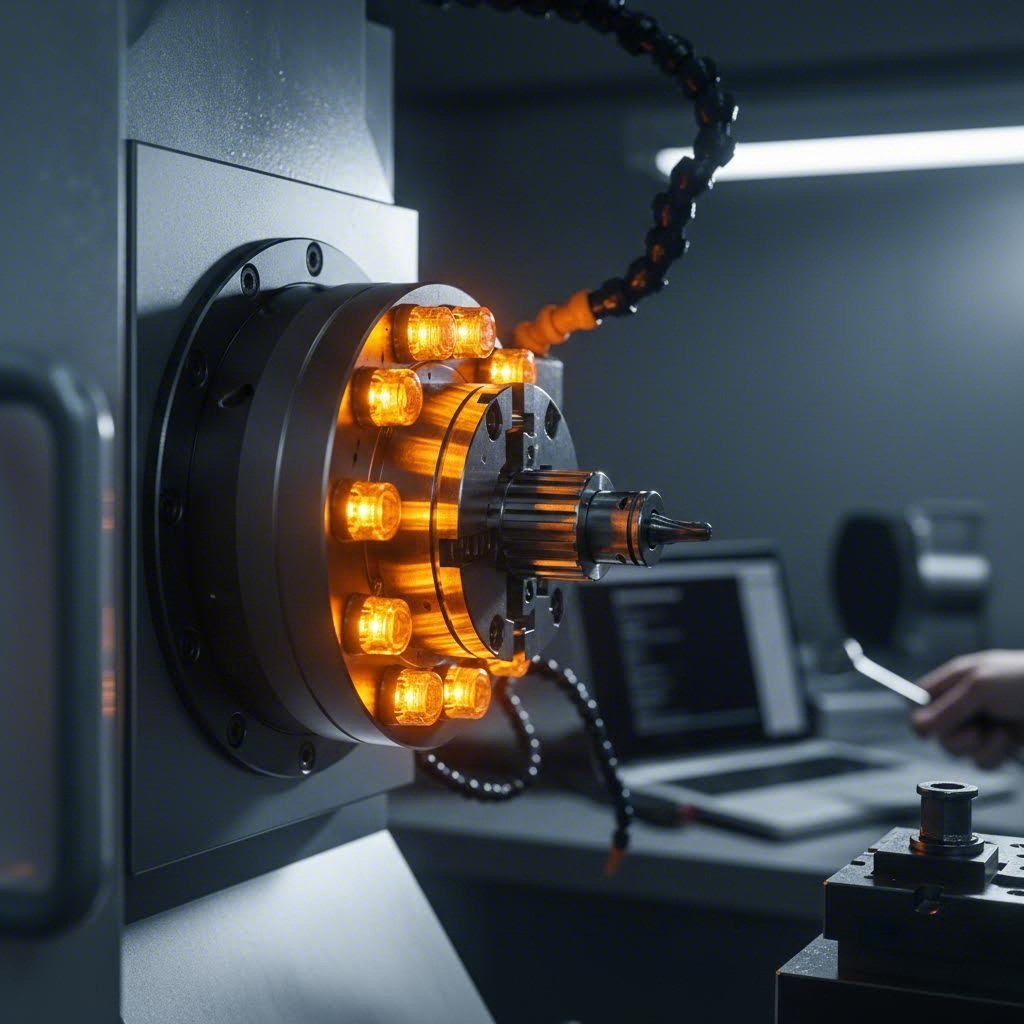
Critical Signs Your CNC Machine Needs Servicing
Imagine this: you're running a production batch, everything seems fine, and then you notice the spindle sounds slightly different. Do you stop and investigate, or push through to meet a deadline? That decision could mean the difference between a minor adjustment and a catastrophic failure requiring extensive cnc machine repairs.
Your CNC machine constantly communicates its condition through sounds, vibrations, temperatures, and error messages. The challenge is learning to interpret these signals before they escalate into production-stopping breakdowns. Let's break down exactly what to watch for and how urgently you need to respond.
Mechanical Warning Signs You Should Never Ignore
Mechanical issues typically announce themselves through physical symptoms you can see, hear, or feel. These warning signs often develop gradually, giving you time to schedule cnc repair before catastrophic failure occurs.
Unusual vibrations during cutting operations represent one of the most common early warnings. When chatter appears in previously smooth operations, it often indicates worn bearings, loose components, or spindle issues. According to troubleshooting experts, a tool that extends too far from the holder flexes under cutting pressure, but if you haven't changed your setup and vibration suddenly appears, look deeper into mechanical wear.
Spindle noise changes demand immediate attention. A healthy spindle produces consistent, predictable sounds at various speeds. Listen for:
- High-pitched whining that wasn't present before
- Grinding or rumbling at specific RPM ranges
- Clicking sounds during acceleration or deceleration
- Unusual harmonics that change with load
Positioning errors and dimensional drift often creep up slowly. When parts that previously met tolerance suddenly start measuring slightly off, your machine is telling you something. Consistent errors across all parts typically point to calibration issues, while random inaccuracies may indicate mechanical wear in ball screws or linear guides.
Thermal anomalies provide critical diagnostic information. If certain components run hotter than normal, or if the machine shuts down unexpectedly after extended operation, overheating may be compromising system integrity. Poor chip evacuation, blocked cooling systems, or failing lubrication can all contribute to dangerous heat buildup.
Electrical and Software Red Flags
Electrical and software issues can be trickier to diagnose because they don't always produce obvious physical symptoms. However, they're equally capable of halting production and causing damage.
Servo motor irregularities often manifest as jerky movements, positioning inconsistencies, or unusual motor sounds. If an axis hesitates, stutters, or fails to reach commanded positions smoothly, the servo system may require cnc machinery repair. These issues can stem from encoder problems, drive failures, or wiring degradation.
Error codes and alarms are your machine's direct communication channel. According to FANUC troubleshooting resources, error codes indicate specific malfunctions—bad ports, low voltage, irregular current, faulty RAM, or rising temperatures could all trigger alarms. When interpreting these codes, note the complete code including numbers, letters, and symbols, then cross-reference with your control system's documentation.
Software glitches and control system errors can cause unexpected stops, incorrect movements, or complete lockups. If your machine stalls at the same point in a program repeatedly, or if previously working G-code suddenly produces errors, the control system may need attention.
| Component Category | Warning Symptom | Likely Cause | Urgency Level | Skill Level to Diagnose |
|---|---|---|---|---|
| Spindle | Unusual whining or grinding noise | Bearing wear or contamination | High - Service within days | Intermediate |
| Spindle | Excessive runout or vibration | Bearing preload loss or spindle damage | High - Immediate inspection | Intermediate to Advanced |
| Axis System | Positioning drift or backlash increase | Ball screw wear or loose coupling | Medium - Schedule service | Intermediate |
| Axis System | Jerky or hesitant movement | Linear guide contamination or servo issue | Medium to High | Intermediate |
| Control System | Repeated error codes or alarms | Electrical fault, software corruption, or component failure | Varies by code - Check manual | Beginner to Advanced |
| Control System | Random shutdowns or freezes | Power supply issues, overheating, or memory problems | High - Diagnose immediately | Advanced |
| Servo Motors | Motor running hot or sluggish | Cooling system failure or overload condition | High - Risk of permanent damage | Intermediate |
| Servo Motors | Encoder faults or position loss | Encoder damage, cable issues, or electrical interference | High - Affects precision | Advanced |
When you encounter any of these warning signs, systematic troubleshooting becomes essential. Start by observing the machine's behavior and collecting information about when the problem started, any recent changes, and the specific circumstances under which it occurs. As maintenance experts recommend, systematically narrow down potential causes based on observed symptoms before implementing solutions.
For precision machining services to remain reliable, addressing these warning signs promptly prevents minor issues from becoming major failures. The next section examines spindle maintenance procedures in detail, helping you understand when bearing assessment and replacement becomes necessary.
Spindle Maintenance and Servicing Procedures
You can't always see it working, but the spindle is the heart of your CNC machine. Without a properly functioning spindle, even the most sophisticated control system becomes useless. Whether your shop focuses on cnc turning, swiss machining, or milling operations, spindle health directly determines part quality and production reliability.
Because spindles operate out of sight inside the machine, some operators push through without considering potential failure. This approach often leads to expensive repairs that could have been prevented with proper inspection and servicing. According to spindle maintenance experts, performance testing should be conducted every three to six months—or at minimum, once annually.
Let's walk through the diagnostic procedures, acceptance standards, and replacement criteria that keep your spindle running at peak performance.
Spindle Inspection and Diagnostic Procedures
Effective spindle servicing begins with systematic testing. These procedures apply equally to belt-driven and direct-drive configurations, though the specific access points may differ. Here's your sequential inspection process:
- Speed verification (Skill level: Beginner): Most CNC units don't include a spindle tachometer, forcing operators to guess at actual RPM. Even when your machine displays speed readings, use an external tachometer to verify accuracy. Place the tip on the rotating object and compare the digital readout against the commanded speed. Discrepancies indicate control system issues or mechanical problems affecting rotation.
- Runout measurement (Skill level: Intermediate): Spindle runout occurs when the spindle fails to rotate on its intended axis, causing tool chatter and compromising tolerance control. For static testing, place a dial test indicator point on the spindle shaft, slowly rotate to find the highest or lowest point, zero the indicator, then rotate again to capture your reading. For dynamic testing during operation, non-contact displacement sensors using laser triangulation provide real-time measurements without physical contact.
- Drawbar force testing (Skill level: Intermediate): Correct drawbar tension ensures rigidity between the spindle and tool interface. A loose connection causes chatter and accelerates tool wear. Using a clamp force gauge with the appropriate taper adapter, you can verify drawbar force meets specification in under a minute. This quick test prevents quality issues that trace back to inadequate tool retention.
- Vibration analysis (Skill level: Intermediate to Advanced): Machinery in operation produces vibration signals at different frequencies and amplitudes. Excess vibration—either overall or at specific frequencies—accelerates wear and creates defective parts. Mount a ceramic piezoelectric accelerometer to your machine, run standard operations, and analyze the output through a vibration analyzer. The resulting spectrum reveals whether defect frequencies exist and their severity.
- Temperature monitoring (Skill level: Beginner): Spindles naturally heat during operation, but overheating damages components and causes thermal errors in parts. If your machine lacks built-in temperature sensing, install external sensors like FBG units for continuous monitoring. Compare readings against manufacturer specifications for acceptable operating ranges.
- Motor testing (Skill level: Advanced): Spindle motors fail due to excessive vibrations, VFD faults, or winding issues. Using a multimeter, check for short to ground by disconnecting power and measuring resistance at each wire including ground. Test wire-to-wire resistance to identify opens (readings over 2 Ohms) or shorts (readings of zero).
- Solenoid verification (Skill level: Intermediate): Solenoids control air purge valves that prevent coolant mist from corroding connections—a major cause of spindle failure. Test by pulling out the exhaust outlet hose and pressing the manual override button. Each depression should produce an unclogged purge of clean air.
Always conduct spindle testing in a clean environment. Floor vibration, acoustical noise, and contaminants can all affect measurements, making it impossible to determine whether issues originate within the spindle itself or from environmental factors.
Bearing Assessment and Replacement Criteria
Spindle bearings represent the most critical wear components in your machine. Whether you're running a cnc turning service or providing milling machine service, understanding bearing condition determines when preventive replacement saves money versus when pushing bearings to failure costs far more.
Acceptance standards for spindle performance provide your baseline for evaluation:
- Vibration thresholds: Establish baseline vibration signatures when bearings are new, then monitor for increases that indicate developing wear. Sudden changes demand immediate investigation.
- Thermal behavior: Normal operating temperature varies by spindle design, but consistent increases above baseline indicate lubrication problems or bearing degradation.
- Runout specifications: Manufacturer documentation defines acceptable runout ranges. Exceeding these limits produces poor surface finishes and dimensional errors in cnc milled parts.
- Noise characteristics: Healthy bearings produce consistent, predictable sounds. Grinding, clicking, or rumbling at specific speeds signals developing problems.
Bearing preload verification critically affects spindle performance. According to precision spindle specialists, insufficient preload causes chatter marks and rough surface finishes, while excessive preload generates overheating and dramatically reduces bearing life. Angular contact bearings used in precision spindles have preload determined by how races are ground at the factory—marked in the bearing part number.
Factors that adversely affect preload include:
- Thermal expansion or contraction during operation
- Centrifugal forces at high speeds
- Deformation from excessive capture or over-tightened shaft nuts
- Mismatched spacers between bearing sets
- Spring fatigue in compliant preload systems
When does bearing replacement become necessary? Several indicators help make this decision:
- Quarterly bearing condition assessments reveal discoloration, pitting, or spalling
- Vibration analysis shows bearing fatigue signatures
- Runout measurements exceed acceptable specifications despite adjustments
- Operating temperatures consistently run above normal ranges
- Machine operates under heavy loads at high speeds continuously
For spring-preloaded spindles common in grinding and routing applications, replace all springs when replacing bearings. Order 30-40% more springs than needed, check each for length consistency, and discard any deviating more than 1-2% from mean. Arrange similar-length springs 180 degrees from each other for balance.
Lubrication system checks complete your bearing assessment. According to CNC maintenance guidelines, weekly inspection of oil levels and system function prevents the majority of lubrication-related failures. Quarterly lubricant replacement following manufacturer recommendations maintains bearing protection.
Whether your operation provides cnc turning services or general machining, professional bearing replacement often proves more cost-effective than DIY attempts. Spindle work requires specialized cleanroom environments, precision measurement equipment, and experience with specific bearing configurations. However, the diagnostic procedures outlined here help you identify problems early and make informed decisions about when professional intervention becomes essential.
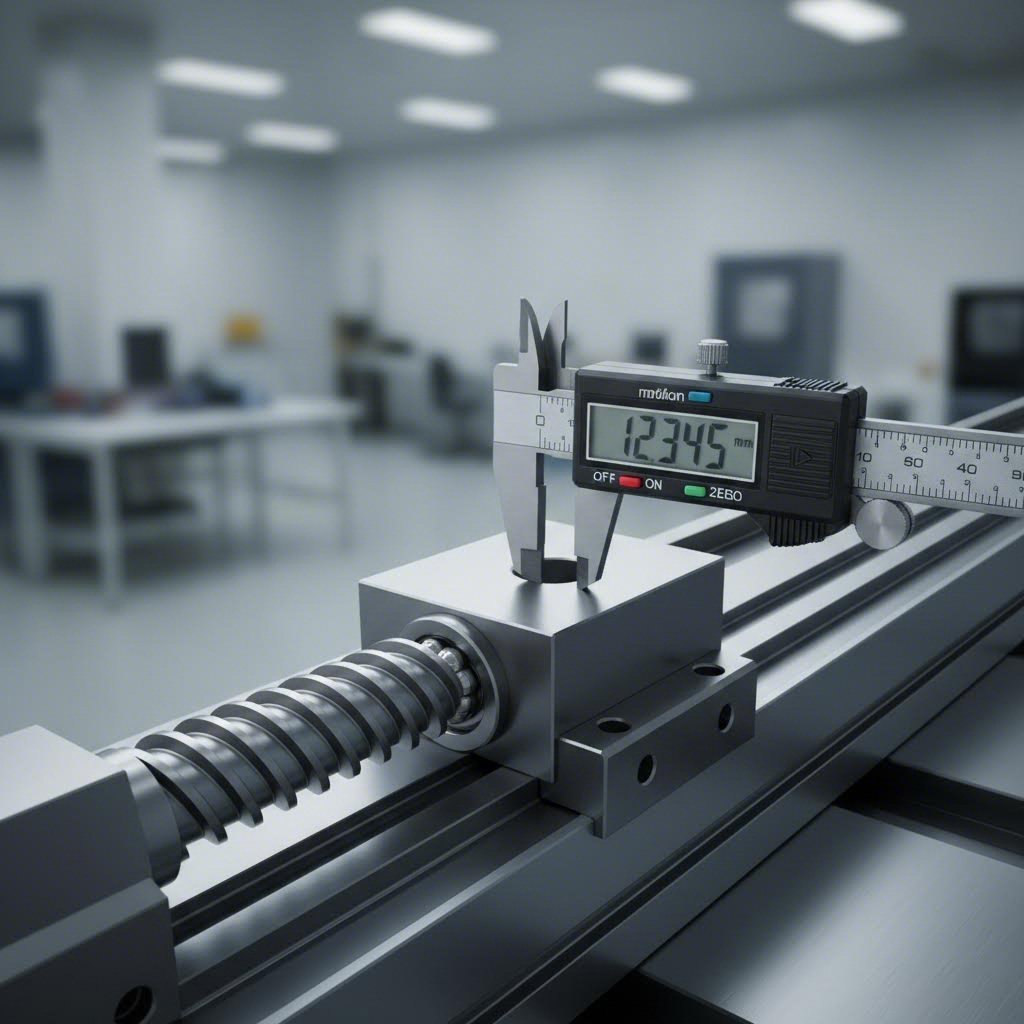
Axis System and Way Servicing Techniques
Ever wonder why your CNC machine produces perfect parts one day and mysteriously drifts out of tolerance the next? The culprit often hides in your axis systems—the ball screws, linear guides, and way systems that translate motor rotation into precise linear motion. These components directly determine whether your cnc machining parts meet specification or become scrap.
When ball screws wear or linear guides accumulate contamination, the effects show up in your machined parts as positioning errors, surface finish problems, and dimensional inconsistencies. According to precision machining experts, backlash as small as 0.005 inches can produce visible "ears" on circular cuts where axes change direction—a telltale sign that your axis systems need attention.
Let's examine exactly how to inspect, maintain, and service these critical components to keep your cnc machine parts within tolerance.
Ball Screw Inspection and Backlash Compensation
Ball screws convert rotary motion into linear travel with minimal friction, but they're not immune to wear. Understanding how to measure backlash and assess wear patterns helps you determine whether adjustment can restore accuracy or replacement becomes necessary.
Measuring and documenting backlash (Skill level: Intermediate)
Backlash is any unexpected play in an axis due to clearance or looseness of mechanical parts. When you command movement, the drive motor may turn briefly before actual motion begins—that delay represents your backlash. Here's how to measure it accurately:
- Mount a dial indicator in the spindle using an Indicol or similar holder (never turn the spindle on during this procedure).
- Set the indicator to read against a 1-2-3 block or flat reference surface.
- Apply slight tension with the handwheel or manual jog to get a reading, then zero the indicator.
- Move the axis in the direction that releases tension—travel a distance greater than any possible backlash.
- Read the distance traveled from your DRO or handwheel.
- Reverse direction and move exactly the same distance back.
- The amount the indicator fails to return to zero equals your backlash.
If you have a DRO installed, it directly measures actual travel, making this process simpler. Document your measurements for each axis at multiple positions along the travel—worn ball screws often show varying backlash at different locations.
What your backlash measurements reveal:
- Under 0.001": Excellent condition—typical of properly preloaded ground ball screws
- 0.001" to 0.003": Acceptable for most machining parts—monitor for increases
- 0.003" to 0.005": Marginal—software compensation may help, but consider servicing
- Over 0.005": Requires attention—adjustment or replacement likely needed
Assessing ball screw wear patterns (Skill level: Intermediate to Advanced)
Ball screws wear unevenly based on usage patterns. The center of travel typically shows more wear than the ends if most operations occur in that zone. Signs of wear include:
- Increasing backlash over time, especially in high-use areas
- Visible discoloration or scoring on the screw threads
- Ball nut movement that feels gritty or inconsistent
- Position errors that vary along the axis travel
According to CNC technical resources, rolled ball screws typically deliver 0.003" backlash when new, while ground screws should measure under 0.001". If your measurements significantly exceed these baselines, wear has progressed beyond simple adjustment.
Adjustment versus replacement decisions
When backlash increases, you have several options before committing to full replacement:
- Software backlash compensation: Your control software (like Mach 3) can automatically compensate for known backlash. However, this band-aid approach doesn't solve climb milling issues or eliminate the characteristic "ears" on direction changes during cnc cutting operations.
- Preload adjustment: Double-nut ball screws use spring washers (Belleville washers) between nuts to maintain preload. Adjusting or replacing these springs can reduce backlash without full replacement.
- Oversized ball installation: Some ball screws can be reloaded with slightly oversized balls to take up slack. This works better with ground screws—rolled screws may bind due to less precise groove geometry.
- Angular contact bearing adjustment: Ball screw mounting bearings with insufficient preload contribute to backlash. Verifying and adjusting bearing preload can eliminate this source of play.
Replacement becomes necessary when wear exceeds adjustment capability, when the screw shows visible damage, or when the ball nut cannot maintain consistent preload.
Linear Guide Maintenance Best Practices
Linear guides provide the low-friction, high-precision slideways that allow your axes to move smoothly. Unlike ball screws, linear guides require relatively simple maintenance—but neglecting them leads to contamination damage, increased friction, and ultimately, expensive replacement.
Cleaning procedures (Skill level: Beginner)
Contamination represents the primary threat to linear guide longevity. Chips, coolant residue, and airborne particles work their way into the recirculating ball paths, causing scoring and accelerated wear. Establish a regular cleaning schedule:
- Daily: Wipe visible debris from exposed guide surfaces with lint-free cloths
- Weekly: Clean the full length of each guide rail with appropriate solvent, inspecting for damage
- Monthly: Remove way covers where possible to clean accumulated contamination beneath
Always clean before lubricating—adding fresh lubricant to contaminated guides simply spreads the contamination deeper into the system.
Lubrication requirements (Skill level: Beginner)
According to linear guide specialists, proper lubrication prevents metal contact between the track surface and rolling elements, reducing friction and preventing heat buildup. The lubricant forms a protective oil film that also reduces contact stress from loads.
Lubrication methods include:
- Manual grease application: Using a grease gun through oil nozzles on each guide block—simple but requires consistent scheduling
- Automatic lubrication systems: Force-inject specified lubricant amounts at timed intervals, ensuring continuous protection and eliminating human inconsistency
- Oil bath or drip systems: Common on some machine configurations, these require regular oil level checks and periodic fluid replacement
Use manufacturer-specified lubricants. High-speed synthetic greases work well for most applications, but verify compatibility with your specific guide system. When using centralized piping for lubricant distribution, check that lubricant actually reaches all endpoints—viscous resistance in long pipelines can prevent delivery to distant guides.
Preload verification (Skill level: Intermediate to Advanced)
Linear guides use preload to eliminate play between the carriage and rail. Proper preload ensures rigid positioning during cnc cuts while still allowing smooth movement. Verification involves:
- Checking for any perceptible play by attempting to rock the carriage on the rail
- Measuring resistance to movement—excessive drag indicates over-preload
- Verifying consistent preload across all guide blocks on an axis
- Adjusting as needed following manufacturer procedures
Over time, preload can change due to wear, contamination, or thermal cycling. Annual verification prevents both the sloppiness of insufficient preload and the friction damage of excessive preload.
Geometric Accuracy Verification and Calibration
Even with properly maintained ball screws and linear guides, your machine's overall geometric accuracy requires periodic verification. According to CNC accuracy experts, checking geometric accuracy involves verifying squareness, parallelism, and flatness of machine components.
Axis calibration procedures (Skill level: Advanced)
Calibration ensures commanded positions match actual positions throughout the travel range. Key procedures include:
- Positioning accuracy testing: Use laser interferometers or precision scales to compare commanded versus actual positions at multiple points
- Repeatability verification: Command the same position multiple times to verify consistent return accuracy
- Pitch error compensation: Input measured deviations into your controller's compensation tables to correct systematic errors
- Backlash compensation values: Update software compensation based on current backlash measurements
Ball screw mapping in software like Mach 3 allows you to measure true position at various points and compensate for errors. This function works well but requires accurate baseline measurements—an inexpensive DRO installation helps establish these values.
Preventive maintenance schedule for axis systems:
| Interval | Task | Skill Level | Components Addressed |
|---|---|---|---|
| Daily | Visual inspection, debris removal | Beginner | Linear guides, way covers |
| Weekly | Lubrication system check, guide cleaning | Beginner | All axis components |
| Monthly | Backlash measurement, preload verification | Intermediate | Ball screws, linear guides |
| Quarterly | Detailed inspection, wear assessment | Intermediate | Ball screws, ball nuts, guides |
| Annually | Geometric accuracy verification, calibration | Advanced | Complete axis systems |
Temperature affects accuracy more than many operators realize. According to precision measurement research, thermal expansion across a fully warmed machine can introduce approximately 0.004" of error over the full ball screw length—significant for tight-tolerance work. Establish baseline measurements when the machine reaches stable operating temperature, not cold.
Your axis systems translate motor commands into the precise movements that produce quality machined parts. Maintaining ball screws, linear guides, and way systems prevents the gradual accuracy loss that eventually shows up as rejected parts and customer complaints. The next section examines servo motor and drive system servicing—the electrical components that power these mechanical systems.
Servo Motor and Drive System Servicing
What happens when your CNC machine's axis moves erratically, hesitates mid-cut, or throws cryptic fault codes? The culprit often lives in your servo system—the motors, drives, encoders, and cabling that translate electronic commands into precise mechanical motion. Unlike spindle or ball screw issues that develop gradually, servo problems can appear suddenly and halt production instantly.
Servo drives are critical components ensuring precise motor control for accurate and efficient operation. According to industrial automation specialists, servo drive errors typically stem from communication problems, power supply issues, hardware failures, or improper settings. Identifying the root cause quickly minimizes downtime and prevents secondary damage to other components.
Whether you're searching for cnc repair near me or handling machine tool repair in-house, understanding servo diagnostics helps you make informed decisions about when to troubleshoot yourself and when professional cnc machine repair services become necessary.
Servo Motor Diagnostics and Testing
Effective servo diagnostics follow a systematic approach—working from power supply through drive electronics to the motor itself. This methodical progression eliminates guesswork and prevents the common mistake of replacing expensive components unnecessarily.
Encoder inspection (Skill level: Intermediate to Advanced)
Encoders provide position feedback that allows your control system to verify actual versus commanded motion. When encoders fail or produce erratic signals, you'll see position errors, hunting behavior, or complete servo faults. Key inspection steps include:
- Visual examination: Check for contamination, physical damage, or loose mounting
- Cable integrity: Inspect encoder cables for damage, tight bends, or proximity to high-voltage wiring that could induce noise
- Signal verification: Use an oscilloscope to verify clean, consistent quadrature signals without dropout or noise spikes
- Power supply check: Verify encoder receives proper voltage—according to CNC troubleshooting experts, many popular HEDS encoders lack proper bypass capacitors, causing errors especially with longer cables
A quick fix for encoder noise problems: install a 100nF ceramic capacitor from ground to +5VDC as close to the encoder as possible, paralleled with a 10uF aluminum electrolytic. This modification resolves many intermittent encoder faults.
Motor winding tests (Skill level: Intermediate)
Motor winding failures manifest as lost torque, overheating, or complete non-response. Using a multimeter, you can perform basic winding diagnostics:
- Insulation resistance: Disconnect power and measure resistance from each motor lead to the motor frame. Readings should show very high resistance (megohms). Low readings indicate insulation breakdown.
- Phase-to-phase resistance: Measure resistance between each pair of motor leads. All readings should be equal and match manufacturer specifications. Significant differences indicate open or shorted windings.
- Short circuit check: Zero or very low resistance between any phase pair suggests a shorted winding requiring motor repair or replacement.
Cooling system maintenance (Skill level: Beginner)
Servo motors and drives generate significant heat during operation. Blocked cooling paths or failed fans cause thermal faults and accelerate component degradation. According to industrial motor specialists, excessive housing heating may signal overload, cooling problems, or internal short circuits. Regular maintenance includes:
- Cleaning cooling fan guards and heat sink fins monthly
- Verifying fan operation and airflow direction
- Checking ambient temperature around drive cabinets
- Ensuring cabinet ventilation remains unobstructed
Drive System Troubleshooting Approaches
When servo faults occur, your drive's alarm codes provide the first diagnostic clue. Learning to interpret these codes systematically saves hours of blind troubleshooting.
Interpreting servo alarm codes
Most servo drives display numeric or alphanumeric fault codes corresponding to specific conditions. While codes vary between manufacturers, common categories include:
- Overvoltage faults: Excessive power supply voltage or regenerative energy from rapid deceleration
- Undervoltage faults: Power supply drops or faulty supply components
- Overcurrent faults: Motor demanding more current than drive can supply—often from mechanical binding
- Communication faults: Lost connection between controller and drive
- Encoder faults: Feedback signal problems preventing position verification
- Thermal faults: Overheating conditions in drive or motor
Always record the complete fault code including any sub-codes before resetting. Intermittent faults that disappear after reset still indicate developing problems requiring investigation.
Connector inspection and cable routing verification (Skill level: Beginner to Intermediate)
Electrical connections degrade over time from vibration, thermal cycling, and contamination. Systematic connector inspection includes:
- Verifying all connections are fully seated and locked
- Checking for corrosion, discoloration, or burned contacts
- Inspecting cable jackets for cuts, abrasion, or crushing
- Confirming proper separation between signal cables and power wiring
- Verifying cables aren't stressed by tight bends or tension
Grounding checks (Skill level: Intermediate)
According to CNC electronics experts, improper grounding causes noise problems, erratic behavior, and intermittent faults. Verify continuity of every ground connection using an ohmmeter, ensuring each connection is tight. Ground cables should terminate only at the CNC cabinet end—not at the machine end—to prevent ground loops.
| Fault Type | Common Symptoms | Diagnostic Steps | Resolution Approach |
|---|---|---|---|
| Overvoltage | Fault during rapid stops, regenerative operations | Check DC bus voltage, verify braking resistor function | Install/size braking resistor, reduce deceleration rate |
| Overcurrent | Fault during acceleration or heavy cutting | Check for mechanical binding, verify motor connections | Resolve mechanical interference, check for shorts |
| Encoder Fault | Position loss, hunting, erratic motion | Verify encoder power, check cable integrity, test signals | Repair cables, add bypass capacitors, replace encoder |
| Communication | No response, intermittent connection | Check cables, verify termination, test with different cable | Replace cables, correct termination settings |
| Thermal | Fault after extended operation, hot components | Check cooling fans, verify ambient conditions | Clean cooling paths, improve ventilation, reduce duty cycle |
| Parameter Error | Erratic behavior, incorrect motion | Compare parameters to backup, verify settings | Restore from backup, reconfigure per specifications |
When motor replacement becomes more cost-effective than repair
Not every servo motor justifies repair costs. Machine tool repair services typically recommend replacement when:
- Repair costs exceed 50-60% of replacement cost
- The motor has been repaired multiple times previously
- Replacement motors offer improved specifications or availability
- Bearing damage has allowed shaft wear or housing contamination
- Winding damage extends beyond simple repair
Cnc repair services can provide repair-versus-replace analysis based on specific motor condition and replacement availability. For critical applications, maintaining spare motors eliminates production delays while damaged units undergo evaluation.
These machine-agnostic principles apply across different control system brands—whether you're running Fanuc, Siemens, Mitsubishi, or other systems. The fundamentals of power supply verification, signal integrity, and systematic fault isolation remain consistent. Understanding when issues fall within your capabilities versus when they require professional cnc machine repair service helps you allocate resources effectively and minimize production disruption.
DIY Servicing Versus Professional Repair Decisions
Should you tackle that servo fault yourself or call in a specialist? This question faces every shop owner and maintenance technician at some point. The answer depends on more than just your technical skills—it involves weighing safety risks, warranty implications, equipment costs, and the true expense of getting it wrong.
According to maintenance strategy experts, the choice between in-house and outsourced maintenance significantly impacts your bottom line, productivity, and long-term success. Understanding which tasks belong in each category helps you allocate resources effectively while protecting your equipment investment.
Tasks Suitable for In-House Maintenance Teams
Your in-house team—whether that's dedicated maintenance personnel or the shop owner wearing multiple hats—can handle many servicing tasks effectively. The key is matching task complexity to skill level and available equipment.
Beginner-level tasks require minimal specialized equipment and carry low risk:
- Daily cleaning and debris removal from guides and way covers
- Lubrication system checks and fluid level verification
- Coolant concentration monitoring and adjustment
- Visual inspection for obvious damage or wear
- Basic error code lookup and simple resets
- Filter replacements and cooling system cleaning
Intermediate-level tasks demand more technical knowledge but remain within reach of trained maintenance staff:
- Backlash measurement and documentation
- Spindle runout checks with dial indicators
- Encoder cable inspection and connector verification
- Linear guide cleaning and manual lubrication
- Basic electrical troubleshooting using multimeters
- Parameter backup and restoration procedures
In-house teams develop intimate knowledge of your specific equipment and processes. They understand the quirks of each machine and can often spot potential problems before they become costly breakdowns. This familiarity leads to faster response times when issues arise—your technician can respond in minutes rather than waiting hours or days for external service.
When Professional Intervention Becomes Essential
Some tasks simply exceed what most shops can safely or effectively handle internally. Knowing when to search for a cnc machine repair near me saves money in the long run by preventing amateur mistakes that compound problems.
Advanced tasks requiring professional expertise:
- Spindle bearing replacement and preload adjustment
- Servo motor rewinding or internal repair
- Control system board-level diagnostics and repair
- Geometric accuracy calibration with laser interferometers
- Ball screw replacement and precision alignment
- Complex electrical fault tracing and repair
According to CNC repair specialists, electrical and software problems are best left to experts—the repair may require little more than a software update or as much as a replaced circuit board, but an amateur shouldn't eyeball and address these issues. Professional technicians bring specialized diagnostic equipment and experience across multiple machine types that would be prohibitively expensive for individual shops to maintain.
| Task Category | DIY Appropriate? | Equipment Needed | Risk Level | Typical Professional Cost |
|---|---|---|---|---|
| Daily cleaning and lubrication | Yes - Beginner | Basic hand tools, lubricants | Low | N/A |
| Backlash measurement | Yes - Intermediate | Dial indicator, indicator holder | Low | $150-300 |
| Spindle runout verification | Yes - Intermediate | Dial test indicator, clean environment | Low | $200-400 |
| Encoder troubleshooting | Partial - Intermediate | Multimeter, oscilloscope helpful | Medium | $300-600 |
| Spindle bearing replacement | No - Advanced | Cleanroom, specialized tools, precision instruments | High | $2,000-8,000+ |
| Servo motor repair | No - Advanced | Winding equipment, test stands | High | $500-2,500 |
| Control board repair | No - Advanced | Component-level test equipment | High | $800-5,000+ |
| Geometric calibration | No - Advanced | Laser interferometer system ($15,000+) | Medium | $1,000-3,000 |
Safety considerations should drive many DIY-versus-professional decisions. High-voltage electrical work, heavy component handling, and work requiring lockout/tagout procedures demand proper training. When in doubt, err toward professional help—the cost of an injury far exceeds any service bill.
Warranty implications also matter. Many manufacturers void warranties if unqualified personnel perform certain repairs. Before tackling intermediate or advanced tasks, verify that your work won't compromise coverage on expensive components.
Finding qualified technicians when you need professional help starts with checking certifications. Look for technicians with manufacturer-specific training (Fanuc, Siemens, Haas, etc.), relevant experience with your machine type, and verifiable references. When searching for machinist shops near me or local machine shops that offer repair services, ask about their technicians' credentials and experience with your specific control system.
If you're looking for a cnc shop near me for emergency repairs, establish relationships before emergencies occur. Many professional service providers offer preventive maintenance contracts that include priority response times—valuable insurance when downtime costs mount by the hour.
The hybrid approach often works best: handle routine maintenance internally while building relationships with specialists for complex work. This strategy combines the fast response and equipment familiarity of in-house teams with the deep expertise professionals bring to challenging repairs. Your next step is establishing the preventive maintenance schedules and documentation practices that keep both approaches working effectively.
Preventive Maintenance Scheduling and Documentation
You've identified the warning signs, learned diagnostic procedures, and understand when to call professionals. But how do you prevent problems from developing in the first place? The answer lies in systematic preventive maintenance scheduling and meticulous documentation—two practices that separate shops struggling with constant breakdowns from those enjoying reliable production.
According to industry research, most businesses can reduce maintenance costs by 12 to 18 percent with a preventive maintenance system. The math is straightforward: dealing with emergencies costs far more than scheduled maintenance when you factor in lost production, technician overtime, and expedited parts shipping.
Let's build a practical cnc servicing schedule and documentation system that actually works for your operation.
Creating Effective Servicing Schedules by Component
Effective maintenance services for cnc machines require tailoring schedules to your specific usage patterns—not just following generic manufacturer recommendations. A machine running three shifts daily needs more frequent attention than one operating part-time. According to maintenance planning experts, customizing your plan to align with optimal performance and minimal downtime is key to a fine-tuned workflow.
Establishing baseline measurements
Before you can track degradation, you need baseline data. When your machine is running well—ideally after professional calibration or when new—document these critical measurements:
- Backlash values for each axis at multiple positions along travel
- Spindle runout at operating temperature
- Vibration signatures during standard operations
- Operating temperatures for spindle, servo motors, and hydraulic systems
- Positioning accuracy at key reference points
These baselines become your comparison standard. When future measurements deviate significantly, you've identified developing problems before they cause failures.
| Component | Daily Tasks | Weekly Tasks | Monthly Tasks | Annual Tasks |
|---|---|---|---|---|
| Spindle | Listen for unusual sounds; check for vibration | Verify lubrication system function | Measure runout; check thermal behavior | Professional bearing assessment; full inspection |
| Axis Systems | Visual inspection; debris removal | Clean linear guides; check lubrication | Measure backlash; verify preload | Geometric calibration; ball screw inspection |
| Lubrication | Check oil levels; verify pump operation | Inspect distribution lines | Evaluate lubricant condition | Drain and replace all lubricants; clean reservoirs |
| Electrical | Check indicator lights; test emergency stops | Inspect cable routing; check for damage | Re-torque motor connections; verify grounding | Full electrical inspection; connection tightening |
| Hydraulic | Check for leaks; verify pressure levels | Listen for pump abnormalities | Clean filters; check pressure settings | Replace oil and filters; inspect hoses |
| Coolant | Check concentration and levels | Clean filters; remove surface debris | Evaluate coolant condition | Complete tank cleaning; bacterial treatment if needed |
Adapting schedules to your operation
These intervals represent starting points for primary machining operations. Adjust based on:
- Usage intensity: Machines running multiple shifts need more frequent attention
- Material types: Abrasive materials or heavy chip loads accelerate wear
- Environmental conditions: Dusty or humid environments demand more frequent cleaning
- Machine age: Older equipment typically requires tighter inspection intervals
Modern CNC machines equipped with sensors can alert you to specific conditions needing attention. When your machine detects pressure loss or temperature anomalies, it can halt operations and notify operators—supplementing but not replacing scheduled machine tool servicing.
Documentation Standards for Maintenance Records
A preventive maintenance system is only as good as the information in it. According to maintenance management experts, documentation of everything—machine inspection, service, issues, replacement—is critical in evaluating maintenance effectiveness and making future business decisions.
What to document for every service event:
- Date, time, and technician performing the work
- Specific tasks completed with quantitative measurements where applicable
- Parts replaced including manufacturer and part numbers
- Abnormalities observed even if not immediately addressed
- Comparison to baseline measurements showing trends
- Time spent on each task for future planning
Why documentation matters beyond troubleshooting
Complete maintenance records serve multiple purposes that extend well beyond fixing today's problems:
- Warranty claims: Manufacturers often require proof of proper maintenance before honoring warranty repairs. Without records, you may pay for repairs that should be covered.
- Resale value: Well-documented maintenance history significantly increases equipment value. Buyers pay premium prices for machines with verifiable service records.
- Pattern recognition: Tracking failures over time reveals whether problems stem from specific components, operating conditions, or maintenance gaps. This insight drives smarter cnc service and repair decisions.
- Regulatory compliance: Some industries require maintenance documentation for audits and certifications.
Implementing effective documentation systems
Whether you use paper logbooks or computerized maintenance management systems (CMMS), consistency matters most. Establish clear procedures for what gets recorded and when. CMMS software provides advantages including automated scheduling reminders, searchable history, and trend analysis—but even simple spreadsheets work when used consistently.
With proper maintenance documentation, trusted CNC machine performance can be expected for as long as 20 years. Most often, machine replacement is dictated by newer technology rather than catastrophic breakdown.
When considering machine tool refurbishment or major repairs, historical records help determine whether investment makes sense. A machine with documented regular service and gradually increasing maintenance needs presents a clearer decision than one with unknown history.
Establishing these scheduling and documentation practices transforms reactive firefighting into proactive management. Your maintenance team knows exactly what needs attention and when, while your records provide the data needed for intelligent equipment decisions. The final piece of the puzzle is ensuring your manufacturing partners maintain equally rigorous standards—because equipment maintenance directly affects the quality and consistency of parts they produce for you.

Partnering with Quality-Focused Machining Providers
You've invested significant effort understanding CNC machine servicing for your own equipment. But what about the shops producing parts for you? Their equipment maintenance practices directly affect the quality, consistency, and delivery reliability of every component you receive. When you're sourcing precision cnc machining services or custom machined parts, a supplier's maintenance standards become your quality assurance.
Think about it this way: even the most skilled machinists cannot overcome poorly maintained equipment. A worn spindle bearing introduces runout. Neglected ball screws create positioning errors. Contaminated linear guides produce surface finish inconsistencies. These equipment issues translate directly into defective parts landing on your receiving dock—or worse, making it into your assemblies.
What Equipment Maintenance Standards Mean for Your Parts
When evaluating precision cnc machining services providers, their equipment maintenance practices reveal far more than technical capability. According to industry research on CNC quality, well-maintained machines can consistently produce parts with surface roughness values as low as 0.8–1.6 micrometers and tolerances within ±0.002 mm—standards that poorly maintained equipment simply cannot achieve reliably.
Equipment condition affects multiple quality parameters critical to your components:
- Dimensional accuracy: Properly calibrated and maintained machines achieve tolerances as tight as ±0.001 mm, essential for aerospace machining and medical machining applications where precision is non-negotiable
- Surface finish consistency: Regular spindle maintenance prevents chatter marks and irregularities that increase surface roughness beyond acceptable limits
- Material integrity: Functioning coolant systems prevent thermal distortion and maintain material properties throughout machining operations
- Repeatability: Well-maintained axis systems ensure batch-to-batch consistency, critical for production runs
Unplanned downtime at your supplier creates ripple effects throughout your supply chain. When their equipment fails unexpectedly, your delivery schedules slip. According to manufacturing data, emergency repairs cost up to five times more than scheduled maintenance—costs that ultimately affect pricing and delivery reliability.
Selecting Partners with Proven Quality Systems
How do you verify that a potential manufacturing partner maintains their equipment properly? Certifications and documented quality practices provide objective evidence that cuts through marketing claims.
IATF 16949 certification represents the gold standard for automotive quality management. According to certification experts, this standard combines ISO 9001 principles with sector-specific requirements for continuous improvement, defect prevention, and stringent supplier oversight. Facilities holding this certification have demonstrated systematic approaches to equipment maintenance, process control, and quality verification.
What makes IATF 16949 relevant to equipment maintenance? The standard requires:
- Documented preventive maintenance programs for all production equipment
- Systematic tracking of equipment performance and capability
- Defined procedures for equipment calibration and verification
- Continuous improvement processes that address equipment-related quality issues
Statistical Process Control (SPC) practices indicate another level of quality commitment. Shops implementing SPC continuously monitor critical dimensions during production, catching equipment-related drift before it produces defective parts. This real-time monitoring only works when equipment maintains consistent capability—making SPC implementation a reliable indicator of maintenance discipline.
For cnc prototyping and production applications, these quality systems translate into tangible benefits:
- Faster lead times: Well-maintained equipment runs reliably without unexpected breakdowns, enabling aggressive scheduling
- Consistent tolerances: Calibrated machines produce parts meeting specification the first time, eliminating rework delays
- Reliable capacity: Preventive maintenance prevents the unplanned downtime that disrupts delivery commitments
When searching for cnc machining near me or evaluating potential aerospace cnc machining suppliers, ask specific questions about maintenance practices. Request documentation of preventive maintenance schedules, calibration records, and equipment capability studies. Quality-focused facilities readily share this information because it demonstrates their commitment to reliable production.
Key indicators of a well-maintained machining facility:
- Current IATF 16949, AS9100, or ISO 13485 certification appropriate to their target industries
- Documented preventive maintenance schedules with verifiable compliance records
- Regular equipment calibration using traceable measurement standards
- Statistical Process Control implementation with real-time monitoring capability
- Dedicated maintenance personnel or established relationships with qualified service providers
- Clean, organized shop floor indicating attention to equipment care
- Willingness to share equipment capability studies and maintenance documentation
For readers seeking reliable manufacturing solutions for automotive components, chassis assemblies, or custom metal parts, Shaoyi Metal Technology exemplifies these quality-focused practices. Their IATF 16949 certification and strict SPC implementation enable high-tolerance component production with lead times as fast as one working day—performance only achievable through disciplined equipment maintenance and process control.
Whether you're sourcing medical machining components requiring absolute precision or aerospace machining parts demanding documented traceability, your supplier's equipment maintenance practices directly impact your success. The time invested in verifying these capabilities pays dividends through consistent quality, reliable delivery, and fewer supply chain disruptions. After all, understanding CNC machine servicing isn't just about maintaining your own equipment—it's about recognizing the standards that separate exceptional manufacturing partners from the rest.
Frequently Asked Questions About CNC Machine Servicing
1. How often should you inspect the spindle and bearings on a CNC machine?
Spindle performance testing should be conducted every three to six months, or at minimum once annually. Weekly inspections should verify lubrication system function, while monthly checks should include runout measurement and thermal behavior analysis. For high-production environments running multiple shifts, more frequent inspections help catch bearing wear before catastrophic failure occurs.
2. What is included in CNC machine maintenance?
Comprehensive CNC machine servicing encompasses four primary categories: mechanical servicing (spindles, ball screws, linear guides, tool changers), electrical servicing (servo motors, drives, encoders, connections), software servicing (firmware updates, parameter backups, diagnostic checks), and lubrication servicing (automatic system evaluation, oil quality testing, lubricant replacement). Each category requires specific expertise and systematic inspection procedures.
3. What are the common problems with CNC machines?
Common CNC machine problems include unusual spindle vibrations or noise changes, positioning errors and dimensional drift, thermal anomalies causing unexpected shutdowns, servo motor irregularities like jerky movements, and recurring error codes. Mechanical issues often develop gradually, while electrical and software problems can appear suddenly. Early detection through systematic monitoring prevents costly breakdowns.
4. How do you troubleshoot CNC machine errors?
Effective troubleshooting follows a systematic approach: record complete error codes including sub-codes, cross-reference with control system documentation, observe when problems occur and any recent changes, then systematically narrow down potential causes. For servo faults, check power supply, drive electronics, and motor sequentially. For mechanical issues, measure backlash, runout, and vibration signatures against documented baselines.
5. When should you call a professional for CNC machine repair?
Professional intervention becomes essential for spindle bearing replacement, servo motor rewinding, control system board-level diagnostics, geometric accuracy calibration with laser interferometers, and complex electrical fault tracing. Call professionals when repair costs don't exceed 50-60% of replacement cost, when safety risks exist with high-voltage work, or when warranty coverage requires certified technicians. IATF 16949 certified facilities like Shaoyi Metal Technology maintain rigorous equipment standards ensuring reliable part production.