 Small batches, high standards. Our rapid prototyping service makes validation faster and easier —
  EN
EN


CNC Online Quote Secrets: 9 Price Factors Engineers Often Miss
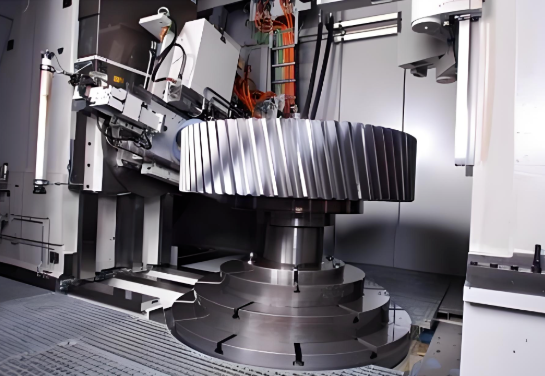
What Is a CNC Online Quote and Why It Matters
Imagine uploading a CAD file at 10 AM and having accurate pricing for your precision machined parts before your morning coffee gets cold. That's the reality of a CNC online quote—a digital platform that analyzes your design files, evaluates material requirements, and generates real-time pricing within seconds or minutes. For engineers and procurement teams tired of the traditional waiting game, this represents nothing short of a procurement revolution.
From RFQ Emails to Instant Pricing
The traditional RFQ (Request for Quote) process has long been a source of frustration. You'd send emails to multiple machine shops, make follow-up phone calls, and wait anywhere from 1 to 5 days for responses—sometimes longer. Each quote required manual calculations, back-and-forth clarifications, and endless coordination. Meanwhile, your project timeline kept slipping.
Today's instant quoting platforms flip this process entirely. Instead of waiting days, you'll receive a cnc quote online in as little as 5 to 60 seconds. The technology behind this speed relies on sophisticated algorithms, artificial intelligence, and machine learning that analyze part geometry, material specifications, tolerances, and surface finishes automatically. No more phone tag with busy shops or wondering if your email landed in someone's spam folder.
The Digital Shift in CNC Procurement
What's driving this transformation? Customer expectations have fundamentally changed. According to industry research, faster delivery times, broader customization, and accurate lead times are now essential—not optional. Traditional RFQ processes have become bottlenecks that companies simply can't afford.
Digital sourcing platforms enable real-time matching between your machining needs and qualified suppliers. The benefits are substantial:
- Reduced coordination efforts and administrative overhead
- Increased transparency for both buyers and manufacturers
- Structured, data-driven supplier discovery
- Built-in quality ratings based on past projects
Whether you're searching for "cnc near me" or exploring global manufacturing networks, these platforms connect you with vetted suppliers who specialize in your specific requirements—without the manual legwork.
What Makes Online Quoting Different
The core value proposition of online machining quotes is beautifully simple: upload a CAD file, specify your requirements, and receive pricing in minutes. But beneath this simplicity lies powerful technology. When you submit a file, the system performs automated geometry analysis, manufacturability checks, and cost calculations based on real machining parameters.
Platforms offering this cnc service typically support common file formats like STEP, IGES, and STL. Advanced systems provide instant DFM (Design for Manufacturability) feedback, flagging potential issues before you commit to an order. This proactive approach can reduce design iterations and prevent costly errors downstream—particularly valuable for complex parts requiring 5-axis machining for manufacturing.
Instant quoting democratizes access to precision manufacturing. Small startups and Fortune 500 companies alike can now tap into networks of over 10,000 suppliers, compare pricing transparently, and make informed decisions—all without specialized procurement teams or industry connections.
This accessibility matters. Previously, getting competitive quotes meant having established relationships with multiple machine shops. Now, a company with a solid design and a CAD file can access world-class machining capabilities on equal footing with industry giants. The playing field hasn't just been leveled—it's been transformed entirely.
How Online CNC Quoting Works Step by Step
So you've decided to try an online quoting platform for your next CNC fabrication project. What happens after you click that upload button? Understanding the complete process—from file preparation to final quote delivery—helps you submit cleaner files, avoid rejections, and ultimately get more accurate pricing for your machined parts. Let's walk through each stage so you know exactly what to expect.
Preparing Your CAD File for Upload
Before anything else, your cnc file needs to be in the right format and properly configured. This might sound basic, but file preparation is where many engineers unknowingly introduce errors that lead to inflated quotes or outright rejections.
Most online quoting platforms accept these standard file formats:
- STEP (.stp, .step) — The industry-preferred format for its universal compatibility and ability to preserve solid geometry accurately
- IGES (.igs, .iges) — An older but widely supported format; an .igs file works well for simpler geometries but may lose some surface data on complex parts
- STL (.stl) — Primarily used for 3D printing but accepted by some platforms for quoting; not ideal for precision CNC work due to mesh approximation
- Parasolid (.x_t) — Native to many CAD systems with excellent geometry retention
Why do platforms prefer STEP? Unlike mesh-based formats, STEP files contain precise mathematical definitions of surfaces, edges, and features. This precision allows quoting algorithms to accurately calculate machining paths, identify tolerances, and detect manufacturability issues. When you're working on cnc machine projects with tight specifications, this accuracy directly impacts your quote reliability.
Before uploading, run through this quick checklist:
- Verify your model is watertight (no gaps or open surfaces)
- Confirm units are correctly set (millimeters vs. inches causes major headaches)
- Remove internal components or assembly references that won't be manufactured
- Check that all features are fully defined—no sketches left in "under-defined" states
Navigating Material and Tolerance Options
Once your file uploads successfully, the platform guides you through specification inputs. This is where your engineering decisions directly shape the final price. Think of it as building your quote layer by layer.
Here's the typical step-by-step process you'll follow:
- Upload your CAD file — The system performs an initial geometry scan, checking for basic manufacturability and extracting dimensional data
- Select your material — Choose from options like Aluminum 6061, 303 Stainless Steel, Titanium, or various plastics; each material has different machining characteristics that affect cycle time and tooling requirements
- Specify tolerances — Standard tolerances (typically ±0.005" or ±0.127mm) cost less than precision tolerances; tight specifications require slower feeds, more inspection, and specialized equipment
- Choose surface finish requirements — From as-machined to mirror polish, each finish level adds processing time and cost
- Enter quantity — Pricing typically follows a curve where higher volumes reduce per-unit cost due to setup amortization
- Add secondary operations — Threading, anodizing, heat treatment, or other post-processing requirements
- Review and submit — Confirm all specifications before the system generates your quote
The interface typically presents these options in a logical flow, but don't rush through them. Each selection feeds into the pricing algorithm, and small oversights—like specifying tighter tolerances than your application actually requires—can inflate costs unnecessarily.
Understanding the Quote Generation Engine
What happens behind the scenes after you hit "Get Quote"? This is where the magic—really, the engineering—takes place. According to LS Manufacturing, the entire process from upload to quote delivery can take as little as 30 seconds to 3 minutes for standard parts.
The automated system performs several simultaneous analyses:
- Geometry parsing — Software identifies all critical features, dimensions, and tolerance callouts from your cnc files
- Manufacturability assessment — The system flags potential issues like zero-radius internal corners, extremely thin walls, or deep narrow pockets that require special tooling
- Material database cross-reference — Your selected material is matched against current stock availability and pricing
- Machining time calculation — Advanced algorithms estimate cycle times based on feature complexity, required tool changes, and finishing passes
- Setup and fixturing evaluation — The system determines how many setups (part repositioning) your geometry requires
Platforms like CNC24 combine this automated analysis with human expertise, noting that their process includes both an automated feasibility check and review by experienced production technicians. This hybrid approach catches edge cases that pure automation might miss.
The final quote typically breaks down into transparent line items: material costs, machining labor, setup fees, and any post-processing. This transparency lets you see exactly where your money goes—and identify opportunities for cost optimization. For instance, if setup costs seem disproportionately high, you might consider consolidating multiple cnc fab orders to amortize that expense across more units.
Understanding this process transforms you from a passive user to an informed participant. When you know how the engine works, you can prepare better files, make smarter specification choices, and ultimately secure more competitive pricing for your precision parts.
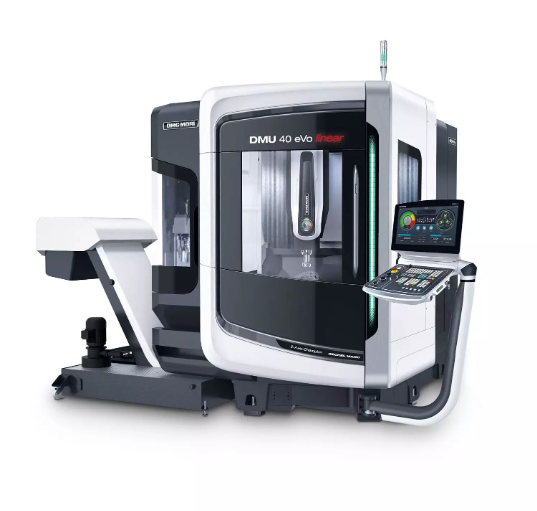
Key Factors That Influence Your CNC Quote Price
Ever received a CNC online quote and wondered why two seemingly similar parts have wildly different prices? You're not alone. Pricing transparency remains one of the biggest frustrations for engineers navigating online quoting platforms. The good news? Once you understand the mechanics behind CNC machining cost calculations, you can make design decisions that dramatically reduce expenses without sacrificing quality.
Let's break down the five primary factors that shape your cnc machining price—and more importantly, show you how to use this knowledge to your advantage.
Material Selection and Cost Implications
Material choice is often the single largest variable in your quote. The difference between aluminum machining and titanium work isn't just about raw material expense—it fundamentally changes machining parameters, tool wear rates, and cycle times.
Consider this perspective: according to Unionfab's cost analysis, materials fall into distinct price tiers that significantly impact your bottom line:
| Material Category | Common Examples | Relative Cost | Machining Considerations |
|---|---|---|---|
| Low Cost | Aluminum 6061, PMMA (Acrylic) | $ | Fast feeds, minimal tool wear, excellent machinability |
| Moderate Cost | POM, PTFE, PA (Nylon), FR4 | $$ | Good machinability with standard tooling |
| Higher Cost | 303 Stainless Steel, Brass, Copper, ABS, PC | $$$ | Slower speeds, increased tool wear for metals |
| Premium Cost | Titanium, Magnesium, PEEK, Ceramics | $$$$–$$$$$ | Specialized tooling, slow feeds, extensive cooling requirements |
When you're deciding between material 303 stainless steel and aluminum for a bracket, the price difference extends far beyond the raw stock. Stainless steel CNC machining requires slower cutting speeds—often 40-60% slower than aluminum—which directly translates to longer cycle times and higher labor costs. Additionally, tool wear accelerates significantly with harder materials, adding replacement costs that get built into your quote.
Aluminum fabrication remains the sweet spot for many applications precisely because of its excellent strength-to-weight ratio combined with outstanding machinability. Unless your application specifically demands corrosion resistance, high-temperature performance, or biocompatibility, aluminum alloys like 6061-T6 often deliver the best cost-performance balance in metal machining.
How Tolerances Drive Pricing Up or Down
Here's where many engineers unknowingly inflate their quotes: over-specifying tolerances. The relationship between tolerance and cost isn't linear—it's exponential. According to research from Okdor's manufacturing analysis, the cost multipliers escalate dramatically as you tighten specifications:
- Standard ±0.005" (±0.127mm): Baseline cost—no premium
- Precision ±0.002" (±0.05mm): 1.5–2x cost increase
- Tight ±0.001" (±0.025mm): 3–4x cost increase
- Ultra-tight ±0.0001" (±0.0025mm): 10–24x cost increase
Why such dramatic jumps? Tighter tolerances demand slower feed rates, lighter cuts, and multiple finishing passes. They require more frequent tool changes to maintain cutting edge sharpness. And perhaps most significantly, they necessitate climate-controlled environments and coordinate measuring machine (CMM) verification—adding substantial overhead to your cnc machine price.
A practical example illustrates this perfectly: a medical device housing quoted at $180 with standard tolerances jumped to $320 when the customer tightened non-functional exterior tolerances from ±0.005" to ±0.001". That's an 80% increase for precision that added zero functional value.
The smart approach? Apply tight tolerances only where function demands them—mating surfaces, bearing seats, sealing interfaces. Let non-critical dimensions use standard tolerances. This selective specification can reduce machining costs by 40-60% while maintaining product performance.
The Quantity Discount Curve
Production volume creates one of the most predictable cost relationships in CNC machining. Setup costs—programming, fixturing, tool preparation—remain relatively fixed regardless of whether you're making 1 part or 1,000. The magic happens when those fixed costs get amortized across larger quantities.
Here's how cnc machining cost typically scales with volume:
| Production Volume | Setup Cost Impact | Per-Unit Material Efficiency | Typical Cost Reduction |
|---|---|---|---|
| Prototype (1-5 units) | High—setup dominates total cost | Standard pricing, no bulk discounts | Baseline pricing |
| Low Volume (10-50 units) | Moderate—setup spread across more parts | Minor material efficiencies possible | 20-35% per-unit reduction |
| Medium Volume (100-500 units) | Low—setup becomes negligible per part | Bulk material purchasing kicks in | 40-55% per-unit reduction |
| High Volume (1,000+ units) | Minimal—fully amortized | Maximum material discounts, optimized nesting | 50-70% per-unit reduction |
The practical implication? Sometimes ordering slightly more parts than you immediately need makes financial sense. If your per-unit price drops 25% by moving from 25 to 50 pieces, and you'll eventually need those additional parts anyway, the math often favors the larger order.
However, don't assume more is always better. Storage costs, design iteration risks, and cash flow considerations all factor in. The sweet spot depends on your specific situation—but understanding the curve helps you make informed decisions rather than defaulting to minimum quantities.
Geometric Complexity and Machining Time
Complex geometries don't just require more machining time—they often demand more expensive equipment. Parts with deep cavities, thin walls, or intricate features may push requirements from a standard 3-axis machine ($40/hour) to 5-axis capabilities ($75-120/hour according to industry benchmarks).
Features that consistently drive up quotes include:
- Internal corners with small radii: Require smaller end mills with slower feeds
- Deep pockets (depth > 4x width): Need specialized tooling and multiple passes
- Thin walls (< 0.5mm): Risk deflection, requiring delicate machining strategies
- Undercuts: Often necessitate additional setups or special fixturing
- Multiple setup orientations: Each repositioning adds time and potential tolerance stack-up
The cost impact compounds when complexity intersects with tight tolerances or difficult materials. A titanium part with deep pockets and ±0.001" tolerance requirements might cost 5-8x more than a simplified aluminum version meeting the same functional requirements.
Surface Finish Requirements
Surface finish specifications often get overlooked during quoting—until they add unexpected costs. Standard as-machined finishes (Ra 3.2μm) typically come included in base pricing, but moving toward finer finishes triggers additional operations:
- Polishing: $2–$15 per part
- Anodizing: $3–$12 per part
- Electroplating (Nickel/Chrome): $10–$30 per part
- Sandblasting: $2–$10 per part
These costs add up quickly on larger orders. A 500-piece run requiring anodizing could add $1,500-$6,000 to your total project cost. Before specifying premium finishes, ask yourself: does this surface actually require that level of refinement, or would standard machined surfaces serve equally well?
Understanding these five pricing levers—material, tolerance, quantity, complexity, and finish—transforms how you approach CNC online quotes. Instead of passively accepting whatever price appears, you can strategically adjust specifications to optimize value without compromising function. The engineers who master this balance consistently secure better pricing than those who treat quoting as a black box.
Understanding Machine Types in Your Quote
When you receive a CNC online quote, have you ever noticed a line item specifying "3-axis" or "5-axis" machining? That distinction can mean the difference between a $50 part and a $200 part—even for geometries that look nearly identical. Understanding how machine capabilities affect your pricing empowers you to make smarter design choices and avoid paying premium rates for capabilities your parts don't actually need.
Matching Machine Capability to Part Complexity
Think of CNC machine axes like degrees of freedom. A 3 axis cnc machine moves the cutting tool in three linear directions: left-right (X), front-back (Y), and up-down (Z). Simple, effective, and affordable—but limited to machining features accessible from a single orientation.
Add rotation, and capabilities expand dramatically. According to 3ERP's technical analysis, here's how each configuration serves different needs:
- 3-Axis CNC Machining: Best for flat parts, simple pockets, and features accessible from one direction. Typical applications include brackets, plates, simple housings, and 2.5D profiles. Most economical option—baseline pricing.
- 4-Axis CNC Machining: Adds rotation around the X-axis (A-axis), enabling machining of cylindrical features and multiple sides without manual repositioning. Ideal for cam mechanisms, helical features, and parts requiring consistent work on peripheral surfaces.
- 5 Axis CNC Machine: Incorporates two rotational axes alongside three linear axes, allowing the cutting tool to approach the workpiece from virtually any angle. Essential for turbine blades, impellers, aerospace components, and complex organic shapes.
The cost premium follows capability. According to Fictiv's manufacturing research, 5-axis machines carry higher hourly rates due to more expensive equipment, complex programming requirements, and specialized operator expertise. However, the 5th axis capability often reduces total cost for complex parts by eliminating multiple setups—each repositioning adds time and introduces potential alignment errors.
Milling vs Turning Quote Considerations
Beyond axis count, your quote depends on which fundamental process applies to your part geometry. This distinction matters more than many engineers realize.
CNC Milling uses rotating cutting tools against a stationary (or indexed) workpiece. It excels at:
- Prismatic parts with flat surfaces and pockets
- Complex 3D contours and sculptured surfaces
- Parts requiring features on multiple faces
CNC Turning (lathe machining) spins the workpiece while stationary tools remove material. A cnc turning service is your best option for:
- Cylindrical or rotationally symmetric parts
- Shafts, pins, bushings, and threaded components
- Parts with concentric features like grooves, tapers, or undercuts
When you submit a part for quoting, platforms automatically analyze geometry to recommend the appropriate process. A cnc metal lathe handles round stock efficiently—often at 30-50% lower cost than milling the same geometry from rectangular billet. CNC lathe machining excels when your design features rotational symmetry, so consider this during the design phase.
Many cnc turning services now integrate live tooling, combining turning and milling capabilities on a single machine. This hybrid approach suits parts that are primarily cylindrical but require off-axis features like flats, cross-holes, or keyways.
When 5-Axis Becomes Cost-Effective
Here's the counterintuitive truth: 5-axis machining sometimes costs less than 3-axis—even with higher hourly rates. How? By dramatically reducing setup time and improving accuracy.
Consider a part requiring machining on five faces. On a 3-axis machine, you'd need five separate setups, each requiring:
- Manual repositioning and re-fixturing
- New datum establishment and probing
- Potential tolerance stack-up from each alignment
A 5 axis cnc machine completes the same work in one setup. According to industry benchmarks, 5-axis machining achieves tolerances of ±0.01–0.02mm compared to ±0.05mm for general 3-axis work—precisely because single-setup processing eliminates cumulative positioning errors.
When does 5-axis make economic sense? Consider it when your part features:
- Angled surfaces or compound curves inaccessible from orthogonal orientations
- Deep cavities requiring tool access from multiple angles
- Undercuts or complex internal geometries
- Critical tolerances across features on different faces
- Medium volumes where setup time savings compound
Conversely, don't specify 5-axis capability for parts that genuinely need only 3-axis machining. A simple aluminum bracket quoted on a 3-axis machine will always be more economical than unnecessarily routing it to 5-axis equipment. The platforms generating your CNC online quote typically optimize this automatically—but understanding the logic helps you interpret pricing and make informed decisions.
The machine type appearing in your quote isn't arbitrary. It reflects a careful analysis of your geometry, tolerance requirements, and the most efficient path to a finished part. When quotes seem high, ask yourself: does my design actually require this level of capability, or could simplification reduce both complexity and cost?
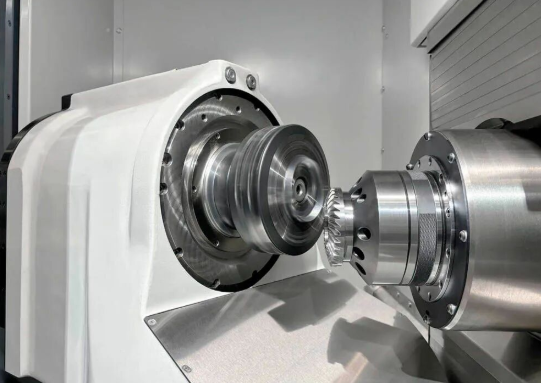
Preparing Your CAD Files for Accurate Quotes
You've designed a brilliant part, selected your materials, and you're ready to get pricing. But here's where many engineers stumble: the file you upload can make or break your CNC online quote experience. A poorly prepared CAD file doesn't just slow things down—it can trigger rejections, inflate pricing, or generate manufacturability warnings that send you back to the drawing board.
The difference between a seamless quoting experience and frustrating back-and-forth often comes down to file preparation. Let's walk through exactly what platforms expect and how to avoid the common pitfalls that complicate cnc cutting operations.
File Formats That Quote Platforms Prefer
Not all file formats are created equal when it comes to CNC prototyping. While your native CAD software might save files in proprietary formats, quoting platforms need geometry data they can reliably parse and analyze.
According to JLCCNC's technical guidance, here are the preferred formats for CNC machining quotes:
- STEP (.stp, .step): The gold standard—universally compatible, preserves precise mathematical surface definitions, and works seamlessly across virtually all CAM software
- IGES (.igs, .iges): An older but reliable format; works well for simpler geometries though complex surfaces may lose some data during translation
- Parasolid (.x_t, .x_b): Native to many professional CAD systems with excellent geometry retention
- Native CAD files: Some platforms accept SolidWorks, Inventor, or Fusion 360 files directly—convenient but may require format-specific processing
What should you avoid? Mesh-based formats like STL or OBJ work fine for 3D printing, but they create problems for cnc cut operations. These formats break smooth curves into thousands of tiny triangles, losing the mathematical precision CNC machines need. A plexiglass cutting tool following triangulated geometry produces inferior surface finish compared to one following true curved toolpaths.
When in doubt, export STEP. It's the safest choice for accurate quotes on cnc machine parts across any platform.
Design Features That Complicate Quoting
Certain design choices trigger warnings, require manual review, or automatically inflate your quote. Understanding these red flags helps you design smarter from the start.
According to Super Ingenuity's CNC design guidelines, these features commonly cause problems:
Internal Corners with Zero or Minimal Radius
Standard end mills are cylindrical—they physically cannot create perfectly sharp internal corners. When your design specifies zero-radius corners, the system flags it immediately. The fix? Add internal fillets equal to or larger than the tool radius. For a 6mm end mill, specify at least a 3mm internal corner radius. Larger radii allow bigger, stiffer tools that cut faster and cost less.
Extremely Thin Walls
Walls thinner than 0.8mm for metals or 1.5mm for plastics risk deflection, chatter, and dimensional inaccuracy during machining. According to Xometry's analysis, thin walls machined from low-stiffness aluminum may snap off or distort from machining vibrations. If your design requires thin sections, consider adding ribs for support or switching to sheet metal fabrication.
Deep Narrow Pockets
The rule of thumb: pocket depth should not exceed 3x the tool diameter. A 10mm end mill can safely cut pockets up to about 30mm deep. Beyond this, tools lose rigidity, accuracy suffers, and cycle times increase dramatically. For deeper features, consider opening one side of the pocket, using stepped depths, or splitting the part into assemblies.
Undercuts and Inaccessible Features
Any feature that can't be reached by a tool approaching from above requires additional setups, special fixturing, or EDM operations. These add cost and complexity to every cnc cuts operation.
Avoiding Common Upload Errors
Beyond design features, simple file preparation mistakes cause surprisingly frequent problems. Run through this checklist before every upload:
- Verify units match your intent: A part designed in millimeters but exported in inches will quote 25.4x larger than intended—and priced accordingly. Double-check your CAD export settings.
- Ensure the model is watertight: Open surfaces, gaps, or non-manifold geometry confuse geometry parsers. Run your CAD software's repair or check functions before exporting.
- Remove unnecessary features: Internal components, assembly references, or construction geometry that won't be manufactured should be deleted or suppressed before export.
- Confirm all sketches are fully defined: Under-constrained geometry can shift unpredictably during file translation, creating unintended dimensions.
- Check feature scale: A visual inspection catches obvious errors—does your 50mm bracket actually appear 50mm in the exported file, not 50 meters?
- Validate thread specifications: If your design includes threaded holes, ensure thread depth doesn't exceed 2-3x the hole diameter, and leave unthreaded relief at the bottom of blind holes.
Platforms like JLCCNC perform automatic compatibility checks upon upload, but catching errors yourself saves time. According to their process documentation, files that pass initial validation move directly to quote generation, while problematic files require manual engineering review—adding delays to your timeline.
The few minutes spent verifying your file before upload pay dividends in faster, more accurate quotes. When your geometry is clean, your specifications are realistic, and your file format is appropriate, the quoting engine can focus on what matters: giving you reliable pricing for your cnc machine parts instead of flagging preventable errors.
Troubleshooting Common Online Quote Issues
You've prepared your CAD file, selected your materials, and submitted everything for pricing. Then something unexpected happens: the quote comes back shockingly high, your file gets rejected, or you see cryptic manufacturability warnings that leave you scratching your head. Sound familiar? These frustrations are more common than you might think—and most have straightforward solutions once you understand what's happening behind the scenes.
Let's walk through the most frequent issues engineers encounter during the online quotation process and exactly how to resolve them.
Why Your Quote Seems Too High
That moment when a price appears on screen and you think "there's no way this part costs that much"—we've all been there. Before assuming the platform made an error, consider these common causes of inflated cnc machine cost estimates:
- Over-specified tolerances: Did you apply tight tolerances across the entire part rather than just critical features? As discussed earlier, precision specifications can multiply costs by 3-10x. Review your drawing and relax non-functional dimensions to standard tolerances.
- Material selection mismatch: Perhaps you selected titanium when aluminum would serve equally well, or specified aerospace-grade alloys for a non-critical application. The price of cnc work scales dramatically with material difficulty.
- Geometric complexity triggers: Features like deep pockets, thin walls, or multiple setup orientations add machining time. According to MakerVerse's cost analysis, design complexity is one of the primary factors affecting CNC machining costs—intricate designs require more advanced machinery and specialized tools.
- Low quantity penalties: Ordering a single prototype means setup costs aren't amortized. That $200 part might drop to $35 each at quantities of 50.
- Premium finish requirements: Mirror polish or specialized coatings add significant post-processing costs that may not be necessary for your application.
The fix? Return to your specifications with fresh eyes. Ask yourself: does every tolerance, material choice, and finish requirement genuinely serve the part's function? Often, strategic simplification reduces quotes by 30-50% without compromising performance.
And here's a reality check: if you're searching for "cnc cheap" solutions, remember that quality precision machining has inherent costs. Extremely low quotes often signal corners being cut on inspection, material certification, or equipment quality.
Resolving File Upload Rejections
Nothing stops progress faster than a rejected file. According to Xometry's troubleshooting documentation, these are the most frequent causes and their solutions:
- Multiple disconnected bodies: Your file contains separate components that must be uploaded individually. Check for design errors and connect independent bodies, or separate each component into individual part files and re-upload.
- Assembly files instead of parts: The system detected multiple components in what should be a single part file. Upload only individual part files—you may need to separate components in your design software first. Suppress hardware bodies like COTS components or inserts.
- Hollow areas incompatible with CNC: For subtractive processes, hollow sections cannot be fabricated. Consider redesigning the single part into multiple components that can be assembled after machining.
- Part size outside machine envelope: Your part is either too small or too large for the selected process. First verify the dimensions are at intended scale—check that you correctly selected millimeters or inches for STL files. If scale is correct, the chosen process may not suit your part size.
- Non-standard sheet gauge: For sheet metal operations, your specified thickness doesn't match available standard gauges. Redesign to use standard gauge thicknesses for your desired material.
Before re-uploading, run your CAD software's geometry check function. Repair any open surfaces, non-manifold edges, or self-intersecting geometry. These hidden issues often cause rejections that aren't immediately obvious from visual inspection.
Interpreting Manufacturability Warnings
Manufacturability warnings don't necessarily mean your part can't be made—they indicate features that may increase cost, require manual review, or need design modifications for optimal results. Common warnings include:
- Internal corner radius too small: The system detected sharp internal corners that require smaller tools with slower feed rates. Add fillets equal to or larger than half the tool diameter you expect to be used.
- Wall thickness below minimum: Thin sections risk deflection during machining. Increase wall thickness or add supporting ribs.
- Depth-to-width ratio exceeded: Deep narrow pockets require specialized tooling. Consider opening one side of the pocket or using stepped depths.
- Undercut detected: Features that can't be accessed from standard orientations require additional setups or special tooling.
- Custom material or finish requested: Non-standard options require manual review. For automatic quotes, choose materials and finishes from the platform's standard dropdown menus.
Treat warnings as optimization opportunities rather than roadblocks. Each warning typically includes guidance on how to modify your design for better manufacturability—and lower costs.
Understanding Quote Variations Between Platforms
Submitted the same file to three different platforms and received three wildly different prices? This happens frequently, and it's rarely because someone made an error.
Quote variations between platforms typically stem from:
- Different manufacturing networks: Some platforms route to domestic shops with higher labor costs; others utilize global networks with varying rate structures.
- Overhead and margin structures: Platform fees, quality management systems, and business models differ significantly.
- Quality standards: Platforms with rigorous inspection protocols, certified processes, and guaranteed tolerances price those capabilities into quotes.
- Machine utilization: A shop with available capacity might quote aggressively to fill their schedule.
- Algorithmic interpretation: Different platforms analyze geometry differently, potentially recommending different machine types or setup strategies.
Don't automatically choose the cheapest cnc machine shop option. According to industry guidance, working with experienced manufacturers—even at slightly higher prices—often saves money through reduced design iterations, fewer quality issues, and better DFM feedback.
When quotes vary significantly, ask why. Request breakdowns showing material, machining, and finishing costs separately. Sometimes the lowest headline price comes with hidden fees for inspection, packaging, or expedited shipping that the transparent quote already included.
The goal isn't finding the absolute lowest price—it's finding the best value for parts that will perform reliably in your application. With troubleshooting skills in hand, you're now ready to compare different quoting approaches and determine which method suits your specific needs.
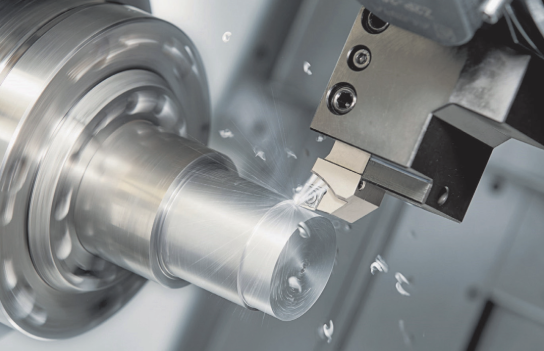
Instant Online Quotes vs Traditional RFQ Processes
So you've got a part design ready for manufacturing. Do you upload it to an online cnc machine platform for instant pricing, or send a formal RFQ to established machine shops? The answer isn't always straightforward—and choosing wrong can cost you time, money, or quality. Understanding when each approach shines helps you make smarter procurement decisions for every project.
Speed vs Customization Trade-offs
The most obvious difference? Time. According to Haizol's platform comparison, instant request systems like Xometry deliver quotes in seconds, while traditional RFQ processes through platforms like Haizol or Alibaba typically require 24-48 hours for multiple competitive bids.
But speed comes with constraints. Instant quoting algorithms excel at standard geometries, common materials, and well-defined specifications. Feed them a straightforward aluminum bracket with standard tolerances, and you'll have accurate pricing before your next coffee break. However, these same systems can stumble on nuance.
Consider this real-world example from 3ERP's testing: when an engineer added radii to sharp internal corners—a modification that actually simplifies CNC machining—the AI quote system interpreted these as additional features and increased the price. The algorithm penalized thoughtful design because it lacked the manufacturing intuition a human engineer would apply.
Traditional RFQ processes sacrifice speed for customization. When your project involves prototype machining with unusual specifications, complex assemblies requiring coordinated tolerances, or materials outside standard catalogs, human review catches subtleties that algorithms miss.
When Traditional RFQ Still Wins
Despite the convenience of instant quoting, certain scenarios genuinely demand the traditional approach:
- Complex multi-part assemblies: When tolerances must coordinate across components, human engineers evaluate fit and function holistically rather than quoting each part in isolation
- Non-standard materials: Exotic alloys, specialized plastics, or materials requiring specific certifications often need manual sourcing and pricing
- Very high volumes: Production runs of 10,000+ units benefit from negotiated pricing, dedicated tooling discussions, and supply chain planning that algorithms can't provide
- Critical applications: Aerospace, medical, or safety-critical cnc machined parts require documentation, traceability, and quality discussions that go beyond automated systems
- Design collaboration: When you want DFM feedback that shapes your design rather than just flags problems, experienced engineers provide insights no algorithm matches
According to Kesu Group's analysis, manual quoting allows experienced engineers to assess complex geometries and non-standard requirements that automated systems may misinterpret—minimizing pricing errors that can exceed ±10% for intricate parts.
Combining Both Approaches Strategically
Smart procurement teams don't choose one approach exclusively—they match methods to project requirements. Here's how the two approaches compare across key dimensions:
| Dimension | Instant Online Quotes | Traditional RFQ Process |
|---|---|---|
| Turnaround Time | Seconds to minutes | 24-48 hours (sometimes longer) |
| Customization Level | Limited to platform options | Fully customizable specifications |
| Volume Suitability | Best for prototypes to medium batches | Scales to high-volume production |
| Communication Depth | Minimal—automated responses | Direct dialogue with engineers |
| DFM Feedback | Automated warnings and flags | Collaborative design optimization |
| Pricing Accuracy | ±5-15% for complex parts | Higher accuracy through human review |
| Best For | Standard custom machined parts, quick comparisons | Complex projects, relationship building |
A hybrid strategy might look like this: use instant quotes for initial budgeting and design iteration, then transition to traditional RFQ for production orders. The speed of online platforms accelerates early-stage decisions, while the depth of traditional processes ensures production quality and cost optimization.
For prototype machining during development, instant quotes let you rapidly test cost implications of design changes. Need to know if switching from stainless steel to aluminum saves enough to justify the material change? Upload both versions and compare in minutes. Once your design stabilizes and you're ready for production quantities of cnc machined parts, formal RFQs with qualified suppliers secure better pricing and establish relationships for ongoing needs.
The platforms themselves are evolving toward hybrid models. Many now offer instant quotes for straightforward parts while routing complex geometries to human engineers for manual review—giving you speed when possible and expertise when necessary. Understanding this landscape helps you navigate it strategically rather than defaulting to whichever option appears first in your search results.
Industry-Specific Quote Considerations
Here's something that catches many engineers off guard: the same aluminum bracket can cost dramatically different amounts depending on which industry it's destined for. A part heading into a consumer electronics enclosure might quote at $45, while an identical geometry bound for an aircraft could run $180 or more. What's driving that difference? Industry-specific certifications, documentation requirements, and quality control protocols that fundamentally change how your CNC online quote gets calculated.
Understanding these sector-specific factors before you request pricing helps you avoid sticker shock—and ensures you're comparing apples to apples when evaluating machine shop services across different suppliers.
Automotive Supply Chain Requirements
Automotive manufacturing operates under some of the most demanding quality management systems in precision CNC machining services. The cornerstone certification here is IATF 16949, which builds on ISO 9001 with automotive-specific requirements for defect prevention, variation reduction, and waste elimination throughout the supply chain.
When you submit parts destined for automotive applications, qualified suppliers implement:
- PPAP (Production Part Approval Process): Comprehensive documentation proving manufacturing processes consistently produce parts meeting specifications
- APQP (Advanced Product Quality Planning): Structured development methodology ensuring quality is designed in from the start
- Statistical Process Control (SPC): Real-time monitoring of critical dimensions to catch drift before it creates defects
- Full material traceability: Documentation linking every part back to specific material lots and processing records
These requirements add overhead—but they also add value. According to MFG Solution's industry analysis, automotive suppliers must demonstrate PPAP, APQP, and long-term capacity planning so designs can scale without changing suppliers.
For engineers seeking reliable automotive manufacturing solutions, suppliers like Shaoyi Metal Technology demonstrate what IATF 16949-certified precision CNC machining services look like in practice. Their combination of Statistical Process Control and lead times as fast as one working day shows how certified suppliers can deliver both quality and speed for automotive applications—whether you need complex chassis assemblies or custom metal bushings.
Aerospace and Medical Certification Premiums
If automotive requirements seem rigorous, aerospace and medical take quality management to another level entirely. These industries deal with applications where failure isn't just costly—it's potentially catastrophic.
A cnc machinist aerospace specialist operates under AS9100, which incorporates ISO 9001 requirements plus aerospace-specific additions for configuration management, risk management, and special process controls. According to Super Ingenuity's industry guide, aerospace programs require FAI reports, material traceability, CMM inspection, and validated cleaning and packaging to meet OEM regulatory requirements.
Medical device manufacturing follows ISO 13485, with additional FDA regulations depending on device classification. The documentation burden here is substantial:
- Device History Records (DHR): Complete manufacturing records for each production lot
- Design History Files (DHF): Documentation proving design controls were followed
- Biocompatibility testing: Material certifications confirming suitability for patient contact
- Validated processes: Demonstrated consistency for critical operations
Why do these certifications command premium pricing? The infrastructure required—calibrated inspection equipment, controlled environments, trained personnel, documented procedures—represents significant ongoing investment. When you request 5 axis cnc machining services for an aerospace bracket, you're paying not just for machining time but for the entire quality ecosystem surrounding that operation.
The cost multiplier varies by application criticality. Prototype machining services for aerospace development might carry 20-40% premiums over general industrial work, while flight-critical hardware requiring full qualification can see 2-3x cost increases.
Matching Supplier Capabilities to Industry Needs
Not every CNC supplier serves every industry—and that's actually a good thing. Specialization means deeper expertise, established procedures, and lower risk of compliance failures that could delay your project.
Here's how to match your needs to supplier capabilities:
| Industry | Key Certifications | Typical Documentation | Quote Impact |
|---|---|---|---|
| General Industrial | ISO 9001 | Standard inspection reports, CoC | Baseline pricing |
| Automotive | IATF 16949 | PPAP, SPC data, traceability records | 10-25% premium |
| Aerospace | AS9100 | FAI, material certs, NDT reports, CMM data | 25-50% premium |
| Medical Devices | ISO 13485 | DHR, validation protocols, biocompatibility certs | 30-60% premium |
When evaluating quotes, verify that suppliers actually hold the certifications your industry requires—not just that they claim capability. Request certificate copies and check expiration dates. For critical applications, consider auditing suppliers before committing to production orders.
Custom steel fabrication for industrial machinery might not require aerospace-level documentation, but automotive transmission components absolutely need IATF 16949 compliance. Mismatching supplier capabilities to your actual requirements either overpays for unnecessary overhead or—worse—risks receiving parts that can't be used in your application.
The smartest approach? Be explicit about end-use application when requesting quotes. Platforms that understand your industry can route your request to appropriately certified suppliers, ensuring your quote reflects realistic costs and capabilities. This transparency saves everyone time and ensures the parts you receive will actually meet your regulatory and quality requirements.
Evaluating and Comparing Your CNC Quotes
You've received quotes from multiple suppliers, and the prices range from surprisingly affordable to eye-wateringly expensive. Now what? Choosing based solely on the bottom-line number is one of the most common—and costly—mistakes engineers make when sourcing cnc parts. The real skill lies in reading between the lines, asking the right questions, and recognizing quality indicators that justify price differences.
Let's break down exactly how to evaluate CNC quotes like a seasoned procurement professional, ensuring you get custom cnc parts that perform reliably without overpaying for capabilities you don't need.
Reading Between the Quote Lines
A professional quote tells you far more than just the final price. According to XTJ CNC's analysis, a transparent and detailed quote is a sign of a professional supplier, giving you a clear picture of where your investment is going. Here's what to look for in every quote you receive:
- Tolerance specifications: Does the quote explicitly state what tolerances are included? Standard ±0.005" is very different from precision ±0.001". If tolerances aren't specified, you're comparing unknowns.
- Surface finish standards: Look for Ra values or finish descriptions. "As-machined" versus "polished" represents significant cost and quality differences for cnc machining parts.
- Material certifications: Will you receive material test reports (MTRs) or certificates of conformity? For cnc machining metal applications in regulated industries, this documentation isn't optional.
- Setup and programming fees: Some quotes bury these in the per-unit price; others list them separately. Understanding this breakdown helps you evaluate volume pricing accurately.
- Inspection and quality control: What level of inspection is included? First article inspection, in-process checks, and final CMM verification all add value—and cost.
- Secondary operations: Threading, deburring, heat treatment, and surface coatings should be itemized. Vague quotes often exclude processes you assumed were included.
When quotes seem significantly lower than competitors, scrutinize what's missing. According to industry guidance, some suppliers may exclude necessary processes to make their initial bid more appealing, only to add charges later.
Questions to Ask Before Placing Your Order
Before committing to any supplier for custom metal parts, these questions separate reliable partners from risky gambles. According to Wisconsin Metal Tech's supplier selection guide, understanding what your supplier is and is not capable of is critical for your selection:
- What certifications do you hold? ISO 9001 is baseline; industry-specific certifications like IATF 16949 for automotive or AS9100 for aerospace indicate specialized capability.
- What equipment will machine my parts? Knowing whether your aluminum cnc work runs on a 3-axis or 5-axis machine affects both capability and cost expectations.
- How do you ensure consistent quality? Listen for mentions of SPC, documented procedures, and calibrated measurement equipment—not vague assurances.
- Can you provide references or sample parts? According to Anebon Metal's quality evaluation guide, requesting samples is your best chance to see real-world results before committing to production volumes.
- What happens if parts don't meet specifications? Clear replacement policies and responsive customer service indicate confidence in their processes.
- What's your actual lead time history? Quoted lead times and delivered lead times often differ. Ask for realistic expectations based on current capacity.
A supplier that answers these questions transparently demonstrates professionalism. Evasiveness or vague responses are warning signs worth heeding.
Quality Indicators Beyond Price
When evaluating cnc machining parts suppliers, certain features signal superior quality and reliability—often justifying higher prices through reduced risk and better outcomes. Here's a checklist of quality indicators to prioritize:
- Statistical Process Control (SPC) implementation: Suppliers like Shaoyi Metal Technology use SPC to monitor critical dimensions in real-time, catching variation before it creates defects. This proactive approach delivers consistency that reactive inspection cannot match.
- Rapid lead time capability: One-day lead times—like those offered by Shaoyi for automotive applications—indicate well-organized operations with available capacity and efficient processes.
- Specialized expertise: Suppliers demonstrating capability for complex chassis assemblies or custom metal bushings have proven experience with challenging geometries that generalist shops may struggle to match.
- Material traceability systems: According to quality evaluation best practices, a robust traceability system allows you to track each part's material origin, processing history, and inspection data—crucial for regulated industries.
- Advanced inspection equipment: CMMs, surface roughness testers, and optical comparators indicate investment in verification capabilities.
- Responsive communication: Suppliers who answer questions promptly and thoroughly during quoting typically provide the same service quality during production.
- Transparent pricing breakdowns: Detailed quotes showing material, machining, and finishing costs separately demonstrate confidence and professionalism.
The most attractive quote isn't always the best one. An unusually low price can be a red flag for cut corners, hidden fees, or subpar quality that will cost more in the long run through delays, rework, or part failure.
Red Flags That Signal Quality Concerns
Just as positive indicators suggest reliability, certain warning signs should trigger caution when evaluating quotes for cnc aluminum or any other material:
- Vague or missing certifications: Lack of formal quality certification often correlates with less controlled processes.
- Unwillingness to share process details: Transparency issues may hide inferior manufacturing conditions.
- No mention of inspection: If a quote doesn't address quality control at all, assume minimal verification is planned.
- Prices significantly below market: According to industry analysis, unusually low quotes often exclude necessary processes or indicate substandard quality controls.
- Delayed or evasive responses: Suppliers who struggle to answer basic questions during quoting rarely improve during production.
- No traceability offered: Without clear material lineage, accountability and quality assurance diminish.
Finding these signals early helps you avoid costly mistakes—including parts that arrive late, fail inspection, or simply don't perform in your application.
Making Your Final Decision
With quotes analyzed and questions answered, how do you choose? Create a simple comparison matrix weighing factors beyond price:
| Evaluation Criteria | Weight | What to Compare |
|---|---|---|
| Price competitiveness | 25% | Total cost including shipping, tooling, and secondary operations |
| Quality systems | 25% | Certifications, SPC implementation, inspection capabilities |
| Lead time reliability | 20% | Quoted versus historical delivery performance |
| Technical capability | 15% | Equipment, expertise with your geometry and materials |
| Communication quality | 15% | Responsiveness, transparency, problem-solving approach |
For engineers seeking reliable automotive manufacturing solutions requiring precision cnc machining parts, suppliers with IATF 16949 certification and proven SPC implementation—such as Shaoyi Metal Technology—represent the quality standards that minimize risk and maximize long-term value.
Remember: you're not just buying parts. You're selecting a manufacturing partner whose quality systems, communication practices, and technical capabilities will directly impact your project's success. The few extra hours spent evaluating quotes thoroughly pay dividends in parts that arrive on time, meet specifications, and perform reliably in your application.
Frequently Asked Questions About CNC Online Quotes
1. How do I get an instant CNC machining quote online?
Upload your CAD file (preferably STEP format) to an online quoting platform, then specify material, tolerances, surface finish, and quantity. Advanced algorithms analyze your geometry, check manufacturability, and generate pricing within seconds to minutes. Most platforms accept STEP, IGES, and Parasolid files for accurate automated quoting.
2. What factors affect CNC machining quote prices the most?
Five primary factors drive CNC quote pricing: material selection (titanium costs 4-5x more than aluminum), tolerance specifications (tight tolerances can multiply costs by 3-10x), geometric complexity requiring multi-axis machining, production quantity affecting setup cost amortization, and surface finish requirements. Strategic specification of only necessary precision on critical features can reduce costs by 40-60%.
3. Why do CNC quotes vary so much between different online platforms?
Quote variations stem from different manufacturing networks (domestic vs. global), overhead structures, quality standards, and machine utilization rates. Platforms with rigorous inspection protocols and certified processes price those capabilities into quotes. Always compare detailed breakdowns showing material, machining, and finishing costs separately rather than just headline prices.
4. What file formats work best for online CNC quoting?
STEP (.stp, .step) files are the industry-preferred format because they preserve precise mathematical surface definitions that CNC machines need. IGES and Parasolid files also work well. Avoid mesh-based formats like STL for precision CNC work, as they lose the mathematical precision needed for accurate toolpath generation and quoting.
5. How can IATF 16949 certification benefit my automotive CNC parts?
IATF 16949-certified suppliers like Shaoyi Metal Technology implement Statistical Process Control, PPAP documentation, and full material traceability required for automotive supply chains. This certification ensures consistent quality through defect prevention systems, with capabilities for complex chassis assemblies and lead times as fast as one working day for precision automotive components.