 Small batches, high standards. Our rapid prototyping service makes validation faster and easier —
  EN
EN


CNC Machines Decoded: From Hobby Desktop To Industrial Floor
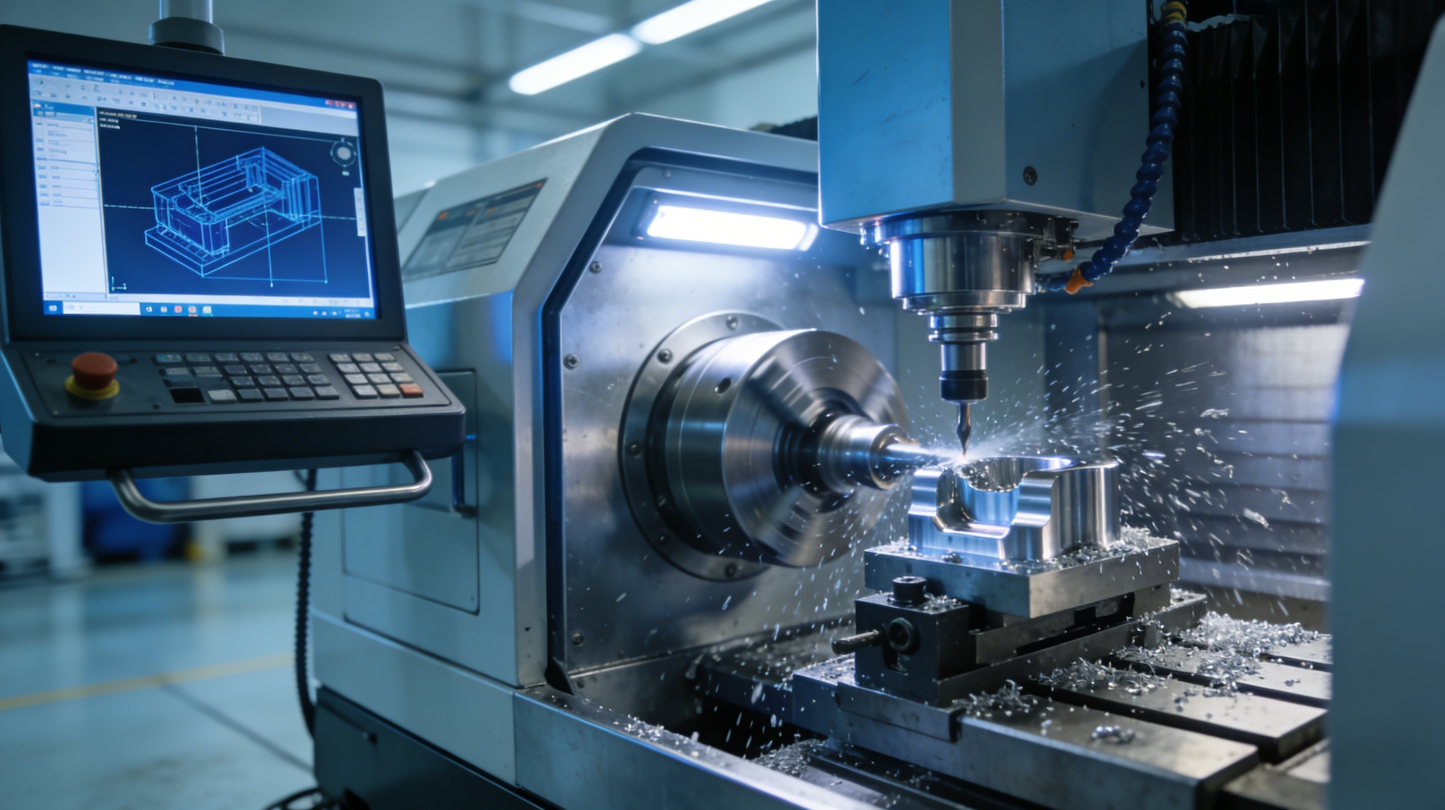
Understanding CNC Machines and How They Transform Manufacturing
Ever wondered how a digital design becomes a physical part you can hold in your hands? That's exactly what a CNC machine does. Whether you're exploring what is a CNC for the first time or considering one for your workshop, understanding this technology opens doors to incredible manufacturing possibilities.
Computer Numerical Control (CNC) is a manufacturing method that uses pre-programmed computer software to automate the control of machine tools, enabling precise and repeatable production of parts from digital designs.
Think of a CNC device as the perfect bridge between imagination and reality. It takes your computer-aided design and transforms it into tangible components with remarkable accuracy. This technology has become the backbone of modern machinery across industries ranging from aerospace to medical equipment.
From Digital Design to Physical Reality
The journey from concept to finished part follows a straightforward workflow. First, you create a digital blueprint using CAD (Computer-Aided Design) software. This is where you define every dimension, curve, and feature of your part.
Next, CAM (Computer-Aided Manufacturing) software translates your design into machine-readable instructions. These instructions tell the CNC machine exactly where to move, how fast to travel, and what cutting actions to perform. Once the program is loaded, the machine takes over, executing each command with precision that human hands simply cannot match.
What makes this process revolutionary? Every copy comes out identical to the original. Whether you're making one prototype or a thousand production parts, each piece meets the exact specifications of your digital design.
The Brain Behind the Machine
At the heart of every CNC system sits a sophisticated computer control unit. This is where the magic happens. The controller interprets programmed instructions and coordinates multiple machine components simultaneously.
The language these machines speak is called G-code. Each command corresponds to a specific action—moving in a straight line, creating an arc, or adjusting cutting speed. A computer numerical control router, for example, receives these coded instructions and executes them with mechanical precision.
What sets CNC apart from manual machining? Automation. Once programmed, these machines work with minimal human intervention. They don't get tired, distracted, or inconsistent. As TMC Technologies notes, this automation speeds up production while ensuring each part is made exactly the same every time.
Why Precision Matters in Manufacturing
Precision isn't just a nice feature—it's essential. CNC machines routinely achieve tolerances as tight as ±0.001 inches (about 0.025 mm). To put that in perspective, that's roughly the width of a human hair.
Why does this matter? In aerospace applications, a slight deviation could compromise safety. In medical devices, precision can mean the difference between a successful implant and a failed one. According to 3ERP, standard CNC tolerances of ±0.125 mm can be tightened to ±0.050 mm or less when every fraction of a millimeter counts.
Throughout this guide, you'll discover the different types of CNC machines available, understand what separates hobby equipment from industrial systems, and learn how to choose the right machine for your specific needs. Whether you're a curious beginner or planning your first purchase, the knowledge ahead will help you navigate the world of CNC machining with confidence.
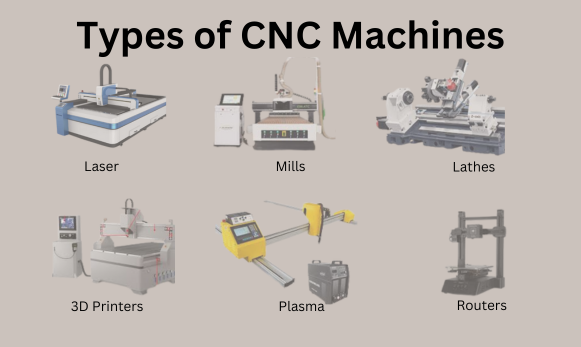
Major Types of CNC Machines and Their Capabilities
Now that you understand how CNC technology works, let's explore the different machines available. Each type excels at specific tasks, and knowing these distinctions helps you identify which machine fits your manufacturing needs. From a versatile cnc milling machine to a specialized edm machine, the options span a wide range of applications and price points.
CNC Mills and Milling Machines Explained
When you think of CNC machining, milling machines often come to mind first. These workhorses use rotating cutting tools to remove material from a stationary workpiece. Imagine a spinning drill bit carving through metal block—that's the basic concept, though modern CNC mills are far more sophisticated.
What separates different milling machines? The number of axes they control. A 3-axis mill moves along X, Y, and Z planes, handling most straightforward parts. You'll find these machines producing brackets, housings, and simple components with flat surfaces and basic angles.
Step up to 4-axis and 5-axis machines, and the possibilities expand dramatically. These advanced systems add rotational movements, allowing the cutting tool to approach the workpiece from virtually any angle. Complex aerospace components, intricate mold cavities, and sculptural forms become achievable. A 5-axis machine can produce parts that would otherwise require multiple setups on simpler equipment.
What makes milling so popular? Versatility. Whether you're working with aluminum, steel, titanium, or engineering plastics, a properly equipped mill handles them all. Production ranges from one-off prototypes to thousands of identical parts.
CNC Lathes for Rotational Parts
While mills excel at prismatic shapes, a cnc lathe specializes in round parts. Picture a piece of metal spinning rapidly while cutting tools shape its exterior and interior surfaces. That's turning in action.
Lathes produce shafts, bushings, fittings, and countless cylindrical components. Any part with rotational symmetry typically starts on a lathe. The spinning workpiece combined with precisely controlled tool movements creates smooth surfaces and tight tolerances.
Modern CNC lathes often feature live tooling—rotating cutting tools that add milling capability without removing the part from the machine. This hybrid approach reduces handling, improves accuracy, and speeds production. A complex fitting that once required both lathe and mill operations now completes in a single setup.
What industries rely heavily on lathes? Automotive manufacturers produce axles and drive components. Medical companies create bone screws and implant stems. Hydraulic equipment makers turn countless pins and cylinders. Anywhere you find rotating machinery, lathe-produced parts aren't far behind.
Routers and Cutters for Sheet Materials
Not all CNC work involves solid metal blocks. A cnc router excels at processing sheet materials—wood, plastics, aluminum panels, and composite materials. Think large-format work: cabinet parts, sign blanks, architectural panels, and furniture components.
Routers typically feature expansive work tables and high-speed spindles optimized for softer materials. They remove material quickly, making them efficient for large parts that don't require extreme precision. A woodworking shop might cut dozens of cabinet sides in a single session.
For metal sheet work, cutting technologies diverge based on material thickness and precision requirements:
Plasma cutting uses an electrically ionized gas stream to slice through conductive metals. A cnc plasma table handles steel, stainless steel, and aluminum up to several inches thick. You'll find these systems in fabrication shops producing structural components, brackets, and custom metalwork. Speed is the advantage—plasma cuts thick material faster than most alternatives.
A cnc laser cutter offers finer detail and cleaner edges. Laser systems excel at intricate patterns, thin materials, and applications where heat-affected zones must stay minimal. Sheet metal enclosures, decorative panels, and precision parts often start under a laser head.
Waterjet cutting takes a different approach entirely. High-pressure water mixed with abrasive particles cuts virtually any material without heat. Glass, stone, thick metals, and composites all yield to waterjet technology. When thermal distortion can't be tolerated, waterjet becomes the go-to solution.
EDM Machines for Extreme Precision
Some applications demand precision beyond what conventional cutting achieves. Enter EDM—Electrical Discharge Machining. These specialized systems remove material through controlled electrical sparks rather than physical cutting.
A wire edm machine uses a thin wire electrode to cut intricate shapes in hardened metals. The wire never touches the workpiece directly; instead, electrical discharges erode material with incredible accuracy. Mold makers rely on wire EDM for sharp internal corners and complex profiles that would destroy conventional cutting tools.
Sinker EDM (also called ram EDM) uses shaped electrodes to create cavities matching the electrode's form. Injection mold cores, die components, and aerospace parts with complex internal features often require this technology.
| Machine Type | Primary Materials | Typical Applications | Precision Level |
|---|---|---|---|
| CNC Mill (3-axis) | Metals, plastics, composites | Brackets, housings, flat components | ±0.001" to ±0.005" |
| CNC Mill (5-axis) | Aerospace alloys, titanium, complex materials | Turbine blades, impellers, mold cavities | ±0.0005" to ±0.002" |
| CNC Lathe | Metals, plastics, wood | Shafts, fittings, cylindrical parts | ±0.0005" to ±0.003" |
| CNC Router | Wood, plastics, soft metals, composites | Cabinets, signs, furniture, panels | ±0.005" to ±0.015" |
| CNC Plasma Cutter | Steel, stainless, aluminum (conductive) | Structural parts, brackets, metal art | ±0.015" to ±0.030" |
| CNC Laser Cutter | Sheet metals, plastics, wood, acrylic | Enclosures, decorative work, precision parts | ±0.001" to ±0.005" |
| Wire EDM | Hardened metals, tool steel, carbide | Mold components, dies, intricate profiles | ±0.0001" to ±0.0005" |
| Waterjet Cutter | Any material (metals, glass, stone, composites) | Heat-sensitive parts, thick materials, mixed assemblies | ±0.003" to ±0.010" |
Understanding these machine categories gives you a foundation for evaluating your options. But how do these different systems actually operate? What's happening inside that makes precision possible? Let's look behind the scenes at the mechanics and programming that bring CNC machines to life.
How CNC Machines Work Behind the Scenes
You've seen the different types of machines and what they produce. But what's actually happening when a cnc mill transforms a solid block into a finished part? Understanding the mechanics and programming behind these systems reveals why they achieve such remarkable precision. Let's pull back the curtain on the technology that makes modern manufacturing possible.
Understanding Machine Axes and Movement
Imagine standing in the corner of a room. The wall to your left represents one direction, the wall to your right another, and the floor-to-ceiling height a third. That's essentially how a milling machine with cnc positions its cutting tool—using three perpendicular axes called X, Y, and Z.
The Cartesian coordinate system forms the foundation of CNC movement. The X-axis typically runs left to right, the Y-axis moves front to back, and the Z-axis travels up and down. Every point in the machine's working envelope can be defined by these three coordinates—for example, (2, 4, 5) means 2 units along X, 4 units along Y, and 5 units up the Z-axis.
What about more complex parts? A 5 axis cnc machine adds two rotational movements to the standard three linear axes. These rotations—often called A and B or A and C axes—allow the cutting tool or workpiece to tilt and swivel. Suddenly, the machine can approach surfaces from virtually any angle without repositioning the part.
Why does this matter? Consider machining a turbine blade with compound curves on multiple faces. A 3-axis machine would require several setups, each introducing potential alignment errors. A 5 axis cnc machine completes the entire part in one setup, maintaining accuracy throughout. This capability explains why aerospace and medical manufacturers invest heavily in multi-axis equipment.
Horizontal milling machine configurations add another dimension to consider. While vertical mills position the spindle perpendicular to the table, horizontal machines orient it parallel. Chips fall away naturally, coolant drains efficiently, and certain part geometries become more accessible. CNC mills in both configurations serve distinct manufacturing needs.
G-Code Programming Fundamentals
Every movement a CNC machine makes starts with a command. That command language? G-code. Think of it as the vocabulary machines understand—a series of letters and numbers that specify exactly what should happen and where.
According to SprutCAM, the most common G-codes include:
- G00 – Rapid movement (positions the tool quickly without cutting)
- G01 – Linear movement (straight-line cutting at controlled speed)
- G02 – Clockwise circular movement (arcs curving right)
- G03 – Counterclockwise circular movement (arcs curving left)
- G04 – Dwell (pause at current position)
- G90 – Absolute positioning (coordinates relative to origin)
- G91 – Incremental positioning (coordinates relative to current position)
Beyond movement commands, M-codes handle auxiliary functions. M03 starts the spindle rotating clockwise. M05 stops it. M08 turns coolant on, while M09 shuts it off. Together, G-codes and M-codes orchestrate every aspect of the machining process.
What does a real program look like? A simple line might read: G01 X2.500 Y1.750 F15.0. Translation: move in a straight line to position X=2.5 inches, Y=1.75 inches, at a feed rate of 15 inches per minute. The machine's controller interprets this instruction and coordinates motor movements to achieve that exact path.
Feed rate and spindle speed work together to determine cutting conditions. Spindle speed (measured in RPM) controls how fast the cutting tool rotates. Feed rate determines how quickly the tool advances through material. Get the balance right, and you produce clean cuts with good tool life. Get it wrong, and you risk broken tools, poor surface finish, or damaged parts.
From CAD to CAM to Machine
Writing G-code by hand works for simple operations, but complex parts demand a better approach. That's where the CAD-to-CAM workflow transforms manufacturing.
The journey begins in CAD software—SolidWorks, Fusion 360, AutoCAD, or similar programs. Here, designers create precise 3D models defining every dimension, angle, and feature. This digital blueprint captures the design intent completely.
CAM software then takes over, translating that geometry into machine-ready instructions. As Machining Concepts explains, CAM acts as the bridge between design and physical production. The software analyzes the part geometry, calculates efficient toolpaths, and generates thousands of lines of G-code automatically.
Key components of a CNC control system include:
- Controller unit – The computer brain that interprets programs and coordinates movements
- Servo motors – Precision motors that drive each axis with exact positioning
- Feedback encoders – Sensors that verify actual position matches commanded position
- Spindle drive – Controls cutting tool rotation speed and power
- Input interface – Allows operators to load programs and adjust parameters
- Safety systems – Limit switches, emergency stops, and protective interlocks
Once the program transfers to the machine, the controller takes command. It reads each instruction sequentially, calculates the required motor movements, and executes them in real time. Feedback systems constantly verify that actual positions match commanded positions, making corrections measured in thousandths of an inch.
This closed-loop control explains why CNC machines achieve such consistency. The system doesn't just send commands—it monitors results and adjusts continuously. Whether you're running the first part or the thousandth, the process remains identical.
Understanding these fundamentals helps you appreciate what separates a basic desktop machine from industrial equipment. But how significant are those differences really? Let's compare hobby-grade systems with professional and industrial CNC machines to see where the distinctions matter most.
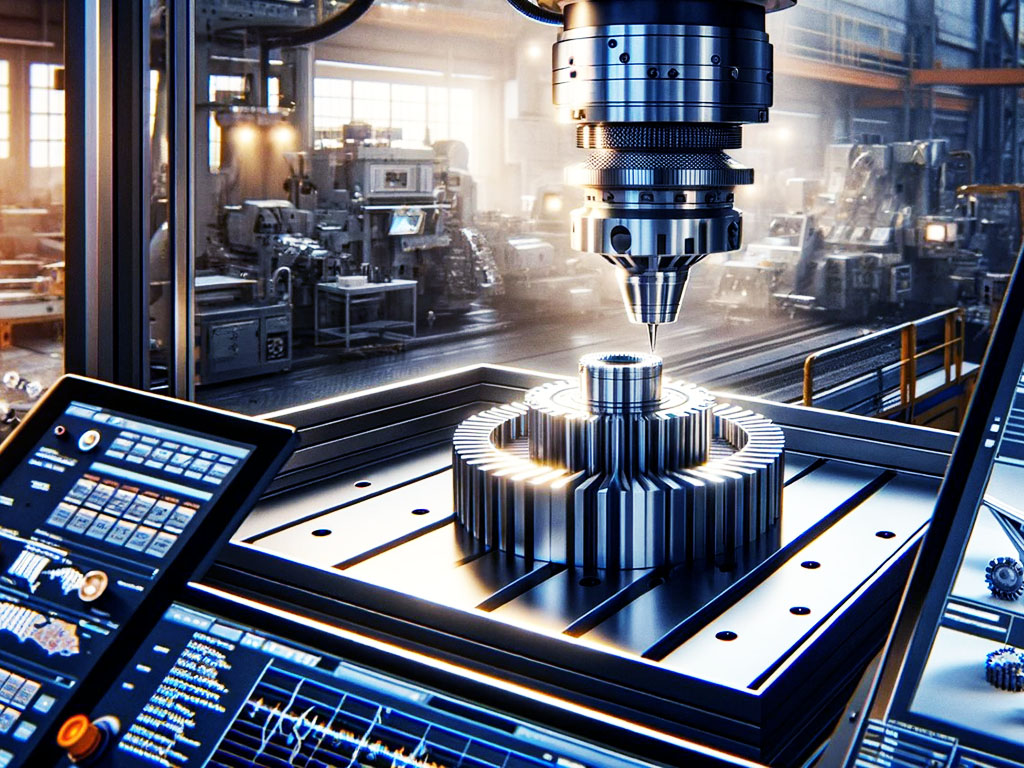
Hobby Machines Versus Industrial CNC Equipment
So you understand how CNC machines work and what types exist. Now comes a critical question: which class of machine actually fits your situation? The gap between a shapeoko cnc router and a production floor system spans far more than just price. Build quality, precision capabilities, duty cycles, and intended applications differ dramatically across these categories. Let's break down what separates a hobby cnc machine from industrial equipment—and where professional shop machines fit in between.
Desktop and Hobby CNC Machines
Entry-level CNC machines have transformed what's possible for makers, hobbyists, and small businesses. A desktop cnc mill or router now delivers capabilities that would have required tens of thousands of dollars just a decade ago. Brands like Shapeoko, OneFinity, and Next Wave have built thriving communities around accessible machining.
What defines this category? First, consider the price point. Most hobby machines fall between $500 and $5,000. A Shapeoko 4 router, for example, offers a solid aluminum frame and capable cutting performance for around $2,000-$3,000 depending on configuration. According to 731 Woodworks, these machines excel at sign making, furniture components, and custom woodworking projects.
Build quality at this level prioritizes affordability over industrial durability. You'll find aluminum extrusions instead of cast iron, belt drives rather than ballscrews, and lighter-duty spindles. These design choices keep costs manageable while still delivering impressive results for appropriate materials.
What materials can hobby machines handle? Wood, plastics, foam, and soft metals like aluminum work well. Cutting steel? That's pushing beyond design limits for most desktop equipment. As TwoTrees notes, hobbyist routers may need recalibration or part replacements more frequently than industrial machines when pushed hard.
Duty cycle represents another key distinction. A hobby machine might run comfortably for several hours daily, but continuous all-day operation stresses components designed for intermittent use. Think weekend projects and small batch runs rather than production shifts.
Professional Shop Equipment
Step up to professional-grade equipment, and you enter a different world of capability. Machines from manufacturers like Tormach and SYIL bridge the gap between hobby and industrial applications. These systems cost more—typically $10,000 to $50,000—but deliver significantly enhanced performance.
What do you get for that investment? Start with construction. Professional machines feature rigid cast iron or steel frames, precision ground ways, and ballscrew drives. A haas mini mill, for instance, brings industrial-quality components into a compact footprint suitable for smaller shops. Tormach positions itself specifically around "affordable CNC" that doesn't sacrifice capability.
Precision improves substantially at this level. While a hobby machine might hold ±0.005" on a good day, professional equipment consistently achieves ±0.001" or better. According to CNC Cookbook, this accuracy threshold represents a meaningful dividing line—below it, you can match skilled manual machining; above it, CNC becomes transformative.
Material capabilities expand dramatically too. Professional machines cut steel, stainless steel, and harder alloys that would destroy hobby equipment. Spindle power, rigidity, and cooling systems all contribute to this expanded range. A machine shop taking on diverse customer work needs this versatility.
Duty cycles extend as well. Professional equipment handles full work shifts and can run production jobs day after day. Components are designed for thousands of hours of operation before requiring major maintenance.
Industrial Manufacturing Systems
At the industrial level, CNC machines become serious capital investments. Prices start around $50,000 and climb into the hundreds of thousands—sometimes millions—for specialized systems. What justifies these costs?
First, construction reaches another tier entirely. Massive cast iron frames, granite beds, and precision-ground components create platforms capable of micron-level accuracy. Industrial machines don't just cut material—they maintain that capability across years of continuous operation.
Production throughput drives industrial design decisions. These machines run 24/7 in many facilities. Automatic tool changers swap cutters in seconds without operator intervention. Pallet systems load fresh workpieces while finished parts are still being machined. Every feature optimizes for maximum spindle uptime.
Precision at this level reaches territory hobby users rarely contemplate. CNC Cookbook reports that good industrial machines hold 0.0005" all day long without trouble, with special care achieving even tighter tolerances. Aerospace and medical applications demand this level of consistency across thousands of parts.
What else separates industrial equipment? Integrated quality systems, advanced process monitoring, and connectivity to factory automation networks. These machines don't just make parts—they document every aspect of production for traceability and quality assurance.
| Category | Price Range | Typical Tolerance | Duty Cycle | Best Use Cases |
|---|---|---|---|---|
| Hobby/Desktop | $500 – $5,000 | ±0.005" to ±0.015" | Intermittent (hours/day) | Signs, crafts, prototypes, wood/plastic projects |
| Professional Shop | $10,000 – $50,000 | ±0.001" to ±0.003" | Full shifts (8-12 hours) | Custom parts, small production, diverse materials |
| Industrial | $50,000 – $500,000+ | ±0.0005" or better | Continuous (24/7 capable) | High-volume production, aerospace, medical, automotive |
Choosing between these categories isn't just about budget—it's about matching machine capability to your actual needs. A weekend woodworker gains nothing from industrial tolerances. A production shop loses money every time a hobby machine breaks down mid-job. Understanding these distinctions helps you invest wisely, whether you're starting with a desktop cnc or planning a factory floor installation.
Of course, purchase price tells only part of the story. What about tooling, software, maintenance, and all the supporting equipment CNC operation requires? Let's examine the true cost picture for machines at every level.
CNC Machine Costs and Budget Planning
You've seen the differences between hobby, professional, and industrial equipment. Now comes the practical question everyone asks: how much does a cnc machine cost—really? The sticker price only scratches the surface. Between tooling, software, accessories, and infrastructure, your actual investment can exceed the machine's purchase price by 30% or more. Let's walk through what you should budget at each level and uncover the hidden costs that catch buyers off guard.
Entry-Level Investment Under $5,000
Starting your CNC journey doesn't require emptying your savings account. A budget cnc machine in the $1,500 to $5,000 range opens the door to meaningful capabilities. But what does that investment actually buy?
At this tier, you'll find desktop routers like the Shapeoko, X-Carve, and OneFinity systems. These machines handle wood, plastics, and soft aluminum with surprising capability. A complete setup typically breaks down like this:
- Machine purchase – $1,500 to $4,000 depending on work area and features
- Router or spindle upgrade – $100 to $500 (stock routers work but wear faster)
- Basic cutting tool starter kit – $100 to $300
- Workholding clamps and fixtures – $50 to $200
- Dust collection system – $150 to $400 (shop vacuum minimum, dust collector preferred)
- CAD/CAM software – $0 to $500 annually (Fusion 360 free tier or Carbide Create included with some machines)
What about finding a cheap cnc machine on the secondary market? Used equipment and cnc machine for sale listings can reduce initial costs, but inspect carefully. Worn bearings, bent frames, and outdated electronics create headaches that quickly erase savings.
Workspace requirements stay modest at this level. According to Woodworking Network, many desktop routers run on standard 110v power, meaning no special electrical work is needed. A sturdy workbench and adequate ventilation for dust management represent your primary infrastructure needs.
Mid-Range Professional Machines
When you're searching for a cnc mill for sale in the $10,000 to $50,000 range, expectations shift dramatically. Professional equipment from manufacturers like Tormach—known for their "affordable CNC" positioning—and SYIL delivers production-ready capability without full industrial pricing.
What does this investment level include? Machine prices represent roughly 60-70% of your total budget. The remainder covers essential supporting equipment:
- Precision vises and modular workholding – $500 to $3,000
- Quality end mill and insert sets – $500 to $2,000
- Tool holders and collets – $300 to $1,500
- Measuring instruments (dial indicators, edge finders, calipers) – $200 to $800
- Coolant system or mist coolant – $200 to $1,000
- Professional CAD/CAM software – $2,000 to $10,000 (perpetual) or $300 to $2,000 annually
Infrastructure demands increase substantially. As ShopBot Tools notes, larger gantry-style machines require appropriate entry points to your workspace—think roll-up doors or loading docks. Electrical service typically jumps to 220v single or three-phase power, potentially requiring electrician work.
For those exploring plasma cutter for sale options in this segment, factor in compressed air systems, exhaust ventilation, and fire-resistant table surfaces. These supporting systems add thousands to your installation budget.
Total Cost of Ownership Considerations
The cnc machine cost conversation doesn't end at purchase. Ongoing operational expenses determine whether your investment pays off over time. What should you anticipate?
Tooling consumption represents your largest recurring expense. End mills wear, inserts need replacing, and specialized cutters for specific materials add up. Budget 5-15% of annual machine value for tooling in active production environments.
Software costs deserve careful analysis. ENCY CAD/CAM notes that licensing decisions shape both upfront investment and ongoing expenses. Subscriptions keep initial costs modest but create permanent operating expenses. Perpetual licenses require larger upfront investment but can prove cheaper over a long horizon. Many shops mix both approaches—perpetual for daily programming seats, subscription for specialized modules or burst capacity.
Maintenance and repairs catch unprepared buyers off guard. Annual maintenance might include:
- Spindle bearing replacement every 3-5 years ($500 to $5,000 depending on machine class)
- Way lubrication and coolant replacement (ongoing consumables)
- Ballscrew inspection and adjustment
- Control system updates and backups
- Preventive maintenance contracts ($1,000 to $5,000 annually for professional equipment)
Training often gets overlooked entirely. Even experienced machinists need time learning new controls, CAM software, and machine-specific procedures. Budget for formal training courses, online learning resources, or productivity loss during the learning curve.
Power consumption adds ongoing costs that scale with machine size. A hobby router might add $10-20 monthly to your electric bill. Industrial equipment running multiple shifts can add hundreds or thousands.
When evaluating how much is a cnc machine worth to your operation, consider the complete picture. A $3,000 hobby router with $1,000 in accessories differs fundamentally from a $30,000 professional mill requiring $15,000 in supporting equipment, installation, and training. Understanding these true costs helps you budget realistically and avoid the frustration of unexpected expenses derailing your CNC journey.
With budget considerations clear, how do you actually select the right machine from the options available? Let's develop a practical framework for matching equipment to your specific needs.
Choosing the Right CNC Machine for Your Needs
You've explored machine types, compared hobby to industrial equipment, and mapped out realistic budgets. Now comes the decision that ties everything together: which machine actually fits your situation? Selecting the wrong equipment wastes money and limits what you can accomplish. The right choice multiplies your capabilities for years to come.
Think of machine selection as solving a puzzle with four interlocking pieces: materials, production volume, precision requirements, and workspace constraints. Get all four aligned, and you've found your match. Let's work through each piece systematically.
Matching Machine Type to Your Materials
What will you actually cut? This question narrows your options faster than any other consideration. Different materials demand fundamentally different machine characteristics.
Wood and wood composites favor cnc routers for woodworking applications. These machines excel at rapid material removal across large sheet goods. A cnc wood router handles plywood, MDF, hardwoods, and engineered materials with efficiency that mills can't match for these applications. If you're building cabinets, furniture, or architectural components, a cnc router table provides the work envelope and speed you need.
For dedicated woodworking, a router wood cnc setup offers the best balance of capability and value. Cnc for woodworkers has become increasingly accessible, with entry-level machines handling most shop projects competently. Higher-end routers add features like automatic tool changers and vacuum hold-down systems that boost production efficiency.
Plastics and composites present intermediate challenges. Softer plastics machine similarly to wood, making routers appropriate. Engineering plastics like Delrin, PEEK, and polycarbonate often benefit from milling machines with better rigidity and chip evacuation. Composite materials containing abrasive fibers—carbon fiber, fiberglass—accelerate tool wear and may require specialized coatings.
Aluminum and soft metals represent a crossover zone. Light cuts on aluminum work fine on sturdy routers, but serious aluminum work demands a small cnc machine built for metal—typically a mill. According to Makera, CNC mills offer the rigidity and precision needed for metals, while routers prioritize speed with softer materials.
Steel, stainless, and hard alloys require a dedicated cnc machine for metal applications. These materials demand rigid frames, powerful spindles, and robust cooling systems. No hobby router survives cutting steel—the forces involved exceed design limits entirely. If ferrous metals appear anywhere in your project list, budget for proper milling equipment.
Production Volume and Throughput Needs
Are you making one-off prototypes or running production batches? Your answer shapes equipment requirements significantly.
Prototype and one-off work prioritizes flexibility over speed. You'll change setups frequently, run diverse materials, and value quick turnaround over maximum efficiency. A versatile mid-range machine handles this well, offering enough capability for demanding parts without the complexity of production-focused equipment.
Small batch production (10-100 pieces) introduces efficiency considerations. Setup time starts mattering—every hour spent fixturing is an hour not cutting parts. Features like quick-change workholding and stored programs become valuable. Hwacheon recommends their turning centers with integrated tool changers for "High Mix – Low Volume" production, emphasizing quick turnarounds between different parts.
Production runs (hundreds to thousands) demand purpose-built equipment. Cycle time optimization, automatic loading systems, and continuous operation capability justify higher machine investment. At this level, machine uptime directly equals revenue—every minute of downtime costs money.
Consider your growth trajectory too. Starting with prototypes today doesn't mean staying there forever. A machine that handles current needs while offering room to grow often beats buying twice.
Space and Power Requirements
The perfect machine on paper becomes a problem if it won't fit your space or run on your electrical service. These practical constraints deserve early attention.
Floor space includes more than machine footprint. You need clearance for material loading, access for maintenance, and room for chip and dust management. Clausing Industrial notes that work area dimensions determine what project sizes you can undertake—but the machine's external dimensions determine whether it fits your shop at all.
Ceiling height matters for vertical mills and machines with tall enclosures. Measure actual clearance, accounting for overhead obstructions like ductwork, lighting, and door frames during installation.
Electrical requirements escalate with machine capability. Desktop machines run on standard household circuits. Professional equipment typically requires 220v service, often with dedicated circuits. Industrial machines may need three-phase power—potentially requiring utility upgrades costing thousands before the machine even arrives.
Environmental controls become critical for precision work. Temperature swings cause dimensional changes in both machines and workpieces. Serious shops maintain climate control, particularly for tight-tolerance production.
A Step-by-Step Machine Selection Process
Ready to make your decision? Work through this systematic framework:
- List your primary materials – What will you cut most often? This determines your fundamental machine category (router vs. mill vs. lathe vs. specialty equipment).
- Define precision requirements – What tolerances do your parts actually need? Avoid paying for precision you won't use, but don't underestimate future needs.
- Estimate production volumes – One-offs, small batches, or continuous production? Volume requirements shape feature priorities.
- Measure available space – Document floor space, ceiling height, and door dimensions for machine delivery.
- Verify electrical capacity – Confirm available power matches machine requirements or budget for upgrades.
- Calculate total budget – Include machine, tooling, software, installation, and training costs as discussed in the previous section.
- Evaluate progression paths – Consider whether this machine allows skill development toward more advanced equipment later.
- Request demonstrations – When possible, see machines cutting materials similar to your applications before purchasing.
For those considering hybrid applications—combining subtractive machining with additive manufacturing or other processes—evaluate whether an all-in-one solution serves better than dedicated equipment. Hybrid machines offer convenience but sometimes compromise on both capabilities compared to purpose-built alternatives.
Starting small and upgrading over time works well for many. Beginning with an entry-level machine teaches fundamentals without major financial risk. As skills develop and needs clarify, moving to professional equipment becomes a natural progression rather than an expensive guess.
Whatever path you choose, matching equipment to actual requirements beats buying based on specifications alone. The best machine is the one that does your work reliably, day after day.
Understanding selection criteria is valuable, but seeing how these machines perform in real-world applications brings everything into focus. Let's explore how various industries put CNC technology to work solving practical manufacturing challenges.
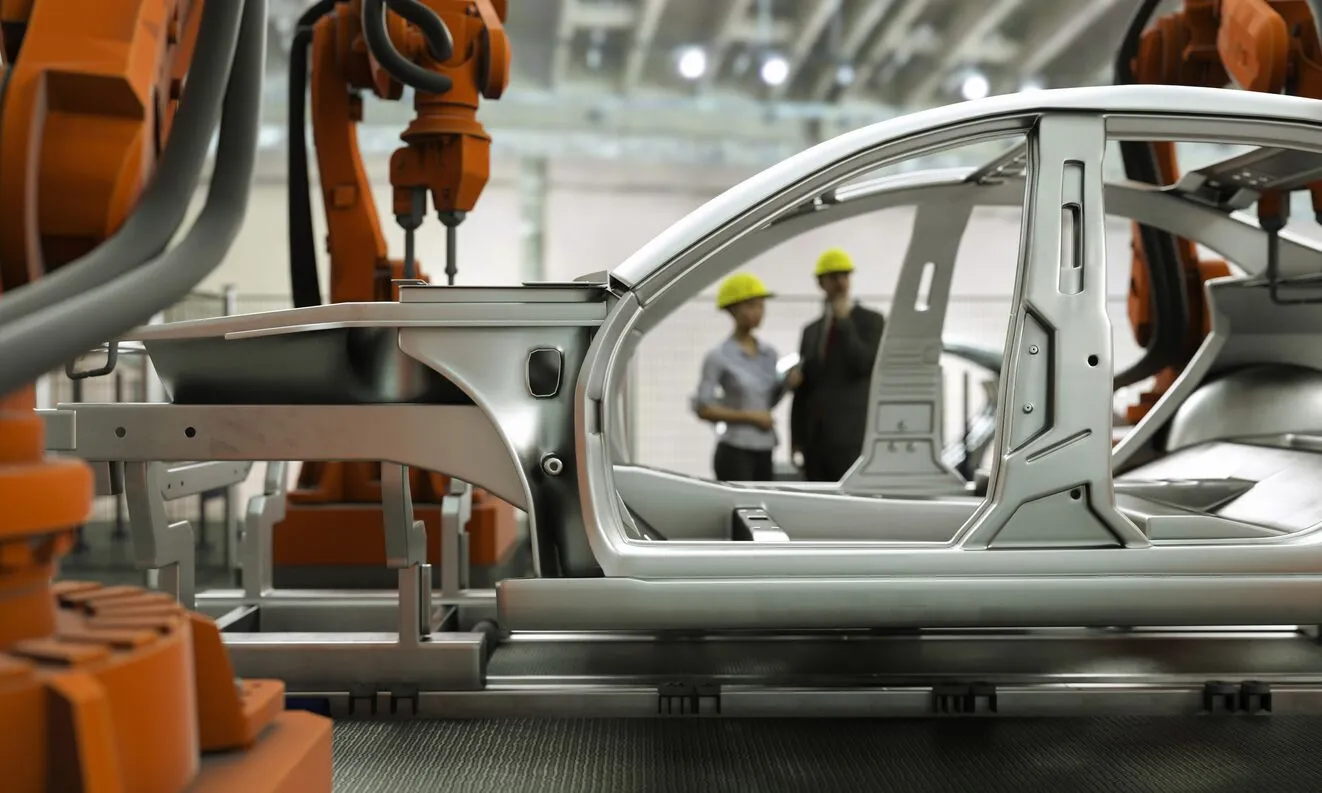
CNC Machines in Automotive and Industrial Applications
You've learned how to select equipment and budget for your investment. But what do CNC machines actually produce in the real world? Understanding practical applications transforms abstract capabilities into tangible outcomes. From the engine block in your car to the surgical instruments in hospitals, CNC technology shapes the components that power modern life.
Let's explore how different industries leverage these machines—and what that means for anyone considering CNC machining, whether you're setting up your own shop or searching for "cnc machine shops near me" to partner with established professionals.
Automotive Component Manufacturing
Walk through any auto machine shop, and you'll see CNC machines running constantly. The automotive industry relies on precision machining for virtually every vehicle subsystem. Why? Because cars demand components that fit perfectly, perform reliably, and survive harsh operating conditions.
Engine components represent some of the most demanding automotive applications. According to VMT CNC, pistons, cylinder heads, and crankshafts undergo precise machining for high performance. These parts must withstand extreme temperatures, pressures, and rotational speeds—tolerances measured in thousandths of an inch make the difference between smooth operation and catastrophic failure.
Common CNC-machined automotive parts include:
- Engine blocks and cylinder heads – Aluminum alloys machined for optimal thermal conductivity and weight savings
- Crankshafts and camshafts – Precision-turned steel components requiring tight runout tolerances
- Transmission housings and gears – Complex geometries demanding multi-axis machining capability
- Brake calipers and rotors – Safety-critical parts with strict dimensional requirements
- Suspension components – Chassis parts including control arms, knuckles, and bushings
- Fuel system components – Injector bodies and fuel rail assemblies requiring leak-proof precision
What separates automotive machining from other applications? Volume and consistency. Auto machine shops might produce thousands of identical parts weekly, each needing to meet exact specifications. Statistical Process Control (SPC) monitors production continuously, catching variations before they become defective parts.
For manufacturers seeking reliable automotive machining partners, quality certifications matter tremendously. IATF 16949 certification—the automotive industry's quality management standard—indicates a supplier meets rigorous process control requirements. Shaoyi Metal Technology exemplifies this approach, combining IATF 16949 certification with SPC quality control to deliver high-tolerance components. Their capability to scale from rapid prototyping to mass production—with lead times as fast as one working day for urgent components—demonstrates how modern CNC facilities serve automotive supply chains.
Material selection in automotive applications balances performance against cost. Aluminum alloys dominate where weight savings matter—engine blocks, cylinder heads, and many chassis components. Steel handles high-stress applications like crankshafts and connecting rods. Increasingly, advanced composites and specialized alloys address emerging needs in electric vehicles and performance applications.
Aerospace and Medical Applications
When tolerances tighten beyond typical industrial requirements, aerospace and medical manufacturing enter the conversation. These industries share a common thread: failure isn't an option. The consequences of dimensional errors range from catastrophic to life-threatening.
Aerospace components push CNC capabilities to their limits. LG Metal Works reports that aerospace parts demand tolerances as tight as ±0.0005"—half a thousandth of an inch. Turbine blades, structural brackets, and engine components all require this extreme precision.
What makes aerospace machining particularly challenging? The materials involved. Titanium alloys, Inconel, and other high-performance metals resist cutting. They work-harden during machining, generate extreme heat, and wear tools rapidly. Multi-axis CNC machines handle the complex geometries while specialized tooling and cutting strategies address material challenges.
Common aerospace CNC applications include:
- Turbine blades and engine components – Complex 5-axis machined parts in heat-resistant superalloys
- Structural airframe parts – Large aluminum components with intricate pocketing and thin walls
- Landing gear assemblies – High-strength steel parts with critical fatigue requirements
- Fuel system components – Leak-proof assemblies in corrosion-resistant materials
- Avionics housings – Precision enclosures for sensitive electronic equipment
Medical device manufacturing adds another dimension: biocompatibility. Parts destined for implantation must not only fit precisely but also interact safely with human tissue. According to VMT CNC, titanium and stainless steel are preferred for medical implants due to their biocompatibility, corrosion resistance, and strength.
Typical medical CNC applications encompass:
- Orthopedic implants – Hip joints, knee replacements, and bone plates with complex curved surfaces
- Surgical instruments – Precision tools requiring sharp edges and ergonomic handles
- Spinal implants and bone screws – Threaded components with tight tolerance threads
- Dental implants and prosthetics – Custom-fit components machined from patient scans
- Diagnostic equipment components – Housings and mechanisms for imaging systems
Both industries demand comprehensive quality documentation. Every machining operation, inspection result, and material certificate becomes part of a traceable record. When a part enters an aircraft or a patient's body, manufacturers must demonstrate exactly how it was made and verified.
Fiber laser cutting machine technology and cnc laser cutting machine systems complement traditional machining in these industries. Sheet metal components for aircraft interiors, medical device enclosures, and precision brackets often start on laser cutting systems before moving to machining centers for final features. Metal laser cutter capabilities produce clean edges with minimal heat-affected zones, important when subsequent welding or forming operations follow.
Water jet cutter technology serves both sectors when heat-affected zones cannot be tolerated at all. Cutting composites, layered materials, or heat-sensitive alloys without thermal distortion makes waterjet an essential complement to conventional CNC equipment.
Custom Fabrication and Prototyping
Not every CNC application involves thousands of identical parts. Custom fabrication and prototyping represent the opposite end of the spectrum—one-off creations and small batches where flexibility trumps volume efficiency.
Why does prototyping matter so much? According to Nabell, CNC rapid prototyping enables efficient creation of precise prototypes directly from digital models, streamlining product development and reducing time-to-market. Engineers can test form, fit, and function with actual materials rather than approximations.
The prototyping workflow typically progresses through stages:
- Concept models – Quick-turn parts validating basic geometry and proportions
- Functional prototypes – Parts machined from production-intent materials for testing
- Pre-production samples – Components made using production processes for final validation
- Low-volume production – Small batch manufacturing before committing to high-volume tooling
Custom fabrication serves clients who need specialized components without production-scale quantities. Machine shops specializing in this work handle diverse requests: replacement parts for vintage equipment, custom fixtures for manufacturing, one-off mechanisms for research applications, and artistic installations requiring precise metal forms.
What equipment handles this diversity? Versatile 3-axis and 5-axis mills capable of switching between materials and part types efficiently. Shops serving prototype and custom work invest in flexible workholding systems, diverse tooling inventories, and CAM software that handles varied geometries without extensive programming time.
For manufacturers exploring prototype-to-production pathways, finding partners who handle both ends of the spectrum provides continuity advantages. Shaoyi Metal Technology's capability to scale from rapid prototyping to mass production illustrates this integrated approach—prototypes machined with production-intent processes transition smoothly into volume manufacturing without process revalidation.
Industrial equipment manufacturing represents another significant custom fabrication segment. Gears, shafts, bearings, and robotic components require precise machining to ensure reliable operation. VMT CNC notes that steel alloys and hardened plastics commonly serve industrial applications for their strength, durability, and wear resistance.
Consumer electronics manufacturing has also embraced CNC machining for enclosures and structural components. Aluminum laptop housings, smartphone frames, and precision mechanical assemblies all benefit from CNC capabilities. The combination of aesthetic surface finish requirements and tight dimensional tolerances makes CNC an ideal production method.
Whether you're developing products requiring prototype validation, manufacturing specialized components in limited quantities, or seeking production partners for automotive applications, CNC technology provides the precision foundation. The machines themselves represent only part of the equation—software, tooling, and operational expertise complete the picture. Let's explore those supporting elements next.
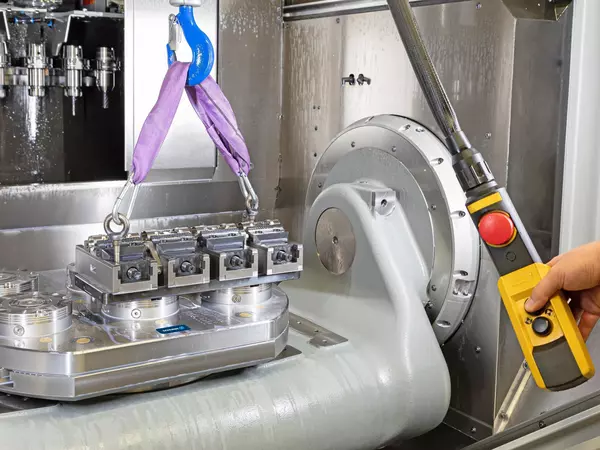
Essential Software and Tooling for CNC Success
You've explored machine types, selection criteria, and real-world applications. But here's what many newcomers overlook: the machine itself represents only part of the equation. Without proper software, quality cutting tools, and reliable workholding, even the finest cnc router machine or vertical milling machine underperforms. Think of these supporting elements as the ecosystem that transforms raw capability into finished parts.
Whether you're running a desktop unit or a production bridgeport mill, understanding this ecosystem separates frustrating trial-and-error from efficient, repeatable results. Let's break down each component.
CAD/CAM Software Essentials
Every CNC part begins as a digital model. CAD (Computer-Aided Design) software creates that model, while CAM (Computer-Aided Manufacturing) software translates it into machine-ready instructions. Getting this software combination right dramatically impacts your productivity.
What software categories should you understand?
- CAD modeling software – Creates 2D drawings and 3D models defining part geometry (SolidWorks, Fusion 360, AutoCAD, FreeCAD)
- CAM toolpath generation – Converts geometry into cutting paths and G-code programs (Fusion 360, Mastercam, SolidCAM, HSMWorks)
- Integrated CAD/CAM suites – Combines both functions in unified workflows, reducing file translation errors
- Post-processors – Translates generic toolpaths into machine-specific code your controller understands
- Simulation software – Verifies programs virtually before cutting, catching collisions and errors
According to CNC Code, choosing CAM software depends on your machine complexity, material types, and programming experience. For hobbyists and small shops, Fusion 360 offers capable CAD/CAM integration at accessible pricing. Production environments often turn to Mastercam or SolidCAM for advanced toolpath strategies and better optimization for complex milling machines.
SolidCAM deserves particular mention for its integration capabilities. The software embeds directly within SolidWorks, eliminating file transfers between design and manufacturing. Its iMachining technology automatically calculates optimal cutting conditions—valuable when you're learning or pushing material removal rates.
What about desktop milling machine users? Many entry-level machines include basic CAM software. Carbide Create ships with Shapeoko systems; Easel accompanies X-Carve routers. These simplified tools handle straightforward 2D and 2.5D work without overwhelming new users. As your skills develop, transitioning to more capable software becomes a natural progression.
Cutting Tools and Workholding
Software generates the program, but cutting tools do the actual work. Your tooling choices directly impact surface finish, dimensional accuracy, and how long your machine stays productive before needing maintenance.
End mills represent the most common cutting tools for milling operations. According to CNC Cookbook's comprehensive guide, selecting the right end mill involves several considerations:
Material composition matters significantly. Carbide end mills handle higher speeds and harder materials than HSS (high-speed steel) alternatives. However, HSS makes sense when spindle speeds stay below 6000 RPM—particularly for larger diameter tools cutting aluminum. Most production work uses carbide for its superior material removal rates.
Flute count affects chip clearance and feed rates. Two and three-flute end mills provide room for chips to escape when cutting aluminum—using four flutes in aluminum typically jams chips and breaks cutters. For steel and harder materials, four flutes become standard, allowing faster feed rates and improved surface finish.
Geometry variations serve specific purposes:
- Square end mills – General-purpose cutting with sharp corners
- Ball nose end mills – 3D contouring and sculptural surfaces
- Bull nose (corner radius) end mills – Better surface finish and reduced chipping
- Roughing end mills – Serrated edges break chips and reduce chatter during heavy cuts
Beyond cutting tools, workholding determines whether parts stay put during machining. As JLC CNC explains, proper fixtures ensure accuracy, consistency, and operator safety by firmly securing workpieces throughout operations.
Common workholding options include:
- Machine vises – Versatile clamping for rectangular stock; Kurt-style vises remain industry standards
- Fixture plates – Modular systems with threaded holes for flexible part positioning
- Vacuum tables – Hold sheet materials flat without clamps; essential for router work
- Collet chucks and tool holders – Secure cutting tools with precision runout
- Custom fixtures – Purpose-built for specific parts in production environments
Proper tooling selection extends machine longevity too. Running dull cutters or inappropriate feeds stresses spindle bearings, damages ways, and accelerates wear on every moving component. A bridgeport milling machine maintained with quality tooling and proper cutting parameters lasts decades; one abused with neglected cutters needs rebuilding far sooner.
Quality Control and Measurement
Making parts is only half the job—verifying they meet specifications completes the picture. Quality control equipment catches problems before parts leave your shop and provides feedback for process improvement.
Basic measurement instruments every CNC operator needs:
- Digital calipers – Quick dimensional checks accurate to 0.001"
- Micrometers – Higher precision measurements for critical features
- Dial indicators – Verify runout, flatness, and setup alignment
- Height gauges – Measure vertical dimensions and scribe layout lines
- Edge finders and probe systems – Locate workpiece positions precisely
For production environments, inspection moves beyond hand tools. Coordinate Measuring Machines (CMMs) capture complex geometry automatically. Surface finish testers quantify roughness values. Optical comparators overlay part profiles against reference standards. A grinding machine producing precision surfaces, for example, requires verification equipment matching its capability.
What connects measurement back to machining? Process control. When inspection reveals dimensions drifting toward tolerance limits, operators adjust tool offsets before parts go out of specification. This closed-loop approach—machine, measure, adjust—maintains consistency across production runs.
Statistical Process Control (SPC) formalizes this feedback. By tracking measurements over time, manufacturers identify trends, calculate process capability, and document quality for customers requiring certification. Industries like automotive and aerospace mandate these quality systems—IATF 16949 and AS9100 certifications verify suppliers maintain rigorous process controls.
Building your software and tooling ecosystem takes time, but each element contributes to your overall capability. Quality end mills produce better finishes than bargain cutters. Proper workholding eliminates scrapped parts from shifting setups. Capable CAM software generates efficient toolpaths that save hours weekly. These investments compound over time, transforming your CNC machine from raw potential into a reliable production tool.
With equipment, software, and tooling fundamentals covered, you're ready to take your next steps into CNC machining. Whether you're purchasing your first machine or evaluating manufacturing partners, the knowledge you've gained provides a solid foundation for confident decisions.
Getting Started with CNC Machining
You've traveled from understanding what is cnc machinery to exploring cnc equipment across every category—from desktop routers to industrial production systems. Now comes the moment of action. Whether you're ready to purchase your first machine or seeking professional partners, the knowledge you've gained positions you for confident decisions. Let's crystallize the essentials and map your path forward.
Key Takeaways for CNC Beginners
Before diving into your CNC journey, remember these foundational concepts that separate successful operators from frustrated ones:
Match machine to materials. Cnc routers excel at wood and plastics. Mills handle metals. A cnc lathe machine produces cylindrical parts. Choosing equipment aligned with your actual work prevents expensive mismatches.
Budget beyond the machine. Tooling, software, workholding, and training add 30% or more to your initial investment. According to Machine Station, investing in quality HSS or carbide tools prevents the frustration of poor results from cheap cutters.
Start with manageable materials. Aluminum, brass, and plastics forgive learning mistakes. Steel and exotic alloys punish them. Build skills progressively before tackling demanding applications.
Understand the digital workflow. CAD creates your design. CAM generates toolpaths. G-code tells the machine what to do. Breaking at any link stops production—invest time learning each stage.
Precision has levels. Hobby machines hold ±0.005". Professional equipment achieves ±0.001". Industrial systems reach ±0.0005". Know what your applications actually require before overspending on capability you won't use.
The most important consideration when entering CNC machining isn't the machine you buy—it's honestly assessing your materials, precision requirements, and production volumes before committing to any equipment or partnership.
Next Steps for Your CNC Journey
Ready to move forward? Your path depends on where you're starting and where you want to go.
For complete beginners: According to CNC Cookbook, free online training courses cover feeds and speeds, G-code programming, and machining fundamentals at your own pace. Start learning before purchasing—understanding operations helps you choose appropriate cnc machining equipment.
For hobbyists ready to buy: Desktop machines in the $1,500-$3,000 range deliver genuine capability. Focus on machines with active user communities—troubleshooting becomes dramatically easier when thousands of others run identical equipment.
For shops scaling up: Professional equipment from cnc machine makers like Tormach and SYIL bridges hobby and industrial worlds. Consider total cost of ownership, not just purchase price. Training time and productivity during learning curves affect your real investment.
For production environments: Industrial cnc equipment demands careful specification. According to Kremin Inc., evaluating technical capabilities, quality systems, and capacity ensures equipment matches production needs.
Whichever path you choose, expect a learning curve. Most beginners achieve basic competency within 2-3 months of consistent practice. Mastering advanced techniques takes 6-12 months or longer. Patience and persistence matter more than natural talent.
Finding Reliable Manufacturing Partners
Not ready to invest in your own equipment? Outsourcing to established CNC shops offers an alternative path. This approach makes particular sense when:
- Production volumes don't justify machine investment
- Projects require capabilities beyond your current equipment
- Time-to-market pressure exceeds learning curve timelines
- Quality certifications are mandatory for your industry
What should you evaluate when selecting manufacturing partners? Kremin Inc. recommends assessing technical capabilities, quality assurance systems, industry experience, capacity, and communication practices. Certifications like ISO 9001 or AS9100 indicate commitment to quality standards.
For automotive applications specifically, IATF 16949 certification signals suppliers meeting rigorous automotive industry requirements. Shaoyi Metal Technology exemplifies this standard, combining IATF 16949 certification with Statistical Process Control (SPC) to deliver high-tolerance components reliably. Their capability to scale from rapid prototyping to mass production—with lead times as fast as one working day—serves manufacturers needing both flexibility and production capacity.
When evaluating any partner, ask about their progression path. Can they handle your prototypes today and scale to production volumes tomorrow? Partners offering this continuity eliminate the disruption of switching suppliers as your needs evolve.
Whether you're building in-house capabilities or partnering with established manufacturers, the fundamentals remain constant: understand your requirements, match capabilities to needs, and invest in relationships—with equipment or partners—that grow alongside your ambitions. Your CNC journey starts with a single decision. Make it an informed one.
Frequently Asked Questions About CNC Machines
1. How much do CNC machines cost?
CNC machine costs vary significantly by category. Entry-level desktop and hobby machines range from $500 to $5,000, suitable for wood, plastics, and soft metals. Professional shop equipment costs $10,000 to $50,000, offering tighter tolerances and expanded material capabilities. Industrial CNC machines start at $50,000 and can exceed $500,000 for specialized systems with multi-axis capabilities and 24/7 production capacity. Remember to budget an additional 30% or more for tooling, software, workholding, and training expenses.
2. What is a CNC machine?
A CNC (Computer Numerical Control) machine is automated manufacturing equipment controlled by pre-programmed computer software. It translates digital designs into precise physical parts through coordinated axis movements and cutting operations. CNC machines interpret G-code instructions to perform cutting, drilling, milling, and turning tasks with minimal human intervention, achieving tolerances as tight as ±0.001 inches. Common types include mills, lathes, routers, plasma cutters, laser cutters, and EDM machines, each optimized for specific materials and applications.
3. Do CNC machinists make a lot of money?
CNC machinists earn competitive wages, with the average salary around $27.43 per hour in the United States according to recent data. Earnings increase substantially with experience, specialized skills, and certifications. Operators proficient in multi-axis programming, complex materials like titanium or Inconel, and industries such as aerospace or medical manufacturing command premium wages. Many machinists advance into programming, setup, or supervisory roles with corresponding salary increases.
4. What materials can CNC machines cut?
CNC machines process virtually any machinable material, though machine type determines suitability. Routers excel at wood, plastics, foam, and aluminum sheet. Mills handle aluminum, steel, stainless steel, titanium, brass, and engineering plastics like Delrin and PEEK. Lathes produce cylindrical parts from metals, plastics, and wood. Plasma cutters work with conductive metals including steel and aluminum. Laser cutters handle sheet metals, plastics, and wood with fine detail. Waterjet systems cut any material—metals, glass, stone, composites—without heat distortion.
5. Should I buy a CNC machine or outsource to a machine shop?
The decision depends on production volume, required capabilities, and budget. Purchasing makes sense when consistent workload justifies equipment investment, when you need rapid turnaround control, or when proprietary processes require in-house security. Outsourcing works better for low volumes, specialized capabilities beyond your equipment, or when quality certifications like IATF 16949 are mandatory. Partners like Shaoyi Metal Technology offer scalable solutions from prototyping to mass production with certified quality systems, providing flexibility without major capital investment.