 Small batches, high standards. Our rapid prototyping service makes validation faster and easier —
  EN
EN


Laser Cut Parts Decoded: From Design Files To Flawless Finished Pieces
What Are Laser Cut Parts and Why They Matter
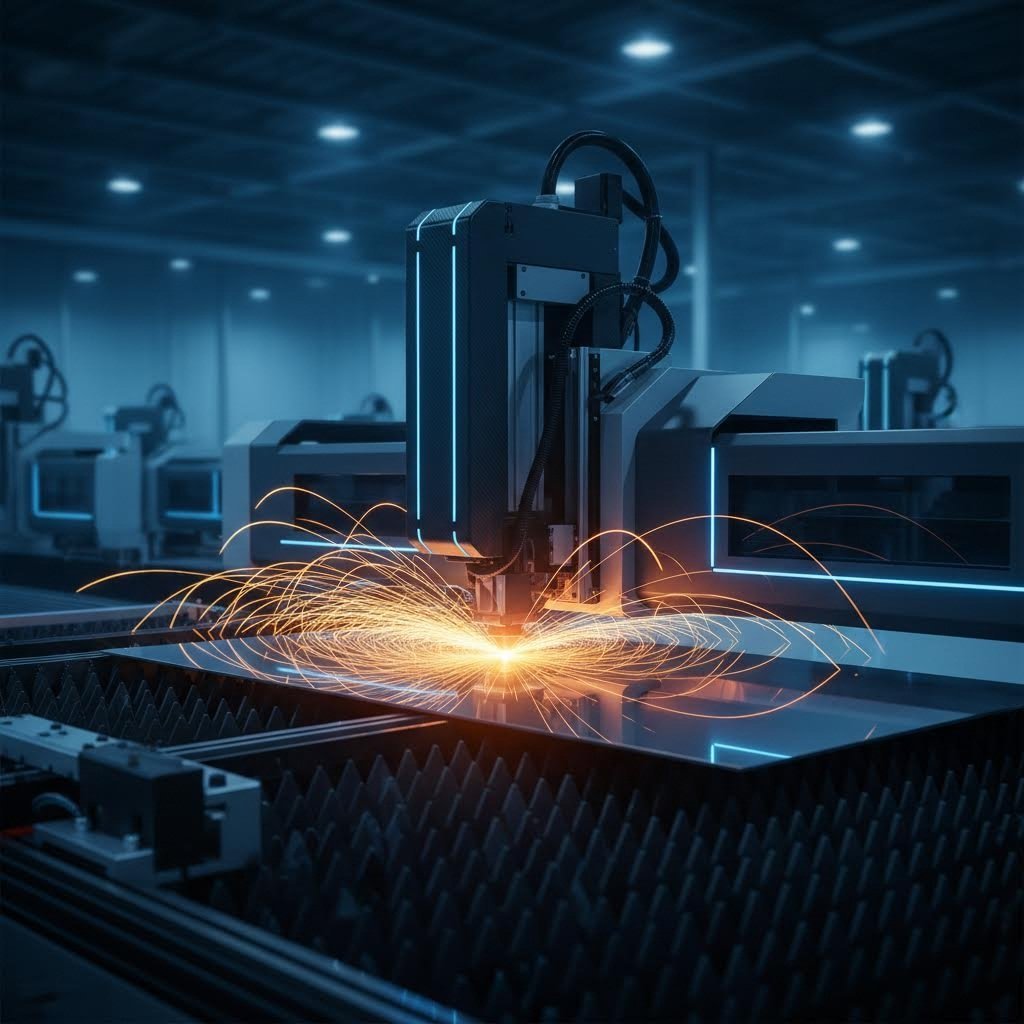
Ever wondered how manufacturers create those impossibly precise metal brackets, intricate signage designs, or perfectly fitted automotive components? The answer lies in one of modern manufacturing's most transformative technologies. Laser cut parts are components manufactured using focused laser beams to cut, engrave, or shape materials with exceptional precision—all without the cutting tool ever physically touching the workpiece.
Laser cut parts are precision components created when a high-powered, focused laser beam thermally separates material by melting, burning, or vaporizing it along a programmed path, producing clean edges with tolerances as tight as 0.004 inches (0.10mm).
Unlike traditional cutting methods that rely on physical force, a laser cutter harnesses concentrated light energy to perform its work. The result? Clean, burr-free edges and the ability to create geometries that would be impossible with conventional tools.
The Science Behind Laser Cut Parts
So how does light actually cut through metal? It all comes down to thermal energy and precise control. According to TWI Global, the process begins when electrical discharges or lamps stimulate lasing materials inside a closed container. This energy is amplified through internal reflection until it escapes as a powerful, coherent beam of monochromatic light.
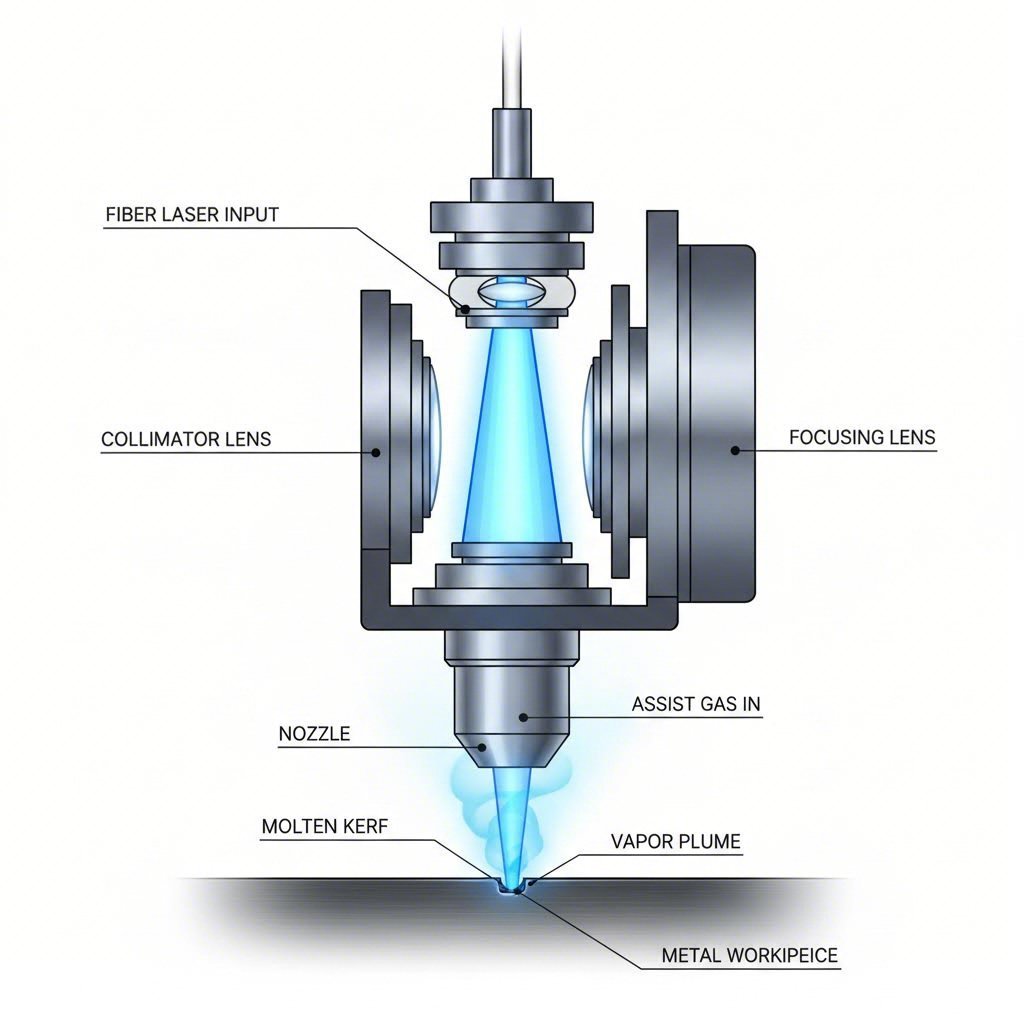
When this concentrated beam hits your material, something remarkable happens. The intense heat—focused through specialized optics and lenses—causes the material to melt, vaporize, or burn away entirely. A jet of gas then blows the molten material clear, leaving behind a high-quality finished edge. The entire process is guided by computer numerical control (CNC), which follows programmed patterns with microscopic accuracy.
Here's what makes precision laser cutting truly impressive: at its narrowest point, a laser beam measures under 0.0125 inches (0.32mm) in diameter. This incredibly fine focal point enables laser fabrication to achieve details that mechanical cutting simply cannot replicate.
Why Precision Matters in Modern Manufacturing
Imagine you're assembling an engine where components must fit together with zero tolerance for error. Or picture an aerospace application where a fraction of a millimeter could compromise structural integrity. This is where laser cutting metal becomes indispensable.
In the automotive industry, manufacturers rely on these precisely cut components for everything from chassis frames to intricate interior trim pieces. As noted by ABLE Converting, laser cutting enables accurate production of complex shapes that enhance both efficiency and quality in automobile manufacturing.
The advantages extend across virtually every sector of metal fabrication:
- Automotive: Body panels, engine components, and transmission parts requiring exact specifications
- Aerospace: Lightweight structural elements where precision directly impacts safety
- Electronics: Enclosures and heat sinks with complex geometries
- Medical devices: Components demanding the highest accuracy standards
What truly sets this technology apart is its non-contact nature. Because nothing physically touches the material during cutting, there's no tool wear, no deformation from mechanical pressure, and no need for expensive tool replacements. This translates to consistent quality whether you're producing the first part or the ten-thousandth.
Ready to dive deeper? In the sections ahead, you'll discover exactly how different laser types work, which materials you can cut, and how to prepare your designs for flawless results.
How Laser Cutting Technology Works
You've seen what laser cut parts can accomplish—but what's actually happening inside that metal cutting laser machine? Understanding the mechanics behind the technology helps you make smarter decisions about materials, tolerances, and design requirements. Let's pull back the curtain on how these systems transform raw materials into precision components.
At its core, a laser cutting machine for metal generates an intensely focused beam of light that raises the temperature of your material so rapidly that it melts, vaporizes, or burns away along a programmed path. According to HARSLE, a coaxial gas jet simultaneously blows the molten material away, creating a clean kerf—the narrow channel left behind by the cutting process.
But here's where it gets interesting: not all lasers work the same way. The type of laser you choose fundamentally changes what materials you can cut, how precise your results will be, and even your operating costs.
CO2 vs Fiber vs Nd:YAG Lasers
When you're evaluating CNC laser cutting options, you'll encounter three primary laser types. Each has distinct strengths that make it ideal for specific applications.
CO2 Lasers
The CO2 laser uses a gas mixture of carbon dioxide, nitrogen, and helium as its active medium, producing a wavelength of 10.6 micrometers. This longer wavelength makes a co2 laser cut metal machine particularly effective for non-metallic materials like wood, plastic, glass, and textiles. However, with the right setup, CO2 lasers can also cut metals including mild steel, stainless steel, and aluminum.
- Wavelength: 10.6 μm—ideal for non-metals and certain metals
- Power output: High power capability for large-format cutting
- Cooling requirements: Complex water-cooling systems needed
- Best applications: Non-metallic materials, thin metals, and large-format work
- Maintenance: Regular upkeep required; relatively shorter lifespan
Fiber Lasers
A fiber laser uses glass optical fibers doped with rare earth elements as its gain medium, operating at wavelengths between 1060-1090 nanometers. This shorter wavelength is readily absorbed by reflective metals, making fiber lasers the go-to choice for a laser sheet metal cutter handling aluminum, brass, and copper. As noted by LoShield, fiber lasers achieve photoelectric conversion efficiency up to 30%—significantly outperforming other laser types.
- Wavelength: 1060-1090 nm—excellent for metal processing
- Efficiency: Up to 30% photoelectric conversion
- Cooling requirements: Simple air-cooling systems in most cases
- Best applications: Precision metal cutting, reflective materials, microelectronics
- Service life: Exceeds 100,000 hours with minimal maintenance
Nd:YAG Lasers
Nd:YAG lasers use neodymium-doped yttrium aluminum garnet crystals as their gain medium, producing a 1064 nm wavelength. These solid-state lasers excel in applications requiring excellent penetration ability and high energy density. You'll find them in heavy industrial settings, shipbuilding, and specialized applications where stability in challenging environments matters.
- Wavelength: 1064 nm—versatile for multiple materials
- Penetration: Excellent for thick metal plates
- Cooling requirements: Moderate—between fiber and CO2 systems
- Best applications: Heavy industrial cutting, welding, aerospace, and military
- Stability: Performs reliably in extreme environments
Understanding Beam Mechanics and Material Interaction
Sounds complex? Let's break it down. When a metal laser cutter directs its beam onto your workpiece, the focused light creates an incredibly small focal point—often under 0.32mm in diameter. At this focal point, energy density becomes so intense that the material's temperature skyrockets within milliseconds.
What happens next depends on the material properties and laser parameters. For low-melting-point materials like plastics, the beam melts the material as it cuts through. For metals with higher melting points, the laser vaporizes material directly, creating narrow, precise cuts. In oxygen-assisted cutting, the gas actually reacts with the metal to generate additional heat—reducing the required laser power to just half of what melt cutting demands.
Here's the critical concept you need to understand: kerf. The kerf is the width of material removed during cutting—essentially the width of your cut line. Kerf width is determined by several factors:
- Laser power and beam quality
- Focal spot size and lens configuration
- Material type and thickness
- Cutting speed and assist gas pressure
Why does this matter? Because kerf directly affects your final part dimensions. If your design doesn't account for kerf compensation, parts will end up slightly undersized. Professional CNC laser cutting systems typically produce kerf widths between 0.1mm and 0.4mm, depending on the material and setup.
Gas assist plays a crucial supporting role in this process. Oxygen, nitrogen, or compressed air flows through the cutting head nozzle, serving three purposes: removing molten material from the cut zone, cooling the material to prevent excessive heat-affected zones, and minimizing burrs or dross formation.
Now that you understand how these systems work at a mechanical level, the next question becomes: which materials can you actually cut? The answer might surprise you—it's far more diverse than most people realize.
Materials You Can Laser Cut Successfully
When you're planning a laser cutting project, the first question that naturally arises is: can this material actually be cut? The good news is that laser technology handles an impressively wide range of materials—from robust stainless steel sheet to delicate baltic birch plywood. However, each material behaves differently under the beam, and understanding these nuances is what separates successful projects from costly mistakes.
Let's explore what works, what doesn't, and why material selection matters more than you might think.
Metal Materials and Thickness Ranges
Metals represent the workhorses of industrial laser cutting. Whether you're producing automotive brackets, architectural panels, or precision instrument housings, understanding gauge sizes and thickness capabilities helps you design parts that manufacturers can actually produce.
Stainless Steel
Stainless steel sheet remains one of the most popular choices for laser cut parts due to its corrosion resistance and clean edge quality. According to Xometry's standard sheet specifications, Stainless Steel 304 is available in thicknesses ranging from 0.018" up to 1.000", while Stainless Steel 316 offers similar options from 0.018" to 1.000". Fiber lasers handle stainless exceptionally well, producing oxide-free edges when nitrogen assist gas is used.
Aluminum Sheet
Aluminum sheet presents unique challenges due to its high reflectivity and thermal conductivity. However, modern fiber lasers have largely overcome these obstacles. Aluminum 6061 T6—perhaps the most versatile alloy—comes in gauge sizes from 0.016" to 1.000", giving you tremendous flexibility for everything from thin enclosures to substantial structural components. For applications requiring higher strength, Aluminum 7075 T6 offers thicknesses from 0.025" to 1.000".
Carbon and Mild Steel
Carbon steels like A36 and 1018 are the economical workhorses of laser fabrication. Steel A36 is available from 0.100" to 1.000", making it suitable for both light-duty brackets and heavy structural parts. When you need wear resistance, AR400 and AR500 hardened steels handle thicknesses up to 0.750".
Specialty Metals
Beyond the common choices, laser cutting accommodates brass, copper, bronze, and even titanium. Titanium Grade 5 (6Al-4V) is available in thicknesses from 0.032" to 0.250"—essential for aerospace and medical applications where strength-to-weight ratio is critical.
Non-Metal Options for Laser Cutting
While metals dominate industrial applications, non-metallic materials open up entirely different possibilities—from custom signage to protective components and artistic creations.
Acrylic
Acrylic is a laser operator's dream. It cuts cleanly with polished, flame-finished edges that often require no post-processing. CO2 lasers excel here, producing results that look professionally finished straight off the machine. If you're seeking an acrylic cutting service, know that thicknesses up to 25mm (approximately 1") are commonly processed, though thicker materials may require multiple passes.
Wood and Plywood
Baltic birch plywood has become the gold standard for laser-cut wooden parts due to its consistent void-free layers and predictable cutting behavior. CO2 lasers handle wood beautifully, though you'll notice charred edges that may require sanding for certain applications. Custom laser cut wood projects typically work with materials up to 12mm thick, depending on laser power.
Engineering Plastics
HDPE (high-density polyethylene) cuts cleanly for industrial applications requiring chemical resistance. Delrin (acetal/POM) is another excellent choice for mechanical components—it machines well and produces smooth edges. Polycarbonate sheets, while laser-cuttable, tend to discolor at the edges and may require careful parameter tuning to prevent yellowing.
| Material Category | Common Materials | Typical Thickness Range | Key Considerations |
|---|---|---|---|
| Stainless Steel | 304, 316, 430 | 0.018" - 1.000" | Use nitrogen gas for oxide-free edges; fiber laser preferred |
| Aluminum | 5052, 6061, 7075 | 0.016" - 1.000" | High reflectivity requires fiber laser; watch for burrs on thicker stock |
| Carbon Steel | A36, 1018, 1045 | 0.060" - 1.000" | Oxygen assist increases cutting speed; edges may require deburring |
| Brass/Copper | 260 Brass, Copper 110 | 0.005" - 0.250" | Highly reflective; requires fiber laser with anti-reflection features |
| Acrylic | Cast, Extruded | Up to 25mm (1") | CO2 laser produces polished edges; cast acrylic yields best results |
| Wood/Plywood | Baltic Birch, MDF, Hardwoods | Up to 12mm (0.5") | Expect charred edges; resin content affects cut quality |
| Engineering Plastics | HDPE, Delrin, Polycarbonate | Up to 12mm (0.5") | Verify material safety; some plastics emit toxic fumes |
Materials You Should Never Laser Cut
Here's where material knowledge becomes genuinely critical—not just for part quality, but for your safety. Some materials release dangerous fumes when exposed to laser energy, and no project is worth compromising your health.
PVC and Vinyl
Never cut PVC with a laser. According to Trotec Laser, polyvinyl chloride releases hydrochloric acid, vinyl chloride, ethylene dichloride, and dioxin when laser processed. These compounds are corrosive, toxic, and carcinogenic—they'll damage your machine's optics and pose severe health risks.
ABS Plastic
ABS emits hydrogen cyanide (HCN) gas during laser cutting—a compound that prevents cells from utilizing oxygen. This makes ABS fundamentally unsuitable for laser processing regardless of ventilation.
Other Hazardous Materials
The following should also be avoided:
- PTFE/Teflon: Releases toxic fluorine compounds
- Fiberglass and carbon fiber: Creates hazardous dust particles
- Leather containing chromium (VI): Produces toxic fumes
- Materials with halogen-based flame retardants: Often contain bromine compounds
- Polystyrene foam: Catches fire easily and produces styrene, a suspected carcinogen
When in doubt about any material, request a safety data sheet (SDS) from your supplier. The chemical composition will tell you whether laser processing is safe.
Understanding which materials work—and which ones don't—is just the first step. Once you've selected your material, the next challenge is ensuring your parts meet the precision requirements your application demands. That's where tolerances come into play.
Precision and Tolerances Explained
You've selected your material and understand how the laser interacts with it—but here's the question that truly matters for functional parts: how precise will your finished components actually be? When manufacturers claim "99.3% accuracy," what does that really mean for your application? The answer lies in understanding tolerances—and the surprising number of factors that influence them.
In sheet metal fabrication and laser cutting of metal sheets, tolerance isn't just a specification on a drawing. It's the measurable difference between what you designed and what you receive. Getting this right determines whether your parts assemble smoothly, function correctly, or end up as expensive scrap.
Understanding Tolerance Specifications
Think of tolerance as the "acceptable margin of error" in manufacturing. When you specify a hole diameter of 10mm with a tolerance of ±0.05mm, you're telling the manufacturer that any diameter between 9.95mm and 10.05mm is acceptable. Anything outside that range fails inspection.
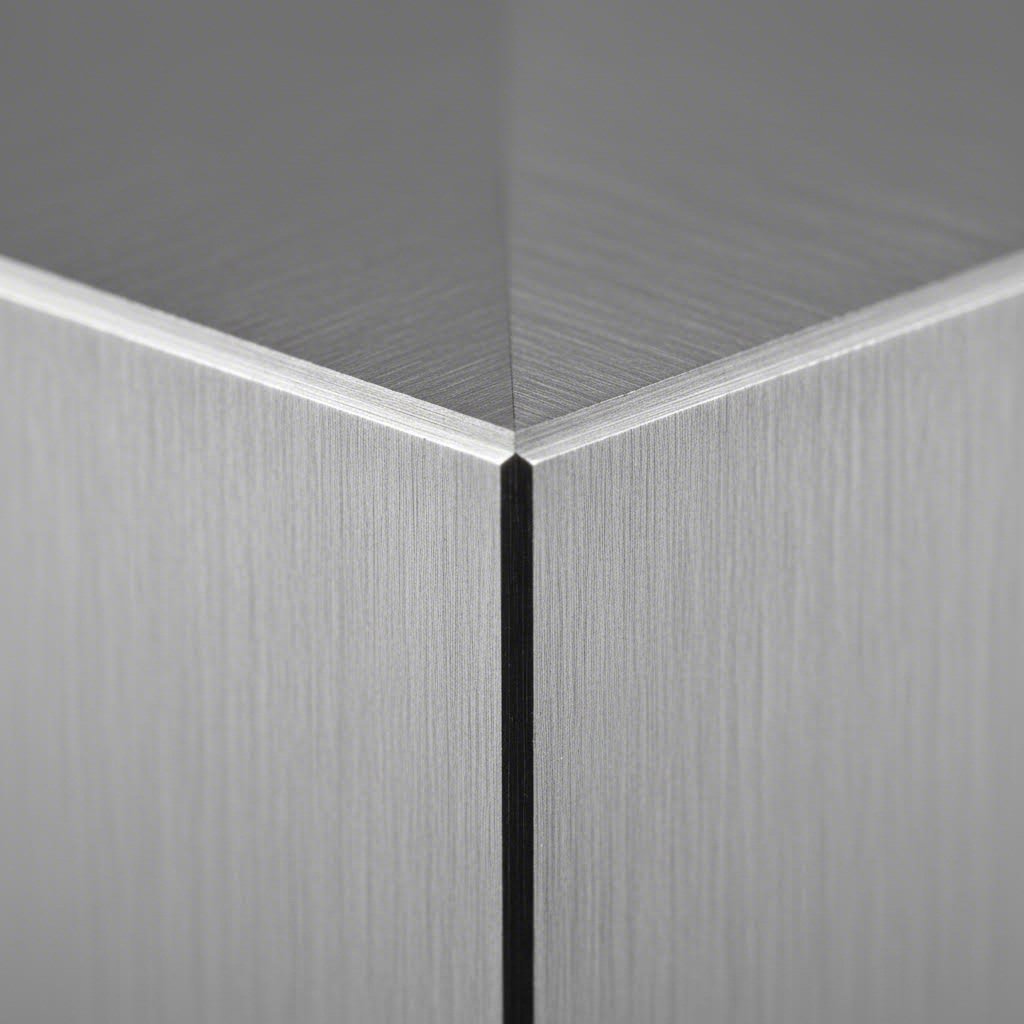
According to Accurl's technical documentation, laser cutting typically achieves dimensional accuracy within ±0.005 inches (approximately ±0.127mm). The cut width—or kerf—can be as narrow as 0.004 inches (0.10mm), depending on laser power and material thickness. For context, that's roughly the thickness of a sheet of paper.
But here's where it gets nuanced. There are actually two distinct types of precision you need to consider:
- Cutting Tolerance: The variation in the actual cut dimensions—how closely the physical cut matches the programmed path. This determines feature sizes like hole diameters and slot widths.
- Positional Accuracy: How precisely the laser positions each cut relative to other features on the part. This affects hole-to-hole distances and overall part geometry.
According to Retero's precision manufacturing specifications, high-quality sheet metal laser cutting systems achieve tolerances of ±0.01mm for thin materials under 1.5mm thick. As material thickness increases toward 3.0mm, expect tolerances closer to ±0.03mm. These figures represent what's technically achievable under optimal conditions—not what every shop delivers.
| Material Thickness | Achievable Tolerance | Practical Applications |
|---|---|---|
| Under 1.5mm (0.060") | ±0.01mm (±0.0004") | Precision electronics, medical devices, microcomponents |
| 1.5mm - 3.0mm (0.060" - 0.120") | ±0.03mm (±0.001") | Automotive brackets, instrument housings, structural elements |
| 3.0mm - 6.0mm (0.120" - 0.250") | ±0.05mm - ±0.10mm | Heavy brackets, frames, industrial components |
| Over 6.0mm (0.250") | ±0.10mm - ±0.15mm | Structural plates, heavy equipment parts |
Factors That Affect Cutting Accuracy
So why can't every laser cutting operation achieve those impressive ±0.01mm tolerances? Because precision depends on a complex interplay of variables—many of which aren't immediately obvious.
Here are the key factors that determine whether your parts meet specification:
- Material Properties: Every material responds differently to laser energy. Aluminum's high thermal conductivity causes greater heat spread, potentially affecting adjacent features. Stainless laser cutting typically produces tighter tolerances than aluminium laser cutting because stainless steel has lower thermal conductivity and more predictable heat absorption.
- Material Thickness: Thinner materials consistently yield better precision. As JTV Manufacturing explains, "a smoother or thinner material can give you a more exact cut." The reason? Less material means less heat accumulation and reduced thermal distortion.
- Machine Quality and Calibration: The mechanical precision of XY axes, stability of the laser head, and tension of drive systems directly impact cut accuracy. Even small clearances or vibrations cause contours to blur—especially on intricate geometries. Regular calibration and maintenance are non-negotiable for precision work.
- Laser Type and Power: Fiber lasers typically achieve finer tolerances than CO2 systems for metal cutting due to their smaller focal spot size. Higher-quality beam profiles produce more consistent results across the entire cutting area.
- Operator Expertise: Parameter selection—cutting speed, power level, focus position, gas pressure—requires experience and material knowledge. An experienced operator knows when to slow down for tight corners or adjust focus for optimal edge quality.
- Environmental Conditions: Temperature fluctuations cause both the machine and workpiece to expand or contract. Humidity affects material behavior. Vibrations from nearby equipment can transfer to the cutting table. Professional facilities control these variables; garage shops typically cannot.
- Workpiece Positioning: How you secure material on the cutting bed matters more than you'd think. An unstable workpiece vibrates during cutting, degrading precision. Even slight material warping before cutting translates directly to dimensional errors in finished parts.
The tensile strength of your chosen material also plays an indirect role. Materials with higher tensile strength tend to resist thermal distortion better, maintaining dimensional stability during the cutting process. This is one reason why precision components often specify particular alloy grades.
What "Accuracy" Claims Really Mean
When you see a fabricator advertising "99.3% accuracy" or similar figures, approach with healthy skepticism. That percentage typically describes repeatability under ideal conditions—not guaranteed results for your specific part.
The meaningful questions to ask are:
- What tolerance can you hold on my specific material and thickness?
- What's your positional accuracy for features 100mm apart?
- How do you verify parts meet specification?
- What environmental controls exist in your facility?
For stainless laser cutting applications requiring tight tolerances, look for providers with documented quality systems and inspection capabilities. Precision isn't just about the laser—it's about the entire manufacturing ecosystem surrounding it.
Understanding tolerances helps you design smarter and communicate effectively with manufacturers. But even perfect tolerance specifications won't help if your design files contain errors. Next, you'll learn exactly how to prepare your files for flawless laser cutting results.
Preparing Your Design Files for Laser Cutting
You've selected your material, understood the tolerances you need, and you're ready to bring your design to life. But here's where many projects stumble: the design file itself. A technically perfect laser cutter can't compensate for poorly prepared files—and the mistakes that seem minor on your screen often translate to rejected parts, wasted materials, or costly delays.
Whether you're ordering custom laser cutting services or working with an in-house machine, file preparation is the bridge between your creative vision and flawless finished pieces. Let's make sure you cross it without incident.
File Formats and Preparation Requirements
When submitting files for laser cut sheet metal or any other material, your format choice matters more than you might expect. Each format has strengths and limitations that affect how accurately your design translates to physical parts.
Vector vs. Raster: The Critical Distinction
Before diving into specific formats, understand this fundamental principle: laser cutters require vector graphics—not raster images. Vector files define shapes using mathematical equations, meaning they can scale infinitely without losing quality. Raster images (JPEGs, PNGs, BITMAPs) are made of pixels, and when you try to cut from them, the machine has no clear path to follow.
According to SendCutSend's design guidelines, if you've converted your file from a raster image, you must verify all dimensions carefully. Printing your design at 100% scale helps confirm that scaling and proportions translated correctly during conversion.
Recommended File Formats
- DXF (Drawing Exchange Format): The industry standard for laser cutting. DXF files maintain precise geometry and are universally compatible with CAD/CAM software. Most fabricators prefer this format for laser cutting steel sheet and other metals.
- DWG (AutoCAD Drawing): Native AutoCAD format with excellent precision. Works well for complex engineering drawings but requires compatible software to open.
- AI (Adobe Illustrator): Ideal for designers working in creative applications. Supports layers and complex artwork, though you'll need to ensure all text is converted to outlines before submission.
- SVG (Scalable Vector Graphics): An open-source alternative that works well for custom laser cut wood projects and signage. Widely supported but occasionally has compatibility issues with industrial equipment.
When requesting a laser cutting quote, submitting files in the fabricator's preferred format often speeds up processing and reduces the chance of conversion errors.
Common Design Mistakes to Avoid
Even experienced designers make these errors. The difference is that seasoned professionals know to check for them before submitting files. Here's what trips up most projects:
Text Not Converted to Outlines
This is perhaps the most common file error. If your design includes text, the fabricator's software may not have the same fonts installed on their system. Result? Your elegant typography becomes a jumbled mess—or disappears entirely. As SendCutSend notes, if you can hover over text and edit it, it hasn't been converted. In Illustrator, use "Create Outlines." In CAD software, look for "Explode" or "Expand" commands.
Ignoring Kerf Compensation
Remember the kerf—the material removed by the laser beam? According to laser cutting expert John Duthie, failing to compensate for kerf causes parts not to fit together correctly. If you're designing interlocking components or press-fit assemblies, account for the 0.1mm to 0.4mm material loss on each cut edge.
Insufficient Spacing Between Cuts
Placing cut lines too close together creates several problems: heat accumulates between features, thin sections warp or melt, and delicate areas may break during handling. Makerverse's design guidelines recommend spacing cutting geometry at least two times the sheet thickness to avoid distortion.
Features Too Small to Cut
Every material has minimum feature sizes based on thickness and laser capabilities. Holes smaller than the material thickness often fail to cut cleanly. As a general rule:
- Minimum hole diameter should equal or exceed material thickness
- Slot widths should be at least 1.5x material thickness
- Distance from holes to edges should be at least 2x material thickness to prevent tearing
Improper Line Weights
Laser cutting software interprets line properties to determine operations. Using inconsistent line weights—or lines with thickness instead of hairline strokes—confuses the system. Cut lines should be true hairlines (0.001" or 0.025mm) with consistent colors designating cut versus engrave operations.
Retained Interior Cutouts
Designing a letter "O" or any shape with interior cutouts? Those center pieces will fall out during cutting. If you need to retain interior sections, add small bridges or tabs connecting them to the outer shape, or submit them as separate parts.
Your Design File Preparation Checklist
Before submitting any file for laser cut aluminum, steel, acrylic, or wood, run through this checklist:
- Verify file format: Save as DXF, DWG, AI, or SVG depending on fabricator preference
- Convert all text to outlines/paths: Eliminate font dependency issues
- Check for open paths: All cut shapes must be closed vectors
- Remove duplicate lines: Overlapping paths cause double-cutting and burning
- Confirm dimensions and scale: Print at 100% to verify real-world sizing
- Apply kerf compensation: Adjust for material removal on critical fit features
- Verify minimum feature sizes: Holes and slots must meet material-specific minimums
- Check spacing between cuts: Maintain at least 2x material thickness between features
- Set proper line weights: Use hairline strokes for cut paths
- Organize layers: Separate cut, score, and engrave operations clearly
- Remove construction geometry: Delete reference lines, dimensions, and notes from the file
- Address interior cutouts: Add bridges or separate as individual parts if retention is needed
Taking fifteen minutes to verify these items saves days of back-and-forth with fabricators and prevents expensive material waste. For complex projects or first-time designs, many services offer DFM (Design for Manufacturing) feedback before production begins.
Now that your files are properly prepared, you might be wondering: is laser cutting actually the right choice for your project, or would another method serve you better? The answer depends on factors you may not have considered.
Laser Cutting vs Alternative Cutting Methods
Your design files are ready, your tolerances are specified—but here's a question worth pausing on: is laser metal cutting actually the best approach for your project? While laser cut parts dominate many applications, three other technologies compete for your attention: waterjet cutting, plasma cutting, and CNC routing. Each excels in specific scenarios, and choosing wrong can cost you thousands in wasted material, compromised quality, or unnecessary expense.
Think of it like choosing between a scalpel, a saw, and a chisel. Each tool cuts—but the right choice depends entirely on what you're cutting and why. Let's break down when each method makes sense so you can make genuinely informed decisions.
Laser Cutting vs Waterjet and Plasma
Laser Cutting: The Precision Specialist
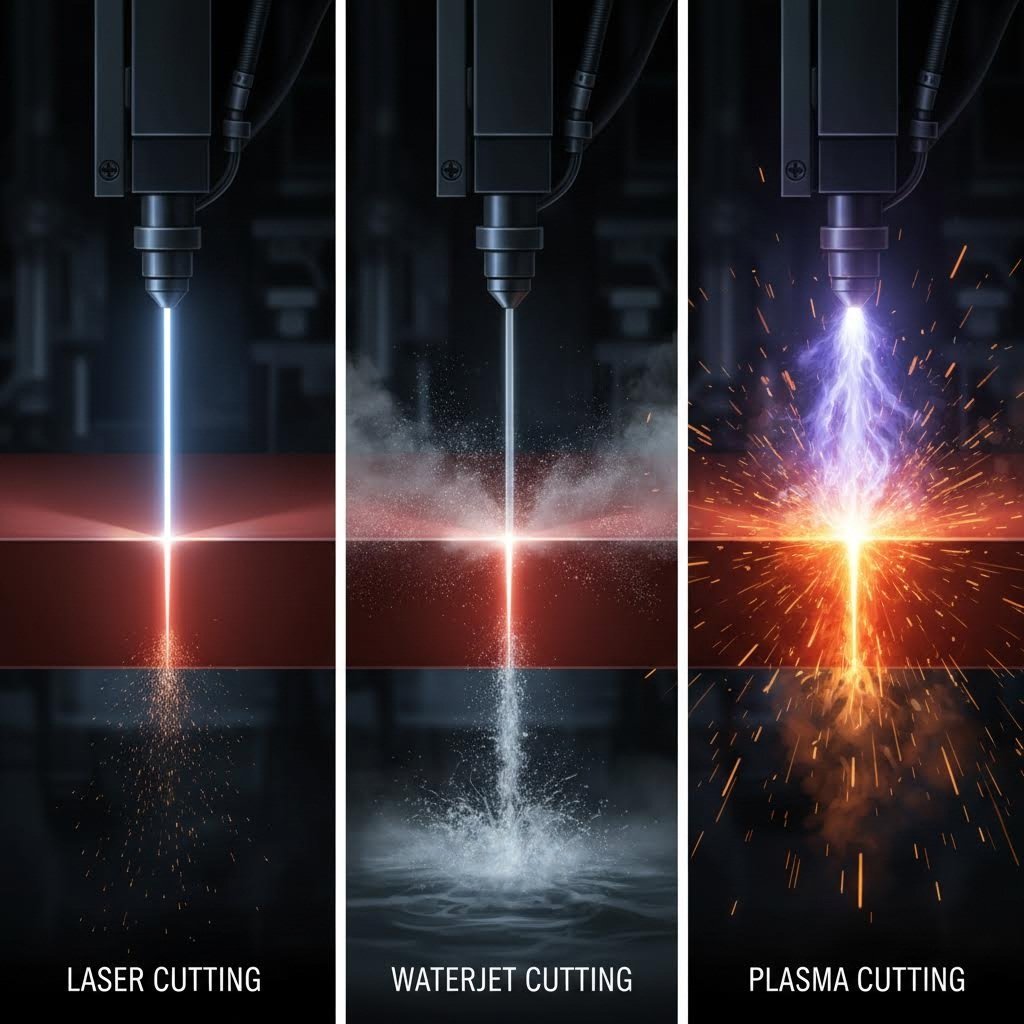
Laser cutting uses focused light energy to melt, burn, or vaporize material along a programmed path. According to SendCutSend's fabrication guide, lasers capable of cutting upwards of 2,500 inches per minute make this the fastest method available—and often the most economical for thin to medium-thickness materials.
Where does laser cutting shine? Thin sheets requiring intricate details, tight tolerances, and clean edges. The focused beam creates exceptionally precise cuts with minimal post-processing. For electronics enclosures, medical devices, and precision parts manufacturing, laser cutting delivers unmatched results.
However, lasers have limitations. They're generally restricted to materials under 1" thick for most metals. Highly reflective materials like copper and brass require fiber lasers with anti-reflection features. And because cutting is thermal, heat-affected zones (HAZ)—though minimal with modern equipment—can alter material properties near the cut edge.
Waterjet Cutting: The Versatile All-Rounder
Waterjet machines use cold supersonic abrasive erosion—essentially high-pressure water mixed with crushed garnet—to cut through virtually any material. According to IWM Waterjet's technical comparison, waterjets can cut thickness as much as 4" of steel (100mm), far exceeding laser capabilities.
The outstanding advantage? Zero heat-affected zone. Because cutting happens through erosion rather than thermal energy, there's no warping, no hardening, and no risk of micro-cracking in heat-sensitive materials. This makes waterjet the clear choice for aerospace components where regulations prohibit any HAZ, or for cutting composites, glass, stone, and ceramic tile.
The trade-off is speed. Wurth Machinery's testing found that waterjet cutting is significantly slower than both laser and plasma methods. Operating costs run higher too—a complete waterjet system costs approximately $195,000 compared to around $90,000 for a comparable plasma setup.
Plasma Cutting: The Thick-Metal Champion
Plasma cutting uses an electrical arc and compressed gas to create ionized plasma at temperatures between 20,000 to 50,000 degrees—essentially melting through conductive metals at high speed. If you're cutting ½" steel plate or thicker, plasma offers the best combination of speed and cost efficiency.
According to testing by Wurth Machinery, plasma cutting 1-inch steel runs 3-4 times faster than waterjet, with operating costs roughly half as much per foot. For structural steel fabrication, heavy equipment manufacturing, and shipbuilding, plasma simply makes economic sense.
The limitation? Precision suffers compared to laser cutting. Plasma accuracy falls in the range of ±0.030" to ±0.060"—acceptable for structural work, but inadequate for precision components. Edge quality is rougher too, often requiring additional finishing. And plasma only works on electrically conductive materials, eliminating plastics, wood, and composites entirely.
CNC Routing: The Non-Metal Specialist
While not a thermal cutting process, CNC routing deserves consideration for plastics, woods, and composites. A rotating cutter follows programmed paths with computer-controlled precision, producing superior surface finishes on materials where laser cutting might cause burning or discoloration.
CNC routing maintains tolerances of ±0.005" and excels with HDPE, Delrin, plywood, and engineering plastics. However, the process generates mechanical load on parts—small fixture tabs are necessary to prevent movement during cutting, potentially leaving small marks that require hand finishing.
When to Choose Each Cutting Method
Making the right choice comes down to five key decision criteria. Here's how each technology stacks up:
| Factor | Laser Cutting | Waterjet Cutting | Plasma Cutting | CNC Routing |
|---|---|---|---|---|
| Precision/Accuracy | ±0.001" to ±0.005" (excellent) | ±0.003" (very good) | ±0.030" to ±0.060" (fair) | ±0.005" (very good) |
| Maximum Thickness | Up to 1" steel typical | Up to 4"+ steel | Up to 6" aluminum | Varies by material |
| Material Compatibility | Metals, some plastics/wood | Virtually any material | Conductive metals only | Plastics, wood, composites |
| Edge Quality | Excellent; minimal finishing | Excellent; no burrs/dross | Fair; requires finishing | Excellent surface finish |
| Cutting Speed | Very fast (up to 2,500 IPM) | Slow (5-10x slower than EDM) | Fast with thin sheets | Moderate |
| Heat-Affected Zone | Minimal with proper settings | None | Significant | None |
| Equipment Cost | High ($100K-$500K+) | Moderate-High ($30K-$200K+) | Low-Moderate ($90K typical) | Moderate |
| Best For | Thin metals, intricate designs, high volume | Thick materials, heat-sensitive parts, non-metals | Thick conductive metals, structural work | Plastics, wood, 3D carving |
Choose Laser Cutting When:
- Your material is under ½" thick and requires tight tolerances
- Intricate details, small holes, or complex geometries are essential
- Production speed and cost efficiency matter for thin materials
- Edge quality must be clean with minimal post-processing
- You're working with sheet metal, stainless steel, or mild steel
Choose Waterjet Cutting When:
- Heat-affected zones are absolutely unacceptable (aerospace, medical)
- You're cutting thick materials exceeding 1" thickness
- Your material is non-metal: glass, stone, ceramic, or composites
- Material properties cannot be altered by thermal processes
- You need to cut materials like carbon fiber or G10 that other methods damage
Choose Plasma Cutting When:
- Working with thick conductive metals (steel, aluminum, copper)
- Speed and cost efficiency outweigh precision requirements
- Parts are structural rather than precision-fit components
- Budget constraints favor lower equipment and operating costs
- Edge quality can be addressed through secondary finishing operations
Choose CNC Routing When:
- Material is plastic, wood, or composite that lasers would burn or discolor
- You need the superior surface finish routing provides
- Parts require 3D contouring, V-grooves, or variable-depth cutting
- Material removal percentage is under 50% of the workpiece
Here's a practical insight many shops have discovered: the best solution often combines technologies. Just as understanding the difference between mig vs tig welding helps you choose the right joining method for each application, understanding cutting technologies lets you match each part to its ideal process. Many successful fabrication shops pair laser cutting with plasma—using lasers for precision work and plasma for heavy plate—while adding waterjet capability for materials neither thermal process handles well.
The comparison between tig vs mig welding parallels this cutting technology decision: neither is universally "better"—each excels in specific applications. The same applies here. Your die cut machine, metal cutter, or laser system should match your actual production needs, not marketing hype.
If you're searching for "plasma cutting near me" while your parts actually require precision tolerances, you might be starting with the wrong technology. Conversely, specifying laser cutting for 2" steel plate wastes money when plasma would cut faster at lower cost.
Now that you understand which cutting method suits different applications, let's explore how these technologies translate into real-world products across industries—from automotive chassis to surgical instruments.
Industry Applications for Laser Cut Parts
You've learned how laser cutting works, which materials it handles, and how it compares to alternatives. But where does this technology actually make a difference? The answer spans virtually every manufacturing sector you can imagine—from the car you drive to the smartphone in your pocket. Understanding these real-world applications reveals why laser cut parts have become indispensable in modern production.
According to Accurl's industry analysis, laser cutting technology has transformed manufacturing across sectors by offering precision and versatility that traditional methods simply cannot match. Let's explore how different industries leverage these capabilities to solve unique engineering challenges.
Automotive and Aerospace Applications
Automotive Manufacturing
Walk through any automotive assembly plant, and you'll find laser cut components at every turn. The automotive industry relies heavily on these parts because vehicle manufacturing demands both precision and production speed—two areas where laser cutting excels.
- Chassis components: Structural frame elements requiring exact dimensions for proper alignment and crash safety performance
- Brackets and mounting plates: Engine mounts, suspension brackets, and body panel supports cut from high-strength steel
- Body panels and trim pieces: Intricate door components, dashboard elements, and decorative trim from anodized aluminum and stainless steel
- Exhaust system components: Heat shields, flanges, and mounting brackets from 316 stainless steel that withstand extreme temperatures
- Transmission parts: Precision gears, clutch plates, and housing components where tolerances directly affect performance
Why does automotive steel fabrication favor laser cutting? The method produces parts with exceptional repeatability—critical when you're manufacturing thousands of identical components daily. Every bracket, every mounting plate must fit perfectly across production runs spanning months or years.
Aerospace Manufacturing
In aerospace, the stakes are even higher. Components must be simultaneously lightweight and incredibly strong—a balance that demands precision manufacturing at every step. According to Aerotech's applications guide, the aerospace industry benefits from laser cutting's ability to produce components that meet strict tolerance levels while maintaining structural integrity.
- Structural airframe components: Ribs, stringers, and bulkhead elements cut from aerospace-grade aluminum alloys
- Engine components: Turbine blade profiles, combustion chamber elements, and fuel system parts from titanium and nickel alloys
- Interior cabin elements: Seat frames, overhead bin components, and decorative panels where weight reduction matters
- Avionics housings: Enclosures protecting sensitive electronics from electromagnetic interference and environmental exposure
- Satellite and spacecraft parts: Ultra-lightweight structural elements where every gram affects launch costs
Fiber laser cutting is particularly valuable here because it handles the reflective aluminum alloys and titanium grades common in aerospace work. The minimal heat-affected zone preserves material properties that engineers specify for safety-critical applications.
Electronics, Medical, and Architectural Uses
Electronics Industry
The constant push toward smaller, more powerful devices has made metal laser cutting services essential in electronics manufacturing. When you're working with enclosures measured in millimeters, the precision of laser cutting becomes non-negotiable.
- Enclosures and housings: Protective cases for computers, servers, telecommunications equipment, and consumer electronics
- Heat sinks: Finned aluminum components that dissipate thermal energy from processors and power electronics
- EMI/RFI shielding: Precision-cut shields preventing electromagnetic interference between sensitive components
- Flexible circuits: Intricate patterns cut from polyimide films used in smartphones and wearable devices
- Battery contacts and terminals: Nickel and copper components requiring exact dimensions for reliable electrical connections
According to Aerotech, lasers perform high-precision tasks like cutting flexible circuits and singulating printed circuit boards—operations where conventional cutting methods would damage delicate materials.
Medical Device Manufacturing
Medical applications represent perhaps the most demanding use case for laser cut parts. Components must meet exacting tolerances while being manufactured from biocompatible materials that can withstand sterilization.
- Surgical instruments: Scalpel handles, forceps, retractors, and specialized tools cut from medical-grade stainless steel
- Cardiovascular stents: Intricate filigree patterns laser-cut from nitinol tubes, often with features measured in microns
- Orthopedic implants: Joint replacement components, spinal fusion hardware, and bone plates from titanium
- Diagnostic equipment housings: Enclosures for imaging equipment, laboratory analyzers, and patient monitoring devices
- Rubber gasket components: Silicone and medical-grade rubber seals for fluid-handling systems and device enclosures
The burr-free edges laser cutting produces are particularly valuable here—no sharp edges to damage tissue or harbor bacteria after sterilization.
Signage and Architectural Elements
Move from manufacturing floors to city streets, and laser cut parts appear everywhere in the built environment. Custom metal signs, decorative facades, and architectural details showcase the creative possibilities of precision cutting.
- Custom metal signs: Corporate logos, wayfinding signage, and dimensional letters from aluminum, steel, and brass
- Decorative panels: Intricate screen patterns for building facades, privacy barriers, and interior partitions
- Railing components: Balustrade panels, infill screens, and decorative spindles for residential and commercial projects
- Lighting fixtures: Precision-cut housings, reflectors, and decorative shades from various metals
- Furniture components: Table bases, chair frames, and decorative hardware combining function with aesthetics
Aluminum welding and other secondary operations often follow laser cutting for architectural applications, joining precisely cut components into finished assemblies. The accuracy of initial cuts directly affects how well final pieces fit together.
What connects all these applications? The same fundamental advantages: precision that mechanical cutting cannot match, repeatability across thousands of parts, and the ability to produce complex geometries from a digital file. Whether the end product saves lives, explores space, or simply looks beautiful, laser cutting provides the manufacturing precision that makes it possible.
Of course, even the best technology occasionally produces parts with quality issues. Understanding common problems—and how to solve them—ensures your projects succeed from first article through full production.
Troubleshooting Common Laser Cutting Issues
Even with perfect design files and properly selected materials, you'll occasionally receive parts that don't quite meet expectations. Rough edges, discoloration, warped surfaces—these quality issues frustrate both designers and engineers alike. The good news? Most problems have identifiable causes and straightforward solutions. Understanding what went wrong helps you communicate effectively with fabricators and prevent issues before they happen.
According to Halden CN's quality control guide, common laser cutting defects include burrs, dross, warping, and burn marks—each resulting from specific process variables that can be controlled once you understand them.
Solving Edge Quality Issues
Burrs and Rough Edges
Ever run your finger along a laser-cut edge and felt tiny sharp projections? Those are burrs—rough edges that form when molten material doesn't detach cleanly during cutting. Burrs typically result from an imbalance between cutting speed and laser power.
What causes burrs?
- Cutting speed too slow, causing excessive heat buildup
- Laser power too high for the material thickness
- Improper beam focus creating a wider-than-optimal cut zone
- Worn or dirty optics reducing beam quality
- Insufficient assist gas pressure failing to clear molten material
The solution starts with parameter optimization. Increasing cutting speed while maintaining appropriate power levels often eliminates burrs immediately. Ensuring the laser beam is accurately focused—and that materials are properly secured—reduces the risk further.
Dross Formation
To define dross clearly: it's the solidified molten material that collects on the bottom surface of laser cut parts. Unlike burrs on the top edge, dross hangs beneath the cut like tiny stalactites of re-solidified metal. This occurs when assist gas fails to completely clear molten material from the kerf before it re-solidifies.
Dross prevention requires:
- Optimizing assist gas pressure and flow rate
- Adjusting nozzle standoff distance
- Ensuring proper alignment between nozzle and beam
- Using appropriate gas type (nitrogen for stainless steel, oxygen for carbon steel)
Burn Marks and Discoloration
Yellow or brown discoloration around cut edges—particularly on stainless steel and aluminum—indicates excessive heat exposure. According to Halden CN, burn marks result from excessive heat during cutting. The solution involves lowering laser power, increasing cutting speed, and using assist gases like nitrogen that help cool the cutting zone.
Preventing Warping and Distortion
Imagine ordering perfectly flat panels only to receive parts that look like potato chips. Warping is the unwanted bending or misshaping that occurs when internal stresses in the material become unbalanced during cutting.
According to Lasered UK's technical guide, steel isn't naturally flat—when it's rolled, cooled, and coiled at the mill, it wants to stay in its original shape. Laser cutting can release or redistribute these stresses unpredictably.
Key factors that increase warping risk:
- High material removal percentage: Removing more than 50% of the area significantly increases warping odds
- Grill-like or mesh patterns: Long thin shapes and repetitive cutouts are most susceptible
- Thin materials: Less mass means less resistance to thermal stress
- Asymmetric designs: Uneven material removal creates unbalanced stress distribution
Design modifications that reduce warping:
- Reduce the percentage of material being removed when possible
- Distribute cutouts more evenly across the part surface
- Add temporary bridges or tabs that get removed after bending stress relaxes
- Consider thicker material if flatness is critical
Sometimes warped parts remain functional depending on your application. Parts that get assembled may naturally bend back into shape as they're adjoined to other pieces. For minor warping, simple mechanical flattening after cutting can restore acceptable geometry.
Post-Processing Solutions
When defects do occur, post-processing operations can often salvage parts that would otherwise be rejected. According to SendCutSend's finishing guide, several finishing processes can address common quality issues:
Deburring and Tumbling
Mechanical deburring removes rough edges through abrasive action. Options include grinding wheels for larger burrs, tumbling with ceramic media for batch processing, and vibratory finishing for consistent results across many parts. These processes won't make parts look perfect, but they'll eliminate sharp edges that could cause handling injuries or assembly problems.
Powder Coating Services
For parts with minor surface imperfections or discoloration, powder coat finishes can mask cosmetic defects while adding corrosion and abrasion resistance. The powder coating process—applying electrostatically charged powder cured in an oven—creates durable finishes lasting up to 10 times longer than paint. This makes it an excellent choice when parts need both functional protection and aesthetic improvement.
Anodizing for Aluminum
Anodized finishes on aluminum parts thicken the outer oxide layer, creating a durable, scratch-resistant surface. Beyond the protective benefits, anodizing can mask minor edge imperfections while providing heat and corrosion resistance. If your aluminum parts show slight discoloration from the cutting process, anodizing offers both functional and aesthetic improvement.
Design vs. Manufacturing: Identifying Root Causes
When quality issues arise, you need to determine whether the problem originates in your design or the manufacturing process. This distinction affects how you solve it:
Adjust your design when:
- Features are too small for the material thickness
- Spacing between cuts is insufficient (less than 2x material thickness)
- Material removal exceeds 50%, causing predictable warping
- Geometry creates heat accumulation zones
Address manufacturing when:
- Identical parts from previous runs had no issues
- Problems appear inconsistently across the same batch
- Edge quality varies across the cutting bed
- Issues suggest machine calibration or maintenance needs
Regular machine calibration, proper maintenance, and continuous parameter monitoring help fabricators catch issues before they affect your parts. When evaluating providers, ask about their quality control practices—the best shops detect problems during production rather than after.
Understanding these troubleshooting principles prepares you to evaluate laser cutting service providers more effectively. The next step is knowing exactly what criteria separate excellent fabricators from merely adequate ones.
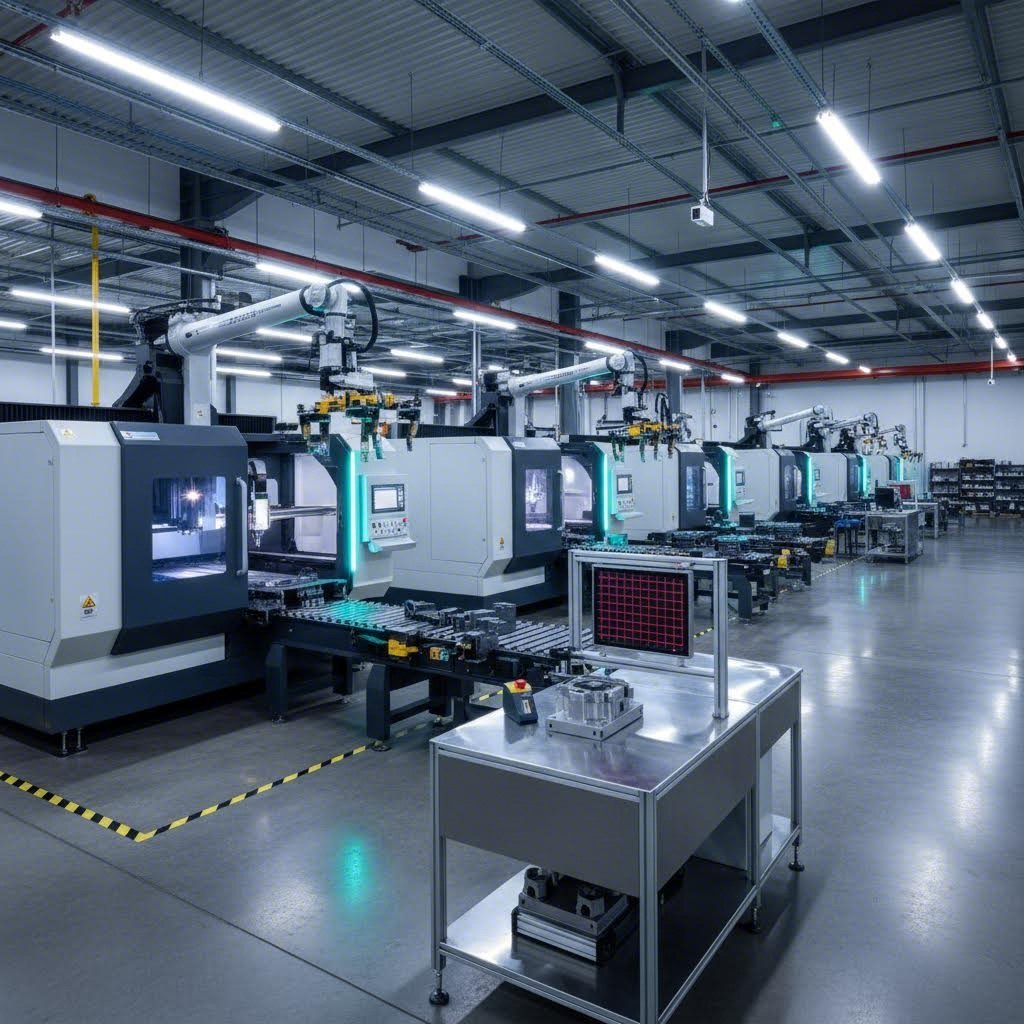
Choosing the Right Laser Cutting Service Provider
You understand the technology, your design files are prepared, and you know what quality issues to watch for. Now comes the decision that determines whether your project succeeds or stalls: selecting the right fabrication partner. When you search for "laser cutting near me" or "metal fabrication near me," dozens of options appear—but how do you separate precision laser cutting services from shops that merely own a laser?
The difference between an excellent provider and an adequate one often only becomes apparent after you've committed time and money. That's why establishing clear evaluation criteria upfront saves headaches later. According to California Steel Services, choosing the right laser cutting service is no small task, as it can significantly impact the success of your project.
Let's walk through exactly what to look for—and what questions to ask—before committing to any provider.
Essential Criteria for Evaluating Providers
When comparing fabrication shops near me or steel fabricators across different regions, focus on these fundamental factors:
- Material Capabilities: Can they actually work with your specific material? Different services specialize in different materials—some excel with metals while others focus on plastics or wood. Verify their experience with your exact material grade and thickness before proceeding.
- Technology and Equipment: What laser types do they operate? As California Steel notes, they use fiber lasers ranging from 6-12 kW with accuracy of ±0.0005 inches. Understanding their equipment tells you what precision and material thicknesses they can handle.
- Precision Guarantees: Ask specifically: "What tolerance can you hold on my material and thickness?" Vague claims about accuracy mean little. Request documented specifications and examples of similar work.
- Turnaround Times: Production capacity directly affects your project timeline. Some providers offer standard lead times of 3-5 weeks, while others provide expedited services for time-sensitive projects. According to Elimold, facilities with "lights-out" automated operation can offer 1-6 day lead times with expedited options when necessary.
- Quote Process: How quickly can you get pricing? A 12-hour quote turnaround indicates an efficient operation with streamlined systems. Providers requiring days for simple quotes often have bottlenecks that will affect production too.
- Production Capacity and Scalability: Can they handle your current order and potential growth? The best partners accommodate everything from single prototypes to high-volume production runs without forcing you to switch providers as your needs evolve.
- Secondary Services: Do they offer bending, forming, welding, and finishing in-house? One-stop manufacturers eliminate the hassle of managing multiple suppliers while reducing delivery time and ensuring quality consistency.
Design for Manufacturing (DFM) Support
Here's a criterion many buyers overlook until they need it: does the provider offer DFM feedback? According to Elimold's engineering team, their engineers analyze custom sheet metal parts and provide instant DFM feedback, letting you know if any issues could affect the finished part before production begins.
DFM support means experienced engineers review your designs, anticipate manufacturing challenges based on geometry, and help you achieve the perfect balance between design intent, material selection, and manufacturing method. This proactive approach prevents the headaches that less structured processes create.
Rapid Prototyping Capabilities
When you're developing new products, waiting weeks for prototypes kills momentum. Look for providers offering rapid prototyping with compressed timelines—ideally 5 days or less for initial samples. This capability lets you iterate quickly, testing fit, finish, and functionality before committing to production tooling or large orders.
The transition from prototype to production matters equally. Some shops excel at one-off work but struggle with volume. Others focus exclusively on high-volume runs and dismiss small prototype orders. The ideal partner handles both phases seamlessly, maintaining quality standards whether producing one part or ten thousand.
Quality Certifications That Matter
Certifications provide independent verification that a provider maintains consistent quality systems. While certificates alone don't guarantee excellent parts, their absence should raise questions.
- ISO 9001:2015: The baseline quality management standard demonstrating documented processes and continuous improvement commitment. Most reputable fabricators hold this certification.
- IATF 16949: The automotive industry's quality management standard, far more rigorous than ISO 9001. If you're producing chassis, suspension, or structural components for vehicles, this certification is essential. It ensures the provider understands automotive-specific requirements for traceability, process control, and defect prevention.
- AS9100: The aerospace equivalent, indicating capability for flight-critical components with strict documentation and traceability requirements.
- BSEN 1090: European standard for structural steel and aluminum components, relevant for architectural and construction applications.
For automotive applications specifically, IATF 16949 certification separates serious manufacturing partners from shops that merely cut metal. This standard requires robust systems for part tracking, process validation, and continuous improvement—exactly what automotive supply chains demand.
Consider a provider like Shaoyi (Ningbo) Metal Technology, which demonstrates how these criteria come together in practice. Their combination of IATF 16949 certification, 5-day rapid prototyping, comprehensive DFM support, and 12-hour quote turnaround exemplifies what serious automotive manufacturers should expect from precision laser cutting services and metal stamping partners.
Questions to Ask Before Committing
Beyond checking boxes on capability lists, these conversations reveal how a provider actually operates:
- "Can I see samples of work similar to my project?" Evaluate edge quality, dimensional accuracy, and overall finish firsthand.
- "What happens if parts don't meet specification?" Understanding their quality resolution process matters when issues arise.
- "Who will be my primary contact throughout the project?" Consistent communication prevents miscommunications and delays.
- "How do you handle design changes mid-production?" Flexibility in responding to engineering changes indicates operational maturity.
- "What inspection methods verify parts meet tolerance?" Providers with CMM equipment, optical comparators, or laser scanning demonstrate quality commitment beyond visual checks.
For tube laser cutting services or specialized applications, ask specifically about their experience with your part geometry. Cutting tubes requires different fixturing and programming than flat sheet work—experience matters.
Red Flags to Watch For
Some warning signs suggest a provider may not deliver on promises:
- Inability or unwillingness to provide tolerance specifications for your material
- No quality certifications relevant to your industry
- Quotes that seem significantly lower than competitors without clear explanation
- Vague answers about equipment, capacity, or lead times
- No references or portfolio of similar work
- Resistance to providing DFM feedback or engineering support
The cheapest option rarely delivers the best value. As California Steel emphasizes, while cost is always an important consideration, it's crucial to balance affordability with quality—the cheapest service may result in subpar results or lack essential features.
Finding the right laser cutting partner is an investment in your project's success. Take time to evaluate capabilities thoroughly, verify certifications, and establish clear communication before production begins. The extra effort upfront prevents costly delays, quality failures, and the frustration of starting over with a different provider mid-project.
Frequently Asked Questions About Laser Cut Parts
1. What is the cheapest way to get laser cut metal parts?
The most cost-effective approach depends on your quantity and material thickness. For low-quantity parts under 1/8" thick, online services like Xometry and SendCutSend often provide competitive pricing with instant quotes. For thicker materials or larger quantities, local fabricators typically offer better rates. Comparing quotes from multiple providers and consolidating orders to meet minimum thresholds can further reduce per-part costs.
2. What materials can be laser cut successfully?
Laser cutting handles a wide range of materials including metals (stainless steel up to 1", aluminum, carbon steel, brass, copper, titanium), plastics (acrylic, HDPE, Delrin, polycarbonate), and wood products (baltic birch plywood, MDF, hardwoods). However, certain materials like PVC, ABS plastic, and PTFE should never be laser cut due to toxic fume emissions. Always verify material safety with your fabricator before processing.
3. How precise is laser cutting compared to other cutting methods?
Laser cutting achieves exceptional precision with tolerances as tight as ±0.001" to ±0.005" for thin materials, outperforming plasma cutting (±0.030" to ±0.060") significantly. Waterjet cutting offers comparable precision at ±0.003" but operates much slower. For thin sheet metals requiring intricate details and tight tolerances, laser cutting delivers the best combination of accuracy, speed, and edge quality.
4. What file formats are needed for laser cutting services?
Most laser cutting services accept DXF files as the industry standard, along with DWG, AI (Adobe Illustrator), and SVG formats. All files must use vector graphics rather than raster images. Before submission, convert all text to outlines, ensure paths are closed, remove duplicate lines, and verify dimensions are accurate. Many providers offer DFM feedback to identify potential issues before production.
5. How do I choose a reliable laser cutting service provider?
Evaluate providers based on material capabilities, equipment specifications, documented tolerance guarantees, and turnaround times. Look for relevant certifications like ISO 9001 or IATF 16949 for automotive applications. Quality providers offer DFM support, rapid prototyping capabilities, and transparent quote processes. Companies like Shaoyi Metal Technology exemplify these standards with IATF 16949 certification, 5-day prototyping, and 12-hour quote turnaround for automotive components.