 Small batches, high standards. Our rapid prototyping service makes validation faster and easier —
  EN
EN


CNC Machine Categories Decoded: From Desktop To Industrial
What CNC Technology Actually Means for Modern Manufacturing
Ever wondered how your smartphone's aluminum casing gets its precise curves, or how custom guitar parts come out perfectly identical every single time? The answer lies in three letters that have quietly revolutionized how we make things: CNC.
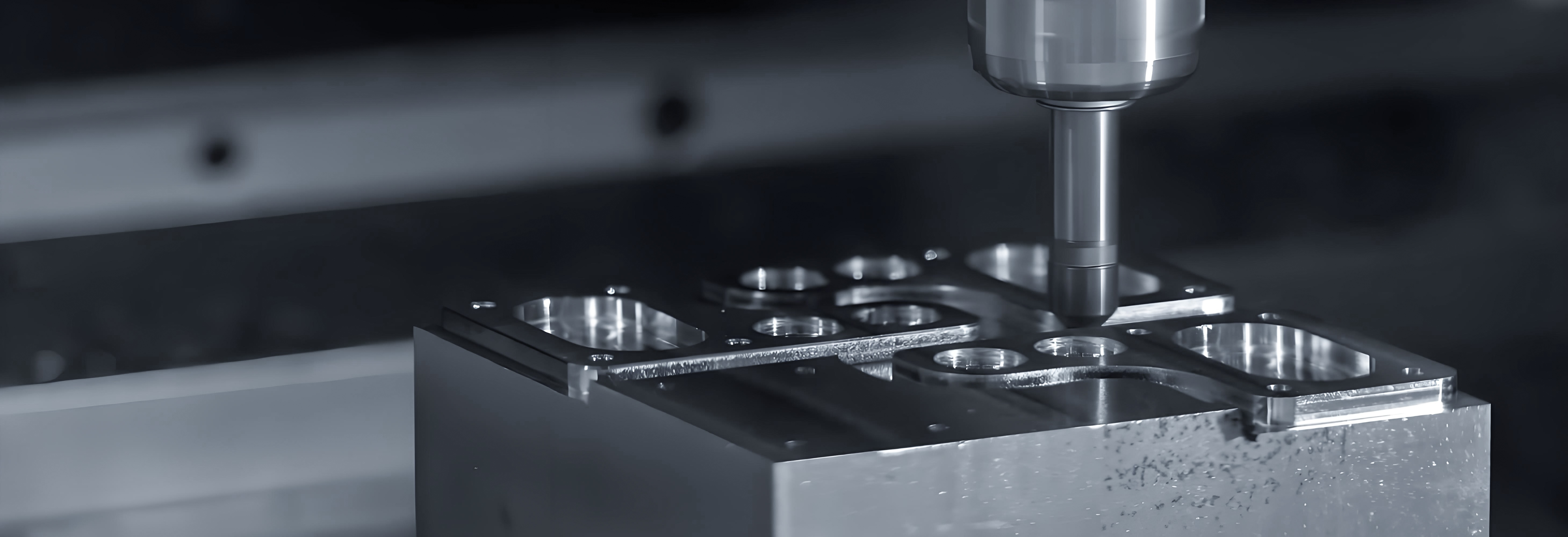
So, what is CNC machinery exactly? CNC stands for Computer Numerical Control — a technology that puts computers in the driver's seat of manufacturing equipment. Instead of a human operator manually guiding cutting tools, a CNC machine follows pre-programmed instructions to shape raw materials with remarkable accuracy. Think of it as giving a machine a detailed recipe and watching it execute each step flawlessly.
A CNC machine is any manufacturing tool controlled by computerized instructions, translating digital designs into physical parts through automated precision movements — no hand-guiding required.
From Digital Design to Physical Reality
Imagine you've designed a custom bracket in CAD software. With traditional machining, you'd need a skilled operator to interpret those drawings and manually guide every cut. With a CNC machine, that digital design becomes a set of coded instructions — called G-code — that tells the equipment exactly where to move, how fast to travel, and when to cut.
Here's what happens behind the scenes when a CNC device operates:
- Design input: Your CAD drawing provides dimensions and coordinates for the part
- Code generation: CAM software converts those designs into G-code instructions
- Precision execution: The machine's microcomputer reads each command and controls motors, spindles, and cutting tools accordingly
- Consistent output: Every part comes out identical, whether you're making one prototype or a thousand production units
According to Goodwin University's manufacturing program, CNC machines operate using pre-programmed software and codes that tell each machine the exact movements and tasks to complete — all without a manual machine operator constantly adjusting controls.
The Brain Behind Automated Manufacturing
What is a CNC system at its core? It's essentially a feedback loop between computer instructions and mechanical motion. The machine's control unit receives coded commands, translates them into electrical signals, and drives motors that position cutting tools with micrometer precision.
A skilled cnc machinist still plays a crucial role — they set up the equipment, load materials, run test cuts, and monitor operations. But the actual cutting movements? Those happen automatically, with consistency that human hands simply can't match over hundreds or thousands of repetitions.
This matters whether you're a hobbyist dreaming of custom woodworking projects, an entrepreneur prototyping your first product, or a manufacturing professional optimizing production lines. Understanding how a computer numerical control router or milling machine works helps you choose the right equipment, communicate with fabricators, and appreciate what's possible in modern manufacturing.
The technology has come a long way since its punch-tape origins in the 1950s. Today's CNC machines integrate with robotics, feature predictive maintenance systems, and can execute complex multi-axis movements that would be impossible manually. Whether you're exploring desktop options for your garage workshop or evaluating industrial equipment for a production facility, the fundamental principle remains the same: digital precision translated into physical reality, one programmed movement at a time.
Understanding the Major CNC Machine Categories
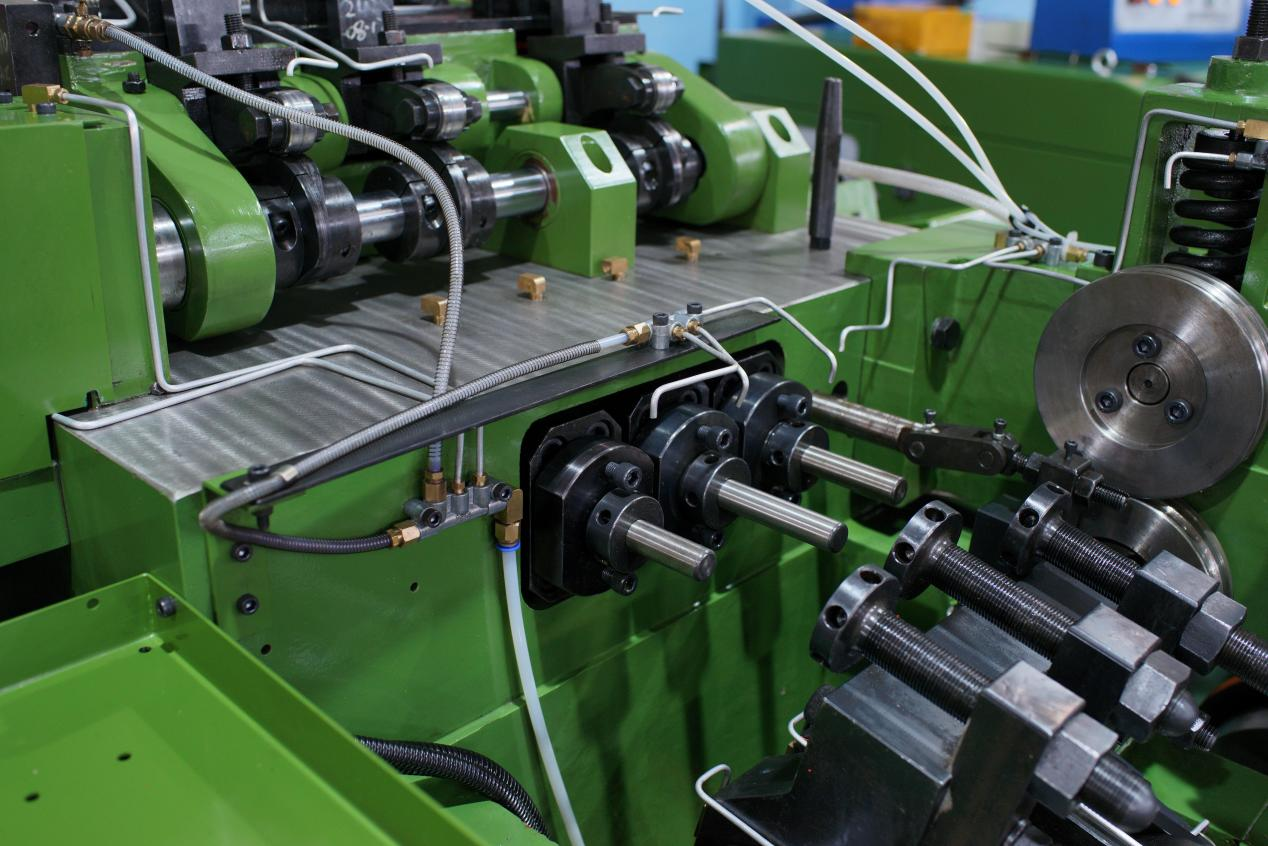
Now that you understand how CNC technology works, here's the real question: which type of machine actually fits your projects? Walk into any machine shop and you'll encounter mills, lathes, routers, and laser cutters — each designed for specific tasks. Choosing the wrong category means either overpaying for capabilities you don't need or struggling with equipment that can't handle your materials.
Let's break down each machine type so you can match equipment to your actual requirements.
CNC Mills and Milling Machines Explained
A CNC milling machine is the workhorse of precision manufacturing. It uses rotating cutting tools to remove material from a stationary workpiece, creating everything from simple brackets to complex aerospace components. According to CNC Masters, mills cut materials like steel, iron, aluminum, composites, and alloys to produce custom-designed parts more quickly than traditional machining methods.
What makes a cnc mill stand out? Rigidity and precision. These machines feature heavy-duty frames, powerful spindles, and sophisticated coolant systems that manage heat during metal cutting. The milling machine machine typically operates on three to five axes, allowing it to create intricate 3D geometries, undercuts, and surface contours that other equipment simply can't match.
Here's where a cnc milling machine excels:
- Metal prototyping: Turning aluminum or steel blocks into functional parts
- Mold and die work: Creating injection molds and stamping dies
- Aerospace components: Machining critical parts requiring tight tolerances
- Medical devices: Producing surgical instruments and implant components
Entry-level desktop milling machines start around $3,500, while production-grade 5-axis CNC mills can exceed $500,000, according to industry pricing data from CNC Masters.
CNC Lathes for Cylindrical Parts
Need to make shafts, screws, or anything with a circular cross-section? A cnc lathe machine is your answer. Unlike mills where the cutting tool rotates, lathes spin the workpiece itself while fixed cutting tools shape the material. This fundamental difference makes the cnc lathe the go-to choice for round parts.
Modern CNC lathe machines feature capabilities that manual operators could only dream of — live tooling that adds milling operations, sub-spindles for machining both ends of a workpiece, and automatic tool changers that switch between cutting implements without human intervention.
Common lathe applications include:
- Camshafts and crankshafts for automotive engines
- Gun barrels and precision firearm components
- Musical instrument parts like tuning pegs and bell sections
- Threaded fasteners and custom hardware
Routers Versus Mills for Different Materials
Here's where many newcomers get confused: CNC machine routers look similar to mills, so what's the difference? It comes down to materials and scale.
A cnc router is optimized for larger, flatter workpieces and softer materials. The frame construction is typically lighter, spindle speeds run higher, and the work envelope accommodates full sheet goods. Think 4x8-foot plywood panels, MDF sheets, or plastic substrates. Zintilon's comparison guide notes that CNC routers operate on similar principles to milling machines but are designed specifically for larger, flatter workpieces and softer materials.
Mills, by contrast, prioritize rigidity over work area. That heavy construction lets them handle steel, titanium, and hardened materials that would chatter and deflect on a router's lighter frame.
When should you choose a router over a mill?
- Your projects involve wood, plastics, foam, or composites
- You're cutting large sheet materials or signage
- Production speed matters more than ultra-tight tolerances
- Your budget can't accommodate mill-grade rigidity
CNC Laser Cutters for Clean Edges
Unlike mills and routers that physically contact materials, a cnc laser cutter uses a focused beam of light to melt or vaporize workpieces. This non-contact approach delivers exceptionally clean edges without tool wear — the laser doesn't dull like carbide end mills.
Three main laser types serve different purposes:
- CO2 lasers: Best for wood, acrylic, leather, glass, and plastics
- Fiber lasers: Ideal for metals, including reflective materials like copper and brass
- Crystal lasers: Handle thicker materials and specialized applications
Laser cutters excel at signage, decorative panels, sheet metal fabrication, and any application requiring intricate detail without physical tooling marks.
Quick Comparison: Choosing Your Machine Type
| Machine Type | Primary Function | Best Materials | Typical Applications | Precision Level | Workspace Requirements |
|---|---|---|---|---|---|
| CNC Mill | 3D material removal with rotating tools | Metals, hard plastics, composites | Prototypes, molds, precision parts | ±0.001" or better | Heavy floor, 220V power, coolant system |
| CNC Lathe | Shaping rotating workpieces | Metals, plastics, wood | Shafts, screws, cylindrical components | ±0.0005" achievable | Moderate footprint, chip management |
| CNC Router | Large-format flat cutting and carving | Wood, plastics, foam, soft metals | Furniture, signs, cabinets, crafts | ±0.005" typical | Large floor area, dust collection critical |
| CNC Laser Cutter | Non-contact thermal cutting | Sheet materials, thin metals, organics | Signage, jewelry, sheet metal parts | ±0.004" typical | Ventilation essential, fire suppression |
The decision ultimately comes down to three factors: what materials you're cutting, what shapes you need to create, and what precision your applications demand. Cylindrical parts? Get a lathe. Sheet goods and wood projects? A router fits best. Metal prototypes with tight tolerances? A mill is your machine. Clean cuts on thin materials? Consider laser cutting.
Understanding these distinctions helps you avoid the common mistake of buying equipment that's either overkill for your needs or incapable of handling your intended projects. With machine categories clarified, the next consideration becomes scale — should you invest in a desktop unit for your home workshop, or does your production volume justify industrial-grade equipment?
Choosing Between Desktop and Industrial CNC Machines
You've identified the right machine type for your projects — now comes the practical question: what size actually fits your space and budget? A desktop cnc machine sitting on your workbench operates in a completely different world than an industrial cnc machine bolted to a factory floor. Understanding these differences prevents the frustrating mistake of buying equipment your workspace can't support.
The choice isn't just about how much you can spend. It's about matching machine capabilities to your physical environment, electrical infrastructure, and production requirements.
Desktop CNC for Home Workshops
A home cnc machine opens up manufacturing possibilities without requiring a dedicated facility. These compact units — sometimes called tabletop cnc machines — fit on sturdy workbenches and run from standard household outlets. According to JLC CNC's comparison guide, desktop machines are smaller, cheaper, and easier to experiment with, making them ideal for hobbyists, product designers, and prototype engineers who want control over every stage of making something.
What can you realistically expect from a hobby cnc machine? Here's where specifications translate to practical capabilities:
- Work envelope: Typically 12"x12" to 24"x24" cutting area — perfect for small prototypes, custom parts, and hobby projects, but limiting for furniture-scale work
- Spindle power: 300W to 2.2kW range — adequate for wood, plastics, and soft metals like aluminum when cutting conservatively
- Precision: Desktop units typically achieve ±0.05mm tolerances, which works fine for prototyping but may drift over long production runs
- Feed rates: Slower material removal compared to industrial equipment, meaning a part that takes 10 minutes on a production machine might require an hour on a desktop cnc mill
The tradeoff? A small cnc machine gives you immediacy and learning opportunities. You design something, cut it, tweak it, and cut it again — that rapid feedback loop builds understanding faster than outsourcing ever could. For education, research labs, and creative exploration, desktop machines hit a genuine sweet spot.
Workspace Requirements That Competitors Ignore
Before ordering any CNC equipment, assess whether your space can actually support it. According to manufacturing environment guidelines, these factors directly impact machine performance and longevity:
- Power supply needs: Desktop units typically run on 110V/15A circuits, but larger benchtop machines may require 220V dedicated outlets. Industrial equipment demands three-phase power that residential spaces simply don't have. Check your breaker panel before shopping.
- Floor space and clearance: Plan for 3-4 feet of clearance around all sides of the machine for operator movement, material handling, and maintenance access. A 2x2-foot desktop cnc machine actually needs 8x8 feet of floor space when you account for working room.
- Ventilation considerations: CNC routers generate significant dust; metal mills require coolant mist extraction. According to CNC Works, a proper dust collection system improves air quality, extends machine life, and keeps your workspace safe. Budget for extraction equipment alongside the machine itself.
- Noise factors: Desktop spindles generate 70-85 dB during operation — comparable to a vacuum cleaner running continuously. Industrial machines are louder still. Consider neighbor relationships, hearing protection, and potential sound insulation needs.
- Floor stability: The floor must be level to ensure accurate machining. Uneven surfaces cause misalignment and affect cut precision. Concrete floors work best; suspended wood floors may transmit vibration.
- Temperature and humidity: CNC machines perform best between 60°F and 80°F with humidity between 35% and 60%. Garage workshops with extreme temperature swings may struggle with precision consistency.
When Industrial Scale Makes Sense
Desktop machines have a ceiling you can't ignore. According to JLC CNC, material performance is the first limit you'll hit — small spindles and low-rigidity frames mean you can't push feeds or cut hard materials for long. Precision drift comes next: over time, vibration, tool wear, and thermal expansion eat away at repeatability.
Industrial CNC machines address these limitations through:
- Rigid construction: Cast iron frames and linear rails that maintain accuracy under heavy cutting loads
- Thermal stability: Coolant systems and climate-controlled enclosures that prevent expansion-related drift
- Production speed: Higher spindle power (5-30kW+) and faster feed rates that complete parts in minutes rather than hours
- Repeatability: Industrial setups hold ±0.005mm to ±0.02mm tolerances consistently across hundreds or thousands of parts
The turning point usually arrives when you need consistent batches with identical tolerances and finishes. A desktop mill might handle one or two parts beautifully, but once production volume increases, industrial-grade equipment becomes the practical choice.
For many users, the smartest approach combines both worlds: use a desktop cnc machine for concept development and rapid iteration, then partner with industrial services for final production runs requiring precision and consistency that compact equipment can't deliver.
With workspace requirements clarified, the next step is examining specific machine categories in detail — starting with CNC routers optimized for woodworking and creative projects.
CNC Routers for Woodworking and Creative Projects
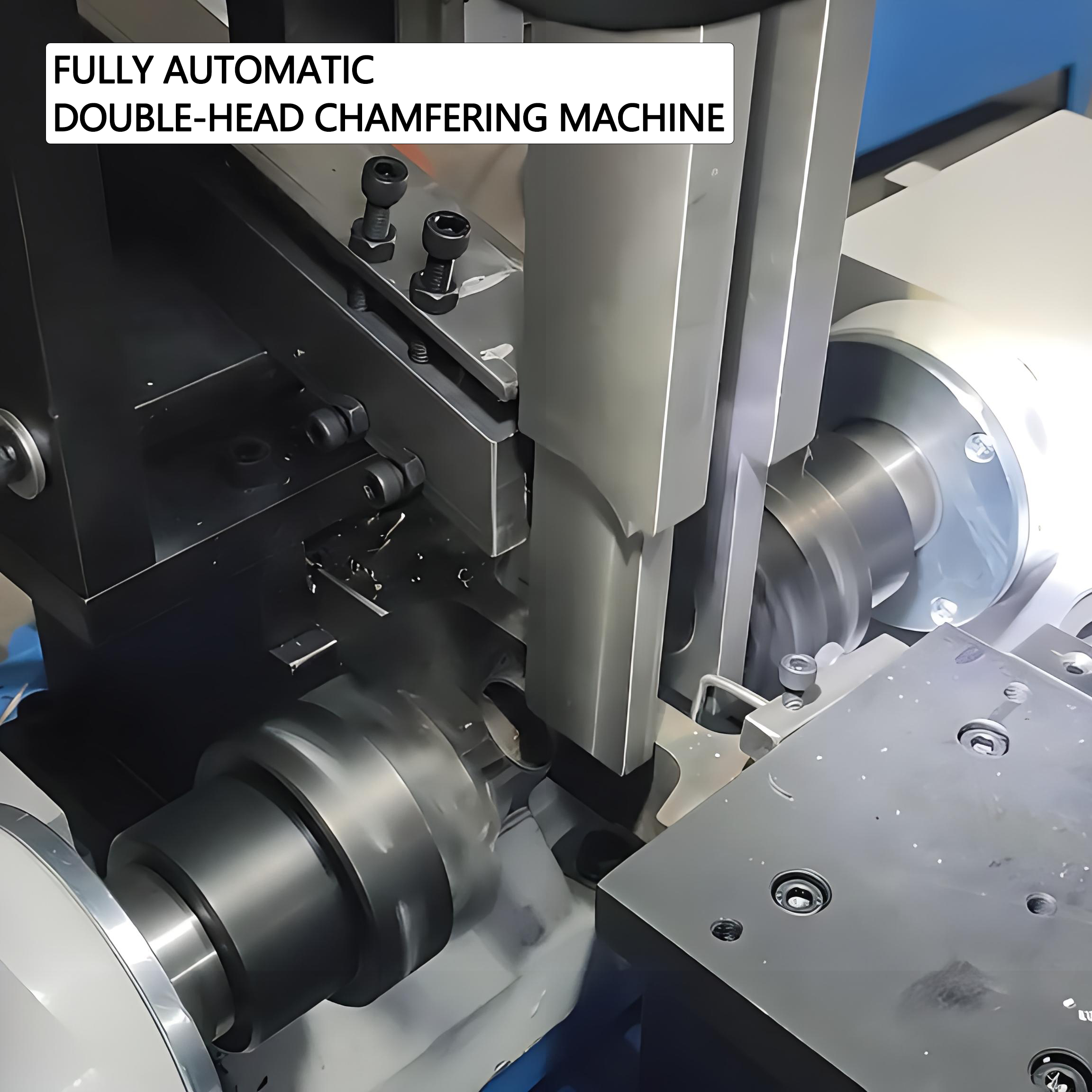
Ready to turn digital designs into handcrafted furniture, custom signs, or intricate carvings? CNC routers for woodworking have become the go-to equipment for makers who want computer-controlled precision without the heavy-duty infrastructure that metal machining demands. But here's the challenge: router specifications read like a foreign language until you understand how they translate to actual cutting performance.
Whether you're eyeing your first wood cnc machine or upgrading from a starter unit, matching router capabilities to your project ambitions prevents frustration and wasted investment. Let's decode what actually matters when selecting a cnc router machine for wood.
Router Capabilities for Wood and Composites
A cnc wood router machine excels at processing sheet goods and dimensional lumber that would overwhelm smaller desktop mills. According to Dalton's Machinery buyer's guide, CNC routers can perform tasks like routing, pocketing, drilling, engraving, and carving with repeatable precision — making them versatile tools across furniture making, signage, and prototyping applications.
What sets cnc woodworking equipment apart from general-purpose machines? Three factors dominate:
- High spindle speeds: Wood routers typically spin between 18,000-24,000 RPM, allowing small-diameter bits to slice through fibrous materials cleanly rather than tearing grain
- Large work envelopes: Standard sheet goods measure 4x8 feet — router beds accommodate these dimensions where mills simply can't
- Optimized dust collection: Wood generates volumes of fine particles that metal cutting doesn't, requiring integrated extraction systems
The materials a router wood cnc handles extend well beyond solid lumber. According to the same source, compatible materials include softwoods like pine and cedar, hardwoods like oak and walnut, plywood, MDF, acrylics, PVC, foam, composites, and even soft metals like aluminum with appropriate tooling and conservative feed rates.
Hobby-Grade Versus Professional Routers: What's Really Different?
Walk through any maker community and you'll hear passionate debates about hobby cnc machines versus professional-grade equipment. The distinction comes down to construction quality and what that means for your actual cutting experience.
TwoTrees' comparison analysis highlights the key differences:
| Feature | Hobby-Grade Routers | Professional Routers |
|---|---|---|
| Frame Construction | Aluminum extrusion or light steel | Welded steel with reinforced gantry |
| Typical Work Area | 12"x12" to 24"x36" | 4'x4' to 5'x10' or larger |
| Spindle Power | 300W to 2.2kW | 3kW to 12kW+ |
| Drive System | Stepper motors with belt or lead screw | Servo motors with ball screws or rack-and-pinion |
| Precision Maintenance | May require frequent recalibration | Holds tolerances over extended production |
| Price Range | $500 to $5,000 | $10,000 to $100,000+ |
Frame rigidity deserves special attention. According to Dalton's guide, the frame provides a stable platform for components to operate and limits vibrations that negatively affect cutting quality and operational speed. Aluminum frames work for hobbyist use, while industrial machines feature welded steel construction.
Here's what this means practically: a hobby router cutting 3/4" plywood might chatter and leave fuzzy edges at aggressive feed rates that a rigid professional machine handles smoothly. You can compensate with slower speeds, but that extends job times significantly.
Spindle Selection: Matching Power to Materials
Your spindle determines what you can cut and how quickly. According to Kimla's spindle selection guide, the relationship between power and cutter diameter matters enormously:
- 0.8kW spindles: Sufficient for cutters up to 5mm diameter in wood, plastic, and laminate
- 1kW spindles: Handle cutters up to 8mm comfortably
- 3.3kW spindles: Appropriate for cutters up to 12mm in softer materials
- 5.6kW+ spindles: Required for larger diameter tools and harder composites
Why does this matter for cnc wood projects? Larger bits remove material faster but demand more torque. A 1/2" straight bit hogging out cabinet dados will stall or burn on an underpowered spindle, while an overpowered unit wastes electricity on delicate engraving work.
The same source notes that professional spindles use brushless inductive motors with ceramic bearings and metal housings — components designed to run continuously for up to 10 years. Budget spindles with brush motors and plastic housings might last only months under demanding use.
Matching Router Size to Project Scope
Before browsing specifications, work backward from your actual needs. This decision framework helps you match equipment to realistic project requirements:
- Define typical project dimensions: Measure your most common workpieces. If you're primarily making cutting boards and small signs, a 24"x24" work area suffices. Furniture panels and full sheet goods demand 4'x8' or larger beds. According to Dalton's guide, you'll unlikely regret going for a larger table, but you'll kick yourself if it's too small.
- Assess material hardness requirements: Soft pine and MDF cut easily on any router. Dense hardwoods like maple or oak, plus composites like G10, require more rigid frames and powerful spindles. If exotic hardwoods appear in your project plans, budget for professional-grade equipment.
- Consider production volume needs: One-off hobby projects tolerate slower speeds and manual tool changes. Small business production benefits from automatic tool changers and faster cycle times. High-volume operations demand industrial reliability. TwoTrees notes that hobby machines may require recalibration or part replacements more frequently under continuous operation.
- Evaluate software compatibility: Ensure your chosen router works with CAD/CAM software you're comfortable using. Popular options include Fusion 360, VCarve, Easel, and Carbide Create. Most wood routers support standard G-code output, but verify controller compatibility before purchasing.
Translating Specifications to Real-World Performance
Router specification sheets list numbers that mean little without context. Here's how key specs affect your actual cutting experience:
- Resolution vs. accuracy: Resolution (smallest movement possible) might read 0.001", but accuracy (how close cuts match intended dimensions) depends on frame rigidity, assembly quality, and calibration. A cheap machine with impressive resolution specs may cut less accurately than a mid-range unit with honest specifications.
- Rapid travel speed: How fast the gantry moves between cuts. Higher speeds reduce non-cutting time but matter less than cutting performance for most users.
- Cutting feed rate: The speed at which the bit moves through material. This depends on material, bit size, and depth of cut — not just machine capability. Conservative users often achieve better results by running slower than maximum rated speeds.
According to Dalton's machinery guide, precision and accuracy are influenced by the type of drive system on each axis. Stepper motors provide precise control but have limitations in speed and torque. Servo motors offer high accuracy and smooth operation for dynamic tasks. Magnetic linear drives deliver extremely high precision with no mechanical backlash — but at premium prices.
The practical takeaway? Match equipment to your most common projects rather than edge cases. A well-tuned hobby router produces beautiful results on appropriate materials. Pushing beyond its design envelope creates frustration — but so does overspending on capabilities you'll rarely use.
With router technology demystified, the next consideration involves machines designed for harder materials and tighter tolerances — CNC milling equipment built specifically for metal and precision applications.
CNC Milling Machines for Metal and Precision Work
Switching from wood to metal isn't just a material change — it's an entirely different engineering challenge. A milling machine with cnc capabilities designed for metal work operates under forces and temperatures that would destroy equipment built for softer materials. Understanding these technical requirements helps you evaluate whether a cnc machine for metal fits your applications and budget.
What separates a desktop milling machine capable of occasional aluminum cuts from equipment that handles steel day after day? It comes down to rigidity, thermal management, and tooling systems designed for the punishment metal machining delivers.
Metal Machining Precision Requirements
When a cnc cutter engages hardened steel, the forces involved multiply compared to wood or plastic. According to Jiga's CNC design guide, the influence of material type and hardness can be complex — the natural frequency of a part, tool, or other aspects of the machine setup can affect the ringing that results in chatter and accuracy loss.
Here's what metal machining demands from your equipment:
- Frame construction: Cast iron or welded steel frames absorb vibration that aluminum extrusions transmit directly to your workpiece. This rigidity maintains dimensional accuracy under cutting loads that would flex lighter structures.
- Spindle design: Metal-cutting spindles run slower than wood routers (typically 5,000-15,000 RPM) but deliver significantly more torque. Higher torque prevents stalling when the cutter encounters hard spots or takes aggressive depths of cut.
- Coolant systems: According to Pattison's CNC milling guide, CNC milling requires cooling fluids that cool the heat produced during cutting. They also serve as lubricating agents, reduce friction, increase tool life and enhance the surface finish of the machined component.
- Chip evacuation: Metal chips are sharp and hot. Professional machines include chip conveyors, coolant-wash systems, and enclosures that manage swarf before it damages linear rails or accumulates around the workpiece.
Desktop cnc milling machine options exist for hobbyists interested in occasional aluminum work. However, Taig Tools notes that rigidity is the machine's ability to resist flexing or vibrating during the cut — directly related to the final part's accuracy and surface finish. Never compromise on this when cutting metals.
Understanding Tolerances and Accuracy Specifications
Specification sheets throw around terms like "repeatability" and "tolerance" without explaining what they mean for your actual parts. Let's demystify these numbers so you can evaluate equipment honestly.
According to industry standards, CNC milling is commonly applied in highly critical industries with typical tolerances between -0.001 to +0.005 inches. But what does that actually mean in practical terms?
- Tolerance: The acceptable deviation from your intended dimension. A ±0.001" tolerance means a 1.000" feature can measure anywhere from 0.999" to 1.001" and still pass inspection. Tighter tolerances cost more because they require slower feeds, finer tools, and more careful setup.
- Repeatability: How consistently the machine returns to the same position. According to Taig's buyer guide, for production or complex parts, excellent repeatability is often more important than absolute accuracy, as you can dial in the offset. A machine with ±0.0005" repeatability will produce identical parts even if each one is slightly off-target — you just adjust once.
- Resolution: The smallest movement the machine can execute. High resolution doesn't guarantee accuracy if the frame flexes or components wear. Think of resolution as potential precision, not guaranteed performance.
- Surface finish: Measured in Ra (roughness average) or RMS values. CNC milling can achieve Ra 32 or better on metals with proper tooling and parameters. Finer finishes require slower feeds, sharper tools, and sometimes secondary finishing operations.
Material properties affect achievable tolerances significantly. According to Pattison's tolerance guide, aluminum typically holds ±0.05mm, stainless steel ±0.08mm, brass ±0.05mm, while plastics require looser ±0.15mm tolerances due to thermal expansion and contraction.
Key Specifications That Actually Matter
When evaluating a cnc cutting machine for metal applications, focus on specifications that translate to real-world performance:
- Spindle power ratings: Measured in kilowatts or horsepower, this determines how aggressively you can cut. A 2.2kW spindle handles light aluminum work; serious steel cutting demands 5kW or more. According to Taig's guide, the spindle determines what materials you can cut and how fast.
- Axis travel measurements: Define your maximum part size. Remember that fixturing and workholding consume some of this envelope — a 12"x12" travel doesn't mean 12"x12" parts.
- Ball screw versus lead screw drives: Ball screws deliver better precision and last longer under metal-cutting loads. Lead screws work for hobby applications but wear faster and develop backlash over time.
- Linear rail quality: Hardened steel rails with preloaded bearings maintain accuracy for years. Cheaper rod-and-bearing systems may bind or develop play as they wear.
The Jiga design guide emphasizes that minimum wall thicknesses require careful judgment in metal parts — as a rule of thumb, minimum wall thickness should be 0.8mm in metals. Thinner walls cost more because they greatly increase the risk of chatter, requiring slower feed speeds and shallower cuts to retain accuracy.
For beginners exploring metal machining, start with aluminum and conservative parameters. As you develop experience reading chip formation, listening for chatter, and understanding tool wear patterns, you can push toward harder materials and tighter tolerances. The machine matters, but so does the operator's skill in coaxing precision from the equipment.
With precision requirements clarified, the next practical consideration involves investment — understanding what drives CNC machine pricing and calculating true ownership costs beyond the initial purchase.
CNC Machine Pricing and Investment Considerations
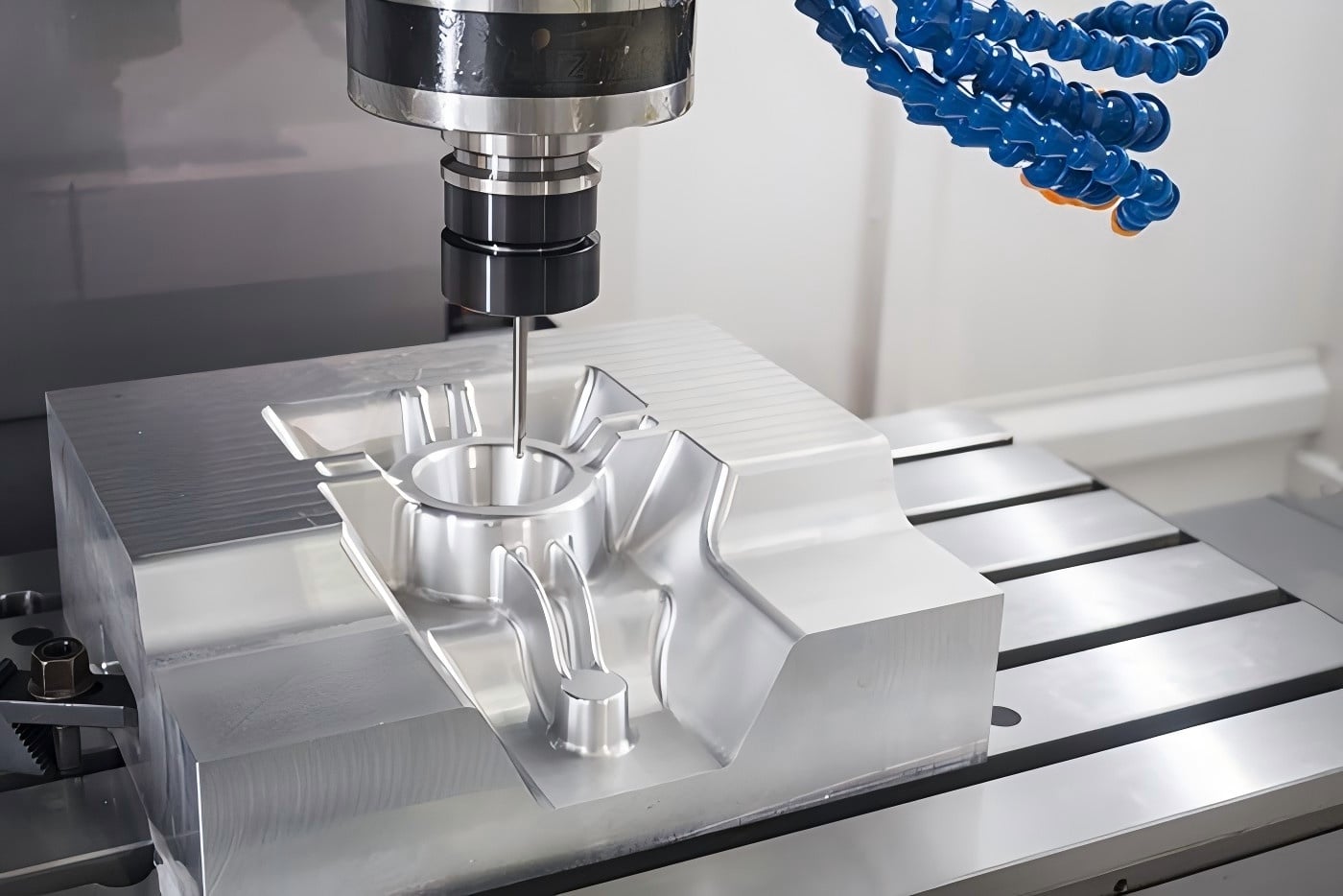
So you've identified the right machine type and size for your projects — now comes the question everyone asks first but should answer last: how much does a cnc machine cost? The honest answer spans from a few hundred dollars to several hundred thousand, depending on capabilities you actually need versus features that sound impressive on specification sheets.
Understanding what drives these price differences helps you budget realistically and avoid two common mistakes: overspending on capabilities you'll never use, or buying equipment that can't handle your intended applications.
Entry-Level Investment Considerations
What separates a cheap cnc machine from equipment costing ten times more? According to Onefinity CNC's pricing guide, five factors drive most pricing differences:
- Size and work envelope: Simply put, bigger machines cost more money. A desktop unit with an 8"x8" cutting area costs a fraction of what a full-size machine with a 4'x8' bed requires. Consider your actual project needs carefully — there's no reason to pay for cutting capacity you'll never use.
- Frame construction and materials: Hobby machines typically use aluminum frames and lighter components. Professional machines feature steel frames, ball screws, and linear rails that withstand harder material cutting and maintain precision over thousands of operating hours.
- Motion systems: Entry-level equipment uses stepper motors with belt or lead screw drives. Industrial machines employ servo motors with ball screws or rack-and-pinion systems that deliver faster, more accurate movement under load.
- Control electronics: Basic controllers run simple G-code with limited features. Advanced controllers offer tool compensation, canned cycles, and multi-axis coordination — capabilities that require more sophisticated (and expensive) hardware.
- Brand reputation: Established manufacturers command premium prices but often deliver better reliability and customer support. According to the same source, investing in trusted brands can pay off tenfold if you need operating advice or future repairs.
For those searching for a cnc machine for sale in the budget category, desktop CNC routers from reputable manufacturers typically start between $300-$500 for basic units and reach $1,500-$2,000 for capable hobby machines. According to Lunyee CNC's 2025 budget guide, today's best budget CNC router options deliver professional results that would have cost tens of thousands just a decade ago.
Price Ranges by Capability Level
The price of cnc equipment varies dramatically based on intended use. Here's what the reference data reveals about current market pricing:
| Category | Typical Price Range | What You Can Expect | Best For |
|---|---|---|---|
| Entry-Level Desktop | $300 - $800 | Work areas around 300x180mm, 300W spindles, aluminum frames, basic controllers | Learning, small crafts, PCB prototyping |
| Hobby/Prosumer | $1,500 - $3,000 | Larger work areas up to 32"x32", improved rigidity, more powerful spindles | Serious hobbyists, small signs, custom parts |
| Mid-Range Professional | $3,000 - $5,000 | 48"x48" capacity, heavy-duty construction, better accuracy and repeatability | Small businesses, production work, harder materials |
| Industrial Entry | $10,000 - $50,000 | Full sheet capacity, steel frames, automatic tool changers, advanced controls | Commercial production, cabinet shops, sign companies |
| Industrial Production | $50,000 - $500,000+ | Extreme precision, continuous operation capability, multi-axis configurations | Manufacturing facilities, aerospace, automotive |
According to SendCutSend's cost analysis, each thousandth of an inch in precision can mean the difference of $10,000 to $100,000 in machine cost. Inexpensive hobby machines might be accurate to ±0.010" or better, which works for most garage workshop applications. Expect to pay significantly more for equipment achieving ±0.0003" or better.
Total Cost of Ownership Beyond Purchase Price
Here's what catches many buyers off guard: the cnc machine cost on the invoice represents only a portion of your actual investment. According to Onefinity's comprehensive guide, plan for these additional expenses when budgeting:
Tooling and accessories: Expect to spend $300-$1,500+ on initial cutting tools and accessories, depending on your machine and applications. Bits and end mills wear out and require replacement — these ongoing costs add up over time.
Software investments: While some machines include basic software, professional CAD/CAM programs can cost anywhere from a few hundred to thousands of dollars annually. Many manufacturers offer subscription models that provide long-term discounts on proprietary software.
Maintenance requirements: Plan for routine lubrication, belt replacements, and periodic calibration. For advanced machines used in production contexts, spindle rebuilds may be required every few years. According to SendCutSend, you also need to factor in the cost of staffing a machine with operators, material and storage costs, and maintenance needs — all potentially running several hundred to thousands of dollars depending on operation size.
Infrastructure costs: Industrial machines may require special electrical installations, potentially adding $500-$2,000 to setup costs. Dust collection systems, enclosures, and ventilation represent additional investments that reference materials show ranging from $500-$10,000 depending on requirements.
Optional upgrades that add value:
- Automatic tool changers: $1,000-$3,000 for entry-level, $5,000-$30,000 for industrial systems
- Vacuum hold-down systems: $500-$2,000 for basic, $2,000-$10,000 for professional setups
- 4th axis rotary attachments: $1,000-$3,000 for hobby-grade, $5,000-$50,000 for professional units
- Safety enclosures: $300-$1,500 for basic, $2,000-$10,000 for professional systems
Making Smart Investment Decisions
When evaluating whether to purchase equipment or look for a cnc machine on sale, consider this reality check from SendCutSend's analysis: if you're an individual or small business, you may determine that outsourcing your CNC machining needs to a manufacturer makes more financial sense than purchasing a machine in-house.
According to Onefinity's ROI analysis, CNC machines can quickly pay for themselves through:
- Consistent quality: Each part comes out identical — something hand tools simply can't match
- Material efficiency: CNC nesting software can reduce material waste by 30-50% compared to manual cutting
- Labor savings: Once programmed, a CNC machine works independently, freeing you for other tasks
- Production speed: What might take days by hand can often be accomplished in hours
Many small businesses report recouping their CNC investment within 6-18 months through increased production capacity and new product offerings. The key is matching your budget cnc machine purchase to realistic revenue expectations rather than aspirational project lists.
For those considering used equipment, SendCutSend notes that buying used could save significant money on machines costing $10,000 or more. However, inspect carefully for worn leadscrews, damaged electronics, and frame issues. Request demonstration cuts and verify maintenance history before committing.
With investment considerations clarified, the next practical concern involves keeping your equipment running smoothly — maintenance routines and operational practices that protect your investment and maintain precision over time.
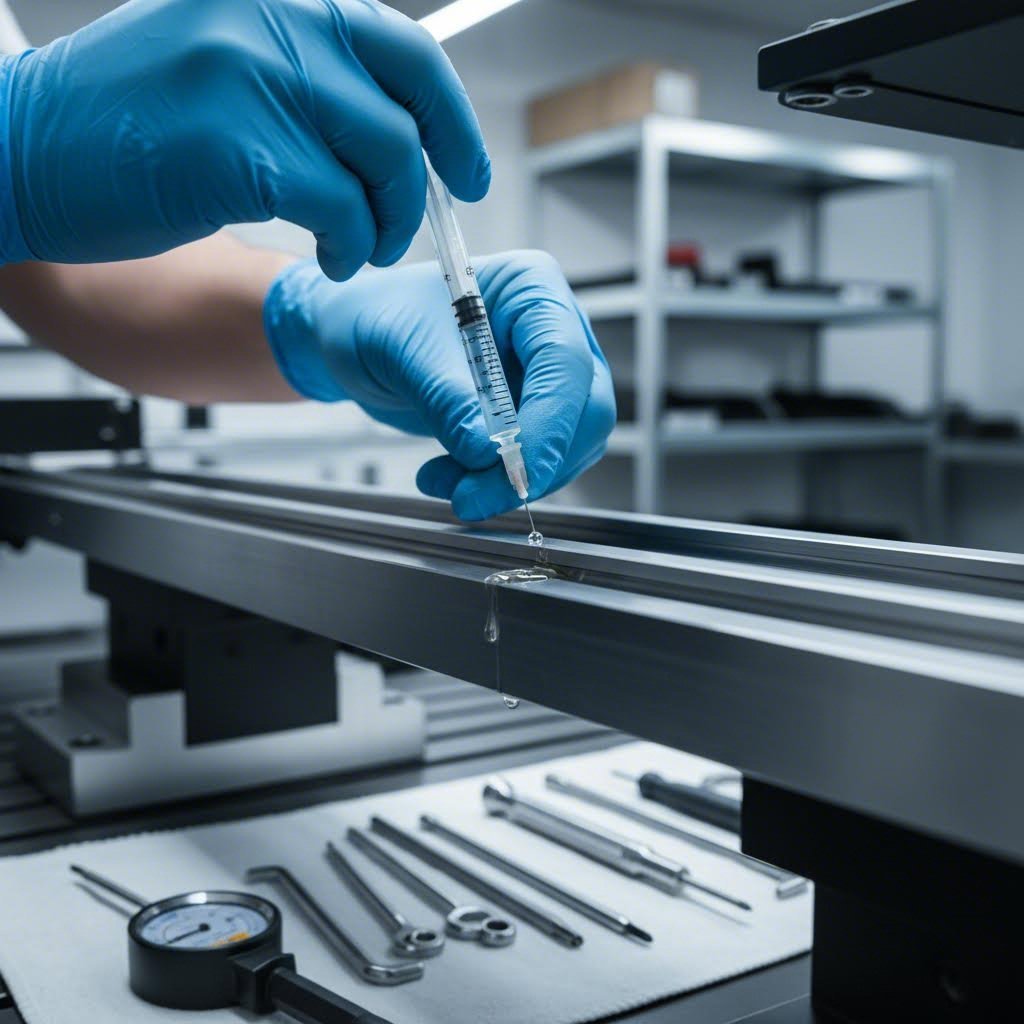
Maintaining Your CNC Machine for Long-Term Performance
You've invested in cnc equipment that promises precision and reliability — but here's what most buyers discover the hard way: that precision degrades without consistent maintenance. According to WorkTrek's maintenance research, 82% of companies have experienced unplanned downtime over the past three years, with the average manufacturer facing 800 hours of equipment downtime annually.
The good news? Most failures are preventable. A well-maintained machine delivers years of accurate cuts, while neglected equipment drifts out of tolerance, develops mysterious issues, and eventually fails at the worst possible moment. Let's walk through the routines that separate thriving workshops from those constantly troubleshooting problems.
Daily and Weekly Maintenance Routines
Think of daily maintenance as a 10-15 minute investment that prevents hours of downtime. According to SainSmart's maintenance guide, following these routines keeps your machine in top condition:
Before each session:
- Linear rail cleaning: Wipe down exposed rails with a clean, dry cloth to remove dust and debris. For machines cutting metals, ensure shavings haven't accumulated on guide surfaces
- Lubrication check: Verify automatic lubrication systems have adequate oil. If your machine uses manual lubrication points, apply grease according to the maintenance plan
- Coolant inspection: Check levels and use a refractometer to verify concentration. Top off as needed — proper coolant concentration maintains cutting performance and prevents corrosion
- Emergency stop test: Verify all e-stops function correctly before running any programs
After each session:
- Clean machine surfaces to remove chips and coolant residue
- Empty chip hoppers to prevent conveyor problems
- Document any unusual sounds, behaviors, or issues in your maintenance log
Weekly maintenance tasks:
- Ball screw inspection: Examine ball screws for signs of wear, contamination, or lubrication problems. These precision components transfer motion to your cutting head — degradation directly affects accuracy
- Controller box cleaning: According to FoxAlien's maintenance recommendations, perform weekly dust and chip cleaning to keep the controlling unit clean. Built-up dust may cause damage to the motherboard, driver chips, and port interfaces
- Spindle maintenance: Listen for unusual sounds and feel for excessive vibration or heat. Spindle problems rarely announce themselves until it's too late
- Cable inspection: Check moving joints for contact failure, disconnection, or potential short circuits
Extending Machine Life Through Proper Care
Beyond routine maintenance, operational practices significantly impact equipment longevity. According to SainSmart's best practices guide, consider these factors:
Lubrication schedule by usage:
- High usage machines: Apply lubricant to linear rails and ball screws every 1-2 months
- Low usage machines: Apply lubricant every 3-4 months
- Use multi-purpose lubricants from reputable brands and avoid over-applying — excess grease attracts dust
Operational best practices:
- Proper workholding: Secure workpieces firmly to prevent movement during cutting. Loose material causes tool breakage, ruins parts, and can damage machine components
- Appropriate feed rates: According to SainSmart, avoid overworking your machine — overly aggressive toolpaths cause premature wear and damage
- Tool selection and monitoring: Regularly inspect cutting tools for wear and replace them before they fail mid-cut. Dull tools increase cutting forces and stress machine components
Software and toolpath optimization:
Your cnc software plays a crucial role in machine health. Programs like VCarve Pro and similar CAM packages can generate optimized toolpaths that minimize machine strain. Regularly update your CAM software and use optimized G-code to reduce tool wear and component stress.
Monthly inspection checklist:
- Check all screw tightness — shop vibrations naturally loosen connections over time
- Inspect electrical connections for corrosion, discoloration, or signs of overheating
- Verify limit switches function correctly
- Deep clean internal components, focusing on areas where hardened steel components like rails and screws accumulate debris
The commitment required to maintain cnc equipment isn't overwhelming — it's consistent. Ten minutes daily, an hour weekly, and periodic deep-cleaning sessions add up to machines that hold precision for years rather than months. This proactive approach costs far less than emergency repairs and prevents the production chaos that follows unexpected breakdowns.
With maintenance fundamentals established, the final step involves translating all this knowledge into action — choosing the right path forward for your specific manufacturing goals.
Taking Your Next Steps in CNC Manufacturing
You've journeyed through CNC technology fundamentals, explored machine categories from cnc routers to precision mills, and weighed everything from workspace requirements to total ownership costs. Now comes the practical question: what do you actually do with all this knowledge?
The path forward depends entirely on your specific situation — your project requirements, available resources, and long-term manufacturing goals. Whether you're a hobbyist ready to purchase your first machine, an entrepreneur validating product concepts, or a business owner evaluating production options, the decision framework below helps you move from research to action.
Matching Machine Type to Your Goals
Before committing capital or signing contracts, work through this decision pathway that matches your profile to the most practical next step:
- Define your primary application: Are you creating wood projects and signage? A cnc router machine fits your needs. Machining metal prototypes? Look at milling equipment. Producing cylindrical components? Lathes are your answer. The machine category must align with your dominant material and part geometry.
- Assess your production volume honestly: One-off projects and learning exercises justify desktop equipment investments. Regular small-batch production warrants mid-range machines with better rigidity and reliability. According to Noble-X's analysis, outsourcing allows businesses to scale operations according to their needs — whether it's a single prototype or a large production run.
- Calculate your true budget: Remember that purchase price represents only part of your investment. Factor in tooling, software, workspace modifications, and ongoing maintenance. A $3,000 machine might require $1,500 in supporting equipment and infrastructure before cutting its first part.
- Evaluate your learning curve tolerance: Operating CNC equipment effectively requires skill development. A cnc machine operator needs to understand tooling, feeds and speeds, workholding, and troubleshooting. According to YCM Alliance's buyer guide, comprehensive training and reliable technical support can mean the difference between productive operation and expensive frustration.
- Consider time-to-production requirements: Purchasing equipment means months of learning before producing quality parts consistently. Outsourcing delivers finished components while you're still unboxing a new machine. Match your approach to project deadlines.
For those exploring the woodworking cnc machine category, remember that frame rigidity, spindle power, and work envelope size matter more than impressive specification numbers. A well-matched smaller machine outperforms an oversized unit you can't properly utilize.
Professional Manufacturing Partnerships
Here's a reality that surprises many newcomers to CNC manufacturing: purchasing equipment isn't always the smartest path forward. According to industry research on outsourcing benefits, professional machining partnerships offer distinct advantages:
- Cost efficiency: Businesses eliminate expenses associated with maintaining in-house facilities, including machinery, equipment maintenance, staff training, and overhead
- Access to expertise: Professional shops employ experienced technicians specializing in CNC machining, ensuring high-quality and precise results
- Faster turnaround: Established facilities possess cutting-edge technology and state-of-the-art equipment, enabling efficient project completion that meets strict deadlines
- Quality assurance: Professional shops maintain advanced inspection tools and rigorous quality checks that exceed typical in-house capabilities
- Scalability: Partners accommodate varying production volumes, providing cost-effective solutions for projects of any size
When searching for cnc machining near me or exploring cnc shops near me, prioritize suppliers with relevant industry certifications. According to manufacturing partnership guidelines, certifications like ISO 9001, IATF 16949, and AS9100D demonstrate commitment to meeting multi-industry quality standards — they represent a culture of continuous improvement that minimizes risks in critical projects.
For automotive and precision component applications specifically, Shaoyi Metal Technology offers IATF 16949-certified CNC machining services designed for demanding tolerances. Their facility delivers capabilities spanning rapid prototyping through mass production, with lead times as fast as one working day for qualifying projects. Whether you need complex chassis assemblies or custom metal bushings, their Statistical Process Control (SPC) protocols ensure consistent quality across production runs.
This approach — leveraging professional manufacturing partnerships — makes particular sense when you need precision components but lack capital for industrial equipment, when project volumes fluctuate unpredictably, or when you're still developing designs that may change before final production.
Staying Current with CNC Manufacturing News
The CNC industry evolves continuously. Following cnc manufacturing news helps you track technology developments, material innovations, and emerging capabilities that might benefit your projects. Industry publications, manufacturer newsletters, and professional associations provide valuable insights for both equipment owners and those working with manufacturing partners.
Key areas worth monitoring include:
- Automation advances that reduce operator intervention requirements
- New cutting tool materials and coatings that extend tool life
- Software developments in CAM optimization and simulation
- Hybrid manufacturing approaches combining additive and subtractive processes
Your Action Plan Moving Forward
Whatever path you choose, avoid analysis paralysis. The best next step depends on your specific situation:
- If you're a hobbyist or learner: Start with an entry-level desktop machine in your target category. Accept that your first machine teaches you what you really need in your second machine. Budget $1,500-$3,000 for a capable starter setup including basic tooling.
- If you're validating a product concept: Partner with a professional CNC service for initial prototypes. This approach delivers production-quality parts for market testing without equipment investment. Once demand proves consistent, reevaluate in-house capabilities.
- If you're scaling an existing business: Calculate your current outsourcing costs against equipment ownership expenses over three to five years. For precision metal components requiring automotive-grade tolerances, certified manufacturing partners like Shaoyi Metal Technology often deliver better value than in-house operations until volumes justify dedicated equipment.
- If you need immediate production capacity: Outsourcing provides fastest time-to-market. According to prototyping-to-production research, digital manufacturing offers speed advantages: prototyping can take 1-3 days, and production runs 5-10 days for standard materials.
The CNC manufacturing landscape offers more accessibility than ever before. Desktop machines bring computer-controlled precision to home workshops. Professional services democratize access to industrial capabilities. And the knowledge you've gained through this guide positions you to make informed decisions rather than expensive guesses.
Whether you're cutting your first test piece on a new router or receiving precision components from a manufacturing partner, you now understand the technology, the categories, and the considerations that separate successful CNC projects from costly learning experiences. The next step is yours to take.
Frequently Asked Questions About CNC Machines
1. How much do CNC machines cost?
CNC machine prices vary dramatically based on capability and size. Entry-level desktop units start between $300-$800, while hobby-grade machines range from $1,500-$3,000. Mid-range professional equipment costs $3,000-$5,000, industrial entry-level machines run $10,000-$50,000, and full production-grade equipment can exceed $500,000. Remember that purchase price is only part of total ownership cost—factor in tooling ($300-$1,500+), software, maintenance, and infrastructure modifications when budgeting.
2. Do CNC machinists make a lot of money?
CNC machinists earn competitive wages, with the average salary around $27.43 per hour in the United States according to industry data. Earnings increase significantly with experience, specialized skills, and certifications. Machinists working in aerospace, medical device manufacturing, or automotive industries often command premium rates due to the precision requirements of these sectors. Advanced programming skills and multi-axis machine operation can further boost earning potential.
3. Do you need a license to own a CNC machine?
Operating CNC machines does not require a federal license for personal or business use. However, some states or cities may require operator training or safety certifications for commercial operations. Employers in precision industries—particularly aerospace and medical manufacturing—often prefer or require certified machinists. IATF 16949 and ISO 9001 certifications matter more for businesses offering CNC services than for individual machine ownership.
4. What is the difference between a CNC router and a CNC mill?
CNC routers are optimized for larger, flatter workpieces and softer materials like wood, plastics, and foam, featuring lighter frames and higher spindle speeds. CNC mills prioritize rigidity over work area, using heavier construction with powerful spindles and coolant systems to handle steel, titanium, and hardened materials. Choose a router for sheet goods and woodworking projects; select a mill when precision metal machining with tight tolerances is required.
5. Should I buy a CNC machine or outsource my machining needs?
The decision depends on your production volume, budget, and timeline. Purchasing equipment makes sense for hobbyists learning the craft or businesses with consistent, predictable machining needs. Outsourcing to certified manufacturers like Shaoyi Metal Technology offers advantages when you need precision components without capital investment, when volumes fluctuate, or when you require automotive-grade tolerances with fast turnaround times. Many businesses prototype through outsourcing before investing in in-house capabilities.