 Small batches, high standards. Our rapid prototyping service makes validation faster and easier —
  EN
EN


What Is a CNC Machine? From Code And CAD to Precision Parts
What Is a CNC Machine and What CNC Means
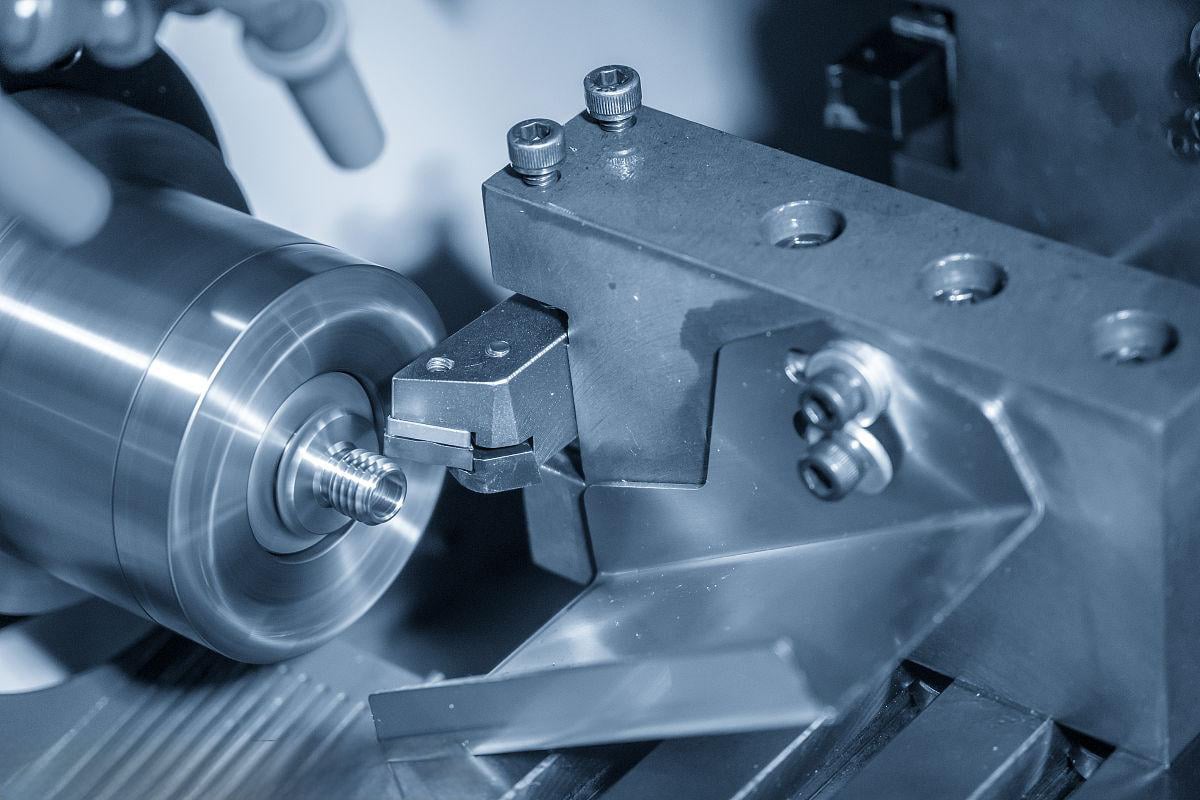
What is a CNC machine? It is a computer-controlled machine tool that follows programmed instructions to cut, drill, mill, turn, or shape material into precise parts. CNC stands for computer numerical control, meaning software guides motions that a person would otherwise do by hand on a manual machine.
What Is a CNC Machine
If you are wondering what is cnc, think of a machine following digital directions step by step. A computer numerically controlled machine can repeat the same operation with much more consistency than a hand-operated setup. On a manual machine, the operator turns wheels, adjusts position, and watches each move closely. On a CNC system, the operator prepares the program and the machine carries out those motions automatically.
A CNC machine uses digital instructions to automate precise cutting and shaping.
What Does CNC Stand For
What does CNC stand for? CNC means computer numerical control. Many beginners also ask, what does cnc mean in everyday use. It means numbers, coordinates, and coded commands tell the machine where to go, how fast to move, and what action to perform. If you searched what is cnc machine, that is the key idea to remember.
- Automation reduces repeated hand adjustments.
- Consistency helps parts match from one run to the next.
- Repeatability supports reliable batch production.
From NC to Modern CNC
Earlier NC, short for numerical control, used recorded instructions such as punched tape or cards to guide machines. Modern CNC moved those instructions into digital systems, making programs easier to store, edit, and reuse. That change pushed machining from fixed NC input toward more flexible computerized control. Overviews from UTI, ShopSabre, and Industrial Automation Co. describe the same practical result: less manual intervention, more consistency, and easier repeat production. The definition is simple on purpose, but the real story starts when code turns into machine motion.
How Does a CNC Machine Work
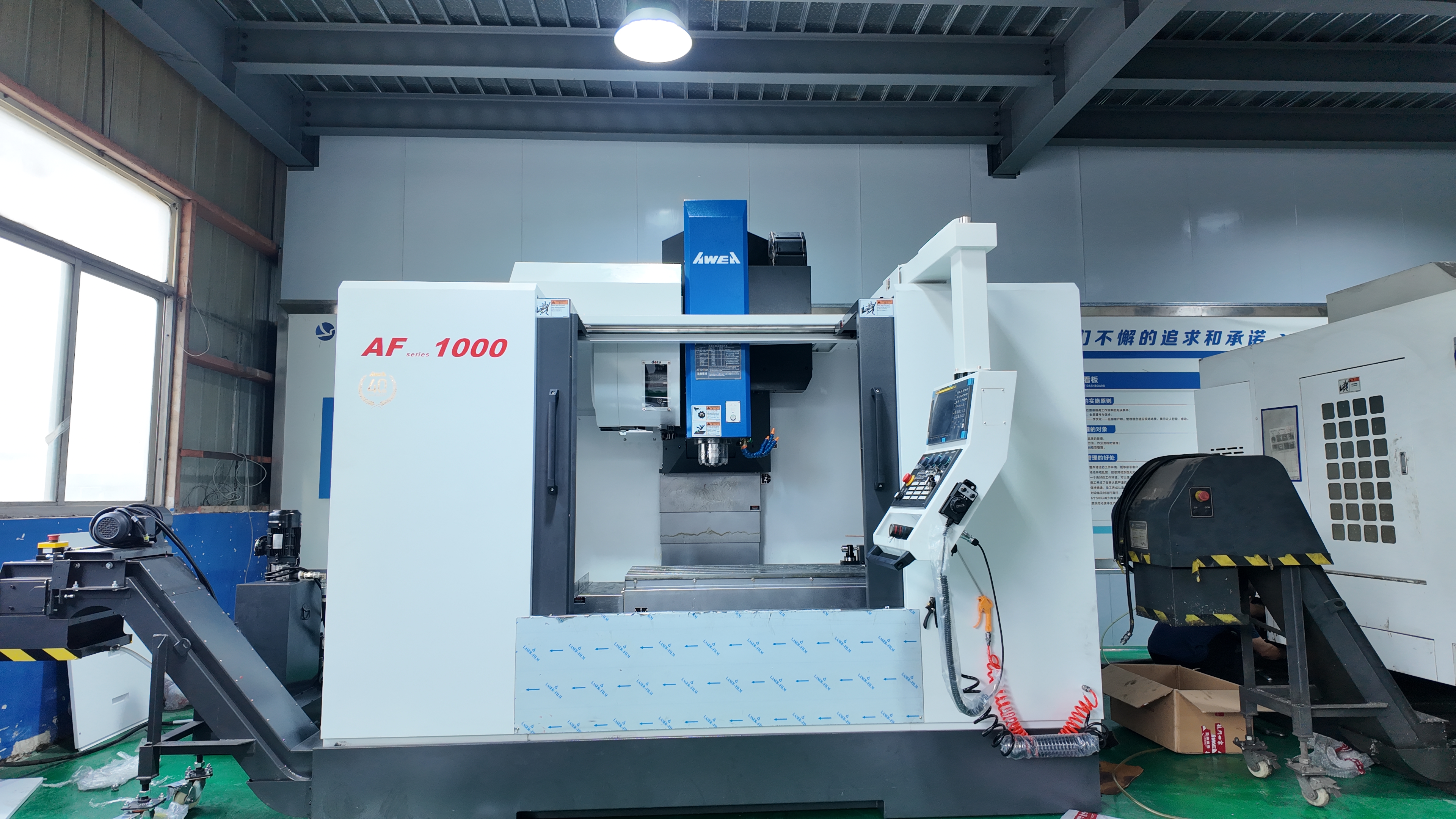
Ask how does a cnc machine work, and the answer is simpler than it first sounds. Software creates a set of instructions, the controller reads them, and the machine moves its axes and spindle to match that path. The machine is not making choices on its own. It is following programmed commands under computerized control, and the control system keeps those moves aligned with the loaded program.
How a CNC Machine Works
If you have searched for what is cnc system, think of it as a connected chain rather than one box. CAD software defines the part. CAM software turns that design into a toolpath. The controller loads the program and executes it line by line. From there, the machine's motion system moves along X, Y, and Z axes, and sometimes rotary axes such as A, B, or C, while the spindle spins the selected tool.
CNC is the process of telling a machine exactly where and how to move.
How Code Becomes Machine Motion
Much of that instruction set is written as G-code and M-code. Beginner guides from Huayao CNC Tech and a G-code overview show the same pattern: movement commands set position, while machine commands handle actions like spindle and coolant control. Coordinates tell the cutter where to go. Feed rate tells it how fast to advance through material. Spindle speed controls tool rotation. Tool selection changes the shape, size, and cutting behavior of the operation.
- A part is drawn in CAD.
- CAM converts the design into a toolpath and outputs NC or G-code instructions.
- The controller reads the program block by block.
- The drive and motor system moves each axis to the commanded coordinates.
- The spindle rotates the tool, and the machine cuts, drills, mills, or turns as programmed.
- The cycle continues until the finished features are complete.
So, how does cnc work in practice? It works by repeating those coded motions with consistency. If the coordinates or settings are wrong, the result is wrong too. That is why simulation, setup, and tool choice matter just as much as the code itself.
What a CNC Machine Actually Does
What does a cnc machine do during a job? It removes material in a controlled sequence to create the intended shape. Depending on the machine and program, that may mean drilling holes, cutting pockets, milling flat surfaces, turning round diameters, or tracing complex contours. What does cnc do especially well is repeat the same motion again and again without relying on handwheel adjustments for every pass.
In plain terms, digital instructions become physical movement through software, a controller, the machine's motion hardware, and the spinning tool. If you are adding visuals, a simple workflow graphic labeled design, toolpath, controller, motion, and part would fit naturally here. Under that smooth movement sits a set of specific machine parts, each with its own job during the cut.
Core CNC Machine Parts Explained
Those smooth machine moves come from a set of linked CNC parts working together, not from one hidden box doing everything alone. In a typical computer numerical control system, the cnc controller reads the program, the drives move the axes, the spindle powers the cut, and support systems keep the process stable. Seen from the inside, this cnc device is really a team of hardware layers with different jobs.
The CNC Controller and Drives
A simple way to picture the architecture is a CNC block diagram. The controller, often called the machine control unit, acts like the brain. It reads G-code and converts it into electrical signals. The drive system then uses motors, amplifiers, and motion hardware such as lead screws or ball screws to move the machine to the commanded position. Feedback elements send position information back to the control so the motion stays accurate instead of wandering off path.
| Component | Plain-language definition | Role in machining |
|---|---|---|
| Controller or MCU | The machine's control brain that reads the program | Interprets code and coordinates all major actions |
| Drives and motors | The powered motion system | Moves the machine along commanded paths |
| Axes | The machine's travel directions, usually X, Y, and Z | Positions the tool or workpiece in space |
| Spindle | The rotating unit that drives a cutting tool, or on some machines supports the cutting action differently | Provides the motion needed for cutting, drilling, or milling |
| Tooling | Drills, end mills, inserts, and other cnc machining tools | Actually removes material from the workpiece |
| Tool changer | An automatic system for swapping cnc tools | Lets one program use multiple tools in one cycle |
| Workholding | Vise, chuck, fixture, or clamps that secure the part | Keeps the workpiece from shifting during the cut |
| Bed and table | The machine's base and work support area | Provides structure, alignment, and a stable workspace |
| Coolant system | Fluid, mist, or delivery setup aimed at the cutting zone | Clears chips, lubricates, and helps manage heat |
| Feedback system | Encoders, scales, or sensors that report actual movement | Helps the control verify position and maintain accuracy |
If you are adding visuals, a labeled machine schematic or block diagram fits naturally beside this table.
Spindle Tooling and Workholding
The cutting end of the machine is where digital instructions meet real material. The spindle rotates the tool on many mills and routers, while other machine styles may rotate the workpiece instead. Tooling includes the cnc tools selected for each feature, from rough cutting to finishing. Workholding matters just as much. Even the best cutter cannot produce good results if the part moves, lifts, or vibrates during the cycle.
Coolant Feedback and Machine Stability
Coolant often sounds like it only lowers temperature, but CNCCookbook notes that chip clearing and lubrication are also primary jobs. That matters because trapped chips can damage finish and shorten tool life. Feedback devices, such as encoders and linear scales, tell the control where the machine actually is. The bed and table provide the physical foundation that helps everything stay steady. Learn these cnc parts once, and machine descriptions become much easier to read.
The exact layout changes with the machine. A mill, lathe, router, or other cnc device may place these elements in different positions, even though their functions stay similar. That is where the bigger picture gets interesting, because not every CNC machine is built for the same part shape or kind of motion.
Main Types of CNC Machines and When to Use Them
Machine layout matters, but part shape usually decides the winner first. The main types of cnc machine are chosen by geometry, material, and motion. Some are best for blocks and pockets. Others are built for round stock, large sheets, or intricate profiles that standard cutting tools struggle to reach.
CNC Mills and Milling Machines
If you have ever asked, what is cnc milling, think of a rotating cutter removing material from a solid workpiece to create flats, slots, holes, pockets, and 3D surfaces. That is why cnc mills are often the most flexible option in a shop. A basic milling machine with cnc control moves in X, Y, and Z, while 4-axis and 5-axis versions add rotary motion for multi-sided and more complex parts. Breakdowns from Factorem show how added axes reduce repositioning and expand the shapes a mill can produce. In practice, mills are the usual choice for metal and plastic parts that start as blocks or plates and need several features to line up accurately.
CNC Lathes for Rotational Parts
A lathe cnc machine is selected when the part is mainly round. Shafts, pins, bushings, fittings, and other turned components fit this family well. Instead of a rotating cutter doing most of the work, a computer numerical control lathe usually spins the workpiece in a chuck while the tool feeds along the part. As Zintilon notes, more advanced lathes can add Y or C axes and live tooling, which means they can also drill or mill certain off-center features in the same setup. If the geometry is centered around a main axis, a lathe is typically faster and more efficient than a mill.
Routers Cutters and Other CNC Formats
Routers resemble mills, but they are usually aimed at larger, flatter workpieces and softer materials such as wood, foam, plastics, composites, and sometimes non-ferrous metals. They are common for signs, furniture parts, panels, trim pieces, and enclosure work. When the job is mostly profile cutting through sheet material, a cnc cutting machine may be the better fit. Prolean outlines several of these formats, including laser, plasma, and waterjet systems, each following a programmed path to separate material rather than machine deep 3D features. The same source also highlights EDM, which removes material with electrical sparks and is especially useful for hard materials, intricate cavities, and sharp internal corners.
| Machine type | Best for | Basic motion | Common output |
|---|---|---|---|
| CNC mill | Prismatic parts, pockets, holes, contoured surfaces | Rotating tool moves in linear axes, sometimes with added rotary axes | Molds, precision components, brackets, plates |
| CNC lathe | Cylindrical or conical parts | Workpiece rotates while the tool feeds along it | Shafts, bushings, pins, threaded fittings |
| CNC router | Large flat parts in softer materials | Gantry-mounted spindle moves across sheet material | Signs, panels, furniture parts, trim pieces |
| Laser, plasma, or waterjet | 2D profile cutting from sheet or plate | Cutting head follows a programmed path across the material | Flat blanks, sheet metal profiles, gaskets, intricate cut shapes |
| EDM | Hard materials, fine details, sharp internal corners | Electrical sparks erode material with wire or shaped electrodes | Dies, punches, intricate cavities, detailed profiles |
- If the part starts as a block and needs pockets, holes, or 3D faces, start by thinking mill.
- If the part is mostly round around a centerline, think lathe.
- If it is large, flat, and often made from wood, plastic, or composite sheet, think router.
- If the goal is cutting a 2D outline from sheet or plate, think cutting system.
- If the material is very hard or the detail is unusually fine, EDM may be the right answer.
Choosing the machine family sets the boundaries of the job, but it still does not make a part on its own. The real transformation begins when a design file turns into a toolpath, setup plan, and cutting sequence on the selected machine.
From CAD File to Finished Part
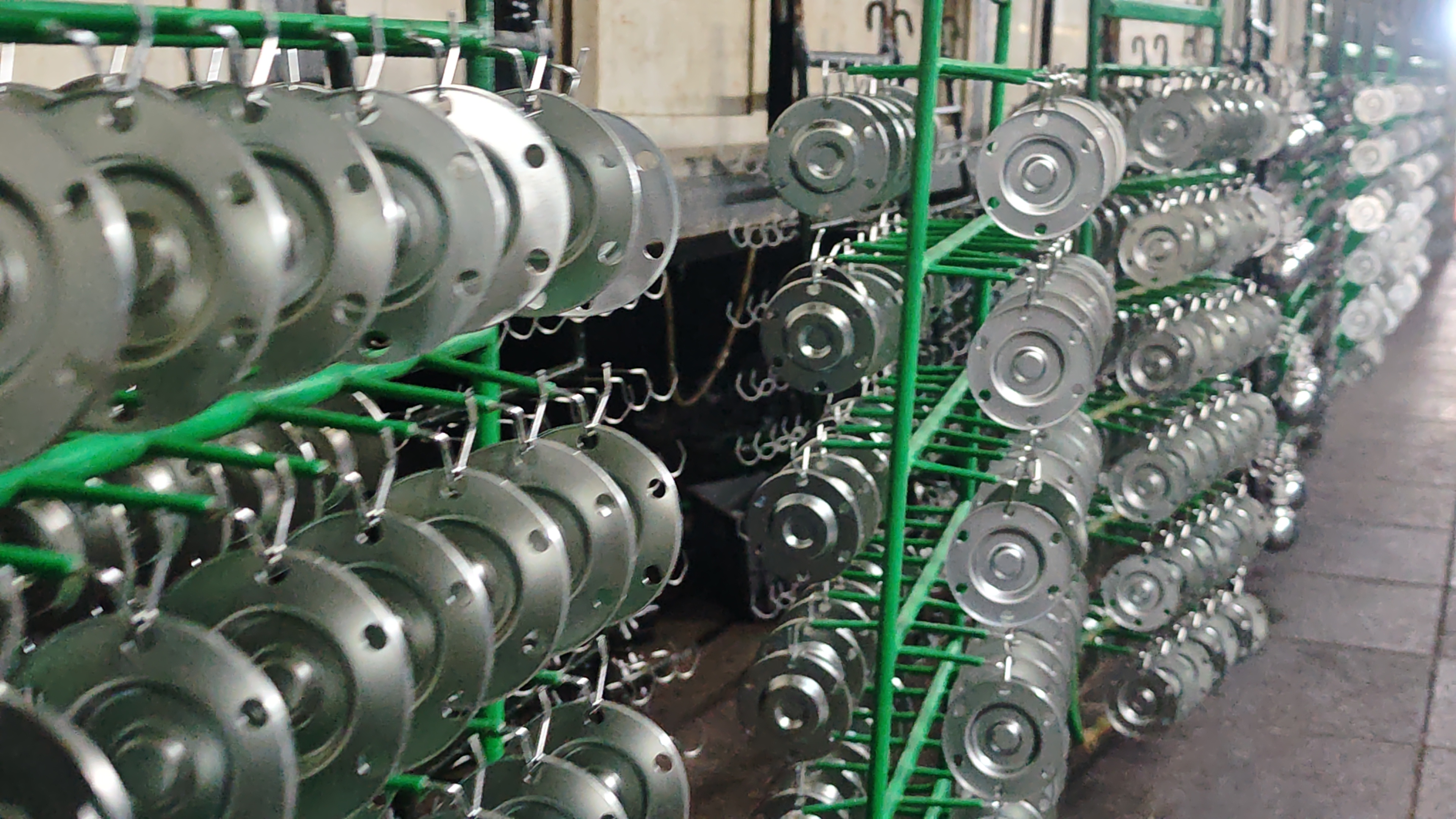
The real power of a CNC machine shows up in the workflow. A part starts as a digital model, moves through cnc programming, becomes machine code, and ends as a physical component after setup, cutting, inspection, and finishing. The exact order can shift by machine type and part complexity, but the logic stays much the same in workflows outlined by STCNC, Ace Micromatic, and ENCY.
CAD defines the part, CAM defines the path, and the machine follows the code.
From CAD Design to CAM Programming
Everything begins with a CAD model. This digital file defines the part's geometry, features, dimensions, and tolerances. Common file types mentioned in the STCNC workflow include STEP, IGES, and STP. A clean model matters because missing features or bad dimensions can create problems long before the tool touches material.
That model then moves into CAM, where toolpaths are created. This is where a computer numerical control programmer chooses the cutting tools, machining order, cutting strategy, spindle speed, feed rate, and depth of cut. Modern computer numerical control software and other nc programming software can also simulate the job to catch collisions or toolpath errors before the machine runs. In simple terms, to program CNC work well, you are planning motion, not just drawing shapes.
Generating G Code and Setting Up the Machine
- Create the CAD model with the needed dimensions, features, and tolerances.
- Import that model into CAM or other computer numerical control software.
- Select material, cutting tools, machining strategy, and speeds and feeds.
- Simulate the toolpath and check for collisions, missed features, or unsafe moves.
- Post-process the toolpath into G-code or NC instructions. This cnc nc code is a form of computer numerical code that tells the machine what to do.
- Prepare the raw stock, then secure it with a vise, chuck, fixture, or other workholding.
- Load tools, confirm coolant, and set the machine zero or work offset so the controller knows the part's starting location.
- Run the program and watch the first cycle carefully while the machine mills, turns, drills, or taps as instructed.
- Inspect the part with measuring tools such as calipers, micrometers, CMMs, or thread gauges.
- Deburr, finish, clean, and package the part if the job requires it.
Setup is where digital planning meets the real machine. If the tool lengths, workholding, or zero point do not match the program, the code can be correct and the part can still come out wrong. If you have ever wondered what is cnc machine operator, it usually means the person who loads the stock, installs tools, sets offsets, and runs the machine safely. In many shops, the operator, machinist, and programmer may be different people, or the same person handling multiple tasks.
A simple visual can help here. A sequence showing the CAD model, CAM toolpath, posted code, and machine setup would make this stage even easier for beginners to follow.
Cutting Inspecting and Finishing the Part
Once setup is complete, the machine executes the program line by line. Depending on the machine and the part, that may include milling, turning, drilling, tapping, or thread milling. During cutting, shops often monitor dimensions and machine behavior so problems can be caught early instead of after a full batch is finished.
Inspection follows the cut. The workflows described by Ace Micromatic and STCNC include tools such as calipers, micrometers, height gauges, CMMs, and thread gauges. If the part meets the drawing, finishing steps may come next, including deburring, anodizing, sandblasting, powder coating, or electropolishing. Some parts are then cleaned and packed for delivery.
That is how software instructions become a real part. The machine does the cutting, but the result depends on the full chain: design, toolpath planning, code generation, setup, measurement, and finishing. Seen this way, the value of CNC is not just automation. It is the ability to repeat a controlled process with much less variation than hand-guided machining.
CNC vs Manual Machining for Speed, Accuracy, and Cost
That controlled process is exactly why CNC and manual machining feel so different in practice. For readers asking what is cnc machining, it is material removal directed by programmed toolpaths instead of hand-operated movements. A simple machining definition is shaping a part by removing material. In everyday use, machining meaning is just as straightforward. The bigger difference is how the machine is controlled, because that affects speed, consistency, labor, and the kind of work each method handles best.
CNC vs Manual Machining at a Glance
Shop-floor comparisons from Thorrez and Staub point to the same pattern. CNC is usually the stronger choice for repeat production and complex features, while manual machining still matters for fast adjustments, repairs, and certain low-volume jobs.
| Factor | CNC machining | Manual machining |
|---|---|---|
| Speed | Faster once programming and setup are complete, especially across repeated parts | Slower for repeated production because each move depends more on the machinist |
| Precision | Well suited to tight-tolerance work when the program, setup, and tooling are correct | Can be very precise, but results depend more heavily on operator skill and feel |
| Repeatability | High repeatability over long runs because the same toolpath is executed again and again | Harder to match part after part with the same consistency |
| Labor needs | Lower direct hands-on involvement during production, and one operator may oversee multiple machines | Requires continuous operator input at the machine |
| Cost considerations | Higher setup and programming investment, but often better value as volume increases and scrap drops | Often cheaper to start for simple work, one-offs, or very small batches |
| Flexibility | Excellent for complex geometry and automated multi-step operations | Excellent for quick changes, rework, and hands-on troubleshooting |
| Ideal use cases | Production runs, complex parts, and precision cnc machining with strong repeatability needs | Repairs, prototype tweaks, tooling changes, and simple low-volume tasks |
Where CNC Saves Time and Improves Repeatability
CNC earns its advantage when consistency matters as much as cutting. Once a program is dialed in, the machine follows the same path with far less variation over long runs. That matters for complex parts, multi-axis features, automated tool changes, and batch production where every part needs to match the last. Staub also notes that automation can reduce labor intensity because a single operator may supervise several machines, which helps explain why CNC often becomes more cost-effective as volume rises.
When Manual Machining Still Makes Sense
Manual machining is far from obsolete. Thorrez highlights several cases where it remains practical: prototype adjustments, repair work, custom one-off parts, tooling modifications, and fine-tuning. Smaller runs and simpler shapes can also favor manual work when full programming would add time without much payoff. A useful reminder from CNCCookbook is that shop reality matters too. Sometimes the CNC machine is busy on production, so a manual mill or lathe handles a quick second operation or urgent simple job more efficiently.
CNC is not always the cheapest way to start a job, but it often wins on consistency, repeatability, and scalable output.
So the comparison is not really about one method replacing the other. It is about matching the process to the part, the quantity, and the level of control required. That becomes much easier to see when you look at the real components CNC machines produce every day across different industries.
What CNC Machines Make Across Industries
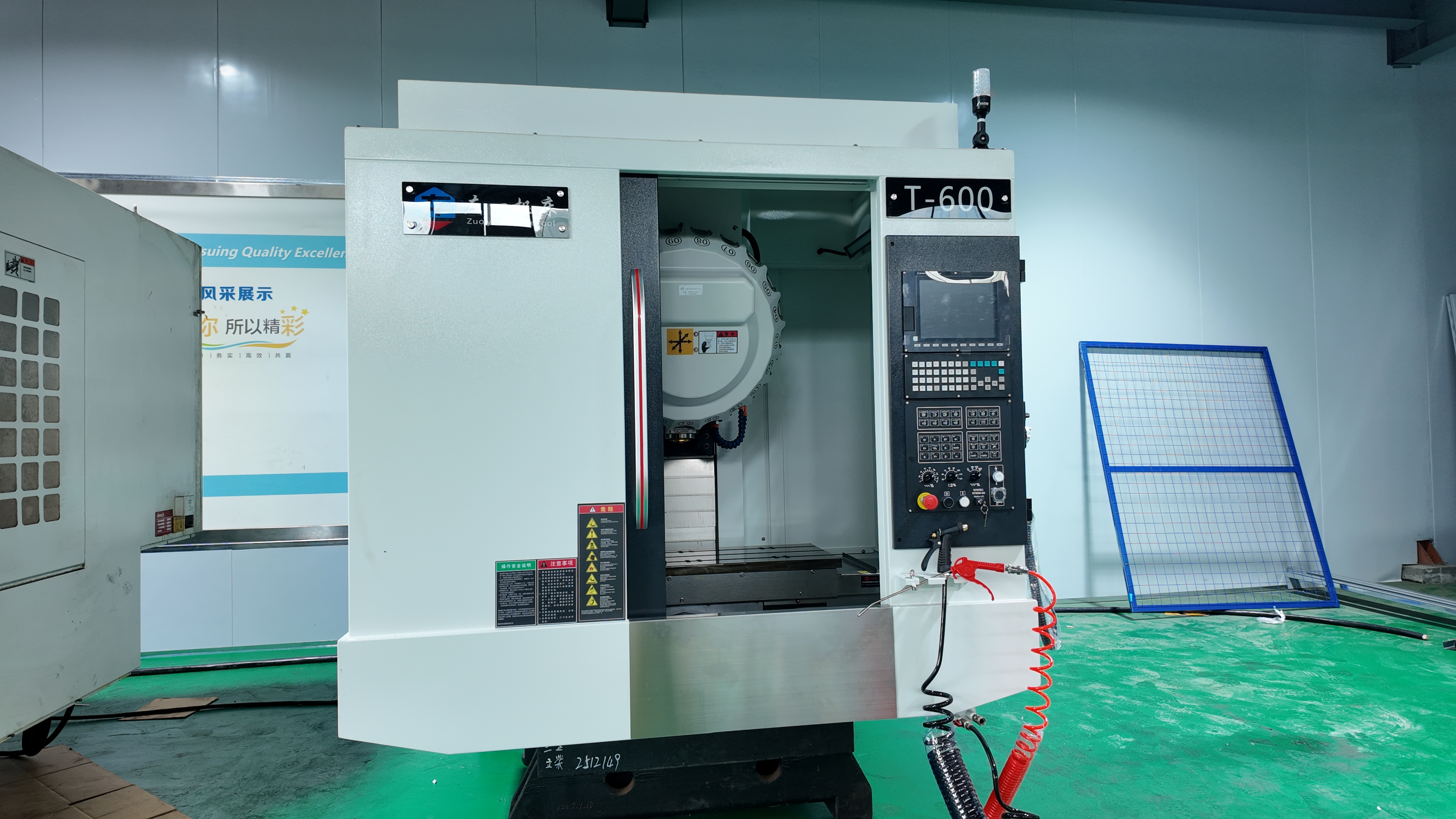
Those process advantages become easiest to see in the finished parts. If you are asking what is a cnc machine used for, the practical answer is simple: it is used to make repeatable components with precise dimensions across many industries. In facilities that use cnc machines for manufacturing, the output can range from simple brackets and plates to turbine blades, implants, enclosures, and precision shafts. Examples from In-House CNC and YCM Alliance show how broad that range can be.
Common Parts Made on CNC Machines
What do cnc machines do in day-to-day production? They cut, drill, mill, and turn materials into parts like these:
- Brackets, ribs, fixtures, and structural plates
- Housings, enclosures, and protective casings
- Shafts, bushings, fasteners, and other turned components
- Engine parts such as cylinder heads, crankshafts, and cooling plates
- Heat sinks, connector bodies, and electronics housings
- Surgical instruments, implants, and prosthetic components
- Robot joints, gears, and other precision components
If you searched cnc metal, this is the kind of output you are usually looking at. Metal cnc machining is widely used for parts that need strength, fit, and repeatability in materials such as aluminum, titanium, and stainless steel.
Industries That Depend on CNC
| Industry | Typical CNC parts | Why CNC fits |
|---|---|---|
| Aerospace | Turbine blades, structural brackets, landing gear parts | High precision, repeatability, and traceable production |
| Automotive | Engine blocks, cylinder heads, shafts, battery trays | Consistent output and scalable production volume |
| Medical | Implants, surgical tools, dental and prosthetic parts | Accurate fit, smooth finish, and documented quality |
| Electronics | Heat sinks, enclosures, RF housings, PCB features | Miniaturization, clean edges, and tight feature control |
| General manufacturing | Fixtures, industrial equipment parts, prototypes | Flexible changeovers from one-off work to larger runs |
Why CNC Fits Both Prototypes and Production
If you have ever wondered what is cnc equipment in a real factory, these finished parts are the clearest answer. The same digital workflow can support a one-off prototype, a short run, or full-rate production, which is why so many sectors rely on CNC for both development and repeat manufacturing. That flexibility, paired with repeatability, is a major reason metal cnc machining remains central to modern production.
For a more specialized version of this section, examples tied to standards such as AS9100 or ISO 13485 can add extra depth without turning the article into a compliance guide. For most readers, the key takeaway is practical: CNC makes parts that must fit and function the same way every time. From there, attention naturally shifts to a different issue, namely whether a machining partner can deliver that result from the first sample to the full production run.
How to Choose a CNC Machining Partner
A part may begin with a CAD file and a cnc machine, but buying confidence comes from something deeper: controlled processes, verified quality, and the ability to scale. Supplier guidance from GCH and Dewintech points to the same rule for cnc manufacturing: do not judge a shop by price alone.
What to Look For in a CNC Machining Partner
- Right process fit: Match the supplier's cnc machines to your part geometry, material, and volume, not just total machine count.
- DfM feedback: Ask for design-for-manufacturing input before ordering. Strong shops flag thin walls, deep holes, and difficult tolerances early.
- Trial validation: For new parts, request a paid sample run, first article inspection, and CMM data when needed.
- Inspection discipline: Ask how the cnc operator and quality team record offsets, dimensions, and nonconformances during production.
- Material and finishing range: Confirm experience with your alloy, plastic, coating, or secondary process.
- Scalability: Make sure the same partner can support prototypes, pilot runs, and repeat production.
Why Quality Systems Matter in Precision Machining
In precision machining, certificates matter most when they reflect daily control. The IATF 16949 overview highlights continuous improvement, defect prevention, and reduced variation for automotive suppliers, while GCH emphasizes traceable, data-driven process control. If you have ever searched what does cnc stand for in manufacturing, the buying-side answer is practical: repeatable motion backed by measurable quality.
From Prototype to Mass Production
- Check whether the supplier can move from one-off parts to stable monthly volumes without changing the process chain.
- Look for SPC, FAI reporting, and clear change control when designs evolve.
- Ask how lead times are planned and whether delivery commitments come from a repeatable system.
- Prioritize industry experience when the part supports safety, fit, or regulatory requirements.
Automotive sourcing shows why this matters. As one real-world example, Shaoyi Metal Technology presents IATF 16949 certified custom machining, SPC-based quality control, and support from rapid prototyping to automated mass production. That kind of setup is valuable when a supplier must hold the same standards from first sample through full release.
The right partner should fit both your technical requirements and your production volume, not just your RFQ.
Frequently Asked Questions About CNC Machines
1. What does CNC stand for in manufacturing?
CNC stands for computer numerical control. In manufacturing, it means a machine follows software-based instructions instead of relying on constant hand-operated movement. Those instructions control position, speed, tool selection, and actions such as drilling, milling, or turning. That is why CNC is closely tied to consistency and repeatable output.
2. How does a CNC machine know where to move?
A CNC machine follows programmed coordinates created from a part design and converted into machine code through CAM software. The controller reads that code and sends commands to the axes, spindle, and other systems, while feedback devices help confirm the machine is staying on path. It does not invent the process on its own. Good results depend on correct programming, setup, tooling, and part zero.
3. What is the difference between a CNC mill and a CNC lathe?
A CNC mill is commonly used for block-like parts with pockets, slots, holes, flat faces, and complex surfaces. A CNC lathe is built for round or cylindrical parts because the workpiece spins while the cutting tool moves along it. If a part is centered around a main diameter, a lathe is often the better fit. If it needs multiple faces or off-center features, a mill is usually the more practical choice.
4. What is a CNC machine used for, and is it only for metal?
CNC machines are used to make parts such as brackets, housings, shafts, fixtures, enclosures, and other precision components for industries like automotive, aerospace, electronics, and medical manufacturing. They are widely used for metal work, but they are not limited to metal. Depending on the machine type and tooling, CNC can also process plastics, wood, foam, and composites. The right setup depends on the shape of the part, the material, and the production goal.
5. How do you choose a CNC machining partner for prototypes and production?
Start by checking whether the supplier matches your part geometry, material needs, inspection requirements, and expected volume. A strong partner should also provide DfM feedback, first article support, clear measurement practices, and a stable path from sample work to repeat production. In quality-sensitive industries, certifications and process control matter as much as machine capacity. For example, a supplier with systems such as IATF 16949 and SPC, like Shaoyi Metal Technology, is better equipped to support both prototype validation and scaled automotive production.