 Small batches, high standards. Our rapid prototyping service makes validation faster and easier —
  EN
EN


Instant Quote Laser Cutting Demystified: From File Upload To Final Price
What Is Instant Quote Laser Cutting and Why It Matters
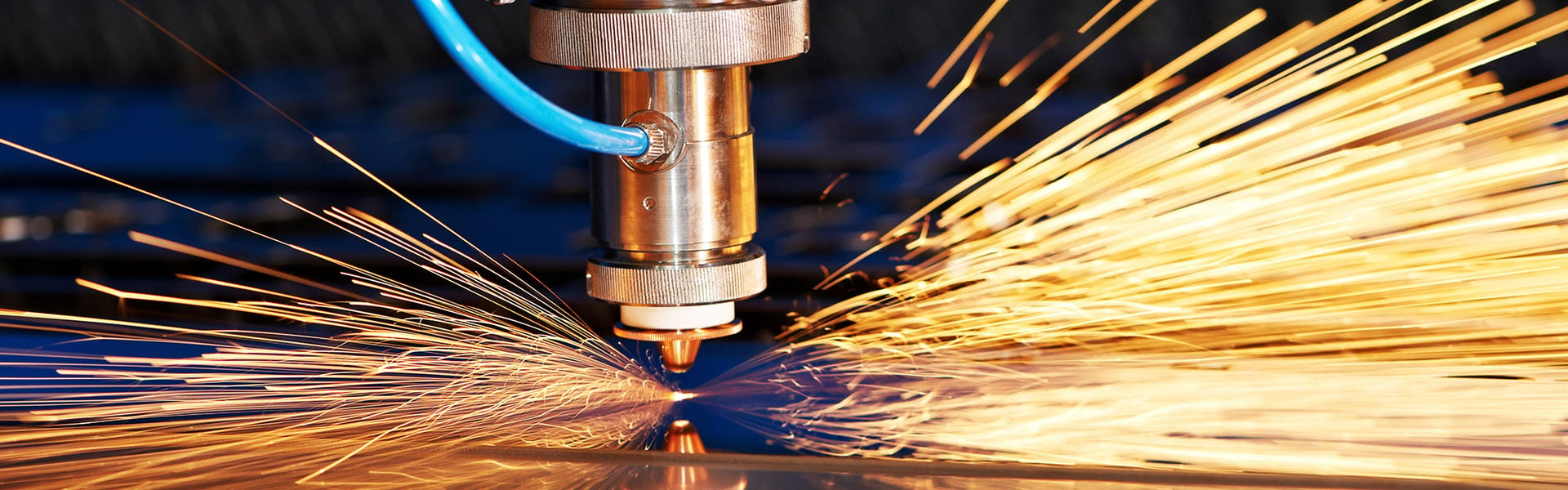
Imagine uploading a design file and receiving an accurate price within seconds—not hours, not days. That's exactly what instant quote laser cutting delivers. These automated platforms have fundamentally changed how businesses and individuals access precision metal fabrication services. Instead of waiting through lengthy back-and-forth communications with sales teams, you can now get transparent pricing the moment you submit your design.
So what is laser cutting with instant quoting, exactly? It's an online laser cutting service that combines advanced manufacturing technology with automated pricing algorithms. When you upload a CAD file, the system analyzes your design's complexity, material requirements, and production specifications to generate a real-time cost estimate. This approach removes the traditional barriers that once made professional laser cutting accessible only to those with industry connections or large production volumes.
How Instant Quote Systems Transform Metal Fabrication
The shift toward laser online quoting platforms represents a democratization of manufacturing. Previously, getting a quote for metal fabrication could take days or even weeks, depending on the complexity of your request and supplier responsiveness. Small businesses, hobbyists, and startups often found themselves locked out of professional fabrication services simply because the quote process was too time-consuming and unpredictable.
Today's instant quote systems eliminate these friction points entirely. Whether you need a single prototype or thousands of production parts, you receive the same immediate pricing transparency. This levels the playing field, allowing a weekend maker to access the same laser cutting cutting capabilities that major manufacturers use.
Traditional quoting processes often require 24-72 hours—or longer—for a response. Instant quote platforms compress this timeline to mere seconds, enabling faster decision-making and dramatically accelerating project timelines.
The benefits extend beyond speed. Online quote services also enhance cost efficiency by letting you compare options instantly. You can adjust quantities, swap materials, or modify designs and immediately see how each change affects your final price. This transparency helps you optimize projects before committing to production.
The Technology Behind Real-Time Pricing Engines
Understanding what happens after you upload your design helps you get more accurate quotes. When you submit a file—typically in formats like DXF, DWG, or STEP—the quoting engine performs automated analysis across several dimensions.
The system evaluates your design for:
- Material requirements – Different metals cut at different speeds and require specific gases or power settings
- Cut path length – The total distance the lazer cutter travels directly impacts production time
- Part complexity – Intricate details, curves, and numerous holes increase cutting duration
- Thickness specifications – Thicker materials require more energy and slower cutting speeds
- Quantity calculations – Volume discounts and nesting efficiency affect per-piece pricing
According to Smart Cut Quote, these automated systems read your design files and estimate material usage, cutting time, and total job cost—all without manual intervention. The pricing algorithms factor in machine hourly rates, which typically include equipment costs, maintenance, electricity, gas consumption, and operator time.
For first-time users, this foundational understanding is essential. Knowing that a laser cutting instant quote reflects real production variables—not arbitrary pricing—helps you trust the numbers you receive. It also empowers you to optimize your designs for cost efficiency before placing an order, ensuring your projects stay on budget from the very first click.
How Instant Quote Systems Generate Your Price
Ever wondered what actually happens in those few seconds between uploading your design file and receiving a price? Understanding this process helps you prepare better files, avoid common errors, and ultimately get more accurate quotes. Let's walk through the journey your design takes from upload to calculated price.
From CAD File to Calculated Price in Seconds
When you submit a design to an instant quote platform, sophisticated algorithms perform the same analysis that would traditionally require an experienced estimator—but in a fraction of the time. The system essentially simulates the entire cutting job before you ever commit to production.
According to Xometry's laser cutting process guide, modern laser cutting and engraving systems rely on precise parameters including laser power, speed, focal length, and gas assist settings. Instant quote engines incorporate all these variables into their calculations, translating your design geometry into real production time and cost estimates.
The automated pricing engine evaluates several critical factors simultaneously:
- Material recognition – The system identifies whether you've specified steel, aluminum, stainless steel, or other materials, each requiring different laser settings and having distinct costs per square inch
- Cut path calculation – Algorithms trace every line, curve, and contour in your design to determine total cutting distance
- Complexity assessment – Features like tight corners, small holes, and intricate patterns require slower cutting speeds, extending production time
- Pierce count analysis – Each time the laser to cut must penetrate the material surface, it adds time and contributes to overall cost
- Nesting optimization – For multiple parts, systems calculate how efficiently pieces can be arranged on standard sheet sizes
This multi-factor analysis happens almost instantaneously because the calculations run on powerful servers optimized for geometric processing. The result is a price that accurately reflects what it will actually cost to produce your parts.
What Happens After You Upload Your Design
The instant quote workflow follows a predictable sequence. Understanding these steps helps you prepare files that move smoothly through the system and generate accurate quotes on the first attempt.
- File upload and format validation – The system accepts your design file and verifies it's in a compatible format. Common accepted formats include DXF (ideal for 2D laser cutting), STEP (for 3D models), AI (Adobe Illustrator files), and various CAD formats. Each format has specific requirements—DXF files should contain single-line geometry without fills or colors that might confuse the laser cnc software.
- Geometry analysis and path extraction – The algorithm reads your design and extracts all cutting paths. It identifies closed contours, open paths, and any potential issues like overlapping lines or unclosed shapes. This is where a well-prepared file makes all the difference.
- Material and thickness specification – You select your desired material type and thickness, or the system may prompt you to confirm detected specifications. This step directly impacts the laser for cutting machine parameters the system will use in its calculations.
- Cut time calculation – Based on your material selection and the extracted geometry, the system calculates total cutting time. It factors in cut speed (which varies by material thickness and type), acceleration and deceleration at corners, and pierce times for each separate cut initiation point.
- Cost computation and quote generation – The system combines material costs, cutting time, any required post-processing, and overhead factors to produce your final quote. Many platforms display itemized breakdowns showing exactly how your price was determined.
- Quote presentation with options – Finally, you receive your quote along with options to adjust quantities, select different materials, or choose expedited production. Each change triggers an instant recalculation so you can optimize your order in real time.
The entire sequence typically completes in under 30 seconds for straightforward designs. More complex files with thousands of cut paths may take slightly longer, but even the most intricate laser cut cnc machine projects rarely exceed a minute of processing time.
Format-Specific Preparation Tips
Different file formats require different preparation approaches to ensure smooth quote generation:
- DXF files – Ensure all geometry consists of single lines rather than filled shapes. Remove any text that hasn't been converted to outlines. Verify that all paths are on a single layer unless you're using layer colors to indicate different operations.
- STEP files – These 3D formats work well when your design includes complex features. The system extracts flat profiles from 3D models, but cleaner geometry produces more accurate quotes.
- AI (Illustrator) files – Convert all strokes to outlines and expand any effects. Remove clipping masks and ensure artwork is properly scaled to actual dimensions.
- General CAD formats – Whether you're using SolidWorks, AutoCAD, or other laser and cnc design software, export to widely-supported formats like DXF or STEP for best compatibility.
Taking a few extra minutes to properly prepare your files pays dividends in quote accuracy. A clean, well-formatted design file moves through the automated analysis without errors, giving you a price you can trust and helping you proceed to production with confidence.
Understanding What Drives Laser Cutting Prices
Now that you understand how instant quote systems calculate your price, let's explore the specific factors that actually drive those numbers. When you're researching laser cutting cost before committing to a project, transparency matters. Knowing exactly what influences your laser cutting quote empowers you to make smarter design decisions and optimize your budget.
According to Komacut's pricing guide, the primary factors affecting laser cutting costs include material type, thickness, design complexity, cutting time, labor costs, and finishing processes. Each element contributes to overall expenses by impacting the efficiency and resources required for production. Let's break these down so you can anticipate your laser cut price before uploading your design.
Material Type and Thickness Impact on Cost
Material selection is often the single largest variable in your laser cutting charges. Different metals have distinct properties that affect how quickly and efficiently the laser can cut through them. For example, cutting stainless steel generally requires more energy and time compared to cutting carbon steel, making it more expensive per linear inch of cut path.
Why does this matter for your instant quote? The laser cutting price you receive reflects real differences in:
- Material cost per square inch – Raw material prices vary significantly between steel grades, aluminum alloys, and specialty metals
- Cutting speed variations – Softer materials like aluminum cut faster than harder materials like stainless steel
- Energy consumption – Some materials require higher laser power settings, increasing operational costs
- Gas requirements – Different materials need specific assist gases (nitrogen, oxygen, or compressed air) at varying consumption rates
Thickness compounds these effects dramatically. As industry research confirms, thicker materials require more energy and slower cutting speeds to achieve a clean cut. This increases cutting time and energy consumption, leading to higher overall costs. Additionally, thicker materials may necessitate more frequent maintenance of cutting equipment due to increased wear.
Think of it this way: cutting through 1/4-inch steel versus 1/16-inch steel isn't just four times slower—the laser cutting rate often drops exponentially as thickness increases because the machine must move more carefully to maintain edge quality and prevent material warping.
How Cut Complexity Affects Your Final Price
Beyond material considerations, your design's geometry plays a critical role in determining costs. Every time the laser initiates a cut, it must pierce through the material surface—a process that takes additional time and energy. The number of these pierce points directly affects your quote.
According to Komacut's analysis, the number of cutouts affects cost because each requires a pierce point where the laser initiates the cut. More pierce points and longer cutting paths increase the time and energy required, which raises the overall cost. Intricate designs with numerous cutouts also demand greater precision, adding to labor and equipment expenses.
Complexity factors that influence your laser cutting quote include:
- Total cut path length – More linear inches of cutting equals more machine time
- Number of interior features – Each hole, slot, or cutout adds pierce points and separate cutting operations
- Tight corners and small radii – These features force the machine to slow down for precision
- Minimum feature sizes – Very small holes or narrow slots near material thickness limits require careful processing
The good news? Understanding these factors lets you optimize designs before requesting quotes. Sometimes simplifying a few non-critical features can meaningfully reduce your laser cutting cost without compromising functionality.
Pricing Factor Reference Guide
The following table illustrates how different variables influence your pricing tier. While specific prices vary by service provider, this framework helps you understand relative cost impacts:
| Factor | Lower Cost Impact | Moderate Cost Impact | Higher Cost Impact |
|---|---|---|---|
| Material Type | Mild steel, standard aluminum | Stainless steel (304), thicker aluminum | Specialty alloys, hardened steels, copper |
| Thickness Range | Thin gauge (under 1/8") | Medium gauge (1/8" to 1/4") | Heavy gauge (over 1/4") |
| Design Complexity | Simple outlines, few interior cuts | Moderate detail, 10-20 pierce points | Intricate patterns, numerous small features |
| Quantity | Bulk orders (100+ pieces) | Medium runs (10-99 pieces) | Single prototypes or very small batches |
| Edge Quality Requirements | Standard cut quality acceptable | Clean edges required, minimal finishing | Precision edges, post-processing needed |
Volume Discounts and Nesting Efficiency
Ordering quantity significantly impacts your per-piece laser cutting charges. As industry experts note, bulk ordering can significantly reduce per-unit cost by spreading fixed setup costs over a larger number of units. Additionally, bulk orders often qualify for material discounts from suppliers, further lowering overall cost.
Efficient nesting—how well your parts fit together on a sheet—also affects pricing. When parts nest closely together, less material goes to waste, and cutting time decreases. Many instant quote systems automatically optimize nesting, but you can influence efficiency by designing parts with compatible geometries.
Some services, like those offering competitive send cut send prices, pass these efficiencies directly to customers through transparent volume pricing tiers. When comparing quotes, pay attention to how pricing scales with quantity—the difference between ordering 10 pieces versus 50 pieces often reveals significant savings opportunities.
Armed with this understanding of pricing drivers, you're now equipped to evaluate quotes intelligently and make design choices that balance quality with cost efficiency. Next, let's explore the different laser cutting technologies available and how each affects your project options.
Laser Cutting Technologies Explained
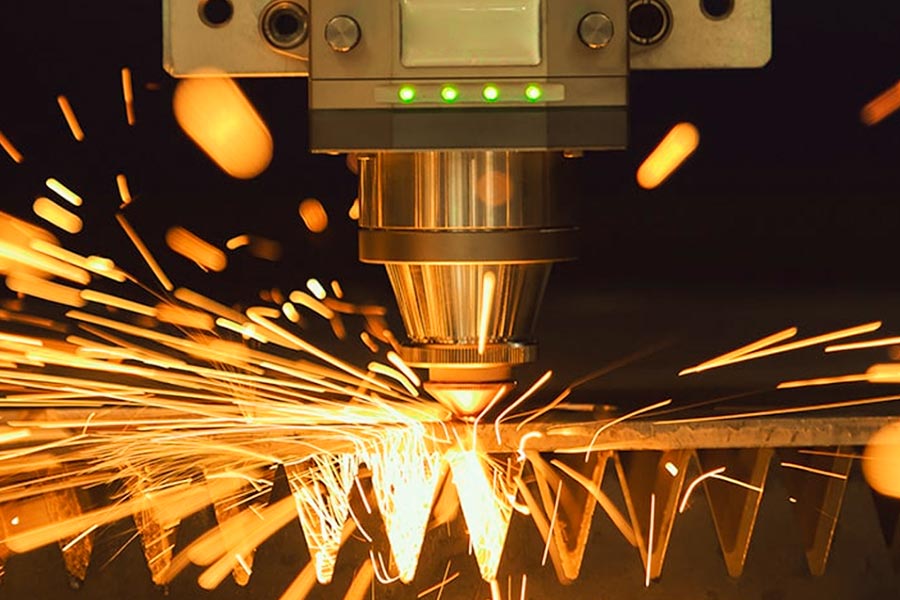
When you request an instant quote for laser cutting, have you ever wondered which type of laser will actually process your parts? Understanding the technology behind your quote helps you make better material choices and set realistic expectations for precision and edge quality. Different laser types excel at different applications—and knowing the difference can save you time, money, and frustration.
Three primary laser technologies dominate modern fabrication: CO2 lasers, fiber lasers, and crystal (Nd:YAG) lasers. Each uses a fundamentally different method to generate its cutting beam, and these differences directly affect which materials they handle best, how precisely they cut, and what thickness ranges they can tackle.
CO2 Lasers for Versatile Material Processing
CO2 laser cutting machines were the original workhorses of industrial laser fabrication, first developed in the early 1960s. According to Industrial Metal Supply, CO2 laser cutting machines use carbon dioxide, nitrogen, and helium to produce an electrically driven laser beam that can penetrate and cut various materials.
How does a CO2 laser actually work? The machine operates via light induction through a gas-filled tube with mirrors at both ends. These mirrors guide the laser beam toward the material being cut. Since one mirror is entirely reflective while the other allows a portion of light to pass through, the light waves build in intensity as they bounce back and forth—creating the powerful beam that ultimately cuts your material.
CO2 lasers shine brightest when working with non-metallic materials:
- Wood and plywood – Clean cuts with minimal charring when properly configured
- Acrylic and plastics – Excellent edge clarity, including transparent varieties
- Glass and ceramic – Capabilities that other laser types struggle to match
- Leather and textiles – Precise cuts without fraying or material distortion
- Thin metals – Can cut steel and aluminum, though at lower efficiency than fiber lasers
The tradeoff? CO2 systems require more maintenance and consume more energy than newer technologies. As industry experts note, CO2 laser cutters require a lot of power to operate and often need regular maintenance, with initial investments that can run from $500,000 to upwards of a million dollars for industrial-grade equipment.
Fiber Lasers for Metal Cutting Excellence
If your project involves laser metal cutting, fiber laser technology likely represents your best option. These machines have revolutionized metal fabrication over the past two decades, offering speed and precision that CO2 systems simply cannot match when cutting laser metal applications.
Fiber laser cutting machines utilize active optical fibers to create a laser beam and a transport fiber to transmit the cutting force to the machine's head, according to Industrial Metal Supply. The ultra-hot light beam is engineered to cut through various metal thicknesses, delivering precision cuts that meet demanding tolerances.
What makes fiber lasers so effective for metals? The secret lies in wavelength. Fiber laser cutters produce beams with shorter wavelengths than CO2 machines, which allows greater absorption power when hitting metallic surfaces. This translates to increased cutting speed and improved cut quality—especially important when you need a laser cutter for metal projects with tight deadlines.
Fiber laser cutting services excel with:
- Carbon steel – Fast, clean cuts across a wide thickness range
- Stainless steel – Excellent edge quality with minimal heat-affected zones
- Aluminum – Handles reflective properties that challenge other laser types
- Copper and brass – Specialized capability that CO2 lasers struggle with
- Titanium – Precision processing for aerospace and medical applications
The advantages extend beyond material compatibility. As xTool's comparison guide explains, fiber lasers are high-power machines that can mark metals deeply and quickly, and cut metals with impressive speed and efficiency—they're built for speed and heavy-duty work.
Crystal (Nd:YAG) Lasers for Specialized Applications
The third major technology—crystal lasers using materials like neodymium-doped yttrium aluminum garnet (Nd:YAG)—occupies a specialized niche. These laser metal cutter systems are primarily used for micro-machining applications requiring extreme precision.
According to HeatSign's technology guide, Nd:YAG laser cutters are used for tiny cuts and drilling in ceramics and electronics, operating at power ranges typically below 800W with precision levels around ±0.05mm.
While less common in general fabrication, crystal lasers serve critical roles in:
- Electronics manufacturing requiring micro-scale precision
- Medical device fabrication with tight tolerance requirements
- Ceramic processing for industrial components
- Precision drilling applications where hole placement is critical
Most instant quote platforms focus on CO2 and fiber technologies, but understanding the full spectrum helps you appreciate why certain specialized projects may require specific service providers.
Technology Comparison at a Glance
Choosing the right laser that cuts metal—or any other material—depends on matching technology capabilities to your specific project requirements. The following comparison helps clarify which technology suits different applications:
| Characteristic | CO2 Laser | Fiber Laser | Crystal (Nd:YAG) Laser |
|---|---|---|---|
| Best Materials | Wood, acrylic, glass, leather, thin metals | Steel, stainless steel, aluminum, copper, brass | Ceramics, electronics, precision parts |
| Thickness Capability | Up to 1" (non-metals); limited for metals | Up to 2"+ for metals on larger machines | Thin materials; focused on micro-scale |
| Precision Level | ±0.05–0.1mm | ±0.03mm | ±0.05mm |
| Power Range | 10W–1,500W | 1,000W–3,000W+ | Under 800W |
| Cutting Speed | Moderate | Fast (especially on metals) | Slow (precision-focused) |
| Reflective Materials | Difficult to process | Handles copper, brass, aluminum well | Limited capability |
| Operating Cost | Higher (gas, maintenance) | Lower (solid-state, minimal maintenance) | Moderate |
| Typical Applications | Signage, woodworking, engraving, prototyping | Automotive, industrial parts, metal fabrication | Medical devices, electronics, micro-machining |
Making the Right Technology Choice
When you're evaluating instant quote options, understanding these technology differences helps you interpret your results and select the right service provider. Here's a quick decision framework:
- Choose fiber laser cutting services if your project involves metal laser cutting—especially steel, aluminum, or reflective metals like copper and brass. You'll benefit from faster processing, better edge quality, and more competitive pricing for metal work.
- Choose CO2 laser cutting if you're working primarily with non-metals like wood, acrylic, or mixed-material projects that include some thin metal components. CO2 systems offer the versatility to handle diverse material combinations.
- Consider specialized providers if your project requires micro-scale precision or involves materials like ceramics that demand crystal laser capabilities.
Many fabrication services operate multiple laser types, automatically routing your job to the most appropriate technology based on your material selection. This means you can focus on your design while the instant quote system handles the technical matching behind the scenes.
With a solid understanding of laser technologies now in place, let's explore how different materials perform under these systems—and what that means for your cut quality and project success.
Material Selection Guide for Laser Cut Parts
You've selected your laser technology and understand how pricing works—but which metal should you actually choose for your project? This decision impacts everything from cut quality to final cost, and yet most instant quote platforms simply list available materials without explaining why one option might serve your application better than another.
Let's change that. Understanding how different metals behave during laser cutting of metal sheets helps you make informed decisions before you ever upload a design file. The right material choice ensures your parts perform as intended while staying within budget.
Choosing the Right Metal for Your Application
Each metal brings distinct advantages to your project. According to SendCutSend's material guide, factors like weight, aesthetics, durability, and strength all play crucial roles in material selection—whether you're designing a business sign or planning a product launch with laser cut parts.
Here's what you need to know about the most commonly used metals in laser cutting applications:
- Stainless Steel (304 and 316) – Created with corrosion resistance in mind, stainless steel is a versatile, balanced metal that suits numerous projects. The chromium content allows the surface to oxidize naturally, protecting the steel from weathering and unwanted oxidation after being laser cut. Stainless steel laser cutting produces parts with a sleek finish that can be enhanced through additional finishing processes. Ideal applications include marine environments, aerospace components, kitchen appliances, medical devices, and architectural elements where durability meets aesthetics.
- Aluminum (5052, 6061, and 7075 alloys) – Lightweight, durable, and affordable, aluminum is the go-to metal across countless industries. Aluminum laser cutting delivers parts that are easy to work with while maintaining high fatigue strength. This makes it perfect for car restorations, robotics engineering, custom product lines, and any application where weight reduction matters without sacrificing structural integrity.
- Mild Steel (A36 and 1008) – Strong, durable, and highly weldable, mild steel laser cutting offers excellent value for structural applications. Available in hot rolled, hot rolled pickled and oiled (HRP&O), and cold rolled finishes, each variant serves different needs. Cold rolled steel provides a smoother, more precise finish and is better suited for bending and fabrication than hot rolled alternatives.
- Copper (C110 electrolytic) – Combining functionality with aesthetics, laser cut copper appears in everything from wall art to battery busplates. At 99.9% purity, electrolytic copper offers exceptional conductivity for electrical projects. Copper can be brushed, oiled, or patinated—or left natural for a stunning raw appearance.
- Brass (260 series H02) – A copper-zinc alloy with low friction properties that prevent sparks, making it valuable for functional applications like locks, hinges, and bushings. Brass is malleable, weldable, and easily soldered, serving both ornamental and electrical applications effectively.
Material Properties That Affect Cut Quality
Why does the same laser produce different results on different metals? The answer lies in thermal properties. According to LD Laser Group's research, material thermal diffusivity creates a 400% variation in processing requirements between aluminum and stainless steel.
Consider thermal conductivity—a measure of how quickly heat spreads through a material:
- Aluminum – 237 W/mK thermal conductivity (heat dissipates rapidly)
- Carbon steel – 50 W/mK thermal conductivity (moderate heat retention)
- Stainless steel – 16 W/mK thermal conductivity (heat concentrates at cut zone)
These differences explain why aluminum laser cutting requires different parameters than laser cutting steel. Aluminum's high thermal conductivity means heat spreads quickly away from the cut zone, demanding higher power density to maintain effective cutting. Meanwhile, laser cut stainless steel concentrates heat more effectively at the cutting point but requires careful parameter control to prevent excessive heat-affected zones.
When using a laser sheet metal cutter, operators adjust power, speed, and assist gas settings based on these properties. Here's how each material typically performs:
| Material | Cutting Speed Range | Typical Tolerance | Edge Quality | Key Considerations |
|---|---|---|---|---|
| Stainless Steel | 1,200–3,000 mm/min | ±0.1mm (thin) to ±0.25mm (thick) | Smooth, minimal dross with nitrogen assist | Requires 15-20% more energy than carbon steel |
| Carbon/Mild Steel | 1,500–4,500 mm/min | ±0.1mm to ±0.2mm | Clean edges; oxygen assist creates thin oxide layer | Fastest cutting speeds; most economical for many applications |
| Aluminum | 2,000–6,000 mm/min | ±0.1mm to ±0.3mm | Requires immediate cleaning; prone to dross without proper settings | Needs highest power density despite lower overall energy input |
| Copper/Brass | Varies by thickness | ±0.15mm to ±0.3mm | Reflectivity challenges; fiber lasers perform best | Specialized parameters required for consistent results |
Thickness Specifications and Tolerance Capabilities
Material thickness dramatically affects what tolerances you can expect from laser cut metal sheets. According to ADHMT's tolerance guide, high-end laser cutting machines can maintain tolerances as tight as ±0.1mm, depending on factors like material type, thickness, and machine settings.
As thickness increases, tolerance control becomes exponentially more difficult. Here's why:
- Higher energy requirements – Thicker plates demand more laser power and slower speeds, increasing heat input
- More difficult debris removal – Assist gas must expel molten material from deeper kerfs
- Expanded heat-affected zones – More heat accumulation causes greater thermal distortion
- Increased taper – The laser beam's natural cone shape creates width differences between top and bottom surfaces
For stainless steel as an example, typical tolerance relationships with thickness look like this:
- Thin gauge (under 3mm): ±0.1mm achievable
- Medium gauge (3-10mm): ±0.15mm to ±0.2mm typical
- Heavy gauge (over 10mm): ±0.25mm to ±0.5mm expected
Understanding these relationships helps you set realistic expectations when reviewing instant quotes. If your application demands extremely tight tolerances on thick material, you may need to discuss specifications directly with the fabricator.
Edge Quality and Finish Options
Different materials produce different edge characteristics after laser cutting. Mild steel laser cutting with oxygen assist gas creates fast, efficient cuts but leaves a thin oxide layer on the edge—acceptable for parts that will be painted or powder coated, but unsuitable for applications requiring immediate welding.
Nitrogen-assisted cutting on stainless steel and aluminum produces oxide-free, bright edges ready for welding without additional preparation. This "fusion cutting" approach costs more due to higher gas consumption but delivers superior edge quality.
Consider these finish expectations by material:
- Stainless steel (nitrogen cut) – Bright, clean edges; minimal post-processing needed; excellent for visible components
- Mild steel (oxygen cut) – Fast production; oxide layer present; ideal for painted or coated final products
- Mild steel (nitrogen cut) – Clean edges for welding; higher cost but better quality for assemblies
- Aluminum (nitrogen cut) – Requires immediate cleaning to remove dross; excellent results with proper parameters
- Copper and brass – Can be brushed, oiled, or patinated for decorative applications; natural appearance also popular
When requesting an instant quote, consider what finish your application actually requires. Specifying nitrogen cutting when oxygen would suffice adds unnecessary cost—but choosing the wrong finish can create expensive rework or quality issues downstream.
With material selection principles now clear, you're ready to prepare your design files for the most accurate quotes possible. The next section covers design rules and common file errors that can derail your quoting process.
Preparing Your Design for Accurate Instant Quotes
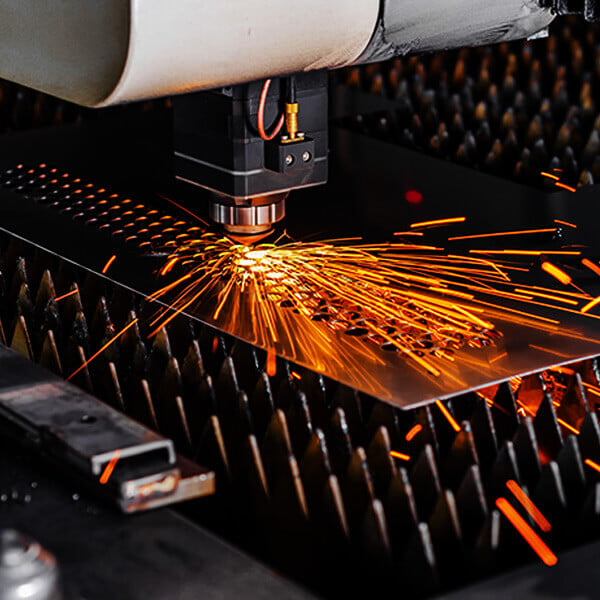
You've selected your material, understood pricing factors, and chosen the right laser technology—but there's one critical step that determines whether your instant quote reflects reality or leads to frustrating rejections. File preparation is where many first-time users stumble, yet it's also where a little knowledge pays enormous dividends.
Think of it this way: the automated quoting system can only analyze what you give it. A well-prepared file generates an accurate quote on the first attempt, while a file with hidden errors might quote incorrectly—or fail to quote at all. Let's walk through the design rules and common mistakes that separate smooth quoting experiences from frustrating delays.
Design Rules That Ensure Accurate Quotes
Before uploading your design to any instant quote platform, certain geometric rules must be satisfied. These aren't arbitrary restrictions—they reflect physical limitations of how laser cutting fabrication actually works.
Minimum Feature Sizes
Every laser cutting machine sheet metal system has limits on how small features can be. According to SendCutSend's design guidelines, features that are too small to cut correctly will cause quote rejections or production issues. As a general rule, holes and interior cutouts should be at least equal to the material thickness—and preferably 1.5 to 2 times the thickness for reliable results.
Why does this matter? When holes approach the material thickness limit, several problems emerge:
- The laser beam's kerf width may consume too much of the feature
- Heat accumulation can distort or close small openings
- Edge quality deteriorates as the laser struggles to navigate tight geometries
Hole-to-Edge Distances
Placing holes too close to part edges or bend lines creates structural weaknesses and cutting complications. According to Eagle Metalcraft's design guide, leaving at least the material thickness—preferably 1.5 to 2 times—between holes and edges prevents deformation during cutting and any subsequent bending operations.
Spacing Between Cut Lines
A reliable rule for laser cutting precision: spacing between adjacent cut lines should be at least twice the material thickness. As industry experts confirm, this prevents distortion, melting, or accidental bridges that ruin cut quality. Closer spacing concentrates too much heat in a small area, causing warping or incomplete separation.
Kerf Allowances
The kerf—the width of material removed by the laser beam—typically ranges from 0.1mm to 0.4mm depending on material and thickness. According to Kirmell's fabrication guide, failing to account for kerf in your design can lead to parts that don't fit together correctly, especially in tight assemblies like interlocking components or mechanical joints.
You can handle kerf compensation two ways:
- Adjust your design dimensions to account for material removal (add half the kerf width to external dimensions, subtract from internal features)
- Note in your order that kerf compensation should be applied by the fabricator
Tab Requirements for Retained Cutouts
Here's a detail many designers overlook: interior cutouts fall away during cutting unless you add bridges (tabs) to retain them. As SendCutSend notes, the system is unable to retain cutouts without bridging—you'll need to submit these as separate designs or add tabs if you want to keep them attached to the parent part.
Common File Errors That Cause Quote Rejections
Even experienced designers encounter quote rejections when small file issues slip through. Understanding these common problems helps you catch them before uploading.
Open Paths and Unclosed Contours
According to Kirmell's troubleshooting guide, open paths represent one of the most common file issues. Any open path can confuse the laser cutter, resulting in incomplete or inaccurate cuts. The quoting system may reject your file entirely if it detects unclosed geometry that can't define a proper cutting boundary.
Duplicate and Overlapping Lines
When lines overlap or duplicate paths exist, the laser may attempt to cut the same location twice—damaging the material and extending cutting time. This also creates inaccurate quotes since the system calculates extra cutting distance. Always check for and remove duplicate geometry before submission.
Unconverted Text
Text elements must be converted to vector outlines before uploading. As SendCutSend's guidelines explain, if text is editable when you hover your cursor over it, then it needs to be converted into a shape. In Illustrator, this is called "converting to outlines"—in some CAD software, it might be called "explode" or "expand."
Scale and Unit Mismatches
According to industry analysis, sending a design in the wrong scale or using wrong units is a surprisingly frequent issue. A file that appears to be 10mm in your CAD software might be interpreted as 10 inches by the cutting machine, leading to unusable parts—or a quote that seems wildly off from expectations.
Always verify:
- Your CAD software is set to the correct unit system before exporting
- The exported file maintains proper dimensions when reopened
- Any scale factors used during export are intentional and documented
Embedded Raster Images
If you've converted your file from a raster image, be especially careful. According to SendCutSend, files converted from raster formats require dimension verification—printing your design at 100% scale may help you confirm dimensions are correct before submission.
Pre-Submission Checklist for Accurate Quotes
Before clicking that upload button, run through this verification checklist to ensure your file is ready for accurate instant quoting:
- File format verification – Confirm your file is saved in an accepted format (DXF, DWG, AI, or STEP). DXF files should contain only vector geometry with no fills, colors, or embedded images.
- Scale and dimension check – Verify all dimensions match your intended specifications. Open the file in a viewer or print at 100% scale to confirm sizing. Check that unit settings (inches vs. millimeters) are correct.
- Closed path confirmation – Examine all cutting paths to ensure they form complete, closed loops. Use your CAD software's "check geometry" or "validate" function if available.
- Layer organization – Organize different operations (cutting, engraving, custom laser etching) on separate, clearly labeled layers. Remove any construction lines, notes, or reference geometry that shouldn't be cut.
- Text conversion – Convert all text to outlines or paths. Verify by attempting to edit the text—if it's still editable, it needs conversion.
- Duplicate removal – Run your software's "remove duplicates" function or manually check for overlapping lines at corners and connection points.
- Minimum feature verification – Check that all holes, slots, and interior features meet minimum size requirements for your selected material thickness.
- Spacing validation – Confirm adequate spacing between adjacent cut lines and between holes and edges.
- Kerf consideration – Determine whether you've adjusted dimensions for kerf or whether you need the fabricator to apply compensation.
- Tab placement – If interior cutouts need to remain attached, verify tabs are properly placed and sized.
Taking five minutes to verify these elements before uploading can save hours of back-and-forth troubleshooting. More importantly, it ensures your instant quote for precision laser cutting services accurately reflects what production will actually cost.
With your design file properly prepared, you're positioned to receive quotes you can trust—and move confidently from quoting to production. Next, let's explore how laser cutting compares to alternative cutting methods, helping you determine when this technology offers the best value for your specific project requirements.
Laser Cutting Compared to Alternative Cutting Methods
So you've prepared your design file and understand how instant quote systems work—but is laser cutting actually the best choice for your project? While cutting laser technology dominates many applications, alternative methods like waterjet, plasma, and CNC routing each offer distinct advantages that might better serve your specific needs.
Understanding when to choose each technology saves you money, improves part quality, and prevents frustrating project delays. Let's explore how these cutting methods stack up against each other so you can make an informed decision before requesting your next quote.
Laser Cutting vs Waterjet for Your Project
Waterjet cutting and laser cutting often compete for the same projects, but they excel in fundamentally different scenarios. According to Wurth Machinery's analysis, waterjets use high-pressure water mixed with abrasive to cut anything—from steel to stone—without heat. That means no warping, no hardening, and no heat-affected zones.
When should you choose waterjet over laser? Consider these factors:
- Heat-sensitive materials – If your application cannot tolerate any heat-affected zone, waterjet eliminates thermal concerns entirely
- Thick materials – Waterjet handles materials several inches thick that exceed laser cutting capabilities
- Material versatility – Stone, glass, composites, and mixed materials that lasers struggle with are waterjet strengths
- No material hardening – Critical for aerospace components and applications with strict metallurgical requirements
However, laser cutting wins decisively when speed and precision matter most. As SendCutSend notes, laser cutting is capable of cutting upwards of 2,500 inches per minute—making it the fastest method available and often the most economical for metal cutting services.
The tradeoff comes down to your priorities: waterjet for heat-free cutting with maximum versatility, or laser for speed, precision, and cost efficiency on compatible materials.
When to Choose Plasma or CNC Routing Instead
Plasma cutting and CNC routing serve distinct niches that laser cutting doesn't address as effectively.
Plasma Cutting Advantages
According to Tormach's technology comparison, plasma cutting is relegated to conductive materials like steel or aluminum, but it makes up for that limitation with speed, flexibility, and cost of operation. If you're cutting with a laser alternative on thick steel plate, plasma often provides the best return on investment.
Choose plasma when:
- You're working with steel or aluminum over 1/2 inch thick
- Budget constraints make laser cutting cost-prohibitive for your volume
- Edge precision requirements are moderate rather than exacting
- Speed on heavy plate material is your primary concern
CNC Routing Advantages
For non-metal materials, CNC routing often outperforms laser cutting. According to SendCutSend's fabrication guide, CNC routing has an advantage over laser cutting for many composites, plastics, and woods—leaving a superior surface finish while maintaining tolerances of ±0.005 inches.
CNC routing excels for:
- Plastics like ABS, HDPE, and acrylic that benefit from mechanical cutting
- Wood and plywood projects requiring clean, chip-free edges
- Materials where you need tapping or countersinking integrated with cutting
- Projects requiring consistent edge quality across varying material types
Cutting Technology Comparison
The following table summarizes key differences to help you select the best laser for cutting your specific project—or determine when an alternative technology serves you better:
| Characteristic | Laser Cutting | Waterjet Cutting | Plasma Cutting | CNC Routing |
|---|---|---|---|---|
| Precision Tolerance | ±0.1mm to ±0.25mm | ±0.2mm to ±0.5mm | ±0.5mm to ±1.5mm | ±0.13mm (±0.005") |
| Thickness Range | Up to 1" (material dependent) | Up to 6"+ for many materials | Up to 2"+ for conductive metals | Variable by material; typically under 2" |
| Heat-Affected Zone | Minimal with proper settings | None (cold cutting process) | Significant; largest of all methods | Minimal to none |
| Best Materials | Thin to medium metals, some non-metals | Any material including stone, glass, composites | Conductive metals (steel, aluminum) | Plastics, wood, composites |
| Cutting Speed | Fastest for thin materials | Slowest of all methods | Fast on thick metals | Moderate |
| Edge Quality | Excellent; minimal post-processing | Excellent; no thermal effects | Good; may require finishing | Excellent on compatible materials |
| Cost Efficiency | Best for thin metals and precision work | Higher operating costs; specialty applications | Most economical for thick steel | Economical for non-metals |
| Ideal Applications | Precision parts, intricate designs, custom metal cutting | Aerospace, heat-sensitive materials, stone/glass | Heavy fabrication, structural steel | Signage, plastic components, woodworking |
Making Your Technology Decision
After comparing these options, most projects naturally align with one technology. Ask yourself these questions:
- Is your material conductive metal under 1/2 inch thick? Laser cutting and laser cutting and related technologies typically offer the best combination of speed, precision, and cost.
- Does your application prohibit any heat-affected zone? Waterjet is your answer, despite slower processing speeds.
- Are you cutting thick steel plate on a budget? Plasma delivers speed and economy that other methods can't match.
- Is your project primarily plastics, wood, or composites? CNC routing provides superior surface finish and integrated secondary operations.
Many metal cutting services and custom metal cutting providers operate multiple technologies, routing your job to the optimal method automatically. When you request an instant quote, the system often selects the most appropriate technology based on your material and design specifications—giving you the best of all worlds without requiring deep technical expertise.
Understanding these alternatives ensures you're choosing laser cutting for the right reasons, not simply because it's the most familiar option. With technology selection clarified, let's explore the full range of applications where instant quote laser cutting delivers exceptional value—from single prototypes to full production runs.
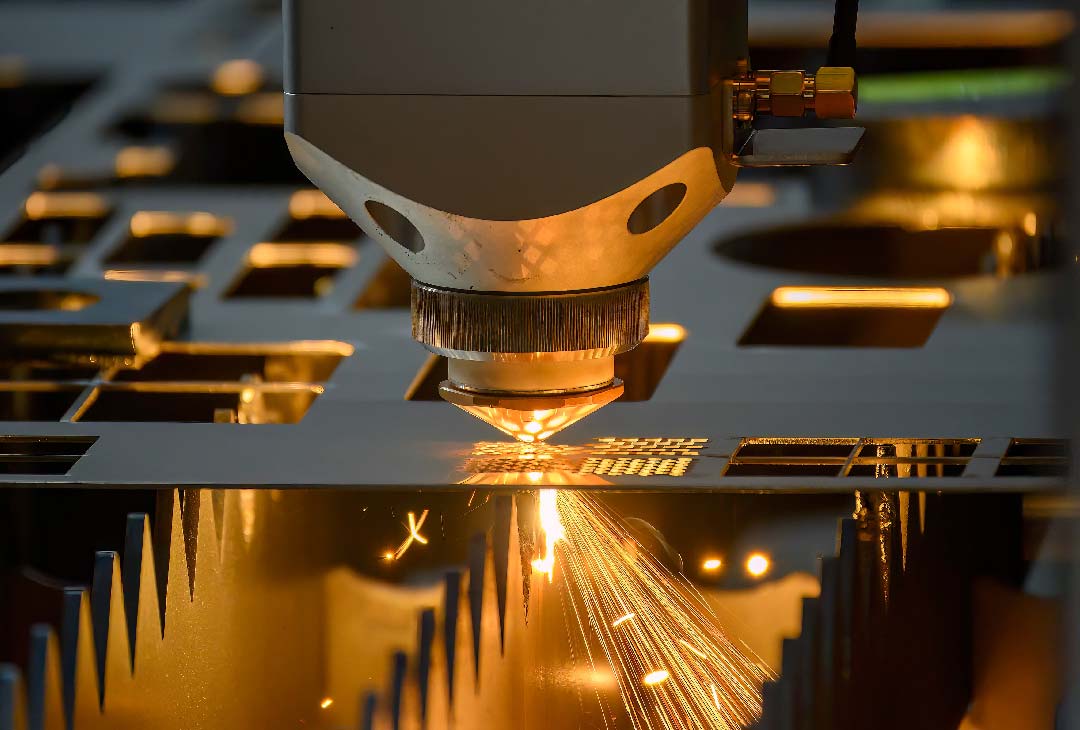
Applications From Prototyping to Production
Now that you understand the technology, materials, and alternatives—where does instant quote laser cutting actually get used? The answer spans an impressive range, from weekend hobbyists creating custom brackets to multinational manufacturers producing thousands of precision components daily. Understanding these applications helps you see where your project fits and what turnaround expectations are realistic.
The beauty of instant quote systems lies in their accessibility. Whether you need a laser cutting service near me for a single prototype or you're sourcing production cutting services for ongoing manufacturing, the same transparent pricing and streamlined workflow applies. Let's explore how different users leverage these platforms across the project spectrum.
Prototyping Applications for Rapid Development
For product developers, engineers, and entrepreneurs, prototyping speed often determines competitive advantage. According to Xometry's prototyping guide, short lead times are common with laser cutting provided access to a capable machine is available—and since laser cutting requires no complex tooling, less time is spent on programming and calibration.
Why do instant quote platforms excel for prototyping? Consider the traditional alternative: you'd email drawings to multiple fabricators, wait days for responses, negotiate pricing, and only then proceed with production. With instant quotes, you can iterate through multiple design versions in a single afternoon—uploading, quoting, adjusting, and re-quoting until you optimize both design and cost.
Rapid prototyping through laser cut services delivers several advantages:
- Design iteration speed – Test multiple concepts quickly before committing to final specifications
- Low minimum quantities – Order single pieces without prohibitive setup charges
- Material flexibility – Experiment with different metals to validate performance assumptions
- Functional testing – Create working prototypes rather than just visual mockups
For automotive and industrial applications, rapid prototyping capabilities prove especially valuable. Manufacturers offering 5-day turnaround times for prototyping—combined with fast quote systems like 12-hour turnaround—enable development teams to compress project timelines dramatically. When evaluating fabrication partners, look for IATF 16949 certification as an indicator of quality standards suitable for precision metal fabrication in demanding applications.
Production Runs and Volume Manufacturing
While prototyping gets projects started, production runs sustain businesses. According to Xometry's analysis, prototype parts made by laser cutting can easily be scaled up to production volumes since the production process will be controlled by essentially the same CNC cutting program used to make the prototypes.
This scalability represents a fundamental advantage of cnc laser cutting services. Unlike processes requiring expensive tooling that must be amortized across large volumes, laser cutting maintains consistent per-piece economics whether you order 10 parts or 10,000. Minor parameter tweaks optimize for material usage and thermal management at scale, but the core process remains unchanged.
Industrial laser cutting serves production needs across numerous sectors. According to Xometry's industry guide, the global automotive industry alone produces over 90 million vehicles annually, demanding highly precise parts with minimal variation, produced at high speeds to match the fast pace of vehicle manufacturing.
Production considerations differ from prototyping in several ways:
- Volume pricing optimization – Larger quantities unlock significant per-piece discounts through material efficiency and reduced setup allocation
- Consistent quality requirements – Production runs demand repeatable precision across every piece
- Delivery scheduling – Ongoing production needs predictable timelines for supply chain integration
- Quality certifications – Industries like automotive require documented quality systems
Common Applications by Industry
Metal laser cutting services touch virtually every manufacturing sector. Understanding where these capabilities apply helps you envision possibilities for your own projects.
- Automotive components – According to Xometry, laser cutting in the automotive industry commonly creates prototypes for stampings, vehicle hoods, seat frames, brackets, fenders, and more. The technology's precision and repeatability match the industry's demanding quality requirements, with partners like Shaoyi Metal Technology offering comprehensive DFM support to optimize designs for manufacturability.
- Architectural elements – Decorative panels, custom facades, structural brackets, and artistic installations leverage laser cutting's ability to produce intricate designs at scale. The combination of precision and speed makes architectural metal fabrication economically viable.
- Signage and branding – From dimensional letters to illuminated channel signs, laser cutting delivers the clean edges and intricate detail that professional signage demands. Both indoor and outdoor applications benefit from precision cuts across various metal thicknesses.
- Industrial parts and equipment – According to industry analysis, agricultural machinery, construction equipment, and heavy industrial applications rely extensively on laser-cut flat components with complex profiles. Tube laser cutting also creates structural elements for equipment frames and assemblies.
- Custom fabrication projects – Hobbyists, makers, and small businesses use laser cutter service near me options to create everything from custom motorcycle parts to artistic home decor. The accessibility of instant quote platforms has democratized precision fabrication.
- Medical and aerospace – According to Xometry's application guide, medical devices must satisfy stringent dimensional tolerance requirements, making laser cutting's precision and repeatability essential. Aerospace applications similarly demand exacting specifications with aluminum and titanium components.
- Electronics and power generation – Housings, battery components, solar panel elements, and turbine blades all benefit from laser cutting's speed, precision, and scalability for both prototyping and production volumes.
Turnaround Expectations: Prototype vs. Production
Understanding realistic timelines helps you plan projects effectively. Prototyping and production operate on different schedules:
| Project Type | Typical Quote Turnaround | Production Timeline | Key Considerations |
|---|---|---|---|
| Single prototype | Instant to 12 hours | 3-5 business days | Priority scheduling often available; minimal queue time |
| Small batch (5-25 pieces) | Instant to 12 hours | 5-7 business days | Efficient nesting optimizes material usage |
| Medium run (50-500 pieces) | Instant to 24 hours | 1-2 weeks | Volume discounts begin; quality documentation standard |
| Production volume (500+ pieces) | 12-48 hours | 2-4 weeks | Scheduling coordination; potential phased delivery |
These timelines assume standard materials in stock and properly prepared design files. Complex geometries, specialty materials, or secondary operations like bending and finishing add time to any project.
For time-critical applications, many fabricators offer expedited processing. When searching for a laser cutter service near me, ask about rush options—they typically cost more but can compress production timelines significantly when deadlines matter.
The progression from prototype to production doesn't require switching vendors or relearning processes. The same instant quote workflow that got you started on a single-piece prototype scales seamlessly into ongoing production relationships, making it easier to grow your manufacturing capabilities alongside your business.
Getting the Best Results From Instant Quote Services
You've navigated the entire journey—from understanding how instant quote systems work to selecting materials, preparing files, and comparing technologies. Now it's time to synthesize these insights into actionable strategies that maximize value from every laser cutting order you place. Whether you're searching for a laser cutter near me or evaluating global fabrication partners, these principles ensure consistently excellent results.
Success with custom laser cutting comes down to preparation, partnership, and informed decision-making. The knowledge you've gained throughout this guide positions you to approach any project with confidence—but let's distill the most critical takeaways into practical guidance you can apply immediately.
Maximizing Value From Your Laser Cutting Orders
Getting the best results starts before you ever upload a file. According to Laser Cutting Shapes, clear communication about your deadlines is essential—some services may offer rush options, but these often come at a premium cost. Understanding your actual timeline requirements helps you balance speed against budget.
Apply these value-maximizing strategies to every project:
- Optimize designs before quoting – Review your geometry for unnecessary complexity. Simplifying non-critical features can reduce piercing counts and cut paths without compromising functionality.
- Batch similar projects together – Combining multiple parts into a single order improves nesting efficiency and spreads fixed costs across more pieces.
- Request material alternatives – Sometimes a slightly different alloy or thickness delivers comparable performance at lower cost. Ask your fabricator for suggestions.
- Verify file quality rigorously – The pre-submission checklist you learned ensures accurate quotes on the first attempt, eliminating revision delays.
- Consider edge quality requirements honestly – Specifying tighter tolerances or premium finishes when standard quality would suffice adds unnecessary expense.
For custom cut metal and custom cut sheet metal projects, these optimization strategies compound over time. Each project teaches you something about what works—building expertise that translates into better designs, faster turnarounds, and lower costs.
The single most critical success factor for first-time users is file preparation. A properly formatted design file with verified dimensions, closed paths, and appropriate feature sizes generates accurate quotes instantly—while file errors cause delays, rejections, and frustration that can derail entire project timelines.
Building Long-Term Manufacturing Partnerships
While instant quote platforms excel at transactional orders, the greatest value often comes from developing ongoing relationships with fabrication partners who understand your needs. According to Dalsin Industries, combining Design for Manufacturing (DFM) expertise with advanced production technology creates results that neither approach delivers alone—translating into more innovative, lower cost, higher value products.
What should you look for when evaluating laser cutting services near me or remote partners? These quality indicators separate excellent providers from adequate ones:
Certifications and Quality Standards
According to AZ Metals, ISO 9001 is a globally recognized certification that sets standards for quality management systems, ensuring products meet customer and regulatory requirements consistently. For automotive applications, IATF 16949 certification indicates adherence to the automotive industry's rigorous quality requirements.
Beyond certifications, ask potential partners about:
- AWS D1.1 compliance for structural welding applications
- ASME standards adherence for pressure-related components
- OSHA compliance documentation for workplace safety
- Material traceability and quality documentation procedures
DFM Support Availability
Design for Manufacturing support helps you optimize designs before production—catching potential issues and improvement opportunities that save money and improve part performance. According to industry experts, DFM delivers multiple benefits including reduced costs and problem identification early in the design phase, which is the least expensive place to address challenges.
Partners offering comprehensive DFM support—like Shaoyi Metal Technology with their dedicated design optimization services—transform the fabrication relationship from simple order fulfillment into collaborative manufacturing partnership. Their 12-hour quote turnaround exemplifies how responsive service enables efficient project planning.
Quote Turnaround Speed
According to Laser Cutting Shapes, turnaround time can vary significantly depending on project complexity, volume, and provider workload. Fast quote turnaround enables rapid decision-making during development phases when time-to-market pressures are highest.
Evaluate providers based on:
- Standard quote response times (instant to 24 hours is competitive)
- Rush production options and associated costs
- Communication responsiveness when questions arise
- Transparency about current production queue and realistic delivery dates
Service Range and Capabilities
According to industry guidance, some services provide design assistance, prototyping, and even help with material selection. While customization can add value and ensure your project meets exact specifications, it might also affect price and turnaround time—so discuss your needs upfront.
Look for partners who offer secondary operations like bending, welding, and finishing alongside laser cutting. Consolidating operations with a single provider simplifies logistics and often improves quality through better process integration. For specialized applications like laser wood cutting near me, verify the provider handles your specific material requirements.
Your Path Forward
You now possess comprehensive knowledge of instant quote laser cutting—from the technology fundamentals through practical application strategies. This understanding transforms you from a passive quote recipient into an informed manufacturing partner capable of optimizing projects, evaluating providers, and achieving excellent results consistently.
Remember these core principles as you move forward:
- Prepare files meticulously using the design rules and checklist you've learned
- Select materials based on performance requirements, not just familiarity
- Leverage instant quote systems for rapid iteration during development
- Build relationships with providers who offer DFM support and quality certifications
- Evaluate the full technology landscape to choose the right cutting method for each project
The democratization of precision manufacturing through instant quote platforms has opened doors that were once closed to everyone but large-scale manufacturers. Whether you're prototyping your next product innovation, producing components for an established product line, or creating custom one-off pieces, you have the knowledge to navigate the process with confidence.
Your next step? Upload that design file, review the instant quote with your newfound understanding of what drives the numbers, and transform your vision into precisely cut reality.
Frequently Asked Questions About Instant Quote Laser Cutting
1. How much does laser cutting cost?
Laser cutting costs depend on several factors: material type and thickness, cut path length, number of pierce points, design complexity, and order quantity. Thin mild steel costs less than stainless steel or specialty alloys. Complex designs with many interior cutouts increase pricing due to additional piercing and slower cutting speeds. Volume orders typically unlock significant per-piece discounts through improved nesting efficiency and reduced setup allocation. Most instant quote platforms display itemized breakdowns showing exactly how your price was calculated.
2. What file formats are accepted for laser cutting quotes?
Most instant quote platforms accept DXF files (ideal for 2D laser cutting), STEP files (for 3D models), AI files (Adobe Illustrator), DWG, and various CAD formats. DXF files should contain single-line geometry without fills or colors. Text must be converted to outlines before uploading. STEP files work well for complex features as systems extract flat profiles from 3D models. Always verify dimensions match intended specifications and remove construction lines or reference geometry before submission.
3. How long does it take to get a laser cutting quote?
Instant quote systems generate pricing within seconds for straightforward designs. Complex files with thousands of cut paths may take up to a minute. This contrasts sharply with traditional quoting processes that typically require 24-72 hours for a response. Some manufacturers like Shaoyi Metal Technology offer 12-hour quote turnaround for more complex projects requiring DFM review. The speed advantage enables rapid design iteration and faster project decision-making.
4. What is the difference between fiber laser and CO2 laser cutting?
Fiber lasers excel at metal cutting with faster speeds, better precision, and lower operating costs. They handle steel, aluminum, copper, and brass efficiently due to shorter wavelengths that absorb better on metallic surfaces. CO2 lasers are more versatile with non-metals including wood, acrylic, glass, leather, and textiles, though they require more maintenance and energy. For metal fabrication projects, fiber laser cutting services typically deliver superior results and better value.
5. What causes laser cutting quote rejections?
Common rejection causes include open paths and unclosed contours that prevent proper cutting boundaries, duplicate or overlapping lines that cause double-cutting, unconverted text that remains editable rather than converted to outlines, scale and unit mismatches between design software and cutting systems, and embedded raster images instead of vector geometry. Features too small for the material thickness or insufficient spacing between cut lines also trigger rejections. Running a pre-submission checklist prevents most issues.