 Small batches, high standards. Our rapid prototyping service makes validation faster and easier —
  EN
EN


CNC Instant Quote Secrets: How Algorithms Really Price Your Parts
What Makes CNC Instant Quotes a Game-Changer for Modern Manufacturing
Ever wondered how much to get a metal part made without waiting days for a response? CNC instant quote technology has fundamentally changed that equation. These digital platforms analyze your CAD files and deliver pricing in minutes—sometimes seconds—rather than the traditional days or weeks of back-and-forth emails with machine shops.
From Days to Minutes: The Instant Quote Revolution
A CNC instant quote system is an AI-powered platform that automatically evaluates your part designs and generates real-time cost estimates for machining. When you upload a 3D model, sophisticated algorithms parse every geometric feature, cross-reference material databases, and calculate machining requirements without any human intervention.
Think about the traditional RFQ process: you send drawings to multiple shops, wait for engineers to manually review specifications, and then receive quotes that vary wildly in format and detail. According to industry research, engineers spend roughly 60% of their time on administrative tasks like this instead of solving actual engineering challenges.
The traditional quoting process averages 2.5 hours per RFQ, while AI-driven instant quote systems can reduce this to just 25 minutes—a time savings that transforms how quickly you can iterate on prototypes and move from design to production.
How Automated Pricing Transforms Manufacturing Procurement
When you request a cnc quote online, the platform instantly examines your uploaded file against a database of hundreds of thousands of previously manufactured cnc parts. The system considers clamping requirements, optimal machine types, material specifications, and production quantities—all within moments of your upload.
This article will walk you through exactly how these online machining quotes work behind the scenes. You'll learn:
- The six key factors that determine your quote price
- How algorithms translate your CAD geometry into manufacturing costs
- Practical design optimizations that can significantly reduce your quotes
- How to interpret results and troubleshoot unexpected pricing
Of course, you might wonder: can an online quotation really be as accurate as a quote from an experienced machinist who physically reviews your drawing? The answer is nuanced. For straightforward geometries and standard materials, instant quotes achieve remarkable accuracy. However, complex features, unusual tolerances, or specialty finishes may require manual review—and reputable platforms clearly indicate when this applies.
Understanding what drives these automated calculations empowers you to prepare better files, make smarter design decisions, and ultimately get more accurate quotes faster. Let's dive into the mechanics that make this technology work.
Understanding the Factors That Drive Your CNC Quote Price
So you've uploaded your CAD file and received an instant quote—but what exactly determines that number? Understanding the pricing mechanics behind cnc machining cost isn't just academic curiosity. It's the key to designing smarter parts that cost less to produce without sacrificing performance.
Unlike traditional quotes where pricing logic remains hidden behind a machine shop's closed doors, automated systems follow predictable formulas. Once you understand these formulas, you can strategically adjust your designs to hit your budget targets.
The Six Pillars of CNC Pricing
Every cnc machining price calculation breaks down into six core factors. Let's examine each one and explore exactly how it influences your final quote.
1. Material Costs
The raw material you select forms the foundation of your quote. But here's what many engineers miss: material cost isn't just about the price per pound. Machinability—how easily a material cuts—dramatically affects machining time and tool wear. According to PARTMFG's cost analysis, aluminum typically ranges from $5 to $10 per pound and machines quickly, while steel costs $8 to $16 per pound and demands more effort due to its hardness. When evaluating cnc metal options, consider both raw material expense and processing efficiency.
2. Part Complexity
Intricate geometries require more programming time, additional machine setups, and sometimes specialized tooling. Simple parts with basic shapes can often be machined on entry-level 3-axis equipment at approximately $10-$20 per hour. Complex designs with detailed features may require 5-axis machining at $20-$40 per hour or more. Metal machining costs increase significantly when parts need continual repositioning or custom fixtures.
3. Tolerances and Precision
This is where many projects see unexpected cost increases. Tighter tolerances demand slower machining speeds, more frequent tool changes, and enhanced quality inspections. While standard tolerances of ±0.127 mm are sufficient for most applications, specifying precision levels like ±0.020 mm can increase costs by 20-30% or more. Each decimal place of precision you add translates directly to additional machining time and quality control effort.
4. Batch Size
Here's a pricing principle that works in your favor: economies of scale. Setup costs—programming, fixturing, and machine preparation—remain relatively fixed whether you're making one part or one hundred. Geomiq's analysis shows that ordering 10 units instead of one can reduce per-unit costs by 70%, while 100 units can slash costs by up to 90%. If you're wondering how to get cnc cheap pricing, batch ordering is often the answer.
5. Lead Time Requirements
Standard lead times typically offer the most competitive pricing. Rush orders or expedited services require manufacturers to reorganize their production schedules, often incurring premium charges. When possible, plan ahead to avoid paying 25-50% markups for accelerated delivery.
6. Finishing Specifications
Post-machining treatments add both value and cost. Basic finishes like bead blasting or standard anodizing add modest expense, while specialized coatings, tight surface roughness requirements (below 0.8 µm Ra), or multi-step finishing processes can add 5-15% to your total price of cnc machined parts.
Why Your Design Choices Directly Impact Your Quote
Imagine you're designing a bracket. You could specify sharp internal corners, tight tolerances across every dimension, and a mirror-polished finish. Or you could use standard corner radii, apply tight tolerances only where mating surfaces require them, and accept standard surface roughness elsewhere. The second approach might cost 40-60% less—for functionally equivalent performance.
The table below breaks down how each factor influences your cnc machine cost and provides actionable optimization tips:
| Factor | Low Cost Impact | High Cost Impact | Optimization Tip |
|---|---|---|---|
| Material Selection | Aluminum 6061, free-machining brass, ABS plastic | Titanium, Inconel, hardened stainless steels | Choose the most machinable material that meets functional requirements |
| Part Complexity | Simple prismatic shapes, 3-axis accessible features | Deep cavities, undercuts, multi-axis geometries | Split complex parts into simpler assemblies when possible |
| Tolerances | Standard ±0.127 mm (±0.005") | Precision ±0.020 mm or tighter | Apply tight tolerances only to critical mating surfaces |
| Batch Size | 10+ units (setup costs distributed) | Single prototype (full setup cost per part) | Consolidate orders or plan for batch production |
| Lead Time | Standard 2-3 week delivery | Rush 1-3 day turnaround | Plan ahead to avoid expedite fees |
| Surface Finish | As-machined (3.2 µm Ra standard) | Polished (0.4 µm Ra) or specialty coatings | Specify fine finishes only on visible or functional surfaces |
The relationship between tolerances and cost of cnc machine time deserves special attention. When you specify ±0.020 mm precision, the machinist must use slower feed rates, take shallower cuts, and implement cooling systems to prevent thermal expansion. Quality inspections become more rigorous, often requiring coordinate measuring machines (CMMs) rather than basic calipers. Each of these steps adds time—and time is money in CNC machining.
Surface roughness follows a similar pattern. The default 3.2 µm Ra finish costs nothing extra because it's the natural result of standard machining. Achieving 1.6 µm Ra adds approximately 2.5% to your quote. Reaching 0.8 µm Ra adds around 5%, while a polished 0.4 µm Ra finish can add 15% or more due to the post-machining polishing required.
Understanding these cost drivers transforms how you approach design decisions. Rather than over-specifying every dimension, you can strategically invest your tolerance budget where it matters most—and save significantly everywhere else.
Now that you understand what drives pricing, let's pull back the curtain on exactly how instant quote algorithms translate your CAD file into these calculations.
How Instant Quote Algorithms Calculate Your Price
Ever wondered what happens in those few seconds between uploading your cnc file and seeing a price appear on screen? Behind that seemingly simple interface lies a sophisticated computational pipeline—one that replicates decades of manufacturing expertise in milliseconds. Understanding this process isn't just fascinating; it's practical knowledge that helps you prepare better files and get more accurate quotes.
Inside the Algorithm: How Your CAD File Becomes a Price
When you upload a design to an online cnc machine quoting platform, you're triggering a complex sequence of automated analyses. According to research on CAD-to-Cost pipelines, modern instant quote systems chain together several technically rigorous stages—from geometric parsing and feature extraction to machine learning-based prediction modules. This automation transforms what traditionally required hours of manual engineering review into a nearly instantaneous calculation.
Here's the step-by-step journey your design takes from upload to quote:
-
File Upload and Format Validation
The system first checks that your cnc files are in supported formats—typically STEP, IGES, SolidWorks, or CATIA files. It validates file integrity, ensuring the geometry is watertight and contains no errors that would prevent analysis. Corrupted or incomplete files are flagged immediately. -
CAD File Parsing and Geometry Extraction
The algorithm reads your 3D model and extracts raw geometric data: surfaces, edges, vertices, and their spatial relationships. For 2D drawings, the system uses OCR and computer vision to identify dimensions, tolerances, and annotations. This parsing step creates a mathematical representation of your part that the subsequent stages can analyze. -
Feature Recognition and Analysis
This is where things get interesting. The system identifies machining-relevant features: holes (through or blind), pockets, slots, chamfers, fillets, and complex surfaces. It measures dimensions like hole depth ratios, wall thicknesses, and corner radii. For cnc aluminum parts, the algorithm also evaluates whether features can be machined with standard tooling or require specialized approaches. -
Material Database Lookup
Based on your material selection, the system queries an extensive database containing material properties: hardness, machinability ratings, thermal characteristics, and current pricing. For cnc plastic machining projects, this includes factors like melting points and chip evacuation requirements that differ dramatically from metal cutting. -
Toolpath Estimation and Machine Selection
The algorithm generates preliminary toolpaths—the routes cutting tools will follow to create your part. It determines whether 3-axis machining suffices or if 5-axis capabilities are needed. According to JLCCNC's analysis, AI process libraries recommend optimal machining paths and tool combinations based on millions of historical order data points. -
Machine Time Calculation
Using the estimated toolpaths, material properties, and cutting parameters, the system calculates total machining time. This includes roughing passes, finishing passes, tool changes, and repositioning movements. The machining calculator within these platforms accounts for feed rates, spindle speeds, and depth of cut—all optimized for your specific material. -
Dynamic Cost Aggregation
Finally, all calculated expenses merge into your quote: material costs (including waste), machine time multiplied by hourly rates, setup charges, and any finishing operations. Advanced systems access real-time material price indices and adjust dynamically based on current market conditions.
The Technology Powering Automated Manufacturing Quotes
What makes modern instant quote systems remarkably accurate is their foundation in machine learning trained on historical manufacturing data. These algorithms have "seen" millions of parts—learning which geometries require extra machining time, which features cause tool wear, and how different materials behave under various cutting conditions.
The geometric analysis stage deserves special attention. Research from Emergent Mind describes how systems compute sophisticated metrics including:
- Euclidean and divergence-based distance measures comparing your part to reference geometries
- Surface area and volume ratios indicating machining complexity
- Feature density maps highlighting areas requiring intensive processing
- Accessibility analysis determining how tools can reach each surface
These high-dimensional geometric vectors enable robust predictions while also allowing the system to explain why certain features increase costs. When you receive feedback that a deep pocket will add machining time, the algorithm has literally measured that pocket's depth-to-width ratio and compared it against thousands of similar features.
For machine time estimation specifically, cost estimation algorithms evaluate toolpath efficiency and cutting dynamics to provide comprehensive machining time projections. These calculations consider not just the obvious cutting motions but also rapid positioning moves, tool change durations, and spindle acceleration/deceleration times that accumulate across complex parts.
Understanding this process reveals a crucial insight: the quality of your input directly determines the quality of your quote. When your CAD file contains ambiguous geometry, missing dimensions, or features the algorithm cannot interpret, the system must either reject your file or apply conservative assumptions that inflate pricing. Conversely, clean, well-structured files with clearly defined features generate the most accurate—and often most competitive—quotes.
This knowledge empowers you to prepare files strategically. Knowing that the algorithm analyzes corner radii, you can ensure yours match standard tool sizes. Understanding that material databases drive calculations, you can verify your specified material is commonly stocked. Recognizing that toolpath estimation affects pricing, you can design features accessible from standard orientations.
With this behind-the-scenes understanding of how algorithms work, you're ready to learn the practical steps for preparing your files and navigating the quoting process successfully.
Step-by-Step Guide to Getting Your First CNC Instant Quote
You understand how the algorithms work. You know what factors drive pricing. Now comes the practical question: how do you actually prepare your files and navigate the quoting process to get accurate results? Whether you're exploring online cnc machining services for the first time or transitioning from traditional RFQ processes, this guide walks you through every step from design file to final quote.
Preparing Your CAD Files for Instant Quoting Success
Your file quality directly determines your quote accuracy. Think of it this way: if you hand a machinist a blurry sketch with missing dimensions, you'll get a rough estimate at best. The same principle applies to automated systems—except algorithms are even less forgiving of ambiguity.
Start with the right file format. Most cnc prototyping platforms accept these industry-standard formats:
- STEP (.stp, .step) — The gold standard for instant quoting. STEP files preserve precise geometric data and transfer seamlessly between CAD systems. If you can only export one format, make it STEP.
- IGES (.igs, .iges) — An older but widely supported format. Works well for most geometries, though occasionally loses surface accuracy on complex curves.
- STL (.stl) — Common for 3D printing but less ideal for CNC. STL files approximate curves with triangular facets, which can cause interpretation issues for precision rapid machining applications.
- Native CAD formats — SolidWorks, CATIA, and Pro/Engineer files are accepted by many platforms, though STEP conversions often process more reliably.
According to guidance from industry experts, providing both a STEP file and a 2D technical drawing with annotations significantly speeds up the quoting process. The 3D model enables automated geometry analysis, while the drawing clarifies tolerances, threads, and surface finish requirements that might not be captured in the model alone.
Before uploading, gather this essential information:
- Material specification (specific alloy grades, not just "aluminum" or "steel")
- Required tolerances for critical dimensions
- Surface finish requirements (Ra values or descriptive standards)
- Quantity needed (single prototype vs. batch production)
- Target delivery date or acceptable lead time range
- Any post-machining operations (anodizing, plating, heat treatment)
For rapid cnc prototyping projects, being specific about material grades matters more than you might expect. "Aluminum" could mean 6061-T6, 7075-T6, or a dozen other alloys—each with different costs and machining characteristics. Vague specifications force the algorithm to make assumptions, often defaulting to more expensive options.
Common file preparation mistakes that lead to quote errors or rejections include:
- Multiple disconnected bodies in one file — According to Xometry's troubleshooting guide, files containing separate components must be uploaded as individual part files. The algorithm cannot determine if disconnected bodies represent one part or multiple.
- Assembly files instead of individual parts — Upload only single-body part files. If you need an assembly quoted, separate each component first.
- Hollow internal cavities — For CNC prototype machining, enclosed hollow areas cannot be fabricated through subtractive processes. Redesign as multiple parts or add access openings.
- Incorrect scale or units — Always verify dimensions after export. A part designed in millimeters but interpreted as inches will generate wildly inaccurate pricing.
- Non-manifold geometry or open surfaces — Watertight, solid models quote successfully; surfaces with gaps or self-intersections cause rejections.
- Missing critical dimensions on 2D drawings — If your drawing lacks tolerances for key features, expect follow-up questions that delay your quote.
Reading Your Quote Results Like a Pro
You've uploaded a clean file, specified your requirements, and received results. Now what? Understanding how to interpret your quote helps you make informed decisions—and identify opportunities to optimize costs.
Most prototype machining services break down quotes into several components:
- Material cost — Raw material plus typical waste allowance
- Machining time — The core manufacturing cost based on estimated cycle time
- Setup charges — Programming, fixturing, and machine preparation (often fixed per order)
- Finishing operations — Any post-machining treatments you specified
- Shipping — Delivery costs to your location
When evaluating your quote, look for quantity break pricing. Many platforms show how per-unit costs decrease as batch sizes increase—valuable data for cnc machining rapid prototyping decisions where you might order a few units now but anticipate larger production runs later.
If your quote seems unexpectedly high, revisit your specifications. Did you request tighter tolerances than functionally necessary? Is your material selection driving costs when an alternative would perform equally well? Sometimes a brief design revision based on quote feedback saves significantly more than the time invested.
For complex projects, don't hesitate to request quotes at multiple quantity levels. Understanding the cost curve from single prototypes through small batch production helps you plan development budgets and make strategic decisions about when to commit to larger orders.
With your files prepared and quote in hand, the next step is optimizing your design to reduce costs further—which brings us to specific techniques that can dramatically lower your machining expenses.
Design Optimization Secrets for Lower CNC Quotes
Here's a truth that separates experienced engineers from beginners: the cheapest cnc machined parts aren't the ones made from the cheapest materials—they're the ones designed for efficient manufacturing from the start. Small geometry changes that take minutes in CAD can slash machining time by hours and reduce your instant quote by 30-50% or more.
Design for manufacturability (DFM) isn't about compromising your design vision. It's about achieving the same functional performance while eliminating features that drive up costs without adding value. Let's explore the specific tweaks that make the biggest impact on your quotes.
Design Tweaks That Slash Your CNC Costs
Internal Corner Radii: The Hidden Cost Driver
Because CNC milling tools are cylindrical, they physically cannot create sharp internal corners. When your design includes tight corner radii, the machinist must use smaller diameter tools—which remove less material per pass and require multiple slow-speed passes to achieve the geometry. According to Hubs' cost reduction guide, specifying a corner radius at least one-third of the cavity depth significantly reduces machining time.
Imagine you're designing a 12mm deep pocket. A 2mm corner radius forces the use of a 4mm diameter tool, requiring multiple passes at reduced speeds. Increase that radius to 5mm or larger, and an 8mm diameter tool can complete the work in fewer passes at higher speeds—cutting machining time substantially.
Pro tip: When sharp internal corners are functionally required—such as fitting a rectangular mating part—add relief cuts or dog-bone features instead of reducing the radius. This maintains clearance while allowing efficient machining.
Wall Thickness: Stability Equals Speed
Thin walls are expensive because they're fragile. During machining, thin features vibrate and deflect under cutting forces, requiring slower feed rates and lighter cuts to prevent fracture or dimensional errors. For milled parts in metal, walls thinner than 0.8mm demand careful multi-pass strategies that multiply cycle time.
The minimum achievable wall thickness is approximately 0.5mm for metals and 1.0mm for plastics—but just because it's possible doesn't mean it's cost-effective. According to FacFox's design guidelines, thin walls also create problems when holes or threads are positioned near edges, as insufficient edge distance leads to deformation during machining.
For machined aluminum components, targeting wall thicknesses above 1.5mm provides manufacturing stability while maintaining reasonable weight. When milling aluminum for structural applications, thicker sections often improve both machinability and mechanical performance.
Hole Depth Ratios: Know the Limits
Standard drill bits work quickly and precisely—but only within their optimal range. When hole depth exceeds four times the diameter, machining becomes progressively more difficult. Deeper holes require peck drilling cycles (repeatedly retracting to clear chips), specialized tooling, and slower speeds to prevent tool breakage.
Holes up to ten times their diameter are possible but significantly increase costs. According to Jiga's machining cost analysis, keeping hole depths under 4x diameter allows standard tooling and single-pass operations that minimize cycle time for cnc milled parts.
Cavity Depth: Avoid the Deep End
Deep pockets require extended tool reach and multiple machining passes to remove large material volumes. CNC end mills perform optimally when cavity depth stays within two to three times the tool diameter. Beyond four times the diameter, you'll need specialized long-reach tooling or multi-axis setups—both of which increase costs.
For precision cnc machining parts with deep features, consider whether the design could be split into multiple components that bolt or weld together. Two simple parts machined quickly often cost less than one complex part machined slowly.
Undercuts and Accessibility
Standard 3-axis CNC machines can only access surfaces from above. Features hidden beneath overhanging geometry—undercuts—require either specialized tooling, additional machine setups, or 5-axis machining capabilities. Each adds cost.
Before finalizing custom machined parts designs, mentally trace how a cutting tool would access every surface. If features require the part to be flipped and re-fixtured, factor that into your cost expectations—or redesign to eliminate the hidden geometry.
Tolerance Specification Strategy
Apply tight tolerances surgically, not universally. Every dimension specified below standard ±0.127mm (±0.005") triggers additional machining care, slower cutting parameters, and enhanced inspection. For most machined parts, only mating surfaces, bearing fits, and functional interfaces truly require precision—everything else can use standard tolerances without affecting performance.
Using a single datum reference for all toleranced dimensions also reduces costs by simplifying measurement and reducing cumulative errors during inspection of precision cnc machining parts.
The DFM Checklist for Lower Quotes
The table below summarizes the design modifications that most dramatically affect your instant quote results:
| Feature | Costly Approach | Optimized Approach | Potential Savings |
|---|---|---|---|
| Internal Corner Radius | Radius less than 1/4 cavity depth | Radius at least 1/3 cavity depth; same radius throughout | 15-25% reduction in pocket machining time |
| Wall Thickness | Metal walls below 0.8mm; plastic below 1.5mm | Metal walls 1.5mm+; plastic 2.0mm+ | 20-40% faster machining, fewer rejected parts |
| Hole Depth | Depth greater than 4x diameter | Depth 4x diameter or less | Eliminates specialty tooling costs |
| Pocket Depth | Depth greater than 4x tool diameter | Depth 2-3x tool diameter maximum | 25-35% reduction in cycle time |
| Thread Length | Full-depth threading in blind holes | Thread length 3x diameter max; unthreaded relief at bottom | Eliminates special threading tools |
| Tolerance Specification | Tight tolerances on all dimensions | Tight tolerances only on critical features; single datum reference | 20-30% reduction in inspection time |
| Number of Setups | Features requiring 3+ machine setups | Design for single setup or split into assemblies | 30-50% reduction from eliminated setup time |
| Text and Lettering | Embossed text machined into surface | Engraved text with sans-serif font size 20+ | 50-70% faster than embossing |
Notice how these optimizations compound. A part designed with appropriate corner radii, adequate wall thickness, reasonable hole depths, and strategic tolerance application might cost half as much as the same functional design without these considerations—all while delivering identical performance.
The key insight? Small design changes cascade through the manufacturing process. A slightly larger corner radius means a bigger tool, which means faster material removal, which means shorter cycle time, which means a lower quote. These decisions take seconds in CAD but save hours on the machine.
Before requesting your next quote, run through this checklist. Verify corner radii match standard tool sizes. Confirm wall thicknesses provide stability. Check that hole and pocket depths stay within optimal ratios. Apply tight tolerances only where function demands them. These quick reviews often reveal opportunities to reduce costs by 20-40%—without changing what your part actually does.
Of course, design optimization only goes so far if you select the wrong material. Let's explore how material choices affect both your quote and your part's real-world performance.
Choosing the Right Material Without Breaking Your Budget
You've optimized your geometry and specified tolerances strategically. Now comes a decision that can make or break your budget: material selection. The material you choose doesn't just affect raw stock costs—it ripples through every aspect of your cnc instant quote, from machining time and tool wear to lead times and finishing options.
Here's what many engineers miss: two materials with similar raw costs can have dramatically different final part prices. A "cheaper" material that's difficult to machine often costs more in the end than a premium alloy that cuts like butter. Understanding these dynamics transforms material selection from guesswork into strategic decision-making.
Material Selection: Balancing Performance and Budget
Aluminum Alloys: The Cost-Effective Champions
Aluminum machining dominates instant quote platforms for good reason. According to industry analysis, aluminum offers an exceptional strength-to-weight ratio, corrosion resistance, and outstanding machinability—meaning shorter cycle times and lower costs per part.
The most common grades you'll encounter:
- 6061-T6 — The workhorse alloy. Excellent balance of strength, corrosion resistance, and machinability. Ideal for general-purpose applications from prototypes to production parts.
- 7075-T6 — Significantly stronger than 6061 but at a 20-30% cost premium. Reserved for aerospace and structural applications where strength-to-weight matters most.
- 5052 — Superior corrosion resistance makes it ideal for marine and chemical exposure applications, though it's slightly harder to machine than 6061.
For most projects, 6061 delivers the best value. It's readily available (meaning faster lead times), machines quickly, and accepts anodizing and other finishes beautifully. Only specify 7075 when your stress calculations genuinely require it.
Stainless Steels: Strength Meets Corrosion Resistance
When aluminum won't cut it—literally or figuratively—cnc steel options enter the picture. Stainless steels offer superior strength and corrosion resistance, but machining them costs considerably more due to their hardness and tendency to work-harden during cutting.
The material 303 stainless steel stands out as the machining-friendly option. According to machinability research, 303 was specifically developed with added sulfur and phosphorus to improve chip formation and reduce tool wear. If your application doesn't require welding or maximum corrosion resistance, 303 often delivers 40-50% lower machining costs than other stainless grades.
For applications demanding superior corrosion resistance, st steel 316L becomes the material of choice. Medical implants, marine components, and chemical processing equipment rely on 316L's exceptional resistance to chlorides and acids. However, its low carbon content and absence of free-machining additives make it challenging to cut—expect machining costs 30-50% higher than 303.
304 stainless steel falls between these extremes: better corrosion resistance than 303, easier to machine than 316L. It's the default choice for food processing equipment and general-purpose stainless applications.
Brass: When Machinability Matters Most
360 brass (also called C360 or free-cutting brass) earns the crown for machinability. This alloy machines so effortlessly that it serves as the industry benchmark—other materials' machinability ratings are expressed as percentages relative to C360's performance.
According to material comparison data, brass offers excellent corrosion resistance, attractive appearance, and outstanding electrical conductivity. It's the go-to material for fluid fittings, electrical connectors, and decorative hardware where machining efficiency directly impacts cost.
The trade-off? Brass costs more per pound than aluminum and offers lower strength. Reserve it for applications where its specific properties—conductivity, corrosion resistance, or aesthetics—justify the premium.
Engineering Plastics: Lightweight and Cost-Effective
When metal isn't required, machining nylon and other engineering plastics opens new possibilities. CNC plastic machining typically costs 20-40% less than equivalent metal parts due to faster cutting speeds and reduced tool wear.
Machinable nylon (specifically Nylon 6/6) offers impressive strength-to-weight ratios, natural lubricity, and excellent wear resistance. It's ideal for bushings, gears, and sliding components where these properties outweigh the need for metal's rigidity. Nylon for machining comes in standard stock sizes and machines predictably—making it an excellent choice for functional prototypes.
Other popular engineering plastics include:
- Delrin (Acetal) — Superior dimensional stability and stiffness compared to nylon; excellent for precision components
- PEEK — High-performance polymer for extreme temperatures and chemical environments; costs 5-10x more than standard plastics but handles conditions no other plastic can
- UHMW — Ultra-high molecular weight polyethylene for wear surfaces and food-contact applications
When Premium Materials Are Worth the Extra Cost
Sometimes the cheapest quote leads to the most expensive outcome. Premium materials justify their cost when:
- Application requirements demand it — Medical implants require 316L's biocompatibility regardless of cost. Aerospace components need 7075's strength-to-weight ratio.
- Downstream costs matter more — A corrosion-resistant material that eliminates field failures often costs less over a product's lifetime than a cheaper material that fails prematurely.
- Finishing options expand — Some materials accept specific coatings or treatments that others don't. Aluminum anodizes beautifully; stainless steels accept passivation for enhanced corrosion resistance.
The table below compares common materials across the factors that matter most for your instant quote:
| Material | Relative Cost | Machinability | Best Applications |
|---|---|---|---|
| Aluminum 6061-T6 | Low (baseline) | Excellent | General prototyping, enclosures, structural components |
| Aluminum 7075-T6 | Medium-Low (+20-30%) | Very Good | Aerospace, high-stress structural parts |
| 303 Stainless Steel | Medium | Good (best stainless) | Shafts, fasteners, fittings where welding not required |
| 304 Stainless Steel | Medium-High | Moderate | Food equipment, general corrosion resistance |
| 316L Stainless Steel | High | Challenging | Medical devices, marine, chemical processing |
| C360 Brass | Medium | Excellent (benchmark) | Electrical connectors, fluid fittings, decorative parts |
| Nylon 6/6 | Low | Excellent | Bushings, gears, wear components |
| Delrin (Acetal) | Low-Medium | Excellent | Precision plastic parts, sliding mechanisms |
| Titanium Grade 5 | Very High | Difficult | Aerospace, medical implants, weight-critical applications |
A Note on Material Grades vs. Substitutions
When should you specify exact grades versus allowing substitutions? Specify precisely when:
- Regulatory requirements mandate specific materials (medical, aerospace certifications)
- Material properties are critical to function (specific hardness, conductivity, or thermal characteristics)
- Downstream processes require compatibility (welding, specific heat treatments)
Allow substitutions when:
- Equivalent grades from different suppliers perform identically
- Prototyping doesn't require production-intent materials
- Lead time matters more than exact material specification
According to manufacturing cost analysis, harder materials drive up costs because tooling wears faster and requires more frequent replacement. When comparing 304 vs 316 stainless steel, for instance, 316 is harder to machine and costs more—but its superior corrosion resistance makes it essential for certain environments.
Material selection also affects lead times. Common alloys like 6061 aluminum and 303 stainless stay in stock at most suppliers, enabling faster turnaround. Exotic materials or unusual grades may require special ordering, adding days or weeks to your timeline.
The bottom line? Choose materials based on functional requirements first, then optimize within those constraints for cost and lead time. A well-chosen material that's easy to machine often delivers better value than a marginally cheaper material that fights the cutting tools every step of the way.
Even with optimized designs and smart material choices, you may encounter quotes that seem unexpectedly high—or designs that get rejected entirely. Let's explore how to troubleshoot these situations and ensure your quotes reflect reality.
Troubleshooting Quote Discrepancies and Unexpected Results
You've prepared your files carefully, selected an appropriate material, and optimized your design—yet the quote still seems surprisingly high. Or worse, your design gets rejected entirely. What happened? Understanding why instant quotes sometimes miss the mark helps you troubleshoot effectively and avoid costly surprises when your cnc machining part moves from quote to production.
Why Your Final Price Might Differ From Your Quote
Here's an uncomfortable truth: the price you see on screen isn't always the price you'll pay. According to industry research, up to 20% of total project costs in CNC machining can stem from unforeseen charges. These discrepancies aren't necessarily the result of deceptive practices—they often arise from gaps between what algorithms assume and what your cnc part actually requires.
Initial quotes rely on automated analysis of your uploaded geometry. But certain details—especially those captured only in 2D drawings or written specifications—may not transfer into the algorithm's calculations. When a human engineer reviews your order before production, they catch these gaps, and the quote adjusts accordingly.
Common reasons for quote variations include:
- Geometry interpretation issues — Complex surfaces, ambiguous features, or geometry the algorithm couldn't fully analyze may require manual review. According to manufacturing experts, many shops price based on assumptions rather than detailed feature analysis, leading to corrections later.
- Tolerance conflicts — Your drawing might specify ±0.02 mm on a feature the algorithm priced at ±0.1 mm. That difference can mean precision fixturing and CMM inspection—easily adding 40% to the manufacturing cost.
- Material availability — Quotes assume standard stock dimensions are available. If your part requires oversized blanks, odd alloy grades, or materials facing supply constraints, costs increase. Expedited shipping for scarce materials adds further expense.
- Finishing complexity — Post-machining treatments like anodizing, plating, or heat treatment involve third-party vendors. If integration details weren't captured in your initial quote, handling fees, minimum charges, or specialized process costs appear later.
- Setup requirements — Parts requiring multiple machine setups, custom fixtures, or specialized workholding may be underestimated by automated systems that assume simpler configurations.
- Secondary operations — Deburring, threading, surface preparation, and inspection steps that weren't explicitly specified often surface as additional line items.
Troubleshooting Rejected Designs and High Quotes
When your design gets rejected or returns a quote far above expectations, don't assume the platform is broken. Instead, investigate systematically.
For rejected designs:
Most machine shop services platforms provide specific error messages. Common rejection causes include non-manifold geometry (surfaces with gaps or self-intersections), features that violate manufacturing limits (walls too thin, holes too deep), or file format issues. Review the feedback, correct your CAD model, and resubmit.
For unexpectedly high quotes:
Ask yourself what assumptions the algorithm might have made. Did it interpret your corner radii as requiring specialty tooling? Did tight tolerances on non-critical dimensions trigger precision machining protocols? Sometimes a quick design revision—adding larger radii or relaxing tolerances—cuts the quote dramatically.
When evaluating any precision cnc machining services platform, apply these vendor-agnostic guidelines:
- Request itemized quotes that separate material, machining, setup, and finishing costs
- Verify which tolerances and specifications were assumed in the quote
- Confirm whether inspection and quality documentation are included
- Ask about revision policies if final pricing differs from initial estimates
- Check lead time assumptions—rush fees can significantly inflate costs
When Certifications Matter for Your Quote
If you're sourcing parts for regulated industries, certification requirements directly impact both pricing and supplier selection. A cnc machining shop holding ISO 9001:2015 certification demonstrates baseline quality management systems. For aerospace applications, AS9100D certification adds rigorous documentation, traceability, and process control requirements. Automotive projects often require IATF 16949 compliance, which mandates statistical process control and defect prevention methodologies.
These certifications aren't free. The quality systems, documentation, and inspection protocols they require add overhead that appears in your quote. When searching for cnc machining services near me, consider whether your application genuinely requires certified suppliers—or whether a capable but uncertified shop could deliver equivalent quality at lower cost for non-regulated applications.
The key to avoiding quote surprises? Transparency from the start. Provide complete specifications, verify what's included in your quote, and ask questions before approving production. A few minutes of clarification upfront prevents weeks of rework and budget overruns later.
Of course, some projects have requirements that go beyond standard quoting considerations. Let's explore how industry-specific needs—from automotive to aerospace to medical—shape both your quotes and your choice of manufacturing partners.
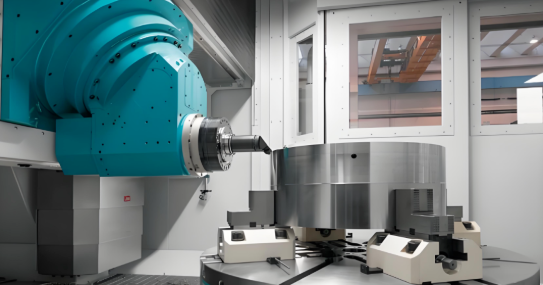
Industry-Specific Considerations for Automotive Aerospace and Medical
Your cnc instant quote tells one story when you're making general-purpose components. It tells an entirely different story when those cnc machining parts are destined for a car's braking system, an aircraft's flight controls, or a surgical instrument. Industry-specific requirements don't just affect pricing—they fundamentally shape which suppliers can even bid on your project.
Understanding how certification requirements, documentation needs, and quality standards influence your quotes empowers you to plan budgets accurately and select manufacturing partners strategically. Let's explore what each major industry demands—and how those demands translate into real costs.
Industry-Specific Requirements That Impact Your Quote
Automotive: Where Quality Systems Meet Production Speed
Automotive metal parts manufacturing operates under intense pressure: high volumes, tight margins, and zero tolerance for defects that could trigger recalls. The industry standard is IATF 16949 certification, which combines ISO 9001 principles with sector-specific requirements for continuous improvement, defect prevention, and stringent supplier oversight.
What does this mean for your quote? IATF 16949-certified facilities implement Statistical Process Control (SPC) throughout production—monitoring critical dimensions in real-time rather than just inspecting finished parts. This prevents defects rather than detecting them, but the measurement systems, trained personnel, and documentation infrastructure add overhead that appears in your pricing.
For automotive applications, look for suppliers who can demonstrate:
- IATF 16949 certification with current audit status
- Statistical Process Control (SPC) implementation for critical characteristics
- Production Part Approval Process (PPAP) documentation capability
- Full material traceability from raw stock to finished component
- Capacity to scale from prototypes to high-volume production
Suppliers like Shaoyi Metal Technology exemplify this capability, offering IATF 16949-certified precision cnc machining metal services with lead times as fast as one working day. Their ability to scale seamlessly from rapid prototyping to mass production—while maintaining strict SPC protocols—makes them particularly valuable for automotive programs where development timelines are compressed but quality standards remain uncompromising.
Aerospace: Documentation as Critical as the Parts Themselves
Aerospace custom metal parts face the most stringent requirements in manufacturing. According to certification research, over 80% of global aerospace companies require AS9100 certification from CNC suppliers—and for good reason. When component failure means catastrophic consequences, every aspect of production must be documented, traceable, and auditable.
AS9100 builds upon ISO 9001's foundation while adding aerospace-specific controls:
- Risk management integrated throughout production processes
- Configuration management tracking every design revision
- First Article Inspection (FAI) using AS9102-compliant formats
- Full traceability from raw material heat numbers through finished parts
- Special process accreditation (often NADCAP) for heat treating, plating, and NDT
For stainless steel cnc machining services serving aerospace clients, expect quotes to reflect extensive documentation requirements. A typical aerospace part might require material certifications, process records, dimensional inspection reports, and first article documentation—all adding administrative costs beyond the machining itself.
When evaluating aerospace cnc prototyping service providers, verify their NADCAP accreditations for any special processes your parts require. Heat treating, chemical processing, and nondestructive testing each demand separate accreditations that not all certified shops maintain.
Medical: Where Precision Meets Patient Safety
Medical device manufacturing combines aerospace-level precision with unique regulatory requirements. According to industry experts, medical CNC shops increasingly maintain dual certifications: ISO 9001 for general quality management plus ISO 13485 specifically for medical device quality systems.
ISO 13485 emphasizes risk management throughout the product lifecycle—not just manufacturing, but design, installation, and post-market surveillance. The standard requires:
- Comprehensive risk analysis using ISO 14971 frameworks
- Detailed design history files documenting every decision
- Sterility and biocompatibility considerations where applicable
- Complaint handling and recall procedures
- FDA 21 CFR Part 820 compliance for U.S. market access
For stainless steel cnc machining of medical components—particularly implantable devices—material certification requirements intensify. You'll need full traceability, biocompatibility testing documentation, and often lot-specific inspection reports that follow each batch through to the end user.
Matching Your Project to the Right Manufacturing Partner
Here's the strategic question: does your project actually require a fully certified supplier, or are you paying for credentials you don't need?
The answer depends entirely on your end application. A prototype for internal testing rarely requires AS9100 documentation—but the production parts that eventually fly on aircraft absolutely do. Understanding this distinction helps you optimize costs during development while ensuring compliance when it matters.
For automotive projects:
- Prototypes and development parts may use capable but uncertified suppliers
- Production parts require IATF 16949-certified partners with SPC capability
- Chassis assemblies, custom metal bushings, and safety-critical components demand full traceability
- Consider partners who offer integrated rapid prototyping to mass production scaling
Shaoyi Metal Technology's automotive-focused CNC machining services demonstrate how the right partner handles this transition smoothly—maintaining consistent quality systems whether producing five prototype parts or five thousand production components.
For aerospace projects:
- Verify AS9100 certification currency and audit findings
- Confirm NADCAP accreditation for required special processes
- Ensure First Article Inspection capability matches your documentation needs
- Evaluate material sourcing and traceability systems
For medical projects:
- Confirm ISO 13485 registration with appropriate scope
- Verify FDA registration if targeting U.S. markets
- Assess cleanroom capabilities if required for your device class
- Review validation and documentation practices for regulatory submissions
The certification landscape might seem overwhelming, but it serves a crucial purpose: ensuring that cnc machining metal operations meet the quality levels each industry demands. When you understand what's required—and why—you can make informed decisions about which suppliers to engage and what pricing to expect.
Certifications add cost, but they also add assurance. For regulated industries, that assurance isn't optional—it's the price of market access and the foundation of customer trust. Choose partners whose certifications match your requirements, and you'll find that the premium you pay delivers value far beyond the paperwork.
With industry requirements clarified, you're ready to pull everything together into an actionable plan for smarter CNC procurement.
Putting It All Together for Smarter CNC Procurement
You've now uncovered how instant quote algorithms work, what drives pricing, and how design decisions ripple through every aspect of your cnc machine parts costs. But knowledge without action is just entertainment. Let's transform everything you've learned into a practical framework for getting accurate, competitive quotes every time you need machining parts produced.
The difference between engineers who consistently get great quotes and those who face constant surprises? Preparation. Taking fifteen minutes before uploading your files can save days of back-and-forth and thousands of dollars in unnecessary costs.
Your CNC Quoting Action Plan
Before requesting your next quote, work through this prioritized checklist to maximize accuracy and minimize surprises:
- Audit your CAD file quality — Export as STEP format, verify the model is watertight with no gaps or self-intersecting surfaces, and confirm units are correct. A clean file is the foundation of an accurate quote.
- Specify materials precisely — Don't just select "aluminum" or "stainless steel." Specify exact grades like 6061-T6 or 303 stainless. Vague specifications force algorithms to assume—often conservatively.
- Apply tolerances strategically — Identify which dimensions truly require tight tolerances and specify standard ±0.127 mm everywhere else. Every unnecessary precision callout adds cost.
- Review internal corner radii — Ensure radii are at least one-third of cavity depth and match standard tool sizes. This single check often reduces machining time by 15-25%.
- Verify wall thickness and feature depths — Confirm walls exceed 1.5 mm for metals, hole depths stay under 4x diameter, and pocket depths remain within 2-3x tool diameter limits.
- Prepare supplementary documentation — Include annotated 2D drawings showing threads, surface finish requirements, and critical dimensions that may not transfer through the 3D model alone.
- Define quantity and timeline clearly — Request quotes for multiple batch sizes to understand your cost curve. Specify realistic lead times to avoid expedite fees.
- List all secondary operations — Anodizing, heat treatment, plating, and assembly requirements should be captured upfront to prevent surprise charges later.
This checklist addresses the most common sources of quote inaccuracy. According to industry best practices, providing both a STEP file and annotated technical drawings eliminates questions about tolerances, threads, or surface finishes—meaning less back-and-forth and a faster, more accurate quote in your inbox.
From Quote to Quality Parts: Making It Happen
Getting a great quote is only half the journey. Translating that quote into quality parts requires choosing the right cnc service partner—one whose capabilities match your project's demands.
For straightforward prototypes with standard tolerances, many custom cnc machining services platforms deliver excellent results. But as complexity increases—tighter tolerances, regulated industries, or scaling from prototype to production—partner selection becomes critical.
Balancing cost, speed, and quality during manufacturing requires aligning material selection, production processes, and part functionality to achieve optimal results. Early-stage prototypes benefit from fast-turnaround approaches, while production parts demand suppliers with robust quality systems and proven scalability.
This insight from manufacturing research captures the fundamental tension every procurement decision must navigate. The cheapest quote rarely delivers the best outcome when you factor in rework, delays, and quality issues.
For readers focused on automotive applications—whether chassis assemblies, custom metal bushings, or other high-tolerance components—Shaoyi Metal Technology offers a compelling combination: IATF 16949 certification ensuring automotive-grade quality systems, rapid cnc capabilities with lead times as fast as one working day, and proven ability to scale from prototyping through mass production. Their Statistical Process Control protocols and cnc metal cutting expertise make them particularly valuable when development timelines are compressed but quality standards remain uncompromising.
Key Takeaways for Smarter CNC Procurement
- Instant quote algorithms analyze geometry, materials, and specifications to generate pricing—understanding their logic helps you prepare better files
- Six factors drive your quote: material, complexity, tolerances, batch size, lead time, and finishing requirements
- Design optimization delivers the biggest cost savings—small geometry changes often reduce quotes by 30-50%
- Material selection affects more than raw cost; machinability directly impacts cycle time and tool wear
- Industry certifications (ISO 9001, AS9100, IATF 16949, ISO 13485) add cost but provide essential quality assurance for regulated applications
- Quote discrepancies usually stem from specification gaps—complete documentation upfront prevents surprises
The manufacturers who thrive aren't necessarily those with the lowest prices—they're the ones who understand their requirements, communicate clearly, and choose partners whose capabilities align with their needs. You now have the knowledge to join them.
Whether you're prototyping a single concept part or preparing for production runs of thousands, the principles remain the same: prepare thoroughly, design intelligently, specify precisely, and partner strategically. Your next instant quote doesn't have to be a mystery—it can be the predictable result of informed decisions.
Frequently Asked Questions About CNC Instant Quotes
1. How do I get an instant CNC machining quote online?
Upload your CAD file (preferably STEP format) to an instant quote platform, specify your material grade, tolerances, quantity, and finishing requirements. The algorithm analyzes your geometry within seconds to minutes, calculating material costs, machining time, setup charges, and finishing operations. For best results, ensure your file is watertight with no geometry errors, and include annotated 2D drawings for critical dimensions and threads.
2. What factors affect CNC machining cost the most?
Six primary factors drive your CNC quote: material selection (machinability matters as much as raw cost), part complexity (3-axis vs 5-axis requirements), tolerances (precision below ±0.127mm significantly increases costs), batch size (ordering 10+ units can reduce per-unit costs by 70%), lead time (rush orders add 25-50% premiums), and finishing specifications (polished surfaces can add 15% or more). Strategic design optimization addressing these factors can reduce quotes by 30-50%.
3. Why is my CNC quote higher than expected?
Unexpectedly high quotes typically stem from tight tolerances specified on non-critical dimensions, small internal corner radii requiring specialty tooling, deep pockets or holes exceeding standard depth-to-diameter ratios, thin walls demanding slower machining speeds, or material grades with poor machinability. Review your design against DFM guidelines—increasing corner radii, relaxing tolerances on non-functional surfaces, and choosing free-machining materials often dramatically reduces pricing.
4. What file formats work best for CNC instant quotes?
STEP files (.stp, .step) are the gold standard for instant quoting, preserving precise geometric data and transferring seamlessly between systems. IGES files work for most geometries but may lose accuracy on complex curves. STL files are less ideal as they approximate curves with triangular facets. For optimal results, provide both a STEP file for automated geometry analysis and an annotated 2D drawing clarifying tolerances, threads, and surface finish requirements.
5. What certifications should I look for in a CNC machining supplier?
Certification requirements depend on your industry. ISO 9001:2015 demonstrates baseline quality management. Automotive applications typically require IATF 16949 certification with Statistical Process Control (SPC) capability. Aerospace projects demand AS9100D certification plus NADCAP accreditation for special processes. Medical device manufacturing needs ISO 13485 compliance. Suppliers like Shaoyi Metal Technology offer IATF 16949-certified precision machining with one-day lead times for automotive components at shao-yi.com/auto-machining-parts/.