From Quote To Delivery: How A Laser Cutting Service Actually Works

What Is Laser Cutting and How Does It Work
Ever wondered how manufacturers create those impossibly precise metal parts with smooth, clean edges? The answer lies in one of modern manufacturing's most versatile technologies: laser cutting. Whether you're exploring options for a prototype or planning a production run, understanding what is laser cutting gives you the foundation to make smarter decisions when working with any laser cutting service.
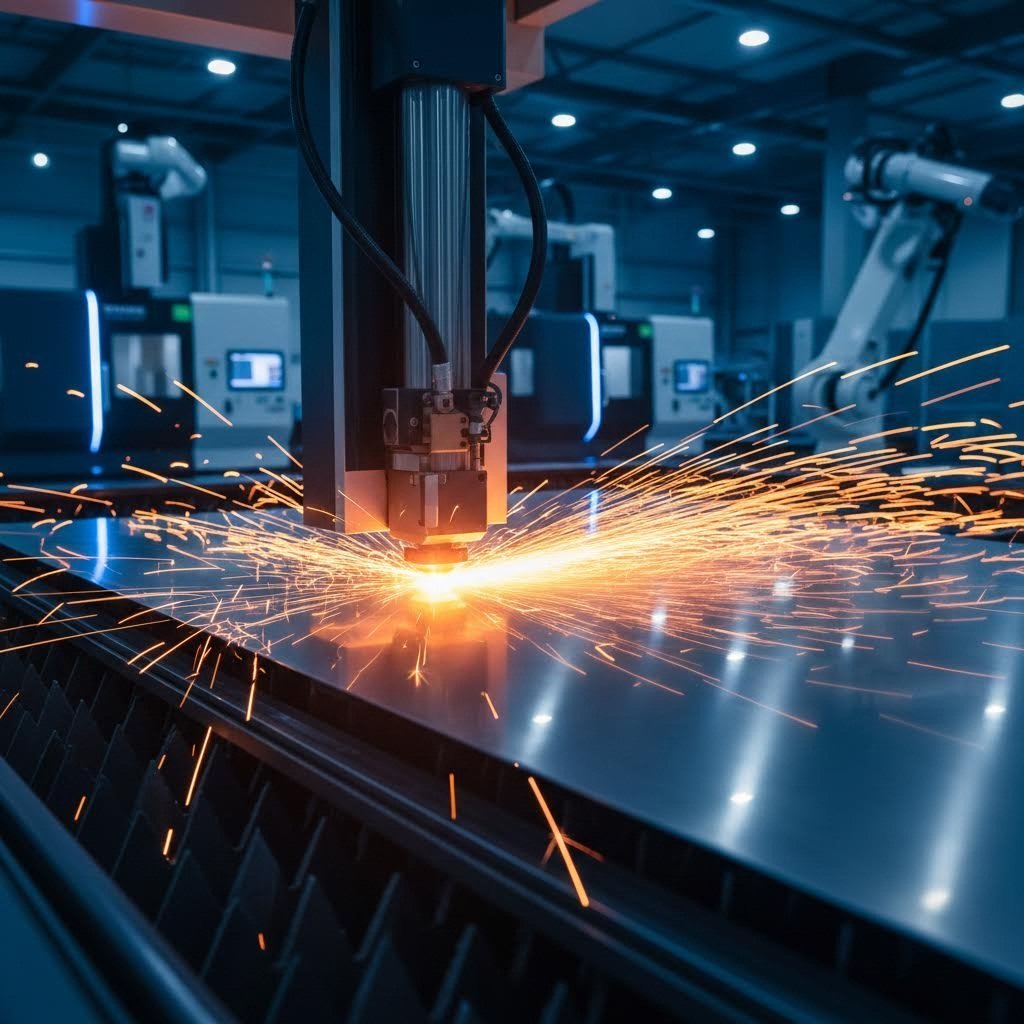
At its core, laser cutting is a thermal fabrication process that uses a concentrated beam of light energy to slice through materials with remarkable precision. According to TWI Global, this focused beam burns, melts, or vaporizes material along a computer-controlled path, leaving behind a high-quality surface-finished edge. The result? Parts with dimensional accuracy as precise as ±0.0005 inch and kerf widths as small as 0.004 inches.
How Focused Light Becomes a Precision Tool
Imagine concentrating sunlight through a magnifying glass, but amplified thousands of times. That's essentially what happens inside a laser for cutting machine. The laser beam is generated by stimulating lasing materials through electrical discharges inside a sealed chamber. This energy bounces between mirrors until it becomes powerful enough to escape as a coherent, single-wavelength light beam.
Once released, the beam travels through a series of optics that focus it down to an incredibly fine point, typically under 0.32 mm in diameter. When this concentrated energy meets your material, the magic happens. The intense heat instantly transforms solid material into gas or molten metal, which is then blown away by a jet of assist gas to create your desired shape.
Not all laser cutters are created equal. Three main types dominate the industry, each with distinct strengths:
- CO2 Lasers: Operating at a wavelength of 10.6 micrometers, these workhorses excel at cutting with a laser through non-metals like acrylic, wood, and fabric, while also handling mild steel and aluminum effectively. They're the most versatile choice for mixed-material applications.
- Fiber Lasers: These powerhouses use solid-state technology to generate beams through fiber optic cables. With operational lifespans exceeding 25,000 hours, fiber lasers dominate metal cutting, especially for materials under 5mm thick. They outperform CO2 systems when processing reflective metals like copper and brass.
- Nd:YAG Lasers: Operating at 1064 nm wavelength, these solid-state lasers deliver extreme precision with minimal heat impact. Industries requiring clean cuts on sensitive materials, such as medical device manufacturing, rely on Nd:YAG technology for its accuracy.
The Science Behind Beam-to-Material Interaction
When the laser to cut contacts your material, several things happen simultaneously. The concentrated energy heats the material past its melting or vaporization point within milliseconds. Assist gases like oxygen or nitrogen flow through the cutting nozzle, serving dual purposes: they blow molten material away from the cut zone and can enhance the cutting process through chemical reactions.
For projects starting anywhere other than the material's edge, a piercing process comes first. As noted by TWI Global, high-power pulsed lasers can burn through 0.5-inch-thick stainless steel in just 5-15 seconds during this initial piercing phase.
Every laser cutting cutting system relies on five essential components working in harmony:
- Laser Source: The heart of the system that generates the cutting beam through electrical or optical pumping.
- Cutting Head: Houses the focusing lens and nozzle that concentrate the beam and direct assist gas onto the workpiece.
- Motion System: Precision servo motors and linear guides that move either the cutting head or material platform with micron-level accuracy.
- Assist Gas Delivery: Supplies oxygen, nitrogen, or compressed air to enhance cutting and remove debris from the kerf.
- CNC Controller: The brain that translates your design files into precise movement instructions, coordinating beam power, cutting speed, and gas pressure for optimal results.
Understanding these fundamentals helps you communicate effectively with your lazer cutter provider and recognize what separates quality services from the rest. With this knowledge in hand, you're ready to explore which materials work best for your next project.

Materials You Can Laser Cut From Metals to Plastics
Choosing the right material can make or break your laser cutting project. You might have the perfect design, but if you select a material that doesn't play well with laser technology, you'll end up with poor edge quality, excessive waste, or worse—safety hazards. So which laser cuttable materials should you consider, and which ones should you avoid entirely?
Let's break down the three main categories that professional laser cutting services handle daily: metals, plastics, and specialty materials.
Metals That Excel Under Laser Precision
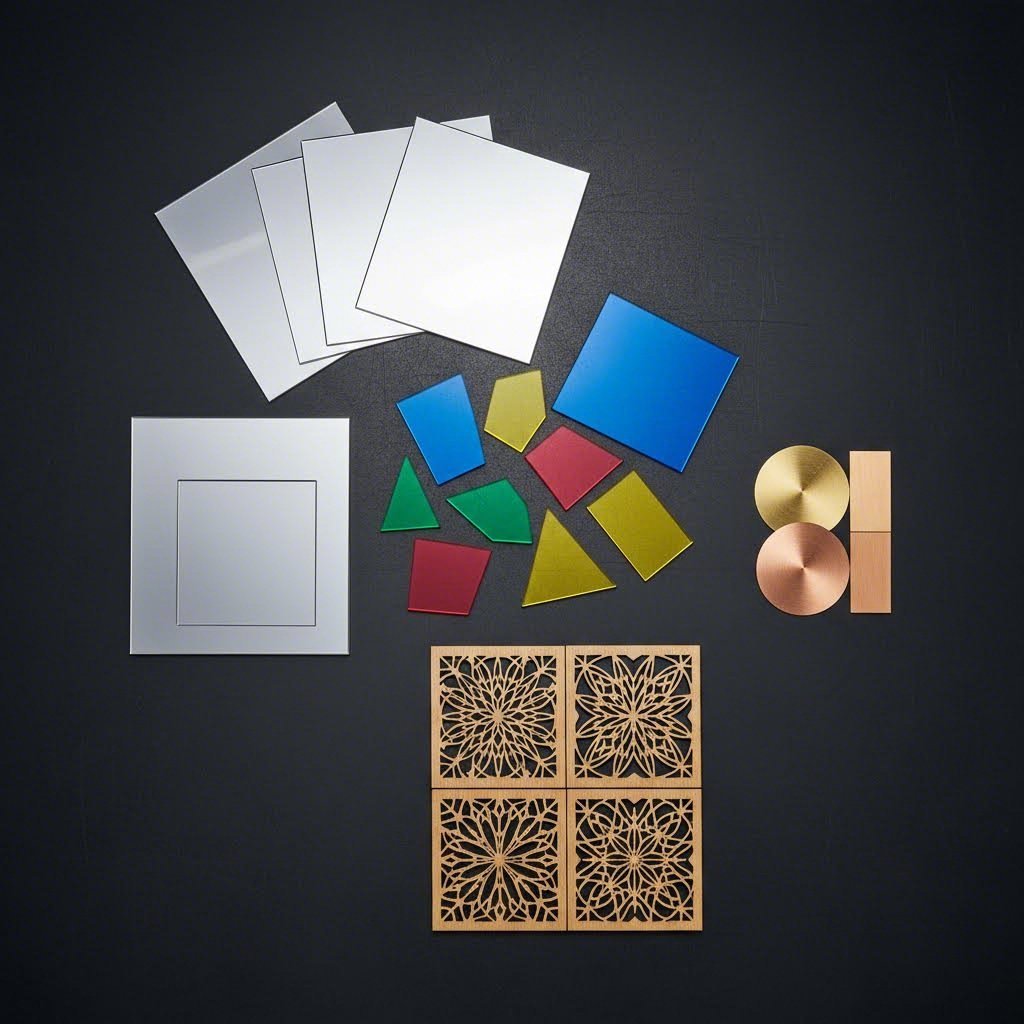
When you need to laser cut metal, fiber lasers are your best friend. Their shorter wavelength gets absorbed efficiently by metallic surfaces, delivering clean cuts with minimal heat distortion. Here's what you can expect from the most common metals:
- Carbon Steel: The workhorse of metal laser cutting. With oxygen as an assist gas, you can cut through sheets up to 25mm thick while achieving excellent edge quality.
- Stainless Steel: Perfect for stainless steel laser cutting applications in food service, medical devices, and architectural elements. Using nitrogen assist gas produces clean, oxide-free edges that require no secondary finishing. Modern fiber lasers handle thicknesses up to 20mm effectively.
- Aluminum: Tricky due to its high reflectivity and thermal conductivity, but laser cut aluminum has become standard practice with high-power fiber lasers. Expect clean cuts up to 15mm thick with proper nitrogen assist.
- Brass and Copper: These highly reflective metals require specialized high-power fiber laser systems. According to IVY CNC, copper's maximum cutting thickness typically reaches 10mm, while brass can extend up to 12mm with the right equipment.
A metal laser cutter handles these materials efficiently, but remember: reflective surfaces demand more power and careful parameter tuning. Always confirm your provider has experience with your specific metal and thickness requirements.
Plastics and Alternative Materials for Laser Processing
When you need to laser cut plastic, material selection becomes even more critical. Some plastics cut beautifully, while others release toxic fumes that can harm you and destroy your equipment.
Safe plastics for laser cutting:
- Acrylic (PMMA): The gold standard for laser cut plastic applications. It vaporizes cleanly and leaves a gorgeous flame-polished edge—perfect for signage, displays, and jewelry.
- Delrin (POM/Acetal): An engineering plastic ideal for functional parts like gears, bushings, and machine components. It cuts cleanly without melting issues.
- Polyester (Mylar): Excellent for thin films and flexible stencils with precise dimensional control.
Specialty materials that laser services commonly handle:
- Natural Wood: Softwoods like pine cut easily at low power, while hardwoods like walnut require slower speeds and higher energy. Apply masking tape before cutting to prevent smoke stains.
- Plywood and MDF: Cost-effective but require caution—the glues and binders can release formaldehyde and other toxic fumes. Good ventilation is essential.
- Fabrics: Natural fibers like cotton and denim cut cleanly, while synthetic fabrics like polyester get a sealed, fray-free edge as the laser melts the material.
- Vegetable-Tanned Leather: Creates beautiful engraved and cut pieces for fashion and accessories.
| Material Category | Common Applications | Thickness Range | Edge Quality | Laser Type Recommended |
|---|---|---|---|---|
| Carbon Steel | Brackets, panels, structural components | 0.5mm - 25mm | Excellent with oxide layer | Fiber Laser |
| Stainless Steel | Medical devices, food equipment, signage | 0.5mm - 20mm | Clean, oxide-free with nitrogen | Fiber Laser |
| Aluminum | Enclosures, heat sinks, aerospace parts | 0.5mm - 15mm | Good with proper parameters | Fiber Laser |
| Brass/Copper | Electrical components, decorative items | 0.5mm - 10mm | Requires specialized settings | High-Power Fiber Laser |
| Acrylic | Signs, displays, jewelry, prototypes | 1mm - 25mm | Flame-polished, excellent | CO2 Laser |
| Delrin (POM) | Gears, bearings, machine components | 1mm - 12mm | Clean, precise | CO2 Laser |
| Wood (Natural) | Art, furniture parts, packaging | 1mm - 15mm | Slightly charred edge | CO2 Laser |
| Fabrics | Fashion, upholstery, industrial filters | 0.1mm - 5mm | Sealed edges on synthetics | CO2 Laser |
Materials You Should Never Laser Cut
This might be the most important information in this entire guide. According to Fortune Laser, cutting the wrong material can release toxic gases, start fires, and permanently corrode your laser cutter's components.
Avoid these materials completely:
- PVC (Polyvinyl Chloride): The absolute worst offender. When heated, PVC releases chlorine gas that combines with moisture to create hydrochloric acid. This destroys optics, corrodes metal components, and poses serious health risks.
- ABS Plastic: Releases hydrogen cyanide gas—a highly toxic poison. It also melts into a gooey mess rather than cutting cleanly.
- Thick Polycarbonate (Lexan): Absorbs laser energy poorly, leading to discoloration, melting, and significant fire risk. As noted by Xometry, even thin polycarbonate under 1mm produces poor results.
- Chrome-Tanned Leather: Releases toxic heavy metals including chromium-6. Only use vegetable-tanned leather for laser cutting.
- Fiberglass and Coated Carbon Fiber: The epoxy resins binding these materials release extremely toxic fumes when burned.
When in doubt about any material, don't cut it. Ask your laser cutting service provider for guidance, or request the material's Safety Data Sheet to verify its laser compatibility.
Now that you understand which materials work with metal laser cutting and other laser processes, the next step is preparing your design files correctly to ensure flawless results.
Preparing Your Design Files for Flawless Results
You've selected the perfect material and have a brilliant design in mind. But here's where many projects go sideways: file preparation. The difference between precision laser cutting that matches your vision and a frustrating pile of scrap often comes down to how you prepare your design files. Whether you're working on laser cutting and engraving projects or custom acrylic cutting, getting this step right saves time, money, and headaches.
Think of your design file as a recipe for the laser cut CNC machine. If the instructions are unclear or contain errors, the output won't match your expectations. Let's walk through exactly what you need to know.
File Formats That Laser Cutting Services Accept
Not all file formats speak the same language as laser design services. Here's what most providers accept and the specific requirements for each:
- DXF (Drawing Exchange Format): The industry standard for laser cutting. DXF files contain pure vector data without fills or effects, making them ideal for direct import into cutting software. Ensure your file uses real-world units (inches or millimeters) and avoid nested blocks that can confuse processing software.
- AI (Adobe Illustrator): Widely accepted and versatile. According to Cut By Beam, set your document color mode to RGB, use red (RGB) with 0.1 stroke weight for cut lines, and blue for score lines. Any raster engraving should have a black color fill.
- SVG (Scalable Vector Graphics): Excellent for web-based upload portals. SVGs maintain mathematical precision at any size but can include hidden metadata that causes import issues. Simplify your file before exporting.
- EPS (Encapsulated PostScript): A legacy format that still works but often requires conversion. If using EPS, stick to version 8 or earlier for maximum compatibility.
- PDF (Portable Document Format): Some services accept PDFs with embedded vector artwork. However, ensure all fonts are outlined and effects are flattened before saving.
For custom laser etching projects, JPEG files work for raster engraving directly from the image. But remember: JPEGs cannot create cutting paths. You'll always need vector lines for any actual cutting operations.
Design Errors That Ruin Your Cut Quality
Even experienced designers make mistakes that lead to poor results or rejected files. Here are the most common problems you'll want to avoid:
Unclosed paths: Your cutting machine needs continuous lines to follow. An unclosed path confuses the software about where the cut should go, often resulting in incomplete cuts or unexpected movements. As noted by Cut By Beam, if shapes are constructed from more than one path, join them to create a closed shape—especially critical for solid engraving.
Overlapping or duplicate lines: This sneaky problem doubles your cutting time and costs. Worse, the laser will cut the same path twice, potentially burning through your material or creating an ugly, over-cut edge. According to John Duthie's laser cutting guide, always check for hidden duplicate strokes stacked on top of each other.
Text not converted to outlines: This is so important it deserves special emphasis:
Always convert fonts to paths before submitting your design file. If you skip this step, your text may display incorrectly or disappear entirely when opened on another system without your specific fonts installed.
Incorrect scale settings: Designing in pixels instead of real-world measurements leads to parts that are completely wrong in size. Always work in millimeters or inches and verify dimensions before export.
Excessive anchor points: Complex curves with too many nodes slow down processing and can cause jerky machine movements. Simplify paths by reducing unnecessary anchor points while maintaining your design's integrity.
Step-by-Step File Preparation Workflow
Follow this checklist before submitting any file to your precision laser cutting provider:
- Set your document to real-world units: Configure your design software to use millimeters or inches. Verify the artboard dimensions match your intended part size.
- Create all cutting paths as vectors: Use the pen tool, shape tools, or trace raster images to create mathematically precise paths.
- Convert all text to outlines: In Illustrator, select your text and choose Type > Create Outlines. Ungroup the resulting shapes for easier editing.
- Join open paths into closed shapes: Select endpoints and use your software's join function. Verify by switching to outline view mode.
- Remove duplicate lines: Select all objects and use the "merge" or "pathfinder unite" function, or manually delete overlapping paths.
- Reduce anchor points: Use simplify path functions to minimize nodes without distorting your design.
- Apply kerf compensation: The laser beam removes material (typically 0.1-0.3mm wide). Offset your cut lines inward by half the kerf width for parts that need precise fits.
- Check minimum feature sizes: Most services require at least 1mm for positive features and 0.5mm for cut widths. Thinner details may burn away or fail to cut cleanly.
- Verify spacing between cuts: Leave at least the material thickness between parallel cut lines to prevent warping or breakage during cutting.
- Preview in outline mode: As Cut By Beam recommends, use View > Outline to see exactly how the laser software will interpret your file. Look for rogue objects hiding outside your artboard.
One more tip for stencil designs: remember that the interior islands of letters like "O," "A," and "B" will fall out without bridges connecting them to the surrounding material. Either modify your font or choose a dedicated stencil typeface.
With properly prepared files in hand, you're ready to understand how your project compares to alternative cutting methods—and when laser cutting is truly the best choice for your needs.

Laser Cutting Versus Waterjet Plasma and CNC Methods
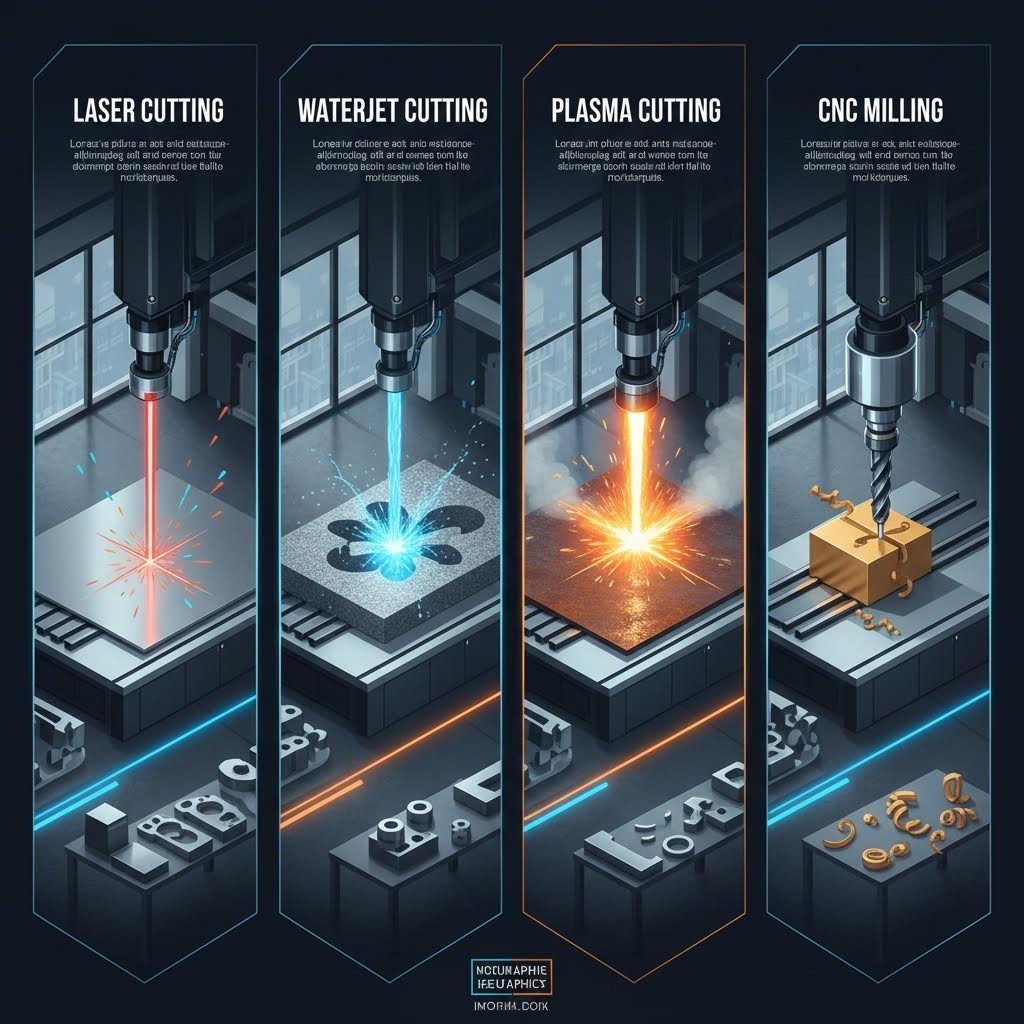
So you've prepared your design files and selected your material. But here's a question that could save you significant time and money: is laser cutting actually the best method for your project? The honest answer is—it depends. Understanding how CNC laser cutting stacks up against waterjet, plasma, and other metal cutting services helps you make smarter decisions rather than defaulting to one technology for everything.
Let's break down the real-world trade-offs between these competing technologies so you can match the right tool to your specific needs.
When Laser Cutting Outperforms Alternatives
A metal cutting laser truly shines in specific situations. If you need intricate designs with tight corners and fine details, laser technology delivers precision that other methods simply can't match. According to StarLab CNC, laser cutting produces the highest edge quality among thermal cutting methods, with smooth, perpendicular cuts and minimal burr formation.
Here's where cutting laser metal makes the most sense:
- Thin to medium materials: Fiber lasers dominate sheets under 1/4" thick, achieving exceptional speeds that leave other technologies behind.
- Complex geometries: Intricate patterns, small holes, and tight tolerances are laser territory. The focused beam can navigate sharp corners that plasma or waterjet would struggle with.
- High-volume production: Once set up, laser systems run fast with minimal variation between parts—ideal for consistent, repeatable work.
- Clean edges requiring no secondary finishing: For applications where aesthetics matter or welding follows immediately, laser-cut edges often need zero post-processing.
The laser and CNC combination also offers remarkable flexibility. You can switch from cutting mild steel to stainless to aluminum with parameter changes rather than physical tool swaps.
Situations Where Other Methods Win
Here's the truth most laser cutting providers won't tell you: their technology isn't always the best choice. Sometimes you're better off looking for plasma cutting near me or considering waterjet services instead.
Waterjet cutting wins when:
- You're working with heat-sensitive materials that can't tolerate thermal distortion
- Thick materials over 1" require cutting without any heat-affected zone
- Material versatility matters—waterjet handles everything from titanium to granite to glass
- Edge metallurgy must remain completely unchanged for critical applications
Operating at pressures up to 90,000 PSI, waterjet systems can cut virtually any material without generating heat. The trade-off? Speed. Waterjet typically cuts at 5-20 inches per minute compared to laser's much faster rates on thin materials.
Plasma cutting wins when:
- You need to cut thick steel plates from 1/2" to 2" quickly and economically
- Budget constraints favor lower equipment and operating costs
- Bevel cuts for weld preparation are required
- Near-laser quality is acceptable rather than perfect precision
Modern CNC plasma tables cut 1/2" mild steel at speeds exceeding 100 inches per minute. That's significantly faster than laser on thick materials, with a machine cutter metal setup costing a fraction of a comparable laser system.
CNC milling wins when:
- Your part requires 3D features, pockets, or chamfers that 2D cutting can't produce
- Extremely tight tolerances in the ±0.001" range are mandatory
- Surface finish requirements exceed what thermal cutting can deliver
Punch press wins when:
- Massive production volumes justify the tooling investment
- Simple shapes with standard hole patterns dominate your work
- Per-part cost must be minimized at high quantities
Technology Comparison at a Glance
| Technology | Best Materials | Thickness Capacity | Precision Level | Edge Quality | Speed | Cost Factors |
|---|---|---|---|---|---|---|
| Laser Cutting | Steel, stainless, aluminum, thin metals | Up to 1" (optimal under 1/4") | ±0.005" or better | Excellent, smooth finish | Very fast on thin materials | Moderate equipment, low operating |
| Waterjet | Any material including glass, stone, composites | Up to 6"+ depending on material | ±0.005" to ±0.010" | Good, no heat effects | Slow (5-20 ipm) | High operating (abrasive costs) |
| Plasma | Conductive metals only | 0.018" to 2" (optimal 1/2" to 1") | ±0.015" to ±0.030" | Good with HD plasma | Fast on thick materials | Low equipment, low operating |
| CNC Milling | Metals, plastics, composites | Limited by machine envelope | ±0.001" achievable | Excellent, machined finish | Moderate | High tooling, moderate operating |
| Punch Press | Sheet metal only | Typically under 1/4" | ±0.005" with quality tooling | Good, may require deburring | Extremely fast per hit | High tooling, low per-part at volume |
Honest Look at Laser Cutting Limitations
Before you commit to any laser cutting service, understand these constraints:
Reflective materials are challenging: Highly reflective metals like copper and brass can bounce laser energy back toward the optics, potentially damaging equipment. While modern fiber lasers handle these better than older technology, expect higher costs and slower speeds.
Thickness constraints are real: Cutting speed decreases dramatically as material thickness increases. According to industry data, laser performance drops significantly on materials over 1" thick, where plasma or waterjet become more practical.
Heat-affected zones exist: Despite being more refined than plasma, laser cutting still introduces thermal energy. The heat-affected zone (HAZ) can alter material properties near the cut edge—a concern for applications requiring pristine metallurgy.
Initial equipment costs run high: Fiber laser systems represent a significant capital investment. This cost gets passed to customers, particularly on small runs where setup charges can't be distributed across many parts.
The bottom line? Smart buyers match technology to application rather than forcing one solution to fit every problem. Understanding these trade-offs positions you to get better quotes and better results when you're ready to discuss pricing with your chosen provider.

Understanding Laser Cutting Costs and Getting Fair Quotes
Here's something frustrating about searching for a laser cutting service near me: pricing feels like a black box. You upload a design, wait for a laser cutting quote, and receive a number with little explanation of how it was calculated. Why does one provider charge three times more than another? And why does your simple-looking part cost more than your neighbor's complex one?
The truth is, laser cutting charges follow a logical formula—once you understand what drives costs, you can make smarter design decisions and evaluate quotes with confidence. According to Fortune Laser, the single most important factor driving your cost isn't the area of material, but the machine time required to cut your design. Two parts from the same sheet can have vastly different prices based on complexity alone.
What Drives Your Laser Cutting Quote Higher or Lower
Every laser cutting instant quote you receive breaks down into a fundamental formula:
Final Price = (Material Costs + Variable Costs + Fixed Costs) × (1 + Profit Margin)
Let's decode what each piece actually means for your wallet:
Material type and thickness: This affects pricing in two ways. First, raw material costs vary widely—MDF is inexpensive while stainless steel costs significantly more. Second, thickness dramatically impacts cutting time. As Komacut explains, doubling the material thickness can more than double your cutting time and cost because the laser must move much slower to cut through cleanly.
Total cut length (perimeter): Machine time is the primary service you're paying for. The total linear distance the laser travels determines how long your job takes. A 12-inch square costs less to cut than a 12-inch circle with the same area because the circle has a longer perimeter.
Pierce count: Every time the laser starts a new cut, it must first "pierce" the material—burning through to create an entry point. A design with 100 small holes costs more than one large cutout because of cumulative piercing time. According to industry data, high-power pulsed lasers can take 5-15 seconds just to pierce 0.5-inch stainless steel.
Design complexity: Intricate patterns with tight curves and sharp corners force the machine to slow down significantly. Specifying tolerances tighter than functionally necessary also increases costs—the machine must run at slower, more controlled speeds to hold precision.
Quantity ordered: Fixed setup costs get spread across all parts in an order. The result? Per-part pricing drops dramatically as quantity increases. Discounts for high-volume orders can reach as high as 70%, making bulk orders substantially more economical.
Finishing requirements: Secondary processes like deburring, bending, threading, or powder coating each add labor, specialized equipment, and extended production time. These get priced separately and can significantly increase your total.
Turnaround time: Rush orders command premium laser cutting rates. Standard lead times exist for good reason—shops optimize their production schedules for efficiency. Jumping the queue costs extra.
Hidden Costs to Watch For
Beyond the obvious factors, several expenses catch first-time buyers off guard:
Setup fees and minimum charges: Most laser cutting services near me charge a setup fee or maintain minimum order values. This covers the operator's time loading material, calibrating the machine, and preparing your file. For small orders, setup costs can exceed the actual cutting charges.
File preparation fees: If your design file contains errors—duplicate lines, open contours, or missing elements—a technician must fix it. Many services charge additional fees for this work. As Smart Cut Quote notes, for short runs or one-off jobs, setup and prep costs become an especially significant factor.
Material markups: Providers purchase raw material at wholesale prices but sell to you at retail rates plus handling. Choosing in-stock materials eliminates special order fees and often reduces lead times.
Shipping and packaging: Large or heavy parts require special handling. Delicate pieces need protective packaging. These logistics costs add up quickly for remote orders.
When comparing send cut send prices against local providers, factor in shipping both ways. That "cheaper" online quote might cost more after delivery fees.
Cost-Saving Strategies That Actually Work
You have more control over your final price than you might realize. These strategies consistently reduce costs without sacrificing functionality:
- Nest multiple parts efficiently: Arranging parts closely together on a material sheet minimizes waste. Better nesting directly reduces your material cost and cutting time.
- Simplify your design: Reduce complex curves, combine multiple small holes into larger slots, and eliminate unnecessary features. This minimizes both cut distance and time-consuming pierces.
- Use the thinnest material possible: This is the single most effective way to cut costs. Thicker materials exponentially increase machine time. Always verify if a thinner gauge meets your structural requirements.
- Choose standard materials: Exotic alloys and specialty plastics cost more and may require special ordering. Sticking with common materials the shop keeps in stock saves money and time.
- Order larger quantities: Consolidate your needs into fewer, larger orders. Per-unit pricing drops substantially as setup costs distribute across more parts.
- Clean your design files: Remove duplicate lines, hidden objects, and construction notes before uploading. Automated quoting systems try to cut everything—double lines literally double your cost for that feature.
- Relax tolerances where possible: Only specify tight tolerances where they're functionally required. Standard precision costs less than demanding ±0.001" when ±0.010" would work fine.
Understanding Setup Costs Versus Per-Piece Costs
This distinction matters enormously for budgeting. Setup costs are fixed regardless of quantity—loading material, calibrating equipment, and running test cuts cost the same whether you're making one part or one hundred. Per-piece costs scale with quantity and include actual cutting time, material consumed, and handling.
For a single prototype, you might pay $50 in setup fees plus $5 in per-piece costs—$55 total. Order 100 identical parts, and that same $50 setup spreads to just $0.50 per unit. Add $5 cutting cost each, and your per-part price drops to $5.50 instead of $55. That's why prototype pricing often seems shockingly high compared to production runs.
Machine hourly rates typically range from $60 to $120, depending on laser power and capability. Understanding this helps you estimate whether a quoted price aligns with reasonable expectations.
Evaluating Quotes From Different Providers
When comparing laser cutting services near me, look beyond the bottom-line number:
Online instant quote platforms offer unmatched speed and convenience—upload a CAD file, get pricing in seconds. They're ideal for rapid prototyping when you need immediate budget feedback. However, automated systems don't catch costly design errors and often charge premium rates for the convenience.
Traditional fabrication shops rely on technicians who manually review your files. This takes longer—hours or even days—but provides access to free Design for Manufacturability (DFM) feedback that can significantly lower your costs. They spot errors, suggest more efficient designs, and often offer flexibility with customer-supplied materials.
For any quote, verify what's included: Does the price cover material? What about shipping? Are there additional charges for file preparation or finishing? A slightly higher quote that includes everything often beats a low base price with numerous add-ons.
Now that you understand the economics behind laser cutting pricing, you're ready to navigate the actual ordering process—from uploading your files to receiving finished parts at your door.
Working With a Laser Cutting Service From Quote to Delivery
You've designed your part, prepared your files, and obtained a fair quote. Now what? For first-time buyers, the gap between clicking "submit order" and holding finished parts can feel like a mystery. What happens behind the scenes at an online laser cutting service? How long should you actually wait? And what if something goes wrong?
Understanding the complete workflow removes uncertainty and helps you plan your project timeline realistically. Whether you're using laser cut services for prototyping or production runs, the process follows predictable steps that you can track and influence.
From Upload to Delivery in Five Steps
Every laser cutting service online follows a similar sequence, though timelines and communication styles vary between providers. Here's the standard journey your project takes:
- Design Submission and File Review: You upload your CAD files through the provider's portal. Their system checks for basic errors—unclosed paths, unsupported file formats, or missing dimensions. Many online laser cutting service platforms provide instant feedback on obvious issues. More thorough reviews happen manually once you proceed.
- Quote Review and Order Confirmation: You receive pricing based on material, complexity, and quantity. Review the quote carefully—verify material specifications, thickness, and any included finishing operations. Once you approve and submit payment, your order enters the production queue.
- Material Confirmation and Production Scheduling: The shop confirms material availability. Standard materials ship from inventory immediately. Specialty requests may require ordering, adding days to your lead time. According to California Steel Services, production capacity and current queue depth directly impact when your job gets scheduled.
- Cutting, Finishing, and Quality Inspection: Your parts are cut, inspected for dimensional accuracy and edge quality, then moved to any secondary operations you've requested—deburring, bending, powder coating, or assembly. Each step adds processing time but ensures the final product meets specifications.
- Packaging and Shipping: Finished parts receive appropriate protective packaging based on material and quantity. Tracking information gets sent to your email, and your parts head to their destination.
This sequence applies whether you're ordering custom signage, functional prototypes, or a laser cut wood service for decorative projects. The fundamentals remain consistent across materials and applications.
What Happens After You Submit Your Design
Once your files enter the system, trained technicians take over. Unlike automated instant-quote platforms that only catch obvious errors, human review identifies subtle issues that could ruin your results.
A good provider checks for:
- Duplicate or overlapping cut lines that would double machine time
- Features too small or thin to survive the cutting process
- Spacing between cuts that's too tight for material stability
- Design elements that might cause warping or distortion
If problems exist, expect an email with questions or suggestions. As noted by NerdBot's workflow guide, minor changes during this phase can significantly improve your final product quality. Don't view revision requests as obstacles—they're opportunities to get better results.
Communication expectations vary by provider. Online platforms typically communicate through email tickets with 24-48 hour response times. Local shops may offer direct phone access and faster turnarounds on questions. Clarify your provider's preferred communication channel upfront to avoid delays.
Turnaround Time Expectations
How long should you actually wait? Realistic expectations prevent frustration and help you plan downstream assembly or installation schedules.
Factors that extend lead times:
- Design complexity: Intricate patterns with hundreds of pierces and tight curves require slower machine speeds and longer cutting cycles.
- Material availability: Exotic alloys, unusual thicknesses, or specialty plastics may need special ordering. Standard materials like mild steel and acrylic typically ship from stock.
- Current production queue: Busy shops have longer backlogs. According to industry guidance, always ask about current capacity when time matters.
- Finishing operations: Powder coating, welding, assembly, and other secondary processes each add processing days. A simple cut-only order ships faster than one requiring multiple finishing steps.
- Quality requirements: Parts with tight tolerances require additional inspection time and may need multiple verification measurements.
Typical lead times range from 3-5 business days for simple cut-only jobs to 2-3 weeks for complex parts with finishing requirements. Rush services exist but command premium pricing—sometimes 50% or more above standard rates.
Quality Assurance Practices You Should Expect
Reputable laser cut services don't just cut and ship. They verify results before parts leave the facility.
Dimensional verification: Critical dimensions get measured against your specifications using calipers, micrometers, or coordinate measuring machines. This confirms that parts will fit and function as intended.
Edge quality inspection: Operators examine cut edges for excessive dross, burrs, or heat discoloration. Clean edges indicate proper machine settings and material handling.
Visual inspection: Surface scratches, material defects, and handling damage get caught before shipping. Parts that don't meet standards get recut or rejected.
When working with an online laser cutting service for the first time, consider ordering a small test batch before committing to large quantities. This confirms that the provider's quality standards match your expectations without risking significant material investment.
With a clear understanding of the order-to-delivery process, you're prepared to explore how different industries leverage laser cutting technology—and discover applications that might inspire your next project.

Industries and Applications That Rely on Laser Cutting
Now that you understand how the ordering process works, let's explore what's actually possible. Seeing how different industries leverage industrial laser cutting can spark ideas for your own projects—and help you recognize when this technology is the right fit. From automotive brackets to architectural facades, laser fabrication touches nearly every sector where precision matters.
The versatility of laser cutting metal extends far beyond simple flat parts. According to Accurl's industry analysis, laser technology has transformed manufacturing across dozens of sectors, offering precision that was previously impossible or extremely time-consuming to achieve. Let's examine where laser cut parts make the biggest impact.
Automotive and Industrial Applications
Walk through any modern vehicle manufacturing facility, and you'll see sheet metal laser cutting at nearly every stage of production. The automotive industry demands components that combine tight tolerances with high-volume repeatability—exactly what laser technology delivers.
Typical automotive laser cut parts include:
- Chassis brackets and mounting plates: Structural components that connect suspension systems, engine mounts, and body panels require precise hole placement and consistent dimensions across thousands of units.
- Body panels and trim pieces: Complex curves and cutouts for lights, vents, and access points get cut with clean edges that minimize finishing work.
- Heat shields and exhaust components: These require precise fitment around complex geometries while handling high-temperature materials.
- Interior trim and dashboard components: Decorative panels with intricate patterns and logos benefit from laser's ability to cut detailed designs without tool changes.
- Electrical brackets and battery enclosures: Electric vehicle manufacturing especially relies on precision laser cutting of metal sheets for battery housings and electrical component mounting.
What makes automotive applications particularly interesting is how laser cutting integrates with other manufacturing processes. Precision laser-cut components frequently get combined with stamped parts in chassis and suspension systems. A single assembly might include laser-cut brackets welded to stamped steel reinforcements, then bent into final form before powder coating.
For manufacturers requiring IATF 16949-certified quality and integrated metal fabrication capabilities, finding partners who offer complementary services becomes essential. Companies like Shaoyi (Ningbo) Metal Technology demonstrate how laser cutting services complement metal stamping for complete automotive component solutions—their 5-day rapid prototyping and automated mass production capabilities represent the kind of integrated manufacturing that streamlines automotive supply chains.
Beyond automotive, industrial applications span an enormous range:
- Agricultural equipment: Wear plates, mounting brackets, and machine guards that withstand harsh field conditions
- Heavy machinery: Structural components, guards, and custom fixtures for manufacturing equipment
- Tube laser cutting services: Specialized systems cut round, square, and rectangular tubing for frames, roll cages, and structural assemblies
Electronics and Enclosure Manufacturing
The electronics industry represents another major consumer of laser cutting services. Miniaturization trends demand ever-tighter tolerances, while the need for thermal management drives complex enclosure designs.
Common electronics applications include:
- Equipment enclosures and chassis: Server racks, control boxes, and instrument housings with precisely placed ventilation patterns and mounting holes
- Heat sinks and thermal management components: Complex fin patterns that maximize surface area for heat dissipation
- EMI shielding: Precision-cut metallic barriers that prevent electromagnetic interference
- PCB stencils: Ultra-thin stainless steel templates used for solder paste application in circuit board manufacturing
- Connector brackets and mounting hardware: Small, precise components that position connectors and cables within devices
According to industry experts, the electronics sector relies heavily on precision cutting capabilities because a fraction of a millimeter can make a significant difference in component fit and function.
Creative and Architectural Uses
Step outside industrial manufacturing, and laser cutting becomes a tool for artistic expression and architectural innovation. The technology has redefined what's possible in signage, interior design, and building facades.
Signage and branding applications:
- Dimensional letters: Cut from steel, aluminum, or acrylic, these create depth and shadow effects impossible with flat graphics
- Illuminated signs: Backlighting transforms laser-cut steel panels into striking branded displays
- Decorative panels: Custom patterns cut into metal create screens, dividers, and feature walls that filter light and define spaces
- Reception desk elements: Branded patterns and logos integrated directly into furniture structures
Architectural and interior design applications:
- Building facade elements: Perforated metal panels that control light, ventilation, and visual privacy while creating distinctive aesthetics
- Railings and balustrades: Decorative metalwork that combines safety function with artistic design
- Space dividers: Freestanding or ceiling-mounted screens that organize open floor plans without blocking light
- Custom furniture components: Table bases, shelving brackets, and decorative hardware
The laser cutting of metal sheets for architectural applications often involves powder coating in custom RAL colors, allowing designers to match any color palette. As Icon Modern notes, almost any design file can be uploaded and transformed into custom steel elements—from branding to intricate decorative patterns.
Prototyping and Product Development
Perhaps no application demonstrates laser cutting's value better than prototyping. The technology bridges the gap between digital design and physical reality faster than almost any alternative.
Why prototyping relies on laser cutting:
- Speed: No tooling required means parts can go from CAD file to physical prototype in hours, not weeks
- Flexibility: Design iterations cost the same as initial cuts—just upload a new file
- Material variety: Test form and fit in production-equivalent materials rather than 3D-printed approximations
- Accuracy: Prototype dimensions match production specifications, enabling reliable fit testing
Typical prototyping applications include:
- Functional models: Working prototypes that validate mechanical concepts before committing to production tooling
- Fit and assembly testing: Checking how components interact in real-world assemblies
- Client presentations: Physical samples that communicate design intent better than renderings
- Small-batch production: Bridge manufacturing while production tooling gets developed
According to Accurl's research, laser cutting's ability to quickly and accurately produce parts plays a critical role in the iterative process of R&D, driving forward the development of new technologies and products.
How Laser Cutting Integrates With Other Processes
Rarely does a laser-cut part ship directly without additional operations. Understanding how laser cutting fits into broader manufacturing workflows helps you plan complete projects.
Common secondary operations include:
- Bending and forming: Flat laser-cut blanks get bent into three-dimensional shapes using press brakes or roll forming equipment
- Welding and assembly: Multiple laser-cut components get joined into complex assemblies through MIG, TIG, or spot welding
- Threading and hardware insertion: Holes cut by laser receive threads or pressed-in fasteners
- Surface finishing: Powder coating, painting, anodizing, or plating protects and beautifies finished parts
- Deburring and edge finishing: Removing minor burrs or rounding edges for safety or aesthetic reasons
This integration capability makes laser cutting a cornerstone of modern fabrication. A single provider offering laser cutting plus bending, welding, and finishing can deliver complete assemblies rather than just raw cut parts—streamlining your supply chain and reducing coordination headaches.
With this understanding of where laser cutting excels across industries, you're equipped to evaluate whether your project fits these proven applications—and ready to choose the right provider to bring your design to life.
Choosing the Right Laser Cutting Provider for Your Project
You've explored applications, understood pricing, and know what to expect from the ordering process. But here's the question that ultimately determines your success: how do you separate exceptional metal laser cutting services from mediocre ones? With hundreds of providers competing for your business—from local shops to nationwide online platforms—making the right choice requires more than comparing bottom-line quotes.
The provider you select becomes a partner in your project's success or failure. According to LS Precision Manufacturing, choosing the wrong supplier jeopardizes your project through risks like delayed timelines, quality inconsistencies, and hidden costs that surface only after commitment. Let's build a practical framework for evaluating precision laser cutting services that protects your investment and delivers results.
Essential Questions to Ask Before Ordering
Before uploading files or requesting quotes, gather critical information that reveals a provider's true capabilities. These questions separate serious contenders from companies that might leave you scrambling mid-project.
Equipment and capabilities:
- What laser types do you operate? (Fiber lasers excel at metals; CO2 systems handle plastics and organics better)
- What's your maximum bed size and material thickness capacity?
- How old is your equipment, and what's your maintenance schedule?
- Can you handle my specific material type and thickness combination?
Quality and certifications:
- What quality certifications do you hold? (ISO 9001 is baseline; IATF 16949 matters for automotive; AS9100 for aerospace)
- What dimensional tolerances can you guarantee?
- How do you inspect finished parts before shipping?
- Can you provide material certifications and test reports?
According to Rache Corporation, certifications aren't just paperwork—they signify a commitment to quality, precision, and adherence to industry standards that directly translates to reliable results. For automotive applications, IATF 16949 certification demonstrates capability to consistently provide products meeting the stringent requirements of the industry.
Service and support:
- What's your typical quote turnaround time?
- Do you offer Design for Manufacturability (DFM) feedback?
- Who handles technical questions—salespeople or engineers?
- What's your revision policy if I need design changes?
The answers reveal whether you're dealing with a custom metal laser cutting partner who understands manufacturing complexity or simply a machine operator pushing files through software.
Must-Have Versus Nice-to-Have Capabilities
Not every feature matters equally. Focus your evaluation on capabilities that directly impact your project outcomes.
Must-have capabilities:
- Appropriate laser technology for your material: Fiber lasers for metals, CO2 for non-metals—mismatched technology produces inferior results
- Sufficient bed size and thickness capacity: Your parts must physically fit within their equipment limitations
- Documented quality processes: Inspection procedures, dimensional verification, and traceability for your parts
- Clear communication channels: Responsive contact who can answer technical questions within reasonable timeframes
- Transparent pricing: Detailed quotes that break down material, cutting, and finishing costs separately
- Realistic lead times: Honest delivery estimates that account for current production queue
Nice-to-have features:
- Instant online quoting: Convenient but not essential—manual quotes often catch errors automated systems miss
- In-house secondary operations: Bending, welding, and finishing under one roof streamlines your supply chain
- Material inventory: Stocked materials reduce lead times versus special ordering
- Rush service options: Valuable for emergencies but shouldn't be your standard operating mode
- Local pickup availability: Saves shipping costs and time for nearby customers
Red Flags That Signal an Unreliable Provider
Sometimes what a provider doesn't say matters more than their marketing promises. Watch for warning signs that indicate potential problems ahead.
Pricing concerns:
- Quotes significantly below market rates: According to industry experts, low-end or aging equipment has poor dynamic performance, causing shape errors that require scrapping entire batches. That cheap quote often leads to expensive rework.
- Vague or bundled pricing: If they can't explain what each line item covers, expect surprise charges later
- No setup fees mentioned: Setup costs exist everywhere—if they're not disclosed, they're hidden elsewhere
Communication problems:
- Slow quote responses: If getting a price takes a week, imagine waiting for answers when problems arise mid-production
- Non-technical salespeople handling specifications: Miscommunication between you and the production floor creates costly errors
- Unwillingness to provide samples or references: Quality providers welcome verification of their capabilities
Capability gaps:
- Reluctance to discuss equipment specifics: Reputable shops proudly describe their machines and capabilities
- No quality certifications: While not every job requires ISO certification, the absence of any quality documentation raises concerns
- Unrealistic delivery promises: Providers who guarantee impossibly fast turnarounds often miss deadlines when reality hits
As LS Precision notes, the simplest verification method is visiting their factory or viewing real-time video of operations. Observing equipment condition, workshop management, and operation standards directly illustrates their true capability.
Local Services Versus Online Platforms
Searching for "laser cutter near me" or "laser cutting near me" yields two distinct categories of results: traditional local fabrication shops and online-first platforms serving national markets. Each approach offers legitimate advantages worth considering.
Pros of Local Providers
- Face-to-face communication: Complex projects benefit from in-person technical discussions
- Faster shipping: Local pickup eliminates transit time and shipping costs entirely
- Relationship building: Long-term partnerships develop trust and often lead to priority treatment
- Easier issue resolution: Problems get resolved faster when you can drive to the shop
- Local accountability: Reputation within the community motivates quality service
Pros of Online Platforms
- Broader capabilities: National platforms often invest in specialized equipment local shops can't justify
- Competitive pricing: Higher volumes enable economies of scale that reduce per-part costs
- Instant quoting: Upload a file, get pricing immediately—ideal for rapid prototyping decisions
- 24/7 accessibility: Submit orders anytime without waiting for business hours
- Consistent processes: Standardized workflows produce predictable, repeatable results
According to FM Sheet Metal, online services often prove faster and more cost-effective than local companies because they offer on-demand services that scale production volume based on your needs. However, choose a full-service company that guides you through the entire production process from design to delivery.
The right choice depends on your priorities. Need laser etching services near me for a rush job you can pick up tomorrow? Local wins. Ordering 500 identical brackets with standard specifications? Online platforms likely offer better pricing and faster turnaround.
Prototype Versus Production Considerations
Your evaluation criteria should shift based on whether you're developing prototypes or running production quantities.
For prototyping, prioritize:
- Speed and flexibility: Fast turnaround on small quantities with easy design iteration
- DFM feedback: Engineers who identify manufacturability issues before you commit to production tooling
- Low minimums: Single-piece orders without excessive setup penalties
- Material variety: Access to multiple options for testing different approaches
For production runs, prioritize:
- Consistent quality: Statistical process control and documented inspection procedures
- Capacity and scalability: Equipment and staffing to handle your volume without delays
- Cost efficiency: Competitive per-piece pricing at your quantity levels
- Supply chain integration: Ability to handle secondary operations, kitting, or just-in-time delivery
Evaluating Integrated Manufacturing Partners
For manufacturers requiring certified quality and complementary metal fabrication capabilities, the evaluation expands beyond cutting alone. The best partners offer services that span your complete production needs.
Look for providers who offer:
- Multiple fabrication processes: Laser cutting combined with stamping, bending, welding, and assembly under one roof
- Comprehensive DFM support: Engineering resources that optimize your designs for manufacturability before production begins
- Rapid prototyping alongside mass production: Capabilities that support you from concept validation through full-scale manufacturing
- Industry-specific certifications: IATF 16949 for automotive, AS9100 for aerospace, ISO 13485 for medical devices
When evaluating integrated manufacturing partners, responsiveness matters as much as capability. Benchmarks like 12-hour quote turnaround and 5-day rapid prototyping—standards maintained by companies like Shaoyi (Ningbo) Metal Technology—indicate service-oriented operations that understand supply chain urgency. Their comprehensive DFM support and IATF 16949 certification demonstrate the kind of integrated approach that optimizes automotive manufacturing workflows.
The goal isn't finding the cheapest provider or the one with the flashiest website. It's identifying a partner whose capabilities, quality standards, and service philosophy align with your project requirements. Take time to verify claims, request samples, and ask detailed questions. The upfront investment in provider evaluation pays dividends through successful projects and long-term manufacturing relationships.
Frequently Asked Questions About Laser Cutting Services
1. What is the typical cost of laser cutting?
Laser cutting services typically charge $50 to $150 per hour of machine time. Your final cost depends on material type and thickness, total cut length, design complexity, pierce count, and quantity ordered. Setup fees usually range from $25 to $75 per job. For simple parts, expect per-piece costs of $5 to $50, while complex designs with finishing requirements can cost significantly more. Ordering larger quantities dramatically reduces per-unit pricing since fixed setup costs spread across more parts.
2. How is laser cutting cost calculated?
Laser cutting cost follows this formula: Final Price equals Material Costs plus Variable Costs plus Fixed Costs, multiplied by Profit Margin. The primary variable cost is machine time, determined by total cut distance and pierce count. Material thickness exponentially impacts cutting speed and cost. Design complexity forces slower machine speeds, increasing time. Most providers calculate cut length in linear inches or meters, then multiply by material-specific rates. Rush orders, finishing operations, and tight tolerances each add premiums to base cutting costs.
3. How much is laser cutting service?
Laser cutting service pricing varies widely based on your project specifics. Simple acrylic parts may cost $10 to $30 each, while precision stainless steel components can run $50 to $200 or more. Online platforms like SendCutSend offer instant quoting, typically charging by cut length plus material costs. Traditional fabrication shops quote manually and may offer lower per-piece rates for production volumes. Always compare quotes carefully since some include material while others charge separately for stock.
4. What file formats do laser cutting services accept?
Most laser cutting services accept DXF files as the industry standard since they contain pure vector data without effects. Adobe Illustrator AI files work well with specific color coding for cut and score lines. SVG files suit web-based upload portals. EPS files remain compatible though less common. Some services accept PDF files with embedded vectors. For engraving operations, JPEG files work but cannot create cutting paths. Always convert text to outlines, remove duplicate lines, and verify dimensions before submitting.
5. What materials can be laser cut?
Laser cutting handles three main material categories. Metals include carbon steel up to 25mm, stainless steel up to 20mm, aluminum up to 15mm, and brass or copper up to 10mm using fiber lasers. Plastics like acrylic, Delrin, and polyester cut cleanly with CO2 lasers. Specialty materials include natural wood, plywood, fabrics, and vegetable-tanned leather. Avoid PVC which releases toxic chlorine gas, ABS which produces cyanide, thick polycarbonate, chrome-tanned leather, and fiberglass due to safety hazards.
Small batches, high standards. Our rapid prototyping service makes validation faster and easier —