 Small batches, high standards. Our rapid prototyping service makes validation faster and easier —
  EN
EN


Лазерна рязка онлайн: От дизайнерски файл до вратата ви в 9 умни стъпки
Какво е лазерна рязка и защо да я поръчате онлайн
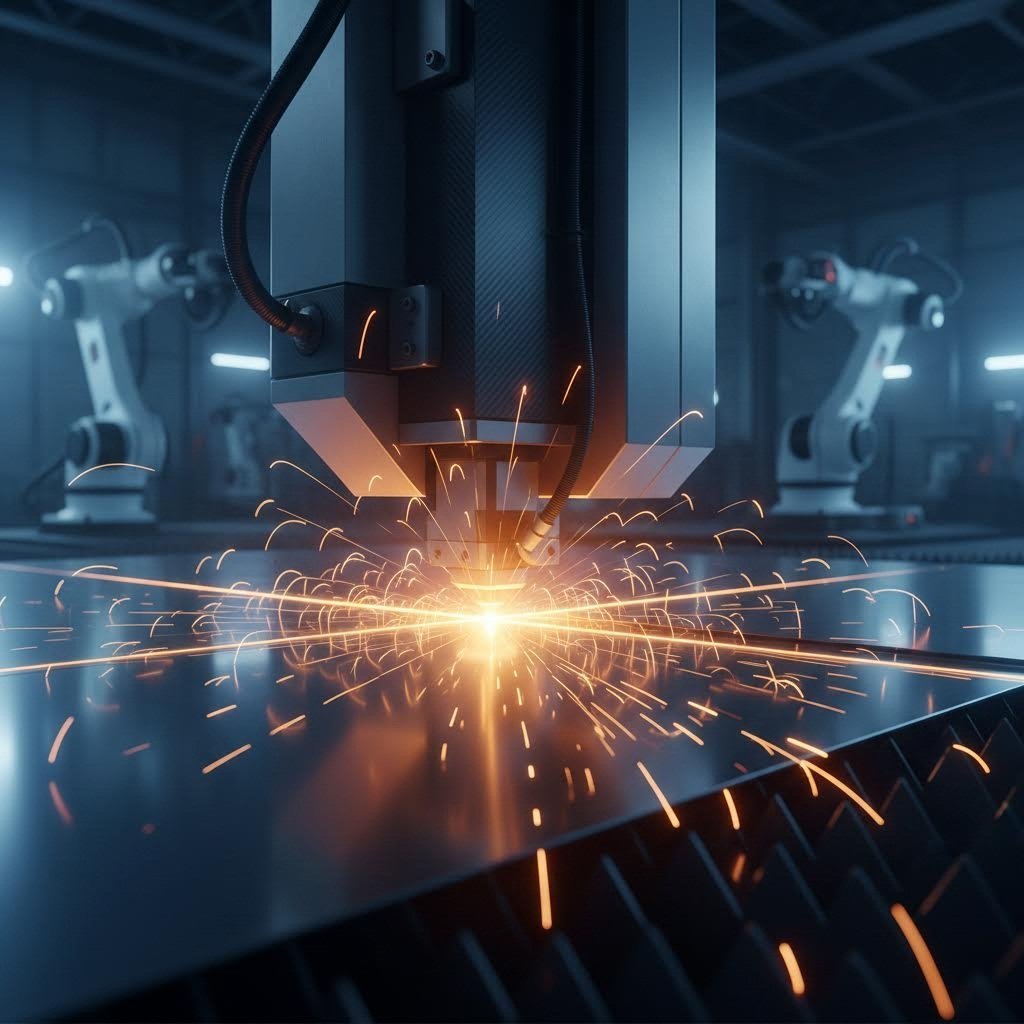
Представете си, че превръщате цифров дизайн в идеално изрязана физическа част, без дори да стъпите във фабрика. Това е силата на поръчването на услуги за лазерна рязка онлайн. Но какво точно е лазерната рязка? По своята същност тази технология използва силно фокусиран лъч светлина, за да разтопява, изгаря или изпарява материали с изключителна прецизност . Резултатът? Чисти ръбове, сложни детайли и повтаряема точност, които традиционните методи за рязане просто не могат да постигнат.
Днес онлайн лазерната рязка е революционирала начина, по който любители, малки предприятия и професионални инженери получават достъп до производство от индустриално ниво. Вече няма нужда от скъпо оборудване или специализирана подготовка, за да оживеете своите проекти. Просто качете файла си, изберете материала и изчакайте прецизно изрязаните части да пристигнат до вратата ви.
Как фокусираната светлина става прецизно инструмент
Науката зад лазерния резач е изключително интересна и в същото време проста. В резонатора на машината електроните се възбуждат до по-високи енергийни състояния чрез процес, наречен стимулирана емисия. Когато тези електрони се върнат в нормалното си състояние, те излъчват фотони. Тези фотони се отразяват между огледала, създавайки каскаден ефект, който усилва светлината до когерентен лъч с висока интензивност.
След това лазерният лъч пътува през оптични влакна или серия огледала, докато достигне фокусиращо леща. Лещата концентрира цялата тази енергия в изключително малка точка, понякога с диаметър по-малък от милиметър. В тази фокусна точка температурите стават толкова високи, че могат да разтопят или изпарат почти всеки материал.
Когато лазерът за рязане на метал влезе в контакт, струя от газ под високо налягане – инертен азот или реактивен кислород – издухва разтопения материал от пътя на рязане. Резултатът е чист и прецизен ръб с минимални зони, засегнати от топлина. При неметални материали като дърво или акрил, лазерът по същество изгаря или изпарява материала.
От индустриални подове до Вашия десктопен браузър
Лазерната технология за рязане навремето изискваше огромни капитали и специализирани оператори. Днес онлайн платформи за лазерно рязане напълно демократизираха тази възможност. Тези цифрови услуги се справят с всичко – от генериране на G-code до контрол на качеството, позволявайки Ви да се фокусирате изцяло върху дизайна.
Ето как онлайн услугите за лазерно рязане промениха достъпността:
- Без разходи за оборудване: Пропуснете инвестицията от над 50 000 щатски долара в машинно оборудване
- Без период на обучение: Качете стандартни файлови формати като SVG, DXF или AI
- В момента цитирам: Знайте разходите си предварително, преди да се ангажирате
- Разнообразие от материали: Достъп до метали, пластмаси и специализирани материали
- Професионални резултати: Точност от индустриален клас без индустриални разходи
Дали прототипирате единична скоба или произвеждате стотици персонализирани табели, тези платформи се мащабират, за да отговорят на вашите нужди.
Онлайн лазерно рязане премахва пропастта между въображението и производството, превръщайки всеки с дизайн файл в способен производител.
В това ръководство ще откриете всичко необходимо за успешно поръчване на лазерно изрязани части онлайн. Ще разгледаме разликите между CO2 и влакнести лазерни технологии, за да ви помогнем да разберете коя е най-подходяща за вашите материали. Ще научите кои материали – от мека стомана до екзотични акрили – са съвместими с тези услуги. Най-важното е, че ще прегледаме подготовката на файловете, процеса на поръчване, ценообразуващите фактори и начина за оценка на различните доставчици.
До края ще притежавате знанието уверено да превърнете следващия си дизайн от концепция в реалност, изцяло от вашия уеб браузър.
Обяснение на CO2 срещу влакнеста лазерна технология
Някога се чудили ли сте защо някои онлайн услуги препоръчват различни типове лазери за различни материали? Отговорът се крие във физиката на дължината на вълната и начина, по който материалите абсорбират светлинната енергия. Разбирането на разликата между CO2 и влакнестите лазери ви помага да вземате по-обмислени решения при поръчване на онлайн лазерна рязка, осигурявайки оптимални резултати за вашия конкретен проект.
Представете си това по следния начин: изборът на погрешна лазерна технология е като използване на маслен нож за нарязване на стек. Може евентуално да проработи, но няма да получите чисти резултати. Нека разгледаме какво отличава всяка технология.
CO2 лазери за органични материали и пластмаси
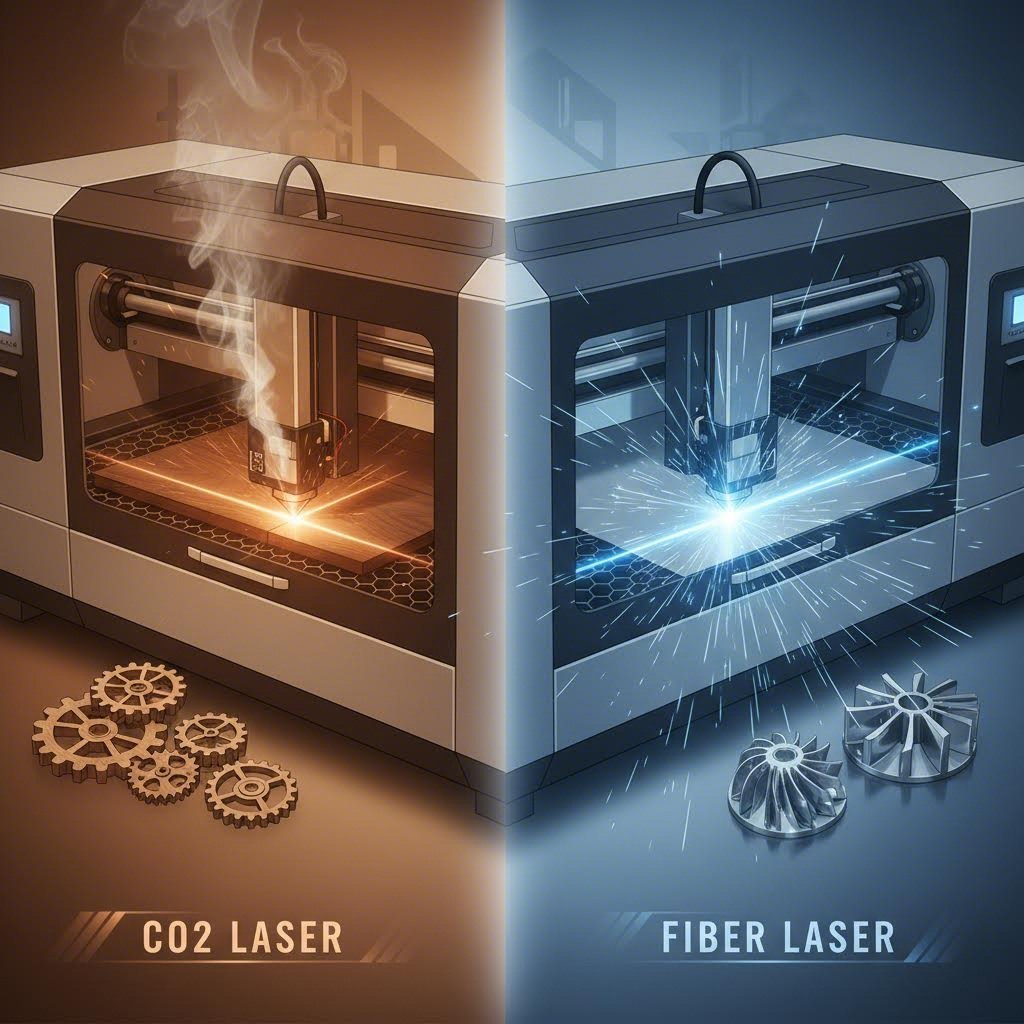
CO2 лазерите работят на дължина на вълната от 10,6 микрометра, която органичните материали абсорбират изключително добре. Това ги прави най-подходящите лазери за рязане на дърво, акрил, кожа, плат и хартия. Когато тази по-дълга вълна достигне до тези материали, те ефективно преобразуват светлинната енергия в топлина, което води до чисто изпарение с минимално овъгливане.
Ето какво обработва перфектно технологията с CO2:
- Дърво и фанера: Гладки, леко карамелизовани ръбове
- Акрил (PMMA): Полирани с пламък, стъкленоподобни повърхности на реза
- Кожа и плат: Запечатани ръбове, които не се изтриват
- Хартия и картон: Сложни детайли без разкъсване
- Гума и корк: Чисти контури за уплътнения и декоративни предмети
Докато CO2 лазерна машина за рязане на метал съществуват, но тези системи имат затруднения с отразяващи метали. По-дългата вълнова дължина се отразява от повърхности като алуминий и мед, вместо да бъде погълната. За по-дебели стоманени плочи над 20 мм обаче CO2 лазерите все още осигуряват отличено качество на ръба, необходимо за някои приложения.
Ефективността е основният недостатък на CO2. Според анализ на технологиите на Xometry, тези системи преобразуват само 5-10% от електрическия вход в лазерна енергия. Останалата част от енергията се превръща в топлина, което изисква значителна инфраструктура за охлаждане.
Фибролазери за прецизна обработка на метали
Фибролазерите излъчват на дължина на вълната от 1,064 микрометра, което е приблизително десет пъти по-малко в сравнение с CO2 лазерите. Тази по-къса дължина на вълната прониква ефективно в металите, което прави фибровата технология доминираща при рязане на метали с лазер и приложения за лазерно рязане на метал. Физическите принципи благоприятстват металите, тъй като те абсорбират тази дължина на вълната лесно, вместо да я отразяват.
Съвременните услуги за фиброво лазерно рязане предлагат забележителни предимства:
- Скорост: 3–5 пъти по-бързи от CO2 при сравними метални работи
- Ефективност: Над 90% ефективност при включване към мрежата спрямо 5–10% за CO2
- Прецизност: По-тесни ширини на реза и по-малки зони с топлинно въздействие
- Животна продължителност: Приблизително 25 000 работни часа, десет пъти повече от CO2 устройствата
- Отразяващи метали: Реже уверено алуминий, месинг, мед и титан
Пазарът на лазери за машинно рязане рязко се насочи към фиброва технология. Индустриални данни от EVS Metal показва, че влакнестите лазери вече притежават 60% от пазара, като растат с 10,8-12,8% годишно в сравнение със само 3,1-5,4% за CO2 системите.
За лазерно рязане и гравиране на проекти, включващи метали, обикновено влакнестата технология осигурява по-добри резултати. Фокусираният лъч осигурява по-чисти ръбове на неръждаема стомана, въглеродна стомана и алуминиеви листове до 20 мм дебелина.
Сравнение на технологиите в едно галено
Изборът на най-подходящия лазер за рязане на вашия конкретен проект зависи от типа материал, дебелината и изискванията за качество. Това сравнение ви помага да разберете какво да очаквате от всяка технология:
| Характеристика | Лазер CO2 | Оптичен лазер |
|---|---|---|
| Най-добри материали | Дърво, акрил, кожа, плат, хартия, гума, пластмаси | Челник, неръждаема стомана, алуминий, мед, месинг, титан |
| Дължина на вълната | 10,6 микрометра | 1,064 микрометра |
| Типичен диапазон на толщината | До 25 мм (органични материали); 10-25 мм+ (дебели стоманени плочи) | оптимално от 0,5 мм до 20 мм; до 100 мм с високомощни системи |
| Качество на ръба | Отлично при органични материали; добро при дебели метали | Превъзходно при тънки-средни метали; прецизност с пламенно полирани ръбове |
| Скорост на рязане | Умерено; отличава се при неметали | 3-5 пъти по-бързо при метали; до 100 метра в минута при тънки материали |
| Енергийна ефективност | 5-10% | Над 90% |
| Експloatационни разходи | По-високо ($12-13/час енергия) | По-ниско ($3,50-4/час енергия) |
| Живот на оборудването | ~2500 работни часа | ~25 000 работни часа |
Кога да изберете всяка технология
Изискванията за вашия проект определят най-подходящия технологичен избор. Ето бърза рамка за вземане на решение:
Изберете CO2 лазерни услуги, когато:
- Работа с дърво, акрил, кожа или плат
- Рязане на дебели стоманени плочи над 25 мм, където качеството на ръба е от първостепенно значение
- Обработка на смесени органични материали в един и същи процес
- Ограничения в бюджета благоприятстват по-ниски разходи за оборудване спрямо експлоатационната ефективност
Изберете услуги за рязане с влакнест лазер, когато:
- Режете всеки метал с дебелина под 20 мм
- Работите с отразяващи метали като алуминий, месинг или мед
- Скоростта и обемът на производството са приоритет
- Строгите допуски и минималните зони с топлинно въздействие са от решаващо значение
Повечето онлайн услуги автоматично избират подходящата технология въз основа на вашия избор на материал. Въпреки това, разбирането на тези различия ви помага ефективно да комуникирате с доставчиците и да задавате реалистични очаквания относно качеството на ръба, времето за изпълнение и ценообразуването.
Сега, след като разбирате технологията зад рязането, нека разгледаме пълния диапазон от материали, които тези системи могат да обработват, и какви характеристики да очаквате от всеки субстрат.
Материали, които можете да режете с лазер чрез онлайн услуги
Чудите се кои материали са подходящи за лазерна рязка онлайн? Отговорът може да ви изненада. От алуминий с клас на аерокосмическата индустрия до декоративен акрил, съвременните услуги за лазерна рязка на метали обработват впечатляващ диапазон от материали. Разбирането на характеристиките на всеки материал ви помага да проектирате по-умно, да предвиждате резултатите и да избягвате скъпоструващи грешки.
Изборът на материал директно влияе на всичко – от качеството на ръба до крайния разход. Нека разгледаме какво е възможно, когато се прилага лазерно рязане на метали, пластмаси, дърво и специални материали чрез професионални услуги.
Метали от мека стомана до екзотични сплави
Лазерната рязка на метали доминира в онлайн производството, и то по добра причина. Съвременните влакнести лазери обработват всичко – от тънки декоративни елементи до конструкционни компоненти – с изключителна прецизност. Според указанията на 247TailorSteel , професионалните услуги спазват допуски съгласно стандарта ISO9013, с типични отклонения ±0,2 мм за материали с дебелина под 3 мм.
Ето какво трябва да знаете за всяка категория метали:
- Конструкционна стомана (0,8-25 мм): Основният материал при лазерната рязка на метални листове. Реже се чисто с помощен газ кислород или азот. Рязката с кислород осигурява по-високи скорости при по-дебели плочи, но образува оксидиран ръб. Азотът дава по-чисти, без оксиди повърхности, идеални за боядисване или заваряване. Чести приложения включват скоби, кутии и конструкционни елементи.
- Неръждаема стомана (0,5-20 мм): Лазерната рязка на неръждаема стомана изисква азот като помощен газ, за да се предотврати оксидацията и да се запази корозионната устойчивост. Материалът се реже малко по-бавно в сравнение с конструкционната стомана, но осигурява изключително високо качество на ръба. Популярна за хранително оборудване, медицински устройства и архитектурни елементи.
- Алуминий (1-10 мм): Отразяващо и топлинно проводимо, алуминият изисква по-висока лазерна мощност и прецизен контрол на параметрите. Когато режете алуминий с лазер, очаквайте малко по-широк разрез в сравнение със стоманата и възможност за образуване на burr от долната страна. Приложенията обхващат електронни кутии до автомобилни компоненти.
- Мед и месинг: Тези отразяващи метали традиционно са били предизвикателство, но съвременните влакнести лазери ги обработват ефективно. Максималните размери на месинг обикновено достигат 1980 мм x 980 мм. Често срещани приложения включват електрически компоненти, декоративни предмети и радиатори.
Според наръчника за материали на Xometry, към металите се прилагат два метода за рязане. Реактивното лазерно рязане използва струя кислород, за да ускори рязането чрез бърза оксидация, което е идеално за дебела стомана и титан. Фузионното рязане използва смеси от азот и аргон, за да издуха разтопения метал, като по този начин се получават по-чисти ръбове при алуминий, неръждаема стомана, мед и никел.
Разбиране на възможностите за дебелина на металите
Производствен лазерен резач за метал, който обработва различни дебелини в зависимост от типа материал. Ето какво да очаквате:
| Материал | Минимална дебелина | Максимална дебелина | Минимален диаметър на отвора (при максимална дебелина) |
|---|---|---|---|
| Стоманения | 0,8 мм | 25 мм | 15мм |
| Неръждаема стомана | 0,5 мм | 20 мм | 5мм |
| Алуминиеви | 1mm | 10mm | 7mm |
| Мед | 1mm | 6 мм | Варира в зависимост от услугата |
Минималните размери на елементите се определят според дебелината на материала. За стомана и неръждаема стомана, ширината на процепите трябва да бъде поне 0,7 пъти дебелината на плочата при дебелини между 2,5–15 мм. При дебелини 20–25 мм, процепите трябва да са равни или по-големи от самата дебелина на материала.
Пластици, дърво и специализирани материали
Освен метали, доставчици на услуги за рязане на акрил обработват разнообразни органични и синтетични материали. CO2 лазерите се представят отлично в този случай, осигурявайки чисти резове с минимална последваща обработка.
Пластици, които се режат перфектно:
- Акрил (PMMA): Най-добре представящият се материал. Рязането с лазер на акрил дава ръбове с пламъчно полирани, стъкленоподобни повърхности, които не изискват допълнителна обработка. Наличен в безброй цветове и дебелини до 25 мм. Идеален за табели, дисплеи и декоративни приложения.
- POM/Делрин (Ацетал): Този инженерен термопластик предлага здравина, устойчивост на химикали и размерна стабилност. Според насоките на Xometry, POM се нарязва много чисто с малка топлинно засегната зона чрез CO2 лазери. Система от 80W нарязва 8 мм Делрин при около 4 мм/с. Незаменим за машинни части, предавки и прецизни компоненти. Важно: рязането изисква подходящо вентилиране поради токсични изпарения.
- Разширена полистиролна пяна и EVA пяна: Изискват много ниска мощност и високи скорости на подаване. Отлични за прототипи на опаковки, косплей реквизити и моделиране. Винаги осигурявайте адекватно вентилиране.
Дървесни и фиброзни материали:
- Фанера: Всички видове фанера могат да се режат с лазер, макар че свързващите смоли отделят токсични газове, изискващи вентилация. Висока мощност и бързи скорости дават най-добри резултати при множество резове, което може да увеличи размера на реза. По-високо налягане на вентилатора осигурява по-чисти резултати.
- MDF (средноплътностна фиберна плоча): Предизвикателство поради висока плътност и лепилно съдържание. Реже бавно с значителни топлинно засегнати зони и по-широко рязане. Очаквайте опалени и оцветени ръбове. 80W лазер реже 10 мм ДСП с около 3,5 мм/с.
- Картон: Ниска цена и лесно за рязане. Използвайте умерена мощност, високи скорости на подаване и ниско налягане на вентилатора, за да се предотврати вдигане. Отлично подхожда за прототипи на опаковки и архитектурни модели.
Как изборът на материал влияе на резултатите ви
Всеки материал реагира по различен начин на лазерната енергия. Разбирането на тези поведения ви помага да проектирате подходящо и да имате реалистични очаквания:
Съображения за качеството на ръба:
- Акрилът осигурява почти оптична прозрачност на ръбовете при рязане
- Стоманата, режеща с азот, показва ярки, без оксидни повърхности
- ДСП и фанерата показват опалване и оцветяване
- Алуминият може да показва лека грапавост, изискваща вторична обработка
Топлинно засегнати зони (HAZ): Областта около резовете изпитва топлинно напрежение. Тънките материали и високите скорости на рязане минимизират зоната с термично въздействие (HAZ). Според 247TailorSteel, малките геометрии и тесните ребра изпитват по-голямо оцветяване, тъй като топлината не може да се отвежда ефективно. При критични приложения може да се наложи да се вземат предвид промените в свойствата на материала в близост до ръбовете на реза.
Изисквания за постобработка:
- Образуването на заостри (буркане) възниква от долната страна на метала и технически е неизбежно. Услуги за скъсяване на ръбове или премахване на заострите решават този проблем
- В зависимост от дебелината и геометрията на материала могат да възникнат лазерни пръски и сажди
- Оцветяванията по металите обикновено изискват шлайфане за премахване
Профессионалните услуги обикновено запазват размерни допуски от ±0,2 mm за тънки материали, които се увеличават до ±0,45 mm за плочи с дебелина 20–25 mm при малки елементи. Тези допуски са съобразени със стандарта ISO9013, което осигурява прогнозируеми резултати за инженерни приложения.
Сега, когато разбирате кои материали работят и какви резултати да очаквате, нека се заемем с често пренебряваното умение за правилното подготвяне на файловете си за успешно лазерно рязане.
Как да подготвите файловете си за лазерно рязане
Звучи сложно? Подготвянето на файловете ви за прецизно лазерно рязане не е задължително да бъде плашещо. Всъщност именно правилното подготвяне на файловете е началото на успешните проекти за лазерна обработка. Разликата между перфектно изрязана детайл и провалена поръчка често се дължи на това колко добре сте подготвили цифровите си файлове преди качването им.
Повечето онлайн услуги приемат разпространени векторни формати, но просто да притежавате подходящия тип файл не е достатъчно. Ще трябва да разберете конфигурациите на линиите, системите за цветово кодиране и ключовите проектни ограничения, които гарантират правилното тълкуване от лазерната CNC машина на вашите намерения. Нека прегледаме всичко, което трябва да знаете.
Подготвяне на векторни файлове, които рязат чисто
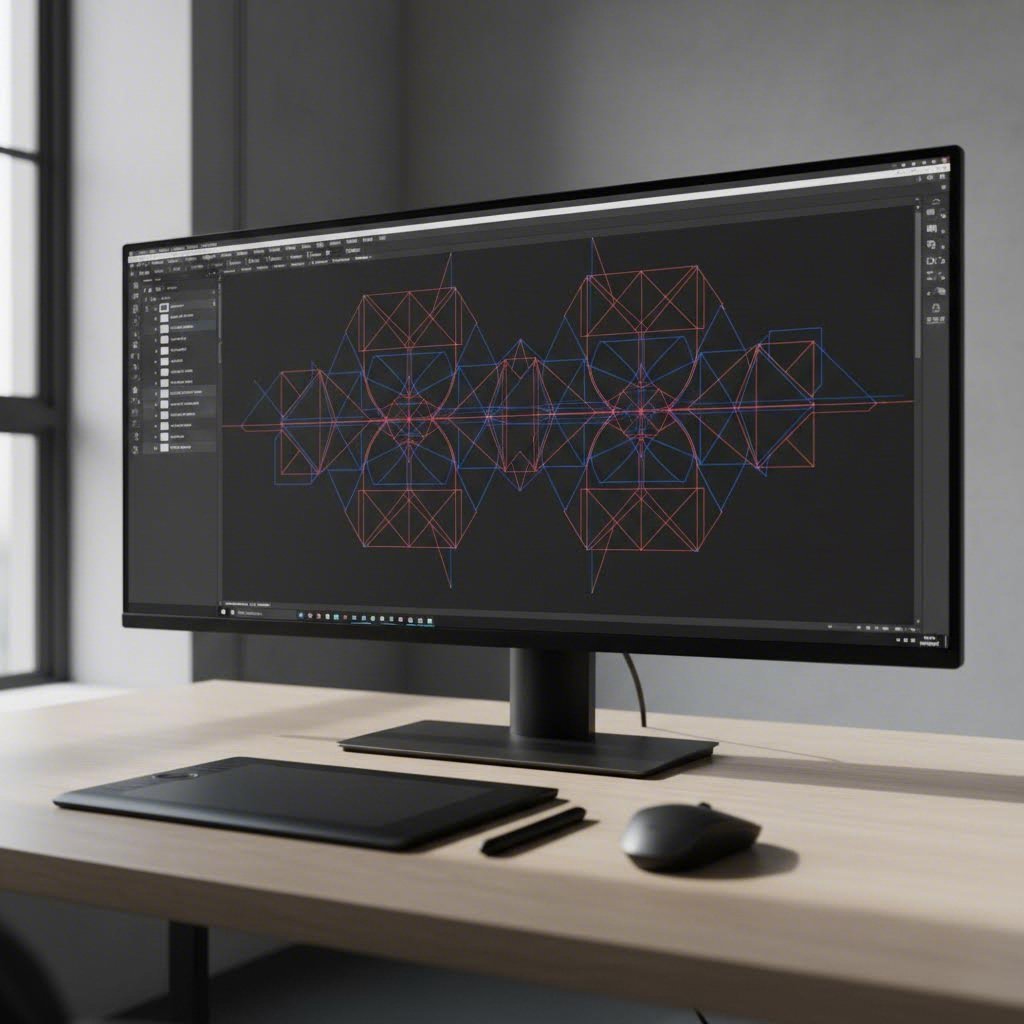
Векторните файлове са основата за успешното изработване на части чрез лазерна рязка. За разлика от растерните изображения, които съдържат пикселни данни, векторите съдържат математически пътища, по които лазерът следва с прецизност. Но не всички векторни файлове са създадени еднакво.
Приети формати на файлове и тяхното най-добро приложение:
- SVG (Scalable Vector Graphics): Идеален както за рязане, така и за гравиране. Най-универсалният съвместим формат в лазерни и CNC платформи. Експортира се чисто от безплатен софтуер като Inkscape.
- DXF (Drawing Exchange Format): Индустриален стандарт за режещи пътища. Предпочитан от професионални услуги, защото съдържа чиста геометрия без вградени стилове или шрифтове, които причиняват грешки при интерпретация.
- AI (Adobe Illustrator): Отличен за професионална дизайн дейност. Уверете се, че сте конвертирали целия текст в контури преди запазване, тъй като шрифтовете може да не се прехвърлят правилно между системи.
- PDF (Portable Document Format): Приемлив, когато съдържа векторно съдържание. Според Ръководството за подготовка на файлове на Craft Closet , винаги проверявайте дали вашият PDF съдържа реални векторни пътища, а не вградени растерни изображения.
При персонализирана лазерна гравюра растерните изображения влизат в уравнението. Когато се използват PNG или JPG файлове за гравирани графики, резолюцията има голямо значение. Целете се към 300+ DPI, за да постигнете ясни и детайлни резултати. По-ниските резолюции водят до размити, пикселенистични гравюри, които разочароват.
Критични изисквания за подготовката на файловете:
- Всички режещи пътища трябва да са затворени и непрекъснати . Отворените линии объркват машината и водят до непълни резове
- Преобразувайте всички текстове в пътища или контури. Замяната на шрифтове причинява катастрофални промени в размера и интервалите
- Премахнете дублиращи се припокриващи се пътища. Удвоените линии означават, че лазерът реже два пъти, което е загуба на време и може потенциално да повреди материала
- Елиминирайте разхвърляни точки и сегменти с нулева дължина, които може да не са видими, но повреждат обработката
Разбиране на цветовото кодиране и типовете линии
Тук нещата стават интересни. Повечето лазерни услуги използват цветови конвенции, за да различават операциите. Въпреки че те могат да бъдат персонализирани, разбирането на стандартната система предотвратява объркване:
| Цвят | Операция | ОПИСАНИЕ |
|---|---|---|
| Червен | Рязан | Пълномощно рязане на материала |
| Син | Оценка | Леко маркиране на повърхността без проникване |
| Черно пълнене | Гравиране | Растерно гравиране на запълнени форми |
Според документацията на Craft Closet тези цветови кодове са стандартни в популярни лазерни софтуери като LightBurn, макар че услугите могат да посочат собствените си конвенции. Винаги проверявайте насоките на доставчика си, преди да финализирате файловете.
Когато организирате сложни файлове с няколко части, използвайте отделни слоеве за всеки тип операция. Това прави дизайна ви по-управляем и помага на услугите да обработят поръчката ви ефективно. Именувайте слоевете описателно: "Cut_Outline", "Score_Folds", "Engrave_Logo".
Правила за дизайн за успешни лазерни части
Освен файла, геометрията на вашия дизайн определя дали частите ще бъдат успешно изрязани. Тези ограничения гарантират точните резултати от вашата лазерна CNC машина:
Минимални размери на елементи:
- Разстоянието между линиите за рязане трябва да бъде поне двойно материалната дебелина . Според Ръководни принципи за дизайн на Eagle Metalcraft , по-малко разстояние причинява деформация, стопяване или случайни мостове
- Минималният диаметър на отворите зависи от дебелината на материала. При стомана отворите трябва да са поне 60% от дебелината на плочата
- Избягвайте елементи, по-малки от дебелината на вашия материал, за да предотвратите изгаряне и деформация
Обяснение на компенсацията на рязането: Лазерният лъч премахва малко количество материал при рязането, обикновено 0,1–0,3 мм, в зависимост от типа лазер и материала. Този „разрез“ означава, че изрязаните части ще бъдат леко по-малки от проекта, докато заобикалящият материал ще има леко по-големи отвори. За прецизни приложения с лазерно рязане коригирайте размерите на проекта си, за да вземете предвид тази загуба на материал.
Поставяне на фиксиращи езици при гнездово нарязване: Когато режете няколко малки парчета от един лист, помислете за добавяне на малки фиксиращи езици. Тези тънки свързващи точки предотвратяват изместването на частите по време на рязане и след това лесно се скъсват. Поставяйте езиците на некритични ръбове, където допустими са малки следи.
Вашият контролен списък за подготвка на файлове
Преди да качите в каквато и да е онлайн услуга, преминете през този систематичен процес на проверка:
- Изберете правилния формат: Експортирайте като SVG или DXF за режещи операции. Използвайте висококачествен PNG (300+ DPI) за гравирани графики
- Преобразувайте всички текстове в пътища: Маркирайте текстовите обекти и използвайте „Създаване на контури“ или „Преобразуване в път“ в софтуера си за дизайн
- Проверете затворените пътища: Увеличете ъглите и крайните точки, за да потвърдите, че всички рязане образуват пълни, затворени форми
- Проверете за припокриващи се линии: Маркирайте всички обекти и потърсете дубликати, които се намират един върху друг
- Приложете правилните цветове: Задайте операции за рязане, надраскване и гравиране, използвайки цветовата конвенция на вашия сервиз
- Задайте платно с действителен размер: Съгласувайте размерите на работното си пространство с крайния размер на детайла, а не с произволен стандартен
- Премахнете скрити обекти: Изтрийте всичко извън работното поле или в скрити слоеве, което би могло да бъде обработено по неочакван начин
- Направете софтуерен преглед: Използвайте предварителния преглед на пътя в приложението си за дизайн, за да проверите последователността и пълнотата на рязането
Чести грешки, които да избягваш
Дори и опитни дизайнери понякога допускат грешки. Обърнете внимание на тези чести грешки при подготовката на файлове:
- Отворени линии за рязане: Машината не може да изреже непълна траектория. Винаги затваряйте формите си
- Грешен файлов формат: Опит за рязане от JPG файл води до непредвидими резултати. Само векторни файлове за операции по рязане
- Гравиране с ниско разделително разстояние: Изображения под 300 DPI водят до размити и разочароващи гравировки
- Забравяне за мащабиране: Размерите на вашия файл трябва да съответстват на желания физически размер на детайла
- Поставяне на отвори твърде близо до огъвания: Ако детайлът ще бъде огънат след рязане, оставете поне 1,5–2 пъти дебелината на материала между отворите и линиите на огъване
Влагането на време за правилна подготовка на файловете спестява раздразнение, материални разходи и закъснения в производството. Повечето прецизни услуги за лазерно рязане предлагат DFM (Design for Manufacturability) обратна връзка, но откриването на проблеми преди качването показва професионализъм и ускорява напредъка на проекта ви.
След като сте подготвили правилно файловете си, сте готови да преминете към самия процес на поръчка. Нека разгледаме какво точно се случва от момента на качване на дизайна до доставката на готовите детайли до вратата ви.
Пълният процес на поръчване онлайн, обяснен
Подготвили сте перфектно файловете си с дизайна. А сега какво? Пътят от цифров файл до физическа част включва оптимизиран поток от работа, който съвременните услуги за лазерна рязка са усъвършенствали почти до съвършенство. Независимо дали търсите услуга за лазерна рязка наблизо или работите с доставчик на национално ниво, процесът следва изключително сходни стъпки.
Разбирането на този работен поток ви помага да си създадете реалистични очаквания и да избегнете изненади. Нека преминем стъпка по стъпка точно през това, което се случва от момента, в който качите файла си, до момента, в който готовите части пристигнат до вратата ви.
От качване до моментно оферта за минути
Процесът на поръчване започва в момента, в който преместите файла си в интерфейса за качване на услугата. Съвременните услуги за лазерна рязка елиминираха многократното изпращане на имейли за оферти, което някога забавяше проекти за дни. Ето типичната последователност, която ще преживеете:
- Качете файла с вашия дизайн: Пуснете SVG, DXF или AI файла в зоната за качване. Системата незабавно анализира геометрията, изчислява пътя на рязане и идентифицира всички възможни проблеми.
- Изберете материал и дебелина: Изберете от наличните материали, вариращи от мека стомана до специални акрили. Опциите за дебелина обикновено са между 0,5 мм и 25 мм, в зависимост от типа материал.
- Посочете количество: Въведете колко копия са ви необходими. Пакетното оценяване често намалява значително цената на бройка.
- Изберете опции за довършителна обработка: Изберете премахване на заострените ръбове, напудряване, поставяне на фурнитура или други вторични операции. Според Fabworks , добавянето на огънати части или фурнитура ще увеличи времето за доставка, затова внимателно преценете тези ефекти.
- Получете незабавно оферта за лазерно рязане: В рамките на секунди ще видите детайлизирано ценообразуване, включващо разходите за материали, време за рязане, довършителни работи и доставка. Много платформи показват предварително изчислени дати за пратка, които се актуализират динамично, докато променяте опциите.
- Прегледайте обратната връзка по DFM: Системата посочва потенциални проблеми с производството, като твърде малки елементи, прекалено тесни разстояния или геометрия, която може да причини затруднения по време на рязане.
Целият процес обикновено отнема само минути. Както един клиент описа своя опит с онлайн услуга: "Набързо направих няколко части в SolidWorks за проекта на сина ми с количката, качих ги, избрах материала и типа обработка. Бърза-пръска!" Тази простота характеризира както съвременните лазерни режещи услуги наблизо, така и на национално равнище.
За проекти, изискващи услуги за лазерно рязане на тръби, процесът е подобен, но включва допълнителни параметри. Ще посочите диаметър на тръбата, дебелина на стената и евентуални вторични операции като изрязване или подготовка на края. Услугите за лазерно рязане на тръби стават все по-достъпни чрез онлайн платформи, макар че наличността се различава според доставчика.
Какво се случва след като кликнете Поръчай
След като одобрите оферта и завършите плащането, вашата поръчка навлиза в производствения ред. Ето какво се случва зад кулисите:
- Потвърждение на поръчка: Получавате незабавно потвърждение по имейл с номер на поръчката и предполагаема дата на доставка.
- Планиране на производството: Вашата задача влиза в опашката въз основа на наличността на материала, график на машината и избрания от вас срок за изпълнение.
- Предварителна подготовка на материал: Техниците зареждат подходящия листов материал на рязещото легло, като проверяват дали типът и дебелината на материала отговарят на вашите спецификации.
- Извършване на рязането: Лазерът следва точните пътища от вашия дизайн. Техници по качеството наблюдават процеса за евентуални аномалии.
- Вторични операции: Ако сте избрали отстраняване на заострените ръбове, огъване или вмъкване на фурнитура, тези стъпки следват след рязането. Според Fabworks: „Поръчването на огънати части извън насоките за огъване потенциално може да задържи цялата поръчка.“
- Контрол на качеството: Готовите части подлежат на проверка на размерите спрямо първоначалните ви спецификации.
- Опаковка: Частите се опаковат, поставят в амбалаж с амортизиращ ефект и се поставят в кутии по подходящ начин. Деликатните артикули получават допълнителна защита, за да се предотврати повреда по време на превоза.
- Доставка и проследяване: Ще получите информация за проследяване, след като поръчката ви напусне обекта.
Реалистични очаквания за времевия график
Времето за изпълнение варира значително в зависимост от няколко фактора. Разбирането им помага да планирате проектите си точно:
| Тип поръчка | Типичен период на изпълнение | Ключови фактори |
|---|---|---|
| Спешно/На следващия ден | 24-72 часа | Прости геометрични форми, често срещани материали, само равни части |
| Стандартно производство | 3-5 работни дни | Най-честият вариант, който осигурява баланс между скорост и цена |
| Сложни поръчки | 5-10 работни дни | Включва огъване, фурнитура или специализирани материали |
| Поръчки в голям обем | 1-2+ седмици | Производствени серии, изискващи продължително време на машината |
Искате по-бързо доставяне? Fabworks предлага няколко стратегии: „Помислете за ръчно огъване при прототипни части и извършете огъването сами. Това потенциално може да намали водещото време с няколко дни.“ По същия начин изборът на „Без отстраняване на заострените ръбове“ ускорява производството, когато напълно гладките ръбове не са от решаващо значение.
Отзивите на клиенти постоянно подчертават скоростта като ключово предимство. Прегледите описват получаване на части „след няколко дни“ с „бърза доставка“ и времена за изпълнение, които надминават очакванията. Един потребител е отбелязал: „Как успяват да бъдат толкова бързи??“. Отговорът се крие в автоматизирани работни процеси, оптимизиран софтуер за разполагане и структурирани производствени процеси.
Контрол на качеството и какво пристига при вас
Производителите на професионални лазерни режещи услуги прилагат множество контролни точки по време на производството. Ето какво можете да очаквате:
По време на производството:
- Наблюдението в реално време открива аномалии при рязането
- Първата статия за инспекция потвърждава размерната точност
- Визуалната проверка засича повърхностни дефекти или замърсяване
Съображения за опаковката:
- Малките части се поставят в торбички заедно или упаковани индивидуално
- Големите плоски части получават картонена защита срещу драскотини
- Крехки или полирани повърхности получават междина от пяна или хартия
- Тежките части използват усилени кутии, за да се предотврати смачкването
Документация, включена с доставката:
- Пратка, посочваща всички артикули и количества
- Сертификати за материали при критични приложения (по заявка)
- Инспекционни отчети за поръчки в аерокосмическата или медицинската индустрия
Опитът, който клиентите описват, говори за надеждността на съвременните услуги. Отзиви като "Страхотен опит, страхотно обслужване на клиенти, превъзходен крайни продукт" и "Много впечатлен от качеството и цената" отразяват какво предлага добре изпълнената онлайн поръчка.
След като процесът на поръчване вече не е загадка, вероятно се чудите за разходите. Нека анализираме какво точно определя цената на лазерната рязка и как да оптимизирате бюджета си, без да жертвате качеството.

Разбиране на ценообразуването и разходните фактори при лазерна рязка
Случвало ли ви се е да получавате оферта за лазерна рязка и да се чудите как са изчислени тези цифри? Не сте сами. Прозрачността на ценообразуването продължава да бъде един от най-досадните аспекти при поръчването на фабрикувани части онлайн. Добрата новина? Когато веднъж разберете основните фактори, които влияят на цената, можете да вземате по-умни проектни решения, които спестяват пари, без да компрометирате качеството.
Дали търсите евтини опции за лазерно рязане или оценявате премиум услуги, същите основни фактори определят какво ще платите. Нека вдигнем завесата върху таксите за лазерно рязане и да ви покажем точно къде отива парите ви.
Какво определя разходите за лазерна рязка
Пет основни фактора заедно определят крайната ви цена. Разбирането на всеки един от тях ви помага да предвидите разходите, преди да качите файловете, и да откриете възможности за икономия.
1. Вид и дебелина на материала
Разходите за материали представляват най-видимата харч. Според анализа на ценообразуването на Komacut, различните материали притежават уникални свойства, които влияят върху скоростта на рязане, енергопотреблението и износването на оборудването. Рязането на неръждаема стомана обикновено изисква повече енергия и време в сравнение с въглеродната стомана, което я прави по-скъпа. Меки или тънки материали обикновено се режат по-бързо и по-евтино.
Цените за лазерна рязка на ламарини се увеличават с дебелината, тъй като по-дебелите материали изискват повече енергия, по-бавни скорости на рязане и по-честа поддръжка на оборудването поради износване.
2. Обща дължина на рязане (периметър)
Лазерът таксува според изминатото разстояние. Прост квадрат има четири прави реза, докато орнаментална декоративна плоча може да има стотици метра път на рязане. Всеки милиметър от периметъра добавя към общото време за рязане и разходите.
3. Брой на изрязванията и проникванията
Всяка дупка, процеп или вътрешен елемент изисква точка на проникване, където лазерът започва рязането. Повече точки на проникване и по-дълги пътища за рязане увеличават както времето, така и потреблението на енергия. Сложни дизайни с много изрязвания изискват по-голяма прецизност при лазерната рязка, което увеличава разходите за труд и оборудване.
4. Поръчано количество
Фиксираните разходи за настройка се разпределят на всички единици. Поръчването на една част означава да поемете цялата такса за настройка самостоятелно. Поръчайте петдесет части, и същата такса се разделя на петдесет. Данни от индустрията потвърждават, че груповото поръчване значително намалява разходите на единица чрез разпределяне на фиксираните разходи и често осигурява отстъпки за материали.
5. Изисквания за време за изпълнение
Спешните поръчки изискват по-високи цени. Услугите трябва да пренаредят графиките на производството, потенциално да изместят други клиенти и да отделят ресурси специално за вашата спешна поръчка. Стандартните срокове предлагат значителни спестявания.
Относителни фактори на разходи в обобщен вид
Това разпределение показва как различните елементи допринасят за крайната ви оферта за лазерна рязка:
| Фактори на цена | Ниво на удара | Какво го контролира | Потенциал за оптимизация |
|---|---|---|---|
| Цена на материала | Високо | Вид на материала, дебелина, размер на листа | Изберете икономически изгодни материали; използвайте стандартни размери на листове |
| Време за рязане | Високо | Дължина на периметъра, сложност, брой пробойни | Опростяване на геометрията; намаляване на ненужните елементи |
| Такси за настройка | Средно | Подготовка на файлове, конфигурация на машината | Поръчайте по-големи количества, за да разпределите разходите |
| Вторични операции | Променлив | Премахване на заострените ръбове, огъване, довършителна обработка | Посочете само задължителните операции |
| Доставка | Ниско-средно | Тегло, размери, скорост | Консолидирайте поръчки; изберете стандартно доставяне |
| Такси за спешна обработка | Висока (когато е приложимо) | Избрано е време за изпълнение | Планирайте напред; използвайте стандартни графици |
Стратегии за оптимизиране на бюджета ви
Умните проектиращи намаляват разходите, без да компрометират функционалността. Ето как да получите повече стойност от всеки похарчен долар за лазерна рязка онлайн:
Максимизиране на използването на материала чрез групиране
Ефективното групиране подрежда детайлите плътно един до друг върху листовете материал, като по този начин се минимизира отпадъкът. Според Komacut това намалява нуждата от суровини и намалява времето за рязане, което води до значителни спестявания. Специализиран софтуер за групиране автоматично оптимизира подредбата, но вие можете да помогнете, като проектирате детайли, които ефективно се допасуват един до друг.
Опростете геометрията си
Всяка крива, ъгъл и детайл добавят време за рязане. Ръководство за намаляване на разходите на Quote Cut Ship препоръчва възможно най-голямо опростяване на сложността:
- Използвайте прави линии вместо сложни криви, когато функционално са еквивалентни
- Намалете излишното детайлиране, което увеличава времето за обработка
- Приложете рязане по обща линия, като подредите детайлите така, че да споделят ръбове на рязане
- Ограничете гравирането и химичното фрезоване, тъй като те отнемат повече време в сравнение с рязането
Избирайте стратегически материали
Не за всяко приложение са необходими висококачествени материали. Меката стомана е по-евтина от неръждаемата стомана или алуминия. Използването на стандартни размери на листове избягва такси за нестандартно рязане. Изберете най-тънкия материал, който отговаря на изискванията ви за якост, тъй като по-дебелите материали се режат по-бавно и струват повече.
Групирайте умно поръчките си
Ако очаквате нужда от допълнителни части, поръчването на по-големи количества наведнъж спестява пари. Освен че разпределяте разходите за настройка, по-големите серии подобряват производствената ефективност, като намаляват простоюването на машините и разходите за труд на единица продукция.
Позволете реалистични срокове за изпълнение
Спешните поръчки могат да удвоят или утроят разходите ви. Планирането напред и приемането на стандартното време за изпълнение поддържат разумни цени. Запазвайте ускорените услуги за истински аварийни случаи.
Обективна оценка на оферти
Когато сравнявате цени от различни доставчици, вижте надолу от крайната сума. Обмислете следните фактори:
- Какво е включено: Включва ли офертата премахване на заострените ръбове или това е допълнително? Предоставят ли се сертификати за материала?
- Спецификации за допуски: По-строги допуски могат да оправдаят по-високи цени при прецизни приложения
- Вторични процеси: Операциите по довършване като фаска, нарязване на резби и покрития увеличават разходите, но може да са задължителни. Според Komacut тези стъпки увеличават сложността и продължителността на производството
- Минимални изисквания за поръчка: Някои услуги имат минимални количества, които влияят на ценообразуването при малки поръчки
- Транспортни разходи: По-ниска цена на детайла няма значение, ако транспортът удвоява общата сума
Поисквайте детайлизирани оферти винаги, когато е възможно. Разбирането точно какво увеличава разходите, ви помага да правите обосновани компромиси между бюджета и изискванията.
Сега, след като разбирате динамиката на ценообразуването, може би се чудите как лазерното рязане се сравнява с алтернативните методи за производство. Нека разгледаме кога тази технология надминава конкуренцията и кога други подходи имат повече смисъл.
Лазерно рязане срещу водна струя CNC и плазмените методи
Чудите се дали лазерът за рязане на метал е наистина най-добрият избор за вашия проект? Това е напълно основателен въпрос. Лазерното рязане доминира в много приложения, но не е универсално по-добро. Водната струя, CNC фрезоването и плазменото рязане всеки поотделно предлагат уникални предимства, които ги правят по-умния избор в определени ситуации.
Разбирането на тези алтернативи ви помага да подбирате технологията според изискванията на проекта, вместо да прокарвате всяка задача през един и същ процес. Нека сравним обективно тези методи за лазерно рязане в индустрията, за да можете да вземате обосновани решения.
Когато лазерното рязане надминава алтернативите
Рязането с лазер се отличава в специфични ситуации, където най-важни са прецизността, скоростта и качеството на ръба. Според анализа на SendCutSend за производствени процеси, лазерното рязане често е най-бързият и най-изгоден вариант за голям брой материали.
Местата, където доминира CNC лазерно рязане:
- Тънки листови материали: При метали под 1/2 инч лазерите режат по-бързо от всеки друг алтернативен метод
- Сложни геометрии: Малки отвори, тесни ъгли и сложни шаблони извличат полза от фокусирания лъч
- Големи серийни обеми: Скорости на рязане до 2500 инча в минута осигуряват максимална производителност
- Изисквания за чист ръб: При повечето приложения е необходимо минимално последващо обработване
- Стеснени допуски: Постига се прецизност от +/- 0,005 инча при подходящи материали
Лазерът за рязане също ефективно се справя с комбинирани операции. Можете да режете, гравирате и маркирате в един-единствен процес, което водна струя и плазма просто не могат да постигнат.
Всеки метод обаче има ограничения. Тестовете на Wurth Machinery показа, че лазерното рязане има затруднения с материали над 1 инч дебелина, където плазмата и водната струя са по-добри. Чувствителни към топлина материали и определени отразяващи метали също представляват предизвикателства.
Разбиране на всеки алтернативен метод
Плазмено рязане наблизо: скорост при дебели плочи
Плазмените резачи използват електрическа дъга и компресиран газ, за да разтопят и издухват проводими метали. Ако режете стоманени плочи от 1/2 инч или по-дебели, плазмата предлага най-добрата скорост и икономическа ефективност. Основните предимства включват:
- Обработва дебели метални плочи до няколко инча
- По-ниски разходи за оборудване и експлоатация в сравнение с лазер или водна струя
- Бързи скорости на рязане при тежки материали
- Работи с всеки проводим метал
Компромисът? Плазмената рязка произвежда по-груби ръбове и по-широк разрез в сравнение с лазерната, което изисква повече последваща обработка за завършени приложения.
Рязане с водна струя: Универсалност без топлина
Водните струи използват вода под високо налягане, смесена с абразив, за да режат практически всичко, без да генерират топлина. Според прогнози от индустрията, пазарът на водни струи се очаква да достигне над 2,39 милиарда щатски долара до 2034 година. Този ръст отразява уникални възможности:
- Реже метали, стъкло, камък, композити и керамика
- Нулева зона с топлинно въздействие запазва свойствата на материала
- Липсва деформация или овлажняване на ръбовете
- Превъзходна отделка при трудни композити като въглеродно влакно и G10
В аерокосмическите приложения се предпочита рязане с водна струя, тъй като правилата често забраняват зони с топлинно въздействие върху самолетни компоненти.
CNC фрезоване: Идеално за дърво и пластмаси
CNC фрезите използват въртящи се режещи инструменти, а не енергийни лъчи. Този механичен подход се представя отлично при:
- Дърво и фанера без изгаряне
- Пластмаси като ABS и HDPE
- Композитни материали, изискващи чисти ръбове
- Части, нуждаещи се от нарязани отвори или конични отвори
Според SendCutSend маршрутизацията осигурява превъзходни повърхностни финишни обработки върху много пластмаси и композити, като запазва допусните на +/- 0,005". Вътрешните ъгли обаче трябва да имат радиус поне 0,063", за да се съобразят с диаметъра на резцата.
Избиране на подходящия метод за рязане за вашия проект
Това всеобхватно сравнение ви помага да съчетаете технологията с изискванията:
| Характеристика | Лазерно рязане | Резане с воден струй | Плазмено рязане | Фрезиране чрез CNC |
|---|---|---|---|---|
| Прецизност на допуските | +/- 0,005" | +/- 0,009" | +/- 0,020" | +/- 0,005" |
| Съвместимост на материалите | Метали, пластмаси, дърво, кожа, акрил | Почти всичко: метали, стъкло, камък, композити | Само проводими метали | Дърво, пластмаси, композити, меки метали |
| Качество на ръба | Отлично; минимална последваща обработка | Много добро; без заострения или шлака | По-грубо; изисква довършване | Добро до отлично при подходящи материали |
| Топлинни ефекти | Малка зона с термично въздействие; може да се минимизира | Липсва; студен процес на рязане | Значително; промени в свойствата на материала | Липсва; механично рязане |
| Ограничения по дебелина | До 1" оптимално; затруднява се при по-голяма дебелина | До 12"+ при някои материали | Няколко инча; отличава се при дебели плочи | Зависи от материала; обикновено под 2" |
| Скорост на рязане | Най-бързо при тънки материали | Най-бавно от всички методи | Най-бърз за дебели метали | Умерен; варира в зависимост от материала |
| Относителна цена | Нисък до среден за подходящите приложения | По-висок; оборудването струва около 195 000 долара | По-нисък; системата струва около 90 000 долара | Среден; добра стойност за подходящи материали |
Рамка за вземане на решение: Коя технология отговаря на вашия проект?
Изберете лазерно рязане, когато:
- Работа с тънки метали под 1/2 инч
- Сложни дизайни изискват висока точност
- Приоритет са скоростта и обемът на производството
- Необходими са смесени операции за рязане и гравиране
- Бюджетните ограничения насърчават икономично обработване
Изберете водно-абразивно рязане, когато:
- Топлинните повреди трябва напълно да се избягват
- Рязане на неметали като стъкло, камък или композити
- Дебелината на материала надхвърля възможностите на лазера
- Регулациите в аерокосмическата или медицинската индустрия забраняват зони с топлинно въздействие
- Работа с трудни за обработка композити като въглеродно влакно или G10
Изберете плазменно рязане, когато:
- Рязане на дебели проводими метали над 1 инч
- Скоростта е по-важна от качеството на ръба
- Бюджетните ограничения предпочитат по-ниски разходи за оборудване
- Планирано е последващо обработване
Изберете CNC фрезоване, когато:
- Работа предимно с дърво или пластмаси
- Частите изискват вторични операции като нарезаване или фаска
- Горенето или топлинните ефекти са неприемливи
- Вътрешните ъгли не могат да вместят лазерната резка
Като Wurth Machinery заключава , много успешни цехове за обработка в крайна сметка включват множество технологии, започвайки с системата, която отговаря на най-често срещаните им проекти. Разбирането на тези компромиси ви поставя в позиция да изберете оптималния метод за всяка отделна задача.
След като е ясно по отношение на избора на технология за рязане, следващата важна стъпка е изборът на доставчик на услуги, който може да осигури професионални резултати. Нека разгледаме как да оценяваме онлайн услуги за лазерно рязане и как да намерим подходящия партньор за вашите проекти.
Как да изберем правилната онлайн услуга за лазерно рязане
Намирането на лазерен резач наблизо преди означаваше прелистване на местни указатели и надежда за най-доброто. Днес безброй онлайн платформи се конкурират за вашия бизнес, като всяка обещава изключително качество и молниеносна доставка. Но как да отделите наистина компетентните доставчици от тези, които обещават повече, отколкото могат да изпълнят?
Изборът на правилната услуга за лазерно рязане наблизо или на национално ниво има директно влияние върху успеха, графиката и бюджета на вашия проект. Лош избор означава загубени материали, пропуснати срокове и досадно преправяне на работа. Правилният партньор става безпроблемно разширение на вашия дизайн процес, превръщайки цифрови файлове в прецизни части, на които можете да се доверите.
Нека разгледаме основните критерии, които отличават изключителните услуги за CNC лазерно рязане от посредствените алтернативи.
Основни критерии за оценка на услугите
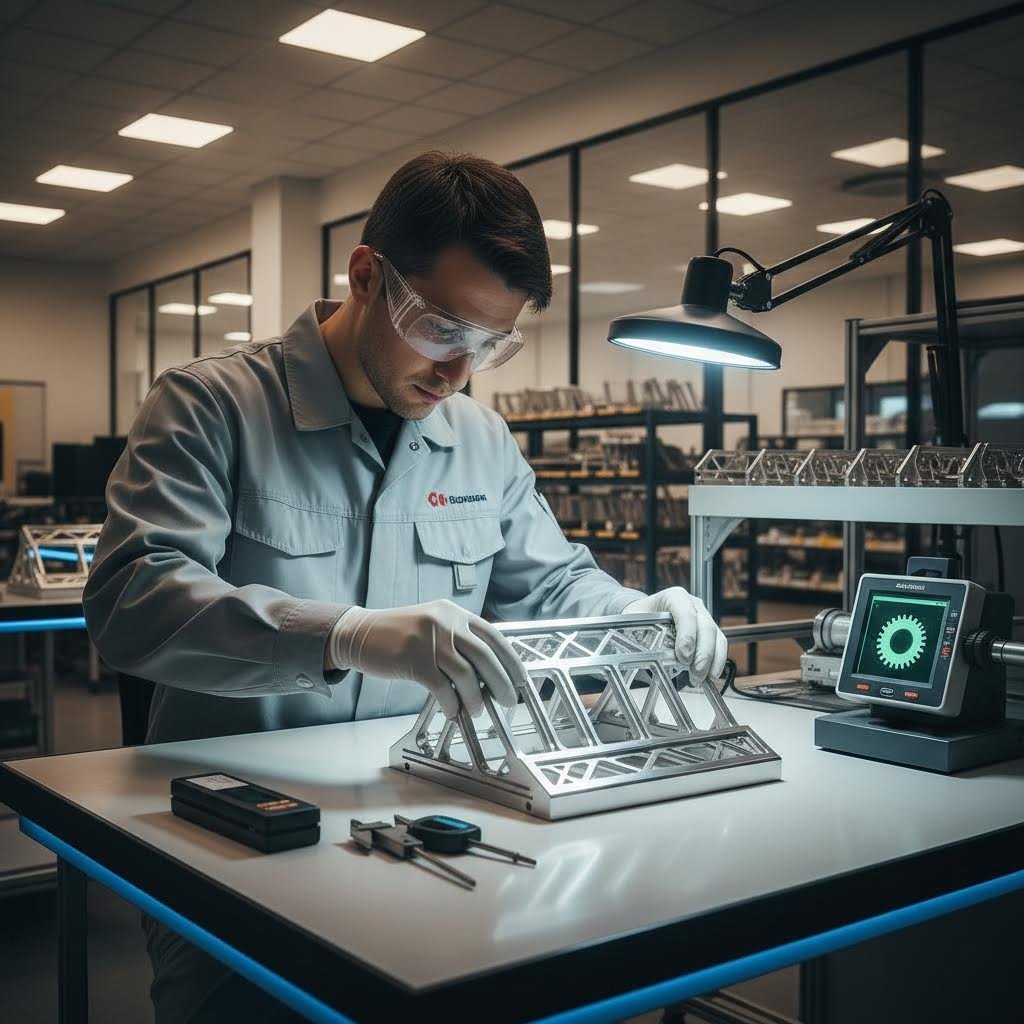
Когато сравнявате услуги за прецизно лазерно рязане, гледайте зад ярките уебсайтове и маркетинговите твърдения. Според Ръководството за оценка на Laser Cutting Shapes , тези основни фактори определят дали доставчикът наистина може да осигури онова, от което се нуждаете:
Възможности и опции за материали
Обработва ли услугата конкретните материали, които ви трябват? Често срещаните опции включват стомана, алуминий, пластмаси, дърво и кожа. Ако имате предвид необичаен субстрат, проверете дали оборудването им може да го обработи. Обърнете специално внимание на ограниченията по дебелина, тъй като някои доставчици имат ограничения въз основа на лазерните си системи. Услугите за лазерна рязка на метали трябва ясно да посочват максимални дебелини за всеки тип материал.
Точност и спецификации за допуски
Профессионалните услуги публикуват постижимите си допуски. Очаквайте спецификации като ±0,15 мм за тънки материали и ±0,45 мм за по-дебели плоскости. Ако доставчик не желае да поеме задължения за конкретни допуски по писмен път, считайте това за предупредителен сигнал. Доставчиците на персонализирани лазерни режещи услуги, обслужващи инженерни приложения, трябва да спазват качествени стандарти, документирани по ISO.
Прозрачност относно времето за изпълнение
Реалните срокове за изпълнение варират в зависимост от сложността, обема и текущата натовареност. Бързото изпълнение често е с по-висока цена. Откритата комуникация относно вашите крайни срокове е задължителна. Търсете доставчици, които показват предварително оценени дати за пратка по време на процеса на офертиране, вместо неясни обещания.
Прозрачно ценообразуване
Получете подробни оферти, в които са посочени всички разходи. Избягвайте услуги, които скриват такси или ви изненадват с допълнителни разходи след началото на производството. Поискайте оферти от няколко доставчика, за да сравните стойността. Помнете, че най-евтиният вариант не винаги е най-добрият, тъй като качеството, опитът и надеждността влияят върху истинската цена на проекта.
DFM поддържа качеството
Обратна връзка за проектиране с оглед на технологичността отличава основните услуги от професионални партньори. Добрият доставчик ще отбележи потенциални проблеми преди започване на рязането, което ще ви спести разходи за материали и закъснения в производството. Търсете платформи, които предлагат автоматизиран анализ на технологичността по време на офертирането, както и човешки експертен капацитет за сложни въпроси.
Бързина на клиентската поддръжка
Колко бързо услугата отговаря на въпроси? Достъпен и общителен доставчик решава проблемите по време на целия процес. Проверете отзивите, за да видите качеството на обслужването им. Ако е възможно, взаимодействайте директно с техния екип преди поръчка, за да прецените готовността им да помогнат.
Вашият контролен списък за оценка на услугата
Използвайте този изчерпателен контролен списък, когато сравнявате местни услуги за лазерна рязка или доставчици на национално ниво:
- Съвместимост на материала: Потвърдете дали обработват конкретните материали и дебелини, които ви трябват
- Публикувани допуски: Проверете дали спецификациите за точност отговарят на вашите изисквания
- Поддържани формати на файлове: Уверете се, че приемат вашите типове дизайн файлове (SVG, DXF, AI, PDF)
- Процес на офертиране: Проверете дали предлагат моментални онлайн оферти с детайлизирано ценообразуване
- DFM обратна връзка: Търсете автоматизиран анализ на възможността за производство и човешка поддръжка
- Опции за обработка: Потвърдете стандартни и ускорени срокове с ясно ценообразуване
- Вторични операции: Проверете наличността на отстраняване на задръжки, огъване, довършителни работи при нужда
- Сертификати за качество: Проверете за ISO, IATF 16949 или отраслово специфични сертификати
- Наличие на пробни образци: Поискайте примери от предишна работа, за да оцените качеството
- Отзиви на клиенти: Прочетете отзиви, фокусирани върху качество, комуникация и надеждност
- Канали за комуникация: Потвърдете телефонна, имейл или чат поддръжка по време на работното време
- Опции за пратка: Проверете използваните превозвачи и възможността за проследяване
Червени флагове и зелени светлини при избор на доставчик
Опитът учи какви предупредителни знаци да се избягват и какви положителни индикатори да се търсят. Ето какво разделя надеждните услуги за лазерна рязка на метал до мен от проблемните алтернативи:
Предупредителни сигнали, на които трябва да обърнете внимание
- Без публикувани допуски: Репутабилните услуги се ангажират с конкретни стандарти за прецизност
- Скрита цена: Неясни оферти, които изискват обаждане по телефона, сочат възможни изненади
- Липса на обратна връзка по DFM: Услуги, които режат слепешката, без да отбелязват проблеми, причиняват скъпоструващи повреди
- Лоша комуникация: Бавни отговори по имейл и незавършени обаждания предсказват производствени проблеми
- Без портфолио или образци: Нежеланието да се показва предишна работа предполага загриженост относно качеството
- Нереалистични обещания: Твърденията за доставка за една нощ при сложни поръчки обикновено разочароват
- Липсващи сертификати: При регулираните индустрии липсата на акредитации води до дисквалификация
Зелени светлини, които повишават доверието
- Моментално онлайн оферти: Прозрачното ценообразуване сочи наличието на установени процеси
- Детайли за спецификациите: Публикуваните толеранси, опции за материали и възможности показват професионализъм
- Пълна подкрепа при проектиране за производството (DFM): Активният обратен контрол за осъществимост предпазва от скъпи грешки
- Потвърдени отзиви на клиенти: Постоянни положителни отзиви в множество платформи
- Посещения на обекта са добре дошли: Готовността да се показват операциите демонстрира увереност
- Бързо реагираща комуникация: Бързи и полезни отговори на технически въпроси
- Индустриални сертификати: Стандартите ISO и специфичните за сектора сертификати потвърждават качеството на системите
Значението на сертификатите за качество
За много приложения сертификатите не са по избор, а задължителни. Разбирането на това какво означават тези удостоверения, Ви помага да оценявате доставчиците адекватно:
ISO 9001: Основният стандарт за управление на качеството. Доказва документирани процеси, непрекъснато подобряване и фокус върху клиента. Повечето професионални услуги поддържат поне този сертификат.
IATF 16949: Специално за приложения в автомобилната верига на доставки. Този строг сертификат осигурява предотвратяване на дефекти, намаляване на вариациите и отпадъците, както и непрекъснато подобряване. За шасита, окачвания и конструкционни компоненти, сертификатът IATF 16949 често е задължителен, а не просто желателен. За приложения в автомобилната индустрия и прецизни метали производители като Shaoyi предлагаме качество, съответстващо на IATF 16949, с бързо прототипиране и изчерпваща поддръжка при проектирането за производство, което е пример какво да търсите при професионална услуга.
AS9100: Управление на качеството в авиационната промишленост. Критично за самолетни компоненти, където безопасността е от първостепенно значение.
ISO 13485: Управление на качеството при медицински устройства. Задължително за части, предназначени за приложение в здравеопазването.
Когато вашето приложение изисква сертифицирано качество, проверете директно документите. Добросъвестните услуги показват сертификационни номера и приемат заявки за проверка.
Оценка на техническите възможности
Освен сертификати, оценявайте реалните производствени възможности чрез следните подходи:
Прегледайте публикуваните спецификации: Подробните машинни спецификации показват прозрачност. Обърнете внимание на мощността на лазера, размерите на платформата, максималната дебелина на материала и постижимите допуски.
Поискайте пробни образци: Поискайте пробни образци, които демонстрират прецизност и качество на ръбовете при материали, подобни на вашите. Това ви позволява физически да оцените възможностите им, преди да се ангажирате.
Започнете с пробна поръчка: Преди да се ангажирате с големи производствени серии, направете малка пробна поръчка. Това ще разкрие реалното качество, комуникацията и времето за изпълнение, без да поемате големи рискове.
Задавайте технически въпроси: Попитайте за компенсация на рязане (kerf), оптимизация на натрупване (nesting) и DFM съображения. Квалифицираните отговори показват опитни специалисти; неясни отговори сочат на неопитност.
Изборът на услуга за персонализирано лазерно рязане е инвестиция в успеха на вашия проект. Влагането на време за внимателна оценка на доставчиците води до ползи като надеждно качество, прогнозируеми срокове и професионална подкрепа, когато възникнат въпроси.
След като сте намерили подходящия партньор, сте готови уверено да стартирате първия си проект. Нека завършим с практически следващи стъпки и конкретни препоръки, адаптирани към вашата конкретна ситуация.
Стартиране на първия ви онлайн проект за лазерно рязане
Успяхте да преминете през основните познания. От разбирането как фокусираната светлина става прецизно режещо устройство до оценката с увереност на доставчиците на услуги, сега притежавате всичко необходимо, за да превърнете своите проекти във физическа реалност. Пътят от концепцията до успешна персонализирана лазерна рязка започва с първата обмислена стъпка.
Нека оформим ясно ключовите решения и да ви предоставим изяснен план за действие напред, независимо дали работите по един уикенд проект или стартирате серийно производство.
Вашият пътен план за проекта по лазерна рязка
Всеки успешен онлайн проект по лазерна рязка следва една и съща основна последователност. Ето вашата рамка за вземане на решения, представена чрез конкретни стъпки:
Избор на технология: Изберете CO2 лазери за дърво, акрил, кожа и органични материали. Изберете услуги с влаконни лазери за метали, включително стомана, алуминий и месинг. Повечето онлайн платформи за лазерна рязка автоматично се справят с това въз основа на вашия избор на материал.
Спецификация на материала: Съгласувайте подложката с изискванията на приложението. Имайте предвид ограниченията за дебелина, очакванията относно качеството на ръбовете и нуждите от по-нататъшна обработка. Имайте предвид, че изборът на материал пряко влияе върху разходите, затова изберете най-тънкия вариант, който отговаря на изискванията ви за якост.
Подготовка на файлове: Експортирайте чисти векторни файлове като SVG или DXF. Преобразувайте всички текстове в пътища. Проверете затворените геометрии и премахнете дублираните линии. Приложете правилното кодиране на цветовете за операциите рязане, начертаване и гравиране.
Оценка на услугата: Потвърдете възможностите за материали, публикуваните допуски, опциите за срокове на изпълнение и сертификатите за качество, преди да направите поръчка. Започнете с малка пробна поръчка, за да се уверите в реалната производителност.
Разликата между успешен проект за лазерно рязане онлайн и разочароващ провал почти винаги се дължи на подготовката. Владейте настройката на файловете, разбирайте материала си и изберете компетентен партньор за услуги — и точните части ще пристигнат точно както са проектирани.
Първи стъпки с увереност
Конкретната ви ситуация определя най-умния подход. Ето персонализирани препоръки, базирани на типа на вашия проект:
За любители, започващи малки проекти:
- Започнете с благосклонни материали като акрил или фанера, които се режат чисто и ясно показват грешките
- Започнете с прости геометрични форми, за да научите работния процес, преди да се захванете с по-сложни дизайни
- Използвайте безплатен софтуер за проектиране като Inkscape, за да създавате векторни файлове без първоначални разходи
- Поръчвайте първоначално малки количества, за да проверите своите дизайни, преди да се ангажирате с по-големи партиди
- Търсете опцията „лазерна рязка наблизо“ или надежден национален сервиз с разумни минимални количества
За инженери, правещи прототипи на части:
- Включете компенсация на реза при критични по точност размери още от самото начало
- Поискайте сертификати за материала, когато имат значение металургичните свойства
- Използвайте обратната връзка от DFM, за да откривате проблеми с производството преди започване на обработката
- Предвидете вторични операции като премахване на заострените ръбове и монтиране на елементи по време на първоначалното планиране
- Създайте взаимоотношения с сертифицирани доставчици, които разбират изискванията за инженерна документация
За предприятия, разширяващи производството:
- Проведете преговори за цени при големи обеми и установете рамкови поръчки за често повтарящи се части
- Проверете дали капацитетът на доставчика може да нараства заедно с вашето развитие, без намаляване на качеството
- Придавайте приоритет на услуги със сертификати за качество, съответстващи на изискванията във вашата индустрия
- Осигурете резервност, като квалифицирате няколко доставчика за критични компоненти
- Проследявайте общата цена на собственост, включително транспорт, вторични операции и дефекти в качеството
За читатели с нужди от автомобилни или прецизни метални щанци, проучването на производители, предлагат 5-дневно бързо прототипиране в комбинация с изчерпваща поддръжка на DFM, значително ускорява разработката на продукти. Бързината на Shaoyi в предоставянето на оферти за 12 часа и сертифицираното по IATF 16949 качество представляват производствената подкрепа от професионално ниво, необходима за изискващи приложения.
Пазарът на онлайн услуги за лазерна рязка продължава да еволюира, като по-бързото изпълнение, по-широк избор от материали и все по-съвършени DFM инструменти стават стандарт. Първият ви проект е началото на възможност, която може да се разшири от единични прототипи до хиляди сериен произведени части.
Качете първия файл. Изберете своя материал. Прегледайте оферта. Кликнете „Поръчай“. В рамките на дни прецизно нарязани части ще пристигнат при вас, точно както са проектирани, произведени с индустриално оборудване, което никога не сте били длъжни да закупувате, управлявано от специалисти, които никога не сте били длъжни да наемате. Това е силата на поръчването на лазерна рязка онлайн – демократизирано производство, намиращо се на върха на пръстите ви.
Често задавани въпроси относно онлайн услуги за лазерна рязка
1. Какви материали могат да се режат с лазер чрез онлайн услуги?
Онлайн услуги за лазерна рязка обработват широк спектър от материали, включително метали (челник, неръждаема стомана, алуминий, мед, месинг), пластмаси (акрил, Делрин), дърво, фанера, МДФ, кожа, плат и хартия. Влакнестите лазери се представят отлично при работа с метали до 20 мм дебелина, докато CO2 лазерите дават най-добри резултати при органични материали и пластмаси. Всеки материал предлага различни характеристики на качеството на ръба и възможности по дебелина, като професионалните услуги поддържат толеранции между ±0,15 мм и ±0,45 мм в зависимост от материала и дебелината.
2. Колко струва услугата за лазерна рязка?
Цените за лазерна рязка зависят от пет основни фактора: вид и дебелина на материала, общата дължина на рязане (периметър), броят на пронизващите точки и изрязваните отвори, поръчаното количество и изискванията за времето за изпълнение. По-дебелите материали се режат по-бавно и струват повече, докато сложните дизайни с комплексна геометрия увеличават времето за рязане. Поръчването на партиди намалява разходите на единица продукт, като разпределя таксите за подготвка. Спешните поръчки имат надценка, затова планирането напред и спазването на стандартните срокове води до значителни спестявания. Поискайте детайлизирани оферти от няколко доставчици, за да сравните обективно предлаганата стойност.
3. Кой файлов формат е най-подходящ за лазерна рязка?
DXF и SVG са предпочитаните векторни формати за лазерна рязка. DXF е индустриален стандарт, който съдържа чиста геометрия без вградени стилове, докато SVG осигурява универсална съвместимост между платформите. AI (Adobe Illustrator) файловете работят добре, когато текстът е преобразуван в контури. За гравиране използвайте PNG или JPG файлове с висока разделителна способност от 300+ DPI. Всички режещи пътища трябва да са затворени и непрекъснати, като се премахнат дублиращи се припокриващи се линии. Повечето услуги използват конвенции за цветово кодиране, при които червеното означава рязане, синьото – скалване, а черното пълнене – гравиране.
4. Колко време отнема онлайн лазерната рязка?
Времето за изпълнение варира в зависимост от сложността на поръчката и избраните опции. Спешни или поръчки за следващия ден за прости равнинни части обикновено се изпращат в рамките на 24–72 часа. Стандартното производство отнема 3–5 работни дни за повечето поръчки. Сложни проекти, изискващи огъване, вмъкване на фурнитура или специални материали, могат да изискват 5–10 работни дни. Големи серийни производства могат да продължат 1–2 или повече седмици. Добавянето на вторични операции като отстраняване на заострените ръбове или огънати части увеличава времето за доставка. Много услуги показват предварително изчислени дати за изпращане по време на процеса на офертиране за точното планиране.
5. Каква е разликата между CO2 и влакнесто лазерно рязане?
CO2 лазерите работят на дължина на вълната от 10,6 микрометра, което ги прави идеални за обработка на органични материали като дърво, акрил, кожа и плат, осигурявайки отлично качество на ръба. Фибропроводните лазери излъчват на 1,064 микрометра и се представят отлично при рязане на метали, включително стомана, алуминий, мед и месинг, със скорост 3-5 пъти по-висока от CO2 при сравними задачи. Фибропроводните лазери предлагат енергийна ефективност над 90%, спрямо 5-10% за CO2 системите, и имат живот от около 25 000 часа в сравнение с 2 500 часа за CO2. Повечето онлайн услуги автоматично избират подходящата технология въз основа на избрания от вас материал.