 Small batches, high standards. Our rapid prototyping service makes validation faster and easier —
  EN
EN


Услуги за CNC онлайн разкрити: Как всъщност се изчисляват разходите
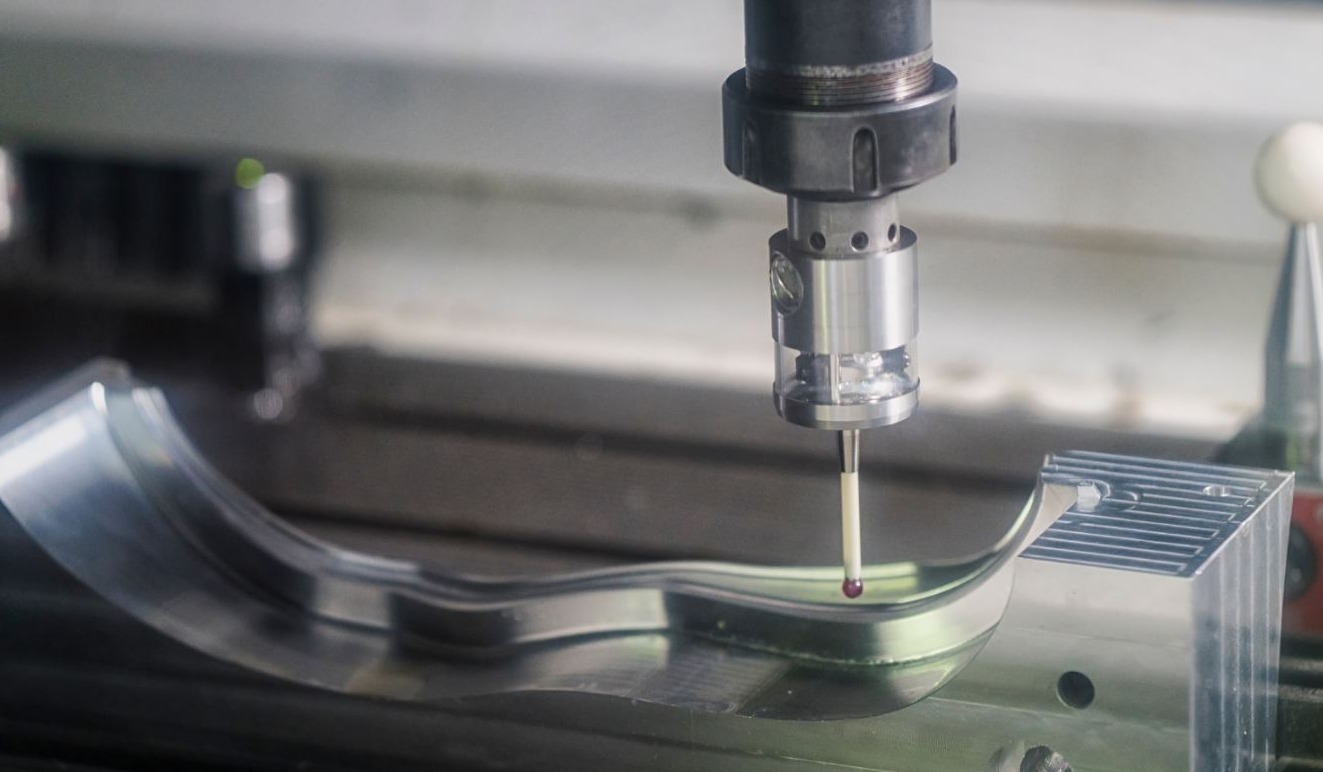
Какво всъщност означават онлайн CNC услугите за съвременното производство
Представете си, че имате нужда от персонализиран метален компонент за вашия проект. Преди десет години щяхте да прекарвате дни в обаждания до машинни цехове, да чакате обратни обаждания и да водите преговори за ценовите оферти. Днес? Качвате файл, получавате оферта за цена за минути и получавате прецизно обработени части на вратата си само за няколко дни. Това е реалността на онлайн CNC услугите и те променят начина, по който инженерите, дизайнерите и бизнесът подхождат към персонализираното производство.
В основата си онлайн CNC машинните услуги ви свързват с компютърно контролирано производство чрез цифрови платформи. Тези платформи ви позволяват да изпращате CAD проекти, да получавате мигновени оферти, да избирате материали и допуски и да следите производствения процес от всяко място с достъп до интернет. Целият процес на набавяне, който преди отнемаше седмици, днес се извършва за часове.
От CAD файл до готова част за дни
Процесът е изненадващо прост. Започвате с качването на своя 3D CAD файл в платформа. Напреднали алгоритми анализират геометрията на вашето проектиране, изчисляват сложността на машинната обработка и генерират онлайн цитат за CNC почти незабавно. След като одобрите цитата и изберете спецификациите си, вашето проектиране постъпва в производство в проверено производствено предприятие. След няколко дни вашите прецизни CNC-обработени части пристигат, готови за употреба.
Този оптимизиран работен процес отстранява традиционните задръжки, които са затруднявали персонализираното производство. Според индустриални доклади онлайн CNC платформите решават често срещани проблеми, включително бавното предоставяне на цитати за части, дългите водни времена за прототипиране и нископриоритетното отношение към поръчки с малък обем.
Как дигиталните платформи революционизираха персонализираното производство
Дигиталните платформи фундаментално промениха икономиката на CNC изработката. Преди появата на тези платформи малките поръчки често получаваха малко внимание от традиционните машинни цехове, които се фокусираха върху високотоменна работа. Персонални услуги за CNC обработка бяха скъпи и отнемаха много време за набавяне. Сега цифровите платформи агрегират търсенето на хиляди клиенти, което прави дори поръчките на отделни компоненти икономически оправдани.
Технологичната основа, която осигурява тази трансформация, включва няколко взаимосвързани системи, които работят безупречно заедно:
- Двигатели за мигновено оценяване: Алгоритми, базирани на изкуствен интелект, анализират вашата CAD-геометрия, за да изчислят времето за машинна обработка, изискванията за режещи инструменти и материалните разходи за секунди
- Библиотеки с материали: Изчерпателни бази данни от метали, пластмаси и специални материали с актуални цени и наличност
- Инструменти за избор на допуски: Интерактивни интерфейси, които ви позволяват да зададете изискванията за точност и да видите как те влияят върху цената и времето за изпълнение
- Системи за проследяване на поръчки: Реалновременова прозрачност относно статуса на производството, резултатите от инспекциите и информацията за доставката
Основното, което всеки първи покупател трябва да знае
Ако сте нови в поръчването на CNC резервни части, процесът може да изглежда плашещ. Това не е задължително. Съвременните платформи са проектирани с оглед на първите потребители и предлагат обратна връзка по отношение на дизайна и проверки за технологичност преди да потвърдите поръчката.
Когато качите дизайн, повечето платформи предоставят незабавна обратна връзка по DFM (проектиране за технологичност). Този анализ подчертава потенциални проблеми като твърде тънки стени, твърде дълбоки отвори или елементи, които изискват специални режещи инструменти. Можете да решите тези проблеми още в началото, вместо да ги откривате след започване на производството.
Достъпността се простира далеч зад самото поръчване. Онлайн платформите премахват географските бариери и ви свързват с глобална мрежа от производствени възможности. Независимо дали имате нужда от алуминиеви прототипи или серийни части от неръждаема стомана, тези цифрови пазарни площадки съпоставят вашите изисквания с квалифицирани доставчици, които разполагат с подходящото оборудване и експертиза.
За инженери и дизайнери, които бързат да изпълнят сроковете си, тази достъпност се превръща в реално конкурентно предимство. Можете да набавяте CNC-детайли по-бързо, да извършвате итерации на своите проекти по-бързо и да реагирате на пазарните изисквания, без традиционните забавяния, свързани с лични посещения, телефонни преговори и закупуване чрез документи на хартия.
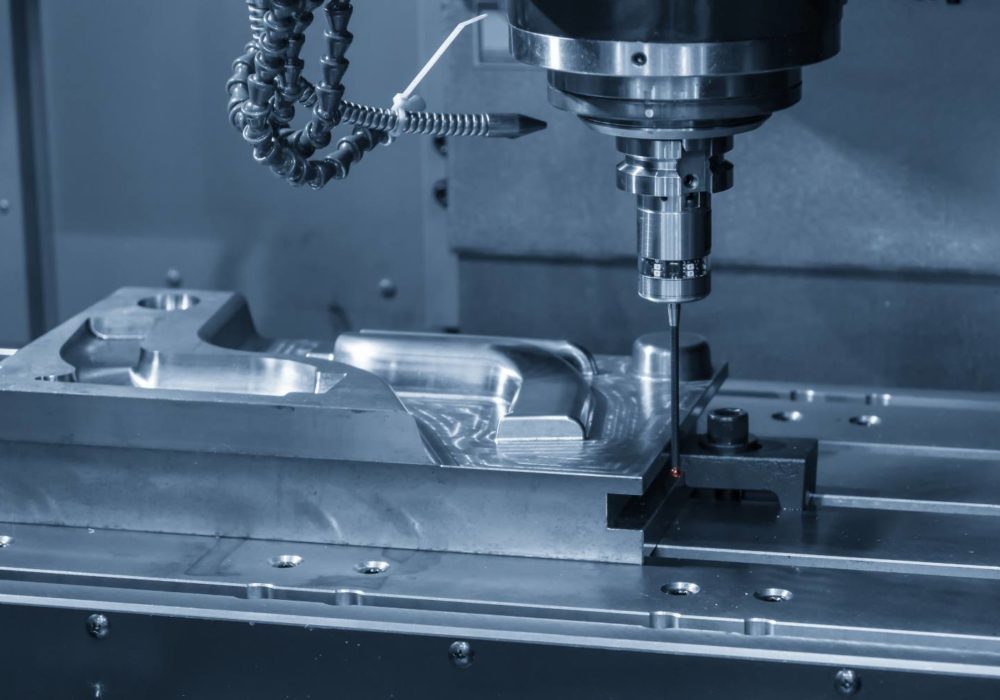
Сравнение на процесите CNC фрезоване, CNC точене и фрезоване с маршрутизиране
И така, вие сте качили своя CAD файл в онлайн платформа . Какво следва? Системата за цитиране трябва да определи кой машинен процес най-добре отговаря на вашия детайл. Разбирането на разликата между CNC фрезоване, CNC точене и маршрутизиране ви помага да проектирате по-умни детайли и да предвидите разходите още преди да получите оферта.
Всеки процес отстранява материала по различен начин, а това фундаментално различие определя какви форми можете да създадете, колко прецизни ще бъдат вашите детайли и, в крайна сметка, каква цена ще платите. Нека подробно обясним точно кога всеки процес е подходящ.
Обяснение на CNC фрезоването за сложни 3D геометрии
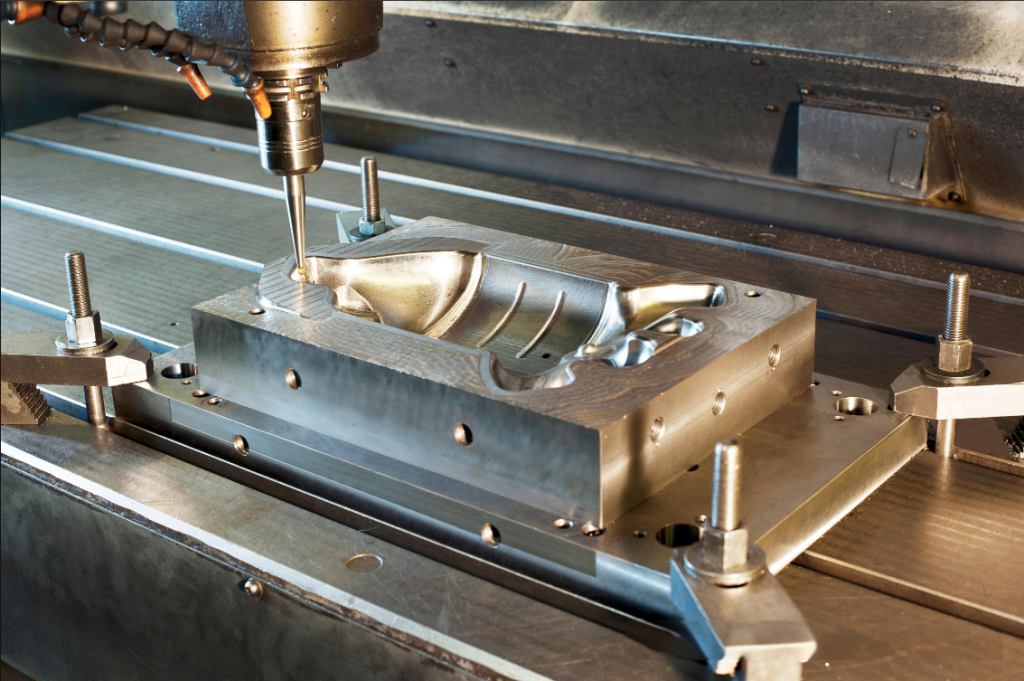
Фрезоването с ЧПУ работи чрез въртене на режещ инструмент срещу неподвижна заготовка. Представете си го като скулптор, който изсича блок мрамор, но вместо чук и резец тук се използва въртящ се инструмент с хиляди оборота в минута, който следва пътища, програмирани от компютър, с точност до микрометри.
Този подход е изключително подходящ за производството на части за фрезоване с ЧПУ със сложни форми: джобове, пази, контури и сложни 3D повърхности. Когато вашата конструкция включва плоски повърхности в комбинация с наклонени елементи, отвори на различни позиции или детайлирани текстури по повърхността, фрезоването обикновено е подходящият отговор. Процесът обхваща всичко – от алуминиеви корпуси до титанови аерокосмически скоби.
Според експертите по производство фрезоването с ЧПУ извършва свредене, фрезоване на пазове, контурно фрезоване и финишно обработване на повърхността в една и съща настройка. Тази универсалност прави фрезоването с ЧПУ предпочитания избор за призматични части с множество функционални елементи.
Обаче фрезоването има компромиси. Кръгли или цилиндрични компоненти се произвеждат по-бавно на фреза, отколкото на токарен стан. Износването на инструментите се ускорява при изпълнение на многосиови резове в по-твърди метали. Освен това сложните части изискват подробно CAM програмиране преди започване на машинната обработка.
Кога CNC токарене е подходящо за цилиндрични части
CNC токаренето променя подхода. Вместо въртящ се инструмент да реже неподвижна част, заготовката се върти, докато неподвижен инструмент оформя повърхността. Представете си гончарско колело, но направено от стомана и управлявано от прецизни сервомотори.
Това прави CNC токарните услуги идеални за симетрични, цилиндрични компоненти. Валове, бушони, пръстени, фланци и резбовани пръти се произвеждат по-бързо и по-евтини на токарен стан, отколкото на фреза. Ако вашата част изглежда така, сякаш може да се търкулне по масата, токаренето вероятно е най-ефективният ви вариант.
Анализът на отрасъла потвърждава, че токарните центрове са по-евтини и по-бързи за масово производство на цилиндрични детайли. Този процес по своята същност създава гладки и равномерни повърхности около централната ос, което го прави идеален за компоненти, изискващи ротационна симетрия.
Каква е ограничението? ЧПУ токарната обработка има затруднения при обработката на плоски повърхности, ъглови елементи или неправилни форми. Ако вашето детайло изисква джобове, пази или елементи, разположени извън централната ос, ще се наложи да използвате фрезовни операции — или вместо токарната обработка, или като допълнение към нея.
Разбиране на възможностите на многостранните системи
Тук нещата стават по-интересни за сложните детайли. Броят на осите, по които може да се движи ЧПУ режещият инструмент, определя геометричните форми, които могат да бъдат постигнати без пренареждане на заготовката.
обработка с 3 оси: Инструментът се движи в три линейни посоки: X, Y и Z. Заготовката остава неподвижна. Това позволява ефективно обработване на повечето 2D и 2,5D геометрии, включително плоски повърхности, джобове и отвори, перпендикулярни на горната повърхност. Всеки отделен страна на вашето детайло обаче изисква самостоятелна настройка, което добавя време и разходи.
обработка с 4 оси: Добавя въртене около оста X (наречена ос A). Сега вашата детайл може да се върти, докато работи CNC-фрезовата машина, което позволява достъп до множество страни без необходимост от повторно закрепване. Това значително намалява времето за подготвка на детайли с елементи по няколко повърхности. както отбелязват специалистите по машинна обработка , елиминирането на промяната на приспособленията също елиминира човешката грешка и осигурява по-строги допуски между елементите по различни повърхности.
обработка с 5 оси: Режещият инструмент или работната маса могат да се накланят и въртят в още две допълнителни посоки, което осигурява достъп до практически всеки ъгъл по заготовката. Услугите за 5-осова CNC-обработка обработват най-сложните геометрии: турбинни лопатки, работни колела, аерокосмически структурни компоненти и органични скулптурни форми. Инструментът може да поддържа оптимални режещи ъгли по цялата дължина на сложните контури, което подобрява качеството на повърхността и удължава срока на служба на инструмента.
Компромисът при използването на 5-осева обработка е цената. Машините са скъпи, програмирането е сложно, а за тяхното управление са необходими квалифицирани оператори. За прости детайли 3-осевата фрезова обработка дава същия резултат, но при значително по-ниска цена. Умните проектиращи специалисти подбират степента на сложност според действителните изисквания, а не я надценяват.
Сравнение на процесите в един поглед
Когато решавате кой технологичен процес най-добре отговаря на вашия проект, тази сравнителна таблица ви помага да съпоставите характеристиките на детайла с подходящия метод за машинна обработка:
| Вид процес | Най-добри приложения | Типични допуски | Степен на сложност на детайла | Относителна цена |
|---|---|---|---|---|
| Фрезоване с ЧПУ (3-осово) | Равни повърхности, джобове, отвори, основни 3D-контури | ±0,005" (±0,127 мм) | Нисък до среден | $ |
| ЧПУ фрезова обработка (4-осева) | Многостранични детайли, наклонени елементи, спираловидни шарки | ±0,003" (±0,076 мм) | Средно до високо | $$ |
| CNC фрезоване (5-осово) | Сложни 3D-повърхности, подрязвания, компоненти за авиационната и космическата индустрия | ±0,001" (±0,025 мм) | Високо до много високо | $$$ |
| CNC Турнинг | Валове, втулки, пръстени, резбовани компоненти | ±0,002" (±0,051 мм) | Ниско (само цилиндрични) | $ |
| Фрезиране чрез CNC | Дърво, пластмаси, пяна, меки метали, големи плочи | ±0,010" (±0,254 мм) | Нисък до среден | $ |
Обърнете внимание как частите, изработени чрез фрезоване с ЧПУ на 5-осни машини, постигат най-строгите допуски, но са с по-висока цена. От друга страна, резането с ЧПУ на фрезерен стан с контролируемо числено управление е по-евтино, но жертва точността, което го прави по-подходящо за табели, компоненти за мебели или прототипи от меки материали, а не за прецизни механични части.
Много онлайн платформи предлагат центрове за фрезоване и точене, които комбинират и двете процеса в една и съща настройка. Тези мултизадачни машини могат да създадат цилиндричен базов елемент чрез точене, след което да превключат към фрезовани операции за добавяне на пази, отвори или равни повърхности, без да се откачва детайлът. За сложни компоненти, изискващи както ротационни, така и призматични характеристики, този хибриден подход често осигурява най-добрия баланс между разходи и точност.
Разбирането на тези различия преди качването на вашето проектно решение ви помага да оптимизирате геометрията за най-ефикасния процес, като намалявате разходите си и съкращавате времето за изпълнение.
Ръководство за избор на материали за ЧПУ-обработени детайли
Избрали сте процеса си за машинна обработка. Сега идва решението, което влияе на всичко — от работоспособността на детайлите до крайната ви фактура: изборът на материал. Изборът на подходящи материали за CNC обработка не е просто въпрос на съответствие с техническите характеристики в техническия документ. Той определя колко бързо могат да бъдат произведени вашите детайли, колко ще платите и дали завършените компоненти ще функционират действително в реалния свят.
Онлайн платформите предлагат десетки възможности — от често срещани алуминиеви сплави до екзотични инженерни пластмаси. Това разнообразие може да изглежда подтискащо. Нека премахнем объркването и да обясним точно кога всеки материал е подходящ.
Алуминиеви сплави за леки и прецизни детайли
Ако сте нов до поръчване на машинно обработени части онлайн започнете с алуминия. Той е най-популярният избор по много основания. Обработката на алуминий е бърза, икономична и толерантна. Материалът се реже чисто, без излишно износване на режещия инструмент, което директно се отразява в по-ниски цитирани цени и по-кратки срокове за изпълнение.
Според експерти в областта на производството алуминиевите сплави притежават отлично съотношение между якост и тегло, висока топлопроводност и електропроводност, както и естествена защита срещу корозия. Те се обработват лесно и са икономични при големи количества, което често ги прави най-икономичния вариант за производство на прототипи.
Но не всички алуминиеви сплави са еднакви. Ето сплавите, с които най-често ще се сблъскате:
- Алуминий 6061: Работната коня на CNC-обработката. Тя предлага балансирана якост, устойчивост към корозия и отлична обработваемост. Изберете я за детайли с общо предназначение, корпуси, скоби и прототипи.
- Алуминий 7075: Когато якостта има по-голямо значение от разходите. Тази авиационна сплав се обработва добре и може да се термообработва, за да се постигне твърдост, сравнима с тази на стоманата. Идеална за конструктивни компоненти, държащи приспособления и приложения с високо натоварване.
- Алуминий 5083: Ваш избор за морски среди. Тя предлага превъзходна устойчивост към корозия от морска вода и се заварява отлично. Перфектна за фурнитура за лодки, съдове под налягане и външно оборудване.
Алуминият също приема анодиране, което създава твърд, защитен повърхностен слой, подобряващ устойчивостта към износ и позволява декоративни цветове. Тази отделка добавя издръжливост, без значително да удължава времето за изпълнение.
Стоманени класове и техните промишлени приложения
Когато вашите компоненти трябва да поемат сериозни натоварвания, да устояват на високи температури или да оцеляват в агресивни химични среди, стоманата става решението. Компромисът? Машинната обработка на неръждаема стомана отнема повече време и е по-скъпа от тази на алуминий. Материалът е по-твърд и изисква по-бавни скорости на подаване и по-чести смяни на режещите инструменти.
Разбирането на категориите стомани ви помага да балансирате производителността спрямо бюджета:
Нержавееща оцел съчетават висока якост с корозионна устойчивост. Степен 304 е най-разпространената и е подходяща за оборудване за преработка на храни, медицински устройства и архитектурни приложения. Степен 316 съдържа молибден, който подобрява устойчивостта към хлориди, което я прави идеална за морски и химически преработвателни среди. Както отбелязват източниците от индустрията, неръждаемата стомана степен 303 предлага превъзходна обработваемост благодарение на добавения сер, което я прави перфектна за високотомна продукция като винтове и фитинги.
Меки стомани като 1018 и 1045 струват по-малко от неръждаемата стомана, но нямат корозионна устойчивост. Те се обработват ефективно и се заваряват лесно, което ги прави подходящи за шаблони, приспособления и компоненти, които ще бъдат покрити с защитни покрития.
Инструментални стомани като D2 и A2 постигат изключителна твърдост след термична обработка. Те са устойчиви на износване и запазват остротата си при високи температури. Често срещани приложения включват матрици, печати и режещи инструменти.
Приложенията на бронзовите сплави при CNC обработка заслужават споменаване заедно със стоманата. Бронзови сплави като C36000 предлага отлична обработваемост, ниско триене и естествена корозионна устойчивост. Те се предпочитат за лагери, втулки и морски фурнитури, където метали ще влизат в контакт помежду си или ще работят в среда с морска вода.
Инженерни пластмаси за специализирани изисквания
Металите не винаги са решението. Когато имате нужда от електрическа изолация, химическа устойчивост, лека конструкция или съответствие с изискванията на FDA, инженерните пластмаси осигуряват свойства, които металите просто не могат да осигурят.
Материалът делрин (технически наречен POM или полиоксиметилен) се отличава като най-обработваемата пластмаса, налична на пазара. Според специалистите по материали POM предлага висока прецизност, висока твърдост, ниско триене, отлично размерно постоянство при високи температури и много ниско абсорбиране на вода. Той често е най-добрата избор, когато се извършва машинна обработка на пластмасови части, които изискват строги допуски.
Машинната обработка на нейлон произвежда издръжливи, устойчиви на износване части със самосмазващи свойства. Нейлонът за машинна обработка включва зъбни колела, лагери и плъзгащи се компоненти, където метал-метален контакт би предизвикал износване. Материалът абсорбира влага, затова това трябва да се има предвид при влажни среди или приложения, при които има контакт с вода.
Други пластмаси, които е полезно да познавате:
- ABS: Икономичен и с добра устойчивост на ударни натоварвания. Отличен за прототипи преди инжекционно формоване.
- Поликарбонат: Оптична прозрачност с изключителна здравина. Използва се за защитни огради на машини, лещи и прозрачни корпуси.
- PEEK: Премиум вариант. Устойчив на температури до 260 °C, устойчив почти на всички химикали и биосъвместим за медицински приложения. Очаквайте премиални цени.
- PTFE (Teflon): Най-ниският коефициент на триене сред всички твърди материали. Идеален за уплътнения, прокладки и плъзгащи се повърхности.
Сравнение на материали в общи линии
Когато оценявате възможните варианти за вашия проект, тази сравнителна таблица ви помага бързо да идентифицирате материали, отговарящи на вашите изисквания:
| Тип материал | Основни характеристики | Оценка за обработваемост | Типични приложения | Относително ниво на цена |
|---|---|---|---|---|
| Алуминий 6061 | Лек, корозионноустойчив, добре издръжлив | Отлично | Корпуси, скоби, прототипи | $ |
| Алуминий 7075 | Висока якост, устойчивост на умора, термообработваеми | Добро | Аерокосмическа, структурна и фиксираща техника | $$ |
| Стъкани от стомана | Устойчив на корозия, издръжлив и заварим | Умерен | Медицински, хранително-вкусова промишленост, архитектурни | $$ |
| Неръжавеща стомана 316 | Превъзходна химическа устойчивост, морска класа | Умерен | Морска, химическа обработка, фармацевтика | $$$ |
| Бронз C36000 | Ниско триене, корозионноустойчив, антимикробен | Отлично | Лагери, втулки, морска арматура | $$ |
| POM (Delrin) | Висока твърдост, ниско триене, размерно стабилни | Отлично | Прецисионни зъбчати колела, лагери, изолатори | $ |
| Найлон 6/6 | Издръжлив, устойчив на износване, самосмазващ | Добро | Зъбчати колела, лагери, конструктивни компоненти | $ |
| ПЕЕК | Устойчив на високи температури, химически устойчив, биосъвместим | Добро | Аерокосмическа, медицинска, полупроводникова | $$$$ |
Как изборът на материал влияе върху разходите и времето за доставка
Изборът ви на материал директно влияе върху две неща, които купувачите ценят най-много: цена и скорост на доставка.
По-твърдите материали изискват по-бавни скорости на рязане, по-чести смяни на режещия инструмент и понякога специализиран инструмент. Машинната обработка на неръждаема стомана обикновено струва 2–3 пъти повече от еквивалентни части от алуминий. Екзотичните сплави като титан или Инконел увеличават тази разлика още повече.
Времето за изпълнение следва подобни закономерности. Части от алуминий често се изпращат за дни, тъй като материала се обработва бързо и повечето цехове имат на склад често използваните сплави. Специалните материали може да изискват поръчка от доставчиците, което добавя дни преди самата машинна обработка да започне.
Имайте предвид следните фактори при избора на материали:
- Изисквания за якост: Не изисквайте прекалено високи спецификации. Ако алуминият отговаря на вашите структурни изисквания, използването на неръждаема стомана просто пропилява пари.
- Корозионна устойчивост: Подберете материала според работната си среда. Компонентите за вътрешно използване рядко имат нужда от морски сплави.
- Ограничения по тегло: Теглото на алуминия е приблизително една трета от теглото на стоманата. При преносими или подвижни компоненти тази разлика има значение.
- Топлинни свойства: Топлоотводите изискват алуминий или мед за добра топлопроводност. Изолаторите изискват пластмаси или керамика.
Умната подбор на материали балансира изискванията към производителността срещу разходите и достъпността. Когато няколко материала могат да се използват, този, който се обработва по-бързо, почти винаги осигурява по-добра стойност. Разбирането на тези взаимовръзки преди заявката за оферта ви помага да вземете обосновани решения, които гарантират изпълнението на проекта ви навреме и в рамките на бюджета.
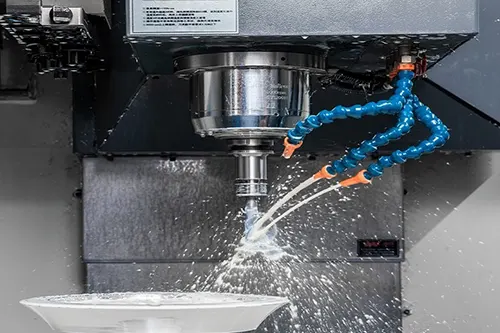
Поетапно ръководство за поръчване на CNC детайли онлайн
Избрали сте материала си и разбирате кой процес за машинна обработка отговаря на вашето проектиране. Сега настъпва моментът на истината: фактическото поръчване. За първопотребители онлайн процесът на поръчване може да изглежда като черна кутия. Какво се случва след като натиснете бутона за качване? Как разберете, че вашият файл е готов? Какво трябва да проверите, преди да потвърдите производството?
Това поетапно ръководство ви води през целия процес – от подготовката на CAD файловете ви до получаването на готовите CNC обработени части у вас. Следвайте тези стъпки и ще избегнете забавянията и отказите, които изнервят новодошлите в областта на прототипната машинна обработка.
Подготовка на вашите CAD файлове за успех
Вашият CAD файл е основата на всичко, което следва. Според експерти в производството cAD файлът не е просто визуално представяне — той е окончателният, математически точен източник на истина, който определя крайната геометрия, допуските и повърхностната обработка на обработения детайл. Всякаква неясност, грешка или липсваща информация ще се пренесе надолу по веригата, което води до дефектни инструментални пътища или детайли, които не изпълняват изискванията за качество.
Преди качване изпълнете този списък за подготвка:
- Проверете дали моделът ви е водонепроницаем: Твърдите модели трябва да са напълно затворени, без никакви разстояния между повърхностите. Отворените ръбове объркват софтуера за цитиране и попречват на генерирането на точни инструментални пътища.
- Проверете единиците и мащаба: Модел, проектиран в инчове, но интерпретиран като милиметри, води до получаване на детайли, които са 25,4 пъти по-малки от предвиденото. Винаги потвърждавайте, че вашият файл се експортира в мащаб 1:1 с правилните единици.
- Премахнете ненужната геометрия: Изтрийте конструкционните линии, референтните равнини и вътрешните елементи на набросъците, които не представляват физически характеристики.
- Определете координатната си система: Подравнете началото на координатната система с логична референтна точка, обикновено долния ъгъл или центъра на вашия детайл. Това помага на производителя да ориентира правилно вашия детайл.
Форматът на файла има значително значение за CNC прототипната обработка. Повечето платформи приемат следните стандартни формати:
- STEP (.step или .stp): Предпочитаният вариант. STEP файловете съдържат точна геометрия и топологична информация, което гарантира точния пренос на вашето проектиране между различните софтуерни системи.
- IGES (.igs или .iges): По-стар стандарт, който работи, но може да внесе грешки в непрекъснатостта на повърхностите при сложни детайли.
- Parasolid (.x_t): Често използван от потребителите на SolidWorks, осигурява надежден пренос на геометрията.
- Родни CAD формати: Някои платформи приемат директно файлове от SolidWorks, Fusion 360 или Inventor, запазвайки интелигентността на функциите.
Избягвайте STL файлове за прецизни задачи. Според отрасловите насоки STL файловете представят геометрията чрез триангулирана мрежа, която приближава повърхностите, а не ги дефинира математически. Това приближение прави STL файловете неподходящи за проекти, изискващи строги допуски или сложни повърхностни завършвания.
Навигация в процеса на цитиране и поръчване
След като сте подготвили вашия файл, процесът на поръчване следва предсказуема последователност. Ето какво точно се случва на всеки етап:
- Качете вашия CAD файл: Навигирайте до инструмента за цитиране на платформата и плъзнете подготвения си файл в портала за качване. Системата автоматично анализира геометрията на вашата част, идентифицира характеристики, изчислява обеми и открива потенциални проблеми с производствената осъществимост.
- Прегледайте обратната връзка по DFM: Повечето платформи предоставят незабавен анализ за проектиране с оглед на производствената осъществимост (DFM). Обърнете внимание на предупрежденията относно тънки стени, дълбоки отвори или характеристики, които изискват специални инструменти. Отстранете тези проблеми преди да продължите напред, за да избегнете изненади по-късно.
- Изберете своя материал: Изберете от библиотеката на платформата за материали. Вашата избрана опция влияе както върху цената, така и върху водещото време, затова балансирайте изискванията за производителност спрямо бюджетните ограничения.
- Укажете допуските: Посочете кои размери изискват строги допуски и кои могат да приемат стандартна точност. Според специалистите по цитиране, най-икономичните общи допуски са около ±0,005 инча (0,125 мм). Затягането им до ±0,001 инча може да увеличи разходите с 50 % до 200 %.
- Изберете повърхностна обработка: Изберете от опциите като обработено по начин, по който е излято, пясъчно-струйно обработено, анодирано или с прахово покритие. Всеки вид повърхностен слой увеличава разходите и времето за производство, но може да е задължителен за вашето приложение.
- Въведете количество: Единичните цени намаляват значително при по-големи количества. Единична детайл може да струва 150 щ.д., докато поръчка от десет броя може да намали цената на единица до 25 щ.д. Винаги проверявайте цените за различни количества.
- Прегледайте и потвърдете вашата оферта: Внимателно проучете подробния разчет. Потвърдете материала, толерансите, изискванията за повърхностния слой и сроковете за доставка, преди да потвърдите поръчката.
За услуги по прототипно фрезоване много платформи предлагат ускорени опции. Оферти в рамките на един ден и бързо изпълнение могат да доставят персонализирани фрезовани детайли при вас в рамките на 24–72 часа, когато графикът изисква това.
Какво се случва след натискане на бутона „Изпрати“
След като потвърдите поръчката си, платформата изпраща вашия файл към производствения процес. Разбирането на този скрит процес ви помага да си поставите реалистични очаквания.
Първо, програмист за CAM преглежда вашето проектно решение и генерира инструментални траектории — точните инструкции, които контролират как режещите инструменти се движат през материала ви. При проекти за прототипиране чрез CNC машинна обработка тази стъпка на програмиране обикновено се извършва в рамките на няколко часа след потвърждение на поръчката.
След това вашата детайл влизат в производствената опашка. Операторът на машината зарежда суровия материал, подготвя приспособленията и стартира програмата. Следва контрол на качеството, при който се проверяват критичните размери спрямо вашите спецификации. Накрая се извършват всички вторични операции, като довършителна обработка или монтиране на компоненти, преди изпращането.
Повечето платформи осигуряват проследяване на поръчките в реално време. Можете да следите кога вашите детайли влизат в процеса на машинна обработка, кога е завършен контролът на качеството и кога са изпратени. Тази прозрачност елиминира несигурността, която правеше традиционното персонализирано производство разочароващо.
Съвети за DFM, които предотвратяват скъпи забавяния
Някои дизайн решения постоянно предизвикват проблеми по време на CNC производство. Следването на тези насоки гарантира, че вашите CNC машинни части ще бъдат изпълними и икономически ефективни:
Минимална дебелина на стената: За метали поддържайте поне 0,5 мм (0,020") дебелина на стената. По-тънките стени се огъват под въздействието на рязането, което води до неточности в размерите и потенциално счупване на инструмента. За пластмасите са необходими дори по-дебели стени — обикновено минимум 1,0 мм — поради по-ниската им твърдост.
Съотношения на дълбочина на отвори: Стандартните свределни глави стават нестабилни при дълбоки отвори. За най-добри резултати задържайте дълбочината на отвора под 4 пъти диаметъра му. Отвор с диаметър 6 мм не бива да надвишава 24 мм дълбочина без специализиран инструмент. По-дълбоките отвори изискват стъпаловидно свредене или цикли на прерязване (pecking), които увеличават времето и разходите.
Радиуси на вътрешни ъгли: Както подчертават ръководствата за машинна обработка, вътрешните ъгли трябва да имат радиус, за да се съобразят с геометрията на режещия инструмент. Минималният вътрешен радиус трябва да е поне 1,2 пъти радиуса на инструмента. Указването на остри вътрешни ъгли принуждава използването на много малки инструменти, които рязат бавно и лесно се чупят.
Спецификации за резба: Стандартните размери на резбата позволяват по-бързо и по-евтинно машинно обработване в сравнение с нестандартни стъпки. Когато е възможно, посочете разпространени форми на резба като UNC, UNF или метрични ISO резби. Включете означенията за резба в чертежа си: M8x1,25, 1/4-20 UNC и др.
Избягване на подрязвания: Елементите, скрити от директния достъп на инструмента, изискват специални инструменти или допълнителни настройки. Конструирайте детайлите така, че всички елементи да са достъпни от основните посоки на машинна обработка. Ако подрязванията са неизбежни, ясно ги посочете в документацията си.
Тези принципи на проектиране за производствена осъществимост (DFM) се прилагат както при поръчване на единичен прототип, така и при мащабиране към серийно производство. Детайлите, проектирани с оглед на производствената осъществимост, получават по-ниски оферти, произвеждат се по-бързо и пристигат с по-малко проблеми с качеството. Отделеното допълнително час време за оптимизиране на проекта често спестява дни производствено време и стотици долари в разходи за машинна обработка.
Разбиране на допустимите отклонения и стандартите за прецизност
Вие сте избрали материала си и сте качили CAD файл. Но тук много първи клиенти се затрудняват: спецификациите за допуски. Кой клас допуски трябва да изберете? Колко строги трябва да бъдат те? И защо тази падаща лента за избор увеличава ценовото предложение с 40 %, когато я промените?
Допуските определят колко много едно обработено по машина измерение може да се отклони от номиналната стойност и все пак да се счита за приемливо. Ако направите грешка в това, ще платите прекалено много за точност, от която нямате нужда, или ще получите части, които не се побират в сборката ви. Нека разясним точно какво означават тези числа за вашия проект и вашата бюджетна рамка.
Стандартни срещу строги допуски — обяснение
Когато поръчвате прецизни машинно обработени части чрез онлайн платформи, обикновено се сблъсквате с класове допуски, базирани на международни стандарти като ISO 2768 и ISO 286. Според индустриалните спецификации ISO 2768 предоставя общи допуски, които се прилагат по подразбиране и намаляват необходимостта от изчисляване на конкретни допуски за всяка характеристика.
Представете си допуските като нива на качество. Стандартните допуски са подходящи за повечето общи приложения, при които части не се нуждаят от съвместяване с микронова прецизност. Тесните допуски стават необходими, когато компонентите трябва да се съчетават точно, да се движат гладко един спрямо друг или да отговарят на строги регулаторни изисквания.
За практически пример: CNC-обработена част с размер 50 мм според класа ISO 2768 Fine позволява отклонение ±0,15 мм. Това изглежда малко, но за корпус на лагер, изискващ точна посадка, може да се наложи използването на ISO 286 клас 7, който намалява този същия размер до приблизително ±0,025 мм — шест пъти по-прецизно.
Връзката между по-тесните допуски и разходите не е линейна. Както обясняват икономистите в областта на производството, преминаването от ±0,05 мм към ±0,02 мм може да увеличи разходите с около 50 %, но по-нататъшното стесняване от ±0,02 мм до ±0,01 мм може да умножи разходите няколко пъти поради скрити технически предизвикателства.
Как точностните изисквания влияят върху вашата оферта
Защо прецизността струва повече? Всеки допълнителен микрон точност изисква по-бавни скорости на рязане, по-стабилни настройки, контролирани по температура среди и сложни инспекционни устройства. Прехвърляте прагове на възможности, при които стандартните процеси вече не са ефективни.
При използване на услуга за прецизно машинно обработване тези фактори увеличават вашите разходи:
- Време за машинна обработка: По-строгите допуски изискват по-бавни подаващи скорости и по-леки резове, което удължава времето за цикъл
- Износване на инструментите: Прецизната обработка изисква по-остри инструменти, които се заменят по-често
- Сложност при настройката: Стабилното фиксиране и термичната стабилизация добавят време за подготовка
- Натоварване от инспекция: Всяка характеристика със строг допуск изисква проверка, често с използване на скъпи координатни измервателни машини (CMM)
- Риск от бракуване: По-строгите спецификации означават, че повече детайли не изпълняват изискванията при инспекцията, което повишава ефективната цена на единица
Спецификациите за повърхностна обработка добавят още един слой разходи. Стойностите Ra измерват средната неравност на повърхността в микрометри. Според експертите по финишна обработка стандартната Ra за машинно обработени детайли е 3,2 μm, но допълнителен финишен резачен ход може да намали Ra до 1,6, 0,8 или 0,4 μm. По-строгите стойности Ra увеличават цената на детайлите, тъй като изискват допълнителни машинни операции и по-строг контрол на качеството.
За CNC фрезовани детайли повърхностната обработка влияе не само върху външния вид. По-ниските стойности Ra намаляват триенето, подобряват уплътнителните повърхности и увеличават устойчивостта към умора. Обаче указването на Ra 0,4 μm, когато Ra 1,6 μm би осигурило напълно идентична функционалност, води до неоправдани разходи без добавена стойност.
Сравнение на класовете допуски
Тази таблица ви помага да съпоставите спецификациите за допуски с вашите реални изисквания:
| Клас на допуснати отклонения | Типичен диапазон | Подходящи приложения | Влияние върху цената | Влияние върху водещото време |
|---|---|---|---|---|
| ISO 2768 Среден | ±0,1 мм до ±0,5 мм | Общи компоненти, корпуси, скоби | Базова линия | Стандартно |
| ISO 2768 Фин | ±0,05 мм до ±0,2 мм | Функционални сглобки, умерени изисквания за прилягане | +10-20% | Стандартно |
| ISO 286 Клас 8 | ±0,02 mm до ±0,04 mm | Прецизни прилягания, корпуси за лагери, плъзгащи се повърхности | +30-50% | +1–2 дни |
| ISO 286 Клас 7 | ±0,01 мм до ±0,025 мм | Сборки с висока прецизност, компоненти на измервателни уреди | +50-100% | +2–3 дни |
| ISO 286 Клас 6 | ±0,006 мм до ±0,019 мм | Авиационно-космическа промишленост, медицински устройства, оптични уреди | +100-200% | +3–5 дни |
Съгласуване на спецификациите за допуски с изискванията на приложението
Различните индустрии изискват различни нива на прецизност въз основа на изискванията за безопасност, производителност и регулаторни изисквания. Разбирането на това къде попада вашето приложение, ви помага да определите подходящите допуски, без да прилагате излишно сложни инженерни решения.
Индустрии с конкретни изисквания към допуските включват:
- Аерокосмическа индустрия: Компонентите, критични за полета, често изискват ISO 286 Клас 6 или по-строги допуски, както и пълна проследимост и документация за инспекция, сертифицирана според AS9100
- Медицински устройства: Имплантите и хирургическите инструменти изискват строги допуски, както и потвърждение на биосъвместимостта и качествени документи, съответстващи на изискванията на FDA
- Автомобилни: Компонентите на силовата трансмисия изискват последователна прецизност при големи обеми, обикновено ISO 286 Клас 7–8, с контрол на статистическия процес
- Електроника: Корпусите на конекторите и топлоотводите изискват умерена прецизност (ISO 2768 Фина), но строг контрол върху повърхностната шерохватост за осигуряване на термичен или електрически контакт
При поръчване на машинно обработени части от проверени онлайн услуги очаквайте документация за осигуряване на качеството, съответстваща на вашите изисквания. Стандартните поръчки обикновено включват отчети за размерна инспекция, потвърждаващи критичните характеристики. Услугите за прецизна машинна обработка за регулирани отрасли предоставят пълни инспекционни пакети с данни от координатно-измервателна машина (CMM), сертификати за материала и документи за проследимост.
Най-скъпата допусната отклонение често е тази, която не добавя функционална полза.
Преди да зададете строги допуснати отклонения за цялата си част, задайте си въпроса: кои размери всъщност имат значение? В един практически пример от изследване в областта на прецизното производство е установено, че европейски доставчик на автомобилна компонентна база е намалил разходите за машинна обработка с приблизително 22 % само чрез ослабване на неточните допуснати отклонения от ±0,01 мм до ±0,03 мм, като е запазил строгите спецификации единствено за функционалните характеристики.
Интелигентната спецификация на допуските означава разбиране къде прецизността добавя стойност и къде просто добавя разходи. Прилагайте тесни допуски за повърхности, които се съчетават помежду си, за посадки на лагери и за характеристики, критични за функционирането. Оставете всичко останало да варира в рамките на стандартните допуски и вашите оферти ще отразяват спестяванията.
Как всъщност се изчисляват разходите за CNC машинна обработка
Някога ли сте получавали оферта от машинно-обработващ цех, която ви е изглеждала невероятно висока — или подозрително ниска — и сте се чудили какви фактори определят тези цифри? Не сте сами. Изчисляването на цените за CNC машинна обработка остава един от най-непрозрачните аспекти на онлайн производството. Макар платформите да ви показват крайната сума, малко от тях обясняват как са стигнали до нея.
Разбирането на истинската структура на разходите зад вашите оферти превръща вас от пасивен покупател в информиран преговарящ. По-важно е, че то разкрива точно къде проектните решения позволяват спестявания без компромиси с качеството. Нека вдигнем завесата над това, което всъщност определя крайната ви фактура.
Действителните фактори, определящи вашата CNC оферта
Когато поискате онлайн оферти за машинна обработка, платформата изпълнява вашето проектно решение чрез алгоритми, които изчисляват разходите по няколко категории. Според анализатори на производствени разходи , основната формула изглежда по следния начин:
Оценена стойност = (Стойност на материала + Стойност на подготвителните операции) + (Време за машинна обработка × Часова тарифа) + Стойност на довършителните операции
Тази формула изглежда проста, но всеки компонент включва множество променливи. Ето какво всъщност влиза във всеки елемент:
- Разходи за материали: Цените на суровите материали се различават значително. Алуминиевата сплав 6061 може да струва 3–5 долара на фунт, докато неръждаемата стомана струва 8–16 долара на фунт. Екзотичните материали като титана се предлагат по премиални цени. Но суровата цена е само част от историята — обработваемостта влияе върху това колко материал се превръща в стружка и колко — в готовата детайл.
- Време за машинна обработка: Това често е най-големият компонент на разходите. Според индустриални данни трисоставните машини обикновено струват 10–20 долара на час, докато петосоставните машини струват 20–40 или повече долара на час. Геометрията на вашата детайл определя коя машина е необходима и колко време ще отнеме обработката.
- Такси за настройка: Всяка поръчка изисква натоварване на материала, монтиране на приспособления, нулиране на инструментите и извършване на пробни резове. Тези фиксирани разходи се разпределят върху количеството на вашата поръчка — един детайл поема цялата стойност на подготвителните работи, докато при 100 детайла тази стойност се разпределя почти равномерно върху всяка единица.
- Фактори за сложност: Сложни конструкции, изискващи множество подготвителни операции, специализирани инструменти или тесни допуски, увеличават времето за обработка на машината. Прости детайли със стандартни характеристики се обработват по-бързо и по-евтини.
- Разходи за довършване: Допълнителните операции след механичната обработка, като анодизиране, напръскване с полимерно покритие, пясъчно обстрелване или термична обработка, добавят трудови разходи, материали и време към вашата оферта.
- Отстъпки за количество: Обемът значително намалява разходите на единица. Увеличаването на размера на партидата от 1 до 5 детайла може да намали разходите за отделен детайл с повече от 50%.
Защо сложността струва повече от материала
Ето нещо, което повечето купувачи пропускат: стойността на метала за суровината често е най-малката част от вашата оферта. Това, което действително увеличава цената на CNC обработката, е сложността — а сложността се крие на места, където може би не я очаквате.
Представете си два алуминиеви компонента с еднаква тегло. Единият е прост правоъгълен блок с няколко отвора. Другият има дълбоки джобове, тънки стени и остри вътрешни ъгли. Стоимостта на материала е еднаква, но времето за машинна обработка може да се различава до 10 пъти. Както обясняват експертите по производство, малките CNC-операции върху сложни елементи изискват по-малки инструменти, които рязат по-бавно и се износват по-бързо.
Конкретни проектирани решения, които увеличават разходите, включват:
- Дълбоки джобове: Изискват специализирани инструменти с дълъг достъп и множество преходи, за да се предотврати отклонението
- Тънки стени: Отклоняват се под действието на режещите сили, което изисква по-леки резове при по-бавни скорости
- Остри вътрешни ъгли: Принуждават използването на много малки фрези, които обработват неефективно
- Стеснени допуски: Изискват по-бавни подавания, по-честа инспекция и по-висок процент брак
- Множествени настройки: Всеки път, когато детайлът се премества, се натрупват разходи за настройка
Според специалисти по набавяне неочаквано високите разходи често се дължат на прекалено строги допуски, недооценка на влиянието на сложността и несъобразяване с принципите на проектиране за производството (DFM) по време на проектирането. Елементите, които изглеждат прости в CAD, понякога се превръщат в часове внимателна CNC-обработка на производствената площадка.
Умни стратегии за оптимизиране на бюджета
Сега – частта с практически насочени препоръки: как да намалите разходите, без да компрометирате необходимата производителност? Тези стратегии директно решават всеки компонент на разходите.
Оптимизирайте избора на материали: Изберете материали, които осигуряват баланс между производителност и обработваемост. Алуминиевата сплав 6061 се обработва приблизително два пъти по-бързо от неръждаемата стомана и е по-евтина на фунт. Освен ако изискванията за корозионна устойчивост или здравина налагат използването на стомана, алуминият предлага по-добра стойност за повечето приложения.
Опростете геометрията, когато е възможно: Закръглете вътрешните ъгли до минимум 1/3 от дълбочината на джоба. Избягвайте стени с дебелина по-малка от 0,5 мм. Ограничете дълбочината на джобовете до 4 пъти широчината им. Всяко опростяване позволява по-бърза рязка с по-големи и по-ефективни инструменти.
Определете подходящите допуски: Както подчертават насоките за намаляване на разходите, определянето на допуските за размерите на компонентите трябва да се извършва внимателно. Избягвайте задаването на допуски за произволни размери и ги указвайте само когато е необходимо. Стандартните допуски от ±0,2 мм или по-големи често са достатъчни за некритични характеристики и значително намаляват разходите за машинна обработка.
Консолидирайте изискванията за повърхностна обработка: Указвайте премиални повърхности само когато това е функционално необходимо. Детайлът, който изисква една анодизирана повърхност и една необработена (както е след машинната обработка) повърхност, струва по-малко от детайл, който изисква пълно анодизиране плюс маскиране.
Поръчвайте стратегически по партиди: Ако предвиждате нужда от повече детайли по-късно, поръчването им сега намалява разходите на единица. Дори увеличението от 1 на 5 бройки рязко намалява разходите чрез разпределяне на началните разходи върху по-голям брой единици.
Проектирайте за минимален брой настройки: Детайлите, които се обработват напълно от една посока, избягват операциите по преобръщане и повторно закрепване, които добавят време и водят до грешки в подравняването. Ако са необходими слепи отвори от двете страни, разгледайте възможността за повторно проектиране, така че всички характеристики да се достигат от една и съща ориентация.
Тези оптимизации се натрупват. Детайл, който е преразработен с по-големи радиуси на ъглите, по-малко строги допуски за некритични параметри и по-умно избран материал, може да бъде цитиран на половината от първоначалната цена, като при това осигурява напълно идентична функционалност. Разбирането на начина, по който се изчисляват разходите, ви дава възможност да правите тези разумни компромиси още преди да сте натиснали бутона за цитиране.
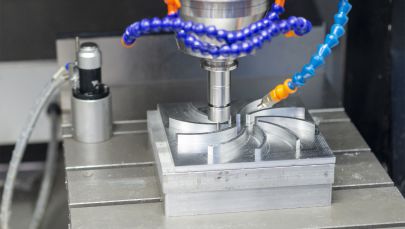
CNC-машинна обработка срещу алтернативни методи за производство
Имате готов за производство дизайн на детайл. Но трябва ли да го обработите на машини, да го отпечатате или да го формовате? Този въпрос затруднява дори опитните инженери, защото отговорът зависи от фактори, които взаимодействат по сложен начин: необходимото количество, изискванията към материала, изискванията към точността и ограниченията по времевия график.
Онлайн платформите все по-често предлагат множество производствени процеси под един покрив. Това удобство е отлично, но също така означава, че трябва да разбирате кога всеки метод е най-ефективен — и кога не отговаря на изискванията. Нека създадем рамка за вземане на решения, която ви помага да изберете подходящия процес за конкретния ви проект, без да губите време или бюджет.
Рамка за вземане на решение: CNC срещу 3D печатане
Фрезоването с ЧПУ и 3D печатът създават персонализирани части от цифрови файлове, но работят по принципно противоположни начини. Прототипирането с ЧПУ премахва материал от цели блокове. 3D печатът изгражда части слой по слой от суров материал. Тази основна разлика определя всички компромиси между двата процеса.
Кога услугата за прототипиране с ЧПУ е по-подходяща?
- Имате нужда от функционални прототипи от производствени материали: Прототипът с ЧПУ използва точно същия алуминий, стомана или инженерен пластмасов материал, който ще се използва за крайния ви продукт. Частите, произведени чрез 3D печат, дори в метал, често имат различни механични свойства в сравнение с техните ковани или лити еквиваленти.
- Важна е прецизността: Металните машини с ЧПУ редовно постигат допуски от ±0,025 мм или по-строги. Повечето технологии за 3D печат имат трудности да постигнат допуск от ±0,1 мм без обемна следваща обработка.
- Повърхностната обработка е от решаващо значение: Повърхностите, получени чрез фрезоване, могат да постигнат стойности Ra под 1,6 μm директно след обработката с инструмента. Частите, произведени чрез 3D печат, показват линии от отделните слоеве и изискват вторична финиш обработка за постигане на гладки повърхности.
- Имате нужда от здравина и издръжливост: Според експерти в производството , фрезоването с ЧПУ е идеално за прецизни работи и по-малки серийни производствени партиди, когато цялостността на материала не може да бъде компрометирана.
Кога печели 3D печатането? Изчисленията се обръщат в следните ситуации:
- Геометрична сложност без допълнителни разходи: Вътрешни канали, решетъчни структури и органични форми, които биха изисквали множество настройки на фрезовъчна машина с ЧПУ, се отпечатват в една единствена операция.
- Алтернативи за бързо прототипиране с ЧПУ за концептуални модели: Когато имате нужда от прототип за проверка на формата утре, а не следващата седмица, 3D печатането осигурява по-бързи резултати за проста верификация.
- Единични персонализирани части: Нулевите разходи за настройка правят печатането икономически изгодно дори за единични екземпляри със сложна геометрия.
- Прототипиране с въглеродно влакно и композитни материали: Специализираните 3D принтери могат да нанасят непрекъснато влакнено подсилене по начини, които машинната обработка не може да възпроизведе.
Изберете CNC, когато прототипът ви трябва да функционира като серийната част. Изберете 3D печат, когато имате нужда бързо да видите и държите дизайна в ръцете си.
Кога инжекционното леене е по-подходящо
Нито CNC машинната обработка, нито 3D печатането са ефикасни за масово производство на пластмасови изделия. Тук настъпва инжекционното леене. Този процес вкарва разтопена пластмаса в прецизни форми и произвежда идентични части за секунди, а не за часове.
Проблемът? Разходите за изработване на формите. Създаването на инжекционни форми изисква значителни първоначални инвестиции — обикновено от 3000 до 100 000 щ.д., в зависимост от сложността — преди да бъде произведена дори една-единствена част. Това прави инжекционното леене икономически оправдано само при обеми, които оправдават тази първоначална разхода.
Според насоките за избор на производствен процес инжекционното леене предлага най-доброто решение за масово производство на пластмасови части с ниска цена на единица. Веднъж амортизирана стойността на формите върху хиляди части, цената на единица спада до няколко цента.
Разгледайте инжекционното леене, когато:
- Обемът на производството ви надхвърля 500–1000 идентични части
- Геометрията на частта остава стабилна и няма да изисква промени в дизайна
- Имате нужда от свойства, специфични за пластмасите, като например гъвкавост, прозрачност или двукомпонентно формоване (overmolding)
- Стоимостта на една единица е по-важна от първоначалните инвестиции
Запазете фрезоването с ЧПУ, когато:
- Обемите остават под няколко стоти части
- Имате нужда от производителност, характерна за метали или инженерни пластмаси
- Дизайнът все още се намира в процес на итерации
- Срокът за изпълнение не позволява 4–8 седмици за изработване на формите
Сравнение на производствените процеси
Това подробно сравнение ви помага да съпоставите изискванията към вашия проект с оптималния метод за производство:
| Процес | Най-добър обемен диапазон | Опции за материали | Типични допуски | Време за изпълнение | Структура на разходите |
|---|---|---|---|---|---|
| CNC обработка | 1–500 части | Всички метали, инженерни пластмаси, композити | ±0,025 мм до ±0,125 мм | 3-10 дни | Средна подготовка + средна цена на единица |
| 3D печат (FDM) | 1–50 части | Ограничени термопластици (ABS, PLA, PETG) | ±0,2 мм до ±0,5 мм | 1-5 дни | Ниски начални разходи + високи разходи на единица |
| 3D печат (SLS/MJF) | 1–200 броя | Найлон, TPU, ограничени метали | ±0,1 мм до ±0,3 мм | 3-7 дни | Ниски начални разходи + средни разходи на единица |
| тримерно печатане (метал) | 1–100 броя | Титан, неръждаема стомана, алуминий, инконел | ±0,1 мм до ±0,2 мм | 5–14 дни | Ниски начални разходи + много високи разходи на единица |
| Инжекционно формуване | 500–1 000 000+ броя | Широк асортимент термопластици | ±0,05 мм до ±0,1 мм | 4–8 седмици (изработка на инструментариум) + дни (производство) | Много високи начални разходи + много ниски разходи на единица |
Избор на подходящия процес за вашия проект
С предстоящите сравнителни данни пред вас рамката за вземане на решения става по-ясна. Започнете с отговор на тези четири въпроса:
1. Какво количество ви е необходимо?
Обемът често е определящият фактор. За прототипи и производство с нисък обем под 500 бройки CNC машинна обработка или 3D печат обикновено са икономически оправдани. При преминаване към хиляди идентични пластмасови части инжекционното леене става единственият жизнеспособен вариант.
2. Какви свойства на материала са задължителни?
Ако имате нужда от метал — алуминий, стомана, титан или бронз — CNC машинната обработка остава най-достъпният вариант за повечето обеми. Металната 3D печат е подходяща за сложни геометрии, но е значително по-скъпа. Инжекционното леене се използва само за пластмаси.
3. Колко строги трябва да са допуските?
Изискванията за прецизност бързо ограничават възможните варианти. Ако повърхностите за съчетаване трябва да са подравнени с точност до стотни от милиметъра, CNC машинната обработка осигурява необходимата точност. За постигане на сравнимо ниво на точност при 3D печат е необходима вторична машинна обработка, което увеличава разходите и времето.
4. Какъв е вашият график?
Леенето под налягане изисква седмици за изработка на инструментите, преди да започне производството. Доставчиците на услуги за прототипиране чрез ЧПУ могат да доставят обработени части за дни. 3D печатът може да произведе прости части за една нощ. Изберете производствения процес според вашия срок.
Правилният производствен процес е този, който отговаря на вашите функционални изисквания при най-ниска обща цена в рамките на определения срок.
Много успешни проекти стратегически комбинират няколко производствени процеса. Можете да използвате 3D печат за ранни концептуални модели, за да ги представите на заинтересованите страни, да обработите прототип чрез ЧПУ за функционално тестване и след това да преминете към леене под налягане за серийно производство. Всеки процес изпълнява своята роля в цикъла на разработката.
Както подчертават консултантите по производство, прототипирането и консултирането с експерти ви позволяват да тествате конструкции, материали и производствени процеси, като идентифицирате потенциални проблеми още преди да сте се ангажирали с пълномащабно производство. Вземането на време за валидиране на избрания процес предотвратява скъпи грешки по-нататък.
Следващата стъпка във вашето производствено пътуване включва разбиране на отрасловите изисквания, които могат да ограничат още повече вашите възможности — особено ако работите в регулирани сектори като авиация и космонавтика, автомобилостроене или производство на медицински устройства.
Индустриални сертификации и стандарти за качество, които имат значение
Вие сте избрали своя процес, материал и допуски. Но ето един критичен въпрос, който много покупатели пропускат: дали вашата CNC-машина има сертификатите, изисквани от вашия отрасъл? За детайли с общо предназначение това може и да няма значение. За CNC-обработка в авиацията и космонавтиката, медицинска обработка или автомобилни компоненти липсата на необходимите сертификати може да доведе до отхвърляне на детайлите още преди те да стигнат до вашата монтажна линия.
Сертификатите не са просто табелки на стената. Те представляват документирани системи за качество, валидирани процеси и одити от трета страна, които гарантират, че всеки компонент отговаря на изискващите спецификации. Според индустриални проучвания над 80 % от глобалните аерокосмически компании изискват сертификация AS9100 от доставчиците на CNC-обработка. Разбирането кой сертификат има значение за вашето приложение предотвратява скъпи неуспехи при квалифицирането на доставчици по-нататък в веригата.
Стандарти за автомобилната индустрия и IATF 16949
Автомобилният сектор изисква последователни, бездефектни компоненти при производствени серии с висок обем. Само един дефектен компонент може да предизвика отзоваване, засягащо милиони автомобила. Затова производителите на автомобили изискват от своите доставчици да поддържат сертификация IATF 16949 — глобалния стандарт за управление на качеството, специално разработен за автомобилните доставъчни вериги.
IATF 16949 се основава на основите на ISO 9001, но добавя строги изисквания, адаптирани към автомобилното производство:
- Фокус върху предотвратяване на дефекти: Системите трябва да идентифицират и елиминират потенциални проблеми с качеството преди изпращането на компонентите
- Задължения за непрекъснато подобряване: Документирани процеси за непрекъснато подобряване на ефективността и качеството
- Строг надзор върху доставчиците: Изискванията се предават през цялата верига от доставчици
- Проследяемост на продукта: Пълна документация, свързваща всяка част с нейните суровини и производствени записи
- Статистически контрол на процеса (SPC): Мониторинг в реално време на критичните размери, за да се засекат отклонения, преди да се превърнат в дефекти
Статистическият процесен контрол (SPC) заслужава специално внимание, тъй като фундаментално променя начина, по който компаниите за прецизно машинно обработване осигуряват качество. Според експертите по качество в производството SPC е метод за наблюдение и контрол на качеството на процесите чрез проследяване на данни в реално време и необходимите корекции. Вместо да се извършва инспекция на детайлите след завършване на машинната обработка, SPC засича отклоненията по време на производствения процес — преди да се натрупат детайли извън зададените спецификации.
За автомобилни покупатели, търсещи надеждни услуги за прецизно CNC обработване, Shaoyi Metal Technology илюстрира тези стандарти за качество на автомобилна класа в практиката. Тяхната сертификация по IATF 16949 и строгите протоколи за статистически контрол на процесите (SPC) осигуряват производството на шасита с висока точност и персонализирани метални бушировки с водещи срокове, които могат да бъдат съвсем кратки – до един работен ден, демонстрирайки как сертифицираните предприятия лесно мащабират производството си от бързо прототипиране до масово производство.
Изисквания за производство на медицински устройства
Когато компонентите се поставят в човешкото тяло или директно засягат безопасността на пациентите, изискванията за качество рязко нарастват. Машинната обработка за медицински цели функционира в рамките на някои от най-строгите регулаторни режими в производствения сектор.
Основният стандарт за сертифициране на компоненти за медицински изделия е ISO 13485 – стандартът за управление на качеството, специално разработен за медицински изделия. Според експертите по сертифициране, ISO 13485 предвижда строг контрол върху проектирането, производството, проследимостта и намаляването на рисковете. Предприятията, които търсят тази сертификация, трябва да внедрят подробни документационни процедури, задълбочени проверки на качеството, както и ефективни механизми за обработка на оплаквания и отзоваване на продукти.
Ключови аспекти при машинната обработка за медицински цели включват:
- Съответствие с FDA 21 CFR част 820: Регламентът на САЩ за системата за качество, регулиращ производството на медицински изделия
- Съответствие с европейския регламент за медицински изделия (EU MDR): Изисквания на европейския регламент за медицински изделия за присвояване на CE-означение
- Верификация на биосъвместимост: Сертификати за материали, потвърждаващи пригодността им за контакт с пациенти
- Проследяемост на партида: Пълно проследяване от суровината до готовия компонент
- Съвместимост със стерилизация: Детайлите трябва да издържат задължителните методи за стерилизация, без да се деградират
Швейцарската машинна обработка играе особено важна роля в медицинските приложения. Швейцарските токарски машини се отличават с висока точност при производството на малки цилиндрични компоненти, като например винтове за костна фиксация, зъбни импланти и вратове на хирургически инструменти. Конструкцията с плъзгащ се шпиндел минимизира отклонението по време на рязане, което позволява постигане на строги допуски при дълги и тънки детайли, чиято обработка по конвенционален начин е затруднена.
Висока прецизност и изисквания за сертифициране в авиационно-космическата област
ЧПУ обработката за аерокосмическата промишленост налага най-строгите изисквания за сертифициране в производството. Когато повредата на компонент може да доведе до катастрофа на летателен апарат, документацията и контролът на качеството стават въпроси на живот и смърт.
AS9100 е основната сертификация за доставчиците в аерокосмическата промишленост. Според обясненията на отраслови източници стандарта AS9100 се базира на ISO 9001, като добавя строги изисквания за качество, адаптирани специално за аерокосмическата, отбранителната и други високорискови отрасли. Стандартът подчертава управлението на рисковете, строгата документация и контрола на цялостността на продукта по цялата сложна верига от доставчици.
Изискванията за сертифициране в аерокосмическата промишленост включват:
- AS9102 – Инспекция на първия образец (FAI): Изчерпателна проверка дали първите произведени части отговарят на всички изисквания, посочени в чертежите
- Акредитация Nadcap: Процесно-специфични сертификати за специални операции като термична обработка, химическа обработка и недеструктивно тестване
- Пълна проследимост на материала: Документиране и проследяване на номерата на топлинните партиди на суровините чрез готовите части
- Управление на конфигурацията: Строг контрол върху ревизиите, който гарантира, че компонентите отговарят на текущите проектиране спецификации
- Предотвратяване на чужди предмети и отпадъци (FOD): Документирани процедури, които предотвратяват замърсяване по време на производството
Последиците от неподходяща сертификация излизат извън рамките на проблемите с качеството. Според експерти по аерокосмическо производство, сертифицираните процеси означават, че самите методи и оборудване се подлагат на документирани стандарти, което осигурява последователност от една партида към друга. Без надлежна сертификация основните аерокосмически производители просто няма да квалифицират вашата работилница като одобрен доставчик.
Електронни и общи промишлени стандарти
Не всяка употреба изисква сертификация на аерокосмическо ниво, но дори и общи промишлени компоненти печелят от производствени партньори, фокусирани върху качеството. ISO 9001 предоставя базовата система за управление на качеството, приложима в различни отрасли.
Според специалистите по управление на качеството ISO 9001 е международно признат стандарт за система за управление на качеството, приложим за организации от всички размери и сектори. Основните принципи включват фокус върху клиента, подход, базиран на процеси, непрекъснато подобряване и вземане на решения, основани на доказателства.
За електронни приложения допълнителни аспекти включват:
- Обработка, безопасна за ЕСР: Предотвратяване на електростатично разреждане по време на производство и опаковане
- Съответствие с RoHS: Ограничаване на опасните вещества в материали
- Изисквания за чистота: Контрол на частиците-замърсители за чувствителни компоненти
- Размерна стабилност: Постоянни допуски при температурни промени
Как SPC осигурява постоянно високо качество
Независимо от отрасъла статистическият контрол на процесите (SPC) е станал задължителен за услуги по прецизно машинно обработване, произвеждащи компоненти с високи допуски. SPC трансформира качеството от реактивна дейност по инспекция в проактивно управление на процесите.
Според експертите по процесен контрол статистическият процесен контрол (SPC) помага за идентифициране на потенциални проблеми, преди те да доведат до дефекти, което позволява на производителите да коригират процесите проактивно, а не реактивно. Чрез наблюдение на ключови показатели за ефективност, като например брой дефекти на единица или време за цикъл, SPC подпомага поддържането на последователност в производството.
Мониторингът на данните в реално време на производствената площадка означава, че компаниите за прецизно машинно обработване могат да проследяват всичко — от работата на машините до последователността на материала. Когато някое измерение започне да се приближава към граничните стойности на спецификацията — преди всъщност да ги надвиши — операторите получават предупреждения за коригиране на параметрите. Това предотвратява отпадъците, намалява необходимостта от поправки и гарантира, че клиентите получават части, които постоянно отговарят на зададените спецификации.
За купувачите, които оценяват всяка CNC машинна работилница, задаването на въпроси относно внедряването на статистическия процесен контрол (SPC) разкрива много неща за ангажимента към качеството. Работилниците, които статистически следят своите процеси, откриват проблемите по-бързо, поддържат по-висока степен на съгласуваност между отделните производствени серии и предоставят по-добри документи за вашите качества. Тези възможности имат значение както при поръчване на аерокосмически летателни компоненти, така и при поръчване на общи промишлени компоненти.
Често срещани грешки, които трябва да се избягват при поръчване на CNC части
Вие сте извършили необходимото проучване. Разбирате допуските, материалите и сертификатите. Готови сте да направите поръчката си. Но точно тук много първи купувачи се препъват — и именно тук възникват скъпите грешки. Според индустриални проучвания почти 20 % от проблемите при CNC производството произлизат директно от неправилно тълкуване или пропуски в чертежите. Тези грешки не само забавят вашата поръчка, но и увеличават разходите, водят до цикли на преизработване и понякога резултатът са напълно негодни за употреба CNC обработени части.
Добрата новина? Повечето грешки напълно могат да се предотвратят. Щом веднъж разберете кои клопки трябва да избягвате, поръчването на CNC-детайли става лесно. Нека прегледаме най-често срещаните грешки и точно как да ги избегнете.
Грешки в дизайна, които забавят поръчката ви
Вашият CAD модел може да изглежда перфектен на екрана, но CNC машините работят в реалния свят — с истински инструменти, истински свойства на материала и истински ограничения. Дизайните, които пренебрегват реалностите на производството, създават проблеми още преди започване на фрезоването.
- Задаване на тесни допуски навсякъде: Това е най-скъпата грешка, която правят първите поръчвачи. Според експертите по производство задаването на всички размери с ултрапресни допуски (±0,01 мм) „просто за сигурност“ винаги увеличава времето за цикъл, разходите за инструменти и процентите на брак. Използвайте прецизни допуски само там, където това е функционално необходимо — при повърхности за съединяване, посадки за лагери или уплътнителни интерфейси. Оставете некритичните елементи да се подчиняват на стандартните допуски.
- Игнориране на насоките за проектиране за производимост (DFM): Функции като дълбоки вътрешни кухини, остри вътрешни ъгли и ултранетънки стени надхвърлят стандартните граници на обработваемост. Тези геометрии изискват специализирани режещи инструменти, удължено програмиране и допълнителни подготвителни операции. При проектирането имайте предвид достъпа на инструмента: посочете радиуси на ъглите поне 1/3 от дълбочината на джоба, запазете дебелина на стените над 0,5 мм за метални материали и ограничете дълбочината на отворите до 4 пъти диаметъра.
- Надмощно специфициране на повърхностната шерохватност: Изискването на Ra 0,4 μm по големи повърхности, когато Ra 1,6 μm би изпълнявало същата функция, води до неоправдано разхищение на средства за ненужни финишни преходи. Според анализ на разходите ултрафините повърхности изискват ниски скорости на подаване, множество прехода с инструмента или вторични финишни процеси — което рязко увеличава времето на машина и разходите за единица продукция.
- Избор на неподходящи материали: Не позволявайте само разходите или наличността да определят избора на материали. Вземете предвид обработваемостта, якостта и корозионната устойчивост за вашето приложение. Както отбелязват специалистите по материали, използването на различни сплави, които се резат по различен начин, може да доведе до излишно износване на инструментите, пропуснати допуски и отхвърлени детайли.
Грешки при подготовката на файловете, които трябва да се избягват
Вашият CAD файл е технологичният чертеж за производството. Грешките тук се разпространяват през целия производствен процес и могат да причинят забавяния в най-добрия случай и отхвърляне на персонализирани машинни части в най-лошия случай.
- Несъответствие между 2D чертежи и 3D модели: Когато размерите върху вашия чертеж противоречат на вашия 3D CAD файл, фрезеристът трябва да гадае кой от двата е правилен. Според специалистите по програмиране инженерите по CAM може да разчитат на погрешен набор данни, което води до неправилни траектории на инструмента, неточни допуски и отхвърлени части. Винаги проверявайте дали вашият 2D чертеж напълно съответства на вашия 3D модел преди качване.
- Непълни технически чертежи: Представянето на ескизи или рисунки, направени от ръка, без правилно посочване на размери, допуски или материали, принуждава производителите да правят предположения. Използвайте професионално CAD софтуерно решение за създаване на пълни 3D модели и 2D чертежи с всички критични размери, геометрични допуски (GD&T), повърхностни финиши и класове материали ясно обозначени.
- Неподходящи формати на файлове: Файловете STL представят геометрията като триъгълни мрежи — подходящи за 3D печат, но недостатъчни за производството на прецизни CNC детайли. Използвайте винаги, когато е възможно, STEP файлове. Те запазват точната математическа геометрия и се прехвърлят надеждно между различните софтуерни системи.
- Пропускане на спецификации за посадка: Невъзможността да се посочат зазори, притеглени или преходни посадки за съчетаващи се елементи води до несъвместими сборки. Включете ISO означения за посадки (например H7/g6) за всички елементи, които трябва да взаимодействат с други компоненти.
Комуникационни пропуски, които водят до повторна работа
Дори перфектните чертежи могат да доведат до неправилни части, ако комуникацията се наруши. Много цикли на преизработване се дължат на недекларирани предположения или неясни изисквания.
- Неясни изисквания за финиширане: Според специалистите по качество, непосочването на стойности за шероховината (Ra) води до откриване след машинната обработка, че е необходим козметичен или функционален финиш — което изисква скъпи вторични операции. Дефинирайте изискванията за финиширане от самото начало за всяка повърхност, която има значение.
- Липсващи указания за вторична обработка: Термичната обработка, галванизацията, анодизирането и други вторични операции трябва да бъдат посочени във вашата поръчка. Ако забравите да посочите термичната обработка, обработените части може да останат твърде меки или твърде крехки. Пропуснатите покрития могат да доведат до корозия или лошо адхезионно сцепление по време на експлоатация.
- Пропускане на валидирането чрез прототип: Преминаването направо към серийно производство, без предварително изработване на малка пробна партида, води до катастрофа. Както препоръчват опитните производители, започването с 5–10 части позволява да се проверят правилността на монтажа, качеството на отделката и функционалността. Използвайте този пробен цикъл, за да усъвършенствате инструментите, да оптимизирате времето за цикъл и да откриете конструктивни недостатъци, преди да преминете към масово производство.
- Липса на обратна връзка относно производителността: След получаване на поръчаните по мярка CNC детайли споделете с производителя си всички проблеми с монтажа, наблюдения относно износването на инструментите или трудности при сглобяването. Тази обратна връзка предотвратява повтарянето на едни и същи грешки в последващите поръчки и създава възможности за непрекъснато подобряване.
Превантивни съвети, които спестяват време и пари
Избягването на тези грешки зависи от подготовката и комуникацията. Преди да направите следващата си поръчка, проверете дали сте изпълнили всички точки от този списък:
- Прилагайте строги допуски само към размери, които влияят върху функционалността — всички останали размери оставете по подразбиране със стандартни допуски
- Проверете дали вашият 3D модел и 2D чертеж напълно съвпадат и нямат противоречиви размери
- Експортирайте файловете в STEP формат с коректни единици и мащаб 1:1
- Анотирайте всички критични характеристики: допуски, повърхностни завършвания, класове материали и спецификации за посаждане
- Поискайте всички изисквания за следобработка, включително термична обработка, покрития и монтаж на фурнитура
- Поръчайте малка прототипна партида преди да се ангажирате с производствени обеми
- Обсъдете реалистичните срокове за изпълнение от самото начало, като вземете предвид наличността на материали и производствената мощност на цеха
Според специалисти по поръчване , като включите максимално количество информация в първото си съобщение до CNC-машиностроителен завод, помага за получаване на добре подбрани оферти и прави целия процес по-бърз и по-лесен — както за вас, така и за цеха.
Тези уроци се прилагат както при поръчването на вашия първи прототип, така и при стотната ви производствена серия. Детайлите, които са проектирани и документирани с оглед на възможностите за производство, получават по-ниски оферти, произвеждат се по-бързо и пристигат съответстващи на спецификациите още от първия път. Отделянето на допълнителен час за надлежна подготовка често спестява дни на забавяния и стотици долари разходи за корекция.
Избор на подходящ онлайн CNC доставчик
Вие сте навигирали сложностите, свързани с материали, допуски и структури на разходи. Сега идва решението, което свързва всичко заедно: кой онлайн доставчик на CNC услуги заслужава вашата работа? Търсенето на CNC машинна работилница наблизо ви дава стотици резултати, но не всички машинни работилници предлагат еднакво качество на услугите си. Разликата между изтощителен опит и успешен производствен партньорство често се определя от оценката на доставчиците по критерии, които далеч надхвърлят цитираната цена.
Според експертите по производствени партньорства изборът на неподходяща CNC машинна работилница може да спре вашия проект, дори ако прототипът изглежда перфектен. Това ръководство ви предоставя проверена рамка за намиране на истински производствен партньор — такъв, който може да се мащабира според вашите нужди и да осигурява последователно високо качество с течение на времето.
Оценка на доставчиците на услуги над цената
Изкушението да се избере най-ниската оферта е разбираемо. Но, както обясняват специалистите по набавки, екипите за набавки често се фокусират върху цената на единица, докато пренебрегват най-скъпата променлива: вашето време. Оферта от 5,00 USD за част, която изисква безкрайни последващи действия, спорове относно качеството и повторна обработка, всъщност струва повече от оферта от 5,50 USD от страна на отзивчив партньор, който доставя правилно още от първия път.
При оценката на всяка специализирана машиностроителна фирма използвайте този изчерпателен контролен списък, за да оцените способностите, които имат значение:
- Сертификационни документи: Потвърдете наличието на сертификат ISO 9001 като минимален стандарт. За регулирани отрасли потвърдете сертификация AS9100 (аерокосмическа индустрия), IATF 16949 (автомобилна индустрия) или ISO 13485 (медицинска индустрия) с актуални дати на валидност
- Възможности за материали: Уверете се, че доставчикът има на склад или може да осигури необходимите ви материали — алуминиеви сплави, неръждаеми стомани, инженерни пластмаси или специални метали — без продължителни водещи времена
- Допуски: Потвърдете дали магазинът наистина може да изпълни вашите изисквания за прецизност. Според ръководствата за оценка на доставчиците поискайте списъка им с машини, включително модел, система за управление и възможности за толерантност
- Надеждност на водещото време: Поискайте историческите показатели за изпълнение на сроковете. Магазините с машинни смени 24/7 и системи за управление на запасите по-добре се справят със спешни проекти
- Качество на комуникацията: Тествайте оперативността им по време на етапа на цитиране. Доставчик, който отговаря в рамките на 12–24 часа, показва зрели вътрешни комуникационни системи
- Възможности за мащабиране: Проверете дали доставчикът може ефективно да осъществява както прототипиране (1–10 бройки), така и серийно производство (1000+ бройки)
Специално за автомобилните приложения: Shaoyi Metal Technology илюстрира как изглежда способен производствен партньор. Тяхната сертификация IATF 16949, комбинирана с протоколите за статистически контрол на процесите (SPC) и водещи времена до един работен ден, осигурява безпроблемно мащабиране от бързо прототипиране до масово производство. Техният опит в производството на сложни шасита и персонализирани метални бушони илюстрира дълбочината на възможностите, които сериозните покупатели трябва да очакват.
Съответствие на възможностите с нуждите на вашия проект
Не всеки проект изисква пълнообхватно производствено предприятие, сертифицирано за аерокосмическа индустрия. Съпоставянето на възможностите на доставчика с вашите реални изисквания предотвратява както прекомерното плащане за ненужни възможности, така и недооценката на това, което проектът ви изисква.
Според експертите по машинна обработка техническите възможности на услуга за CNC-обработка надхвърлят просто управлението на машини. Оценете способността им да разбират сложни конструкции, да използват CAD/CAM софтуер и техния опит в различни процеси на машинна обработка.
Започнете с честна оценка на изискванията на вашия проект:
- Обемна траектория: Ще ви трябват ли 10 части веднъж или очаквате мащабиране до 10 000 годишно? Доставчиците с оборудване за серийно производство оправдават усилията по проверка при сценарии на растеж.
- Ниво на сложност: Простите части с 3 оси се различават значително от многопосочните аерокосмически компоненти. Съпоставете възможностите на производственото предприятие с вашите реални геометрични изисквания.
- Изисквания за качествена документация: Общите промишлени части изискват основни отчети за инспекция. Медицинските или аерокосмическите приложения изискват пълни пакети от първоначални инспекции (FAI), сертификати за материали и документи за проследимост.
- Изисквания за постобработка: Вертикално интегрираните доставчици, които предлагат анодизиране, термична обработка и сглобяване в собствени цехове, намаляват сложността на координацията и водещото време.
Когато търсите машинни цехове наблизо, имайте предвид, че значението на географското разположение варира в зависимост от вашата ситуация. Анализът на местоположението показва, че местните машинни цехове могат да предложат по-кратки водещи времена и по-ниски разходи за доставка. Ако обаче чуждестранният доставчик предлага по-висока експертност и конкурентни цени, допълнителното време за доставка може да си струва за проекти, които не са спешни.
Изграждане на дългосрочни партньорства в производството
Най-добрите центрове за CNC обработка наблизо не са просто доставчици — те стават стратегически партньори, които добавят стойност, надхвърляща производството на компоненти. Според изследванията върху партньорствата най-добрият доставчик не е просто най-евтиният, а този, който точно разбира техническите чертежи, осигурява последователно качество и изпълнение навреме, предоставя прозрачна комуникация, защитава вашата интелектуална собственост и непрекъснато се подобрява заедно с вас.
Добро партньорство не завършва с одобрението на доставчик. То се развива чрез непрекъснато подобряване и взаимни инвестиции.
Търсете доставчици, които демонстрират мислене като партньор:
- Обратна връзка по DFM преди изготвяне на оферта: Според експертите по производство до 80 % от разходите за един продукт се определят още в фазата на проектиране. Партньорите, които предоставят обратна връзка по „Проектиране за производственост“ (DFM) преди производството, активно ви спестяват пари.
- Прозрачна структура на оферта: Надеждните доставчици представят ясно разбивка на разходите, включваща материали, машинно време, довършителни операции и сглобяване. Скритите разходи трябва да бъдат уточнени от самото начало.
- Превантивна комуникация: Когато възникнат технически проблеми, трябва да знаете с кого ще говорите. Попитайте за отделни мениджъри на проекта или инженерни контакти.
- Далновременно ангажиране за подобрение: Според специалистите по качество машинните услуги, които прилагат практиките за непрекъснато подобряване, редовно анализират и оптимизират своите процеси, за да постигнат по-добри резултати с течение на времето.
За покупатели, които изискват партньорства, готови за производство, Shaoyi Metal Technology предлага мащабируемостта, от която имат нужда растящите проекти. Способността им да преминават безпроблемно от единични прототипи към производство в големи обеми — подкрепена от системи за качество, подходящи за автомобилната индустрия — е пример за профил на партньор, който осигурява дългосрочна стойност, а не само краткосрочна икономия.
Създаването на тези взаимоотношения изисква инвестиции от двете страни. Провеждайте годишни оценки на резултатите въз основа на ключови показатели за ефективност (KPI), свързани с качеството, доставките и комуникацията. Споделяйте технически знания относно тенденциите в допуските, предизвикателствата, свързани с материали, и очакванията на пазара. Според изследванията върху развитието на партньорствата този съвместен подход превръща доставчика в партньор за създаване на стойност, който разширява своите възможности паралелно с вашите нужди.
Правилният онлайн CNC услугопредоставител става продължение на вашия инженерен екип — такъв, който открива проектираните недостатъци още преди производството, предлага алтернативни решения за намаляване на разходите и осигурява последователно високо качество поръдка след поръчка. Това партньорство има далеч по-голяма стойност от няколкото процентни пункта, спестени чрез търсене на най-ниската оферта от машинни цехове наблизо, които не могат да изпълнят поръчката навреме, когато това има значение.
Често задавани въпроси относно онлайн CNC услуги
1. Коя е най-добрата онлайн CNC-услуга за персонализирани детайли?
Най-добрата онлайн CNC услуга зависи от вашите специфични изисквания, включително обема, материалните нужди, толерансите и индустриалните сертификати. За автомобилни приложения доставчици със сертификат IATF 16949, като например Shaoyi Metal Technology, предлагат бързо прототипиране и мащабируемост към серийно производство с водещи срокове до един ден. За части с общо предназначение платформи като Xometry, Protolabs и Hubs предоставят мигновено цитиране и широк избор от материали. Оценявайте доставчиците въз основа на техните сертификационни акредитации, оперативността при комуникация и способността им да изпълнят вашите изисквания за прецизност, а не само според цената.
2. Колко струва CNC обработката онлайн?
Стойността на CNC обработката се изчислява по формулата: Стойност на материала + Стойност на подготвителните работи + (Време за обработка × Почасова такса) + Стойност на довършителните работи. Почасовите тарифи за машините варират от 10–20 USD/час за 3-оси машини до 20–40+ USD/час за 5-оси оборудване. Един прототипен компонент може да струва 50–150 USD, докато поръчката на 10 или повече бройки може да намали стойността на единица с 50 % или повече благодарение на разпределени между всички бройки разходи за подготвителни работи. Сложността на конструкцията, изискванията към допуските и изборът на материал оказват значително влияние върху крайната цена — строгите допуски могат да увеличат разходите с 50–200 %.
3. В какъв файлов формат трябва да представя заявката си за CNC обработка?
Файловете STEP (.step или .stp) са предпочитаният формат за онлайн цитиране на CNC машини, тъй като те съдържат точна математическа геометрия и се предават надеждно между различните софтуерни системи. Файловете Parasolid (.x_t) и IGES (.igs) също работят добре. Избягвайте файловете STL за прециозна обработка, тъй като те използват триангулирана мрежа, която приближава повърхностите, а не ги дефинира математически, което прави тези файлове неподходящи за строги допуски. Винаги проверявайте дали вашите експортирани файлове са в мащаб 1:1 и с правилни единици преди качване.
4. Какви допуски могат да постигнат онлайн CNC услуги?
Онлайн CNC услугите обикновено постигат допуски в диапазона от ±0,005 инча (±0,127 мм) за стандартна 3-осова обработка до ±0,001 инча (±0,025 мм) за прецизна 5-осова обработка. Стандартните допуски ISO 2768 Medium (±0,1 мм до ±0,5 мм) са подходящи за общи компоненти, докато ISO 286 Grade 7 (±0,01 мм до ±0,025 мм) се използва за прецизни посадки при корпуси на лагери и плъзгащи се повърхности. Указването на по-строги допуски значително увеличава разходите, затова прилагайте висока прецизност само за функционално критични размери.
5. Колко време отнема производството на CNC детайли онлайн?
Онлайн CNC услуги обикновено доставят детайли за 3–10 дни при стандартни поръчки, като са налични и ускорени опции със срок за изпълнение от 1–3 дни за спешни проекти. Времето за изпълнение зависи от сложността на детайла, наличността на материала и изискванията към допуските. Детайлите от алуминий често се изпращат по-бързо, тъй като този материал се обработва бързо и повечето цехове имат на склад често използваните сплави. Специалните материали могат да добавят няколко дни за набавяне. Някои сертифицирани доставчици, като например Shaoyi Metal Technology, предлагат срокове за изпълнение до един работен ден за компоненти от автомобилна класа.