 Small batches, high standards. Our rapid prototyping service makes validation faster and easier —
  EN
EN


Rahasia Penawaran Instan CNC: Penyesuaian Desain yang Memangkas Harga Anda
Apa yang Sebenarnya Dilakukan Sistem CNC dengan Penawaran Instan
Bayangkan mengunggah file CAD Anda dan menerima harga yang akurat dalam hitungan detik—bukan hari atau minggu. Itulah tepatnya yang ditawarkan sistem CNC dengan penawaran instan. Platform digital ini telah mengubah cara insinyur, desainer, dan tim pengadaan memesan komponen presisi hasil pemesinan dengan menghilangkan proses penawaran manual yang memerlukan komunikasi bolak-balik.
Jika Anda belum pernah menggunakan platform penawaran daring untuk pemesinan CNC , berikut yang perlu Anda ketahui: sistem-sistem ini menggantikan proses Permintaan Penawaran Harga (RFQ) konvensional yang dulu mengharuskan pengiriman spesifikasi detail ke berbagai bengkel mesin, menunggu perhitungan manual, serta membandingkan respons selama beberapa hari. Platform penawaran instan modern memadatkan seluruh alur kerja ini menjadi hanya beberapa menit.
Cara Algoritma Penawaran Otomatis Menganalisis File CAD Anda
Ketika Anda mengunggah model 3D ke sistem penawaran instan, algoritma canggih segera mulai bekerja. Platform-platform ini menggunakan geometri komputasional untuk menganalisis setiap aspek desain komponen Anda. Sistem mengidentifikasi fitur-fitur seperti lubang, rongga, dinding tipis, dan permukaan kompleks yang secara langsung memengaruhi waktu pemesinan serta kebutuhan alat.
Analisis dilakukan dalam beberapa tahap. Pertama, algoritma mengenali fitur geometris dalam berkas Anda. Selanjutnya, algoritma mengevaluasi faktor-faktor kompleksitas, termasuk persyaratan kehalusan permukaan, toleransi dimensi, dan sifat material. Terakhir, algoritma menghitung strategi pemesinan optimal dan menghasilkan harga berdasarkan parameter manufaktur nyata.
Untuk proyek fabrikasi CNC, sistem-sistem ini dapat memproses format berkas umum, termasuk file STEP, IGES, SLDPRT, dan STL. Kompatibilitas luas ini berarti Anda dapat menerima penawaran pemesinan daring tanpa memandang perangkat lunak CAD pilihan Anda—baik Anda bekerja di SolidWorks, Fusion 360, atau platform lainnya.
Teknologi di Balik Penetapan Harga CNC Secara Real-Time
Apa yang memungkinkan penawaran harga CNC daring dalam hitungan detik, bukan hari? Jawabannya terletak pada penerapan pembelajaran mesin dan kecerdasan buatan yang bekerja secara bersamaan. Menurut data industri, platform seperti Xometry telah memproses lebih dari 8 juta penawaran dan memberikan kutipan harga untuk lebih dari 1 juta komponen, secara terus-menerus menyempurnakan akurasi penetapan harganya melalui setiap transaksi.
Mesin berbasis kecerdasan buatan ini menggabungkan beberapa lapisan analisis:
- Pengenalan fitur mengidentifikasi elemen geometris spesifik yang memengaruhi tingkat kesulitan manufaktur
- Analisis material mempertimbangkan interaksi antara sifat material yang Anda pilih dengan geometri komponen
- Evaluasi khusus proses menyesuaikan analisis berdasarkan kebutuhan Anda akan freis 3-sumbu, bubut, atau freis 5-sumbu
- Peramalan permintaan menggunakan analitik prediktif untuk mengoptimalkan penetapan harga secara real-time berdasarkan kondisi pasar saat ini
Hasilnya? Waktu penawaran khas turun dari 1–5 hari dengan metode tradisional menjadi hanya 5–60 detik dengan sistem otomatis. Ini mewakili pengurangan hingga 90% dalam jadwal pengadaan menurut platform seperti MakerVerse dan AMFG.
Sistem penawaran instan telah mendemokratisasi akses terhadap layanan fabrikasi CNC presisi—usaha kecil dan insinyur independen kini menikmati kemampuan pengadaan cepat yang sebelumnya eksklusif bagi produsen besar dengan hubungan pemasok yang mapan.
Bagi pengguna baru, prosesnya tidak bisa lebih sederhana lagi. Anda mengunggah berkas desain, memilih bahan dan jumlah pesanan, menentukan toleransi kritis (jika ada), lalu menerima penawaran instan yang mencakup harga, waktu pengerjaan, serta umpan balik terkait desain untuk kemudahan manufaktur (design-for-manufacturability). Transparansi ini memberdayakan Anda untuk mengambil keputusan berdasarkan informasi lengkap serta melakukan iterasi desain sebelum memulai produksi—sesuatu yang jarang dimungkinkan dalam proses permintaan penawaran (RFQ) tradisional tanpa investasi waktu yang signifikan.
Lima Faktor yang Menentukan Harga Penawaran CNC Anda
Pernah bertanya-tanya mengapa dua komponen yang tampaknya serupa bisa memiliki harga yang sangat berbeda? Ketika Anda mengunggah desain ke platform penawaran instan CNC, algoritma akan mengevaluasi beberapa variabel secara bersamaan—dan memahami faktor-faktor ini memberi Anda kendali untuk mengoptimalkan desain Anda demi efisiensi biaya bahkan sebelum Anda mengklik tombol "kirim."
Rumus penetapan harga yang mendasari sebagian besar sistem otomatis dapat diringkas sebagai: Total Biaya = Biaya Bahan + (Waktu Pemesinan × Tarif Mesin) + Biaya Persiapan + Biaya Finishing . Meskipun perhitungan dilakukan secara instan di latar belakang, setiap komponen bereaksi secara terprediksi terhadap pilihan desain Anda. Mari kita bahas lima faktor utama yang menentukan biaya pemesinan CNC Anda.
Pemilihan Bahan dan Dampak Langsungnya terhadap Harga Penawaran
Pilihan bahan Anda memengaruhi lebih dari sekadar biaya bahan baku—pilihan tersebut secara mendasar mengubah durasi proses pemesinan serta laju keausan alat potong. Menurut data harga industri , bahan logam untuk CNC bervariasi secara signifikan baik dari segi harga pembelian maupun kemudahan pemesinannya.
Paduan aluminium seperti 6061 dan 7075 mewakili titik optimal untuk permesinan CNC yang hemat biaya. Material-material ini dapat dimesin dengan cepat dan menghasilkan keausan alat yang minimal, sehingga sangat ideal untuk proyek fabrikasi aluminium di mana anggaran menjadi pertimbangan utama. Baja biasanya berharga antara $8 hingga $16 per pon dan memerlukan upaya permesinan yang lebih besar, sedangkan baja tahan karat menuntut kecepatan pemotongan yang bahkan lebih lambat akibat kekerasannya.
Berikut arti sebenarnya dari kemudahan permesinan material terhadap penawaran harga Anda: semakin tinggi kemudahan permesinan, maka biaya produksi akan semakin rendah—karena mesin dapat beroperasi lebih cepat dengan jumlah pergantian alat yang lebih sedikit. Komponen logam khusus berbahan titanium atau superalloy mendorong kenaikan harga secara signifikan—bukan hanya karena harga bahan baku yang mahal, tetapi juga karena material-material tersebut memerlukan peralatan khusus, kecepatan umpan (feed) yang lebih lambat, serta menyebabkan keausan lebih besar pada alat potong.
Ketika kinerja memungkinkan, memilih material umum yang mudah dimesin merupakan salah satu cara tercepat untuk menekan biaya prototipe Anda.
Bagaimana Toleransi dan Kompleksitas Mendorong Biaya Produksi
Tingkat kerumitan desain merupakan faktor paling dominan yang memengaruhi waktu pemesinan—dan waktu pemesinan umumnya merupakan komponen terbesar dalam harga pemesinan CNC Anda. Fitur-fitur yang meningkatkan kerumitan antara lain rongga dalam, dinding tipis, sudut internal dengan jari-jari kecil, serta undercut yang memerlukan posisi multi-sumbu.
Hubungan ini berlaku sebagai berikut: semakin rumit geometri, semakin banyak jalur alat (toolpath), kecepatan pemotongan yang lebih lambat, serta frekuensi pergantian alat yang lebih tinggi—semua faktor tersebut berkontribusi pada peningkatan biaya komponen hasil pemesinan.
Spesifikasi toleransi memerlukan perhatian khusus karena mengakibatkan peningkatan biaya secara eksponensial. Menurut analisis biaya manufaktur, harga komponen CNC meningkat secara signifikan seiring dengan peningkatan tuntutan presisi:
- Standar ±0,005 inci (±0,13 mm) : Biaya dasar menggunakan alat ukur standar
- Presisi ±0,002 inci (±0,05 mm) : Peningkatan biaya 1,5–2 kali lipat, memerlukan indikator digital
- Ketat ±0,001 inci (±0,025 mm) : Peningkatan biaya 3–4 kali lipat, memerlukan inspeksi dengan Coordinate Measuring Machine (CMM)
- Sangat ketat ±0,0001 inci (±0,0025 mm) : Peningkatan biaya 10–24 kali lipat dengan lingkungan bersuhu terkendali
Bracket aluminium tipikal seharga $50 dengan toleransi standar dapat melonjak menjadi $150–200 ketika Anda menentukan presisi ±0,001" pada fitur-fitur kritis. Tetapkan toleransi ketat secara eksklusif hanya untuk fitur yang memengaruhi perakitan, kecocokan, atau fungsi—permukaan yang saling berpasangan, antarmuka penyegelan, dan sambungan berulir di mana variasi dimensi memengaruhi kinerja.
Memahami Tingkatan Kuantitas dan Persyaratan Hasil Permukaan
Biaya persiapan menyebabkan fluktuasi harga paling signifikan antara jumlah rendah dan tinggi. Biaya tetap ini mencakup pemrograman CAM, pembuatan alat bantu (fixturing), penyiapan perkakas, serta verifikasi artikel pertama. Biaya persiapan sebesar $300 akan menambah total pesanan satu unit sebesar $300, namun hanya menambah $3 per unit bila dibagi rata pada 100 unit.
Persyaratan Finishing Permukaan tambahkan lapisan lain ke mesin CNC Anda perhitungan biaya. Proses seperti anodisasi, bead blasting, pelapisan bubuk (powder coating), dan pemolesan memerlukan tenaga kerja tambahan, waktu penggunaan peralatan, serta pengendalian kualitas. Hasil akhir berkilap cermin (mirror finish) menuntut pekerjaan manual yang intensif, sedangkan bahkan pembuangan burr dasar (deburring) pun menambah langkah proses yang skalanya sebanding dengan luas permukaan komponen.
Tingkat ketelitian inspeksi juga bervariasi sesuai spesifikasi Anda. Pemeriksaan dimensi standar umumnya sudah termasuk dalam layanan, namun persyaratan lanjutan—seperti laporan toleransi ketat, pengukuran penuh menggunakan Coordinate Measuring Machine (CMM), serta dokumentasi First Article Inspection (FAI)—menambah waktu rekayasa dan penggunaan peralatan khusus yang secara langsung memengaruhi penawaran harga Anda.
| Faktor Biaya | Contoh Dampak Rendah | Contoh Dampak Tinggi | Efek Harga Khas |
|---|---|---|---|
| Pemilihan bahan | Aluminium 6061 ($3–5/lb) | Titanium Grade 5 ($15–30/lb) | kenaikan biaya bahan baku sebesar 2–5 kali lipat |
| Kompleksitas Geometris | Bentuk prismatik sederhana, fitur 3-sumbu | Rongga dalam, undercut, kontur 5-sumbu | kenaikan waktu pemesinan sebesar 2–4 kali lipat |
| Spesifikasi Toleransi | Standar ±0,005 inci (±0,13 mm) | Sangat ketat ±0,0001 inci (±0,0025 mm) | pengali biaya sebesar 10–24 kali lipat |
| Jumlah pesanan | 100 unit ke atas (biaya persiapan terdistribusi) | 1–5 unit (setup lengkap per komponen) | Setup menambah biaya $50–300 per komponen pada volume rendah |
| Permukaan akhir | Hasil mesin langsung, pembuangan burr dasar | Pemolesan cermin, anodisasi dengan masking | penambahan 15–40% terhadap biaya dasar pemesinan |
Memahami kelima faktor ini mengubah cara Anda mendekati desain. Hingga 80% biaya manufaktur sudah ditentukan sejak tahap desain, sehingga pengambilan keputusan yang tepat mengenai bahan, kompleksitas, toleransi, jumlah unit, dan penyelesaian permukaan sebelum mengunggah file memungkinkan Anda memperoleh kendali maksimal atas kutipan akhir Anda.
Dengan pemahaman jelas mengenai faktor-faktor penentu biaya ini, langkah berikutnya adalah memastikan file CAD Anda disiapkan secara tepat guna menghasilkan kutipan yang akurat tanpa penolakan atau keterlambatan karena tinjauan manual.
Menyiapkan File CAD Anda untuk Memperoleh Kutipan yang Lebih Cepat dan Akurat
Anda telah merancang komponen sempurna dan siap memperoleh perkiraan harga—namun apa yang terjadi ketika Anda mengunggah file CNC Anda dan sistem menandai adanya kesalahan atau memerlukan tinjauan manual? Persiapan file merupakan langkah tersembunyi yang membedakan para insinyur yang memperoleh kutipan instan dari mereka yang terpaksa menunggu berhari-hari untuk proses tinjauan manual.
Kualitas file CAD Anda secara langsung menentukan apakah Anda menerima penawaran harga yang akurat dalam hitungan detik atau justru terjebak dalam siklus penolakan berulang. Menurut para pakar manufaktur, hampir semua pekerjaan ulang dapat dilacak kembali ke lima kesalahan umum pada file—dan sebagian besar di antaranya dapat dicegah melalui persiapan yang tepat sebelum Anda bahkan mengklik tombol "unggah."
Format File yang Diterima oleh Sistem Penawaran Harga Instan
Tidak semua file CNC memiliki tingkat kesetaraan yang sama dalam hal penawaran harga otomatis. Platform Penawaran Harga Instan memerlukan geometri padat yang secara matematis presisi untuk menghitung jalur alat dan menghasilkan penetapan harga yang akurat. Artinya, memilih format ekspor yang tepat sangatlah penting.
Format yang paling umum diterima meliputi:
- STEP (.stp, .step) : Standar emas untuk file pemesinan CNC—kompatibel secara universal dan mempertahankan geometri padat secara akurat
- IGES (.igs, .iges) : Format lama namun didukung secara luas; tipe file .igs berfungsi baik untuk geometri sederhana, tetapi terkadang dapat menghasilkan celah permukaan pada komponen kompleks
- Parasolid (.x_t, .x_b) : Preservasi geometri yang sangat baik, khususnya unggul untuk aplikasi pemesinan plastik CNC
- SOLIDWORKS (.sldprt) : Format asli yang diterima oleh banyak platform, meskipun ekspor STEP umumnya lebih disukai
- STL (.stl) : Terutama digunakan untuk pencetakan 3D; hanya cocok untuk CNC jika dikonversi terlebih dahulu ke model solid
Hindari mengirimkan format asli dari program seperti Rhino, Blender, atau SketchUp tanpa terlebih dahulu mengekspornya ke format STEP. Program berbasis mesh ini dapat menghasilkan "geometri non-manifold"—model yang tampak sempurna di layar tetapi secara matematis rusak untuk perangkat lunak CAM.
Untuk komponen polikarbonat CNC atau plastik lainnya, aturan format yang sama berlaku. Kuncinya adalah memastikan ekspor Anda menghasilkan model solid yang kedap air (watertight), sehingga algoritma penawaran harga dapat menganalisanya secara lengkap.
Membersihkan Geometri CAD Anda untuk Penentuan Harga yang Akurat
Bahkan format file yang tepat pun tidak akan menyelamatkan Anda jika geometri Anda mengandung kesalahan. Sebelum mengunggah, lakukan proses verifikasi berikut untuk mendeteksi masalah yang menyebabkan penolakan penawaran harga.
Pertama, periksa satuan pengukuran Anda. Menurut Panduan pemrosesan CNC , salah satu masalah paling umum adalah ketidaksesuaian satuan antara milimeter dan inci. Wadah berukuran 25,4 inci Anda akan berubah menjadi model sebesar kuku jari saat disimpan secara keliru sebagai 25,4 milimeter. Buka file hasil ekspor Anda di penampil netral untuk memverifikasi bahwa dimensi sesuai dengan maksud Anda.
Kedua, verifikasi geometri padat (solid). Model Anda harus bersifat "kedap air" tanpa permukaan terbuka, sisi yang tumpang tindih, atau celah yang tidak tersambung. Sebagian besar perangkat lunak CAD menyertakan alat analisis—SolidWorks memiliki fitur "Check Entity", Fusion 360 memiliki fitur "Repair Body", dan hampir semua platform menawarkan validasi geometri sebelum ekspor.
Ketiga, definisikan titik nol (zero point) secara jelas. Pemrograman CNC memerlukan koordinat acuan yang konsisten. Atur titik asal (origin) model Anda pada datum pemesinan yang logis—biasanya pada sudut atau pusat salah satu permukaan utama—sehingga sistem penawaran harga dapat menghitung setup secara akurat.
Alasan Penolakan Penawaran Harga Umum dan Solusinya
Ketika sistem penawaran harga instan menandai file Anda untuk ditinjau secara manual, hal tersebut biasanya disebabkan oleh salah satu masalah berikut:
- Tepi dalam (internal corners) berjari-jari nol : CAD Anda menunjukkan sudut 90 derajat yang sempurna, tapi setiap alat pemotong meninggalkan jari-jari. Solusi: Tambahkan filet internal yang sesuai dengan jari-jari alat standar (R=1, 2, 3, 4, 5mm)
- Dinding lebih tipis dari 0,5 mm : Bagian tipis bergetar selama pemesinan dan mungkin pecah. Solusi: Tingkatkan ketebalan dinding minimal 1 mm untuk logam, 1,5 mm untuk plastik
- Kantong yang dalam dengan lubang kecil : Alat tidak bisa mencapai tanpa rasio panjang-ke-diameter yang ekstrim. Solusi: Jauhkan kedalaman saku di bawah 4x dimensi pembukaan terkecil
- Gelas atau potongan dalam : Fitur-fitur ini membutuhkan pemeriksaan manual karena mereka membutuhkan alat khusus atau posisi multi-sumbu. Solusi: Terima waktu review manual atau mendesain ulang untuk fitur eksternal jika memungkinkan
- Gambar 2D yang hilang untuk dimensi kritis : Model 3D mendefinisikan geometri tapi tidak niat. Solusi: Sertakan gambar PDF yang menunjukkan toleransi kritis, panggilan permukaan dan persyaratan inspeksi
- Geometri yang rusak dari ekspor buruk : permukaan non-bermacam yang tidak dapat diproses oleh perangkat lunak CAM. Solusi: Gunakan alat perbaikan CAD Anda sebelum mengekspor dan memverifikasi dalam pemirsa netral
Untuk perakitan, platform penawaran biasanya membutuhkan file bagian individu daripada perakitan lengkap. Pisahkan assembly Anda menjadi file komponen, masing-masing diekspor sebagai model STEP terpisah dengan konvensi penamaan yang jelas.
Mempersiapkan file cnc bersih sebelum diunggah mencapai lebih dari sekadar menghindari penolakan, itu memastikan algoritma melihat bagian Anda dengan akurat dan menghasilkan harga yang mencerminkan persyaratan manufaktur yang sebenarnya. Dengan dokumen Anda disiapkan dengan benar, pertimbangan berikutnya adalah bagaimana jumlah mempengaruhi harga per unit Anda dan di mana titik manis terletak untuk skala produksi yang berbeda.
Bagaimana Jumlah Berpengaruh pada Harga CNC Per Unit
Berikut skenario yang mengejutkan pembeli pertama: Anda meminta penawaran instan untuk satu prototipe, dan harga per unit tampaknya sangat tinggi. Kemudian Anda meningkatkan jumlahnya menjadi 50 buah, dan tiba-tiba setiap bagian harganya hanya sebagian dari unit tunggal. Apa yang terjadi di balik layar?
Jawabannya terletak pada bagaimana biaya mesin CNC terstruktur. Tidak seperti produk konsumen di mana harga tetap relatif flat terlepas dari kuantitas, harga CNC mengikuti kurva yang dapat diprediksi yang didorong oleh satu faktor penting: amortizasi biaya pengaturan. Memahami hubungan ini membantu Anda membuat keputusan yang lebih cerdas tentang jumlah pesanan apakah Anda menjalankan prototipe CNC untuk validasi desain atau skala menuju volume produksi.
Memahami Amortifikasi Biaya Pengaturan di Seluruh Jumlah
Setiap pekerjaan CNC membutuhkan persiapan sebelum spindle mulai memotong bagian yang baik pertama. Proses pengaturan ini mencakup menulis atau memodifikasi program CNC, memilih dan memuat alat, perlengkapan bangunan, menjalankan verifikasi artikel pertama, dan menyesuaikan offset. Menurut analisis biaya manufaktur, jam ini tetap konstan apakah Anda mengolah lima bagian atau lima ratus.
Matematika mudah: Biaya Unit = (Biaya Pemasangan ÷ Jumlah) + Biaya Variabel per Bagian
Perhatikan contoh praktis. Sebuah bracket aluminium membutuhkan $ 4,50 kosong dan berjalan selama 7 menit pada pabrik yang dikenakan biaya $ 78 per jam yang kira-kira $ 13,60 dalam biaya variabel per bagian. Sekarang tambahkan pengaturan: seorang programmer berpengalaman membutuhkan 1,5 jam untuk memodifikasi program yang sudah ada, dan operator menghabiskan 2 jam memasang perlengkapan, memuat alat, dan menguji bagian pertama. Dengan harga $78 per jam, setup totalnya $273.
Untuk batch 20 buah, setup menyumbang $ 13,65 per bagian, sehingga total unit biaya sekitar $ 27,25. Tingkatkan batch menjadi 200 buah, dan setup turun menjadi hanya $ 1,37 per bagian - membawa biaya satuan turun ke $ 14,97. Itu adalah pengurangan 45% hanya dengan memesan lebih banyak.
Efek amortizasi ini menjelaskan mengapa pemesinan prototipe membawa harga premium. Ketika Anda memesan satu bagian, Anda menyerap seluruh biaya setup sendiri. Ketika Anda memesan seratus, investasi tetap yang sama menyebar ke setiap unit dalam batch Anda.
Menemukan Jumlah Pemesanan Optimal Anda untuk Nilai Terbaik
Jadi, apakah Anda harus selalu memesan jumlah maksimum? Tidak tentu. Hubungan antara kuantitas dan nilai tidak linier, mengikuti kurva dengan penurunan pengembalian. Pada suatu titik, memesan lebih banyak bagian berhenti memberikan penghematan per unit yang signifikan dan mulai menciptakan biaya lain seperti biaya menyimpan persediaan dan pengikatan modal.
Penelitian dari studi manufaktur otomotif menemukan bahwa mengabaikan biaya sekunder ini menyebabkan ukuran batch 60% lebih besar dari optimal. Toko yang menghitung jumlah optimal yang benar-benar termasuk biaya penyimpanan dan waktu aliranmengurangi waktu pengiriman rata-rata dari 57 hari menjadi 35 hari sambil mengurangi biaya persediaan secara signifikan.
| Jumlah pesanan | Setup Shares Per Unit | Biaya Unit Relatif | Kasus Penggunaan Terbaik |
|---|---|---|---|
| 1 unit | 100% dari biaya pengaturan | Tertinggi (dasar perbandingan) | Validasi desain, pemeriksaan kecocokan |
| 10 unit | 10% dari biaya pengaturan | ~40-50% pengurangan | Pengujian fungsional, uji coba kecil |
| 50 unit | 2% dari biaya instalasi | ~60-70% pengurangan | Produksi awal, pengujian pasar |
| lebih dari 100 unit | < 1% dari biaya instalasi | ~70-80% pengurangan | Produksi penuh |
Untuk proyek mesin cnc batch kecil, titik manis biasanya berada di antara 50 dan 500 buah. Pada kisaran ini, biaya pengaturan didistribusikan secara efisien tanpa membebani alur kerja mesin Anda atau mengikat modal yang berlebihan dalam persediaan.
Prototyping Versus Production: Membuat Keputusan yang Tepat
Kapan mesin cnc bervolume rendah masuk akal secara strategis meskipun biaya per unit lebih tinggi? Jawabannya tergantung pada tahap perkembangan produk Anda.
Mesin CNC prototipe pada jumlah 1-5 bagian masuk akal ketika:
- Kau masih mengulang desain dan mengharapkan perubahan
- Anda membutuhkan bagian fungsional untuk fit dan verifikasi perakitan
- Waktu ke pasar lebih penting daripada ekonomi unit
- Desainnya belum terkunci untuk produksi
Prototype mesin CNC biaya lebih per bagian, tapi memesan 100 buah desain Anda akan merevisi minggu depan biaya jauh lebih banyak dalam bahan yang terbuang dan inventaris yang dibuang.
Sebaliknya, pertimbangkan untuk meningkatkan jumlahnya ketika:
- Desain Anda sudah validasi dan siap untuk produksi
- Anda memiliki permintaan konfirmasi atau pesanan di tangan
- Biaya penyimpanan dan persediaan dapat dikelola
- Perbedaan harga membenarkan komitmen modal
Sebuah toko peralatan medis yang mengolah sekrup titanium tulang menggambarkan keseimbangan ini. Pelanggan mereka awalnya memesan 15 untuk mencocokkan perakitan kit bedah. Dengan jumlah itu, setup berkontribusi $ 14,30 per sekrup pada setup 5,5 jam. Dengan berinvestasi dalam perlengkapan utama yang berisi empat kosong, mereka mengurangi pengaturan efektif menjadi 2,8 jammenurunkan biaya unit 15 buah dari $ 42 menjadi $ 32 dan membuat batch kecil menguntungkan.
Pelajaran apa yang bisa diambil? Sebelum beralih ke kuantitas minimum, gunakan platform penawaran instan Anda untuk memeriksa harga pada berbagai tingkatan kuantitas. Sering kali, peningkatan moderat—misalnya dari 10 menjadi 25 unit, atau dari 50 menjadi 100 unit—menghasilkan penghematan yang signifikan sehingga membenarkan investasi awal yang sedikit lebih tinggi.
Setelah strategi kuantitas menjadi jelas, faktor berikutnya yang dapat menurunkan penawaran instan Anda terletak pada desain itu sendiri—perubahan geometris spesifik yang secara langsung mengurangi waktu pemesinan dan kebutuhan alat.
Penyesuaian Desain yang Menurunkan Penawaran Instan Anda
Anda telah mengunggah file CAD Anda, memilih bahan yang diinginkan, namun penawaran instan yang diterima ternyata lebih tinggi dari perkiraan. Sebelum menerima harga tersebut atau meninggalkan proyek ini, pertimbangkan fakta berikut: hingga 80% biaya manufaktur ditentukan selama fase desain. Perubahan geometris kecil—yang sering kali tidak terlihat oleh pengguna akhir—dapat secara drastis mengurangi jumlah yang harus Anda bayar.
Hubungan antara keputusan desain dan biaya pemotongan CNC bersifat langsung. Setiap fitur pada komponen Anda diterjemahkan menjadi operasi pemesinan tertentu: pemilihan alat, kecepatan pemakanan (feed rates), jumlah lintasan pemotongan (passes), serta kompleksitas penyiapan (setup). Ketika Anda memahami fitur-fitur mana yang mendorong biaya, Anda memperoleh kendali untuk mengoptimalkan desain sebelum menekan tombol "kirim", sehingga harga penawaran Anda pun turun secara signifikan.
Perubahan Desain yang Langsung Mengurangi Harga Penawaran Anda
Mari kita mulai dengan optimisasi yang memberikan penghematan terbesar. Menurut penelitian tentang desain untuk kemudahan manufaktur (design for manufacturability), perubahan-perubahan ini secara langsung mengurangi waktu pemesinan—faktor utama penentu biaya dalam produksi komponen presisi dengan mesin CNC.
- Perbesar jari-jari sudut internal : Alat frais CNC berbentuk silindris, sehingga secara alami meninggalkan jari-jari (radius) di sudut-sudut rongga (pocket). Menentukan jari-jari sudut minimal sepertiga dari kedalaman rongga Anda memungkinkan penggunaan alat yang lebih besar dan lebih cepat dalam proses pemotongan. Untuk rongga sedalam 12 mm, gunakan jari-jari 5 mm atau lebih besar alih-alih 2 mm—penyesuaian sederhana ini saja dapat memangkas waktu pemesinan hingga 30–50% pada fitur tersebut.
- Batasi kedalaman rongga dan kantong kantong dalam memerlukan beberapa lintasan pemotongan dengan alat yang semakin kecil. Batasi kedalaman rongga maksimal empat kali dimensi bukaan terkecil. Kantong berbentuk persegi berukuran 20 mm tidak boleh lebih dalam dari 80 mm; kedalaman di atas itu memerlukan peralatan khusus dan waktu siklus yang jauh lebih lama.
- Perkuat dinding tipis dinding yang lebih tipis dari 0,8 mm untuk logam atau 1,5 mm untuk plastik bergetar selama proses pemotongan CNC, sehingga memaksa laju umpan lebih lambat dan pemotongan lebih ringan. Cukup meningkatkan ketebalan dinding menjadi 1 mm atau lebih untuk komponen yang dibuat dengan mesin frais CNC akan menghilangkan kendala ini dan secara signifikan mempercepat proses pemesinan.
- Gunakan ukuran lubang standar hindari diameter lubang non-standar karena memerlukan operasi frais ujung atau boring alih-alih pengeboran cepat. Tentukan diameter lubang dalam kelipatan 0,1 mm hingga 10 mm, dan kelipatan 0,5 mm di atas 10 mm. Hal ini memungkinkan penggunaan mata bor standar yang mampu memotong 3–5 kali lebih cepat dibandingkan frais interpolasi.
- Minimalkan pergantian alat setiap kali mesin mengganti alat potong, produksi berhenti. Rancang fitur-fitur yang menggunakan ukuran alat potong yang sama—misalnya jari-jari lengkung (fillet) yang seragam, diameter lubang yang konsisten, serta kedalaman kantong (pocket) yang distandarkan—sehingga satu alat potong dapat menyelesaikan beberapa operasi tanpa perlu pergantian.
- Desain untuk pemesinan satu-set-up komponen yang memerlukan beberapa kali penyetelan (setup) biayanya jauh lebih tinggi karena setiap penyesuaian ulang posisi melibatkan intervensi manual, pemasangan ulang fixture, dan penyesuaian ulang referensi (datum). Jika komponen Anda memiliki fitur pada permukaan yang berseberangan, pertimbangkan apakah desain ulang—atau pemisahan menjadi dua komponen terpisah yang kemudian dirakit—dapat memungkinkan produksi dalam satu kali penyetelan saja.
Ketika khusus mengefraisi aluminium, prinsip-prinsip ini menjadi bahkan lebih berdampak. Kemampuan aluminium untuk dikerjakan (machinability) yang sangat baik memungkinkan mesin beroperasi dengan kecepatan tinggi—namun hanya jika geometri komponen Anda memungkinkannya. Kantong (pocket) dalam dengan jari-jari kecil memaksa sistem beroperasi sangat lambat, sehingga menghilangkan keuntungan biaya aluminium. Optimalkan desain Anda, dan Anda akan melihat harga penawaran untuk komponen aluminium menjadi hanya sebagian kecil dari harga yang diminta untuk geometri kompleks.
Spesifikasi Toleransi yang Menyeimbangkan Kualitas dan Biaya
Toleransi merupakan faktor pendorong biaya yang paling sering diabaikan. Menurut studi biaya manufaktur , toleransi yang tidak perlu ketat menimbulkan biaya berantai: kecepatan pemotongan yang lebih lambat, pergantian alat yang lebih sering, langkah inspeksi tambahan, tingkat cacat (scrap) yang lebih tinggi, serta peningkatan persyaratan keterampilan operator.
Berikut kerangka kerja untuk spesifikasi toleransi yang cerdas:
- Gunakan toleransi standar secara bawaan : Sebagian besar platform kutipan instan memproses komponen dengan toleransi ±0,125 mm (±0,005") atau lebih baik apabila tidak ada toleransi yang ditentukan. Presisi ini memenuhi sebagian besar kebutuhan fungsional.
- Terapkan toleransi ketat secara selektif : Batasi spesifikasi toleransi ±0,05 mm atau lebih ketat hanya pada permukaan yang saling berpasangan, pasangan bantalan (bearing fits), antarmuka penyegelan, dan fitur kritis untuk perakitan. Satu dimensi dengan toleransi ketat jauh lebih murah dibandingkan menerapkan presisi tinggi secara menyeluruh pada seluruh komponen.
- Acu pada satu datum gunakan salah satu sudut atau titik potong permukaan sebagai acuan pengukuran untuk semua dimensi yang memiliki batas toleransi. Hal ini menghilangkan akumulasi toleransi dan mengurangi kompleksitas inspeksi.
- Pertimbangkan GD&T untuk persyaratan yang kompleks dimensi geometris dan toleransi (GD&T) sering kali memungkinkan batas toleransi ukuran yang lebih longgar, namun tetap mengendalikan aspek-aspek kritis—seperti kecembungan (flatness), ketegaklurusan (perpendicularity), atau posisi sejati (true position)—sehingga berpotensi menekan biaya tanpa mengorbankan fungsi.
Dampak terhadap biaya sangat signifikan. Pesanan komponen mesin CNC presisi dengan toleransi umum ±0,025 mm dapat diberi harga $85 per unit. Terapkan toleransi yang sama hanya pada tiga fitur pemasangan kritis, sementara semua fitur lainnya dikendurkan ke tingkat toleransi standar, maka harga penawaran dapat turun menjadi $55—penurunan sebesar 35% tanpa kompromi fungsional sama sekali.
Penyederhanaan Geometri yang Mempercepat Produksi
Geometri kompleks tidak selalu diperlukan. Sebelum menetapkan desain akhir, evaluasi setiap fitur berdasarkan pertanyaan ini: apakah fitur ini memberikan nilai fungsional, atau justru merupakan kebiasaan desain?
Peluang umum untuk penyederhanaan meliputi:
- Ganti sudut bagian dalam yang tajam dengan relief : Jika komponen persegi panjang harus muat di saku, tambahkan relief sudut atau undercuts daripada memaksa jari-jari sudut yang sangat kecil. Ini mencapai pas yang sama dengan sebagian kecil dari biaya mesin.
- Batas kedalaman benang : Keterlibatan benang di luar 1,5x diameter lubang menambah kekuatan minimal. Untuk lubang 6mm, 9mm dari keterlibatan benang cukup. Apa pun yang lebih dalam membuang waktu dan alat.
- Hapus teks dekoratif : Teks terukir membutuhkan jalur alat tambahan dan waktu pemesinan. Jika perlu, pilih font yang mengukir dan gunakan font sans-serif sederhana dengan ukuran 20 atau lebih besar.
- Permukaan melengkung rata jika memungkinkan : Permukaan kontur 3D membutuhkan pemesinan 5-sumbu atau beberapa pengaturan. Jika permukaan datar atau satu kurva melakukan fungsi yang sama, pemotongan CNC menjadi jauh lebih sederhana.
Efek kumulatif dari optimasi ini mengubah penawaran Anda. Sebuah bracket yang dirancang tanpa prinsip DFM mungkin membutuhkan enam perubahan alat, tiga pengaturan, dan waktu siklus 45 menit. Bracket yang samadioptimalkan dengan radius standar, toleransi santai, dan geometri setup tunggalbisa berjalan dalam 18 menit dengan dua perubahan alat. Itu adalah 60% pengurangan waktu pemesinan yang diterjemahkan langsung ke harga yang lebih rendah.
Sebelum mengirimkan kutipan instan berikutnya, periksa daftar mental ini: Apakah radius internal saya sebesar yang memungkinkan fungsi? Apakah aku membatasi toleransi ketat hanya untuk fitur kritis? Dapatkah saya menghilangkan fitur yang membutuhkan pengaturan tambahan atau alat khusus? Pertanyaan-pertanyaan ini membutuhkan waktu beberapa menit untuk dijawab tetapi dapat menghemat ratusan dolar per pesananmembuat optimasi desain merupakan kegiatan yang paling menguntungkan dalam proses pengadaan CNC Anda.
Tentu saja, optimasi desain hanya penting jika mesin CNC adalah metode manufaktur yang tepat untuk bagian Anda di tempat pertama. Memahami ketika proses alternatif mungkin melayani Anda lebih baik memastikan Anda tidak hanya mendapatkan penawaran CNC yang baik Anda memilih jalur yang paling hemat biaya untuk komponen jadi Anda.
Apakah Mesin CNC Pilihan yang Tepat untuk Bagian Anda
Sebelum Anda menginvestasikan waktu mengoptimalkan file CAD untuk penawaran instan, tanyakan pada diri sendiri pertanyaan mendasar: apakah mesin CNC sebenarnya metode manufaktur terbaik untuk bagian ini? Jawabannya tidak selalu jelas dan memilih proses yang salah dapat menghabiskan biaya jauh lebih banyak daripada apa pun tweak desain dapat menghemat.
Mesin CNC unggul dalam presisi, variasi material, dan volume produksi yang moderat. Tapi itu tidak universal optimal. Tergantung pada geometri, kebutuhan kuantitas, kebutuhan bahan, dan garis waktu, alternatif seperti pencetakan 3D, cetakan injeksi, atau pembuatan lembaran logam mungkin memberikan hasil yang lebih baik dengan biaya lebih rendah. Memahami kapan memilih setiap proses mengubah Anda dari seseorang yang hanya meminta penawaran menjadi pembeli strategis yang memilih pendekatan manufaktur yang tepat sejak awal.
Ketika 3D Printing mengalahkan CNC untuk Proyek Anda
pencetakan 3D dan pemesinan CNC sering bersaing untuk proyek yang sama, terutama prototipe dan bagian akhir yang fungsional. Tapi mereka beroperasi pada prinsip yang berbeda secara mendasar yang membuat masing-masing ideal untuk skenario tertentu.
Menurut penelitian perbandingan manufaktur, pencetakan 3D biasanya merupakan pilihan yang lebih baik ketika:
- Geometri Anda sangat kompleks : Bagian dengan saluran internal, struktur kisi, atau bentuk organik yang dioptimalkan topologi seringkali tidak mungkin untuk mesin tetapi mudah dicetak. Teknologi seperti pencetakan 3D MJF dan SLS dapat menghasilkan geometri yang rumit tanpa struktur pendukung.
- Kau butuh bagian cepat. : Pencetakan 3D dapat memberikan prototipe dalam waktu 24 jam. Jika kecepatan lebih penting daripada permukaan atau sifat mekanik, manufaktur aditif menang.
- Jumlahnya sangat kecil. : Untuk satu sampai sepuluh bagian, pencetakan 3D biasanya lebih terjangkau daripada CNC karena tidak ada biaya pengaturan untuk diamortisasi. Layanan seperti PCBway 3D printing membuat produksi satu unit secara ekonomi layak.
- Bahan-bahan sulit untuk mesin : TPU fleksibel, super paduan logam berkinerja tinggi, dan polimer khusus tertentu lebih cocok untuk proses aditif daripada pemotongan subtraksi.
Namun, pencetakan 3D gagal ketika akurasi dimensi sangat penting. Mesin CNC memberikan presisi yang lebih tinggibiasanya ± 0,05mm dibandingkan ± 0,1-0,3mm untuk sebagian besar teknologi pencetakan. Bagian yang membutuhkan toleransi yang ketat, permukaan yang halus, atau sifat mekanik isotropik umumnya lebih disukai untuk diproses.
Untuk bahan khusus seperti pelat serat karbon, mesin CNC tetap menjadi metode yang disukai karena menghasilkan bagian dengan orientasi serat yang konsisten dan sifat struktural yang unggul dibandingkan dengan alternatif cetak. Demikian pula, aplikasi busa laser cut membutuhkan proses pengurangan daripada proses aditif.
Memilih Antara Mesin CNC dan Injeksi
Keputusan CNC versus cetakan injeksi biasanya bermuara pada satu faktor: kuantitas. Tapi titik impas bervariasi secara signifikan berdasarkan kompleksitas bagian, bahan, dan persyaratan toleransi.
Menurut analisis industri, cetakan injeksi menjadi hemat biaya ketika Anda memproduksi ratusan hingga ribuan bagian yang sama. Proses ini membutuhkan alat yang mahal sering $ 5.000 sampai $ 50.000 atau lebih untuk cetakan produksi tapi setelah investasi itu dilakukan, biaya per unit turun secara dramatis karena waktu siklus diukur dalam detik bukan menit.
Minta penawaran cetakan injeksi ketika:
- Anda membutuhkan 500+ bagian yang sama dan telah dikonfirmasi permintaan
- Desainmu sudah selesai dan tidak mungkin berubah.
- Geometri bagian termasuk fitur seperti snap fit, engsel hidup, atau dinding tipis yang injeksi molding menangani secara efisien
- Konsistensi dan kebalikan materi sangat penting
Pertahankan penggunaan pemesinan CNC apabila:
- Jumlah tetap di bawah 250-500 bagian
- Iterasi desain sedang berlangsung
- Anda membutuhkan bagian logam atau plastik teknik yang tidak dibentuk dengan baik
- Toleransi yang ketat melebihi apa yang dapat dicapai cetakan
- Waktu tunggu sangat krusial—komponen CNC dikirim dalam hitungan hari; pembuatan cetakan membutuhkan waktu berminggu-minggu
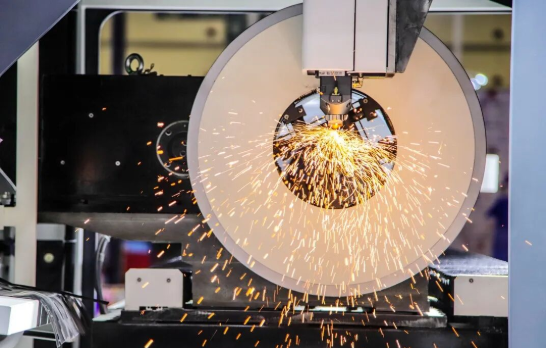
Untuk aplikasi aluminium atau logam lembaran lainnya yang dipotong dengan laser, baik pemesinan CNC maupun pencetakan injeksi mungkin tidak optimal. Fabrikasi logam lembaran—termasuk pemotongan laser, pembengkokan, dan pengelasan—sering kali menghasilkan komponen logam datar atau berbentuk dengan biaya lebih ekonomis dibandingkan pemesinan dari bahan baku padat.
Perbandingan Proses Manufaktur Sekilas
Tabel berikut merangkum kapan masing-masing metode manufaktur paling tepat digunakan, membantu Anda menentukan proses yang sesuai sebelum meminta penawaran harga:
| Kriteria | Mesin CNC | pencetakan 3D | Pencetakan Injeksi |
|---|---|---|---|
| Kisaran Kuantitas Ideal | 10–500 buah | 1–50 unit | 500–100.000+ buah |
| Kompleksitas Geometris | Sederhana hingga sedang; terbatas oleh akses alat | Sangat kompleks; struktur kisi (lattices), saluran internal | Sedang; memerlukan sudut pelepasan (draft angles) |
| Opsi Bahan | Luas: logam, plastik, komposit | Terus berkembang: polimer, logam, keramik | Termoplastik terutama |
| Akurasi Dimensi | Sangat baik: ±0,025–0,125 mm (khas) | Baik: ±0,1–0,3 mm (khas) | Baik: ±0,1–0,2 mm (khas) |
| Permukaan akhir | Halus; dapat mencapai polesan cermin | Garis lapisan terlihat; memerlukan proses pasca-pembuatan | Halus; sesuai dengan hasil permukaan cetakan |
| Waktu Tunggu Umum | 3-10 hari kerja | 1-5 hari kerja | 4–8 minggu (termasuk pembuatan cetakan) |
| Investasi Awal | Rendah: hanya biaya persiapan | Sangat rendah: tidak memerlukan peralatan cetak | Tinggi: biaya pembuatan cetakan $5.000–$50.000+ |
| Paling Cocok Untuk | Komponen presisi, komponen logam, prototipe hingga produksi volume rendah | Prototipe cepat, geometri kompleks, produk khusus satuan | Produksi volume tinggi, kualitas konsisten |
Membuat Keputusan Manufaktur Anda
Saat mengevaluasi proses mana yang paling sesuai untuk proyek Anda, jawablah pertanyaan-pertanyaan berikut secara sistematis:
- Bahan apa yang Anda butuhkan? Logam hampir selalu lebih cocok diproses dengan CNC. Plastik komoditas dalam volume tinggi lebih cocok diproses dengan cetak injeksi. Polimer khusus atau geometri kompleks mungkin lebih cocok diproses dengan pencetakan 3D.
- Berapa banyak komponen yang Anda butuhkan sekarang—dan selama siklus hidup produk? Jika pada akhirnya Anda membutuhkan ribuan unit, pertimbangkan untuk memulai dengan CNC guna membuat prototipe dan merencanakan cetak injeksi untuk produksi massal. Jika jumlah total yang Anda butuhkan tidak pernah melebihi 100 unit, maka CNC kemungkinan tetap menjadi pilihan optimal sepanjang siklus tersebut.
- Seberapa kritis ketepatan dimensi? Komponen yang memerlukan toleransi lebih ketat daripada ±0,1 mm sebaiknya menggunakan pemesinan CNC sebagai pilihan utama, kecuali faktor lain sangat mendukung metode alternatif.
- Apa rencana waktu Anda? Butuh komponen besok? Gunakan pencetakan 3D. Butuh komponen minggu depan dengan presisi tinggi? Gunakan CNC. Bisa menunggu sebulan untuk pembuatan cetakan? Cetak injeksi menjadi pilihan layak untuk jumlah produksi yang lebih besar.
Proyek dunia nyata sering menggabungkan beberapa proses secara strategis. Sebuah perusahaan elektronik konsumen mungkin mencetak prototipe awal untuk casing menggunakan pencetakan 3D guna pengujian bentuk dan kecocokan, membuat prototipe fungsional menggunakan mesin CNC yang memerlukan toleransi presisi untuk fitur kait (snap-fit), serta akhirnya melakukan cetak injeksi untuk produksi massal setelah desain divalidasi. Setiap proses memainkan peran optimalnya dalam tahapan pengembangan.
Memahami perbedaan-perbedaan ini sebelum meminta penawaran harga memastikan bahwa Anda tidak hanya mengoptimalkan proses pemesinan CNC—melainkan mengoptimalkan seluruh pilihan manufaktur yang tersedia. Terkadang penawaran harga CNC terbaik justru adalah penawaran yang tidak pernah Anda minta, karena proses lain lebih sesuai dengan kebutuhan Anda.
Namun demikian, sistem penawaran harga instan memiliki batasan-batasannya sendiri. Mengetahui kapan platform otomatis tidak mampu memberikan perkiraan harga yang akurat untuk komponen Anda—dan kapan proses penawaran harga konvensional tetap diperlukan—akan mencegah kefrustrasian serta memastikan Anda memperoleh harga yang andal untuk proyek-proyek kompleks.
Memahami Batasan Penawaran Harga Instan
Platform kutipan instan CNC adalah alat yang andal—namun bukanlah sihir. Meskipun sistem otomatis unggul dalam memberikan harga untuk geometri standar dalam bahan-bahan umum, sistem ini memiliki kelemahan yang dapat mengakibatkan kutipan tidak akurat atau unggahan ditolak. Mengetahui batasan-batasan ini membantu Anda memutuskan kapan harus memercayai algoritma dan kapan harus menghubungi tim secara langsung melalui telepon untuk proses penawaran konvensional.
Kenyataannya sederhana: sistem kutipan instan bekerja paling baik untuk komponen yang tepat berada dalam parameter pemrograman mereka. Menurut analisis industri, alat penawaran otomatis sering kali terlalu menyederhanakan geometri kompleks dan gagal memperhitungkan fitur-fitur rumit, toleransi, atau persyaratan pemesinan khusus. Ketika komponen pemesinan CNC Anda berada di luar parameter standar, keahlian manusia menjadi sangat penting.
Jenis Komponen yang Memerlukan Proses Penawaran Konvensional
Proyek-proyek tertentu secara sederhana melebihi kemampuan algoritma dalam mengevaluasi secara akurat. Jika komponen Anda termasuk dalam salah satu kategori berikut, harapkan penundaan tinjauan manual atau kebutuhan untuk mengajukan Permintaan Penawaran Harga (RFQ) secara formal:
- Perakitan multi-komponen : Komponen presisi yang dibuat khusus melalui proses pemesinan yang harus saling terpasang secara tepat dengan komponen lainnya sering kali memerlukan tinjauan teknis guna memverifikasi bahwa toleransi secara keseluruhan pada perakitan tersebut sesuai
- Bahan eksotis atau tidak lazim : Meskipun platform mampu menangani aluminium, baja, dan plastik umum dengan baik, proses pemesinan CNC baja tahan karat dengan mutu khusus, superalloy seperti Inconel, atau plastik langka mungkin tidak tersedia dalam basis data sistem
- Operasi Sekunder : Komponen yang memerlukan perlakuan panas, pelapisan khusus, finishing EDM, atau penggerindaan setelah proses pemesinan memerlukan estimasi biaya manual untuk proses tambahan tersebut
- Toleransi ekstrem : Komponen khusus hasil pemesinan CNC yang menuntut toleransi lebih ketat daripada ±0,001 inci sering kali memerlukan tinjauan manual guna memastikan peralatan pemesinan CNC di bengkel mampu memenuhi spesifikasi tersebut
- Komponen berukuran sangat besar atau sangat kecil : Bagian yang melebihi lapisan mesin standar atau komponen skala mikro yang membutuhkan alat khusus berada di luar cakupan algoritma khas
- Bagian dengan fitur non-standar : Potongan internal, bentuk benang yang kompleks atau fitur yang membutuhkan pemesinan simultan 5-sumbu dapat menghasilkan penawaran otomatis yang tidak akurat
Untuk bagian-bagian yang diproses dalam kategori ini, algoritma tidak dapat menghitung harga yang akurat atau dapat secara signifikan meremehkan atau meremehkan biaya. Kutipan manual dari estimator berpengalaman menangkap nuansa yang software lewatkan.
Kapan Minta Konsultasi Teknikal
Terkadang Anda membutuhkan lebih dari harga, Anda membutuhkan panduan desain. Proses RFQ tradisional memberikan akses ke insinyur manufaktur yang dapat mengidentifikasi masalah sebelum produksi dimulai dan menyarankan optimasi yang tidak dapat ditawarkan oleh sistem otomatis.
Pertimbangkan untuk meminta konsultasi teknik ketika:
- Desainmu belum divalidasi untuk manufaktur : Seorang insinyur dapat melihat fitur yang akan menyebabkan masalah mesin atau menyarankan modifikasi yang mengurangi biaya tanpa mengorbankan fungsi
- Kau tidak yakin tentang pemilihan bahan : Saran ahli membantu menyesuaikan sifat material dengan persyaratan aplikasi, berpotensi mengidentifikasi alternatif yang lebih baik atau lebih ekonomis
- Dokumen berkualitas sangat penting : Proyek yang membutuhkan PPAP, laporan inspeksi artikel pertama, atau dokumentasi pelacakan mendapat manfaat dari diskusi awal tentang persyaratan
- Kau sedang beralih dari prototipe ke produksi : Masukan teknik mengoptimalkan perlengkapan, alat, dan parameter proses untuk manufaktur massal
- Aplikasi ini penting untuk keselamatan : Bagian mesin khusus di bidang kedirgantaraan, medis, dan otomotif sering membutuhkan persetujuan teknik yang tidak dapat disediakan oleh sistem instan
Batasan ini bukan kelemahan teknologi penawaran instan, tapi pengakuan bahwa kompleksitas manufaktur kadang-kadang membutuhkan penilaian manusia. Seperti yang diakui oleh pengembang platform, kutipan umumnya akurat untuk bagian sederhana tetapi mungkin memerlukan tinjauan manual untuk geometri yang kompleks atau persyaratan non-standar.
Tetapkan harapan yang tepat: gunakan penawaran instan untuk bagian mesin sederhana dalam bahan umum, dan gunakan proses RFQ tradisional ketika kompleksitas proyek Anda memerlukan perhatian pribadi. Pendekatan hibrida inimenggunakan otomatisasi di mana ia unggul sambil menghormati batas-batasnyamenerima hasil terbaik untuk kebutuhan manufaktur standar dan khusus.
Setelah Anda memahami kapan penawaran instan melayani Anda dengan baik dan kapan tidak, langkah selanjutnya adalah mengetahui cara mengevaluasi penyedia layanan CNCmemberikan jaminan bahwa siapa pun yang memesinan bagian Anda dapat memberikan kualitas, sertifikasi, dan lead time yang dibutuhkan proyek Anda.
Memilih Penyedia CNC Instant Quote yang Dapat Diandalkan
Anda telah mengoptimalkan desain Anda, menyiapkan file CAD bersih, dan menentukan bahwa mesin CNC adalah proses yang tepat untuk bagian Anda. Sekarang datang keputusan yang akan menentukan apakah proyek Anda berhasil atau tersandung: mana penyedia layanan CNC Anda harus mempercayai dengan pesanan Anda?
Tidak semua platform penawaran instanatau bengkel mesin di belakang merekamemberi hasil yang sama. Perbedaan antara mitra yang dapat diandalkan dan yang bermasalah muncul dalam akurasi dimensi, konsistensi permukaan, pengiriman tepat waktu, dan bagaimana mereka menangani masalah ketika muncul. Memilih penyedia CNC terbaik membutuhkan evaluasi beberapa faktor penting di luar harga yang dikutip.
Sertifikasi yang Penting untuk Kerja CNC Presisi
Sertifikasi bukan hanya lencana di situs web, mereka adalah bukti yang diverifikasi secara independen bahwa produsen mempertahankan sistem kualitas yang terdokumentasi. Menurut panduan sertifikasi industri, kredensial ini secara langsung mempengaruhi tingkat risiko Anda saat sumber suku cadang CNC.
Berikut adalah apa yang setiap sertifikasi utama memberitahu Anda tentang kemampuan penyedia:
- ISO 9001 : Standar dasar untuk sistem manajemen mutu. Sertifikasi ini mengkonfirmasi toko memiliki proses terdokumentasi untuk kontrol kualitas, perbaikan terus menerus, dan fokus pelanggan. Anggap saja sebagai kualifikasi minimum untuk setiap penyedia layanan mesin CNC presisi serius.
- IATF 16949 : Penting untuk aplikasi otomotif. Sertifikasi ini didasarkan pada ISO 9001 dengan persyaratan khusus otomotif termasuk pencegahan cacat, Kontrol Proses Statistik (SPC), dan pengawasan pemasok yang ketat. Jika bagian CNC Anda berakhir di kendaraan, pemasok bersertifikat IATF 16949 hampir tidak dapat dinegosiasikan.
- AS9100 : Dibutuhkan untuk pekerjaan aerospace dan pertahanan. Standar ini menambahkan dokumentasi yang ketat, pelacakan, dan protokol manajemen risiko di luar ISO 9001. Komponen-komponen kritis keselamatan membutuhkan tingkat kontrol proses ini.
- ISO 13485 standar untuk manufaktur perangkat medis. Pemasok dengan sertifikasi ini memahami persyaratan biokompatibilitas, keterlacakan penuh, serta kepatuhan terhadap regulasi untuk aplikasi di bidang layanan kesehatan.
- NADCAP akreditasi untuk proses khusus seperti perlakuan panas dan pengujian tak merusak. Sertifikasi ini memvalidasi bahwa operasi khusus memenuhi persyaratan kelas dirgantara.
Khusus untuk aplikasi otomotif dan presisi tinggi, sertifikasi IATF 16949 yang dipasangkan dengan praktik SPC (Statistical Process Control) yang terdokumentasi menjamin konsistensi kualitas di seluruh proses produksi. Statistical Process Control berarti pemasok secara terus-menerus memantau data dimensi selama proses pemesinan—mendeteksi penyimpangan sebelum menghasilkan komponen di luar spesifikasi, bukan menemukan masalah saat inspeksi akhir.
Sebagai contoh penerapan standar-standar ini dalam praktik, Shaoyi Metal Technology memegang sertifikasi IATF 16949 dan menerapkan protokol SPC yang ketat untuk pekerjaan permesinan otomotif mereka, menghasilkan rakitan sasis berpresisi tinggi serta busing logam khusus dengan waktu pengerjaan secepat satu hari kerja.
Mengevaluasi Klaim Waktu Pengerjaan dan Jaminan Kualitas
Janji mengenai waktu pengerjaan mudah dibuat, tetapi sulit dipenuhi. Saat mengevaluasi layanan permesinan CNC khusus, gali lebih dalam daripada klaim pengiriman utama untuk memahami secara pasti apa yang benar-benar Anda dapatkan.
Menurut penelitian pemilihan produsen, memahami waktu pengerjaan khas dan kebijakan terkait pesanan dipercepat dapat mencegah keterlambatan proyek. Ajukan pertanyaan-pertanyaan berikut sebelum melakukan komitmen:
- Apakah waktu pengerjaan yang dikutip mencakup inspeksi dan dokumentasi? Beberapa penyedia hanya mengutip waktu permesinan saja, lalu menambahkan beberapa hari lagi untuk verifikasi kualitas dan administrasi dokumen.
- Apa yang terjadi jika komponen gagal dalam inspeksi? Layanan bengkel mesin yang andal memiliki kebijakan yang jelas mengenai pengerjaan ulang atau pembuatan ulang—dan menanggung biaya tersebut sendiri alih-alih membebankannya kepada Anda dalam bentuk keterlambatan.
- Apakah mereka mampu mempercepat proses jika diperlukan? Proyek berubah. Penyedia yang menawarkan opsi pemesinan cepat memberikan Anda fleksibilitas ketika jadwal waktu mendadak dipersingkat.
- Bagaimana catatan riwayat pengiriman tepat waktu mereka? Mintalah data, bukan janji. Bengkel-bengkel terpercaya mencatat dan membagikan metrik kinerja pengiriman mereka.
Jaminan kualitas sama pentingnya. Penawaran harga rendah tidak berarti apa-apa jika komponen tiba di luar batas toleransi. Cari penyedia yang:
- Mendokumentasikan secara jelas kemampuan toleransi standar mereka
- Menyediakan laporan inspeksi (data dimensi, hasil CMM) tanpa biaya tambahan untuk persyaratan standar
- Menyediakan sertifikasi material dan pelacakan jejak material bila diperlukan
- Bersedia menanggung tanggung jawab atas pekerjaan mereka melalui kebijakan pembuatan ulang untuk komponen yang tidak sesuai spesifikasi
Kriteria Evaluasi Penyedia yang Esensial
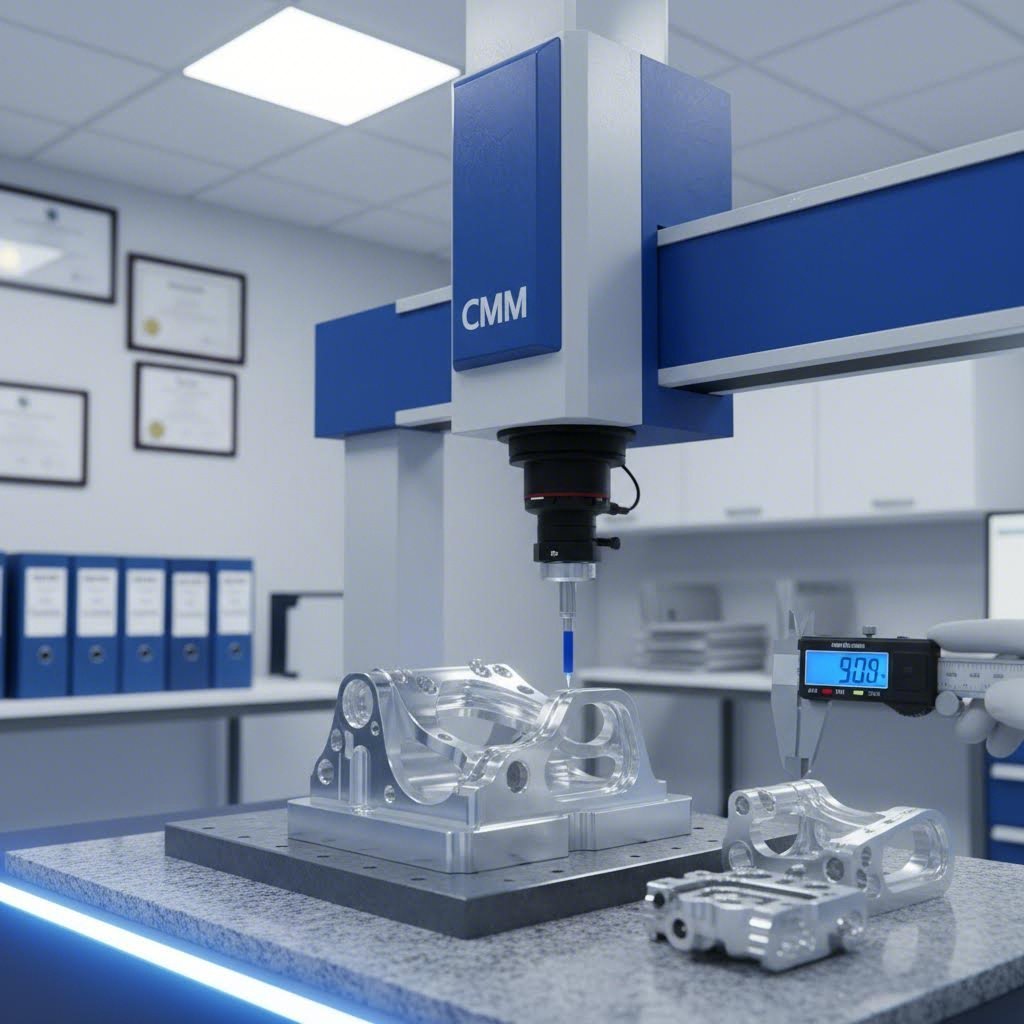
Selain sertifikasi dan waktu tunggu, beberapa faktor lain membedakan penyedia unggul dari penyedia yang sekadar memadai. Gunakan daftar periksa ini saat mengevaluasi platform penawaran instan atau layanan CNC langsung mana pun:
- Kemampuan Material konfirmasikan apakah mereka memiliki stok atau mampu menyediakan grade material yang Anda butuhkan. Penundaan dalam pengadaan material akan memperpanjang waktu tunggu, terlepas dari kapasitas pemesinan yang tersedia.
- Perangkat dan teknologi toko-toko dengan pusat pemesinan modern bersumbu 3, 4, dan 5 mampu menangani kompleksitas geometri yang lebih luas. Tanyakan juga peralatan inspeksi mereka—kemampuan CMM (Coordinate Measuring Machine) sangat penting untuk pekerjaan presisi tinggi.
- Ketanggapan komunikasi seberapa cepat mereka menjawab pertanyaan teknis? Penyedia yang merespons secara cepat sebelum pemesanan umumnya juga berkomunikasi lebih baik selama proses produksi.
- Kemampuan prototipe CNC cepat jika Anda membutuhkan prototipe fungsional dalam waktu singkat, pastikan penyedia mampu memprioritaskan pembuatan prototipe tanpa mengorbankan kualitas.
- Skalabilitas apakah mereka mampu berkembang sesuai kebutuhan Anda? Seorang penyedia yang mampu menangani prototipe 10 unit Anda juga harus mampu meningkatkan kapasitas hingga produksi massal 1.000 unit seiring perkembangan proyek Anda.
- Lokasi Geografis jarak memengaruhi biaya pengiriman dan waktu transit. Untuk proyek yang kritis dari segi waktu, pemasok domestik atau regional sering kali dapat mengirimkan lebih cepat, meskipun harga per komponen sedikit lebih tinggi.
- Ulasan dan referensi pelanggan cari pola dalam umpan balik. Ulasan negatif sesekali memang terjadi; keluhan konsisten mengenai kualitas atau pengiriman menandakan adanya masalah sistemik.
- Praktik keamanan data jika desain Anda memuat informasi bersifat rahasia, pastikan penyedia memiliki protokol yang melindungi kekayaan intelektual Anda.
Melakukan Pemilihan Akhir Anda
Penyedia CNC terbaik untuk proyek Anda mempertimbangkan berbagai faktor—bukan hanya penawaran harga terendah. Sebuah bengkel yang menawarkan pemesinan cepat dengan harga kompetitif namun tidak memiliki sertifikasi relevan justru dapat menimbulkan biaya lebih tinggi dalam jangka panjang akibat cacat kualitas atau komponen yang ditolak.
Untuk aplikasi kritis, utamakan penyedia yang memiliki:
- Sertifikasi yang sesuai dengan persyaratan industri Anda
- Sistem mutu terdokumentasi, termasuk pengendalian proses statistik (SPC) guna menjamin konsistensi produksi
- Komunikasi transparan dan akses terhadap dukungan teknis
- Rekam jejak terbukti dalam memproduksi komponen dan bahan yang serupa
Platform kutipan instan telah mendemokratisasi akses terhadap layanan permesinan CNC presisi—namun belum menghilangkan kebutuhan akan uji tuntas. Perlakukan pesanan pertama Anda kepada penyedia baru mana pun sebagai uji kualifikasi. Mulailah dengan komponen yang kurang kritis, verifikasi kualitasnya setelah diterima, dan bangun kepercayaan sebelum melanjutkan ke pekerjaan produksi berisiko tinggi.
Waktu yang diinvestasikan dalam memilih mitra yang tepat memberikan manfaat jangka panjang pada setiap pesanan berikutnya: kualitas yang konsisten, pengiriman yang andal, serta hubungan manufaktur yang mendukung keberhasilan proyek Anda—bukan justru mempersulitnya.
Pertanyaan Umum Mengenai CNC Kutipan Instan
1. Bagaimana sistem CNC kutipan instan menghitung harga begitu cepat?
Platform kutipan instan CNC menggunakan algoritma berbasis kecerdasan buatan (AI) yang menganalisis file CAD yang Anda unggah secara real-time. Sistem ini mengidentifikasi fitur geometris seperti lubang, rongga, dan permukaan kompleks, kemudian mengevaluasi sifat material, spesifikasi toleransi, serta kebutuhan jumlah pesanan. Dengan menggabungkan geometri komputasional dan pembelajaran mesin yang dilatih berdasarkan jutaan kutipan sebelumnya, platform-platform ini menghasilkan harga yang akurat dalam waktu 5–60 detik—dibandingkan dengan proses permintaan penawaran harga (RFQ) konvensional yang memerlukan waktu 1–5 hari.
2. Format file apa saja yang diterima platform kutipan instan CNC?
Sebagian besar platform menerima format STEP (.stp, .step) sebagai format pilihan karena kompatibilitas universalnya dan kemampuannya mempertahankan geometri padat secara akurat. Format lain yang umum didukung meliputi IGES (.igs), Parasolid (.x_t, .x_b), file native SOLIDWORKS (.sldprt), serta STL. Untuk hasil terbaik, ekspor model padat yang bersih dan kedap air (watertight), gunakan satuan yang konsisten, serta verifikasi dimensi sebelum mengunggah guna menghindari penolakan kutipan.
3. Berapa biaya pemesinan CNC per komponen?
Biaya pemesinan CNC bervariasi berdasarkan lima faktor utama: pemilihan material, kompleksitas geometris, spesifikasi toleransi, jumlah pesanan, dan persyaratan penyelesaian permukaan. Sebuah braket aluminium sederhana mungkin berharga $15–30 per unit dalam jumlah sedang, sedangkan komponen kompleks dengan toleransi ketat yang terbuat dari material eksotis dapat mencapai ratusan dolar per unit. Biaya persiapan ($50–300) dialokasikan secara merata ke seluruh jumlah pesanan Anda, sehingga harga per unit menjadi jauh lebih rendah untuk pesanan dalam jumlah besar.
4. Kapan saya harus menggunakan RFQ tradisional alih-alih kutipan instan?
Proses penawaran tradisional lebih cocok untuk perakitan kompleks, material eksotis seperti Inconel atau paduan khusus, komponen yang memerlukan operasi sekunder (perlakuan panas, EDM, pelapisan khusus), toleransi sangat ketat di bawah ±0,001 inci, serta komponen berukuran sangat besar atau berskala mikro. Konsultasi teknik juga bernilai tinggi ketika Anda membutuhkan panduan desain untuk kemudahan manufaktur (design-for-manufacturability) atau ketika dokumen kualitas seperti PPAP diperlukan.
5. Sertifikasi apa saja yang harus saya cari pada penyedia layanan CNC?
Sertifikasi utama meliputi ISO 9001 untuk manajemen kualitas dasar, IATF 16949 untuk aplikasi otomotif dengan persyaratan Pengendalian Proses Statistik (Statistical Process Control/SPC), AS9100 untuk pekerjaan di sektor dirgantara dan pertahanan, serta ISO 13485 untuk manufaktur perangkat medis. Untuk komponen otomotif, penyedia bersertifikasi IATF 16949 seperti Shaoyi Metal Technology menjamin konsistensi kualitas melalui praktik SPC terdokumentasi dan mampu menghasilkan komponen berpresisi tinggi dengan waktu pengerjaan seringkas satu hari kerja.