 Small batches, high standards. Our rapid prototyping service makes validation faster and easier —
  EN
EN


Segredos do acero cortado por láser: desde o metal bruto ata pezas perfectas
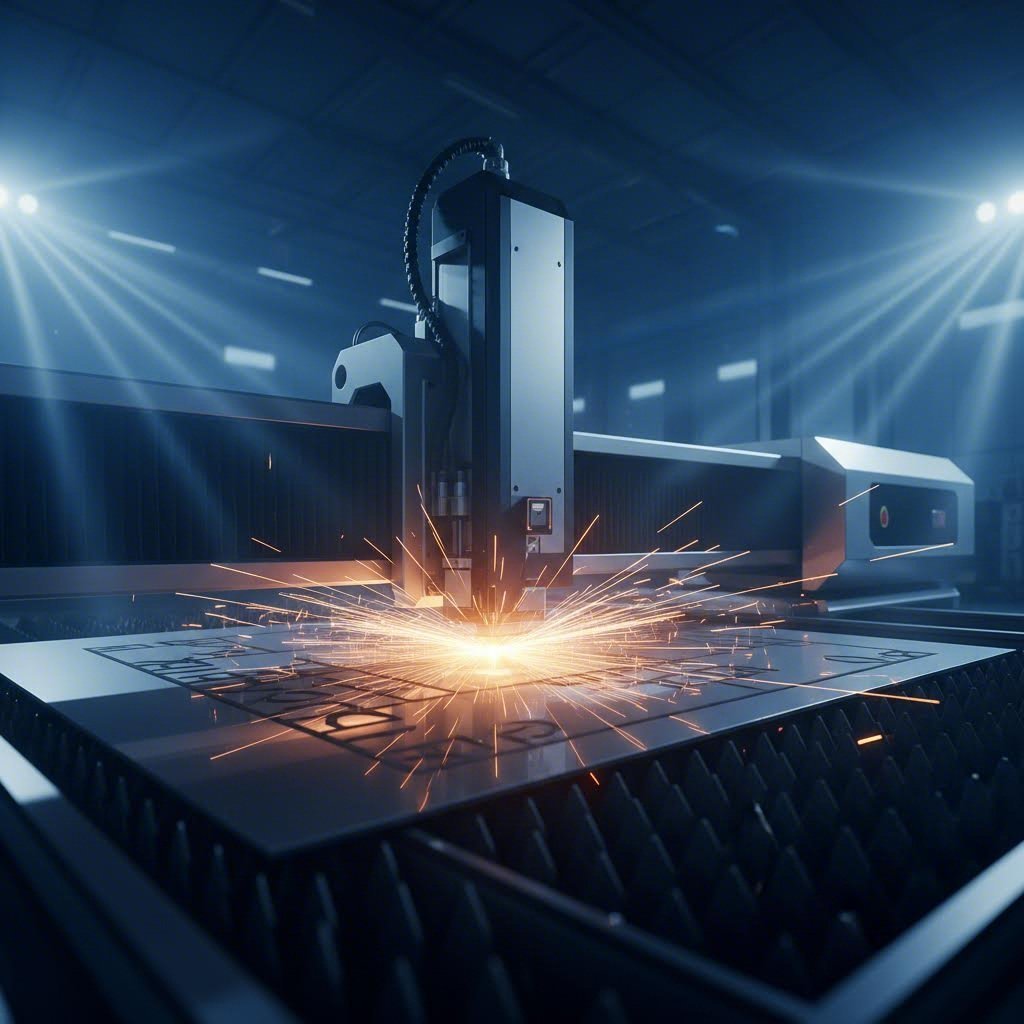
Que é unha chapa de aceiro cortada a láser e como funciona
Imaxina dirixir un raio de luz concentrada tan potente que pode atravesar unha placa de aceiro como un coitelo quente a través da manteiga. Isto é basicamente o que ocorre durante o corte a láser, un proceso que revolucionou a forma en que os fabricantes transforman metais brancos en compoñentes de precisión . Unha chapa de aceiro cortada a láser refírese a calquera material de aceiro que foi modelado ou separado usando esta tecnoloxía de raio luminoso de alta enerxía, producindo cortes con precisión notable e bordos limpos.
Pero que ocorre exactamente cando ese raio intenso alcanza o metal? O proceso implica moita máis complexidade que simplemente "queimar" o material. Comprender estes fundamentos axuda a valorar por que esta tecnoloxía de corte de metais domina a fabricación moderna e como optimizar os seus proxectos para obter os mellores resultados.
Como interactúan os raio láser co material de aceiro
Cando un feixe láser enfocado golpea a superficie dunha chapa de aceiro, desencadea unha cadea fascinante de fenómenos físicos. O proceso comeza coa absorción de enerxía: parte da radiación reflicte fóra, pero unha porción considerable penetra no metal e convértese en enerxía térmica.
Aquí é onde as cousas se ponen interesantes: cando o aceiro se quenta, a súa capacidade de absorber máis radiación aumenta realmente. Isto crea un bucle de realimentación positivo que fai que o proceso de corte por láser sexa cada vez máis eficiente unha vez iniciado. A resistencia á tracción do material comeza a diminuír cando as temperaturas suben, permitindo que o feixe penetre máis profundamente.
A secuencia térmica segue un patrón previsible:
- Quentamento inicial - O aceiro sólido absorbe enerxía rapidamente e a temperatura aumenta
- Fase de fusión - O material pasa de estado sólido a líquido no punto focal
- Vaporización - Con enerxía suficiente, o metal fundido evapórase
- Sublimación directa baixo condicións extremas, o acero pode pasar directamente do estado sólido ao gasoso
O punto de fusión do acero (aproximadamente entre 1370 e 1530 °C segundo a composición) determina a cantidade de potencia láser necesaria. Un maior contido de carbono ou elementos de aleación desprazan este limiar, afectando directamente os parámetros de corte
A ciencia detrás do corte preciso do acero
Que converte este proceso térmico nun corte de precisión? A resposta atópase en tres elementos clave que traballan xuntos: enerxía enfocada, gases auxiliares e movemento controlado
Os gases auxiliares desempeñan un papel crucial que moitos pasan por alto. O oxíxeno, nitróxeno ou aire comprimido flúe a través do bico de corte xunto co feixe láser. Este fluxo de gas ten múltiples funcións: expulsa o material fundido do corte, evita a oxidación (cando se usa nitróxeno) e, no corte con axuda de oxíxeno, contribúe ademais enerxía térmica mediante unha reacción exotérmica co acero
O corte - ese canal estreito que se crea mentres o láser se move a través do material - define a precisión do teu corte. A anchura do corte oscila normalmente entre 0,1 mm e 0,4 mm segundo o tipo de láser, os axustes de potencia e o grosor do material. Comprender o corte é esencial ao deseñar pezas con tolerancias estreitas, xa que debes ter en conta esta eliminación de material nos teus ficheiros de deseño.
A zona afectada polo calor (ZAC) representa a área adxacente ao corte onde o aceiro experimenta cambios estruturais sen chegar a fundirse. Minimizar a ZAC preserva as propiedades mecánicas das túas pezas acabadas.
A investigación sobre o corte láser de aceiro inoxidable confirma que a velocidade de corte ten unha relación inversa coa profundidade da ZAC - velocidades de corte máis rápidas producen zonas afectadas polo calor máis pequenas. Este descubrimento ten implicacións prácticas: cando importa a integridade da peza, optimizar a velocidade (dentro dos límites de calidade) mellora en realidade os resultados metalúrxicos.
A precisión alcanzable cos modernos sistemas de corte por láser fai que esta tecnoloxía sexa imprescindible para aplicacións que requiren tolerancias estreitas. Desde compoñentes automotrices ata traballo en metal arquitectónico, comprender estas física fundamental axúdalle a especificar os parámetros axeitados para obter resultados perfectos cada vez.
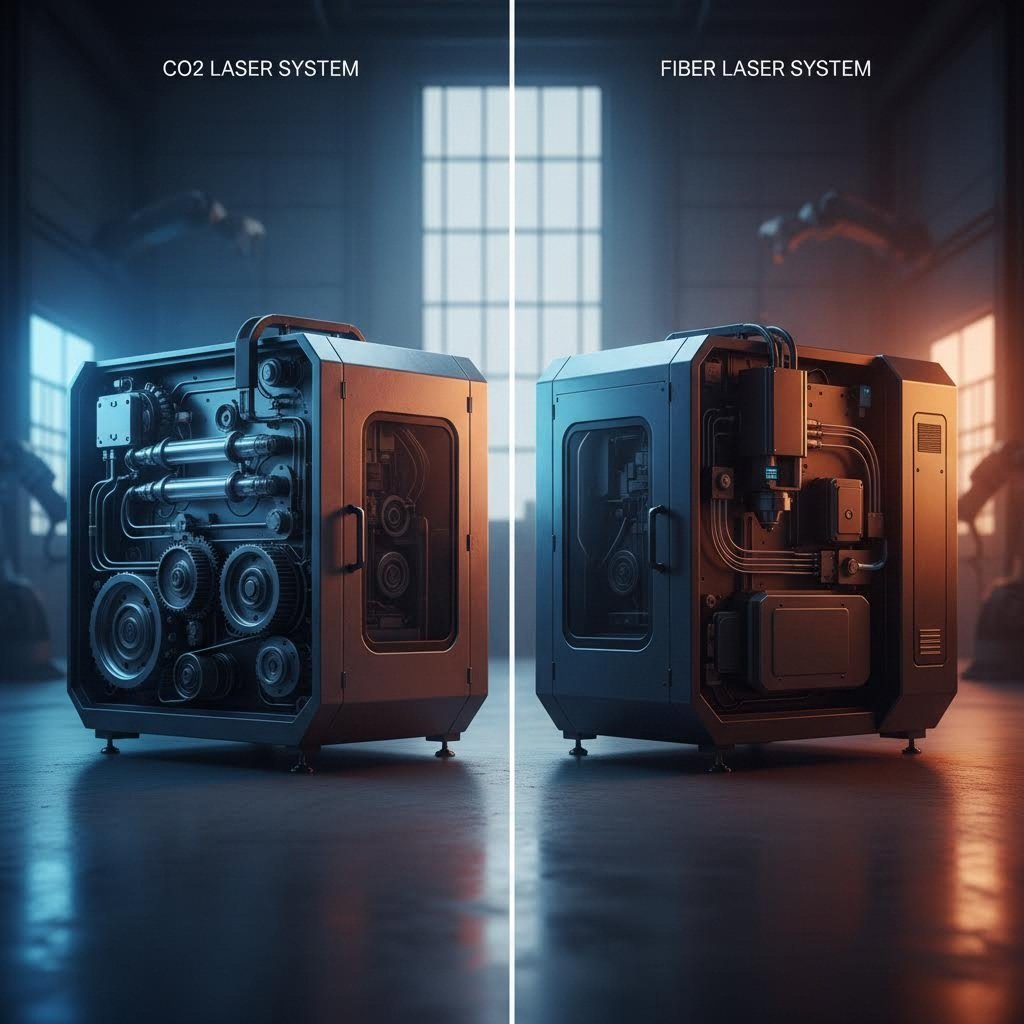
Tecnoloxía láser CO2 fronte a tecnoloxía láser de fibra para o corte do acero
Agora que entende como interactúan os láseres co acero, aquí vai a seguinte pregunta: que tecnoloxía de cortadora láser debe usar realmente? A resposta afecta significativamente o custo, a calidade e o prazo de entrega do seu proxecto. Dúas tecnoloxías dominan a fabricación moderna de acero: os láseres CO2 e os láseres de fibra; cada unha delas ofrece vantaxes distintas.
Pense niso como escoller entre un sedán versátil e un coche deportivo de alto rendemento . Ambos chegan onde necesitas ir, pero excelén en situacións diferentes. Comprender estas diferenzas axúdache a escoller a tecnoloxía adecuada para as túas necesidades específicas de fabricación de chapa metálica, xa esteas subministrando desde talleres locais de fabricación de metais ou pedindo a través de plataformas como oshcut ou fornecedores de metais online.
Rendemento do láser CO2 en chapas de acero
Os láseres CO2 xeran o seu feixe de corte estimulando electricamente un tubo cheo de gas que contén dióxido de carbono. Isto produce un láser cunha lonxitude de onda de 10,6 micrómetros - aproximadamente dez veces máis longa ca a lonxitude de onda dos láseres de fibra. A lonxitude de onda máis longa interactúa de forma diferente coas superficies metálicas, creando características de rendemento específicas.
Que significa isto para os teus proxectos de corte de acero? Os láseres CO2 ofrecen excelentes resultados en varias situacións:
- Procesamento de placas grosas - Os materiais que superan os 20 mm benefíciase das características de distribución de calor do CO2
- Calidade de bordo en seccións pesadas - A lonxitude de onda máis longa produce bordos de corte máis suaves en aceros de carbono grosos
- Versatilidade non metálica - A mesma máquina pode procesar madeira, acrílico e plásticos
- Redes de servizo establecidas - Tecnoloxía madura con dispoñibilidade xeneralizada de soporte
Non obstante, os sistemas CO2 teñen as súas desvantaxes. Segundo análise do sector , os custos de funcionamento ascenden a uns 12,73 $ por hora só en enerxía, fronte aos 3,50-4,00 $ dos sistemas de fibra equivalentes. O tubo cheo de gas e os espellos ópticos requiren mantemento regular, o que engade entre 1.000 e 2.000 $ anuais en custos de conservación.
Vantaxes do láser de fibra para o corte moderno de acero
Os láseres de fibra representan a nova xeración de tecnoloxía de corte, que utiliza un díodo láser e un cable de fibra óptica para xerar e dirixir o feixe. Operando cunha lonxitude de onda de 1,064 micrómetros, estes sistemas acadaron o 60% do mercado - e con boa razón.
A lonxitude de onda máis curta enfócase nun tamaño de punto máis pequeno, concentrando a enerxía con maior precisión. Isto tradúcese en vantaxes prácticas que importan na maioría dos proxectos de fabricación de metais:
- Velocidades de corte superiores - Ata 3-5 veces máis rápidas ca o CO2 en materiais finos a medios
- Capacidade para metais reflectantes - Corta eficientemente aluminio, cobre e latón, que supoñen un reto para os sistemas de CO2
- Eficiencia enerxética - Aproximadamente un 35 % de eficiencia eléctrica fronte ao 10-15 % do CO2
- Mantenemento reducido - O deseño de estado sólido elimina os tubos de gas e o axuste de espellos ópticos
- Vida Útil Aumentada - Ata 100.000 horas fronte ás 20.000-30.000 dos sistemas de CO2
Para chapa de acero fino inferior a 5 mm, os láseres de fibra brillan verdadeiramente. As velocidades de corte poden acadar os 20 metros por minuto en acero inoxidable, mellorando drasticamente o rendemento na produción de alto volume.
Os sistemas de fibra modernos poden cortar acero ata 100 mm de grosor con instalacións de alta potencia, desafiando o dominio tradicional do CO2 no procesamento de chapas pesadas.
Comparación de tecnoloxías dun só glance
Escoller entre estas tecnoloxías resulta máis claro cando as compara unha ao lado da outra. Esta táboa resume as diferenzas principais que afectan ás súas decisións de proxecto:
| Factor | Laser de fibra | Láser de CO2 |
|---|---|---|
| Velocidade de corte (materiais finos) | Ata 20 m/min en acero inoxidable | Aproximadamente 3-5 veces máis lento |
| Calidade da beira | Excelente en seccións finas/media; pode precisar acabado en seccións grosas | Superior en chapas grosas (25 mm+) |
| Costes operativos (enerxía por hora) | $3.50-4.00 | $12.73 |
| Rango de Grosor do Material | Ata 25 mm estándar; 100 mm con sistemas de alta potencia | Ata 40 mm+ cunha excelente calidade |
| Mantemento anual | $200-400 | $1,000-2,000 |
| Eficiencia (rendemento eléctrico) | ~35% | 10-15% |
| Duración da vida do equipo | Ata 100.000 horas | 20.000-30.000 horas |
| Metais reflectantes | Excelente (aluminio, cobre, latón) | Desafiante debido ao reflicto |
Entón, que tecnoloxía debería especificar? Para a maioría das aplicacións de corte láser en chapa de aceiro de menos de 20 mm de grosor, os láseres de fibra ofrecen a mellor combinación de velocidade, eficiencia de custo e calidade. Por esta razón, os talleres de fabricación de aceiro están adoptando cada vez máis a tecnoloxía de fibra como estándar. Non obstante, se os seus proxectos implican chapas estruturais grosas ou necesita unha única máquina para manexar tanto metais como materiais non metálicos, os sistemas CO2 aínda ofrecen vantaxes significativas.
Unha vez comprendida a selección da tecnoloxía, a seguinte decisión crítica consiste en escoller o propio material de aceiro: unha elección que afecta de forma notable tanto aos parámetros de corte como ao rendemento final da peza.
Guía de selección de materiais de aceiro para proxectos de corte láser
Escoller o tipo axeitado de aceiro para o seu proxecto de corte láser non se trata só de coller o que estea dispoñible: determina directamente os seus parámetros de corte, a calidade do bordo e, en última instancia, o rendemento da peza. Diferentes composicións de aceiro reaccionan de forma única ao raios láser de alta enerxía , requiren axustes adaptados para obter resultados optimos. Comprender estas diferenzas axúdalle a evitar erros custosos e acadar a precisión que o seu aplicativo require.
Xa sexa que estea traballando con chapa de acero inoxidable para equipos de procesamento de alimentos ou con chapa de acero galvanizado para envolventes exteriores, cada material presenta características específicas que inflúen no proceso de corte. Exploraremos os tipos de acero máis comúns e o que fai que cada un sexa axeitado —ou desafiante— para o procesamento láser.
Características do corte láser do acero ao carbono
O acero ao carbono segue sendo o cabalo de batalla das operacións de corte láser, representando a maioría dos materiais procesados na maioría dos talleres de fabricación. O seu comportamento previsible baixo o feixe láser faino un punto de partida excelente para comprender como a composición do material afecta os resultados do corte.
Que fai que o acero ao carbono sexa tan adecuado para o corte con láser? A composición de ferro e carbono absorbe a enerxía do láser de forma eficiente, creando zonas de fusión limpas con mínimas complicacións. De acordo con investigación sobre parámetros de corte , un láser de 1,5 kW pode acadar cortes precisos ata 12 mm de espesor en acero ao carbono: unha capacidade impresionante para equipos de gama media.
Propiedades clave que afectan ao rendemento no corte con láser:
- Variacións no contido de carbono - O acero de baixo carbono (dúctil) córtase máis rápido; os graos de maior contido requiren axustes nos parámetros
- Absorción de enerxía excelente - A mínima reflexión supón unha transmisión eficiente da potencia á zona de corte
- Corte asistido por oxíxeno - Crea unha reacción exotérmica que engade enerxía ao corte, mellorando a velocidade en seccións máis grosas
- Zonas afectadas polo calor previsíbeis - Unha resposta térmica consistente simplifica a optimización dos parámetros
- Material económico - O menor custo base combinado cun corte eficiente faino económico para a maioría das aplicacións
A clave para un corte exitoso do acero ao carbono reside en equilibrar a potencia do láser coa velocidade axeitada e a presión do gas. Este equilibrio mantén superficies de corte lisas mentres se minimizan as zonas afectadas polo calor que poderían comprometer as propiedades mecánicas na peza acabada.
Selección do grao de acero inoxidable para o procesamento con láser
Cando a súa aplicación require resistencia á corrosión, atractivo estético ou cumprimento hixiénico, o acero inoxidable convértese no material escollido. Con todo, non todos os graos de inoxidable teñen o mesmo comportamento baixo o feixe de láser. A elección entre o acero inoxidable 304 e 316 - os dous graos máis comúns - afecta significativamente tanto os parámetros de corte como a adecuación á aplicación.
Material: o acero inoxidable require consideracións específicas que difiren do procesamento do acero ao carbono. De acordo con directrices do sector , o corte láser proporciona bordos limpos e zonas afectadas polo calor mínimas no acero inoxidable, unhas vantaxes críticas para o procesamento de alimentos, equipos médicos e aplicacións arquitectónicas onde importan tanto o rendemento como a aparencia.
propiedades do acero inoxidable 304
- Composición - 18% cromo, 8% níquel (austenítico 18/8)
- Resistencia á corrosión - Excelente para ambientes interiores e exteriores moderados
- Comportamento ao corte láser - Córtase limpiamente con gas auxiliar de nitróxeno para obter bordos sen óxido
- Posición de custo - Máis económico que o 316, polo que é a opción predeterminada cando non se require unha resistencia extrema á corrosión
- Aplicacións comúns - Equipamento de cociña, remates arquitectónicos, fabricación xeral
propiedades do acero inoxidable 316
- Composición - Contén un 2-3% de molibdeno ademais de cromo e níquel
- Resistencia superior á corrosión - Resiste auga salgada, cloretos e produtos químicos agresivos
- Comportamento ao corte láser - Parámetros semellantes ao 304 pero unha potencia lixeiramente maior pode mellorar a calidade do bordo
- Premium de Custo - Normalmente un 20-30% máis caro que o 304 debido ao contido en molibdeno
- Aplicacións comúns - Ferraxes mariñas, implantes médicos, equipos para procesamento químico
Se o seu proxecto vai estar en contacto con auga salgada, ambientes mariños ou produtos químicos agresivos, o molibdeno no acero inoxidable 316 xustifica o seu custo superior grazas a unha vida útil considerablemente máis longa.
Para a maioría das aplicacións con chapa de acero inoxidable, o nitróxeno é o gas auxiliar preferido. Isto produce bordos sen óxido, esenciais para pezas que requiren soldadura ou operacións de acabado. O acabado limpo e brillante dos bordos tamén elimina a necesidade de procesamentos secundarios en aplicacións onde a aparencia é importante.
Acero Galvanizado e Chapa Especializada Armada
Alén das opcións estándar de acero ao carbono e inoxidable, os tipos especializados de acero sirven para requisitos específicos de aplicación. Comprender as súas características únicas de corte láser axuda a navegar por estes materiais menos comúns pero cada vez máis importantes.
Consideracións sobre o acero galvanizado
O acero galvanizado e o corte láser teñen unha relación complicada. O revestimento de cinc que proporciona unha excelente protección contra a corrosión crea desafíos durante o proceso de corte:
- Vaporización do cinc - O revestimento vaporízase a temperaturas máis baixas que o acero, creando fumes que requiren ventilación adecuada
- Impactos na calidade das bordas - O cinc pode causar irregularidades ao longo das bordas cortadas
- Axustes de parámetros - Velocidades lixeiramente reducidas e configuracións de gas modificadas optimizan os resultados
- Consideracións de saúde - Os sistemas de extracción axeitados son esenciais para xestionar os fumes de óxido de cinc
Aínda que existan estes desafíos, o metal desbastado recuberto de cinc córtase satisfactoriamente con precaucións apropiadas. As súas propiedades resistentes á corrosión fano valioso para envolventes exteriores, compoñentes de climatización e equipos agrícolas onde a durabilidade a longo prazo é importante.
Características da chapa blindada AR500
AR500 representa o extremo oposto do espectro do acero: unha aleación resistente ao desgaste deseñada para dureza extrema e resistencia ao impacto. Esta chapa especial presenta desafíos únicos para o corte láser:
- Clasificación de dureza - Aproximadamente 500 Brinell (comparado co 120-180 do acero doce)
- Velocidades de corte reducidas - A maior dureza require máis enerxía por unidade de distancia
- Preocupacións poloha afectada polo calor - O exceso de calor pode ablandar a estrutura endurecida preto das beiras de corte
- Limitacións de espesor - O corte láser práctico está normalmente limitado a seccións máis finas de AR500
- Aplicacións comúns - Obxectivos, barreras protectoras, compoñentes resistentes ao desgaste
Ao cortar AR500 con láser, resulta crítico manter velocidades de corte axeitadas. Avanzar demasiado lentamente permite que o calor penetre máis fondo, o que pode crear unha zona amortiguada que compromete a dureza deseñada da chapa. Moitos fabricantes recomenden facer probas de dureza despois do corte en aplicacións de armadura críticas.
Estrutura para a toma de decisións na selección de materiais
A elección do tipo correcto de acero comeza coa comprensión dos requisitos da súa aplicación. Considere estes factores ao tomar a súa decisión:
- Exposición ambiental - Van estar as pezas expostas a humidade, produtos químicos ou auga salgada?
- Requisitos mecánicos - Que resistencia, dureza ou resistencia ao desgaste necesita?
- Normas de aspecto - É crucial o acabado superficial para a aplicación?
- Planes de postprocesamento - Vanse soldar, pintar ou recubrir con pó as pezas?
- Limitacións orzamentarias - Xustifica a aplicación os custos premium dos materiais?
Para aplicacións estruturais estándar, o acero ao carbono ofrece un excelente valor con parámetros de corte sinxelos. Cando importa a resistencia á corrosión, as opcións en chapa de acero inoxidable proporcionan solucións que van desde o 304 económico ata o 316 de grao mariño. As aplicacións especiais poden requiren recubrimentos galvanizados ou AR500 endurecido, cada un requirindo enfoques de corte axustados.
Unha vez seleccionado o material, a seguinte consideración é o grosor, un factor que inflúe directamente na velocidade de corte, na calidade do bordo e nos custos do proxecto de xeitos que adoitan sorprender aos compradores novatos.
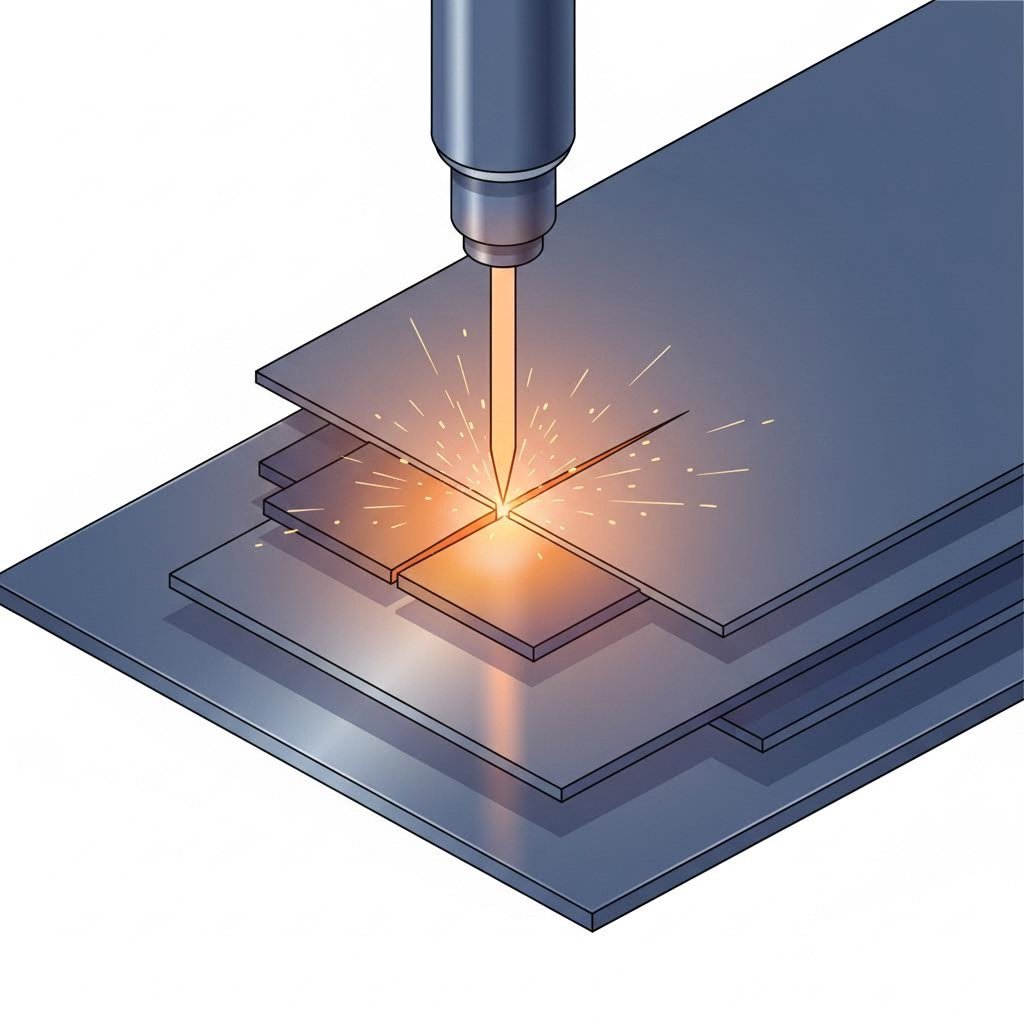
Efectos do grosor da chapa de acero na calidade e velocidade de corte
Escolleu o tipo de aceiro: agora chega a pregunta que afecta directamente ao calendario e orzamento do voso proxecto: que grosor debe ter? O grosor da chapa de aceiro non é só unha especificación para completar nun formulario de pedido. Determina fundamentalmente a velocidade de corte, a calidade do bordo e o custo final por peza. Comprender estas relacións axúdalle a tomar decisións informadas que equilibren os requisitos de rendemento cos limitacións prácticas.
Isto é o que descobren moitos compradores novatos: pedir material máis grososo do necesario non só incrementa os custos do material, senón que multiplica as despesas debido a velocidades de corte máis lentas e posiblemente unha calidade de bordo degradada. Polo contrario, escoller un grosor demasiado fino pode comprometer os requisitos estruturais. Existe un punto óptimo no que as vosas necesidades mecánicas coinciden coa máxima eficiencia de procesamento.
Comprender o calibre do aceiro e os límites do corte láser
Se xa consultou unha táboa de groso de chapa metálica, sabe que o sistema pode resultar contraintuitivo. Os números de groso máis altos indican material máis fino: un acero de groso 16 mide aproximadamente a metade que un de groso 10. Esta convención numérica remóntase á fabricación de arames pero persiste hoxe nas especificacións de chapa metálica.
Por que importa o groso do metal en función do groso para o corte por láser? Cada categoría de groso require diferentes niveis de potencia láser, velocidades de corte e presións de gas para acadar resultados limpos. De acordo con investigación sobre capacidade de corte por láser , as chapas finas de acero (0,5 mm - 3 mm) córtanse facilmente con láseres de 1000 W a 2000 W, mentres que as placas medias (4 mm - 12 mm) requiren sistemas de 2000 W a 4000 W, e as placas grosas (13 mm - 20 mm) necesitan 4000 W a 6000 W ou superiores.
Comprender onde se sitúan os grozos comúns dentro destas categorías axuda a anticipar os requisitos de procesamento:
- groso de acero 16 gauge - Aproximadamente 1,52 mm (0,060") - Está na categoría fina, córtase rapidamente con excelente calidade de bordo
- grosor de aceiro de 14 gauge - Aproximadamente 1,90 mm (0,075") - Aínda na categoría fina, velocidade lixeiramente reducida pero mantén a precisión
- gauga 12 - Aproximadamente 2,66 mm (0,105") - Rango superior de fino, equilibrio excelente entre resistencia e eficiencia ao cortar
- grosor de aceiro de 11 gauge - Aproximadamente 3,02 mm (0,120") - Zona de transición onde os parámetros de corte comezan a cambiar
- gauga 10 - Aproximadamente 3,43 mm (0,135") - Entrando no territorio de espesor medio, require axustes adaptados
Cada aumento no espesor non só engade material: cambia o modo en que o láser interactúa co acero. O feixe debe penetrar máis fondo, o material fundido debe percorrer unha maior distancia para saír do corte, e o calor ten máis tempo para estenderse ás zonas circundantes.
Como afecta o espesor á calidade do bordo e ao custo
Imaxine cortar unha folla fina de papel fronte a un cartón grososo: o material máis grososo require máis esforzo e produce bordos máis rugosos. Aplícanse principios semellantes ao corte por láser de acero, aínda que nesta caso a física involucra metal fundido en vez de fibras rasgadas.
Cando aumenta o grosor do material, cambian varios factores de calidade:
- A rugosidade da beira aumenta - O material fundido ten que percorrer unha maior distancia antes de saír, creando estrías nas superfcies cortadas
- O afunilamento vólvese máis pronunciado - O feixe diverxe lixeiramente, facendo que a parte inferior dos cortes sexa máis estreita ca a superior
- O risco de formación de borras aumenta - Velocidades máis lentas permiten que se adhira máis material resolidificado na beira inferior
- As zonas afectadas polo calor expándense - Un tempo de exposición máis longo permite que o calor penetre máis profundamente no material adxacente
Para a maioría das aplicacións de chapa de acero cortada con láser, a gama de grosores óptimos está entre 1 mm e 12 mm. Dentro desta faixa, acadarás o mellor equilibrio entre velocidade de corte, calidade da beira e eficiencia de custos. Fóra de 12 mm, espera tempos de procesamento progresivamente máis longos e unha maior atención ao control de calidade.
As implicacións de custo van máis alá do prezo por libra do material máis grososo. Segundo unha análise do sector, a velocidade de corte diminúe considerablemente ao aumentar o groso: os materiais máis grozos requiren velocidades de corte máis lentas para manter a precisión e evitar o sobrecalentamento. Isto tradúcese directamente nun tempo maior de máquina por peza, o que incrementa os custos de procesamento.
Tábola de Groso do Aceiro con Parámetros de Corte
Esta táboa completa axúdalle a comprender como se traducen diferentes grozos en medidas reais e como afectan ao rendemento do corte láser:
| Calibre | Espesor (polgadas) | Grosor (mm) | Velocidade de Corte Típica* | Factor de Custo Relativo |
|---|---|---|---|---|
| 18 gauge | 0.048" | 1,21 mm | Moito rápido (15-20 m/min) | 1.0x (Línea base) |
| calibre 16 | 0.060" | 1,52 mm | Rápido (12-18 m/min) | 1.1x |
| calibre 14 | 0.075" | 1,90 mm | Moderado-rápido (10-15 m/min) | 1.2x |
| gauga 12 | 0.105" | 2,66 mm | Moderada (8-12 m/min) | 1,4x |
| calibre 11 | 0.120" | 3,02 mm | Moderada (6-10 m/min) | 1,5x |
| gauga 10 | 0.135" | 3,43 mm | Moderada-Lenta (5-8 m/min) | 1,7x |
| 3/16" | 0.188" | 4,76 mm | Lenta (3-5 m/min) | 2.0x |
| 1/4" | 0.250" | 6.35mm | Lento (2-4 m/min) | 2.5x |
| 3/8" | 0.375" | 9,53 mm | Moi lento (1-2 m/min) | 3,5x |
| 1/2" | 0.500" | 12,70 mm | Moi lento (0,5-1,5 m/min) | 4.5x |
*As velocidades de corte son aproximadas e varían segundo a potencia do láser, o tipo de aceiro e o gas de asistencia. Baseadas en sistemas de láser de fibra que procesan aceiro suave.
Tomar Decisións Intelixentes sobre o Groso
Ao especificar o groso da chapa de aceiro para o seu proxecto, considere estas directrices prácticas:
- Comezar cos requisitos estruturais - Cal é o grosor mínimo que satisfaga as túas necesidades de resistencia, rigidez ou resistencia ao desgaste?
- Factor no post-procesamento - As operacións de molienda, soldadura ou flexión requiren material adicional?
- Considere os requisitos de calidade de bordo - As extremidades visibles críticas poden necesitar un material máis fino ou un acabado secundario
- Avaliar os impactos do volume - Os pedidos de gran cantidade amplifican a diferenza de custo entre as opcións de grosor
- Pregúntame por puntos dulces. - Moitos fabricantes teñen intervalos de espesor óptimos onde os seus equipos funcionan mellor
A táboa de tamaños de gauge anterior amosa un patrón importante: pasar de 16 gauge a chapa de 1/2" aumenta os custos relativos de procesamento aproximadamente 4 veces, incluso antes de ter en conta o maior prezo do material por libra. Para proxectos nos que o material máis fino satisfai os requisitos, manterse dentro do rango óptimo proporciona aforros significativos.
Unha vez tomadas as decisións sobre o tipo e grosor do material, o seguinte reto consiste en converter o deseño en ficheiros que os sistemas de corte láser poidan procesar con precisión — un paso no que a preparación axeitada evita fallos de corte custosos.
Preparación dos ficheiros de deseño e requisitos técnicos
Escolleu o voso material, determinastes a grosura axeitada e estades listos para cortar, pero agardade. Antes de que o voso deseño entre en contacto cun raio láser, debe pasar por unha etapa fundamental: a preparación do ficheiro. Este paso atrapalla a máis compradores principiantes que case calquera outro, provocando ficheiros rexeitados, atrasos nos proxectos e revisións costosas. A boa nova é que seguir directrices probadas de preparación elimina virtualmente estes problemas.
Imaxinade o voso ficheiro de deseño como instrucións para unha máquina extremadamente precisa. Ao contrario ca un operario humano que podería interpretar as vosas intencións, un cortador láser segue o voso ficheiro ao pé da letra. Cada liña convértese nunha traxectoria de corte. Cada brecha convértese nunha característica. Comprender o que necesita a máquina —e o que a pode facer fallar— transforma os rexeitamentos frustrantes en éxito sinxelo á primeira tentativa.
Requisitos de formato de ficheiro para acero cortado con láser
Non todos os formatos de ficheiro falan o mesmo idioma que os equipos de corte láser. Aínda que poidas deseñar con varias aplicacións, o ficheiro que envías determina se o teu proxecto recibe un orzamento inmediato ou require procesamento manual — e posibles atrasos.
Segundo as directrices técnicas do sector, os ficheiros vectoriais son a base dun corte láser exitoso. Ao contrario das imaxes de trama (JPEG, PNG), que almacenan información en píxeles, os ficheiros vectoriais usan fórmulas matemáticas para definir formas. Isto permite escalar infinitamente sen perda de calidade e fornece os datos de coordenadas precisos que necesitan as máquinas de corte.
Para proxectos de chapa de aceiro cortada con láser, prioriza estes formatos:
- DXF (Formato de Intercambio de Debuxos) - O estándar preferido para ficheiros de corte 2D; xera orzamentos automáticos na maioría das plataformas como send cut send e servizos semellantes
- DWG - Formato nativo de AutoCAD; amplamente compatíbel pero pode requirir conversión
- STEP/STP - Ideal para modelos 3D que inclúen perfís de corte
- AI (Adobe Illustrator) aceptábel cando se exporta con configuracións axeitadas
A distinción fundamental? Os ficheiros raster non poden manter información dimensional. Unha fotografía do deseño da peza, por moi alta resolución que sexa, carece da precisión matemática necesaria para guiar un raio de corte. Traballe sempre desde o inicio con software baseado en vectores, ou converta os gráficos raster mediante ferramentas axeitadas de trazado antes de presentalos.
Cando consulte unha táboa de tamaños de brocas ou táboa de tamaños de furados para especificacións de orificios, lembre traducir esas dimensións no seu ficheiro vectorial con precisión: o láser cortará exactamente o que especifique o seu ficheiro, non o que vostede pretendía.
Regras Críticas de Deseño para Cortes Limpos en Aceiro
Alén do formato de ficheiro, a xeometría real do seu deseño determina o éxito do corte. Os fabricantes de estruturas metálicas e talleres de fabricación de metais rexeitan habitualmente ficheiros que infrinxen regras fundamentais — non por dificultar as cousas, senón porque a física simplemente non permite cortes limpos fóra de certos parámetros.
Estas especificacións mínimas de características evitan fallos no corte:
- Diámetro mínimo do burato - Polo menos o 50% do grosor do material, ou o láser non pode perforar limpiamente
- Distancia do burato ao bordo - O dobre do grosor do material ou como mínimo 3 mm, o que sexa menor
- Espazamento entre buratos - 6 veces o grosor do material ou como mínimo 3 mm, o que sexa menor
- Ancho mínimo da ranura - 1 mm ou 1 vez o grosor do material, o que sexa maior
- Raios das esquinas - 0,5 veces o grosor do material ou como mínimo 3 mm para esquinas internas
- Grosor da pestana/ponte - 1,6 mm ou 1 vez o grosor do material, o que sexa maior
- Detalles das características - Non inferior ao 50% do grosor do material
Por que existen estas normas? O feixe de láser ten unha anchura física (kerf), e a cabezal de corte debe manobrar arredor das esquinas. As características máis pequenas ca estes mínimos ou ben se rompen durante o corte, deixan material non desexado ou crean debilidades estruturais que provocan a falla da peza.
Proceso paso a paso de preparación de ficheiros
Preparado para preparar o teu ficheiro para o envío? Segue este enfoque sistemático empregado por profesionais experimentados na fabricación de acero:
- Verifica o teu software de deseño - Asegúrate de que estás a traballar cun programa que exporte formatos vectoriais axeitados (AutoCAD, SolidWorks, Fusion 360, Illustrator ou similar)
- Estabelece as unidades correctas - Confirma que o teu debuxo utiliza polegadas ou milímetros de forma consistente en todo momento
- Elimina toda a xeometría non cortante - Elimina os bloques de título, dimensións, notas, liñas centrais e calquera elemento de referencia que non sexa unha traxectoria de corte real
- Converter o texto en contornos - Selecciona todos os elementos de texto e "descomprímeos" ou "converteos en contornos" para que se convertan en formas cortables en vez de cadros de texto editables
- Converte as letras pechadas en plantilla - Engadir pontes a letras como O, D, P, Q e R para que as pezas interiores permanezcan unidas
- Comprobar camiños abertos - Asegurarse de que todos os perfís de corte formen lazos pechados sen ocos nin puntos finais superpostos
- Eliminar as liñas duplicadas - Eliminar calquera xeometría superposta ou apilada que poida confundir ao software de corte
- Verificar escala 1:1 - Confirmar que as dimensións coincidan exactamente co tamaño previsto da peza
- Exportar a DXF - Gardar coa versión axeitada (R14 ou posterior para maior compatibilidade)
- Comprobación final das dimensións - Abrir o ficheiro exportado nun visor separado para confirmar que as dimensións se transferiron correctamente
Erros comúns que provocan fallos no corte
Incluso os deseñadores con experiencia envían ás veces ficheiros con problemas. Saber que observar axuda a detectar erros antes de que atrasen o teu proxecto:
- Recortes conservados - As pezas internas que non están conectadas desprenderanse durante o corte; engade pontes se necesitas que permanezan unidas
- Caixas de texto activas - O texto que non foi convertido en xeometría desaparecerá ou causará erros no ficheiro
- Problemas de escala - Os ficheiros convertidos desde imaxes adoitan chegar con dimensións incorrectas; verifica sempre imprimindo a escala 100%
- Liñas de lonxitude cero - Puntos ou liñas sen lonxitude confunden o software de corte
- Curvas estráñas - A xeometría de construción residual pode confundirse coas traxectorias de corte
- Características por baixo do ancho de querma - Os detalles minúsculos máis pequenos que o ancho de corte do láser non se poden producir simplemente
Como Nota das directrices de SendCutSend , mellor é o teu ficheiro, mellor serán as túas pezas. Dedicar tempo á preparación elimina os intercambios necesarios para corrixir ficheiros e acelera a entrada en produción das túas pezas de chapa de aceiro cortadas a láser
Sexa que esteas traballando con un taller local de corte por troquel ou enviando a fabricantes de aceiro en liña, estes fundamentos de preparación son consistentes. Domínaos unha vez e encararás cada proxecto futuro con confianza, sabendo que os teus ficheiros se procesarán sen problemas e que as túas pezas chegarán exactamente como deseñaches
Cando os teus ficheiros estean adequadamente preparados, a seguinte consideración é o control de calidade: comprender o que pode fallar durante o corte e como previr os defectos comúns antes de que afecten ás túas pezas acabadas
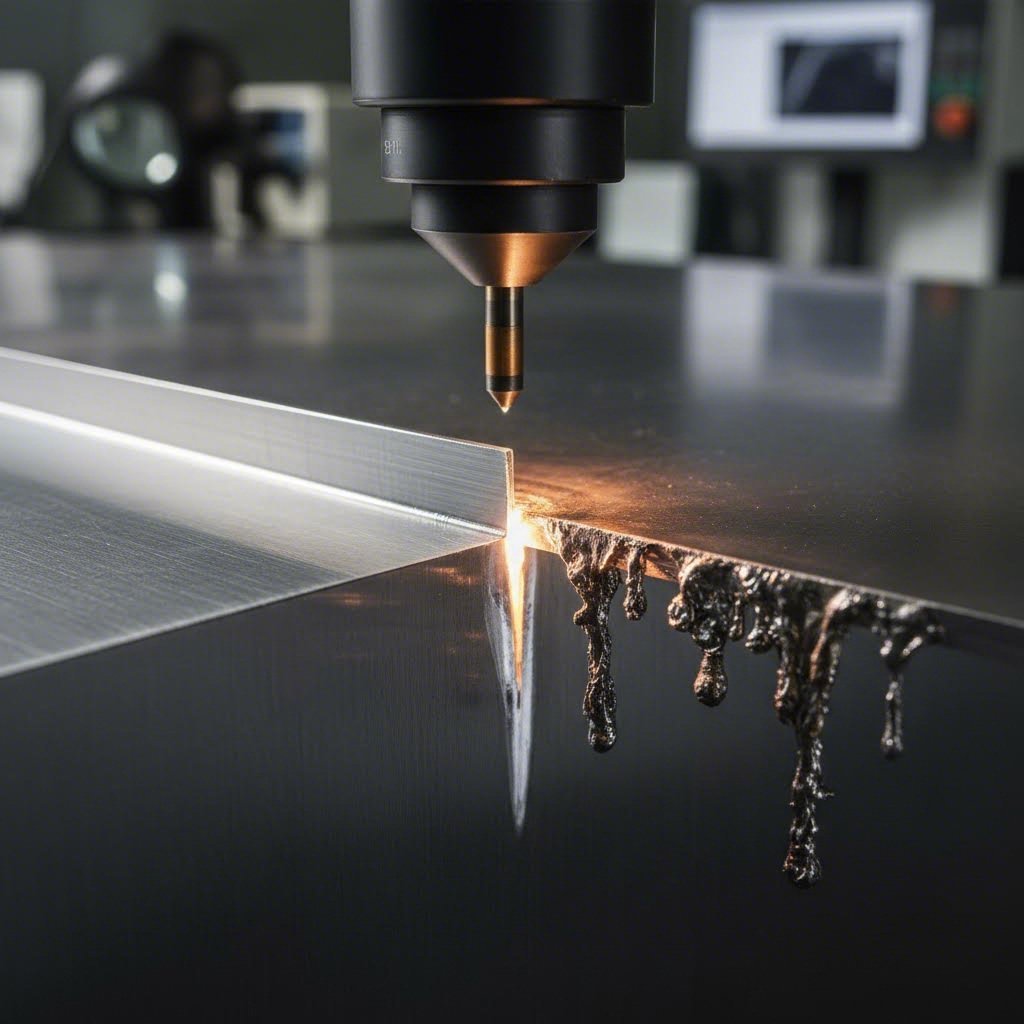
Defectos comúns no corte láser e estratexias para evitalos
Os teus ficheiros son perfectos, o teu material está seleccionado e comeza o corte, pero que ocorre cando as pezas acabadas non satisfán as expectativas? Aínda cunha preparación axeitada, poden aparecer defectos no corte láser, comprometendo a calidade da peza e requerindo posiblemente reprocesos costosos. Comprender estes problemas antes de que xurdan dáche o poder de previnelos ou, polo menos, recoñecer cando algo saíu mal.
Imaxina o control de calidade como o teu punto final de verificación antes de que as pezas deixen a mesa de corte. Saber o que buscar, por que se producen os defectos e como evitalos converteche dun comprador pasivo nun socio informado que pode comunicarse eficazmente cos tallistas sobre os teus requisitos.
Prevención da formación de escoria e rebarba no acero
Entón, que é exactamente o escoría? Para definir escoría simplemente: é o metal fundido que se volve a solidificar e adhire á beira inferior das pezas cortadas a láser. Imaxina gotas de aceiro derretido que non foron expulsadas limpiamente; arrefreceron e quedaron pegadas á túa peza como percebes indesexados. As rebarbas representan un problema relacionado: bordos ásperos e elevados que se forman cando os parámetros de corte non coinciden exactamente coas necesidades do material.
De acordo co investigación sobre control de calidade industrial , estes defectos adoitan resultar dun desequilibrio entre a velocidade de corte e a potencia do láser. Comprender as causas axúdache a traballar con talleres para evitalos:
- Causas da formación de escoria - Velocidade de corte excesivamente lenta, presión insuficiente do gas auxiliar, distancia incorrecta da boquilla ou superficies do material contaminadas
- Prevención da escoria - Optimizar a velocidade de corte, aumentar a presión do gas para expulsar eficazmente o material fundido, manter a distancia axeitada da boquilla
- Causas da formación de rebarbas - Potencia do láser excesiva en relación coa velocidade, lente de foco desafilada ou danada, contaminación da superficie do material
- Prevención de rebarbas - Equilibrar a potencia e os axustes de velocidade, asegurar un enfoque axeitado do feixe, limpar as superficies do material antes do corte
Cando aparecen rebabas ou rebarbas, non son necesariamente catastróficas. As técnicas de postprocesado como o rectificado mecánico, o desbaste por rotación ou o acabado vibratorio poden eliminar estes defectos de forma efectiva. Con todo, a prevención segue sendo moito máis económica que a corrección, especialmente en pedidos de alto volume onde o procesamento secundario engade un custo considerable por peza.
A selección axeitada do gas de axuda determina directamente a calidade do bordo. O oxíxeno permite cortes máis rápidos no acero ao carbono pero deixa bordos oxidados; o nitróxeno produce bordos limpos e brillantes no acero inoxidable. Adaptar o tipo de gas ao material e aos requisitos da aplicación evita moitos dos defectos comúns desde o inicio.
A preparación do material tamén xoga un papel crucial. Como se indicou en directrices de preparación para o corte , as superficies de acero deben estar o máis limpas posibles. As impurezas, revestimentos ou contaminacións na superficie interfiren coa absorción consistente da enerxía, provocando cortes irregulares e un maior índice de defectos.
Xestión do calor para evitar deformacións e descoloración
Xa reparou algunha vez en que os paneis finos de acero adquiren un lixeiro arco ou torsión despois do corte? Iso é a deformación térmica en acción — e ocorre cando o calor do proceso de corte non se xestiona axeitadamente. A enerxía intensa concentrada na zona de corte pode crear expansión localizada, e ao arrefriarse o material de forma desigual, prodúcese a distorsión.
A descoloración das beiras presenta un reto térmico relacionado. As zonas azuis, marróns ou con tonalidades arco da vella ao longo das beiras de corte indican exposición excesiva ao calor. Aínda que ás veces sexa aceptable para compoñentes estruturais ocultos, a descoloración visible significa frecuentemente que as pezas non cumpren cos requisitos de aspecto.
Comprensión dos defectos relacionados co calor e as súas solucións:
- As causas da deformación - Exceso de calor aportada, material fino sen soporte axeitado, patróns de corte que concentran o esforzo térmico
- Prevención da deformación - Optimizar a velocidade de corte para reducir o calor aportado, usar suxeición axeitada do material, planificar secuencias de corte que distribúan uniformemente a carga térmica sobre a chapa
- Causas do cambio de cor - Velocidades de corte lentas que permiten a diseminación do calor, gas auxiliar de oxíxeno que provoca oxidación, arrefriamento insuficiente
- Prevención do cambio de cor - Aumentar a velocidade de corte dentro dos límites de calidade, cambiar ao gas auxiliar de nitróxeno para aplicacións en acero inoxidable, asegurar un fluxo axeitado de gas para arrefriamento
A relación entre a velocidade de corte e os efectos térmicos é enormemente importante. Segundo a investigación sobre gases auxiliares , a xestión axeitada do gas non só elimina o material fundido senón que ademais arrefría activamente a peza, reducindo a deformación térmica e mantendo a precisión dimensional.
Puntos de control de calidade para as súas pezas
Cando cheguen as súas pezas de chapa de acero cortadas a láser, que debe inspeccionar? Ter unha aproximación sistemática garante que detecte problemas antes de que se convertan en incidencias durante o ensamblaxe ou uso final:
- Inspección visual das beiras - Comprobe a presenza de escoria, rebarbas ou descoloración ao longo de todas as beiras cortadas
- Verificación Dimensional - Mida as características críticas respecto das especificacións, tendo en conta o ancho do corte (kerf)
- Comprobación da planitude - Coloque as pezas sobre unha superficie plana para identificar torsións ou distorsións
- Condición superficial - Inspeccione as zonas afectadas polo calor, marcas de queimadura ou contaminación superficial
- Integridade das características - Verifique que os buratos, ranuras e detalles cumpren os requisitos mínimos de tamaño
Se xorden preocupacións sobre ferruxo ou oxidación durante o almacenamento ou manexo, saber como eliminar o ferruxo do metal resulta relevante para manter a calidade das pezas. A preparación da superficie antes do recubrimento en pó ou dos servizos de recubrimento en pó axuda a garantir unha adhesión axeitada e protección a longo prazo. De xeito semellante, comprender como podo eliminar o ferruxo do metal axúdalle a facer fronte a calquera oxidación que se desenvolva entre as operacións de corte e acabado.
As operacións de dobrado que seguen ao corte láser introducen consideracións adicionais. As pezas con zonas afectadas excessivas polo calor poden rachar durante a formación, o que fai que a xestión térmica durante o corte sexa aínda máis crítica para compoñentes destinados a operacións secundarias.
Cunhas estratexias de prevención de defectos xa implantadas, está preparado para avaliar confiadamente a calidade do corte. Mais o corte láser non é o único método de precisión para procesar chapas de acero: comprender como se compara con alternativas axúdalle a escoller a tecnoloxía óptima para cada aplicación específica.
Corte láser fronte aos métodos de corte por chorro de auga e CNC
Así que decidiches usar aceiro para o teu proxecto, pero que tecnoloxía de corte debe moldealo? O corte láser domina a fabricación moderna, mais o corte por chorro de auga e o fresado CNC teñen ámbolos dous aplicacións nas que superan á competencia. Comprender cando empregar cada método evita erros custosos entre a tecnoloxía e os requisitos da aplicación.
Imaxina estas tres tecnoloxías como ferramentas especializadas nun taller. Non usarías un mallo para traballo de acabado, nin collerías un clavo fino para estruturas de armazón. De xeito semellante, a elección do método axeitado de corte depende da combinación específica de espesor do material, necesidades de precisión, sensibilidade ao calor e restricións orzamentarias.
Cando o corte láser supera ao corte por chorro de auga no aceiro
O corte láser e o corte por chato de auga conseguen resultados precisos, pero acadánse a través de mecanismos fundamentalmente diferentes. O láser utiliza enerxía térmica concentrada para derreter e vaporizar o material, mentres que o chato de auga emprega auga a alta presión mesturada con granada abrasiva para erosionar a peza de traballo. Esta distinción crea diferenzas de rendemento claras.
De acordo co probas industriais , o corte láser é superior cando:
- Importa a velocidade - O corte láser alcanza ata 2.500 polgadas por minuto, superando considerablemente ao chato de auga en materiais finos a medios
- Requírense detalles intrincados - O feixe enfocado crea esquinas máis nítidas e características máis finas das que permite o chato de auga
- Procesamento de chapa fina - Os materiais de menos de 1/2" córtanse máis rápido e de forma máis económica coa tecnoloxía láser
- Calidade do bordo en materiais finos - O láser produce bordos excepcionalmente limpos con mínima necesidade de posprocesamento
- Producción de alto volume - Velocidades de corte máis rápidas tradúcense directamente en custos por peza máis baixos en pedidos grandes
Non obstante, o corte por chorro de auga ten vantaxes distintas en escenarios específicos. Cando o calor non pode afectar absolutamente o teu material - pensa en compoñentes previamente endurecidos ou en ligazóns tratadas termicamente - o proceso de corte frío elimina por completo a distorsión térmica. O mercado do corte por chorro de auga segue crecendo, prevéndose que supere os 2.390 millóns de dólares en 2034, impulsado por aplicacións nas que os efectos térmicos son inaceptables.
O corte por chorro de auga destaca cando:
- As zonas afectadas polo calor non poden ser toleradas - Non se producen distorsións térmicas nin cambios metalúrxicos
- Cortar materiais grosos - Éficas en chapas de aceiro que superan 1" onde os láseres teñen dificultades
- Procesamento de metais reflectantes - Manexa materiais que supoñen un reto para algúns sistemas láser
- Proxectos con materiais mixtos - A mesma máquina corta acero, pedra, vidro e materiais compostos
Corte CNC fronte a láser para proxectos con chapa de acero
Corte por fresado CNC - entender o significado de CNC comeza con "control numérico por computadora" - utiliza unha fresa rotatoria guiada por traxectorias programadas para eliminar material mecanicamente. Mentres que os sistemas CNC e os sistemas láser seguen instrucións dixitais, os seus mecanismos de corte producen resultados moi diferentes na chapa de acero.
Para a maioría de aplicacións con chapa de acero, o corte láser ofrece vantaxes claras fronte ao fresado CNC:
- Sen desgaste físico da ferramenta - Os feixes láser non se embotan nin requiren substitución como as fresas
- Esquinas internas máis nítidas - O láser pode producir esquinas limitadas só polo ancho do chanfre, mentres que as fresadoras deixan raios iguais ao diámetro da súa fresa
- Capacidade con materiais máis finos - As chapas finas de acero poden deformarse baixo as forzas de corte mecánico
- Procesamento máis rápido - Os sistemas láser adoitan ser máis rápidos que as fresadoras CNC en chapa metálica
De acordo co especialistas en fabricación , o mecanizado CNC mantén unha tolerancia de +/- 0,005" — precisión excelente, pero conseguida mediante un proceso máis axeitado para plásticos, compósitos e madeira que para chapa de acero. A acción de corte mecánico que funciona tan ben en HDPE ou acrílico crea desafíos con metais máis duros.
Cando ten sentido a tecnoloxía de fresado CNC? Principalmente para materiais non metálicos nos que o corte láser podería causar queimaduras ou danos térmicos. Para a fabricación dedicada de chapas de acero, a tecnoloxía láser segue sendo a opción dominante.
Comparación de tecnoloxías dun só glance
Esta comparación exhaustiva axúdalle a escoller a tecnoloxía de corte adecuada para as súas necesidades específicas:
| Factor | Cortar con láser | Corte por Xacto de Auga | CNC routing |
|---|---|---|---|
| Tolerancia de precisión | +/- 0,005" típico | +/- 0,009" | +/- 0,005" |
| Acabado de canto | Excelente en fina/media; pode precisar acabado en groso | Excelente; suave con mínimas estrías | Boa; pode precisar desbarbado |
| Zona Afectada polo Calor | Presente pero mínima con parámetros optimizados | Ningún - proceso de corte frío | Mínimo - proceso mecánico |
| Rango de Grosor do Material | Ata 1" estándar; máis grosa con sistemas de alta potencia | Ata 6"+ en acero | Efectividade limitada en acero |
| Custo relativo por corte | Máis baixa para materiais finos/media | Maior debido á velocidade máis lenta e consumibles | Moderado; o desgaste da ferramenta incrementa o custo |
| Velocidade de corte | O máis rápido (ata 2.500 IPM) | O máis lento (3-4 veces máis lento ca o láser) | Moderado |
| Capacidade de esquina interna | É posíbel que haxa esquinas afiadas | Radio mínimo de 0,032" | O radio coincide co diámetro da fresa (0,063"+) |
Estrutura de decisión para a selección de tecnoloxía
Escoller o método de corte axeitado é sinxelo cando avalías o teu proxecto segundo criterios clave. Pregúntate estas cousas:
- É crítica a sensibilidade ao calor? - Se os efectos térmicos non poden ser tolerados en absoluto, o corte por chorro de auga é a túa resposta
- Cal é o grosor do seu material? - Por baixo de 1/2", o láser gaña normalmente en velocidade e custo; para grosores maiores, pode ser preferible o corte por chorro de auga
- Necesitas detalles complexos? - Os detalles finos e as esquinas afiadas indican que o corte por láser é a mellor opción
- Cal é o teu volume? - Os pedidos de alta cantidade amplifican a vantaxe de velocidade do láser, converténdoa en aforros significativos de custo
- Vanse soldar as pezas? - Considera como o método de corte afecta a preparación das beiras; isto importa máis ca o debate entre soldadura tig e mig que terás posteriormente
Para a maioría de aplicacións con chapa de acero cortada a láser, a selección da tecnoloxía é clara: o corte por láser ofrece a combinación óptima de precisión, velocidade e rentabilidade. O corte por axetabe converte-se na mellor opción cando as consideracións térmicas priman sobre outros factores ou cando se cortan placas moi grosas. A fresadora CNC, aínda que excelente para plásticos e compósitos, raramente representa a mellor opción para a fabricación exclusiva de acero.
Moitas talleres de fabricación exitosos manteñen varias tecnoloxías - quizais láser para o traballo principal en acero e axetabe para aplicacións especiais que requiren cero entrada de calor. Incluso operacións de soldadura puntual no proceso seguinte poden influír na túa elección da tecnoloxía de corte, xa que a calidade da beira afecta os requisitos de preparación para a soldadura.
Comprender estas compensacións tecnolóxicas permite definir o proceso axeitado para cada proxecto. Unha vez escollido o método de corte, a seguinte consideración é a aplicación: comprender como as chapas de aceiro cortadas con láser sirven a diferentes industrias axúdalle a optimizar os seus deseños para requisitos reais de rendemento.
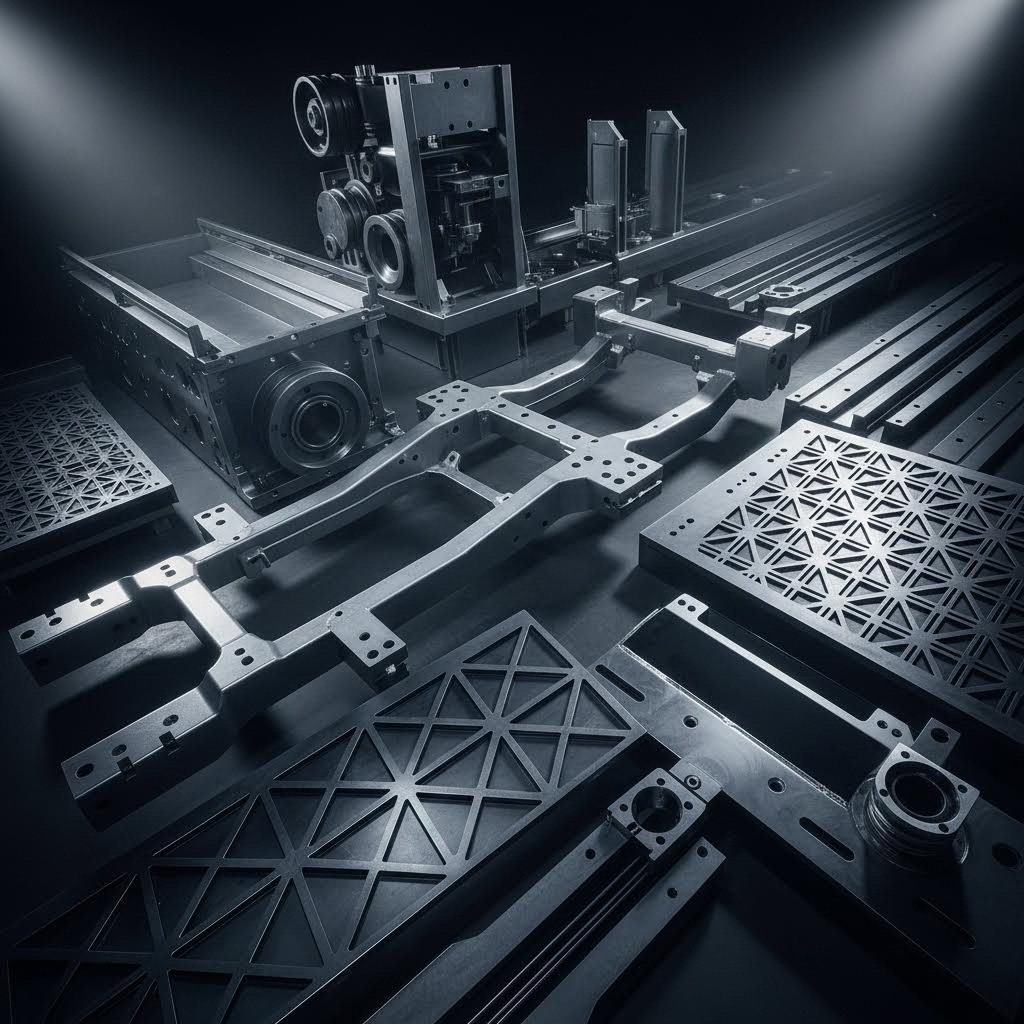
Aplicacións industriais para chapas de aceiro cortadas con láser
Onde acaban todas esas chapas metálicas precisamente cortadas? Desde o coche que conduci até o edificio no que traballa, as chapas de aceiro cortadas con láser forman a columna vertebral da fabricación moderna en case todos os sectores. Comprender como diferentes sectores usan esta tecnoloxía — e os seus requisitos específicos — axúdalle a deseñar pezas que funcionen á perfección en condicións reais.
Cada industria trae demandas únicas en canto a tolerancia, acabado superficial e rendemento do material. O que funciona perfectamente para sinais metálicas personalizadas decorativas fracasaría estrepitosamente en aplicacións de chasis para automóbiles. Exploremos como as principais industrias aproveitan a tecnoloxía de corte por láser e que normas deben cumprir as súas pezas.
Aplicacións Automotrices e de Acero Estrutural
A industria automotriz representa un dos entornos máis exigentes para compoñentes de chapa de acero cortados por láser. De acordo con análise do sector , os fabricantes usan o corte por láser de precisión para crear pezas de chasis, paneis da carrocería, compoñentes do motor e ferraxes intricados a partir de metais como o acero e o aluminio en chapa. A combinación de alta velocidade e precisión permite a produción rápida de pezas que cumpren tolerancias estreitas, esenciais para a seguridade e o rendemento do vehículo.
Que fai que as aplicacións automotrices sexan tan exigentes? Estas compoñentes deben soportar:
- Condicions de carga dinámica - Vibración constante, forzas de impacto e ciclos de fatiga
- Tolerancias dimensio-nais estreitas - Típicamente +/- 0,005" ou máis apertado para conxuntos críticos
- Calidade de bordo consistente - Cortes limpos que se comportan de forma previsible nas seguintes operacións de conformado e soldadura
- Repetibilidade en alto volume - Miles de pezas idénticas cunha variación mínima
- Requisitos de trazabilidade - Documentación completa para compoñentes críticos de seguridade
As follas de acero cortadas con precisión por láser sirven como compoñentes fundamentais na fabricación de automóbiles, a miúdo combinadas co estampado metálico para conxuntos completos de chasis e suspensión. Fabricantes como Shaoyi integran o corte por láser con procesos posteriores de estampado e montaxe, ofrecendo calidade certificada segundo IATF 16949 para compoñentes estruturais. A súa capacidade de prototipado rápido en 5 días acelera os ciclos de desenvolvemento que a fabricación tradicional non podería igualar.
Alén dos vehículos particulares, as aplicacións estruturais de acero requiren unha precisión semellante:
- Compóñentes de maquinaria pesada - Brazos de escavadora, estruturas de grúa, maquinaria agrícola
- Soportes e conectores de construción - Conexións resistentes que requiren resistencia certificada
- Estruturas industriais - Bases de máquinas, estruturas de transportadores, protectores de seguridade
Para estas aplicacións, a redución da deformación das pezas e as zonas afectadas polo calor mínimas aseguran que os compoñentes manteñan as súas propiedades mecánicas baixo condicións de servizo exigentes.
Proxectos arquitectónicos e metálicos personalizados
Saíndo do chan industrial, o corte láser convértese nunha ferramenta artística. As industrias arquitectónicas e decorativas utilizan o corte láser de precisión para crear elementos esteticamente agradables que tamén satisfán os requisitos estruturais. De acordo con especialistas en fabricación , as aplicacións comúns inclúen sinais, logotipos, traballo en metal artístico e formas de precisión para aplicacións industriais como engrenaxes, orellas e xuntas.
As aplicacións típicas de chapa metálica arquitectónica inclúen:
- Paneis decorativos de fachada - Patróns complexos que xogan coa luz e a sombra
- Elementos de deseño interior - Divisores de espazo, arte mural, compoñentes personalizados para mobiliario
- Sinais metálicos personalizados - Sinalización comercial, sistemas de orientación, placas conmemorativas
- Sistemas de barandas e pantallas - Balaustradas, pantallas de privacidade, barreras decorativas
- Luminarias - Carcasas personalizadas e compoñentes reflectores
O que distingue o traballo arquitectónico das aplicacións industriais? As expectativas respecto ao acabado superficial aumentan considerablemente. Mentres que un soporte estrutural oculto podería tolerar pequenas rebarbas ou lixeiras descoloracións, as follas metálicas arquitectónicas visibles requiren perfección. A calidade dos bordos debe ser constante abondo para presentarse limpa sen necesidade de acabados secundarios, ou deben incluírse no alcance do proxecto os procesos de acabado especificados.
Para aplicacións decorativas, a capacidade da tecnoloxía de producir patróns complexos con acabados de alta calidade e mínima distorsión faino ideal para pezas artísticas e funcionais que melloran tanto a beleza como a durabilidade.
Ao buscar metalúrxia cerca de min ou talleres de fabricación metálica cerca de min, os proxectos arquitectónicos benefícianse de traballar con talleres de fabricación cerca de min que comprendan tanto os requisitos técnicos de corte como as expectativas estéticas dos profesionais do deseño.
Equipamento Industrial e Fabricación de Precisión
Ademais dos sectores automotriz e arquitectónico, as chapas metálicas cortadas a láser impulsan a fabricación en múltiples industrias con requisitos especializados:
Aplicacións aeroespaciais
O sector aerospacial require compoñentes que cumpran normas estritas de precisión e durabilidade. A investigación do sector confirma que o corte láser fabrica pezas complexas como soportes, placas de montaxe e elementos estruturais a partir de materiais como o acero inoxidable e o titán. Cortes limpos con zonas afectadas polo calor mínimas aseguran que as pezas manteñan a súa integridade en condicións extremas: grandes altitudes, flutuacións térmicas e cargas dinámicas.
Fabricación de Dispositivos Médicos
As aplicacións médicas requiren compoñentes que cumpran normas estritas de calidade e hixiene. O corte láser produce instrumentos cirúrxicos, ferramentas de diagnóstico e carcacas de dispositivos con bordos limpos e sen rebarbas, esenciais para procedementos médicos sensibles. A capacidade de traballar con chapas metálicas finas posibilita a creación de dispositivos miniaturizados críticos para a tecnoloxía médica moderna.
Industria electrónica
O corte láser de precisión demostra ser transformador na fabricación electrónica, onde pezas pequenas e complexas son fundamentais para o ensamblaxe. As placas de circuítos, os compoñentes semicondutores e os conectores benefícianse do estreito ancho de corte e da flexibilidade programable desta tecnoloxía. Ao continuar as tendencias de miniaturización, o corte láser permite aos fabricantes satisfacer a demanda de compoñentes electrónicos con alta tolerancia e fiabilidade.
Aplicacións no sector enerxético
Os sistemas de xeración de enerxía e enerxías renovables dependen de compoñentes cortados con láser para turbinas, intercambiadores de calor e contedores deseñados para resistir altas temperaturas e ambientes corrosivos. O proceso proporciona pezas cunha excelente calidade de bordo e un impacto térmico mínimo, contribuíndo á fiabilidade e longa duración das infraestruturas energéticas.
Expectativas de Tolerancia e Acabado por Industria
Comprender que espera cada industria axuda a especificar os requisitos apropiados:
| Sector | Tolerancia típica | Prioridade do Acabado Superficial | Materiais comúns |
|---|---|---|---|
| Automovilístico | +/- 0,005" ou máis rigoroso | Consistencia funcional | Acero ao carbono, chapa de aluminio |
| Aeroespacial | +/- 0,003" típico | Crítico; zona afectada polo calor mínima | Aco Inoxidable, Titánio |
| Arquitectónico | +/- 0,010" aceptable | Máis alto; aplicación visible | Inoxidable, aluminio, acero resistente á intempérie |
| Médico | +/- 0,005" ou máis rigoroso | Sen rebarbas; limpo capaz | Aco Inoxidable, Titánio |
| Electrónica | +/- 0,005" típico | Consistente para montaxe | Cobre, latón, acero fino |
| Equipamento Industrial | +/- 0,010" típico | Funcional; bordos soldables | Acero ao carbono, materiais en chapa |
Esta diversidade de aplicacións amosa por que o corte láser se converteu en imprescindible en toda a fabricación. A capacidade da tecnoloxía para ofrecer cortes limpos, tolerancias estreitas e desperdicio mínimo —tal como destacan os provedores que ofrecen procesos certificados segundo a ISO 9001:2015— subliña a súa versatilidade e importancia.
Xa sexa que estea producindo compoñentes estruturais para equipos pesados ou láminas metálicas delicadas para electrónica, comprender os requisitos específicos do seu sector garante que as pezas cortadas con láser funcionen como se pretende. Cando as aplicacións están claramente definidas, o paso final consiste en sintetizar todas estas consideracións en decisións intelixentes para as necesidades do seu proxecto específico.
Tomar Decisións Intelixentes para o Seu Proxecto de Corte de Aceiro
Recorreu desde a física fundamental ata a selección de materiais, optimización do grosor, preparación de ficheiros, prevención de defectos, comparación de tecnoloxías e aplicacións industriais. Agora chega o momento de reunir todo isto en decisións aplicables para o seu proxecto específico. A diferenza entre un proxecto de corte con láser de chapa de aceiro exitoso e un frustrante adoita residir en aplicar estes principios de forma sistemática fronte a fragmentaria.
Pense isto como a súa lista de comprobación previa ao voo. Os pilotos non saltan pasos porque xa voaron miles de veces; entenden que os procesos consistentes proporcionan resultados consistentes. Os seus proxectos de fabricación merecen o mesmo enfoque disciplinado.
Principais conclusións para o seu proxecto de corte de aceiro
Todo proxecto exitoso comeza por axustar as propiedades do material ás demandas da aplicación. Entre os diversos tipos de metal dispoñibles, o aceiro segue sendo a opción máis forte na maioría das aplicacións estruturais e industriais grazas ao seu excepcional equilibrio entre resistencia, formabilidade e rentabilidade. Pero escoller "aceiro" non é suficiente; necesita a calidade adecuada.
Este é o seu marco de decisión resumido:
- A selección do material determina todo - Aceiro ao carbono para traballos estruturais rentables, inoxidable 304 para resistencia xeral á corrosión, inoxidable 316 para exposición mariña ou química
- O grosor afecta máis que a resistencia - Permanecer dentro do punto óptimo de 1 mm a 12 mm optimiza a velocidade de corte, a calidade do bordo e o custo por peza
- A preparación dos ficheiros evita fallos - Ficheiros vectoriais limpos con tamaños mínimos de característica axeitados eliminan rexeitamentos costosos e traballo de revisión
- A selección da tecnoloxía importa - Laser de fibra para chapas de acero fino a medio; considerar o corte por axet de auga só cando os efectos térmicos sexan absolutamente inaceptables
- Especificacións de calidade dende o comezo - Comunicar os requisitos de tolerancia, as expectativas de acabado superficial e as necesidades de post-procesamento antes de iniciar a produción
Antes de presentar calquera pedido, verifique estes puntos de control de calidade: o grao do material coincide coas requirimentos da aplicación, o espesor optimiza tanto a resistencia como a eficiencia do procesamento, a xeometría do ficheiro cumpre as especificacións mínimas de característica e os requisitos de tolerancia comunícanse claramente ao seu fabricante.
Comprender as propiedades dos metais axuda a anticipar como se comportará o material escollido durante o corte e no seu uso final. A combinación do aceiro de alta resistencia á tracción, resposta térmica previsible e excelente soldabilidade faino a opción dominante para a fabricación de precisión, pero só cando se especifica correctamente.
Avanzando con Fabricación Precisa de Aceiro
Preparado para seguir adiante? Os seguintes pasos dependen da complexidade do teu proxecto e dos requisitos de volume:
- Para prototipos e pequenos lotes - Os servizos de corte en liña ofrecen orzamentos rápidos e prazos curtos; sube os teus ficheiros DXF e recibe un prezo instantáneo
- Para volumes de produción - Establece relacións con talleristas que comprendan os requisitos específicos do teu sector e que poidan escalar segundo as túas necesidades
- Para conxuntos complexos - Busca servizos integrados que combinen o corte láser con operacións posteriores como conformado, soldadura e acabados
Cando o seu proxecto require compoñentes de acero de precisión con servizos integrados de fabricación, considere fabricantes que ofrezan soporte integral DFM (Deseño para Fabricabilidade). Shaoyi exemplifica esta aproximación, proporcionando prototipado rápido que complementa o corte por láser con procesos subsecuentes de estampado e montaxe. O seu prazo de orzamento en 12 horas e a capacidade de prototipado en 5 días aceleran os ciclos de desenvolvemento que a fabricación tradicional non podería igualar.
Os compoñentes de chapa metálica que especifica hoxe convértense nos produtos e estruturas do futuro. Sexa que estea fabricando compoñentes de chasis para automóbiles, elementos arquitectónicos ou equipos industriais, os principios recollidos ao longo desta guía colocarano en condicións de acadar resultados impecables.
O éxito do seu proxecto de chapa de acero cortada a láser depende en última instancia de decisións informadas en cada etapa, desde a selección inicial do material ata a inspección final de calidade. Aplique estes principios de forma consistente, comunique-se claramente cos seus socios de fabricación, e converterá chapas de acero bruto en compoñentes de precisión que funcionarán exactamente como foron deseñados.
Preguntas frecuentes sobre chapas de acero cortadas a láser
1. É posíbel cortar unha chapa de acero a láser?
Sí, o corte por láser é moi eficaz para chapa de aceiro e segue sendo un dos métodos de fabricación máis populares. O aceiro doce, o inoxidable e o galvanizado córtanse eficientemente usando tecnoloxía láser. Os láseres de fibra destacan en espesores finos a medios (ata 25 mm estándar), mentres que os láseres de CO2 funcionan ben en chapas máis grosas. O proceso produce bordos limpos con zonas afectadas polo calor mínimas, o que o fai ideal para aplicacións automotrices, arquitectónicas e industriais. Para compoñentes automotrices de alto volume que requiren calidade certificada segundo IATF 16949, fabricantes como Shaoyi combinar o corte por láser co estampado metálico para obter conxuntos completos de chasis e suspensión.
2. Canto custa cortar aceiro con láser?
Os custos de corte por láser dependen do grosor do material, a complexidade e a cantidade. As taxas de configuración adoitan oscilar entre 15 e 30 dólares por traballo, con tarifas de man de obra dunha media de 60 dólares por hora para traballos adicionais. Os materiais finos (16-18 gauge) córtanse máis rápido e teñen un custo menor por peza, mentres que as chapas máis grosas (1/4" a 1/2") poden custar entre 2,5 e 4,5 veces máis debido ás velocidades de corte máis lentas. Servizos en liña como SendCutSend e OSH Cut ofrecen orzamentos instantáneos ao subir ficheiros DXF. Para volumes de produción, establecer relacións con talleristas que ofrezan soporte DFM completo e prototipado rápido pode reducir significativamente o custo por peza mediante procesos de fabricación optimizados.
3. Que materiais non se poden cortar cun cortador láser?
Certos materiais non deberían cortarse nunca con láser por motivos de seguridade e calidade. Entre eles está o PVC (cloreto de polivinilo), que libera gas tóxico de cloro, o coiro que contén cromo (VI), as fibras de carbono que xeran po perigoso e o policarbonato, que se descolora e corta mal. En relación ao aceiro en particular, as superficies moi reflectantes poden supoñer un reto para algúns sistemas láser de CO2, aínda que os lásers de fibra modernos manexan eficazmente metais reflectantes como o aluminio, o cobre e o bronce. Ao cortar aceiro galvanizado, son esenciais sistemas de ventilación axeitados para controlar os fumes de óxido de cinc procedentes do revestimento vaporizado.
4. Cal é a diferenza entre os láseres de CO2 e de fibra para cortar aceiro?
Os láseres de CO2 usan un tubo cheo de gas que produce unha lonxitude de onda de 10,6 micrómetros, mentres que os láseres de fibra xeran un feixe de 1,064 micrómetros a través de fibra óptica. Os láseres de fibra cortan acero fino a medio 3-5 veces máis rápido, operan cun rendemento do 35 % fronte ao 10-15 % do CO2 e requiren menos mantemento (200-400 $ anuais fronte aos 1.000-2.000 $). Os láseres de CO2 destacan en chapas grosas de máis de 20 mm cunha calidade de bordo superior. Os custos operativos difiren considerablemente: os sistemas de fibra teñen un custo aproximado de 3,50-4,00 $ por hora en enerxía fronte aos 12,73 $ do CO2. Para a maioría das aplicacións en chapa de acero de menos de 20 mm, a tecnoloxía de fibra ofrece a mellor combinación de velocidade, calidade e rentabilidade.
5. Que formato de ficheiro é o mellor para cortar con láser chapa de acero?
DXF (Drawing Exchange Format) é o estándar preferido para ficheiros de corte láser, permitindo a obtención automática instantánea na maioría das plataformas en liña. Os ficheiros DWG, STEP/STP e Adobe Illustrator tamén son aceptados, pero poden requirir conversión. Os requisitos fundamentais inclúen o uso de formatos vectoriais (nunca imaxes de tramas como JPEG ou PNG), eliminar a xeometría que non se corta, como dimensións e notas, converter o texto en contornos, asegurar que todos os trazos sexan lazos pechados e verificar a precisión da escala 1:1. As especificacións mínimas para elementos inclúen diámetros de furados polo menos iguais ao 50% do grosor do material e distancias do furado ao bordo de 2 veces o grosor do material ou un mínimo de 3 mm.