 Мы участвуем в выставке Automechanika Frankfurt 2026 — 8 сентября | Зал 4.2, стенд M31 —
 EN
EN


Лазерная резка: от подготовки файла до готовой детали
Что такое лазерная резка и почему это важно
Задумывались ли вы, как изготавливают сложные изделия из металла, например ювелирные украшения, нестандартные вывески или точные автомобильные детали с идеальной формой? Ответ зачастую кроется в технологии, использующей свет в качестве режущего инструмента. Независимо от того, являетесь ли вы мастером, занимающимся творческими проектами, или инженером, подбирающим промышленные компоненты, понимание этого процесса открывает возможности, о которых вы, возможно, даже не задумывались.
Лазерная резка — это производственный процесс, при котором для резки материалов с исключительной точностью используется сфокусированный мощный луч света. Сконцентрированная лазерная энергия нагревает материал по траектории, контролируемой компьютером, в результате чего материал плавится, сгорает или испаряется. Вспомогательный газ затем удаляет расплавленный материал, оставляя чистые и гладкие края. Согласно TWI Global , в самой узкой части диаметр лазерного луча обычно составляет менее 0,32 мм, а ширина реза может достигать всего 0,10 мм в зависимости от толщины материала.
От светового луча к точному резу
Что делает лазерную резку настолько ценной? Представьте, что необходимо создать идентичные детали с допусками, измеряемыми долями миллиметра. Традиционные методы резки с этим справляются плохо, тогда как лазерные технологии превосходны. Этот процесс возможен благодаря уникальным свойствам лазерных лучей — когерентности, монохроматичности и коллимации, которые позволяют концентрировать огромную энергию в крошечном пятне.
Эта технология без проблем объединяет два мира. Любители используют лазерную резку и гравировку для создания персонализированных подарков или прототипов изобретений. В то же время производители в аэрокосмической и автомобильной промышленности полагаются на тот же базовый процесс для изготовления критически важных компонентов . В чём разница? Масштаб, мощность и требования к точности.
Наука за лазерным лучом
Когда вы используете лазер для резки материала, на молекулярном уровне происходит нечто удивительное. Сфокусированный луч взаимодействует с заготовкой, передавая тепловую энергию, которая практически мгновенно превращает твёрдый материал в пар или жидкость. Такой локализованный нагрев создаёт минимальные зоны термического воздействия, уменьшая деформации и сохраняя целостность материала.
Процесс прецизионной лазерной резки следует запрограммированным траекториям, контролируемым системами ЧПУ (числовое программное управление). Эти системы преобразуют цифровые чертежи в точные координаты резки, обеспечивая воспроизводимость независимо от того, изготавливаете ли вы один прототип или тысячи одинаковых деталей.
В этом руководстве вы узнаете о различных доступных лазерных технологиях, какие материалы подходят лучше всего, как подготовить файлы с дизайном и какие факторы влияют на ценообразование. Вы также научитесь оценивать поставщиков услуг, чтобы подобрать подходящего партнёра для производства в соответствии с требованиями вашего проекта. Готовы разобрать весь путь — от подготовки файла до готовой детали — по шагам? Приступим.
Понимание типов технологий лазерной резки
Не все лазеры одинаковы. Когда вы заказываете услугу лазерной резки, технология, стоящая за лучом определяет, какие материалы можно резать, как быстро будет выполняться работа и какого уровня точности удастся достичь. Выбор типа лазера можно сравнить с выбором нужного инструмента из набора — каждый из них отлично справляется с определёнными задачами, но не подходит для других.
Три основные лазерные технологии доминируют в отрасли: CO2-лазеры, волоконные лазеры и лазеры на Nd:YAG. Понимание их различий помогает эффективно взаимодействовать с поставщиками услуг и гарантирует, что для вашего проекта будет выбран оптимальный лазер для резки конкретного материала.
CO2-лазеры для универсальной обработки материалов
CO2-лазеры используют газовую смесь, в основном состоящую из углекислого газа, в качестве активной среды, создавая луч с длиной волны около 10,6 микрон. Эта более длинная волна легко поглощается органическими материалами, что делает технологию CO2 предпочтительным выбором для обработки неметаллов.
Что может резать CO2-лазер? Список впечатляет своим разнообразием:
- Дерево и фанера для вывесок и декоративных изделий
- Акрил с полированными, оплавленными краями
- Кожа для модных аксессуаров и обивки
- Бумага и картон для упаковочных прототипов
- Текстиль и ткани для производства одежды
- Некоторые виды пластика (хотя выбор материала имеет значение для безопасности)
Согласно MatterHackers , лазеры на CO2 предлагают высокую универсальность и точность при работе с неметаллами, но требуют регулярного обслуживания и не подходят для резки металлов. Отрасли, такие как производство вывесок, моделирование и художественные ремёсла, в значительной степени полагаются на эту технологию.
Может ли лазер на CO2 по металлу обрабатывать сталь или алюминий? Хотя технически это возможно при использовании мощных промышленных установок, технология CO2 оказывается менее эффективной для металлов по сравнению с волоконными аналогами. Более длинная волна отражается от металлических поверхностей, а не поглощается ими, что снижает эффективность резки.
Волоконные лазеры и превосходство при резке металла
Если ваш проект связан с металлом, волоконные лазеры представляют собой современный эталон. Эти твердотельные системы генерируют лазерный луч через оптические волокна, легированные редкоземельными элементами, создавая длину волны около 1 микрона — примерно в десять раз короче, чем у CO2-лазеров.
Почему длина волны имеет значение? Более короткая длина волны чрезвычайно эффективно поглощается металлическими поверхностями. Лазерный резак по металлу с волоконной технологией может разрезать нержавеющую сталь, алюминий, латунь, медь и титан с выдающейся скоростью и точностью. Согласно ADHMT, волоконные лазеры достигают эффективности электрооптического преобразования более 30 %, что делает их значительно более энергоэффективными по сравнению со старыми технологиями.
Лазерные резаки по металлу на основе волоконной технологии предлагают несколько весомых преимуществ:
- Более высокая скорость резки, особенно на материалах малой и средней толщины
- Меньше потребность в обслуживании — не нужно заменять зеркала или газовые трубки
- Компактные габариты по сравнению с аналогичными системами CO2
- Превосходные показатели при работе с отражающими материалами, такими как медь и латунь
- Более длительный срок эксплуатации и меньшее количество расходных материалов
Для тех, кто ищет лазерный станок для резки металла, волоконная технология обеспечивает наилучшее сочетание скорости, точности и эксплуатационных затрат. В чем компромисс? Волоконные лазеры плохо справляются с органическими материалами — древесина, акрил и текстиль просто не поглощают короткие волны достаточно эффективно.
Лазеры Nd:YAG для специализированных применений
Лазеры Nd:YAG (неодимовый иттриево-алюминиевый гранат) занимают узкоспециализированную нишу. Эти твердотельные системы излучают длину волны 1,06 мкм и отлично подходят для применений, требующих высокой пиковой мощности.
Где проявляют себя лазеры Nd:YAG? Согласно Celerity Precision , они обычно используются для сварки, глубокой гравировки и резки толстых металлов в таких сложных отраслях, как автомобилестроение, оборона и аэрокосмическая промышленность. Их способность выдавать сконцентрированные импульсы энергии делает их идеальными для точечной сварки и маркировки, где другие технологии оказываются недостаточно эффективными.
Однако системы Nd:YAG имеют свои особенности. Как правило, они стоят дороже аналогичных волоконных или CO2-установок, требуют более сложных систем водяного охлаждения и нуждаются в более частом обслуживании. Для большинства стандартных задач резки волоконные лазеры в значительной степени вытеснили технологию Nd:YAG, но для специализированных задач с высокой мощностью Nd:YAG остаётся актуальной.
Выбор подходящей технологии
Какой же тип лазера подходит для вашего проекта? Решение в основном зависит от типа материала и требований к применению.
| Фактор | Лазер CO2 | Лазерные волокна | Лазер Nd:YAG |
|---|---|---|---|
| Первичные материалы | Дерево, акрил, кожа, бумага, текстиль, некоторые виды пластика | Сталь, нержавеющая сталь, алюминий, латунь, медь, титан | Толстые металлы, специальные сплавы |
| Длина волны | 10,6 микрон | ~1 микрон | 1,06 микрона |
| Скорость резки | Умеренный | Самый быстрый для металлов | Умеренно до медленно |
| Уровень точности | Высокий | Очень высокий | Высокий |
| Обслуживание | Обычный (зеркала, газовые трубки) | Низкая | Повышенный (водяное охлаждение) |
| Лучшие применения | Вывески, ремесленные изделия, прототипирование, моделирование | Металлообработка, электроника, ювелирные изделия, автомобилестроение | Сварка, глубокая гравировка, оборонные компоненты |
| Относительная стоимость | Умеренный | Более высокие начальные, более низкие эксплуатационные | Наивысший |
При обращении к поставщику услуг лазерной резки знание требований к материалам помогает убедиться, что у него есть соответствующее оборудование. Компания, специализирующаяся на изготовлении вывесок из акрила, скорее всего использует CO2-оборудование, в то время как специалист по точной металлообработке почти наверняка работает на волоконных системах. Некоторые универсальные поставщики используют обе технологии, обеспечивая гибкость при работе с различными типами материалов.
Понимание различий между технологиями также помогает более осознанно анализировать коммерческие предложения. Поставщик лазерной резки металла, использующий волоконную технологию, может выполнить ваши детали из стали быстрее, чем устаревшая CO2-установка, что потенциально влияет как на цену, так и на сроки выполнения заказа. Теперь, когда вы понимаете, какое оборудование используется в процессе, давайте рассмотрим, как дизайн превращается в готовую вырезанную деталь.
Как работает процесс лазерной резки
Итак, у вас есть идея дизайна, и вы знаете, какая лазерная технология подходит для вашего материала. Но что именно происходит между загрузкой файла и получением готовой детали в руках? Понимание полного рабочего процесса помогает вам лучше подготовить файлы, эффективнее взаимодействовать с поставщиками услуг и предвидеть, чего ожидать на каждом этапе.
Путь от концепции до вырезанной детали включает тщательно согласованную последовательность, где цифровая точность встречается с физическим производством . Независимо от того, используете ли вы сервис лазерной резки с ЧПУ или управляете собственным станком с ЧПУ, основной процесс остаётся неизменным на всех масштабах.
От дизайна к цифровому файлу
Каждая лазерно вырезанная деталь начинается с цифрового файла. Это не просто изображение — это векторный дизайн, который точно указывает станку, куда направлять луч. Представьте, что вы создаёте точный маршрут, по которому будет следовать лазер.
Ваше программное обеспечение для проектирования создает траектории, определяющие линии реза, отметки надрезов и области гравировки. Согласно Xometry, вам необходимо проверить, что ваш файл состоит из одиночных линий без проблем с цветом или слоями, которые могут помешать работе программного обеспечения станка. К числу распространенных приложений для проектирования относятся профессиональные решения, такие как AutoCAD и Adobe Illustrator, а также доступные альтернативы, например Inkscape — для тех, кто только начинает.
Что делает файл готовым к лазерной обработке? Дизайн должен содержать замкнутые контуры с правильным масштабированием и удаленными ненужными слоями. Файлы САПР служат чертежами, определяющими размеры, формы и траектории реза — каждая линия имеет значение, поскольку лазерные и станки с ЧПУ интерпретируют их буквально.
Последовательность резки: объяснение
После подготовки файла фактический процесс лазерной резки выполняется по установленной последовательности. Ниже приведено пошаговое описание происходящего:
- Подготовка заготовки: Материал надежно фиксируется на рабочем столе. Правильное позиционирование обеспечивает точное следование лазера по запрограммированному пути — неправильно выровненные материалы приводят к неточным разрезам и потере материала.
- Настройка оборудования: Операторы загружают ваш чертеж в компьютерную систему станка с ЧПУ для лазерной резки. Параметры, такие как мощность лазера, скорость, фокусное расстояние и настройки вспомогательного газа, настраиваются в зависимости от типа и толщины вашего конкретного материала.
- Калибровка фокальной точки: Фокальная точка лазера регулируется по поверхности материала или немного ниже неё. Это позволяет максимизировать концентрацию энергии за счёт минимизации размера пятна в критической точке начала реза.
- Протяжка: Перед началом резки лазер должен проникнуть в материал в начальных точках. Согласно Komacut, для пробивки требуется сконцентрированная лазерная энергия, чтобы создать входные отверстия, что часто требует больше времени и точности, чем непрерывная резка.
- Выполнение резки: Программирование CNC преобразует ваш цифровой дизайн в точные траектории резки. Движение управляется с помощью инструкций на основе G-кода, которые приводят в действие позиционирующие двигатели, перемещая либо лазерную оптику, либо заготовку, либо оба компонента по запрограммированному маршруту.
- Работа с подачей газа: Во время резки вспомогательные газы выполняют несколько важных функций. Они удаляют расплавленный материал и золу из зоны реза, охлаждают окружающие области для минимизации зон, подверженных тепловому воздействию, и предотвращают загрязнение оптики дымом и отходами. Кислород способствует более быстрой резке за счёт экзотермических реакций, а азот предотвращает окисление, обеспечивая более чистые кромки.
- Извлечение деталей: Вырезанные детали остаются на месте на рабочем столе до полной остановки лазера и прекращения движения станка. Детали могут иметь острые края и остаточное тепло, поэтому требуют аккуратного обращения.
Что происходит на молекулярном уровне во время резки? Сфокусированный луч быстро нагревает материал, пока он не расплавится, обуглится или не испарится. Этот локализованный перенос энергии происходит почти мгновенно — лазер взаимодействует с заготовкой с такой высокой концентрацией, что материал переходит из твёрдого состояния в парообразное по ходу луча. Узкая прорезь (ширина реза) является результатом этой точной концентрации энергии и обычно составляет доли миллиметра.
Варианты отделки после резки
Завершение резки не всегда означает окончание проекта. В зависимости от требований вашего применения, могут потребоваться следующие этапы последующей обработки:
- Период охлаждения: Лазерная резка выделяет значительное количество тепла. Детали необходимо достаточно долго охлаждать перед обращением с ними, чтобы избежать ожогов и обеспечить стабилизацию термических напряжений.
- Удаление заусенцев: Согласно Komacut, зачистка удаляет такие дефекты, как острые кромки и заусенцы, оставшиеся после резки. Методы включают шлифовку, полировку и использование автоматизированных машин для зачистки в зависимости от материала и требуемой отделки.
- Очистка поверхности: Химическая или механическая очистка удаляет остатки, окисления или потемнения, возникшие в процессе резки.
- Снятие стресса: Для прецизионных применений последующий нагрев может снизить остаточные напряжения в зонах резки, которые со временем могли бы привести к деформации детали.
- Вспомогательные операции: Многие детали требуют дополнительной обработки, такой как гибка, сварка, покрытие, окраска или сборка, прежде чем приобрести окончательную форму.
Меры контроля качества завершают процесс. Проверка размеров с помощью штангенциркулей, осмотр поверхности и тестирование однородности отделки обеспечивают соответствие деталей проектным спецификациям перед отправкой.
Понимание этого полного рабочего процесса помогает оценить, насколько важна правильная подготовка файлов, и почему одни материалы режутся чище, чем другие. Говоря о материалах, давайте рассмотрим, какие именно подходят для лазерной резки и какие ограничения необходимо учитывать.
Материалы, совместимые с услугами лазерной резки
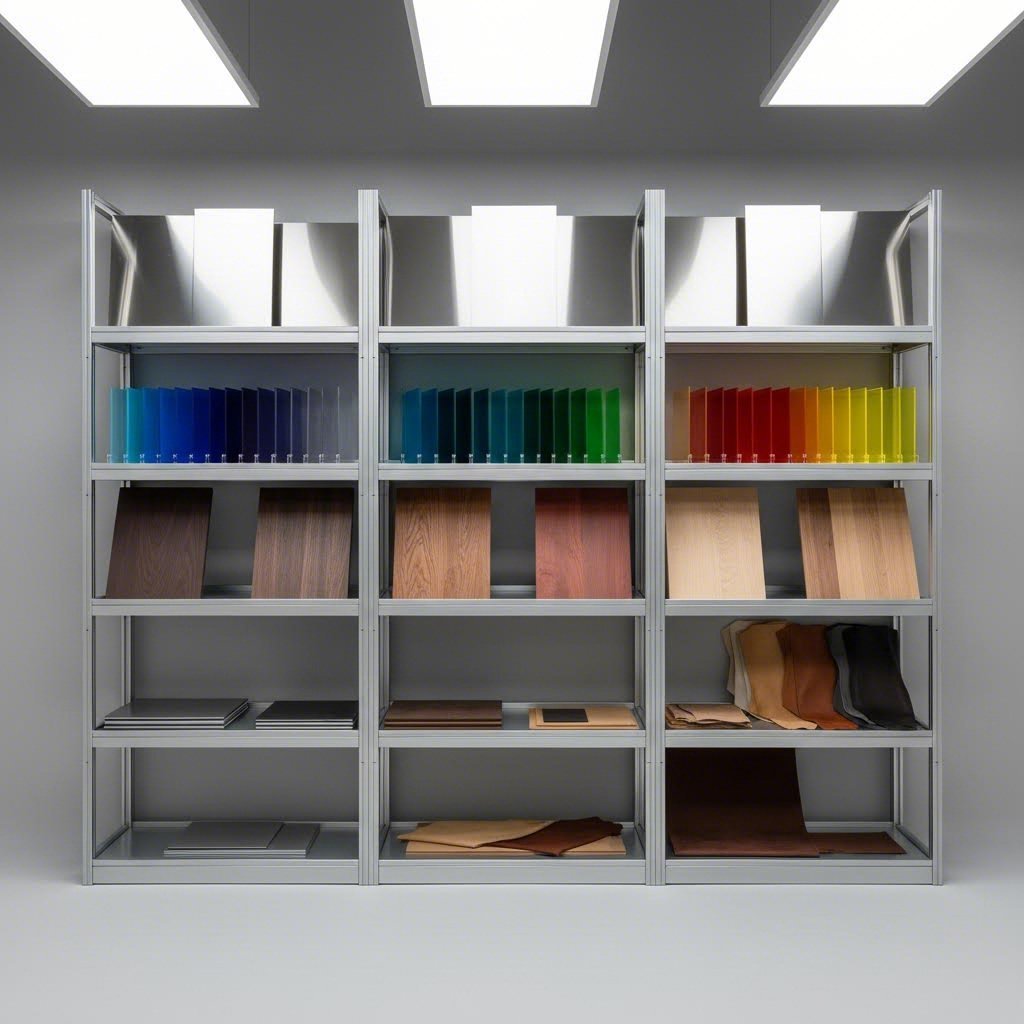
Вы выбрали технологию лазера и понимаете последовательность процесса. Теперь возникает важный вопрос: что именно можно вырезать? От ответа на него зависят реализуемость проекта и конечное качество. Не каждый материал хорошо реагирует на лазерную энергию, и неправильный выбор может привести к повреждению оборудования, образованию токсичных паров или просто неудовлетворительным результатам.
Качественный поставщик услуг лазерной резки поможет вам с выбором материала, но самостоятельное понимание совместимости позволяет эффективнее проектировать изделия и правильно запрашивать коммерческие предложения. Давайте разберёмся, что подходит, что нет, и почему толщина материала имеет большее значение, чем вы могли бы ожидать.
Металлы, которые хорошо режутся
Металлообработка представляет собой одно из наиболее распространенных применений лазерной резки. Когда требуется точно и быстро выполнять лазерную резку металла, волоконные лазеры обеспечивают превосходные результаты на различных сплавах.
Углеродистая сталь: Основная сфера применения лазерной резки металла. Углеродистая сталь эффективно поглощает энергию волоконного лазера, обеспечивая чистые кромки с минимальным образованием наплывов. Согласно ADHMT, волоконные лазеры высокой мощности способны обрабатывать углеродистую сталь — от тонких листов до очень толстых плит, хотя скорость резки резко снижается с увеличением толщины. Тонкие материалы режутся быстро и с минимальной зоной теплового воздействия, тогда как для более толстых заготовок требуются меньшая скорость и большая мощность для сохранения качества кромки.
Нержавеющая сталь: При лазерной резке нержавеющей стали следует ожидать несколько иного поведения по сравнению с углеродистой сталью. Содержание хрома в материале влияет на рассеивание тепла и окисление кромок. Использование азота в качестве вспомогательного газа предотвращает характерное потемнение, вызванное резкой кислородом, что обеспечивает чистые, неокисленные кромки, идеально подходящие для видимых поверхностей. Лазерная резка нержавеющей стали отлично подходит для оборудования пищевой промышленности, медицинских приборов и архитектурных элементов, где важна коррозионная стойкость.
Алюминий: Лазерная резка алюминия связана с уникальными трудностями из-за высокой отражательной способности и теплопроводности материала. Металл отражает лазерную энергию, а не поглощает её, поэтому для проникновения требуется более высокая мощность. Как только резка начинается, отличное рассеивание тепла алюминием означает, что лазер должен поддерживать достаточную плотность энергии на всём протяжении линии реза. Несмотря на эти факторы, лазерная резка алюминия даёт отличные результаты при изготовлении компонентов для аэрокосмической промышленности, корпусов электроники и декоративных панелей.
Латунь и медь: Эти высокоотражающие и проводящие материалы заставляют лазерные технологии работать на пределе возможностей. Согласно ADHMT, для латуни и меди требуются специализированные методы обработки из-за их способности отражать лазерную энергию обратно к оптике. Современные волоконные лазеры справляются с этими материалами эффективнее, чем устаревшие технологии, однако скорость резки остаётся ниже по сравнению со сталью аналогичной толщины.
Титан: Титан ценится за высокое соотношение прочности к весу в аэрокосмической и медицинской отраслях и хорошо поддается резке при правильных параметрах. Из-за высокой реакционной способности металла требуется тщательный выбор вспомогательного газа — обычно аргона или азота — чтобы предотвратить окисление и охрупчивание кромок реза.
Пластик и акрил для творческих проектов
Резка неметаллов открывает широкие возможности для творчества и функционального применения, однако при выборе материала необходимо уделять особое внимание безопасности.
Акрил (ПММА): Вероятно, самый подходящий для лазерной резки пластик. Лазеры СО2 обеспечивают полированные, гладкие кромки на акриле, которые зачастую не требуют дополнительной обработки. Материал cleanly режется без плавления и потемнения при использовании правильных настроек. Элементы из лазерно-вырезанного акрила часто используются в вывесках, дисплеях, ювелирных изделиях и архитектурных моделях.
Дерево и фанера: Натуральная древесина прекрасно режется на CO2-лазерах, образуя характерные потемневшие края, которые многие дизайнеры намеренно используют в своих проектах. Разные породы дерева ведут себя по-разному — твёрдые породы, такие как клён, дают более чистые кромки по сравнению с мягкими сортами, например сосной. Согласно ADHMT, древесина универсальна для различных художественных и практических применений, однако маслянистые или смолистые породы дерева представляют пожарную опасность и должны избегаться.
Кожа: Натуральная растительная кожа хорошо подходит для изготовления аксессуаров, элементов обивки мебели и персонализированных изделий. Однако руководящие принципы безопасности Emory TechLab предупреждают, что кожа, дубленая хромом — большинство ярко окрашенных кож — выделяет вредные пары при резке и должна полностью исключаться.
Бумага и картон: Отлично подходят для прототипирования, разработки упаковки и сложных декоративных работ. Эти материалы быстро режутся при низких мощностях, однако из-за риска возгорания требуется соответствующий контроль за работой оборудования.
Текстиль и ткани: Натуральные волокна, такие как хлопок, фетр и шелк, хорошо режутся. Синтетические ткани могут плавиться вместо резки в зависимости от состава — всегда проверяйте безопасность материала перед обработкой.
Материалы, которые никогда нельзя резать лазером
Некоторые материалы представляют серьезную опасность при воздействии лазерной энергии. Уважаемые поставщики лазерной резки отказываются от таких материалов по уважительной причине:
- ПВХ (поливинилхлорид): При нагревании выделяет хлористый газ — крайне токсичный и разрушительный для оборудования. Согласно Emory TechLab , ПВХ повреждает лазерные резаки и при этом выделяет вредные газы.
- Поликарбонат (Лексан): Горит, а не режется чисто, выделяя газы, повреждающие оптику оборудования.
- Пластик АБС: Выделяет цианистый водород (HCN) при лазерной резке — серьезная угроза для здоровья.
- Винил: Содержит хлор, который выделяет токсичные пары при резке.
- HDPE: Высоковоспламеняющийся; плавится и загорается вместо того, чтобы резаться.
- Покрытые углеволокно: Смолы могут содержать соединения, небезопасные для лазерной обработки; создают опасность возгорания и выделения паров.
- Стекловолокно: Создаёт опасные пары из компонентов смолы.
- Пенокомпозит и пенополистирол: Выделяет бензоловый газ — известный канцероген.
Если вы не уверены в материале, проконсультируйтесь с вашим поставщиком услуг перед отправкой файлов. Они должны быть в состоянии подтвердить безопасность и пригодность материала на основе его состава.
Руководство по толщине материала
Толщина существенно влияет на качество реза, скорость и отделку кромки. Понимание этих взаимосвязей помогает вам формировать реалистичные ожидания и оптимизировать конструкции для производства.
| Тип материала | Рекомендуемый лазер | Типичный диапазон толщины | Типичные области применения |
|---|---|---|---|
| Углеродистая сталь | Волокно | 0,5 мм – 25 мм+ | Конструкционные детали, корпуса, крепления |
| Нержавеющая сталь | Волокно | 0,5 мм – 20 мм | Медицинские устройства, оборудование для пищевой промышленности, архитектура |
| Алюминий | Волокно | 0,5 мм – 12 мм | Авиакосмическая промышленность, электроника, декоративные панели |
| Латунь/Медь | Волокно | 0,5 мм – 6 мм | Электрические компоненты, декоративные изделия |
| Титан | Волокно | 0,5 мм – 8 мм | Авиакосмическая промышленность, медицинские импланты |
| Акрил | СО2 | 1 мм – 25 мм | Вывески, дисплеи, ювелирные изделия, прототипы |
| Дерево/фанера | СО2 | 3 мм – 20 мм | Декоративные изделия, модели, детали мебели |
| Кожа | СО2 | До 5 мм | Модные аксессуары, обивка |
| Ткань | СО2 | До 3 мм | Одежда, технические ткани |
Как толщина влияет на резку? Согласно ADHMT , тонкие материалы можно резать быстро с минимальной зоной теплового воздействия, тогда как для более толстых материалов требуются большая мощность и более низкая скорость резки для сохранения точности. Эта зависимость нелинейна — удвоение толщины может потребовать учетверённого времени резки или даже больше.
При лазерной резке металлических листов качество кромки изменяется в зависимости от толщины. Лазерная резка тонколистового металла обеспечивает гладкие, перпендикулярные кромки с минимальным конусом. По мере увеличения толщины проявляются следующие эффекты:
- Конус кромки: Ширина пропила может увеличиваться к нижней части при резке толстых материалов
- Накопление тепла: Более низкие скорости позволяют теплу сильнее распространяться в окружающий материал
- Образование заусенцев: Расплавленный материал может не полностью удаляться при резке более толстых заготовок
- Повышенная шероховатость: Поверхности кромок становятся всё более шероховатыми на более толстых участках
При работе с лазерной резкой металла на более толстых заготовках обсудите эти аспекты со своим поставщиком услуг. Они могут порекомендовать альтернативные процессы для материалов, превышающих оптимальную толщину лазерной резки, или предложить изменения в конструкции, учитывающие ограничения технологии.
Понимание совместимости материалов и ограничений по толщине обеспечивает возможность изготовления ваших конструкций с самого начала. Однако даже идеальный выбор материала не спасёт плохо подготовленный проектный файл — что подводит нас к важной теме подготовки файлов и требованиям к форматам.
Подготовка проектных файлов и требования к форматам
Вы выбрали материал и понимаете, как работает процесс резки. Теперь наступает этап, который разделяет успешные проекты и разочаровывающие: правильная подготовка файлов с чертежами. Звучит сложно? На самом деле, это вовсе не так. Независимо от того, ищете ли вы услугу лазерной резки или работаете с удалённым поставщиком, правильная подготовка файлов гарантирует, что ваш замысел будет точно воплощён в готовых деталях.
Многие новые пользователи отправляют файлы, которые выглядят безупречно на экране, но оказываются непригодными для производства. Разница заключается в понимании того, что именно требуется лазерному станку — а это не то же самое, что нужно вашему принтеру. Давайте разберёмся с основами, чтобы ваш следующий проект лазерной резки прошёл гладко — от передачи файла до получения готовой продукции.
Векторные файлы и их важность
Когда вы отправляете макет на лазерную резку, станок нуждается в точных инструкциях о том, куда направить луч. Именно поэтому векторная графика становится необходимостью.
В отличие от растровых изображений (JPG, PNG), состоящих из цветных пикселей, векторные файлы определяют формы с помощью математических уравнений. По словам xTool, векторная графика может масштабироваться до любого размера без потери качества — что делает её идеальной для лазерной резки. Лазер точно следует этим математически определённым траекториям, разрезая именно там, где указано в вашем дизайне.
Что произойдёт, если вы отправите растровое изображение? Машина не сможет извлечь траектории резки из сетки пикселей. Растровые файлы подходят для лазерной гравировки (когда луч перемещается взад-вперёд по заполненным областям), но для резки требуются чёткие контуры, которые могут предоставить только векторные файлы.
Большинство сервисов лазерной резки по всей стране принимают следующие стандартные векторные форматы:
- .AI (Adobe Illustrator): Отраслевой стандарт для сложных проектов и профессиональных рабочих процессов. Сохраняет слои и детальную информацию о контурах.
- .SVG (Scalable Vector Graphics): Универсальный формат с открытым исходным кодом, совместимый с большинством программ для проектирования. По словам Fabberz, SVG является отличной альтернативой файлам AI.
- .DXF (Drawing Exchange Format): Широко используется в CAD-программах, таких как AutoCAD. Поддерживается большинством производственного оборудования.
- .PDF (Portable Document Format): Принимается при наличии векторных данных (не встроенных растровых изображений).
- .3DM (Rhinoceros 3D): Часто используется в промышленном и архитектурном проектировании для сложных 2D и 3D проектов.
Если вы работаете с услугой лазерной резки акрила или любым профессиональным поставщиком, уточнение совместимости форматов до отправки предотвратит задержки. При неуверенности лучше уточнить — надежные службы лазерной резки ценят такие вопросы больше, чем получение непригодных файлов.
Понимание линий реза, линий разметки и областей гравировки
Вот что часто упускают новички: не каждая линия в вашем дизайне интерпретируется одинаково. Лазерные резаки различают три типа операций в зависимости от форматирования ваших контуров.
Линии резки: Эти траектории указывают лазеру полностью прорезать материал. Согласно Fabberz , линии реза должны иметь толщину обводки 0,001 дюйма и быть выполнены в красном цвете RGB (255, 0, 0), чтобы обозначить векторную резку. Лазер следует по этим траекториям с достаточной мощностью, чтобы проникнуть на полную толщину материала.
Линии надреза (векторная гравировка): Они создают поверхностные метки, не прорезая материал насквозь. Установите толщину обводки линий надреза равной 0,001 дюйма и цвет — синий RGB (0, 0, 255). Надрезы хорошо подходят для линий сгиба, декоративных элементов или направляющих, которые не должны разделять материал.
Растровая гравировка: Этот метод охватывает области, ограниченные линиями и заполненные цветом или узорами. Лазер интерпретирует такие области как зоны поверхностной гравировки и перемещается по ним взад-вперед, удаляя слои материала. Согласно xTool, для заливки следует использовать черный или оттенки серого, чтобы определить глубину гравировки.
Почему это важно? Представьте, что вы разрабатываете индивидуальную вывеску с прорезанными буквами, нанесённой бордюрной линией и гравировкой логотипа. Без правильного форматирования линий и заливок станок не сможет различить эти операции — в результате он может прорезать элементы, предназначенные только для маркировки.
Распространенные ошибки проектирования, которых следует избегать
Даже опытные дизайнеры допускают ошибки, вызывающие проблемы при производстве. Перед отправкой файлов любому поставщику лазерной резки проверьте свою работу на соответствие следующим распространённым ошибкам:
- Перекрывающиеся или дублирующиеся линии: Когда контуры накладываются друг на друга, лазер может несколько раз прорезать одно и то же место — это приводит к чрезмерному обгоранию, повреждению материала или ненужному увеличению времени обработки. Согласно рекомендациям Fabberz, используйте инструмент "Join" в программе Illustrator, команду "SelDup" в Rhino 3D или команду "Overkill" в AutoCAD для устранения дубликатов.
- Игнорирование компенсации керфа: Лазерный луч испаряет материал при резке, удаляя тонкую полосу, известную как ширина реза (kerf). Согласно xTool, ширина реза влияет на точность конечных размеров. Для точных соединений скорректируйте размеры вашего проекта с учётом удаления материала — обычно от 0,1 мм до 0,3 мм в зависимости от материала и настроек лазера.
- Слишком мелкие элементы для резки: Минимальная ширина линий зависит от точности лазера и свойств материала. Согласно xTool, ширина линии 0,2 pt может означать резку, тогда как более толстые линии указывают на гравировку. Уточните у поставщика услуг минимальные размеры элементов для вашего конкретного материала.
- Неправильная толщина линий: Разная толщина линий указывает станку, следует ли выполнять резку, гравировку или неглубокую отметку. Использование неподходящей толщины приводит к путанице в программном обеспечении резки и даёт неожиданный результат.
- Активные текстовые поля: Лазерные резаки могут не обрабатывать текст напрямую. Согласно xTOOL , преобразуйте текст в контуры или фигуры перед отправкой. В Adobe Illustrator выделите текст и используйте команду Type → Create Outlines (Shift + Cmd/Ctrl + O).
- Макет слишком близко к краям: Согласно Fabberz, необходимо оставлять поле 0,25 дюйма вокруг макета в качестве зоны обрезки. Детали, размещённые точно на краю материала, могут быть вырезаны неправильно.
- Недостаточное расстояние между деталями: Оставляйте не менее 0,125 дюйма между всеми объектами, чтобы минимизировать отходы материала и предотвратить накопление тепла между соседними резами.
Подготовка файлов к успешному производству
Готовы подготовить свои файлы? Независимо от того, являетесь ли вы профессиональным дизайнером или просто ищете лазерную резку для выполнения первого проекта, эти практические шаги универсальны.
Выберите программу для создания дизайна: Ваш выбор зависит от сложности проекта и бюджета:
- Профессиональные варианты: Adobe Illustrator и CorelDRAW отлично подходят для создания масштабируемых векторных графических изображений. AutoCAD подходит для технических чертежей и вывода в формате CAD. Rhinoceros 3D предназначен для сложных промышленных и архитектурных проектов.
- Доступные альтернативы: Inkscape предлагает мощные возможности работы с векторной графикой бесплатно — идеально подходит для новичков или тех, кто работает с ограниченным бюджетом. По данным xTool, даже программное обеспечение управления лазерным резаком, такое как xTool Creative Space, позволяет создавать простые графические элементы непосредственно перед резкой.
- Упрощённые инструменты: Canva и аналогичные платформы могут экспортировать векторные файлы для базовых дизайнов, хотя они не обладают функциями редактирования контуров, доступными в профессиональных программах.
Контрольный список перед отправкой: Перед отправкой файлов в любые службы лазерной резки или удалённым поставщикам проверьте следующие параметры:
- Файл сохранён в поддерживаемом формате (.AI, .SVG, .DXF, .PDF или .3DM)
- Весь текст преобразован в кривые
- Отсутствуют перекрывающиеся или дублирующиеся контуры
- Области реза, надреза и гравировки правильно закодированы цветом
- Указаны правильные единицы измерения (дюймы или миллиметры)
- Размер документа соответствует заданным размерам материала
- Удалены скрытые слои, клиппинг-маски и ненужные элементы
- Выбран цветовой режим RGB (не CMYK)
- Детали размещены рационально с учетом достаточного расстояния между ними
Тщательная подготовка файлов предотвращает дорогостоящие исправления и задержки в производстве. Ваш поставщик услуг может оказать помощь в подготовке файлов — стоит уточнить, если вы не уверены в каких-либо требованиях.
Когда файлы правильно отформатированы, может возникнуть вопрос, чем лазерная резка отличается от других методов обработки. Понимание этих различий помогает выбрать оптимальный процесс для конкретных требований каждого проекта.
Лазерная резка по сравнению с другими методами резки
Ваши файлы с чертежами готовы, материал выбран — но действительно ли лазерная резка является наилучшим методом для вашего проекта? Иногда ответ — да. В других случаях альтернативные методы позволяют достичь лучших результатов с учетом ваших конкретных требований. Понимание различий между лазерной резкой и другими технологиями обработки помогает принимать более обоснованные решения и эффективнее взаимодействовать с производственными партнерами.
Каждый метод резки отлично подходит для определенных задач, но в других случаях уступает. При изготовлении металлических деталей с высокой сложностью контура лазер, как правило, является предпочтительным решением. А что насчет толстых алюминиевых плит или композитов, чувствительных к нагреву? Именно в таких случаях знание всех доступных вариантов становится особенно ценным.
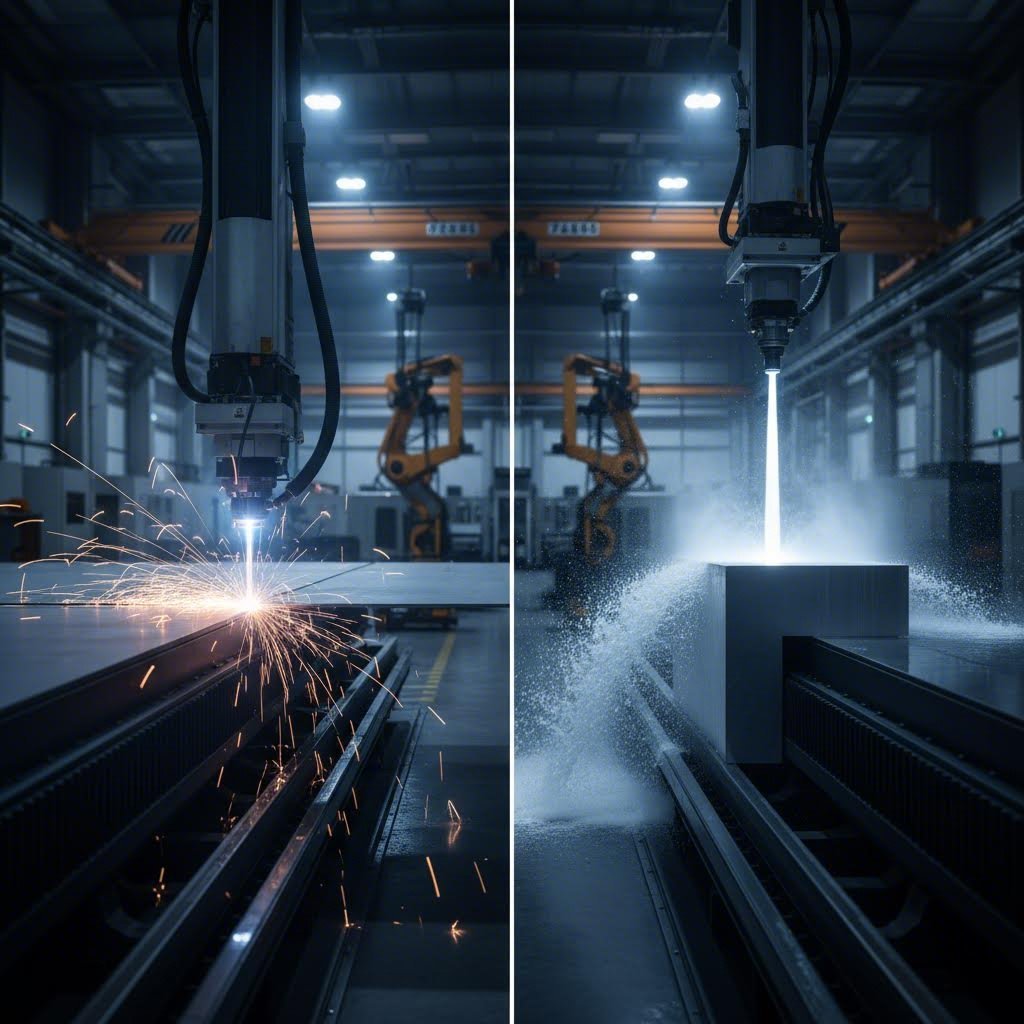
Лазер против водоструйной резки для толстых материалов
Представьте, что вам нужно с абсолютной точностью разрезать стальную плиту толщиной 5 см. Сможет ли с этим справиться лазер? Теоретически, высокомощные системы способны резать толстые металлы — но будет ли это наилучшим выбором?
Гидроабразивная резка использует воду под высоким давлением, смешанную с абразивными частицами (обычно гранатом), для вырезания материала по заданной траектории. Согласно Xometry, гидроабразивная резка способна разрезать материалы толщиной до 250–300 мм, тогда как лазерная резка, даже при использовании очень мощного оборудования, обычно ограничивается 30–40 мм.
Вот где возникает принципиальное различие: нагрев. Лазерная резка стали создаёт значительную тепловую энергию, которая влияет на окружающий материал. Гидроабразивная резка не образует никакой зоны термического воздействия. Для аэрокосмических компонентов, медицинских устройств или любых применений, где свойства материала должны оставаться полностью неизменными, это имеет огромное значение.
Когда предпочтительна гидроабразивная резка:
- Резка толстых металлов, превышающих возможности лазера
- Обработка материалов, чувствительных к нагреву, таких как определённые сплавы и композиты
- Работа с отражающими металлами, которые вызывают трудности у волоконных лазеров
- Применения, требующие полного отсутствия теплового искажения
- Резка керамики, стекла или камня
Когда предпочтителен лазер:
- Обработка тонких и средних по толщине материалов на высокой скорости
- Сложные конструкции, требующие высокой точности
- Массовое производство, где скорость влияет на стоимость
- Проекты, в которых качество обработки краев имеет первостепенное значение
Согласно Xometry, лазерные резаки обеспечивают минимальный размер разреза 0,15 мм по сравнению с 0,5 мм у водоструйных — значительное преимущество в точности для детальной работы. Скорость также значительно отличается: лазеры режут со скоростью 20–70 дюймов в минуту против 1–20 дюймов в минуту у водоструйных установок для сопоставимых материалов.
Экономические соображения меняются в зависимости от толщины материала. По данным Xometry, лазерная резка оказывается наиболее дешёвой для тонких деталей, тогда как водоструйная становится более экономически выгодной при обработке более толстых заготовок, где скорость лазера значительно падает.
Когда целесообразнее использовать фрезерование с ЧПУ
Фрезерование с ЧПУ использует совершенно иной подход — вращающийся режущий инструмент вместо тепловой энергии или абразивного износа. Представьте себе чрезвычайно точный компьютеризированный фрезерный станок, который с промышленной точностью следует по заданным вами траекториям.
Почему следует выбирать фрезерование вместо лазерной резки металла? Для некоторых материалов ответ — качество кромки и совместимость с материалом.
Согласно SendCutSend cNC-фрезерование обеспечивает допуски ±0,005", при этом обеспечивая превосходную отделку поверхности для многих композитов, пластиков и древесины. Процесс не основан на тепловой энергии, полностью устраняя зоны термического воздействия.
Преимущества CNC-фрезерования:
- Превосходная обработка кромок пластика, такого как АБС и HDPE
- Отсутствие термического напряжения и зон термического воздействия
- Идеально подходит для деревообрабатывающих задач, где требуются чистые, неопалённые кромки
- Возможность 3D-профилирования и выборки материала на частичную глубину
- Совместимость с операциями нарезания резьбы и зенковки
Ограничения CNC-фрезерования:
- Внутренние углы не могут быть острее диаметра фрезы (обычно минимальный радиус 0,125")
- Фиксирующие выступы, необходимые для удержания деталей во время резки, могут оставлять небольшие следы
- Не подходит для сложных перфорированных узоров (риск смещения детали при резке)
- Медленнее лазерной резки в большинстве применений по металлу
Для проектов, таких как изготовление индивидуальных корпусов из HDPE, декоративных деревянных панелей без следов обгорания или деталей с резьбовыми отверстиями, фрезерование на станках с ЧПУ зачастую превосходит лазерную резку, несмотря на более низкую скорость
Операции пробивного пресса
Технология пробивного пресса появилась раньше лазеров и остаётся актуальной для определённых задач с высоким объёмом производства. Процесс использует закалённые матрицы для пробивки форм сквозь листовой металл — аналогично промышленному аналогу дырокола, масштабированному для серийного производства
Случаи, в которых пробивной пресс демонстрирует лучшие результаты:
- Производство очень большого объёма одинаковых деталей
- Стандартные схемы отверстий и простые геометрические формы
- Применения, в которых первоначальные затраты на оснастку окупаются высоким объёмом производства
- Толстые материалы, которые значительно замедлят лазерную резку
Ограничения пробивного пресса:
- Требуется специальная оснастка для нестандартных форм
- Не может создавать действительно сложные конструкции
- Износ инструмента со временем влияет на стабильность
- Неэкономично для прототипов или небольших партий
Для небольшой партии нестандартных кронштейнов лазерная резка выгоднее по стоимости и срокам поставки. Для 100 000 одинаковых монтажных пластин со стандартными отверстиями пробивной пресс может обеспечить значительную экономию.
Рамки принятия решений для вашего проекта
Как сделать выбор? Рассмотрите эти пять факторов при оценке методов резки для вашего следующего проекта:
| Фактор | Лазерная резка | Резка водяной струей | Фрезеровка с ЧПУ | Пробивной пресс |
|---|---|---|---|---|
| Точность допуска | ±0,005" (отлично) | ±0,009" (хорошо) | ±0,005" (отлично) | ±0,010" (удовлетворительно) |
| Толщина материала | До ~40 мм металлов | До 300 мм | Зависит от материала | Обычно <12 мм |
| Качество кромок | Отлично (ровный срез, возможны полосы на толстых материалах) | Очень хорошо (без шлака или заусенцев) | Отлично (чистый механический рез) | Хорошее (может потребоваться удаление заусенцев) |
| Зона термического влияния | Минимальные (увеличиваются с толщиной) | Отсутствует | Отсутствует | Отсутствует |
| Эффективность затрат (малые объемы) | Отлично | Умеренный | Хорошо | Плохо (стоимость оснастки) |
| Экономичность (высокий объем) | Хорошо | Умеренный | Умеренный | Отлично |
| Возможность сложных деталей | Отлично | Хорошо | Ограничено (требуются радиусы углов) | Ограничено (зависит от оснастки) |
| Скорость | 20-70 IPM | 1-20 IPM | Умеренный | Очень быстро на единицу продукции |
Краткое руководство по выбору:
- Выберите лазерную резку когда требуются сложные детали, тонкие или средние материалы, быстрое выполнение и экономичность при низких и средних объемах.
- Выберите водоструйную резку при резке толстых материалов, обработке термочувствительных сплавов или работе с композитами, такими как углеродное волокно и G10.
- Выберите фрезерование на станке с ЧПУ если важна чистота кромки пластика и дерева, если требуются резьбовые элементы или если в конструкции и так нужны скругленные внутренние углы.
- Выберите пробивку при производстве очень большого объема деталей с простыми, повторяющимися геометрическими формами.
Многие проекты выигрывают от комбинирования методов. Сложная сборка может использовать лазерную резку для сложных металлических кронштейнов, фрезерование на станке с ЧПУ для пластиковых корпусов и водоструйную резку для толстых алюминиевых оснований — каждый процесс используется там, где он наиболее эффективен.
По данным SendCutSend, профессиональные партнеры по изготовлению деталей часто автоматически выбирают оптимальный метод обработки для каждого материала, обеспечивая производство деталей с использованием наилучшего процесса по наиболее доступной цене. Это означает, что выбор материала должен учитываться при проектировании с самого начала.
Понимание этих компромиссов позволяет вам вести информированные переговоры с поставщиками услуг. Но после того, как вы выбрали свой процесс, сколько вы должны будете заплатить? Давайте рассмотрим факторы, влияющие на стоимость лазерной резки, и способы интерпретации получаемых коммерческих предложений.
Стоимость лазерной резки и факторы ценообразования
Вы сравнили методы резки, подготовили файлы и выбрали материал. Теперь возникает вопрос, который задают все: сколько это будет стоить? Если вы когда-либо искали лазерный станок в надежде найти прозрачное ценообразование, вы, вероятно, обнаружили, что расценки сильно различаются — и редко публикуются прямо на сайтах.
Вот в чем дело: стоимость лазерной резки не является произвольной. Она основана на логической формуле, учитывающей измеримые факторы. Понимание того, что формирует вашу смету на лазерную резку, превращает вас из пассивного покупателя в осведомленного клиента, способного оптимизировать конструкции, прогнозировать расходы и грамотно оценивать предложения.
Что формирует ваше коммерческое предложение
Когда вы запрашиваете расчёт стоимости лазерной резки, поставщики рассчитывают цены, используя единые принципы — даже если итоговые суммы различаются в зависимости от компании. Согласно Fortune Laser , базовая формула ценообразования выглядит следующим образом:
Окончательная цена = (Стоимость материалов + Переменные расходы + Постоянные расходы) × (1 + Наценка)
Что это означает для вашего проекта? Рассмотрим ключевые переменные, определяющие стоимость лазерной резки:
- Тип и стоимость материала: Разные материалы имеют разную базовую стоимость. МДФ стоит недорого, тогда как титан авиационного класса обходится значительно дороже. Выбор материала формирует основу расчёта ещё до начала резки.
- Толщина материала: Этот фактор зачастую удивляет новых покупателей. По данным Komacut, более толстые материалы требуют больше энергии и более низкой скорости резки для получения чистого среза. Удвоение толщины может более чем вдвое увеличить время резки — и стоимость — поскольку лазеру необходимо двигаться намного медленнее, чтобы качественно проникать сквозь материал.
- Общая длина реза: Лазерный станок взимает плату в первую очередь за время работы оборудования, а не за площадь материала. Изготовление изделия со сложным узором на небольшом листе может обойтись дороже, чем простая форма на более крупном листе, поскольку луч проходит более длинный путь.
- Сложность резки: Конструкции с плотными изгибами, острыми углами и детализированной геометрией вынуждают станок замедляться при каждом изменении направления. Согласно Fortune Laser, сложная геометрия увеличивает общее время резки, что напрямую повышает стоимость.
- Количество пропилов: Каждый раз, когда лазер начинает новый рез, он должен сначала пробить материал. Конструкция с 100 небольшими отверстиями обойдётся дороже, чем один большой вырез, из-за суммарного времени пробивки — даже если общая длина реза примерно одинакова.
- Количество заказываемых единиц: При увеличении объёма производства постоянные расходы распределяются на большее количество деталей, что снижает стоимость единицы продукции. Подробнее об этом ниже.
- Время выполнения: Срочные заказы, как правило, предполагают надбавку. Стандартные сроки поставки позволяют мастерским эффективно группировать задания, тогда как ускоренные запросы требуют корректировки графика.
- Требования к постобработке: Дополнительные операции, такие как зачистка, гибка, нарезание резьбы или порошковое покрытие, добавляют затраты на рабочую силу, время оборудования и дополнительные материалы — каждая из этих услуг оплачивается отдельно.
По данным Fortune Laser, почасовая ставка оборудования обычно составляет от 60 до 120 долларов США в зависимости от мощности и возможностей лазерной системы. Переменные затраты — время, необходимое для выполнения конкретного заказа — зачастую представляют собой наибольшую часть окончательной стоимости.
Ценообразование в зависимости от объема и эффект масштаба
Именно здесь количество кардинально меняет стоимость единицы продукции. Когда вы заказываете один прототип, постоянные затраты на наладку составляют значительную долю общей суммы. Закажите 1000 одинаковых деталей — и эти же затраты на наладку распределятся на каждую единицу.
Что представляют собой эти постоянные затраты? По данным Fathom Manufacturing, плата за наладку покрывает время оператора, затраченное на загрузку материала, калибровку оборудования и подготовку проектных файлов. Большинство служб лазерной резки по всей стране взимают плату за наладку или устанавливают минимальную сумму заказа, чтобы мелкие заказы оставались экономически целесообразными.
Математика работает в вашу пользу по мере увеличения объемов:
- Прототипные партии (1–10 деталей): Стоимость подготовки составляет значительный процент от сметы. Цена за единицу кажется высокой, потому что фиксированные расходы распределяются на небольшое количество изделий.
- Мелкосерийное производство (50–500 деталей): Доля затрат на наладку становится пропорционально меньше. Возможны скидки на материалы, а эффективная компоновка уменьшает отходы.
- Крупносерийное производство (1000+ деталей): Согласно Fortune Laser, скидки на крупные заказы могут достигать 70 %. Непрерывные производственные циклы сводят к минимуму простои оборудования между изготовлением деталей.
Эффективность компоновки также повышается с ростом объема. При вырезании нескольких одинаковых деталей операторы размещают их максимально близко на листах материала, чтобы минимизировать отходы. Более эффективная компоновка напрямую снижает стоимость материалов.
Скрытые затраты, которые следует учесть
Помимо очевидных статей расходов, несколько факторов могут неожиданно увеличить итоговый счет. Учет этих факторов помогает точно планировать бюджет и избегать сюрпризов:
- Плата за подготовку файлов: Если в ваших проектных файлах содержатся ошибки — дублирующие линии, разомкнутые контуры, неправильное форматирование, — техническим специалистам необходимо исправить их перед производством. По данным Fortune Laser, такая корректировка файлов часто приводит к дополнительным расходам. Предоставление чистых и правильно отформатированных файлов полностью устраняет эти затраты.
- Минимальная сумма заказа: Многие поставщики устанавливают минимальные тарифы независимо от простоты вашей задачи. Один небольшой кронштейн может стоить столько же, сколько десять, поскольку время настройки остаётся неизменным.
- Материальные отходы: Ваша смета включает материал, который становится отходами — пространства между вложенными деталями и непригодные остатки. Эффективные конструкции сводят к минимуму эту составляющую отходов.
- Премия за допуски: По данным Fortune Laser, указание допусков более жёстких, чем это необходимо для функциональности, требует более медленной и контролируемой скорости резки. Запрашивайте точность только в том объёме, в котором она действительно нужна.
- Дополнительные сборы за специальные материалы: Материалы, которых нет на складе, могут требовать специального заказа с соответствующими сборами и более длительным временем ожидания. Выбор из имеющихся на складе вариантов часто позволяет сэкономить деньги и время.
- Доставка и обработка: В зависимости от размера, веса детали и требований к доставке, стоимость перевозки может значительно увеличиться, особенно при срочной доставке.
Ценность систем быстрого ценообразования
Как на практике получить информацию о ценах? Существуют две основные модели, каждая из которых имеет свои преимущества.
Платформы лазерной резки онлайн: Эти сервисы позволяют загружать CAD-файлы и получать автоматизированные расчёты цен в течение нескольких секунд. По данным Fortune Laser, онлайн-платформы обеспечивают непревзойдённую скорость и удобство — идеальны для быстрого прототипирования и инженеров, которым требуется немедленная информация по бюджету. Однако есть и недостаток: автоматизированные системы не выявляют дорогостоящие ошибки в конструкции, а консультации эксперта по проектированию, как правило, оплачиваются отдельно.
Традиционные запросы коммерческих предложений: Квалифицированные техники проверяют ваши файлы и предоставляют ручные расчеты стоимости. Такой подход позволяет получить бесплатные рекомендации по технологичности конструкции (DFM), что может значительно снизить расходы. Опытные специалисты по сметам выявляют ошибки, предлагают более эффективные альтернативы и учитывают особые требования. Недостаток заключается в скорости — расчеты могут занимать часы или дни, а не секунды.
Для сравнения услуг некоторые онлайн-платформы отображают прозрачную ценовую структуру. Хотя конкретные цены на услуги резки и тарифы конкурентов зависят от ваших точных требований, возможность видеть изменения цен в режиме реального времени при изменении проекта дает ценное представление о бюджете. Изменение толщины материала, упрощение геометрии или увеличение объемов показывает немедленное влияние на стоимость.
Перед запросом коммерческих предложений оптимизируйте свой проект, используя полученные знания о факторах затрат. Упрощайте сложные кривые, где это возможно. Выбирайте минимальную толщину материала, соответствующую функциональным требованиям. Объединяйте заказы, чтобы воспользоваться скидками за объём. Тщательно очищайте файлы, чтобы избежать дополнительных сборов за подготовку.
Понимание факторов ценообразования позволяет вести продуктивные переговоры с поставщиками услуг. Однако знание стоимости решает лишь часть задачи — вам также необходимо оценить, способен ли поставщик действительно обеспечить качественные детали в установленные сроки. Давайте рассмотрим, как выбрать подходящего партнёра по лазерной резке для ваших конкретных потребностей.
Выбор подходящего поставщика услуг лазерной резки
Вы разбираетесь в технологиях, знаете свои материалы и подготовили корректные проектные файлы. Теперь настало время решения, которое напрямую повлияет на успех или неудачу вашего проекта: выбор подходящего поставщика услуг. Не все услуги лазерной резки обеспечивают одинаковые результаты, а самое дешёвое предложение редко означает наилучшее соотношение цены и качества.
Ищете ли вы услугу лазерной резки или оцениваете сторонних подрядчиков для точной лазерной резки металла, процесс оценки основан на одних и тех же фундаментальных принципах. Давайте рассмотрим, на что именно следует обращать внимание — и какие признаки сигнализируют о том, что стоит продолжить поиски.
Оценка возможностей поставщика услуг
Представьте, что выбор услуги лазерной резки металла похож на найм сотрудника на важную должность. Вам нужно нечто большее, чем базовые квалификации — вам нужен идеальный кандидат, соответствующий вашим конкретным требованиям. Согласно California Steel Services, первым шагом является проверка того, может ли поставщик работать с требуемым вами материалом, поскольку разные компании специализируются на резке различных материалов — от металлов и пластика до дерева и стекла.
Прежде чем запрашивать коммерческие предложения, оцените потенциальных поставщиков по следующим ключевым критериям:
- Ассортимент материалов: Имеет ли поставщик в наличии требуемые вами материалы? Может ли он при необходимости поставить специальные сплавы? Поставщики с широким ассортиментом складских запасов сокращают сроки поставки и избавляют вас от проблем с закупкой материалов.
- Технологические возможности: Какие лазерные системы используются? По данным California Steel Services , волоконные лазеры мощностью от 6 до 12 кВт обеспечивают точность +/- 0,0005 дюйма. Убедитесь, что оборудование поставщика соответствует вашим требованиям к точности и толщине обрабатываемого материала.
- Сроки выполнения: Насколько быстро они смогут выполнить ваш проект? Сроки реализации вашего проекта имеют решающее значение, поэтому учитывайте предлагаемые сроки выполнения и уточните производственные возможности. Имейте в виду, что более быстрые сроки могут быть доступны по повышенной цене.
- Помощь в проектировании и поддержка DFM: Некоторые сервисы предлагают помощь в проектировании, которая может оказаться бесценной, если вам требуется поддержка в доработке дизайна вашего проекта. Поставщики, предоставляющие рекомендации по конструированию с учётом технологичности (DFM), могут выявить возможности для снижения затрат ещё до начала производства.
- Скорость подготовки коммерческого предложения: Насколько быстро они отвечают на запросы? Поставщик, который тратит дни на предоставление коммерческих предложений, может также испытывать трудности со сроками производства. Оперативная коммуникация зачастую свидетельствует об эффективности операционной деятельности.
- Масштабируемость: Учтите, может ли сервис справиться с масштабом вашего проекта сейчас и в будущем. Выбор поставщика, способного расти вместе с вашими потребностями, позволит избежать хлопот, связанных с заменой позже.
- Дополнительные услуги: Некоторые поставщики предлагают вторичные операции, такие как гибка, сварка, порошковое покрытие и сборка. По данным California Steel Services, выбор услуги, охватывающей все аспекты вашего проекта, экономит время, упрощает коммуникацию и обеспечивает согласованность.
Не стоит пренебрегать репутацией и опытом. По мнению California Steel Services, репутация и опыт компании являются ключевыми показателями надежности и квалификации. Запросите рекомендации, ознакомьтесь с отзывами клиентов и изучите образцы работ перед тем, как выбрать поставщика.
Сертификаты качества, которые имеют значение
Сертификаты рассказывают больше, чем любые маркетинговые заявления. Они подтверждают независимую проверку того, что поставщик соблюдает единые стандарты качества, и имеют огромное значение для определенных применений.
Для автомобильной промышленности и прецизионных металлоизделий, Сертификат IATF 16949 является золотым стандартом. Согласно Xometry, IATF 16949 — это система менеджмента качества, разработанная для любой компании, участвующей в производстве автомобильной продукции. Хотя данное сертифицирование не является юридически обязательным, поставщики и заказчики зачастую отказываются сотрудничать с производителями, не имеющими такой сертификат.
Что именно гарантирует сертификация IATF 16949? По данным Xometry, наличие сертификата означает, что организация выполнила требования, подтверждающие её способность и приверженность минимизации дефектов в продукции, а также снижение отходов и потерь рабочего времени. Стандарт охватывает темы, обеспечивающие согласованность, безопасность и качество автомобильной продукции.
Помимо специализированных автомобильных сертификатов, обращайте внимание на:
- ISO 9001: Базовый стандарт системы менеджмента качества, на котором основана IATF 16949. Свидетельствует о наличии документированных процессов и стабильного контроля качества.
- AS9100: Обязателен для применения в аэрокосмической отрасли, где допуски на отказы практически равны нулю.
- Регистрация в рамках ITAR: Необходим, если ваш проект связан с компонентами оборонного назначения или контролируемыми технологиями.
- Отраслевые сертификаты: Производство медицинских устройств, оборудования для переработки пищевых продуктов и другие регулируемые отрасли имеют собственные требования к сертификации.
По данным California Steel Services, следует выбирать компанию, которая придерживается строгих мер контроля качества и имеет соответствующие сертификаты — это гарантирует соответствие вашего проекта отраслевым стандартам. Для услуг лазерной резки с ЧПУ, обслуживающих требовательные отрасли, сертификаты не являются дополнительной опцией; они представляют собой обязательные квалификационные требования.
От прототипа до партнера по производству
Здесь стратегическое мышление приносит свои дивиденды: поставщик, которого вы выбираете для разработки прототипа, в идеале должен стать вашим партнером по серийному производству. Смена производителя между этапами разработки и массового производства влечёт за собой риски, задержки и несогласованность.
Согласно S&W Metal Products , действительно эффективные услуги металлообработки выходят далеко за рамки непосредственного производства изделий. Сочетание производственных возможностей с экспертными знаниями в области проектирования имеет решающее значение для оптимизации продукции и контроля затрат.
Что делает интегрированного производственного партнера ценным? Рассмотрим полный производственный цикл:
- Инженерная и конструкторская поддержка: Интегрированные партнеры предоставляют экспертные рекомендации по оптимизации конструкций с точки зрения технологичности, иногда снижая затраты за счёт объединения деталей, изменения размеров или выявления потенциальных проблем с монтажом до начала производства.
- Быстрая прототипизация: Быстрое изготовление прототипов позволяет подтвердить работоспособность конструкции до запуска оснастки для серийного производства. Поставщики, такие как Shaoyi (Ningbo) Metal Technology предлагают быстрое прототипирование автомобильных компонентов за 5 дней — что значительно ускоряет циклы разработки.
- Услуги лазерной резки с высокой точностью которые легко переходят от опытных партий к массовому производству без потери качества.
- Интеграция послепроизводственных процессов: Поставщики, предлагающие покрытия, обработку поверхностей, маркировку деталей, гравировку и нанесение специальной этикетки, поставляют готовую продукцию в полной комплектации — избавляя от необходимости привлекать сторонние сервисы.
- Возможности сборки: Для сложных изделий комплексные варианты сборки, включая установку комплектующих и комплектацию деталей, оптимизируют вашу цепочку поставок. Эти готовые решения удобно объединяют все связанные компоненты.
Для лазерной резки труб и специализированных применений особенно важно найти поставщиков с конкретной конфигурацией оборудования. Не каждая мастерская располагает системами резки труб, поэтому заранее проверьте возможности, если для вашего проекта требуются трубчатые компоненты.
Когда ваш проект предполагает штамповку автомобильных деталей, элементов шасси или прецизионных сборок, требующих качества, соответствующего стандарту IATF 16949, такие производители, как Shaoyi (Ningbo) Metal Technology объединяют возможности лазерной резки с полным спектром услуг по обработке металла. Их возможность предоставить коммерческое предложение в течение 12 часов демонстрирует оперативность коммуникации, которая отличает надежных партнёров от вендоров, ориентированных только на сделки.
Почему важна комплексная производственная база? Рассмотрим кронштейн, для которого требуется лазерная резка, гибка, нарезание резьбы, порошковое покрытие и сборка с использованием закупаемых крепежных деталей. Работа с пятью разными поставщиками означает пять коммерческих предложений, пять графиков, которые необходимо согласовывать, пять стандартов качества для контроля и пять потенциальных точек отказа. Комплексный партнёр берёт на себя всё — снижая вашу административную нагрузку и обеспечивая стабильность.
По данным California Steel Services, географическое расположение влияет на стоимость доставки, сроки выполнения заказов и удобство общения. По возможности выбирайте поставщика, находящегося рядом с вашим бизнесом. Однако не жертвуйте возможностями ради близости — удалённый поставщик с передовыми технологиями и сертификатами зачастую даёт лучшие результаты, чем местная мастерская, в которой отсутствует необходимое оборудование.
Отношения с поставщиком, которые вы выстраиваете сейчас, определяют, будут ли будущие проекты проходить гладко или потребуют постоянного устранения проблем. Вложите время в тщательную оценку на начальном этапе, и вы получите производственного партнёра, способного поддерживать ваши проекты — от первого прототипа до массового производства. Выбрав правильного партнёра, вы готовы изучить впечатляющий спектр применений лазерной резки в различных отраслях.
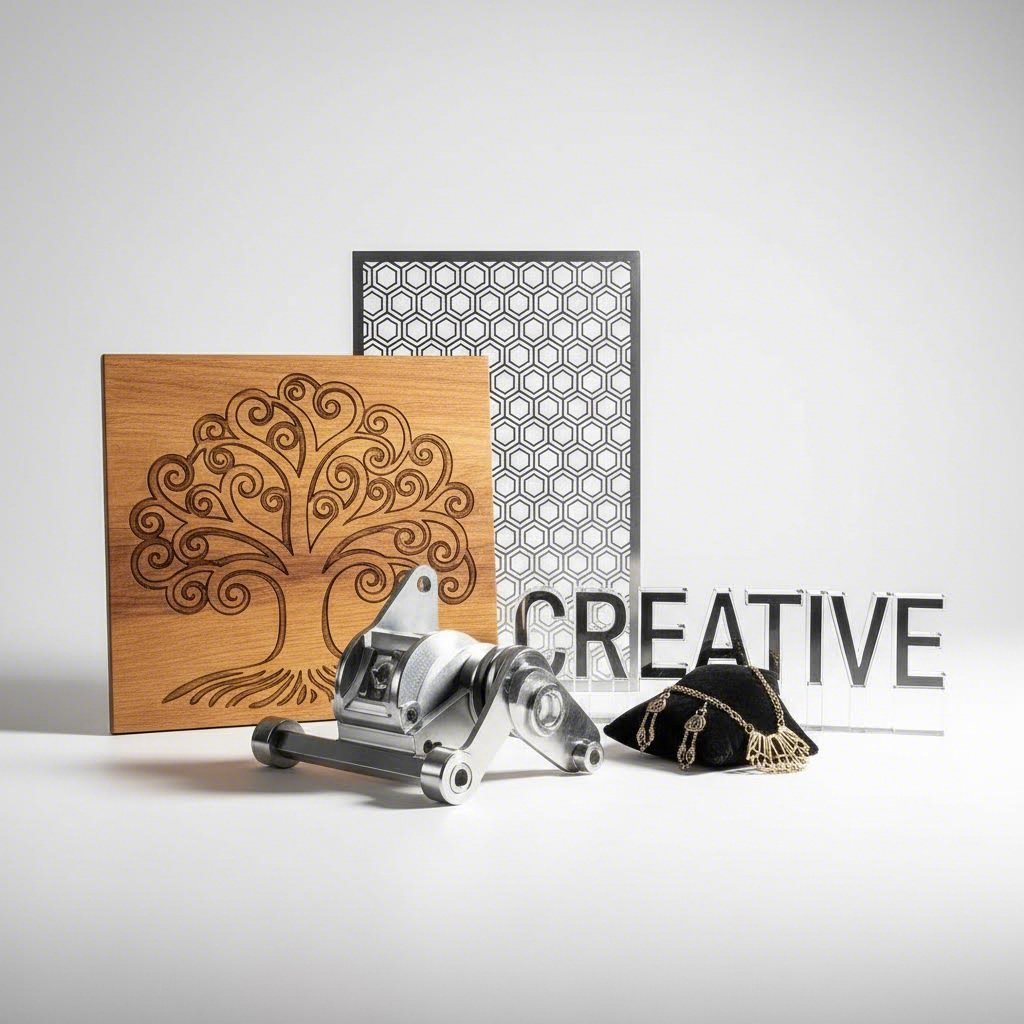
Применение лазерной резки в различных отраслях
Вы выбрали поставщика, подготовили файлы и разобрались в технологии. Теперь представьте, что возможно. Тем же лазерным лучом, который вырезает изящное свадебное приглашение, изготавливают критически важные детали для аэрокосмической промышленности. В этом заключается удивительная универсальность лазерной обработки — технология одинаково эффективно используется как в гараже энтузиаста, так и на производстве компаний из списка Fortune 500.
Что делает возможным такой диапазон? Точность не делает различий в размерах проекта. Независимо от того, создаете ли вы индивидуальные изделия из металла для магазина на Etsy или производите ежемесячно тысячи промышленных деталей с помощью лазерной резки, основной процесс обеспечивает стабильные и воспроизводимые результаты. Давайте рассмотрим, как разные отрасли используют эти возможности.
Творческое применение и использование в мастерстве
Для любителей, художников и владельцев малого бизнеса лазерная резка превращает творческие идеи в реальные продукты. Барьер входа никогда ранее не был таким низким — загрузите файл дизайна, выберите материал и получите готовые лазерные детали, пригодные для сборки или продажи.
Популярные творческие применения включают:
- Индивидуальные вывески: Согласно ACCURL, лазерная резка в сфере вывесок и рекламы позволяет создавать знаки, экспозиции и рекламные материалы, которые одновременно сложны по конструкции и привлекательны. Таблички с фамилиями, логотипы компаний и декоративные настенные панно выигрывают от точности, которую обеспечивают только лазеры.
- Ювелирные изделия и аксессуары: Изысканные серьги, подвески и браслеты из тонких металлов и акрила с деталями, которые невозможно создать вручную. По данным xTool, персонализированные ювелирные изделия, включая кулоны с индивидуальной гравировкой и геометрические акриловые серьги, являются ходовыми товарами для предпринимателей, использующих лазерное оборудование.
- Домашний декор: Деревянные карты мира, декоративные настенные часы и персонализированные рамки для фотографий преображают пространство. По данным xTool, настраиваемые деревянные вывески, выполненные с помощью лазерной резки, являются бестселлерами на таких платформах, как Etsy.
- Товары для свадеб и мероприятий: Таблички с надписью «Добро пожаловать», фигурки для торта, номера столов и бирки для подарков — всё с персональными именами и датами. Возможность индивидуальной настройки каждого элемента делает лазерную резку идеальной для уникальных торжеств.
- Игрушки и игры: Образовательные головоломки, 3D-модели из дерева и индивидуальные игровые элементы увлекают как детей, так и взрослых. По данным xTool, деревянные головоломки с именами сочетают развлечение и обучение, что делает их популярными товарами для продажи.
- Арт-инсталляции: По словам ACCURL, технология лазерной резки стала преобразующей силой в искусстве и скульптуре, позволяя художникам создавать сложные произведения, которые ранее было невозможно изготовить традиционными методами.
Что объединяет эти разнообразные применения? Каждое из них выигрывает от способности лазерной резки обеспечивать детализированные и воспроизводимые результаты без дорогостоящей оснастки. У мастера, продающего ежемесячно 50 индивидуальных украшений, стоимость каждого изделия остаётся такой же, как и у первого экземпляра — нет расходов на формы, матрицы или настройку оборудования.
Промышленные и автомобильные компоненты
Зайдите на производственное предприятие, и вы увидите, что лазерная резка металла приобретает совершенно иное значение. Здесь точность важна не столько для эстетики, сколько для безопасности, производительности и надёжности в жёстких условиях эксплуатации.
Основные промышленные применения включают:
- Автомобильные детали: Согласно Accurl , автомобильная промышленность полагается на лазерную резку как на ключевой инструмент для создания сложных компонентов и индивидуальных решений. Панели кузова, кронштейны шасси, детали внутренней отделки — технология обеспечивает ту точность, которую требует каждый миллиметр.
- Электронные корпуса: Лазерная резка играет ключевую роль в электронной промышленности, особенно при миниатюризации, где доля миллиметра может иметь большое значение. Корпуса, радиаторы и монтажные пластины изготавливаются с жесткими допусками, требуемыми в электронике.
- Аэрокосмические компоненты: Необходимость в лёгких и высокопрочных материалах в аэрокосмической отрасли невозможно переоценить, а способность лазерной резки обрабатывать широкий спектр материалов при сохранении строгих допусков делает её идеально подходящей для этой сферы.
- Медицинские устройства: Точность лазерной резки в производстве медицинских устройств обеспечивает соответствие инструментов и имплантов самым высоким стандартам безопасности и эффективности. Хирургические инструменты и импланты требуют как биосовместимости, так и точности размеров.
- Машины и тяжелое оборудование: Универсальность лазерной резки при работе с различной толщиной и типами материалов имеет решающее значение для создания компонентов, отвечающих разнообразным промышленным требованиям.
- Прототипы и НИОКР: Лазерная резка незаменима для разработки прототипов и изготовления экспериментальных деталей, позволяя быстро и точно изготавливать компоненты со сложными конструкциями и жесткими допусками.
Как одна и та же технология может служить обоим направлениям? Ответ кроется в масштабируемости. Заказ индивидуальной лазерной резки металла на 10 прототипных кронштейнов использует те же процессы, что и серийный выпуск из 10 000 деталей — только в разных количествах. Такой плавный переход от разработки к массовому производству устраняет затратные изменения оснастки, необходимые при традиционных методах.
В частности, для автомобильного производства лазерная резка интегрируется в более широкие процессы металлообработки. Элементы шасси могут подвергаться лазерной резке, а затем проходить штамповку, гибку, сварку и точную сборку. Производители, такие как Shaoyi (Ningbo) Metal Technology иллюстрируют такой комплексный подход, объединяя возможности лазерной резки, сертифицированные по стандарту IATF 16949, с полным спектром услуг по металлоштамповке и сборке. Их быстрое прототипирование за 5 дней ускоряет разработку, а автоматизированное массовое производство справляется с объемами — всё это под единой системой управления качеством.
Почему интеграция важна для автомобильных применений? Рассмотрим кронштейны подвески, для которых требуются заготовки из лазерной резки, точная штамповка, поверхностная обработка и установка крепёжных элементов. Координация нескольких поставщиков вносит вариации качества, задержки в коммуникации и пробелы в ответственности. Комплексный партнёр обеспечивает постоянство на всех этапах — от прототипа до производства, поддерживая весь путь, который проходят ваши компоненты.
Архитектурные решения и вывески
Пройдитесь по любому современному зданию, и вы наверняка встретите элементы, выполненные лазерной резкой — часто даже не осознавая этого. Архитектурные применения демонстрируют способность лазерной резки гармонично сочетать эстетику и конструктивные требования.
Архитектурные и информационные применения включают:
- Декоративные панели и экраны: Лазерная резка в строительстве открыла новый уровень креативности и точности, обеспечивая точные разрезы как для декоративных элементов, так и для конструктивных опор. Сложные узоры превращают функциональные перегородки в выразительные дизайнерские решения.
- Элементы фасада: Наружная облицовка со сложными перфорациями регулирует освещение, вентиляцию и визуальную привлекательность. То, что кажется художественным выражением, зачастую выполняет практические функции.
- Элементы интерьера: В мебели и интерьерном дизайне лазерная резка позволяет создавать детальные деревянные компоненты, металлические крепления и декоративные элементы с беспрецедентной точностью и сложностью.
- Коммерческие вывески: Объёмные буквы, подсвеченные дисплеи и навигационные системы выигрывают от чётких краёв и стабильного качества на всех объектах. Лазерная резка усиливает узнаваемость бренда, одновременно расширяя возможности дизайна.
- Специальное освещение: Подвесные светильники с лазерной резкой и геометрическими узорами создают потрясающие теневые эффекты — функциональное искусство, которое одновременно освещает и украшает.
- Перила и балюстрады: Ограждения безопасности превращаются в элемент дизайна, когда панели со сплошными поверхностями заменяются на изделия с узорами из лазерной резки.
Строительная отрасль особенно выигрывает от способности лазерной резки обрабатывать толстые стальные листы, сохраняя при этом точность реза, необходимую для строительных конструкций. Будь то нержавеющая сталь для несущих конструкций или декоративных элементов, лазерная резка обеспечивает сочетание прочности и эстетической привлекательности, которое высоко ценится в современной архитектуре.
Что объединяет все эти применения — от персонализированных подарков до архитектурных инсталляций? Фундаментальная возможность преобразовывать цифровые проекты в физическую реальность с постоянной точностью. Как мастер, создающий индивидуальные подарки, так и производитель, выпускающий точные компоненты шасси, используют одну и ту же базовую технологию, адаптированную под их масштаб и требования.
По мере развития лазерных технологий достижения в области мощности, эффективности и управления открывают новые возможности в обработке материалов и возможностях проектирования. Границы возможного продолжают расширяться — независимо от того, занимаетесь ли вы своим первым проектом с лазерной резкой или оптимизируете производственные процессы высокой интенсивности.
От персонализированных изделий любителей до прецизионных компонентов производителей лазерная резка остаётся тем, чем всегда была: входом в мир инноваций и точности в любом создаваемом вами продукте.
Часто задаваемые вопросы о услугах лазерной резки
1. Сколько стоит услуга лазерной резки?
Стоимость лазерной резки зависит от типа и толщины материала, общей длины реза, сложности конструкции, количества проколов, объема заказа и срока выполнения. Более толстые материалы требуют более медленной скорости резки, что увеличивает стоимость. Сложные конструкции с плотными изгибами стоят дороже из-за увеличения времени работы оборудования. Заказы большого объема снижают стоимость единицы продукции, поскольку фиксированные затраты на наладку распределяются на большее количество деталей. Большинство поставщиков предлагают мгновенные онлайн-расчеты стоимости или подготовку расчета вручную в течение 12 часов для точного ценообразования.
2. Какая лазерная резка является лучшей услугой для любителей?
Любители получают выгоду от онлайн-платформ лазерной резки, предлагающих заказы без минимальных объемов, мгновенные котировки и разнообразные материалы, включая дерево, акрил, кожу и тонкие металлы. Ищите сервисы, принимающие стандартные векторные форматы, такие как SVG и DXF, с четкими руководствами по проектированию. Услуги CO2-лазера отлично подходят для творческих проектов с неметаллическими материалами, тогда как волоконные лазеры обрабатывают металлические украшения и декоративные изделия. Многие платформы предоставляют помощь в проектировании и отправляют готовые детали в течение нескольких дней.
3. Какие материалы можно резать лазером?
Волоконные лазеры режут металлы, включая углеродистую сталь, нержавеющую сталь, алюминий, латунь, медь и титан. CO2-лазеры обрабатывают неметаллы, такие как акрил, дерево, фанера, кожа, бумага, картон и натуральные ткани. Избегайте использования ПВХ, поликарбоната, пластика АБС, винила и пеноматериалов, поскольку они выделяют токсичные газы или повреждают оборудование. Толщина материала влияет на качество и скорость резки: тонкие материалы быстро режутся с чистыми краями, тогда как более толстые требуют более медленной обработки.
4. Как подготовить файлы для лазерной резки?
Предоставьте векторные файлы в форматах DXF, AI, SVG или PDF, содержащие замкнутые контуры без перекрывающихся линий. Преобразуйте текст в кривые и используйте правильное цветовое кодирование — обычно красный цвет для линий реза, синий для линий надреза и черные заливки для гравировки. Удалите дублирующиеся контуры, оставьте поля не менее 0,25 дюйма от краев и размещайте детали на расстоянии не менее 0,125 дюйма друг от друга. Учитывайте ширину реза (удаление материала на 0,1–0,3 мм), если важна точная подгонка. Чистые файлы предотвращают дополнительные сборы за подготовку и задержки в производстве.
5. В чем разница между лазерной резкой и резкой водой под высоким давлением?
Лазерная резка обеспечивает высокую точность (±0,005 дюйма) и более высокую скорость (20–70 дюймов в минуту) при работе с тонкими и средними материалами, обеспечивая отличное качество кромки. Гидроабразивная резка позволяет обрабатывать более толстые материалы до 300 мм без зоны теплового влияния, что делает её идеальной для термочувствительных сплавов и композитов. Лазеры превосходно справляются со сложными деталями и серийным производством, тогда как гидроабразивная резка подходит для толстых заготовок и материалов, не допускающих термического напряжения. Выбор зависит от толщины материала, чувствительности к нагреву и требований к точности.