 Automechanika Frankfurt 2026’de Sergileniyoruz — 8 Eylül | Salon 4.2, Stand M31 —
 EN
EN


CNC İşleme Anlık Teklif Açıklaması: Her Kalemin Gerçek Maliyeti Nedir?
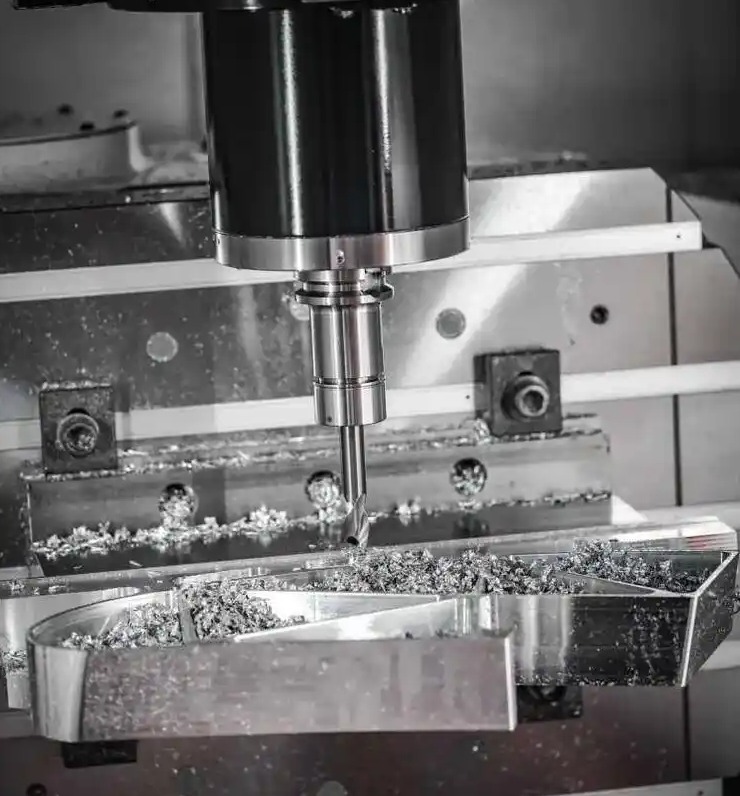
CNC İşleme Anlık Tekliflerinin Projeleriniz Açısından Gerçekten Ne Anlama Geldiği
Gece yarısı 2'de bir CAD dosyası yükleyip sabah kahvaltınızdan önce ayrıntılı bir fiyatlandırma bilgisi almayı hayal edin. Bu senaryo, sadece on yıl önce tamamen imkânsız gibi görünebilirdi. Bugün, CNC işleme anlık teklif sistemleri mühendislerin ve satın alma ekiplerinin özel olarak işlenmiş parçaları nasıl temin ettiğini kökten değiştirmiştir; geleneksel e-posta üzerinden yapılan karşılıklı yazışmaları, akıcı dijital iş akışlarıyla değiştirmiştir.
Bir CNC işleme anlık fiyat teklifi, yüklenen tasarım dosyalarınızı analiz eden, üretim gereksinimlerini değerlendiren ve dakikalar içinde doğru maliyet tahminleri oluşturan otomatik bir fiyatlandırma sistemidir. Manuel RFQ yanıtları için günler hatta haftalar boyu beklemek yerine, neredeyse hemen şeffaf fiyatlandırmayı alırsınız. Bu değişim yalnızca kolaylık sağlamaktan ibaret değildir; aynı zamanda sektörler genelinde proje zaman çizelgelerini ve bütçe planlamasını yeniden şekillendiriyor.
Günlerden Dakikalara: Anlık Fiyat Teklifi Devrimi
Geleneksel fiyat teklifi süreci, bilinen şekilde yavaş ve kaynak yoğun bir süreçti. Çizimleri birden fazla tedarikçiye gönderir, mühendislerinin teknik şartnameleri manuel olarak incelemesini bekler ve çoğunlukla standartlaştırılmamış fiyat teklifleri alırdınız. Sektör platformları gibi Spanflug ’a göre, fiyat teklifi sürecini otomatikleştirmek bu çabayı %90’a kadar azaltabilir.
Ne değişti? Gelişmiş algoritmalar artık yoğun iş yükünü üstleniyor. Çevrimiçi olarak bir CNC teklif talep ettiğinizde, gelişmiş yazılım anında geometriyi analiz eder, takım yollarını hesaplar, işlenecek süreyi tahmin eder ve malzeme maliyetlerini dikkate alır. Daha önce deneyimli tahmin uzmanlarının saatlerce çalışması gereken tüm analiz işlemi şimdi saniyeler içinde tamamlanıyor.
Sıkı teslim tarihleriyle çalışan satın alma ekipleri için bu hızlanma dönüştürücü bir etkiye sahip. Daha önce tedarikçilerden yanıt beklerken duraklayan projeler artık aynı gün içinde ilerleyebiliyor. Mühendisler, modifikasyonların fiyatlamayı nasıl etkileyeceğini anında görebildiği için tasarım yinelemeleri de daha hızlı hâle geliyor.
CAD Dosyanızı Yüktüğünüzde Neler Olur
Anlık teklif için tasarınızı gönderdiğinizde, gelişmiş otomatik bir süreç hemen başlar. Sistem, STEP, IGES veya yerel CAD dosyalarınızı okur ve kritik üretim verilerini çıkarır. Delikler, cep alanları, dişler ve karmaşık yüzeyler gibi özellikleri tanımlar; ardından en uygun imalat stratejisini belirler.
Modern çevrimiçi teklif platformları, bu otomatik analizi uygulanabilirlik kontrolleriyle birleştirir. Şöyle belirtildiği gibi, CNC24 bu kontroller, parçanızın tasarlandığı gibi gerçekten üretilebilirliğini sağlamak amacıyla toleransları, duvar kalınlıklarını ve geometrik kısıtlamaları inceler. Bazı platformlar, üretim sürecine geçmeden önce maliyetleri azaltmanıza yardımcı olmak için Üretim İçin Tasarım geri bildirimleri bile sağlar.
Sonuç nedir? Sadece nihai fiyatı değil, aynı zamanda bu maliyeti belirleyen unsurların şeffaf bir ayrıntılı breakdown’ını da içeren çevrimiçi tornalama teklifleri alırsınız. Bu şeffaflık, malzeme seçimleri, toleranslar ve tasarım değişiklikleri konusunda bilinçli kararlar vermenize yardımcı olur.
Anında Teklif Sistemlerinin Temel Avantajları
Mühendislik ekipleri neden CNC parçaları için giderek daha fazla anında teklif sistemine güveniyor? Bu avantajlar, basit zaman tasarrufunu çok aşar:
- Hız: Projelerinizin tamamını hızlandıran, fiyat tekliflerini günler yerine dakikalar içinde alın
- Şeffaflık: Detaylı madde bazlı breakdown’larla maliyetlerinizi tam olarak neyin oluşturduğunu anlayın
- 7/24 Erişilebilirlik: İlham anında fiyat teklifleri oluşturun, sadece iş saatleri içinde değil
- Tutarlılık: Değişken elle yapılan tahminler yerine nesnel algoritmalar temelinde tekrarlanabilir fiyatlar alın
- Yineleme Özgürlüğü: Tedarikçileri tekrarlayan fiyat teklifi talepleriyle zorlamadan birden fazla tasarım varyasyonunu test edin
Bu avantajlar, birden fazla projeyi yönettiğinizde veya farklı imalat yaklaşımlarını değerlendirdiğinizde katlanır. Seçenekleri anında karşılaştırma yeteneği, daha iyi karar vermenizi sağlar ve projelerin yapay darboğazlar olmadan ilerlemesini sağlar.
Bu kılavuz boyunca, bu sistemlerin maliyetlerinizi nasıl hesapladığını, hangi tasarım kararlarının fiyatlandırmayı en çok etkilediğini ve fiyat tekliflerinizi maksimum değer için nasıl optimize edebileceğinizi öğreneceksiniz. Arka planda gerçekleşen süreçleri anlamak, sizi pasif bir fiyat teklifi alıcısından; kaliteyi korurken maliyetleri stratejik olarak azaltabilen bilinçli bir alıcıya dönüştürür.
Anlık Fiyat Teklifi Algoritmaları Parça Tasarımınızı Nasıl Analiz Eder?
CNC dosyanızı yükledikten sonra ayrıntılı bir fiyatlandırma bilgisi almadan önce geçen birkaç dakika içinde aslında ne olduğunu hiç merak ettiniz mi? Çoğu mühendis, anlık teklif sistemlerini pratik bir kara kutu olarak görür—bir tasarım gönderirsiniz, bir fiyat alırsınız. Ancak arka planda çalışan karmaşık süreçleri anlayarak tasarım kararlarınızı ve maliyet optimizasyonunu nasıl ele aldığınızı kökten değiştirebilirsiniz. tasarım kararlarınıza ve maliyet optimizasyonuna yaklaşımınız .
Modern anlık teklifleri destekleyen teknoloji, gelişmiş geometrik analiz, üretim bilgisi ve gerçek zamanlı maliyet veritabanlarını bir araya getirir. Bu sistemler, deneyimli tahmincilerin manuel olarak tamamlamak için saatlerce harcadığı işi saniyeler içinde gerçekleştirir. Şimdi, teklifinizin tam olarak nasıl hesaplandığını birlikte inceleyelim.
Algoritmada İçeride: Teklifiniz Nasıl Hesaplanır?
Anlık bir teklif almak için bir CAD dosyası yüklediğinizde, çok aşamalı bir hesaplama işlem hattını tetiklersiniz. Her aşama, bir önceki aşamaya dayanır ve ham geometriyi adım adım eyleme dönüştürülebilir üretim verilerine ve nihayetinde bir fiyata dönüştürür.
Süreç, dosya ayrıştırmasıyla başlar. Sistem, STEP, IGES veya yerel CAD formatını okur ve 3D modeli iç ortamında yeniden oluşturur. AMFG'nin teklif yazılımı analizine göre bu otomatik yaklaşım, manuel teklif hazırlamayı etkileyen veri girişi hatalarını ortadan kaldırır—bu hatalar bir zamanlar işletmelerin kritik siparişlerini kaybetmesine ya da karlılıklarını tehlikeye atmasına neden olmaktaydı.
Bundan sonra geometrik doğrulama gelir. Algoritma, üretimi engelleyebilecek non-manifold kenarlar, açık yüzeyler, üst üste binen geometri ve diğer sorunları kontrol eder. Basit İşleme Notları temiz ve doğru geometriye sahip modellerin yüklenmesinin, teklif sürecinin verimli ve hatasız kalmasına yardımcı olduğunu unutmayın. Bütünlük sorunu olan parçalar uyarı tetikleyebilir veya manuel inceleme gerektirebilir.
Gerçek sihir, üretilebilirlik analizi sırasında gerçekleşir. Sistem, CNC işlenen parçanızın tasarlandığı gibi gerçekten üretilebilip üretilemeyeceğini değerlendirir. Duvar kalınlıklarını, iç köşe yarıçaplarını, delik derinliği-çap oranlarını ve kesme takımlarının erişilebilirliğini inceler. Üretim kısıtlamalarını ihlal eden özellikler, üretim sürecine geçmeden önce işaretlenir.
Özellik Tanıma ve Otomatik Takım Yolu Analizi
Anında fiyat teklifi doğruluğunun temelinde, özellik tanıma teknolojisi yer alır. Bunu, bir deneyimli tornacı gibi parçanızı "görebilen" bir algoritma yeteneği olarak düşünün—sadece şekilleri değil, aynı zamanda üretim operasyonlarını da tanımlar.
Modern özellik tanıma yazılımı, standart geometrik elemanları otomatik olarak tanımlar:
- Delikler ve silindirik yüzeyler: Sistem, geçişli delikleri, kör delikleri, konik genişletmeleri (counterbores) ve konik çentikleri (countersinks) birbirinden ayırır
- Cep ve boşluklar: Farklı derinliklere ve köşe koşullarına sahip açık ve kapalı cepler
- İplikler: İç ve dış vida özellikleri—including adımı ve derinliği
- Karmaşık yüzeyler: 3 eksenli veya 5 eksenli frezeleme stratejileri gerektiren serbest biçimli geometriler
- Kesitler ve oluklar: Belirli CNC kesimleri gerektiren doğrusal ve eğrisel özellikler
Özellikler belirlendikten sonra algoritma sanal takım yolları oluşturur. Hangi kesme takımlarının kullanılacağını belirler, işlemleri verimli bir şekilde sıralar ve her bir CNC kesiminin nasıl gerçekleştirileceğini hesaplar. Hotean’ın otomatik takım yolu üretimi üzerine yaptığı araştırmaya göre, gelişmiş sistemler bu hesaplamaları dakikalar içinde tamamlayabilmek için önceden oluşturulmuş bilgi veritabanlarından ve geometrik tanıma algoritmalarından yararlanır—bu görevler elle programlamada saatlerce veya günlerce sürer.
Bu otomatik takım yolu analizi, dikkat çekici derecede doğru süre tahminlerine olanak tanır. Sistem, her işlemin süresini malzeme özellikleri, kesme parametreleri ve kullanılan özel CNC imalat ekipmanına dayalı olarak bilir. Takım değişimlerini, yeniden konumlandırma hareketlerini ve yüzey işlemesi geçişlerini de dikkate alır.
Yüklemeden Nihai Teklif’e: Tam Süreç
Sıralı akışı anlama, bazı fiyat tekliflerinin anında oluşturulmasını ve diğerlerinin ek işleme süresi gerektirmesini nedenini kavramanıza yardımcı olur. Yüklemeyi tıkladığınız andan itibaren tam olarak gerçekleşen işlemler şunlardır:
- Dosya Yükleme ve Ayrıştırma: CNC dosyalarınız alınır ve sistemin iç geometrik temsil formatına dönüştürülür. Format uyumluluğu doğrulanır ve birimler teyit edilir.
- Geometrik Doğrulama: Model, manifold geometri, su geçirmez yüzeyler ve doğru özellik tanımları açısından bütünlük kontrollerinden geçer. Geçersiz geometri, hata mesajlarına veya manuel inceleme taleplerine neden olur.
- Özellik tanıma: Otomatik algoritmalar, delikler, cepler, dişler, yüzeyler ve özel imalat takımları gerektiren karmaşık konturlar gibi tüm işlenebilir özellikleri tanımlamak amacıyla geometriyi tarar.
- Üretilebilirlik değerlendirmesi: Sistem, tanımlanan özelliklerin mevcut ekipmanlarla işlenip işlenemeyeceğini değerlendirir. Takım erişilebilirliği, minimum yarıçaplar, maksimum derinlikler ve diğer imalat kısıtlamaları kontrol edilir.
- Takım Yolu Oluşturma: Her özellik için sanal kesme stratejileri geliştirilir. Algoritma uygun takımları seçer, kesme parametrelerini belirler ve işlem verimliliği için operasyonları sıralar.
- Zaman Hesaplaması: Oluşturulan takım yollarına ve malzeme özelliklerine dayanarak sistem, montaj, kesme, takım değişimi ve bitirme işlemlerini de içeren toplam işlenebilirlik süresini tahmin eder.
- Maliyet Toplaması: Malzeme maliyetleri, işlenme süreleri üzerinden hesaplanan ücretler, montaj ücretleri ve herhangi bir ikincil işlem maliyetleri birleştirilerek toplam maliyet elde edilir. Kar marjı ve kâr oranı hesaplamaları ile nihai fiyat teklifi oluşturulur.
- Teklif Teslimi: Tam fiyatlandırma ayrıntısı — genellikle satır bazlı detayları da içeren — dosyanızın yüklenmesinden sonra genellikle birkaç dakika içinde tarayıcınızda görüntülenir.
Bu sürecin karmaşıklığı, karmaşık CNC işleme parçaları için fiyat teklifi vermenin biraz daha uzun sürebilmesini açıklar. Daha fazla özellik, daha fazla analiz, daha fazla takım yolu hesaplaması ve değerlendirilmesi gereken daha fazla maliyet değişkeni anlamına gelir. Yaygın özelliklere sahip basit geometriler neredeyse anında fiyat teklifi alır, çünkü algoritmalar tanıdık desenleri tanır ve kanıtlanmış stratejileri uygular.
Önde gelen anlık fiyat teklifi veren platformları birbirinden ayıran şey, kenar durumlarını (edge cases) nasıl ele aldıklarıdır. Bazı sistemler karmaşık parçaları otomatik olarak insan tahmincilerine yönlendirir; böylece tuhaf geometrilere sahip parçalarınız için yine de doğru fiyatlandırmayı alırsınız. Diğerleri ise tasarımı daha iyi fiyatlandırılabilir hâle getirmenize yardımcı olacak üretilebilirlik geri bildirimleri sunar.
Bu otomatikleştirilmiş zekâ yalnızca fiyat teklifi sürecini hızlandırmakla kalmaz—aynı zamanda bu süreci standartlaştırır. AMFG Raporları bu fiyat teklifi yazılımı, tahmin ekibinin tümünde tutarlı yaklaşımları sağlamak için rehberlik eden bir güç görevi görür ve daha önce manuel yöntemleri etkileyen tutarsızlıkları ortadan kaldırır. Tasarımınızı saat 15.00’te mi yoksa 03.00’te mi gönderdiğiniz fark etmez; aynı nesnel analizi alırsınız.
Artık algoritmaların yüklediğiniz geometriyi nasıl fiyatlandırmaya dönüştürdüğünü anladığınıza göre, bir sonraki kritik faktör açıkça ortaya çıkar: malzeme seçimi. Alüminyum, çelik veya mühendislik plastikleri gibi bir malzeme seçiminiz yalnızca malzeme kalemini değil, sistemin gerçekleştirdiği her bir sonraki hesaplama üzerinde de etki yaratır.
Malzeme Seçimi ve Fiyat Teklifinize Doğrudan Etkisi
Bir CNC işleme anlık teklif malzeme kalemi, genellikle ilk dikkatinizi çeken unsurdur. Ancak birçok mühendisin gözden kaçırdığı şey şudur: seçtiğiniz malzeme yalnızca ham madde maliyetini belirlemez—aynı zamanda diğer tüm fiyatlandırma hesaplamalarını da etkiler. İşleme süresi, kesici takım aşınma oranları, yüzey pürüzlülüğü elde edilebilirliği ve hatta nakliye ağırlığı gibi faktörler, CNC alüminyum, paslanmaz çelik ya da mühendislik plastikleri gibi farklı malzemeler seçiminize göre değişir.
Malzeme maliyetleri, parça karmaşıklığına bağlı olarak toplam parça maliyetinizin %20–%40’ını oluşturur. Basit geometrilere sahip parçalarda malzeme maliyeti teklifin büyük kısmını oluşturur. Detaylı işlemenin gerektiği karmaşık parçalarda ise işçilik ve makine zamanı öncelik kazanır. Bu ilişkiyi anlamak, hem performansı hem de bütçeyi optimize edecek stratejik kararlar almanıza yardımcı olur.
Alüminyum ile Çelik Karşılaştırması: Maliyet ve Performans Arasındaki Denge
Alüminyum ile çelik karşılaştırması, neredeyse her proje görüşmesinde yer alır. Her iki metal CNC seçeneği de mükemmel sonuçlar sunar; ancak maliyet etkileri oldukça farklıdır.
6061 ve 7075 gibi alüminyum alaşımları, iyi bir nedenden dolayı CNC alüminyum uygulamalarında öncülük eder. Buna göre Kesu Grubu'nun malzeme analizine göre , alüminyum ham madde fiyatları kg başına 2-5 USD aralığında değişmekte olup, hızlı kesme hızları ve minimum takım aşınması nedeniyle işlenme maliyetleri düşük kalmaktadır. Malzemenin yumuşaklığı, genellikle minimal ilave işlem gerektiren pürüzsüz yüzey kalitesi sağlarken ±0,001 inç (±0,0254 mm) gibi çok dar toleranslara ulaşılmasını mümkün kılar.
Ancak tüm alüminyum CNC sınıfları eşit performans göstermez:
- 6061 Alüminyum: Dengeli dayanım ve mükemmel işlenebilirlik sunan temel alaşımdır. Daha düşük kesme kuvvetleriyle sorunsuz işlenebilir; bu da onu yüksek hızda ve yüksek ilerleme hızında çalışan CNC ortamları için ideal kılar. Chalco Aluminum, 6061 alaşımının takım aşınmasına neden olma oranının daha düşük olduğunu ve Ra ≤ 1,6 μm yüzey pürüzlülüğü değerini kolayca elde edebileceğini belirtmektedir.
- 7075 Alüminyum: Üstün mekanik dayanıma sahip ancak daha yüksek maliyetle ve daha zorlu işlenebilirlik gereksinimleriyle birlikte gelir. Daha yüksek sertliği, rijit makineler ve aşınmaya dayanıklı kesici takımlar gerektirir. Ancak kısa talaşlar, talaş atılmasını kolaylaştırır ve optimize edilmiş parametrelerle ince yüzey kaliteleri elde edilebilir.
Çelik işlenmesi farklı bir maliyet denklemi sunar. CNC çelik parçalar, eşsiz dayanıklılık ve mukavemet sağlar; ancak çelik işlenmesi daha düşük kesme hızları, daha sık kesici takım değişimi ve daha uzun çevrim süreleri gerektirir. Sektör verilerine göre paslanmaz çelik ham madde maliyeti kilogram başına 5-10 USD’dir; işlenme maliyetleri ise artmış takım aşınması ve yavaş işleme nedeniyle alüminyuma kıyasla %20-%30 daha yüksektir.
Paslanmaz çelik CNC işlenmesi üç ana sınıf seçeneği sunar:
- 303 Paslanmaz Çelik: En iyi işlenebilirliğe sahip paslanmaz çelik; kükürt ilavesi nedeniyle genellikle "serbest işlenebilir" olarak adlandırılır. Korozyon direnci önemliyken maksimum mukavemet kritik değilse idealdir.
- 304 Paslanmaz: Genel amaçlı iş atı; mükemmel korozyon direnci ve iyi mukavemet sunar. Standart toleranslar ±0,002 inç düzeyinde sağlanabilir.
- 316 Paslanmaz: Denizcilik ve tıbbi ortamlarda özellikle üstün korozyon direnci sağlar. Daha yüksek maliyetli olmakla birlikte, uygulama gereksinimleri bu malzemenin kullanılmasını zorunlu kılmaktadır.
Premium Malzemelerin Yatırım Değeri Olduğu Zamanlar
Bazen en pahalı malzeme, genel olarak en iyi değeri sunar. Premium seçeneklere ne zaman yatırım yapılması gerektiğini bilmek, hem gereğinden fazla mühendislik yapmayı hem de maliyetli arızaları önler.
Titanyum cNC metal fiyatlandırmasının üst uçunu temsil eder. Malzeme maliyeti araştırmalarına göre titanyum ham maddesi kilogram başına 20–50 USD aralığında iken, işlenme maliyetleri özel kesici takımların gerekliliği ve yavaş işleme hızları nedeniyle alüminyuma kıyasla 2–3 kat daha yüksektir. Ancak hava ve uzay sanayii, tıbbi implantlar ve dayanım/ağırlık oranı ile biyouyum gibi özelliklerin kritik olduğu yüksek performanslı uygulamalarda titanyum hâlâ yerine konulamaz.
Mühendislikplastikleri metallerin eşleşemeyeceği benzersiz avantajlar sunar. CNC plastik işlemenin maliyet aralığı çok geniştir:
- Delrin (Asetal): Mükemmel boyutsal kararlılık ve düşük sürtünme. Dişliler, yataklar ve kayan parçalar için maliyet açısından verimlidir.
- Naylon: Orta düzey maliyetle iyi tokluk ve aşınmaya dayanıklılık. Kritik olmayan mekanik bileşenler için idealdir.
- PEEK: Kilogramı 50–100 USD arası olan premium mühendislik plastikleri. Olağanüstü kimyasal direnç, yüksek sıcaklık performansı ve biyouyumluluk, onu talepkar tıbbi ve havacılık uygulamaları için vazgeçilmez kılar.
Plastikler genellikle ±0,005 inçlik toleranslara ulaşır; PEEK ise daha sıkı ±0,002 inçlik toleranslara destek verir. Ancak çatlama önlenmesi için dikkatli işlemeye ihtiyaç duyulur ve bazı plastikler iklim kontrollü depolama gerektirir.
Teklif Optimizasyonu İçin Malzeme Karşılaştırması
Bu tablo, yaygın CNC malzemelerinin teklif fiyatlandırmanızı birden fazla boyutta nasıl etkilediğini özetler:
| Malzeme | Göreceli Ham Malzeme Maliyeti | İşlenebilirlik Derecesi | Tipik Uygulamalar | Alıntı Etkisi |
|---|---|---|---|---|
| Alüminyum 6061 | Düşük (2–5 USD/kg) | Harika | Kapaklar, bağlantı parçaları, prototipler | En düşük toplam teklifler; hızlı teslimat |
| Alüminyum 7075 | Düşük-Orta | İyi | Havacılık yapıları, yüksek gerilim altındaki bileşenler | 6061’e göre %10-15 daha yüksek; daha fazla takım aşınması |
| Paslanmaz Çelik 303 | Orta düzey ($5-10/kg) | İyi | Bağlantı elemanları, sabitleme elemanları, miller | alüminyuma göre %20-30 daha yüksek |
| Paslanmaz 304 | Orta | Ilıman | Gıda ekipmanları, tıbbi cihazlar | alüminyuma göre %25-35 daha yüksek |
| Paslanmaz 316 | Orta-Yüksek | Ilıman | Denizcilik, kimyasal işlemleme, implantlar | alüminyuma göre %30-40 daha yüksek |
| Karbon çelik | Düşük-Orta | İyi | Yapısal bileşenler, kalıpçılık | Paslanmaz çelikle benzer; ısı işlemi maliyet ekler |
| Titanyum Sınıf 5 | Yüksek ($20-50/kg) | Fakirler | Havacılık, tıbbi implantlar, yarış otomobilleri | alüminyumun 2-3 katı; özel takımlar gereklidir |
| Delrin | Düşük-Orta | Harika | Dişliler, yataklar, burçlar | Alüminyuma kıyasla benzer; kenar temizliği gerekmez |
| PEEK | Çok Yüksek ($50-100/kg) | Ilıman | Tıbbi cihazlar, yarı iletken ekipmanları | Premium fiyatlandırma; dar tolerans kapasitesi |
| Naylon | Düşük | İyi | Aşınmaya uğrayan parçalar, yalıtkanlar | Maliyet açısından avantajlı; tipik olarak daha geniş toleranslar |
Ham madde fiyatının ötesindeki gizli maliyet faktörleri
Teklifiniz, sadece kilogram başına malzeme maliyetini değil, aynı zamanda malzeme seçiminize bağlı olarak artan birkaç ikincil faktörü de yansıtır.
Takım Aşınması: Paslanmaz çelik ve titanyum gibi sert malzemeler kesici uçların aşınmasını hızlandırır. İşletmeler, bu durumu tekliflerinize yansıtmak için değiştirilecek takım maliyetlerini de dikkate alırlar. Ethereal Machines’ın analizi, Inconel 718 gibi malzemelerin hızlı takım aşınmasına neden olduğunu ve bu durumun parça başına maliyeti önemli ölçüde artırarak sık sık takım değişimi gerektirdiğini belirtmektedir.
Döngü süresi: Kesme parametreleri malzeme türüne göre büyük ölçüde değişir. Alüminyum 6061’in yüksek termal iletkenliği, yüzey kalitesini bozmadan daha hızlı işlenebilmesine olanak tanır. Eşdeğer özellikler için çelik işlenmesi %40–%60 daha yavaştır; bu da teklifinizdeki işlenme süresi bileşenini doğrudan artırır.
Bitirme gereksinimleri: Bazı malzemeler, işlenmeden doğrudan mükemmel yüzey kalitesi sağlar. Diğerleri ise ikincil işlemler gerektirir. Anodizasyon için 6061 alüminyum, dekoratif veya yapısal amaçlı düzgün oksit tabakaları oluştururken, 7075 alüminyumun daha yüksek bakır içeriği renk değişikliğine neden olabilir ve bunun yerine sert anodizasyon işlemi gerekebilir.
İkincil İşlem Uyumluluğu: Malzeme seçimi, hangi ikincil işlemlerin mümkün olduğunu etkiler. Kaynak işlemi buna açık bir örnektir: 6061 alüminyum, TIG ve MIG kaynak süreçleriyle uyumludur ve çerçeve ve muhafaza gibi uygulamalara uygundur. 7075 alüminyum ise kaynaklanabilirliği zayıftır ve genellikle yük taşıyan kaynaklı yapılar için kullanılmaz.
Bir sonraki fiyat teklifinizi optimize ederken, malzeme değiştirme stratejik olarak değerlendirilmelidir. Bazen 7075’ten 6061 alüminyuma ya da 316 paslanmaz çelikten 304 paslanmaz çeliğe geçiş, önemli ölçüde daha düşük maliyetle yeterli performans sağlayabilir. Diğer durumlarda ise üstün özelliklere sahip malzemelere yatırım yapmak, daha uzun kullanım ömrü veya ikincil işlemlerin ortadan kalkması sayesinde toplam sahip olma maliyetini azaltabilir.
Malzeme etkilerini anlama, bir sonraki kritik maliyet unsuruna—tasarım kararlarınıza—hazırlanmanızı sağlar. Belirttiğiniz toleranslar, seçtiğiniz köşe yarıçapları ve dahil ettiğiniz özellikler, malzeme seçiminiz kadar fiyatlandırmayı doğrudan etkiler. 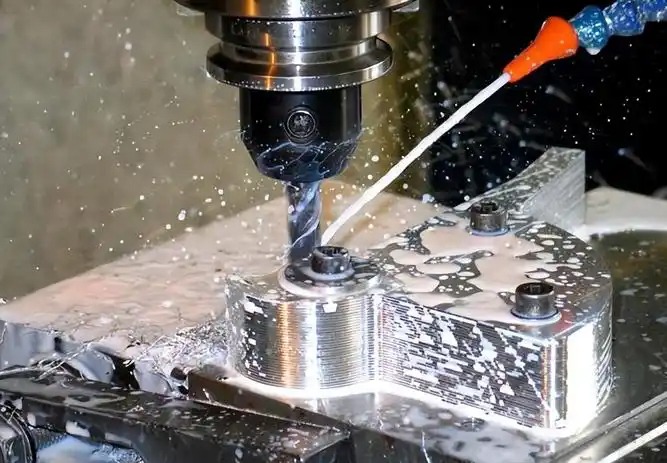
Teklif fiyatınızı belirleyen veya bozan tasarım kararları
Malzemenizi seçtiniz ve CAD dosyanızı yüklediniz. Anlık teklif ekrana geldiğinde beklenenden daha yüksek çıkıyor. Ne oldu? En çok rastlanan neden, görünüşte önemsiz gibi görünen ancak arka planda önemli CNC tornalama maliyet artışlarına neden olan tasarım kararlarıdır.
Üretilebilirliğe Yönelik Tasarım (DFM) ilkeleri teklif fiyatınızın bütçe dahilinde kalmasını ya da bütçeyi aşmasını doğrudan belirler. Her iç köşe yarıçapı, duvar kalınlığı ve tolerans belirtimi, algoritmanın hesaplamalarına beslenir. Bu ilişkileri anlamak, sizi pasif bir teklif alıcısından, CNC tornalama fiyat sonuçlarını stratejik olarak kontrol eden birine dönüştürür.
Teklifinizi Gereğinden Fazla Artıran Tasarım Seçenekleri
Belirli tasarım özellikleri, işlevsel değer katmadan tutarlı bir şekilde maliyetleri artırır. Bu kalıpları tanımak, teklif alınmadan önce bilinçli uzlaşmalar yapmanıza yardımcı olur.
İç köşe yarıçapları: Bu muhtemelen en çok gözden kaçırılan maliyet unsuru durumundadır. CNC frezeleme takımları silindirik şekildedir; bu nedenle cep ve boşluklarda doğal olarak yuvarlatılmış köşeler bırakırlar. Sıkı iç köşeler belirttiğinizde sistem, her geçişte daha az malzeme kaldıran daha küçük çaplı takımlar kullanmak zorunda kalır. Hubs’un DFM (Üretilebilirlik İçin Tasarım) kılavuzlarına göre, boşluğun derinliğinin en az üçte biri kadar bir köşe yarıçapı belirtmek, frezeleme süresini önemli ölçüde azaltır. Örneğin 12 mm derinliğinde bir boşluk için 5 mm veya daha büyük bir köşe yarıçapı belirtmek, 8 mm çaplı bir takımın daha yüksek hızlarda çalışmasına olanak tanır ve böylece çevrim sürenizi önemli ölçüde kısaltır.
Derin cep ve boşluklar: Derin iç özelliklerin işlenmesi zaman alıcı ve risklidir. Yüksek uzunluk-çap oranı olan kesme takımları kırılgandır ve eğilme veya kırılma eğilimindedir. Xometry, boşluk derinliklerinin 4 katına kadar sınırlanmasını önerir; bundan daha derin herhangi bir boşluk, fiyatlandırmayı üstel olarak artırır. Algoritma, teklifinizin hesaplanmasında daha yavaş ilerleme hızlarını, çoklu geçişleri ve özel takımların kullanılma olasılığını dikkate alır.
İnce duvarlar: İnce cidarlı parçalar, CNC metal kesim sırasında titreşim yapar ve doğruluğu korumak için daha yavaş işlenme hızları uygulanmasını zorunlu kılar. Endüstri standartları, metal parçalar için minimum cidar kalınlığını 0,8 mm, plastik parçalar için ise 1,5 mm olarak belirtir. Daha ince cidarlar yalnızca işlenme süresini değil, aynı zamanda toleransların sağlanmasını zorlaştıran şekil bozulmaları riskini de artırır.
Aşırı diş derinliği: İşte birçok mühendisi şaşırtan bir gerçek: Delik çapının 1,5 katından fazla vida etkileşimi, bağlantı noktasına çok az ek dayanıklılık sağlar. İlk iki ya da üç vida dişi işin büyük kısmını yapar. Delik çapının 3 katından daha derin vida belirtmek, işlevsel bir fayda sağlamadan tornalama süresini uzatır ve matkap kırılma riskini artırır.
Standart dışı delik boyutları: Standart matkap uçları, delikleri hızlı ve doğru bir şekilde oluşturur. 5 mm yerine 4,73 mm’lik bir delik belirtmek, CNC makinesinin metal kesme işlemini uç frezeler veya raybalara yönlendirir; bu da işlem sayısını ve süreyi artırır. En uygun fiyatlandırmayı sağlamak için 10 mm altındaki ölçülerde 0,1 mm’lik adımları, 10 mm üzerindekilerde ise 0,5 mm’lik adımları kullanın.
Tolerans Spesifikasyonları: En Uygun Noktayı Bulmak
Tolerans spesifikasyonları, CNC talaş kaldırma işlemlerinde maliyet eğrisinin en dik kısmını oluşturur. Daha dar toleranslar yalnızca küçük bir maliyet artışı değil—teklifinizi üstel olarak çoğaltabilir.
Çoğu işlevsel gereksinimi karşılayan standart CNC toleransları ±0,125 mm (±0,005 inç) değerindedir. Göre Protolabs'ın toleranslandırma kılavuzları bu standart toleranslar, kritik olmayan özelliklerin büyük çoğunluğu için geçerlidir. Daha sıkı toleranslar belirttiğinizde, sisteme ek süre, daha yavaş ilerleme hızları, daha hassas takımlar ve geliştirilmiş kalite kontrolü gerektiği bildirilir.
Maliyet etkisi doğrusal olmayan bir eğri izler:
- ±0,125 mm (±0,005 in): Standart tolerans—ek maliyet yok
- ±0,050 mm (±0,002 in): Hassas tolerans—orta düzeyde maliyet artışı; çoğu ekipmanda gerçekleştirilebilir
- ±0,025 mm (±0,001 in): Yüksek hassasiyet—önemli maliyet artışı; dikkatli süreç kontrolü gerektirir
- ±0,010 mm (±0,0005 in): Ultra-hassasiyet—ciddi maliyet etkisi; özel ekipman gerekebilir
Ana fikir nedir? Sadece işlevin gerektirdiği yerlerde sıkı toleranslar uygulayın. Bir montaj braketi, bir yatak yüzeyi kadar yüksek hassasiyet gerektirmez. Tasarımınızı gözden geçirin ve şu soruyu sorun: Hangi boyutlar gerçekten uyum ve işlev açısından önemlidir?
Protolabs, hassasiyetin önemli olduğu durumlarda geometrik boyutlandırma ve toleranslandırma (GD&T) yöntemini kullanmanızı önerir. GD&T, düzlemsellik, silindirlik ve gerçek konum gibi özellikleri kontrol eder; bu da genellikle işlevsel gereksinimleri karşılamaya devam ederken daha gevşek boyut toleranslarına izin verir. Bu yaklaşım ileri düzey tasarım bilgisi gerektirir ancak hassas CNC tornalama hizmetleri için maliyetleri önemli ölçüde azaltabilir.
Hızlı Kazanımlar: Maliyetleri %15–%30 oranında düşüren Tasarım Değişiklikleri
Bir sonraki fiyat teklifinizi optimize etmeye hazır mısınız? Aşağıdaki kanıtlanmış değişiklikler, işlevselliği zayıflatmadan özel imal edilen parçaların fiyatlarını düşürür:
- İç köşe yarıçaplarını artırın en az boşluk derinliğinin 1/3’üne—daha büyük ve daha hızlı kesim yapan takımların kullanılmasına olanak tanır
- Cep derinliklerini sınırlandırın en küçük boyutun 4 katına—özel uzun ulaşım takımlarına gerek kalmadan işlem yapılmasını sağlar
- Duvar kalınlıklarını artırın metaller için en az 0,8 mm, plastikler için 1,5 mm—titreşimi ortadan kaldırır ve daha hızlı ilerleme hızlarına olanak tanır
- Standart delik boyutlarını kullanın 0,1 mm veya 0,5 mm aralıklarla—standart matkap uçlarının kullanılmasını sağlar; dolaylı yolla delme işlemine gerek kalmaz
- Diş derinliğini azaltın delik çapının en fazla 3 katına kadar—diş açma süresini kısaltır ve kesici takım kırılma riskini düşürür
- Sabit yay yarıçaplarını koruyun parça boyunca—özellikler arasında takım değişimi ihtiyacını ortadan kaldırır
- Toleranslı tüm boyutları tek bir referans düzlemden (datum) belirtin —muayeneyi kolaylaştırır ve tezgâh kurulum karmaşıklığını azaltır
- Tek kurulumlu işleme için tasarım yapın mümkün olduğunda—yeniden konumlandırma süresini ortadan kaldırır ve hizalama hatası olasılığını azaltır
Tasarımınızda keskin iç köşeler gerekiyorsa (örneğin dikdörtgen bir parçanın yerleştirilmesi gibi), algoritmanın küçük freze uçları için hesaplama yapmasını zorlamak yerine, köşe rölyefleri veya alt kesim özellikleri eklemeyi düşünün. Bu yaklaşım, işlevsel gereksinimi karşılarken CNC makine fiyat tahminlerini de makul seviyede tutar.
Bir sonraki fiyat teklifinizi talep etmeden önce kendinize şu soruları sorun: İşlevsel gereksinimlerden daha sıkı toleranslar belirttim mi? Uyumu etkilemeden iç yarıçapları artırabilir miyim? Daha kalın cidarlar parçamın performansını aslında artırabilir mi?
Bu DFM ilkeleri, tek bir prototip siparişi veriyor olmanız ya da üretim hacmini artırıyor olmanız durumunda da geçerlidir. Anında fiyatlandırma algoritması, her özelliği üretim gerçekleriyle karşılaştırarak değerlendirir. Tasarımınızı bu gerçeklerle baştan uyumlu hâle getirerek, zorlu geometri için geçici çözümler yerine verimli üretim süreçlerini yansıtan fiyat teklifleri alırsınız.
Elbette, en iyi şekilde optimize edilmiş bir tasarım bile CAD dosyanızda hatalar varsa doğru şekilde fiyatlandırılamaz. Bir sonraki kritik adım, ilk denemede doğru fiyatlandırmaya yol açacak, temiz ve hatasız yüklemeler için dosyalarınızı hazırlamaktır.
Doğru Anında Fiyat Teklifleri Almak İçin CAD Dosyalarınızı Hazırlama
Tasarımınızı optimize ettiniz, ideal malzemeyi seçtiniz ve fiyat teklifi almak için hazırsınız. Ancak yükleme butonuna bastığınızda sistem bir hata döndürüyor ya da daha kötüsü, gerçek parçanızı yansıtmayan bir fiyat teklifi oluşturuyor. Sorun nerede?
Dosya hazırlama işlemi, CNC tornalama anlık fiyat teklifinizin sorunsuz mu yoksa tamamen mi tıkandığını belirleyen göz ardı edilen adımdır. Geometrinizi analiz eden algoritmaların doğru fiyatlandırmayı oluşturabilmesi için temiz ve doğru biçimlendirilmiş verilere ihtiyacı vardır. Desteklenen dosya biçimlerini, hazırlama en iyi uygulamalarını ve yaygın hata durumlarını anlamak, hayal kırıklığına neden olacak sorunları önler ve fiyat tekliflerinizin üretim gerçekliğini yansıttığından emin olmanızı sağlar.
Hata İçermeyen Yükleme İçin CAD Dosyanızı Hazırlama
Tüm dosya biçimleri anlık fiyat teklifi alma amacıyla eşit derecede iyi çalışmaz. CNC makineleri sonunda CAM yazılımı aracılığıyla üretilen G-kodu ile çalışır; ancak fiyat teklifi sistemi bu aşamadan önce parçanızı analiz edebilmek için sağlam geometrik verilere ihtiyaç duyar.
JLCCNC'nin dosya hazırlama kılavuzuna göre, CNC tornalama için en uygun biçimler şunlardır:
- STEP (.stp, .step): Katı CAD verilerini değiştirmek için evrensel standart. STEP dosyaları, kesin geometri ve özellik bilgilerini korur; bu nedenle çevrimiçi CNC tezgâh teklif sistemleri için idealdir.
- IGES (.igs, .iges): Daha eski ancak yaygın olarak desteklenen bir biçim. .igs dosyası, neredeyse tüm CAD ve CAM platformlarında çalışır; ancak dışa aktarım sırasında bazı parametrik verileri kaybedebilir.
- Parasolid (.x_t, .x_b): Birçok profesyonel CAD sisteminde yerel olarak kullanılan Parasolid, CNC tezgâh parçaları için mükemmel geometrik doğruluk sağlar.
- Yerel CAD formatları: SolidWorks (.sldprt), Inventor (.ipt) ve Fusion 360 dosyaları, genellikle yerel verileri ayrıştırabilen gelişmiş platformlara doğrudan yüklenir.
Nelerden kaçınmalısınız? STL veya OBJ gibi örgü tabanlı biçimler, 3B yazdırma için harika çalışır ancak CNC teklif süreçlerinde sorun yaratır. Bu biçimler, düz eğrileri küçük üçgenlerle yaklaştırarak CNC prototipleme için gerekli olan kesin yüzey tanımlarını kaybeder. Tek sahip olduğunuz dosya bir STL ise, teklif doğruluğunda azalma veya manuel inceleme gereksinimiyle karşılaşmanız muhtemeldir.
Yüklemeden önce şu sıralı hazırlık kontrol listesini tamamlayın:
- Birim ayarlarını doğrulayın: Modelinizin milimetre veya inç birimlerini tutarlı şekilde kullandığını onaylayın. Karışık birimler, aşırı derecede yanlış fiyat teklifleri oluşturan boyut hatalarına neden olur.
- Katı geometriyi kontrol edin: Parçanızın yalnızca yüzeylerden veya açık kabuklardan oluşan bir yapı değil, tamamen kapalı bir katı cisim olduğundan emin olun. Fiyat teklifi algoritmaları, sızdırmaz (su geçirmez) bir geometri gerektirir.
- Yapım geometrisini kaldırın: Son parçayı temsil etmeyen referans düzlemlerini, çizim çizgilerini ve yardımcı özellikleri silin.
- Donanımı bastırın veya kaldırın: Vidalar, gömme parçaları veya rulmanlar gibi standart bileşenler, yüklemeden önce kaldırılmalıdır. Donanım gereksinimlerinizi fiyat teklifinizde ayrı olarak belirteceksiniz.
- Aralıkları onarın: Analiz başarısızlıklarına neden olabilecek küçük yüzey aralıklarını veya eksik yüzeyleri düzeltmek için CAD yazılımınızın onarım araçlarını kullanın.
- STEP formatına aktarın: Şüpheniz varsa, farklı fiyat teklifi platformlarında en güvenilir sonuçları veren dosya formatı STEP'tir.
- İhracatı doğrulayın: Yüklemeye başlamadan önce, dışa aktardığınız dosyayı CAD yazılımınıza yeniden içe aktararak geometri bütünlüğünü onaylayın.
Dosya kalitesi neden bu kadar önemli? Anlık fiyatlandırma algoritması, yüklenen geometriniz üzerinde otomatik özellik tanıma işlemi gerçekleştirir. Doğru tanımlanmış temiz modeller, deliklerin, cepelerin, dişli parçaların ve yüzeylerin doğru şekilde tanımlanmasını sağlar. Dağınık geometri, sistemin tahminde bulunmasına ya da tamamen başarısız olmasına neden olur.
Fiyat teklifi isteklerindeki hataların giderilmesi
Deneyimli mühendisler bile fiyat teklifi alınırken hata ile karşılaşabilir. Yaygın hata nedenlerini anlamak, sorunları hızlıca çözmek ve doğru fiyatlandırmayı elde etmek için yardımcı olur.
Xometry'nin sorun giderme belgeleri en sık karşılaşılan hata türlerini belirler:
Birden fazla bağlantısız gövde: Dosyanızda tek bir parça olarak birleştirilmemiş ayrı parçalar bulunmaktadır. Sistem bu durumu işlenebilir bir parça yerine bir montaj olarak algılar. Çözüm: Tasarım yazılımınızda bağımsız cisimleri birleştirin ya da her bileşeni ayrı bir parça dosyası olarak ayırıp ayrı ayrı fiyat teklifi alın.
Parça yerine montaj dosyaları: Birden fazla bileşenden oluşan tam bir montaj dosyası yüklediniz. Teklif sistemleri, bireysel parça dosyaları gerektirir. Çözüm: Her bileşeni ayrı ayrı dışa aktarın; bağlantı elemanları veya gömülü parçalar gibi donanımı bastırın. Görünüşte bir montaj olan tek bir bütünleştirilmiş parça gerekiyorsa, dışa aktarmadan önce tüm bileşenleri tek bir gövdeye birleştirin.
Boşluklu veya İç Boşluklar: Tasarımınız, CNC işlemenin oluşturamayacağı kapalı iç boşluklar içeriyor—kesme takımları, mühürlü bir boşluğun içine ulaşamaz. Çözüm: Prototip CNC işlemeniz için tek parçayı, birlikte monte edilen birden fazla bileşene yeniden tasarlayın ya da takım girişi sağlayacak erişim açıklıkları ekleyin.
Sınır Dışı Boyutlar: Parça, seçilen üretim süreci için çok küçük ya da çok büyük. Çözüm: Öncelikle dosyanızın doğru ölçekle dışa aktarıldığını doğrulayın—bu durum genellikle birim ayarlarının uyuşmaması nedeniyle gerçekleşir. Boyutlar kasıtlıysa, teklif platformu seçilen süreç için boyut gereksinimlerinizi desteklemeyebilir.
Manifold Olmayan Geometri: Modeliniz, birbirleriyle örtüşen yüzeyler, iki yüzeyden fazla tarafından paylaşılan kenarlar veya sıfır kalınlıklı özellikler gibi geometrik hatalar içermektedir. Bu durumlar, algoritmaların yorumlayamayacağı belirsiz bir geometri oluşturur. Çözüm: Katman olmayan (non-manifold) durumları tanımlamak ve düzeltmek için CAD yazılımınızın analiz ve onarım araçlarını kullanın.
Aşırı karmaşık montajlar: Aşırı ayrıntıya sahip dosyalar, çok sayıda küçük özelliğe sahip dosyalar veya son derece karmaşık yüzey geometrisine sahip dosyalar, işlem sınırlarını aşabilir veya zaman aşımına uğrayabilir. Çözüm: İşlevi etkilemeyen estetik detayları basitleştirin ya da karmaşık parçaları ayrı fiyat teklifi alınabilmesi için alt montajlara ayırın.
CNC prototip tornalama fiyat teklifi oluşturma işlemi başarısız olduğunda, aynı dosyayı yalnızca yeniden göndermeyin. Hata mesajlarını dikkatlice inceleyin—çoğu platform, hatanın nedenini tetikleyen spesifik bilgiler sağlar. Kök nedene birkaç dakika ayırmak, tekrarlayan hayal kırıklıklarını önler ve bir sonraki yüklemenizin başarılı olmasını sağlar.
Profesyonel ipucu: Hem yerel CAD dosyalarınızı hem de STEP sürümlerini revizyonlara göre düzenli tutun. Teklif başarısızlıklarını giderirken, sorunun orijinal modelinizde mi yoksa dışa aktarma sürecinde mi olduğunu hızlıca test edebilirsiniz.
Doğru şekilde hazırlanmış dosyaların başarıyla yüklenmesiyle birlikte, dönen ayrıntılı teklifi yorumlamaya hazırsınız. Her bir kalemin aslında neyi temsil ettiğini ve gerçek maliyet optimizasyonu fırsatlarının nerede gizlendiğini anlayarak, CNC tornalama fiyatlandırmasını değerlendirme ve karşılaştırma yaklaşımınız tamamen değişir.
CNC Teklifinizdeki Her Kalemi Anlamak
CNC tornalama anlık teklifiniz geldi—çoklu kalemler, yüzdelikler ve maliyet kategorilerinden oluşan ayrıntılı bir açıklama. Ancak bu rakamların her biri aslında neyi temsil ediyor? Daha da önemlisi, toplam harcamanızı azaltmak için gerçek fırsatlar nerede?
Çoğu mühendis, fiyatı oluşturan bileşenleri incelemeksizin doğrudan toplam fiyatı gözler. Bu, kaçırılmış bir fırsattır. Her maliyet unsurunu anlamak, sizin sadece teklifleri kabul eden birinden, bunları stratejik olarak optimize eden birine dönüşmenizi sağlar. Ödediğiniz ücretin tam olarak ne için olduğunu birlikte çözümleyelim.
Teklifinizi Satır Satır Çözümleyelim
Tipik bir CNC teklifi, beş ana maliyet kategorisine ayrılır. Her biri, tasarım değişikliklerine, üretim hacmi ayarlamalarına ve zamanlama kararlarına farklı şekilde yanıt verir.
Kurulum Ücretleri: Bu tek seferlik ücret, makine hazırlığı, sabitleme aparatı kurulumu, takım yükleme ve ilk parça doğrulamasını kapsar. Dadesin'in maliyet analizine göre, CNC işlemenin yüksek kurulum maliyetleri nedeniyle tek adet siparişler pahalıya gelir. Kurulum ücretleri miktar ne olursa olsun görece sabit kalır—bu yüzden 10 adet parça siparişi vermek, bir adet parça siparişi vermekten çok daha düşük birim maliyetle sonuçlanır. Basit parçalar için kurulum maliyetinin küçük parti tekliflerinde %15-25 oranında yer almasını bekleyebilirsiniz. Çoklu kurulum veya özel sabitleme aparatları gerektiren karmaşık işlenen parçalarda bu oran daha da yükselir.
Malzeme maliyetleri: Ham malzeme, parçanızı oluşturan fiziksel alüminyum, çelik veya plastik anlamına gelir. Ancak gizli bir faktör vardır: atık. CNC, çıkarıcı üretim yöntemidir; yani sadece bitmiş geometri değil, tam blok için ödeme yaparsınız. Karkhana.io notu bu atık faktörünün, özellikle titanyum veya PEEK gibi pahalı malzemeler için dikkate alınması gerektiğini unutmamak gerekir. Malzeme genellikle toplam maliyetin %20-40'ını oluşturur; bu oran parça karmaşıklığına ve parçanın standart stok boyutları içinde ne kadar verimli bir şekilde yerleştirilebileceğine bağlı olarak değişir.
İşleme Süresi: Bu, genellikle en büyük tek kalemdir. CNC makineleri, yeteneklerine göre saatlik ücretlerle çalışır: Unionfab’a göre 3 eksenli makineler yaklaşık 40 USD/saat, 4 eksenli makineler 45-50 USD/saat ve 5 eksenli ekipmanlar 75-120 USD/saattir. Parçanızın geometrisi, malzemesi ve tolerans gereksinimleri, CNC makinesi maliyet hesaplamasında dahil edilen saat sayısını belirler. Karmaşık özellikler, sert malzemeler ve dar toleranslar tümüyle çevrim süresini uzatır.
Yüzey işleme işlemleri: Anodizasyon, toz boyama veya elektrokaplama gibi ikincil işlemler ayrı satır kalemleri olarak görünür. Sektör fiyatlandırma verilerine göre bu işlemler parça başına 2-30 USD ek maliyet getirir; işlem türüne bağlı olarak değişir. Kumla patlatma gibi temel yüzey işlemleri 2-10 USD, nikel veya krom ile elektrokaplama ise 10-30 USD arası maliyet oluşturur. Metal CNC işlemenin ısı işlemi aşamaları ise işlem karmaşıklığına bağlı olarak 0,50-50 USD ek maliyet ekler.
Nakliye ve taşıma: Uluslararası siparişlerde lojistik maliyetlerini göz ardı etmeyin. Standart ambalaj genellikle dahil edilir; ancak hassas CNC işlenmiş metal parçalar için koruyucu ambalaj—ahşap kasalar veya özel kutular—50-500 USD veya daha fazla ek maliyet oluşturur. Sınır ötesi sevkiyatlar için gümrük vergileri ürün değerinin %5-%20’sini ek maliyet olarak oluşturabilir.
Parça Türüne Göre Maliyet Dağılımı
Bu yüzdelerin dağılımı, parçanızın özelliklerine büyük ölçüde bağlıdır. Bu tablo, farklı senaryolarda tipik dağılımları göstermektedir:
| Parça türü | Kurulum Ücretleri | Malzeme | İşleme Süresi | Bitirme İşlemi | Nakliye/Diğer |
|---|---|---|---|---|---|
| Basit, Küçük (tek birim) | 25-35% | 15-20% | 30-40% | 5-10% | 5-10% |
| Basit, Küçük (100 birim) | 5-10% | 25-35% | 40-50% | 10-15% | 5-8% |
| Karmaşık, Küçük (tek birim) | 15-25% | 10-15% | 45-55% | 10-15% | 5-10% |
| Karmaşık, Küçük (100 birim) | 3-8% | 15-25% | 50-60% | 10-15% | 5-8% |
| Basit, Büyük (tek birim) | 10-20% | 30-40% | 25-35% | 5-10% | 10-15% |
| Karmaşık, Büyük (tek birim) | 8-15% | 20-30% | 40-50% | 10-15% | 8-12% |
Kurulum ücretlerinin tek birimlik siparişlerde baskın rol oynadığını, ancak büyük miktarlarda neredeyse ortadan kalktığını fark edin. Bununla birlikte, işlenebilme süresi miktar ne olursa olsun sürekli maliyet unsuru olarak kalır—bu nedenle tasarım optimizasyonu her ölçekte kritik öneme sahiptir.
Toplu İndirimler ve Kar-Zarar Noktası Analizi
CNC birim fiyatı miktar arttıkça önemli ölçüde düşer; ancak bu ilişki doğrusal değildir. Kar-zarar noktalarını anlamak, stratejik olarak sipariş vermenizi sağlar.
Kurulum maliyetlerinin daha fazla birime yayılması, başlangıçta en dik indirim eğrisini oluşturur. 1 birimden 10 birime geçiş genellikle birim başına maliyeti %40–%60 oranında azaltır. 10 birimden 50 birime geçiş ise ek olarak %15–%25’lik bir azalmaya yol açar. 100 birimin üzerindeki miktarlarda iyileştirmeler giderek daha küçük hâle gelir—örneğin 500 birime geçişte yalnızca %5–%10 oranında tasarruf sağlanabilir.
Unionfab'ın maliyet karşılaştırmasına göre, ölçek ekonomileri nedeniyle parça başına CNC makine süresi maliyeti miktarla birlikte azalır. Ancak pratik bir husus da vardır: sadece fiyat indirimine ulaşmak için ihtiyacınızdan fazla sipariş vermeyin. Depolama maliyetleri, tasarım yineleme riskleri ve sermayenizin bağlanması, birim başı tasarrufları gölgede bırakabilir.
Alüminyum imalatı ve genel torna-talaş kaldırma parçaları için tipik kâr-zarar eşikleri şu şekildedir:
- 1–5 adet: Prototip fiyatları—kurulum maliyetlerinin amortismanı nedeniyle birim başı yüksek maliyet bekleyin
- 10–25 adet: İlk önemli fiyat indirimi—kurulum maliyetleri birim başına yönetilebilir düzeyde olur
- 50–100 adet: Üretim fiyatı ortaya çıkar—malzeme toplu satın alımı ve optimize edilmiş iş akışları devreye girer
- 500+ adet: Toplu üretim—enjeksiyon kalıplama veya diğer süreçlerin daha ekonomik hale gelip gelmediğini değerlendirin
Teslim Süresi Seçenekleri Teklifinizi Nasıl Etkiler
Zaman para demektir—kelimenin tam anlamıyla. Çoğu anlık fiyat teklifi platformu, karşılık gelen fiyat farklarıyla birlikte birden fazla teslimat süresi seviyesi sunar.
Sektör analizleri gösteriyor standart teslimat süreleri olan 7-10 iş günü, en ekonomik fiyatları sağlar. 1-3 günlük dönüş süresi gerektiren acil siparişler, %25-%50 veya daha fazla premium ücretlere neden olur. Neden mi? Hızlandırılmış siparişler, üreticilerin sizin işinizi önceliklendirmesini gerektirir; bu da fazla mesai çalışmasına veya diğer planlanmış işlerin ertelenmesine yol açabilir.
Standart ve hızlandırılmış teslimat arasındaki fiyat farkı, yalnızca işlemenin kendisine uygulanan yüzde premiumun çok üzerinde olabilir. Örneğin, 10 günlük teslimat süresiyle 500 $’a teklif edilen bir parça, 3 günlük teslimat için 700-800 $’a çıkabilir—bu, birkaç günlik bir zaman sıkıştırması için 200 $’dan fazla bir maliyettir.
Akıllı tedarik zamanlaması bu premiumları tamamen ortadan kaldırabilir. Proje takvimlerinize bir tampon süre ekleyin, benzer siparişleri bir araya getirerek toplu verin ve henüz sipariş vermeye hazır olmasanız bile fiyat tekliflerinizi erken gönderin. Gerçek zamanlama ihtiyaçlarınızı doğru şekilde anlamak, işlevsel bir fayda sağlamayan acil işlem ücretlerine ödeme yapmanızı önler.
Herhangi bir teklifi kabul etmeden önce kendinize şu soruları sorun: Hangi kalemleri tasarım değişiklikleriyle etkileyebilirim? Miktar optimizasyonu nerede mantıklı hale gelir? Ve aslında ihtiyacım olmayan hız için ödeme yapıyor muyum?
Her maliyet bileşenini neyin sürüklediğine dair net bir anlayışa sahip olduğunuzda, stratejik kararlar verebilecek duruma gelirsiniz. Ancak anında tekliflerin sizin için ne zaman iyi bir seçenek olduğunu ve ne zaman manuel RFQ'ların daha iyi sonuçlar verdiğini bilmek, otomatik fiyatlandırma sistemlerinin sınırlarını anlamayı gerektirir.
Anında Teklifleri Ne Zaman Kullanmalısınız ve Ne Zaman Manuel RFQ Talep Etmelisiniz
Dosyanızı yüklediniz, anında bir teklif aldınız ve fiyat makul görünüyor. Ancak hemen "sipariş ver" butonuna mı tıklamalısınız? Yoksa projeniz için telefonla iletişime geçip manuel bir RFQ talep etmenin daha uygun olduğu durumlar mı var?
Otomatik fiyat teklifi sisteminin ne zaman üstün performans gösterdiğini ve ne zaman yetersiz kaldığını anlamak, maliyetli sürprizleri önler ve her zaman işinize en uygun aracı kullanmanızı sağlar. Her seferinde en iyi yöntemi seçmenize yardımcı olacak net karar verme çerçeveleri oluşturalım.
Anında Fiyat Teklifi vs. Manuel RFQ: Doğru Seçimi Yapmak
Anında fiyat teklifi sistemleri belirli senaryolarda en parlak şekilde öne çıkar. Buna göre Wikifactory’nin analizi , otomatik fiyat teklifleri, siparişiniz standart şekillerle kolayca üretilebiliyorsa, doğrulukta bir miktar taviz vererek hız kazanmayı kabul edebiliyorsanız ve bütçeniz potansiyel değişkenliği karşılayabiliyorsa iyi sonuç verir.
Aşağıdaki durumlarda anında fiyat teklifi seçin:
- Standart malzemeler: Alüminyum 6061, paslanmaz çelik 304, Delrin ve diğer yaygın malzemeler, doğru fiyatlandırma verileriyle birlikte fiyat teklifi algoritmalarına önceden yüklenmiştir
- Orta karmaşıklıkta parçalar: Otomatik özellik tanıma sisteminin güvenle işleyebildiği tanımlanabilir özelliklere sahip parçalar—delikler, cepler, dişler
- Prototip imalatı: Hızın, son %5’lik maliyet tasarrufunu elde etmekten daha önemli olduğu erken tasarım aşamaları
- Küçük partiler (1–100 adet): Kurulum maliyetlerinin baskın olduğu ve hızlı tornalama dönüş süresinin müzakere avantajlarını aştığı miktarlar
- Zaman Kritik Projeler: El ile hazırlanmış teklifleri beklemek projenizin zaman çizelgesini kabul edilemez şekilde geciktirecekse
Anlık teklif platformları aracılığıyla aldığınız CNC hizmeti tutarlılık ve hız sunar. Taahhüt etmeden önce tam olarak ne kadar ödeyeceğinizi bilirsiniz ve tüm işlem saatler içinde, günler değil, tamamlanabilir.
El ile RFQ talep edin şu durumlarda:
- Egzotik malzemeler: Titanyum alaşımları, Inconel, berilyum bakırı veya özel plastikler otomatik sistemlerde doğru fiyatlandırılamayabilir
- Aşırı Hassasiyet: ±0,001" altındaki tolerans gereksinimleri, uygulanabilirliği ve doğru fiyatı değerlendirmek için genellikle insan incelemesi gerektirir
- Büyük üretim partileri (500+ adet): Hacim bazlı müzakereler, kalıp yatırımları ve süreç optimizasyonları özel teklif sürecine değer verilmesini hak eder
- İkincil İşlemler: Karmaşık yüzey işlemleri gereksinimleri, tornalama hizmetinin frezelemeyle birleştirilmesi, ısı işlemi veya özel muayene işlemlerinin yapılması gibi durumlar uzman danışmanlığından yararlanır
- Özelleştirilmiş çelik imalat: Kaynaklı montajlar, lehimlenmiş bileşenler veya birden fazla üretim süreci gerektiren parçalar için koordine edilmiş teklif alınması gerekir
Sektör uzmanlarının belirttiği gibi, manuel teklif alma süreci daha iyi kalite kontrollerine olanak tanır ve projenizin her yönüne ilişkin sorumluluğun sağlanmasını sağlar. Doğruluk ve kalite hızdan öncelikli olduğu yüksek riskli parçalar için manuel RFQ’lara harcanan ek süre, karşılığını verir.
CNC ile Alternatif Üretim Yöntemleri Arasındaki Karşılaştırma
Bazen asıl soru "anında mı yoksa manuel mi teklif" değil; aslında CNC frezeleme işleminin вообще doğru süreç olup olmadığıdır. CNC kesim işlemini alternatiflerle karşılaştırmak, her proje için en uygun üretim yaklaşımını seçmenizi sağlar.
Protolabs'ın üretim karşılaştırmasına göre, her süreç farklı senaryolarda üstün performans gösterir:
CNC makineleme eşsiz hassasiyet ve malzeme çeşitliliği sunar. Sıkı toleranslara, işlevsel metal parçalara veya kalıp yatırımlarını haklı çıkarmayacak kadar düşük miktarlara ihtiyaç duyulduğunda idealdir. Bu süreç, tek adet prototipten orta hacimli üretime kadar tüm üretim miktarlarını tutarlı kaliteyle gerçekleştirir.
3D baskı hızlı prototipleme ve karmaşık geometriler için avantaj sağlar. Tasarımınız iç kanallar, kafes yapılar veya kapsamlı CNC kesim işlemlerini gerektirecek formlar içerdiğinde, eklemeli imalat daha hızlı ve daha ucuz olabilir. Ancak malzeme seçenekleri CNC’ye kıyasla hâlâ sınırlı kalmakta ve mekanik özellikleri genellikle fonksiyonel uygulamalar için yetersiz kalır.
Enjeksiyon moling daha yüksek üretim hacimlerinde maliyet açısından avantajlı hale gelir. Enjeksiyon kalıplama teklifi istemek, önemli başlangıç kalıp maliyetlerini ($3.000–$100.000+; karmaşıklığa göre değişir) ortaya çıkarır; ancak üretim başladıktan sonra parça başına maliyetler büyük ölçüde düşer. Investacast şunu belirtiyor hacim eşiğinin hangi sürecin ekonomik olarak mantıklı olduğunu belirlediğini—bir basınç döküm kalıbı alternatiflere kıyasla yaklaşık on kat daha pahalı olabilir, ancak parça başına düşük fiyatlandırma sayesinde yatırımını hızla geri kazanır.
Sac metal şekillendirme ve lazer kesimli alüminyum süreçleri, muhafazalar, bağlantı parçaları ve ince cidarlı yapılar için üstün performans gösterir. Geometriniz katlama ve şekillendirme işlemlerine uygunsa, ancak katı malzemeden frezeleme işlemine uygun değilse, sac metal genellikle daha düşük maliyetle daha hızlı teslim süresi sağlar.
İmalat Yöntemi Karşılaştırması
| Üretim yöntemi | İdeal Hacim Aralığı | Tipik Teslim Süresi | Maliyet yapısı | En İyi Uygulamalar |
|---|---|---|---|---|
| CNC makineleme | 1-1.000 birim | 3-15 Gün | Düşük kurulum, orta düzey parça başı maliyet | Yüksek hassasiyetli parçalar, işlevsel prototipler, metal bileşenler |
| 3D baskı | 1–100 adet | 1-7 gün | Az miktarda hazırlık, parça başına daha yüksek maliyet | Karmaşık geometriler, hızlı yineleme, kavram modelleri |
| Enjeksiyon moling | 1.000-1.000.000+ adet | 4–12 hafta (kalıpçılık dahil) | Yüksek kalıp maliyeti, çok düşük parça başı maliyet | Yüksek hacimli plastik parçalar, tüketici ürünleri |
| Sac metal şekillendirme | 1-10.000 birim | 5-20 Gün | Düşük–orta düzey kurulum, parça başına düşük maliyet | Muhafazalar, bağlantı parçaları, şasiler, paneller |
| Döküm | 5.000-500.000+ adet | 6-16 hafta (kalıpçılık dahil) | Çok yüksek kalıp maliyeti, en düşük parça başı maliyet | Aşırı yüksek hacimlerde karmaşık metal parçalar |
Son Kararı Vermek
Anında fiyat teklifi alma, manuel RFQ (Teklif Talebi) gönderme ve alternatif üretim süreçleri arasında seçim yaparken dikkat etmeniz gereken birkaç faktör vardır:
Zaman kısıtlamaları: Bugün içinde fiyat bilgisi almanız gerekiyorsa, anında fiyat teklifi alma seçeneği tek çözümünüz olur. Manuel RFQ’lar genellikle 2–5 iş günü sürer. Alternatif süreçler için fiyat teklifi alınması, özellikle kalıp çalışması gerektiren durumlarda daha uzun sürebilir.
Maliyet duyarlılığı: Hızın en önemli olduğu prototip imalatında, anında fiyat teklifi alınmasının kolaylık avantajını kabul edebilirsiniz. Ancak parça başına küçük tasarrufların büyük hacimlerde toplamda önemli bir tasarrufa dönüşeceği üretim hacimleri için, manuel müzakerelere harcanan zaman yatırım değerindedir.
Karmaşıklık ve risk: Uzmanlar, parçanızın daha yüksek karmaşıklığa sahip olması durumunda — bu nedenle bir uzmanın dikkatlice incelemesi gerekmekte — en yüksek kaliteyi talep ettiğinizde ya da ayrıntılı bütçeleme için kesin maliyetlere ihtiyacınız olduğunda manuel fiyat teklifi verilmesini önerir.
İlişki değeri: Sürekli devam eden programlar için manuel fiyat teklifi süreçleri aracılığıyla üreticilerle ilişkiler kurmak, anlık platformların eşleşemeyeceği daha iyi fiyatlar, öncelikli üretim planlaması ve mühendislik desteği sağlar.
Şüpheniz varsa, temel fiyatlandırmayı ve uygulanabilirliği belirlemek için önce anlık fiyat teklifi alın; ardından kritik veya yüksek hacimli projeler için karşılaştırmalı olarak manuel fiyat teklifi talep edin.
Anlık fiyat teklifi devrimi, insan uzmanlığının gereksinimini ortadan kaldırmamıştır — sadece giriş noktasını daha hızlı ve erişilebilir hale getirmiştir. Her yaklaşımın ne zaman sizin için en uygun olduğunu bilmek, tek bir prototip siparişi verirken ya da binlerce adetlik bir üretim çalışması planlarken optimal sonuçlara ulaşmanızı sağlar.
Elbette, hangi fiyat teklifi yöntemi seçerseniz seçin, aldığınız parçaların kalitesi, üreticinin kalite sistemlerine bağlıdır. Hangi sertifikaların ne anlama geldiğini ve bunların fiyat teklifi güvenilirliği ile parça kalitesi üzerindeki etkisini anlamak, vaatlerini yerine getiren ortaklar seçmenize yardımcı olur.
Kalite Sertifikaları ve Fiyat Teklifi Güvenilirliği Açısından Anlamları
Birden fazla CNC tornalama atölyesi seçeneği arasında fiyat karşılaştırması yaptınız ve bir fiyat teklifi diğerlerinden %15 daha düşük çıktı. Harika bir anlaşma, değil mi? Gerekli değildir. Bu daha düşük fiyat, sonunda reddedilen parçalar, üretim gecikmeleri veya sahada arızalara neden olan kalite sistemlerinde yapılan tasarrufları yansıtabilir.
Kalite sertifikaları, üreticilerin web sitelerinde sergiledikleri yalnızca rozetler değildir. Bunlar, süreç kontrolüne, belgelendirmeye ve sürekli iyileştirme yaklaşımına yönelik denetlenmiş ve doğrulanmış taahhütleri temsil eder. Her bir sertifikanın aslında ne anlama geldiğini anlamak, size bir anlık fiyat teklifinin gerçek üretim kapasitesini mi yoksa yüzeyleşmeyi bekleyen gizli riskleri mi yansıttığını değerlendirmenize yardımcı olur.
Kalite Sertifikalarının Parçalarınız İçin Ne Anlama Geldiği
Hassas CNC işlenmiş parçalar tedarik ederken sertifikalar, kalite sorunlarına karşı ilk savunma hattınızı oluşturur. American Micro Industries’e göre, doğru şekilde sertifikalı operatörler ve süreçler, modern üretim tarafından talep edilen hassasiyeti ve tutarlılığı destekler. Ancak tüm sertifikalar her uygulama için eşit ağırlığa sahip değildir.
İşte her büyük sertifika, bir CNC imalat atölyesinin yetenekleri hakkında size söylediği şeyler:
- ISO 9001: Kalite yönetim sistemleri için temel standart. Bu sertifika, tedarikçinin belgelendirilmiş kalite kontrol süreçlerine, verilere dayalı karar verme yöntemlerine ve sürekli iyileştirme uygulamalarına sahip olduğunu doğrular. Üretim sektöründe bir sürücü belgesi gibi düşünün—temel gereklilik olmakla birlikte, sadece başlangıç noktasıdır.
- IATF 16949: Otomotiv uygulamaları için özel olarak tasarlanan bu sertifika, kusur önleme, istatistiksel süreç kontrolü ve tedarik zinciri denetimi gibi ek katmanlar içerir. Otomotiv bileşenleri tedarik ediyorsanız, sektör uzmanları bunu mutlak zorunlu kabul eder .
- AS9100: Havacılık ve savunma uygulamaları bu sertifikayı gerektirir. ISO 9001’e dayanarak, risk yönetimi, izlenebilirlik ve ürün bütünlüğü kontrolü konularında ek gereksinimler içerir. Herhangi bir CNC tornacı için havacılık sektöründe çalışma yapabilmek adına AS9100 sertifikası, tesisin sıkı güvenlik ve güvenilirlik protokollerini karşılayabileceğini gösterir.
- ISO 13485: Tıbbi cihaz üretimi, tasarım kontrollerini, risk azaltmayı ve tam izlenebilirliği kapsayan bu uzman sertifikayı gerektirir. Tıbbi uygulamalara yönelik üretilen tüm yüksek hassasiyetli CNC parçaları, ISO 13485 sertifikalı bir tesis tarafından sağlanmalıdır.
- NADCAP: Bu akreditasyon, havacılık ve savunma sektöründe yüksek hassasiyetli tornalama hizmetleri için kritik olan ısıl işlem, kimyasal işlem ve tahribatsız muayene gibi özel süreçlere özel olarak odaklanır.
Anında fiyat teklifiniz açısından bu durum neden önemlidir? Sertifikalı makine imalatı hizmetleri, partiden parte tutarlılığı sağlamak amacıyla belgelendirilmiş prosedürler çerçevesinde çalışır. Bir sertifikalı tesis, parçanız için fiyat teklifi verdiğinde, fiyat zaten kusurları ve revizyonları önleyen kalite kontrol süreçlerini içerir.
Fiyat Teklifinden Teslimata Kadar: Kalite Güvencesi Kontrol Noktaları
Sertifikalar çerçeve oluşturur, ancak İstatistiksel Süreç Kontrolü (SPC) ve muayene protokolleri günlük kaliteyi belirler. Bu sistemlerin nasıl çalıştığını anlamak, neden sertifikalı üreticilerin genellikle daha iyi değer sunduğunu açıklar—fiyat teklifleri en düşük olmasa bile.
İstatistiksel Proses Kontrolü: SPC, üretim süreçlerini izlemek için gerçek zamanlı veri toplama ve analizinden yararlanır. Parçaların üretim sonrası muayenesi yapılarak sorunlar tespit edilmesi yerine, SPC, kusurların oluşumuna neden olan süreç kaymalarını önceden belirler. Sektör araştırmalarına göre, bu proaktif yaklaşım kusurları, revizyonu ve malzeme israfını önemli ölçüde azaltır.
Muayene Protokolleri: Yüksek hassasiyetli tornalama hizmetleri, gelen malzeme doğrulaması, süreç içi kontroller ve sevkiyattan önceki nihai muayene olmak üzere çok aşamalı bir muayene uygular. Bu protokoller maliyet ekler; ancak bu maliyetler, sertifikalı tesislerin standart operasyonlarına dahil edilmiştir ve sürpriz ücretler olarak görünmez.
İzlenebilirlik Sistemleri: Düzenlenmiş sektörler için her bir hassas CNC işlenen parça, belirli malzeme partilerine, makine ayarlarına ve operatör sertifikalarına kadar izlenebilir olmalıdır. Bu belgelendirme, isteğe bağlı bir ek yük değil—arıza durumlarında ciddi sonuçlara yol açabilecek havacılık, tıbbi ve otomotiv uygulamaları için zorunludur.
IATF 16949 sertifikalı tesisler gibi Shaoyi Metal Technology sertifika destekli üreticilerin kalite sistemlerini operasyonel verimlilikle nasıl birleştirdiğini gösterir. Tesisleri, en kısa bir iş günü süresinde yüksek toleranslı otomotiv bileşenleri teslim eder—böylece katı kalite kontrolünün yavaş dönüş süreleri anlamına gelmek zorunda olmadığını kanıtlar. Katı İstatistiksel Süreç Kontrolü (SPC) izlemesi ile hızlı tepki yeteneğinin bu birleşimi, güvenilir anlık fiyat teklifi için neden sertifikasyonun önemli olduğunu gösterir.
Sertifikasyonların Fiyat Teklifi Güvenilirliği Üzerindeki Etkisi
Birçok alıcı tarafından gözden kaçırılan bağlantı şu şekildedir: Sertifikasyonlar, size verilen fiyat teklifinin, aldığınız kaliteyle uyumlu olup olmadığını doğrudan etkiler.
Sertifikasız veya en az düzeyde sertifikalı iş yerleri, sorunları erken tespit eden süreç kontrollerini atlayarak daha düşük fiyat teklif edebilir. Teklifte %10-15 oranında tasarruf sağlayabilirsiniz; ancak parçalar tolerans dışı gelince, yeniden işlenme gerektirince ya da sahada başarısız olunca bu tasarrufu (hatta daha fazlasını) kaybedebilirsiniz.
Sertifikalı CNC tornalama ve frezeleme iş yerleri, kalite maliyetlerini standart fiyatlandırmalarına dahil eder. Teklifleri şunları yansıtır:
- Kalibre edilmiş ölçüm ekipmanları ve belgelendirilmiş muayene prosedürleri
- Doğrulanmış yeterliliklere sahip eğitilmiş operatörler
- Malzeme izlenebilirliği ve tedarikçi nitelendirme programları
- Tekrarlayan sorunları önleyen düzeltici faaliyet sistemleri
- Zaman içinde israfı azaltan sürekli iyileştirme girişimleri
Anlık teklifleri değerlendirirken yalnızca toplam fiyatı değil, bunun ötesine bakın. IATF 16949 sertifikalı veya AS9100 sertifikalı bir tesisin biraz daha yüksek teklifi, doğrulanmış kalite sistemleri olmayan iş yerlerinden yapılan ucuz fiyat tekliflerine kıyasla genellikle daha iyi toplam değer sunar.
Herhangi bir teklifi kabul etmeden önce, üreticinin sertifikalarının sektörünüzün gereksinimleriyle uyumlu olduğunu doğrulayın. Parçalar belirtimlere uymuyorsa düşük fiyat hiçbir anlam ifade etmez.
Kalite sertifikaları, anlık teklifleri basit fiyat karşılaştırmalarından, anlamlı yetenek değerlendirmelerine dönüştürür. Bu anlayışla donatılmış olarak, tekliflerinizi yalnızca en düşük fiyatı değil, aynı zamanda maksimum değeri sağlamak amacıyla optimize edecek stratejileri uygulamaya hazırsınız.
CNC Talaşlı İmalat Tekliflerinizi Optimize Etme Stratejileri
Anlık teklif algoritmasının nasıl çalıştığını, maliyetleri hangi tasarım kararlarının belirlediğini ve her kalemin neyi temsil ettiğini öğrendiniz. Şimdi bu içgörülerinizi, bir sonraki yükleme işleminden önce uygulayabileceğiniz eyleme dönüştürülebilir stratejilere birleştirmenin zamanı geldi. Daha iyi teklifler elde etmek en ucuz tedarikçiye ulaşmakla ilgili değildir; bunun yerine, kontrol edebileceğiniz unsurları ve bunları stratejik olarak nasıl kullanacağınızı anlamakla ilgilidir.
Sürekli rekabetçi fiyatlar alan mühendisler ile fazla ödeme yapanlar arasındaki fark genellikle hazırlık aşamasına bağlıdır. Özellikle küçük parti CNC tornalama projeleri, kurulum maliyetlerinin toplam harcamanın daha büyük bir yüzdesini oluşturması nedeniyle optimizasyondan büyük ölçüde fayda sağlar. Şimdi tüm bu bilgileri, hemen uygulayabileceğiniz pratik bir çerçeve içinde bir araya getirelim.
Teklif Öncesi Optimizasyon Kontrol Listesi
Bir sonraki CAD dosyanızı yüklemekten önce bu sistematik kontrol listesini dikkatlice tamamlayın. Her adım, bu kılavuz boyunca incelediğimiz belirli bir maliyet unsuruyla ilgilidir:
- Malzeme seçimini eleştirel olarak gözden geçirin: İşlevsel gereksinimlerinizi karşılayan daha ucuz bir alaşım olup olmadığını değerlendirin. 6061 alüminyum, 7075 yerine kullanılabilir mi? 304 paslanmaz çelik, 316 yerine uygun olur mu? Malzeme değiştirme işlemi, performans kaybı olmadan genellikle %15–%30 oranında tasarruf sağlar.
- Tolerans spesifikasyonlarınızı denetleyin: Hangi boyutların gerçekten sık toleranslar gerektirdiğini ve hangilerinin standart ±0,005" spesifikasyonlarını kabul edebileceğini belirleyin. Kritik olmayan toleransları ±0,001" değerinden ±0,005" değerine gevşetmek, işlenme süresini %30-%50 oranında azaltabilir.
- İç köşe yarıçaplarını artırın: Kesme ceplerinin köşelerinin, boşluğun derinliğinin en az üçte biri kadar olmasını sağlayın. Daha büyük yay yarıçapları, daha büyük ve daha hızlı kesim yapan takımların kullanılmasına olanak tanır; bu da çevrim süresini önemli ölçüde azaltır.
- Özellik derinliklerini sınırlandırın: Kesme ceplerini ve boşlukları, en küçük boyutlarının 4 katı ile sınırlayın. Daha derin özellikler, özel takım gereçleri ve daha yavaş ilerleme hızları gerektirir; bu da fiyat tekliflerini artırır.
- Delik boyutlarını standartlaştırın: 10 mm altındaki boyutlar için 0,1 mm’lik artışlar kullanın; 10 mm üzerindeki boyutlar için ise 0,5 mm’lik artışlar kullanın. Standart matkap uçları, enterpolasyonla açılan deliklere kıyasla daha hızlı ve daha doğru kesim yapar.
- Dosya bütünlüğünü doğrulayın: Sızdırmaz (su geçirmez) geometriye sahip temiz STEP dosyaları dışa aktarın. Manifold olmayan kenarlar ve açık yüzeyler, fiyat teklifi reddine veya yanlış fiyatlandırmaya neden olabilir.
- Miktar optimizasyonunu değerlendirin: Biraz daha fazla adet sipariş vermenin, birim maliyeti önemli ölçüde düşürecek şekilde fiyat kırılması seviyesini geçip geçmediğini değerlendirin.
- Üretim programı için tampon süre ayırın: Teklifleri erken gönderin ve standart teslim sürelerini seçin. Önceden planladığınızda %25–%50 oranındaki acil iş ücretleri ortadan kalkar.
- Yalnızca gerekli yüzey işlemlerini belirtin: Varsayılan yüzey pürüzlülüğü (Ra 3,2 μm), çoğu uygulamada yeterlidir. Kritik olmayan yüzeyler için işlevsel bir avantaj sağlamadan daha pürüzsüz yüzeyler maliyeti artırır.
- Gereksiz özellikleri kaldırın: İşlevi etkilemeyen estetik detayları kaldırın. Algoritmanın tespit ettiği her özellik teklifinizin fiyatını artırır.
Bu kontrol listesi, prototip frezeleme hizmetleri ile üretim siparişlerine eşit şekilde uygulanır. İlkeler ölçeklenebilirdir: $500’lik bir prototip üzerinde %20 tasarruf sağlayan bir yaklaşım, $50.000’lik bir üretim partisinde de aynı oranda tasarruf sağlar.
Her CNC Teklifinden Maksimum Değeri Sağlamak
Yüklemeye öncesi kontrol listesinin ötesinde, çevrimiçi CNC frezeleme hizmetlerine yönelik genel yaklaşımınızla ilgili stratejik düşünmek, zaman içinde tasarrufları katlar.
Sadece fiyatları değil, süreçleri de karşılaştırın: CNC imalatına geçmeden önce bunun en uygun üretim yöntemi olduğunu doğrulayın. Yüksek hacimli ve basit geometrilere sahip parçalar için sac metal işleme veya enjeksiyon kalıplama daha iyi ekonomik sonuçlar sağlayabilir. Karmaşık, düşük hacimli parçalar için ise CNC hâlâ eşsizdir.
Hızlı CNC prototipleme yöntemini stratejik olarak kullanın: Üretim miktarına geçmeden önce tasarımlarınızı prototip üretimiyle doğrulayın. Bir tasarım kusurunu ortaya çıkaran 400 USD’lik bir prototip, kusurlu parçalardan oluşan 10.000 USD’lik bir üretim partisi maliyetinden çok daha az maliyetlidir. Birçok CNC prototipleme hizmeti sağlayıcısı, ölçeklendirmeden önce tasarımı optimize etmenize yardımcı olacak tasarım geri bildirimleri sunar.
Tedarikçi ilişkilerini geliştirin: Anında fiyat teklifleri hız ve kolaylık sağlarken, sertifikalı üreticilerle kurulan sürekli iş birlikleri otomatik sistemlerin sunamayacağı avantajları açar: öncelikli üretim planlaması, mühendislik danışmanlığı ve standart kesim noktalarını karşılamayan düşük hacimli CNC tornalama programları için hacime bağlı fiyatlandırma.
Optimizasyon kararlarınızı belgeleyin: Tekliflerinizi düşüren malzeme ikamelerini ve tasarım değişikliklerini takip edin. Bu kurumsal bilgi, öğrendiklerinizi projeler arasında uyguladıkça birikir.
Otomotiv sınıfı hassasiyet ve hızlı teslimat arayan okuyucular için, Shaoyi Metal Technology gibi üreticiler, sertifikalı tesislerin hızlı prototiplemeden seri üretime sorunsuz şekilde ölçeklenebilmesini göstermektedir. IATF 16949 sertifikalı operasyonları, özel CNC işleme hizmetleri aracılığıyla karmaşık şasi montajları ve özel metal burçlar sunar—böylece kalite sertifikaları ile operasyonel verimliliğin birbirleriyle çatışmadığını, aksine birlikte çalıştığını kanıtlar.
Bu kılavuzda yer alan stratejiler, her teklif talebini ele alma şeklinizi dönüştürür. Artık geometrinizi analiz eden algoritmaları, her tasarım kararının maliyet etkilerini ve güvenilir üreticileri riskli alternatiflerden ayıran kalite sistemlerini anlıyorsunuz. Bu bilgileri tutarlı bir şekilde uygulayın ve optimize edilmiş tasarımlara dayalı, yetkin ortaklar tarafından üretilen teklifleri alacaksınız—bilinmeyen atölyelerden alınan optimize edilmemiş parçalar için aşırı fiyatlı tahminler değil.
Aldığınız her teklif, tasarımınız ile üretim gerçekliği arasındaki bir diyalogdur. Üretim dilini o kadar akıcı konuşursanız, müzakerelerinizde elde edeceğiniz koşullar da o kadar iyi olur.
CNC Talaşlı İmalat İçin Anlık Teklifler Hakkında Sıkça Sorulan Sorular
1. CNC talaşlı imalat için nasıl anlık teklif alırım?
CAD dosyanızı (tercihen STEP formatında) çevrimiçi bir CNC frezeleme platformuna yükleyin. Sistem, geometrinizi otomatik olarak analiz eder, delikler ve cep gibi özellikleri tanımlar, takımyolu hesaplar ve dakikalar içinde fiyatlandırma oluşturur. Doğru sonuçlar elde etmek için dosyanızın temiz bir geometriye ve doğru birim ayarlarına sahip olduğundan emin olun.
2. CNC frezeleme teklifleri için hangi dosya formatları kabul edilmektedir?
Çoğu platform, STEP (.stp, .step), IGES (.igs), Parasolid (.x_t, .x_b) ve SolidWorks (.sldprt) veya Fusion 360 dosyaları gibi yerel CAD formatlarını kabul eder. STEP formatı, farklı teklif sistemleri arasında en güvenilir sonuçları sağlar. Hassas yüzey tanımlarını içermeyen, dolayısıyla doğru CNC teklifleri için yetersiz olan STL gibi örgü tabanlı formatlardan kaçının.
3. Neden CNC frezeleme teklifim bu kadar pahalı?
Yaygın maliyet unsurları arasında dar toleranslar (±0,005" altındaki spesifikasyonlar maliyetleri üstel olarak artırır), küçük iç köşe yarıçapları gerektiren çok küçük uç frezeler, özel takımların gerektiği derin cepler ve titanyum gibi egzotik malzemeler yer alır. Tasarımınızı kritik olmayan özellikler açısından gözden geçirin—köşe yarıçaplarını artırma ve toleransları gevşetme, fiyat tekliflerini genellikle %15–%30 oranında azaltabilir.
4. Bir CNC işleme tedarikçisinde hangi sertifikaları aramalıyım?
ISO 9001, temel kalite yönetimini sağlar. Otomotiv bileşenleri için IATF 16949 sertifikasyonu zorunludur. Havacılık uygulamaları AS9100’ü, tıbbi cihazlar ise ISO 13485’i gerektirir. IATF 16949 sertifikasına sahip Shaoyi Metal Technology gibi sertifikalı tesisler, bir iş günü gibi kısa teslim süreleriyle yüksek hassasiyetli otomotiv bileşenleri üretir.
5. Anında fiyat teklifleri yerine manuel RFQ talep etmem gereken zaman nedir?
Egzotik malzemeler, ±0,001 inç'ten daha dar toleranslar, 500 birimden fazla üretim miktarları, karmaşık ikincil işlemler veya kaynaklı montajlar için manuel RFQ talep edin. Manuel fiyat teklifi, uzman incelemeye, müzakere imkânlarına ve otomatik sistemlerin güvenilir şekilde işleyemeyebileceği spesifikasyonlar için doğru fiyatlandırmaya olanak tanır.