 Small batches, high standards. Our rapid prototyping service makes validation faster and easier —
  EN
EN


Металды лазерлік кесу дизайнының құпиясы: Өндірушілер сізге айтпайтын 8 қымбатқа түсетін қателік
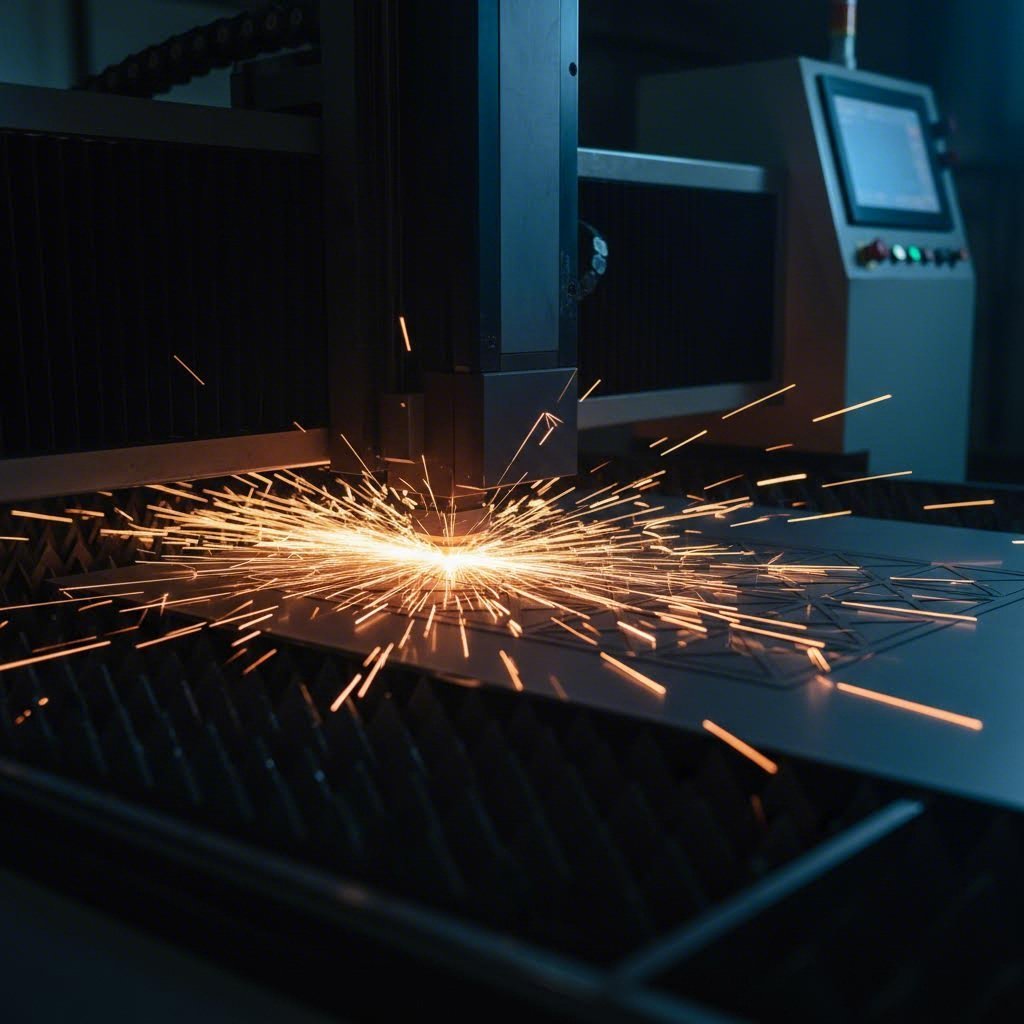
Лазерлік кесу арқылы металды өңдеу дизайн негіздерін түсіну
Темір бетін қолмен жасауға болмайтындай дәлдікпен орындалған өрнектері бар күрделі декоративті панельге айналдыруды елестетіңіз. Осы — лазерлік кесу арқылы металл өңдеу технологиясының күші: ол өндірушілердің , архитекторлардың және өнерпаздардың автомобиль компоненттерінен бастап таң қалдыратын ғимараттардың фасадтарына дейін барлығын жасау әдістерін түбегейлі өзгертті.
Бірақ көптеген өңдеушілер сізге айтпайды: қатесіз жобаның және қымбатқа түсетін апаттың айырмашылығы жиі файлдың кесу машинасына түсуінен бұрын бірнеше маңызды өңдеу принциптерін түсінумен анықталады.
Лазерлік технология қалай металл өңдеуді түбегейлі өзгертеді
Лазерлік кесу дегеніміз не? Негізінде металдарды лазерлік кесу материалды компьютерлік бағдарлама бойынша балқыту, будау немесе жану үшін жоғары қуатты, шоғырланған жарық сәулесін пайдаланады. Лазерлік кесу машинасы заманауи талшықты лазерлік жүйелерде сирек жер элементтерімен легирленген оптикалық талшықтар сияқты күшейтілетін ортаны белсендіру арқылы фоторептің ерекше қасиеттеріне ие болатын сәулесін туғызады.
Бұл технологияның ерекше қуатты болуына екі сипаттама әсер етеді: монохромдылық және когеренттілік. Virmer-дің техникалық құжаттамасы бойынша, бұл қасиеттер сәулені адам шашының диаметрінен сегіз есе кіші — 0,01 мм шамасындағы нүктеге дейін шоғырландырып, қуатты тығыздығы 10¹³ Вт-тан асатындай етуге мүмкіндік береді.
Лазерлік кесгіш адам шашынан кішірек аумаққа энергияны шоғырластырып, металды бір секундтың үлесінде балқу температурасына дейін қыздырады — бұл дәлдікті дәстүрлі кесу әдістері жетістікке жете алмайды.
Бұл аса дәлдік лазерлік CNC жүйелерінің механикалық кесу құралдарының жетуге қиындық тудыратын допусстармен күрделі конструкцияларды орындауына мүмкіндік береді. Көмекші газ — тез кесуге болатын металдар үшін оттегі немесе есіртпелі болаттағы таза шеттер үшін азот — балқыған материалды ұшырып жібереді және әрбір кесілген жердің айналасындағы жылу әсеріне ұшыраған аймақты бақылауға көмектеседі.
Өнеркәсіптік тамырлардан бастап шығармашылық қолданбаларға дейін
Лазерлік метал кесу ауыр өнеркәсіпте пайда болды, онда жылдамдық пен дәлдік технологияның бастапқы құнын оправдандырды. Қазіргі уақытта оның қолданылуы тіпті әрбір салада кең таралды:
- Архитектура және Құрылыс: Күрделі геометриялық үлгілері бар жекелік экрандар, безендіру фасадтары және ішкі бөлу панельдері
- Автокөлік өндірісі: Дәл сипаттамалары қажет болатын дененің панельдері, тіреулер мен механикалық компоненттер
- Таңбалар мен брендтер: Жылтыратылған, ширақсыз шеттері бар түрлі-түсті металл әріптер, логотиптер және декоративтік дисплейлер
- Өнер мен дизайны: Скульптуралар, қабырға өнері және шығармашылық шекараларды итермелейтін лазерлік кесу мен гравировка жобалары
Бұл технология 80 мм-ге дейінгі қалыңдықтағы саңылаулы металлды өңдеуге арналған және әртүрлі көлденең қимасы бар түтіктерді кесуге мүмкіндік береді, сондықтан ол сезімтал әдістемелік жұмыс пен мықты өнеркәсіптік қолданбалар үшін де сәйкес келеді. Бір даналы прототип жасасаңыз да немесе өндірістік партияларды шығарсаңыз да, дизайндар әр рет бірдей дәлдікпен қайталана алады.
Келесі бөлімдерде сіз қымбатқа түсетін қателерден сақтандыратын материалдарды таңдау стратегияларын, таза кесуді қамтамасыз ететін жобалау принциптерін және өндірушілер сирек ашатын ішкі білімді табасыз. Тапсырыс файлыңызды жібермес бұрын осы негізгі тұжырымдарды түсіну уақытты, ақшаны және қиындықтарды үлкен шығынсыз үнемдеуге көмектеседі — лазерлік кесілген металды күрделі процестен қуатты шығармашылық құралға айналдырады.
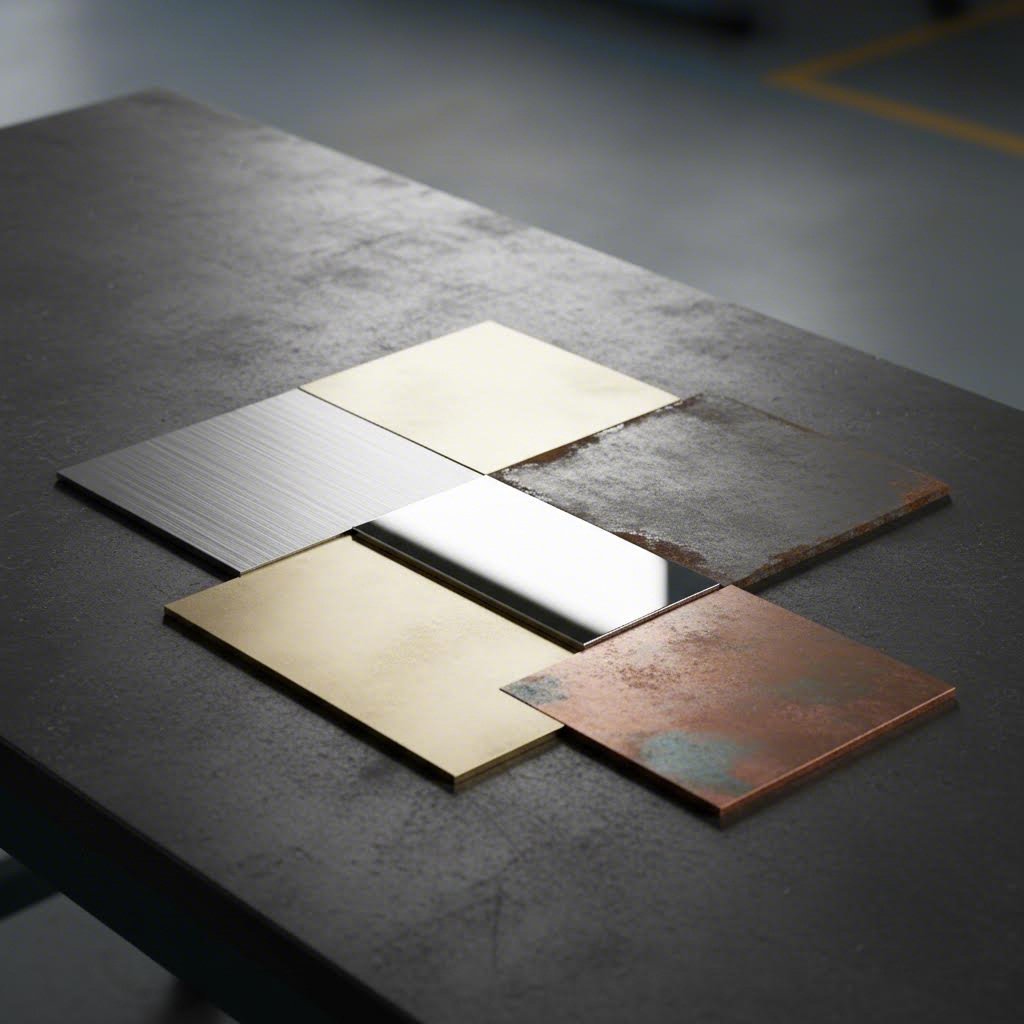
Лазерлік кесу жобаңыз үшін дұрыс металды таңдау
Екі мүлде бірдей лазерлік кесілген дизайндар неге әлдеқайда әртүрлі нәтиже беретінін еңбектейсіз бе? Сыр негізінен металдың өзінде жатыр. Дұрыс емес материалды таңдау тек сыртқы түрге ғана әсер етпейді — ол қисық шеттерге әкеледі , аса көп шығындар мен бекітілетін қолдануда жұмыс істемей қалатын бөлшектер.
Лазерлік энергия әсерінің әрбір металлға қалай әсер ететінін түсіну — кәсіби нәтижеге жету үшін маңызды. Кез келген материалды таңдау алдында білуіңіз керек мәселелерді талдайық.
Болат, Алюминий және Гильзиялы болат: салыстыру
Лазерлік болат парақтарды кесу кезінде сіз үш негізгі топпен кездесесіз: жұмсақ болат, гильзиялы болат және алюминий. Олардың әрқайсысы физикалық қасиеттеріне байланысты кесу процесіне әртүрлі жауап береді.
Жұмсақ болат (оны көміртегісі төмен болат деп те атайды) құрылымдық қолданыста ең тиімді нұсқаны сақтайды. Fabworks бұл темір-көміртегі қоспасы жақсы беріктік пен қаттылықты ұсынады және оны өңдеу мен пісіру оңай. Алайда, коррозияға төзімділігі төмен болғандықтан, оны ішкі қолданыс немесе қорғау үшін жабынды қолдану жоспарланған жобалар үшін пайдалану ұсынылады.
Тот баспайтын болатты лазермен кесу ерекше таза шеттерді өңдеу, жиі қосымша өңдеуді қажет етпейді. Шойын болатының коррозияға төзімділігін беретін хром мөлшері оның қолайлы жағдайларда оттегісіз, гладкий кесілуіне әкеледі. Бұл тазалықтың маңызды болатын сыртқы қондырғылар, тамақ қызметі жабдықтары мен медициналық қолданыстар үшін оны идеалды нұсқа етеді.
Лазермен жарық алуминий жылудың жоғары өткізгіштігі мен жарық шағылдыру қасиетіне байланысты алюминийді лазермен кесу өзіндік қиындықтар туғызады. Жылу материал бойымен тез таралады, бұрмалануды болдырмау үшін қуатты дұрыс басқару қажет. Дегенмен, заманауи талшықты лазерлер ескі CO₂ жүйелеріне қарағанда алюминийді лазермен кесуді анағұрлым жақсы орындайды. Нәтижесінде жеңіл, коррозияға төзімді материал пайда болады, ол ғимарат панельдері мен әуежай компоненттері үшін өте жақсы жұмыс істейді.
| Металл түрі | Қалыңдық диапазоны | Минималды өлшем | Ең жақсы қолданулар | Салыстырмалы құны | Жабдықтаумен сәйкестігі |
|---|---|---|---|---|---|
| Жұмсақ болат | 0,5 мм - 25 мм | 1 материал қалыңдығы | Құрылымдық тіреулер, рамалар, өнеркәсіптік жабдықтар | Төмен ($) | Ұнтақпен қаптау, бояу, цинкование |
| Нержавеющая болат | 0,5 мм - 20 мм | 1 материал қалыңдығы | Сыртқы тақталар, асхана жабдықтары, медициналық құрылғылар | Орташа-Жоғары ($$$) | Тазалау, паркалау, пассивдендіру |
| Алюминий | 0,5 мм - 12 мм | 1,5 материал қалыңдығы | Жеңіл панельдер, әуежай бөлшектері, безендіру заттары | Орташа ($$) | Анодтау, ұнтақтық бояу, ысқылау |
| Латунь | 0,5 мм - 6 мм | 1,5 материал қалыңдығы | Декоративті фурнитура, музыкалық аспаптар, безендіру бұйымдары | Жоғары ($$$$) | Лактау, патина өңдеулері |
| Күміс | 0,5 мм - 6 мм | 2 материал қалыңдығы | Электрлік компоненттер, сәулеттік элементтер, көркемөнер | Жоғары ($$$$) | Патина, мөлдір қаптама, лактау |
Металл қасиеттерін жоба талаптарымен сәйкестендіру
Күрделі болып көрінеді ме? Жобаңыздың нақты талаптарына назар аудару арқылы шешім қабылдау процесін жеңілдетейік.
Термік проводимдік материалды таңдауда ең көбінесе назардан тыс қалатын фактор болып табылады. Мыс пен алюминий сияқты металдар жылуды тез өткізеді, бұл кесу сапасы мен дизайн мүмкіндіктеріне әсер етеді. Белгіленгендей, Ерекше құрал жоғары жылу өткізгіштік жылудың таралуын компенсациялау үшін қосымша энергияны талап етеді — бірақ артық қуат бүлкектенуге және түсінің өзгеруіне әкелуі мүмкін.
Бұл қасиет сіздің жобалау параметрлеріңізге тікелей әсер етеді:
- Ең кіші элемент өлшемі: Жоғары өткізгіштік материалында ең кіші мүмкін болатын элементтердің өлшемі үлкен болуы талап етіледі (әдетте материалдың қалыңдығының 1,5–2 есесі, ал болат үшін — 1 есе)
- Кесулер арасындағы қашықтық: Деформацияны болдырмау үшін кесу сызықтары арасында парақтың қалыңдығынан кемінде екі есе арақашықтық қалдыру керек
- Шетінің сапасы: Азот көмекші газы өткізгіш материалдарда таза жиектер береді, бірақ өңдеу шығындарын арттырады
Ашық аспан астында орнату үшін, коррозияға төзімділікті басымдыққа алыңыз. Тот баспайтын болат пен дұрыс анодталған алюминий ашық аспан астында пайдаланылатын қолданбаларда өте жақсы көрсеткішке ие. Лазермен кесілген болат сыртқы ортаға шығарылған жағдайда тек ыстық-батырма цинктелу немесе теңіз деңгейіндегі порошоктық бояу сияқты қорғаныш қабаттарымен ғана қолданылады.
Құрылымдық қолданбалар үшін, болатты лазермен кесу әдетте беріктік пен құнының қатынасы бойынша ең жақсы нәтиже береді. Сізге беріктік пен коррозияға төзімділік қажет болса, бірақ салмақ артығын болдырмасаңыз, тот баспайтын болат немесе 6061-T6 маркалы алюминий қорытпаларын қарастырыңыз.
Декоративті жобалар үшін, мыс пен қола болаттың беруі мүмкін емес эстетикалық жылулықты ұсынады. Олардың табиғи патина дамуы уақыт өте келе визуалды қызығушылықты дамытады — бірақ бұл бақыланатын тоттануды немесе қорғаныс бояуларын жоспарлау қажеттігін білдіреді.
Жаппа металды лазерлі кесу қондырғысы осы материалдардың барлығымен тиімді түрде баса алады, бірақ алюминийді лазерлі кесу мен мысты өңдеу жарқырағыш, жылулық қиындықтар туғызатын металдармен жұмыс істеу тәжірибесі бар операторларды талап етеді. Өңдеу серіктерін бағалай отырып, сіздің таңдаған материалдарыңыз бойынша қалыңдық талаптарыңызға сай тәжірибелері туралы нақты сұраңыз.
Әртүрлі қолданбаларға қандай металдар сәйкес келетінін түсіндіңізге орай, келесі маңызды қадам — таңдалған материалдың таза кесілуін қамтамасыз ететін дизайн принциптерін меңгеру: дәлдік шектері, керф ені және минималды элемент өлшемдерінен бастап.
Дәл лазерлі кесуге арналған дизайн принциптері
Сіз жобаңызға идеалдық металды таңдадыңыз. Енді лазерлік кесу дизайнын сәтті орындауды қымбатқа шығатын қателерден ажырататын сәт келді — шынымен таза кесуге мүмкіндік беретін файлға шығармашылық идеяңызды аудару.
Мұны көптеген дизайнерлер қиын жолмен біледі: лазердің металмен әрекеттесуінің физикалық нақтылығын елемесеңіз, әдемі дизайн да нәтижесінде қанағаттанарлықсыз болуы мүмкін. Жақсы жағы — бірнеше негізгі принциптерді түсінген соң, бірінші реткі жобаларды кедергіге түсіретін қымбатқа шығатын қателерден аулақ боласыз.
Критикалық дәлдік пен Керф еніне назар аудару
Лазерлік кесу арқылы металл парақтарды жобалаған кезде экранда көріп отырғаныңыз бен қолыңызда ұстап тұрғаныңыз дәлме-дәл сәйкес келмейді. Себебі неде? Керф ені — лазер сәулесі кесу кезінде буланып кететін материалдың өте аз мөлшері.
Сәйкес Стэнфордтың Making Lab құжаттамасы керф — бұл кесу кезінде алынатын материалдың ені, ол лазер сәулесінің жолы бойынша материалдың аздап балқуы немесе будануы нәтижесінде пайда болады. Бұл, сияқты, қарапайым деталь болып көрінсе де, соңғы өлшемдеріңізге және бөлшектердің бір-біріне қалай келетіндігіне тікелей әсер етеді.
Көптеген металдар үшін керф ені материалдың қалыңдығы мен лазер орнатуларына байланысты 0,1 мм-ден 0,3 мм-ге дейін өзгереді. Бұл мынаны білдіреді:
- Шығыс бойымен өлшемдер: Сіздің аяқталған бөлшек сіз жобалағаннан сәл кіші болады
- Ішкі элементтер: Тесіктер мен кесінділер салынғаннан гөрі сәл үлкен болады
- Бір-біріне кіретін бөлшектер: Дұрыс отыру үшін табтар мен ойықтардың орын ауысуын реттеу қажет
Керф қашан ең көп маңызға ие болады? Егер сіз қораптық қосылыстар немесе ілмекті жинақтау қосылыстары сияқты бір-біріне кіретін лазермен кесілген бөлшектер жасасаңыз, керфті ескермеу бос, тербелмелі қосылыстарға әкеледі. Алайда, дәл механикалық отыру қажет етілмейтін жеке декоративті бөлшектер немесе таңбалар үшін керфке түзету мәні едәуір аз болуы мүмкін.
Тесіктердің дәл мөлшерлерін анықтамас бұрын әрқашан жасаушының керф мәндеріне сүйеніңіз — жабдық пен материалдардың әртүрлі комбинациялары әртүрлі нәтиже береді.
Таза кесуге арналған элементтерді құрастыру
Керфтен тыс, лазерлік кесу дәлдігі материал қалыңдығы мен элемент өлшемі арасындағы қатынасты сақтауға тәуелді. Бұл шектерді асып кету сапаны ғана нашарлатпайды — операторлар жылдамдықты төмендетуі немесе бірнеше рет өтуі керек болған кезде лазерлік кесу құнын да арттырады.
Лазерлік кесілетін металдан жасалған тақталар мен өнеркәсіптік қолданыстарда сақталуы тиіс негізгі құрастыру ережелері мыналар:
- Ең кіші тесік диаметрі: Тесіктерді материал қалыңдығына кемінде 1 есе (алюминий мен мыс үшін 1,5 есе) тең етіп жобалаңыз. Мысалы, 3 мм болат парақ үшін тесік диаметрі 3 мм-ден кіші болмауы керек.
- Тесіктен шетке дейінгі қашықтық: Деформацияны болдырмау үшін кез келген тесік пен ең жақын шет арасында материал қалыңдығының кемінде 1,5 есесін сақтаңыз.
- Ұсынылатын бұрыш радиустары: Ішкі бұрыштардың радиусы материал қалыңдығының кемінде 0,5 есесін құрауы керек. Сүйір ішкі бұрыштар стрессті шоғырландырады және жұмыс істеу кезінде сынбауы мүмкін.
- Көпір ені талаптары: Дизайнның бөліктерін байланыстыратын жұқа бөліктердің құрылымдық беріктігін сақтау үшін материал қалыңдығының ең аз дегенде 1,5-2 есе болуы қажет.
- Кесулер арасындағы қашықтық: Жылулық деформацияны болдырмау үшін параллель кесу сызықтарының арасында материал қалыңдығының кем дегенде 2 есесін қалдырыңыз.
- Мәтін өлшемі: Оқылатын мәтін үшін сызық ені материал қалыңдығының минимум 1,5 есе болуы керек. Иірімді қаріп түрлері сирек таза кесіледі — қою, серифсіз қаріп түрлерін қолданыңыз.
Үлкен панельдер үшін жылулық деформация маңызды мәселе болып табылады. Лазерлі саңылау қиғыш бетімен жұмыс істегенде, жергілікті қыздыру нәтижесінде ұлғаю мен сығылу пайда болады. Бұл құбылықты симметриялық кесу үлгілерін қолданып және бір аймақта тығыз кесудің топтарын болдырмау арқылы азайтыңыз.
Қатесіз нәтиже үшін файлды дайындау
Файл дұрыс дайындалмаса, идеалды жобаланған элементтер де сәтсіз аяқталады. American Laser Cutter лазерлі қиғыштар нақты дайын векторлық файлдарды талап етеді — растрлы немесе фотосурет негізіндегі бейнелер емес.
Бұл қабылданатын пішімдерде өз жобаларыңызды тапсырыңыз:
- ИИ (Adobe Illustrator) — күрделі жобалар үшін ұсынылады
- DXF (AutoCAD) — CAD жүйелері арасындағы әмбебап сәйкестік
- PDF (тек векторлық экспортталған) — ендірілген расторлық суреттердің болмауын қамтамасыз етіңіз
Экспорттаудың алдында осы маңызды файл талаптарын тексеріңіз:
- Мәтінді контурларға түрлендіріңіз: Қаріптер фигура болуы керек, түзетуге болатын мәтіндік таңбалар емес
- Тұйық жолдарды қамтамасыз етіңіз: Ашық векторлық жолдар толық емес кесуді тудырады — әрбір фигураның тұйық циклы болуы керек
- Қайталанатын сызықтарды жойыңыз: Бір-біріне беттесетін геометрия екі есе кесуге әкеледі, материалды зақымдайды және уақытты өтіріп жібереді
- 1:1 масштабында жобалаңыз: Әрқашан біркелкі бірліктерде (миллиметрде) жұмыс істеңіз
- Күрделі қисықтарды ықшамдау: Түйіндердің көптігі өңдеуді баяулатады және жұқа бөліктерді қыздыруы мүмкін
Жасауға ыңғайлылықты (DFM) тексеру қызметін ұсынатын лазерлік кесу және қаңыл маманымен жұмыс істеу қымбатқа түсетін қателерден алдын ала сақтандырады. Көптеген жасаушылар өлшемі аз элементтер немесе проблемалық геометриялар сияқты мәселелерді белгілеп, сіздің дизайн мақсатыңызды сақтай отырып, таза кесуге кепілдік беретін өзгерістер ұсынуы мүмкін.
Сіздің дизайныңыз кесу процесіне оптималдау , лазерлік кесілген металл шынымен ерекшеленетін — архитектуралық композициялардан дәл промышленный компоненттерге дейінгі қолданыс аясын зерттеуге дайынсыз.
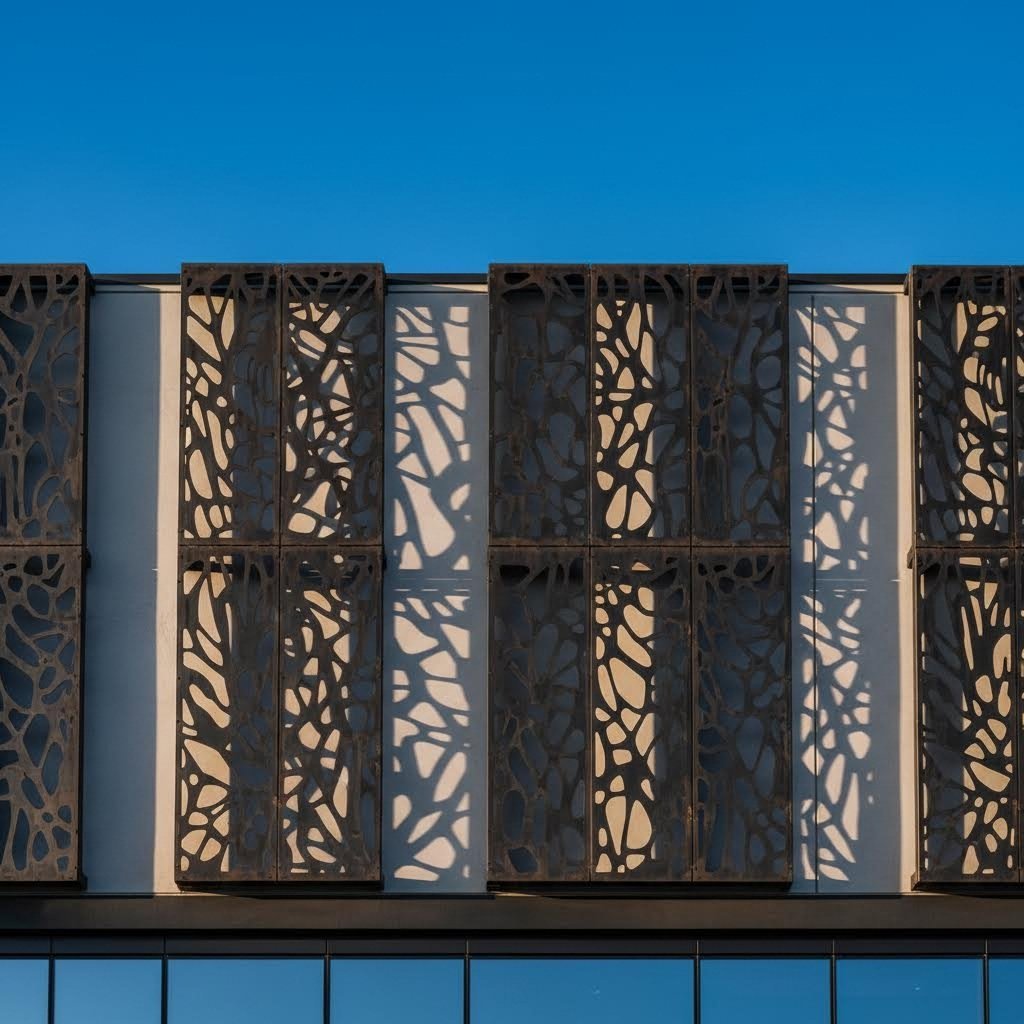
Лазерлік кесілген металдық дизайндардың кең тараған қолданылу аясы
Сіз қазір дизайның принциптері мен материалды таңдау туралы түсіндіңіз, сондықтан бұл технологиямен шынымен не жасауға болатынын ойланып отырсыз. Жауап қарапайым кесілген пішіндерден едәуір асып түседі — лазерлік металл кесу әлемдегі архитектурадан бастап ғарыш саласына дейінгі өнеркәсіп салаларын түбегейлі өзгертті және бұрын мүмкін емес немесе өте қымбат болып саналатын жобаларды жүзеге асыруды мүмкінді етті.
Осы дәлдікті қамтамасыз ететін технология қай салада ең үлкен әсер қалдырады және әрбір қолдану саласы үшін қандай дизайнық нюанстар маңызды болып табылады, соны қарастырайық.
Архитектуралық және безендіру панельдерін қолдану
Қазіргі заманның кез-келген коммерциялық ғимараты немесе жоғары санаттағы тұрғын үй құрылысы арқылы жүріп өтіңіз, сіз, әдетте, лазерлік металл панельдерге кездесесіз, олар эстетикалық және функционалдық мақсаттарды бірдей қызмет етеді. VIVA Railings по бойынша, бұл панельдер жекешелікті қамтамасыз ету мен күн сәулесін бақылау сияқты практикалық қажеттіліктерді шеше отырып, визуалды тартымдылықты арттыра алатындықтан, қазір талап етілетін шешімге айналды.
Декоративті метал шамалар мен сәулеттік панельдердің көптүрлілігі таңғалдырады. Олардың келесі ортақ қолданыстарын қарастырыңыз:
- Жеке кеңістікті қоршау және бөлу экрандары: Күрделі геометриялық немесе органикалық үлгілер жарық пен ауаны өткізе отырып, тікелей көру сызықтарын жасырады — сыртқы терассалар, офис бөлгіштері мен тұрғын үй балкондары үшін идеалды
- Фасадтың қаптамасы: Лазерлік кесілген панельдерден тұратын ғимарат сыртқы беті күн ішінде динамикалық көлеңке үлгілерін жасайды және статикалық құрылымдарды тіршілік етіп тұрған өнер туындысына айналдырады
- Ішкі қабырға жүйелері: Фойе элементінен бастап мейрамхана дизайнына дейін декоративті панельдер коммерциялық және мейірімділік кеңістіктеріне ұтымдылық қосады
- Төбе жүйелері: Эстетикалық тұрғыдан тыс, лазерлік кесілген төбешік панельдері жоғарыдағы визуалды қызығушылықты сақтай отырып, дыбысты бақылауға мүмкіндік береді
- Күн сәулесін бақылау құрылымдары: Дәл есептелген перфорациялар табиғи жарықты реттеп, жылу түсуін азайтады және энергияны үнемдейтін ғимарат дизайндарына үлес қосады
Мемлекеттік құрылыс қолданбалары неге ерекше? Сыртқы орнатулар үшін атмосфералық жағдайға төзімділік маңызды рөл атқарады. Фасадтарға арналған лазерлік кесілген металдық панельдер үшін қатаң материалдарды таңдау — әдетте ұнтақтық боялған алюминий немесе нержавейка болат — және жылулық ұлғаюды ескеретін сәйкес орнату жүйелері қажет.
Өрнектердің мүмкіндіктері дәстүрлі мотивтерден бастап абстрактты дизайндар мен фотосуреттерге дейін кеңейеді. Тесілген металдық панельдер сияқты технологиялар металдың өзіне фотосуреттер немесе графикаларды енгізуі мүмкін, бұл беткей беттерге қолжетімсіз тереңдік пен көрнекілік қосады.
Тақталар мен Бренділеу Шешімдері
Кәсіпорындар ұзақ уақытқа есте қалатын әсер қалдыру қажет болғанда, пластик немесе боялған таңбалармен салыстырғанда лазерлік кесілген металдық таңбалар әсерін тигізеді. Кесілген металдың кеңістіктік сапасы — көрінетін тереңдігі мен кәсіби шеттері — тұрақтылық пен сапаны білдіреді.
Тапсырыс бойынша жасалған лазерлік кесілген металдық тақталар әртүрлі мақсаттарға арналған:
- Кәсіпорынды анықтау: Таңдаулы бренд суреті бар дүкен фасадының логотиптері, ғимараттар мекенжайы және корпоративтік ресепшн тақталары
- Бағдарлау және бағыттау тақталары: Қонақтарды бағдарлау үшін ішкі және сыртқы навигация элементтері, сонымен қатар дизайн эстетикасын нығайту
- Металлдан жасалған сыртқы тақталар: Жылдар бойы ашық кеңістікте болуға шыдамды құрылыс белгілері, бақ өнері және тұрғын үй мекенжай тақталары
- Есте сақтау және естелік орнатулар: Қоюшыларды тану қабырғалары, тарихи белгілер және ұзақ уақыт сақталуы талап етілетін естелік бөлшектер
- Танымалдық көрсетулер: Сауда көрмелерінің элементтері, дүкендегі бекіту құрылғылары және назар аудартуды талап ететін сатып алу нүктесіндегі дисплейлер
Сәйкес Тақта Конфигураторы сыртқы метал шамалар үшін төзімділік аса маңызды. Уақыт өте келе таңбаның табиғи жағдайларға қаншалықты шыдайтынын тікелей әсер ететін, ауа райына төзімділік, таттан қорғау және техникалық қызмет көрсетудің қажеттілігі сияқты факторлар бар.
Сыртқы орнатылатын лазерлік кесілген таңбалар үшін мына дизайнерлік факторларды ескеріңіз:
- Материалды таңдау: Алюминий табиғи түрде коррозияға төзімді, ал болаттың бороңдау немесе гальванизация сияқты қорғау қабатына мұқтаждығы бар
- UV қорғау: Қорғауыш ультракүлгінге төзімді қаптама ұзақ уақыт күн сәулесінде тұрған кезде түстің солуын болдырмауға және түстердің қанықтығын сақтауға көмектеседі
- Бекіту әдісі: Бұрыштардағы тесіктер сенімді бекіту нүктелерін қамтамасыз етеді, бірақ стенділер драматикалық көлеңке әсерін туғызады
- Жабдықтау түрі: Үйлесімді күміс кәсіби ықтималдықты, ал үйлесімді алтын жылу мен динамикалық назар аудартатын айна түріндегі жабын жылылық пен назар аударту динамикасын қосады
Сыртқы орнатылатын нақышталған метал шамалардың тозуы немесе зақымдануын тексеру периодты түрде жүргізілуі керек. Ұзақ мерзімді тазалау және мерзімді герметик қолдану қызмет ету мерзімін едәуір ұзартады — бір рет ғана инвестицияны сенімді брендтеу үшін ондаған жылдарға айналдырады
Өнеркәсіптік және құрылымдық қолданыстар
Бедерлеу мақсаттарынан тыс, лазерлі кесу технологиясы қатаң өнеркәсіп салаларында дәл бөлшектерді шығаруда маңызды рөл атқарады. Бұл туралы атап өткендей, Accurl бұл процесс төзімділік деңгейі қатаң және бөлшектердің сенімділігі міндетті болып табылатын салаларда ауыстырылмайтын элементке айналды.
Негізгі өнеркәсіптік қолданулар:
- Автокөлік өндірісі: Дәл сипаттамаларға ие болу үшін дәлме-дәл отыруы мен жұмыс істеуі қажет болатын дененің панельдері, тіреулер, құрылымдық күшейтпелер және арнайы бөлшектер
- Аэроғарыштық құрамдас бөліктер: Жоғарыдағы миллиметрлер маңызды болатын, дәлдік қатаң қауіпсіздік стандарттарымен кездесетін жеңіл, биік беріктіктегі бөлшектер
- Медициналық құрылғыларды шығару: Ерекше дәлдікті және биологиялық үйлесімді материалдарды талап ететін хирургиялық аспаптар мен имплантаттар
- Электронды қораптар: Дәл ою үлгілері бар желдетілетін корпус, орнату тіреулері және EMI экранирование
- Ауылшаруашылық жабдықтары: Қатты жұмыс жағдайларына ұшырайтын, сенімділікті талап ететін бекітпе бөлшектер
Құрылымдық қолданыстар әсемдік жұмыстарына қарағанда басқа да конструкциялық есептеулерді талап етеді. Жүктеменің таралуы маңызды мәнге ие болады — әсемдік панельде әдемі көрінетін жұқа бөліктер механикалық кернеу кезінде сыншақ болуы мүмкін. Инженерлер мыналарды ескеруі тиіс:
- Кернеу концентрациясы: Сыртқы бұрыштардағы сүйір бұрыштар жүктеме кезінде сынбақ нүктелерге айналатыны мүмкін — кең радиустар күштерді қауіпсіз таратады
- Материалдағы дән бағыты: Болаттың беріктігі прокат бағытына байланысты өзгереді, ол компоненттің жұмыс істеуіне әсер етеді
- Пайдалануды дайындау: Лазерлі кесуден кейін шетінің сапасы келесі пісіру операциялары үшін жиі өте жақсы беттер береді
- Өлшемдік біркелкілік: Сериялық өндіріс дәлме-дәл ауыстырылатын бөлшектерді талап етеді — лазерлі кесу партиядан партияға дәлме-дәл қайталануын қамтамасыз етеді
Лазерлі кесудің дәлдігі әрбір компоненттің дәл техникалық талаптарға сай келуін қамтамасыз етеді, бұл қауіпсіздік пен өнімділік өндіріс сапасына тәуелді болатын салаларда өте маңызды
Лазерлік кесу арқылы металл өңдеудің әртүрлі саладағы мүмкіндіктерін түсіну арқылы сіз өз жобаңыздың болашағын жақсырақ көз алдына елестіре аласыз. Дегенмен, ең шығармашыл көзқарас тіпті де ортақ дизайн қателіктерінен құтыла алмаса, қиындыққа тап болуы мүмкін — бұл қателіктерді өңдеушілер жиі кездестірсе де, жаңа тұтынушылармен алдын ала сирек талқылайды.
Жиі кездесетін лазерлік кесу дизайны қателіктері және олардан қалай құтылу керек
Өңдеушілер алдын ала сирек айтатын шындық мынау: лазерлік кесудегі көпшілік сәтсіздіктер техникалық мәселелер емес — бұл дизайндағы қателіктер. Мыңдаған жобаларды талдағаннан кейін, тәжірибелі өңдеушілер тұтынушыларға уақыт, материал және бюджет жоғалтуға әкелетін бір ғана алдын алуға болатын қателіктердің тағы да тағы да пайда болатынын байқады.
Жақсы жағы — бұл қателіктерден қалай құтылатынын білгеннен кейін, олардан аулақ болу қарапайым болып табылады. Металл парақтарды лазерлік кесудегі ең қымбатқа түсетін дизайн қателіктерін және файлыңыз кесу үстеліне түскенге дейін оларды қалай түзетуге болатынын қарастырайық.
Қымбатқа түсетін дизайн қателіктерінен аулақ болу
Таңдамалы түрде кесілген металдан жасалатын жобаларды жобалау кезінде кішігірім елемеушіліктер үлкен салдарларға әкеледі. CIMtech Green Energy компаниясының 1000-нан астам жобаны талдау нәтижесі бойынша, жобалау файлдары экранда мүлтіксіз болып көрінуі мүмкін, бірақ олар лазерлік кесуге оптимизацияланбаған болса, элементтердің бұрмалануына, қалдық материалдар мен жарамсыз бөлшектерге әкеледі.
Лазерлік кесу арқылы металл парақтармен жасалатын жобаларда кездесетін ең жиі қателер:
- Бөлшектердің түсіп қалуына әкелетін жеткіліксіз көпірлік қосылыстар: Ішкі бөлшектерді негізгі параққа қосатын жіңішке табалар немесе көпірлер кесу кезінде жанып кетуі мүмкін. Мұндай жағдайда босаған бөлшектер кесу жатынының астына түсіп, жабдықты зақымдауы немесе қол жетпес орынға түсуі мүмкін. Шешімі? Көпірлердің енін материалдың қалыңдығынан кемінде 1,5-2 есе үлкен етіп ұстаңыз және кесуден кейін оңай алуға болатындай етіп стратегиялық орындарға орналастырыңыз.
- Таза кесуге болмайтындай дәрежеде кішкентай мәтін: Жіңішке шрифттер мен жұқа сызықтар лазердің жылуын көтере алмайды. Материал қалыңдығынан кіші сызық ені бар әріптер толығымен жабылып қалады немесе оқуға болмайтын нәтиже береді. Әрқашан материал қалыңдығынан кемінде 1,5 есе үлкен сызық ені бар жуан, серифсіз шрифттерді қолданыңыз және күмәнді мәтін өлшемдерін тәжірибелік үлгімен тексеріңіз.
- Қысымды шоғырландыратын сүйір ішкі бұрыштар: CAD бағдарламасында таза көрінетін толық шаршы ішкі бұрыштар нақтылықта проблемалар туғызады. Кесу кезінде лазер тоқтап, бағытын өзгертуі керек, бұл материалдың беріктігін төмендететін жылу жиналуына әкеледі. Жүктеме кезінде немесе материалмен жұмыс істеу кезінде бұл қысым шоғыры нүктелері сынбауы мүмкін. Cyclotron Industries аттың айтуынша, ішкі бұрыштар үшін кесудің біркелкі болуын және пішіндеу кезінде сынбауды сақтау үшін бұрыш радиусы шамамен парақ қалыңдығының 0,5 есесіндей болуы керек.
- Кесілістер арасындағы жеткіліксіз арақашықтық: Егершегілер бір-біріне тым жақын орналасса, жылу материалдың шашыратуынан гөрі тезірек жиналады. Нәтижесінде шеттердің бұрмалануы, бояуының өзгеруі және өлшемдік дәлсіздік пайда болады. Жұқа парақтар үшін шетінен шетіне дейінгі арақашықтықты кемінде материал қалыңдығына тең етіп сақтаңыз, ал қалың материалдар немесе жылуға сезімтал қорытпалар (мысалы, алюминий) үшін одан да көбірек етіңіз.
- Материал талшық бағытын ескермеу: Болат пен алюминийдің прокат процесінен туындайтын дән бағыты бар, бұл беріктігі мен сыртқы түріне әсер етеді. Дәнге қарсы иілгенде сынғыштық мүмкіндігі жоғарылайды, ал безендіру беттерінде үйлесімсіз үлгілер пайда болуы мүмкін. Құрылымдық бөлшектер үшін дән бағытының талаптарын көрсетіңіз және парақ орналасуы бойынша жасаушымен келісім жасаңыз.
- Мүмкін емес дәрежеде кішкентай ішкі егершегілерді құрастыру: Лазерлі қиғыш парапақ метал шегі бар. Жасау нұсқаулықтарына сәйкес, парақ қалыңдығынан әлдеқайда кіші тесіктер деформацияланады немесе жабылып қалады. Мысалы, 3 мм болатта 0,5 мм тесік? Мүмкін емес — тесік кесу кезінде жабылып қалады.
- Пішінделген бөлшектерде иілу босаңсуын ұмыту: Егершіктен кесілген пақыр металдың бұрыштары пішіндеу кезінде кернеу жиналады. Кішкентай босаңсыту кесіктері немесе шығындар болмаса, материал таза бүгілуіне қарсы тартылып, жарылады. Бүгудің болатын барлық ішкі бұрыштарында бүгу босаңсытуын қосыңыз.
- Маңызды саңылауларды бүгу сызықтарына тым жақын орналастыру: Бүгілетін аймақтарға жақын орналасқан саңылаулар пақыр пішінделген кезде деформацияланады да, бекіткіштер немесе туралау үшін пайдалануға болмайды. Саңылауларды материал қалыңдығының кемінде 2-3 есебіне тең қашықтықта орналастырыңыз.
Жиі кездесетін кесу проблемаларын шешу
Құрастырылған файлдар өндіріс кезінде мәселелерге тап болуы мүмкін. Жиі кездесетін кесу проблемаларының себептерін түсіну сізге мәселелерді анықтауға және құрастырушы серіктесіңізбен тиімді қарым-қатынас жасауға көмектеседі.
Ширақтар және қатты шеттер әдетте конструкторлық кемшіліктерден гөрі дұрыс емес кесу параметрлерін көрсетеді. Алайда, тым күрделі геометрия лазерді қайталанып баяулатуға мәжбүр етеді, бұл шеткерілерді тудыратын артық жылу береді. Егер сіздің конструкторлық шешіміңізде бірнеше тығыз бұрылыстар қажет болса, параметрлерді баптау туралы өндірушімен келісіңіз немесе мүмкіндігінше қисықтарды ықшамдаңыз.
Үлкен панельдердегі жылулық деформация жиі теңсіз кесу үлгілерінен туындайды. Барлық тығыз кесу парақтың бір жағында орын алған кезде, жылудың теңсіз таралуы бүкіл бөлшекті бүгеді. Мүмкіндігінше симметриялық жобалаңыз немесе жылуды өнім бойынша біркелкі тарататын тізбектелген кесу стратегияларын көрсетіңіз.
Кесу жиегінен бөлшектердің түсіп қалуы көпірлер немесе табалардың істен шыққанын білдіреді. Файлдағы материал қалыңдығынан 1,5 еседен аз қалыңдықтағы қосылыстар бар-жоғын тексеріңіз және құрылымдық қосылыстарға зиянын тигізбейтін енгізу/шығару орындарын растаңыз.
Жасау алдында файлдағы мәселелерді анықтау және жөндеу
Ерте кезде анықталған мәселелер бірыңғай шығындарды үнемдейді. Лазерлік кесу үшін созымтал металдың сіздің дизайныңызбен жібермес бұрын осы алдын-ала тексеру тізімін орындаңыз:
- Масштабты 100% дейін ұлғайтып, әрбір элементті тексеріңіз: Жалпы көріністе жақсы көрінетін нәрсе жақындап қарағанда проблемаларды ашады — сызықтардың беттесуі, жабық емес жолдар немесе минималды өлшемнен төмен элементтер
- Барлық жолдардың жабық екендігін тексеріңіз: Ашық векторлар толық емес кесуді тудырады. Көбінесе CAD бағдарламалары автоматты түрде ашық жолдарды ерекшелеп көрсетеді
- Қайталанатын геометрияны тексеріңіз: Беттесетін сызықтар екі есе кесуге әкеледі, бұл уақытты үнемсіз жұмсайды және материалды артық жылумен зақымдайды
- Критикалық өлшемдерді өлшеңіз: Тесіктердің, паздардың және аралықтардың сіздің материалдың қалыңдығы үшін минималды талаптарға сай келетінін растаңыз
- Мәтін контурланғанына көз жеткізіңіз: Түзетуге болатын мәтін шрифті ауыстыру мәселелерін туғызады — барлық мәтінді векторлық жолдарға айналдырыңыз
- Көпір мен табан орнын тексеру: Кесуден кейін оңай алуға болатындай етіп, байланыстардың өлшемі мен орны сәйкес болуын қамтамасыз етіңіз
Күрделі конструкциялардың прототипін жасау маңыздылығы
Прототип жасау қашан міндетті болып саналады? Кез-келген уақытта сіздің дизайныңыз шекараларды ығыстырса — күрделі үлгілер, дәлдікті талап ететін саңылаулар, таныс емес материалдар немесе дәл бір-біріне сәйкес келуі тиіс бөлшектер болса.
Тапсырыс бойынша лазерлі кесу прототиптері файлды мұқият тексеру кезінде де қол жетпейтін мәселелерді ашады. Жылу режимі, нақты кесу ені және шетінің сапасы теориядан гөрі нақты түрге ие болады. Сериялық өндіру үшін жалғыз прототипке салым пайда болуы бүкіл партияны жоюды болдырмауы мүмкін.
Толық өндіруге кіріспес бұрын өндірушімен прототип жасау нұсқаларын талқылаңыз. Көптеген цехтар тексеру мақсатында жеделдетілген жалғыз бөлшек өндіруді ұсынады — бұл алдын-ала шағын шығын кейінірек үлкен шығындарды болдырмауы мүмкін.
Дизайнды оптимизациялау үшін өндіруші серіктестермен бірлесіп жұмыс істеу
Ең сәтті лазерлік кесу металы жобалары өндірушілерді құрастырушы ретінде, тек қана тапсырыс беруші ретінде емес, қарастырады. Сияқты CIMtech баса назар аударады , лазерлік кесу серігіңізді жобалау тобыңыздың мүшесі секілді қарастыру — тек қана тапсырыс беруші ретінде емес — едәуір жақсы нәтижелерге әкеледі.
Сапалы өндіру серігінен не күту керек?
- Өндіруге ыңғайлы жобалау (DFM) тексеруі: Тәжірибелі цехтар кесуді бастамас бұрын проблемалық элементтерді анықтайды және жобаның мақсатын сақтай отырып, таза өндірісті қамтамасыз ететін өзгерістерді ұсынады
- Материалға тәуелді нұсқаулар: Сіздің өндірушіңіз таңдалған металыңыз үшін минималды элемент өлшемдері, арақашықтық талаптары мен бетінің сәйкестігі бойынша кеңес беруі керек
- Кесу орнын теңестіру көмегі: Дәл келетін бөлшектер үшін серігіңіз нақты кесу өлшемдерін беруі және файлдарды сәйкесінше түзетуге көмектесуі керек
- Шектеулер туралы ашық байланыс: Жақсы жасаушылар сіздің материалдыңыз бен уақыт үнемдеуіңіз үшін мүмкін емес кесуді сынамай, оның жұмыс істемейтінін айтады
Жасаушыңызға толық ақпарат ұсыныңыз: қолданылатын мақсаты, дәлдік талаптары, қай өлшемдері маңызды немесе көркемделуге байланысты, сонымен қатар кейінгі өңдеу жоспарлары. Бұл контекст жасаушыға кесу параметрлерін оптимизациялауға және сіздің болжамауыңыз мүмкін болатын мәселелерді уақтылы анықтауға көмектеседі.
Осы орын ауыстыру қателіктерін түсіну сіздің бірінші рет кесуде таза нәтиже алуыңызға көмектеседі. Бірақ идеалды кесу — теңдеудің тек бір бөлігі ғана; кейін қолданылатын беттік өңдеу лазерлік кесілген металдың көрінісі мен ұзақ уақыт бойы қалай жұмыс істейтінін анықтайды.
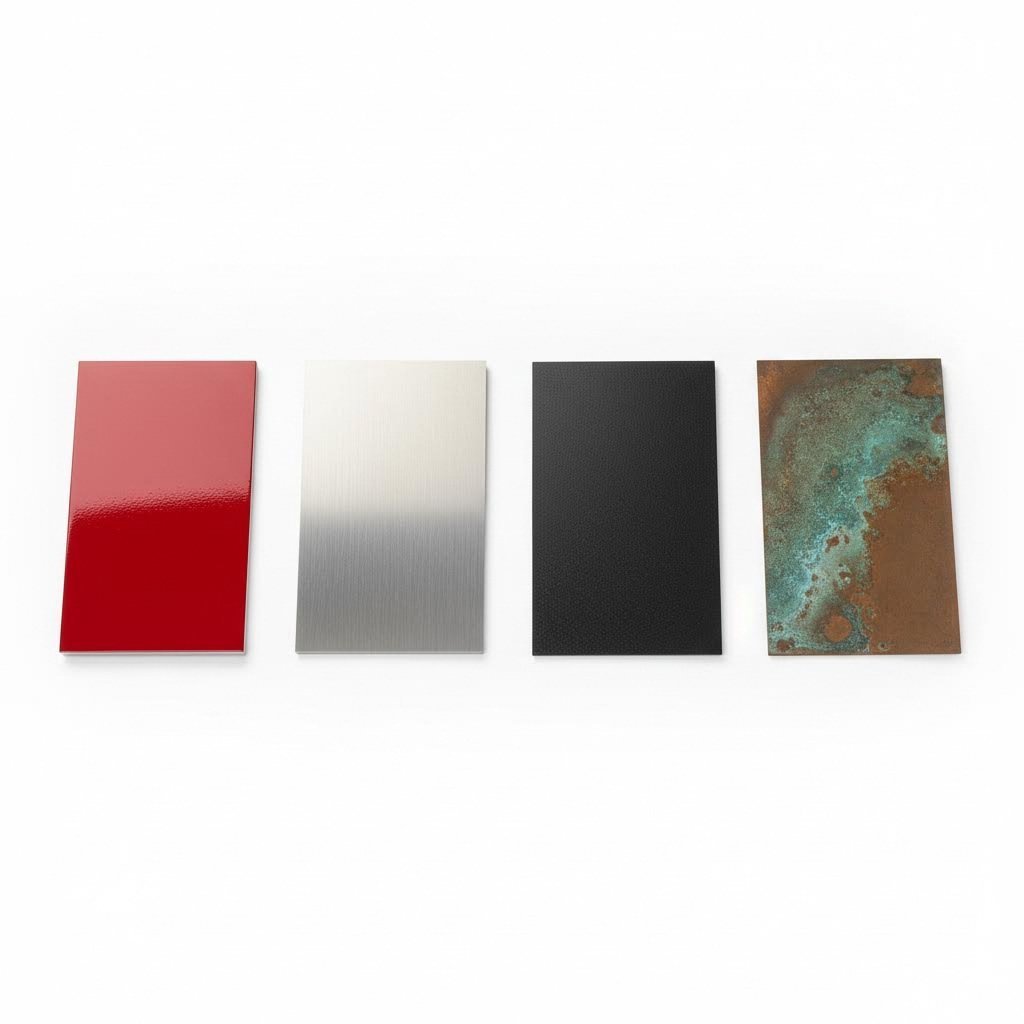
Лазерлік кесілген металға беттік өңдеу нұсқалары
Сіздің лазерлік кесілген металдан жасалған дизайн кесу үстелінен дәл өлшемдермен және идеалды шеттермен шықты. Енді не? Дұрыс беттік өңдеусіз, әсіресе бұйым сыртқы ортаға немесе қатаң жағдайларға бағытталған болса, осы қатесіз кесу ұзақ уақыт бойы қатесіз болып қалмайды.
Көптеген дизайнерлер назар аудармайтын нәрсе: бетінің қаптамасын таңдау тек сыртқы көрініс туралы емес. Бұл қиып алуға кеткен дәлдіктің барлығын жоя алатындай, коррозияға төзімділіктен бастап металдық тақтаның ондаған жылдар бойы қалай ескіруіне дейінгі барлық нәрсені әсер етеді.
Бекітімділік үшін қорғауыш қаптамалар
Декоративтік қасиеттерден гөрі беріктік маңызды болғанда, қорғауыш қаптамалар маңызды болып табылады. SendCutSend-тің қаптама бойынша нұсқаулығына сәйкес, металл қаптамалар абразивке төзімділікті арттыра алады, бетінің қаттылығын өзгерте алады, коррозиядан сақтайды, өткізгіштікті басып тұрады және тағы да көптеген пайдасы бар.
Ұнтақ жабыны металл белгілер, тапсырыс бойынша жасалған тақталар және өнеркәсіптік бөлшектер үшін ең танымал қорғау түрлерінің бірі болып табылады. Сұйық бояудан өзгеше, ұнтақты бояу электростатикалық әдіспен құрғақ ұнтақ түрінде салынып, кейін пеште қатайып, үздіксіз қорғау қабығын құрайды. Нәтижелер өздерін айтады — ұнтақты бояу дәстүрлі бояуларда экологиялық мәселеге айналдыратын ұшпа органикалық қосылыстарды қамтымай, бояудан 10 есе ұзақ қызмет етуі мүмкін.
Лазерлі кесу үшін ұнтақты бояудың қандай құндылығы бар? SendCutSend компаниясының беріктілік салыстыру сынағына сәйкес, ұнтақты бояумен өңделген болат басқа қаптамаларға қарағанда үйкеліске төзімділікте анағұрлым жоғары нәтиже көрсетті — ашық металға дейінгі ең қысқа уақыт екінші орындағы үлгінің ең ұзақ уақытынан да әлдеқайда ұзақ болды.
Ыстық батырумен цинкпен қаптау қорғау үшін басқа тәсілді қолданады. Бұл үдеріс болат конструкцияларды балқытылған мырышқа малып, металлургиялық түрде бекітілген қабат құрады, ол коррозия арқылы әсер ететін қорғау құрбанын құрады. Шығуы бойынша Wiley Metal-тің салыстырмалы талдауы , гальванизация құрылымның қызмет ету мерзімін порошоктық бояудың бес есе дейін арттыруы мүмкін — бұл ғимараттар мен сыртқы өнеркәсіптік қолдануларда, ондағы ұзақ қызмет етуі эстетикадан жоғары, оны жетекші таңдауға айналдырады.
Дегенмен, гальванизацияның шектеулері бар. Бұл процесс уақыт өте келе маттаның сұр түске өзгеретін жарқыраған, кристалды күміс түрінде ғана болатын бетін береді. Сонымен қатар, бетін дайындау күрделілігіне, энергияға және мырыш құнына байланысты ол қымбат тұрады. Түсті қажет ететін алюминий таблолары немесе декоративтік жобалар үшін гальванизация мүлдем мүмкін емес.
Андодилеу алюминий үшін нақты үшінші жолды ұсынады. Бұл электрхимиялық процесс алюминийдің табиғи тотық қабатын қалыңдатып, өте жақсы сызықталуға және коррозияға төзімділік құрады. 2-тип анодтау аздап қалыңдық қосып, қанағаттанарлық беріктік береді, ал 3-тип (қатты қабық) анодтау қатаң қолданулар үшін жоғары тозуға төзімділік қамтамасыз етеді.
Дизайды жақсартатын декоративтік беттер
Кейде тек қана қорғау жеткіліксіз болады — сіздің персонализацияланған метал шамаларыңыз немесе әдемі панельдеріңіз жақсы жұмыс істеуі сияқты жақсы көрінуі керек. Декоративтік беткі қабаттар беріктік пен эстетика арасындағы айырмашылықты жоюға көмектеседі.
Сызықтай жабдықтар баспақ тәрізді іздердің көрінуін азайтатын және көрініс тереңдігін қосатын ерекше сызықтық мәнер жасайды. Егер шамалар нержавейкалық болаттан жасалған болса, онда әдетте ұнтақтау тәсілі таңдалады. Бұл процесте беткі қабатқа бағытталған біркелкі сызықтар жасау үшін абразивті материалдар қолданылады. Сіз осы әсерді үйде майлағыш зат, 120-180 дәрілік қағаз құмырс, бір бағытта біркелкі қозғалатын шлифовкалық лента қолданып жеткізе аласыз.
Патина өңдеу мыс пен мырыш үшін бақыланатын тот басу процесін қамтиды, соның арқасында ежелгі әдемі металл конструкцияларға тән жасыл яғни жылы қоңыр тондар пайда болады. Тот басудың табиғи процессіне қарсы күресу орнына, патина өңдеу оны жылдамдатып, бақылау арқылы тұрақты, қорғаныш қабатын жасайды, бұл қабат уақыт өте келе жаймен дамып отырады.
Цинк пен никельдоғаба қорғау және безендіру мақсаттарын да қамтамасыз етеді. Мырышпен каптау негізінен болатты коррозиядан қорғаса, никельмен каптау безендірмелі фурнитура мен ою-өрнекті қолданыстар үшін жарамды жарқындайтын, жылтыратылған беткі қабат қосады. Алайда, зерттеулер мырышпен каптаудың ұнтақтық каптау немесе анодтаумен салыстырғанда аз тозуға төзімділігін көрсетеді.
| Бітім түрі | Төзімділік | Салыстырмалы құны | Ең жақсы қолданулар | Эстетикалық әсер |
|---|---|---|---|---|
| Ұнтақ жабыны | Өте жақсы тозуға/коррозияға төзімділік; бояудың қызмет ету мерзімінен 10 есе ұзақ | Төменгі-Орташа ($) | Металл белгілер, сыртқы мебель, автомобиль бөлшектері, өнеркәсіптік жабдықтар | Кең түс спектрі; матты, жылтыр немесе дәнекерленген беткі қабаттар қолжетімді |
| Анодтау (2-тип) | Жақсы сызықтану/коррозияға төзімділік; жұқа қабат | Орташа ($$) | Әмбебап панельдер, безендірмелі заттар, электроника | Таза немесе боялған түстер; металдық сыртқы түрі сақталады |
| Анодтау (3-түр) | Жоғары тозуға қарсы төзімділік; біркелкі қалыңдық | Жоғары ($$$) | Қатты тозатын алюминий бөлшектер, әуе-кеңістік құрылғылары, өнеркәсіптік бөлшектер | Қараңғырақ, бәлшемді түстер; өнеркәсіптік сыртқы түр |
| Ыстық батырумен цинкпен қаптау | Өте жоғары; ұнтақтық қаптаманың қызмет ету мерзімінен 5 есе ұзақ | Орташа-Жоғары ($$$) | Құрылыс болаты, ашық кеңістіктегі инфрақұрылымдар, теңіз қолданыстары | Күміс жұлдызды бетіңкі қаптама сұр түске дейін солады; түс нұсқалары жоқ |
| Шиыршылатылған бетіңкі | Орташа; қорғау үшін мөлдір қабат қажет | Төмен ($) | Сырттан өзгермейтін болаттан жасалған табличкалар, үй құралдары, ғимарат элементтері | Сызықтық мәтін; баспалдақ іздерді азайтады; кәсіби түр |
| Патина өңдеу | Жақсы; уақыт өте келе дамуды жалғастырады | Төменгі-Орташа ($) | Мыс/мырыш сәулеттік элементтер, декоративті өнер, тақталар | Жасылшыл-көк, қоңыр немесе тұйықталау патинаның түрлері |
Қаптама таңдауының дизайн шешімдеріне әсері
Көптеген дизайнерлерді таң қалдыратын нәрсе: таңдаған қаптамаңыз дизайн процесінің алдында қабылданған шешімдеріңізге әсер етеді.
Өлшемдік ескертулер: Әрбір қаптама қалыңдық қосады. Беріктікке сынақ деректеріне сәйкес порошоктық қаптама бөлшектің қалыңдығын шамамен 0,12 мм-ге арттырады, ал 2-түрлі анодтау ең аз өлшемді өзгерісті қосады. Дәл сәйкестендіру талап етілетін бөлшектер үшін — бір-біріне иірілетін компоненттер немесе дәлме-дәл жиналымдар — бастапқы дизайнда қаптаманың қалыңдығын ескеру керек, әйтпесе бөлшектер бір-біріне сай келмей қалуы мүмкін.
Тесіктердің өлшемін реттеу: Ұнтақтық бояу қабатынан кейін кішкентай тесіктер едәуір кішірейіп қалуы мүмкін. Егер сіз орнату тесіктерін немесе бекіткіштердің бос кеңістігін жобалап жатсаңыз, компенсациялау үшін диаметрге қосымша мөлшер қосыңыз. Анодтау өзіне тән жағдайды көрсетеді: қабаттың жартысы ішке, ал екінші жартысы сыртқа қарай өседі, ол ұнтақтық бояудан өзгеше компенсация есептеулерін талап етеді.
Қиырларды өңдеу талаптары: Кейбір беткі қабаттар нақты қиыр дайындығын талап етеді. Ұнтақтық бояу ең жақсы дәрежеде шамалы дөңгелектірілген немесе зақымданбаған қиырларға жабысады — үшкір лазерлік кесілген қиырлар бұрыштарда бояудың сынуына әкелуі мүмкін. Керісінше, цинкпен қаптау қиырларды айналып өтеді, бірақ күрделі геометриялық пішіндерде теңсіз жиналуы мүмкін, нәтижесінде тамшылар немесе қалың дақтар пайда болады.
Таб және микроЖалғау көрінетіндігі: Егер сіздің жобаңыз бөлшектерді кесу кезінде ұстау үшін таб пайдаланса, осы қосылу нүктелері әсіресе ұнтақтық бояуы бар қалың металлдарда кейбір беткі қабаттар арқылы көрініп тұруы мүмкін екенін ескеріңіз.
Сақтау шарттары мен ұзақ уақытқа дейінгі пайдалану
Сіздің таңдауыңыз келешекте жүргізілетін техникалық қызмет көрсету міндеттемелерін анықтайды. Осы талаптарды түсіну сізге клиенттерді дұрыс бағыттауға және олардың күтіміне сай күтіміне лайық күтімін қалыптастыруға көмектеседі.
Ұнтақтық қаптамалы беттер жұмсақ сабын мен суды пайдаланып периодты түрде тазалауды талап етеді. Қаптаманы сызып алатын абразивті тазалағыштардан аулақ болыңыз. Ашық аспан астындағы металл тақталарды орнату кезінде жылына бір рет сынған немесе сызылған жерлерді тексеру коррозияның зақымданған жерлерден басталуын алдын алу үшін қайта өңдеуге мүмкіндік береді.
Гальванайлы жұмыртқа минималды техникалық қызмет көрсетуді қажет етеді — цинк қабаты катодтық қорғану арқылы шағын сызықтарды өзі-өзіне жазады. Дегенмен, теңіз жағалауындағыдай өте коррозиялық орталарда периодты тексеру қорғаныш үшін қолданылатын цинк қабатының таусылмағанын қамтамасыз етеді.
Анодированный алюминий табиғи түрде коррозияға төзімді және тек кейде тазалау қажет. Біріктірілген тот баспайтын қабат қосымша қаптамалар сияқты желінбейді немесе сынбайды, бірақ ұнтақтық қаптамаға қарағанда оңай сызылуы мүмкін.
Шыңғылданған теңе жабай бұрғыланған мөлдір қорғау қабаттары тазалау аралықтарын ұзартады, бірақ соңында қайтадан жаңарту талап етіледі. Түстің пайда болуын сақтау үшін тұрмыстық техникадағы саусақ іздерін бұзылмайтындай етіп алу үшін дербес тазартқыштарды ретті түрде қолдану қажет.
Түс нұсқалары мен тапсырыс бойынша біткізу мүмкіндіктері
Егер бренділеу немесе эстетикалық талаптар нақты түстерді талап ететін болса, сіздің біткізу нұсқаларыңыз тарылады — бірақ әлі де таң қалдыратындай дәрежеде икемді болып қала береді.
Ұнтақтық бояу ең кең түс палитрасын ұсынады. Стандартты нұсқаларға әдетте қара (маталы, жылтыр және күрте түрлері), қызыл, ақ және сары түстер кіреді, ал брендге тән талаптар үшін RAL түстерін тапсырыс бойынша сәйкестендіруге болады. Бұл ұнтақтық бояуды түс дәлдігі маңызды болатын корпоративтік белгілер мен брендделген орнатулар үшін идеалды етеді.
Анодтау герметизациялау процесі кезінде бояғыштарды сіңіреді, сондықтан алюминийде түс өзгермейтін және күймейтін әсерлі түстер алынады. Дегенмен, металдық негіз арқылы жарқырау сақталады және бұл матты ұнтақтық бояудан өзгеше, өзіндік жылтыр пайда болуға әкеледі.
Түсті болатын белгілер үшін болаттың коррозияға төзімділігі мен покрытияның түс нұсқаларын ұсынатын полимерлік порошокпен жабу — ерекшелікпен сыртқы қолдану үшін маңызды комбинация.
Дұрыс беткі қабатты таңдау лазерлік кесілген металл конструкцияны ұзақ уақыт сақталатын, кәсіби монтаждарға айналдырады. Бірақ тіпті дәлдікпен сай келген беткі қабат бағаны арттырады – және барлық жоба факторларының бағаны қалай әсер ететінін түсіну бюджетіңізді қай жерге жұмсау керектігін шешуге көмектеседі.
Лазерлік кесілген металдық жобалардың құнына әсер ететін факторлар
Сіз ғажайып бұйымды жасадыңыз, дәл материалды таңдадыңыз және дұрыс беткі қабатты анықтадыңыз. Енді жобаның алға жылуын анықтайтын сұрақ туындайды: шынымен ол қанша тұрады?
Бұл жерде көптеген өндірушілер алдын ала түсіндірмейтін нәрселер бар. Сіздің жобалау шешімдеріңіз түпкілікті шотты тікелей басқарады. Бұл шығындарды анықтау файлды аяқтау алдында сізге сапаны құрбан етпей, бюджетті оңтайландыруға мүмкіндік береді.
Лазерлік кесудің шығын факторларын түсіну
Металл кесу қызметтерінен баға сұрағанда, алған сандарыңыз кездейсоқ емес. сәйкес AP Precision-тың шығындар талдауы лазерлік кесу бағасы бірнеше өзара байланысты факторларға байланысты: пайдаланылатын лазердің түрі, материалдың беріктігі және өндірістің ерекше талаптары соңғы шығынға ықпал етеді.
Жобаның шығындарын нақты не қозғап отырғанын бөліп көрелік:
- Материалдың түрі мен қалыңдығы: Бұл ең үлкен шығындар айнымалы. Тұтқысыз болат пен мыс сияқты арнайы металдар шикізат бағасы мен кесу уақытында жұмсақ болаттан әлдеқайда қымбат. Қалың материалдарға кесу жылдамдығы баяу және лазер қуаты көп, бұл машинаның уақытын тікелей ұлғайтады. сәйкес Laserfab-тың нұсқаулары металл қалыңдығы шағылған нәтижелер үшін әрбір металға тиімді кесу қалыңдығын анықтайды, сәулеге кесудің жылдамдығын анықтайды.
- Дизайнның күрделілігі мен кесу уақыты: Әрбір қисық сызық, бұрыш және деталь сіздің кесу уақытыңызға секундтар қосады — ал уақыт дегеніміз ақша. Бағыттың көптеген өзгерістері бар күрделі үлгілер лазерді қайталап баяулатуға мәжбүр етеді. Тікелей сызықтар доғаларға қарағанда, ал қарапайым геометриялық пішіндер органикалық қисықтарға қарағанда тезірек кесіледі.
- Материалдардың қалдығы мен орналасу тиімділігі: Сіздің бөлшектеріңіз стандартты парақ өлшемдеріне қалай сәйкес келетіні құнына үлкен әсер етеді. Дұрыс орналастырылмаған дизайндар қымбат металл қалдықтарын қалдырады. Керісінше, тығыз бірге орналасқан дизайндар әрбір парақтан пайдаланылатын материалдың мөлшерін максималдайды.
- Қорытындылау талаптары: Кесуден кейінгі өңдеу қосымша құн қосады. Ұнтақтық қаптама, анодтау және арнайы қаптамалардың әрқайсысы қосымша өңдеуді, материалдарды және кебу уақытын талап етеді. Сіздің қаптама сипаттамасыңыз қаншалықты күрделі болса, соғұрлым соңғы бағаңыз жоғары болады.
- Тапсырыс мөлшері: Үлкен тапсырыстарға таратылған орнату құны, бір өнімге шаққандағы бағаны жоғары көлемде әлдеқайда төмендетеді. Жүз өнімді өндіру тиімділігіне қарағанда жеке прототиптің бір данасына арналған құны жоғары болады.
Сіздің дизайндағы сызықтар ұзын болса, оларды кесу соғұрлым ұзақ уақыт алады — бұл тікелей шығындарды арттырады. Мүмкіндігінше геометрияны ықшамдау — құнды төмендетудің ең тез жолдарының бірі.
Бюджетті оптимизациялау үшін дизайн стратегиялары
Құнға әсер ететін факторларды білу — теңдеудің тек жартысы ғана. Нақты пайда дизайнерлік мақсаттар мен бюджеттің шынайы мүмкіндіктерін тепе-теңдікке келтіру үшін осы білімді қолданудан туындайды.
Өз көзқарасыңызға зиян келтірмейтін жерлерде ықшамдаңыз. Өзіңізге сұраңыз: әрбір безендіру элементі соңғы мақсатқа қызмет ете ме? Күрделі үлгілер әбден әсер қалдырады, бірақ көзге түспейтін аймақтарда мақсатты ықшамдау дизайнның жалпы эстетикасына әсер етпей, кесу уақытын қатты қысқартуға мүмкіндік береді. Laserfab атап өткендей, өндіру уақытын қысқарту және дизайн файлдарын мақсатты пайдалану сіздің тапсырыс бойынша кесілген металл бұйымдарыңыздың құнын төмендетеді.
Тиімді орналастырудың керемет өнерін меңгеріңіз. Сәйкес Cincinnati Incorporated компаниясының орналастыру талдауы , дұрыс материалдарды пайдалану бөлшектерді шикі материалдарға орналастыруды оптимизациялау арқылы ақша үнемдеуге және қоршаған ортаға зиянды әсерді азайтуға мүмкіндік береді. Бұл мынаны білдіреді:
- Кесуден кейін пайда болатын саңылауларды азайту үшін ұқсас пішіндерді топтастыру
- Парақтарға бөлшектерді тығызырақ орналастыру үшін оларды бұру
- Мүмкіндігінше әртүрлі бөлшек түрлерін бір параққа біріктіру
- Ортақ жиектермен бірігетін, екі рет кесу жолдарын жоятын бөлшектерді құрастыру — бұл техника
Маған лазерлік кесу қызметтерін іздеу кезінде болашақ серіктестеріңізге олардың бөлшектерді орналастыру мүмкіндіктері туралы сұраңыз. Сапалы жасаушылар бөлшектерді максималды материалдық тиімділікпен автоматты түрде орналастыратын, бір бөлшекке келетін құныңызды төмендететін күрделі орналастыру бағдарламаларын қолданады.
Қымбатқа түсетін файлдағы қателерден аулақ болыңыз. Екі рет кесілген сызықтар — дизайн файлыңызда геометрия беттескен жағдай — уақыт пен ақшаны кетіреді. Сарапшылардың айтуынша, егер сызық дизайн файлында басқасының үстіне орналасса, лазер аймақты екі рет белгілейді, бұл қосымша уақыт пен қосымша шығындармен саналатын тағы бір сызық болып табылады. Тапсырудың алдында цифрлық файлдарыңызды мұқият тексеріңіз.
Материалдың альтернативалық түрлерін қарастырыңыз. Егер жобаңыз қымбат металдардың нақты қасиеттерін талап етпесе, әлсіз болат пішімдеу жобалары үшін өте жақсы құндылық ұсынады. Коррозияға төзімділік, өткізгіштік немесе эстетикалық жылу сияқты олардың өзіндік қасиеттері шынымен қажет болатын қолданулар үшін гана таза болат немесе мыс сияқты жоғары сортты материалдарды қолданыңыз.
Күрделі дизайндарды прототиптен бастаңыз. Толық өндірістік тапсырысты орындауға дейін шағын сынақ жүргізу аз ғана шығынмен потенциалды мәселелерді ашады. Жобаның нақты өмірге қалай енетінін көру үшін шектеулі тапсырыстармен бастауды фабрикация сарапшылары ұсынады — кез-келген қиындықтарды прототипте түзету толық партияға қарағанда анағұрлым арзан тұрады.
Дәлме-дәл фабрикация инвестиция салуға тұрарлық болатын уақыт
Бұл шығындарды ескере отырып, стандартталған нұсқалармен салыстырғанда дәлме-дәл металл өнері мен фабрикация қашан қаржылық тұрғыдан мағыналы болады?
Дәлме-дәл лазерлі кесу қызметтері мына жағдайларда айқын пайда әкеледі:
- Дәлдік талаптары стандарттық допусстардан асып түседі: Дайын бөлшектер қолданылуға қарай өлшемдік талаптарды қанағаттандыра алмайды
- Ұялы дизайн бренд айырмашылығын қамтамасыз етеді: Бірегей тақталар немесе сәулеттік элементтер премиалық бағаларды оправдациялау үшін ұзаққа созылатын әсер қалдырады
- Күрделі геометриялар функционалды тұрғыдан қажет: Кейбір қолданбалар үшін стандартты пішіндер қол жетімді емес
- Көлем құрал-жабдыққа инвестиция салуды оправдайды: Үлкен өндірістік сериялар дайындау құнын бір өнімге шаққандағы бағаны бәсекеге қабілетті ететіндей таратады
Керісінше, егер стандартты өлшемдер мен пішіндер функционалдық қажеттіліктеріңізге сай келсе және эстетикалық ерекшелік басымдық болмаса, дизайнды қолда бар материалдар немесе дайын бөлшектермен жұмыс істеуге лайықтап өзгерту экономикалық тұрғыдан тиімдірек болуы мүмкін.
Металл лазерлі кесу қызметтері бағалау жүйесі, жабдық мүмкіндіктері және мамандық деңгейі бойынша әлдеқайда өзгеше болады. Ұсыныстарды бағалай отырып, тек соңғы бағаға ғана емес, сонымен қатар DFM тексеру, орналастыруды оптимизациялау және фиништік мүмкіндіктер сияқты қосымша құн қосатын қызметтерге назар аударыңыз, өйткені олар баға жоғарырақ болса да маңызды.
Бұл шығын динамикасын түсіну сіздің тиімді компромистерге келуіңізге көмектеседі. Алайда дұрыс өңдеу серіктесін таңдау — дизайнды оптимизациялауға қанша маңызды болса, сонша маңызды, ал өндіріс серігінен нені күту керектігін білу сіздің жобаңыздың баға ұсынысынан бастап жеткізу кезеңіне дейін сәтті өтуін қамтамасыз етеді.
Дұрыс Өңдеу Әдісі мен Серіктесті Тандау
Сіз конструкторлық принциптерді меңгердіңіз, материалдарды ұтымды таңдадыңыз және шығындарға сай ыңғайландырдыңыз. Бірақ лазерлік кесу арқылы металдан жасалған конструкцияңыздың нақты болуы соңғы шешімге байланысты: оны орындау үшін дұрыс кесу процесін және дұрыс өндіру серігін таңдау.
Бұл таңдау «менің жанымдағы лазерлік кесу» сөзін іздеу және алғашқы нәтижені таңдау қадемдей қарапайым емес. Әртүрлі кесу технологиялары әртүрлі міндеттерде жақсы жұмыс істейді, ал өндіру серіктері мүмкіндіктері, сапасы және қызмет көрсету деңгейі жағынан әлдеқайда өзгеше болады. Мұнда дұрыс шешім қабылдау қателіктерден сақтайды, өйткені мұндай қателіктерді кемелетті дизайн да жеңе алмайды.
Лазерлік кесу оптималды таңдау болатын жағдайлар
Лазерлік кесу әрқашан дұрыс шешім бола бермейді — бірақ ол дұрыс болған кезде, өте тиімді болады. Лазерлік кесуді су қысымы немесе CNC фрезерлеу сияқты басқа әдістермен салыстырғанда қашан таңдау керектігін түсіну технология мен талаптарды сәйкестендіруге көмектеседі.
SendCutSend-тің үдеріс салыстыруына сәйкес, лазерлі кесу әртүрлі материалдар бойынша дәл кесуді жүзеге асыру үшін жоғары қуатты лазерді пайдаланады және жылу әсер ету аймағы минималды болады, ол кіші элементтері бар күрделі дизайндар үшін идеалды таңдау болып табылады. Ол нақтылықта жоғары нәтиже көрсетеді және әсіресе кіші детальдардан тұратын дизайндарда жылу әсерін азайтады.
Жобаңыз мыналарды талап еткенде лазерлі кесуді таңдаңыз:
- Тездік және қызметперілік: Лазерлі кесу минутына 2500 дюймге дейінгі жылдамдықпен кесуге қабілетті, бұл — металл үшін қолжетімді де, жиі ең тиімді әдіс
- Күрделі детальды жұмыстар: Нақтылықты талап ететін кіші үлгілер, ұсақ мәтіндер мен күрделі геометриялар; лазерлі метал кескіш бұларды тұрақты түрде орындайды
- Дәл шектеулер: Өлшемдік дәлдік маңызды болған кезде, дәл лазерлі кесу қызметтері қолданылуыңызға қажетті қайталану мүмкіндігін қамтамасыз етеді
- Жұқа және орташа материалдардағы таза шеттер: Талшықты лазерлермен жарты дюймге дейінгі қалыңдықтағы барлық металлдар өте жақсы кесіледі
- Өндіріс көлемінің икемділігі: Жалғыз прототиптен бастап жоғары көлемді сериялы өндіріске дейін лазерлі кесу тиімді масштабталады
Дегенмен, лазерлі кесудің түсінуге тұратын шектеулері бар. ПВХ пластик сияқты жанған кезде қауіпті газдар бөлетін материалдарды лазермен кесуге болмайды. Мыс сияқты жоғары дәрежеде шағылатын металдар арнайы жабдықтарды қажет етеді. Сонымен қатар, өте қалың материалдар немесе жылу әсерін толығымен болдырмау талап етілетін қолданбалар үшін басқа варианттар қолайлырақ болуы мүмкін.
Лазерлі кесуді басқа процестермен салыстыру
Лазерлі кесу қолайсыз болған кезде екі альтернатива басымдық танытады: су қысымымен кесу және CNC фрезерлеу. Олардың әрқайсысы белгілі бір қолданбалар үшін өзіндік айқын артықшылықтарын әкеледі.
| Фактор | Лазерлік кесу | Су жеткізушісі арқылы қияу | CNC фрезерлеу |
|---|---|---|---|
| Кесу әдісі | Фокусталған жарық сәулесі материалды балқытады/буға айналдырады | Жоғары қысымдағы су абразивті гранатпен | Айналатын кескіш механикалық түрде материалды алып тастайды |
| Ең жақсы материалдарды пайдаланамыз | Болат, алюминий, нержавейка, мырыш, мыс | Композиттер, шыны, қалың металлдар, жылуға сезімтал материалдар | Пластиктер, ағаш, кейбір композиттер |
| Типтік қабылдамалылық | Тұтас (материалға байланысты) | +/- 0,009" | +/- 0,005" |
| Қыздыру аймағы | Дұрыс параметрлер кезінде минималды | Жоқ — суық кесу процесі | Үйкелістен жылу бөлінуі мүмкін |
| Жылдамдық | Қолданылатын материалдар үшін ең жылдам | Әлдеқайда баяу | Орташа |
| Қыр сапасы | Жұқа материалдарда салыстырмалы тегіс, қалың материалдарда шағын сызықтар болуы мүмкін | Өте жақсы — шеттерде жиектер немесе қоспалар жоқ | Пластик/композиттер үшін ең жақсы беттік өңдеу |
| Ішкі бұрыш радиусы | Өте кішкентай (жақын-жедел мүмкін) | 0,032" кемінде | 0,063" кемінде (кескіш диаметріне байланысты) |
Су жеткізушісі арқылы қияу жылуды толығымен жояды — су ағыны суық болады, сондықтан жылу әсерінен зардап шеккен материалдар үшін идеалды. Фабрикация сарапшыларының айтуынша, көміртек талшығы, G10 және фенолдық секілді өңдеуге қиындық туғызатын композиттік материалдар су қойынтысымен кесуге ең жарамды. Әуежаңбырлы қолданыстар жиі дәл осы себептен су қойынтысын көрсетеді.
CNC фрезерлеу лазерлік кесу қабырғаның сапасын нашарлататын немесе зиянды түтін шығаратын болса, пластиктер, ағаштар және кейбір композиттер үшін жақсы нәтиже береді. Механикалық кесу бұл материалдарда жоғары сапалы бет береді, бірақ соңынан өңдеуді қажет ететін шағын белгілер қалдыруы мүмкін болатын фиксаторлық табалар қажет етеді.
Көбінесе металдан жасалған жобалар үшін — әсіресе жоғары дәлдікті және тез нәтиже алу үшін металл үшін лазерлік кесу қажет болған жағдайда — лазерлік кесу таңдаудың негізгі тәсілі болып қала береді. Сізге CNC лазерлік кесу қызметі қажет болса, материал түрлері мен қалыңдықтары бойынша оптималды нәтиже алу үшін 4 кВт-тан 12 кВт-қа дейінгі заманауи талшықты лазерлік жабдықтары бар өндірушілерді іздеңіз.
Сапалы нәтиже үшін Өндірістік серіктесті таңдау
Дұрыс өңдеу серіктесін табу дұрыс технологияны таңдаумен бірдей маңызды. Сәйкес TMCO-ның өңдеу бойынша нұсқауына , сіздің жобаңыздың құнына, өнімділігіне, сапасына және ұзақ мерзімді сенімділігіне әсер етуі мүмкін болғандықтан, дұрыс металл өңдеу серіктесін таңдау маңызды шешім болып табылады.
"менің жақын аймағымдағы лазерлік кесу қызметі" немесе сала ішіндегі ұсыныстарды іздеу арқылы потенциалды серіктестерді бағалайтын болсаңыз, мына маңызды факторларды ескеріңіз:
- Сертификация және сапа жүйелері: Құжаттандырылған сапа процестері үшін ISO 9001 сертификатын негізгі талап ретінде қарастырыңыз. Автокөлік және құрылымдық қолданбалар үшін IATF 16949 сертификаты қатаң дәлдік талаптарына сәйкестікті көрсетеді. Бұл сертификаттар қайталанатын, тексерілген нәтижелерге деген ұмтылысты көрсетеді.
- Ішкі мүмкіндіктер: Кесуді, өңдеуді және жинақтауды бір шатыр астында орындайтын толық циклды қызмет көрсететін кәсіпорындар өндірісті тиімді басқаруға, жылдам орындауға және сапаны тұрақты ұстауға мүмкіндік береді. Маңызды кезеңдерді сырттай орындататын өңдеушілер байланыс арасында сөйлеу проблемаларын және сапада тұрақсыздықты туғызады.
- Өндіруге ыңғайлы жобалау (DFM) қолдау: Сапалы серіктестер өндіріс басталмас бұрын дизайндарыңызды талқылап, оптимизациялау бойынша ұсыныстар жасап, бастапқы кезеңде ынтымақтастырады. Тәжірибелі өңдеушілердің айтуынша, мұндай деңгейдегі қолдау тәуекелді азайтады, өндіріс мерзімін қысқартады және күрделі жинақтаулар үшін өндірістің тегіс жүруін қамтамасыз етеді.
- Прототиптеу мүмкіндіктері: Тиімді үлгілеу өндірістің көлеміне кіріспеуден бұрын дизайндарды растауға мүмкіндік береді. Xometry-дің үлгілеу нұсқаулығына сәйкес, жылдамдық пен қол жетімділік — бірнеше үлгілік дизайндарды бір уақытта жасауға немесе бір үлгіні тез өзгертуге және қайталауға мүмкіндік беретін тиімді үлгілеудің негізгі принциптері болып табылады.
- Орындау уақыты мен байланыс: Сенімді серіктестер нақты уақыт шеңберлерін, жоба жағдайын және реалистік күтімдерді ұсынады. Нық байланыс қымбатқа түсетін кенеттен пайда болатын қиындықтардан сақтайды және жобаны басынан аяғына дейін бір бағытта ұстайды.
- Сіздің материалдарыңыз бен қолданылу аясыңыз бойынша тәжірибе: Қажетті қалыңдықтағы таңдалған металыңыз бойынша олардың жетістіктері туралы нақты сұраңыз. Архитектуралық панельдерде тәжірибесі бар шеберхана дәлме-дәл автомобиль бөлшектерінде сәйкес келмей алады — және керісінше.
Шешім қабылдамас бұрын қою керек сұрақтар
Менің жақын маңымдағы лазерлік металл кесу қызметін ұсынатын компанияға тапсырыс беруден бұрын, ақпаратты дұрыс шешім қабылдау үшін қажетті ақпаратты жинаңыз:
- Сізде қандай сертификаттар бар және олардың дәлелдемелерін ұсына аласыз ба?
- Маған ұқсас жобалар үшін сіздің әдеттегі орындау уақытыңыз қандай?
- Сіз DFM тексеруін ұсынасыз ба, және ол сіздің бағаға енгізілген ме?
- Мен толық өндіріске кірмей тұрып, прототип жасауға бола ма?
- Қандай фиништік опцияларды сіз ішкі тапсырыс ретінде, қандайын сырттай орындау ретінде ұсынасыз?
- Сапа бақылауы мен тексеруді сіз қалай жүзеге асырасыз?
- Жоба жаңартулары мен потенциалды мәселелер туралы хабарласу процесіңіз қандай?
Дәлдікті метал шеберлікті, қатаң сапа стандарттарын талап ететін автомобиль, әуе-космостық және құрылымдық қолданбалар үшін Shaoyi (Ningbo) Metal Technology сертификатталған серіктестен іздейтін нәрсенің мысалы болып табылады. Олардың IATF 16949 сертификаты, 5 күнде жедел прототиптеу мүмкіндігі, толық DFM қолдауы және 12 сағат ішінде баға беру — бұлар премиум деңгейдегі шеберлерді негізгі кесу қызметтерінен ерекшелейтін қызмет деңгейін көрсетеді.
Соңғы Шешімді Қабылдау
Кесу процесіңізді және шебер серіктесіңізді таңдау талаптарыңызға мүмкіндіктерді сәйкестендіруге келіп тіреледі. Шешім қабылдаған кезде осы жоба сипаттамаларын қарастырыңыз:
- Дәлдік талаптары: Тесікті компенсациялау мен жылу режимін түсінетін тәжірибелі операторларға лазерлі кесуді қолдану дәл сәйкестендіруді қамтамасыз етеді
- Материалдың түрі: Лазерлі кесуге стандарттық металдар өте жақсы сәйкес келеді; композиттер мен жылуға сезімтал материалдар су құйғышты қажет етуі мүмкін
- Өндіріс көлемі: Түпнұсқалар жедел нәтиже беретін серіктестерден пайда көреді; өндірістік партиялар масштабталатын қуатты қажет етеді
- Уақыт кестесіне қойылатын талаптар: Тез шешім қажет ететін жобалар жылдам орындалатын опциялары бар және сенімді байланыс орнататын бұйымдар жасаушыларды талап етеді
- Әрі қарай өңдеу талаптары: Күрделі өңдеу қажеттілігі тек кесумен айналысатын цехтарға қарағанда толық қызмет көрсететін объектілерді талап етеді
Дұрыс таңдалған бұйым жасау серігі тек металды кесіп қана қоймайды — ол инженерлік біліктілік, алдыңғы қатарлы технологиялар, сапаның мықты жүйелері мен ынтымақтастық байланыс арқылы өзінің кесуден тыс құнын қосады. Серіктесті таңдауға уақыт жұмсау дизайнды оптимизациялау қанша жасалса да түзе алмайтын қымбатқа сұғатын қателерден сақтандырады және лазерлі кесілген металдан жасалған конструкцияңыздың сапасы мен өнімділігі жобаңыз қажет еткен деңгейде болуын қамтамасыз етеді.
Лазерлі кесілген металдан жасалған конструкцияға қойылатын жиі қойылатын сұрақтар
1. Лазерлік кесуге ең жақсы қандай металдар пайдаланылады?
Төменгі көміртегілі болат құрылымдық қолданыстар үшін ең жақсы құны-беріктік қатынасын ұсынады және стандарттық параметрлермен таза кесіледі. Ерекше тегіс шеттер беретін нержавейкалық болат сыртқы тақталар мен тамақ өнеркәсібіне арналған жабдықтар үшін идеалды. Жеңіл салмақты архитектуралық панельдер үшін жақсы жұмыс істейтін алюминий жоғары жылуөткізгіштігіне байланысты қуатты мұқият басқаруды талап етеді. Бұйымдарға арналған қола мен мыс жақсы сәйкес келеді, бірақ олардың жарқырау қасиеттеріне байланысты тәжірибелі операторларды талап етеді. Сіздің таңдауыңыз құн, коррозияға төзімділік, салмақ немесе эстетикалық тұрғыдан неңіздің маңызды екеніне байланысты.
2. Мен лазерлік кесуге файлдарды қалай дайындаймын?
Векторлық файлдарды AI, DXF немесе векторлық экспортталған PDF пішімдерінде 1:1 масштабында тапсырыңыз. Қаріп орнына басқа қаріп қою проблемаларын болдырмау үшін барлық мәтінді контурларға айналдырыңыз. Векторлардың толық жабылуын қамтамасыз етіңіз — ашық векторлар толық емес кесуді тудырады. Екі есе кесуді тудыратын бір-біріне ұқсас сызықтарды жойыңыз. Өңдеу кешігуін болдырмау үшін күрделі қисықтарды ықшамдаңыз. Барлық элементтердің сіздің материал қалыңдығыңызға сәйкес минималды өлшем талаптарын қанағаттандыратынын тексеріңіз, әдетте тесіктер үшін 1x қалыңдық, ал көпір ені үшін 1,5x.
3. Керфтің ені деген не және неге ол маңызды?
Керф — лазер кесу кезінде буланатын материалдың ені, материал мен баптауларға байланысты әдетте 0,1 мм-ден 0,3 мм-ге дейін. Бұл соңғы өлшемдерге әсер етеді — сыртқы жиектер сәл кішірейеді, ал ішкі кесіп алулар сәл үлкейеді. Тұрғызылған әсемдік бөлшектер үшін керф маңызды болмауы мүмкін. Дегенмен, бір-біріне ұстатылатын бөлшектер, басып кіретін қосылыстар немесе дәл келуі талап етілетін дәлдік бөлшектер үшін босаңқы қосылыстардан құтылу үшін керфті компенсациялау үшін өз дизайн-жаңартуыңыз керек.
4. Лазерлік кесу қанша тұрады?
Лазерлік кесудің құны материалдың түрі мен қалыңдығына, схеманың күрделілігіне, кесу уақытына, орналасу тиімділігінен туындайтын материал шығынына, соңғы өңдеу талаптарына және тапсырыс мөлшеріне байланысты. Пайдалы болатқа қарағанда, ерітіндісіз болат пен мыс қымбатырақ. Көптеген қисықтары бар күрделі схемалар кесу уақытын ұлғайтады. Тиімді орналастыру материал шығынын азайтады. Ұнтақтық қаптама мен анодтау соңғы өңдеу құнына қосылады. Үлкен тапсырыстар дайындық құнын таратады, бір бөлшектің бағасын төмендетеді. Геометрияны ықшамдау және бөлшектерді парақтарда тиімді орналастыру — шығындарды азайтудың ең тез тәсілдері.
5. Металды лазерлік кесудегі ең кіші элемент өлшемі қандай?
Ең кіші элемент өлшемі материалдың қалыңдығына байланысты. Болат үшін тесіктердің диаметрі материалдың қалыңдығына кем дегенде 1 есе тең болуы керек — мысалы, 3 мм парақтағы тесіктер 3 мм-ден кіші болмауы керек. Жылу өткізгіштігі жоғары болғандықтан, алюминий мен мыс үшін 1,5-2 есе қалыңдық қажет. Мәтін сызығының ені жуан шрифтті сан-серифті шрифт пайдаланып, материалдың қалыңдығының кем дегенде 1,5 есесіне тең болуы керек. Ішкі бұрыштарда қажу концентрациясын болдырмау үшін радиустар материалдың қалыңдығының кем дегенде 0,5 есесі болуы керек. Жылулық деформацияны болдырмау үшін кесілген орындардың арасы материалдың қалыңдығының кем дегенде 2 есесі болуы керек.