 Účastníme sa výstavy Automechanika Frankfurt 2026 — 8. september | Hala 4.2, stánok M31 —
 EN
EN


Laserové rezné služby odhalené: ceny, materiály a čo dielne tajia
Čo vlastne služby laserového rezania robia a prečo sú dôležité
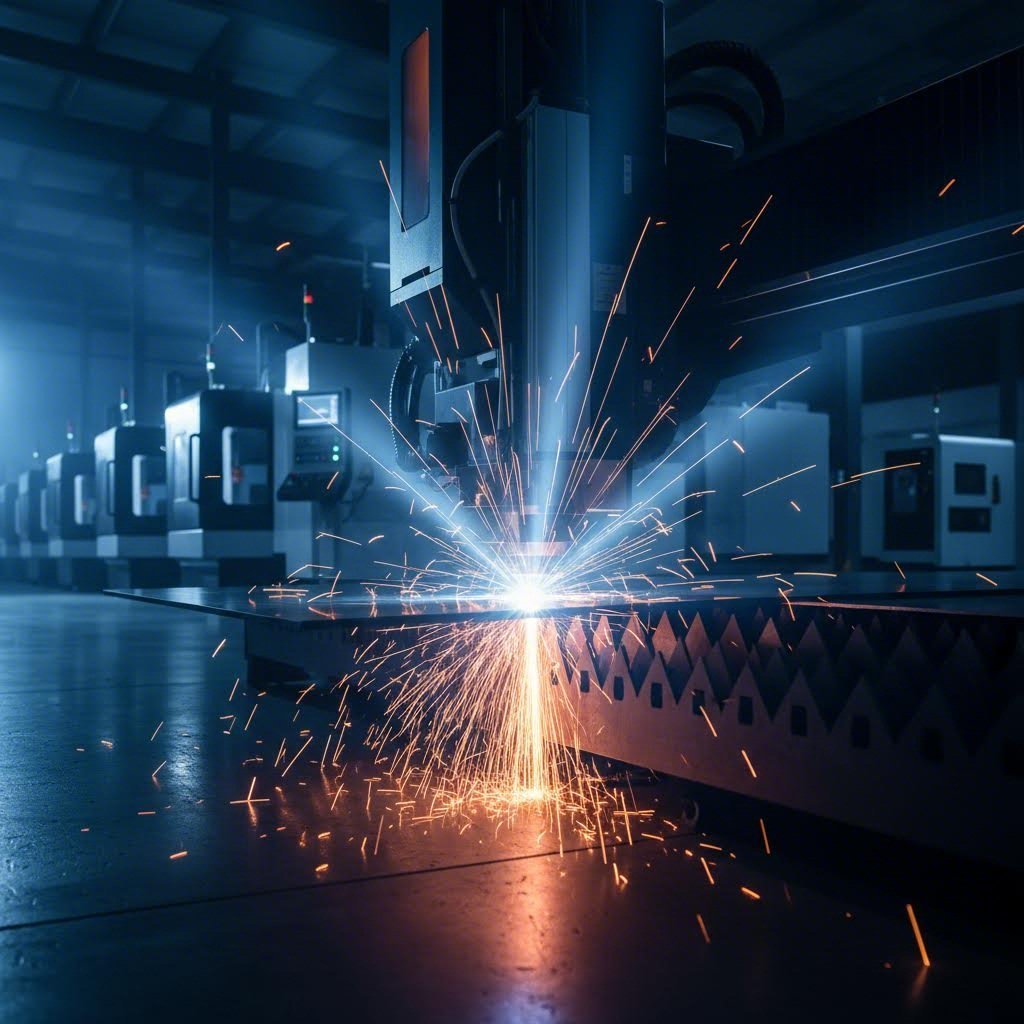
Niekedy ste sa zamysleli, ako výrobcovia vyrábajú tie neskutočne komplikované kovové diely alebo dokonale hladké akrylové nápisy? Odpoveď sa nachádza v službách laserového rezania – technológii, ktorá mení spôsob, akým premieňame suroviny na presné komponenty. Či už hľadáte službu laserového rezania neďaleko mňa, alebo skúmate služby presného laserového rezania pre zložitý projekt, pochopenie tejto technológie vám umožní mať kontrolu nad vašimi výrobnými rozhodnutiami.
V podstate laserové rezanie využíva zameraný, vysoce výkonný lúč svetla na rezanie, gravírovanie alebo leptanie materiálov s úžasnou presnosťou. Predstavte si, že kreslíte sústredeným svetlom – len toto svetlo je dostatočne silné na to, aby roztopilo oceľ. A Cnc laserový rezací stroj kombinuje počítačové číselné riadenie s laserovou technológiou na vykonávanie rezacích operácií s výnimočnou presnosťou, najmä pri tvorení komplikovaných tvarov a malých otvorov.
Ako laserové lúče premieňajú suroviny na presné diely
Predstavte si, ako cez zväčšovacie sklo sústreďujete slnečné svetlo, aby spálilo list. Teraz si túto intenzitu vynásobte tisíckrát. V podstate presne to sa deje pri laserovom rezaní – len s počítačovo riadenou presnosťou, ktorú žiadna ľudská ruka nedokáže dosiahnuť.
Proces funguje prostredníctvom laserovej hlavy obsahujúcej sústrediacu šošovku a trysku. Tento zber úzko sústredí stĺpec extrémne intenzívneho svetla na povrch obrobku. Keď tento sústredený lúč narazí na materiál, teplotná hustota v danom bode je taká vysoká, že spôsobuje rýchle zahriatie a čiastočné alebo úplné odparenie materiálu.
To, čo robí túto technológiu skutočne výkonnou, je CNC ovládací systém. Počítačové inštrukcie (tzv. G-kód) riadia pohyb laserovej hlavy po pracovnom povrchu a s mikroskopickou presnosťou sledujú cestu vášho dizajnu. Stlačený plyn pretekajúci tryskou plní dvojitú funkciu – chladí zaostrovaciu šošovku a zároveň odstraňuje vyvrievaný materiál z miesta rezu.
Veda za svetelno-bazovanou rezacou technológiou
Na rozdiel od tradičného obrábania, ktoré fyzicky odstraňuje materiál stykom s reznými nástrojmi, laserové rezanie je bezkontaktný proces založený na teplote. Tento rozdiel má niekoľko dôležitých dôsledkov:
- Žiadne opotrebovanie nástroja: Laserový lúč sa neopotrebováva ako fyzické rezné nástroje, čo zaručuje konzistentnú kvalitu aj po tisícoch rezov
- Minimálny mechanický tlak na materiál: Bez fyzického kontaktu nedochádza k deformácii dielov mechanickou silou
- Schopnosť vytvárať komplexné tvary: Zaostrený lúč dokáže vytvoriť detaily, ktoré sú pre bežné nástroje nedosiahnuteľné
Pre tých, ktorí skúmajú akryl služby laserového rezania alebo možnosti kovového spracovania , táto technológia ponúka nezvyčajnú všestrannosť. Ten istý základný proces, ktorý prereže hrubé oceľové platne, dokáže jemne gravírovať dekoratívne vzory do dreva alebo vytvárať komplexné prototypy z inžinierskych plastov.
Prečo je to dôležité, ak hľadáte výrobné riešenia? Rýchlosť, presnosť a všestrannosť definujú moderné laserové rezanie. Projekty, ktoré kedysi vyžadovali viaceré obrábací operácie a rozsiahle dokončovacie práce, sa dnes dajú dokončiť jediným prechodom s hranami dostatočne čistými na okamžité zmontovanie. Porozumenie týmto základom vám umožní efektívne komunikovať so službami a hodnotiť cenové ponuky so sebavedomím – znalosti, ktoré si postupne vytvoríte v priebehu tohto sprievodcu.
Vysvetlenie technológie CO2 oproti vláknovému laseru
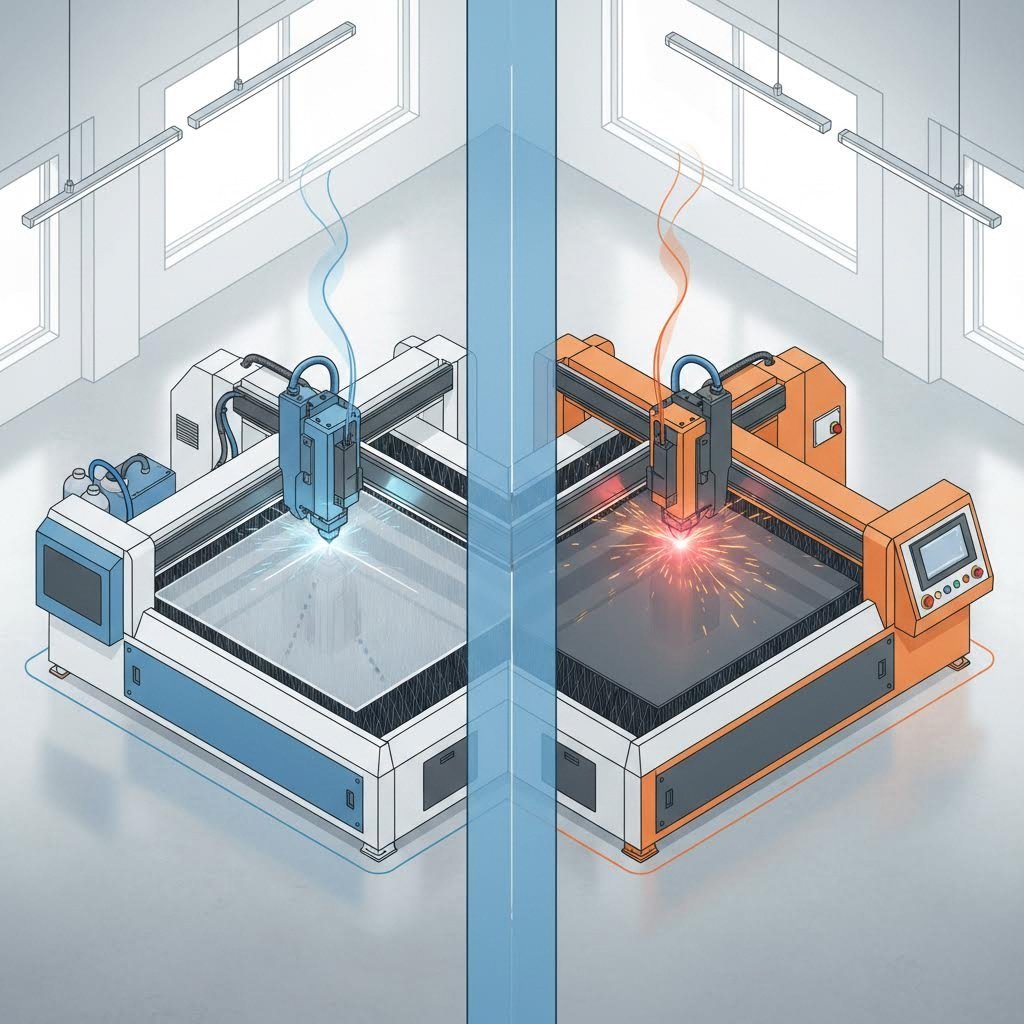
Nie všetky lasery sú rovnaké. Keď žiadate cenové ponuky od služieb laserového rezania, pochopenie toho, ktorá technológia poháňa stroj, priamo ovplyvňuje kvalitu, náklady a dodací termín vášho projektu. Dve prevládajúce technológie dominujú v priemysle – CO2 lasery a vláknové lasery – a každá z nich exceluje v úplne iných aplikáciách. Poznanie rozdielu vám pomôže vybrať si správneho poskytovateľa a vyhnúť sa platbe za nevhodné možnosti.
Tu je základný rozdiel: CO2 lasery používajú generovanie lúča na báze plynu, zatiaľ čo vláknové lasery využívajú technológiu na pevnom telese. Tento zdalo by sa jednoduchý rozdiel vytvára výrazne odlišné vlastnosti výkonu, ktoré sú dôležité pre konkrétne požiadavky vášho projektu.
CO2 lasery pre nekovové materiály
CO2 laserové rezačky sú pracovnými koňmi priemyslu od 60. rokov 20. storočia. Tieto systémy využívajú zmes plynov oxidu uhličitého, dusíka a hélia na vytvorenie elektricky riadeného laserového lúča. Technológia funguje indukciou svetla cez plne vyplnenú trubicu so zrkadlami na oboch koncoch – jedno úplne odrazové, druhé s čiastočným prepustením svetla. Táto konfigurácia zrkadiel spôsobí, že sa vlny svetla posilnia, než je silný lúč nasmerovaný na rezaciu plochu.
Čo robí CO2 lasery špeciálnymi? Ich vlnová dĺžka 10,6 µm je ideálne pohlcovaná organickými a nekovovými materiálmi ak potrebujete presné rezy akrylu, dreva, plastov, kože, látky alebo papiera, CO2 lasery poskytujú vynikajúcu kvalitu okrajov. Služby ponúkajúce alternatívy k sendcutsend akrylu sa zvyčajne práve preto opierajú o CO2 technológiu.
CO2 lasery vynikajú pri týchto materiáloch:
- Plasty a akryly: Čisté, lesklé okraje bez dodatočného dokončovania
- Drevo a preglejka: Presné rezy s minimálnym ohořením, ak sú správne kalibrované
- Koža a látka: Zložité vzory bez roztiahnutia okrajov
- Papier a lepenka: Podrobné návrhy pre balenie a prototypy
- Guma a korek: Vyrobené na mieru tesnenia a dekoratívne predmety
Aké sú kompromisy? CO2 systémy pracujú s účinnosťou len 5–10 % a spotrebujú 10 až 20-krát viac elektrickej energie, než vyžarujú laserového svetla. Vyžadujú tiež častejšiu údržbu a majú kratšiu prevádzkovú životnosť – faktory, ktoré ovplyvňujú ceny poskytovateľov v každom regióne vrátane dielní na rezanie laserom v meste San Jose.
Vláknové lasery pre vynikajúcu výrobu kovov
Vláknová laserová technológia predstavuje novšiu generáciu rezného výkonu. Tieto stroje využívajú aktívne optické vlákna legované zriedkavými zeminami, ako je yterbium, na generovanie a zosilnenie laserového lúča. Transportné vlákno potom dodáva túto skoncentrovanú energiu priamo do rezného hlavy – žiadne zrkadlá, žiadne zmesi plynov.
Výsledky hovoria samé za seba. Podľa priemyselné údaje laserové vlákna vytvárajú lúče s kratšími vlnovými dĺžkami (1,064 µm), ktoré zabezpečujú vyššiu absorpčnú schopnosť na kovových povrchoch. To sa prekladá do 3 až 5-násobnej produktivity oproti CO2 strojom podobnej kapacity pri rezaní kovov.
Prečo si kovodieri prednostne vyberajú vláknové lasery? Zvážte tieto výhody:
- Vynikajúce rezanie kovov: Uhlíková oceľ, nehrdzavejúca oceľ, hliník, mosadz, meď a titán
- Spracovanie odrazných materiálov: Reže materiály, ktoré spôsobujú problémy pre CO2 systémy
- Vyššia účinnosť: Viacej ako 90 % elektrickej účinnosti oproti 5–10 % u CO2
- Predĺžená životnosť: Až 25 000 prevádzkových hodín – približne 10-krát viac ako u CO2 zariadení
- Zmenšené údržby: Tuhotelový dizajn eliminuje manipuláciu s plynom a nastavovanie zrkadiel
Keď hľadáte odborníkov na laser max San Jose alebo iných regionálnych odborníkov na rezanie kovov, opýtajte sa, či používajú vláknové laserové zariadenia pre vaše kovové projekty. Rozdiel v technológii priamo ovplyvňuje kvalitu rezu a cenu.
Priamy porovnávacia technológie
Voľba medzi týmito technológiami je jasnejšia, keď si porovnáte špecifikácie vedľa seba:
| Charakteristika | CO2 laser | Vláknový laser |
|---|---|---|
| Najlepšie materiály | Akryl, drevo, plasty, koža, textília, papier, guma | Oceľ, nehrdzavejúca oceľ, hliník, mosadz, meď, titán |
| Typický rozsah hrúbky | Až 20 mm a viac pre kovy (s kyslíkovou podporou); ideálne pre nekovy | Optimálne pre kovy do 20 mm; novšie stroje zvládnu až 2,25 palca |
| Rýchlosť rezania | Pomalšie pri spracovaní kovov; vynikajúce pri nekovoch | 3-5-násobne rýchlejšie ako CO2 pri kovoch |
| Energetická účinnosť | 5-10 % (vysoká spotreba energie) | Nad 90 % (minimálne plytvanie energiou) |
| Pracovná životnosť | Približne 2 500 hodín | Až 25 000 hodín |
| Požiadavky na údržbu | Pravidelné nastavenie zrkadiel, dopĺňanie plynov, častejšia údržba | Minimálna údržba, žiadne spotrebné plyny |
| Počiatočná cena vybavenia | Nižšia počiatočná investícia | 5-10-násobne vyššia ako ekvivalent CO2 |
| Kvalita rezu | Vynikajúca pri hrubých materiáloch a nekovoch | Nadpriemerná presnosť pri kovoch |
Správna voľba technológie
Ktorú technológiu by mal váš projekt použiť? Odpoveď závisí úplne od vašich materiálov a požiadaviek:
Vyberte CO2 laserové služby, keď:
- Váš projekt zahŕňa nemetalické materiály ako akryl, drevo alebo plasty
- Potrebujete rezať hrubé kovové platne (10–20 mm alebo viac) s prívodom kyslíka
- Kvalita rezu na organických materiáloch má pre vás najvyššiu prioritu
- Rozpočtové obmedzenia uprednostňujú nižšiu cenu za prácu pred trvanlivosťou zariadenia
Vyberte vláknové laserové služby, keď:
- Váš projekt vyžaduje rezanie plechov (uhlíková oceľ, nerezová oceľ, hliník)
- Pracujete s odrazivými kovmi ako je mosadz alebo meď
- Rýchlosť a presnosť sú kritické pre váš výrobný harmonogram
- Vyššie tolerancie vyžadujú užší, stabilnejší lúč, ktorý poskytujú vláknové lasery
Mnohé profesionálne služby laserového rezania prevádzkujú obe technológie a pre každú úlohu vyberajú optimálny stroj. Pri požiadavkách na cenové ponuky sa konkrétne pýtajte, ktorý typ lasera bude spracovávať vaše súčiastky – táto transparentnosť ukazuje dodávateľa, ktorý uprednostňuje výsledky pred pohodlnosťou. Porozumenie týmto rozdielom vás pripraví na vyhodnotenie možností materiálov, čo podrobne preberieme v nasledujúcej sekcii.
Kompletný sprievodca materiálmi pre projekty laserového rezania
Tu je niečo, čo vám väčšina služieb laserového rezania nepovie na prvý pohľad: voľba materiálu určuje 80 % úspechu vášho projektu. Môžete mať najpokročilejší vláknový laser na svete, ale ak ho skombinujete s nesprávnym materiálom – alebo nepochopíte obmedzenia hrúbky – skončíte zamietnutými súčiastkami a zmarneným rozpočtom . Tento komplexný sprievodca ponúka to, na čo konkurencia len naráža: praktické špecifikácie pre každú kategóriu materiálu vrátane skutočných limitov hrúbky a očakávaní kvality.
Či už skúmate online služby laserového rezania pre prototyp, alebo vyhodnocujete laserové rezanie online pre sériovú výrobu, pochopenie kompatibility materiálov zabráni drahým prekvapeniam. Pozrime sa podrobne, čo každý materiál dokáže – a nedokáže – ponúknuť.
Možnosti rezania kovov a limity hrúbky
Kovy predstavujú základ priemyselného laserového rezania. Každý kov sa však správa inak pod laserovým lúčom a možnosti rezania hrúbky sa výrazne líšia v závislosti od výkonu a typu lasera. Tu je to, čo potrebujete vedieť pred odoslaním svojich návrhových súborov.
Uhlíková oceľ
Najbežnejšie rezaný kov v laserovej výrobe, uhlíková oceľ, predvídateľne reaguje na vláknové aj CO2 lasery. Jej železné zloženie efektívne pohlcuje laserovú energiu, čím vznikajú čisté rezy s minimálnym výskytom strusky.
- Rozsah hrúbky: 0,5 mm do 25 mm+ (závislé od výkonu)
- Kvalita hrany: Vynikajúce hrany bez oxidácie pri použití dusíka ako asistenčného plynu; mierne oxidačné okraje pri použití kyslíka na hrubších platniach
- Idealné aplikácie: Nosné konštrukcie, uchytenia, skrine, autodiely, rúry strojov
- Kľúčové zváženie: Pre lesklé, zváraciepripravené okraje na platniach pod 12 mm odporúčame rezanie s dusíkom – je to nákladnejšie, ale eliminuje nutnosť brúsenia pred zváraním
Podľa odborných špecifikácií , 3000 W vláknový laser reže uhlíkovú oceľ maximálne do 20 mm, zatiaľ čo systémy s 6000 W dosahujú viac než 25 mm s kvalitnými hranami do 20 mm.
Nehrdzavejúca oceľ
Chróm obsiahnutý v nehrdznutej oceli spôsobuje špecifické rezy. Materiál sa prirodzene bráni oxidácii, čo ho robí ideálnym pre aplikácie vyžadujúce pevnosť aj odolnosť voči korózii.
- Rozsah hrúbky: 0,5 mm do 50 mm (vláknové lasery s vysokým výkonom nad 10 kW)
- Kvalita hrany: Možnosť zrkadlového povrchu na tenkých plechoch; kvalita klesá nad 12 mm bez vysokej triedy zariadenia
- Idealné aplikácie: Zariadenia pre spracovanie potravín, lekársky materiál, architektonické prvky, námorné komponenty
- Kľúčové zváženie: odrezy odrôd 304 a 316 sú podobné; u nerezovej ocele 430 (magnetická) sa môžu mierne líšiť tepelné vlastnosti
Pre informáciu: systém 1000 W reže nerezovú oceľ do hrúbky 5 mm, zatiaľ čo systém 4000 W až do 16 mm – avšak kvalita rezu nad 12 mm si vyžaduje overenie u vášho dodávateľa.
Hliník
Odrazivý povrch hliníka a jeho vysoká tepelná vodivosť spôsobujú pri rezaní problémy, ktoré vláknové lasery zvládajú oveľa lepšie ako CO2 systémy. Materiál rýchlo rozvádza teplo, preto je potrebné použiť vyšší výkon ako pri oceli rovnakej hrúbky.
- Rozsah hrúbky: 0,5 mm až 40 mm (vláknové systémy 10 kW+)
- Kvalita hrany: Dostatočná, ale zvyčajne hrubšia ako pri oceli; pri viditeľných aplikáciách môže vyžadovať dodatočné dokončenie
- Idealné aplikácie: Súčasti pre letecký priemysel, chladiče, skrinky pre elektroniku, ľahké konštrukčné diely
- Kľúčové zváženie: Dôležitý je druh zliatiny – zliatina 6061-T6 sa reže čistejšie ako liatiny; vždy upresnite presný typ zliatiny
Brass a miedz
Tieto vysoce odrazivé kovy kedysi predstavovali vážne výzvy pre laserové rezanie – staršie systémy CO2 mohli byť poškodené odrazom lúča. Moderné vláknové lasery ich efektívne spracovávajú, hoci s určitými obmedzeniami.
- Rozsah hrúbky: 0,5 mm až 8 mm (meď); 0,5 mm až 10 mm (mosadz)
- Kvalita hrany: Prijateľné pre funkčné diely; môže sa objaviť zmena farby na rezaných hranách
- Idealné aplikácie: Elektrické komponenty, dekoratívna kovania, výmenníky tepla, projekty gravírovania v San Jose a podobné umelecké práce
- Kľúčové zváženie: Vyžiadajte si vzorky rezov pred tým, ako potvrdíte výrobné objednávky – rezanie odrazivých materiálov sa výrazne líši medzi jednotlivými dodávateľmi
Plasty, akryly a nekovové možnosti
Nekovové materiály otvárajú úplne nové možnosti – a aj riziká. V tejto kategórii dominujú lasery CO2, ktoré dosahujú výsledky, ktoré vláknové lasery pri organických zlúčeninách nedokážu napodobniť.
Akrylát (PMMA)
Akryl je hviezdou medzi plastmi pre laserové rezanie – hrany sú po rezaní ihneď ohnívané a lesklé, bez nutnosti dodatočného dokončovania.
- Rozsah hrúbky: 1 mm až 25 mm (najlepšie výsledky s liatym akrylom)
- Kvalita hrany: Sklový jasné, leštené okraje dosiahnuteľné na liatym akryle; extrudovaný akryl môže mať matný povrch
- Idealné aplikácie: Propagácia, výklady, ochranné kryty, umelecké diela, architektonické modely
- Kľúčové zváženie: Liaty akryl je o 20–30 % drahší ako extrudovaný, ale ponúka výrazne lepšiu kvalitu okrajov – pre viditeľné aplikácie určte liaty typ
Polycarbonate
Napriek svojej oblibe ako nárazom odolný materiál má polykarbonát problémy s laserovým rezaním, o ktorých mnohí poskytovatelia dopredu nehovoria
- Rozsah hrúbky: 0,5 mm až 6 mm (obmedzené problémom zmeny farby)
- Kvalita hrany: Žltosť a popáleniny sú bežné; okraje zriedkavo dosahujú čírosť akrylu
- Idealné aplikácie: Funkčné prototypy, ochranné kryty a kryty, kde vzhľad okraja nie je priorita
- Kľúčové zváženie: Pre viditeľné diely zvážte alternatívy z akrylu alebo plánujte dodatočné opracovanie okrajov – laserovo rezaný polykarbonát zriedkavo vyzerá leštený dojem
ABS a iné technické plasty
ABS (akrylonitrilbutadiénstyrol) sa slušne reže, ale vyžaduje vhodné vetranie kvôli emisiám plynov
- Rozsah hrúbky: 0,5 mm až 12 mm
- Kvalita hrany: Mierne roztavenie vytvára hladké, ale nepolírované okraje
- Idealné aplikácie: Prototypy, skrine, súčasti spotrebnej elektroniky
- Kľúčové zváženie: Vždy overte, či má poskytovateľ dostatočné odvzdušnenie – niektoré dielne odmietajú ABS kvôli obmedzeniam vetrania
Drevo a kompozity
Prírodné a umelé drevené výrobky sa výborne režú CO2 laserom, čo umožňuje komplikované návrhy, ktoré tradičná truhlárstvo nezvládne
- Rozsah hrúbky: Fólia až do 20 mm (závisí od hustoty)
- Kvalita hrany: Mierne ohořenie je nevyhnutné; svetlé drevo zobrazuje väčší kontrast ako tmavé druhy
- Idealné aplikácie: Propagácia, dekoratívne panely, architektonické modely, špeciálne balenie, nábytkové súčasti
- Kľúčové zváženie: MDF sa reže čistejšie ako preglejka; smer vlákien plného dreva ovplyvňuje kvalitu okrajov pri krivkách
Kritériá výberu materiálu: Ako urobiť správnu voľbu
Výber materiálu nie je len o tom, aké materiály môžu služby laserového rezania spracovať – ide o to, aby sa vlastnosti materiálu zhodovali s požiadavkami vášho projektu. Zvážte tieto štyri kľúčové faktory:
Štrukturálne požiadavky
Aké zaťaženie musí vaša súčiastka vydržať? Nosníky vyžadujú pevnosť ocele, zatiaľ čo dekoratívne prvky môžu využiť nižšiu hmotnosť hliníka. Vždy upresnite podmienky zaťaženia, keď žiadate od dodávateľa spätnú väzbu k návrhu.
Estetické požiadavky
Budú hrany viditeľné? Hrany liateho akrylu upravené plameňom eliminujú náklady na dokončovanie; uhlíková oceľ možno bude vyžadovať brúsenie pred natieraním. Zahrňte sekundárne operácie do celkových nákladov vášho projektu.
Rozpočtové obmedzenia
Ceny materiálov sa výrazne líšia – nehrdzavejúca oceľ stojí 3 až 4-násobok ceny uhlíkovej ocele; liaty akryl je o 30 % drahší ako extrudovaný. Niekedy môže náhrada materiálu priniesť úspory bez obeti funkčnosti.
Prostredie konečného použitia
Vonkajšie aplikácie vyžadujú odolnosť voči korózii (nerezová oceľ, hliník alebo upravené materiály). Súčasti určené na kontakt s potravinami si vyžadujú špecifické druhy nerezovej ocele. Vysokoteplotné prostredia vylučujú väčšinu plastov. Predtým, ako definitívne zvolíte materiál, definujte prevádzkové podmienky.
Najlepší výber materiálu vyváži všetky štyri faktory – nie len ten, na ktorý sa práve teraz sústreďujete.
S týmito znalosťami o materiáloch ste schopní robiť informované rozhodnutia a kriticky posudzovať odporúčania dodávateľov. Porozumenie materiálom je však len časťou celej rovnice – poznanie faktorov ovplyvňujúcich ceny zabezpečí férové cenové ponuky a umožní identifikovať príležitosti na úspory.
Pochopenie stanovenia cien a nákladových faktorov laserového rezania
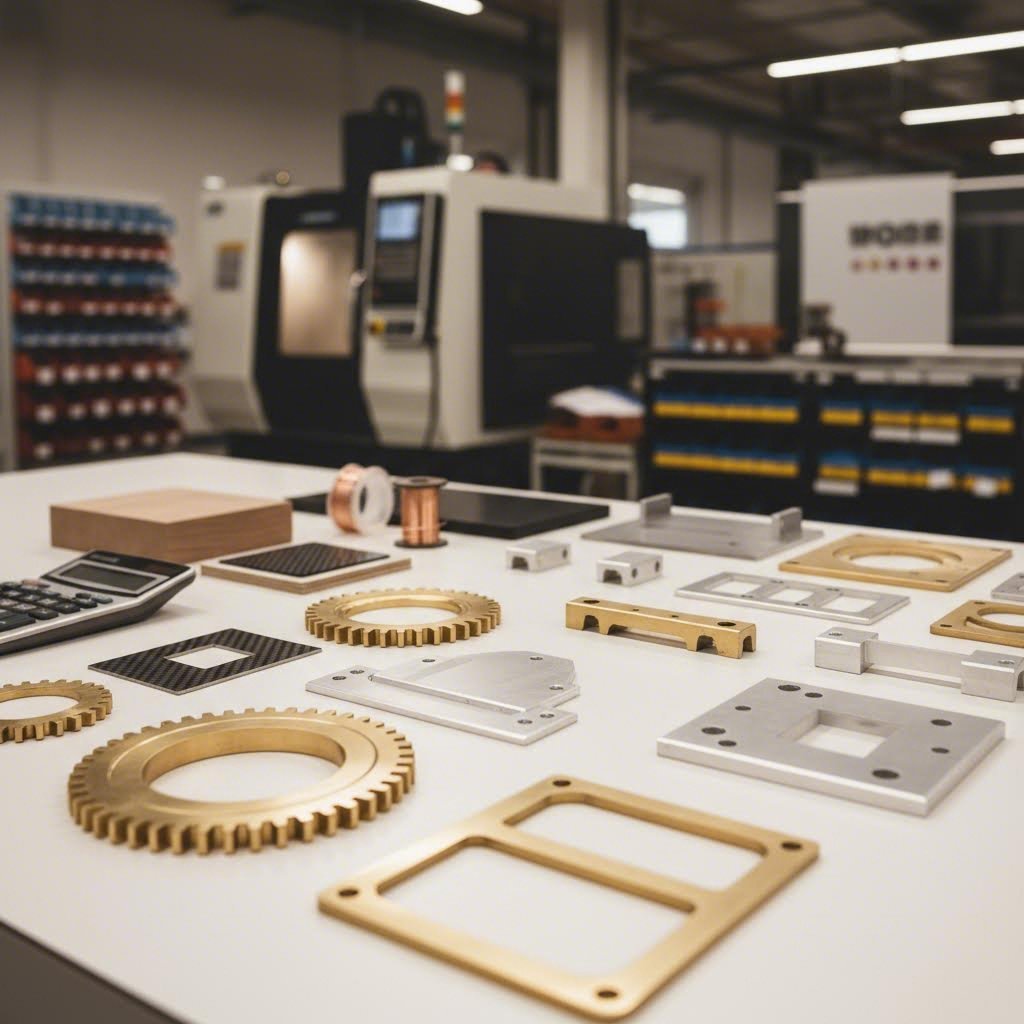
Už ste niekedy klikli na tlačidlo „okamžitá cenová ponuka“ a dostali číslo, ktoré pôsobilo úplne ľubovoľne? Nie ste sami. Väčšina služieb laserového rezania zámerné skrýva svoje ceny za automatickými nástrojmi, čo zanecháva zákazníkov v nevedomosti, či dostávajú férovú ponuku alebo podporujú niečiu neefektívnosť. Táto časť odhaľuje, čo skutočne určuje vašu konečnú faktúru – a čo je dôležitejšie, ako môžete tieto náklady kontrolovať bez toho, aby ste obetovali kvalitu.
Pochopenie cien nie je o hľadaní najlacnejšieho dodávateľa. Ide o rozpoznanie hodnoty, vyhnutie sa nepotrebným výdavkom a efektívnu komunikáciu s výrobcami, ktorí rešpektujú informovaných zákazníkov.
Čo skutočne ovplyvňuje náklady na laserové rezanie
Keď výrobca vypočítava vašu cenovú ponuku, súčasne vyhodnocuje viacero premenných. Niektoré priamo kontrolujete prostredníctvom konštrukčných rozhodnutí; iné závisia od trhových podmienok a možností zariadení. Tu je to, čo sa skutočne deje za formulárom s cenovou ponukou:
- Typ a trieda materiálu: Rôzne materiály vyžadujú rôzne laserové technológie, nastavenia výkonu a rezné rýchlosti. Podľa odborného odhadu rezanie nehrdzavejúcej ocele vo všeobecnosti vyžaduje viac energie a času v porovnaní s uhlíkovou oceľou, čo ju robí drahšou. Špeciálne zliatiny a odrazivé kovy, ako je meď, majú vyššiu cenu kvôli zložitosti spracovania.
- Hrúbka plechu: Hrubšie materiály vyžadujú nižšie rezné rýchlosti a vyššiu spotrebu energie. Cena plechu 12 mm môže byť za lineárny palec 3 až 4-krát vyššia ako u materiálu 3 mm – nie preto, že by sa cena materiálu strojnásobila, ale pretože sa výrazne zvyšuje čas rezania a požiadavky na výkon.
- Zložitosť rezu a dĺžka dráhy: Každý výrez vyžaduje prepichnutie, kde laser spustí rez. Viac miest prepichnutia a dlhšie rezné dráhy priamo zvyšujú čas používania stroja. Zložité návrhy s množstvom malých prvkov vyžadujú vyššiu presnosť, čo zvyšuje náklady na prácu i vybavenie.
- Množstvo a veľkosť dávky: Náklady na nastavenie rozložené na väčšie objednávky výrazne znížia cenu za kus. Jeden prototyp môže stáť 50 USD, zatiaľ čo objednanie 100 identických súčiastok môže znížiť náklady na kus na 8 USD – rovnaký dizajn, výrazne odlišná ekonómia.
- Požiadavky na dokončenie: Sekundárne procesy, ako je odstraňovanie hrubín, leštenie, práškové náter alebo závitovanie, zvyšujú náklady práce, vyžadujú špecializované zariadenia a predlžujú výrobný čas. Odborníci z priemyslu uvádzajú, že tieto kroky sú nevyhnutné na dosiahnutie požadovanej kvality povrchu alebo funkčných požiadaviek, no zvyšujú náklady v priamom pomere.
- Čas výroby: Urgentné objednávky si vyžadujú prirážku – niekedy 50 % alebo viac – pretože narušujú výrobné plány a vyžadujú pracovný čas nad rámec bežnej pracovnej doby. Štandardné dodacie lehoty ponúkajú najlepšiu hodnotu.
Predstavte si to ako vyhľadávanie reštaurácií otvorených blízko mňa o polnoci oproti plánovaniu večere o 18:00 – pohodlie a naliehavosť vždy prinášajú svoju cenovku.
Ako optimalizovať váš rozpočet bez obeti kvality
Teraz, keď rozumiete tomu, čo ovplyvňuje náklady, tu je spôsob, ako ich strategicky znížiť. Ide nie o šetrenie na kvalite, ale o inteligentné inžinierske postupy, ktoré odborní návrhári používajú každý deň.
Zjednodušte geometriu svojho návrhu
Komplexná geometria s jemnými detailmi vyžaduje presnejší laserový výkon a dlhšie časy rezania. Výskum ukazuje že vyhnutie sa ostrým vnútorným rohom, minimalizácia malých jemných rezov a použitie menšieho počtu kriviek môže viesť k výraznej úspore. Zaoblené rohy alebo priame čiary sa režú rýchlejšie ako komplikované tvary alebo tesné polomery. Položte si otázku: sú tieto dekoratívne detaily nevyhnutné pre funkčnosť, alebo len dobre vyzerali vo vašom CAD modeli?
Optimalizujte hrúbku materiálu
Ak vaša aplikácia nevyžaduje odolnosť hrubších kovov, výber tenšieho materiálu ušetrí čas aj peniaze. Zvážte, či by pre vaše konkrétne zaťaženie postačovala 1 mm nerezová oceľ namiesto 2 mm. Niekedy inžinieri nadmernou specifikáciou hrúbky hodia „len pre istotu“, no táto bezpečnostná rezerva stojí skutočné peniaze.
Ovládnite umenie vkladania
Efektívne vkladanie maximalizuje využitie materiálu tým, že usporiadava diely tesne vedľa seba na liste materiálu. Strategické vkladanie môže znížiť odpad materiálu o 10–20 %, čím priamo zníži vašu faktúru. Ak objednávate viacero rôznych súčiastok, opýtajte sa, či vám poskytovateľ dokáže zoskupiť ich spolu – zoskupenie súčiastok s podobnou geometriou zjednodušuje rezanie a znižuje odpad.
Zvoľte vhodné tolerancie
Tu je niečo, čo väčšina poskytovateľov neprezradí dobrovoľne: nadmerné zúženie tolerancií výrazne zvyšuje náklady. Špecifikácia ±0,005" namiesto ±0,015", ktoré by plne postačilo, núti pomalšie rýchlosti rezania a zvyšuje miery odmietnutia. Podľa odborníkov na spracovanie kovov majú súčiastky s extrémne prísnymi toleranciami vyššiu pravdepodobnosť odmietnutia kvôli malým odchýlkam a môžu si vyžadovať dodatočné sekundárne procesy, ako je frézovanie alebo brúsenie.
Strategicky dávkujte svoje objednávky
Nastavenie laserového rezača trvá nejaký čas, preto spustenie väčších množstiev v jednej relácii zníži potrebu častých úprav stroja. Ak potrebujete opakované diely, zlučovanie objednávok alebo plánovanie výrobných šarží dopredu prináša výrazné úspory na jednotku. Dokonca aj spojenie objednávky na budúci mesiac s týmto mesiacom môže efektívne rozložiť náklady na nastavenie.
Vyberte materiály skladom
Je váš požadovaný materiál ľahko dostupný, alebo bude vyžadovať špeciálnu objednávku? Využite, keď je to možné, kovy, ktoré sú už skladom – tak sa vyhnete poplatkom za minimálne objednávky a oneskoreniam v dodacom termíne. Pred definitívnym stanovením špecifikácií sa opýtajte svojho dodávateľa, aké materiály má aktuálne k dispozícii.
Zhodnoťte požiadavky na kvalitu hrán
Dosiahnutie prémiovej kvality hrán často vyžaduje spomalenie lasera alebo použitie vyššej energie – obe možnosti zvyšujú náklady. Nie každá aplikácia vyžaduje rovnakú úroveň presnosti hrán. U súčiastok, ktoré budú zvárané, maľované alebo skryté vo vnútri zostáv, štandardná kvalita hrán ušetrí peniaze bez kompromitovania funkčnosti. Prémiové špecifikácie hrán rezervujte len pre viditeľné povrchy.
Cieľom nie je nájsť najnižšiu cenu – ide o maximalizáciu hodnoty vylúčením nákladov, ktoré nepridávajú hodnotu vášmu konečnému produktu.
S týmto poznaním o cenách môžete inteligentne vyhodnocovať cenové ponuky, klast informované otázky a identifikovať dodávateľov, ktorí uprednostňujú transparentnosť pred nejasnosťami. Dokonalé pochopenie nákladov však nepomôže, ak vaše návrhové súbory nie sú správne pripravené – ďalšia časť zabezpečí, že sa vaše súbory hladko prevedú z obrazovky na laser.
Príprava vašich návrhových súborov na úspešné laserové rezanie
Vybrali ste si ideálny materiál a rozumiete, čo ovplyvňuje ceny. Ale práve tu sa mnoho projektov odchýli od kurzu: odovzdanie dizajnových súborov, ktoré na obrazovke vyzerajú dokonale, no zlyhajú, keď sa spustí laserové rezanie. Podľa výrobcov, ktorí týždenne kontrolujú stovky súborov, chyby pri príprave súborov spôsobia viac meškaní projektov ako akýkoľvek iný samostatný faktor. Dobrá správa? Každá bežná chyba je úplne predvídateľná.
Táto časť vás vybaví technickými znalosťami potrebnými na odovzdanie súborov pripravených na výrobu – bez ohľadu na to, či spolupracujete s miestnou dielňou alebo skúmate online služby laserového reznia po celom štáte. Zvládnite tieto základy raz a už nikdy nebudete čeliť zamietnutým nahratiam ani frustrujúcim cyklom revízií.
Požiadavky na formát súborov a možnosti softvéru
Znie to zložito? Je to v skutočnosti jednoduché, ak raz pochopíte jednu kľúčovú odlišnosť: laserové rezačky potrebujú vektorové súbory , nie rastrové obrázky. Keď exportujete JPEG alebo PNG, ukladáte pixely – malé farebné štvorčeky, ktoré len približne reprezentujú váš dizajn. Laserové rezacie stroje nedokážu interpretovať pixely na rezné dráhy. Potrebujú matematicky definované čiary a krivky, ktoré presne určujú, kde má lúč prechádzať.
Prijímané vektorové formáty
Väčšina služieb laserového rezania prijíma tieto štandardné vektorové formáty, hoci preferencie sa môžu líšiť podľa poskytovateľa:
- DXF (Drawing Exchange Format): Priemyselný štandard pre CNC a laserové rezanie. Univerzálne kompatibilné, súbory DXF obsahujú čistú geometriu bez závislosti na písmach alebo zložitom štýlovaní. Ak si nie ste istí, odovzdajte formát DXF.
- AI (Adobe Illustrator): Nativné súbory Illustrator fungujú dobre, ale vyžadujú prevod textu na obrysy. Uistite sa, že ukladáte vo verzii kompatibilnej so staršími systémami – niektoré stroje majú problémy s novšími formátmi AI.
- SVG (Scalable Vector Graphics): Open-source formát, ktorý získava na popularite, najmä vo webových systémoch na kalkulácie. Čistý, ľahký a široko podporovaný.
- PDF (Portable Document Format): Prijateľné pri exporte z vektorového softvéru s vhodnými nastaveniami. Vyhnite sa PDF súborom vytvoreným zo skenovaných dokumentov alebo rastrovaného grafického obsahu.
Podľa odborníkov z priemyslu , použitie nesprávneho formátu súboru patrí medzi prvých päť najčastejších chýb pri návrhoch, na ktoré sa stretávajú. Vždy skontrolujte preferovaný formát svojho poskytovateľa pred odoslaním.
Odporúčaný softvér pre návrhy
Na vytváranie súborov pripravených na laser nepotrebujete drahý profesionálny softvér. Tu sú možnosti pre každý rozpočet:
- Adobe Illustrator: Priemyselný štandard pre vektorovú grafiku; vynikajúce nástroje na úpravu ciest a priamy export do DXF
- AutoCAD / AutoCAD LT: Špeciálne vyvinutý pre technické výkresy; natívna podpora DXF s presným kótovaním
- SolidWorks: Ideálny pre inžinierske aplikácie; exportuje rovinné tvary priamo z 3D modelov (poznámka: vodoznaky „študentskej verzie“ väčšinou automaticky ignorujú systémy rezania)
- Inkscape: Bezplatná open-source alternatíva k Illustratorovi; umožňuje exportovať SVG a DXF po správnom nastavení zásuvného modulu
- Fusion 360: Bezplatný pre osobné použitie; kombinuje CAD modelovanie s možnosťami exportu kreslení
- LibreCAD: Bezplatný 2D CAD softvér špeciálne navrhnutý pre technické výkresy
Tipy na optimalizáciu návrhu pre čisté rezy
Vytvorenie vektorového súboru je len začiatok. Rozdiel medzi amatérskymi návrhmi a výrobnými súbormi spočíva v pochopení toho, ako lasery skutočne interpretujú vašu geometriu. Práve tieto technické aspekty oddelia úspešné projekty od nákladných zlyhaní.
Minimálne veľkosti prvkov
Každý laser má fyzikálne obmedzenia, pokiaľ ide o presnosť rezania malých prvkov. Samotný lúč lasera má určitú šírku – zvyčajne 0,1 mm až 1,0 mm v závislosti od materiálu a nastavení. Prvky menšie ako táto šírka sa nedajú riadne vyrezať. Odborné smernice odporúčame vyhnúť sa prvkom, ktoré by boli príliš malé na správne rezanie, najmä vnútorným kruhom alebo tesným rohom.
Kompenzácia rezu
Predstavte si čiaru nakreslenú fixkou namiesto pera – táto čiara má šírku. Rovnaký princíp platí aj pri laserovom rezaní. „Kerf“ označuje materiál odstránený procesom rezu, zvyčajne v rozmedzí od 0,1 mm do 0,5 mm v závislosti od hrúbky materiálu a nastavenia lasera. Pri súčiastkach, ktoré vyžadujú presné medzery, budete musieť posunúť dráhy rezu, aby ste to kompenzovali. Pred finalizáciou kritických rozmerov prejdite so svojím dodávateľom povolené hodnoty kerfu.
Správna hrúbka čiar a farby
Mnoho laserových systémov používa farby alebo hrúbku čiar na rozlíšenie operácií rezania, gravírovania a rýhovania:
- Rezné čiary: Zvyčajne červené alebo čierne, tenké čiary (0,001" alebo tenšie)
- Plochy na gravírovanie: Často vyplnené útvary v konkrétnych farbách
- Rýhovacie čiary: Môžu používať rôzne farby na označenie prechodov s čiastočnou hĺbkou
Vždy pred odoslaním potvrďte farebné alebo vrstvové konvencie svojho dodávateľa. Čiara, ktorú ste zamýšľali ako značku ohybu, by mohla stať neželaným skrz-rezom.
Vzdialenosť medzi rezovými čiarami
Ak sú návrhové čiary umiestnené príliš blízko k sebe, laser môže spáliť alebo prerezať oblasti, ktoré chcete zachovať. Podľa odbornej praxe pri výrobe by ste mali reznú geometriu od seba vzdialiť najmenej dvojnásobok hrúbky plechu, aby ste predišli deformácii. Pri štandardných aplikáciách zabezpečíte minimálne 0,010 palca (0,25 mm) medzi kritickými dráhami, čím zabránite oslabeniu konštrukcie.
Kontrolný zoznam prípravy súboru krok za krokom
Pred nahratím do akejkoľvek služby laserového rezania prejdite si tento overovací postup:
- Preveďte všetok text na obrysy: Písma, ktoré nie sú v systéme na rezanie nainštalované, sa môžu nahradiť inými alebo úplne zmiznúť. V programe Illustrator vyberte text a zvoľte Typ → Vytvoriť obrysy. V CAD softvéri použite príkazy „Rozložiť“ alebo „Rozbaliť“.
- Uzavrite všetky otvorené dráhy: Nezopnuté alebo otvorené dráhy môžu zmiasť softvér pre laser, čo má za následok neúplné rezy. Použite funkcie úpravy dráh a spojenia vo vašom programe, aby ste zabezpečili správne uzavretie každého tvaru.
- Odstráňte prekrývajúce sa čiary: Duplikované čiary spôsobujú, že laser rovnakú dráhu orezáva dvakrát, čo môže viesť k prepáleniu materiálu alebo vzniku nerovných okrajov. Skontrolujte hromadenie geometrie, najmä po spojení viacerých dizajnových prvkov.
- Overte rozmery v mierke 100 %: Ak ste previedli rastrový súbor alebo zmenili mierku vášho dizajnu, vytlačte ho v mierke 100 %, aby ste potvrdili, že fyzikálne rozmery zodpovedajú vašim zámerom.
- Skontrolujte uzatvorenú geometriu: Výrezy, ktoré nie sú pripojené k hlavnej časti, počas rezania vypadnú. Buď pridajte upevňovacie jazýčky na ich udržanie, alebo ich odovzdajte ako samostatné diely.
- Odstráňte nepotrebné uzly: Príliš veľa kotviacich bodov vytvára hrbole zubovité krivky namiesto hladkých oblúkov. Zjednodušte dráhy, pričom zachovajte zámer dizajnu.
- Umiestnite otvory preč od okrajov: Otvory umiestnené príliš blízko okrajov dielu hrozia roztrhnutím alebo deformáciou, najmä ak sa diel následne ohýba.
- Exportujte do formátu uprednostňovaného poskytovateľom: Uložte čistú kópiu špeciálne pre výrobu – nejedná sa len o premenovanie pracovného súboru.
Efektívna komunikácia požiadaviek na tolerancie
Aj dokonale pripravené súbory môžu viesť k odmietnutiu dielov, ak nie sú jasne komunikované požiadavky na tolerancie. Štandardné laserové rezanie dosahuje rozmerové tolerancie ±0,005" až ±0,015" v závislosti od materiálu a kalibrácie stroja. Ak vaša aplikácia vyžaduje vyššiu presnosť, musíte to explicitne uviesť – a pochopiť dopad na náklady.
Pri žiadosti o cenové ponuky uveďte:
- Kritické rozmery: Zdôraznite konkrétne merania, ktoré musia spĺňať úzke tolerancie voči všeobecným rozmerom so štandardnými dovolenými odchýlkami
- Funkčné požiadavky: Vysvetlite, ako budú diely použité – presné spoje vyžadujú inú presnosť ako otvory s medzerou
- Referenčné body merania: Uveďte, ktoré hrany alebo prvky slúžia ako referenčné body pre overenie rozmerov
- Prijateľný rozsah odchýlok: Uveďte svoj tolerančný rozsah číselne, namiesto použitia subjektívnych výrazov ako „presný“ alebo „dôveryhodný“
Jasné oznámenie tolerancií zabraňuje frustrácii zo získania súčiastok, ktoré spĺňajú „štandardné“ špecifikácie, ale nespĺňajú vaše konkrétne požiadavky na použitie.
S riadne pripravenými súbormi a jasne oznámenými špecifikáciami ste odstránili najbežnejšie prekážky úspešných projektov laserového rezania. Porozumenie tomu, kedy je samotné laserové rezanie správnou voľbou oproti vodnému laku, plazme alebo CNC alternatívam, však zabezpečí, že investujete do optimálneho procesu pre vaše potreby.
Laserové rezanie v porovnaní s vodným laktom, plazmou a CNC metódami
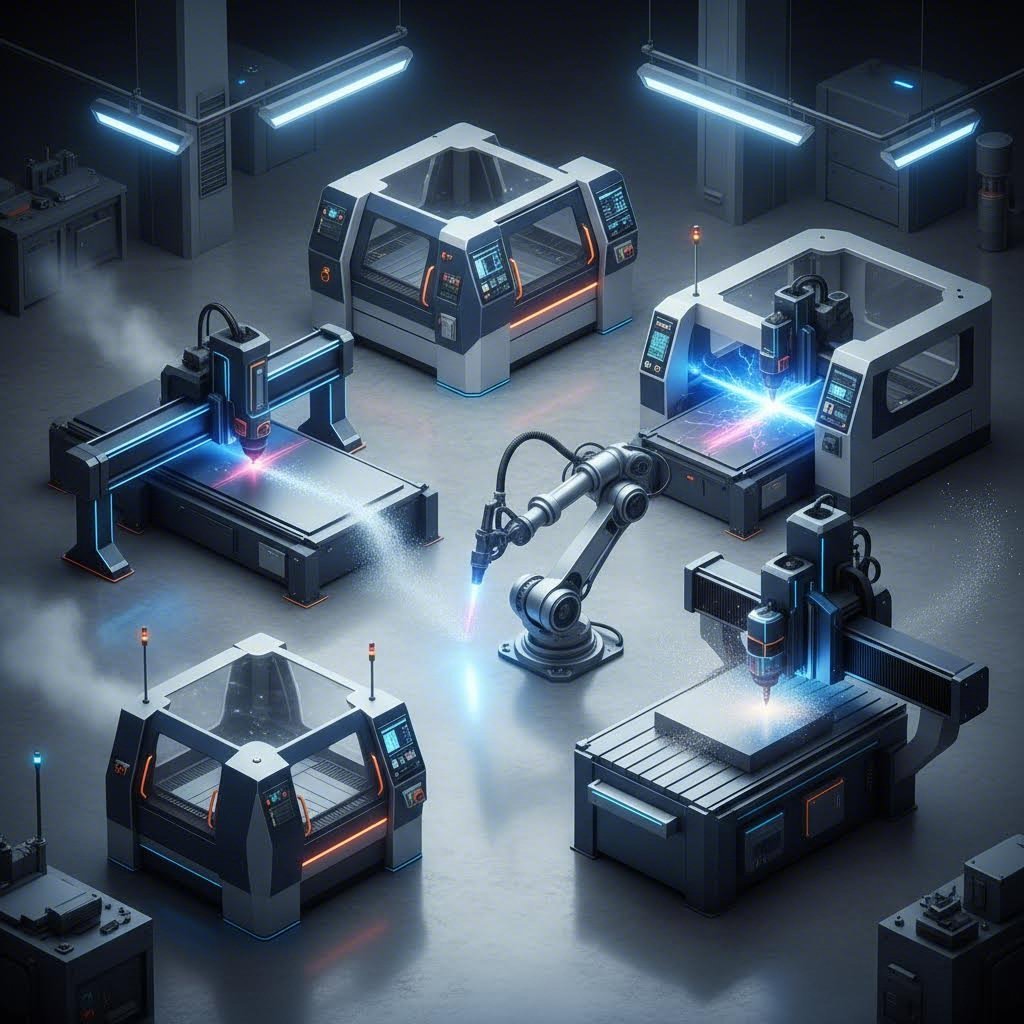
Tu je úprimná diskusia, ktorú väčšina služieb laserového rezania vyhýba: laserové rezanie nie je vždy najlepšou voľbou. Prekvapené? Nemali by ste byť. Každá rezacia technológia existuje preto, lebo rieši určité problémy lepšie ako alternatívy. Výrobca, ktorý vám hovorí, že laserové rezanie zvládne všetko, buď nie je dostatočne informovaný, alebo dúfa, že nebudete klásť otázky.
Pochopenie, kedy sa lepšie hodí laserové rezanie a kedy zvažovať namiesto toho vodný lúč, plazmové alebo CNC frézovanie, chráni váš rozpočet a zabezpečuje optimálne výsledky. Poďme objektívne porovnať jednotlivé technológie a ich reálny výkon namiesto marketingových tvrdení.
Kedy je laserové rezanie lepšie ako ostatné metódy
Laserové rezanie dominuje v konkrétnych aplikáciách, kde jeho jedinečné vlastnosti prinášajú neoveriteľnú hodnotu. Podľa odborníci na výrobu pre priemysel , laserové rezanie schopné rezať viac ako 2 500 palcov za minútu je najrýchlejšou dostupnou metódou – a často aj najekonomickejšou pre vhodné aplikácie.
Presnosť a detailná práca
Keď dizajn vyžaduje komplikované vzory, malé otvory alebo úzke tolerancie, laserové rezanie jednoznačne vedie. Zameraný lúč vytvára mimoriadne čisté hrany s minimálnou potrebou dodatočnej úpravy. Elektronické skrine, súčiastky lekárskych prístrojov a presné uchytenia veľmi profitujú z tejto schopnosti.
Efektivita pri tenkých plechov
Pri materiáloch s hrúbkou pod 1/2" ponúka laserové rezanie zvyčajne najlepší pomer rýchlosti a kvality. Testovanie viacerých technológií potvrdzuje, že laserové rezanie dosahuje lepšie výsledky, ak sú potrebné jemné detaily alebo presné otvory na tenkých plechoch.
Kľúčové výhody laserového rezania:
- Rýchlosť: 3 až 4-krát rýchlejšie ako vodný lúč pri porovnateľných materiáloch
- Presnosť: Tolerance ±0,005" dosiahnuteľné u väčšiny materiálov
- Kvalita hrany: Čisté, často zvarovo pripravené okraje bez sekundárnej úpravy
- Žiadne opotrebovanie nástroja: Stála kvalita od prvého po tisíci rez — žiadne opotrebenie noža
- Minimálne množstvo odpadu: Úzky rezný medzera umožňuje hustejšie rozmiestnenie a menej odpadu
- Nekontaktný proces: Žiadna mechanická sila nedeformujúca tenké alebo krehké diely
Situácie, kedy sa osvedčujú alternatívne metódy rezania
Úprimná analýza vyžaduje uvedomenie si obmedzení laserového rezania. Niektoré projekty sa skutočne lepšie vykonávajú pomocou alternatívnych technológií – a uvedomenie si týchto situácií šetrí peniaze a zároveň zlepšuje výsledky.
Aplikácie s hrubými materiálmi: Doména plazmového rezania
Pri rezaní vodivých kovov hrubších ako 1" ponúka plazmové rezanie jasné výhody. Podľa porovnávacích testov plazmové rezacie stroje vykazujú vynikajúce výsledky pri rezaní oceľových dosiek, kde laserové rezačky majú problémy s prenikaním. Rozdiel v nákladoch je významný – plazmové systémy stojia približne 90 000 USD oproti 195 000 USD za ekvivalentné waterjet systémy, pri prevádzkových nákladoch približne polovičnej výšky na stopu pri hrubých materiáloch.
Teplotne citlivé materiály: Waterjet má navrch
Laserové rezanie je základne tepelný proces. Toto sústredené teplo vytvára „tepelne ovplyvnené zóny“ (HAZ), kde sa vlastnosti materiálu menia v blízkosti rezného okraja. Pre letecké komponenty, kalené kovy alebo materiály, ktoré nemôžu zniesť žiadnu tepelnú zmenu, vodný lúč tento problém úplne eliminuje. Chladné rezanie nevytvára žiadne skreslenie, žiadne ztvrdnutie a žiadne metalurgické zmeny.
Univerzalita pre nekovy: Rezanie vodným lúčom a CNC frézovanie
Hoci CO2 lasery dobre spracúvajú mnohé nekovové materiály, niektoré materiály predstavujú výzvu:
- Kameň a sklo: Vodný lúč tieto materiály oreže čisto; lasery nie.
- Hrubé kompozity: Uhlíkové vlákno a G10 sa často delaminujú pri laserovom teple – vodný lúč zachováva štrukturálnu integritu
- Hrubé plasty a drevo: CNC frézovanie často poskytuje lepší povrchový úprav bez ohořenia alebo roztavenia
Výzvy pri reflexných kovoch
Meď, mosadz a niektoré hliníkové zliatiny odrážajú laserovú energiu späť smerom k reznému hlavici. Aj keď súčasné vláknové lasery lepšie zvládajú tieto materiály ako staršie CO2 systémy, obmedzenia hrúbky sú stále prísnejšie ako pri oceli. Vodný lúč reže odrazné kovy bez rizika odrazu lúča.
Priamy porovnávacia technológie
Výber správnej reznej metódy sa stáva jasnejším, keď porovnáte skutočné výkonové špecifikácie vedľa seba:
| Kritériá | Laserového rezania | Režanie vodným paprskom | Plazmové rezanie | Frezovanie CNC |
|---|---|---|---|---|
| Presnosť | ±0,005" (vynikajúce) | ±0,009" (veľmi dobré) | ±0,020" (stredná) | ±0,005" (vynikajúce) |
| Rozsah materiálov | Väčšina kovov, mnoho plastov, drevo, textil | Takmer akýkoľvek materiál vrátane kameňa, skla, kompozitov | Len vodivé kovy | Plasty, drevo, kompozity, mäkké kovy |
| Kapacita hrúbky | Až 1" oceľ (optimálne pod 1/2") | 6"+ na mnohých materiáloch | 2"+ oceľ s dobrou kvalitou | Až do 3" v závislosti od materiálu |
| Kvalita okrajov | Vynikajúca; často pripravená na zváranie | Vynikajúca; žiadne tepelné vplyvy | Dobrá; môže vyžadovať broušenie | Veľmi dobrá; žiadne tepelné vplyvy |
| Teplom ovplyvnená zóna | Prítomný, ale minimálny u tenkých materiálov | Žiadne (studený proces) | Významný pri všetkých rezoch | Žiadna (mechanický proces) |
| Rýchlosť rezania | Najrýchlejší u tenkých materiálov | Najpomalnejší zo všetkých metód | Rýchle pri hrubých kovoch | Stredná |
| Nákladová efektívnosť | Najlepší pre tenké, detailné práce | Vyššie náklady; opodstatnené pri špeciálnych materiáloch | Najlepší pre výrobu z hrubých kovov | Hospodárny pre nekovové materiály |
Správna voľba technológie
Ktorú rezaciu metódu by mal váš projekt použiť? Odpoveď závisí od vašich konkrétnych požiadaviek:
Vyberte laserové rezanie, keď:
- Váš materiál je hrubší ako 1/2"
- Dôležité sú komplikované detaily, malé otvory alebo tesné tolerancie
- Prioritou sú rýchlosť a hospodarnosť
- Želate si čisté okraje bez rozsiahleho dokončovania
Zvoľte vodno-abrazívne rezanie, keď:
- Zóny ovplyvnené teplom sú neprijateľné (letecký priemysel, kalené materiály)
- Režete kameň, sklo alebo hrubé kompozity
- Hrúbka materiálu presahuje možnosti laseru
- Odrazivé kovy predstavujú výzvu
Vyberte plazmové rezanie, keď:
- Rezanie hrubých vodivých kovov (oceľ alebo hliník nad 1")
- Rýchlosť je dôležitejšia ako presnosť okrajov
- Rozpočtové obmedzenia uprednostňujú nižšie prevádzkové náklady
- Projekty zahŕňajú výrobu konštrukčnej ocele alebo ťažkej techniky
Zvoľte CNC frézovanie, keď:
- Pracujete s hrubými plastmi, drevom alebo penou
- Kvalita povrchovej úpravy presahuje to, čo umožňuje laserové ohořenie
- Dieliky vyžadujú závitovanie alebo zahlbovanie
- Materiál neznáša tepelné procesy
Najlepší výrobcovia nepresadzujú jednu technológiu – prispôsobujú správnu metódu konkrétnym požiadavkám každého projektu.
Mnoho úspešných dielní prevádzkuje viacero rezacích technológií práve preto, lebo žiadna jediná metóda nie je optimálna pre každú aplikáciu. Pochopenie týchto rozdielov vám umožní objektívne posudzovať dodávateľov a rozpoznať, keď dielňa odporúčajúca laserové rezanie pre vaše oceľové plechy s hrúbkou 2" nemá pravdepodobne vaše najlepšie záujmy na mysli. Keď máte porovnanie týchto technológií ako pevný základ, preskúmanie reálnych aplikácií vo rôznych odvetviach odhalí ešte viac možností pre váš ďalší projekt.
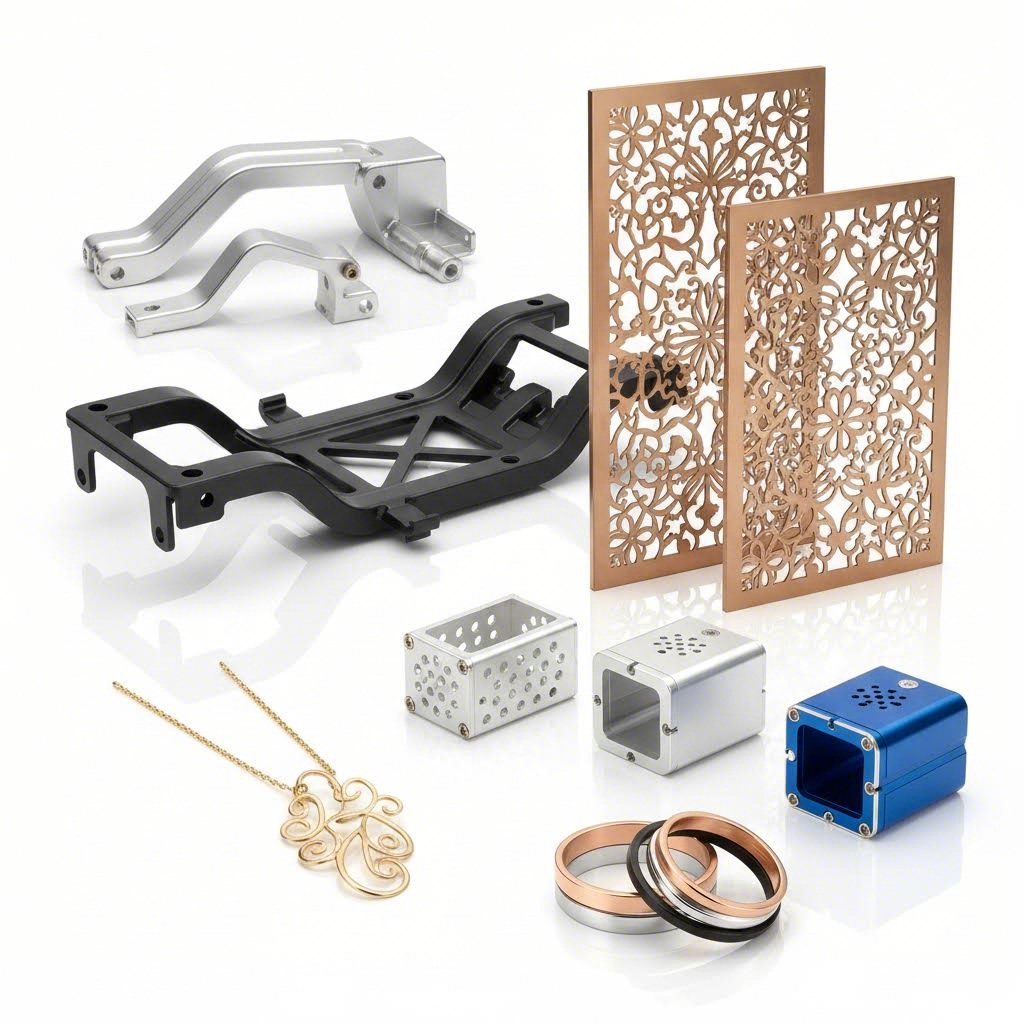
Aplikácie z reálneho sveta vo viacerých odvetviach
Teraz, keď rozumiete technológii, materiálom a cenovým faktorom, pozrime sa, čo je v skutočnosti možné. Služby laserového rezania nie sú obmedzené na jediný priemysel – premenili výrobu, dizajn a prototypovanie takmer vo všetkých odvetviach. Či už ste inžinier, ktorý navrhuje automobilové konzoly, alebo umelca, ktorý vytvára dekoratívne inštalácie, pochopenie týchto reálnych aplikácií vám pomôže predstaviť si možnosti pre vaše vlastné projekty.
Univerzálnosť je úžasná. Rovnaká základná technológia, ktorá vyrába letecké komponenty s presnosťou na mikróny, tiež vytvára klenotnícke kúsky a architektonické fasády. Pozrime sa, ako rôzne odvetvia využívajú túto schopnosť.
Priemyselné a automobilové aplikácie
Automobilový priemysel patrí medzi najväčších spotrebiteľov presnej technológie laserového rezania. Podľa analýza priemyslu laserové rezanie výrazne zefektívnilo výrobu vozidiel a ponúka efektivitu, ktorú tradičné metódy strihaním dies alebo plazmou jednoducho nedokážu dosiahnuť.
Prečo sa automobilová výroba tak veľmi spolieha na túto technológiu? Každý milimeter má význam, keď vyrábate diely, ktoré sa musia presne spojiť tisíckrát v rámci vozidiel. Vysoká presnosť vláknových laserov ich robí nevyhnutnými pri výrobe komponentov, kde rozmerná presnosť priamo ovplyvňuje bezpečnosť a výkon.
- Podvozok a konštrukčné komponenty: Uchytenia, montážne dosky a zosilnenia rámu vyžadujúce úzke tolerancie a čisté okraje pripravené na zváranie
- Prototypy karosérií: Rýchla iterácia návrhových koncepcií pred investovaním do drahých väzacích nástrojov
- Komponenty interiérového výbrazu: Presné výrezy pre ovládacie prvky, ventilačné otvory a montážne body
- Diely výfukového systému: Tepelné clony a uchytenia zo zliatiny nerezovej ocele
- Súčasti zavesenia: Zavesenie riadiacich ramien a uchytenia pružín vyžadujúce štrukturálnu pevnosť
Pre výrobcov hľadajúcich komplexné automobilové riešenia často presné laserové rezanie dopĺňa procesy kovového vächania. Spoločnosti ako Shaoyi integruje obe technológie a ponúka 5-dňový rýchly prototyp, ktorý podporuje rýchle iteračné cykly vyžadované moderným vývojom automobilov.
Aerospace aplikácie vyžadujú ešte prísnejšie špecifikácie. Poznamenávajú odborníci z priemyslu potreba ľahkých, vysoko pevnostných materiálov robí presnosť laserového rezania nevyhnutnou – komponenty musia spĺňať prísne limity tolerancií a zároveň zachovávať štrukturálnu integritu za extrémnych podmienok.
- Komponenty motoru: Diely turbín a tepelne odolné clony
- Konštrukčné prvky: Ľahké hliníkové a titanové konštrukčné komponenty lietadiel
- Interiérové vybavenie: Presne prispôsobené prvky kabíny a montážne prvky
Kreatívne a architektonické použitia
Okrem ťažkého priemyslu laserové rezanie revolučne ovplyvnilo kreatívne a architektonické aplikácie. Táto technológia umožňuje návrhy, ktoré by boli nemožné alebo nepomerne drahé pri použití tradičných výrobných metód.
Architektonickí dizajnéri čoraz viac určujú prvky vyrezané laserom pre funkčné aj estetické účely. Výskum ukazuje, že schopnosť tejto technológie rezať hrubé oceľové platne s vysokou presnosťou robí z nej nenahraditeľný nástroj pre modernú architektúru, kde je na prvom mieste personalizácia a vizuálny dopad.
- Dekoratívne mriežky a fasády: Zložité vzory v kovových paneloch pre vonkajšie obaly budov a vnútorné priečky
- Špeciálne zábradlia a zábradliové systémy: Jedinečné návrhy, ktoré nie je možné dosiahnuť tradičnou kovosúčasťou
- Propagačné panely a systémy orientácie: Trojrozmerné písmená a osvetlené komponenty nápisov
- Komponenty nábytku: Podrobné drevené prvky a kovové konštrukcie pre špičkové kusy
- Umelecké inštalácie: Sochy veľkého formátu a interaktívne umelecké diela
Odvetvie výviesok získava obzvlášť veľa od všestrannosti laserového rezania. Až pre výrobu priestorových písmen pre predné strany obchodov alebo osvetlených kanálikových nápisov technológia poskytuje čisté okraje a presné detaily, ktoré zvyšujú vizuálnu prezentáciu značky. Je to podobné ako vyhľadávanie reštaurácií otvorených neďaleko mňa, ktoré spája hladných zákazníkov s miestnymi možnosťami – efektívne výviesky spájajú podniky so svojou publika prostredníctvom vizuálneho dopadu.
Vytváranie prototypov a vývoj produktov
Možno žiadna aplikácia názornejšie neukazuje hodnotu laserového rezania ako rýchle prototypovanie. Podľa odborníkov na prototypovanie sa laserové rezanie ukázalo ako zásadné pri vývoji prototypov s integrovaným CAD softvérom, pričom výsledky sú dosiahnuté za krátke dodacie lehoty v porovnaní s týždňami, ktoré by mohli vyžadovať tradičné metódy.
Prečo je to dôležité pre vývoj produktu? Zvážte cyklus iterácie: navrhnite súčiastku, vyrobte ju, otestujte, identifikujte vylepšenia, znova navrhnite a opakujte. Keď každý prototyp trvá týždne na výrobu, časové plány vývoja sa predlžujú na mesiace alebo roky. Laserové rezanie tento cyklus výrazne skracuje.
- Funkčné prototypy: Otestujte priľahlosť, tvar a funkčnosť s materiálmi ekvivalentnými sériovej výrobe
- Overenie návrhu: Overte, že CAD modely správne prejdú do fyzických súčiastok ešte pred investíciou do nástrojov
- Testovanie malých sérií: Vyrábajte obmedzené množstvá pre terénne skúšky bez nákladov na tváre alebo formy
- Inžinierske vzorky: Vytvárajte súčiastky v prezentovateľnej kvalite pre stretnutia s investormi a recenzie od zákazníkov
Potvrdzuje analýza odvetvia že milimetrová presnosť laserového reznia má za následok presné zobrazenie toho, ako budú spolu pracovať komponenty, upevnenia a funkčnosť produktu – čo je kritické, keď prototypy musia efektívne reprezentovať finálne výrobné súčiastky.
Elektronický priemysel vo veľkej miere závisí od tejto schopnosti. Odborníci na výrobu upozorňujú, že laserové rezanie umožňuje presnú kontrolu nad rozmermi a kvalitou, čo je rozhodujúce v odvetví, kde zlomok milimetra môže znamenať výrazný rozdiel. Od testovania dosiek plošných spojov až po prototypy vonkajších skríň umožňuje laserové rezanie rýchlu iteráciu.
Aj vývoj spotrebnej elektroniky ťaží z tohto prístupu – podobne ako keď si niekto pozrie obchod typu „dollar tree“ neďaleko seba, aby rýchlo získal potrebné pomôcky, aj výrobcovia potrebujú rýchly prístup k prototypovým súčiastkam, aby udržali vývojový elán. Rovnako môže tím zodpovedný za vývoj produktov preberať najnovšie výsledky iterácie počas obeda podľa menu reštaurácie Olive Garden, čím sa zdôrazňuje, ako sa prototypovanie zapája do širšieho pracovného postupu vývoja.
Špecializované priemyselné aplikácie
Okrem týchto hlavných kategórií slúži laserové rezanie špecializovaným potrebám v mnohých odvetviach:
- Zdravotnícke pomôcky: Chirurgické nástroje a implantáty vyžadujúce mimoriadnu presnosť a biokompatibilné materiály
- Elektronika: Presné komponenty pre miniaturizované zariadenia a skrinky
- Šperky: Složité návrhy a individuálne kusy, ktoré spájajú technológiu s umením
- Balenie: Individuálne vystrihnuté krabice a komplexné obaly pre prototypy
- Textil a módny priemysel: Presné strihanie tkanín pre vzory a dekoratívne prvky
- Energetický sektor: Komponenty pre solárne panely, veterné turbíny a infraštruktúru udržateľnej energie
Otázka nie je, či laserové rezanie možno použiť vo vašom odvetví – otázka je, ako využiť jeho schopnosti pre vaše konkrétne aplikácie.
S týmito aplikáciami na pamäti ďalšou výzvou je nájsť správneho poskytovateľa služieb, ktorý uskutoční vašu víziu. Správna voľba si vyžaduje pochopenie toho, čo oddeľuje vynikajúcich poskytovateľov od tých bežných – rozdiel, ktorý výrazne ovplyvňuje výsledky vášho projektu.
Ako zvoliť správneho poskytovateľa služieb laserového reznia
Ovládate technológiu, rozumiete materiálom a viete, čo ovplyvňuje ceny. Ale tu je nepohodlná pravda: dokonalej príprave nemôže nahradiť zlého výbera poskytovateľa služieb laserového rezania. Rozdiel medzi úspešným projektom a frustrujúcou skúsenosťou často závisí od faktorov, ktoré nenájdete na úvodnej stránke webovej stránky – certifikátov, ktoré naozaj niečo znamenajú, reaktivity, ktorá ušetrí týždne oneskorenia, a podpory pri návrhu, ktorá zachytí drahé chyby ešte predtým, než k nim dôjde.
Výber partnера pre výrobu nie je ako si vybrať misku acai v najbližšej smoothie reštaurácii – nemôžete si jednoducho vybrať najbližšiu možnosť a dúfať, že to dopadne najlepšie. Toto rozhodnutie priamo ovplyvní časový harmonogram vášho projektu, rozpočet a konečnú kvalitu. Pozrime sa presne, čo od seba odlišuje vynikajúcich poskytovateľov od tých, ktorí vás ponechajú s ľútosťami nad urobenou voľbou.
Základné otázky, ktoré by ste mali položiť potenciálnym poskytovateľom
Pred odoslaním svojich dizajnových súborov niekoľko strategických otázok odhalí, či poskytovateľ zaslúži vašu spoluprácu. Podľa odborníkov z priemyslu , je rozhodujúce vyhodnotiť skúsenosti a odbornosť poskytovateľa – poskytovateľ s pevnou bilanciou a rokmi skúseností má väčšiu pravdepodobnosť dodania vysokokvalitných výsledkov.
Začnite týmito základnými otázkami:
- Aké laserové technológie používate? Poskytovatelia, ktorí využívajú CO2 aj vláknové lasery, dokážu priradiť optimálnu technológiu ku vášmu materiálu. Poskytovatelia s jedinou technológiou môžu vynucovať kompromisy.
- S akými materiálmi pracujete pravidelne? Skúsenosti sú dôležité – dielňa, ktorá reže hliník každý deň, dosahuje lepšie výsledky ako tá, ktorá s ním pracuje občas. Opýtajte sa konkrétne na váš materiál a požiadavky na hrúbku.
- Aký je váš bežný čas výroby? Štandardné dodacie lehoty sa výrazne líšia. Niektorí poskytovatelia uvádzajú 2-3 týždne; iní doručia do niekoľkých dní. Uistite sa, kam sa vaša objednávka zapája do ich výrobnej kapacity.
- Môžete obsluhovať naliehavé objednávky? Odborníci na výrobu odporúčajú posúdiť schopnosť dodávateľa dodržať termíny vášho projektu a či dokáže zvládnuť núdzové požiadavky, keď je to potrebné.
- Nabízate kontrolu návrhu alebo podporu pri optimalizácii pre výrobu (DFM)? Dodávatelia, ktorí skontrolujú vaše súbory z hľadiska výrobnej vhodnosti, zachytia problémy ešte pred začatím rezania – čím ušetria cykly revízií a odpad materiálu.
- Ktoré formáty súborov prijímate? Problémy so kompatibilitou spôsobujú oneskorenia. Skôr ako sa zaviažete, potvrďte, že váš preferovaný formát je kompatibilný s ich systémami.
- Môžete poskytnúť vzorky rezov alebo referencie? Renomovaní dodávatelia ochotne zdieľajú príklady podobnej práce alebo vás spoja so spokojnými zákazníkmi.
Výber dodávateľa si predstavte ako objednávanie od harry and david – chcete overenú kvalitu a spoľahlivú dodávku, nie hádanie, či sa vaša investícia dostaví tak, ako ste očakávali.
Kvalitné certifikácie, ktoré majú význam
Osvedčenia nie sú len dekoráciou na stene – znamenajú overené záväzky voči kvalitným systémom, kontrole procesov a neustálemu zlepšovaniu. Pre kritické aplikácie určité osvedčenia oddeľujú kvalifikovaných dodávateľov od tých, ktorí len tvrdia, že sú kompetentní.
ISO 9001
Tento medzinárodne uznávaný štandard demonštruje systém riadenia kvality, ktorý zahŕňa návrh, vývoj, výrobu a poskytovanie služieb. Certifikácia ISO 9001 naznačuje dokumentované procesy, vyškolený personál a systematickú kontrolu kvality. Pre bežné výrobné aplikácie poskytuje tento základný certifikát primeranú istotu.
IATF 16949
Pre automobilové aplikácie predstavuje certifikácia IATF 16949 zlatý štandard. Tento prísny štandard vychádza z ISO 9001 a obsahuje požiadavky špecifické pre automobilový priemysel vrátane prevencie chýb, zníženia variability a eliminácie odpadu po celom dodávateľskom reťazci. Dodávatelia ako Shaoyi udržiavajte certifikáciu IATF 16949 špecificky preto, lebo automobiloví OEM vyžadujú takúto úroveň zabezpečenia kvality pre podvozky, zavesenie a konštrukčné komponenty.
AS9100
Aerospace aplikácie vyžadujú certifikáciu AS9100, ktorá pridáva prísne požiadavky na stopovateľnosť, riadenie konfigurácie a minimalizáciu rizík okrem štandardných požiadaviek ISO 9001.
ISO 13485
Výroba lekárskych prístrojov vyžaduje certifikáciu ISO 13485, ktorá zabezpečuje, že procesy spĺňajú regulačné požiadavky pre lekárske výrobky a udržiavajú dokumentáciu vhodnú na kontrolu FDA alebo medzinárodných regulačných orgánov.
Kontrolný zoznam hodnotenia poskytovateľa
Použite tento komplexný kontrolný zoznam pri porovnávaní potenciálnych partnerov pre laserové rezanie:
- Technologické možnosti: Vhodné typy laserov pre vaše materiály; dostatočný výkon pre vaše požiadavky na hrúbku; veľkosť pracovnej plochy umožňujúca rozmery vašich dielcov
- Odbornosť v materiáloch: Overená skúsenosť s vašimi konkrétnymi materiálmi a zliatinami; dostupnosť materiálov na sklade; certifikácia materiálov a ich stopovateľnosť
- Certifikáty kvality: Príslušné certifikácie ISO, IATF alebo odvetvovo špecifické certifikácie; dokumentované postupy kontrol; kalibrované meracie zariadenia
- Časy dodania: Štandardné dodacie lehoty v súlade s vaším plánom; schopnosť expedovaného režimu pri naliehavých potrebách; realistické sľuby dodania na základe aktuálnej kapacity
- Podpora pri návrhu: Služby kontroly konštrukcie pre výrobu (DFM); pomoc pri príprave súborov; poradenstvo ohľadom tolerancií; proaktívna komunikácia o možných problémoch
- Reakčná rýchlosť komunikácie: Rýchlosť vyhotovenia cenovej ponuky (niektorí poskytovatelia ponúkajú vyhotovenie ponuky do 12 hodín); dostupnosť technického personálu; jasné aktualizácie stavu projektu
- Sekundárne operácie: Schopnosti ohýbania, zvárania, dokončovania a montáže; potenciál jednostopového dodávateľa, čo znižuje zložitosť riadenia dodávateľov
- Transparentnosť cien: Jasné rozdelenie nákladov; žiadne skryté poplatky; ochota vysvetliť faktory ovplyvňujúce ceny
Hodnota podpory DFM
Podpora pri konštrukcii pre výrobu predstavuje jednu z najhodnotnejších – a napriek tomu často opomínaných – služieb, ktoré poskytovateľ môže ponúknuť. Podľa odborníkov na presnú výrobu , časné riešenie návrhových aspektov pomáha vyhnúť sa prepracovaniu a zabezpečuje hladší prechod od prototypov k výrobe.
Čo vlastne efektívna podpora pri DFM prináša?
- Overenie veľkosti prvkov: Identifikácia otvorov, drážok alebo podrobností príliš malých na spoľahlivé rezanie, ešte predtým, než dôjde k plytvaniu materiálom
- Overenie realite tolerancií: Upozorňovanie na špecifikácie, ktoré vyžadujú pomalšie rezné rýchlosti alebo môžu viesť k vyššiemu percentu zamietnutia
- Odporúčania materiálov: Navrhovanie alternatív, ktoré splnia vaše funkčné požiadavky za nižších nákladov alebo s lepšou kvalitou hrán
- Optimalizácia rozmiestnenia: Usporiadanie dielov tak, aby sa minimalizovalo plytvanie materiálom a znížili sa náklady na jednotku
- Plánovanie sekundárnych operácií: Predvídanie toho, ako budú diely ohýbané, zvárané alebo montované, a úprava rezných špecifikácií v súlade s tým
Poskytovatelia, ktorí ponúkajú komplexnú podporu pri návrhu pre výrobu – ako napríklad tí, ktorí majú certifikáciu IATF 16949 a zároveň integrované inžinierske tímy – odhalia problémy, ktoré by inak vyšli najavo až vo forme zamietnutých súčiastok alebo neúspešných montáží. Úspory nákladov v dôsledku zabránených revíziám zvyčajne výrazne prevyšujú akýkoľvek príplatok za túto úroveň služby.
Komparácia miestnych a online služieb
Nárast online služieb laserového rezania výrazne rozšíril možnosti, avšak voľba medzi miestnymi dielňami a digitálnymi platformami si vyžaduje zváženie reálnych kompromisov.
Výhody miestnych poskytovateľov:
- Osobná konzultácia pri návrhu a fyzická kontrola vzoriek
- Rýchlejšia iterácia, keď zmeny vyžadujú osobnú spoluprácu
- Jednoduchšia logistika pre veľké alebo ťažké súčiasti, čím sa vyhneme nákladom na prepravu
- Stavanie vzťahov, ktoré zabezpečia prioritu vašich projektov počas období plnej kapacity
- Okamžitý odber eliminuje oneskorenia spôsobené prepravou pri urgentných potrebách
Výhody online služieb:
- Širší prístup k technológiám – špecializované zariadenia, ktoré nemôžete nájsť lokálne
- Konkurencieschopné ceny z vysokých objemov prevádzky
- pohodlie cenových ponúk a objednávania 24/7
- Stála kvalita prostredníctvom štandardizovaných procesov
- Geografická flexibilita pri presune alebo pri distribuovaných tímoch
Pre prototypovanie a jednorazové projekty online služby často ponúkajú vynikajúcu hodnotu. Pre výrobné série vyžadujúce kontinuálne spoluprácu, úpravy kvality alebo komplexné sekundárne operácie sa miestne vzťahy často ukážu ako cennejšie, napriek potenciálne vyšším nákladom na jednotku.
Najlepší poskytovateľ nie je nevyhnutne najlacnejší ani najbližší – je to ten, ktorého schopnosti, štýl komunikácie a štandardy kvality sú v súlade s požiadavkami vášho projektu.
Výber správneho partnera pre laserové rezanie mení váš výrobný proces zo série transakcií na spoluprácu. Poskytovatelia, ktorí investujú do certifikácií, ponúkajú skutočnú podporu pri návrhu s ohľadom na výrobu (DFM) a rýchlo reagujú na dopyty, preukazujú záväzok voči vášmu úspechu – nie len voči svojej faktúre. S možnosťami rýchleho prototypovania, ako sú termíny dodania do 5 dní, a s reaktívnymi systémami cenových ponúk, správny partner urýchli celý váš vývojový proces a zároveň zachová presnosť, ktorú vaše aplikácie vyžadujú.
Často kladené otázky o službách laserového rezania
1. Koľko stojí služba laserového rezania?
Náklady na službu laserového rezania sa líšia v závislosti od typu materiálu, hrúbky, zložitosti rezu, množstva a doby dodania. Čas stroja sa zvyčajne pohybuje od 60–150 USD za hodinu. Jednoduché diely môžu stáť len 5–10 USD, zatiaľ čo zložité prototypy môžu dosiahnuť viac ako 50 USD. Hromadné objednávky výrazne znížia náklady na kus – objednanie 100 identických dielov môže znížiť cenu na 8 USD za kus oproti 50 USD za jeden kus. Na optimalizáciu nákladov zjednodušte návrhy, vyberte vhodné tolerance a využite hromadné objednávky, ak je to možné.
2. Koľko stojí laserové rezanie za hodinu?
Čas laserového rezania stroja zvyčajne stojí 60–150 USD za hodinu v závislosti od typu zariadenia, rezaného materiálu a polohy poskytovateľa. Vláknové lasery na rezanie kovov často majú vyššie hodinové sadzby kvôli nákladom na zariadenie, zatiaľ čo CO2 lasery spracúvajúce akryly a drevo môžu byť lacnejšie. Hodinové sadzby však neposkytujú úplný obraz – rýchlejšie rezné rýchlosti pri tenkých materiáloch znamenajú menej účtovaných hodín. Požiadajte o položkové cenové ponuky, ktoré uvádzajú náklady na materiál, strojový čas a dokončovacie práce pre presné porovnanie.
3. Ktoré materiály je možné rezať laserom?
Laserové rezanie spracúva rôzne materiály vrátane kovov (uhlíková oceľ, nerezová oceľ, hliník, mosadz, meď, titán), plastov (akryl, ABS, polycarbonát), dreva a kompozitov, kože, textílií a papiera. CO2 lasery sa vyznačujú vynikajúcim výkonom pri nekovoch, pričom vytvárajú hladké okraje na akryle a čisté rezy na dreve. Vláknové lasery dominujú pri rezaní kovov vďaka vyššej rýchlosti a presnosti. Obmedzenia hrúbky materiálu sa líšia – oceľ až do 25 mm a viac, akryl do 25 mm, hliník až do 40 mm pri systémoch s vysokým výkonom. Vždy overte konkrétny materiál a jeho hrúbku u poskytovateľov.
4. Aké formáty súborov prijímajú služby laserového rezania?
Väčšina služieb laserového rezania prijíma vektorové formáty súborov vrátane DXF (priemyselný štandard), AI (Adobe Illustrator), SVG (Škálovateľná vektorová grafika) a PDF exportované z vektorového softvéru. Formát DXF ponúka univerzálnu kompatibilitu bez závislosti na písmach. Kritické kroky pri príprave zahŕňajú prevod textu na obrysy, uzatvorenie všetkých otvorených ciest, odstránenie prekrývajúcich sa čiar a overenie rozmerov v mierke 100 %. Vyhnite sa rastrovým formátom ako JPEG alebo PNG – lasery potrebujú matematicky definované rezné dráhy, nie obrázky založené na pixeloch.
5. Ako si vybrať medzi laserovým rezaním, vodným lúčom a plazmovým rezaním?
Vyberte laserové rezanie pre tenké materiály pod 1/2 palca, ktoré vyžadujú komplikované detaily a tesné tolerancie – ponúka najvyššiu rýchlosť a najčistejšie okraje. Zvoľte vodný lúč pre teplom citlivé materiály, hrubé kompozity, kameň, sklo alebo v prípadoch, keď nie sú povolené tepelne ovplyvnené zóny. Vyberte plazmové rezanie pre hrubé vodivé kovy nad 1 palec, ak záleží viac na rýchlosti ako na presnosti okrajov. Každá technológia sa osvedčuje v konkrétnych aplikáciách – kvalifikovaní výrobcovia priradia správny proces podľa vášho materiálu, hrúbky a požiadaviek na kvalitu.